Shared posts

06 Jan 04:11

Too Slow for Software

by russell davies

Spectacle, Speculation, Spam from Alan Warburton on Vimeo.

This is a fantastic piece about Experimental Software Animation and all sorts of other things.

I was especially struck by the idea that software develops too quickly for theory about it to cohere in 'the academy'. That seems to explain theoretical gaps in other places too.

And by the top burn - "maybe interactive tech art risks being the Blue Man Group of the 21st century".  

04 Jan 20:46

Twitter Favorites: [Planta] Hell hath no fury than the scornful glare you give someone you run into at the Whole Foods who you know has unfollowed you on Twitter.

Joseph Planta @Planta
Hell hath no fury than the scornful glare you give someone you run into at the Whole Foods who you know has unfollowed you on Twitter.
04 Jan 20:40

Twitter Favorites: [katherinebailey] This is still the best philosophical treatment of the future of AI I’ve come across, and it’s from a non-philosopher https://t.co/3jlwvbXsll

katherinebailey @katherinebailey
This is still the best philosophical treatment of the future of AI I’ve come across, and it’s from a non-philosopher inverseprobability.com/2016/05/09/mac…
04 Jan 20:40

Time to Retire the Leap Second

The leap second creates many problems in return for essentially no benefit. It is a leftover from the days when computers used the same notation people did for writing dates. Now that computers separate the representation from the presentation it's time to move on.
04 Jan 20:40

Looking for America’s heartland

by Nathan Yau

By definition, heartland is some central place of importance of a country. But ask people where to find America’s heartland, and the actual boundaries of this so-called area grows fuzzy. The Upshot asks its readers the same question with a multiple-choice poll.

First, it gets you to think about your concept of the heartland. Second, it provides a baseline to compare against others. Third, it goes into more detail for each option. And by the end, well, you still don’t quite know where the heartland is, but at least you learn something.

I have a feeling we’ll see this story format more this year.

Tags: heartland, quiz, Upshot

04 Jan 20:39

Wish your MacBook had a touchscreen? Then buy this $99 gadget

by Patrick O'Rourke

Apple says it has no plans to add touchscreen functionality to its core Mac line, despite the company’s major competitors on the Windows side of the personal computer industry implementing the technology in devices years ago. Whether the stance is correct or not remains unclear, but Apple believes there is a clear division between its touchscreen devices that utilize iOS and its Mac line.

In fact, Microsoft’s Windows 10 has been built from the ground up with touchscreen technology in mind, with devices like the Surface Book and Surface Pro 4 proving that swiping your computer screen is a viable and intuitive way of controlling your laptop.

Those eager to move beyond the new USB-C MacBook’s somewhat limited Touch Bar, can now purchase AirBar, a new, relatively affordable $99 (about $133 CAD) accessory that enabled touchscreen-like functionality on Mac devices.

The device emits an invisible light field that allows standard screens receive in put from hand gestures, though it’s unclear if the user actually needs to be touching the laptop’s screen. According to the company, AirBar plugs directly into the laptop via USB and transmits gestures via software commands. Gestures include swiping between windows and pinching and zooming.

Neonode, the makers of the AirBar, previously released a version of its touchscreen designed for 15.6-inch Windows devices. Now, the company behind the product is releasing a version of the device that’s compatible with the 13-inch MacBook Air, with shipping set for March.

04 Jan 20:39

Let's Encrypt

by Volker Weber

ZZ78303071

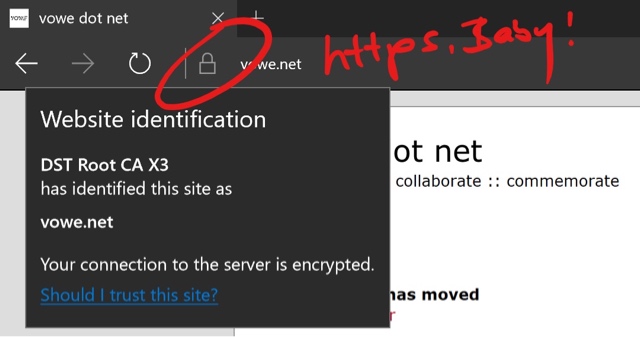
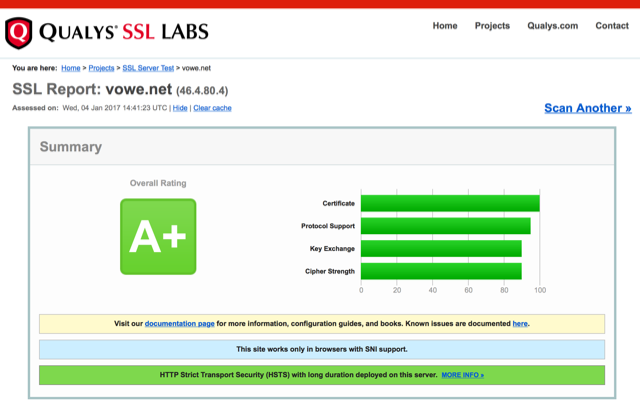
As part of the move, vowe.net also goes https. All web traffic should be encrypted.

The plumbing is already perfect, but there were kinks in the code. Mostly in the code that I have written a long time ago. Let me know if you see things that are broken.

ZZ680F1125

04 Jan 20:39

2017 resolutions: Getting a NO Committee

by Raul Pacheco-Vega

I promised myself I wouldn’t ever make New Year’s Resolutions. To me, they seem much more like dreams and wishful thinking than an actual plan to achieve something. HOWEVER, I have realized in the past few weeks that I didn’t really make any resolutions even though I do have a grand plan for the year 2017 (and quite a detailed one, as you may have read from my previous blog posts on project planning). I did decide, however, that this year I would get myself a NO Committee. You’ll see, the hardest word for me to say is NO.

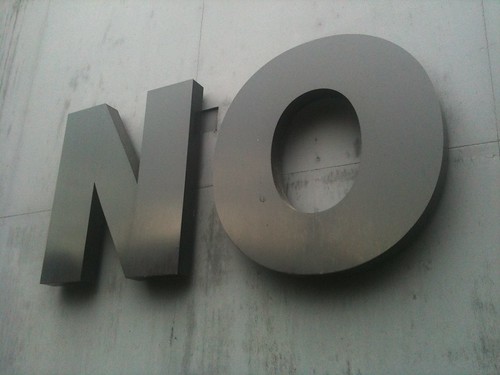
No

Photo credit: SBoneham, Creative Commons Licensed on Flickr.

I pretty much NEVER say NO to a peer review. I’m an associate editor of the Journal of Environmental Studies and Sciences (JESS) and thus I am often the one who calls in favours. Because of that, I try really hard to never say NO to a peer review. Who knows, I may need to request that person whom I said no a review, and then how am I going to have the guts to say “oh, I didn’t review for you, but BY THE WAY, can you review this manuscript for me?”. So not going to happen.

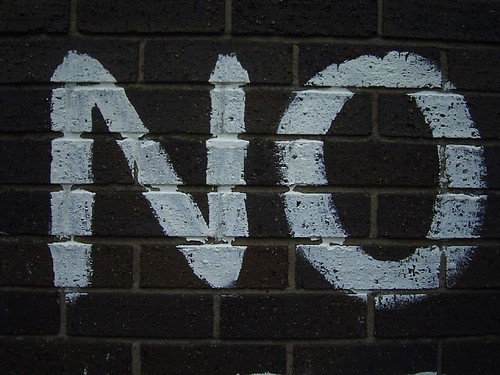
No

Photo credit: DuncanC on Flickr, Creative-Commons Licensed.

I pretty much NEVER say NO to a student, even if that student isn’t my supervisee, my mentee, or even a student at CIDE. Just about every request that a student sends me, I fulfill it. I always had amazing mentors and professors and I wouldn’t want any student to feel unsupported. So I just about never say NO to a student’s request.

No

Photo credit: DuncanC on Flickr. Creative-Commons Licensed

I pretty much NEVER say NO to a good friend’s request. Given that so many of them are academics, these requests are often accompanied by petitions to read a paper, peer-review a paper, revise a grant proposal, etc. It’s important to me that they grow and I also had people read my grants, revise my papers, etc. So, I try to always say YES to those requests.

BUT…

This inability to say NO means that I often say YES so much that I find myself having terrible years when I’m about to collapse and die of overwork (yes, it’s happened twice in the last four years and no, it’s not pretty). This drive to always say YES means that I also often find myself overstretched, even though I’m pretty protective of my writing, reading and research time, and of my holidays. I’m always preaching how we should protect our time as early career researchers (which I have to say, I’m good at doing with reading, writing and research/fieldwork, but less so when it comes to last-minute requests or petitions from journalists, students and faculty outside my own institution)

In the past couple of years, I’ve become better at saying NO, but I always have a lingering question on the back of my mind: “should I have said YES to that thing I just said NO to?” Therefore, in 2017, I am getting myself a NO Committee. I had heard about this notion (or similar ones) from several academics in my circle of friends. Dr. Harriet Bulkeley (Durham University) has a group of friends and colleagues who are also academics, informally called “Opportunities Anonymous“. They give each other feedback on potential opportunities and prevent each other from saying YES too often (I do know many of the participants in that group, and they’re good friends of mine too).

Professor Vilna Bashir Treitler wrote on Dr. Tanya Golash-Boza’s blog about getting oneself a NO Committee. So, in 2017, I am getting myself one. I have had a No Committee before (usually my Mom and Dad, and my brother Arturo – my Mom is a professor of political science and my Dad taught law for many years, and Arturo is a tenured, full professor at California State University Los Angeles), but this time I am going to have one that is completely outside of my family.

NO

Photo credit: Dawn on Flickr, Creative Commons Licensed

Getting myself a NO Committee doesn’t mean that I’m going to shirk from my responsibilities. It means that I’m going to be even more protective of my time (yes, that can actually happen much to a lot of people’s surprise). This means becoming more strategic with what I say YES to. I am often invited to participate things that count much less for our research system. So, I have to learn how to say NO to those. I have been invited to participate in events where I should have just stayed behind and rested. I also have to learn how to say NO to those.

I am actually quite pleased with how I planned my 2017. Every single conference and workshop I’m attending is pre-planned, and I am ready and prepared to the travel I am planning to do. But the only way I could do this was by taking days of holiday where I could simply stay back, sit down and reflect on what I had to do and how I could still do rigorous research, fieldwork AND have a personal life. Despite my systematic approach to managing my time and workload, I am human and still have a lot to learn in the realm of how to manage my time. So, I decided to be very strict about what I said YES to in 2017.

And I’m looking forward to saying NO more often. Listening to my NO Committee. Reflect more on the grand scheme of things.

It’s a lesson I still have to learn.

04 Jan 20:39

Repetition

by Soraya King

Real Life is on winter break. We’ve put together eight SPECIAL ISSUES for your consideration. We’ll publish one a day, each selected by an editor and based on a thematic topic. Click the image below for a pdf. And please enjoy these mid-season reruns until we return to our usual scheduled program.


Repetition has a way of meting out time; in recollection I have a way of meeting myself again, and giving me, as I do, the time of day. Restatements of a theme hold immense sway in figuring out why things, happening as they did, ever induced rapture or heartbreak, turning a lifelong project into a more digestible course. Histories demand, with tools or states altered, indulgence in reprisal, recasting, remembrance and riff. Music wouldn’t be without memory; a record reviewed later can overtake olfaction in its talent for association; looped images can live somewhere between fact and déjà vu. In setting oneself on repeat it’s intensity we’re after; as years click by, housework seems more real that is never adequately put to rest. “No one ever told us we had to study our lives, make of our lives a study, as if learning natural history or music, that we should begin with the simple exercises first,” writes Adrienne Rich in “Transcendental Etude.” A more seasoned tail-devourer than I might attest that segments are always found changed under skin already consumed, split or shed. —Soraya King, Editor

Featuring:

“Against the Clock” by Maya Binyam

“Time Capsules,” by Fuck Theory

“Watch Again,” by Lydia Kiesling

“Instant Replay,” by Monica Torres

04 Jan 20:39

Stolen Bike Toronto

by dandy

It's inconvenient and it's frustrating but if you live in a city the likelihood of getting your bike stolen is real. New dandyhorse intern from Ryerson, Taylor Moyle, investigated just how easy and how often bikes get pinched in Toronto. This story was originally featured here.

Story and Video by Taylor Moyle 

Two thousand eight hundred and six.

As of Dec. 3, 2015, that’s how many bikes have been reported stolen for 2015 in the city of Toronto.

As with any large city, bikes theft is a problem. People steal bikes for a reason, whether it’s to make a quick buck or get a new ride for themselves it's happening every day. We wanted to find out how easy it was to steal a bike in Toronto. The results may surprise you.


Jared Kolb, executive director, for Cycle Toronto, agrees that it’s a problem and tries to give some tips to solve it. “What’s crucial is theft prevention. Don’t leave your bike locked outside over night, use a good locking technique and park in a good area that’s well travelled.”

Cycle Toronto is an organization trying to make biking better for people in Toronto. Kolb also mentioned that ways for a better biking experience for the 20,000 plus people that bike in Toronto every day would be to install more bike lock-up stations, like the ring-and-posts you see while walking around the city. Toronto will take requests on where they install the ring posts but there’s no proper mandate on how many should be installed.

Here are the main places where bikes get stolen by police district.

Kolb also said that, as of now, bike theft is considered theft under $1,000. In the grand scheme of things this is a relatively minor offense. Many avid bikers want this to change. They’d like their bikes to be equal to cars considering how many people in Toronto use their bikes as their main form of transportation.

Online resources, like social media have been used to help people find their stolen bikes. A Facebook page called “Toronto Stolen Bike Page” has over 800 likes from Toronto bikers who have gotten their bikes stolen or would like to help keep an eye out for any stolen bikes. On the page you’ll see people posting about their stolen bikes in hopes someone will see it around.

Meirav Livne-Bar, owner of the stolen bike page has said only a handful of people have gotten their bikes back because of the page. She says the real reason behind the page is for people to start talking about bike theft in Toronto and to urge people to report theft to the police. “People want the Toronto police to do more,” said Livne-Bar. The page on Facebook clearly echoes that sentiment, talking about how the police are doing next to nothing.

Some stories are different than others. Some people work with Toronto police to get their bikes back. Also, according to the 2011 stat report from the Toronto Police, 864 stolen bikes were recovered by them. (You can register your bike with them, here.)

Finding a bike on your own can be a tough task. The next person I talked to about it asked to remain anonymous out of fear from the people who stole his bike, so I’ll refer to him as Michaels.

Michaels lost his bike several months ago at Billy Bishop Airport after leaving for a work trip. He locked up his bike that had a trailer on it and when he came back from his trip the bike was gone. Michaels never reported it to the police since his bike was never registered.

He looked on Kijiji for months and eventually found one he thought was his bike. “There were two tires on the bike that had orange writing, I put them on new before my bike was stolen.” Michaels still had his doubts since the tires were relatively cheap and anyone could have made those changes to the bike, he also couldn’t see the trailer hitch on his bike either. Despite this he arranged a meeting with the people selling the bike. He went and as Michaels describes it “they gave off a pretty bad vibe, they wouldn’t give a good reason why they were selling the bike.” Michaels checked out the bike and noticed some things that he put on his bike like some black markings and a bell that he used.

He asked to take the bike for a spin and then rode away with the bike. The people tried calling him, and threatening him. Eventually Michaels called them back and explained that it was his bike and that if they kept on calling him he would press charges. The people never called him back.

Taylor Moyle is a fourth journalism student at Ryerson University. After graduating he hopes to work on multimedia features as he thinks its the best way to tell stories. Throughout the summer, Taylor road almost a 100 kilometres each week exploring his town and the surrounding areas all on his bike.

Related Articles 

Toronto police on the case after stolen bike found on Kijiji

Making art out of everyday infrastructure: Q&A on bike lock-ups with Marianne Lovink and Scott Eunson

New secure bike parking facilities at CBC celebrated

Kenk: The film


04 Jan 20:39

2017-01-04

by Yehuda Moon
mkalus shared this story from Kickstand Comics featuring Yehuda Moon.

The post 2017-01-04 appeared first on Kickstand Comics featuring Yehuda Moon.

04 Jan 20:39

Report: Amazon Launching Its Own Line Of Workout Apparel

by Mary Beth Quirk
mkalus shared this story from Consumerist.

After launching private label clothing brands last year, Amazon is now reportedly aiming its sights on the lucrative world of exercise apparel with its own line of workout clothing.

Re/code did some digging around in Amazon’s job postings and found a series of listings for “brand manager” positions detailing a search for candidates “to build authentic activewear private label brands that have compelling and unique DNA and deliver amazing consumer valued innovation.”

Translation: we want to compete with UnderArmour, Lululemon, and whoever else is making clothes to go to spin class in (or just look like you’re going to spin class).

Amazon declined to comment, but it wouldn’t be a huge leap for the online retailer, which has been trying to elbow its way into the fashion world since early 2016, when it debuted eight or so clothing brands. In recent months, it’s announced a men’s button-down shirt brand called Buttoned Down that sells dress hits starting at $39 to Prime members.

Amazon’s push could pay off: a June report from Goldman Sachs indicated that brick-and-mortar apparel stores could lose some ground to Amazon, which sells $10 billion worth of apparel and accessories per year. Of course, that includes selling other brands other than its own.

Online apparel in general has been a growing business, increasing at a rate of 20% per year over the past few years, the report noted, while at the same time, brick-and-mortar sales have flatlined.


04 Jan 20:34

Illana Gershon, “I’m not a businessman, I’m a business, man”: Typing the neoliberal self into a branded existence

Illana Gershon, “I’m not a businessman, I’m a business, man”: Typing the neoliberal self into a branded existence:

This article discusses personal branding, a performance genre that many job seekers in the United States are told to master in order to get a job. I discuss the specific techniques you are supposed to use to brand yourself, some of the origins of these techniques, and the reasons why people find it challenging to put these techniques into practice. I analyze the self that personal branding assumes everyone should be able to present to others by deploying a set of semiotic practices meant to create the impression of a coherent authentic self. Personal branding is treated as a lens into some lived dilemmas that emerge when one tries to put a model of a neoliberal self into practice, with special attention drawn to the tension between flexibility and legibility. 

Keywords: Branding, neoliberal self, hiring, employment, career advice

(h/t Justin Pickard)

04 Jan 20:34

Amara’s Law

We tend to overestimate the effect of a technology in the short run and underestimate the effect in the long run. - Roy Amara

04 Jan 20:34

@JoyAnnReid

@JoyAnnReid:
04 Jan 20:34

"If we really are moving toward a future of decentralized, small, high-tech, robotized production,..."

“If we really are moving toward a future of decentralized, small, high-tech, robotized production, it’s quite possible that the United Kingdom’s peculiar traditions of small-scale enterprise and amateur science—which never made it particularly amenable to the giant bureaucratized conglomerates that did so well in the United States and Germany, in either their capitalist or socialist manifestations—might prove unusually apt. It’s all a colossal gamble. But then, that’s what historical change is like.”

-

David Graeber, ‘Despair Fatigue’ (2016)

(h/t Justin Pickard)

04 Jan 20:34

BlackBerry has no plans to release new BB10 devices

by Patrick O'Rourke

During a briefing at CES 2017 that detailed BlackBerry’s manufacturing relationship with TCL and revealed its upcoming “Mercury” Android smartphone, the Waterloo-based company confirmed what many industry observers have assumed for several months now: BlackBerry has no plans to release a new BB10 device.

Though the company says it’s “committed to BB10,” moving forward it does not plan to release hardware running the operating system.

Furthermore, BlackBerry’s commitment to BB10 pertains to updating what it now considers a legacy operating system. The company also revealed that it’s no longer manufacturing any BB10 devices.

BlackBerry’s next smartphone, currently codenamed “Mercury” is set to utilize Google’s Android operating system. While we don’t know everything about the company’s upcoming smartphone, we do, however, know that the phone will feature a 4.5-inch display with a 3:2 aspect ratio. The phone is also set to feature a USB-C port, 3.5mm headphone jack, convenience key, and is approximately the same height as the BlackBerry Priv.

04 Jan 20:33

Here’s everything we know about BlackBerry’s upcoming ‘Mercury’ smartphone

by Ian Hardy

During CES 2017, Steve Cistulli, president and general manager of TCL Communication in North America, unveiled BlackBerry’s fourth Android-powered smartphone.

Currently going by the internal codename of ‘Mercury,’ the go-to-market branding will most likely be the DTEK70, which follows the DTEK60, DTEK50, and the Priv.

Mercury is set to be the first of many devices stemming from the newly cemented partnership between TCL (Alcatel) and BlackBerry, with a focus on three core features: security, productivity and reliability. Piggybacking on its recent shift to software and security, TCL and BlackBerry both agree that the next flagship BlackBerry will continue to offer “the most complete end-to-end smartphone security available on Android.”

mercury-9

As for specs, what is currently known is that the Mercury will indeed have the iconic physical QWERTY keyboard from days past. Similarly to other BlackBerry devices, such as the Priv and the Passport, the Mercury will sport a capacitive keyboard that allows for swiping and scrolling on the physical keys.

While we couldn’t confirm the processor, camera, internal storage, or what version of Android it will be running, here’s a list of confirmed specs that we have gathered to-date. The remaining details will be unveiled next month at Mobile World Congress.

“We look forward to unveiling details around this distinctly different and impressively designed BlackBerry smartphone around the Mobile World Congress timeframe next month,” said Cistulli.

mercury-8
BlackBerry Mercury (Possible name DTEK70) Specs

  • Android OS (unconfirmed what version)
  • Aluminum frame
  • 4.5-inch display with a 3:2 aspect ratio
  • Soft textured rubberized bac
  • Physical QWERTY keyboard with capacitive keys, 4GB RAM
  • Spacebar doubles as a fingerprint sensor
  • 3.5mm headphone jack
  • Rear and front-facing camera with flash
  • Stereo speaker on the bottom
  • Bluetooth 4.2
  • Convenience key
  • USB-C port
  • slot for a nano SIM and microSD card

Earlier rumours of the Mercury pointed towards the smartphone featuring a 2.0GHz Qualcomm processor, 3GB of RAM, 32GB of internal storage, an 18 megapixel camera with an 8 megapixel front-facing secondary.

04 Jan 20:33

A Curator Spent 9 Days Filming the Syrian Civil War From His Aleppo Apartment Window

by DJ Pangburn for The Creators Project

Free Syrian Army rebels on the street below Issa Touma’s home. Screencaps by the author

When Aleppo-based curator and gallerist Issa Touma noticed Syrian Civil War combatants on the streets below his East Aleppo home, he didn’t run—he grabbed a video camera. Over the course of nine days, using a compact Nikon photo camera, Touma sat in his perch and filmed the Syrian rebels on the streets. Last year, Touma collaborated with filmmakers Floor van der Meulen and Thomas Vroege in turning the footage into 9 Days - From My Window in Aleppo, an arresting documentary short on the civilian experience during the five-year long Syrian Civil War, which won Best Short at the 2016 European Film Awards this past December.

While Touma is active on social media, and on projects like Aleppo Gallery, he's not exactly easy to get ahold of for an interview. Talking over WhatsApp’s wifi service, Touma tells The Creators Project he returns to Aleppo every few months after touring Europe to talk about what life and creativity is like in the besieged city.

“There is a lot of shit going on around the world, but people pay attention because I’m coming from a wartorn country,” says Touma. “I was traveling around Europe the last six months, but during this time I traveled back to Aleppo to see what what was going on and shoot some more films. One will be Greetings from Aleppo, which is about me explaining why I come back.”

Touma says he wanted to document his experience in war, while shooting what would become 9 Days - From My Window in Aleppo, because he didn't know what would happen or if he would even make it out alive. This narrative, he insists, is all too common in Aleppo.

Free Syrian Army rebels on the street below Issa Touma’s home. 

For Touma, shooting video seemed like the proper thing to do, so people could understand what is really happening in the city. Though the film was released last year, Touma actually shot it over nine days in August of 2012 while sandwiched between the rebels (Free Syrian Army) on his left and Bashar al-Assad’s Syrian Army on his right. In the film he talks about running out of food and not being able to communicate—things most people take for granted.

“Imagine if it happened in your city, with people shooting underneath your balcony for 24 hours,” Touma says. “That’s why I was shooting video. It’s real war happening underneath your window. You’re scared you might not survive.”

“It’s not normal,” he adds. “You’re scared the first 10 minutes, but after that, you live with it.”

Issa Touma peering out his East Aleppo home’s window.

When the Amsterdam-based filmmakers van der Meulen and Vroege met Touma, during one of his European lectures, they were already working on Syria-related films. This lecture, as van der Meulen recalls, was at Pakhuis de Zwijger, and focused on the necessity of making art in times of war. “He told the audience he was still running an art gallery in Aleppo,” says van der Meulen. “He showed some of his work and some video footage he filmed. We found his footage very powerful and an unique perspective in this complex conflict. He didn't film it with the intention to make a film—it was more a testimony of his existence if something were to happen to him.”

So the two filmmakers approached Touma with the idea to look at the footage together and make a short film. In doing so, they hoped they could show the world about civilian life in Aleppo.

Van der Meulen says they embraced the characteristics of Touma’s footage, since this made it an even more raw and personal view. They added in the color correction and a layer of grain to give it more a cinematic look and narrative coherency. They also interviewed Touma for two hours about his experiences, and talked about what they saw in the footage. Based on this interview, van der Meulen and Vroege wrote the voice-over, with Touma doing the speaking.

A view from Issa Touma’s home.

A number of films have been made about Syria and the conflict, though van der Meulen says most of them are by Western filmmakers about Syrians. She thus believes that their collaboration, one between Western and Arabic artists, is unique and hopeful.

“Most films focus on the rebel fighters and war; civilians and their experiences are often forgotten,” she says. “So the personal perspective of Issa Touma gives the audience an unique insight into a complex conflict. It makes it more vivid and invites involvement, [showing]  experiences of civilians, who are stuck between rebel fighters and the regime army. Stuck in a conflict they don't choose to be in.”

A Free Syrian Army rebel on the street below Issa Touma’s home

While 9 Days - From My Window in Aleppo has an international aim, Touma sees a different audience for the film. For him, the reaction of Syrians to the film is of the utmost importance, because they are the ones who have suffered.

“We saw the same story,” says Touma. “When [the rebels] decided to cut the city in half and make war, they didn’t ask us. They didn’t care about us. They made a checkpoint and started shooting. They came to kill—they didn’t come to [liberate] us. This is the message for civilians.”

He blames the media, in part, for portraying the rebels as heroes. Some journalists, he insists, have an agenda and possibly even a party affiliation. “They try to take away our voice,” Touma says. “So I’m very happy that in the last 10 days a lot of Syrians have seen the film.”

“This is our story, this is what we’re suffering, this is the story of what happened,” he adds. “For the West it’s shocking. 9 Days shows the people who have no power and want to say something, and I think people get that, even in the West.”

Issa Touma

Click here to see more of Issa Touma’s work, and here to check out Floor van del Elsen and Thomas Vroege’s film work.

Related:

'Aleppo Bathhouse': One American Artist’s Personal Response to the Syrian Crisis

How Artists Are Addressing the Syrian Refugee Crisis

You Need to Be Looking at 'Pokémon Go in Syria'

When Artwork Survives Catastrophe

04 Jan 20:32

Who are Vancouver’s Bill Cunninghams?

by Sandy James Planner

91euytwyldl-_sl1500_

Bill Cunningham who wrote for the New York Times died at 87 in 2016.  You may have seen his column-Bill went around New York City by bike and by foot and photographed fashion trends. But he was doing more than that-as The New York Times stated  he “ turned fashion photography into his own branch of cultural anthropology on the streets of New York, chronicling an era’s ever-changing social scene for The New York Times by training his busily observant lens on what people wore — stylishly, flamboyantly or just plain sensibly”. 

landscape-1467050071-bill-cunningham-photographer

In 2009 he was designated by the New York City Conservancy a  living landmark. There is also an excellent documentary on him called “Bill Cunningham New York.” He lived in a tiny apartment in the Carnegie Hall building. And if you saw him in his peasant jacket on a bicycle, you knew it was Bill.


foncie-video

I think Foncie Pulice who took photos of Vancouverites from the 1930’s to 1979 was also a bit like Bill Cunningham, someone who was at ease with talking to people on the street and leaving a cultural gift of all those photographic memories. And until 2006 there was David Cohen, a music lover that went to every symphony concert he could and would always talk to anyone on Granville Mall about music, bus routes, life and living in Vancouver. David always carried books with him and was passionate about music. Bramwell Tovey the conductor of the Vancouver Symphony Orchestra played the piano for David at his hospice when he was dying. David Cohen was for me the epitome of a Vancouverite, approachable, kind and just plain friendly.

david-cohen1email

Do we still have those characters in Vancouver that connect people through photography, music, or conversation on downtown city streets? If you know of one, please let us know in the comments below.


04 Jan 20:32

Let’s Do More of What Saves Money

by Ken Ohrn

Seems like the right thing to me, and perhaps a terrific New Year’s resolution.

Wasting money on the most expensive way of doing things seems wrong.  But for many, as they say, “my mind is made up, don’t confuse me with facts.” And of course, when there is partisan ideology to be served, the howling voices won’t be stilled by mere words. Or votes, for that matter.

Brent Toderian writes in Metro Vancouver on the size of subsidies paid out for different modes of transportation, as one example.

A common political argument is that bike and transit riders should “pay their own way.” A study in Vancouver, however, suggested that for every dollar we individually spend on walking, society pays just one cent. For biking, it’s eight cents, and for bus-riding, $1.50. But for every personal dollar spent driving, society pays a whopping $9.20! Such math makes clear where the big subsidies are, without even starting to count the broader environmental, economic, spatial and quality-of-life consequences of our movement choices. The less people need to drive, the less we all pay.

Another study in Copenhagen (where the full cost of transportation choices are routinely calculated) found that when you factor in costs like time, accidents, pollution and climate change, each kilometre cycled actually gains society 18 cents!


bike-to-work-week

Saving us all money


Meanwhile, a few years ago, Jack Diamond and David Thompson wrote in the Globe and Mail on such costs.  They contend that suburban sprawl costs taxpayers more to develop, returns less in taxes, and consumes more in maintenance and upkeep than more compact forms of development.  They highlight the personal costs of having chosen a sprawl-oriented life.

Moving to the suburbs often means a need for a second car. Even economical cars cost about $10,000 a year to own. Other, less quantifiable costs include long commutes, increased emissions, higher risk of road accidents, fatigue and less home time.

In municipal terms, there are the increased infrastructural costs and their maintenance in comparison to more compact development. While trunk-line infrastructure and expressways are paid for by provincial governments, these costs are, of course, passed on to all taxpayers.

Recognizing these hidden costs is the first step to finding more economically, socially and environmentally effective housing.

Some municipalities have begun to gather data on the full costs of this form of residential development, and innovators across the country are beginning to look at policies meant to encourage more efficient, higher-density neighbourhoods.


04 Jan 20:25

Portraits of hidden parts of B.C.’s Chinese immigration history

by Frances Bula

Through a young friend, I was alerted to the interesting photo project being done by Gu Xiong, a professor of art history at UBC. He has been shooting pictures of some little-known sites that were important to early Chinese immigrants to the province.

Even though I thought I knew a lot about that history, I had no idea that an island near Sidney had been designated as a leper colony for some Chinese residents in Victoria or that families stored the bones of their dead relatives here while waiting to ship them back to their home villages in China.

I was familiar with the Cumberland Chinatown because, through pure chance, we camped near Cumberland this summer and I discovered the odd memorial to the Chinatown, which is now nothing but forest after the settlement was burned down in the 1960s.

Here are some of the photos that Gu has shot, along with a bit of background from me.

After publication, I got a note from a local historian who added this information.

Cumberland’s Chinatown population is incorrect. The 3000 number is a ‘folk’ myth which I grew up hearing (I’m a descendant of Cumberland’s Chinatown). In its heyday, the 1920s, the Chinatown had perhaps 1500. Prior to Vancouver becoming the terminus of the CPR, Victoria, New Westminster, and Nanaimo had the largest Chinese populations.
Additional commentary about Cumberland is problematic. The photograph of ‘Jumbo’s cabin’ has no explanation to say that it was moved to its current location by the roadside, which is adjacent to the entrance to what was Chinatown. The false front buildings of Chinatown businesses in ‘downtown’ are replicas, so were not moved into town! As well, the statement “people made a new, independent home completely separate from the Caucasian settlement” seems to suggest that choice was involved. The Chinese lived where the mining company permitted them to, specifically, the poorest land (swampy) available.
For additional info on Cumberland’s Chinatown, go to: https://cumberland.ca/coal-creek-historic-park/

04 Jan 19:57

These Ain't Your Grandma's Porcelain Dog Statues

by Kara Weisenstein for The Creators Project

Sculpture by Ana Seixas. All images courtesy the artists

In Oporto, Portugal, one art gallery is going to the dogs. Circus Network, a Porto-based cultural organization and gallery space, recently commissioned a cohort of Portuguese artists to reimagine kitschy porcelain pups, a sculptural element commonly found in the living rooms of little old ladies. For the group show Who Let The Dogs Out? the artists were tasked with infusing life-sized ceramic canines with their individual style, modernizing and reinventing an inherently surreal example of home decor.

The participating artists are Ana Seixas, André da Loba, Andy Calabozo, Caver, Daniel Eime, Elleonor, Joana Estrela, MaisMenos, Mots, and Oker + Contra. Installed on plywood bases along a corridor, the porcelain pooches sit at attention, seemingly content to be ogled, like perfectly-behaved show dogs. Their embellishments range from colorful pastoral scenes to naturalistic, dalmatian-like spots. Abstract blue and blush illustrations covering a Doberman’s flank resemble bone and sinew. A lanky hound glazed in white is nearly unmodified, save for a formidable muzzle evoking BDSM. An animal femur at its feet reads, “Bad to the Bone.”

Check out all of the creative canine sculptures in Who Let The Dogs Out? below:

Elleonor

Mots

Maismenos

Andre Loba

Andy Calabozo

Daniel Eime

Joana Estrela

Oker + Contra

Installation View

Follow Circus Network on Instagram for more pictures of porcelain pups.

Related:

The Arf-ful Business of Professional Dog Photography

Take Your Dog to the World’s First Canine-Only Art Show


04 Jan 19:32

BlackBerry reveals embedded software platform for autonomous and connected cars

by Jessica Vomiero

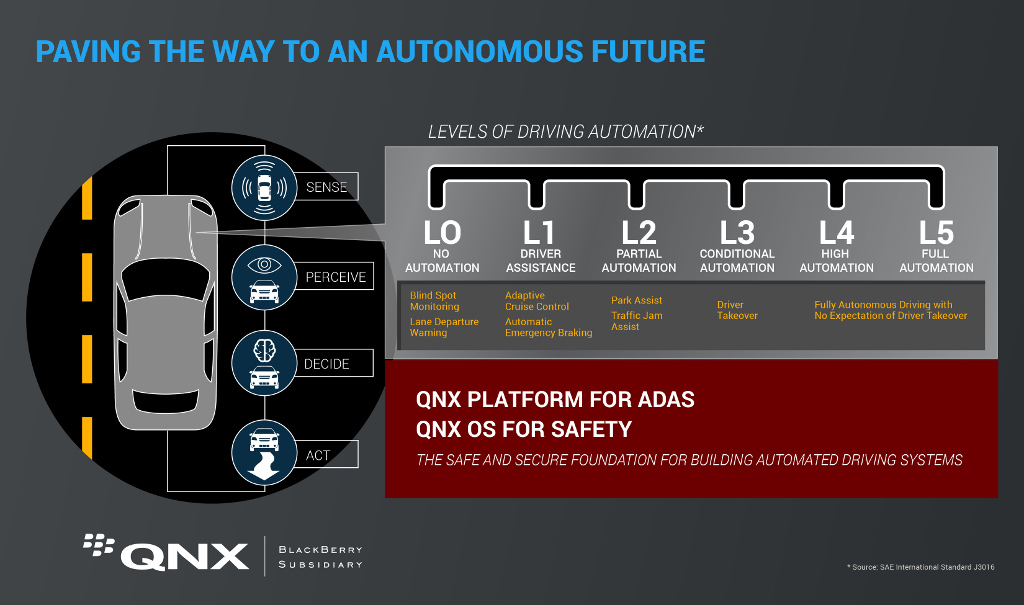
At CES 2017, BlackBerry QNX shared details regarding its secure embedded operating system designed for the auto industry.

This software, known as QNX SDP 7.0, is a 64-bit OS that improves on the security and reliability of its host vehicles. BlackBerry QNX’s 2016 Jaguar XJ and 2017 Lincoln MKZ concept cars will be used to demonstrate these capabilities at CES 2017. 

BlackBerry QNX making waves in auto tech while staying true to security roots

“With the push toward connected and autonomous vehicles, the electronic architecture of cars is evolving — from a multitude of smaller processors each executing a dedicated function, to a set of high performance domain controllers, powered by 64-bit processors and graphical processing units,” said John Wall, senior vice president and head of BlackBerry QNX.

x-default

QNX SDP 7.0 contains the QNX Neutrino Realtime OS and QNX Momentics Tool Suite, allowing it to defend against cyber attacks, malware and other kinds of malfunctions. 

In addition to enhancing security through microkernel architecture, file encryption, adaptive time partitioning, a high availability framework, anomaly detection, and multi-level policy-based access control, QNX SDP 7.0 has achieved the highest safety delegation possible for a vehicle; ISO 26262 ASIL D. 

Furthermore, the software has achieved level IEC 61508 SIL 3 (a functional safety delegation for electric/electronic vehicle components) as well as level IEC 62304 for its Class III, life-critical medical devices. 

Wall adds that QNX SDP 7.0 is not only suited for cars, but for any application that requires advanced security.

qnx

“To develop these new systems, our automotive customers will need a safe and secure 64-bit OS that can run highly complex software, including neural networks and artificial intelligence algorithms. QNX SDP 7.0 is suited not only for cars, but also for almost any safety- or mission-critical application that requires 64-bit performance and advanced security. This includes surgical robots, industrial controllers and high-speed trains,” said Wall.

Autonomous, infotainment, IoT and more to be showcased at CES 2017

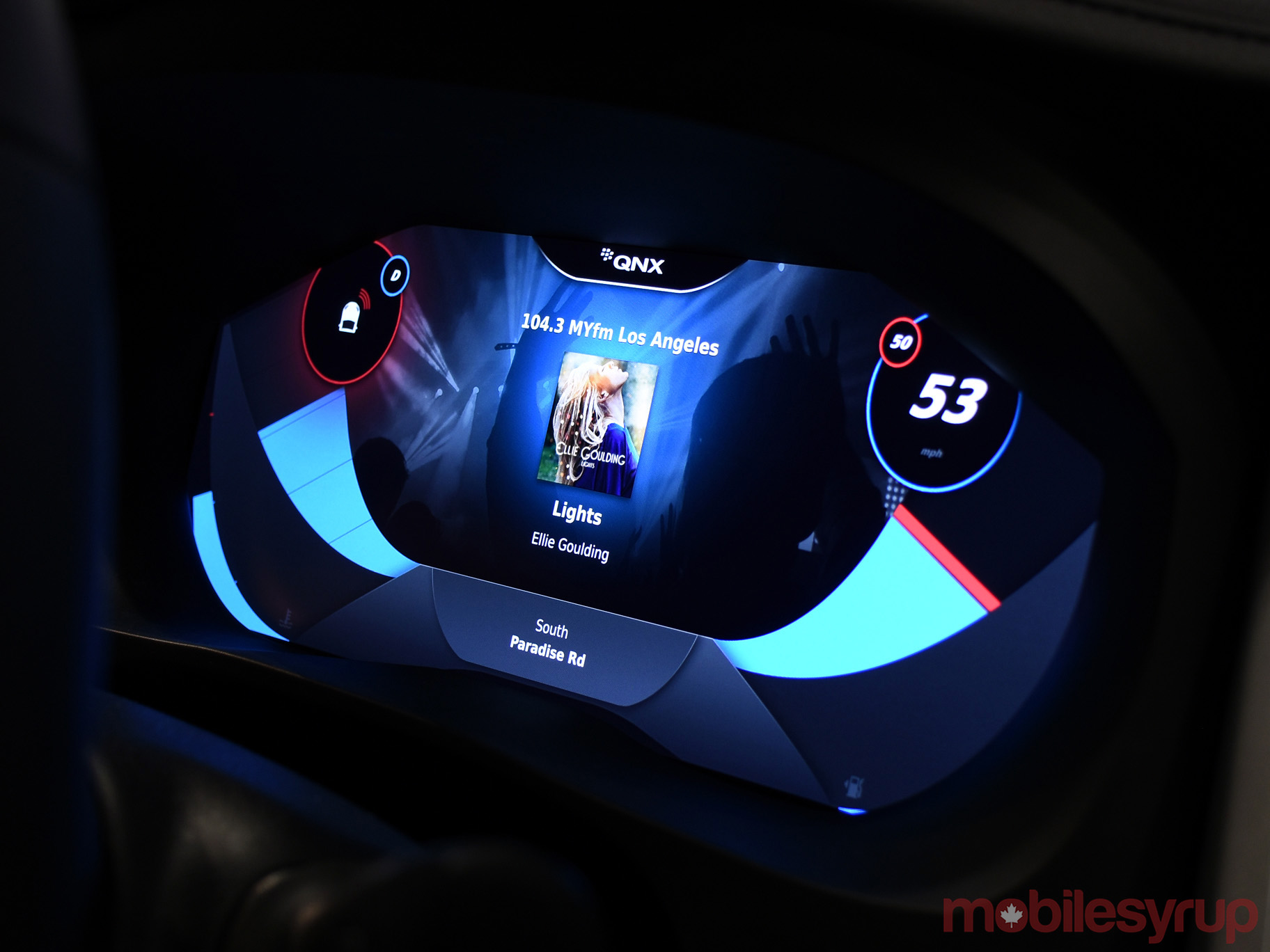
The Jaguar XJ concept car, running on a System-on-a-Chip (SoC) processor, will demonstrate a new digital cockpit that showcases QNX infotainment and graphics systems which also have the ability to detect failures in the safety system. 

The Lincoln MKZ concept car running QNX SDP 7.0 will demonstrate its autonomous driving capabilities by using LiDAR, radar, forward-facing cameras, GPS and inertial measurement units (IMU) to detect obstacles on the road. 

In addition, BlackBerry QNX will display an Aston Martin Vanquish now shipping with its latest infotainment technology, which includes hands free communication, audio, traffic information and Apple Car Play.

Cars are not the only thing being showcased by BlackBerry QNX at this year’s CES. Radar, the company’s shipment and logistics IoT solution will also be showcased.

04 Jan 19:31

Lower Mainland cities learned many lessons from 2008/2009 snowstorm, but not enough to make this round perfect

by Frances Bula

Spent the day yesterday collecting stories from people about their experiences with the snow/ice situation, as well as phoning as many municipalities as I could to find out how things were going.

It was interesting to hear how many city staffers talked about the big changes they made after the multiple snowfalls that turned into ice sheets in the winter of 2008/2009. My story on what they had to say here.

But that didn’t eliminate all the problems this time around, especially in Vancouver. As I outline in the story, Vancouver seems to be getting the most complaints and for particular reasons, likely why they’ve decided to throw 300 extra staff at sanding and salting roads and sidewalks and dealing with garbage/recycling pick-up.

  1. It has more laneway garbage pick-ups than any other city and laneways have been the hardest roads to access.
  2. It turned over recycling pick-up to the industry group, Multi-Material B.C., in October, which contracted it to Smithrite. That meant Smithrite wasn’t that familiar yet with the routes in Vancouver. (Different from Coquitlam, where environmental-projects manager Verne Kucy said he had heard few complaints about recycling pick-up, likely because Smithrite has been working in Coquitlam for several years. Coquitlam also has very few lanes.)
  3. It has many more people who expect to be able to walk and cycle around all streets.

Likely more info to come on whether there were other things Vancouver could have done to improve conditions in the past four weeks. For sure, MMBC managing director Allen Langdon says the company, MMBC and Vancouver staff will have to sit down after this is all over to talk about how to work together better.

As he pointed out to me, “Our ability to access some areas is wholly dependent on their ability to plow and sand alleyways and therefore their plans for future situations like this will have a major impact on our plans and ability to cope with those situations.”

In the meantime, many regular citizens have been unimpressed. Below are some of the messages I received yesterday.

Ivan ‏@p0stcap 22h22 hours ago
@fabulavancouver yesterday a 72 year old man fell from a curb at Oppenheimer Park, smashing his glasses & cutting his face

Ivan ‏@p0stcap 22h22 hours ago
@fabulavancouver I lifted him out of the water and sat him on the curb till the ambulance came. The sidewalk was a solid sheet of ice.

From Jenny Puterman in Vancouver

We live near 33rd and Knight. My husband is currently on crutches (due to broken ankle). He had to walk our 6 year old about 5 long blocks to school on his crutches.
We didn’t feel safe driving him or even taking him to before school care because of side streets being too icy.
I have been parking on 33rd because it doesn’t feel safe driving on our street or side roads.
Obviously we rarely get winters like this so it’s not reasonable for the city to be totally prepared but there are a lot of ways they could make life easier and safer for everyone. If they dropped piles of salt on the corners and residents could spread on street, for example.

From Kevin Plummer in New Westminster

I just moved back to the Lower Mainland this summer after more than a decade in Toronto. I didn’t expect that I’d have to be doing this much shoveling after the move.

Our residential street in New West (East Durham) is a relatively gentle slope surrounded by steep hills. Since the city didn’t do any clearing or salting of the snowfall right after Christmas our street (and our laneway) have both been hand-packed into sheets of ice about 3 inches thick. When the rain came last week, all it did was polish the accumulated ice. I’m comfortable driving in snow but there have been a few days where I’ve felt like a shut-in because the conditions have been too bad for getting out of my neighbourhood to the (reasonably clear main streets).

It’s nearly impossible to get up our street. Most people have been getting stuck partway, spinning their wheels until they eventually give up and back their vehicles down the street (towards a much busier roadway). Residents have taken to simply parking their cars facing downhill (parkes facing the wrong direction in many cases) because it’s the path of least resistance. Needless to say, it’s frustrating to keep hearing reminders (from the city – in the newspaper and on digital roadside signs) that homeowners and tenants are required to clear sidewalks when the municipality is shirking its own responsibilities. (To be fair, at least garbage collection hasn’t been disrupted for us.)

Most residents have been pretty good at shoveling the sidewalks in front of their houses on our immediate street. But 8th Avenue East is a different matter entirely (although I’m not sure about the appropriateness of expecting residents to shovel sidewalks on an extremely busy street as semi-trucks and vehicles speed by less than a foot away from the edge of the sidewalk. Plus, places like the Justice Institute didn’t seem to clear the public sidewalk adjacent to their property with any regularity this month, making it an ordeal to navigate ice and snow and ice hidden by snow to get to the bus stop (not that there’s any real public notification of whether specific routes are running) or to walk my son to daycare. New West, like a lot of Vancouver municipalities, hype their desire to be pedestrian-oriented and walkable but this winter has shown their actual commitment in action (or inaction). To me, the excuse about municipal budgets being exceeded is completely unstaisfactory. It’s a failure of governance that economies of scale haven’t been achieved across the metropolitan area for issues of common concern like snow clearance. In my opinion, the response to the past month’s snowfall simply illustrates the foolishness of there being dozens of small, individual municipalities in the Lower Mainland.

Those are my direct impacts , but I’ve also wondered about some longer term impacts. If housing affordability pushes transit workers, nurses and police further into the suburbs, how will these workers (essential to keeping a city functioning) make it to work if there aren’t reliable transportation options for them to get from the fringes to the centre?

From Liana in east Vancouver,

The sidewalk along the south side of Kingsway, heading up hill from Nanaimo, and in front of a Shoppers Drug Mart was a sheet of 2 inch thick ice on Sunday. I sent the City a note asking them to fine the development. Maybe someone will sue for injuries instead. Don’t have an update from today, but annecdotally, businesses have been the worst at clearing snow/ice on sidewalks during this winter weather. Homeowners generally much better, I’ve found.

From Matthew Kagis in east Vancouver

We’re on Kitchener, just east of Renfrew. Our street is a sheet of ice. Most neighbours have cleared their sidewalks, a few notable exceptions… Especially two places under construction and one newly built home which has been for sale since August. The alley is a mess & we have had no recycling pick up since the first snowfall. I think the garbage got done the other day, but I have not checked, I just saw some garbage trucks in nearby alleys and assumed ours got done too.

From Anita Petersen in Coquitlam

We are at the top of Westwood Plateau in Coquitlam and have some thoughts on the VOLUME of snow we have. The City is doing a great job on keeping main roads cleared but our little neighborhood has been pummeled. We have 7foot snow banks and no where to put more snow. More is coming. We were told by Smithrite that they won’t collect recyling as our street is not safe. Garbage has been picked up.

From Lisa Carver in central Vancouver

I live one block east of Main on Quebec. We did not have leaf removal before the snow, and we have had no snow removal or any type of de-icing measures from the start of the first snow. The recycling was not picked up for over 2 weeks prior to Christmas. We left for holidays on Dec 24 and dragged the boxes etc back in, so not sure if there was pick up the week of Dec 26 or not.

I called Smithrite 3 times in the lead up to Christmas eve, and each time was assured the trucks were “coming that day,” but never showed up…

From Megan Reiter in east Vancouver:

Reported our intersection (Prince Albert @ 11th Ave.) via VanConnect app yesterday. Sheer ice, even worse than the adjacent streets, which are also bad. Curious to see if there’s any action today.
21h 21 hours ago

From someone who runs a business in Strathcona:

Walk 9 block to bus each day. Today was the worst. Once you get to Cambridge, all intersections north on Kootenay are solid ice. Some sidewalks not cleared for a month now. Slipped after the first snowfall. Landed flat on my back. Hit as hard as one can without breaking ribs. Still hurts when I cough. Watched a snowplow slide on our street just before xmas, hitting a neighbours car. Garbage only picked up twice in December.

Dave Pasin ‏@dave_pasin 11m11 minutes ago
@fabulavancouver hi fabula HPNY near Lord Nelson school on east side, icy sidewalks, icy roads, no garbage or recycling since end nov/16

Jamie ‏@JamieLyall 16h16 hours ago
@fabulavancouver My last garbage pickup was November 23rd. I am not optimistic for next scheduled pickup on January 5th.

You’d think a private school would salt the sidewalks around it so people don’t fall. #icerink #bylaws #fraseracademy @CityofVancouver


04 Jan 19:31

Post hoc ergo propter hoc

by Bryan Mathers
post hoc ergo propter hoc

Once introduced to some amateur psychology, and there’s no turning back. We seem to be wired to draw causative connections between events, but this shortcut is easier said than spotted. Post hoc ergo propter hoc means “After this, therefore because of this” and is in the dna of all superstition.
For a better explanation: https://en.wikipedia.org/wiki/Post_hoc_ergo_propter_hoc

The post Post hoc ergo propter hoc appeared first on Visual Thinkery.

04 Jan 19:31

Happy New Year 2017

by Arjun Singh

Thoughts as we begin a very interesting year...

04 Jan 19:31

Samsung reportedly plans to produce 10 million Galaxy S8 units for April launch

by Rose Behar

Samsung has firmed up the production schedule for its eagerly-awaited Galaxy S8 flagship device, according to a report from South Korean news publication ET News. The information, sourced from anonymous individuals in the industry, indicates that parts procurement will take place in February, mass production will start in March and the device itself will launch in April 2017.

The article goes on to state that the company will produce 10 million units for launch, reportedly basing the number off of the S7’s sales numbers, which sources say hit 10 million in the first month. This indicates a trust in the brand’s ability to sell, even following a problematic second half of the year that saw the recall and discontinuation of the Note 7 due to battery combustion issues.

The sources named in the article also reinforce the rumours that the device will feature a bezel-less screen, also stating that the device is set to have a rear-mounted fingerprint sensor and will come in two different display sizes.

According to the sources, a dual-camera setup was thoroughly investigated by the company but eventually cut as the company believed it would raise the price higher than consumers are willing to pay.

SourceET News
04 Jan 19:30

Alexa: Amazon’s Operating System

by Federico Viticci

Astute take by Ben Thompson on how Amazon is building an operating system for the home with Alexa:

Amazon seized the opportunity: first, Alexa was remarkably proficient from day one, particularly in terms of speed and accuracy (two factors that are far more important in encouraging regular use than the ability to answer trivia questions). Then, the company moved quickly to build out its ecosystem in two directions:

  • First, the company created a simple “Skills” framework that allowed smart devices to connect to Alexa and be controlled through a relatively strict verbal framework; in a vacuum it was less elegant than, say, Siri’s attempt to interpret natural language, but it was far simpler to implement. The payoff was already obvious at last year’s CES: Alexa support was everywhere.
  • Secondly, “Alexa” and “Echo” are different names because they are different products: Alexa is the voice assistant, and much like AWS and Amazon.com, Echo is Alexa’s first customer, but hardly its only one. This year CES announcements are dominated by products that run Alexa, including direct Echo competitors, lamps, set-top boxes, TVs, and more.

"Works with Alexa" sure feels like this year's CES motto (I try not to pay too much attention to CES announcements, but the underlying trends are interesting).

I use both HomeKit/Siri and Alexa. There are advantages and problems to both ecosystems: Apple's approach is slower, perhaps more careful, and Siri works internationally; Alexa and the Echo are only available in a few countries, but the experience is leaner, generally faster, and there are dozens of compatible devices and skills launching every week. It's a complicated comparison: Alexa works with web services while Siri integrates with native apps and hardware (like Touch ID); Alexa is expanding to a variety of accessories and third-party services, but Siri and HomeKit are more directly tied into your iOS devices.

I expect Apple to continue opening up SiriKit to developers to match Amazon's rich ecosystem of skills, but even with more domains and apps, I think the idea of a dedicated assistant for the home is a winning one. On the other hand, I wonder how quickly Amazon can launch Alexa/Echo in other countries and build richer conversational experiences that go beyond simple commands. This will be fun to watch.

→ Source: stratechery.com

04 Jan 19:30

3D Touch for Power Users

by Ryan Christoffel

If you read and listen to enough opinions in the Apple-sphere, you know that there are widely varying views of 3D Touch. Some quickly gave up on it, others found it indispensable, and there seem to be plenty of people in between. When Apple first announced the feature alongside the iPhone 6s, I was intrigued by the potential of 3D Touch to add a new dimension of depth to an otherwise flat slate of glass.

When I got an iPhone 6s, I immediately found that some uses of 3D Touch were handy, but those uses were overshadowed by Apple's marketing message that focused on peek and pop, distracting from the more valuable benefits the feature offers. However, when I pushed aside the Apple-marketing-infused expectations of how 3D Touch should be used, I quickly discovered how valuable it can be in many cases.

It has been over fifteen months since I began using 3D Touch, and I'm convinced that the true value of it only becomes evident through dedicated practice. If you just use 3D Touch now and then, you may find yourself frustrated by not knowing or remembering what all it can be used for. The lack of iPad support doesn't help here.

The start of a new year is a perfect time to learn new habits. As we reflect on the year gone by, it is a good time to consider changes for the year ahead – new habits to form, improved practices to follow – with an aim to make our lives better. Train yourself to use 3D Touch, and you'll benefit in the long run. The closest analogy to 3D Touch I can think of is keyboard shortcuts. Nobody has to learn keyboard shortcuts, but if you're a power user, you learn them because you know they'll make your life and work easier and more efficient. 3D Touch can do the same; it improves interactions with my iPhone on a daily basis.

Before getting into the specific ways I use 3D Touch, it's worth mentioning that I use the lightest setting possible for engaging the feature, and I've found that best for me. Your experience with 3D Touch could either be a delight or frustration if the pressure sensitivity isn't right for you, so don't hesitate to test out each of the three sensitivity levels in Settings to see which works best.

Switching Apps

There's nothing difficult about double tapping the Home button to switch apps. Just like there's nothing terribly difficult about navigating a menu of options to do something that a keyboard shortcut could also accomplish. But a lack of difficulty is not the same as a lack of room for improvement. And 3D Touch makes switching apps so much better than it was before.

Double tapping the Home button opens the app switcher interface, from which you can swipe through to another app you opened recently. 3D Touch improves this action by requiring zero taps and a (normally) shorter distance for your thumb to travel. With 3D Touch, the app switcher can be opened by moving your thumb to the left edge of the screen, pressing firmly, then sliding your finger slightly to the right and releasing. Once this method becomes a habit, it's an easy improvement over using the Home button.

Opening the app switcher.

Opening the app switcher.

Another benefit of 3D Touch is that you can switch back and forth between two apps with ease and tremendous speed. Just like you would engage the app switcher, press firmly on the left edge of the screen, but this time, instead of sliding a little to the right and releasing, slide your thumb all the way until you nearly reach the right edge of the screen, then release. Doing this is the quickest way to switch from your current app to the last app you used.

This kind of quick switching between apps has been possible on the iPad for a long time by using a four-finger swipe, but until the 6s it hasn't been possible on the iPhone. Apple added a non-3D Touch method for doing this in iOS 10, with buttons in the top-left corner that take you back to whatever app you just came from, but those buttons have a couple of drawbacks. First, they don't let you switch to the last used app any time you'd like, only when you arrived in your current app by tapping a link in a different app. Second, for Plus users it's often uncomfortable to reach up to the top-left corner to hit a button. The 3D Touch gesture is both more comfortable and quicker.

Quick switching between two apps.

Quick switching between two apps.

There is one drawback to switching apps with 3D Touch, and it's that Plus users can't perform these functions when their phones are in landscape mode. The iPhone in landscape doesn't recognize pressure added to the left edge of the screen. I don't use landscape too often on my iPhone, but every time I do, I find myself missing the 3D Touch app switching functions.

Think about all the times you switch apps on your iPhone every day. The time savings of using 3D Touch over a double tap of the Home button may be minuscule when you consider a single instance, but they add up in the long run.

Notification Triage

When I wake up each morning, often the first thing I'll do is pick up my iPhone and begin working through the notifications that came in while I was asleep. Before iOS 10 brought rich notification support, this would usually require unlocking the phone and visiting several different apps to get caught up on everything. Now, I can typically do everything I need to from the iPhone's Lock screen.

On any 3D Touch-enabled device, pressing firmly on a notification will bring one of two results: if the notification's source app has adopted iOS 10's rich notifications, you'll be presented with a miniaturized version of that app's interface, while apps without rich notifications present a useless popup.1

Rich notifications vs. the lack thereof.

Rich notifications vs. the lack thereof.

Rich notifications are only a few months old, so there are plenty of apps that haven't adopted them yet, but one of the perks of using Apple's stock apps is that they're the first to benefit from new iOS features. As such, nearly all of the apps I want rich notifications from already have the feature.2 Here are the ones, both from Apple and third parties, that I use on a daily basis:

  • Messages – Responding to messages is quick and easy from the Lock screen. Older versions of iOS allowed you to respond from notifications also, but iOS 10 makes the experience better by providing a full view of the conversation so messages sent back and forth can be seen within the same notification window. Unfortunately, using iMessage apps and stickers in a response still requires unlocking the phone to work within the full Messages app.
  • Mail – Engaging 3D Touch with a Mail notification presents a helpful glimpse into the body of the email, as well as a couple of quick actions you can take. Everyone handles email differently, but now that the majority of my work communication takes place in Slack, most emails I receive either get trashed or marked as read to address later. Fortunately, these are the two options Mail presents. It would be nice to have a reply option as well, but most of the time I don't want to stop what I'm doing to reply to an email on the spot anyway.
  • Castro – My podcast client of choice, Castro has a unique triage system where new episodes land in your inbox, and can then be added to your queue or archived.3 This form of triage is perfectly complemented by notifications that give the option to Queue, Play, or Archive an episode. Podcast management is no longer a chore that requires opening the app; it's now simple and efficient. Though Castro's notifications could be aesthetically improved by displaying a show's notes or artwork, their current practicality can't be beat.4
  • Twitter – While I use Tweetbot for navigating my timeline, the official Twitter app is my preferred choice for handling notifications from the social network. 3D Touch lets you view a full tweet for something like a Mention, complete with any media that may be attached to the tweet. In addition to that expanded tweet view, you also receive handy options to Like, Reply, or Retweet. When you're notified about a new follower, 3D Touch shows you that person's profile picture and bio, and gives the option of following them back.
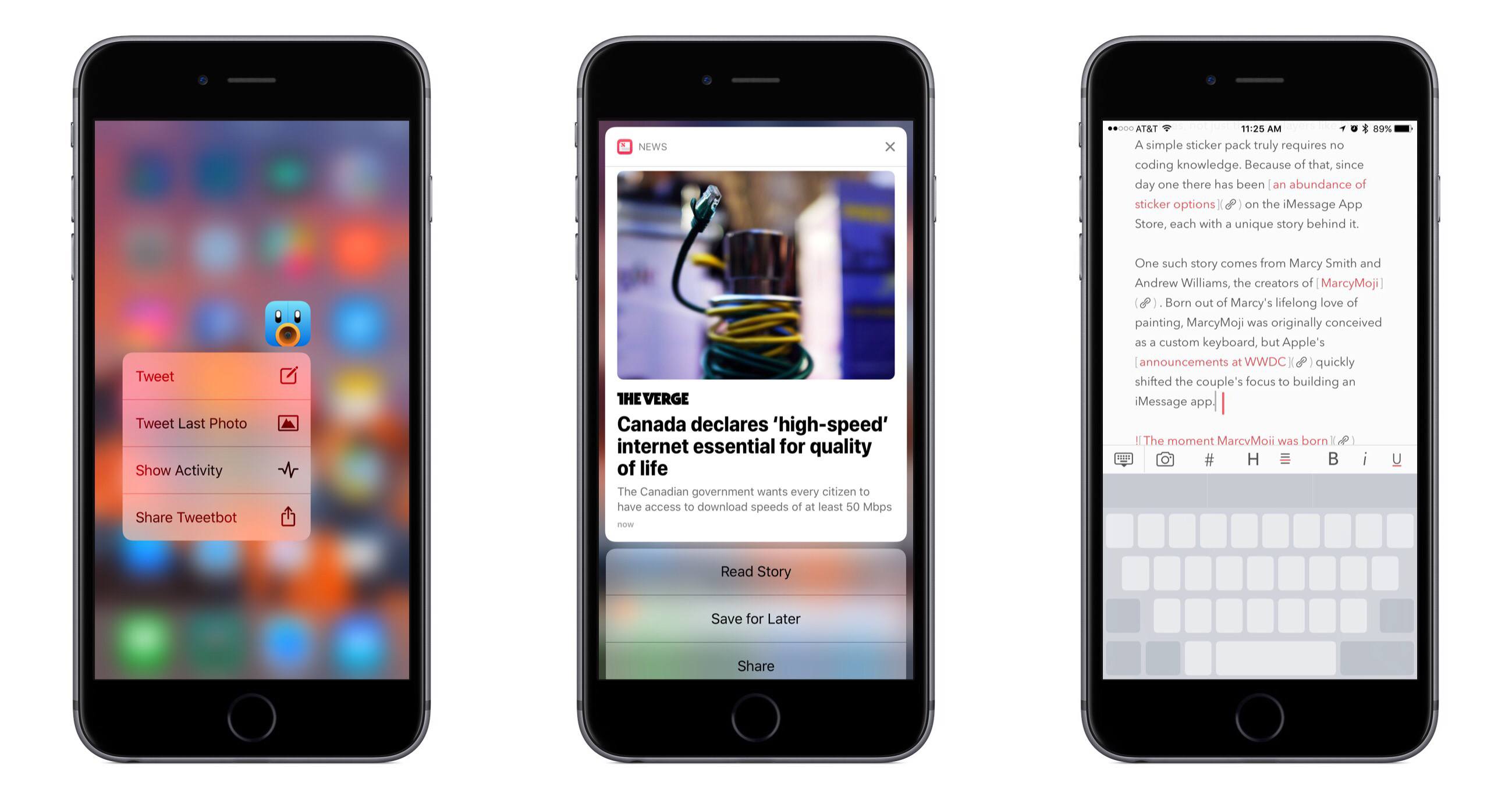
  • News – When Apple's News app added the option of notifications with its revamp in iOS 10, it instantly became one of the best showcases of rich notifications. Seeing a featured photo as part of an article's notification, along with the headline and a bit of the article's body, is a great experience. But the most impressive notifications are those containing a video you can play inline, without even leaving the Lock screen. The quick actions with notifications are Read Story, Save for Later, and Share, the first two of which I frequently use.

Though the iPhone has no real multitasking interface, the combination of 3D Touch and rich notifications helps partially alleviate this pain point by making it easy to work inside various apps without ever leaving your Lock screen or Notification Center.

Trackpad Mode

We have all grown used to moving the cursor on our iOS devices by tapping the screen and dragging to our desired stopping point. The gesture became second nature due to years without another iOS alternative resembling a trackpad's function. It's not the best form of interaction, but it works fine. Despite this, it was a welcome change when iOS 9 brought two new ways of controlling the typing cursor, one for iPad and one for iPhone. The iPad gained a two-finger gesture that makes writing or editing long form content on the software keyboard substantially more pleasant than it was before. The iPhone's method of cursor control was similar, but restricted to 3D Touch-enabled devices.

Writers learned long ago that they work more efficiently when their hands stay on the keyboard. This is one of the reasons keyboard shortcuts are so useful, and it's why the MacBook Pro's new Touch Bar was created rather than a touch-enabled primary display. 3D Touch allows iPhone users to keep their thumbs on the keyboard while moving the cursor wherever they need it to be.

The iPhone's trackpad mode is engaged by pressing firmly with one finger on the keyboard. Once it's activated, the keys will all turn blank grey and you'll be free to move your finger around in the space of the keyboard, which moves the typing cursor around in whatever app you're using. Once you make this shortcut a habit, you'll likely find yourself using it all the time.

Trackpad mode works in both Portrait and Landscape.

Trackpad mode works in both Portrait and Landscape.

Though the simplest benefit of trackpad mode is moving the text cursor around, there is more that can be done once you're comfortable with step one. Trackpad mode also enables you to select blocks of text without ever tapping on the text itself.

Here is how it's done:

  1. 3D Touch on the keyboard and move the cursor over the text you'd like to select;
  2. Slightly ease up the amount of pressure, but without removing your finger from the screen;
  3. Re-apply pressure to highlight the text.

After the text is highlighted, you can drag left or right to increase the selection one word at a time and encompass surrounding text as well.

Engaging trackpad mode and selecting text.

Engaging trackpad mode and selecting text.

One of my most common uses of this text selection feature is replacing something written with something new. This can be done by using trackpad mode to select a bit of text, then releasing from the keyboard and typing something new. The new words will replace what you had highlighted. If, however, you accidentally highlight the wrong word, a slight release and re-adding of pressure will deselect the word.

This method of text selection can take some getting used to before you get it right every time, but once you do, there's no going back.

Home Screen Quick Actions

After the iPhone 6s first launched, I was constantly using 3D Touch on the app icons of my Home screen to see which apps had added support for quick actions. Adoption of this feature was a bit slow initially, but now, after more than a year in developers' hands, there are almost no apps on my phone missing this feature that would truly benefit from it.

Left: quick actions with a widget; Right: without a widget.

Left: quick actions with a widget; Right: without a widget.

Quick actions are a way to perform a certain action or jump to a specific part of an app faster than you could otherwise. Using 3D Touch on an app icon will show you whether that app has incorporated quick actions; if it hasn't, as of iOS 10 you'll at least see a Share option to share an App Store link to the app. The utility of quick actions ranges wildly across different apps, but some regularly used favorites that save me time each day include:

  • 1Password – Search; Favorites
  • App Store – Update All
  • Calendar – Add Event
  • GoodTask – Add New Task
  • Instagram – Switch Account
  • Mail – New Message
  • Music – Search
  • News – For You
  • Safari – Show Reading List
  • Tweetbot – Tweet; Tweet Last Photo
  • Twitter – Search

If you don't ever use quick actions, I'd recommend exploring what options your staple apps provide; you'll likely find some helpful shortcuts that allow navigating your iPhone more efficiently.

My most used Home screen widget.

My most used Home screen widget.

In a similar vein, iOS 10 introduced support for displaying widgets alongside quick actions when you 3D Touch an app icon. I don't use this feature regularly except with Workflow, but I hope that changes in the future as more developers find useful ways to creatively implement these widgets, perhaps by creating one widget geared toward the Home screen and another geared toward use in the Search screen.

Peeking at Links

Yes, I do use peek and pop. I think its value was overstated during 3D Touch's introduction, but I use it regularly with links.

Peeking at links is a valuable tool when reading an article.

Peeking at links is a valuable tool when reading an article.

Tweetbot and Safari are the two main places I preview links using 3D Touch. The majority of the time I will take a peek and find I don't care to read the article in question, in which case I can just release without ever having left the original app. When I do want to read it, I can just press more firmly and proceed with reading. These are the only two options in Tweetbot, but Safari has a third. The third option, which I use frequently, is to peek at a link and save its article to read later. Safari's method of peeking is optimized for using Safari Reading List as a read-later service – peeking then sliding your finger up presents a list of several actions, including 'Add to Reading List.' If you use a different service like Pocket or Instapaper, saving articles simply requires one extra tap: peek, slide up, tap the Share button, then select the appropriate service from the share sheet.

Unfortunately, apps using Safari View Controller are unable to utilize Safari's slide up gesture for accessing the share sheet or any other additional actions. I hope Apple plans to offer this functionality in the future, as its absence hamstrings 3D Touch use in apps like Tweetbot. Currently when I peek at an article in Tweetbot, saving it to read later requires either popping the site into place then activating the share sheet, or releasing the peek then long-pressing the link to activate the share sheet that way.


As powerful as the iPhone has grown year after year, it is still a limited device in many ways. Unlike the iPad, there is no way to work in multiple apps at the same time – no Slide Over, Split View, or Picture in Picture. Even in the Plus model, the screen size can at times be prohibitive to getting work done efficiently. Using a physical keyboard with the phone is inconvenient, and the software keyboard is tiny. But even with these restrictions, the iPhone still has plenty of tricks to offer power users that help make it a computer from the future.

The five uses of 3D Touch I've outlined here each benefit me multiple times every day. They're not the only uses available, but they are the ones I've grown to depend on. They help me get the most out of my iPhone and make working from it more enjoyable than ever before.


  1. The benefits of rich notifications are also available on non-3D Touch devices like the iPad, but in a different way. Swiping left on a notification and tapping View will produce the same result as using 3D Touch on a notification. ↩︎
  2. Slack is the primary holdout at this point. ↩︎
  3. For podcasts you listen to every episode of, newly published episodes can bypass the inbox if you set them to automatically add to your queue. ↩︎
  4. The lack of a rich preview with something like podcast artwork means that Castro's notifications technically may not qualify as rich, but I've included Castro because the way its notifications display up to three actions could not have been done before iOS 10's improvements to notifications. ↩︎

Support MacStories Directly

Club MacStories offers exclusive access to extra MacStories content, delivered every week; it’s also a way to support us directly.

Club MacStories will help you discover the best apps for your devices and get the most out of your iPhone, iPad, and Mac. Plus, it’s made in Italy.

Join Now