
Rolandt
Shared posts
10 May 20:13


Wherein bottled water is bullshit.
mkalus
shared this story
from  DNA Lounge. DNA Lounge.
|
9-May-2017 (Tue)
Wherein bottled water is bullshit.
I saw another argument happen at the bar over water, and it reminded me, again, that I hate it that we sell bottled water. Bottled water is awful:
The reason you should boycott bottled water is because it enables a bullshit, backwards vision for society.Boycotting bottled water means you support the idea that public access to clean, safe water is not only a basic human right, but that it's a goddamn technological triumph worth protecting. It means you believe that ensuring public access to this resource is the only way to guarantee it will be around in a few more years.
Clean, safe drinking water that flows freely out of our faucets is a feat of engineering that humans have been been perfecting for two millennia. It is a cornerstone of civilization. It is what our cities are built upon. And over the years the scientists and hydrologists and technicians who help get water to our houses have also become our environmental stewards, our infrastructural watchdogs, our urban visionaries. Drinking the water these people supply to our homes is the best possible way to protect future access to water worldwide.
Companies that package water in a single-use bottle are not concerned with the future. They are not invested in the long-term effects of climate change on an endangered watershed, nor are they working to prepare a megacity for an inevitable natural disaster. What they are interested in is their bottom line: Marketing a "healthy" product to compensate for the fact that people are buying less of their other products that are known to case obesity and diabetes -- and selling it for at prices that are 240 to 10,000 times higher than what you pay for tap water.
And yet, sell it we do, because we would be fools not to. People buy it and we make bank on it. We're in no position to just leave that money on the table.
So as long as you're standing there saying "Take my money!" I'm going to say "OK!"
But the water thing, it causes fights and grief pretty regularly. Someone will ask the bartender for a cup of water. They reply: "We sell bottles, or there are free water fountains over there." Most of the time, that person hates the idea of water fountains so much that they just pay for the bottle. Ka-ching.
But sometimes they instead try to grab a cup, and the bartender has to explain to them that cups are not free. (In fact, that cup costs us almost as much as the bottle of water does!) Sometimes this results in yelling, and someone getting thrown out.
It's kind of amazing to me that people are so unwilling to drink from a water fountain, like an animal. The concept is anathema to them. They just won't do it. It's weird.
The eye rolling! Ugggggghhhh, you expect me to drink from a fountain??
I guess schools don't have water fountains any more, just Coke machines?
I expect that eventually California will make bottled water illegal. Maybe those cardboard milk-carton water bottles (which are even more expensive than plastic) will replace them, unless they make those illegal too. If that happens, I guess that massive revenue stream will just dry up. (See what I did there.) But:
Banning bottled water increases sales of robot sweat:Results. Per capita shipments of bottles, calories, sugars, and added sugars increased significantly when bottled water was removed. Shipments of healthy beverages declined significantly, whereas shipments of less healthy beverages increased significantly. As bottled water sales dropped to zero, sales of sugar-free beverages and sugar-sweetened beverages increased.
Conclusions. The bottled water ban did not reduce the number of bottles entering the waste stream from the university campus, the ultimate goal of the ban. With the removal of bottled water, consumers increased their consumption of less healthy bottled beverages.
Still, in the world in which we live now, any time I see a nightclub that just has a pitcher and a stack of free cups at the end of the bar I think, "Why do you hate money?"
Oh, and then there's this nonsense: "This startup wants to disrupt the way you drink water. Reefill lets you activate water stations via your phone's Bluetooth".
Yes, if only there were some kind of "net-work" of fresh water distribution, perhaps moving it through a series of tubes, or pipes. That sounds just crazy enough to work. I shall dictate a scroll to the Caesar about this.
Speaking of water, he said transitionally, I spent some time on a restoration project last week. (And this is going to sound like a rambling non sequitur for a bit, but bear with me, it's gonna wrap around and be relevant to the topic at hand, I'm pretty sure.)

For quite some time, Jared has had this antique seltzer bottle on the shelf behind the Codeword bar. But it didn't work, which was a shame, so I fixed it! All of the rubber had rotted, so it wasn't keeping a seal. (It's from 1930, so maybe it was actually Bakelite or something?) Also there was a piece missing. Anyway, I got it working again. The way these things work is, you fill them with water, vent a CO2 canister into it, shake, and then the bottle is pressurized enough that when you pull the trigger on the tap, delicious fizzy water comes out.
It's a Flintstones SodaStream, basically.
The wire wrapped around the outside is because (I assume) that was the cheapest way to turn glass into a pressure vessel that wasn't going to spontaneously turn into an IED. I'm guessing there were some sad bartenders with glass shrapnel in their faces before they started doing it this way.
The first thing that puzzled me was the canisters: this thing is from 1930 but the canisters are the same form factor as what we have today! They are the same shape as those canisters that go into your "whipped cream" dispenser. Which means that a century ago, there was an industry of putting various gasses into 8 gram steel pressure vessels, and the Invisible Hand of Standardization has dictated that those canisters stay exactly the same. For a century. That's kind of cool. (I tried to dig into the history of them but didn't get far.)
(Speaking of standardization, don't pay those SodaStream jerks for marked-up CO2 in bottles with intentionally-incompatible connectors, just get an adapter and re-fill standard tanks! I put a 50 pound tank on mine 2½ years ago and it still hasn't run out!)
This seltzer bottle produces enough soda for eight to twelve cocktails before it's empty. Today, those CO2 canisters cost about 40¢ each in bulk, so that's 4¢ or 5¢ per serving! That's crazy expensive for CO2: refilling a 50 pound tank costs like $8, so if I did my math right, I think that's like 0.14¢ per drink -- and I'm not sure what our rate is, but we buy our gas hundreds of pounds at a time, so I'm guessing we get it a lot cheaper than that.
I wonder how much these canisters cost back in the 1930s. Probably more -- cracking molecules and packing gas into single-use steel tubes can only have gotten cheaper since then.
So it's interesting that making fizzy water used to be ridiculously expensive and wasteful -- and that one of the byproducts was that every dozen drinks, you were throwing away a single-use steel pressure vessel! A whole lot of heat and complicated metallurgy went into that thing prior to its journey to the landfill.
It's almost as crazy as delivering tap water to people by truck in single use plastic bottles.
10 May 20:13
I'm looking for some folks to test major new features in Acorn.
I'm currently doing a private beta of some big new features in Acorn (for Mac OS 10.11+), and I'm looking for some folks to kick the figurative tires and give some feedback if they have any. You don't need to be a daily Acorn user, if you only launch it once or twice a week that's fine.
Sound interesting? Shoot me an email: gus@flyingmeat.com.
10 May 19:44
City hall sees success in Downtown Eastside fentanyl response, expands bike patrols to West End
| mkalus shared this story . |
Since November 2016, teams on bicycles have patrolled the Downtown Eastside, collecting used needles, teaching people how to use naloxone to reverse an opioid overdose, and responding to overdoses themselves.
The program, an initiative of the nonprofit Portland Hotel Society (PHS) called Spikes on Bikes, has performed so well that beginning this Friday (May 9), it’s expanding into Vancouver’s West End.
Christopher Van Veen is an urban health planner for Vancouver and city hall’s point person on the overdose crisis. In a telephone interview, he said that deaths attributed to illicit drugs remain at near-record levels.
“Every week, there a lot of overdose incidents and quite a few deaths in the downtown core,” Van Veen told the Straight. “Unlike the Downtown Eastside, where there are lots of good interventions—like the overdose-prevention sites and a pretty well networked population of peers in the streets who look out for each other—those living in the downtown core are a little bit more isolated and don’t have the same level of services available to them.”
He said that’s why Spikes on Bikes teams will be deployed to patrol the streets and alleys of the West End.
Delivering a more general update on the crisis, Van Veen said the number of fatal overdoses in Vancouver declined in January and February but then began to climb again. And even during the dip post-New Years, he added, deaths remained way above where they were a year ago.
“Catastrophically bad,” is how Van Veen described the situation today. “Much worse than in April, when the [provincial] crisis was declared. So we’re not out of the woods in any way.”
According to the latest stats from city hall, the Downtown Eastside produces a lot more 911 calls for overdoses compared to the city centre. However, a higher percentage of overdoses recorded in the city centre turn fatal.
From January 1 to April 30, there were 1,645 overdose calls from the Downtown Eastside, of which four percent ended in a death. During the same period, the city centre recorded 337 emergency calls for overdoses, of which eight percent involved in a death.
According to a May 4 city release, there have been 141 fatal overdoses in Vancouver so far this year. From 2001 to 2010, the annual average was 57 deaths.
<img src="//d2ciprw05cjhos.cloudfront.net/files/v3/styles/gs_standard/public/images/17/05/vancouverods1_170509.jpg?itok=Z_iv5NKH" alt=""> City of VancouverCoco Culbertson, PHS head of housing, community, and peer development, told the Straight that West End bike patrols will focus initially on needle recovery, sweeping parks, areas surrounding schools, and similar public spaces. “And doing some community outreach to explain what we’re doing and why we’re there,” she added.
In the Downtown Eastside, Spikes on Bikes is staffed entirely by peers—the government’s term for past and present drug users. Culbertson said that has helped ensure the program is as accessible as possible. Its expansion into the West End will therefore involve hiring peers from that neighbourhood.
“We’ve been chatting with harm-reduction service providers in the West End, downtown, and the Granville South area, and we’re hoping to recruit people who are living and using in the West End,” she said.
For now, the teams will ride from 8 a.m. to 2 p.m., but hours may change in response to needs.
According to PHS, between November 18, 2016, when the first patrol went out, and the end of March, Spikes on Bikes teams trained 795 people to use naloxone, reversed 61 overdoses, and recovered more than 38,000 dirty needles from the streets of the Downtown Eastside.
10 May 19:44
Seattle Doesn’t Get That Much Rain
mkalus
shared this story
from  Today I Found Out. Today I Found Out.
|
 Today I found out that Seattle doesn’t really get that much rain compared to most U.S. cities. In fact, Seattle ranks 44th among major U.S. cities in average annual rainfall, getting approximately 38 inches annually. Cities that get more rainfall than Seattle include such as Houston Texas (48 inches), New Orleans (60 inches), Mobile AL (65 inches), Memphis (52 inches), Nashville (48 inches), and pretty much every major city on the eastern seaboard, such as New York (43 inches), Philadelphia (41 inches), Miami (58 inches), and Boston (44 inches).
So why does everyone not from Seattle think to go outside in Seattle without an umbrella is tantamount to committing suicide? Partially because of the entertainment industry producing things like Sleepless in Seattle, Frasier, and the like which portray it as such. (Along with always showing a Seattle skyline where somehow the space needle is by far the tallest thing in Seattle. Even though the Space Needle is actually about average in height compared to the 25 or so skyscrapers in Seattle; coming in at about 600 feet including the needle. With Seattle possessing quite a few skyscrapers around the same height and 6 skyscrapers taller than it; including the Columbia Center at 937 feet, which has more floors, 76, than any building in the U.S. west of the Mississippi River and is the 20th tallest building in the United States).
But the primary root of this rainy misconception really lies in that Seattle has a relatively high amount of days per year with precipitation (158), compared to such places as New York (119), Boston (127), and Nashville (119). All cities that get an average of about 16% more rain per year than Seattle, but also average between them about 36 less days a year of precipitation. So it rains a lot less in Seattle, but is spread out over about a month more of days than those cities. This is why almost no native Seattle-ite carries an umbrella generally. When it does rain, it tends to be a very light drizzle that isn’t bothersome. It almost never really “rains” as most people from places like Alabama, Boston, or the like think of rain. On top of that, it never really storms in Seattle either. Seattle gets an average of a mere seven days a year where thunder is heard, for instance.
Another contributing factor is that Seattle doesn’t have a very uniform distribution of cloudy or rainy days from month to month like Boston, New York, and many other major U.S. cities have. As a rule, it pretty much is cloudy with occasional light drizzles from October through March in Seattle. Then from April through September, Seattle gets almost no rain and from June through September almost no cloudy days. Makes for a very nice climate if you don’t like large changes in weather. Around 45 degrees Fahrenheit and cloudy in the winter, with only an average of 8 light snow days, and around 75 degrees Fahrenheit and sunny in the summer.
So how does this city that is right next to the Puget Sound and relatively close to the Pacific Ocean manage to have such a mild climate and get so little rainfall, yet have so many more cloudy days than places like New York and Boston? Seattle-Tacoma (Tacoma being a neighboring city that most rain estimates include in estimating Seattle’s annual rainfall) is protected by the Olympic Mountains where the Olympic National Rain Forrest is located. The Olympic mountains and rain forrest, about 80 miles to the west of Seattle on the Olympic Peninsula, gets a staggering 142 inches a year of rain coming off the Pacific Ocean. This trims off most of the precipitation coming from the ocean before it gets to Seattle. On the other side, Seattle’s climate is protected from arctic air by the Cascade Range which is a major mountain range East of Seattle extending from Washington down to Northern California.
So in short, if you like sunny not too hot summers, mild winters but with lots of cloudy days, and ridiculously beautiful scenery everywhere you turn, Seattle’s the place to be. If you like more evenly distributed cloudy vs sunny days throughout the year and hate nature, then not so much. Either way, if you visit Seattle, don’t bring an umbrella. People will look at you funny. Unless you want to visit the Rain Forrest; then definitely bring an umbrella, strong bug spray, and try not to get lost; the animals will eat you.
If you liked this article, you might also enjoy subscribing to our new Daily Knowledge YouTube channel, as well as:
Expand for References
10 May 19:44

Vancouver Biennale sculpture by Ai Weiwei leaving Harbour Green Park
mkalus
shared this story
from  Vancouver Sun: Vancouver Sun:
|
|
| The real "piece of art" was the warning sign the city or exhibitor installed that told people it had sharp edges. Very Vancouver. |
Ai Wei Wei's F Grass was being removed Tuesday from Harbour Green Park at West Cordova and Bute Street. Photo: Kevin Griffin
F Grass is leaving Vancouver.
The cast iron sculpture by the celebrated Chinese artist Ai Weiwei was being removed Tuesday from the north end of Bute Street in Harbour Green Park in Coal Harbour. The horizontal sculpture had been installed in 2014 as part of the Vancouver Biennale.
Barrie Mowatt, founder and artistic director of the biennale, said he had been unsuccessful in getting donors to contribute money to keep the sculpture in Canada. At one point, the sculpture was going to be part of a display by the Canadian Human Rights Museum at The Forks, a public space in downtown Winnipeg at the confluence of the Red River and Assiniboine River.
Mowatt said in a text that the work was being sent to Ai’s studio in Berlin where Ai is now reported to live.
“The monies raised to date have proven insufficient to keep F Grass in Canada,” he said. “Time has run out.”
F Grass seen from above. Photo: Vancouver Biennale/Roaming the Planet. roaming-the-planet / PROVINCE
F Grass, on a plinth 13.5 metres square, was comprised of more than 1,300 metal blades of grass arranged in a calligraphic ‘F’. While not sharp, the brown blades resembled traffic spikes used by police to puncture the tires of wheeled vehicles.
It was a difficult sculpture to love. As a horizontal work that hugged the ground, it was only fully visible as an ‘F’ by looking down from several stories in the air. Since most people would have experienced it on the ground, it was largely overlooked by people walking or cycling by the site.
The horizontal sculpture was the opposite of most public sculpture which tend to be vertical.
It was also challenging to explain. Ai used a letter from the Roman alphabet that symbolized an English-Mandarin homonym that human rights activists began using online as a defiant gesture against Chinese government censorship.
The “F” is short for “Fuck” in English. In Mandarin, the word for a grass mud horse sounds almost identical to Fuck Your Mother.
The work became a gesture of defiance against the Chinese government for how they treated Ai as well as ordinary Chinese citizens.
Ai Wei Wei’s F Grass was being removed Tuesday from Harbour Green Park at West Cordova and Bute Street. Photo: Kevin Griffin
10 May 19:44


The Divide And Satisfy Method of Community Engagement
by Richard Millington
Here’s a simple method to become more effective in your community engagement work (and a snippet from the Psychology of Community course).
Segment your audience into unique activity clusters as we see below:

*Don’t worry, you can tweak the level of activity to your community.
Now do a live interview 3 to 5 people from each category (you will need to send 20 to 30 invites for each cluster).
Ask the interviewees how they arrived at the community, what they want from the community, what they like and don’t like about the community, and what they would love to see in the community.
If they’re new, ask them how it felt to arrive. If they’re regulars, ask them what keeps bringing them back.
Ask also about the toughest problems they face in their work (or in the topic).
From this, you should be able to build up a detailed picture of their wants and needs.
Here’s a simplified version of one we made for a former client:

(There’s a lot of text here, click here for the full image above).
Now systematically go through each of the touch points these members have with the community and update the messaging and structure of the site to satisfy these needs.
For example, if lurkers don’t participate because they don’t feel they have authority, why not highlight how much you need good questions for your experts to answer. Put the value in the questions, not the answers.
If regulars want more opportunities to connect with others and be more involved, create those opportunities.
If newcomers need some good reminders to come back and help others out who had that same problem, create those reminders.
Also, make sure the content you create, emails you send out, discussions you prioritize reflect the needs and wants of each segment.
If you spend a few hours now doing these interviews, you will save weeks of wasted time pursuing the wrong activities later.
You will also see the level of engagement steadily increase among all groups.
Deeply Understand The Needs of Members
Segmenting members into useful clusters and building up detailed profiles is a skill everyone building communities today should be adept in.
But, at the moment, so few people do this.
Our Psychology of Community course is going to change this. We’re going to help you stop guessing what might work and use processes rooted in psychology to drive more engaged and gain the outcomes you need.
Strategy Combined with Psychology
We’re also offering a combined package of Strategic Community Management and Psychology of Community for $1100 USD.
I strongly recommend this.
You will have a strategy your entire organization can get behind and know the psychology to accomplish that strategy.
Course fees rise this Friday. Hope to see you on the inside.
Sign up options below.
| Psychology of Community – $675 USD |
| Strategic Community Management – $675 USD |
|
COMBINED – Strategic Community Management and Psychology of Community – $1100 USD |
10 May 19:38
How the Average Working Adult Spends Days
by Nathan Yau

This is what you get when you add up all the days the average American adult spends sleeping, eating, commuting, and doing other activities. Read More
10 May 19:38
Max Fisher, When a Political Movement Is Populist, or Isn’t
Max Fisher, When a Political Movement Is Populist, or Isn’t:
Jan-Werner Müller of Princeton University describes populism as a kind of identity politics that champions the people as morally superior and opposes pluralism as a tool of elites.
Cas Mudde, a Dutch political scientist, has written that populism divides the world “into two homogeneous and antagonistic groups, ‘the pure people’ versus ‘the corrupt elite.’” The people are unified, in this view, by common values and traits, sometimes including race.
The political scientists Pippa Norris and Ronald Inglehart defined populism as distrustful of all elites and institutions, from scientists to the news media. It views “ordinary people,” they wrote, as “homogeneous and inherently ‘good’ or ‘decent.’” Diversity, in this view, compromises that purity.
While these tenets feel democratic to proponents, they form a vision of democracy that is majoritarian rather than pluralistic. That majority — “the people” — can be defined by race or religion or class, but there is always someone left out.
10 May 19:38
Eyes Without a Face
by Rahel Aima
A few months ago, I installed a Chrome extension called “Show Facebook Computer Vision Tags.” It does exactly what it says on the tin. Once installed, images on my feed were overlaid with one or many emojied descriptors revealing the “alt” tags that Facebook automatically adds to an image (using a “Deep ConvNet built by Facebook’s FAIR team”) when it is uploaded. This feature, which the company launched in 2016, is meant as a tool for the visually impaired, who often rely on text-to-voice screen-readers. With these tags added, the screen reader will narrate: “Image may contain: two people, smiling, sunglasses, sky, outdoor, water.” The user may not be able to see an image, but they can get an idea of what it contains, whether people are wearing accessories or facial hair, when they’re on stage or playing musical instruments, whether they’re enjoying themselves. The tags, in fact, only note positive emoting: smiling or not.
This seems a remarkably limited subset of linguistic and conditional terms for a platform of Facebook’s ubiquity, especially given its investment in having images go viral. If virality is predicated upon images that inspire extremes of emotional response — the pet that faithfully waits for its dead master; a chemical attack in Syria — wouldn’t the tags follow suit? Despite Facebook’s track record of studying emotional manipulation, its tagging AI seems to presume no Wow, Sad, or Angry — no forced smiles on vacation or imposter syndrome at the lit party.
An alt tags’ very prosaic reduction of an image down to its major components, or even its patterning, allows you to view your life as a stranger might
A white paper on Facebook’s research site explains that these tags — “concepts,” in their parlance — were chosen based on their physical prominence on photos, as well as the algorithm’s ability to accurately recognize them. Out were filtered the concept candidates that carried “disputed definitions” or were “hard to define visually”: gender identification, context-dependent adjectives (“red, young, happy”), or concepts that are too challenging for an algorithm to learn or distinguish, such as a “landmark” from general, non-landmark buildings. But speaking with New York Magazine earlier this year, Adam Geitgey, who developed the Chrome extension, suggested its training has expanded beyond that: “When Facebook launched [alt tags] in April, they could detect 100 keywords, but this kind of system grows as they get more data … A year or two from now they could detect thousands of different things. My testing with this shows they’re well beyond 100 keywords already.” As such, the Chrome extension is less interested in Facebook’s accessibility initiatives, instead aiming to draw attention to the pervasiveness of data mining. “I think a lot of internet users don’t realize the amount of information that is now routinely extracted from photographs,” Geitgey explains on the extension’s page in the Chrome web store, “the goal is simply to make everyone aware.”
As the use of emojis makes plain, the extension addresses sighted users — those who do not use screen readers and are probably unaware, as I was, of this metadata Facebook adds to images. With the extension, a misty panorama taken from the top of the world’s tallest building becomes ☀️ ️for sky, 🌊 ocean, 🚴 outdoor,💧water; a restaurant snap from Athens, meanwhile, is 👥 six people, 😂 people smiling, 🍴 people eating, 🍎 food, and 🏠 indoor. (Sometimes, when there’s no corresponding emoji it adds an asemic □.) The tags aren’t always completely right, of course; sometimes the algorithms that drive the automatic tagging misses things: recognizing only one person where there are three in a boat in Phuket Province, describing a bare foot as being shod. But there’s something attractive in its very prosaic reduction of an image down to its major components, or even its patterning, as with an Alex Dodge painting of an elephant that is identified only as “stripes.” The automatic tagging doesn’t seem integrated with Facebook’s facial recognition feature (“Want to tag yourself?”) but rather allows you to view your life and the lives of your friends as a stranger might, stripped of any familiar names, any emotional context that makes an image more than the sum of its visual parts — resplendent in its utter banality.
Perhaps it’s a legacy of growing up in the UAE, where you can fully expect every click, scroll, or even sneeze in a public space to be recorded, but I’m not bothered to find that according to its algorithmically generated “preferences” page in my profile, Facebook thinks my interests include “protein-protein interaction,” “first epistle to the Thessalonians,” and caviar (I’m a vegetarian); that it considers me both an early technology adopter and a late one.
Infinitely more exciting is the transposed comic-book dream of X-ray vision — seeing through the image to what the machine sees. I want to be able to access that invisible layer of machine-readable markup to test my vision against a computer’s. The sentiment is not that different from the desire to see through the eyes of the other that has historically manifested itself in the colonial history of anthropology or in texts like John Howard Griffin’s Black Like Me. The desire to see what they see, be it other people or machines, is a desire to feel what they feel. AI researcher Eliezer Yudkowsky described the feeling of intuition as the way our “cognitive algorithms happen to look from the inside.” An intangibly human gut response is just as socialized (programmed) as anything an algorithm might “feel” on the inside, clinging to its intuitions as well. It should be enough to take the algorithms’ output at face value, the preferences they ascribe to me, or to trust that it is the best entity to relay its own experience. But I’m greedy; I want to know more. What does it see when it looks at me?
The American painter and sculptor Ellsworth Kelly — remembered mainly for his contributions to minimalism, Color Field, and Hard-edge painting — was also a prodigious birdwatcher. “I’ve always been a colorist, I think,” he said in 2013. “I started when I was very young, being a birdwatcher, fascinated by the bird colors.” In the introduction to his monograph, published by Phaidon shortly before his death in 2015, he writes, “I remember vividly the first time I saw a Redstart, a small black bird with a few very bright red marks … I believe my early interest in nature taught me how to ‘see.’”
Vladimir Nabokov, the world’s most famous lepidopterist, classified, described, and named multiple butterfly species, reproducing their anatomy and characteristics in thousands of drawings and letters. “Few things have I known in the way of emotion or appetite, ambition or achievement, that could surpass in richness and strength the excitement of entomological exploration,” he wrote. Tom Bradley suggests that Nabokov suffered from the same “referential mania” as the afflicted son in his story “Signs and Symbols,” imagining that “everything happening around him is a veiled reference to his personality and existence” (as evidenced by Nabokov’s own “entomological erudition” and the influence of a most major input: “After reading Gogol,” he once wrote, “one’s eyes become Gogolized. One is apt to see bits of his world in the most unexpected places”).
A kind of referential mania of things unnamed began with fabric swatches culled from Alibaba, with their wonderfully zoomed images giving me a sense of a material’s grain or flow
For me, a kind of referential mania of things unnamed began with fabric swatches culled from Alibaba and fine suiting websites, with their wonderfully zoomed images that give you a sense of a particular material’s grain or flow. The sumptuous decadence of velvets and velours that suggest the gloved armatures of state power, and their botanical analogue, mosses and plant lichens. Industrial materials too: the seductive artifice of Gore-Tex and other thermo-regulating meshes, weather-palimpsested blue tarpaulins and piney green garden netting (winningly known as “shade cloth”). What began as an urge to collect colors and textures, to collect moods, quickly expanded into the delicious world of carnivorous plants and bugs — mantises exhibit a particularly pleasing biomimicry — and deep-sea aphotic creatures, which rewardingly incorporate a further dimension of movement. Walls suggest piled textiles, and plastics the murky translucence of jellyfish, and in every bag of steaming city garbage I now smell a corpse flower.
“The most pleasurable thing in the world, for me,” wrote Kelly, “is to see something and then translate how I see it.” I feel the same way, dosed with a healthy fear of cliché or redundancy. Why would you describe a new executive order as violent when you could compare it to the callous brutality of the peacock shrimp obliterating a crab, or call a dress “blue” when it could be cobalt, indigo, cerulean? Or ivory, alabaster, mayonnaise?
We might call this impulse building visual acuity, or simply learning how to see, the seeing that John Berger describes as preceding even words, and then again as completely renewed after he underwent the “minor miracle” of cataract surgery: “Your eyes begin to re-remember first times,” he wrote in the illustrated Cataract, “…details — the exact gray of the sky in a certain direction, the way a knuckle creases when a hand is relaxed, the slope of a green field on the far side of a house, such details reassume a forgotten significance.” We might also consider it as training our own visual recognition algorithms and taking note of visual or affective relationships between images: building up our datasets. For myself, I forget people’s faces with ease but never seem to forget an image I have seen on the internet.
At some level, this training is no different from Facebook’s algorithm learning based on the images we upload. Unlike Google, which relies on humans solving CAPTCHAs to help train its AI, Facebook’s automatic generation of alt tags pays dividends in speed as well as privacy. Still, the accessibility context in which the tags are deployed limits what the machines currently tell us about what they see: Facebook’s researchers are trying to “understand and mitigate the cost of algorithmic failures,” according to the aforementioned white paper, as when, for example, humans were misidentified as gorillas and blind users were led to then comment inappropriately. “To address these issues,” the paper states, “we designed our system to show only object tags with very high confidence.” “People smiling” is less ambiguous and more anodyne than happy people, or people crying.
So there is a gap between what the algorithm sees (analyzes) and says (populates an image’s alt text with). Even though it might only be authorized to tell us that a picture is taken outside, then, it’s fair to assume that computer vision is training itself to distinguish gesture, or the various colors and textures of the slope of a green field. A tag of “sky” today might be “cloudy with a threat of rain” by next year. But machine vision has the potential to do more than merely to confirm what humans see. It is learning to see something different that doesn’t reproduce human biases and uncover emotional timbres that are machinic. On Facebook’s platforms (including Instagram, Messenger, and WhatsApp) alone, over two billion images are shared every day: the monolith’s referential mania looks more like fact than delusion.
Within the fields of conservation and art history, technology has long been deployed to enable us to see things the naked eye cannot. X-ray and infrared reflectology used to authenticate forgeries, can reveal, in a rudimentary sense, shadowy spectral forms of figures drafted in the original composition, or original paintings that were later covered up with something entirely different, like the mysterious bowtied thinker under Picasso’s early 1901 work, Blue Room, or the peasant woman overpainted with a grassy meadow of Van Gogh’s 1887 work Field of Grass, or the racist joke discovered underneath Kazimir Malevich’s 1915 painting Black Square, suggesting a Suprematism underwritten by white supremacy.
But what else can an algorithm see? Given the exponential online proliferation of images of contemporary art, to say nothing of the myriad other forms of human or machine-generated images, it’s not surprising that two computer scientists at Lawrence Technical University began to think about the possibility of a computational art criticism in the vein of computational linguistics. In 2011, Lior Shamir and Jane Tarakhovsky published a paper investigating whether computers can understand art. Which is to say, can they sort images, posit interrelations, and create a taxonomy that parallels what an academic might create? They fed an algorithm around a thousand paintings by 34 artists and found that the network of relationships it generated — through visual analysis alone — very closely matched what has come to be canonized as art history. It was able, for example, to clearly distinguish between realism and abstraction, even if it lacked the appropriate labels: what we today call classical realism and modernism it might identify only as Group A and Group B. Further, it broadly identified sub-clusters of similar painters: Vermeer, Rubens, and Rembrandt (“Baroque,” or “A-1” perhaps); Leonardo Da Vinci, Michelangelo, and Raphael (“High Renaissance” or “A-2”); Salvador Dalí, Giorgio de Chirico, Max Ernst (“Surrealism,” “B-1”); Gaugin and Cézanne (“Post-Impressionism,” “B-2”).
Whether Pollock was “influenced” by Van Gogh or not at all, AI can insist on connections that we, art historians, or even Pollock himself, would miss, dismiss or disown
When looking at a painting, an art historian might consider the formal elements of line, shape, form, tone, texture, pattern, color and composition, along with other primary and secondary sources. The algorithm’s approach is not dissimilar, albeit markedly more quantitative. As an Economist article called “Painting by Numbers” explains, Shamir’s program
quantified textures and colors, the statistical distribution of edges across a canvas, the distributions of particular types of shape, the intensity of the color of individual points on a painting, and also the nature of any fractal-like patterns within it (fractals are features that reproduce similar shapes at different scales; the edges of snowflakes, for example).
While the algorithm reliably reiterated what art historians have come to agree on, it went even further, positing unexpected links between artists. Paraphrasing Shamir, the Economist article suggests that Vincent Van Gogh and Jackson Pollock, for example, exhibit a “shared preference for low-level textures and shapes, and similarities in the ways they employed lines and edges.” While the outcomes are quite different, the implication is that the two artists employed similar painting methods on a physical level, not immediately visually discernible. Were they both slightly double jointed to the same degree? Did they both have especially short thumbs that made them hold the brush a certain way?
Whether Pollock was actually “influenced” by Van Gogh — by mere sight or by private rigorous engagement; in the manner of clinamen, tessera, or osmosis — or not at all, Shamir’s AI insisted on patterns and connections that we, art historians, or even Pollock himself, would miss, dismiss or disown.
What the algorithm is doing, noting that “this thing looks like that thing and also like that thing so they must be related,” is not unlike what a human would do, if so programmed. But rather than relegate the algorithm to looking for the same correspondences that a human might already see and arrive at the same conclusions, could it go further? Could it produce a taxonomy that takes emotional considerations into account?
An automated Tumblr by artist Matthew Plummer-Fernandez called Novice Art Blogger, generated by custom software run on a Raspberry Pi, offers “reviews” of artworks drawn from Tate’s archive, written by a bot. In a sense, it serves as an extension of what critic Brian Droitcour has called “vernacular criticism”: “an expression of taste that has not been fully calibrated to the tastes cultivated in and by museums.” The Tumblr suggests a machine vision predicated not only on visual taxonomies, as with Facebook’s or Shamir’s algorithms but rather one that incorporates an emotional register too — that intangible quality that turns “beach, sunset, two people, smiling” into “a fond memory of my sister’s beach wedding.” NAB’s tone is one of friendly musing, with none of the exclamatory bombast of the more familiar review bots one finds populating comment sections. This one first generates captions and then orders them, rephrasing them in “the tone of an art critic.”
Take Jules Olitski’s 1968 gorgeously luminous lilac, dusky pink and celery wash of a painting Instant Loveland: “A pair of scissors and a picture of it,” NAB says, “or then a close up of a black and white photo. Not dissimilar from a black sweater with a blue and white tie.” Or John Hoyland’s screenprint Yellows, 1969: I see tangerine and chartreuse squares on dark khaki, the former outlined on two sides in crimson and maroon. NAB, however, sees “A picture of a wall and blue sign or rather a person stands in front of a blue wall. I’m reminded of a person wearing all white leaned up against a wall with a yellow sign.” Especially delightful are the earnest little anecdotes it sometimes appends to its reviews, a shy offering. “I once observed two birds having sex on top of a roof covered in tile” on Dieter Roth’s Self-Portrait as a Drowning Man, 1974; “I was once shown a book, opened up showing the front and back cover” on Richard Long’s River Avon Book, 1979; “It stirs up a memory of a cake in the shape of a suitcase” on Henry Moore’s Stringed Figure, 1938/cast 1960. Clearly, it’s not very good at colors or even object recognition — perhaps it should consult with @_everybird_ — but there’s still something charming in seeing through its eyes, in being able to feel what it feels.
Eliezer Yudkowsky, in considering the difference between two different neural networks — a more chaotic and unpredictable Network 1, wherein all units (texture, color, shape, luminance) of the object it sees are testable, and a “more human” Network 2, wherein all roads lead to a more central categorization — describes their separate intuitions this way:
We know where Pluto is, and where it’s going; we know Pluto’s shape, and Pluto’s mass — but is it a planet? There were people who said this was a fight over definitions — but even that is a Network 2 sort of perspective, because you’re arguing about how the central unit ought to be wired up. If you were a mind constructed along the lines of Network 1, you wouldn’t say “It depends on how you define ‘planet’,” you would just say, “Given that we know Pluto’s orbit and shape and mass, there is no question left to ask.” Or, rather, that’s how it would feel — it would feel like there was no question left. Before you can question your intuitions, you have to realize that what your mind’s eye is looking at is an intuition — some cognitive algorithm, as seen from the inside.
What the Novice Art Bot doesn’t know is art history. It doesn’t recognize Olitski’s canvas as an example of Color Field painting, or distinguish between the myriad subgenres of abstraction in contemporary art, but perhaps that doesn’t matter. It’s Trump’s America. Maybe it truly is less important to know and more important, instead, to feel.
10 May 19:38
 The latest data collected by Strategy Analytics’ Smartphone Model Tracker indicates that Oppo’s R9s was the world’s third most smartphone in the world in Q1, 2017. The handset shipped almost 8.9 million units and captured 3 percent of the market share worldwide.
Continue reading →
The latest data collected by Strategy Analytics’ Smartphone Model Tracker indicates that Oppo’s R9s was the world’s third most smartphone in the world in Q1, 2017. The handset shipped almost 8.9 million units and captured 3 percent of the market share worldwide.
Continue reading →
Oppo R9s Was the World’s Third Most Popular Smartphone in Q1, 2017
by Rajesh Pandey
The latest data collected by Strategy Analytics’ Smartphone Model Tracker indicates that Oppo’s R9s was the world’s third most smartphone in the world in Q1, 2017. The handset shipped almost 8.9 million units and captured 3 percent of the market share worldwide.
Continue reading →
10 May 19:38


Making sweet, sweet music with pisound
by Jonic
I’d say I am a passable guitarist. Ever since I learnt about the existence of the Raspberry Pi in 2012, I’ve wondered how I could use one as a guitar effects unit. Unfortunately, I’m also quite lazy and have therefore done precisely nothing to make one. Now, though, I no longer have to beat myself up about this. Thanks to the pisound board from Blokas, musicians can connect all manner of audio gear to their Raspberry Pi, bringing their projects to a whole new level. Essentially, it transforms your Pi into a complete audio workstation! What musician wouldn’t want a piece of that?
pisound: a soundcard HAT for the Raspberry Pi
The pisound in situ: do those dials go all the way to eleven?
pisound is a HAT for the Raspberry Pi 3 which acts as a souped-up sound card. It allows you to send and receive audio signals from its jacks, and send MIDI input/output signals to compatible devices. It features two 6mm in/out jacks, two standard DIN-5 MIDI in/out sockets, potentiometers for volume and gain, and ‘The Button’ (with emphatic capitals) for activating audio manipulation patches. Following an incredibly successful Indiegogo campaign, the pisound team is preparing the board for sale later in the year.
Setting the board up was simple, thanks to the excellent documentation on the pisound site. First, I mounted the board on my Raspberry Pi’s GPIO pins and secured it with the supplied screws. Next, I ran one script in a terminal window on a fresh installation of Raspbian, which downloaded, installed, and set up all the software I needed to get going. All I had to do after that was connect my instruments and get to work creating patches for Pure Data, a popular visual programming interface for manipulating media streams.
Image from Blokas
Get creative with pisound!
During my testing, I created some simple fuzz, delay, and tremolo guitar effects. The possibilities, though, are as broad as your imagination. I’ve come up with some ideas to inspire you:
- You could create a web interface for the guitar effects, accessible over a local network on a smartphone or tablet.
- How about controlling an interactive light show or projected visualisation on stage using the audio characteristics of the guitar signal?
- Channel your inner Matt Bellamy and rig up some MIDI hardware on your guitar to trigger loops and samples while you play.
- Use a tilt switch to increase the intensity of an effect when the angle of the guitar’s neck is changed (imagine you’re really going for it during a solo).
- You could even use the audio input stream as a base for generating other non-audio results.
pisound – Audio & MIDI Interface for your Raspberry Pi
Indiegogo Campaign: https://igg.me/at/pisound More Info: http://www.blokas.io Sounds by Sarukas: http://bit.ly/2myN8lf
Now I have had a taste of what this incredible little board can do, I’m very excited to see what new things it will enable me to do as a performer. It’s compact and practical, too: as the entire thing is about the size of a standard guitar pedal, I could embed it into one of my guitars if I wanted to. Alternatively, I could get creative and design a custom enclosure for it.
Using Sonic Pi with pisound
Community favourite Sonic Pi will also support the board very soon, as Sam Aaron and Ben Smith ably demonstrated at our fifth birthday party celebrations. This means you don’t even need to be able to play an instrument to make something awesome with this clever little HAT.
The Future of @Sonic_Pi with Sam Aaron & Ben Smith at #PiParty
Uploaded by Alan O’Donohoe on 2017-03-05.
I’m incredibly impressed with the hardware and the support on the pisound website. It’s going to be my go-to HAT for advanced audio projects, and, when it finally launches later this year, I’ll have all the motivation I need to create the guitar effects unit I’ve always wanted.
Find out more about pisound over at the Blokas website, and take a deeper look at the tech specs and other information over at the pisound documentation site.
Disclaimer: I am personally a backer of the Indiegogo campaign, and Blokas very kindly supplied a beta board for this review.
The post Making sweet, sweet music with pisound appeared first on Raspberry Pi.
10 May 19:37


PDF Expert 6 Adds Powerful Editing Tools and More
by John Voorhees
Readdle released a major update to PDF Expert today. Version 6 incorporates powerful PDF editing tools, in-place cloud-based editing and annotation, document-level assignment of passwords, and more. PDF Expert was already one of the premier PDF apps on iOS, but free alternatives have given it a run for its money recently. The new features in PDF Expert 6 should help maintain its status as a favorite for many PDF power users.
The headline feature of PDF Expert 6 is editing. The new tools go well beyond the annotation tools the app and many of its competitors already have. With PDF Expert 6, you can enter editing mode with one tap in the toolbar, which allows you to change the text of a PDF, add images and links, and redact PDFs.
The Annotate and Edit buttons in the center of PDF Expert’s toolbar let you switch between the two modes. Annotate mode includes the ability to add text, shapes, stamps, and handwritten notes to PDFs. You can also highlight existing PDF text and add strikethroughs and underlining, all of which were already available in PDF Expert.
Annotate mode (left), Edit mode (right).
Edit mode is different. Whereas Annotate mode allows you to add text in a text box anywhere on the screen, Edit mode lets you change the text of the PDF itself. Don’t like how a section of a PDF is titled ‘Overview?’ Change it to ‘Summary’ by entering Edit mode and then tapping the Text button in the floating tool bar. Tapping the text tool outlines all the text on a page with text boxes. Everything becomes editable in the font used by the PDF.
If you don’t like the PDF’s typeface, you can change it along with its size, color, and justification using the toolbar along the bottom of the screen. The only confusing limitation I encountered is that if you select a word and get the system popup menu for styling text with bold, italics, or underlining, the menu won’t do anything if the font in your PDF doesn’t support that style. The better option is to tap the font name in the toolbar and pick from the styles available there.
Images can also be added to PDFs. Tap the image icon in the toolbar and then tap the spot where you want to add an image. You can pick an image from your photo library or use the camera. After you choose a photo, you can select three different sizes to use. Tapping on the image again lets you resize, rotate, replace, save, crop, copy, or delete the image.
Links are a powerful addition to PDF Expert. You can link to anything in a PDF, including text, images, text annotations, and handwritten notes. You can link internally to another page of the PDF you are viewing or externally with a URL. It’s a nice way to cross-reference related sections of a PDF or link to external websites, but it’s possible to take it a lot further. With x-callback-urls there are some exciting additional possibilities like linking to individual documents in a DEVONthink To Go database. It’s the sort of feature that will immediately appeal to anyone who does PDF-heavy research.
The final ‘Edit’ tool is redaction. PDF Expert is smart at detecting text on a PDF page. By swiping word-by-word or line-by-line, you can quickly create tidy black boxes over text you want to redact. It’s a handy way to obscure information you don’t want to share.
Redaction (left) and setting per-document passwords (right).
Outlines are not new to PDF Expert, but editing them is. Now you can think of outlines as an elaborate, organized bookmarking system for long PDFs. Instead of defining a flat hierarchy of bookmarks for every section of a PDF you want to access quickly, you can create multi-level outlines tied to particular pages in a document. It’s another excellent tool for researchers who want to quickly jump to a topic in a lengthy PDF.
PDF Expert takes a leap forward with file management too. Instead of requiring anything you want to edit to be imported into PDF Expert, the app lets you edit it in place whether it’s in Dropbox, on Google Drive, Box, OneDrive, or elsewhere. Using iOS’ document providers, you can even open and edit PDFs stored in other apps. It’s a welcome addition that helps avoid duplicate copies of PDFs across different file storage services and apps.
You can also set passwords for individual PDFs in PDF Expert 6. I expected to find this in the Document view of the app, which is where you go to do things like move documents, rename them, or create ZIP archives, but it’s handled from within each document. With a document open, tap the three dot ‘more’ button on the far right-hand side of the main toolbar and select ‘Set Password.’ You will be prompted to set and confirm a password, which will be required to reopen the PDF. You can change or remove a password by following the same steps.
Finally, Readdle says it has improved search in version 6. I found the existing search in PDF Expert acceptable, and the new version works well too, though I didn’t notice a meaningful difference between the searches I tried.
The updates to PDF Expert 6 are impressive. PDFs are an integral part of the day-to-day life of many people. With PDF Expert 6, you can bend them to your will through sophisticated organization, annotation, and editing tools.
PDF Expert’s editing tools are an add-on In-App Purchase that costs $9.99, which is a smart approach to selling those features. They aren’t something that will appeal to everyone, but if you want to edit your PDFs, I expect it will be worth the $9.99 to you. The other features are part of the free update to the app.
PDF Expert 6 is available on the App Store.
Support MacStories Directly
Club MacStories offers exclusive access to extra MacStories content, delivered every week; it’s also a way to support us directly.
Club MacStories will help you discover the best apps for your devices and get the most out of your iPhone, iPad, and Mac. Plus, it’s made in Italy.
Join Now
10 May 19:37
Trajectory Book 1 reaches v3.0!
by Rob Campbell
Today I put the finishing touches on a new set of edits for Trajectory Book 1 and sent it forth into the cloud.
This is probably the biggest update since v2.0, which was itself a fairly major milestone in the book’s existence. I can say with total certainty that today it’s a better book than it was when I released it back in November of 2015. The incomparable Scarlett R. Algee did her thing and cleaned up a bunch of krufty remnants that were kicking around and brought it in line with the style and formatting in Book 3.
To make my workflow more consistent with my next books going forward, I brought Book 1 into Scrivener and spent the time making the formatting and titles work. The final output looks pretty damned snazzy, if I may say so.
Book 2 should be getting the same treatment shortly.
Indie publishing is a funny thing. Not unlike software development, is an iterative process. Build early, build often applies just as much to a book as it does to software. Scrivener’s great for this. It can make use of an installed copy of Amazon’s KindleGen tools to produce an error-free .mobi file. I was using a hodgepodge of Pages > Word export > Calibre before and the whole process felt a little gross and I didn’t really trust those intervening stages. I trust sending a Word formatted .doc file to Amazon even less so it’s nice being able to create the thing locally and test on my devices before shipping it out to the world.
Another way writing and publishing is a lot like software development is that these things have a lifetime. Maybe some people publish and forget, but I want to keep improving it for new readers. You get bugs or issues, sometimes even with a suggested fix and then, when you have enough of them, you push out a new version. I still like the idea of making these as good as they can be and new readers get a much more polished version. Thanks for everyone who sent in corrections or locations of errors along the way. It’s a big help.
To celebrate the new version, I grunged up a shiny new version of the cover for Book 1. Oh, it’s also on sale this week in the US and UK for 99¢/p. If you haven’t read it, this is a great time to pick it up before the release of Book 3 next week. The new cover graphic is still propagating through Amazon’s network, but as of right now, you’ll see the new version in a purchased copy, or you can take a peek right here.


Ignoring the fact that they might not be lined up exactly – thanks WordPress, I’d love to hear what you think of the new vs. old cover. Does one work better than the other? Why? Why not? Drop me a word in the talk hole!
10 May 19:37
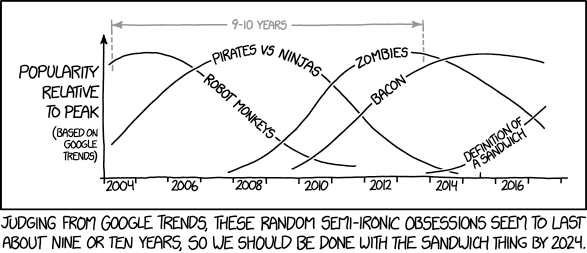
Yo dawg, I heard you like Cloud Computing!
Yo dawg, I heard you like Cloud Computing!Ich zitiere ...
mkalus
shared this story
from  Fefes Blog. Fefes Blog.
|
Yo dawg, I heard you like Cloud Computing!
Ich zitiere mal die ersten beiden Absätze. Bingo-Karten bereithalten!
Adobe hat auf seinem EMEA Summit in London neue Funktionen für die Experience Cloud vorgestellt. Das Web-Dienst-Paket für Online-Marketing ging im März aus der früheren Marketing Cloud hervor.Na dann ist ja alles gut.Die neue Experience Cloud vereint drei Produkte: die Marketing Cloud für Marketing-Kampagnen rund um Web, E-Mail, soziale Netzwerke und Video, die Analytics Cloud für Zielgruppen- und Kundenprofilverwaltung und die Advertising Cloud für Werbung im Web, in sozialen Netzwerken und im Fernsehen. Künftig will Adobe die Experience Cloud eng mit den Anwendungen der Creative Cloud verzahnen.
 xkcd.com.

10 May 19:37


Apple Sneaks Into Your Bed With Purchase Of Sleep-Tracking Firm Beddit
by Ashlee Kieler
mkalus
shared this story
from  Consumerist. Consumerist.
|
Apple wants to get in your bed — but just to track how you sleep: The tech giant acquired Beddit, a Finnish manufacturer of sleep-tracking devices.
Beddit confirmed the acquisition this week in an update to the privacy policy page of its website.
“Beddit has been acquired by Apple,” the company states, while then noting that customers’ personal data would now be collected, used, and disclosed in accordance with the Apple Privacy Policy.

For its part, Apple does not mention the deal — for which terms are unavailable — on its website. We’ve reached out to Apple for comment on the acquisition.
Beddit manufactures a $150 sleep-tracking monitor that collects information on customers’ heart rate, breathing, and sleep time.
“Unlike activity trackers, Beddit is completely ambient so there’s no need to wear or charge it. The thin, flexible, and soft sensor is unnoticeable when placed under the sheet on top of the mattress,” the device’s product page on Apple notes.
Collected data is then transferred to the Beddit app, which analyzes the data, providing users with information on how to “achieve better sleep.”
It’s unclear how Apple plans to use Beddit’s sleep-tracking technology, however, CNBC suggests the tracking could be incorporated into the Apple Watch.
10 May 19:36


trendwatching.com | PROTECTED: DRAFT PUB | Consumer Trend Briefing | May 2017
An excellent briefing summary.

Read the Protected: draft pub Consumer Trend Briefing from trendwatching.com »
10 May 19:36
"Act as if what you do makes a difference. It does."
“Act as if what you do makes a difference. It does.”
- William James
- William James
10 May 19:36


Customize Your iPad or iPhone Writing Environment
by Fernanda
mkalus
shared this story
from  Ulysses Blog. Ulysses Blog.
|

Details matter and details help. When implemented, these subtle pieces reflect immediately in the big picture, refining it. Adjusting details in Ulysses according to your likes and preferences allows you to create a writing environment fit for your creativity.
Below, you’ll find a 6-step-guide to customize your text editor on iPad or iPhone. If you want to know how to do this on Mac, visit this post on our knowledge base. Know that if you prefer leave Ulysses as it is,  — it has been carefully designed for a clean and focused experience.
Before we start, open Ulysses on your iPad or iPhone, switch to the editor view, and access the settings menu by tapping the AA icon. Spotted? Good. This is where the magic happens!
Step 1: Find Your Preferred Mode
What do you prefer for writing, light or dark? It depends, right? Activate or deactivate the “Dark Mode” option to select between a light background with dark fonts and a dark background with bright fonts. You can switch between them whenever you want — for example, use the dark mode if your eyes are tired at night.
Step 2: Select a Font
Your default writing font is the iOS system font, San Francisco. It is certainly a great choice, but you can always browse among the other available fonts and choose your favorite. You’ll find them in the “Editor” section, under “Font”.
You can also upload and use your own, here’s how to do it:
- Transfer a font file (.ttf or .oft) to your iOS device, e.g. by saving it to your iCloud Drive, sending yourself a message, or downloading it from the web.
- Tap it and select “Import with Ulysses”.
- Voilá! You will be redirected to Ulysses, where your new font is now installed.
Step 3: Adapt Editor Settings
Text Zoom, Line Height, Paragraph Spacing, First Line Indent… adjust them in “Layout”, under “Editor”.
Let’s assume you need less space between lines, or you think they are too far apart. Try changing the Line Height. Or do you feel your paragraphs are too close together? Then alter the Paragraph Spacing. When you wish to distinctly signal the start of a new paragraph, customize the First Line Indent. And last but not least, increase or decrease the text size in Text Zoom. Try it out and find your preferred look!
Step 4: Use Typewriter Mode
Need a bit more focus? Turn on Typewriter Mode and adjust its features. This will emphasize the particular line or paragraph you are tweaking.
“Highlight” can be set to your current line, sentence or paragraph. When enabled, your selection will be accentuated, while the rest of your text will fade into the background, still readable. “Mark Current Line” puts a light grey tint under the line you’re currently writing. And “Fixed Scrolling” holds your current line on one spot while you’re typing, allowing you to focus directly on it.

Step 5: Change Theme
Themes define the colors of your background, font and markup. Think of them as virtual wallpapers for your virtual writing studio. You can select between a number of pre-installed – carefully designed – themes, each with a light and a dark version.
If these are not yet what you are looking for, you can go to the Ulysses Style Exchange and select between a great number of themes created by fellow users. Here’s how:
- In the Setting menu, tap “Theme”.
- Scroll down and tap “Visit the Ulysses Style Exchange…”. You will be redirected to your web browser.
- Choose your favorite theme and download it.
- Tap “Open in ‘Ulysses’”’ and… Ta da, theme installed!

If you also own Ulysses for Mac, you can even build your own theme. Check out this knowledge base article to find out how.
Step 6: Consider an External Keyboard
External keyboards are great for many reasons. They effectively leave more space for your writing on the display, and some find it more practical, especially when writing longer texts. Ulysses supports typing on an external keyboard and allows to speed up your writing with a number of keyboard shortcuts.

And just like that — drum roll please 🥁 — your very own personalized virtual writing room! Enjoy.
10 May 19:35


The Mild Breeze of Change
by Ken Ohrn
For the first time in 65 years, BC has not (yet) elected a majority government. Things may change when recounts are done and absentee ballots are totaled. But let’s say they remain the same. Liberals 43, NDP 41, Greens 3. The popular vote looks like: Liberals 40.84%; NDP 39.86% and Greens 16.75%.
Where to from here?
Despite reports to the contrary, we do not have a minority government — we have a hung (or minority) parliament. What the government looks like, if any, is still not known except in the short term. How short is not known, and depends on deal-making and negotiating skills.
Liberals can hang on to Government until defeated in the Legislative Assembly, scrambling for non-Liberal allies on Speech From the Throne, money-related bills or specific non-confidence votes (or until it becomes clear that they won’t get any, and defeat is inevitable).
Provincial minority governments are fairly common. Only Alberta has never has one.
It’s worth noting that, Federally, some minority governments have been quite productive, including Pearson minorities that brought us universal health care and the Canada Pension Plan.
But success means a mature approach to governing — the ability to negotiate compromises in policy positions. Yes — grown-up discussions about differing viewpoints. A meeting of polar opposites. Fewer heavy hands; more open hands.
Wouldn’t that bring some cooling fresh air to the usual hot air around rigid ideologies that we are used to enduring?
As we read this, Liberals and NDP are probably trying to create a formal coalition with the Greens. These, apparently, are vanishingly rare. Or, put another way, can Mr. Weaver stitch together a working government? Could the Liberals agree to his non-negotiable position on banning big money from provincial politics. And let’s not mention climate change here.
Or the Legislative Assembly might swirl into unworkable chaos and off we go to another election.
But whichever way this goes, a recognisable breeze has blown from the Left. Not quite strong enough to clear out the stink, but unmistakably bringing a reduction in favour for the Liberal big-money, corporate, right-leaning Liberal-only-as-neo-libertarian party.
Not to mention personal electoral defeat for cabinet ministers Peter (crush Translink) Fassbender, Suzanne Anton, Amrik Virk, and Naomi Yamamoto.
10 May 19:35

Rejected Apple Intern Applicant Reimagines the Music App
by Ryan Christoffel
Jason Yuan, writing for Medium's Startup Grind:
Earlier this year I applied and interviewed for a graphic design internship at Apple Music (an opportunity of a lifetime), and was turned down with a very kind letter stating that although they liked my work, they wanted to see more growth and training.
At first, I was frustrated — Northwestern University doesn’t offer any sort of undergraduate graphic design program, so whatever growth they were looking for would have to be self taught…
…but as soon as I came to this realization, I became inspired to embark on what became a a three-month long journey to the holy grail — the iOS app that Apple Music deserves.
We don't often link to concept pieces, but Yuan's work is well worth a look. Besides the clean, elegant visual updates found here, one of the most interesting segments in the piece concerns a proposed new music discovery method called 'My Sampler.' The idea is that users can sample short clips of songs and either swipe down to add a song to their library or swipe up if they don't like it. Yuan does a great job of showing how this type of gamification through gestures could be a welcome addition to the iOS Music app.
→ Source: medium.com
10 May 19:34

Apple’s total market value topped $800 billion on Monday
by Dean Daley
On Monday, Apple’s total market value became equivalent to nearly $800 billion USD ($1.09 trillion CAD). This means that California-based company can literally buy the Netherlands, for a year.
Apple’s shares hit a high this past Monday to $153.44 ($209 CAD) per share. According to Apple’s Q2 results, the company has 5.214 billion shares outstanding, resulting in the $800 billion USD ($1.09 trillion CAD) total market value.
Though Apple’s sales did not do as well as the company was expecting, analysts have upped Apple’s 12-month price nearly 30 times within the past nine days. This is due to the presumption of a stronger end of the year results.
After Monday, Brexel Hamilton analyst Brian White released Apple’s highest price target for 2017. The price target for Apple is at $202 USD ($277.19 CAD) a share putting the California-based company past $1 trillion USD ($1.372 trillion CAD), reported by CNBC.
Although the number might seem unrealistic, Apple is already almost there and with the rumoured iPhone 8 and the possible release of two other phones, it’s possible the tech giant could hit this mark.
“Our numbers are actually pretty conservative going into what I think will be a big cycle,” according to White.
Source: CNBC
The post Apple’s total market value topped $800 billion on Monday appeared first on MobileSyrup.
10 May 19:34

Apple acquires sleep tracking startup Beddit
by Igor Bonifacic
Apple has acquired Beddit, a startup that produces an advanced sleep monitoring device and accompanying app.
The startup updated its privacy policy on May 8th to reflect the acquisition, noting, “Beddit has been acquired by Apple. Your personal data will be collected, used and disclosed in accordance with the Apple Privacy Policy.”
Beddit’s sleep monitor — available through Apple’s retail stores for $179.95 CAD — measures a whole host of stats like ambient noise, temperature and humidity, respiration, movement and heart rate. The accompanying app then uses the data it collects to generate personalized suggestions on how the user can improve their sleep.
MacRumours speculates, based on Beddit’s revised privacy policy, that the company will to continue to sell its sleep monitor. However, it’s also likely Apple will use the company’s technology to enhance the sleep tracking functionality of its own devices.
The post Apple acquires sleep tracking startup Beddit appeared first on MobileSyrup.
10 May 19:34





Nex Evolution Review: ‘Hacking’ through your wrist
by Ted Kritsonis
Wearables for the wrist generally fall under fitness or fashion with little in the way of modularity or expandability. The Nex Evolution is unlikely to turn heads for how it looks, but rather for what it can do.
Originally a crowdfunded device from Montreal-based Mighty Cast, this band carries a very different premise than the category’s standard fare. Even when fashion is a strong consideration for a fitness band or smartwatch, activity tracking is the primary function.
The Nex Evolution almost treats that as an afterthought. Instead, the idea here is to interface directly with apps and smart devices to control them through “hacks.” It wouldn’t be a stretch to consider this a hardware extension of IFTTT because it utilizes it, and its influence otherwise permeates the device.
That it uses colour to communicate gives it a retro feel, and the level of customization promises more to come. The question is who will find it all compelling enough to ditch their fitness band?
Lighting it up
The Nex Evolution is made up of a plastic rubberized band with a dual latch and thick centre console. There is no heart rate monitor underneath, nor even a screen that displays any text. The top of the unit has a surface split into sectional units called “Mods” that display individual colours.
The Mods don’t display any text, so even something as simple as telling the time isn’t available here. Colours and patterns communicate when something happens once specific Mods are programmed to perform a set function. Each Mod has a corresponding colour by default (they are customizable through the iOS and Android app): green, blue, purple, red and yellow. There’s only one physical button that acts as a power and home button.
Being touch-sensitive, you can assign two hacks to each Mod — one double-tap and one long press. In some cases, accessing a hack can lead to additional controls, like for music playback or camera remote. The band pairs with a phone via Bluetooth, and the app covers the initial setup and customization. Programming a hack is either done by choosing an existing one or creating one.
Mighty Cast labels these as “when, do” to describe the trigger-and-action sequence a Mod instigates.
But the lights are intended to work with notifications too. It’s not exactly Morse code, but on a similar track. For example, five flashing green mods could indicate an incoming call, while a single flashing mod might note a text message or email. Since the band also vibrates, that’s the first sign that something is happening. The light pattern confirms it.
A blue and yellow pattern shows the band is asleep, while a blue and red pattern means the connection is down.
Mod on the spot
To get things started, a number of quick hacks are available on the app. A step counter that plays a sound and light pattern for every 1,000 steps (there’s also a 10,000 step tracker through IFTTT). An alarm clock that goes into action at a set time every morning. Fake phone calls, funny sound alerts and even beatboxing.
An interesting one is Close to Friend, where a sound and light pattern goes off when an inner circle friend comes into closer proximity. The music and camera controllers are also quite good, albeit with a few caveats.
For instance, because Apple doesn’t allow for direct integration to its own camera app, Mighty Cast essentially built one into its own. When I used it, I double tapped a Mod to snap a photo or long pressed the same one to start recording video. To make it work, I needed the iPhone’s screen unlocked and the Nex app to be open. This was equally true of Android phones as well.
Most hacks require your own ingenuity. Creating one isn’t hard if you’re choosing between the standard options Mighty Cast provides. Wading into IFTTT territory takes far more steps to complete the process because it involves launching the IFTTT app to set permissions and confirm what the hack is supposed to do.
Tech-savvy users who love tinkering with such things probably won’t mind, but the casual user may want less fuss from beginning to end. Except the very nature of the Mods is to be inclusive, which is why the company wants to push the conceptual side of user interaction. If I have a Nex Evolution, and so does a friend of mine, we should be able to communicate with it somehow.
Being alerted to proximity makes sense, and I can see how some might like sharing light patterns and things of that nature, only there’s still a long way to go to make that case. There’s a difference between receiving an emoji on a smartwatch and a light pattern on this band that conveys the same emotion. Having a light pattern go off that resembles something like KITT from Knight Rider might be cool, though I found interpreting this aspect of the band to be highly subjective.
Command and control
I touched on the camera controls, which were excellent when it came to a remote shutter while the phone was either resting on something or on a tripod. I could see how selfies and night shooting benefit from that hack.
Again, however, the band can only go as far as a hack can take it. With the Mods, I could zoom in, zoom out and flip between rear and front cameras. But I couldn’t set a timer. That matters because if I’m to take a selfie, one hand has to basically be touching the other wrist to trigger the camera. At that point, I might as well just manually set a three-second timer on the camera app itself for a more natural pose unless it was from the chest up.
There was also no way to access different lenses. I couldn’t use the 2x optical zoom on the iPhone 7 Plus, nor the wide-angle lens on the LG G6. I can let Mighty Cast off the hook for that because those features are generally not available for third-parties to tap into anyway.
The music controller hack had its own conveniences. Using it to play, pause, skip a track or control volume was pretty neat. Not every fitness band offers full playback control, so while the Mods gave me no visual on what I was listening to, I could at least how loud I wanted to go and whether to skip or go back a track.
An upcoming update will extend control to when music is being streamed to a speaker over Wi-Fi, like Spotify through a Chromecast. In my testing, the band only worked with Bluetooth streaming, not with anything Wi-Fi-enabled. This cut out Sonos, in particular, of which a fix is apparently coming.
Activity, gaming and smart home
The Nex Evolution doesn’t offer extensive activity tracking beyond the basics. Steps, distance and calories are measured, and goals can be set, but that’s about it. Accuracy is decent enough, though I’ve seen better results in other bands from Fitbit, Mio or TomTom.
Mighty Cast wants to pursue gaming as a key part of the band’s value proposition, and there may be some promise in doing that. Using it as a controller or as an extension of a game seems interesting, though there wasn’t much I could do. It will require collaboration with developers to code that functionality in, given there was no way for me to create a hack for it.
For smart home devices, integrating IFTTT covers a fair bit. I was able to control Philips Hue or Belkin WeMo lights easily with the band. Assuming this expands further, there should be intriguing possibilities in accessing more devices. It’s just a little early to really assess how good that could be. What’s available now is pretty cool though.
Battery life
With three days of rated battery life, the true number is more or less accurate. The more notifications are assigned to the band, and the more you use the Mods, the less you get.
With very minimal use, I was able to squeeze out almost an extra full day. Double-clicking the home button shows battery level with green representing 20 per cent life on each Mod.
The post Nex Evolution Review: ‘Hacking’ through your wrist appeared first on MobileSyrup.
10 May 19:34

Apple employees are testing the often-rumoured ‘Siri Speaker,’ according to report
by Patrick O'Rourke
While rumours originally surfaced regarding the possible existence of a dedicated Siri Speaker last year, it looks like Apple could be preparing to finally reveal the device, according to a report from Bloomberg.
The company’s ‘Siri Speaker’ project is believed to have been in the works for some time and so far the company has avoided any significant leaks regarding its design. Now, however, reports have emerged indicating that Apple employees are testing the device out in their homes.
It’s also possible that Apple could be planning to show off the Siri Speaker during its keynote at WWDC early next month. It’s still unclear, however, if Apple’s still unannounced smart home controlling product will feature a display, like Amazon’s recently announced Echo Show, or if it will instead focus on Audio, like the Google Home or Amazon’s standard Echo.
With an increasing number of smart home products opting to support Apple’s ‘Home’ platform and the company’s recently released dedicated iOS Home app being relatively well received, it makes sense for the tech giant to be working on a dedicated voice-activated assistant designed to go head-to-head with other tech giant’s smart home offerings.
Source: Bloomberg
The post Apple employees are testing the often-rumoured ‘Siri Speaker,’ according to report appeared first on MobileSyrup.
10 May 19:34

Windows 10 reaches 500 million monthly active devices
by Rose Behar
Microsoft CEO Satya Nadella announced that Windows 10 has reached 500 million monthly active devices during his opening keynote at Microsoft Build.
With Windows 10, Microsoft put a strong emphasis on cross-platform functionality by debuting Universal Windows Platform apps, which work across multiple Microsoft product types — PC, tablets, smartphones, Xbox One and mixed reality, among others — using nearly identical code.
Additionally, the company revealed it now has 100 million monthly active users of Office 365 and 141 million monthly active users for its AI Cortana — though it should be noted this includes not just voice but also typing commands.
Building on that momentum, Microsoft also announced partnerships with HP and Intel for future Cortana devices and the opening of the public preview for its Cortana Skills Kit.
The post Windows 10 reaches 500 million monthly active devices appeared first on MobileSyrup.
10 May 19:34

Samsung’s Gear VR is best-selling headset in Q1, expected to continue into rest of 2017
by Bradly Shankar
SuperData has released sales figures for the various virtual reality (VR) headsets on the market, revealing that the Samsung Gear VR has sold 782,000 units in the first quarter of 2017. The research firm also estimated that Samsung will hit 6.7 million in 2017.
The various models of the Gear VR cost between $100-200 CAD, as opposed to the starting prices for PlayStation VR VR ($550), the Oculus Rift ($680) and the HTC Vive ($1,149). Stephanie Llamas, head of VR/AR at SuperData, told GamesIndustry.biz that the strong launch of the Samsung Galaxy S8, which is outpacing the S7, will also generate momentum for the Gear VR.
“A large portion of last year’s 4.5 million Gear VR shipments came from S7 pre-orders, so we anticipate the S8’s success will get even more devices into consumers’ hands.” Llamas said that the significantly lower price and larger share of compatible devices (smartphones as opposed to a PlayStation 4 console or higher-end PCs) has helped the Gear VR as well.
The other mobile phone-centred VR headset, Google’s Daydream, sold 170,000 units in Q1 and his expected to reach 3.5 million by the end of 2017. SuperData expects the Daydream to “eventually” present competition for the Gear VR, but not at this time. The Daydream normally retails for about $100.
Interestingly, analysts at the IHS Markit firm had notably different predictions from SuperData. IHS Markit’s new report forecasts 4.1 million units and 2.2 million units sold this year for the Gear VR and Daydream, respectively.
As for the more premium VR headsets, SuperData noted that the HTC Vive outsold Facebook’s Oculus Rift in Q1. Even with a price cut earlier this year, the Rift sold 64,000 units compared to 95,000 compared for the Vive. For the full year, SuperData anticipates Vive sales of 553,000 and Rift sales of 346,000 units.
“It’s not about price,” Llamas said of the higher Vive sales. “Facebook is a digital services company, not a hardware company. Oculus is a brand new OEM [original equipment manufacturer]. The manufacturing challenges have proven enormous for them.”
She noted that bad press for Facebook may have also had a hand in it, such as accusations in a lawsuit from games company Zenimax that the Oculus headset was built using stolen intellectual property. Facebook ultimately lost the legal battle and was ordered to pay out $500 million to Zenimax.
Finally, Llamas said that HTC Vive’s “VR-first” mentality was more appealing to consumers than the closed ecosystem of the Oculus. “HTC Vive didn’t get as caught up in focusing on games either – they have long supported all aspects of VR development, so Oculus is behind them there,” she said.
Llamas also cited a focus on all areas of VR for solid PlayStation VR sales. SuperData said Sony sold 375,000 units in Q1 and predicts overall 2017 sales of 2.6 million in 2017. “Sony has been more vocal about the PSVR being about VR, not games. They are working with companies for commercial applications, even though it is not the obvious first choice,” Llamas told GamesIndustry.biz. “But even the PlayStation is part of a larger effort to bring an entertainment ecosystem into the home – not just gaming experiences. They are going to the same route with the PSVR.”
Indeed, at Mobile World Congress in March, Sony president Kaz Hirai said that the company is committed to VR in all spaces, not just gaming.
Source: GamesIndustry.biz
The post Samsung’s Gear VR is best-selling headset in Q1, expected to continue into rest of 2017 appeared first on MobileSyrup.
10 May 19:33

Canadian carriers offering 2GB free data per month in latest port-in promo
by Ian Hardy
With over 30 million Canadians subscribed to a wireless plan, the country’s carriers are starting to get crafty with their sales promotions.
A 2012 trend is once again popping up but repackaged in a way to entice customers to switch brands. The ‘port-in’ credit, which offered as much as a $200 in bill credits to customers who switched, is now back with a new twist. The Big Three — Rogers, Bell and Telus — are all teasing wireless customers from their competitors to make the move, offering 2GB of free data for 24 months for those who do so.
Of course, there’s fine print. Telus notes the “offer [is] available to Fido or Rogers customers activating a primary line on BYOD, Smartphone, Premium Smartphone, or Premium Plus TELUS Your Choice plans, excluding Manitoba and Saskatchewan. Offer subject to change without notice and cannot be combined with other code-based offers. Bonus data will remain on account for 24 months.”
Rogers has a similar exclusion for Manitoba and Saskatchewan residents and focuses in on Telus or Koodo customers who port-in and activate a plan on a Rogers Share Everything Premium Tab, Premium+, Smart Tab or No Tab plan. Rogers states the “2GB Bonus Data is shareable across all lines with a data plan on your Share Everything plan. Bonus data will appear on the customer’s second bill following activation and remains on the customer’s account for 24 months as long as customer maintains eligibility.”
Finally, an internal Bell document obtained by MobileSyrup reveals a similar offer but targets all its competitors, including Rogers, Fido, Chatr, Telus, Koodo and Public Mobile with 2GB of free data per month on “all primary share plans… for the duration of their term.”
The post Canadian carriers offering 2GB free data per month in latest port-in promo appeared first on MobileSyrup.
10 May 19:33

Netflix Android app update adds HDR and Dolby Vision support to LG G6
by Bradly Shankar
An update will be rolling out on the Netflix Android app to add support for HDR and Dolby Vision support to LG’s recently release G6 smartphone.
This functionality was previous announced back at Mobile World Congress in March. It’s worth noting that Samsung’s Galaxy S8 and S8+ are also capable of displaying HDR content, though it still remains unclear if Samsung’s latest flagship supports high-end HDR.
On its website, Netflix says the update isn’t yet available but is “coming soon.”
It’s important to note that Canadian users will need to have an $11.99 subscription plan to stream Netflix in HDR.
Some of the shows offered on Netflix in HDR include Marvel’s Daredevil and Jessica Jones series, A Series of Unfortunate Events and Chef’s Table.
Netflix on Android can be downloaded here. For more on the LG G6, check out MobileSyrup‘s review.
Via: 9to5 Google
The post Netflix Android app update adds HDR and Dolby Vision support to LG G6 appeared first on MobileSyrup.