Shared posts

21 Mar 15:20

The Perfect Mix: 5 Ingredients in Successful B2B Case Studies

by Rachel Foster

Successful-Case-Studies

Case studies are one of the most powerful B2B marketing tools.

B2B customers rely on them to make informed buying decisions and see social proof that your products deliver results.

In fact, DemandGen found that 73% of B2B buyers have used case studies to make a purchasing decision in the last 12 months.

The more compelling case studies you have, the more you can engage skeptical prospects and shorten your sales cycles. A well-written case study can capture a buyer’s interest and motivate them to reach out to you earlier.

Here are five keys to creating case studies that turn prospects into customers:

1. Exceptional Storytelling

Stories help you connect with customers on an emotional level, so you can show your value and stand out from the competition.

Compelling case studies tell stories that are emotional and agitate your prospects’ pain points. They also help leads envision themselves as your happy customers.

Tell-Customer-Stories

Here are some points to consider when you tell your customers’ stories:

  • Choose a protagonist. Instead of talking about “Company X,” tell the story of a particular employee who benefited from your product. Readers relate to humans – not companies.
  • Vividly describe the before state. Many case studies don’t go into enough detail on the customer’s pain before they bought the magic product. Be sure to talk about your customer’s challenges, including quotes that describe the pains in their words. Readers will relate to their frustrations.
  • Show the results. Some case studies include just a few words about the customer’s results – almost as an afterthought. However, the results are the most important part of the story. Talk about your customer’s results in detail, including any unexpected benefits they achieved from your product. Be sure to include quotes and statistics on their return on investment.
  • Keep it real. B2B technology implementations are rarely smooth from start to finish. Don’t be afraid to discuss any issues that you encountered along the way. Showing how you handled problems can speak volumes about your customer support.

2. A killer Headline

While 80% of your audience will read your headline, only 20% will go on to read the rest of your content. This means that headlines can have an enormous impact on your case study’s success.

A strong case study headline includes the following:

  • Your customer’s name
  • The problem that you solved
  • A major result that your customer achieved, along with a number to support it
  • Power words that elicit emotions

3. Quotes From Your Customer

Creating a case study can take a long time, especially when you need to wait for customer interviews and approvals. If you’re short on time, you might feel forced to write success stories from your perspective or forego quotes from your customers.

But a case study without quotes lacks credibility and kills your marketing magic.

Use-customer-quotes

Prospects are more likely to believe you if they hear from your customers in their words. It’s worth the time to interview your customers and add their voice to your stories.

4. Multimedia

Multimedia can make your case studies more engaging and help you connect with auditory and visual learners. Here are some ways that you can incorporate multimedia into your case studies:

  • Add photos and charts to punch up your written case studies.
  • Film video case studies and use them throughout your marketing.
  • Turn your case studies into SlideShares and upload them to LinkedIn.
  • Interview your customers about their successes in your webinars and podcasts.

5. A Repurposing Plan

Not everyone is going to find your success stories if you bury them on your website.

To get the most value from your case studies, you must get them in front of a wide audience. When you repurpose your case studies into other formats, you’ll reach more prospects across different channels. You’ll also save time on content creation, as you’ll reuse your existing materials instead of creating things from scratch.

Repurpose-Across-Platforms

Here are five places where you can repurpose your case studies to shorten your sales cycle and turn more leads into customers:

  • Sales conversations. Drop a few statistics from a case study into your sales conversations to get prospects to take notice.
  • Direct mail. Case studies can help you raise awareness around a new product or service. Include text from a case study in your next direct mail campaign to increase your response rates and generate more leads.
  • Emails to prospects. The next time you touch base with a prospect, email some highlights from a related success story. You’ll be more likely to get a response.
  • E-newsletters. Do you want more of your subscribers to read your newsletters? Try condensing a longer case study into a short article and sending it to your list. People enjoy learning how others are solving similar problems and will be more likely to read your newsletter.
  • Proposals. Include a few case studies in your next proposal to increase your odds of winning the project.

Do you want more places to share your amazing customer success stories? Check out 21 Places To Share Your B2B Case Studies.

21 Mar 15:19

Analyzing Your Emails: 7 Key Metrics to Watch

by Monica Montesa

EmailMetrics_AWeberBlog

This post is the eighth installment of our new series, The Ultimate Guide to Email Marketing – an eight-week series that covers the fundamentals of email marketing.

If you send an email out into the wild and don’t review the analytics, did it really happen? Of course it did! But it does make it difficult to know what kind of impact your email had. Did a lot of subscribers open it? Did they click any links? Did they make a purchase as a result? To answer these questions and discover if your emails are helping you connect with customers and grow your business, checking the performance of your emails is essential. Like any other business strategy, analytics are the key to identifying success. Plus, your email analytics can tell you different stories about subscriber engagement and the kind of content that resonates with them. With that kind of intel, you’ll be able to discover opportunities to make improvements, deliver more value and increase the effectiveness of your emails. Interpreting the data from your email analytics may seem daunting, but don’t be afraid to delve into it. When reviewing your analytics, here are seven key email metrics you’ll want to follow. Don’t feel like reading this post? Listen to the podcast adaptation below, or watch the YouTube video!

1. Open rates

Open rates measure the number of people who opened your messages and provide several insights into your email’s overall performance, including whether your subject lines are effective and the best times to email subscribers. If your open rates aren’t as high as you want them to be, there are simple steps you can take to try to improve them. For example, try emphasizing urgency in your subject lines to make them more compelling. Or, add specific details that tell subscribers exactly what they’ll get in your emails. Your goal is to stand out in the inbox, so you need to convince subscribers that your content is worth engaging with. Low open rates could also mean that you’re not sending emails at an ideal time for your subscribers. Instead of Mondays at 5 p.m., try sending emails in the morning or on different days. Once you find what works, stick with it!

2. Traffic

To find out the number of subscribers going from your emails to your website, you’ll want to review your traffic metrics. These are particularly useful if your goal is to drive subscribers to a specific blog post to generate leads or product page to increase sales. It’s important to include one clear, compelling call-to-action (CTA) in every email to ensure a steady flow of traffic to your website. Also, make sure your CTA stands out from the rest of your email. If your CTA is too small or blends in, subscribers might miss it as they scan your content.

3. Click-throughs

Click-through metrics reveal how many subscribers clicked a link in an email, as well as how many times they clicked it. As a result, this metric sheds light on the type of content your subscribers find valuable. If you find your subscribers are opening your emails but not clicking the links within them, there are a few actions you can take to fix this issue. Segmenting subscribers and sending targeted emails, for example, can work wonders for improving the click-through rate in your emails. I also encourage you to feature popular blog posts, new ebooks and exclusive product promotions to promote engagement. As you test different types of content, make note of what works and what doesn’t. Your email content calendar should begin to focus your emails around the things your subscribers love most. If you need help identifying trends in your analytics or setting an email strategy, we created a few resources to help you along the way. Best of all? They’re free when you sign up below!

4. Sales

Sales metrics track how much revenue each email creates. Using this information, you can improve emails to increase profits over time. To make your emails more profitable, review messages that created higher-than-average and lower-than-average revenue. Identifying the key differences between successful and unsuccessful emails allows you to bring more value to your audience, which can eventually lead to increased sales. Keep in mind that not everyone who receives your emails is ready to buy, and that’s okay. You can target these people by sending exclusive discounts, coupons or product information from a new angle.

5. Unsubscribes

A high unsubscribe rate can be discouraging for email marketers, but I encourage you to find out why people are opting out of your list. There may be a chance for you to bring them back or prevent others from leaving. When someone opts out of your list, include a question on your unsubscribe page that asks why they’ve decided to leave. You can make this an open-ended question, or include specific options that ask whether you’re sending emails too frequently, or if a subscriber is receiving content that’s no longer relevant to them. As you gather feedback from subscribers, you could reveal a weak spot in your email marketing strategy that can be improved upon.

6. Deliverability

If you find that your email open rates are unusually low and spam complaints are high, there may be an issue with deliverability, which influences whether or not your emails make it into your subscribers’ inboxes. There are several factors that influence the deliverability of your emails, but the best way to maintain a good email deliverability rate is by adhering to the CAN-SPAM Act and email marketing best practices. According to the CAN-SPAM Act, a U.S. law that regulates commercial emails, senders must:

  • Include a way for subscribers to unsubscribe
  • Contain the sender’s valid postal address
  • Be clear about who is sending the email
  • Label the message as an advertisement
  • Avoid misleading subject lines

Additionally, be sure to follow basic email marketing best practices, such as:

  • Send valuable content
  • Email regularly (at least once a month)
  • Set expectations on your sign up form and deliver what you promised in your emails

This will make your emails more desirable and encourage subscriber engagement.

7. Revenue per email

Tracking the return on investment from your emails isn’t always easy, but it’s a helpful way to track the success of your email marketing strategy. To help you get a clear sense of how your emails are driving revenue to your business, try using the following formula: RevenuePerEmail_AnalyzeandOptimizeEailMarketing_AWeber

As you identify which emails are driving the most revenue, you can make tweaks to your overall strategy to send more similar emails and optimize success.

Optimize your emails for success

These metrics provide an accurate, comprehensive overview of how your messages are performing, and I encourage you to use them to optimize your future email sends. Want more tips for improving your email marketing strategy? Check out the Ultimate Guide to Email Marketing to learn more tips like these and how to grow your business through email.

20 Mar 16:59

5 Indicators That Marketing Is Taking A Step Back

by Freya Smale

The headline of this blog is purposely provocative. Marketing is not taking a step back in the sense that’s it’s not innovating.

If anything, it’s the opposite. Marketing has never been so innovative, so forward-thinking.

By taking a step back, I mean to denote that Marketing is looking back to roots, examining its purpose.

“Marketing is the activity, set of institutions, and processes for creating, communicating, delivering, and exchanging offerings that have value for customers, clients, partners, and society at large.” American Marketing Association

In other words, as marketers, we are tasked with the challenge of figuring out how best to communicate a product or service to our target market. This starts by thinking about who the customer is and how they behave. This need to understand the customer has never been more important.

Why?

Because marketing is shifting once more.

With the advent of digital technology, came a myriad of marketing tools to increase the views to your website exponentially, or grow your social following from the hundreds to the millions.

As we begin to settle into this new digital world, marketing is looking back to targeting, personalizing, and thinking of the customer as an individual once more. We’ve reached a digital maturity.

Here are 5 indicators of this changing trend and what to keep your eye on:

  1. The Rise of Individualism

The success of ChatBots and messaging apps like SnapChat illustrate a shift in consumer behavior.

Social Media opened the opportunity for the individual to create and develop an online, public persona. For marketers, this was an invaluable source of consumer information.

Now, the consumer is looking to more private platforms to seek information. Consumers are protecting themselves by being pickier about the public persona they portray online.

The consumer is also looking to platforms that generate conversation, be it with a human or a robot. This indicates that the consumer is looking to engage with a brand as an individual, more authentic basis.

As a marketer, the rise of individualism indicates the consumer’s desire for authenticity. Keep this in mind when writing copy. You need to speak to the individual with a voice that resonates with them.

Whether you are a B2B or B2C marketer, you are talking to a human.

  1. Personalized Messaging

The need for personalized messages is not a new trend. It links neatly with the previous indicator of the rise of individualism.

As consumers and brands move to engaging on ChatBots and messenger apps, the use of other digital platforms like email will not diminish.

Marketing strategy needs to take a holistic view of every customer touchpoint, close the loop, unify the message, and adapt the message in real-time to react to consumer behavior.

  1. Facebook Targeting Features

Back when Facebook first launched its advertising platform, it was simple and allowed businesses to target local students or businesses for a small fee.

As the social giant grew, it became a powerful platform for marketers to get in front of millions of potential consumers in one hit. In 2009, came the first launch of what we know today as the Facebook Advertising platform. Its success is down to its advanced targeting options, that outstrip those of other platforms like Twitter.

Facebook remembered what marketing is all about. Talking to your target market on a platform that they use. Now Facebook advertising is a staple of every marketer’s digital marketing strategy.

Compare if you like the decline in advertising on television commercials. Since the launch of “binge” streaming platforms like Netflix and Hulu, TV viewers no longer patiently sit through 5 minutes of commercials. Instead, they now have the power to avoid them completely, except during a live sporting or music event.

Savvy advertisers have spotted this trend and adapted their practices. Take Kia, the clear winner of the 2017 Super Bowl Ad Game according to USA Today’s Super Bowl Ad Meter. Interestingly, they launched their Super Bowl campaign with the Nirobot on Facebook Messenger.

Kia identified that the mass message would ignite interest, but the need to engage on an individual level would ultimately lead to sales.

  1. Growth of Customer Experience

The rise of Customer Experience is the fourth indicator that marketing is shifting back to being more targeted.

With the emergence of new job titles like CXO, coupled with the rise of experience technology like Augmented Reality, marketers are increasingly having put their consumer at the center of an experience to gain their business.

Take the retail industry. In-store shopping has been declining in recent years, with the online and mobile platforms winning the holiday battle in 2016.

Virtual reality (VR) and its sister technology augmented reality (AR) are adding a new dimension to retail, by transforming how people shop. You are no longer limited to the 4 walls of a store or the limits of a website. In the future, the consumer will be able to try on that dress without going in-store or test if a dining set fits in their dining room, without having to take out a tape measure.

This technology is creating a unique, individual experience for customers.

Retailers like IKEA, Lowe’s, Topshop are ahead of the game here. Marketers in all industries need to watch this technology in 2017, as those who use it effectively (with their customer in mind) will certainly come out ahead.

  1. The Abundance of Data

Data is a driving force behind the success of digital technology in marketing. Gone are the days of spending thousands on a product launch without hope of knowing its impact or ROI.

The availability of consumer data and the use of it is another indicator that marketing is taking a step back.

We can now message individuals based on their behavior, on a specific action they’ve taken on our websites.

The data-savvy marketer or marketing team will be able to harness this shift to back to targeted, consumer-centricity faster than others.

With each of the indicators, it is not possible to emphasize enough the importance of taking the time to understand your target customer.

5 things you need to make sure your marketing team is doing:

  1. Using profile to understand your customer
  2. Think about the individual consumer, not just the target of thousands of web views
  3. Closing the loop on all consumer touchpoints, sending out unified, personalized messages
  4. Choosing technology that adapts in real-time to consumer behavior
  5. Gathering data, analyzing it, and making smart decisions based on what they discover

As marketing takes a step back to focus on its core function and purpose, new technology makes it ever easier for the marketer to forward-think and grow their businesses.

20 Mar 16:59

The 10 highest-paying tech jobs in America in 2017

by Rachel Gillett

smiling women laptops

Highly skilled workers are a hot commodity, and that's especially true for tech jobs.

As a new report from job site Glassdoor shows, employers are willing to pay a premium for certain in-demand tech skills.

Based on salary reports shared by employees on Glassdoor over the past year, here are the 10 highest-paying tech jobs in the US, the current number of job openings, and what these people do:

SEE ALSO: The 25 highest-paying jobs in America in 2017

DON'T MISS: The 25 best jobs in America right now

10. Scrum master

Median base salary: $95,167

Number of job openings: 2,072

A scrum master helps facilitate an agile development team.


9. Systems architect

Median base salary: $97,873

Number of job openings: 1,167

A systems architect is an IT professional who creates networking and computer systems. A systems architect is responsible for provisioning, configuring, and operating the network systems that form the backbone to a business. This involves offering technical support, or even research for a long-term improvement plan.


8. User experience (UX) manager

Median base salary: $98,353

Number of job openings: 263

A UX manager heads a team of designers who improve the usability of a product.


See the rest of the story at Business Insider
20 Mar 16:57

The Science Behind Successful Content

by Kelsey Meyer

The Science Behind Successful Content

Content marketing is truly a science, and creating a solid campaign that delivers results is the ultimate experiment. You’re testing different variables in search of the exact combination of content elements that will engage your readers, educate your prospective customers, and shine a positive light on your company—all while ensuring that each piece of content includes all the right ingredients in the right order (to reach the right people). In any one content marketing campaign, there are hundreds of decisions to make, approaches to take, and results to measure—and that can complicate the process for even the most experienced content marketer.

Any scientist would tell you experimenting with possibilities yourself is half the fun. That said, beginning any experiment without an understanding of what you’re testing is never a good idea. We teamed up with Ceros, an interactive content creation platform, to research the anatomy of a successful digital content piece and dissect each element—from topic ideation and copywriting to design and distribution—so fellow content scientists can begin their own experiments with the right data. Explore the interactive infographic below to see the results.

As you can see, content includes a number of variables. You won’t find much success if your topic misses the mark, you haven’t researched the right keywords, or your formatting or copywriting leaves audiences more confused than engaged. Content marketing is a science that requires your attention to detail and willingness to test. Focus on these elements of your next content experiment, and you’ll have a better chance of validating your efforts.


Content marketing is a science that requires your attention to detail and willingness to test.
Click To Tweet


Get more content like this, plus the very BEST marketing education, totally free. Get our Definitive email newsletter.

20 Mar 16:56

Creating a Content Strategy That Will Stand the Test of Time

by Carolyn Hansen

In a meeting with a client a few weeks ago, we reviewed potential blog post titles. We were excited — the topics looked informative and helpful and had tons of potential. In our enthusiasm, we almost missed something that would have shortened the lifespan of one piece by at least a year and severely limited how we could use it as part of our overall content strategy.

joseph-young-41689-898541-edited.jpg

What was that big problem? It didn’t appear big on paper. In fact, it was only four numbers: the year, 2017.

If we would have kept “in 2017” in our blog title, it would have instantly shortened the lifespan of our content and devalued the content in the years to come. But by removing the year, we increased our ability to leverage in 2017 and beyond. The topic will continue to appear relevant to website users much longer than it otherwise would have. That’s not to say that timely content doesn’t have a place in your marketing strategy, but it’s important to recognize your key messages and formulate a solid content strategy that will stand the test of time.

Why Timeless Content is Important

People who visit your website are making significant judgments about the quality of its content within the first few seconds. In fact, the Nielsen Norman Group reports that the first 10 seconds of being on your website are when users judge it most harshly and are the most likely to leave.

There are many factors that can lead users to leave web pages, but the perception that content is dated and no longer useful is one of the most significant. Your website might be unintentionally sending users that message by using an outdated design or by having a blog that was last updated five years ago. For your website to perform optimally, it must look – and be – relevant and timely.

What’s more, timeless content is critical for bringing in a steady stream of web traffic to your site. It continues to answer the questions people type into the search engines, and it boosts your site’s credibility through frequent social shares. Content that is timeless can answer questions and be shared twelve months out of the year. Content that is time-sensitive may only be valid and useful for a short time.

Leveraging Evergreen Content as Part of Your Content Strategy

Marketers have a term for timeless content. It’s “evergreen.” Like an evergreen tree, evergreen content is fresh no matter the season. It never goes dormant. So, how do you create a content strategy that will use evergreen content to stand the test of time?

The first step is critical thinking. When considering all content, ask yourself why that content is important and how it will be used. Be aware of time-sensitive content and its capacity to sneak into even your best blog topic ideas.

Does this mean that all content on your site should be evergreen? No. Absolutely not. Time-sensitive content should be an important part of your overall content strategy. Without it, websites can appear flat and inauthentic. Feel free to write blog posts related to important upcoming events, new industry trends for spring, or things to watch out for in 2017.

Just remember to build on that information with timeless content that will continue to resonate with users no matter what time of year. You can share evergreen content on social media many times because it is always relevant. So, content written as a blog post in March can be shared on Facebook in boosted posts in March, April, May, and June.

“Evergreen” vs. Time-Sensitive Content

The key difference between evergreen content and time-sensitive content is that evergreen content stays relevant and “fresh” for readers (like an evergreen tree). It never loses importance as time passes, and it doesn’t need to be continually tended to and updated. Here is a comparison:

Evergreen content includes:

Time-sensitive content includes:

  • Answers to frequently asked questions
  • Timelines and histories
  • Instructions and how-to guides
  • Product reviews (usually)
  • Informational videos
  • Lists
  • Content tied to specific holidays
  • Event-based posts
  • Seasonal articles
  • Blog titles written for “the year 2017”

If you have a good mix of evergreen and time-sensitive content to leverage, users will be more likely to find your website and like what they see when they get there. You’ll be that much closer to creating a content strategy that will stand the test of time.

20 Mar 16:56

The Key to Consistent, Effective, Quality Prospecting

by John Barrows

*Editors NoteGuest post by contributor John Barrows, sales trainer for Salesforce, Marketo, LinkedIn, Box, Zendesk and more of the worlds leading tech companies.

I admit it, if I had to think about prospecting I probably wouldn’t do it. I can find any excuse not to prospect, kind of like I can find any excuse not to work out like in this commercial. The problem is if I don’t prospect consistently I end up with no pipeline and then I have to resort to doing stupid things like giving discounts and begging for business which we all know is pathetic.  

If there is anything I hate more than prospecting it’s discounting (see my post “A Sure Fire Remedy For Discounting”) The problem is that high quality prospecting takes time to do. You have to schedule time in your day, figure out what clients you’re going to target, research them, think through your approach, develop your messaging, write your e-mail or call and then make the call or send the e-mail.  That’s all usually for one ‘touch’ (e-mail or call) and we all know it takes more than a few ‘touches’ to reach an executive these days.


“If there is anything I hate more than prospecting it’s discounting” – @JohnMBarrows
Click To Tweet


The key to consistent, effective, high quality prospecting is to set up your systems to have the information come to you so you can build it into your daily routine. The more you have to go out and find or get the info, the less likely it is to happen. The first step is to identify your target ‘A’ level prospects because not all prospects are created equal and therefore not all of them deserve the same amount of our time. After identifying our target list we then need to track them and get information about them to come to us.

The tools I use to do this are Inside View (my favorite), GageIn, Google Alerts and a few others. With these tools you not only can flag the accounts you want to track but you can set them up to track on very specific events (product launch, litigation, M&A, etc) and have them send you an e-mail once a day with a summary of events. Since I live and die by my e-mail I’m now forced to look at 2-3 e-mails from these sources every day that highlight things that are going on with my target accounts.

Tools used to Track Prospects: InsideView, Gagein, Google Alerts.

Now that I have the information coming to me I need to determine which events are most relevant to me and my solution so I can develop consistent and repeatable messaging and not have to reinvent the wheel every time. I tend to choose 4-5 different events that I can make a connection to and develop messaging around them since every time you see a certain event (eg. new office) you can pretty much say the same thing. From there I develop some e-mail or phone templates for each event. Keep in mind, these are not templates or scripts that are meant to be blasted out to 1000 people. These are templates to be used for efficiency purposes but still sent to individuals one at a time with slight customization.

Once I have my events and my messaging I now need to find a way to distribute and track them. The simplest way to do this with e-mail (if you use Outlook) is to create different ‘signature files’ that you can choose and pre-populate your e-mails. That helps with the efficiency in writing the e-mails but it doesn’t help with tracking to find out which ones are working and which ones aren’t.  That’s why I use products like ToutApp and Yesware that allow you to develop templates, track who opens your e-mails and run split testing to determine conversion ratios.

Tools used to Track Emails: ToutApp, Yesware.

By identifying a target list of accounts, tracking them so information comes to you, developing messaging based on certain triggers that you can put into e-mail and phone templates and using tools to track the response rates you now have an engine that produces high quality prospecting without having to try too hard.

Good luck and happy selling!

The post The Key to Consistent, Effective, Quality Prospecting appeared first on Sales Hacker.

20 Mar 16:56

Sales Prospecting On LinkedIn Using The X-Ray Technique

by Ilya Lichtenstein

LinkedIn is an incredibly powerful sales prospecting and link building tool for sales teams, but the search capabilities it provides are very limited. With a free account, you only get 100 results from your immediate network. This is hardly enough to build a large scale prospect list.

In this post, I’ll show you exactly how to filter LinkedIn results by any field on a profile, even those LinkedIn doesn’t let you search, opening the door for much more powerful searches across the LinkedIn network, get thousands of results, and get any prospect’s full name and profile details, even if they are not in your network.

LinkedIn Has Its Limitations For Sales Prospecting, But There’s a Workaround

To get around the limitations of LinkedIn search, we can use a strategy called X-Ray Searching. X-Ray Searching involves using another search engine, such as Google, to search LinkedIn public profiles. Using some advanced Google Search operators, we can work around LinkedIn’s search limitations, get higher quality results, and build highly relevant lists of prospects much more quickly.

X-Ray searching lets you scan public LinkedIn profiles, so you’re not limited by your network or immediate connections. The majority of public LinkedIn profiles also contain that person’s full name, giving you more access to their profile details than searching inside LinkedIn.

Constructing The Basic X-Ray Search

To conduct X-Ray searches, we will be searching Google with the site: search operator to restrict our results only to those from linkedin.com.

LinkedIn uses different subdomains based on the country of the user for profiles. We can restrict our site: search to a particular subdomain to filter only for results from that country. For example, to only search users in Australia, change your search query to include

site:au.linkedin.com

LinkedIn profiles based in the US are on the main www subdomain. So, to get only US results search with

site:www.linkedin.com

To further narrow our results to only public profiles, we can use the inurl Google search operator to only return results with specific keywords in the URL. A public LinkedIn profile for an individual will always start with one of two URLs: linkedin.com/in or linkedin.com/pub. If you see a lot of directory or company results coming back, use a search string like this one:
inurl:linkedin.com/in site:www.linkedin.com

One more thing to remember: Be sure to log out of LinkedIn or open an incognito window when X-Ray searching in order to see public profiles. Otherwise, you will be redirected to internal profiles that will often contain much less information.

Advanced X-Ray Searching with Wildcards

The secret to X-Ray searching like an expert is Google’s obscure wildcard operator, represented by the asterisk(*). The wildcard acts as a placeholder, matching any word in a phrase. For example, the search “Google * my life” will match “Google saves my life”, “Google simplifies my life”, and so on.

To search on any field of a LinkedIn profile, we just need to combine text that always occurs in a profile with wildcards to get the desired result. Don’t worry: This will all make sense with the next example.

X-Ray Searching By Current Company and Title

We will start by replicating a search LinkedIn allows with the X-Ray method. Let’s say you need to find people who work at a particular company in a specific role. You could do this search on LinkedIn, but with a free account, you would only be limited to 100 results from your network. X-Ray searching with Google gives us at least 1,000 results, and much more powerful search options. This is one of the most clever ways to utilize X-Ray search to boost your sales prospecting efforts.

Simply searching by company name or title with a site: query would return results that have that text as a keyword anywhere in their profile, not necessarily as a current position.

If you look carefully at a public LinkedIn profile, you’ll see a common pattern. All public profiles have the word “Current” followed by their current position.
linkedin-current
That’s all we need to zero in X-Ray searches on that particular profile field.

To search for everyone currently at Google with “marketing” in their title, do this Google search:
"current * marketing * at google" inurl:linkedin.com/in site:linkedin.com

Note the wildcard characters surrounding the word “marketing”.

We can also use wildcards to filter titles by seniority:

"current * vice president * at google" inurl:linkedin.com/in site:linkedin.com

Ranged Searching by Time on the Job

Let’s move to powerful searches that LinkedIn doesn’t allow at all. A useful feature of LinkedIn is the ability to see how long someone has been in their current position. This is very useful as a sales prospecting and lead qualifying strategy. Someone who has been with an organization for a long time may have a lot of influence internally. Conversely, a recently hired executive might be eager to make a mark and more open to trying new solutions.

We can use X-Ray searching to filter by this profile field at a very granular level, significantly improving on anything LinkedIn search offers, even with the premium Years of Experience filter.

To accomplish this, we use another obscure Google search operator, the double full stop (..). This is sort of like a wildcard for numbers – it lets us search for any number within a specified range. For example, searching for “2..10” will match any number between 2 and 10 inclusive. This turns out to be very useful for parsing LinkedIn profiles.
Here’s an X-Ray search query to find anyone who has been at Google for 3 months or less:

"current * * at google" "present 1..3 months" inurl:linkedin.com/in site:linkedin.com

Make sure to copy this search exactly. The keyword “Present” is important to limit the number of months to only apply to their current position.

Here’s an X-Ray query to find anyone who started a Director-level role at Microsoft in the past 3 months:

"current * director * at microsoft" "present 1..3 months" inurl:linkedin.com/in site:linkedin.com

Next Steps

This is just a small sample of the sales prospecting possibilities X-Ray searching allows. Any bit of text on a public LinkedIn profile is searchable. Try combining the searches above with skills, past positions, groups, and other fields to find even more relevant prospects.

The post Sales Prospecting On LinkedIn Using The X-Ray Technique appeared first on Sales Hacker.

20 Mar 16:56

The Real Cost of Dirty CRM Data

by Karri Bishop

Here’s a riddle. Where can you find $3 trillion hidden behind a few clicks of your mouse? The answer: dirty data.

According to research, dirty data—data that is errored, duplicate, or fraudulent—costs the U.S. economy $3 trillion per year. If your jaw doesn’t hit the floor at that number alone, consider a statistic that may make the cost of dirty data more relatable on the scale of your own business: the average company, according to Experian, loses 12 percent of revenue due to bad data. That’s a hefty chunk of money slipping between your fingers at the expense of a problem faced by nearly every sales team.

It’s also an excellent opportunity to put yourself ahead of the competition if you can solve it.

Where Does Dirty Data Come From?

Dirty data can be attributed to two causes—intentional and accidental error. Intentionally dirty data is fraudulent data, and usually comes from individuals, but more typically bots, entering your funnel with the purpose of misleading you. As bots become increasingly sophisticated in their ability to mimic human behavior, the issue of fraudulent data continues to rise.

Accidentally dirty data comes from errors in entry either on the customer or company side—for example, a person speeding through a form mistyping their email address, or a migration error occurring as data is moved from third-party systems to CRM software platforms. This type of dirty data is also hard to weed out since human error is universal.  

How Does Dirty Data Cost A Business Money?

The $3 trillion cost of dirty data is a gigantic number to digest, but it’s made up of many different little costly mistakes. A few common ways that dirty data affects sales operations include:

  • The cost of sending direct mail to duplicate or inaccurate addresses
  • The cost of housing fraudulent data in your CRM
  • The cost of sending inappropriate offers to leads
  • The cost of not addressing incorrectly filed customer concerns
  • The cost of acting on incorrect priorities
  • The cost of poor customer relationship management
  • The cost of frustrated team members losing faith in your leadership
  • The cost of reduced productivity in weeding through data

The list goes on.

What Can I Do About Dirty Data?

No business will ever be entirely immune from dirty data. As you work to detect fraud, bots will get more intelligent and beat your systems until you outsmart them again, and the cycle continues. The human error that causes accidental dirty data will always be an issue. But there are several ways to drastically reduce the impact of dirty data on your business.

1. Start With The Data You Have

Undergo an extensive scrub of your data. This will require an investment in time, headcount, and software, but getting your existing data as accurate as possible will help establish a quality baseline for the data that continues to stream in.

2. Implement A Data Quality Program

Identify the roles or programs you need to have in place in order to better find and filter fraudulent data; consistently scrub existing data; and house data safely. This part will likely require some help from your IT department, or from an outside consultant.

3. Consider UX Fixes

Run through your customer-facing offers and forms to identify potential problem areas for accidental dirty data. Partner with UX experts to find ways to improve the customer experience and make it more difficult for users to commit errors.

4. Make Data A Priority

Unless our titles have the term in them, most of us don’t think of our roles as data-oriented. But the truth is that anyone who works in sales is in a data-facing role. Get your whole team onboard with the importance of making accurate data a fiscal and scheduling priority.


In sales, data is your most valuable asset. When that data doesn’t get the attention it needs, your customers, your operations, and your bottom line can all suffer. Cleaning up your data hygiene takes a significant commitment, but with $3 trillion at stake, the results are anything but trivial.

The post The Real Cost of Dirty CRM Data appeared first on Sales Hacker.

20 Mar 16:49

OK, Google: How Do I Optimize My Site for Voice Search?

by Dan Shewan

“The destiny of Google’s search engine is to become that Star Trek computer, and that’s what we are building.”

Google Voice Search

This was what Amit Singhal, the head of Google’s search rankings team, famously said about the future of Google’s search technology during a conversation with Guy Kawasaki at SXSW Interactive in 2013. During the past decade, Google has taken several bold steps toward this lofty, ambitious goal, and one of the most exciting advances has been in the field of voice search and natural language processing technology.

Although Google’s voice search doesn’t feature the vocal talents of Majel Roddenberry as the Star Trek computer did in the show’s many long-running incarnations (yet – there’s still time to beat Apple to it, Google), it has become as close to its fictional inspiration as contemporary technology will allow.

Google Voice Search Star Trek computer

However, there’s far more to Google voice search than mere convenience; it’s changing the way Google handles search queries, how users search for the information we need, and even our attitudes toward search engines in general.

In today’s post, we’ll be delving deep into what makes Google voice search so unique. We’ll be taking a quick look into the history of how Google developed its revolutionary voice search tech, before examining how its development has impacted Google’s wider approach to search. We’ll be looking at how businesses and marketers can develop content, ad campaigns, and strategies with voice search in mind. Finally, we’ll brave our own final frontier and speculate about what Google voice search might look like in the coming years – and the possibilities may not be as fantastical as they may once have seemed.

There’s a lot to cover, so grab a coffee and let’s get right to it.

What Is Google Voice Search?

Google Voice Search is a function that allows users to search the Web using Google through spoken voice commands rather than typing.

Google Voice Search can be used on both desktop and mobile searches. In some instances, users must say a “wake” phrase to tell Google to begin analyzing what the user says, which is “OK, Google.” This can be done either via a hands-free voice command on certain mobile devices and operating systems, or by tapping or clicking on the microphone icon to the right of the main Google search field:

Google Voice Search microphone icon

Other than how users activate and use voice search commands, there’s very little difference between a spoken voice search and a regular typed search query. Even “near me” searches (more on this shortly) on desktop will be very similar to results for a similar query conducted by voice search on a mobile device.

Users are taken to a typical search engine results page whether they spoke their query or typed it, with a couple of potential exceptions. Users searching for directions to a place using a mobile device may see a different SERP than a desktop user searching for the same information, for example.

By and large, though, voice search queries often return similar – if not virtually identical – results as typed queries. It’s just a lot easier and more convenient to speak your query rather than type it.

A Brief History of Google Voice Search

Like many of Google’s most popular services, Google Voice Search (also known as Search by Voice) was born in Google Labs, the place in which Google engineers can play around with new technologies and ideas, many of which have become popular Google products such as Gmail.

First introduced in 2010, Google Voice Search initially required users to call a phone number from their mobile device, after which they were prompted by a recorded message to “Say Your Search Keywords.” The user would then say whichever keywords they wished to search for, which would then update an open webpage with results for their query, or offer users a link they could click to be taken to a search engine results page for their query. (Sadly for amateur internet historians such as myself, neither the original number nor the types of results pages it generated are available any longer.)

Admittedly, this wasn’t the most elegant solution, but it did pave the way for radical developments in speech recognition technology that Google utilized shortly afterward. In the subsequent years since Google Voice Search was launched, Google began integrating its voice recognition tech into many popular Google products, including Google Maps, its virtual assistant Google Now, and even the core of its underlying search engine tech.

Today, Google Voice Search is fully compatible with dozens of products and applications. More than that, voice search has become an integral part of the Google experience, and has even shaped how Google’s algorithms handle specific types of queries.

Google Voice Search and the Hummingbird Update

A couple of years ago, Google made one of the largest changes to its core algorithm in recent memory. This update was known as Hummingbird, and it changed… well, just about everything.

Google Voice Search semantic search

One of the biggest elements that changed with the advent of Hummingbird was the emphasis on semantic search, or the implied meaning of search queries.

User intent is one of the most important fundamentals of search, yet for machines, it can be remarkably difficult to infer what users actually want when conducting certain searches. That’s among the many reasons why the Hummingbird update was so important – it signaled a shift in Google’s ability to determine intent behind relatively ambiguous searches and provide users with an even better experience, something Google continued with the development of its RankBrain machine learning system.

Google Voice Search semantic machine learning difficulties

Image via Read/Write/Web

Let’s take a look at semantic search in action using Google Voice Search.

Say we conduct a voice search for the query “Zoe Saldana”, the actress known for her standout roles in the Avatar and Guardians of the Galaxy movies. (Note: these searches were performed using Google Voice Search on an HTC One device running Android v. 6.0 Marshmallow)

Google Voice Search Zoe Saldana

Now that we’ve established an initial search, we can put Google’s semantic understanding to the test by asking it a series of related queries that would be ambiguous and almost impossible to accurately “answer” by themselves.

Let’s say we want to find out the name of Saldana’s character in Guardians of the Galaxy. After being presented with our initial result, we can ask Google a series of further questions:

Google Voice Search Zoe Saldanas character in Guardians of the Galaxy

As we can see, Google struggles a little with this query. My original search term was “What was the name of her character in Guardians of the Galaxy?” Rather than provide me with information about Saldana’s character, Gamora, Google serves up a range of character information from the movie, including Saldana’s character as we can see on the right-hand side.

We can keep going – and even branch out into other lines of inquiry relevant to our initial search. This result was for the search query “What planet is Gamora from?” and the results pertain to the original character of Gamora from the Guardians of the Galaxy comic published by Marvel:

Google Voice Search Gamora Guardians of the Galaxy character bio

While Google manages to keep up with this type of sequential semantic search, it performs much more strongly when handling simple biographical information about real people, as opposed to fictional characters.

Going back to our original search for Zoe Saldana, we can ask Google a series of related questions without specifying who we’re talking about. Google “knows” we’re probably still interested in Zoe Saldana, and so it fills in the blanks in sequential voice searches:

Google Voice Search Zoe Saldana age query

The result above was served to me for the query “How old is she?” I did not specify I was interested in Zoe Saldana – Google “knows” that’s what I meant in this context, so it changed “she” in my query to “Zoe Saldana” as seen above.

Google also does this for another sequential semantic voice search. The figure below is the result for the query “Where was she born?” Again, Google interpreted my query to mean “Where was Zoe Saldana born?” which is what Google changes the search to after parsing my voice search:

Google Voice Search Zoe Saldana birthplace query

This is a great example of semantic search in action, and one that suits the use applications of Google Voice Search perfectly. Sure, we could ask each of our subsequent questions in more complete sentences, but Google doesn’t “need” that clarification; it intuitively understands that each question is relevant to the one preceding it, and offers accurate, intelligent results based on very little user input.

It also provides users with a much more natural and intuitive experience, as semantic searches such as those above can be conducted in an almost conversational way, rather than forcing the user to conform to arbitrary conventions dictated by Google.

Google Voice Search, Google Now, and the Future of Search

Google Voice Search has been integral to Google’s virtual assistant, Google Now, for many years. The combination of Google’s powerful search algorithms with its sophisticated natural language processing (NLP) technology is why most people can agree that Google Now is significantly more accurate than Apple’s Siri, Microsoft’s Cortana, or Amazon’s Alexa virtual assistants, despite the latter three being very similar in function.

Google Voice Search Siri vs Google Now vs Cortana

It can be tempting to think of Google Voice Search as a standalone product that exists in its own silo, but when you look at how Google’ range of products has developed in recent years, we can actually extrapolate what the future of search might look like several years from now.

Take cross-platform conversion tracking in Google Analytics, for example. Google has gone to great lengths to make it easier for advertisers and webmasters to identify both offline conversions and converted sessions that take place across multiple devices, and is even considering adding voice query data to the Google Search Console.

Google Voice Search Google Search Console

This is because Google knows better than anyone that in today’s multi-device media environment, the days of single-session, single-device conversion pathways are long gone. Similarly, the way we search for information has changed, and a one-size-fits-all approach to optimization is both short-sighted and completely impractical in today’s online environment.

Voice Search Queries on the Rise

As with many of Google’s products, adoption of Google Voice Search has grown steadily since its introduction. Data from Mary Meeker’s annual Internet Trends report shows just how popular Google Voice Search has become in recent years:

Google Voice Search Mary Meeker Internet Trends report voice query trends

Data via KPCB/Mary Meeker

As you can see, Google Trends data suggests that use of Voice Search and its related commands have increased sevenfold since 2010. Currently, navigational queries and call functions have been the most common uses of Voice Search, but we’re likely to see not only increasingly sophisticated searches being conducted using Voice Search in the near future, but also a much higher volume of spoken search queries in general.

Meeker’s report also states that, as of May 2016, one in every five searches on Android devices is a voice search. In addition, Chinese search engine Baidu’s Andrew Ng speculates that by 2020, approximately 50% of all searches are going to be made via voice recognition technology:

Google Voice Search voice search share volume

What Are People Using Voice Search For?

We know that voice searches are becoming increasingly popular, but what are people actually using voice search for? The answer depends on a person’s age.

As we can see from the figure below, adults use voice search most often to get directions. This makes sense, as it’s much easier – and safer, and compliant with many local laws – to use hands-free voice search while driving to find out where you need to go.

However, we can also see that there are many other common uses for voice search, including using voice commands to dictate text messages, utilize mobile device call functions, check the time, and play media.

Google Voice Search uses data

Image via Google

At first glance, this might not be terribly exciting. Use cases of voice search are similar across various age demographics, and there isn’t much in the way of commercial intent when it comes to the above uses of voice search functionality. However, if we take a bird’s eye view of voice search, things start to get a lot more interesting.

For starters, we haven’t even reached the tip of the iceberg when it comes to adoption of voice search. Data from VoiceLabs indicates that, in 2017, approximately 24.5 million mobile devices will be shipped worldwide. This will create what VoiceLabs calls a “total device footprint” of 33 million voice-first devices this year alone, suggesting a continued upward trajectory of voice search use:

Google Voice Search mobile device footprint

Image/data via VoiceLabs

This trend is also reflected in other data. According to San Francisco-based startup MindMeld (formerly known as Expect Labs), many users have only recently begun to use voice search functionality on a regular basis, with almost 42% of users using voice search for the first time within the past six months:

Google Voice Search adoption over time

Data via MindMeld

Why Is Google Voice Search Becoming More Popular?

There are several reasons for the growth in popularity of voice recognition technology in consumer devices such as Android mobile devices and smart home tech such as Amazon’s Alexa, the primary being the ease of use in comparison to typing.

The average person can type around 40 words per minute, but can speak around 150 words per minute, allowing for greater specificity with less effort. In addition, as we can see in the figure below, almost one in four voice search users conduct spoken searches due to difficulties typing on certain devices:

Google Voice Search reasons for use of voice interfaces

Image/data via KPCB/Mary Meeker

The second reason for the growing popularity of voice search is its ongoing integration with emerging products and technologies. Sales figures for Amazon’s Alexa units have proven that consumers are ready and eager to embrace the “smart home revolution,” and increasing reliance upon and advances in voice recognition tech are likely to further drive interest in these devices and services.

Voice Tech, Local Search, and ‘Near Me’ Searches

In the figure above, we saw that navigational queries and call functions remained the top uses of Google’s voice recognition technology. Although these use cases may not be that exciting at face value, this actually represents an incredible opportunity for advertisers hoping to drive foot traffic to brick-and-mortar locations.

If you’ve ever used Voice Search to get directions to somewhere, imagine the potential for even greater Voice Search integration with local search listings. We can already literally “ask” Google to help us find stores selling goods we want to buy, as well as check important information such as opening hours, parking availability, and even coupons.

Google Voice Search near me searches

“Near me” searches are already crucially important for local businesses. Google said that “near me” searches doubled in 2015 alone, and the volume of such queries of this nature has increased 34 times since 2011 – the vast majority of which are conducted from mobile devices.

Voice Search, Natural Language Processing, and People-Based Marketing

One of the biggest changes we’ve seen in search in recent years has been the advent of heavily personalized web browsing. Google pioneered this by combining its various disparate services and products into a single, cohesive user profile system that allows Google to provide users with a more unique, granular, and individualized browsing experience (well, that was the plan, anyway).

This has given rise to (yet another) marketing strategy – people-based marketing, a remarkably powerful technique despite its uniquely awful name. People-based marketing is, as its name suggests, a marketing methodology that allows advertisers to target users based on who they are, rather than purely their behavior. As Google learns more about us, we could see a profound shift toward increasingly personalized marketing based on not only our browsing history and shopping preferences, but even our voices.

How Google Will ‘Learn’ to Recognize Your Voice AND Your Habits

Google Voice Search and similar technologies “learn” to recognize voice commands and keywords through what is known as natural language processing. This means that, over time, Google learns not only the unique characteristics of your voice and the way you speak, but also your behavior, browsing interests, and other personal information.

Google Voice Search natural language processing system flow

Example flow of a natural language processing system within
a Python environment. Image via Natural Language Toolkit.

Google and Siri can “learn” the patterns unique to the way you speak over time. No two people’s voices are exactly alike, and between colloquialisms, accents, and varying pronunciations of common words, even simple voice search queries can vary quite widely from one user to another.

At the same time, Google is constantly “learning” more about you as a consumer by analyzing your browsing habits, shopping preferences, and other online behavior. This is what allows Google to provide tailored, relevant search results. This is great news for AdWords advertisers, as it allows Google to serve increasingly relevant search results to users based on a constantly growing volume of data unique to individual users.

Amazon’s Alexa is at a slight disadvantage in this regard, as it cannot currently “learn” the cadence and speech patterns of individual voices, as this would make it harder for individuals in larger households to use the device. (At this time, anyone can say Alexa’s “wake” phrase – simple “Alexa”, followed by their query.)

Google Voice Search Amazon Alexa voice commands

In time, I’m sure Amazon will implement such a feature, but – for now – Google, Apple’s Siri, and Microsoft’s Cortana have the edge.

How To Optimize Your Site for Voice Search

So, by now you might be wondering how to go about making your site friendlier to voice searches. The good news is that if you’re utilizing current SEO best practices, there’s very little you need to do differently. The bad news is that if you aren’t utilizing current SEO best practices, you’ve got tons of work to do.

User Intent and Voice Search

If you’ve ever performed a voice search on your mobile device, the chances are pretty good that you were looking for a very specific piece of information: the address or opening hours of a store, the price of a specific product, whether a business offers a specific type of service etc. As such, it’s crucial that you bear user intent in mind when structuring your site and your content, and one of the best ways to do this is by preemptively answering questions.

Google Voice Search answering questions knowledge graph

This might sound almost painfully simple, but actually ensuring that important information such as your street address and opening hours (if applicable) is readily available on your site should be your first step. Yes, Google is an incredibly sophisticated search engine, but the easier you make it for Google’s spiders to crawl and parse your content, the more likely you are to show up in search results.

Oh, and don’t “hide” crucial information like this in images – make sure it’s available as plain old HTML. Google can and does parse image content to provide search results, but forcing it to do so will almost certainly harm your visibility.

Google Voice Search WordStream business hours knowledge graph

Next, think about your actual products or services. Sure, you may know your business inside and out, but that doesn’t mean your prospective customers will. They may not even realize that they need your services. What questions do your prospective customers typically have about what you do? What crucial information do your prospects need to make an informed decision about your business? What’s your unique selling proposition, and is it clear from looking at the content on your site? These are all questions that you should anticipate and preemptively answer, and considering user intent from the outset will make this much easier, particularly for owners of larger websites.

Optimizing for Specific Search Engines

Some of you may be wondering whether it’s worth optimizing for – GASP – search engines other than Google.

Google Voice Search Google vs Bing Owlturd Comix

Image via Owlturd Comix

At face value, this question makes sense. After all, Apple’s Siri uses Bing as its primary search engine (no jokes or wry jabs at Siri’s accuracy, please), so you might be tempted to consider optimizing for Bing rather than Google. However, there are several problems with this line of thought, the first being market share, and the second being the current state of SEO in general.

Google Voice Search global mobile market share Android iOS

Yes, Apple’s iPhone is remarkably popular. Apple is the most popular smartphone manufacturer in the U.S., and in Q4 of 2016, Apple finally overtook Samsung as the world’s largest smartphone vendor worldwide, according to data from Gartner – yet iOS still accounts for just 31.3% of U.S. smartphone market share, according to data from Kantar. Sales of mobile devices often fluctuate widely, meaning that purposefully optimizing for specific search engines other than Google is likely a waste of your time.

As for the state of SEO? We’re always being told that the relevance and quality of our content is the most important factor we should be optimizing (I refuse to say it). Ultimately, the nuances of how Google, Bing, Baidu, DuckDuckGo, or any other search engine work shouldn’t impact how you structure and optimize your site unless you have a very strong reason to do so.

So what else can you do to help make your site more voice search-friendly?

Use Schema Metadata

We’ve talked about using schema for SEO at length before, and while elaborating much further is beyond the scope of this post, it’s worth reiterating.

Google Voice Search schema item type example

An example of a schema item type

Schema is what’s known as a markup language that allows webmasters and site owners to provide search engines with additional information about the information on their site – think of it like metadata, or data about data.

Schema allows you to more comprehensively “describe” what the data on your website means. This, in turn, makes it much easier for Google to “understand,” which can boost visibility. It’s also one of the most powerful yet significantly underutilized SEO practices, so by simply implementing schema markup to your site, you’re already putting yourself way ahead of the curve.

Target and Bid On Long-Tail Keywords

One of the most effective strategies you can adopt when optimizing for voice search is to target long-tail keywords.

Google Voice Search longtail keywords

Image via Hit Tail

Long-tail keywords are search terms and phrases that – as their name implies – are longer than the typical search query. These queries are often quite specific, and best of all, many sites overlook them in favor of shorter, more competitive search queries. In addition, long-tail keywords account for approximately 70% of all search queries, meaning they’re less competitive – but no less important.

Something else to consider when targeting long-tail keywords is how people actually use voice search. Unlike a typed search query, spoken voice searches are usually conversational and reflect how people speak in everyday life. By targeting long-tail, conversational keywords and phrases and answering questions your prospective customers are likely to have, you stand a much better chance of ranking for these queries and appearing prominently in search results.

Bidding on long-tail keywords also presents several opportunities for savvy advertisers beyond potentially improving visibility or impression share. Long-tail keywords are often significantly cheaper and boast much better click-through rates than shorter queries:

Google Voice Search CTR vs position of PPC ads long tail keywords

Update your Google My Business Listing

We touched on this earlier, but it’s worth repeating – get your Google My Business listing up to date right now.

Google Voice Search Google My Business listing example

Image via Google

The more current the information in your Google My Business listing is, the more useful – and therefore relevant – your site will be to prospective customers, especially those immensely valuable mobile “near me” searchers. Even information such as whether parking is available can be persuasive, so make sure that your Google My Business listing is as complete and comprehensive as possible.

Google Voice Search Google Maps listing images example

The inclusion of imagery can also be a powerful technique when improving your Google My Business listing, as these images can be displayed as part of Google Maps searches. If you operate a service-based business such as a restaurant, high-quality imagery of your establishment may just persuade a hesitant customer to stop by your place instead of a competitor.

Optimizing Ad Campaigns for ‘Near Me’ Searches

If you’re advertising your locally focused business using AdWords, there are a couple of additional steps you can take to maximize your visibility in those valuable “near me” searches, whether users opt to use voice search or a regular search.

Utilize AdWords’ Location Extensions

AdWords’ location extension is a powerful way to ensure your ads are being displayed to those highly motivated on-the-go shoppers. Enabling location extensions allows you to have your business’ address, phone number, and directions to your business displayed alongside your ads. This is crucially important if you want to show up in those strongly commercial “near me” searches. Check out this page about AdWords location extensions to find out why these extensions are so powerful and how to use them.

Google Voice Search AdWords location extension example

Use Google Maps Local Search Ads

Using Local Search Ads in Google Maps is another powerful technique to reach the right people, at the right time, at the right place.

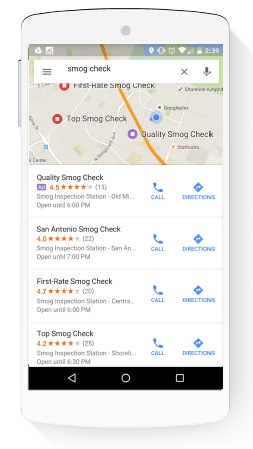
Google Voice Search Google Maps app ad example

An example of a Local Search Ad in Google Maps on a mobile device.
Note the single purple “Ad” flag next to the paid result above the organic listings.

These inconspicuous ads appear above organic results in Google Maps (across both web/desktop and the Google Maps app), and can help drive more foot traffic to your store or location. Check out our comprehensive guide to Local Search Ads in Google Maps to find out how and when to use Local Search Ads in Google Maps.

Speak, and Ye Shall Find

I know this has been an absolute monster of a post, but hopefully, you’ve begun to think more actively about the potential of voice search and how it will affect your advertising campaigns and marketing initiatives moving forward.

There are still a great many “unknowns” when it comes to the future of voice search. One thing that’s almost certain, however, is that voice search will continue to become more intelligent, responsive, and accurate, as well as more prominent in verticals such as the consumer electronics market. Although this uncertainty is never a welcome risk factor for marketers, it’s also an incredibly exciting time to be into digital.

Perhaps Google’s dream of becoming the Star Trek computer isn’t so far-fetched after all.

20 Mar 16:48

Dealing with Your Irrational Competitor

by Anthony Iannarino

There is no way your irrational competitor can quote those prices and be profitable enough to deliver the outcomes they’ve sold. You can’t do it, and the companies that have tried have struggled, or they have disappeared.

The concessions your irrational competitor makes are unintelligible. They make no sense at all, and they are something your company would never agree to. The profit margins don’t exist to allow these concessions. Yet they regularly agree to them.

The explanations your irrational competitor provides to explain how they can be better and cheaper usually amount to nothing more than “We’re just like them, only cheaper.”

There is nothing you can do about your irrational competitor’s strategy, their tactics, or their promises. If the strategy is unsustainable, it will eventually prove itself to be just that. If the tactics reduce their margins and make it difficult for them to execute and produce the promised outcomes their clients expect, at some point, that is what will happen. If their promises turn out to be lies, they will be exposed. Eventually.

You can do nothing about their strategy or tactics. There is even less that you can do about the promises they make to your prospective clients—and your actual clients, as they try to displace you. Even collecting the stories of the clients that have come back to you aren’t always enough to keep you from losing a prospect or having a client defect.

Your irrational competitor is irrational. These behaviors are what make them irrational. It’s how they believe they will win. They will operate this way until the market punishes them. And, over time, the market punishes those who don’t run a profitable business.

Until such a time, your job is to identify the prospective clients who are willing to pay more for the greater value you create. Your strategy is to identify those clients who are let down by the concessions your irrational competitor makes, when their execution fails because they made the concession necessary to buy business. Your strategy must be to create greater value for your prospective and existing clients, focusing on winning those who are unwilling to make concessions, and those who understand the difference between price and cost.

You will lose to irrational clients because there is nothing they won’t do to win. The hedge you make is to build your pipeline, and learn to create greater value, value worth paying more for.

The post Dealing with Your Irrational Competitor appeared first on The Sales Blog.

20 Mar 16:47

Email Etiquette: 27 Rules to Make a Perfect Impression on Anyone

by ahussain@hubspot.com (Anum Hussain)

Whether you are a new hire or a seasoned manager, your email etiquette determines if you thrive in the workplace.

Email etiquette dictates what’s appropriate when you’re sending a message to a prospective customer, business partner, coworker, manager, or acquaintance. These guidelines help you avoid miscommunications and mistakes which can reflect poorly on you and the organization you represent.

Here are a few email etiquette tips every professional should follow.

Create a new, on-brand email signature in just a few clicks. Get started here.  (It's free.)

Business communications will often be straightforward and professional. As you develop a relationship with the person you're emailing (prospect or colleague), you can use more casual language while still maintaining a professional tone. This allows your personality to shine through so that others can get to know you better and feel comfortable doing business with you.

You can also learn how to use workplace email most effectively here.

What is email etiquette? Here are five rules.

Following these guidelines, you can make sure your goals are clearly communicated over email. You’ll be able to get work done more efficiently and keep a healthy record of emails for your team to refer back to.

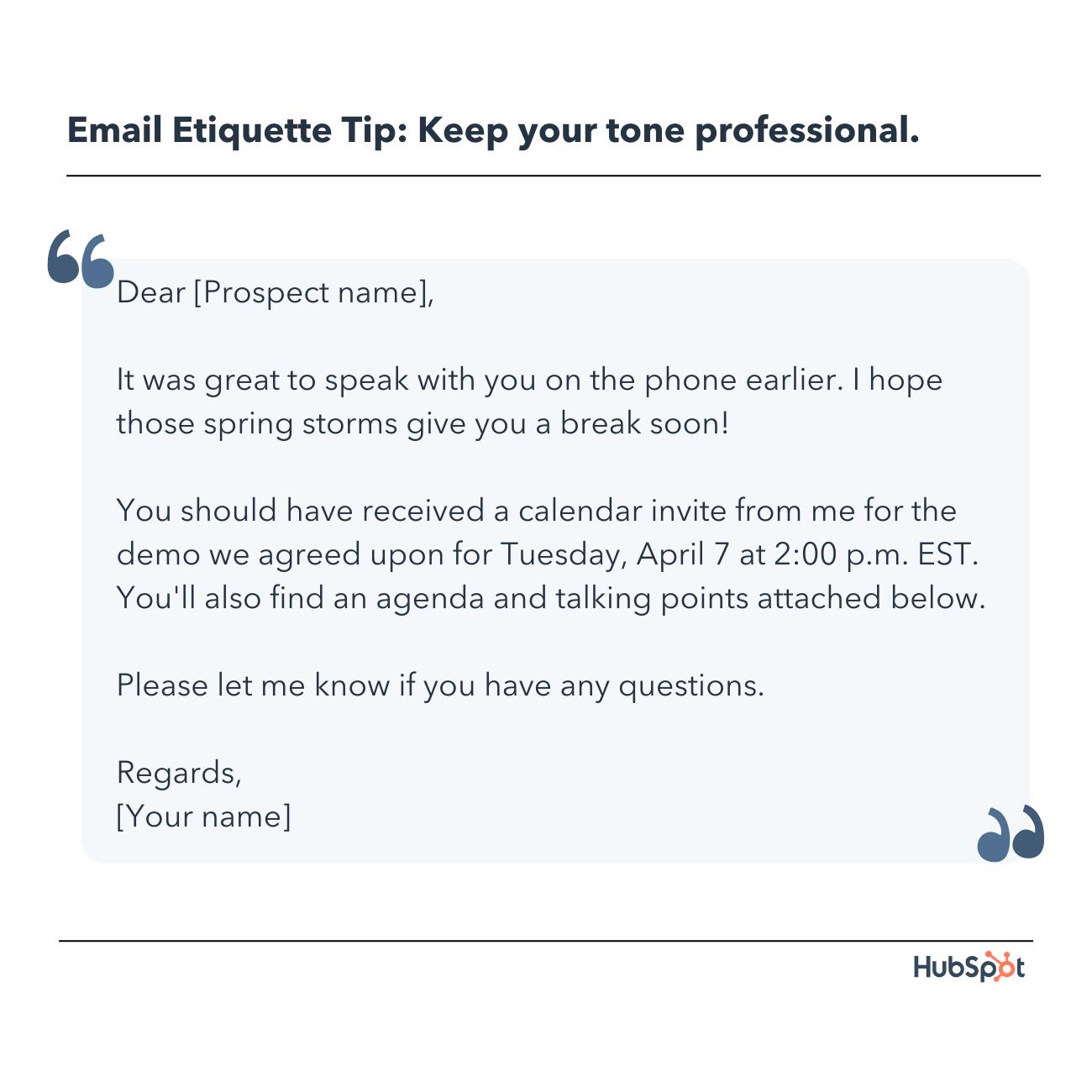
1. Keep your tone professional.

email etiquette rules: keep your tone professional

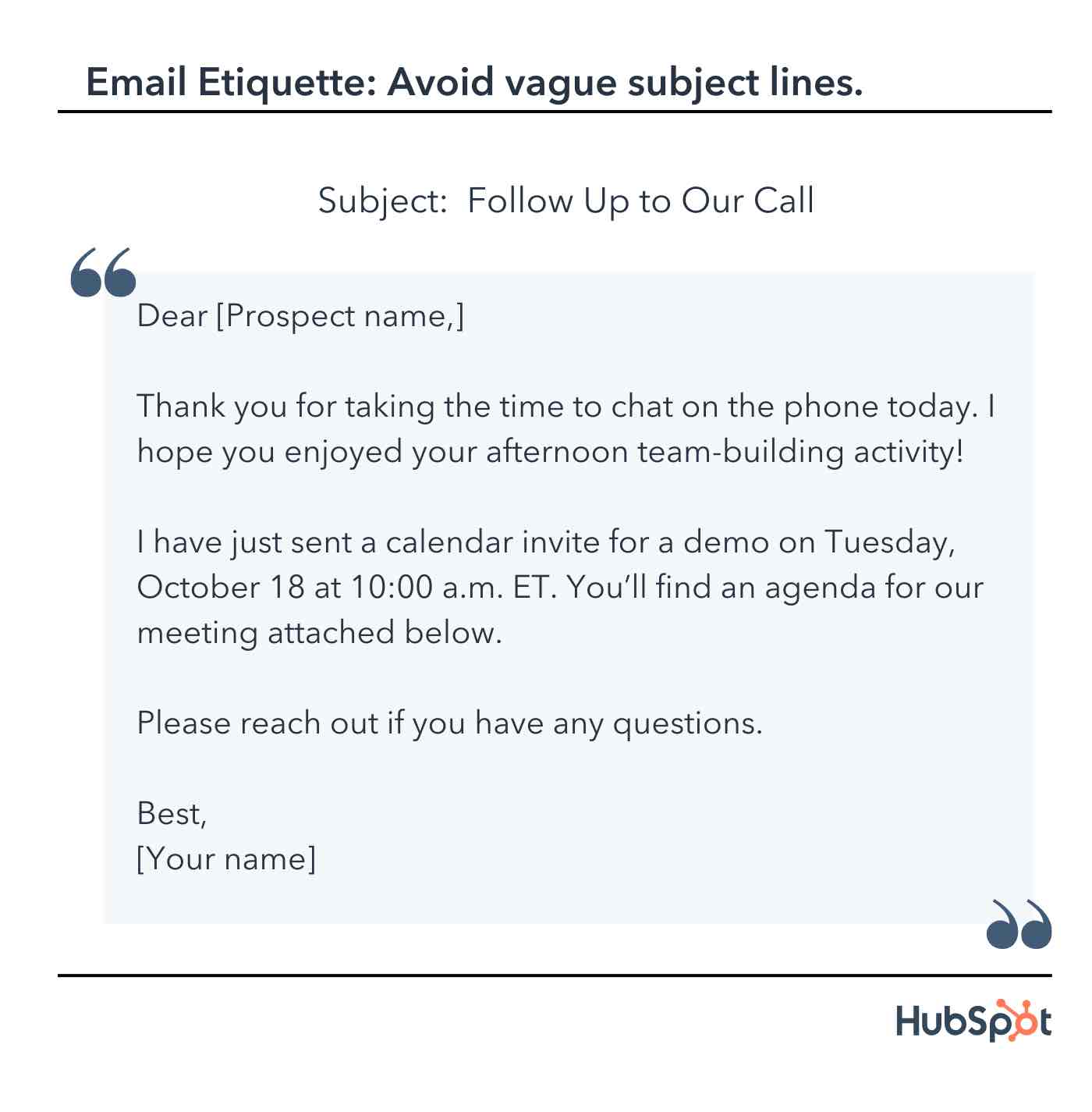
Since you still don't know your prospect well after your discovery call, it's best to keep your subject line descriptive and your greeting formal.

In the example above, you've reminded them of your earlier conversation and kept things friendly. You've also confirmed your scheduled meeting and called out the tidy agenda attachment, so it doesn't get lost below.

Finally, you've signed off formally, which is fitting for this stage of the sales process. This email example shows a high level of email etiquette that just about anyone would appreciate.

2. Avoid vague subject lines

Most people open their emails based on the subject line. Keep your subject lines descriptive, clear, and actionable, especially if the email is for marketing purposes. For example, "how to write a proper email" is a better subject line than "email writing rules."

email etiquette for business, subject line example

The image above has a subject line that gets straight to the point. "Follow Up to Our Call" is both descriptive and brief.

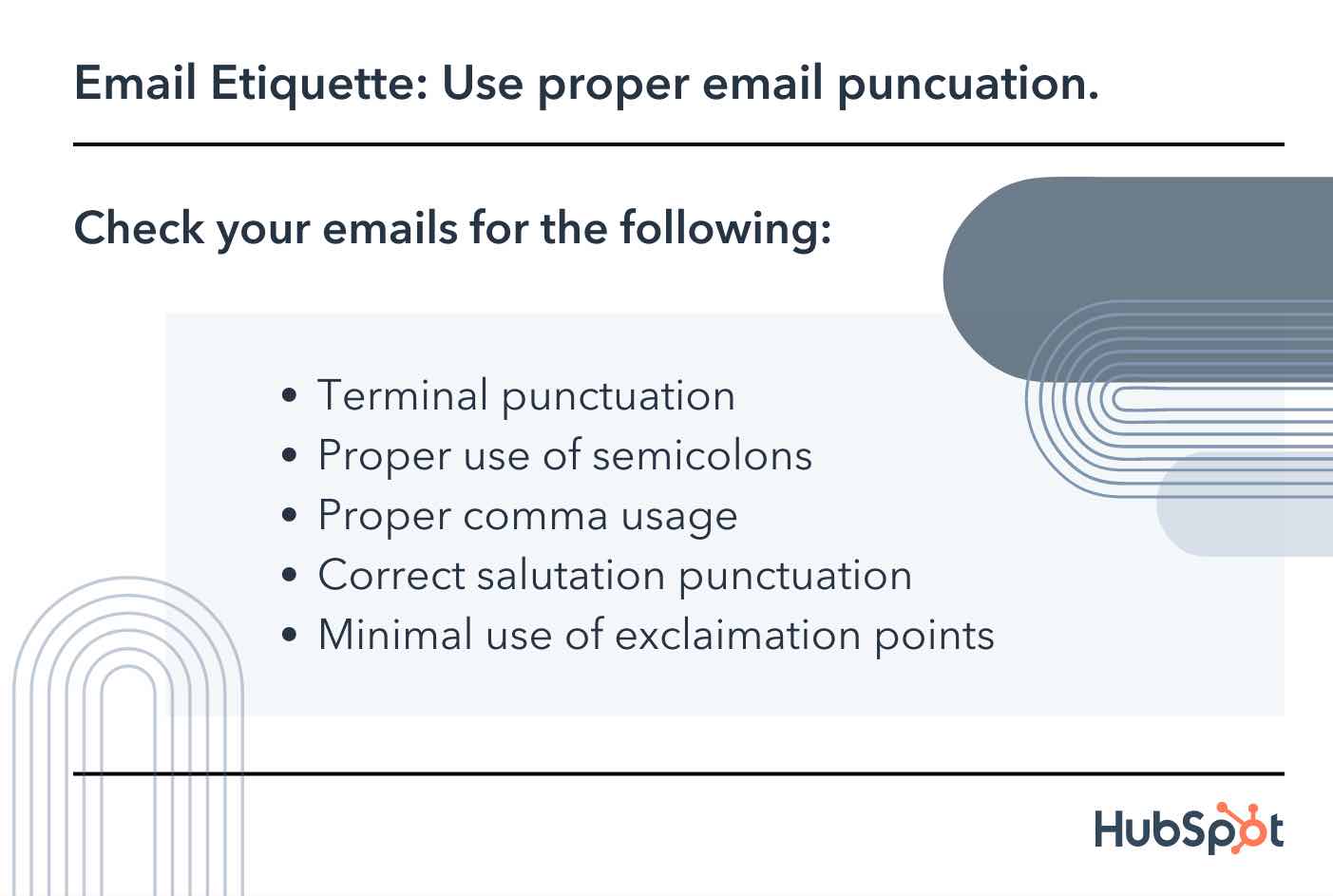
3. Use proper email punctuation.

Punctuation is subtle when you use it correctly and obvious when you don’t. Don’t make your recipients cringe — memorize these rules and follow them religiously.

Terminal Punctuation

Every line should end with a terminal punctuation mark, i.e. a period, question mark, or exclamation mark. If you skip terminal punctuation, it’ll look like you never completed your thought.

Here’s an example:

  • Incorrect: "I talked to Finance, and they approved the agreement"
  • Correct: "I talked to Finance, and they approved the agreement."

Use question marks sparingly. If you use too many question marks in one email, you’ll sound like you’re interrogating the recipient.

  • Incorrect: "What’s your status? Have you talked to your team yet? Are you free for a call tomorrow at noon so we can discuss any potential changes?"
  • Correct: “I’m checking in to understand your team’s status. Are you free for a call tomorrow at noon so we can discuss any potential changes?”

Semicolon (;)

A semicolon can also connect two unique, but related sentences. Commas cannot replace a semicolon.

  • Incorrect: "She can call me tomorrow, she can give me an answer then."
  • Correct: "She can call me tomorrow; she can give me an answer then."

Comma (,)

One of the most common bloopers is adding commas where they don’t belong. While I could devote an entire post to roper comma usage (English major talking), here are the most important rules:

  • Use a comma before a coordinating conjunction (and, but, for, or, nor, so, yet) that connects two independent clauses.
    • “I worked with a similar client last year, and their open rates went up 20% in one month.
  • Use a comma after a dependent clause at the beginning of a sentence.
    • “After improving their subject lines, open rates improved dramatically.
  • Use a comma to separate items in a list.
    • “I focused on email length, readability, and content.

Salutation Punctuation

There are a few different ways to punctuate your salutation (the first line of your email where you address the recipient by name).

  • If it’s a formal email, use a colon.
    • Dear Ms. Frost:
  • If it’s a relatively casual email, use a comma.
    • Dear Aja,
  • You can also use an em dash.
    • Hi Aja —

Exclamation Mark

Use exclamation marks as sparingly as you use question marks. You'll come across as hyper and overexcited if you go overboard with exclamation marks.

  • Incorrect: "Thanks again for a productive conversation yesterday! Good news, I talked to Finance and we’re good to go! Can’t wait to work together!"
  • Correct: "Thanks again for a productive conversation yesterday. Good news, I talked to Finance and we’re good to go. Can’t wait to work together!"

In general, exclamation marks aren't considered professional. They work great for happy hour text messages to friends, though.

Email etiquette rules, punctuation guidelines

4. Practice good grammar

Unless you devote your full attention to studying grammar, you’re bound to make the occasional mistake. The good news is that as long as you avoid basic mix-ups that your recipient will definitely catch, you will be fine.

Any professional should know the difference between the examples below:

  • There/they’re/their
  • Its/it’s
  • Effect/affect
  • Your/you’re
  • Too/two/to
  • Loose/lose
  • I/me/myself

Pro tip: Do you ever wish you could have an editor reading over your shoulder? Consider a digital solution. Grammarly is a free tool that scans everything you write for grammar and spelling mistakes. Not only will it catch issues in real time, but it’ll also send you a weekly report highlighting your most common mistakes.

5. Resist emojis in emails.

I understand the urge to add a smiley face to a potentially harsh sentence or cap off a joke with a laughing emoji. Indeed in some industries, adding emojis to the subject line might increase your open rates. 67% of people agree that using emojis makes you seem friendlier, funnier, or cooler.

However, unless your recipient has already used one, or you are sure that it suits your brand's image, resist temptation.

6. Keep subject lines descriptive and short.

Your subject line should be descriptive and relatively short. Ideally, it should give the recipient a good idea of whether they want to open your message.

  • Bad subject line: “Hi"

What are you emailing them about? It’s completely unclear.

  • Good subject line: “Summary of December 2 call"

This line leaves no doubt about the contents of the email.

7. Choose your email salutation carefully.

We’ve covered which punctuation to use in the salutation. You also need to pick a greeting — which can be formal or informal, depending on whom you’re emailing and what your relationship is like.

Most of the time, a casual salutation is appropriate. You’ll set a friendly, easygoing tone and communicate confidence.

Casual email greetings include:

  • Hi
  • Hey
  • Hey/hi there
  • Good [morning, afternoon]
  • [Name]

If you’re reaching out to someone for the first time — or if they work in a conservative industry — err on the side of formality.

Here are some formal email greetings:

  • Dear [first name]
  • Dear Mr./Ms. [last name]

And greetings you should avoid using in a professional setting:

  • Yo: Too informal
  • Hey!: Too intimate and eager
  • [Name]!: Too off-putting
  • To whom it may concern: Too impersonal
  • Dear sir or madam: Too stiff
  • Hi friend: Too intimate
  • Gentlemen: Too old-fashioned
  • All: Too cold

8. Leave the right impression with your email sign-off.

The right sign-off will complement the tone and content of your email. Since it’s the last thing your recipient reads, this line influences their lasting impression.

If your tone is lighthearted, end with a warm sign-off.

Informal sign-offs:

  • Thanks
  • Thanks again
  • Best
  • Cheers
  • Happy [day of the week]
  • Enjoy the weekend
  • Talk soon
  • Talk to you [tomorrow, on Wednesday, when you get back]
  • Looking forward to working together
  • Looking forward to our next conversation
  • Excited to hear your thoughts

If your tone is more reserved, your sign-off should be as well.

Formal sign-offs:

  • Thank you
  • Thank you for your time
  • Have a wonderful [day, weekend]
  • Regards

And here are the closing lines you shouldn’t be using:

  • Sincerely: Too outdated
  • Kind regards: Too unnatural
  • Warmly: Too relaxed
  • Respectfully: Too random
  • Xoxo: Too intimate
  • Cordially: Too stilted
  • - [Your name]: Too abrupt

9. Triple-check your recipient's name.

Triple-check that you’ve spelled your recipient’s name correctly. It takes two seconds: Just pull up their LinkedIn profile and compare their headline to the name you’ve used. (If you have Sales Hub, this step is even quicker. Their social profiles will show up in your inbox.)

And don’t shorten their name unless they’ve signed their email accordingly. You might assume “Michael" becomes “Mike", but he could prefer going by the latter. Check his signature. If it reads “Mike", you can use the nickname. If it’s “Michael", then that’s what you should address him by.

10. Use sentence case.

When you’re texting or on Slack, you probably don’t capitalize much — if anything. But when you’re writing a professional email, use sentence case. In other words, capitalize the first letter of the first word in a sentence and all proper nouns.

  • Example: Dogs are welcome at HubSpot.

11. Consider your email's tone.

It’s incredibly hard to get the right tone across over email. Research shows people dramatically overestimate how often their recipients would correctly identify if their tone was sarcastic or serious.

While they believed recipients would get it right 80% of the time, the reality was closer to 56%.

Does that mean half of your emails will be misinterpreted? No. But it does mean you should think carefully about the words you’re using and how someone else would read them.

First, avoid negative phrases. They can make you seem more anxious, irritated, or worried than you truly are.

  • Examples: Mistakes, issues, failure, delay, problem, crisis, trouble, unfortunate, consequence.

Second, don’t be sarcastic. There’s a good chance your recipient won’t get the joke.

  • Example: “I’d ask my team to review it tomorrow, but as you probably know, no one actually gets work done on Friday.”

Third, cut out adjectives. They can make you sound overly emotional — you’re shooting for calm and professional.

  • Examples: Very, really, extremely, highly, grave, serious, deeply.

Fourth, copy your recipient. Following their lead ensures you won’t accidentally offend them. If they write short, straightforward messages, make yours concise too. If they usually include a rapport-building line (like “I saw you were in Bermuda; hope you had a great time"), do the same.

Fifth, when in doubt, pick up the phone. Whenever you’re having a potentially fraught conversation, it’s always a good idea to call, Zoom, or meet face-to-face with the person.

12. Always use standard fonts and formatting.

Want to make your recipient’s eyes hurt? Use peculiar fonts, wild colors, and offbeat formatting.

Yes, your email might be more memorable, but you’ll look like you’re completely out of touch with communication norms.

Instead, use the standard black font. Use the standard font size. Don’t bold or italicize more than one word (or string of words) in a single email.

And if you’re copying and pasting text, make sure you highlight it and clear the formatting. (Command + \ on a Mac, Ctrl + Shift + N on a PC.) If you don’t, the snippet will appear differently than the rest of your email.

13. Shorten your URLs.

Pasting entire URLs into your email takes up valuable space and looks messy. Instead, create hyperlinks or insert a shortened URL.

  • Incorrect: Check this out: https://www.hubspot.com/sales/sales-email

14. Call out attachments.

Indicate somewhere in your email you’ve included an attachment so your recipient doesn’t overlook it. A simple “I’ve attached a [document, spreadsheet] for X” will do the trick.

Make sure you’re reattaching files when you add someone to an email chain, or they won’t be able to see them. (An alternative? Simply forward them the thread.)

Another important email etiquette rule regarding attachments is that you shouldn't attach large files like videos to your emails. The best way to send those is to upload the file to a cloud service like Google Drive or Dropbox and provide the recipient with a link that permits them to access it.

15. Perfect your email signature.

A bad email signature can really do a number on your relationships. Even if you write the most eloquent, persuasive message in the world, a poorly designed signature will make you seem like an amateur.

Professional signatures are a chance for you to make it clear who you are, make it easy for people to contact you, and give people a place to go to find out more — either about you or your work.

Keeping in mind: less is more. Your signature should be relatively small, simple, and restrained. Stick to your name, job title, LinkedIn URL and/or company website, and phone number.

Include a signature automatically at the end of each email – it's easier to delete it from a message than to add it manually. You can create a free email signature with Hubspot as well.

You can learn how to easily write a great email signature with this blog post.

16. Fill out your email fields properly.

  • To: This field is simple. Add the email address of the person you’re trying to contact.
  • Cc: If you’d like to include someone else on the message, Cc them. You’re essentially saying, “Hey, read this, but don’t feel obligated to respond.” Cc’ing someone is necessary when there’s relevant information in the email or you’re connecting them with the actual recipient.
  • Bcc: Bcc’ing also copies your contact to the email, but no one besides them will see they received it. In other words, if you send an email to Michael Scott and Bcc Jim Halpert, Michael won’t know Jim got it as well.

17. Use Bcc appropriately.

Bcc can be used to protect someone’s email from being exposed to others. For example, if you’re emailing a group of people about an upcoming event, you may opt to Bcc all emails so you’re not exposing emails without permission.

General FYI: Bcc can let someone see a message without actually including them on all the following threads.

Common Courtesy: Bcc allows you to politely remove people from inbox threads. For example, if your boss is introducing you to someone, Bcc your boss in the response (usually by saying, “Moving [name] to Bcc to save their inbox). This shows you answered without flooding their inbox with the following back and forth.

18. Use 'Reply all' sparingly.

  • Reply: When you click "Reply," you respond directly to the person who emailed you last. If you respond directly to the initial message, your reply will go to the original sender of the email. But if you respond to someone else’s email in the thread that follows, you will end up replying just to that person.
  • Reply all: When you select "Reply all," you email back everyone who is either in the "To" or “Cc" fields. The benefit of "Reply all" is letting those in the thread know a certain issue has been addressed. It’s also helpful when you have information everyone cares about.

When in doubt, default to "Reply." You don’t want to be the person everyone is secretly rolling their eyes at.

19. Think before forwarding.

There are a few key pointers to keep in mind for proper email forwarding etiquette:

  • Some emails are not intended to be forwarded. If a contact is sending you private or sensitive information, use high caution before forwarding it along.
  • When forwarding a long email thread, summarize what’s being discussed below so the recipient knows exactly what you want from them. There’s nothing worse than getting forwarded a 50-chain thread with a note that just says, “see below.”

If you’d like your forwarded email to start a new email chain (rather than being a part of your current thread) simply include your own commentary in the subject line.

  • Same Thread Subject Line: FW: notes from Tuesday
  • New Thread Subject Line: Check this out! FW: notes from Tuesday

20. Respond in a timely manner.

We all have overwhelming inboxes and busy schedules, so it’s not always possible to respond to emails right away. The appropriate response window depends on the person:

  • Immediate Teammates: Respond within 12 hours. Your team relies on you to work quickly and efficiently. Plus, most emails are about timely matters.
  • General Colleagues: For everyone else you work with, respond within 24 hours. Can’t address their request in that time? Respond by letting them know you’ve read their email and will follow up by X time.
  • External Contacts: Unless marked as an urgent email or one that needs an ASAP response, responding to external contacts by the end of the week in which it was sent is perfectly appropriate — so if you received the email Tuesday, respond by Friday of that week. For high-value contacts, it may be worth responding within a 24-hour time frame.

If you work in a customer-facing role, you should know that 88% of customers expect a response to their email in one hour.

Email can be a huge time suck for any professional, but responding to your emails promptly helps keep everyone's work on schedule. One of the best ways to do this is to schedule your emails.

21. Set informative out-of-office replies

If you’re going to be unavailable for an extended period, an automated “OOO” reply — or out-of-office reply — can let whoever is contacting you know that you won’t be able to respond to their message until the date you’ll be in the office again.

Some do's and don'ts for OOO replies:

  • DO: Include how long you’ll be unavailable.
  • DON’T: Create an OOO response for one day.
  • DO: Include another person to contact for more urgent matters.
  • DON’T: Include a colleague to contact without letting that colleague know they’re in your OOO reply.
  • DO: Include “OOO” in your subject line so people can easily identify the automated response.
  • DON’T: Include more detail than needed — such as the exact location of your vacation.

If you're taking a vacation for an extended period, it may be helpful to have a way of earning your attention for truly urgent situations. Here's an email HubSpotter Beth Dunn sent before her month-long sabbatical.

email etiquette, out-of-office email example

Beth makes it clear she won't be responding to email. Because she's out for an extended period, she shared a clever and easy way to grab her attention when needed.

22. Track email opens and click-through rates.

Rather than sending passive-aggressive “Did you see my email?” messages, use an email tracking tool like HubSpot Sales Hub. You’ll know the exact moment your recipient opened it. If they don’t reply reasonably quickly, you can find a non-irritating reason to follow up, such as, “I read an article on X that reminded me of you; here’s the link if you want to check it out.”

23. Don't add that 'Sent from my phone' caveat.

Should you include “Sent from my iPhone or “Sent via phone — please forgive any typos”? I wouldn’t. Many people take this as an excuse to be lazy and forgo a glance-over before you press “Send.”

24. Introduce yourself.

You should never assume that the recipient knows who you are. Start your email's body with a short introduction containing relevant information about yourself. If you know the recipient but you're not quite sure they remember you, find a way to mention the last time you talked or remind them how you know each other.

25. Structure the email properly.

A professional email should include a subject line, greeting, body, sign-off, and signature. You should always separate these parts with paragraphs to make your message easily readable.

Keep your email body short and concise, and start each paragraph with the most important information. In case you feel the risk of information excess, consider using bullet points or numbered lists to bring more structure to your writing.

26. Be careful with humor.

Without facial expressions or tone of voice, humor used over email can easily get lost in translation. In fact, it is better to keep all forms of humor away from professional email conversations unless you have a personal relationship with the receiver.

Also, something you find funny might not be amusing to someone else. In some cases, humor can seem insensitive or cruel. When in doubt, it’s best to leave it out.

27. Reply to all your emails.

Due to the sheer influx of emails that you get daily, it might be hard to answer every email you receive. Two good ways to combat this are to organize your inbox and try to reply to your emails.

This includes emails that were accidentally sent to you. A reply is not necessary, but it’s always appreciated.

Something short like: “I believe you sent this email to me by mistake. I wanted to let you know so you could get it to the right person.” This would be considered stellar email etiquette.

Email Etiquette and Context

Email is a form of communication, and communication varies from culture to culture. It is always a good idea to customize your message to match the cultural context of your recipient. This way, you can avoid miscommunication and build stronger relationships.

When you can't remember some of the above rules and you get confused because of the many email restrictions, you just have to remember these three Ps: be polite, precise, and professional. They will get you through any email mishap.

Email is one of the most essential tools a salesperson has in their arsenal. Make sure you're using it well with these email etiquette tips, and you'll be on your way to starting genuine relationships with prospects.

Editor's note: This post was originally published in July 2019 and has been updated for comprehensiveness.

New Call-to-action

20 Mar 16:46

6 Mobile Marketing Secrets You’ll Learn in 6 Minutes

by Stefan Bhagwandin
mobile marketing tips

Author: Stefan Bhagwandin

Marketing automation means a lot of things. It’s an umbrella term that covers everything from intelligent, data-driven campaigns to deep audience segmentation. 

Within this category, mobile marketing automation has emerged to cater specifically to app marketers. While the principles remain the same, mobile marketing automation connects directly to mobile-only messaging channels like push notifications and in-app messages, giving marketers a holistic view of their campaigns. By integrating mobile marketing automation into your marketing platform, you can run multi-channel campaigns and transfer web-originated user behavior data to mobile and vice-versa. 

The best way to understand the value of mobile marketing automation is to break it up into actionable pieces. In this blog, I’ll reveal six mobile marketing automation secrets in just six minutes:

Secret #1: It All Starts With Customer Intelligence

Automation starts with data.

Most platforms collect data automatically, but it’s important to look at what type of information is being collected to ensure you’re able to glean actionable insights. Does your automation platform track open rates for push notifications and emails? Can it track in-app user behavior, such as time spent on screen?

When in doubt, it’s better to have more data rather than less. The first secret to mobile marketing automation is to pick a platform that collects data for each user across their customer journey.

user profile generated from data

A rich user profile generated from data collected by a mobile marketing automation platform

This should take into account, among other things:

  • Technology: Android vs. iOS, OS version, etc.
  • Lifecycle stage: Newly onboarded vs. loyal user
  • Localization: Where in the world do they live?
  • Demographic information: Age, interests, and so on
  • Behavioral attributes: When was their last in-app session? Purchase?

Secret #2: Divide and Conquer

Once you’ve accumulated enough data on your users, it’s time to segment those users.

There are a few different approaches to segmentation:

  • Split users based on value. Engaged users are likely to add revenue in the long run, while infrequent users might be close to churning. You’ll needy different marketing campaigns to engage them with the right message.
  • Divide users based on more high-level attributes like age and gender. This might seem too broad, but some messages are universal enough to be delivered to most of your audience.

The beauty of segmentation is that you don’t have to commit to a low-level or high-level approach. Pick the level of granularity that’s right for the job. Most automation platforms enable teams to create segments based on any combination of factors. High-level attributes and behavioral details aren’t mutually exclusive—you can create a segment of high-value users that are also within a given age range, for instance.

Secret #3: Users Love Triggered Messages

Are you using triggers to send users specific messages at the cue of an in-app event? Think of a retail app: What happens when you add a few items to your cart but don’t check out? Many apps send a push notification the next day, prompting you to complete the purchase. This is an example of a behavioral message, a message that’s sent when users complete a given action.

At first, sending messages based on behavioral triggers sounds like a nice workflow booster. Instead of stressing over time zones and manually scheduling each blast, you can set a message to fire once a given event is triggered and forget it. But the impact of triggered messages isn’t to be trifled with. In one of Leanplum’s reports, we found that behaviorally triggered push notifications are opened 9x more often than generic blasts. We aren’t the only ones who came to this realization—Forrester explains that data-centric, behavioral messaging is a big part of mobile marketing today.

Clearly, triggered messages aren’t just a matter of convenience for the marketer. 9x is a huge engagement boost that’s only possible with automation.

Secret #4: You Can Personalize Non-Triggered Messages, Too

Triggered messages are effective, but they’re not always an option. How do you announce a storewide sale or a new app feature through behavioral triggers? 

Sometimes, you have to blast a message to your entire audience without any segmentation or behavioral filtering. Luckily, there’s a way to give even these blasts a personal touch. One solution is to include user attributes in the message copy (in email this is often called a token). The obvious example is to use the recipient’s name, like in the example below but you can go much further. If you’re announcing a storewide sale, you can instruct users to “Click for discounts on [category]!”, automatically filling in the field with the last category the person browsed. This message could be sent to all users who’ve launched the app before, yet it feels personal and targeted.

personalization in mobile marketing

If you’re not up for tweaking your content, you can still improve the message’s send time without any segmentation. Some platforms automatically track what time of day each person uses the app. With this data, you can automatically send messages at the optimal time for each user—no need to manually create segments for morning people and night owls.

Secret #5: Coordinate Multi-Channel Campaigns

Each mobile channel has its quirks, and automation platforms help marketers distribute the perfect content for each channel.

Let’s use push notifications as an example. Push notifications are fantastic for reaching people outside of your app, but users must opt-in before they can receive notifications.

How can you reactivate dormant users if they haven’t opted into push notifications? Try email. Instead of manually sending these messages as the need arises, incorporate different messaging channels into a single lifecycle campaign. This helps you focus on the big picture. Each situation might demand a different messaging channel, but the overall goal of the campaign should be consistent.

example of multi-channel marketing campaign

You can use a multi-channel messaging strategy to move users through the mobile customer lifecycle:

  • Onboard new users with tutorials that help them understand the app
  • Engage users with a series of content or promotions relevant to their interests
  • Encourage booking or shopping conversions with cart abandonment campaigns
  • Reactivate users with new app features or personalized deals
  • Persuade users to submit App Store reviews or share your app across social media

customer journey of mobile user

Secret #6: Check Your Work

Remember how the first of our six secrets was to start with data? Marketing automation is a cyclical process. Analyzing the results at the end of your campaign is critical for planning the next campaign.

If your mobile marketing automation solution is integrated with your marketing platform, you’ll be able to measure cross-channel campaigns across the customer lifecycle, revealing how prospects first engaged with your brand and on what channel, and how they continued to interact with your campaigns over time. Lifecycle campaigns are easier to analyze than standalone messages because they’re unified. You can measure a campaign’s effectiveness with big-picture metrics and mobile-specific metrics like in-app events (e.g. purchases), app usage frequency, and session length. And these metrics are critical for running campaigns that convert.

While it’s tempting to optimize messaging campaigns for open rates, what really matters is whether the message added value for users. On one hand, a too-good-to-be-true promotion accompanied by a catchy headline might earn push notification and email opens, but users will be disappointed if the promotion isn’t what it appeared to be. They might fall dormant and forget about the app if they think your messaging is spammy. On the other hand, a humble dormant user reactivation message might not be opened as much, but it could affect your 30- and 90-day retention.

Without a full-fledged lifecycle campaign, you’re forced to analyze marketing metrics in isolation. Stats like push notification open rates are still important, but they don’t provide the depth required to plan a full campaign. And there’s always the chance that high message engagement on the surface is hurting conversions and retention further down the funnel.

Making the Most of Mobile Marketing Automation

Phew! Are we still under six minutes? As you can see, mobile marketing automation isn’t as arcane or technical as it first seems. With these six secrets, you have all the facts you need to get started. Do you have any secrets to add to this list? Share them in the comments below.

Register for Marketing Nation Summit!


6 Mobile Marketing Secrets You’ll Learn in 6 Minutes was posted at Marketo Marketing Blog - Best Practices and Thought Leadership. | http://blog.marketo.com

The post 6 Mobile Marketing Secrets You’ll Learn in 6 Minutes appeared first on Marketo Marketing Blog - Best Practices and Thought Leadership.

20 Mar 16:45

What Canada’s tech gurus want from Trudeau’s $800 million ‘innovation’ budget

by Gerrit De Vynck, Bloomberg News

Innovation is set to be a key theme of Canada’s budget this week as Justin Trudeau’s Liberal government tries to spur the world’s 11th largest economy away from its commodity roots toward technology and higher-value services.

Last year’s budget set aside C$800 million over four years for innovation. This budget won’t include any significant additions to that but will begin to identify where that money’s going to be spent, people familiar with the matter said. The government plans to launch a competition to pick about half a dozen research clusters that will receive the funds.

Canada’s tech community has been vocal since Trudeau’s election about the need for changes in how the government deals with fast-growing companies. It all started during the election campaign, when tech CEOs and investors lashed out at the Liberals’ plan to increase a tax on stock options, which are often used to reward early startup employees. Trudeau quickly axed the increase from his platform.

Technology and industry minister Navdeep Bains has met with tech leaders multiple times and Trudeau has posed for photo shoots in the offices of Shopify Inc. and Alphabet Inc.’s Google. A fast-track program to cut visa wait times for key technology workers to two weeks was announced in response to what the industry said was its most pressing problem — luring high-skilled executives from Silicon Valley or further abroad before other countries can snatch them up. That’s supposed to launch in June.

But there’s still more that can be done, the industry argues. Here are some key ideas from players in the space.

The Startup CEO

Huda Idrees, founder and CEO of medical records startup Dot HealthIdea: Keep the talent you have.

Idrees came to Canada from Saudi Arabia as an international student and says she’s seen as many as 75 percent of her fellow engineering students, especially international ones, leave for the U.S. That’s in large part because of how long it takes to transition from a student visa to a permanent resident, she said. Idrees was working at tech companies before she graduated, already paying taxes, but those years didn’t count towards her application for permanent residency, she said.

“Canada just really misses out on really great Canadian-educated talent that comes here,” she said by phone. “We don’t do enough to keep them here.”

The Veteran CEO

Annette Verschuren, CEO of energy storage company NRStor Inc., former CEO of Home Depot Canada Inc.Idea: Make some procurement Canadian.

U.S. government agencies are often required to spend a portion of their budgets on smaller domestic companies. That’s a policy Canada should import, Verschuren said. Even if the government starts with directing 10 percent of infrastructure spending to Canadian firms coming up with new clean technologies that would be a good start, she said.

“The Americans use their policy as tools to drive their industries,” she said in an interview at Bloomberg’s Toronto office. “We don’t.”

The Venture Capitalist

Boris Wertz, CEO of Version One Ventures, a Vancouver-based firm that’s invested in Canadian online menswear seller Frank & Oak and Wattpad, the world’s largest community of amateur writers. Idea: Keep what we have.

Wertz wants the government to build on two key programs that already exist. The Venture Capital Action Plan matches government and private money and distributes it to “funds of funds” — investment firms that then push the money out to smaller and more focused venture capital firms who decide on their own where to put the money. There’s some concern in the industry that the program, which was started by the previous government, might be cut. Even if that doesn’t happen it will require new money from the government to add to the C$340 million it’s already invested in the plan, with funds going to companies like wearable electronics maker Thalmic Labs Inc. and e-commerce company Shopify Inc.

“My biggest hope is to see a continuation of VCAP — I think the program is off to a good start and it would be a shame if it wasn’t continued,” Wertz said.

His other key ask is for the government to keep funding tax credits for companies that hire tech-focused workers in Canada under the Scientific Research and Experiment Development program, better known as SRED.

The Policy Guy

Ben Bergen, executive director of the Canadian Council of Innovators.Idea: Show me the money.

Trudeau’s fast-track visa program was a solid move, said Bergen, who runs a lobby group for fast-growing tech companies, but he wants the government to put money behind its commitment.

“We’re really looking for the funding component for that,” he said in an interview. Bergen wants to see the government re-allocate resources or find new money to hire the immigration officers needed to speed up the process.

Another place where the government needs to bolster its commitment is a program called the Accelerated Growth Service, a sort of concierge that helps small companies access government services from export advice to financing. Dedicated funding for the service is needed, Bergen said.

Wait and See

Perhaps Canada’s technology and start-up industry doesn’t need more government help. The country’s tech scene is booming. Venture capital investment in startups is still growing even as it drops in the U.S. and other countries, according to research firm CB Insights. Investors poured $1.7 billion into tech firms in 2016. The last few months have seen a number of major acquisitions of Canadian tech companies, including PayPal Holdings Inc.’s buyout of Vancouver-based TIO Networks Corp. for $233 million and Airbnb Inc.’s roughly $300 million purchase of Montreal’s Luxury Retreats.

The tech sector has some asks, but it’s cognizant the government can only do so much, with the threat of increased trade tariffs from U.S. President Donald Trump and the loss of tax revenue from oil production, said Mike Woollatt, who runs the Canadian Venture Capital Association and worked for former finance minister Ralph Goodale.

“I’m sure the government would love to do more,” he said. “We’re being practical. Everyone can see what the fiscal situation is.”

With assistance from Josh Wingrove


20 Mar 16:42

How to Use Product Recommendations to Encourage Purchase Behavior [Infographic]

Customers who purchase based on product recommendations result in a 20% higher average order value, according to data analyzed by Dynamic Yield. Check out the company's helpful infographic for best practices in implementing recommendations for your brand. Read the full article at MarketingProfs
20 Mar 16:42

Efficiency of Silicon Solar Cells Climbs

Japanese materials company prototypes a 26.3 percent efficient silicon cell, steps away from the 29 percent theoretical maximum
Photo: Kunta Yoshikawa/Kaneka/Nature Energy

In research published this week in Nature Energy , researchers at Kaneka Corp., a resin and plastics manufacturer based in Osaka, describe the first silicon solar cell to achieve a record-breaking 26.3 percent efficiency—a 0.7 percent increase over the previous record. That may not seem like a lot, but it’s really a big step when you consider that silicon solar cells’ theoretical maximum efficiency is just 29 percent.

Kaneka is a member of a project set up by the New Energy and industrial Technology Development Organization (NEDO), a Japanese government entity established to help develop and promote new energy technologies.

graphic link to interactive
See where this breakthrough fits in our newly updated interactive: Record-Breaking PV Cells

In producing its new 180.43-square-centimeter monocrystalline silicon prototype cell, Kaneka further developed and improved on several of the technologies promoted by NEDO. Chief among them is Kaneka’s proprietary heterojunction technology. It reduces recombination, or resistive loss, where instead of exiting the device to produce electricity, positive and negative charges in the solar cell combine and produce heat.

In addition, the company improved the energy-collection efficiency of the solar cell’s interdigitated electrodes. But even more important, Kaneka moved the grid of electrodes from the front of the cell—the light-receiving area—to the back, boosting the amount of sunlight entering the cell, thereby reducing losses in the optics. 

Panasonic, a member of the same NEDO project and holder of the previous energy-conversion-rate record of 25.6 percent for its 143.7-cm2 solar cell set in 2014, employed the same key features in its device, namely heterojunction with interdigitated back contacts (HJ-IBC).

“But there are many types of materials, manufacturing processes, and architectures that can be selected,” says Kunta Yoshikawa, a member of the Kaneka research team that worked on the new solar cell. “We achieved 26.3 percent efficiency by developing our CVD (chemical vapor deposition) technology, optical management, and electrical-contact technology using thin-film silicon and our [heterojunction] technology.”

Kaneka has been developing thin-film silicon solar cell technology since 1980, and it has been working on heterojunction solar cells since 2009. “One of the key process steps used to fabricate these cells is plasma-enhanced chemical vapor deposition—an industrially applicable process,” Yoshikawa points out.

The biggest challenge the company faced in producing the prototype was obtaining a high degree of balance between the cell’s lifetime and its optical characteristics, while simultaneously reducing its internal resistance. 

“Although it is possible to obtain an outstanding value for a single characteristic, it is extremely difficult to balance all three properties to a high degree in one device,” Yoshikawa says.

For instance, if the prototype cell’s lifetime had been shorter in relation to its optics and internal resistance, the cell’s conversion efficiency, in theory, could have fallen to just 20 percent.

“We overcame this challenge by designing a front-side architecture that produced excellent optical and lifetime properties,” Yoshikawa says.  “And at the same time we worked to ensure that the rear-side architecture achieved a low resistance with a long lifetime.”

Looking to the future, he says that by further improving the cell’s main properties, the company hopes to eventually approach the technology’s theoretical limits of just over 29 percent.

While Kaneka says it is too early to discuss its manufacturing or commercialization plans, it does note it will continue to work with NEDO on improving the technology with the aim of reducing solar cells’ levelized costs to 14 yen (US $0.12) per kilowatt-hour by 2020, then to 7 yen per kilowatt-hour by 2030. (The levelized cost is the average total cost to build and operate a power-generation unit over its lifetime divided by the total energy output over that lifetime.)

20 Mar 16:42

How Amazon Go Redefines In-Store Customer Experiences

by Dave Sutton

Imagine walking into a grocery store, choosing your items, and walking out.

No lines. No checkout. No price checks. No money exchange.

If that seems like grocery-shopping heaven, then you’re going to love the latest from Amazon: Just Walk Out Shopping. Completely rethinking the shopping experience, Amazon Go employs innovative technology to create a seamless, unique, and delightful customer experience.

Although this is Amazon’s first attempt at brick and mortar, it’s a logical fit and aligns with the current brand values of convenience and innovation. But will this be a brand extension success?

The Brand extension strategy (found at the #TopRight corner of the matrix), leverages the parent brand to enter a new product category. When compared to the launch of a new brand, this approach adds incremental value and reduces risk and costs. This strategy is more common for firms whose current brand equity is strong enough to influence existing customer base and brand loyalty to increase profits with the new product category offering.

There are many variables involved in having a successful brand extension. The general consensus is that when brand equity is high, the chances of a successful brand extension increase. Based on this fact, there are higher chances of a positive launch for well-known brands. On the other hand, there are a number of examples in the market of how even the most well-known brand might fail.

Although nearly 84 percent of brand extensions fail and only 54 percent survive after the third year, Amazon has mastered brand extension in the past and is uniquely positioned to drive major disruption for retailers.

Here are 3 reasons why we predict Amazon Go will be a brand extension success.

1. New Customer Segments

Amazon created and dominated its existing market. But not everyone is an online shopper. Even as online sales continue to grow, there will always be customers it cannot reach. This brand extension enables Amazon to expand its customer base by attracting offline shoppers.

2. Mo’ Data, Mo’ Money

Understanding buying habits of individual consumers to provide more personalized marketing has been a challenge for grocery stores and retailers for years. Amazon solves this problem with an analytics-first approach to the in-store customer experience. Not only does this fuel individualized marketing, it also provides Amazon with the highly-coveted singular view of individual customer buying habits, both online and offline.

3. A+ for Alignment

Hyperscale businesses like Amazon often enter one industry and leverage platforms to create collateral damage in others. Introducing brick-and-mortar provides a platform for Amazon to grow Amazon Fresh and Amazon Payments, two brand extensions that have struggled to gain adoption.

Amazon Fresh launched in 2007 but has been slow to expand due to challenges with handling stock of perishables, managing refrigerated warehouses, and hiring delivery people in new markets. Amazon Go solves these problems and offers a new distribution channel for fresh food items, especially fresh meal kits. Prepped meal companies have an uphill battle making a profit and retaining customers is a debilitating challenge—90 percent cancel within 6 months of signup. Amazon has amazing customer retention rates for its Prime subscribers, so this unlikely to be an issue.

Amazon Payments has struggled to gain adoption, although it experienced 150 percent growth in 2015.

“The payments industry is crowded and highly competitive, with small companies like Adyen, Square, and Stripe elbowing PayPal, Visa, and Citi’s Retail Services group for market share. Another challenge, unique to Amazon, is that the company is a direct competitor to many potential clients, especially larger retailers.” — Fortune

The extension into brick and mortar provides a unique platform for Amazon’s payment system. At the very least, it offers Amazon customers a delightful in-store experience. This new retail experience could present unlimited possibilities for Amazon.

Will the brand try to market its Just Walk Out technology to other retailers? Grocery stores? Gas stations?

Is this the future of grab-and-go?

What do you think about this reimagined grocery shopping experience? Do you think it will be a brand extension success for Amazon?

20 Mar 16:38

These 10 Stats Just Beg You to Become a Social Seller

by Judy Tian
  • people-pointing-to-stats

Every sales rep knows that numbers speak louder than words. In this post, we share some pretty compelling numbers that should convince you social selling is a must. We also sprinkled in a few tips on how to use social selling to your advantage. Read on for 10 stats (plus one bonus stat) that should get you fired up about social selling.

1. An average of 6.8 people are involved in each B2B purchase decision, up from 5.4 in 2015. (CEB)

2. The bigger the purchase, the bigger the buying committee. Purchases of $500,000 and up typically involve five or more buying centers and six to 10 colleagues — sometimes more.  (SiriusDecisions’ 2015 B-to-B Buying Study)

3. 94% of companies using account-based marketing (ABM) would like to identify target roles and titles at client companies. (2016 ABM Benchmark Survey Report)

Social selling tip: The more connections you make at a company, and the more you interact with those connections on social media, the more fully you’ll understand how the various decision makers and influencers work together. ABM has been proven to work. The legwork sales pros perform only makes ABM efforts stronger, assuming sales and marketing are collaborating, of course. 

4. 87% of organizations using ABM seek to add intelligence and insights on key contacts. (2016 ABM Benchmark Survey Report)

Social selling tip: Developing a web of connections at a company via social media gives you a fuller picture of the prospect’s needs and makes it easier to deliver personalized, targeted content.

5. Nearly two-thirds (65%) of buyers say the winning vendor’s choices about how and when to contact them influence the buying decision. (Demand Gen Report’s 2016 B2B Buyer’s Survey Report)

Social selling tip: By keeping you abreast of multiple contacts’ interests, concerns or questions, social media can alert you when the time is right to reach out to prospects with useful content, jump on a call to answer questions, or suggest a face-to-face meeting.

6. In the early stages of the buying process, buyers spend 54% of their time online. (ITSMA, How B2B Buyers Consume Information Survey, 2016)

7. Organizations that make buying easier are 62% more likely to convert high-quality sales. (CEB)

8. 81% of buyers view content, especially thought leadership, as critical or important during the early stage of the buying process. (ITSMA, How B2B Buyers Consume Information Survey, 2016)

9. 64% of B2B buyers say the fact that a vendor “demonstrated a strong knowledge of [our] company and its needs” is a very important reason they chose that vendor. (Demand Gen Report’s 2016 B2B Buyer’s Survey Report)

Social selling tip: CEB found that the majority of buyers said they spent as much time as they’d expected to spend on the entire purchase just preparing to speak with a sales rep. Providing these prospects with guidance and helpful content via social media – in the earlier stages of the buying journey – can position you as a trusted advisor that eases the purchase process.

10. 90% of decision makers don’t respond to cold calls or emails. (LinkedIn)

Bonus stat: The best time for cold outreach is never. (Deductive Reasoning)

Social selling tip: According to LinkedIn data, buyers are five times more likely to engage with salespeople who come through LinkedIn warm introductions. Plus, when you’re trying to connect with someone who gets hundreds of emails a day, InMail can give you a real advantage. MailChimp found that the average click-through rate for email campaigns is 2.69%, while the average click-through rate of InMails is 14.69%.

To make the most of your social selling efforts, download the Social Selling Index Kit. In it, you’ll find just what you need to engage buyers on LinkedIn. 

20 Mar 16:38

22 Terrible, Horrible, No Good, Very Bad Sales Phrases That Turn Prospects Off

by lye@hubspot.com (Leslie Ye)

Words Not to Use in Sales

  1. "Sorry to bother you"
  2. "I'd like to connect."
  3. "I thought you might be the right person to connect with."
  4. "Could you direct me to the right point of contact?"
  5. "Is it a good time to connect?"
  6. "Can I tell you about ... ?"
  7. "Just checking in."
  8. "I'd like to have an informational chat."
  9. "Touching base."
  10. "I wanted to/I'd love to/I'd like to/I need ..."
  11. "Are you the decision maker?"
  12. "To be honest ..."
  13. "Trust me."
  14. "Do you have budget for this?"
  15. "It's really easy to understand."
  16. "That's not what I meant."
  17. "[Jargon]"
  18. "I'd like to tell you about our product."
  19. "What if I said ..."
  20. "So, you're not interested in [insert benefit of your product/service]?"
  21. "You should know X about [competitor] ..."
  22. "Actually, that's not true."

Sales is a language game. Salespeople use words to demonstrate value, identify business pain, create a sense of urgency, and close deals.

Unfortunately, many salespeople also use words to ruin their chances of winning a deal.

Too much of sales depends on chance. Don’t lose a deal because you weren’t careful with your words -- using any of the below phrases in emails is a major mistake.

19 Bad Sales Phrases That Kill Deals

1. “Sorry to bother you.

There are two fatal mistakes here: an apology and the insinuation that you’re being interruptive.

If you’re reaching out for a good reason, you have no reason to apologize. Saying “sorry” creates the impression you’re weak, when you should be projecting confidence and authority. And if your prospect didn’t think you were bothering them before, they certainly do now.

If you’re truly being interruptive because you have nothing to offer or didn’t do your due diligence, don’t reach out at all.

2. “I’d like to connect.

Why? Are you going to offer free advice (something you should do), or are you going to start hard selling the minute your prospect picks up (something you shouldn’t)?

Explain exactly what your prospect should expect to get out of the call to turn this bad phrase good.

3. “I thought you might be the right person to connect with.

There’s no excuse for not knowing who the correct point of contact should be. Even a simple LinkedIn skim should tell you what a prospect’s responsibilities are.

4. “Could you direct me to the right point of contact?

This request is usually the follow-up to #3. It’s bad etiquette to ask your prospect for a favor because you haven’t done your job. If you’ve scoured LinkedIn and actually couldn’t find anyone who fits your buyer persona, at least let your prospect know and make a specific ask. For example:

I couldn’t identify based on a LinkedIn search who would be the correct person to reach out to about [your product's capabilities]. Could you put me in touch with the person who’s responsible for [areas relating to your product]?

5. “Is it a good time to connect?

Well, is it? That depends.

If you’re calling to advise your prospect on a problem they’re having and you’ve demonstrated that you are a source of valuable information, it’s a great time to connect. If you haven’t established value, it’s a waste of your prospect’s time. Instead, lead with what you hope to offer your prospect.

6. “Can I tell you about … ?

Nope, you can’t. Don’t ask permission to list features of your product. Instead, be so helpful that your prospect naturally wants to know more. If you have to ask whether it’s okay to talk about your product, you haven’t provided enough value.

7. “Just checking in …

Any communication you have with your prospects should have an objective, and “just checking in” isn’t good enough. At minimum, you should provide a reason for checking in.

For example, if your prospect said they’d get back to you by Monday, and it’s now Thursday, it’s fine to send in a check-in email.

But don’t employ this phrase as a crutch when you don’t have anything to talk about -- it’s a waste of your prospect’s time.

8. “I’d like to have an informational chat.

What you (hopefully) meant: “I want to learn more about your business pain, so I can provide advice and a potential solution.”

What your prospect heard: “I want to give you an elevator pitch.”

Don’t give your prospect the opportunity to assume the worst. Let them know that your intent is to gather information from them, not shove it down their throats.

9. “Touching base

Like “just checking in,” “touching base” isn’t necessarily bad if deployed in the right context. But if you aren’t providing new information or following up with new information, there’s really nothing for you to “touch base” about.

10. “I wanted to / I’d love to / I’d like to / I need …

Any sales phrase that starts with what you want is a no-no. Sales isn’t about you, it’s about what you can do for your buyers. So take the focus off yourself and make sure that you’re ending any sentence that starts with one of the above phrases with how you can help your prospect.

"Whenever I hear a salesperson on my team say this one, I usually ask them 'Who gives a sh*t what you want?'," Databox CEO and former HubSpot sales VP Pete Caputa writes. "Your prospects don't care about you. They care about themselves, their needs, and their own agenda."

While many reps use this phrase as a way to get prospect buy-in, Caputa suggests including prospects in the agenda-setting. Here’s his strategy for rephrasing an “I’d like to” ask:

My suggestion is that we discuss how HubSpot has helped other high-growth SaaS software companies who were struggling to get past product/market fit. Given you mentioned that as your main struggle the other day, I’m wondering if that sounds like a good agenda from your perspective?

11. “Are you the decision maker?

This phrase is flat-out insulting to prospects, says HubSpot sales director Dan Tyre.

“If your prospect isn’t the sole decision maker, you’re going to make them uncomfortable -- not to mention you’re suggesting they’re not worth talking to unless they are a decision maker, which is both shortsighted and rude,” Tyre writes.

12. “To be honest …

This phrase sets off alarm bells for savvy buyers. Were you lying before? You’ve presumably been honest this entire time -- why call it out now? Cut out this filler phrase from your vocabulary if you want to retain credibility with prospects.

13. “Trust me.

“Trust me” is almost as insidious as “To be honest.” Your prospects will trust you if you’ve proven yourself over time, not if you passive-aggressively tell them to. If you say this in response to a prospect question, it can also come off as condescending and evasive. Stay away!

14. “Do you have budget for this?

While the budget question is certainly important, bringing it up too early can unnecessarily hamstring reps.

“Asking a company whether they have a budget for your offering early in the process, before you've differentiated yourself, is silly,” Caputa writes. “If they want to keep talking to you, they'll say they do. If they don't want to keep talking to you, you just gave them an easy out by letting them say 'No.' You’ve also opened the door for premature negotiation -- ‘You're way too expensive compared to competitor X.’

15. “It’s really easy to understand.

You might be trying to reassure your prospect, but what you’ve really done is set yourself up to condescend to them. While you might think a concept or feature might be simple, a prospect who doesn’t grasp it immediately and has been told it’s ‘really easy’ is going to feel stupid. Never assume a level of proficiency or make similar statements that have implicit judgment attached.

16. “That’s not what I meant.

Don’t ever be defensive.

Many prospect objections are simply requests for information. The onus is on you, the salesperson, to persuade the buyer of something. If they don’t understand what you’ve told them, you haven’t done your job. Saying, “That’s not what I meant” doesn’t further your prospect’s understanding of … anything. It’s just argumentative.

17. “[Jargon]

“The ROI of our product is an average 25% increase in LTV and over 100% retention while decreasing CAC by 30-40%.”

Huh?

I know these acronyms because I work in an industry where they’re commonplace. And you no doubt are up-to-date with all the lingo, acronyms, and jargon that your industry uses. But don’t ever assume your prospect knows what you’re talking about.

Secondly, relying on jargon and acronyms makes you sound … well, not human. Avoid buzzwords in sales and use real words to explain what you mean.

18. “I’d like to tell you about our product.

Your prospect’s knee-jerk response to this statement is, “Oh, you do? Too bad.”

Their annoyance is justified. You’re not even asking if you can discuss what you’re selling -- you’re telling them.

In addition, the buyer has no reason to believe they’ll get value out of this conversation. It’s clearly meant to benefit you, not them.

19. “What if I said …

Want to avoid sounding like the stereotypical, sleazy salesperson? Don’t say this. It’s clearly manipulative, since you’re never going to use it to introduce a fact that’s not true.

Instead of being rhetorical, come straight out with whatever you want your prospect to know.

Before: “What if I said you could double your referral rate in six months?”

After: “87% of our clients double their referral rates in six months.”

Before: “What if I said your online reviews are costing you upward of $5,000 in business every week?”

After: “Based on our data, your online reviews are costing you upward of $5,000 in business every week.”

20. "So you're not interested in [insert benefit of your product/service]?"

This is a classic sales line. Your prospect says, "We're just not interested," or "We don't have a use case for it," and you reply, "So, you're not interested in tripling your revenue potential and reducing customer churn by 15%?"

Of course they're interested in those things. All you're doing now is being patronizing and a little spiteful.

If you've made your case and they're still not interested, one of two things have happened. First, your prospect might really not be interested in or have a use for what you're selling. Second, you might not have done a great job of selling them on it, which means you should dive deep into call reviews and brush up your skills for next time, instead of trying to guilt your prospect.

21. "You should know X about [competitor] ..."

Never bad-mouth a competitor. It's tempting, especially when a prospect shares information they received from a competitor you know is untrue.

Instead of raging, "They lied to you, actually XYZ is true," take a gentler approach. Say, "Hmm, that's interesting, I can see why that would be a concern, but actually [insert truthful information]." This removes the focus from your competitor and puts it on the truth. Once you've clarified your prospect understands and has no further questions or concerns on the subject, you can move forward productively.

22. "Actually, that's not true."

Similarly, when prospects develop their own wrong ideas about your product/service, that can be tough to swallow. If they make an incorrect claim in a meeting, avoid jumping in with, "Actually, that's not true ...."

Instead, allow your prospect to finish, pause, and say, "So, what I'm hearing is, [repeat back what they said], is that correct?" If they say, "Yes," follow up with, "Hopefully I can shed some light on this," and continue with your explanation of how the product/service actually works.

Don't be part of the reason salespeople get a bad reputation. Remove these expressions from your vocabulary and see how your relationships with prospects deepen.

HubSpot Free Sales Training

20 Mar 16:37

Robots will take your job. Yes you with the university degree. For real. It’s going to happen

by Alexander Panetta, The Canadian Press

WASHINGTON — A wrecking ball is coming for the labour market, analysts warn. As computer-processing power doubles each year and machines learn from their mistakes, sources say the upcoming federal budget will examine the potential of artificial intelligence to disrupt — industries, politics, and entire societies.

It’s been mostly blue-collar workers hit so far, but white-collar jobs are next, a research project at Oxford University concluded in 2013. It said 47 per cent of jobs risk being automated.

They found the most at-risk jobs involve repetitive tasks, like telemarketing, tax-preparing, and insurance underwriting. The safest jobs involved unpredictability and interpersonal skills — sparing psychologists, surgeons and social workers from labour’s endangered-species list.

A newer study offers a more nuanced view.

McKinsey researchers argued this January that it’s not careers being wiped out — just individual tasks. They concluded nearly half of human tasks will be supplanted by machines within a 20-to-50-year range.

The report concludes 60 million U.S. jobs face some automation and predicts a change as drastic as the shift from an agriculture-based economy into the 20th century.

In the last shift, jobs moved to manufacturing. It’s not clear yet what employment might pick up the slack next time.

Here are examples from different fields:

The Arts: A symphony composed by a computer was performed by London’s Symphony Orchestra. Programmers from Spain created software that composed a piece in just eight minutes. It might sound gratingly atonal to some ears; a BBC reviewer called it delightful. There’s also painting. With a bit of code and a 3D printer, computers can produce masterpieces. They can’t create their own style — yet. But they can imitate Van Gogh or Rembrandt’s style. They draw, too — a program called AARON has had pieces in museums around the world. They are amazing book editors: Wired magazine recently ran a piece about how algorithms can predict with 80 per cent accuracy whether a book will be a mega-bestseller, based on textual data like the age and sex of the protagonist; how many times the word “need,” appears; how few exclamation marks appear; and the ratio of dogs-versus-cats. Wired’s piece was titled “Algorithms Could Save Book Publishing, But Ruin Novels.”

Painters — the other kind: Artificial intelligence researcher, tech entrepreneur, and Stanford lecturer Jerry Kaplan says technology already exists to paint houses with drones. It’s like a snapshot of the overall labour challenge. Many painting jobs might disappear; but an individual entrepreneur could get rich dropping off robot-workers at multiple job sites. “The technologies required to do this are available now. It’s simply a matter of some resourceful entrepreneur making it happen,” Kaplan writes in his book “Humans Need Not Apply.”

Trucking, driving, transport: If you thought the collapse of steel and coal jobs was disruptive in the U.S. — look out. Truck drivers are far more common, with 3.5 million in the U.S. alone. Many of these jobs could disappear. Mining giant Rio Tinto has been testing self-driving trucks for years on its sites. It loves the results. The company says: “While human drivers require regular breaks, the (automated) trucks can run almost 24 hours a day, 365 days a year, stopping only for refuelling and maintenance. Since 2008, the autonomous fleet has outperformed the manned fleet by an average of 14 per cent, and reduced load and haul operating costs by up to 13 per cent.” A similar upheaval could occur in city transport — those same Uber drivers who disrupted taxi jobs face disruption themselves. Uber is among several companies testing driverless technology. It’s already lobbying policy-makers for favourable driverless regulations. A new report says its tests show humans frequently need to intervene, but such panic moments decreased from week to week. Researchers predict this technology will help: saving lives with fewer accidents; saving disposable income as people forego car purchases and hop into roving pods instead; saving urban space to convert parking spots to housing — and killing lots of jobs in the process.

Stock trading: Machines speed-read through fields of data to find patterns humans can’t detect. In his book, Kaplan refers to one data point as an example: how many phone-card sales there are around certain African farming villages, as an early indicator of crop production. That’s because more crops mean farmers call more buyers. In his book, “Rise of the Robots,” Martin Ford says that despite a years-long bull market, far fewer brokers worked on Wall Street in 2013 than 2000.

Prostitution: Many would celebrate the disappearance of this ancient profession. But the alternative might nonetheless strike them as creepy. Kaplan writes: “You’d think prostitution might be a job requiring a human touch. It may be illegal in most of the United States, but sex toys aren’t. And they are about to take an entirely new form.” Companies like TrueCompanion are developing interactive sex dolls, named Roxxxy and Rocky. The company founder worked in AI at Bell Labs. Its website promises: “Your sex robot will also be able to talk, listen, carry on a conversation, feel your touch and be your true friend.”

Medicine: Remember that IBM machine that beat a Jeopardy champion? It’s now studying medicine. IBM says Watson can sift 200 million pages of data, analyse it, and offer a diagnosis within three seconds. Surgeons won’t be replaced any time soon. But the risks are greater for people reading X-rays, or gathering symptoms in a general checkup. IBM isn’t alone. The Mayo Clinic trained a network to diagnose an esophagal disease, found it accurate 99 per cent of the time and saved half the test subjects from having a needless surgery.

Agriculture: It employed about 80 per cent of the U.S. workforce in the mid-1800s, less than 40 per cent by the 1920s, about two per cent by 2000, and it’s inching closer to zero. Ford writes about projects where robots pick touch-sensitive fruits — like grapes in France, and strawberries in Japan. They use brute force in California to shake almonds off a tree instead of picking them.

Journalism: It’s a perfect example of the phenomenon McKinsey described: Some storytelling forms might be easily automated, others not. If you write about sports scores or stock-market performance, machines can already read stats and churn out readable copy. Yet McKinsey’s study finds that on a scale of zero to one, journalism is among the least automatable professions at 0.11. Oxford also places it in a robot-free sphere. Some techies disagree. Wired magazine asked the co-founder of language-generation software Narrative Science what percentage of news would be written by computers in 15 years. His reply: “More than 90 per cent.”

20 Mar 16:33

Why Senior Leadership Involvement is Necessary for Content Success

by Will Humphries

Although production often takes place on the front lines, content marketing success is often dependent upon the level of senior leadership involvement in the planning stages.

Your content should align with the overall vision and mission of the organisation.

The following is a look at why senior leadership involvement impacts your ability to use content to create business leads, and how to make this happen.

Make Content a Company-Wide Initiative

You may only have a few people involved with generating content for your company, but one way to establish a culture that supports quality content is to get everyone involved.

A recent Content Marketing Institute study showed 61 percent of businesses that succeed in using content to produce business leads have significant interactions between marketing leaders and writers.

More importantly, to align your content marketing strategies with overall marketing and branding, let other employees participate in story contributions.

To succeed with this approach, offer guidelines on formats and message types, and even have managers coach workers on contributing useful ideas.

Leadership Defines Roles

No company initiative succeeds without senior leadership setting its goals and the roles and responsibilities of each department.

In your content endeavour, leaders need to convey the importance of content to the company’s success and explain expectations for all departments.

Motivate and incentivize people who offer input on your brand and story ideas.

Getting other employees involved helps them feel like a greater part of your company and its story, and potentially enhances loyalty.

Invite Ideas Through Enterprise Communication

Content creators have talent in taking ideas and putting them into a cohesive message.

However, to achieve broad and intelligent topical coverage, senior leadership can include content idea suggestions in companywide communication.

At meetings, leaders can encourage people to share ideas on a story that projects with a particular marketplace.

Company newsletters and email memos are other platforms through which senior leaders can encourage all employees to get involved.

top 3 metrics clients use to measure content marketing success

Include Content Conversations in Strategic Planning

Marketing directors often sit on executive leadership teams, but a content strategy isn’t necessarily a part of strategic planning meetings.

This point is proven by a 2014 Altimeter study showing that 70 percent of marketers lack a consistent and cohesive content strategy.

Achieving consistent and coherent content messages aren’t much different than producing these qualities in other strategic areas.

It requires top-level emphasis on planning, and discussions between senior managers and marketing directors on the relationship between company goals, marketing objectives and content strategies.

Wrap Up

Senior leadership involvement supports the premise that content marketing is a priority in your business.

Top managers also help align content messages with broader organizational goals and help motivate all departments and employees to participate in the development ideas that tell the brand story.

As the research from Fractl and Moz demonstrates above, success in content marketing is measured in different ways, dependent upon the KPI’s set by your management team.

For the majority of marketers, though, it appears to be about driving new sales leads.

Ultimately, content marketing is about putting the reader first. Nonetheless, content can either build your brand’s credibility or destroy it.

Therefore, you need to ensure you have senior leadership involvement.

If you can do this, you can drive real success for your content marketing, your leadership team, your company, and of course, your prospects.

20 Mar 16:32

Build Trust and Deeper Connections With Your Stories

by Anton Kraly

It was only when I started sharing little aspects and tidbits from my life that I started seeing better sales and more engaged customers. But it’s not much of mystery why I was seeing these results: people buy from people they trust and like.

Trust and connections are the easiest paths to turning our leads into customers. It’s this reason that makes storytelling in sales so beneficial. Check out these other six benefits:

6 More Benefits of Effective Storytelling in Sales:

  1. Capture the attention of the audience (or customer)
  2. People retain more through stories
  3. Motivate individuals and groups to take action
  4. Use your stories to appeal to logic, and emotions
  5. Make data and facts interesting and relevant
  6. Transform beliefs and change minds

You have tons of stories to share, but which ones can you use to convey a point that will drive your audience to convert? Using the right story at the right moment will help bring out the action or feeling you want from a customer.

Examples of What Works Best When Using Storytelling in Sales:

Storytelling in sales doesn’t mean sharing any old story from your day with an expectation that it will bring in better sales. Instead, look at sharing stories that will build a connection between your company and people.

Your stories should help them to actually see themselves with your product, software, or service. Make what you share matter: when stories are used to convey information, retention jumps to 65% to 70%.

Inspirational Stories

When introducing people to my other company, Drop Ship Lifestyle, I always love to share one of my favorite stories. It’s the story of my first business selling cookies on Long Island. I literally sold cookies from a bakery in New York City along a bakery route which I had bought the rights for.

storytelling in sales

I would drive to Brooklyn every morning where I load this truck up full of cookies and sit every morning on the Brooklyn Expressway.

That was my life before eCommerce and it was miserable. I enjoy sharing this story because it shows my transition into selling products online. It shows how much more successful that was then sitting in traffic every morning and arguing with grocery managers.

Basically, the more you share the more people you’ll connect with and it could lead to growing your business in a way you never thought possible.

‘Who am I?’ Stories

This is the story you will most commonly see on landing pages. It’s a simple method that walks your audience, step-by-step, through all the worst parts of what-used-to-be your and is currently their problem. Then your story leads them into how you solved your problem (and how you can solve it for them!).

Client or Company Success Stories

Use success stories to help your clients or customers visualize your product in their operations. Telling a success story that came from the use of your products or services is a powerful way to present its benefits.

You can use a story to like this to address any common initial doubts and how their doubts dissolved when your product was onboarded. This is the time to share details like what improved in your clients’ lives, how much time or money they saved, and why they’re thankful for your company.

To share a story like this with your potential customers is a great way to assure them that they will be successful too with your company.

The takeaway here is not to be afraid to share with your audience and customers. Even if you’re already making money, this is going to help you make even more money.

More importantly, in terms of the long-term for your business, it’s going to build a deeper connection between you and your customers. Which is why utilizing storytelling in sales is 100% worth it!

20 Mar 16:32

Why Does User Intent Matter So Much to Your SEO?

by Julia McCoy

user-intent-seo

Once upon a time, search engines were robotic, mechanical, and mathematical.

However, Google’s algorithm standards have since become much more focused on what those searching for information really want.

As such, user intent is the key to creating the content that enhances the relevance of your pages and improves your SEO. 

Neil Patel describes “user intent” as the goal someone has in mind when typing a query into Google. In some cases, the intent is to purchase something. For others, it’s to find information or make a connection with a company or an individual.


User intent is the goal someone has in mind when typing a query into @Google, says @neilpatel. #SEO
Click To Tweet


Just as you wouldn’t develop a product without knowing who the user for that product is going to be, you shouldn’t develop online content without knowing how it can help people and whose goals it will help fulfill.


Don’t develop online content without knowing how it can help searchers achieve their goals, says @JuliaEMcCoy.
Click To Tweet


What’s more, you’ll enjoy the added benefit of standing out as a brand that cares deeply about its customers and their needs.

As you seek to better incorporate user intent into your content marketing strategy, these three tips can help.

1. Consider different types of user intent

“A person’s goal when they search something online” seems like a simple definition, but it can take many forms. As you probably see when you evaluate your own digital searches, not all Google queries are created equal. In fact, intent can (and does) differ from person to person and time to time. Neil shares these three types of user intent in online search:

  • Transactional: A person wants to buy something.
  • Navigational: A person seeks for a specific resource, page, or site.
  • Informational: A person wants additional information on a topic or answers to their questions.

Tailoring content for one of these types is critical. How do you do this? It’s simple. First, you look at keywords people are using in their queries. Some keywords are a dead giveaway for a particular type of user intent.

For example, if someone types “buy fleece jacket” into Google, you could be pretty sure that the intent is transactional. If, someone queries “how do you change the lens in Smith goggles,” the intent is probably informational.

If you’re not sure what users intend to do with the information provided based on their keywords, type the query into Google and evaluate what comes up. If most of the top results are transactional, you can bet that the user’s intent is transactional.

Keep in mind that some queries have multiple layers of user intent, and you may need to tailor your content accordingly.

2. Evaluate how well existing content supports user intent

To determine where your content fails to fulfill your readers’ needs, take a look at your top-performing keywords in Google Analytics.

For example, if your top keyword phrase, “buy fleece jackets” (transactional), leads to an informational page about how fleece jackets are made, your readers will not reach their goal site. Consider redirecting your strategy so that this keyword phrase directs readers to a page where they can buy a jacket.

If your content is doing what you want it to do but not being seen by searchers, your keywords might be your biggest issue. In these cases, you can overhaul your performance by changing your keywords to align better with your content. If you’re selling something, your keywords should be transactional. If you’re helping people learn about something, they should be navigational or informational.

HANDPICKED RELATED CONTENT:
A Nutshell Guide to Proper Keyword Research

3. Take a walk in the user’s shoes

One of the best ways to improve the way your content caters to user intent is to walk in your readers’ shoes. View your site and ask as a reader: Does it do what I need it to do? Is it helpful and engaging? Does it help me fulfill my goals and answer my questions?


To improve the way your content caters to user intent, walk in your readers’ shoes, says @JuliaEMcCoy. #SEO
Click To Tweet


Ensure that your content is both broad and comprehensive enough to deliver what users want. Don’t forget that your content also has to be easily accessible for it to be helpful to them. Here are a few key user metrics to consider about the entire user experience:

  • Does the site load fast enough? Today, 47% of customers expect a page to load in less than 2 seconds. If your site takes longer, you risk losing critical traffic. Now is the time to take steps to decrease your load time.

47% of customers expect a page to load in less than 2 seconds via @Kissmetrics.
Click To Tweet


  • Is it easy to navigate? Navigation is key to a successful site experience. Make sure your menu bars and page navigation support this goal.

Navigation is key to a successful site experience, says @JuliaEMcCoy.
Click To Tweet


  • Is your website responsive? Mobile users should have as positive an experience viewing your site as your desktop users. To help your content cater to your audience, implement responsive design throughout your site.

Implement responsive design throughout your site to help #content cater to your audience, says @JuliaEMcCoy.
Click To Tweet


To understand even further how user intent works, check out this graphic, which lays out the landscape:

express-writers-user-intent

Transform your content for user intent

While it’s still not possible to beam yourself into your readers’ minds to know exactly what they’re thinking at any given moment (Google is probably working on this), it is possible to use the pillars of user intent to shift your content to help your readers fulfill their goals more efficiently.

When you know why your readers are using a search engine and what they’re hoping to find in the content they come across, you can make your online material more relevant and helpful than it’s ever been. This, in turn, makes it easier for search engines to recognize your content as valued by your readers, and boost your rankings to help the next person searching with a similar intent.

Do you want to expand your content marketing skills? Complete this transaction – subscribe to CMI’s free daily or weekly digest newsletters – to satisfy your informational intent.

Cover image by Joseph Kalinowski/Content Marketing Institute

The post Why Does User Intent Matter So Much to Your SEO? appeared first on Content Marketing Institute.

20 Mar 16:32

CRM Best Practices: How to Choose the Best Free CRM System

by dkhim@hubspot.com (David Ly Khim)

When you first launch a new business, it’s natural to start with simple tools like notes and spreadsheets to manage your customers. But as your business matures, it becomes increasingly important to invest in a CRM — and to evaluate, set up, and use a CRM effectively, it’s vital to stick to CRM best practices.

Learn more about why HubSpot's CRM platform has all the tools you need to grow  better.

Indeed, as the former head of marketing at two different startups, I’ve seen firsthand just how frustrating it can be for a growing business to keep track of its customers. At the same time, I know all too well that there are hundreds of CRMs to choose from, and even once you’ve chosen one, the best way to get it up and running can be far from obvious.

That’s why I decided to write this article. In this comprehensive guide to CRMs, I’ll start by walking through what a CRM is and discussing some of the key benefits and features they offer. Then, I’ll offer some tips on how to choose the best CRM for your business needs, before sharing some of my favorite CRM best practices.

Table of Contents

For example, the screenshot below shows a CRM dashboard that displays deal forecasts, a sales pipeline, and deals closed against quota for a given month:

a crm is a great way to stay on top of key data about leads and customers.

Source

Historically, CRMs largely served as passive tools to manage data. But more recently, the integration of AI-powered features into many CRMs have made it possible for these systems not only to organize and display information, but also to proactively analyze that information and offer actionable, intelligent insights. In fact, while AI isn’t without its fair share of critics, I’d argue AI has dramatically improved the effectiveness of today’s CRMs.

As John Cheney, CEO of the CRM platform Workbooks, explains, “AI offers the potential to revolutionize CRM by automating tasks, providing predictive insights, and personalizing customer experiences.”

Of course, AI-powered CRMs are no panacea — but I believe that when used effectively, they can be incredibly powerful tools.

Does My Company Need a CRM?

In case it wasn’t obvious, I’m definitely a fan of CRMs. But that doesn’t mean every company needs one. To the contrary, there are really just two types of companies that are most likely to benefit from leveraging a CRM:

  • B2B companies that track leads across longer, consultative sales cycles and through upgrade paths (e.g., software companies, agencies, or recruiting firms).
  • Considered-purchase B2C companies (e.g., realtors, financial services, or landscaping services).

Of course, even for companies that fall into one of these two categories, it’s not a given that a CRM is necessary. To figure out whether your specific company needs a CRM, ask yourself the following questions:

  • Do I need records of information about my prospects and customers?
  • Does that information currently live in many different places?
  • Is it becoming difficult to manage my data?
  • Do my customers regularly interact with multiple people on my team?
  • Do I need a better way to measure my sales team’s productivity?
  • Is my team getting slowed down because they have to jump between different systems to find data about leads or customers?

If you answered ‘yes’ to any of the questions above, your business might benefit from a CRM. And take it from me: Adopting one sooner rather than later will help you avoid frustration and save you countless future headaches.

What Are the Benefits of CRMs?

Over the course of my career, I’ve learned time and again that a business’s most valuable and important asset is its customer base. But unfortunately, at many companies, knowledge about customers is stored in lots of different places, from the CEO’s brain to a sales rep’s inbox, an accountant’s records, or even a spreadsheet.

The problem with this disconnected approach is that as your company grows, it becomes harder and harder for your sales team to find information about customers and prospects. As a result, sales processes become increasingly time-consuming and frustrating — and that means both your team and your customers suffer.

CRMs exist to solve this problem. At a high level, the core benefit of a CRM system is that it offers a central database for all of your customer information. More specifically, there are five key benefits of CRMs.

Automated Data Management

By organizing all lead and customer information in one place and automating data entry, CRM software makes it easy to run the sales process smoothly.

Sales Reporting

A CRM can track quota attainment and activity metrics such as emails sent, calls made, meetings booked, opportunities created, and deals closed.

Accurate Sales Forecasting

Rather than relying on complicated formulas or back-of-the-napkin math, a CRM can generate an accurate sales funnel, making it easier to forecast future sales and effectively manage your team’s pipeline.

Customer Segmentation

By segmenting prospects based on parameters such as location, deal size, or close date, you can identify specific regions or industries to sell into and benchmark your average sales cycle.

Scaling a Sales Process

To grow your business, you need to test out different strategies — and without the information stored in a CRM, you’ll be shooting in the dark. A CRM offers visibility into the data you need to spot behavioral patterns, identify trends, and distinguish effective sales tactics from ineffective ones.

What Are the Core Features of a CRM?

Clearly, CRMs offer many benefits to businesses. But how exactly do they work, and what exactly do they offer?

Basic CRM Features

The core features of a CRM include the following:

  • Contact management. CRMs provide a searchable database to store customer and prospect information and relevant documents.
  • Pipeline management and sales forecasting. A CRM makes it easy to visualize your entire sales pipeline, as well as to move deals from one sales process stage to another. In other words, no more mental math to figure out what’s closing this month!
  • Reporting and analytics. Sales leaders can use their CRM to track their team’s activity and revenue growth to guide both team coaching and sales forecasting.
  • Process standardization. CRMs help standardize business processes through unified task lists, calendars, alerts, and templates.

Advanced CRM Features

Beyond these basic features, other features that a CRM system may provide include:

  • Email integration. Many CRMs can integrate with your existing email client, making it possible to log prospect interactions automatically and pull useful context right into your inbox. This integration eliminates a substantial amount of manual data entry, and as such I’ve found that it’s a major factor in determining whether your sales team will actually use the CRM.
  • Email tracking. With email tracking, reps will know if their email was opened, if a link in their email was clicked, or if a document was viewed. These insights empower them to follow up more effectively.
  • Call recording. With call recording capabilities, reps can call prospects directly from the CRM and log the interaction, making it easier for managers to coach salespeople.
  • Interaction tracking. A CRM can streamline a sales rep’s day by automatically logging information about any touchpoint with a prospect (like an email, phone call, social media message, or website visit). For example, this screenshot illustrates the wide range of interactions that a CRM can track:
a crm is a great way to track interactions with leads and customers.

Source

  • Software integrations. Most organizations use a lot of different software systems. A CRM that can integrate with your existing tools will minimize the time your reps spend switching between various apps.
  • Leaderboards. Some CRMs foster friendly competition with leaderboards that track and display your salespeople’s activity levels and forecasted pipelines.
  • Mobile CRM. A mobile-friendly CRM is especially important for sales reps that are often on the go, as it makes it possible for them to access the platform outside of the office. That’s a big part of why research shows that mobile CRMs are associated with sales teams achieving their quotas.
research from superoffice shows that companies with a mobile crm are more likely to achieve sales quotas.

Source

AI CRM Features

Finally, in addition to the standard and advanced features available with traditional CRMs, new advances in AI technologies have enabled a number of new, AI-powered CRM features:

  • Chatbots. One of my favorite AI CRM features are chatbots. A chatbot can use generative AI to answer questions and provide a first round of qualification before a lead talks to a human rep, saving sales teams substantial time.
  • Call analysis. Especially for more junior sales reps, analyzing call recordings is critical to gather feedback and help people improve. Unfortunately, this process can be highly time-consuming. That’s where AI comes in. An automated, AI-powered tool can analyze call recordings for you, extracting actionable insights and areas for improvement at the click of a button.
  • Data cleaning. If your spreadsheets are anything like mine, they’re probably full of duplicate data, inconsistencies, and other issues. With an AI-powered CRM, you can quickly and easily clean your data, ensuring you never miss an update or confuse one customer for another.
  • Customer insights. Another one of my favorite things about AI-powered CRMs is that they can offer automated, data-driven insights into customer trends. Armed with this information, I can easily identify top priority leads and opportunities to improve my sales process.
ai-powered crms can offer automated, data-driven insights into your customers.

Source

As CRM expert Steve Chipman explains, “Combining generative AI with CRM allows companies to better automate business processes, develop more personalized communications, and provide customers with the most helpful answers to questions.”

While AI can’t solve all our problems, AI CRM features can add a huge amount of value to a sales or marketing team.

Choosing the Right CRM

Choosing the right CRM can be a daunting task. But before you can evaluate the options, it’s important to understand what you’re looking for by asking yourself these questions:

  • Why are we investing in CRM?
  • What operational business challenges do we need to solve?
  • What processes do we lack that we should implement?
  • How many people do I expect to use the CRM?
  • How much customer information do we have?
  • What other software do we use that the CRM should integrate with?
  • How much budget do I have?

By thinking through these questions, you’ll start to hone in on the areas that can offer real business value to your company.

https://youtu.be/d-_X1tXFu9M?si=4bsBi5apyRYGKi6j

In addition, I’ve found that using a more robust system usually means you’ll have to invest more in setup and customization, which can be a waste of resources if your challenges can be addressed by a more basic CRM system. As such, it’s generally much easier to start with a simpler CRM and move to a more comprehensive solution later on.

Finally, once you’ve narrowed down that kinds of features you’re interested in, I suggest taking the following steps to make your choice:

  • Contact your top CRM vendors and review your list of requirements with their sales reps.
  • Read product reviews and ask your peers which system they use.
  • Compare prices and focus on getting the features you need.

Pro tip: Some of my favorite CRMs for small businesses include HubSpot CRM, Finances Online, Zoho CRM, Pipedrive CRM, Agile CRM, and Insightly CRM. But ultimately, no one can make this decision for you. So, choose the CRM software that you think will be best for your needs, and stick to your decision. After all, indecisiveness can cost a lot of time and money.

Best Practices for Using CRMs

Once you’ve identified the features you need and selected your CRM platform, it’s time to get started with implementation. Below, I’ve compiled some of my top tips for setting up a CRM effectively — and for getting as much value out of it as possible, long-term.
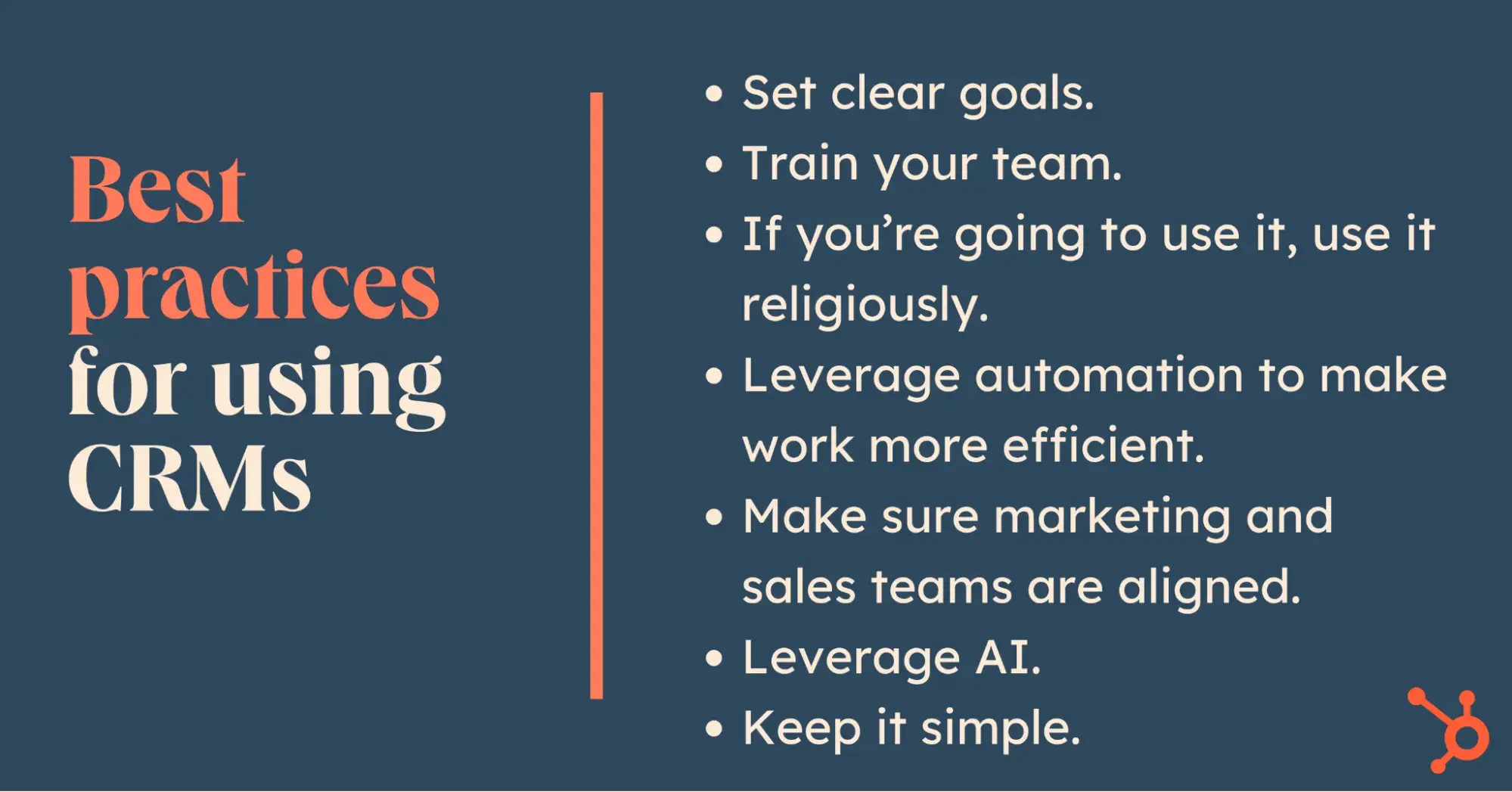
best practices for using crms

1. Set clear goals.

First and foremost, it’s essential to set clear, well-defined goals. In my experience, the best goals are SMART: they’re Specific, Measurable, Achievable, Relevant, and Time-Bound.

Defining a small number of specific goals in this way will help to make sure you prioritize setting up and using the most important CRM features for your organization. For example, if you’re looking to boost your team’s efficiency, focusing on automating tasks such as customer outreach, followup, and invoicing may make sense.

As SEO expert Justin Lafferty argues, it’s important “to make sure your CRM goals are aligned with your overall business objectives.” He continues, “Define measurable and realistic goals for how you would like the CRM to help your teams succeed. Over time, you can track those goals and adjust them as needed.”

2. Train your team.

Next, I’ve learned firsthand that training is a vital part of any CRM implementation plan. You can set up the best tool in the world — but if no one knows how to use it, it’s not going to add much value.

Small business marketing expert Janette Novak says it best: “Weak user adoption is a key reason CRMs fail. If your team does not understand the immense benefits of your CRM or is not properly trained on how to use your CRM correctly, your CRM is doomed. That’s why developing an effective user training program is a crucial CRM best practice.”

To train your team effectively, make sure to identify all the people who might need to use the CRM. Then, share resources and set up training sessions to walk everyone through the tool. I’ve also found that it can be helpful to establish a dedicated channel for people to ask questions and share their own tips and tricks. Whether that’s a Slack channel, a recurring meeting, or even just a chalkboard in a common area where people can add notes and questions, creating a space for people to learn together is a great way to get everyone up to speed.

3. If you’re going to use it, use it religiously.

Stephanie Henson, sales and marketing director at Six Ticks Limited, has managed remote teams for more than ten years. Naturally, with a remote team, organization is key. To get the most out of your CRM and to operate with streamlined processes, Henson says you need to use it consistently.

She explains, “You need to be disciplined with using your CRM, no toe in the water stuff. If you’re using it, use it religiously.” According to Henson, using your CRM religiously means importing only the best data. After all, your CRM can only be as good as the data you put into it.

Henson continues, “Spending the time on cleansing your data before you import it will save you so much time in the long run.”

Remember: You can’t expect the system to work magic. You have to use it properly for the magic to happen. All too often, people change CRM systems, or continue to half-use them, and then complain they don’t work. As Henson warns, “Good implementation is key. Skip or rush this step, and you’re heading for pain.”

Pro tip: Henson recognizes that CRM implementation won’t do all the heavy lifting without careful human administration, especially when you’re still getting started.

4. Leverage automation to make work more efficient.

Maret Reutelingsperger is a digital communications consultant at Mobe Digital, where she focuses on marketing and sales implementations. She recognizes that sales teams are really busy, and one of the best ways to keep them on track is through automation.

As Reutelingsperger recommends, “Make sure that sales keep on top of their deals, so that they don’t fall through the cracks. Use automation! Whether it’s creating a task for the deal owner when a deal reaches a certain stage or sending internal emails to deal owners of inactive deals, having these little nudges can be just the thing to remind the team of deals that can be worked further.”

If you use your CRM’s automation capabilities, you’ll help keep your team from missing leads and reduce the chances of human error.

Reutelingsperger continues, “For those with recurring contracts, this can even go a step further and use contract signed date to ensure the conversation gets picked up ahead of the next contract signing. This gives the sales team plenty of time to ensure all services are going well and planning ahead for their new proposal.”

Pro tip: CRM automation can keep the most important to-do’s at the forefront of your reps’ minds. For example, if they get a notification before a customer’s next signing is due, your sales reps can chat with the customer to provide the timely information they need … and avoid missing the deadline.

5. Make sure marketing and sales teams are aligned.

If you’re using your CRM efficiently, then you most likely have multiple teams — in particular, sales and marketing teams — using the system. The idea is for everyone to use the tool to work together in pursuit of a common goal. But of course, as we all know, that isn’t always what happens.

Reutelingsperger has a solution for this, too. She says, “Marketing teams love asking questions, setting up forms, and learning more about the contacts as they go through the buyer journey. But what are the pieces of information that are really valuable to the sales team? Often, this gets overlooked.”

To solve this problem, Reutelingsperger suggests having regular meetings between marketing and sales to talk about information that will help both teams improve.

“For the sales team — make clear what information the marketing team should be asking for,” she says. “And the other way around, what questions are asked a lot during the sales process? This is content that can be invaluable for the marketing team. Help each other, to help each other.”

Pro tip: Marketing and sales both work better when they work together. Meetings to discuss each department’s needs aid understanding and bolster feedback loops between teams. After all, you want your teams to work with each other, not against each other.

6. Leverage AI.

Today, many CRMs come with a range of AI features built in. These tools have the potential to add a huge amount of value — but they’ll only realize that potential if you actually use them.

So, don’t be afraid to dive into the world of AI. From chatbots to automated call analysis to data-driven customer insights, AI-powered CRMs have a lot to offer. In my experience, if you’re not sure where to start, it can help to dip your toe in the water by just adopting one AI feature. Then, once you’ve gotten used to that, you can try adding some more.
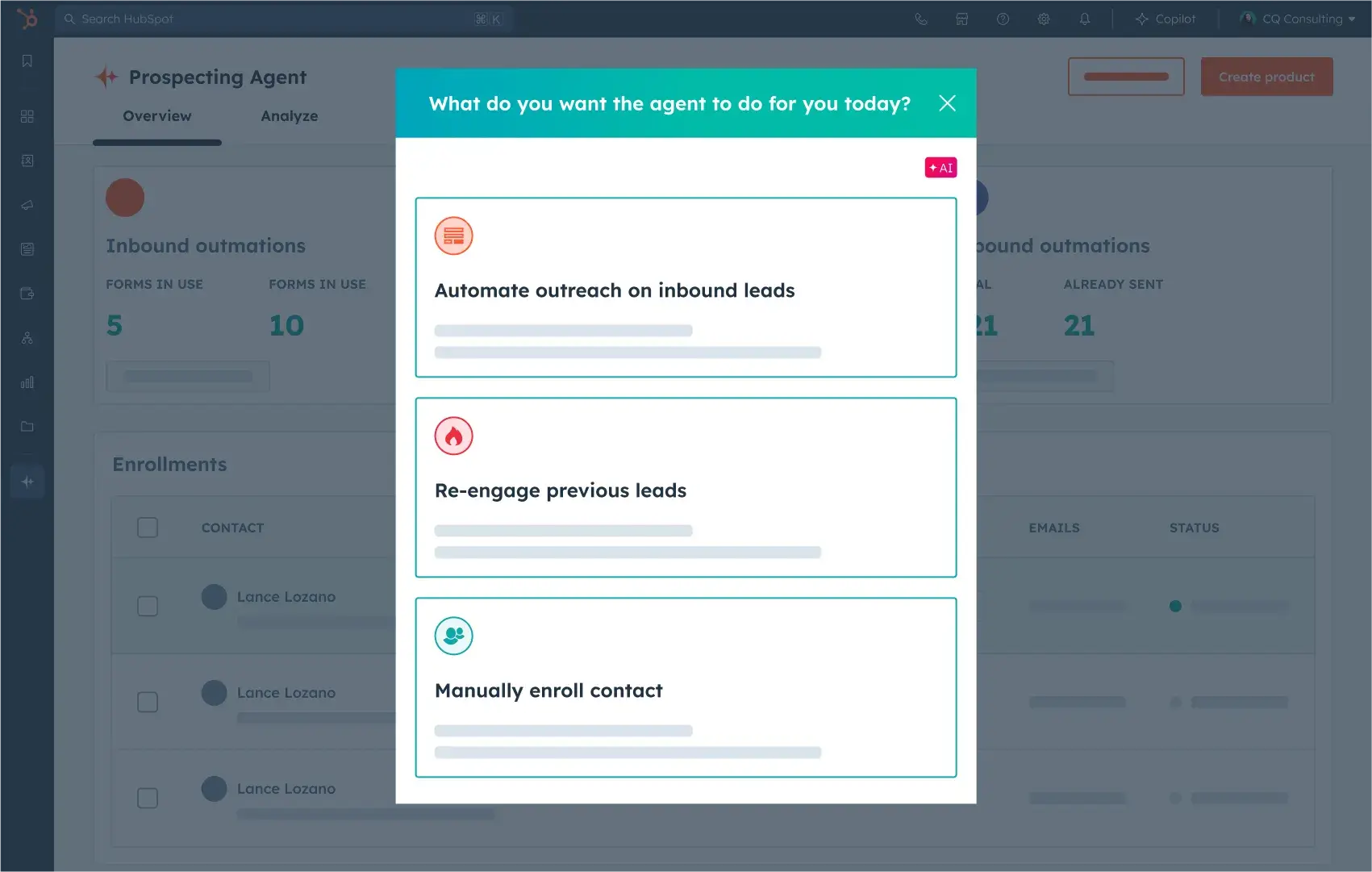
hubspot offers a range of ai-powered crm features.

Source

7. Keep it simple.

CRM systems can do a lot, and it’s easy to get lost or overwhelmed by the features available to you. As a result, the key to success is to identify exactly what you need to report on and why before you jump in with a new CRM.

Chris Pallet, founder and managing director at Bespoke Computing, provides his clients with advice and guidance on tech and software selection. He warns, “It’s very easy to get lost in the rabbit hole of what a CRM will or won’t do.”

Pallet’s top best practice for CRM implementation is to keep it simple. As he explains, “To quote Simon Sinek: ‘Start with why.’ Why is the business looking at this, to begin with? What questions/answers is it looking to understand?”

Pallet notes that there are many dimensions to data, but only one to two may be truly important for a given sales team (whether that’s lead sources, conversion rates, sales days, or staff performance). He continues, “what’s the cost of not having the information vs. the cost of implementation? Those data points might drive your reporting, and make sure the software can drive those reports.” Another question to ask yourself is, “How does the data get caught and put into the system?” Pallet notes that it’s important to ask these key questions “before you consider splashing any cash on the software itself.”

Pro tip: Pallet encourages sales teams to think about what they actually want their CRM to do … before they integrate it into their processes.

Additionally, Pallet suggests conducting a cost-benefit analysis to see if access to the information that the CRM will provide is actually worth it. Having a CRM is one thing, but someone also needs to populate the CRM so you can get the most out of it, which can have a substantial near-term impact on workloads.

Advanced CRM Best Practices

1. Set up essential reports.

Wasif Kasim, a sales and marketing consultant, recommends that users don’t set up their own CRM and instead use a partner. After all, working with someone who’s been there and done it can help a lot. He warns that those who set up their own CRM may regret it later. But for those who do feel confident setting up their own system, Kasim recommends starting with the following reports:

Sales Reports

  • Leads not contacted
  • Marketing leads contacted once, but not followed up for over 3 days
  • Deals that have not been followed up for > 7 days

Marketing Reports

  • Number of marketing leads per month, per channel
  • $ value of deals created from marketing leads, per month, per channel
  • $ value of deals closed won from marketing leads, per month, per channel
  • $ value of deals won from marketing lead sources versus non-marketing lead sources

Customer Success Reports

  • Number of current clients not contacted in > 7 days
  • Customer satisfaction score per customer, by month
  • Customer satisfaction score per customer, by month, by account manager

2. Integrate calendars and landing pages.

Boomtag Media CEO Kendra Noel uses HubSpot’s CRM and recommends integrating calendars and landing pages for leads. With these integrations, she notes that you can use your CRM to do some of the administrative work for you, streamlining internal processes and preventing human error.
hubspot enables you to integrate your calendar with your crm.

Source

As she explains, “Leads automatically go to my CRM, and it gives the ability to send marketing emails and track those leads.” After all, it’s easy to miss a step and forget to update your CRM. With your CRM being automatically populated, you’ll never overlook an opportunity to keep your prospects in the know through email marketing.

Pro tip: Automation and integration are great ways to streamline processes, empowering sales teams to get the most out of their CRMs.

3. Get buy-in and develop SOPs.

Emma Schermer Tamir, ecommerce branding strategist at Marketing by Emma, recommends that you get clear buy-in from your team and then develop clear SOPs to ensure the CRM is used to its full potential. Importantly, SOPs only work if everyone agrees to use them and follows the same process.

As Tamir explains, imagine that “a salesperson is speaking with a prospect about their Amazon business [and] that person shares some of their struggles, future plans, and that they recently went viral on TikTok. At this stage, the salesperson needs to add these details into the CRM.”

When it comes to CRM management, Tamir notes that establishing easy-to-follow processes keeps people on the same page and delivers a seamless customer experience. When done right, SOPs help teams feel less stressed about things getting forgotten or missed.

At the end of the day, Tamir reflects that “information is only valuable if it’s visible. CRMs hold a lot of information, so you need to make sure you have a way for team members to see important details…Without a clear SOP of how to use and store this information, it will likely get lost in the shuffle.”

Pro tip: Tamir reminds us to use our CRMs to the fullest, but also to set up SOPs so everyone knows what the standard process is.

4. Use segmentation for personalization.

Katie White, content marketing manager at Centime, recommends segmenting your audiences into smaller groups so you can apply personalized marketing and messaging.

“One best practice I highly recommend when using a CRM system, like HubSpot, is to utilize its segmentation capabilities. Segmentation allows you to divide your customer base into smaller groups based on specific criteria, such as industry, job title, or behavioral patterns,” she shares.

For example, in HubSpot, you can create “active lists” that automatically update based on set criteria. This enables more personalized and targeted communication strategies. Instead of sending generic messages to your entire database, you can tailor your outreach to address the unique needs and interests of each segment.

This level of personalization can significantly improve engagement, lead nurturing, and ultimately, conversion rates. By leveraging segmentation in your CRM, you’re not only managing customer relationships but also optimizing them for better business outcomes.

Pro tip: I’ve learned that data personalization can be highly impactful in marketing — and effectively personalizing your messages is only possible if you segment your audience.

5. Set up lead scoring.

With lead scoring, your CRM can do some of the thinking for you. Lead scoring enables you to develop a deeper understanding of your customer, their interests, and their needs, helping you communicate with them in the most effective way possible.
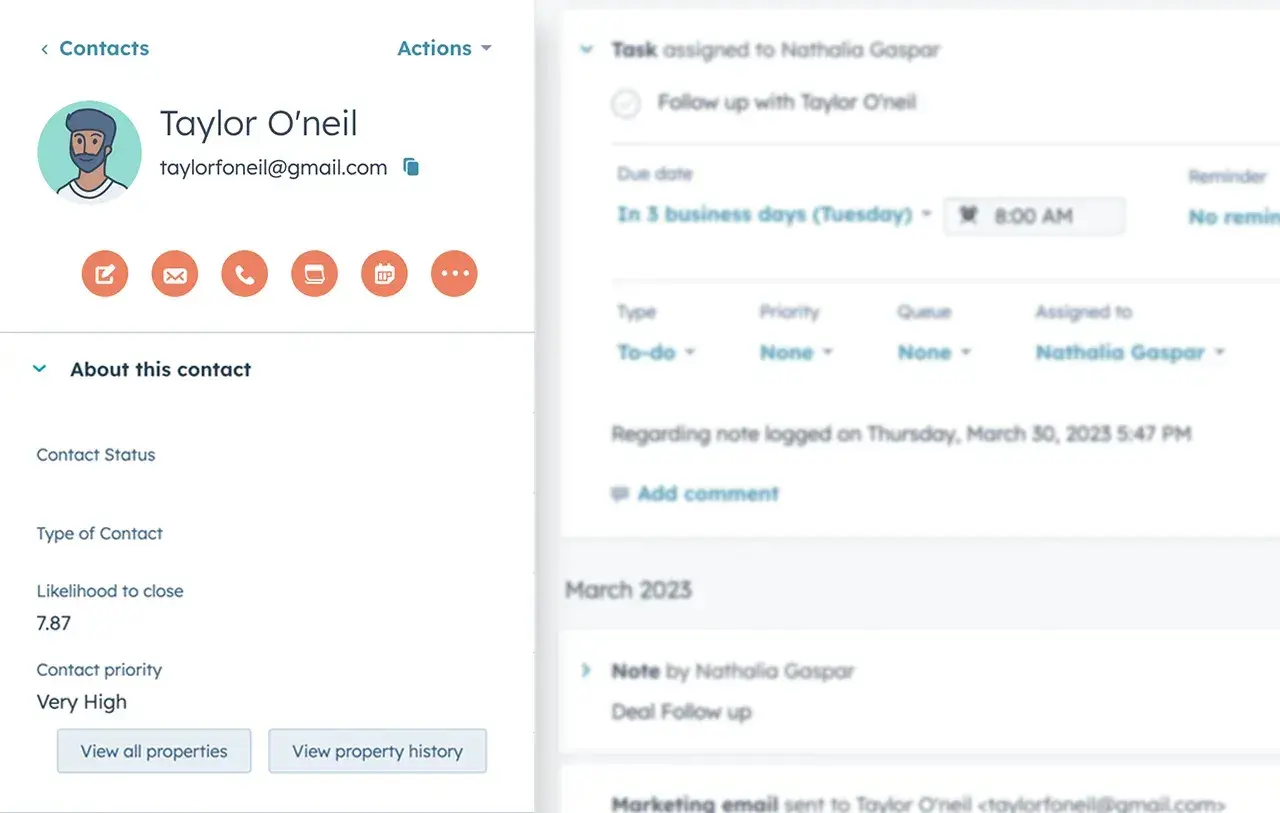
lead scoring can give you a better sense for your customers’ likelihood to close.

Source

Amber Vellacott, marketing manager at MyArtBroker, uses HubSpot CRM and shares the importance of setting up lead scoring for sales and marketing: “It takes some getting your head around for sure. But work out what qualifies your leads as important to you or actions that show intent to your desired conversion.”

For example, Vellacott’s team focuses on page views for conversion-based content, with a particular eye toward the frequency and recency of those page views. She explains, “Your scoring can lead to you making active segmentation that updates as per your scoring criteria … You can then use this segmentation to prioritize the sales team communications and use smart modules in marketing emails. All enhancing brand touchpoints!”

Pro tip: A CRM with AI can analyze large data sets, helping sales teams discern who the strongest leads are. Armed with these insights, reps can focus on the leads who are most likely to convert, enabling them to put their human touch where it’s needed the most.

6. Enhance your data with workflows.

Maret Reutelingsperger of Mobe Digital offers another helpful recommendation: enhancing data with workflows. She says, “Using a CRM with workflow functionality can ensure that teams work with the best and most consistent set of information.”

Reutelingsperger notes that workflows ensure that data is consistent across different areas of the CRM, and that important information gets shared with others where relevant and useful. She continues, “For example, you can use workflows to ensure Deals are enhanced with information from associated Companies and Contacts and even Tickets (for cross-sells or upsells). This can give the sales team a quick and easy overview of anything that may affect the sale going ahead.”

Pro tip: More than just a customer relationship manager, your CRM can manage your internal team, too. Reutelingsperger encourages CRM users to set up workflows to streamline internal processes.

7. Turn customers into brand advocates.

In my experience, it can be very tempting for a sales team to focus exclusively on closing new deals. But what about retaining and upselling existing customers?

Richard Marriott, senior partner at Scaled, advises that teams can use their CRM to power post-purchase engagement, turning their customers into loyal brand advocates. He reflects, “A lot of focus is placed on top of funnel demand for net-new leads and then the handoff from marketing to sales, sometimes without much emphasis on post-purchase experience and customer nurture.”

To be sure, the top of the funnel is important too … but Marriott recommends that sales reps “think of your CRM as perpetual to continuously develop the view of your high-value customers, improve retention and renewals through nurture, and turn customers into brand evangelists.”

Pro tip: After a sale has been made, your work isn’t done: You have the opportunity to turn your new customer into a long-term brand advocate, inspiring them to continue using your product or service and even recommend you to their friends.

Getting Started with Your New CRM

Ready to get started? Click below to get started with HubSpot CRM. Once you create an account, take these steps to get set up and start seeing the benefits of a CRM immediately:

  • First, migrate your existing data (whether from a spreadsheet or another database).
  • Next, import contacts from your current database or spreadsheet.
  • Then, invite your sales team to the CRM system.
  • Finally, use the best practices described above to filter your contacts for high-quality leads, automate manual processes, and more!

As I worked through this article, one thing became very clear: CRMs are complicated. Today’s CRMs are incredibly powerful, and they can add a lot of value to any business. Yet, at the same time, they offer a lot of different features, and new AI technologies are only expanding the scope of ways in which a CRM can benefit a sales or marketing team.

It can take some work and careful consideration to implement a CRM effectively, but with the CRM best practices I’ve shared in this article, you’ll be set up for success, and on your way to leveraging your new CRM like a pro.

20 Mar 16:32

Building a Funnel Centric Company

by Daniel Glickman

No matter what anybody says, the funnel is the backbone of any marketing department, and no matter what, you should be laying out your company—its departments, its goals, and its strategies—around a funnel that has been very carefully thought out and is ever evolving.

Your funnel is not just a report or a means to accessing, generating, and reporting data— (yes, we are all at risk right now of obsessing over data, and we need to chill). The fact is, the funnel has been an integral part of marketing since the dawn of time, and it’s not going away simply because robots and AI are marching over the horizon and are awesome. The reliable ol’ funnel is still crucial—it is a living and breathing methodology and a metric of growth.

From the management side—as CMOs, CFOs, and CIOs—we should be prioritizing the ways in which we get our customers to move from one step in the funnel to the next, so that ultimately they make a purchase, and then beyond that—advocate for us. As CMO of Roojoom, I constantly use the funnel as a management methodology.

Unfortunately, I still see many companies, large and small, established and starting up, working according to this outdated model:

  • Create product
  • Put up pricing page
  • Get marketing involved

To this model, which usually results in or creates a static and therefore dysfunctional funnel, I say: No!

To this ailing model, I offer the following dynamic funnel centric cure:

  • Find your audience
  • Get them interested
  • Get them to try and to buy

Build your entire company around these steps so that the funnel dictates to everyone in every department what to do and how to make improvements. The funnel matters to everyone now, not just sales and marketing, because it defines priorities for feature development, product design, customer support and more.

Funnels fundamentally chart the shortest journey each buyer persona takes from awareness to purchase, meaning—you guessed it—you might not have (you should not have!) just one funnel. That is, if you can see the funnel as a process with a whole lot of flexibility, you’ll benefit from being able to more accurately map out who your potential buyers are, track each persona or each prospect, and adjust your funnels accordingly.

“You will become the company known for fine tuning its funnels—and blowing competitors out of the water.”

Every contact in your marketing automation system needs to be tagged by the funnel step they are in currently in. This tagging process is no longer just about leads—everyone must be tracked, tagged, and followed. For each member of your entire audience, you will need to know what stage of the funnel they are at.

The funnel stage is typically a custom field in your marketing automation system’s customer profile, but it is also synced with your CRM, your customer service software, your analytics software, and any other customer profile you may keep. Having this capability will allow you to run reports that identify the best performing personas, determine the CPA for each funnel stage and set your department’s monthly KPIs .

First, create a conceptual list of all your marketing/sales/customer funnel stages, then describe how a customer is expected to take each of these steps.

Don’t be afraid to break your funnel up into as many as ten or twelve steps. Funnel steps include customer activity inside your product and offline activity (such as a “Speak with Salesperson”) and you need to include these types of steps as well. Don’t stop at the sale! Customers should be funneled throughout their lifecycle. You want them to evangelize your brand, upgrade their plan, and renew their contracts. Different departments may be responsible for different steps, but the customer experience should be seamless. Having one funnel can ensure you provide the ideal experience for everyone.

Different customers might go through different versions and stages of your funnel based on their persona, readiness or current needs. You can do customer journey mapping to figure out the differences between different customers. Ultimately you want to create a seamless experience for each of them to make sure that you funnel the right persona down the right path.

The purpose of the funnel, from a management perspective is to get your entire team focused on one thing only: How do I get as many individuals in my audience to move to the next funnel stage as fast as possible?

This sounds simple but the reality is that most businesses don’t operate this way. Most email departments obsess about open rates and clicks and most social media departments obsess about engagement. In a funnel focused company, however, the email folks report on how many people they managed to move from “unknown lead to known lead” stage and the social media folks report on how many people they managed to move from “content reader” to “product interest”. They would show that this quarter this process happens in an average of 2 email send-outs for persona A and 4 for persona B. and so on…

“Stop trying to explain marketing with jargon: “365,000 people signed up for our newsletter this month,” because frankly, nobody outside of marketing knows how that translates.”

In a nutshell, you should hold each department accountable for measuring the distance between one funnel stage and the next in terms of time (minutes, hours, days, or weeks, depending on your product or service), and in terms of the number of actions a person must take to get there.

After you set up all the events and record every step your audience is taking down your funnel, you can get further into the nitty-gritty by assigning Cost of Acquisition (CPA) to each funnel step. Take the entire acquisition cost and allocate the proportionate amount to each stage based on the churn rate.

What do you see here? When breaking down the CPA for each step, we can see the cost invested in a person that has already reached a certain stage. In the example above, moving one person from Stage 4 to 5 is worth $426, which is the equivalent of moving seventy-one people from Stage 1 to 2.

When we look at this in our database—and we do look all the time—we can begin to define people on a very detailed level. We can see what steps they take, and where we lose them. There could be multiple funnels and multiple steps, but the clearer we become about how many steps it takes for somebody to move from one step to the next, the better we become at getting them there—meaning our funnel velocity increases and improves.

Getting a clear picture of your funnel and sharing it with your entire company will make it very easy for your entire team to make decisions and focus their efforts on projects that improve the bottom line.

Daniel Glickman is CMO of Roojoom and author of Disrupt That: Why All Marketers Should Think Like Startups. Learn more about Daniel at cmoconfessions.com

The post Building a Funnel Centric Company appeared first on OpenView Labs.

20 Mar 16:32

The Reason Your Social Selling Efforts Might Be Failing

by rFactr

If you’re looking for a reason as to why all of your hard work using social media isn’t translating into revenue, the odds are your strategy is the problem. Most sales teams are using social media at an ad hoc level where they may have been provided with a little training and given tools like LinkedIn or social media dashboards that help share content and find prospects. This is usually where it stops.

What’s missing is a comprehensive understanding of how their social media activities align with their sales process or buyer’s journey. Most reps aren’t keeping up-to-date segmented lists that show what stage their prospect is currently in. Most also don’t have social network optimized content that aligns with the buyers journey. If you fall into either of those scenarios, you’ve been fishing and not hunting.

Sharing your company’s content to your public feed in hopes of capturing a news leads or to build awareness is fishing. This is usually paired with connecting with people that express interest and match your buyer persona.

Hunting is the strategic monitoring and segmentation of your current opportunities in order to monitor the social accounts of your pipeline. This monitoring leads to sales reps sharing the right content, designed for that buyer/stage based on a real-time signal. During the dark periods that are between traditional communications, this technique is designed to accelerate the sales process while building trust and value.

18 Mar 17:09

Start Advising Before They’re Your Client – Episode 69

by Anthony Iannarino

What do you do when your prospect needs something you can’t provide?

The post Start Advising Before They’re Your Client – Episode 69 appeared first on The Sales Blog.

18 Mar 17:02

How to Balance Empathy and Data to Make Better Decisions

by Ryan Shelley

How to Balance Empathy and Data to Make Better Decisions.png

Data is everywhere. We can track just about anything; website visits, click-though-rates, user behavior, shopping cart abandonment, the list goes on. Nearly every click, transaction, and engagement is being tracked and analyzed by someone or some machine. With all of this data available to use, why do so many businesses and marketing campaigns struggle to have success? While data can give us a good picture of what’s going on, it can’t replace the most important tool we all have access too, empathy.

Our culture is driven by data. We’ve been trained to trust the numbers no matter what. But what if the numbers are wrong? Or what if they are only telling part of the story? Don’t get me wrong, I am a big believer in data. We track and test everything we do here. But I am not so naive as to believe that the numbers won’t lead me astray. Underneath the data and the analytics are real people; people who make decisions driven more by emotion and feeling rather than data. If we are going to create companies that thrive or campaigns that produce lasting results, we must learn to balance empathy and data.

Trust the Numbers… to a Point

Having access to good analytics can be extremely valuable. It can help you see what is working and what is not. Today’s average business owner has access to more data than ever before. The best part, most of it is completely free. By simply adding some script to the header of a site, Google Analytics will provide in-depth insights into how users use and engage with that particular site. They will even give insights into who those users are. Using this information, a site owner can track and adjust its marketing strategy to better fit their users’ needs.

But what happens when the numbers don’t tell the full story? There are many examples I can point to where the data suggested one direction but really produced a very different result. We’ve seen these data errors in politics, investing, and marketing. One of the most famous stories is the turnaround of IBM. When Lou Gerstner was brought on as CEO, IBM was in a death spiral. Experts said the company was too big, going in too many directions and the only way to save it was to break it up. Despite what the numbers and the experts said, Mr. Gerstner chose to go with his gut.

“We needed to integrate as a team inside the company so that we could integrate for the customers on their premises. It flew in the face of what everybody did in their careers before I arrived there. It meant that we would share technical plans, we would move toward common technical standards and plans, we would not have individual transfer pricing between every product so that everybody could get their little piece of the customers’ money,” Gerstner said.

Put Yourself in Their Shoes

Instead of putting all of the weight on the numbers, Mr. Gerstner chose to trust people. He empathized with IBM’s customers and in return, he transformed a company. The reason he knew IBM needed to stay together was simple. He was a customer before he was CEO. He had experienced the same pain points as other business leaders and he knew that IBM was the only company on the planet that could integrate all of the information technology needs.

Empathy alone is not enough. You must take what you learn from connecting with your audience and put it into action. Mr. Gerstner used what he knew and what he experienced to shift the culture and change the course of IBM forever. From 1993 to Gerstner’s retirement in 2002 IBM’s market capitalization rose from $29 billion to $168 billion.

Finding a Balance

Data is powerful. But when fused with empathy it becomes game changing. Smart businesses are learning to combine data with empathy to create solutions that speak to the heart of their users. Maya Angelou is famous for saying, “I’ve learned that people will forget what you said, people will forget what you did, but people will never forget how you made them feel.” The numbers can tell us a lot. They can give us the details into what is working and what is not. But numbers can never replace reality. Business owners and marketers will be able to apply the data more specifically and successfully by empathizing with their audience.

Trust the data. Trust your gut.

18 Mar 17:00

Danger! You Don’t Need an MBA: 7 Spectacular Books on Business Creation

by Ramon Nuez

I have always thought that business was an enigma. You?

I maintained a mental model that business was an intricate lattice of failures, products, debt and human capital. Why, because I spent little time in educating myself on how business works. Not to mention the traditional idea that “business is complicated” and its management is best left to the MBAs.

In The Personal MBA: Master the Art of Business, Josh Kaufman explains that business is not complicated at all:

“At the core, every business is fundamentally a collection of five Interdependent processes, each of which flows into the next:

  1. Value Creation. Discovering what people need or want, then creating it.
  2. Marketing. Attracting attention and building demand for what you’ve created.
  3. Sales. Turning prospective customers into paying customers.
  4. Value Delivery. Giving your customers what you’ve promised and ensuring that they’re satisfied.
  5. Finance. Bringing in enough money to keep going and make your effort worthwhile.”

In essence, the mental model that you have been force fed is a lie. Business is not complicated nor does it require an MBA at the helm. Principally, business is leveraging people and systems in a repeatable process that delivers value for allot of paying customers.

How do you learn about the processes without attending a fancy graduate school, you can start by reading:

  1. The Personal MBA: Master the Art of Business by Josh Kaufman
  2. Go It Alone by Bruce Judson
  3. The Lean Startup by Eric Ries
  4. Street Smarts by Norm Brodsky & Bo Burlingham
  5. Ready, Fire, Aim by Michael Masterson
  6. Escape from Cubicle Nation by Pamela Slim
  7. Bankable Business Plans by Edward Rogoff

These seven books will give you a fundamental understanding of how to build a profitable business.

Kaufman continues to share:

”Business is not (and has never been) rocket science— it’s simply a process of identifying a problem and finding a way to solve it that benefits both parties. Anyone who tries to make business sound more complicated than this is either trying to impress you or trying to sell you something you don’t need.”

So why isn’t everyone starting a business? Simple, most people don’t have the education on how to make a business profitable. They don’t understand how to create value, market, sell, deliver value and most importantly manage cash flow. If you want to start a business, then you must educate yourself on how to start a business: that is the new mental model.

18 Mar 16:59

The Three Types of SaaS Value Propositions

There are three kinds of software value propositions. Software that increases revenue, software that reduces cost, and software that promises improved productivity. To maximize the effectiveness of your customer success efforts, you need to understand which type of software company you are building.

Software that increases revenue is the easiest to sell. For most companies, growth is the most important priority. Growth trumps cost-reduction because growth increases the value of the business more. As a result, products that grow revenue enjoy shorter sales cycles and larger budgets. Most sales acceleration and lead generation software falls into this category.

Software that reduces costs rely on an efficiency value proposition. “Buy the software and you will save thousands or millions of dollars.” The sale is straightforward and the buyer justifies the purchase easily and has created some enormous businesses. Typically, startups capture 10 – 15% of the customers’ savings. This is the upper bound of the business’s pricing power and market size.

Productivity software often looks like cost-reduction software. But the cost savings or revenue increases are less clear and quantifiable. Reduce meetings. Collaborate better. Understand your business better. Hire better. Insure your company’s risk. These value propositions are at least one step removed from revenue increases or cost reductions. Collaboration products, productivity tools, business intelligence software, human resources information systems, security products. All of these fit into this category.

Revenue increasers need to continue to increase revenue over time. Customer retention hinges on proving the continuous marginal revenue the software delivers.

Cost reducers must reduce costs further and further. Each year, the customer will ask, how much more efficiency deliver to my business?

In both of these cases, the value proposition will asymptote at some point. There are only so many more leads the software can surface or only so much cost software can excise.

The productivity value proposition, though murkier, provides customer success teams more room to grow accounts and sustain them over time. Salesforce’s CRM provide sales leaders visibility into their pipeline. This value proposition is eternal. At no point will a VP of Sales declare, “I no longer need to forecast my pipeline.”

There are two trade-offs. First, the pricing power of the business is less clear. How much is the VPS willing to pay? The startup must establish that through price discovery.

Second, customer success efforts are less obvious. CS teams must suss out the customer needs, build an account plan, and help the customer achieve their goals.

But, the nature of these relationships lend themselves to broader product footprints. The deeper a startup understands a customers challenges, the more products and services the business can sell.

Each of these approaches can lead to enormous businesses. The key part is understanding the type of value proposition your startup offers, and matching the GTM and customer success strategy to it.