
El representante judío en el Parlamento iraní denuncia la devastación y advierte sobre el impacto en la comunidad internacional
etiquetas: israel, irán, judíos, antisemitas
» noticia original (www.catalunyapress.es)
El representante judío en el Parlamento iraní denuncia la devastación y advierte sobre el impacto en la comunidad internacional
etiquetas: israel, irán, judíos, antisemitas
» noticia original (www.catalunyapress.es)

La guerra de Estados Unidos e Israel contra Irán ha desencadenado una crisis energética para la economía mundial al dejar atrapado un gran volumen de petróleo en el Golfo debido al cierre del estrecho de Ormuz por parte de Irán a la mayoría de los buques. Putin dijo "Hay muchísimas solicitudes para la compra de nuestros recursos energéticos a fuentes alternativas. Estamos negociando, estamos negociando de tal manera que esta situación se ajuste lo mejor posible a nuestros intereses."
etiquetas: geoestrategia, guerra, consumo, dinero, moneada, crisis
» noticia original (uk.finance.yahoo.com)

No recuerdo cómo di con el canal de YouTube de Iván Miranda. Pero me tienen fascinado y enganchado sus descabellados y ruidosos relojes de canicas, que ha construido en diferentes versiones y con distintas funciones. Básicamente utiliza impresión 3D para las piezas. Pero también algo de electrónica para controlar su funcionamiento, sobre todo en forma de placas Arduino, aunque no sólo. (vía microsiervos)
etiquetas: iván miranda, relojes, canicas
» noticia original (www.microsiervos.com)

El jefe de la Casa Blanca recordó que en tiempos pasados a los ganadores en las guerras se les permitía tomar los recursos del país vencido y lamentó que eso ya no ha sucedido desde la Segunda Guerra Mundial.
etiquetas: trump, irán, guerra
» noticia original (www.jornada.com.mx)

Irán ejecutó hoy lo que había anunciado semanas atrás. Misiles balísticos y drones del Cuerpo de la Guardia Revolucionaria Islámica (IRGC) impactaron la Ciudad Industrial de Al Jubail, en la Provincia Oriental de Arabia Saudita, desencadenando grandes incendios en instalaciones de SABIC, la mayor petroquímica del mundo. Sus más de 60 millones de toneladas anuales de capacidad instalada representan entre el 6 y el 8% de la producción petroquímica global.
etiquetas: geoestrategia, guerra, ataques, petróle, consumo
» noticia original (www.shale24.com)

"Serigne estaba abriendo otra puerta, la del portal de nuestra casa, cuando un coche de policía de paisano frenó bruscamente a su lado. Actuaban por un aviso de “gente sospechosa en el barrio, con aspecto de robar un coche”. De todas las personas que caminaban por la zona a esa hora, la única señalada para el registro fue Serigne, a pesar de estar haciendo algo tan poco sospechoso como introducir la llave en su propio portal. Nuestros hijos e hijas, que jugaban en el patio, lo vieron todo y, asustados, avisaron a las personas adultas..."
etiquetas: racismo, policia, ue
» noticia original (ctxt.es)

El festival de música Wireless, que se iba a celebrar en Londres entre el 10 y 12 de julio, ha sido cancelado después de que a uno de sus cabezas de cartel, Kanye West, se le prohibiera la entrada al Reino Unido. La decisión del Ministerio de Interior británico (Home Office) de vetar la entrada del rapero estadounidense llega tan solo horas después de la enorme polémica generada por el anuncio de su actuación a raíz de los comentarios antisemitas y racis
etiquetas: kanye west, reino unido
» noticia original (www.culturaocio.com)

Según CNN, el Times of Israel y otros medios, Alireza Rahimi, Ministro de Juventud y Deportes de Irán, declaró a través de los medios estatales: “Invitamos a todos nuestros jóvenes, atletas, artistas, estudiantes, estudiantes universitarios y profesores. Independientemente de creencias o afiliaciones políticas, les pedimos que se reúnan en torno a las centrales eléctricas —nuestros activos nacionales y el futuro de Irán y su juventud— a las 2 p.m. del martes 7”
etiquetas: irán, eeuu, sionismo, israel
» noticia original (www.chosun.com)
“Tras bombardear una escuela y masacrar a niñas, el criminal de guerra que ocupa la Casa Blanca amenaza con un genocidio”, declaró la representante Rashida Tlaib.
Kubernetes doesn't know who you are.
It has no user database, no built-in login system, no password file. When you run kubectl get pods, Kubernetes receives an HTTP request and asks one question: who signed this, and do I trust that signature? Everything else — what you're allowed to do, which namespaces you can access, whether your request goes through at all — comes after that question is answered.
This surprises most engineers who are new to Kubernetes. They expect something like a database of users with passwords. Instead, they find a pluggable chain of authenticators, each one able to vouch for a request in a different way:
Client certificates
OIDC tokens from an external identity provider
Cloud provider IAM tokens
Service account tokens projected into pods.
Any of these can be active at the same time.
Understanding this model is what separates engineers who can debug authentication failures from engineers who copy kubeconfig files and hope for the best.
In this article, you'll work through how the Kubernetes authentication chain works from first principles. You'll see how x509 client certificates are used — and why they're a poor choice for human users in production. You'll configure OIDC authentication with Dex, giving your cluster a real browser-based login flow. And you'll see how AWS, GCP, and Azure each plug into the same underlying model.
A running kind cluster — a fresh one works fine, or reuse an existing one
kubectl and helm installed
openssl available on your machine (comes pre-installed on macOS and most Linux distros)
Basic familiarity with what a JWT is (a signed JSON object with claims) — you don't need to be able to write one, just recognise one
All demo files are in the companion GitHub repository.
Every request that reaches the Kubernetes API server — whether from kubectl, a pod, a controller, or a CI pipeline — carries a credential of some kind.
The API server passes that credential through a chain of authenticators in sequence. The first authenticator that can verify the credential wins. If none can, the request is treated as anonymous.
Kubernetes supports several authentication strategies simultaneously. You can have client certificate authentication and OIDC authentication active on the same cluster at the same time, which is common in production: cluster administrators use certificates, regular developers use OIDC. The strategies active on a cluster are determined by flags passed to the kube-apiserver process.
The strategies available are x509 client certificates, bearer tokens (static token files — rarely used in production), bootstrap tokens (used during node join operations), service account tokens, OIDC tokens, authenticating proxies, and webhook token authentication. A cluster doesn't have to use all of them, and most don't. But knowing they all exist helps when you're diagnosing an auth failure.
There is an important distinction in how Kubernetes thinks about identity. Service accounts are Kubernetes objects — they live in a namespace, get created with kubectl create serviceaccount, and have tokens managed by the cluster itself. Every pod runs as a service account. These are machine identities for workloads.
Users, on the other hand, don't exist as Kubernetes objects at all. There is no kubectl create user command. Kubernetes doesn't manage user accounts. Instead, it trusts external systems to assert user identity — a certificate authority, an OIDC provider, or a cloud provider's IAM system. Kubernetes just verifies the assertion and extracts the username and group memberships from it.
| Service Account | User | |
|---|---|---|
| Kubernetes object? | Yes — lives in a namespace | No — managed externally |
| Created with | kubectl create serviceaccount |
External system (CA, IdP, cloud IAM) |
| Used by | Pods and workloads | Humans and CI systems |
| Token managed by | Kubernetes | External system |
| Namespaced? | Yes | No |
Authentication only answers one question: who is this? Once the API server has a verified identity — a username and zero or more group memberships — it passes the request to the authorisation layer. By default that is RBAC, which checks the identity against Role and ClusterRole bindings to determine what the request is allowed to do.
This is why authentication and authorisation are separate concerns in Kubernetes. A valid certificate gets you past the front door. What you can do inside is RBAC's job. An authenticated user with no RBAC bindings can authenticate successfully but will be denied every API call.
If you want a deep dive into how RBAC rules, roles, and bindings work, check out this handbook on How to Secure a Kubernetes Cluster: RBAC, Pod Hardening, and Runtime Protection.
x509 client certificate authentication is the oldest and simplest authentication method in Kubernetes. It's how kubectl works out of the box when you create a cluster — the kubeconfig file that kind or kubeadm generates contains an embedded client certificate signed by the cluster's Certificate Authority.
When the API server receives a request with a client certificate, it validates the certificate against its trusted CA, then reads two fields (The Common Name and Organization) from the certificate to construct an identity.
The Common Name (CN) field becomes the username. The Organization (O) field, which can contain multiple values, becomes the list of groups the user belongs to.
So a certificate with CN=jane and O=engineering authenticates as username jane in group engineering. If you want to give jane permissions, you create a RoleBinding that references either the username jane or the group engineering as a subject.
This is the same mechanism behind system:masters. When kind creates a cluster and writes a kubeconfig for you, it generates a certificate with O=system:masters. Kubernetes has a built-in ClusterRoleBinding that grants cluster-admin to anyone in the system:masters group. That's why your default kubeconfig has full admin access — it's not magic, it's a certificate with the right group.
Every Kubernetes cluster has a root Certificate Authority — a private key and a self-signed certificate that the API server trusts. Any client certificate signed by this CA is trusted by the cluster.
The CA certificate and key are typically stored in /etc/kubernetes/pki/ on the control plane node, or in the kube-system namespace as a secret, depending on how the cluster was created.
On kind clusters, you can copy the CA cert and key directly from the control plane container:
docker cp k8s-security-control-plane:/etc/kubernetes/pki/ca.crt ./ca.crt
docker cp k8s-security-control-plane:/etc/kubernetes/pki/ca.key ./ca.key
Whoever holds the CA key can issue certificates for any username and any group, including system:masters. This makes the CA key the most sensitive secret in a Kubernetes cluster. Guard it accordingly.
Client certificates work, but they have two fundamental problems that make them a poor choice for human users in production.
The first is that Kubernetes doesn't check certificate revocation lists (CRLs). If a developer's kubeconfig is stolen, the embedded certificate remains valid until it expires — which is typically one year in most Kubernetes setups. There's no way to immediately invalidate it. You can't "log out" a certificate. The only mitigation is to rotate the entire cluster CA, which invalidates every certificate including those belonging to other legitimate users.
The second is operational overhead. Certificates must be generated, distributed to users, and rotated before expiry. There's no self-service. In a team of ten engineers, managing certificates is annoying. In a team of a hundred, it's a full-time job.
For human access in production, OIDC is the right answer: short-lived tokens issued by a trusted identity provider, with a central revocation mechanism, and a standard browser-based login flow. Certificates are fine for service accounts and automation, where token management can be automated and rotation is handled programmatically.
That said, understanding certificates isn't optional. Your kubeconfig uses one. Your CI system probably does too. And cert-based auth is what you fall back to when everything else breaks.
In this section, you'll generate a user certificate signed by the cluster CA, bind it to an RBAC role, and use it to authenticate to the cluster as a different user.
This guide is for local development and learning only. Manually signing certificates with the cluster CA and storing keys on disk is done here for simplicity.
In production, you should use the Kubernetes CertificateSigningRequest API or cert-manager for certificate issuance, enforce short-lived certificates with automatic rotation, and store private keys in a secrets manager (HashiCorp Vault, AWS Secrets Manager) or hardware security module (HSM) — never distribute the cluster CA key.
docker cp k8s-security-control-plane:/etc/kubernetes/pki/ca.crt ./ca.crt
docker cp k8s-security-control-plane:/etc/kubernetes/pki/ca.key ./ca.key
This will create two files in your current directory called ca.crt and ca.key
You're creating a certificate for a user named jane in the engineering group:
# Generate the private key
openssl genrsa -out jane.key 2048

# Generate a Certificate Signing Request
# CN = username, O = group
openssl req -new \
  -key jane.key \
  -out jane.csr \
  -subj "/CN=jane/O=engineering"
openssl x509 -req \
  -in jane.csr \
  -CA ca.crt \
  -CAkey ca.key \
  -CAcreateserial \
  -out jane.crt \
  -days 365
Expected output:
Certificate request self-signature ok
subject=CN=jane, O=engineering
Before using it, confirm the identity it carries:
openssl x509 -in jane.crt -noout -subject -dates
subject=CN=jane, O=engineering
notBefore=Mar 20 10:00:00 2024 GMT
notAfter=Mar 20 10:00:00 2025 GMT
One year from now, this certificate becomes invalid and must be replaced. There's no way to extend it — you have to issue a new one.
# Get the cluster API server address from the current context
APISERVER=$(kubectl config view --minify -o jsonpath='{.clusters[0].cluster.server}')

# Create a kubeconfig for jane
kubectl config set-cluster k8s-security \
  --server=$APISERVER \
  --certificate-authority=ca.crt \
  --embed-certs=true \
  --kubeconfig=jane.kubeconfig

kubectl config set-credentials jane \
  --client-certificate=jane.crt \
  --client-key=jane.key \
  --embed-certs=true \
  --kubeconfig=jane.kubeconfig

kubectl config set-context jane@k8s-security \
  --cluster=k8s-security \
  --user=jane \
  --kubeconfig=jane.kubeconfig

kubectl config use-context jane@k8s-security \
  --kubeconfig=jane.kubeconfig
Try to list pods using jane's kubeconfig:
kubectl get pods -n staging --kubeconfig=jane.kubeconfig
Error from server (Forbidden): pods is forbidden: User "jane" cannot list
resource "pods" in API group "" in the namespace "staging"
This is correct. Jane authenticated successfully — Kubernetes knows who she is. But she has no RBAC bindings, so every API call is denied. Authentication passed, but authorisation failed.
RBAC bindings use the username exactly as it appears in the certificate's CN field. If you need a refresher on how Roles, ClusterRoles, and RoleBindings work, this handbook How to Secure a Kubernetes Cluster: RBAC, Pod Hardening, and Runtime Protection covers the full RBAC model. For now, a simple RoleBinding using the built-in view ClusterRole is enough:
# jane-rolebinding.yaml
apiVersion: rbac.authorization.k8s.io/v1
kind: RoleBinding
metadata:
  name: jane-reader
  namespace: staging
subjects:
  - kind: User
    name: jane          # matches the CN in the certificate
    apiGroup: rbac.authorization.k8s.io
roleRef:
  kind: ClusterRole
  name: view
  apiGroup: rbac.authorization.k8s.io
kubectl apply -f jane-rolebinding.yaml
kubectl get pods -n staging --kubeconfig=jane.kubeconfig
No resources found in staging namespace.
No error — jane can now list pods in staging. She can't delete them, create them, or access other namespaces. The certificate got her in. RBAC determines what she can do.
OpenID Connect is an identity layer on top of OAuth 2.0. It's how Kubernetes integrates with enterprise identity providers — Active Directory, Okta, Google Workspace, Keycloak, and any other provider that speaks OIDC. Understanding how Kubernetes uses it requires following the token from the user's browser to the API server's decision.
When a developer runs kubectl get pods with OIDC configured, the following happens:
kubectl checks whether the current credential in the kubeconfig is a valid, unexpired OIDC token
If not, it launches kubelogin, a kubectl plugin that opens a browser window
The browser redirects to the OIDC provider (Dex, Okta, your corporate IdP)
The user logs in with their corporate credentials
The OIDC provider issues a signed JWT and returns it to kubelogin
kubelogin caches the token locally (under ~/.kube/cache/oidc-login/) and returns it to kubectl
kubectl sends the token to the API server as a Bearer header
The API server fetches the provider's public keys from its JWKS endpoint and verifies the token signature
If valid, the API server extracts the username and group claims from the token
RBAC takes over from there
The Kubernetes API server never contacts the OIDC provider for each request. It only fetches the provider's public keys periodically to verify signatures locally. This makes OIDC authentication stateless and scalable.
For OIDC to work, the API server needs to know where to find the identity provider and how to interpret the tokens it issues.
In Kubernetes v1.30+, this is configured through an AuthenticationConfiguration file passed via the --authentication-config flag. (In older versions, individual --oidc-* flags were used instead, but these were removed in v1.35.)
The AuthenticationConfiguration defines OIDC providers under the jwt key:
| Field | What it does | Example |
|---|---|---|
issuer.url |
The OIDC provider's base URL — must match the iss claim in the token |
https://dex.example.com |
issuer.audiences |
The client IDs the token was issued for — must match the aud claim |
["kubernetes"] |
issuer.certificateAuthority |
CA certificate to trust when contacting the OIDC provider (inlined PEM) | -----BEGIN CERTIFICATE-----... |
claimMappings.username.claim |
Which JWT claim to use as the Kubernetes username | email |
claimMappings.groups.claim |
Which JWT claim to use as the Kubernetes group list | groups |
claimMappings.*.prefix |
Prefix added to the claim value — set to "" for no prefix |
"" |
On a kind cluster, the --authentication-config flag is set in the cluster configuration before creation, not after. You'll see this in the next demo.
A JWT is a signed JSON object with three sections: a header, a payload, and a signature. The payload is a set of claims – key-value pairs that assert facts about the token. Kubernetes reads specific claims from the payload to build an identity.
The required claims are iss (the issuer URL, must match issuer.url in the AuthenticationConfiguration), sub (the subject, a unique identifier for the user), and aud (the audience, must match the issuer.audiences list). The exp claim (expiry time) is also required as the API server rejects expired tokens.
The most useful optional claim is groups (or whatever you configure via claimMappings.groups.claim). When this claim is present, Kubernetes can map OIDC group memberships directly to RBAC group bindings. A user in the platform-engineers group in your identity provider automatically gets the RBAC permissions you've bound to that group in Kubernetes — no manual user management required.
kubelogin (also distributed as kubectl oidc-login) is a kubectl credential plugin. Instead of embedding a static certificate or token in your kubeconfig, you configure a credential plugin that runs a helper binary when kubectl needs a token.
When kubelogin is invoked, it checks its local token cache. If the cached token is still valid, it returns it immediately. If the token has expired, it initiates the OIDC authorization code flow — opens a browser, redirects to the identity provider, receives the token after login, caches it locally, and returns it to kubectl. The whole flow takes about five seconds when it triggers.
This means tokens are short-lived (typically an hour) and rotate automatically. If a developer's machine is compromised, the token expires on its own. There is no long-lived credential sitting in a file somewhere.
In this section, you'll deploy Dex as a self-hosted OIDC provider, configure a kind cluster to trust it, and log in with a browser. Dex is a good demo vehicle because it runs inside the cluster and doesn't require a cloud account or an external service.
This guide is for local development and learning only. Self-signed certificates, static passwords, and certs stored on disk are used here for simplicity.
In production, use a managed identity provider (Azure Entra ID, Google Workspace, Okta), automate certificate lifecycle with cert-manager, and store secrets in a secrets manager (HashiCorp Vault, AWS Secrets Manager) or inject them via CSI driver — never commit or store certs as local files.
OIDC authentication for the API server must be configured at cluster creation time on Kind because the API server needs to know which identity provider to trust before it starts accepting requests.
Note: Kubernetes v1.30+ deprecated the --oidc-* API server flags in favor of the structured AuthenticationConfiguration API (via --authentication-config). In v1.35+ the old flags are removed entirely. This guide uses the new approach.
nip.io is a wildcard DNS service — dex.127.0.0.1.nip.io resolves to 127.0.0.1. This lets us use a real hostname for TLS without editing /etc/hosts.
First, generate a self-signed CA and TLS certificate for Dex:
# Generate a CA for Dex
openssl req -x509 -newkey rsa:4096 -keyout dex-ca.key \
  -out dex-ca.crt -days 365 -nodes \
  -subj "/CN=dex-ca"

# Generate a certificate for Dex signed by that CA
openssl req -newkey rsa:2048 -keyout dex.key \
  -out dex.csr -nodes \
  -subj "/CN=dex.127.0.0.1.nip.io"

openssl x509 -req -in dex.csr \
  -CA dex-ca.crt -CAkey dex-ca.key \
  -CAcreateserial -out dex.crt -days 365 \
  -extfile <(printf "subjectAltName=DNS:dex.127.0.0.1.nip.io")
Next, generate the AuthenticationConfiguration file. This tells the API server how to validate JWTs — which issuer to trust (url), which audience to expect (audiences), and which JWT claims map to Kubernetes usernames and groups (claimMappings). The CA cert is inlined so the API server can verify Dex's TLS certificate when fetching signing keys:
cat > auth-config.yaml <<EOF
apiVersion: apiserver.config.k8s.io/v1beta1
kind: AuthenticationConfiguration
jwt:
  - issuer:
      url: https://dex.127.0.0.1.nip.io:32000
      audiences:
        - kubernetes
      certificateAuthority: |
$(sed 's/^/        /' dex-ca.crt)
    claimMappings:
      username:
        claim: email
        prefix: ""
      groups:
        claim: groups
        prefix: ""
EOF
The kind-oidc.yaml config uses extraPortMappings to expose Dex's port to your browser, extraMounts to copy files into the Kind node, and a kubeadmConfigPatch to pass --authentication-config to the API server:
# kind-oidc.yaml
kind: Cluster
apiVersion: kind.x-k8s.io/v1alpha4
nodes:
  - role: control-plane
    extraPortMappings:
      # Forward port 32000 from the Docker container to localhost,
      # so your browser can reach Dex's login page
      - containerPort: 32000
        hostPort: 32000
        protocol: TCP
    extraMounts:
      # Copy files from your machine into the Kind node's filesystem
      - hostPath: ./dex-ca.crt
        containerPath: /etc/ca-certificates/dex-ca.crt
        readOnly: true
      - hostPath: ./auth-config.yaml
        containerPath: /etc/kubernetes/auth-config.yaml
        readOnly: true
    kubeadmConfigPatches:
      # Patch the API server to enable OIDC authentication
      - |
        kind: ClusterConfiguration
        apiServer:
          extraArgs:
            # Tell the API server to load our AuthenticationConfiguration
            authentication-config: /etc/kubernetes/auth-config.yaml
          extraVolumes:
            # Mount files into the API server pod (it runs as a static pod,
            # so it needs explicit volume mounts even though files are on the node)
            - name: dex-ca
              hostPath: /etc/ca-certificates/dex-ca.crt
              mountPath: /etc/ca-certificates/dex-ca.crt
              readOnly: true
              pathType: File
            - name: auth-config
              hostPath: /etc/kubernetes/auth-config.yaml
              mountPath: /etc/kubernetes/auth-config.yaml
              readOnly: true
              pathType: File
Create the cluster:
kind create cluster --name k8s-auth --config kind-oidc.yaml
Dex is an OIDC-compliant identity provider that acts as a bridge between Kubernetes and upstream identity sources (LDAP, SAML, GitHub, and so on). In this demo it runs inside the cluster with a static password database — two hardcoded users you can log in as.
The API server doesn't talk to Dex directly on every request. It only needs Dex's CA certificate (which you inlined in the AuthenticationConfiguration) to verify the JWT signatures on tokens that Dex issues.
The deployment has four parts: a ConfigMap with Dex's configuration, a Deployment to run Dex, a NodePort Service to expose it on port 32000 (matching the issuer URL), and RBAC resources so Dex can store state using Kubernetes CRDs.
First, create the namespace and load the TLS certificate as a Kubernetes Secret. Dex needs this to serve HTTPS. Without it, your browser and the API server would refuse to connect:
kubectl create namespace dex

kubectl create secret tls dex-tls \
  --cert=dex.crt \
  --key=dex.key \
  -n dex
Save the following as dex-config.yaml. This configures Dex with a static password connector — two hardcoded users for the demo:
# dex-config.yaml
apiVersion: v1
kind: ConfigMap
metadata:
  name: dex-config
  namespace: dex
data:
  config.yaml: |
    # issuer must exactly match the URL in your AuthenticationConfiguration
    issuer: https://dex.127.0.0.1.nip.io:32000

    # Dex stores refresh tokens and auth codes — here it uses Kubernetes CRDs
    storage:
      type: kubernetes
      config:
        inCluster: true

    # Dex's HTTPS listener — serves the login page and token endpoints
    web:
      https: 0.0.0.0:5556
      tlsCert: /etc/dex/tls/tls.crt
      tlsKey: /etc/dex/tls/tls.key

    # staticClients defines which applications can request tokens.
    # "kubernetes" is the client ID that kubelogin uses when authenticating
    staticClients:
      - id: kubernetes
        redirectURIs:
          - http://localhost:8000     # kubelogin listens here to receive the callback
        name: Kubernetes
        secret: kubernetes-secret     # shared secret between kubelogin and Dex

    # Two demo users with the password "password" (bcrypt-hashed).
    # In production, you'd connect Dex to LDAP, SAML, or a social login instead
    enablePasswordDB: true
    staticPasswords:
      - email: "jane@example.com"
        # bcrypt hash of "password" — generate your own with: htpasswd -bnBC 10 "" password
        hash: "\(2a\)10$2b2cU8CPhOTaGrs1HRQuAueS7JTT5ZHsHSzYiFPm1leZck7Mc8T4W"
        username: "jane"
        userID: "08a8684b-db88-4b73-90a9-3cd1661f5466"
      - email: "admin@example.com"
        hash: "\(2a\)10$2b2cU8CPhOTaGrs1HRQuAueS7JTT5ZHsHSzYiFPm1leZck7Mc8T4W"
        username: "admin"
        userID: "a8b53e13-7e8c-4f7b-9a33-6c2f4d8c6a1b"
        groups:
          - platform-engineers
Save the following as dex-deployment.yaml. This creates the Deployment, Service, ServiceAccount, and RBAC that Dex needs to run:
# dex-deployment.yaml
apiVersion: apps/v1
kind: Deployment
metadata:
  name: dex
  namespace: dex
spec:
  replicas: 1
  selector:
    matchLabels:
      app: dex
  template:
    metadata:
      labels:
        app: dex
    spec:
      serviceAccountName: dex
      containers:
        - name: dex
          # v2.45.0+ required — earlier versions don't include groups from staticPasswords in tokens
          image: ghcr.io/dexidp/dex:v2.45.0
          command: ["dex", "serve", "/etc/dex/cfg/config.yaml"]
          ports:
            - name: https
              containerPort: 5556
          volumeMounts:
            - name: config
              mountPath: /etc/dex/cfg
            - name: tls
              mountPath: /etc/dex/tls
      volumes:
        - name: config
          configMap:
            name: dex-config
        - name: tls
          secret:
            secretName: dex-tls
---
# NodePort Service — exposes Dex on port 32000 on the Kind node.
# Combined with extraPortMappings, this makes Dex reachable from your browser
apiVersion: v1
kind: Service
metadata:
  name: dex
  namespace: dex
spec:
  type: NodePort
  ports:
    - name: https
      port: 5556
      targetPort: 5556
      nodePort: 32000
  selector:
    app: dex
---
apiVersion: v1
kind: ServiceAccount
metadata:
  name: dex
  namespace: dex
---
apiVersion: rbac.authorization.k8s.io/v1
kind: ClusterRole
metadata:
  name: dex
rules:
  - apiGroups: ["dex.coreos.com"]
    resources: ["*"]
    verbs: ["*"]
  - apiGroups: ["apiextensions.k8s.io"]
    resources: ["customresourcedefinitions"]
    verbs: ["create"]
---
apiVersion: rbac.authorization.k8s.io/v1
kind: ClusterRoleBinding
metadata:
  name: dex
subjects:
  - kind: ServiceAccount
    name: dex
    namespace: dex
roleRef:
  kind: ClusterRole
  name: dex
  apiGroup: rbac.authorization.k8s.io
kubectl apply -f dex-config.yaml
kubectl apply -f dex-deployment.yaml
kubectl rollout status deployment/dex -n dex
# macOS
brew install int128/kubelogin/kubelogin

# Linux
curl -LO https://github.com/int128/kubelogin/releases/latest/download/kubelogin_linux_amd64.zip
unzip -j kubelogin_linux_amd64.zip kubelogin -d /tmp
sudo mv /tmp/kubelogin /usr/local/bin/kubectl-oidc_login
rm kubelogin_linux_amd64.zip
Confirm it's installed:
kubectl oidc-login --version
This creates a new user and context in your kubeconfig. Instead of using a client certificate (like the default Kind admin), it tells kubectl to use kubelogin to get a token from Dex.
The --oidc-extra-scope flags are important: without email and groups, Dex won't include those claims in the JWT, and the API server won't know who you are or what groups you belong to.
kubectl config set-credentials oidc-user \
  --exec-api-version=client.authentication.k8s.io/v1beta1 \
  --exec-command=kubectl \
  --exec-arg=oidc-login \
  --exec-arg=get-token \
  --exec-arg=--oidc-issuer-url=https://dex.127.0.0.1.nip.io:32000 \
  --exec-arg=--oidc-client-id=kubernetes \
  --exec-arg=--oidc-client-secret=kubernetes-secret \
  --exec-arg=--oidc-extra-scope=email \
  --exec-arg=--oidc-extra-scope=groups \
  --exec-arg=--certificate-authority=$(pwd)/dex-ca.crt

kubectl config set-context oidc@k8s-auth \
  --cluster=kind-k8s-auth \
  --user=oidc-user

kubectl config use-context oidc@k8s-auth
Jane has no RBAC permissions yet, so first grant her read access from the admin context:
kubectl --context kind-k8s-auth create clusterrolebinding jane-view \
  --clusterrole=view --user=jane@example.com
Now switch to the OIDC context and trigger a login:
kubectl get pods -n default
Your browser opens and redirects to the Dex login page. Log in as jane@example.com with password password.


After login, the terminal completes:
No resources found in default namespace.
The browser-based authentication worked. kubectl received the token from Dex, sent it to the API server, the API server validated the JWT signature using the CA certificate from the AuthenticationConfiguration, extracted jane@example.com from the email claim, matched it against the RBAC binding, and authorized the request.
Without the clusterrolebinding, you would see Error from server (Forbidden) — authentication succeeds (the API server knows who you are) but authorization fails (jane has no permissions). This is the distinction between 401 Unauthorized and 403 Forbidden.
A JWT (JSON Web Token) is a signed JSON payload that contains claims about the user. kubelogin caches the token locally under ~/.kube/cache/oidc-login/ so you don't have to log in on every kubectl command.
List the directory to find the cached file:
ls ~/.kube/cache/oidc-login/
Decode the JWT payload directly from the cache:
cat ~/.kube/cache/oidc-login/$(ls ~/.kube/cache/oidc-login/ | grep -v lock | head -1) | \
  python3 -c "
import json, sys, base64
token = json.load(sys.stdin)['id_token'].split('.')[1]
token += '=' * (4 - len(token) % 4)
print(json.dumps(json.loads(base64.urlsafe_b64decode(token)), indent=2))
"
You'll see something like:
{
  "iss": "https://dex.127.0.0.1.nip.io:32000",
  "sub": "CiQwOGE4Njg0Yi1kYjg4LTRiNzMtOTBhOS0zY2QxNjYxZjU0NjYSBWxvY2Fs",
  "aud": "kubernetes",
  "exp": 1775307910,
  "iat": 1775221510,
  "email": "jane@example.com",
  "email_verified": true
}
The email claim becomes jane's Kubernetes username because the AuthenticationConfiguration maps username.claim: email. The aud matches the configured audiences. The iss matches the issuer url. This is how the API server validates the token without contacting Dex on every request — it only needs the CA certificate to verify the JWT signature.
The admin@example.com user has a groups claim in the Dex config containing platform-engineers. Instead of creating individual RBAC bindings per user, you can bind permissions to a group — anyone whose JWT contains that group gets the permissions automatically:
# platform-engineers-binding.yaml
apiVersion: rbac.authorization.k8s.io/v1
kind: ClusterRoleBinding
metadata:
  name: platform-engineers-admin
subjects:
  - kind: Group
    name: platform-engineers     # matches the groups claim in the JWT
    apiGroup: rbac.authorization.k8s.io
roleRef:
  kind: ClusterRole
  name: cluster-admin
  apiGroup: rbac.authorization.k8s.io
You're currently logged in as jane@example.com via the OIDC context, but jane only has view permissions — she can't create cluster-wide RBAC bindings. Switch back to the admin context to apply this:
kubectl config use-context kind-k8s-auth
kubectl apply -f platform-engineers-binding.yaml
kubectl config use-context oidc@k8s-auth
Now clear the cached token to log out of jane's session, then trigger a new login as admin@example.com:
# Clear the cached token — this is how you "log out" with kubelogin
rm -rf ~/.kube/cache/oidc-login/

# This will open the browser again for a fresh login
kubectl get pods -n default
Log in as admin@example.com with password password. This time the JWT will contain "groups": ["platform-engineers"], which matches the ClusterRoleBinding you just created. The admin user gets full cluster access — without ever being added to a kubeconfig by name.
You can verify by decoding the new token (Step 6) — the groups claim will be present:
{
  "email": "admin@example.com",
  "groups": ["platform-engineers"]
}
This is the real power of OIDC group claims: you manage group membership in your identity provider, and Kubernetes permissions follow automatically. Add someone to the platform-engineers group in Dex (or any upstream IdP), and they get cluster-admin access on their next login — no kubeconfig or RBAC changes needed.
AWS, GCP, and Azure each give Kubernetes clusters a native authentication mechanism that ties into their IAM systems.
The implementations differ in API surface, but they all use the same underlying mechanism: OIDC token projection. Once you understand how Dex works above, these are all variations on the same theme.
EKS uses the aws-iam-authenticator to translate AWS IAM identities into Kubernetes identities. When you run kubectl against an EKS cluster, the AWS CLI generates a short-lived token signed with your IAM credentials. The API server passes this token to the aws-iam-authenticator webhook, which verifies it against AWS STS and returns the corresponding username and groups.
User access is controlled via the aws-auth ConfigMap in kube-system, which maps IAM role ARNs and IAM user ARNs to Kubernetes usernames and groups. A typical entry looks like this:
# In kube-system/aws-auth ConfigMap
mapRoles:
  - rolearn: arn:aws:iam::123456789:role/platform-engineers
    username: platform-engineer:{{SessionName}}
    groups:
      - platform-engineers
AWS is migrating from the aws-auth ConfigMap to a newer Access Entries API, which manages the same mapping through the EKS API rather than a ConfigMap. The underlying authentication mechanism is the same.
GKE integrates with Google Cloud IAM using two different mechanisms, depending on whether you're authenticating as a human user or as a workload.
For human users, GKE accepts standard Google OAuth2 tokens. Running gcloud container clusters get-credentials writes a kubeconfig that uses the gcloud CLI as a credential plugin, generating short-lived tokens from your Google account automatically.
For pod-level identity — letting a pod assume a Google Cloud IAM role — GKE uses Workload Identity. You annotate a Kubernetes service account to bind it to a Google Service Account, and pods running as that service account can call Google Cloud APIs using the GSA's permissions:
# Bind a Kubernetes SA to a Google Service Account
kubectl annotate serviceaccount my-app \
  --namespace production \
  iam.gke.io/gcp-service-account=my-app@my-project.iam.gserviceaccount.com
AKS integrates with Azure Active Directory. When Azure AD integration is enabled, kubectl requests an Azure AD token on behalf of the user via the Azure CLI, and the AKS API server validates it against Azure AD.
For pod-level identity, AKS uses Azure Workload Identity, which follows the same OIDC federation pattern as GKE Workload Identity. A Kubernetes service account is annotated with an Azure Managed Identity client ID, and pods can request Azure AD tokens without storing any credentials:
# Annotate a service account with the Azure Managed Identity client ID
kubectl annotate serviceaccount my-app \
  --namespace production \
  azure.workload.identity/client-id=<MANAGED_IDENTITY_CLIENT_ID>
The underlying pattern across all three providers is the same: a trusted OIDC token is issued by the cloud provider, verified by the Kubernetes API server, and mapped to an identity through a binding (the aws-auth ConfigMap, a GKE Workload Identity binding, or an AKS federated identity credential). The OIDC section in this article is the conceptual foundation for all of them.
Webhook token authentication is worth knowing about because it appears in several common Kubernetes setups, even if you never configure it yourself.
When a request arrives with a bearer token that no other authenticator recognises, Kubernetes can send that token to an external HTTP endpoint for validation. The endpoint returns a response indicating who the token belongs to.
This is how EKS authentication worked before the aws-iam-authenticator was built into the API server. It's also how bootstrap tokens work during node join operations: a token is generated, embedded in the kubeadm join command, and validated by the bootstrap webhook when the new node contacts the API server for the first time.
For most clusters, you'll encounter webhook auth as something already running rather than something you configure. The main thing to know is that it exists and what it looks like when it appears in logs or configuration.
To remove everything created in this article:
# Delete the OIDC demo cluster
kind delete cluster --name k8s-auth

# Remove generated certificate files
rm -f ca.crt ca.key jane.key jane.csr jane.crt jane.kubeconfig
rm -f dex-ca.crt dex-ca.key dex.crt dex.key dex.csr dex-ca.srl auth-config.yaml

# Remove the kubelogin token cache
rm -rf ~/.kube/cache/oidc-login/
Kubernetes authentication is not a single mechanism — it's a chain of pluggable strategies, each one suited to different use cases. In this article you worked through the most important ones.
x509 client certificates are how Kubernetes works out of the box. The CN field becomes the username, the O field becomes the group, and the cluster CA is the trust anchor. You created a certificate for a new user, bound it to RBAC, and saw exactly how authentication and authorisation interact — authentication gets you in, RBAC determines what you can do.
You also saw the fundamental limitation: Kubernetes doesn't check certificate revocation lists, so a compromised certificate remains valid until it expires. This makes certificates a poor fit for human users in production environments.
OIDC is the production-grade answer. Tokens are short-lived, issued by a trusted identity provider, and map directly to Kubernetes groups through JWT claims. You deployed Dex as a self-hosted OIDC provider, configured the API server to trust it, and set up kubelogin for browser-based authentication.
You then decoded a JWT to see exactly what the API server reads from it, and mapped an OIDC group claim to a Kubernetes ClusterRoleBinding.
Cloud provider authentication — EKS, GKE, AKS — uses the same OIDC foundation with provider-specific wrappers. Understanding how Dex works makes each of those systems immediately readable.
All YAML, certificates, and configuration files from this article are in the companion GitHub repository.

Donald Trump y la primera dama, Melania Trump, asistieron el lunes al «Easter Egg Roll» de la Casa Blanca. El presidente habló con los periodistas e hizo unas declaraciones que rápidamente provocaron fuertes reacciones en Internet. Algunos usuarios de las redes sociales las calificaron de «extrañas» e incluso instaron a invocar la 25.ª Enmienda.
etiquetas: trump, irán, eeuu, sionismo, israel, guerra
» noticia original (www.hindustantimes.com)

Una mujer de 84 años, con alzhéimer y un grado III de dependencia, ha sido expulsada de la residencia privada Bouco Carabanchel —la antigua Orpea— en Madrid. ¿El motivo? Según denuncia la Plataforma por la Dignidad de las Personas Mayores en las Residencias (Pladigmare), la decisión estaría vinculada a la actuación de su hijo, que repartió entre otros familiares unas hojas informativas animando a denunciar las deficiencias del centro y explicando cómo hacerlo.
etiquetas: residencias, madrid, isabel díaz ayuso, pp
» noticia original (www.publico.es)

ARMH ha denunciado que la Casa Real borra al dictador Franco en la biografía de Juan Carlos I, motivo por el cual ahora han presentado un escrito para reclamar que en el sitio web se deje de "blanquear" al rey emérito. En el sitio web se explica que Juan Carlos fue declarado Rey después de la muerte "del anterior jefe de Estado" sin que en ningún momento se mencione que fue el sucesor de un dictador como Francisco Franco. tampoco se explica que Juan Carlos fue su sucesor por ser una persona de la total confianza de Franco (...)
etiquetas: casa real, franco, juan carlos i, biografía, armh, memoria histórica
» noticia original (www.elnacional.cat)
La escena de un lince cazando un gato en Andalucía evidencia riesgos reales en zonas donde la fauna salvaje convive con mascotas.
etiquetas: lince ibérico, lince, gato, andalucia
» noticia original (www.eltiempo.es)

"El médico nunca vio al paciente, y ningún médico presente en el centro evaluó al Sr. Hylton desde su ingreso en la UCI hasta después de que presentara actividad similar a una convulsión que activó el código de emergencia. Fue intubado, pero no se le pudo reanimar y fue declarado muerto". Según los padres, "el anuncio lo hizo un proveedor de 'telemedicina' a través de una pantalla de video". "Ningún paciente daría su consentimiento si le dijeran que no hay médicos en la UCI, y que los médicos van a estar conectados a través de una televisión".
etiquetas: estados unidos, demanda, hospital, telemedicina
» noticia original (lawandcrime.com)

“El pueblo de Venezuela, dicen, si me presentara a la presidencia de Venezuela, estaría en las encuestas por encima de cualquiera que haya estado nunca en Venezuela, así que después de terminar con esto, puedo ir a Venezuela”, dijo Trump. “Aprenderé español rápidamente. No me llevará mucho tiempo. Se me dan bien los idiomas y me iré a Venezuela. Voy a presentarme a la presidencia. Pero estamos muy contentos con el presidente electo que tenemos ahora mismo”.
etiquetas: trump, aprender, español
» noticia original (www.foxnews.com)

Amenazando con seguir lanzando amenazas si la República Islámica no accedía rápidamente a sus exigencias, el presidente Donald Trump advirtió el lunes a Irán de que aceptara su ultimátum o se enfrentara a la ira de su próximo ultimátum.
etiquetas: trump, irán, aceptación, ultimátum, ira, nuevo, ultimátum
» noticia original (theonion.com)

El argumento conservador contra los programas sociales es: el gobierno toma tu dinero y lo malgasta; el libre mercado es más eficiente. Los datos dicen lo contrario. El tipo impositivo máximo en Noruega ronda el 60%. En Estados Unidos, es el 37%. En teoría, el noruego paga más. En la práctica, el estadounidense paga más. Además el noruego paga una vez mientras que el estadounidense paga dos veces. El noruego paga impuestos y recibe atención médica, guardería, educación y vacaciones pagadas. El estadounidense paga impuestos y recibe un ejército.
etiquetas: estados unidos, noruega, liberalismo, impuestos
» noticia original (davisvanguard.org)

Una de las técnicas de construcción con tierra que están más arraigadas en la península ibérica es la de los adobes, unas piezas tipo ladrillo sin cocer que al estar fabricadas con agua, tierra y paja se convierten en un excelente aislante de la temperatura. En el año 2003 tuve la oportunidad de recoger este trabajo en el pueblo de Villafrechós (Zamora), donde se seguían haciendo para las reformas. Monesma documentales
etiquetas: etnografia, monesma, adobe, muro
» noticia original (www.youtube.com)

Nurul Shah Alam, un refugiado rohingya casi ciego, fue abandonado en un aparcamiento de Buffalo. Su muerte ha sido calificada de homicidio: ¿y ahora qué? www.meneame.net/story/encuentran-muerto-bufalo-refugiado-casi-ciego-ab
etiquetas: ice, nurul shah alam, muerto, eeuu, inmigración, homicidio
» noticia original (www.theguardian.com)

Patricia Reichman fue elegida concejala por Róterdam, en Holanda. Tras su elección, un periódico local le pidió una foto para completar su biografía. Entregó la imagen de una belleza generada con IA que debe rozar la treintena, pese a que ella tiene 59 años, y no se parece en nada. “De verdad que es mi foto, esa soy yo de verdad”, ha dicho a la prensa, para bochorno de su propio partido. Pese a todo, intentó convencer a todo el mundo de que era ella: “La foto del periódico local tenía muy poca resolución, así que la pasé por una herramienta...
etiquetas: concejala, róterdam, inteligencia artificial, reichman, optimista
» noticia original (computerhoy.20minutos.es)
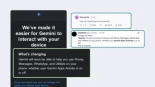
A qué puede acceder Gemini en tu teléfono Android Gmail: Gemini puede recuperar o resumir tus correos electrónicos o responder a preguntas. Esto puede incluir información privada como solicitudes de empleo, facturas o mensajes personales. Google Calendar: Gemini AI puede crear, editar o eliminar eventos del calendario e incluso extraer datos de imágenes para crear otros nuevos. Esto invade tu privacidad, ya que tu calendario contiene información sensible como citas médicas, sesiones de terapia y tus reuniones más privadas.
etiquetas: desactivar, gemini, android, gmail, chrome, fotos, apps, acceso, datos
» noticia original (tuta.com)

El síndic de Compromís, Joan Baldoví, denunció que Camps expresidente y pretendiente del PP a la Generalitat había gastado 15.000 euros en combustible para su coche oficial en un solo año. Pérez Llorca ha anunciado una investigación al respecto.
etiquetas: camps, gasolina, gasto, pp
» noticia original (www.lasexta.com)

Las reivindicaciones patrimoniales se incrementan un 30% tras la plaga de socavones en la ciudad. El Ayuntamiento desestima la inmensa mayoría de las reclamaciones o sólo paga el 50%.
etiquetas: ayuntamientos, asfalta que asfalten, condiciones leoninas
» noticia original (www.diariodeleon.es)

El estudio "The Geography of Science" publicado por National Bureau of Economic Research (NBER) en abril de 2026. Este informe documenta que la cuota de publicaciones de EEUU en revistas de primer nivel cayó del 40% en 1980 al 15% en 2022, mientras que la de China subió de casi cero al 32% en el mismo periodo. China lidera en química, física, ingeniería y ciencia de materiales donde investigadores chinos producen más del 60% de las publicaciones consideradas "rupturistas". EEUU en medicina clínica, biomedicina y ciencias de la salud con 37% de
etiquetas: geoestrategia, consumo, energía, educación, investigación
» noticia original (www.nber.org)
Donald Trump amenazó el lunes con encontrar y encarcelar al periodista que informó por primera vez de que un soldado estadounidense estaba esperando ser rescatado después de que su avión fuera derribado en Irán la semana pasada, a menos que ese periodista revelara su fuente. Hablando desde la Casa Blanca, Trump dijo que una “filtración” informó a un periodista no identificado de que, mientras que un piloto había sido rescatado poco después de que un caza F-15 se estrellara en Irán el viernes, un segundo oficial aún no había sido localizado.
etiquetas: leak, fuente, encarcelar, periodista, rescate, iran, tripulación
» noticia original (www.politico.com)
“Creemos que podremos averiguarlo porque vamos a acudir a la empresa de medios que lo publicó y les vamos a decir: ‘Seguridad nacional: entréguenlo o irán a la cárcel’”, dijo el presidente.


