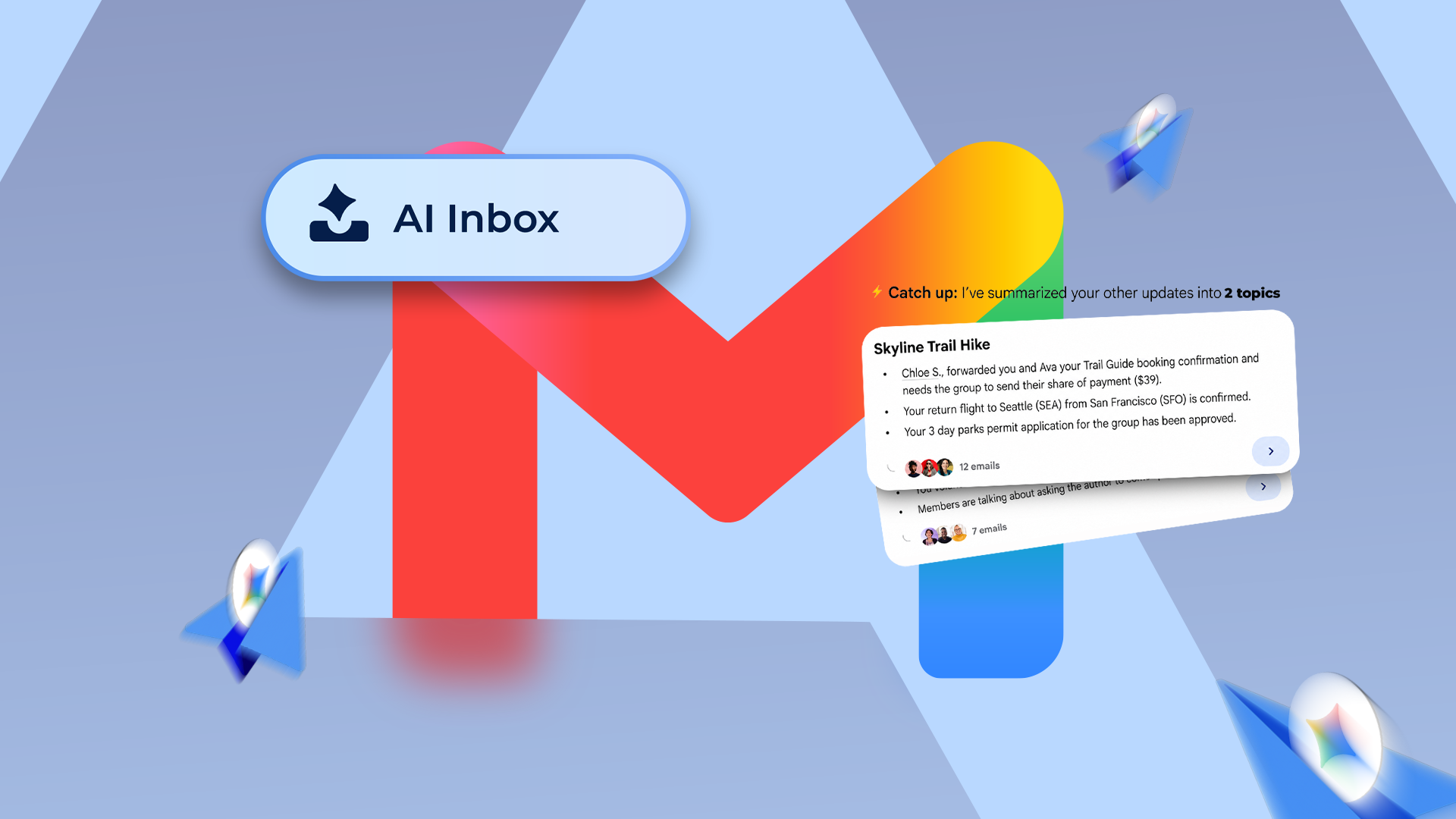
I had the complaint half-written before I even used this feature.
Ptwpool
Shared posts
09 Jul 22:24
The Gmail AI Inbox I dreaded turned into the best email change I've had in years
by Ben Khalesi
07 Jan 18:25
Court orders Samsung to stop “spying” on Texans through its TVs
by Adnan Farooqui
Texas Attorney General Ken Paxton had filed lawsuits against Samsung and other TV manufacturers last month, alleging that they're spying on Texas residents through their TVs.
A preliminary relief has been granted, as a Temporary Restraining Order has been granted by the District Court, which stops Samsung from doing what it was doing.
Similar lawsuits also filed against other TV manufacturers
The Texas Attorney General has filed the lawsuits against Samsung, LG, Hisense, Sony, and TCL. It was claimed that these manufacturers were using a technology called Automated Content Recognition on their TVs to collect users' personal data.
The technology works by capturing screenshots of whatever's on the TV screen every 500 milliseconds, and then sending that information to their servers and partners without users' consent.
The Temporary Restraining Order now blocks Samsung and all relevant parties working with the company from continuing to use, sell, transfer, collect, or share Automated Content Recognition data on Texas consumers.
A similar order has also been passed against Hisense by the District Court, and will likely be passed against all TV manufacturers that the state has sued, as these are preliminary proceedings which have no bearing on the actual merits of the case.
There will now be a hearing on January 9 where both parties will provide evidence on whether a temporary injunction should be issued pending the final decision in this lawsuit which is likely going to take some time. This temporary order will expire on January 19 unless the court extends it
The post Court orders Samsung to stop “spying” on Texans through its TVs appeared first on SamMobile.
05 Jan 18:56
Gemini brings voice control to Google TV settings
by Matthew Mountjoy
Gemini on Google TVs has been a major upgrade over the now-retired Google Assistant, allowing users to ask Gemini more complex natural-language commands that suit the TV platform well. As an example, you could ask Gemini about the new medical drama that everyone has been talking about, or even find something to watch with two preferred categories (comedies and dramas, as an example) in mind. With that context aside, Google shared at CES 2026 that it is upgrading Gemini to be more useful for TVs and expanding it to more platforms.
21 Nov 14:24
I dropped these 5 habits — and Google Maps navigation instantly got faster
by Rahul Naskar
Google Maps is one of the few apps that has over 10 billion downloads on the Google Play Store.
18 Jun 18:29
HOKA ONE Men's Speedgoat 6 Sneaker (Various Size) only $99.00
by rss@edealinfo.com (edealinfo.com)
Super Hot ~ Lowest Ever

Get HOKA ONE Men's Speedgoat 6 Sneaker (Antique Olive/Squash) for only $99.00.
Compare: Amazon.com ($149.16) | Bass Pro Shops ($154.99) | Cabelas.com ($154.99) | Zappos.com ($155.00)
Tagged as: 1147791-AQL | 1147791AQL | 197634457611 | Footwear
Click here for complete deal detail and steps on how to get it.
Share this deal with your friend/family by sending them this URL: https://www.edealinfo.com/d/00197634457611/HOKA-ONE-Mens-Speedgoat-6-Sneaker
Get HOKA ONE Men's Speedgoat 6 Sneaker (Antique Olive/Squash) for only $99.00.
Compare: Amazon.com ($149.16) | Bass Pro Shops ($154.99) | Cabelas.com ($154.99) | Zappos.com ($155.00)
Tagged as: 1147791-AQL | 1147791AQL | 197634457611 | Footwear
Click here for complete deal detail and steps on how to get it.
Share this deal with your friend/family by sending them this URL: https://www.edealinfo.com/d/00197634457611/HOKA-ONE-Mens-Speedgoat-6-Sneaker
02 Jun 15:54
Buy Now
Galaxy Ring 2 is coming but don’t hold your breath for a 2025 release
by Mihai Matei
The first rumor of a Galaxy Ring sequel emerged from Korea last year, mere months after Samsung announced the original model. That rumor may have been too hopeful, citing a sooner-than-expected release.
Make no mistake. There are now signs that a Galaxy Ring 2 — or whatever Samsung decides to call it — is on its way. However, it may take longer for the Galaxy Ring 2 to reach the market, and the possibility of a 2025 release seems unlikely.
GalaxyClub reports that Samsung has only recently begun working on the Galaxy Ring 2. For now, technical details are missing, but that's mainly because the Ring 2 is still in an early stage of development.
Considering this, it's fairly safe to assume that the Galaxy Ring 2 won't see the light of day this year. A launch alongside the Galaxy S26 series in 2026, or after the Galaxy S26 debuts, seems more feasible.
We expect more than just a new color scheme
Samsung released a limited-edition two-tone Galaxy Ring in Korea last month, but that's hardly a sequel. It was only a special color scheme for the original Galaxy Ring, meant to celebrate the launch of the Galaxy S25 Edge ultra-thin smartphone.
On the one hand, we expect more than a color change from the Galaxy Ring 2. Perhaps nothing as ambitious as a self-adjustable design, but more, nevertheless.
On the other hand, the Galaxy Ring 2 probably won't represent a massive departure from the original model. The Galaxy Ring is a tiny smart device with few opportunities for enhancements after only one or two years.
However, the overall design could improve. Upon release, the Galaxy Ring 2 could be slimmer and more energy efficient. Besides, through further AI improvements, there is a possibility that the Galaxy Ring 2 will offer better or more Samsung Health features.
Once again, specs are unknown at present, but work on the device has begun. If you don't want to wait for the sequel, the original Galaxy Ring is still on sale in most markets and arguably remains the best smart ring for Samsung fans and Galaxy phone users. You can buy it in one of three color options and eleven sizes.
Browse Galaxy Ring offers at your local Samsung e-shop
The post Galaxy Ring 2 is coming but don’t hold your breath for a 2025 release appeared first on SamMobile.
27 Mar 17:38
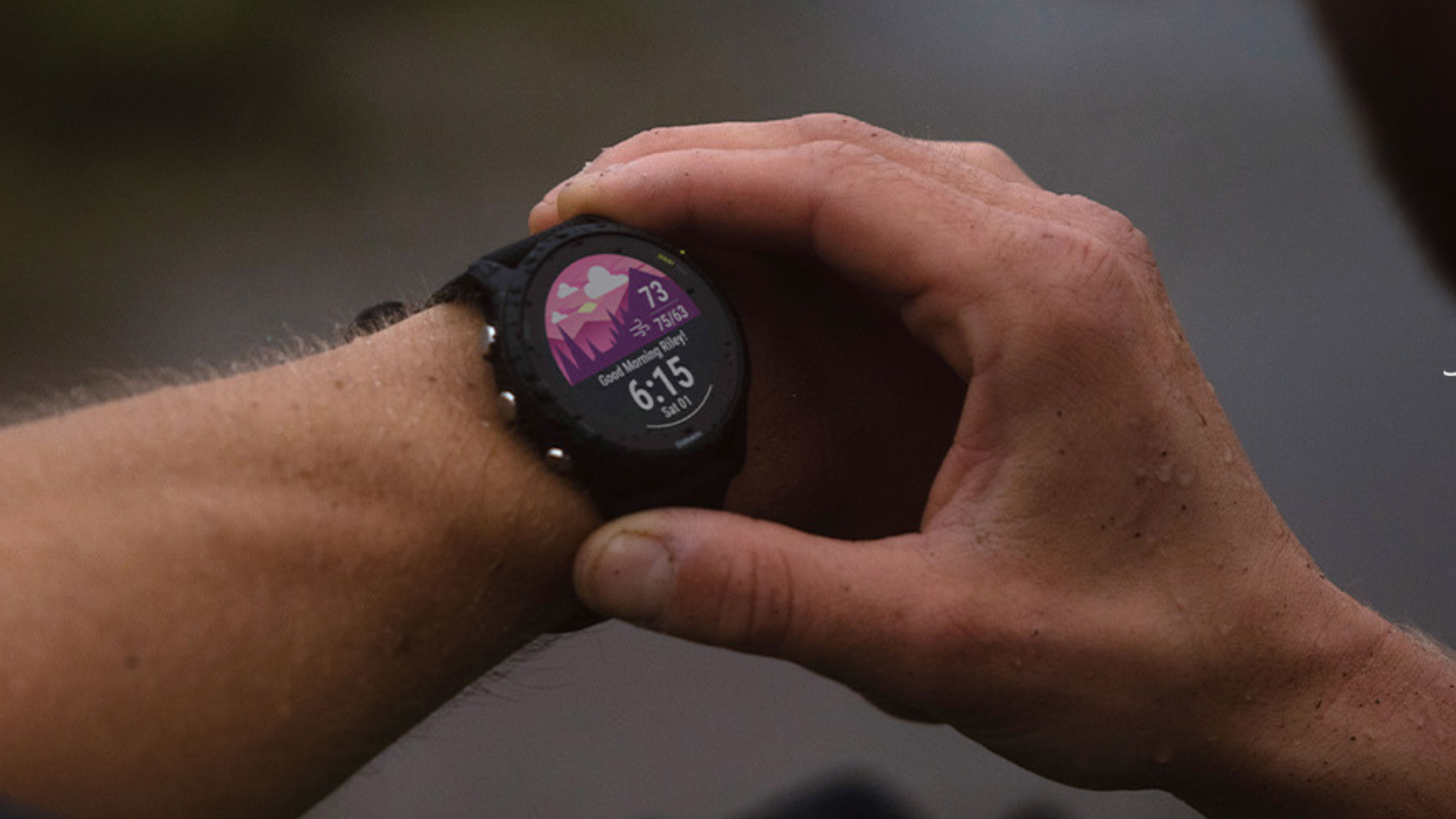
Garmin Connect just got a lot more powerful, but only if you're willing to pay
by Sanuj Bhatia
Garmin makes some of the best smartwatches on the market, especially if you're focused on fitness tracking. Unlike other fitness-focused brands (looking at you, Oura), Garmin doesn't charge a subscription to use its devices. But that's (sort of) changing now. Garmin has announced a new Connect+ premium plan that introduces AI-powered features, advanced dashboards, and more, to its existing Connect app.
25 Mar 13:37
Gemini can now answer your Google Maps questions
by Nathan Drescher
Google's newest Gemini feature ties directly into Google Maps. It gives users the ability to ask contextual questions about specific places, such as "Does this store carry milk?"
12 Jun 12:26
New King Charles Portrait ‘Vandalized’ By Animal Rights Activists
by Brooke Mallory
On Tuesday, while it was on show at a gallery in London, a new painting of King Charles III was quickly "defaced" by animal rights activists.
23 May 13:36
NAACP issues warning against visiting Florida over ‘hostile’ DeSantis-led policies
by Brooke Mallory
Just days before Governor Ron DeSantis is anticipated to declare his candidacy for president, the National Association for the Advancement of Colored People (NAACP) released a travel advisory warning vacation-goers against visiting Florida to protest the governor's policies, which the civil rights group claims are "hostile to Black Americans."
25 Nov 23:21

Smartphone Sales Declined Again in Q3
by Paul Thurrott
Smartphone makers sold 360 million units in the third quarter of 2020, a decline of 3.6 percent compared to the 373.7 million sold in the year-ago quarter.
The post Smartphone Sales Declined Again in Q3 appeared first on Thurrott.com.
21 Jun 17:56
TiVo Takes It To The Edge With Upcoming DVR
by Dave Zatz
TiVo is seemingly taking it to the very edge of the retail CableCARD viability with new hardware discovered by Variety. Of course, there was always going to be a new”Series 7″ DVR (faster, cheaper) for the cable industry and Arris is an obvious partner given TiVo’s desire to delegate hardware manufacturing and prior initiatives with the ... Read more
The post TiVo Takes It To The Edge With Upcoming DVR appeared first on Zatz Not Funny!.
11 Sep 16:38
 As a former sales and marketing guy, I am more than familiar with spreadsheets as a not-so-good tool for managing the avalanche of data generated by the front office, even before the big data craze. Name a department or function in business and it's easy to find people using spreadsheets to manage it. Consider this list: financial reporting, revenue management, professional services automation, human capital management, compensation management, contract management, order fulfillment, CPQ, inventory management, supplier management -- and more.
The Tyranny of Spreadsheets
by Denis Pombriant
As a former sales and marketing guy, I am more than familiar with spreadsheets as a not-so-good tool for managing the avalanche of data generated by the front office, even before the big data craze. Name a department or function in business and it's easy to find people using spreadsheets to manage it. Consider this list: financial reporting, revenue management, professional services automation, human capital management, compensation management, contract management, order fulfillment, CPQ, inventory management, supplier management -- and more.
24 Sep 14:27
 It’s that time of year again. When students start their college journeys, or return for another academic year. And the last thing any student wants to be worrying about is cyber security. Here’s our top tips, so you can check them off your list and get on to the good stuff this semester. And don’t forget to snag your free 6 months of LastPass Premium with our education promotion: https://lastpass.com/edu
Cybersecurity Tips for College Students
by Amber Gott

Lock that computer - and your phone.
Have you secured your devices, both physically and digitally? Most devices come with an auto-lock feature, requiring that you re-enter your password or pin code (avoid birthdays or other personal information). Also physically lock down your computer by investing in a cable lock, which allows you to secure it to a desk, reducing the chances of theft.Avoid sharing too much.
Keeping your friends updated and sharing memories via social media may seem like second nature these days. But what you share could tell someone too much - such as indicating when you’re not at home, making you a target for burglary. Be sure you’ve set the appropriate privacy settings on your accounts, and be mindful of the data points you share.Secure your email.
Your email account will be the hub of your college experience. Think of all the sites and services you use that email address for, and the network you’ll build with it. Never share your email password with anyone - and we mean anyone, including close friends. Use a unique password, and if it’s available, enable multifactor authentication for your email account.Generate & protect your passwords.
Speaking of passwords, ensure that all of your passwords are strong, unique, and known only to you, by using a password manager like LastPass. LastPass helps centralize the management of your passwords to one easy-to-use vault. It will also help you generate a mean-looking password when signing up for a new account. It’s free - and you’ll be surprised how many accounts you’ll accumulate over the years, so start now.Keep software up to date.
Shutting down your browsers, and your computer itself, will initiate most automatic updates for your computer. But those annoying pop ups and messages from your task bar? We recommend responding to them when they appear. The updates include important fixes and improvements - sometimes addressing serious security issues, so don’t put off responding to them.Limit your activities on open WiFi.
Free WiFi is your lifeblood in college. Even if your campus’ network itself may be password-protected, you never know who’s on the network with you. Limit your access to sensitive accounts (such as banking) when you’re on these networks. Consider using a VPN when you’re using open WiFi as well, which will allow you to surf anonymously and lock down your connection.Prepare for loss.
Although we’re all about being proactive and managing risk, sometimes bad things happen. The best thing you can do is prepare for that loss - of your computer, your smartphone, any of your gadgets. Backup your documents and photos on a regular basis. Look into installing software that lets you remotely access your computer or phone, so you can wipe it if needed. Also look into software that lets you track your lost device, so you have a greater chance of recovering it.To recap what we’ve covered, here’s your full checklist:
- Set your computer to auto-lock.
- Set your smartphone’s pin code.
- Invest in a cable lock.
- Err on the side of caution when sharing online.
- Set appropriate privacy options, so you’re only sharing with friends.
- Use a strong password for your email account.
- Don’t share your email login with anyone.
- Look into security features available for your email account.
- Use a password manager like LastPass to manage your accounts.
- Generate unique passwords to avoid password reuse.
- Respond to all prompts to update your software.
- Restart your computer occasionally to ensure updates are completed.
- Use a VPN if you need to access personal accounts on open WiFi.
- Be mindful of the connection you’re using and what you’re doing on that connection.
- Install tracking software on your computer and smartphone.
- Enable remote wiping of your device, if possible.
- Back up everything to an external hard drive, regularly.
09 Sep 23:55


Commercial Break Comes to Android, Adds New Features
by Wade Keye
If you’re watching live TV, a commercial break is a great time to take care of brief tasks. Once the ads start, you’ve got a couple of minutes to shoot off an email, take out the trash or (let’s be honest here) grab another beer and some chips. But you always run the risk of taking too long and missing bits of your favorite show. For those times, Commercial Break has your back.
Commercial Break syncs with the TV broadcasts and sends you a push notification when the commercials are ending and your program is coming back on. You just let the app know what you’re watching and it does the rest.
Commercial Break’s beta launch netted the startup a lot of feedback and topping the list were the desire for an Android version of the app and more functionality for sports and live events. Not only is Commercial Break out now for Android, its new “Live Events” feature lets you follow multiple upcoming live broadcasts (awards shows and such as well as sports) and get push notifications before they start and when they’re returning from commercials. The Commercial Break app is now available on both Google Play and the iTunes store and it supports the majority of nationally televised pro and college football games, as well as the upcoming MLB playoffs.
The full press release follows below:
Commercial Break Launches ‘Live Events’ to Help
Sports Fans Break Free from CommercialsNew feature lets sports fans “follow” events in advance for automatic
alerts when commercial breaks end; available for majority of nationally
televised football and baseball games this season.NEW YORK, NY (PR WEB), SEPTEMBER 9, 2013 – Commercial Break, the app that alerts
viewers in real time the moment their TV program returns from commercials, today announces
the release of its “Live Events” feature, enabling iOS and Android users to “follow” an upcoming
event in advance and receive a reminder before it starts. Commercial Break will automatically
monitor the event for commercial breaks and stop when the event is over.
Commercial Break, which will support the majority of nationally televised NFL, MLB and NCAA
Football games in the 2013/2014 season (in accordance with network blackout rules), today also
announces its expansion to the Android™ operating system. The mobile app previously launched
a public beta for the iPhone ® in July.
Commercial Break’s “Live Events” feature enables sports fans to get instant alerts every time a
game that they are following returns from commercials. Fans who watch multiple games
simultaneously can therefore know when the action on another channel comes back from
commercials, so they don’t miss any critical moments from their favorite team or actionpacked
game.
“Ideally, every fan would have a wall of TVs tuned in to every game,” said Commercial Break
CoFounder and CEO Haim Kairy. “But since that is not a reality for most people, Commercial
Break helps sports fans get the most out of their cable package by allowing them to spend less
time watching commercials and more time watching premium live action.”
In addition to iOS, Commercial Break is now available for Android free of charge. Commercial
Break’s unique algorithms identify the end of commercial breaks by analyzing dozens of cues
from audio and video signals, 40 times per second, through Digital Signal Processing (DSP).About Commercial Break
Developed by Israeli startup veterans Haim Kairy and Eli BenDavid, the Commercial Break
mobile app delivers automatic, realtime alerts the moment a TV program comes back from
commercials. The app is currently available free of charge on Apple’s App Store and Google
Play. To start taking back your commercial breaks, visit www.CommercialBreak.com.
Android and Google Play are a trademark of Google Inc.
iPhone is a registered trademark of Apple Inc.
IOS is a trademark or registered trademark of Cisco in the U.S. and other countries and is used
under license.
[Via: Commercial Break]
The post Commercial Break Comes to Android, Adds New Features appeared first on IntoMobile.
Commercial Break Comes to Android, Adds New Features originally appeared on IntoMobile.com on 2013-09-09T22:55:51Z. FV1gMYsz9b5j
No more posts. Check out what's trending.