By @Klkautsky https://twitter.com/Klkautsky/status/882950032135258112 http://bit.ly/2tvr3Ym
Chromebooks are blurring the line between desktop and mobile with the launch of Google Play store on Chromebooks. Our latest Chromebooks were built from the ground up with this technology. But until now, it wasn’t possible to appreciate the full range of experiences Android Apps can offer.
After extensive user research and market analysis, we’re excited to introduce a line of mobile accessories for Chromebooks. We’ve thoughtfully adapted your favorites to capitalize on larger screens and convertible form factors. Here’s a sneak peek at a few highlights: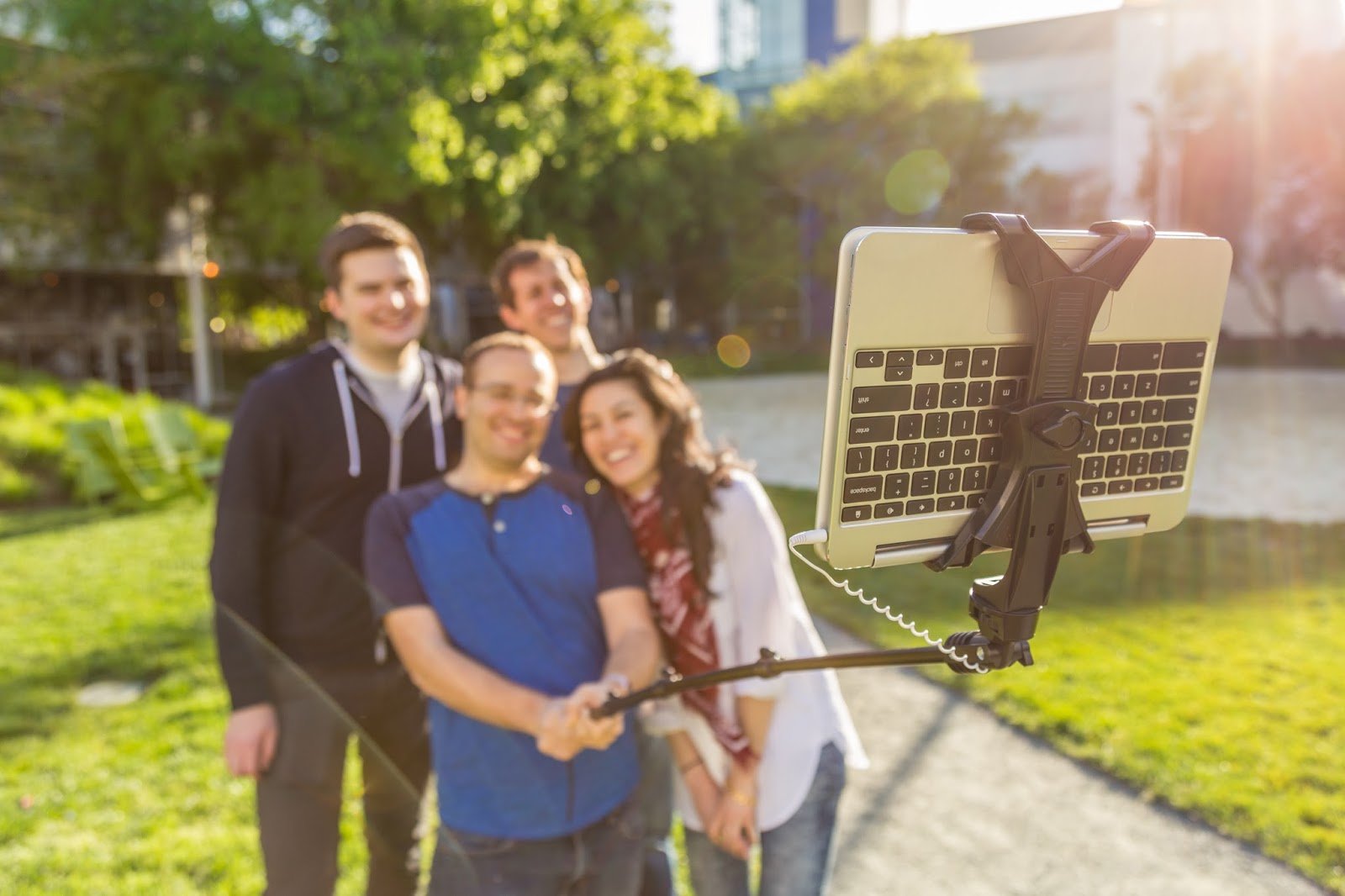
For mobile photography lovers, nothing beats a selfie stick for the perfect shot. But on a tiny phone display, it’s sometimes hard to fit the whole group. To take advantage of beautiful, high-resolution displays, as well as great photo editing apps, we’ve carefully engineered the first Chromebook-sized selfie stick. Never again will you miss the perfect groupie.
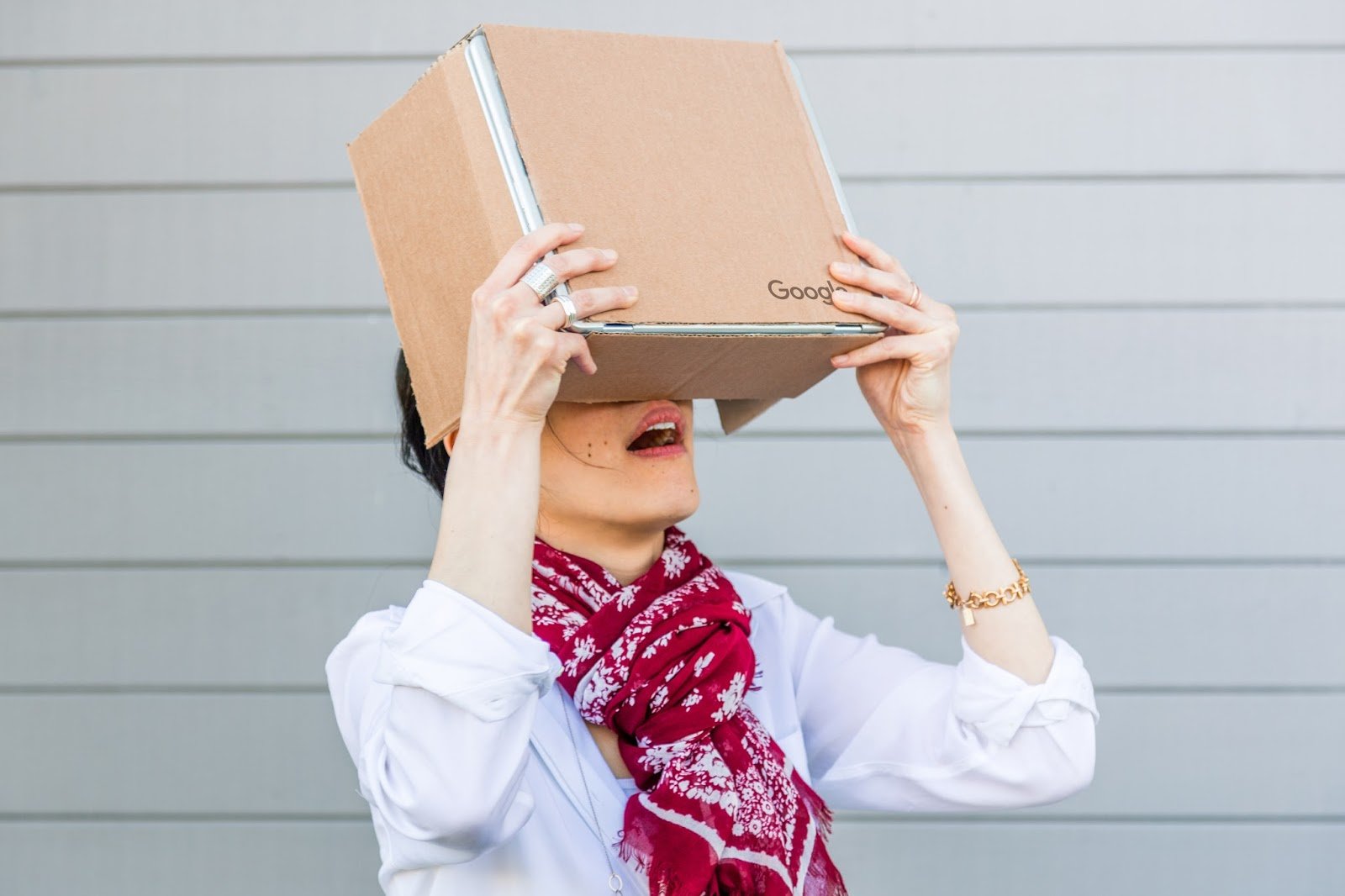
In collaboration with the Cardboard team, we’re bringing you a new, immersive VR accessory—Cardboard for Chromebooks. Just as affordable and just as mobile, this new version of Cardboard is your gateway to larger-than-life experiences wherever you go. Stay tuned for all the specs so you can turn any large appliance or pizza box into your own Cardboard device.

For the dedicated athlete, we’re introducing the Chromebook Workout Armband for all your fitness needs. Giant media buttons make it easier than ever to skip songs without taking a pause, and music apps let you take your music offline wherever you go. Whether you’re out for a run or in the gym, this armband allows you to really go big with your workout.
Keep an eye on the Google Store for these products and more. The next generation of Chromebooks is here, and we can’t wait to bring you all the accessories to make them the ultimate mobile devices.
Update: April Fools! These accessories aren't real, although we're always working on new ways to make Chromebooks more useful on the go. 😉

Pedromelenasjajajaja

Java y JRE nos permite ejecutar en nuestro Mac diferentes programas que utilizan este sistema así como scripts en el navegador. Actualmente la mayoría de servicios ya no hacen uso de Java y para muchos es un incordio seguir manteniendo la herramienta en el sistema. Pero el mayor problema de todos es la poca seguridad que tiene Java y JRE, no como herramientas, sino porque ofrecen la posibilidad al malware de ejecutarse fácilmente, ya que no realmente, el malware trabaja con scripts en Java.
Desinstalar Java y JRE no es tan sencillo como instalarlo. No ofrece un desintalador ni tampoco es tan fácil como arrastrar la herramienta a la papelera de reciclaje, como ocurre con otras apps. Para desinstalar Java se requiere de buscar todos los archivos uno a uno y eliminarlos. Afortunadamente se puede hacer de forma sencilla accediendo a diversas partes del Finder.

Con esto habrás eliminado Java por completo de tu ordenador Mac. ¿Significa esto que ya estás 100% seguro de la entrada y ejecución de malware en tu sistema? Desde luego que no, pero evitarás que mucho software malicioso se ejecute en tu ordenador. Posiblemente alguna página te requiera a partir de ahora instalar Java en tu ordenador para ejecutarse, pero son casos muy aislados. En todo caso, las ventajas de desintalar la herramienta son mayores que las de tenerla instalada.
Más información | Oracle
Cómo saber si estamos infectados por Flashback y cómo eliminarlo [Actualizado]
Oracle proporcionará directamente las actualizaciones de Java a los usuarios de OS X
-
La noticia
Cómo desinstalar y eliminar Java por completo de macOS para mejorar la seguridad de tu equipo
fue publicada originalmente en
Applesfera
por
Cristian Rus
.
Pedromelenasputos gatos
 Hey, good morning! You look fabulous.
As this week wraps up we're getting you ready for E3, and digging into Boston Dynamics' new owner. Plus: A peek inside the new iMac.
Hey, good morning! You look fabulous.
As this week wraps up we're getting you ready for E3, and digging into Boston Dynamics' new owner. Plus: A peek inside the new iMac.