The newest Pete Holmes comedy video poses a question we've all thought about: what if Mario were more realistic? The answer is gruesome and tragic. R.I.P.

The newest Pete Holmes comedy video poses a question we've all thought about: what if Mario were more realistic? The answer is gruesome and tragic. R.I.P.

The WWE is reporting that The Ultimate Warrior (born James Brian Hellwig), has passed away at the age of 54. Just days ago, he was present at Wrestlemania 30.

Gather round the digital fire, everyone. It is time for a fascinating and educational PlayStation history lesson. Don't worry, this won't take long.

    
|
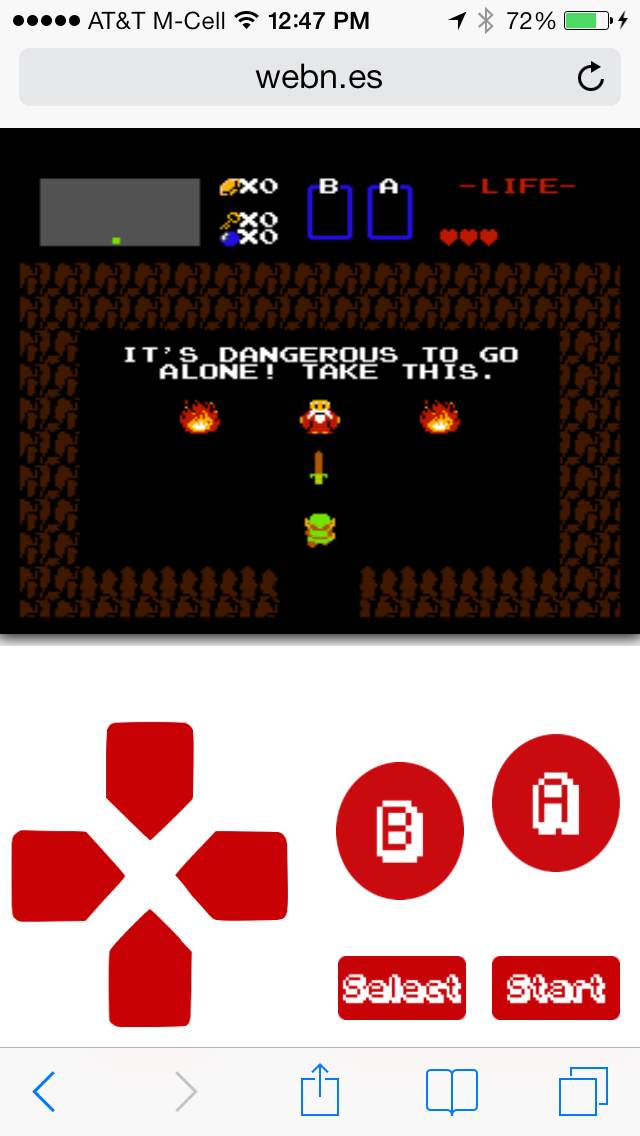 If you want to run emulators on your iPhone (or iPad), you've basically got two options: Use this crazy workaround which involves rolling the date of your device back to 2012 and installing old, previously signed emulators. Alternatively, you can just bite the bullet and jailbreak and install any number of emulators that people are actively developing on Cydia. Well, as of this weekend there's a third option. Like the previous two solutions, the third isn't very ideal either, but if you want to play NES games on your iPhone, it's worth checking out.
Thanks to a new open source web app webNES, you can now play NES games on iOS devices without jailbreaking or installing anything. It runs a little slow, even on my iPhone 5s, and sound only works through headphones, but the fact remains: It works.
Here's what you need to do to play any NES ROM:
As you can see in the above screenshot, webNES can be played in portrait mode with virtual controls below the game. Alternatively, you can play in landscape mode with controls over the game itself. Considering NES games weren't at all made with the idea that 2/3 of the screen might be covered by your fingers, portrait is definitely the way to go.
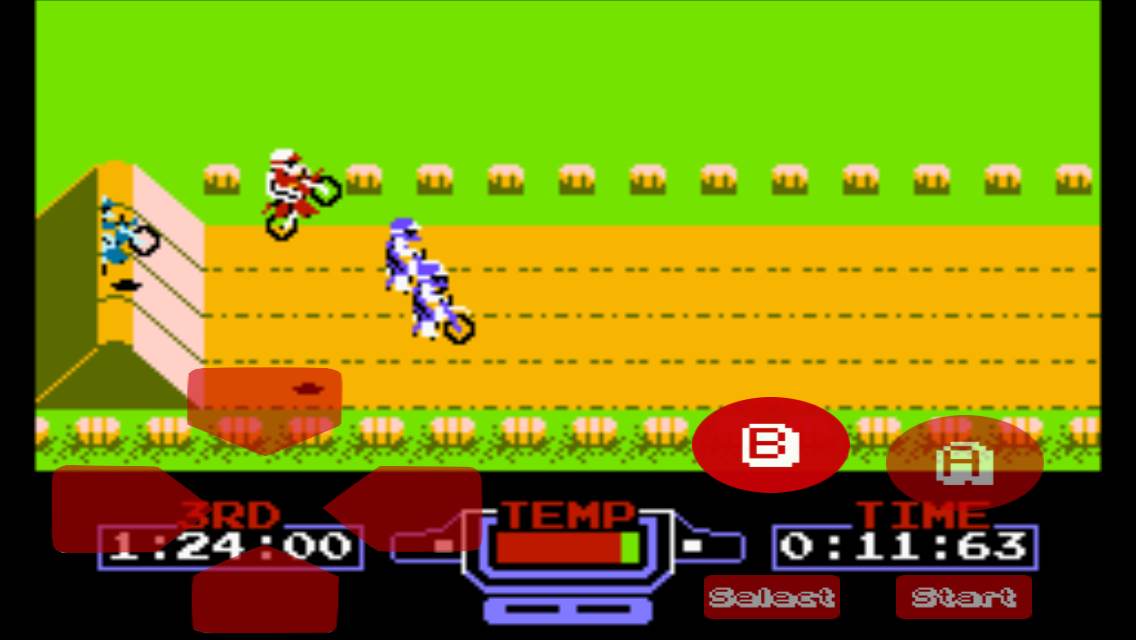
Even though webNES isn't an ideal solution for playing NES games, it has one massive benefit over the other ways to play emulated games on iOS devices: It doesn't require jailbreaking, and running in the browser it can never be removed from the App Store by Apple like the previous emulators that have sneaked through the approval process. Also, being an open source project available on github, chances are it'll only get better as it gets more popular and more people get involved in the project.

Unter den bald 90.000 Backern von Tim Schafers jüngst für selbige veröffentlichten Adventure Broken Age (GG-Test) dürfte sich ein nicht unerheblicher Teil von Genre-Anhängern befinden, die Spiele bereits in der 8-bit-Ära erlebt haben und den Pixellook etwa eines Gemini Rue wohl gerade deshal

Immer wieder taucht mal ein Nerf-Blaster in den Medien auf: Terra Nova, Stromberg und eine Kaugummi-Werbung, um mal ein paar Beispiele zu nennen. Jetzt strahlt uns eine schicke Longshot im Vodafone-Spot zur “Multitainment Box” an:
Warum Nintendo keine iOS-Spiele macht, schreibt Lukas Mathis hier. Damit ist diese Sommerloch-Diskussion (hoffentlich) beendet.
Passend zum Abschluss: Der Remote File Manager (0.89 €; universal; App-Store-Link), seit November 2012 im Download-Angebot, schummelt einen SNES-Emulator in Apples App Store.

Positiv: Die Roms spielen direkt aus der Dropbox. Negativ: Die App lädt SMC-Dateien nur temporär in den Speicher und kopiert diese nicht lokal auf das iPhone oder iPad. Savegames kennt der Emulator, der immerhin in der letzten Snes9x-Version mit iCade-Unterstützung vorliegt, deshalb nicht.
Update: Die ROMs werden lokal kopiert, können ohne Netzverbindung aber nicht aufgerufen werden. Savegames funktionieren nach weiteren Tests scheinbar doch.
(Danke, an alle Einsendungen!)


Im Noten-Vergleich zu Civilization 5: Brave New World führen wir Tests, Reviews, Wertungen oder wie auch immer von den folgenden deutschen Online-Spielemagazinen auf – unabhängig davon, dass einige davon auch Print-Angebote (früher nannte man das mal "Hefte") publizieren: 4Players, CBS (Computer Bild Spiele), Eurogamer.de (nicht .net), Gamona