More than a doc, Dropbox Paper is a flexible workspace that brings people and ideas together. While it’s a snap to get started, power users can get even more out of Paper using a few extra tools. Here are 10 hidden features we built for people who want to go beyond the basics.
Suppose you’ve created a long doc, but you’d like to draw your team’s attention to just a few key phrases. You can use keyboard shortcuts to highlight specific text and save time (cmd-E on Mac, cntrl-E on Windows).

Need to add a link? Just paste a URL directly over text, and Paper will automatically hyperlink the words…no need to complete a form or click to insert.

Creating a master doc as a hub for other docs? Type + at any time to create new docs on the fly. Already made the related docs? Type +, then search for the title of an existing doc to link to it.

Who says word count is the only stat that matters? Click the three dots in the upper right, select word count, then see the number of emoji in the doc. (You can check total words, selected words, and characters too.)

Maybe you know Kate sent you a few docs, but you’re having trouble finding them. Type Kate’s email in Paper’s search bar to find all publicly viewable docs associated with her.

Have a screenshot or other image on your clipboard? No need to find the file or even drag and drop. You can simply paste (command-v on Mac, control-v on PC) right into a Paper doc, then see the whole image.

Have the images you need, but want to play around with how things look? Drag and drop any image, and Paper will smartly snap everything into place.

Maybe you want to start a fresh doc on v3 of an upcoming press release, but your team still wants context on who wrote what. Simply copy the text, paste into a new doc, and Paper will keep all the same attributions in the left-hand margin.

Trying to navigate a giant design doc with dozens of sections and sub-headings? You can always check the table of contents by hovering your mouse on the left side of the doc. It’s automatically generated and based on your text formatting. Jump to any section with one click.

Want to share more information across the company? Start by sharing a folder with your whole organization, then add docs—each will automatically be discoverable for all employees. Your co-workers can add docs too, helping your team quickly crowd-source an internal knowledge base.





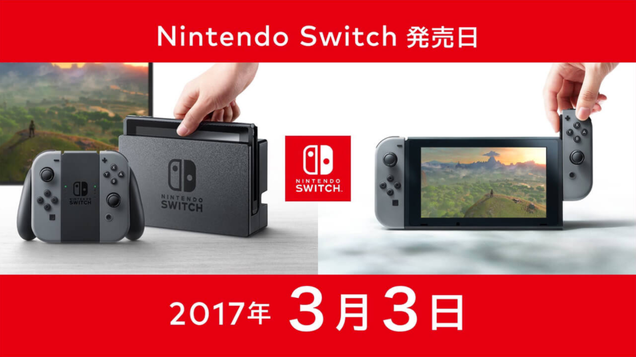
 ... und finden eine "versteckte Botschaft"
Deutet Nintendo mit einem Schriftzug eine engere Verbindung zwischen dem ersten The Legend of Zelda und Breath of the Wild an?
... und finden eine "versteckte Botschaft"
Deutet Nintendo mit einem Schriftzug eine engere Verbindung zwischen dem ersten The Legend of Zelda und Breath of the Wild an?