Wonder Dynamics made a strong opening play in AI-enhanced visual effects, providing tools animators and filmmakers actually find useful — and earning the startup a prompt acquisition by Autodesk. Their latest tool further automates the animation process, letting you put in practically any video and get a fully editable 3D scene, characters and all. The […]
Even in the advanced world of 2024, robots are still better in science fiction than in reality. Star Trek gave us the erudite and refined Data, Rogue One gave us the fierce yet funny K-2SO, and Big Hero 6 gave us the caring charmer named Baymax. All these robots had smarts, capability, and agency. More than that, though—they were faithful(ish) companions to humans, fulfilling what that role entails.
The thing is, we’re not gonna get robots like that unless somebody builds them. [Angela Sheehan] is a artist and an educator, and a maker—and she’s trying to create exactly that. She came down to the 2023 Hackaday Supercon to tell us all about her efforts to create cuddly companion bots for real.
Beep Boop
You might remember Angela from her 2019 Supercon costume—she showed up dressed as a color-changing fairy. In fact, she has dabbled in all kinds of fields, which has given her a broad skillset applicable to creating companion bots. She’s done lots of costuming and cosplay over the years, she’s worked in product design, and she brands herself a bit of a fashion hacker. These skills might not be particularly relevant to building a high-speed industrial robot arm to perform 2000 welds an hour. However, they come in absolute clutch when you’re trying to build a robot that acts as a soft, cuddly companion. She notes that she was inspired to create her own companion bots by the work of others formerly showcased by Hackaday—you might remember work in this field from Alex Glow and Jorvon Moss.
That’s Nova, right there!
Angela’s talk soon tackles the elephant in the room—from the drop, you’ve probably been wondering about the cute critter perched on her shoulder. The long-tailed creature is named Nova, and she’s remarkably friendly and soothing once you get to know her.
Development took some time, with Angela doing lots of research and development to create the Nova we see today. “I actually did a lot of the prototyping and field testing for this bot in the library makerspace that I work at,” she explains. “It was great to see people who don’t know the inside and out of technology interact with [Nova] and I could pinpoint the moment that she became alive to people.” The bot got quite a response, transcending the level of basic machine to something a little more. “People wanted to come in and visit her and pet her,” says Angela. “That was such a powerful moment… that happened as soon as I started putting a face on her.” Angela doesn’t just tell the tale—during the talk, she passes Nova to the audience so they can interact with her up close. She explains that this is something that she does regularly—and we get to see photos of the lovely interactions Nova has had with dozens of smiling, happy people.
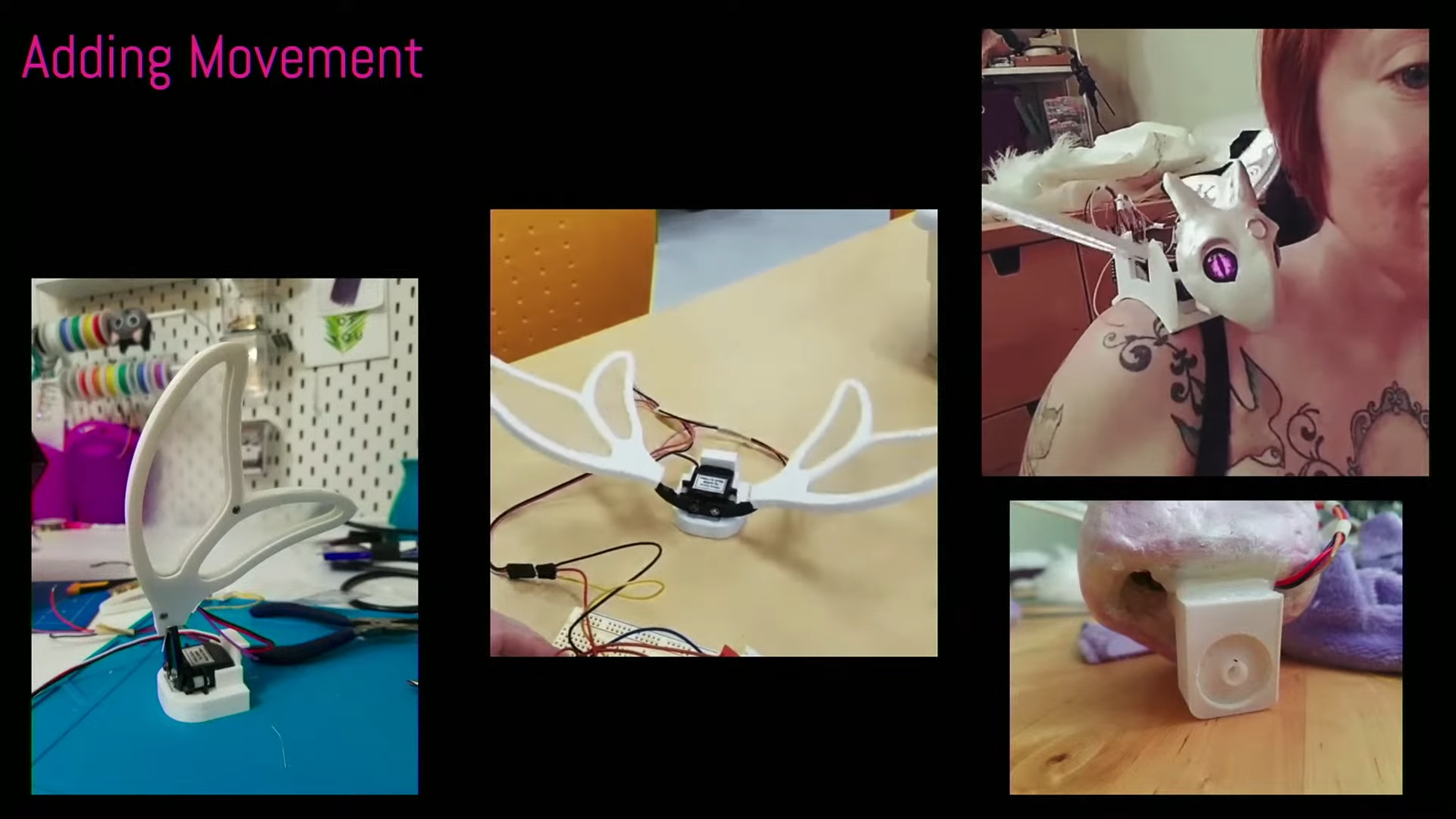
[Angela] covers some of the tools and techniques she used to develop her robot companion. At times, she looked to commercial products to figure out how to make something that’s properly cuddleable.Nova leverages Angela’s skills in sewing, 3D modelling, and 3D printing. She explains how components like Nova’s wings were first drafted in Adobe Illustrator. From there, the structure was refined into actual models in Fusion 360, while a PCB was developed in Eagle for the lighting electronics.
The face, though, was perhaps most crucial—as is the case for any anthropomorphic character. She took inspiration from Toothless from How To Train Your Dragon, using a stuffed toy as reference. Initial attempts weren’t particularly satisfying though, so she learned 3D sculpting for a further attempt in clay. Feedback from Twitter helped her develop the face further into the Nova we see today. The eyes were sourced from an Etsy supplier specializing in doll eyes. Angela notes there’s some magic there—when backlit with LEDs, switching them on and off can create a really believable blink pattern that feels super realistic. “What are those elements that make it feel alive?” Angela muses. “There are just little pieces of the psychology of it that you can dial into and you can make something that feels very alive.”
Part of the development process was figuring out how to make the eyes and movements feel natural—like a living creature rather than a pile of electronics, motors, and lights.
The talk then covers the rest of the design that helps create the “illusion of life.” Angela explains using servos and a robot gripper mechanism to flap the wings, and dialing in the motion so it felt as authentic as possible. She also covers robustness, designing “cuddle-worthy” bodies, and the value of designing for modularity. There’s also a useful discussion about how to make these builds more accessible, including useful starting points like which microcontroller and code platforms are good to use.
Even better, we get a look into the companion bot community, and we learn about the emotional impact these robots can have. Sometimes that’s intentional, other times, it’s down to a happy accident. “There is an unintended effect with [Nova’s] servos, that it feels like a purr,” says Angela. “It’s very comforting right on your shoulder, and I was thinking maybe I should try and insulate it a little bit, but actually people love it.”
Nova puts smiles on faces wherever she goes. Angela is always letting people hold her and get to know her, and this kind of gleeful response is a common one.
Fundamentally, companion bots are a bit like virtual reality. We’ve seen a ton of products make big promises over the years, but we’ve never seen a killer app. However, as [Angela] demonstrates, it’s very possible to create something very real and very lovable if you pay attention to the right things. Perhaps it’s the personal touch that makes DIY companion bots so seemingly lifelike in a way that Furby never was.
In any case, if you’ve ever wanted a robot companion of your very own, there’s no reason you can’t start building your own. With maker skills, enthusiasm, and the will to succeed, you can create a fun and cuddly robot critter that has that magical spark of life.
Alphabet’s profit jumped 34 percent in the third quarter as the parent company of search giant Google reported strong growth in its cloud business amid robust demand for computing and data services used to train and run generative artificial intelligence models.
The solid results released on Tuesday helped alleviate investors’ fears about the financial returns on the vast sums being spent on AI by Alphabet and other Big Tech peers as they seek to dominate the nascent sector. The standout unit was Google Cloud, where revenue increased 35 percent to $11.4 billion and operating profit increased sevenfold to $1.9 billion from $266 million in the same period last year.
Net income was $26.3 billion compared with $19.7 billion in the same period a year earlier, exceeding analysts’ expectations for $22.8 billion. Revenue rose 15 percent to $88.3 billion in the three months through to the end of September, beating the average estimate for $86.3 billion.
Designing For Gen Z: Expectations And UX Guidelines
Designing For Gen Z: Expectations And UX Guidelines
Vitaly Friedman
Every generation is different in very unique ways, with different habits, views, standards, and expectations. So when designing for Gen Z, what do we need to keep in mind? Let’s take a closer look at Gen Z, how they use tech, and why it might be a good idea to ignore common design advice and do the opposite of what is usually recommended instead.
This article is part of our ongoing series on UX. You can find more details on design patterns and UX strategy in Smart Interface Design Patterns 🍣 — with live UX training coming up soon. Free preview.
Gen Z’s media usage differs from the generations before them. E.g., for some Gen Zs, the main search engine is YouTube, not Google. (Large preview)
Gen Z: Most Diverse And Most Inclusive
When we talk about Generation Z, we usually refer to people born between 1995 and 2010. Of course making universal statements about a cohort where some are adults in their late 20s and others are school students is at best ineffective and at worst wrong — yet there are some attributes that stand out compared to earlier generations.
Gen Z is the most diverse generation in terms of race, ethnicity, and identity. Research shows that young people today are caring and proactive, and far from being “slow, passive and mindless” as they are often described. In fact, they are willing to take a stand and break their habits if they deeply believe in a specific purpose and goal. Surely there are many distractions along that way, but the belief in fairness and sense of purpose has enormous value.
Their values reflect that: accessibility, inclusivity, sustainability, and work/life balance are top priorities for Gen Zs, and they value experiences, principles, and social stand over possessions.
What Gen Z Deeply Cares About
Gen Z grew up with technology, so unsurprisingly digital experiences are very familiar and understood by them. On the other hand, digital experiences are often suboptimal at best — slow, inaccessible, confusing, and frustrating. Plus, the web is filled with exaggerations and generic but fluffy statements. So it’s not a big revelation that Gen Zs are highly skeptical of brands and advertising by default (rightfully so!), and rely almost exclusively on social circles, influencers, and peers as main research channels.
A striking high-contrast colour palette with bold typography, with a clean straightforward design layout structure. From “Designing For Gen Z,” a case study by Clearleft. (Large preview)
They might sometimes struggle to spot what’s real and what’s not, but they are highly selective about their sources. They are always connected and used to following events live as they unfold, so unsurprisingly, Gen Z tends to have little patience.
And sure enough, Gen Z loves short-form content, but that doesn’t necessarily equate to a short attention span. Attention span is context-dependent, as documentaries and literature are among Gen Z’s favorites.
Designing For Gen Z
Most design advice on Gen Z focuses on producing “short form, snackable, bite-sized” content. That content is optimized for very short attention spans, TikTok-alike content consumption, and simplified to the core messaging. I would strongly encourage us to do the opposite.
We shouldn’t discount Gen Z as a generation with poor attention spans and urgent needs for instant gratification. Gen Zs have very strong beliefs and values, but they are also inherently curious and want to reshape the world. We can tell a damn good story. Captivate and engage. Make people think. Many Gen Zs are highly ambitious and motivated, and they want to be challenged and to succeed. So let’s support that. And to do that, we need to remain genuine and authentic.
Remain Genuine And Authentic
As Michelle Winchester noted, Gen Zs have very diverse perspectives and opinions, and they possess a discerning ability to detect disingenuous content. That’s also where mistrust towards AI comes into play, along with AI fatigue. As Nilay Patel mentioned on Ezra Klein Show, today when somebody says that something is “AI-generated”, usually it’s not a praise, but rather a testament how poor and untrustworthy it actually is.
Gen Z expects better. Hence brands that value sincerity, honesty, and authenticity are perceived as more trustworthy compared to brands that don’t have an opinion, don’t take a stand, don’t act for their beliefs and principles. For example, the “Keep Beauty Real” campaign by Dove (shown below) showcases the value of genuine human beauty, which is so often missed and so often exaggerated to extremes by AI.
So whenever you can, aim for the opposite of perfect. Say what you think and do what you promise. Reflect the real world with real people using real products, however imperfect they are. That’s how you build a strong relationship and trust with Gen Z.
Accessibility First
Because Gen Z are so incredibly diverse, their needs are extremely diverse and demanding as well. This doesn’t necessarily mean customization of features or adapting the layout entirely based on custom settings or preferences. But it does mean providing an accessible experience out of the box.
Simple things matter. High enough color contrast. Links that look like links. Buttons that look like buttons. Forms that are broken down into simple steps to follow. Diverse gender and identity options. Proper tab order. Keyboard accessibility. Reduced motion for people who opt in for reduced motion sickness. Dark mode and light mode.
It’s nothing groundbreaking really. Just basic things that help focus and get things done. In fact, accessibility is better for everyone — not just for Gen Z (who expect and demand it) but also for absolutely everybody around the world.
Mobile-Only, Not Mobile First
Many design mock-ups that we are creating today are typically designed and presented on large screens first. However, depending on your user base, a vast majority of users (and that’s especially true for Gen Zs), will use almost exclusively mobile devices to access your products and services. This surely will be different for enterprise software, but consumer products are much less likely to be used on desktop devices by younger Gen Zs.
Get into the habit of presenting your design mock-ups in mobile views only first. Help people read better. Content design has never been more important — especially when designing for mobile screens. Here are a few guidelines to keep in mind:
Avoid long walls of text → max. 50 words per paragraph.
Avoid long sentences → max. 20 words per sentence.
Write for mobile first: brief, clear, and concise.
Include a plain language summary, even for legal docs.
Use Inverted Pyramid: key insights first, details below.
Nothing is more effective than removing waste and fluff.
Ethics for Design shows subtitles by default in a dedicated space. In most environments, showing subtitles at the bottom of the screen would work better. (Large preview)
Gareth Ford Williams has put together a visual language of closed captions and has kindly provided a PDF cheatsheet that is commonly used by professional captioners. There are some generally established rules about captioning, and here are some that I found quite useful when working on captioning for my own video course:
Divide your sentences into two relatively equal parts like a pyramid (40ch per line for the top line, a bit less for the bottom line);
Always keep an average of 20 to 30 characters per second;
A sequence should only last between 1 and 8 seconds;
Always keep a person’s name or title together;
Do not break a line after conjunction;
Consider aligning multi-lined captions to the left.
On YouTube, users can select a font used for subtitles and choose between monospaced and proportional serif and sans-serif, casual, cursive, and small-caps. But perhaps, in addition to stylistic details, we could provide a careful selection of fonts to help audiences with different needs. This could include a dyslexic font or a hyper-legible font, for example.
Additionally, we could display presets for various high contrast options for subtitles. This gives users a faster selection, requiring less effort to configure just the right combination of colors and transparency. Still, it would be useful to provide more sophisticated options just in case users need them.
Support Intrinsic Motivation
On the other hand, in times of instant gratification with likes, reposts, and leaderboards, people often learn that a feeling of achievement comes from extrinsic signals, like reach or attention from other people. The more important it is to support intrinsic motivation.
As Paula Gomes noted, intrinsic motivation is characterized by engaging in behaviors just for their own sake. People do something because they enjoy it. It is when they care deeply for an activity and enjoy it without needing any external rewards or pressure to do it.
For Gen Z, authenticity matters — but also the feeling of relatedness, autonomy, and competence. Every person can only benefit from supported intrinsic motivation. (Large preview)
Typically this requires 3 components:
Competence involves the need to feel capable of achieving a desired outcome.
Autonomy is about the need to feel in control of your own actions, behaviors, and goals.
Relatedness reflects the need to feel a sense of belonging and attachment to other people.
In practical terms, that means setting people up for success. Preparing the knowledge and documents and skills they need ahead of time. Building knowledge up without necessarily rewarding them with points. It also means allowing people to have a strong sense of ownership of the decisions and the work they are doing. And adding collaborative goals that would require cooperation with team members and colleagues.
Encourage Critical Thinking
The younger people are, the more difficult it is to distinguish between what’s real and what isn’t. Whenever possible, show sources or at least explain where to find specific details that back up claims that you are making. Encourage people to make up their mind, and design content to support that — with scientific papers, trustworthy reviews, vetted feedback, and diverse opinions.
And: you don’t have to shy away from technical details. Don’t make them mandatory to read and understand, but make them accessible and available in case readers or viewers are interested.
In times where there is so much fake, exaggerated, dishonest, and AI-generated content, it might be just enough to be perceived as authentic, trustworthy, and attention-worthy by the highly selective and very demanding Gen Z.
Good Design Is For Everyone
I keep repeating myself like a broken record, but better accessibility is better for everyone. As you hopefully have noticed, many attributes and expectations that we see in Gen Z are beneficial for all other generations, too. It’s just good, honest, authentic design. And that’s the very heart of good UX.
What I haven’t mentioned is that Gen Z genuinely appreciates feedback and values platforms that listen to their opinions and make changes based on their feedback. So the best thing we can do, as designers, is to actively involve Gen Z in the design process. Designing with them, rather than designing for them.
And, most importantly: with Gen Z, perhaps for the first time ever, inclusion and accessibility is becoming a default expectation for all digital products. With it comes the sense of fairness, diversity, and respect. And, personally, I strongly believe that it’s a great thing — and a testament how remarkable Gen Zs actually are.
Wrapping Up
Large parts of Gen Z aren’t mobile-first, but mobile-only.
To some, the main search engine is YouTube, not Google.
Some don’t know and have never heard of Internet Explorer.
Trust only verified customer reviews, influencers, friends.
Used to follow events live as they unfold → little patience.
Sustainability, reuse, work/life balance are top priorities.
Prefer social login as the fastest authentication method.
Typically ignore or close cookie banners, without consent.
Rely on social proof, honest reviews/photos, authenticity.
Most likely generation to provide a referral to a product.
Typically turn on subtitles for videos by default.
I’ve just launched “How To Measure UX and Design Impact” 🚀 (8h), a new practical guide for UX leads to measure UX impact on business. Use the code 🎟 IMPACT to save 20% off today. And thank you for your kind and ongoing support, everyone! Jump to details.
Seeed Studio propose un nouveau produit très intéressant, le microscope portable OpenUC2 10x. Il s’agit d’une solution hautement adaptable qui combine une puce ESP-32-S3 pour l’analyse et un capteur OV2640 pour les images. Les deux reliés à une carte de développement XIAO et enfermés dans un robuste châssis métallique.
L’idée derrière ce OpenUC2 10x est non seulement d’avoir un microscope de terrain abordable, il est vendu 109$ HT, mais également une solution facile à manipuler et que l’on peut adapter à ses besoins. D’abord logiciellement puisque la partie code est confiée à une solution compatible Arduino et CircuitPython mais aussi matériellement avec la possibilité de modifier le projet et notamment choisir ses optiques.
Le OpenUC2 10x propose un examen d’échantillon sur lame, la lumière nécessaire pour la lecture est fournie par un éclairage externe comme une lampe de poche ou une LED, un petit bouton permet de régler la focale au micromètre et la vision de ce que vous cherchez à observer est ensuite transmis sans fil en Wi-Fi et en Bluetooth pour être lu sur un PC, une tablette ou un smartphone et sauvegardé.
La capture peut également être contrôlée de l’extérieur avec une application et un flux peut être créé, partagé avec plusieurs utilisateurs, en configurant le microscope en hotspot. Les données capturées peuvent également être sauvegardées sur une carte MicroSDXC et un timelapse de l’évolution de l’observation est configurable.
Le boitier mesure 15 cm de haut pour 10 cm de profondeur et 5 cm de large, il propose quelques GPIO pour d’éventuelles évolutions et peut accepter d’autres capteurs que le module X10 livré de base. Il est même possible d’intégrer des optiques proposant un autofocus. Cette compacité est liée à l’exploitation d’une optique en miroir qui permet de réduire largement la hauteur de l’ensemble. Le design modulaire ouvre de nombreuses possibilités d’amélioration et le firmware permet également de prendre en charge ces éventuelles modifications.
Réellement portable, le OpenUC2 10x peut être alimenté par une batterie externe en USB Type-C. Au delà du gadget amusant qui permet de jouer à observer avec un microscope – il existe des solutions plus accessibles pour cela en USB – ce projet est suffisamment puissant pour aller au delà. Il peut permettre des analyses poussées d’observations de la nature, d’échantillons et autres mais peut également rendre d’immenses services pour certaines populations. Pour analyser la contamination d’eau. Constater la présence ou l’absence de certains éléments dans le sol ou autres. C’est également un formidable outil d’examen et de partage avec sa fonction hotspot qui permettra à plusieurs utilisateurs de voir les éléments et d’en tirer des conclusions.
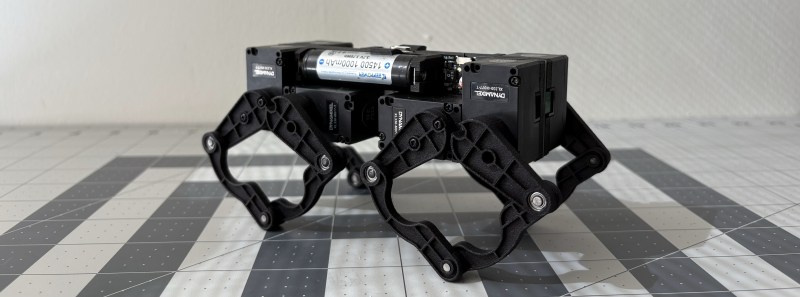
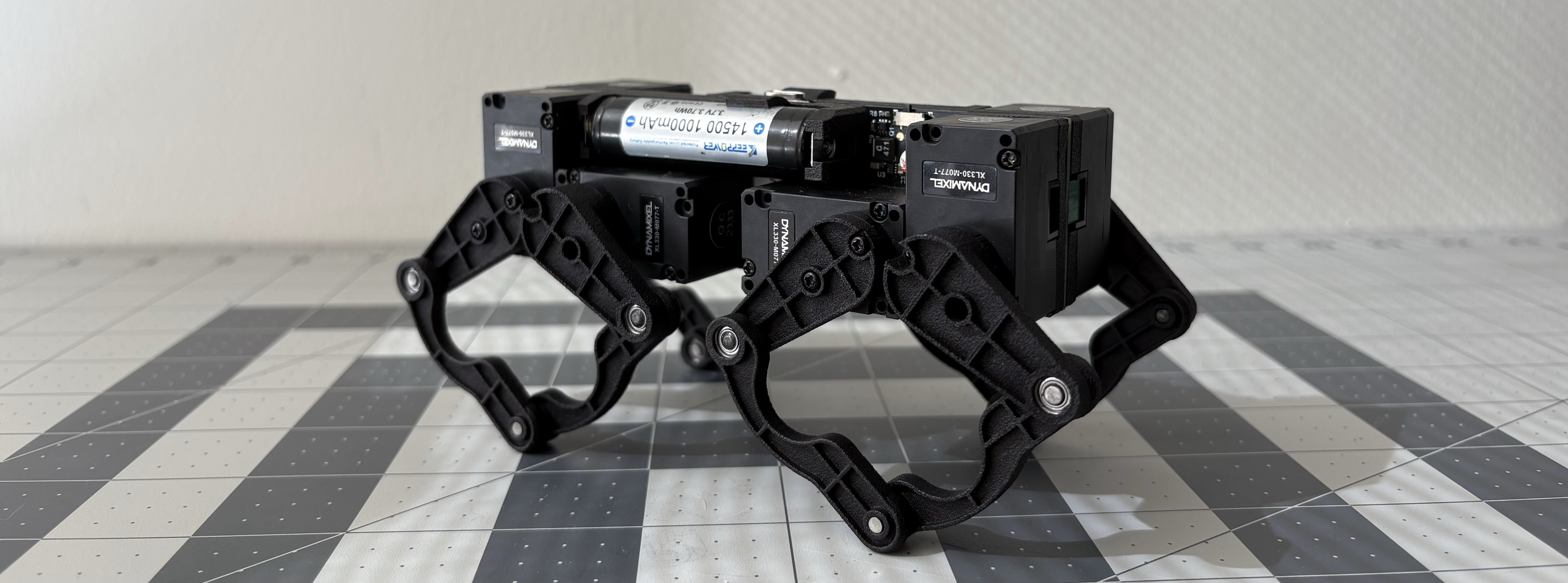
Dealing with all the wiring can quickly become a challenge on robots, especially the walking variety which have actuators everywhere. [Eric Yufeng Wu] sidestepped the wiring issue by creating Q8bot, a little quadruped where all the components, including the actuators, are mounted directly on the PCB.
[Eric] uses a custom PCB as the spine of the robot, and the eight servos plug directly into connectors on the PCB. With their bottom covers removed, the servos screw neatly into a pair of 3D printed frames on either side of the PCB, which also have integrated 14500 battery holders. The PCB is minimalist, with just the XIAO ESP32C3 module, a boost converter circuit to drive the servos, and a battery fuel gauge. Each SCARA-style leg consists of four SLS 3D printed segments, with press-fit bearings in the joints.
The little one moves quickly, and can even do little jumps. For this prototype, most of the control processing is done on a laptop, which sends raw joint angles to the onboard ESP32 via the ESP-Now protocol. We think this little robot has a lot of development potential, and fortunately [Eric] has made all the hardware and software files available for others to build their own.
OpenAI is reportedly working with Broadcom to develop new custom silicon designed to handle its large AI workloads for inference and secured manufacturing capacity with TSMC, according to sources speaking to Reuters. OpenAI has reportedly built a chip development team of about 20 people, including lead engineers who previously worked on Google’s Tensor processors for AI.
Still, on its current timeline, the custom-designed hardware may not start production until 2026.
The large language model-based coding assistant GitHub Copilot will switch from exclusively using OpenAI's GPT models to a multi-model approach over the coming weeks, GitHub CEO Thomas Dohmke announced in a post on GitHub's blog.
First, Anthropic's Claude 3.5 Sonnet will roll out to Copilot Chat's web and VS Code interfaces over the next few weeks. Google's Gemini 1.5 Pro will come a bit later.
Additionally, GitHub will soon add support for a wider range of OpenAI models, including GPT o1-preview and o1-mini, which are intended to be stronger at advanced reasoning than GPT-4, which Copilot has used until now. Developers will be able to switch between the models (even mid-conversation) to tailor the model to fit their needs—and organizations will be able to choose which models will be usable by team members.
Spotted: Modern waste management systems face several challenges, including inefficient sorting processes and excessive waste generation. These challenges make waste sorting both slower and more expensive, and come with environmental and health risks. Now, startup Trashify hopes to make the whole process smoother.
The Estonian company does this by completely automating data collection, which is typically a manual and time-consuming task. Instead, Trashify uses a cutting-edge AI-powered computer vision system that’s designed to accurately identify 100 per cent of the waste on the sorting line in real time.
As waste is scanned, a live visual update can be viewed on the user’s customisable dashboard, which can be used to spot broader trends over time, track revenue, and generate up-to-date reports automatically. According to Co-Founder Nikhita Bhagwat, this “consistent, accurate data and actionable insights” will “[enhance] waste categorisation, [improve] material recovery, and [support] better decision-making.”
The system can be retrofitted without any changes to the existing sorting line infrastructure. Once installed, users can customise the technology to suit their own needs, material stream analysis, and tracking requirements.
Trashify has raised an undisclosed amount in a pre-seed funding round and is working to scale its solution across Europe and expand globally. Bhagwat says the company plans “to secure additional partnerships with multiple industry players to increase the adoption of our platform (…) We also aim to raise additional funding to accelerate our market expansion and pilot new projects in industries with high waste output.”
L'opérateur Free a récemment communiqué sur la cyberattaque massive dont il a été victime. Les abonnés au fournisseur n'ont par ailleurs pas tous reçu le même e-mail : certains utilisateurs, moins nombreux, se seraient également fait dérober leur IBAN dans la bataille. Quels sont les risques encourus par l'utilisateur en cas de vol de son IBAN par un...
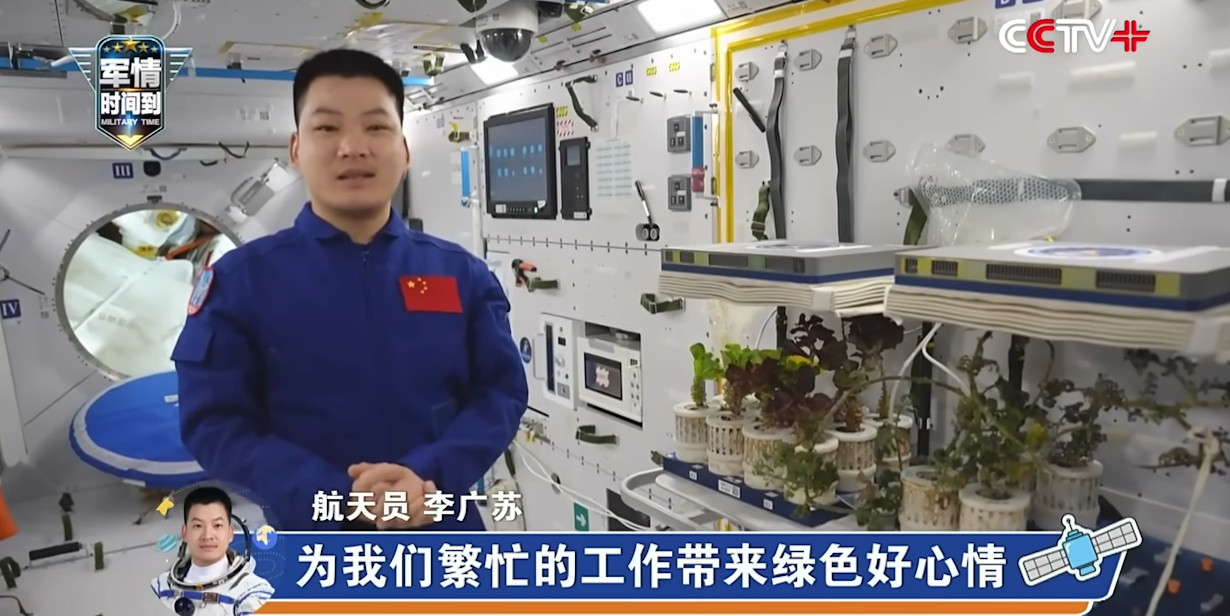
China has a space station — it’s called Tiangong, the first module was launched in 2021, and it’s all going quite swimmingly, thank you very much. That’s essentially what we know about the orbital complex here in the West, as China tends to be fairly secretive when it comes to their activities in space.
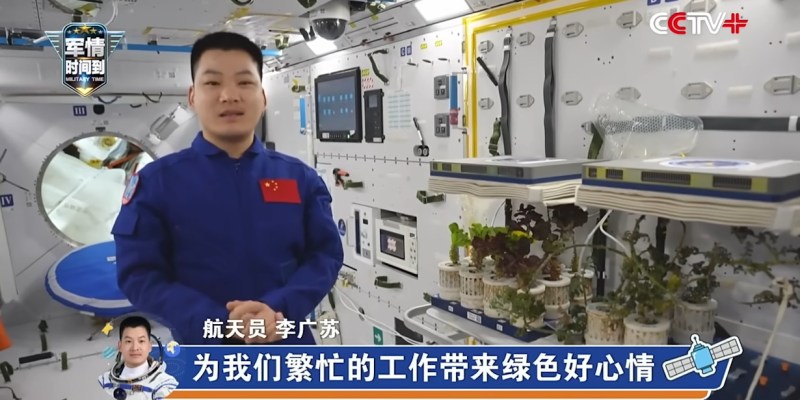
But thanks to a recently released video by the state-funded CCTV Video News Agency, we now have an unprecedented look inside of humanity’s newest orbital laboratory. Shenzhou-18 crew members [Ye Guangfu], [Li Cong], and [Li Guangsu] provide viewers with a full-blown tour of the station, and there’s even baked-in English subtitles so you won’t miss a beat.
The few looks the public has gotten inside of Tiangong in the past have been low-resolution and generally of the “shaky cam” variety. In comparison, this flashy presentation was clearly made to impress an international audience. But let’s be fair, if you managed to build your own crewed station in low Earth orbit, wouldn’t you want to show it off a bit?
Crew berths on Tiangong appear considerably more comfortable than those on the ISS.
So what did we learn about Tiangong from this tour? Well, admittedly not more than we could have guessed. The layout of the three-module station isn’t entirely unlike the International Space Station or even its Soviet predecessor, Mir.
One module contains a common area where the crew meets and eats their meals, as well as the sleeping berths for crew members. (The small portholes in each berth are a nice touch.) Then there are the multi-purpose laboratory modules with their rows of rack mounted experiments, an exercise area, and finally an airlock that can be used to either bring cargo onboard or expose experiments to space.
Even though it’s much smaller than the ISS, one can’t help but notice that the inside of the Tiangong appears a bit less cramped. The modules of the Chinese station have a slightly sleeker internal look, and overall, everything seems less cluttered, or at least, better organized. Some online commenters have equated it to the comparison between the SpaceX Dragon and Russia’s Soyuz capsule, which given the relative ages of the two stations, isn’t wholly inaccurate.
China’s space program has been making great strides over the last several years, but from an outsider’s perspective, it’s been difficult to follow. It’s been doubly frustrating for us here at Hackaday. We’d love to provide the same sort of in-depth coverage we do for American and European missions, but often it’s a challenge to find the technical data that requires. Here’s hoping this video means China is looking to be more transparent about their off-world activities going forward.
A few months ago, my doctor showed off an AI transcription tool he used to record and summarize his patient meetings. In my case, the summary was fine, but researchers cited by ABC News have found that’s not always the case with OpenAI’s Whisper, which powers a tool many hospitals use — sometimes it just makes things up entirely.
Whisper is used by a company called Nabla for a medical transcription tool that it estimates has transcribed 7 million medical conversations, according to ABC News. More than 30,000 clinicians and 40 health systems use it, the outlet writes. Nabla is reportedly aware that Whisper can hallucinate, and is “addressing the problem.”
A group of researchers from Cornell University, the University of Washington, and...
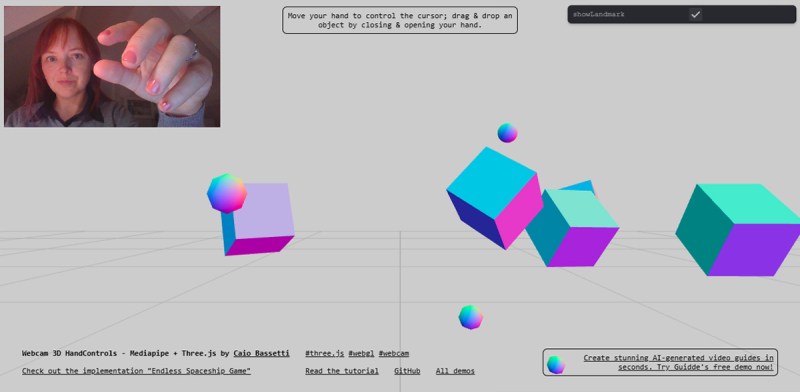
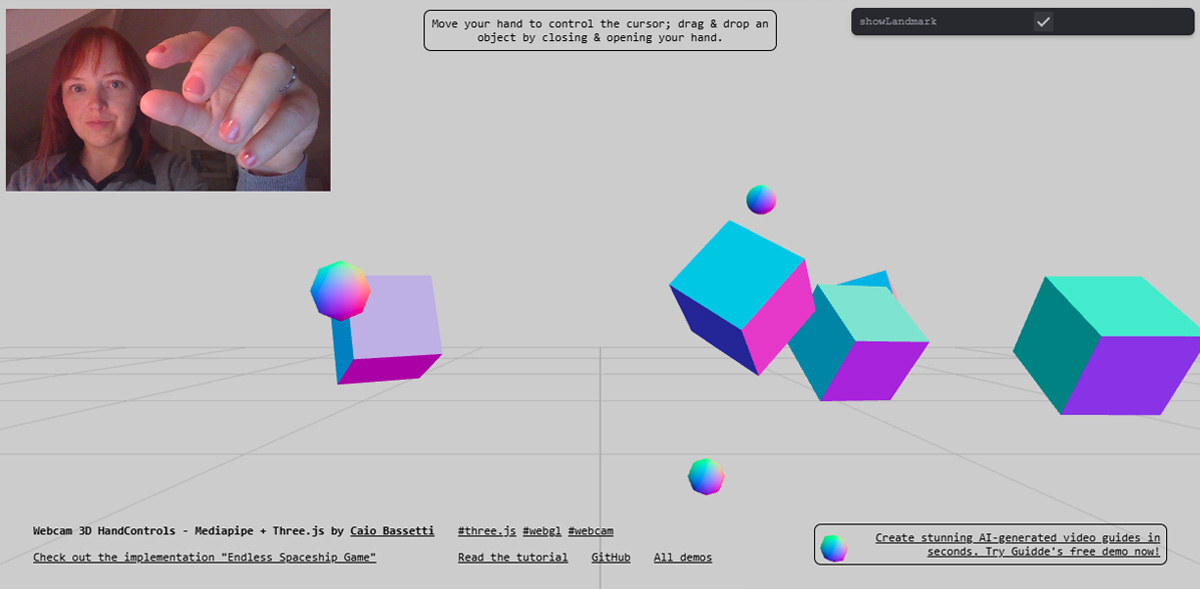
Are you ready to elevate your interactive possibilities without breaking the bank? If so, explore [Caio Bassetti]’s tutorial on creating a full 3D hand controller using only a webcam, MediaPipe Hands, and Three.js. This hack lets you transform a 2D screen into a fully interactive 3D scene—all with your hand movements. If you’re passionate about low-cost, accessible tech, try this yourself – not much else is needed but a webcam and a browser!
The magic of the project lies in using MediaPipe Hands to track key points on your hand, such as the middle finger and wrist, to calculate depth and positioning. Using clever Three.js tricks, the elements can be controlled on a 3D axis. This setup creates a responsive virtual controller, interpreting hand gestures for intuitive movement in the 3D space. The hack also implements a closed-fist gesture to grab and drag objects and detects collisions to add interactivity. It’s a simple, practical build and it performs reliably in most browsers.
For more on this innovation or other exciting DIY hand-tracking projects, browse our archive on gesture control projects, or check out the full article on Codrops. With tools such as MediaPipe and Three.js, turning ideas into reality gets more accessible than ever.
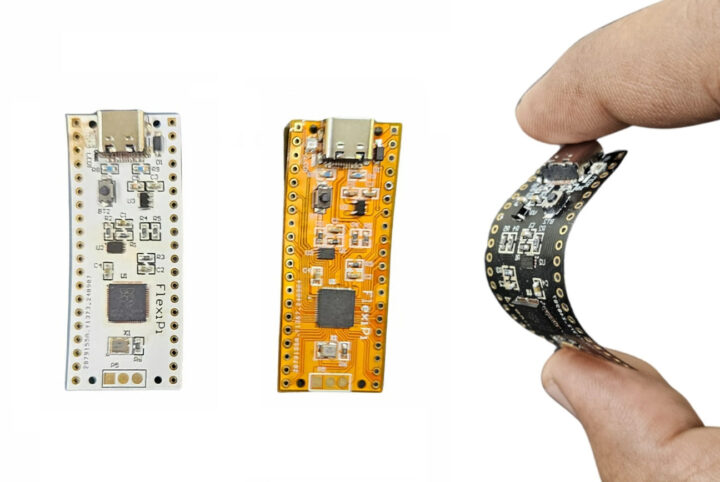
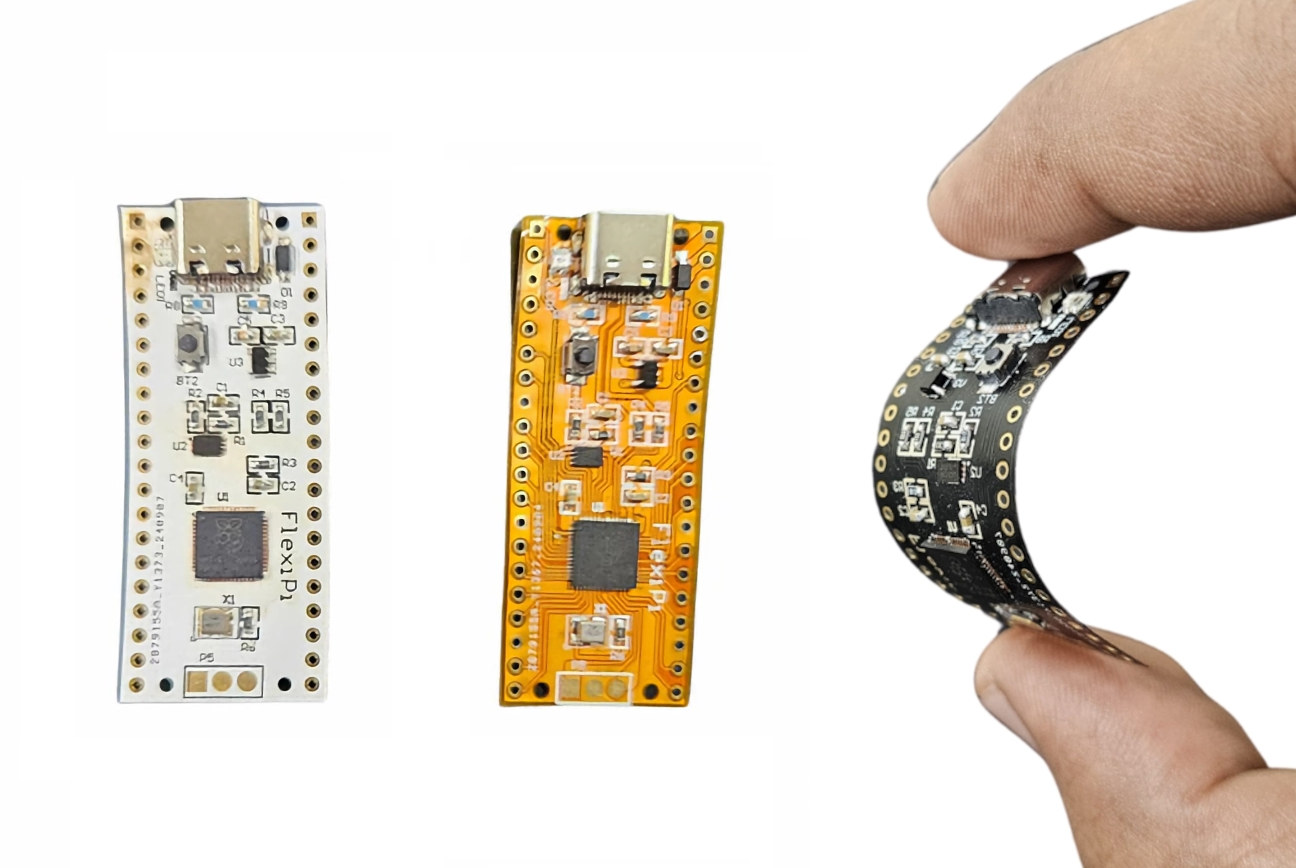
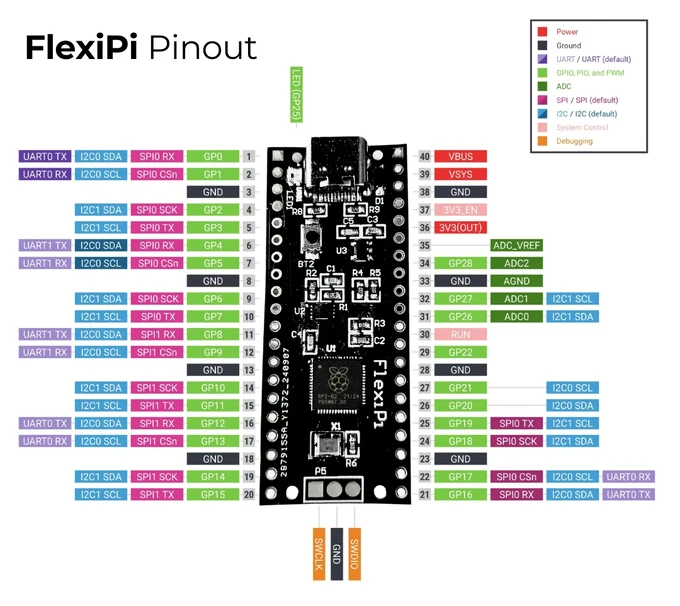
FlexiPi is a bendable Raspberry Pi RP2040 board made of flexible PCB with the same layout as the original Raspberry Pi Pico, but featuring a USB-C port instead of a micro USB port on the official board.
This follows the Flexduino flex PCB clone of the Arduino UNO made by “EDISON SCIENCE CORNER”, but the smaller design of “TOP Gadgets” FlexiPi may make it potentially more useful since it could be inserted into tight or round enclosures.
FlexiPi is available in multiple colors
FlexiPi specifications:
MCU – Raspberry Pi RP2040 dual-core Cortex-M0+ microcontroller @ 48 MHz (overclockable to 133 MHz) with 264KB SRAM
Storage – 2MB QSPI flash
USB – 1x USB Type-C 1.1 port used for power and programming
Expansion
2x 20-pin 2.54mm pitch header and castellated holes with 26 GPIOs, 3x 12-bit ADC up to 500 Kbps, 2x UART, 2x I2C, 2x SPI, 16x PWM, 2x programmable high-speed I/O
3.3V I/O voltage
Sensor – 12-bit temperature sensor
Debugging – 3-pin Arm Serial Wire Debug (SWD) port
Misc
BOOTSEL button
WS2812 RGB LED
RTC
Power Supply – 5V via USB port or 1.8V to 5V DC via VSYS pin
Dimensions – 51 x 21mm (thinner, bendable flexible PCB)
Apart from the USB-C port, RGB LED, and flexible PCB, the FlexiPi is the same as the Raspberry Pi Pico. That means it’s software-compatible and you can program it with the Raspberry Pi Pico C/C++ and MicroPython SDKs, Arduino, and any language supported by the Pico.
TOP Gadgets also provides three beginner’s guides for the board for C, MicroPython, and CircuitPyhon. Some of the photos imply those are printed out, but one of the rewards mentions eBooks, so you’d probably only get PDF files instead of physical books.
Making a low-volume flexible PCB comes at a cost, as the FlexiPi sells for five times more than the Raspberry Pi Pico, precisely $20 on Kickstarter. A bundle of 10 boards brings the price down to $18.50 per unit. Shipping is not included and adds an extra $15, so you’d need to pledge $35 to get the board delivered to your door by January 2025.
After landing back on Earth, a NASA astronaut was taken to the hospital for an unidentified health issue — and there's still a lot we don't know about the situation.
In an update, NASA said that all four members of SpaceX's Crew-8 mission from the International Space Station were flown to a medical facility in Pensacola, Florida instead of going back to Johnson Space Center in Houston.
It's unclear which of the three astronauts on board the Crew Dragon capsule — Matthew Dominick, Michael Barratt, and Jeanette Epps — was hospitalized because NASA is protecting their identity. (We can rule out Russian cosmonaut Alexander Grebenkin because we know the individual works for NASA and not Roscomos.)
Though we don't know who was hospitalized or why they needed medical attention, NASA did say that the individual is "in stable condition" and is remaining in the Pensacola hospital "as a precautionary measure."
Beyond that, the agency said it will not be publicizing any "specific details on the individual’s condition" to protect their medical privacy and identity.
Fall For You
This isn't the first time a NASA astronaut has had a medical emergency soon after returning to Earth.
Back in 2006, ISS mission specialist Heidemarie Stefanyshyn-Piper collapsed twice on camera during her speech at a welcome home ceremony just a day after touching down back on terra firma. Though she wasn't hospitalized, she did have to be escorted out of a side door at the hangar where the celebration was held in Houston, as the Associated Press reported at the time.
The astronaut's husband Glenn Piper attributed his wife's wobble to a mix of Texas heat, excitement, and the difficulty of reacclimating to Earth after spending nearly two weeks in zero gravity.
As fellow astronaut and flight surgeon Smith Johnston told the AP at the time, astronauts typically lose between 10 and 14 percent of their blood volume when they're in space, and it can take a few days to get it all back.
"It’s like they just went to the blood bank," Johnston told the news outlet.
As that nearly two-decade-old debacle illustrates, space travel is brutal on the body — and there could be any number of reasons why the NASA astronaut who returned on the SpaceX Crew Dragon needed medical attention.
Le Meenhong JX5 vous rappellera sans doute les anciennes productions de la marque. Les JX1 et JX2 qui proposaient déjà cette idée d’un MiniPC avec un écran intégré. Principale différence entre ces solutions et le JX5, la puce embarquée.
Le Meenhong JX5 propose un Intel N100, une puce qui a sonné le renouveau de l’entrée de gamme chez Intel et qui couvre quasiment tous les usages d’une machine classique aujourd’hui sans soucis. Les anciens modèles étaient intéressants mais fonctionnaient avec un Celeron N5105 bien moins performant. Ce changement de puce ouvre beaucoup de perspectives et si le prix s’en ressent quelque peu, cela reste pour moi une excellente solution pour de nombreuses utilisations.
L’idée de base de ce MiniPC est simple. On intègre sur le châssis haut de l’engin, un écran IPS de 5.5″ en FullHD tactile. Cela permet de le piloter sans avoir besoin de clavier ou de souris pour des taches variées. Avec des dimensions très compactes, 16.1 cm de large pour 9.2 cm de profondeur et 26 mm d’épaisseur, on peut positionner ce MiniPC dans son salon pour piloter films et musique en le connectant à son ampli et son téléviseur. Mais on peut également en faire un outil de contrôle domotique complet et autonome en l’accrochant à un mur, un pilote de machines externes comme une graveuse laser ou une imprimante 3D. Le processeur est refroidi par un petit ventilateur classique, ses 6 watts de consommation ne demandent pas beaucoup d’efforts pour.
Autour de ce N100, le Meenhong JX5 propose 12 Go de mémoire vive LPDDR5 soudés à la carte mère et 128 Go de stockage au format M.2 2242 et probablement en SATA 3.0. Le module sans fil est un Wi-Fi6 et Bluetooth 5.2 et la connectique est assez large.
On retrouve sur l’arrière et la gauche de l’engin un ensemble constitué d’un port Ethernet Gigabit, deux USB 2.0 Type-A, un USB 3.1 Type-C avec DisplayPort et PowerDelivery, un USB 3.0 Type-A, un jack audio combo 3.5 mm, un microphone et une sortie vidéo HDMI 2.1. Au total, en comptant son écran de 5.5″ intégré, l’appareil pourra piloter trois écrans simultanément.
Dans les petits détails qui font également la différence, on retrouve une enceinte intégrée qui sera parfaite pour des alarmes variées par exemple, mais égalament une batterie 1500 mAh qui servira plus d’onduleur que de moyen d’utilisation loin d’une prise de courant. Un gyroscope est également intégré pour pouvoir utiliser l’affichage en mode portrait ou paysage à sa guise.
Le Meenhong JX5 est désormais proposé à 239.99€ sur Geekbuying depuis un stock Chinois et il passe à 224.99€ avec le code NNNFRMJX5 à entrer dans votre panier. Cet engin a été annoncé il y a quelques mois mais sur catalogue uniquement, c’est la première fois que je le vois vraiment en stock. Son tarif est raisonnable, c’est plus cher que les JX1 et JX2 de la marque que l’on a vu tomber jusqu’à 150€ à une époque. Mais c’est beaucoup moins cher que le SZBox S7 annoncé cet été et vendu encore plus de 350€ avec 130€ de frais de port. Comme pour le Minix Z100 qui fonctionne avec la même puce N100 sans faire de bruit grâce à un châssis qui dissipe à lui seul le processeur et qui est vendu 299€, il s’agit d’un produit un peu plus spécialisé, ce qui explique son tarif.
For many decades, fusion has been touted as the ultimate source of abundant, clean electricity. Now, as the world faces the need to reduce carbon emissions to prevent catastrophic climate change, making commercial fusion power a reality takes on new importance.
Cath Virginia / The Verge | Photos by Getty Images
Adobe is going all in on generative AI models and tools, even if that means turning away creators who dislike the technology. Artists who refuse to embrace AI in their work are “not going to be successful in this new world without using it,” says Alexandru Costin, vice president of generative AI at Adobe.
In an interview with The Verge, Costin said that he “isn’t aware” of any plans for Adobe to launch products that don’t include generative AI for creators who prefer to manually complete tasks or oppose how AI is changing the creative industry.
“We have older versions of our products that don’t use gen AI, but I wouldn’t recommend using them,” Costin said. “Our goal is to make our customers successful, and we think that in order for them...
De nombreux fabricants de MiniPC ont sorti ces derniers temps des dock graphiques permettant de piloter une carte externe depuis un MiniPC en USB4, Thunderbolt ou en OCuLink. Beelink est de la partie avec un EX Docking Station qui a choisi une voie alternative.
Ces docks permettent de retrouver un port PCIe externe facilement ce qui permet de brancher, par exemple, une carte graphique. Le EX Docking Station de Beelink reprend cette idée sans beaucoup d’originalité mais avec des fonctions intéressantes. C’est un dock en PCIe x16 avec sa propre alimentation 600 watts et sur lequel on pourra brancher les connecteurs ATX 8 broches nécessaires aux cartes les plus gourmandes.
Beelink a choisi avec ce dock une voie intéressante. La marque a préféré intégrer un port sous un de ses MiniPC qui permettait de connecter directement le dock. Cette solution, moins chère que les connexions filaires, permet également de ne pas subir de goulet d’étranglement des données. Le dock étant finalement une sorte de Riser alimenté.
Parmi les autres particularités du produit, un port M.2 2280 PCIe 4.0 x1 qui permet d’ajouter un SSD PCIe supplémentaire ou une solution Wi-Fi. Des ports d’antennes sont d’ailleurs disponibles sur la coque.
La lettre de déclaration Open Source
Cette libération Open Source du dock peut donc permettre à n’importe quel industriel de fabriquer ce type de produit en copiant la recette pour son compte. Sans avoir à verser de royalties. C’est évidemment une bonne nouvelle car cela gomme le cout de recherche et développement du produit et peut permettre à des constructeurs de vendre ce type de dock moins cher.
On va peut être également découvrir des variations autour de ce concept en se servant de cette base comme marchepied pour ajouter des fonctions. Le EX Docking Station pourrait signer l’arrivée de docks de moins en moins chers.
Avec une telle diagonale d’écran, la Onyx Boox Note Max veut permettre à l’utilisateur du format A4 traditionnel de retrouver ses marques facilement. Cette liseuse tactile et compatible avec un stylet actif sera aussi utile pour la lecture de documents que pour leur annotation ou la prise de notes.
Annoncée à 699.99€ pièce, ce n’est clairement pas la moins chère des liseuses du marché. Mais la proposition de cet écran grand format associé à ce stylet actif et une dalle E Ink Carta 1300 proposant une densité de 300 pixels par pouce en font un produit très intéressant pour de nombreux usages. Pilotée par un Android 13 largement modifié, la Boox Note Max embarque un SoC non spécifié développant huit cœurs cadencés à 2.8 GHz et 6 Go de mémoire vive. Son stockage interne est de 128 Go.
On manque pour le moment d’informations complémentaires importantes sur ce produit. La possibilité ou non d’y adjoindre une carte MicroSDXC pour étendre ses capacités de stockage par exemple, la nature de sa connexion au réseau n’est pas non plus détaillée. On ne sait pas non plus si on aura la possibilité d’aller piocher les applications de son choix sur le Google Play Store. Mais on connait le format de sa dalle et le travail qui y a été effectué. La liseuse bénéficie d’un rafraichissement super rapide et d’un traitement de sa surface pour rappeler la sensation du papier lorsqu’on utilise le stylet. Pas d’éclairage frontal à priori et aucune info pour le moment sur l’autonomie de l’engin. Onyx a juste donné l’information de son épaisseur qui est de 4.6 mm seulement sans préciser ses autres dimensions ni son poids global.
Vendue avec un stylet et la possibilité de lui adjoindre un clavier magnétique, la Boox Note Max n’a pas encore de date de commercialisation.
Who knew colorful silk scarves costing hundreds of dollars were recession-proof?
Hermès reported financial results on Thursday that showed the scarf and handbag maker is doing pretty well — much better than its luxury compatriots, which have struggled to grow thanks to waning demand from Chinese consumers. Kering, the luxury conglomerate behind Gucci, was more on-trend with its own decidedly lackluster financial results.
Handbag Fight
Hermès’ secret ingredient is that it’s at the very high end of high-end shopping. The company makes prospective handbag owners put themselves on waiting lists and spend a certain amount of money on its products before they can be considered for one of its Birkin bags. That strategy maintains a certain pipeline of demand the company has been able to fall back on even as China’s consumer sentiment has grown a tad more frugal. One McKinsey advisor told Business Insider Hermès has always baked scarcity into its brand, and that has paid off with a long-term strategy that doesn’t feverishly chase after growth.
Kering’s tribulations, however, are much more representative of the overall luxury market:
Hermès has been consistently outperforming other luxury brands this year. Its stock is up 8% year-to-date, while Kering’s is down a sobering 40%.
Mega luxury conglomerate LVMH’s stock is down 14% so far this year, and last week it announced its first drop in sales since 2020. Meanwhile, Burberry is down almost 46%, and Hugo Boss was down over 35%.
Astronauts and the Devil: There are a couple other luxury brands that have also managed to swim against the current: Switzerland’s Richemont — the company behind Cartier — is up 10% so far this year, and Prada is up 25%, with analysts upbeat about its own upcoming financials. On top of that, earlier this month Prada announced a partnership with aerospace company Axiom Space to design a spacesuit for astronauts to return to the moon. If any stock is going to the moon, it’s Prada.
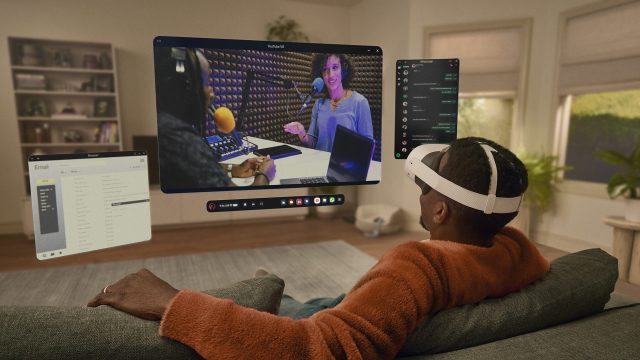
Meta continues its reign as the XR industry’s dominant player, with its most recent moves signaling a shift into a new era for the company—and thus the industry at large. This year saw the introduction of the Meta Orion AR glasses prototype and the Quest 3S headset—two pieces of hardware that are not only crucial to Meta’s future but will be pivotal in shaping the industry’s direction as a whole.
Meta Orion AR Glasses Are a Flag in the Ground
Image courtesy Meta
The News
One of Meta’s most significant announcements this year was the unveiling of the Meta Orion AR glasses prototype. Meta has long been signaling its ambitions in the AR space, and the Meta Orion prototype represents a major step toward that vision. With a compact form-factor and an impressive 70-degree field of view, Meta is aiming to push the boundaries of what AR hardware can achieve.
Why It Matters
Meta’s Orion AR glasses stand as a benchmark for the state-of-the-art in AR glasses today. Unlike similarly sized AR devices—which suffer from a narrow field-of-view that make content appear constrained—Meta Orion’s 70-degree FoV is just scraping the boundary of ‘wide enough to be useful’. Achieving a compact form-factor and a wide field-of-view in the same package is crucial for making AR feel more seamless and practical in daily use.
It will be years yet before Meta ships something like Orion, but it’s an intentional ‘flag in the ground’ moment for the company.
Quest 3S Speeds the Transition Away from Quest 2
Image courtesy Meta
The News
Meta launched Quest 3S, a new addition to the Quest lineup that really should have launched alongside Quest 3 in the first place. Positioned as a more budget-friendly alternative to the flagship Quest 3, the Quest 3S comes with a lower price point but still offers significant improvements in performance and mixed reality capabilities compared to older devices like the Quest 2.
Why It Matters
In its marketing, Meta has been hyping mixed reality for years at this point. But the large population of Quest 2 headsets (which really aren’t great for MR) have undercut the company’s push into MR.
The Quest 3S is finally a new headset from Meta that’s comparable to what Quest 2 was in terms of affordability, while including reasonably good MR capabilities too.
With the Quest 2 becoming increasingly outdated, users and developers alike have been waiting for hardware that can keep up with more demanding VR experiences. The Quest 3S hits the sweet spot for many casual users, offering a balance between affordability and performance.
And finally Meta has a flagship game for its Quest 3 & Quest 3S hardware. Batman: Arkham Shadow (which is exclusive to these newer headsets), is just the thing to get VR gamers that are hanging on to Quest 2 to make the leap to newer hardware.
Ironically, the flagship game for these new “mixed reality” headsets (as Meta now usually refers to them) is a pure VR game. Maybe with the next headset launch the company can properly time a flagship MR app with its launch.
More Immersive and Useful Mixed Reality Apps
Demeo Mixed Reality mode | Image courtesy Meta
The News
This year Meta revealed that it will now grant developers access to camera data for creating mixed reality (MR) content. This change opens up new possibilities for how MR experiences are built and how users can interact with their environments through these experiences.
Why It Matters
For years Meta has held out on giving developers direct access to the headset’s cameras. That made it harder for developers to build interesting MR applications that properly integrate and interact with the world around the user.
In addition to Quest 3S helping to grow the population of Quest headsets with decent MR capabilities, this change also makes building MR applications a more attractive proposition for developers.
Ostensibly Meta had originally blocked direct camera access to preserve user privacy and prevent potential abuse by bad actors. Reversing that decision is risky; another privacy scandal is the last thing Meta wants its headsets to be known for.
New Tools for Developers to Bring ‘Spatial Computing’ to Quest
Image courtesy Meta
The News
This year Meta also introduced new tools to make it easier for developers to port both flat-screen and spatial computing applications to Quest devices. These tools are designed to streamline the development process, enabling developers to create more immersive XR content without requiring a steep learning curve.
Why It Matters
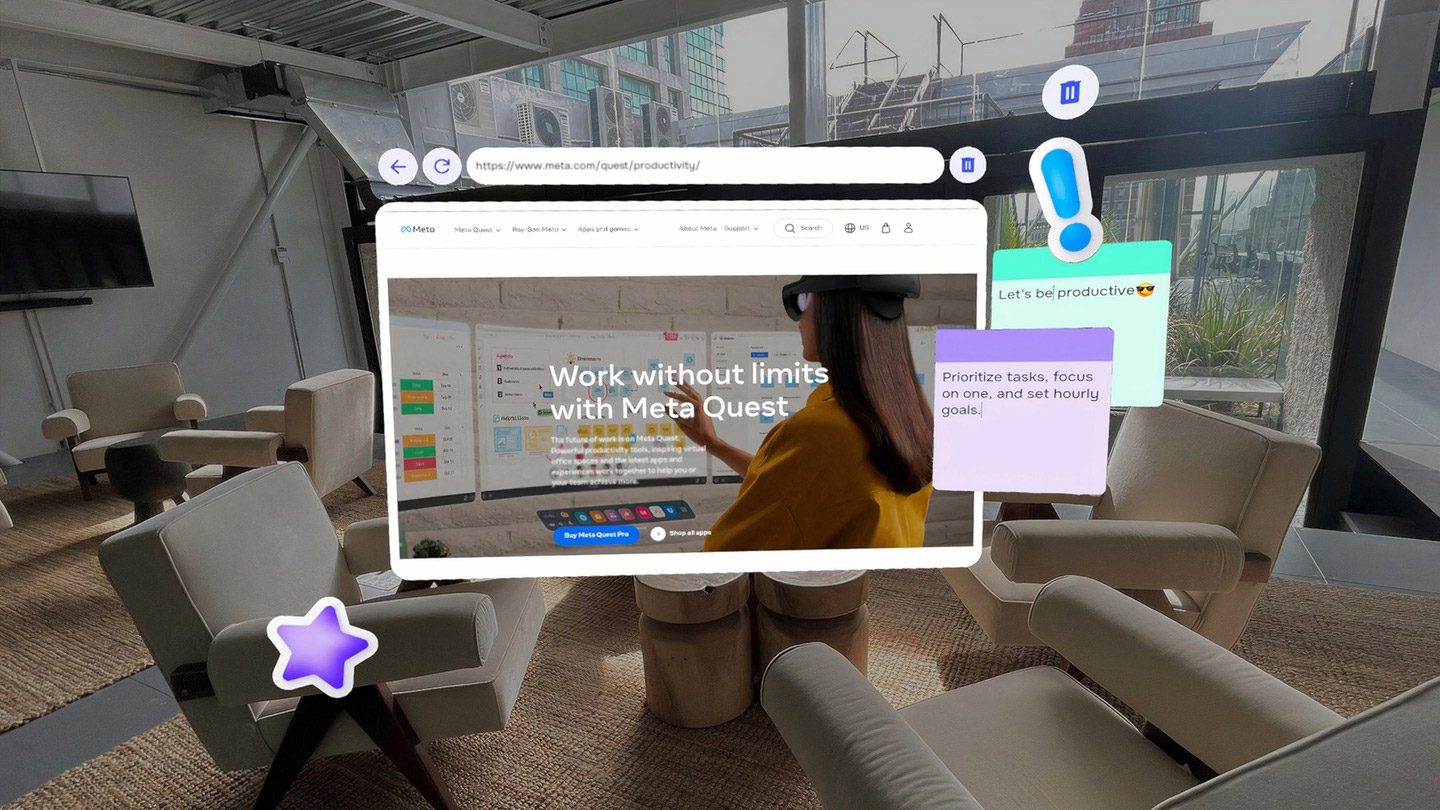
Meta’s headsets are great for gaming, but it wants them to be great at ‘spatial computing’ too. But getting developers to bring traditional apps to its platform has been a major hurdle for the company.
One of the biggest challenges traditional app developers face is moving from a flat screen modality to something that inherently exists in 3D. This generally requires a completely different set of tools that’s much more in the realm of game development than app development.
Meta’s new tools aim to simplify this process, allowing developers who are familiar with building flat-screen applications to bring their apps to the Horizon platform with minimal friction. This opens up the Quest platform to a wider range of applications, from 2D games and productivity tools to more immersive spatial experiences.
But Meta still faces an uphill battle with getting a critical mass of everyday apps onto its headset. The company has openly said it would love to bring the Play store (and all of its apps) to the headset, but it seems Google isn’t down to play ball. That’s likely because it’s busy working on its own XR strategy and doesn’t want to give Meta an upper hand.
New Headsets on the Horizon
Image courtesy Meta
The News
In a surprising move this year, Meta announced that it was planning to open up the Horizon OS to select partners who will make their own headsets that run the operating system.
Why it Matters
While Meta has made solid general-purpose headsets, the company believes the time is right for more specialized options. But rather than build those options itself, the company is enlisting help from companies that are already familiar with building hardware for someone else’s software.
While this could bring a wider range of headsets to market which retain access to Meta’s leading platform of content, the move shares a striking resemblance to Microsoft’s ill-fated VR play which enlisted major computer OEMs to build a round of VR headsets and then quickly lose interest.
Because Meta owns the Horizon platform, and subsidizes the cost of its own headsets, it’s difficult to understand how announced partners like Asus and Lenovo could hope to build a headset that’s meaningfully better than what Meta is already offering and compete with Meta on price. This has clearly been a struggle for HTC Vive which doesn’t have the money to burn to subsidize its hardware like Meta.
Meta’s ability to burn billions in its pursuit of owning the XR space (or the “next computing platform” as Zuckerberg often calls it) means the company is the one primarily steering the ship. The moves Meta made this year are the beginning of a new era for the company (while most of the industry remains in tow).
While Apple’s entry into the space has already had notable influence on Meta’s XR trajectory, it won’t be until both companies are competing in the same price-class (and for the same users) that Meta will have to truly fight to maintain control of XR’s near-term future.
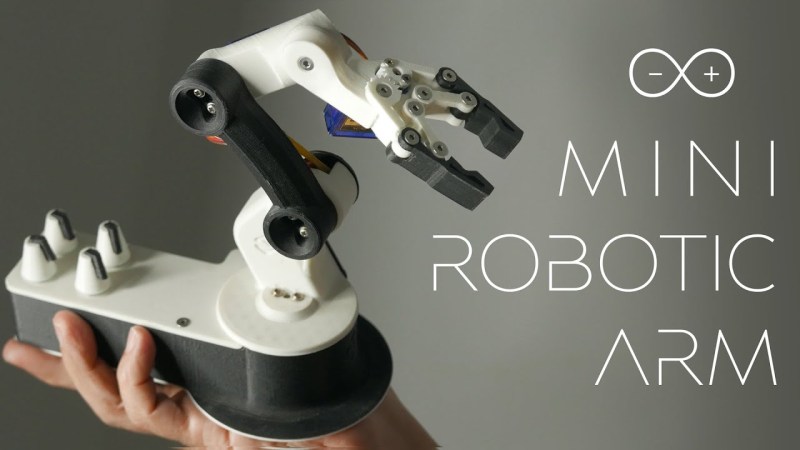
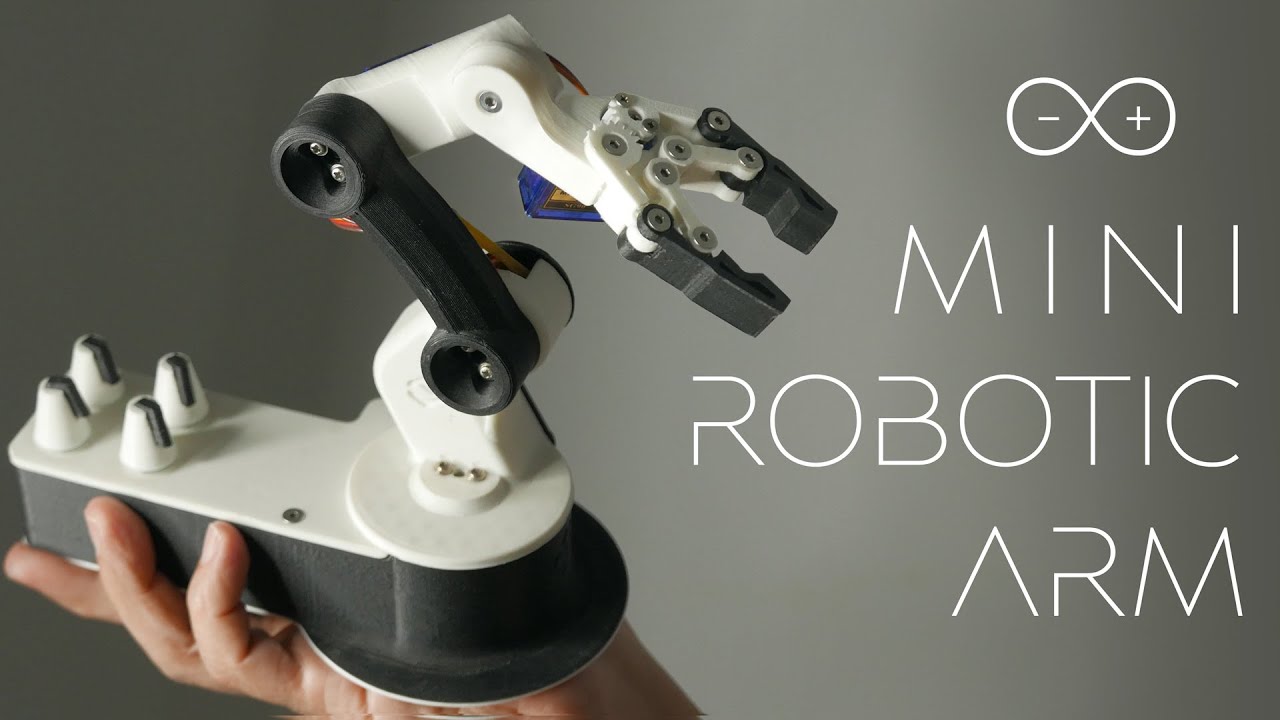
Automating tasks with a robot sounds appealing, but not everyone has the budget for an Aismo or Kuka. [FABRI Creator] has a great tutorial on how to build your own mini robotic arm for small, repeatable tasks.
Walking us through the entire build, step-by-step, [FABRI Creator] shows us how to populate the custom-designed PCB and where to put every servo motor and potentiometer to bring the creation to life. This seems like a great project to start with if you haven’t branched out into motion systems before since it’s a useful build without anything too complicated to trip up the beginner.
Beyond the usual ability to use the arm to perform tasks, this particular device uses an Arduino Nano to allow you to record a set of positions as you move the arm and to replay it over and over. The video shows the arm putting rings on a stand, but we can think of all kinds of small tasks that it could accomplish for us, letting us get back to writing or hacking.
Le géant français des cosmétiques a publié pour le troisième trimestre de l'année des résultats nettement inférieurs aux attentes des analystes. Un chiffre d’affaires plombé en partie par le pessimisme chinois.
JetKVM met dans la balance trois éléments intéressants. D’abord un aspect pratique avec une fonction KVM over IP qui offre à son propriétaire une connexion sécurisée de tout type de machine en un instant. Ensuite un design original et bien exécuté. Enfin une approche Open Source et ouverte aux extensions. Le tout est proposé à un tarif de précommande abordable.
Evidemment, le design du JetKVM comme les annonces de ses capacités sont à prendre avec tout le recul nécessaire aux financements participatifs. Il ne s’agit pour le moment que de belles promesses. Cependant, si le projet est bien tenu, l’offre est assez intéressante. On retrouve ici un KVM physique que l’on connectera à un PC de manière traditionnelle avec un port USB 2.0 type-C et un port HDMI. L’appareil se connecte ensuite au réseau via un port Fast Ethernet et permet de prendre la main sur la machine sur laquelle on l’a connecté comme si on avait un écran et un duo clavier et souris sous les yeux.
A travers un tunnel logiciel sécurisé fourni avec JetKVM, on peut donc piloter un ordinateur, un serveur ou de tout type de solution matérielle dès son démarrage. Pas de soucis de compatibilité puisque le JetKVM traduit les éléments des deux côtés de la procédure. Depuis la machine de contrôle il transfère vos ordres clavier et souris en USB. Depuis l’ordinateur contrôlé, il capture et diffuse le signal HDMI de l’engin directement vers la session sécurisée mise en place en ligne. On peut donc aussi bien accéder au BIOS que lancer l’installation d’un système à distance.
Mieux encore, le petit appareil propose également un port RJ11 qui ouvre des perspectives originales. Totalement documenté ce port, permet de construire des extensions supplémentaires. On retrouve par exemple la possibilité de démarrer physiquement une machine à distance. Comme si on appuyait sur son bouton physique avec un montage probablement assez simple. D’autres usages peuvent être mis en place comme une surveillance de température ou l’accès à une console de surveillance pour un diagnostic sur un serveur. Le code du KVM est écrit en Golang (Que je ne connais pas du tout.) et l’ensemble est annoncé comme étant Open Source : L’image système, le code de fonctionnement du KVM et l’interface graphique et l’API exploitée par la partie Cloud. Il sera donc possible d’adapter l’ensemble de la chaine JetKVM à vos besoins. Possible par exemple pour une entreprise de faire apparaitre un logo sur le logiciel de contrôle ou de proposer des services clé en main.
La face avant du JetKVM propose également un petit écran qui devrait pouvoir afficher les données de son choix. Par défaut, il propose le nom du produit un petit logo, le nombre d’utilisateurs connectés et l’adresse IP et adresse MAC à entrer dans le logiciel pour piloter la machine. On retrouve également un rappel des éléments branchés dessus : USB et HDMI. De quoi avoir sous les yeux l’ensemble des éléments nécessaires pour se servir le plus simplement du monde de l’objet sans pouvoir faire d’erreur. L’objet mesure 6 cm de profondeur, pour 3.1 cm de haut en face avant et 2.4 cm sur la partie arrière.
Sa largeur est de 4.3 cm. Suffisamment compact pour venir se loger aussi bien au dessus d’un PC dans laboratoire de recherche dont on doit relancer les calculs en pleine nuit. Ou sur l’écran d’un professionnel en déplacement constant pour récupérer des données oubliées et évidemment dans une salle serveur. A 69$, c’est même assez facile d’imaginer des usages secondaires moins classiques. Par exemple piloter une ferme d’impression 3D. De prendre la main sur un petit serveur de téléchargement et de stockage décentralisé ou autre.
Le prix est étonnant car de nombreux concurrents existent mais sont en général beaucoup plus chers. La raison est probablement à chercher autour des composants employés et du code. Avec un système Linux sur mesure et OpenSource mais surtout un SoC basique et uniquement attaché à faire les tâches demandées, le JetKVM évite l’écueil d’embarquer du matériel sur-compétent. On retrouve ici un SoC RockChip RV1106G3, une puce quadruple cœur Cortex A7 cadencée à 1 GHz dont le principal mérite est de savoir encoder en temps réel des flux vidéo en H264 et H265 matériellement. C’est elle qui capturera la source HDMI de la machine a piloter et l’enverra en streaming à distance avec une latence annoncée de 30 à 60 ms. La mémoire vive est légère avec 256 Mo de DDR3L, le stockage est un maigre 8 Go en eMMC qui suffira à absorber le système et ses modifications. L’écran est une solution IPS de 1.69 pouces en 240 x 280 tactile et capacitive qui permettra une mise en place de l’appareil facile et sans avoir à sortir le moindre accessoire.
Le projet n’a rien de techniquement révolutionnaire ou de fou, il est simplement construit sur le papier de manière optimisée et intelligente. Ce qui permettrait sans doute de tenir le prix très bas annoncé. C’est typiquement un produit qui bénéficie de technologie désormais assez « mûres » pour parvenir à réussir à changer totalement de prix.
Un moule d’injection pour la coque du produit.
Reste qu’il s’agit d’un financement participatif et donc d’une entreprise à risque. Cela parait presque trop beau quand on connait le prix de ce type de KVM over IP pro. Pour rassurer l’investisseur de passage l’équipe s’affiche tout sourire sur la page du projet et montre également un élément critique dans la construction de ce genre d’objet. Son moule pour assurer la fabrication de la coque. Cela parait fou mais il est bien plus couteux aujourd’hui de fabriquer ce genre de moule que de fabriquer des séries de circuit imprimé. Il y a beaucoup moins de concurrence sur ce poste et il est impossible de faire faire un moule de ce type pour une petite série alors qu’il est possible de sortir 5, 10 ou 50 circuits imprimés sans problèmes d’une chaine de montage automatisée en quelques jours.
Les 69$ sont à prendre avec les pincettes de rigueur. Il s’agit du prix HT et hors frais de port de l’objet. Comptez 20$ pour vous faire livrer en France (Comme en Suisse, en Belgique ou au Luxembourg d’ailleurs.) et ensuite les frais de douanes et taxes inhérents à ce genre d’aventure. Entre 82 et 100€ au bas mot donc pour ce joujou. Mais j’ai bon espoir que les deux compères derrière ce produit ne finissent par trouver des partenaires et arrivent à proposer ce produit au marché. J’avoue qu’il a tout pour plaire même si il faudra évidemment surveiller la sécurité et la robustesse logicielle de l’ensemble.
J’avoue être autant surpris que séduit par cet engin que m’a signalé Biou.
Une étude récente révèle que les lecteurs se méfient des récits qu'ils croient générés par l'IA. Même les histoires réellement écrites par des humains sont jugées moins convaincantes lorsqu'on affirme qu'elles proviennent d'une IA. Cette tendance illustre la persistance de préjugés contre l'intelligence artificielle, malgré les progrès réalisés dans la qualité narrative.
La perception du public influence la réception des récits
Les chercheurs ont testé l'impact des préjugés sur la réception d'histoires identiques. Ils ont présenté des textes avec des étiquettes volontairement modifiées, attribuant parfois un récit humain à une IA et inversement. Les résultats montrent que la méfiance persiste, peu importe la qualité réelle du texte.
Study: People dislike stories they think were written by AI… even if they were written by humans https://t.co/4ezL8oJbNm
Haoran Chu, co-auteur de l'étude, précise que l'IA génère des récits cohérents mais peine à égaler l'émotion transmise par les écrivains humains. Publiée dans le Journal of Communication le 13 septembre, cette recherche met en lumière un défi majeur pour l'adoption de l'IA dans la création artistique.
Des récits d'IA prometteurs mais encore limités
Deux éléments ont été évalués : le transport narratif et la contre-argumentation. Le transport narratif permet au lecteur de s'immerger complètement dans une histoire, réduisant ainsi ses critiques envers le contenu. Les récits générés par l'IA n'ont pas su captiver autant que ceux des humains, soulignant une limite dans leur capacité à susciter l'émotion.
Malgré ces limites, Chu note que l'IA pourrait servir dans des domaines comme la santé publique, en produisant des récits efficaces pour encourager la vaccination ou d'autres comportements positifs. L'IA ne remplace pas encore les écrivains professionnels, notamment à Hollywood. Cette barrière actuelle représente une opportunité pour les auteurs de continuer à se démarquer. Cependant, l'évolution rapide de ces outils invite à s'interroger sur la place de l'IA dans la création artistique à l'avenir.
The AI Artist Interviews are back!
AIAI #23 – THE SKIPPER VANDERWALL INTERVIEW (Go to Revelinai's website for a better-looking display of the interview and many more images from the artist.)
Cette étude révèle un paradoxe : les récits de qualité générés par l'IA sont pénalisés par des biais profondément ancrés chez les lecteurs. Ces résultats montrent que la perception du public joue un rôle clé, bien au-delà de la seule performance narrative.
OpenAI's researcher in charge of making sure the company (and the world) is prepared for the advent of artificial general intelligence (AGI) has resigned — and is warning that nobody is ready for what's coming next.
In a post on his personal Substack, the firm's newly-resigned AGI readiness czar Miles Brundage said quitting his "dream job" after six years has been difficult. He says he's doing so because he feels a great responsibility regarding the purportedly human-level artificial intelligence he believes OpenAI is ushering into existence.
"I decided," Brundage wrote, "that I want to impact and influence AI's development from outside the industry rather than inside."
When it comes to being prepared to handle the still-theoretical tech, the researcher was unequivocal.
"In short, neither OpenAI nor any other frontier lab is ready," he wrote, "and the world is also not ready."
Levels and Levels
After that bold declaration, Brundage went on to say that he's shared his outlook with OpenAI's leadership. He added, for what it's worth, that he thinks "AGI is an overloaded phrase that implies more of a binary way of thinking than actually makes sense."
Instead of there being some before-and-after AGI framework, the researcher said that there are, to quote many a hallucinogen enthusiast, levels to this shit.
Indeed, Brundage said he was instrumental in the creation of OpenAI's five-step scale of AI/AGI levels that got leaked to Bloomberg over the summer. On that scale, which ends with AI that can "do the work of an organization," OpenAI believes the world is currently at the precipice of level two, which would be characterized by AI that has the capability of human-level reasoning.
All the same, Brundage insists that both OpenAI and the world at large remain unprepared for the next-generation AI systems being built.
Notably, Brundage still believes that while AGI can benefit all of humanity, it won't automatically do so. Instead, the humans in charge of making it — and regulating it — have to go about doing so deliberately. That caveat suggests that he may not think OpenAI is being sufficiently deliberate in how it approaches AGI stewardship.
With the senior researcher's exit, Brundage says OpenAI is reassigning members of its AGI readiness team to other groups within the organization. This dissolution comes less than six months after it kiboshed its AI safety team, which doesn't exactly bode well as this latest big-name resignation shakes up the company's leadership.
Miles Brundage, OpenAI’s senior adviser for the readiness of AGI (aka human-level artificial intelligence), delivered a stark warning as he announced his departure on Wednesday: no one is prepared for artificial general intelligence, including OpenAI itself.
“Neither OpenAI nor any other frontier lab is ready [for AGI], and the world is also not ready,” wrote Brundage, who spent six years helping to shape the company’s AI safety initiatives. “To be clear, I don’t think this is a controversial statement among OpenAI’s leadership, and notably, that’s a different question from whether the company and the world are on track to be ready at the relevant time.”
His exit marks the latest in a series of high-profile departures from OpenAI’s...









 (cm, il)