In 2022, we told you about a study reporting evidence that an ancient Peruvian people called the Wari laced the beer served at their feasts with hallucinogens—particularly a substance derived from the seeds of the vilca tree, which was common in the region during the Middle Horizon period (circa 850 CE) when the Wari empire thrived. This may have helped the Wari forge political alliances and expand their empire.
Now archaeologists have discovered direct evidence that the use of vilca was a common practice some 1,000 years earlier than the Wari, thanks to analysis of artifacts unearthed at Chavín de Huántar, located about 250 kilometers north of Lima, Peru. And the Chavín people may have used it for a different purpose: to reinforce social hierarchies by limiting consumption of those substances to an elite few, according to a new paper published in the Proceedings of the National Academy of Sciences.
There is ample evidence that humans in many cultures throughout history used various hallucinogenic substances in religious ceremonies or shamanic rituals. That includes ancient Egypt, as well as ancient Greek, Vedic, Maya, Inca, and Aztec cultures. The Urarina people who live in the Peruvian Amazon Basin still use a psychoactive brew called ayahuasca in their rituals, and Westerners seeking their own brand of enlightenment have been known to participate. The Wari empire lasted from around 500 CE to 1100 CE in the central highlands of Peru.
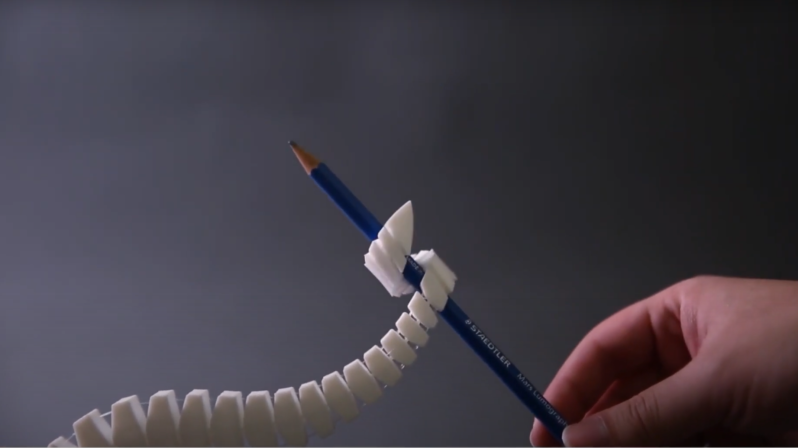
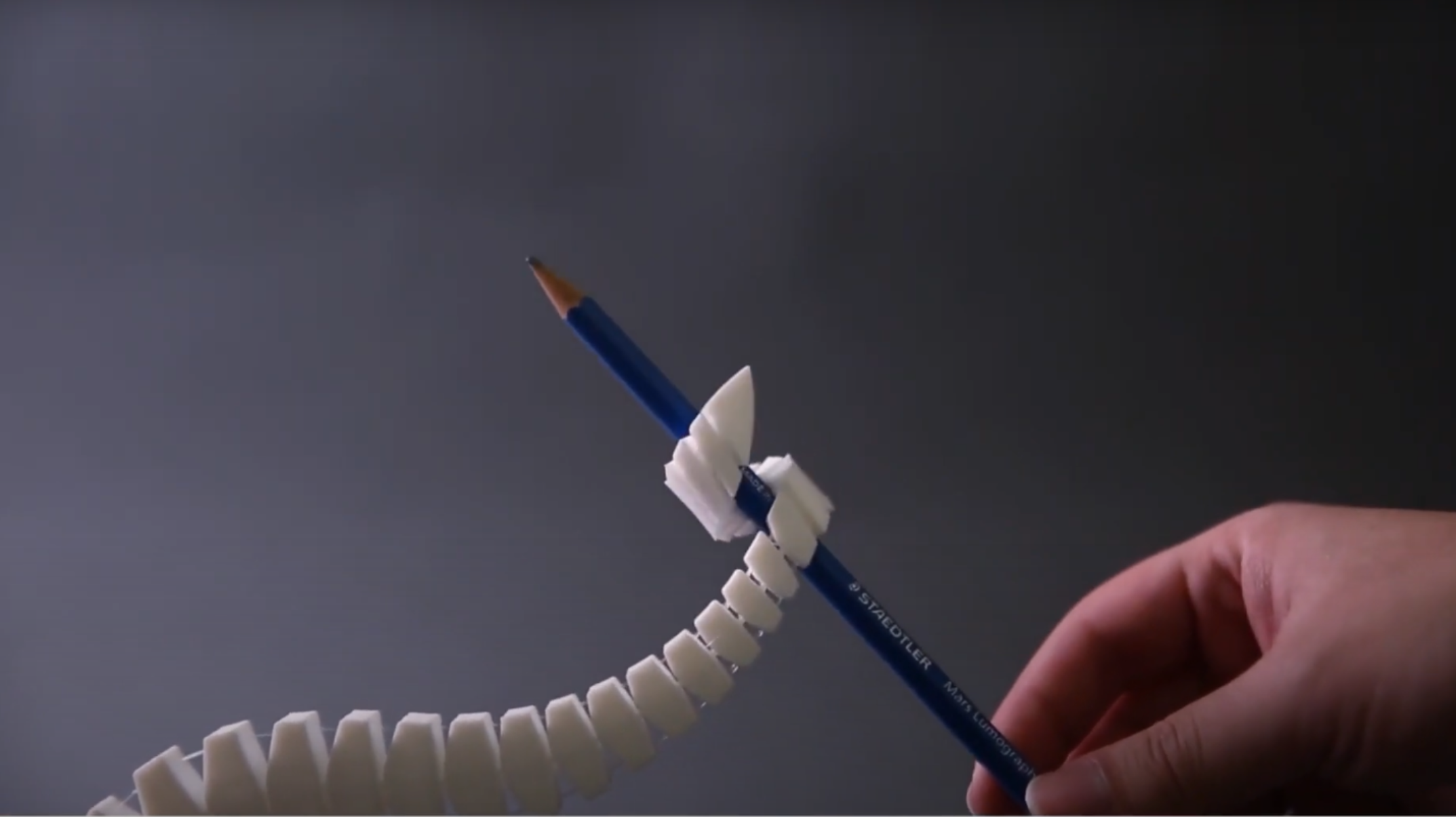
One of the most basic problems with robotic arms and similar systems is keeping the weight down, as more weight requires a more rigid frame and stronger actuators. Cable-driven systems are a classic solution, and a team of researchers from MIT and Zhejiang University recently shared some techniques for designing fully 3D printed cable-driven mechanisms.
The researchers developed a set of four primitive motion components: a bending component, a coil, screw-like, and a compressive component. These components can work together in series or parallel to make much more complicated structures. To demonstrate, the researchers designed a gripping tentacle, a bird’s claw, and a lizard-like walking robot, but much more complicated structures are certainly possible. Additionally, since the cable itself is printed, it can have extra features, such as a one-way ratcheting mechanism or bumps for haptic feedback.
These printed cables are the most novel aspect of the project, and required significant fine-tuning to work properly. To have an advantage over manually-assembled cable-driven systems, they needed to be print-in-place. This required special printer settings to avoid delamination between layers of the cable, cables sticking to other components, or cables getting stuck in the mechanism’s joints. After some experiments, the researchers found that nylon filament gives the best balance between cable strength and flexibility, while not adhering tightly to the PLA structure.
La nostalgie et le capitalisme, voilà deux concepts qui fonctionnent plutôt bien ensemble. Si ce constat s'applique sans surprise à la vente, parfois à prix d'or, de vieux appareils ou de jouets cultes, il fonctionne aussi avec la sortie de nouveaux produits.Si aujourd'hui un smartphone peut remplir à lui tout seul la fonction de bien des appareils d...
Here at Geeks Are Sexy, we’ve been covering pop culture conventions, and especially the amazing cosplayers who attend them, since 2011. Costumes are like fads: they come and go. But one theme never goes out of style: Star Wars.
This is our tribute to all you fantastic Star Wars cosplayers out there! The photos below showcase some of the best and most interesting costumes we’ve captured on camera over the past 14 years.
C'est une première. La France a décidé de désigner la Russie comme responsable de plusieurs attaques informatiques. Paris en profite pour dénoncer l'hostilité de la Russie dans le cyberespace, et cela depuis au moins dix ans.
This sketch is a fun takedown of one of the biggest sins in science fiction: picking years that are way too soon for the tech they’re showing us. Giant robot battles in 2025? Hoverboards in 2015? Interstellar travel in 2001? Please. My smart fridge still can’t tell if I’m out of milk.
When a time traveler shows up demanding a mysterious device, one guy’s had it up to here with unrealistic future dates, and he’s not afraid to rant about it while possibly getting vaporized.
Watch now for teleportation scams, timeline tantrums, and the most satisfying “I told you so” in sci-fi history:
A fresh Google update has quietly rolled out which makes scanning documents with your phone, specifically with Google Drive, better than ever. Google already lets you scan documents using your smartphone camera combined with the power of its various apps. These include Google Drive, Files by Google and the Pixel Camera app. The improvement means […]
Being a model citizen and a person of taste, you probably don't need this reminder, but some others do: Federal judges do not like it when lawyers electronically watermark every page of their legal PDFs with a gigantic image—purchased for $20 online—of a purple dragon wearing a suit and tie. Not even if your firm's name is "Dragon Lawyers."
Federal Magistrate Judge Ray Kent of the Western District of Michigan was unamused by a recent complaint (PDF) that prominently featured the aubergine wyrm.
"Each page of plaintiff’s complaint appears on an e-filing which is dominated by a large multi-colored cartoon dragon dressed in a suit," he wrote on April 28 (PDF). "Use of this dragon cartoon logo is not only distracting, it is juvenile and impertinent. The Court is not a cartoon."
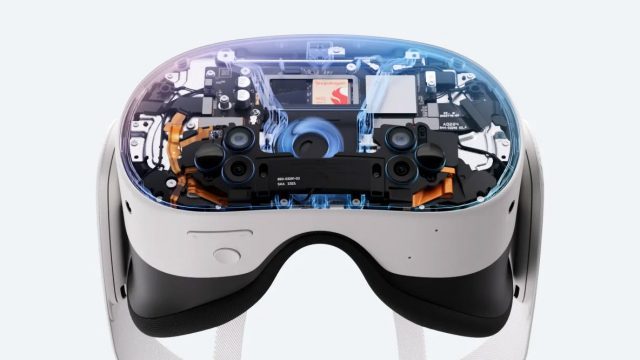
While Meta’s Quest has always relied heavily on cameras for tracking location of the headset, controllers, and the world around the user, developers haven’t had the same privileged access to the headset’s cameras. Earlier this year Meta gave developers the ability to experiment with direct access to the headset’s cameras in private projects; starting this week developers can now publicly release apps that make use of the new feature.
This week’s update of the Passthrough Camera API for Quest means that developers can now publish apps to the Horizon store that directly access the front-facing cameras of Quest 3 and 3S. This opens the door to third-party applications which can scan the world around the user to understand more about it. For instance, developers could add computer-vision capabilities to track objects or people in the scene, or to build a map of the environment for analysis and interaction.
For a long time this was impossible due to limitations Meta placed on what developers could and couldn’t do with the headset’s hardware. Despite computer-vision capabilities being widely available to developers on smartphones, Meta was hesitant to allow the same on its headsets, apparently due to privacy concerns (and surely amplified by the many privacy controversies the company has faced in the past).
Previously, third-party apps could learn some information about the world around the user—like the shape of the room and objects within it—but this information was provided by the system in a way that prevented apps from directly seeing what the cameras could see. This made it possible for developers to build mixed reality applications that were, to some extent, aware of the space around the user. But it made some use-cases difficult or even impossible; for example, tracking a specific object held by the user.
Last year Meta announced it would finally unlock direct access to the headset’s cameras. In March, it began offering an experimental version of the capability to developers, allowing them to build apps that accessed the headset’s cameras. But they weren’t allowed to publish those apps to the public, until now.
The company has also specified the technical capabilities and performance of the cameras that the developers can access on Quest 3 and 3S:
Image capture latency: 40-60ms
GPU overhead: ~1-2% per streamed camera
Memory overhead: ~45MB
Data rate: 30Hz
Max resolution: 1280×960
Internal data format YUV420
Meta says that a developer’s use of camera data on Quest is covered under its Developer Data Use Policy, including a section on “Prohibited Uses of User Data,” which prohibits certain uses of data, including to “perform, facilitate, or provide tools for surveillance,” and “uniquely identifying a device or user, except as permitted [in the policy].”
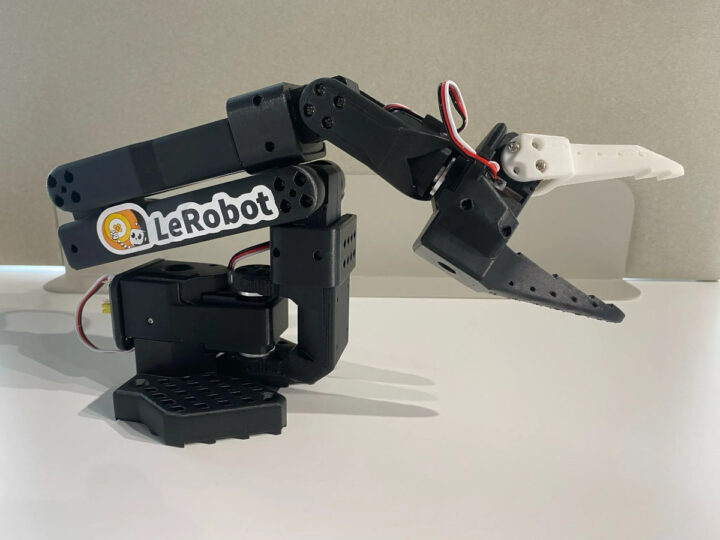
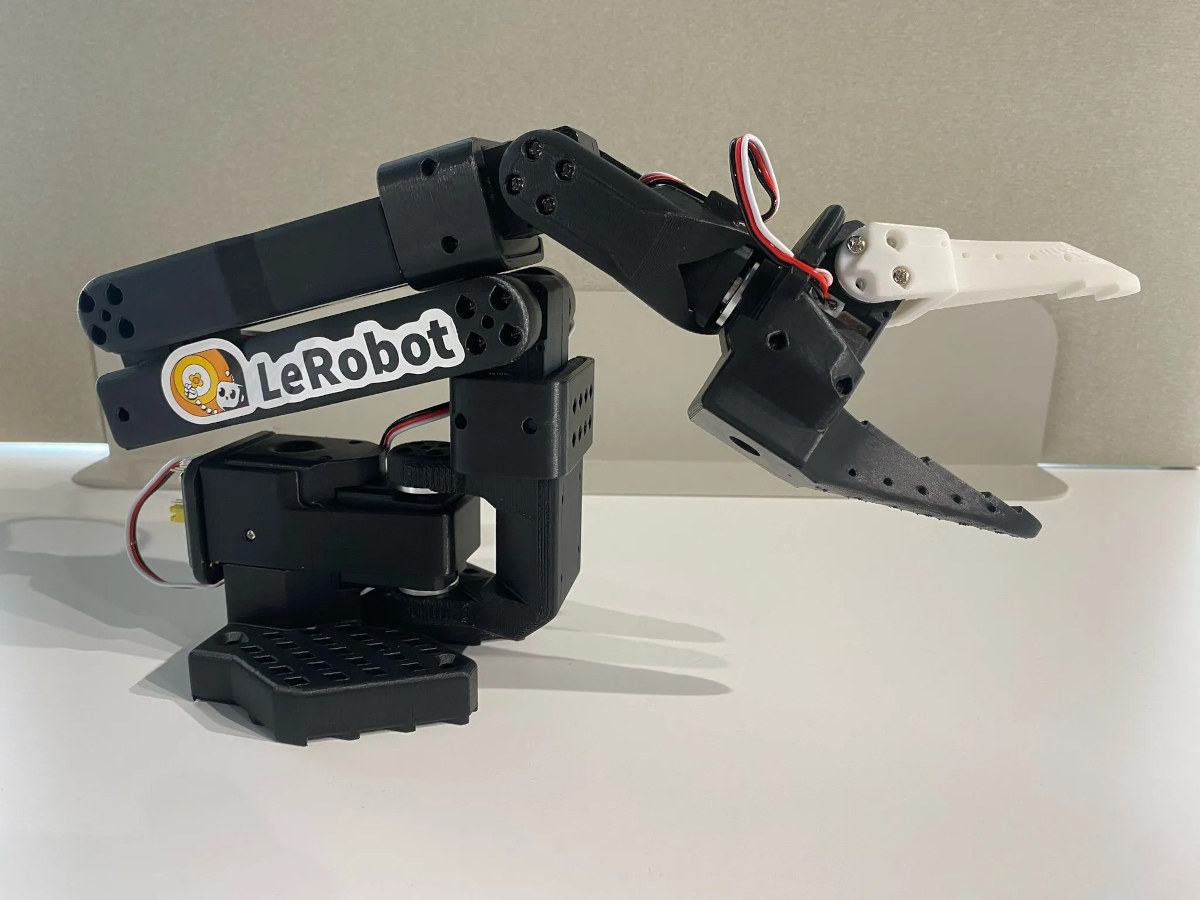
SO-ARM101 “Arm Servo Motor Kit” is an open-source dual robotic arm kit that works with Hugging Face’s LeRobot robotics framework and is designed to interface with NVIDIA Jetson AI modules and computers.
It is an update to the SO-ARM100 DIY open-source robotic arm kit introduced last year with LeRobot framework support. The new SO-ARM101 is still comprised of leader and follower arms but features improved wiring to prevent disconnection issues previously seen at joint 3, motors with optimized gear ratios, and a few functionality where the leader arm can now follow the follower arm in real-time, which will be used for reinforcement learning (RL) where a human can intervene and correct the robot’s actions.
SO-ARM101 specifications:
Degrees of Freedom (DOF) – 6 per Arm
Motor control
Total servo – 12x STS3215 bus servos (6x for each Arm)
Leader Arm
1x (7.4V) 1:345 gear ratio motor for No.2 joints
2x (7.4V) 1:191 gear ratio motors for No.1 and No.3 joints
3x (7.4V) 1:145 gear ratio motors for No.4 and No.5 joints, and the No.6 gripper
Follower Arm
Standard kit – 6x (7.4V) 1:345 gear ratio motor for all joints; torque: 16.5kg.cm at 6V
Pro kit – 6x (12V) 1:345 gear ratio motor for all joints; torque: 30kg.cm
Angle Sensor – 12-bit magnetic encoder
USB – USB-C for programming and testing
Host Communication – UART
Control Method – PC-based control
Power Supply
Standard kit – 2x 5V/4A power adapter
Pro kit – 12V/1A for Follower arm, 5V/4A for Leader arm
Temperature Range – 0°C to 40°C
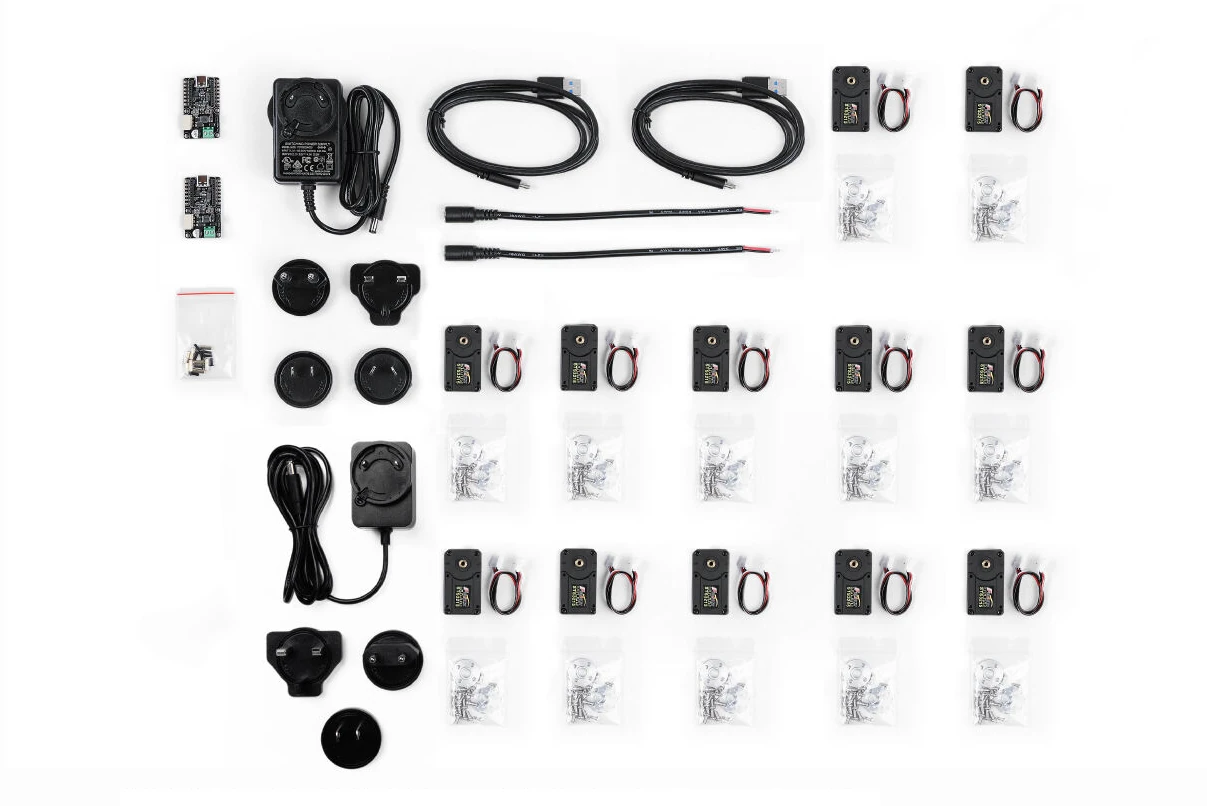
SO-ARM101 motor kit does not include 3D printed parts, which can be printed by the user or ordered separately
The hardware is designed by LeRobtoStudio, and you’ll find assembly instructions for both Arms, 3D files, a list of parts, and other resources on a GitHub repo shared by both SO-ARM100 and SO-ARM101 kits.
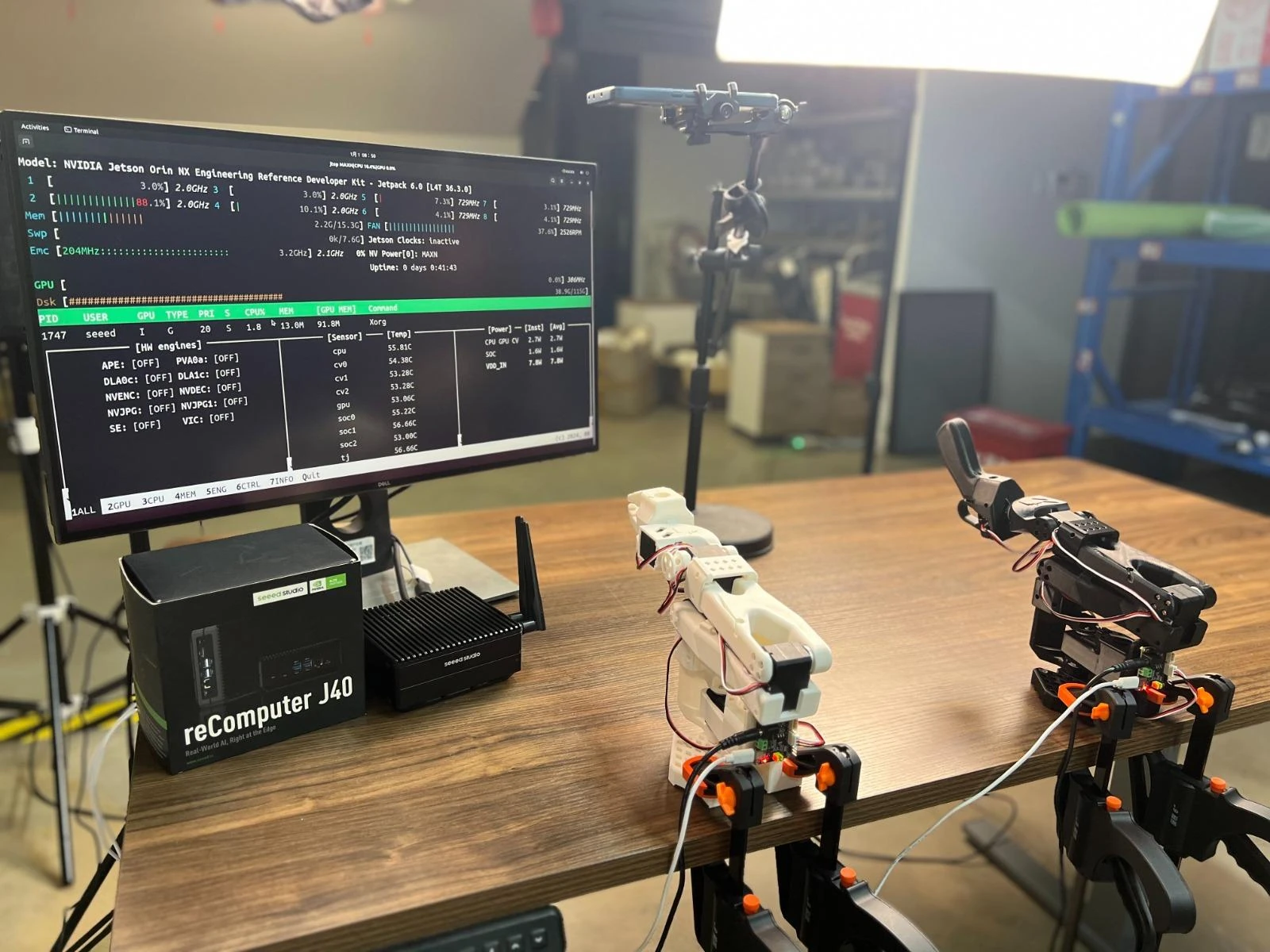
The kit integrates with the LeRobot platform with PyTorch models, datasets, and tools for reinforcement learning and imitation learning using Hugging Face. This kit and related software are designed to work on NVIDIA Jetson hardware such as the reComputer J4021 mini PC with Jetson Orin NX 16GB. The video below shows the leader and follower Arms in action using Hugging Face’s LeRobot (with the SO-ARM100 kit).
The SO-ARM101 dual robotic arm kit is sold for $220 (Standard) or $240 (Pro) on AliExpress or Seeed Studio. Readers should note that neither the Standard nor Pro kit includes the 3D printed parts, so they would have to print those themselves, or purchase them separately for about $35, since they are offered as options on both AliExpress and Seeed Studio.
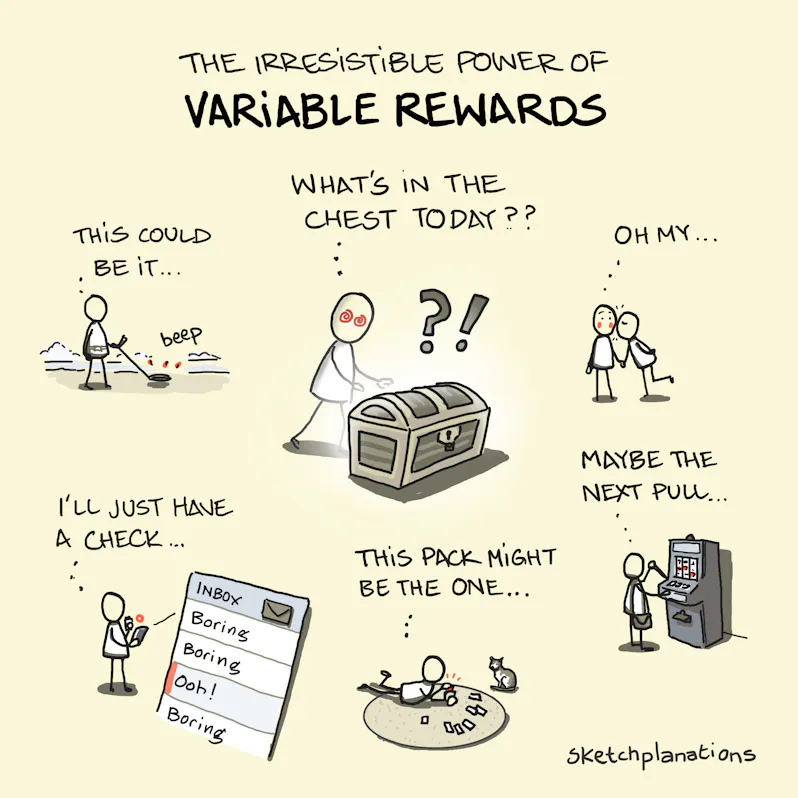
Variable Rewards are remarkably powerful. Sometimes, you get something good. Sometimes, you get nothing. But every so often, it's something amazing. That unpredictability keeps us coming back.
What Are Variable Rewards?
A variable reward is a type of reward given unpredictably. You don't know exactly what you'll get or when—and that's what makes it so compelling. The randomness taps into our brain's reward system, creating a powerful loop of anticipation and surprise.
Examples of Variable Rewards
This kind of reward schedule—and variations in psychology, such as variable ratio reinforcement or intermittent variable rewards—is known for being highly addictive. It shows up everywhere in daily life and product design. Here are a few examples I've witnessed or experienced firsthand:
The Reward Chest
The reward chest, or comparable source of goodies, has proliferated in games. Here's how it can work: Each day, or few hours, there's another chance to open a reward chest. It's scarce—don't miss it. Most of the time, it gives you something standard. But once in a while, you open it to find something amazing — a rare weapon or skill. Better open just one more…
The Email Inbox
Mostly, it's standard stuff. Sometimes, it's great — an exciting job intro, a message from an old friend, a special offer. That occasional thrill keeps us checking in.
I've noticed this with print sales of the sketches or new members on Patreon. From time to time someone places a big order—it could be tomorrow, it could be never again, or it could be this one time I check my inbox.
Reviewing animal camera trap photos
We were recently checking through the photos from a set of animal camera traps in a nearby park. Often, the camera trap was triggered by another crow or raven. But sometimes you get a badger or an animal looking right at you. And the next photo might have a hedgehog or a rare bird. Better just look at one more.
Beachcombing
Beaches are wonderful environments for serendipity (and play). It's always a joy walking along the strand line to see what you might find. There are usually a few lovely shells. Other times, there's nothing. But sometimes there's a crab. Or a starfish. Or once, a war relic. Maybe it'll be this time.
The variable reward examples go on:
Slot machines — just enough wins to keep you playing, with the occasional sound across the casino of a bumper win.
Pret A Manger — employees could occasionally give a free coffee. If you got one once, there's always the chance it'll happen again.
Pokémon cards — most cards are standard and just build up your deck, but there's always a shot at a rare card worth hundreds in the next pack you open.
A generous compliment from your boss — might have you hoping the next project brings another.
A surprise gesture of affection — from a friend or partner might keep you on the edge for more.
Social posts — the one that blew up with thousands of likes. Maybe that'll be yours this time.
Your football team — they don't win every week, but they win just enough to keep you dreaming that today might be a great day.
Maybe even Sketchplanations — in most weeks, maybe you're ambivalent about the new one. But occasionally, it hits just right. Maybe next week's will.
Because the rewards are sporadic and unpredictable, we build anticipation before we act—and when a reward comes, it satisfies an emotional itch and fuels habit formation.
Variable rewards can be much more engaging than predictable rewards. Nir Eyal breaks them into three types:
Social rewards—feeling connected or admired (Rewards of the Tribe)
Material or informational rewards—such as money or finding something (Rewards of the Hunt)
Intrinsic rewards—mastering a challenge, beating a level (Rewards of the Self)
Summary
Variable rewards have the power to get us hooked.
Life has intermittent variable rewards. However, some products and games are built around them deliberately. And I have come to realise that they are powerfully addictive.
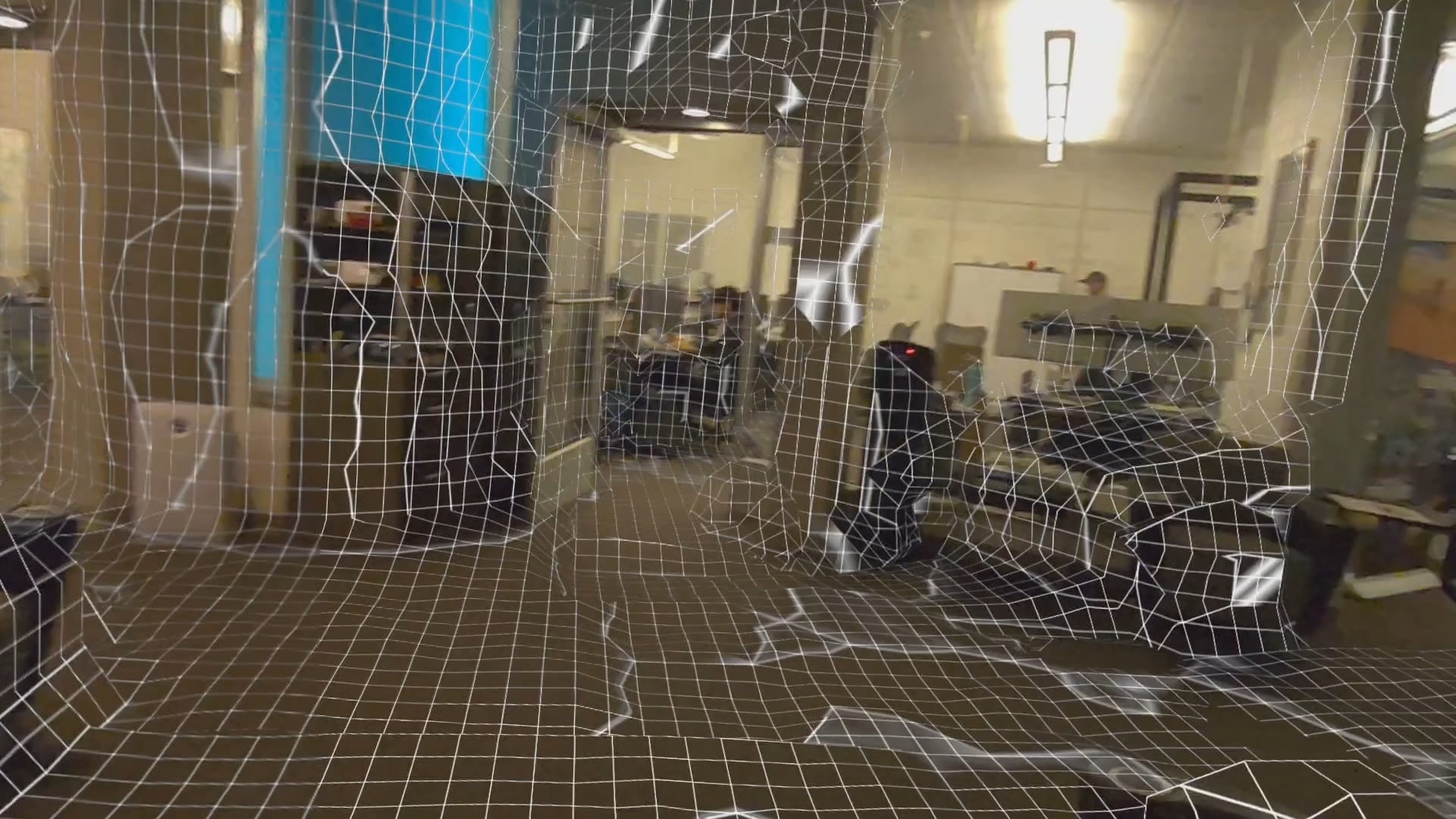
Lasertag's developer implemented continuous scene meshing on Quest 3 & 3S, eliminating the need for the room setup process and avoiding its problems.
Quest 3 and Quest 3S let you scan your room to generate a 3D scene mesh that mixed reality apps can use to allow virtual objects to interact with physical geometry or reskin your environment. But there are two major problems with Meta's current system.
The first problem is that it requires you to have performed the scan in the first place. This takes anywhere from around 20 seconds to multiple minutes of looking or even walking around, depending on the size and shape of your home, adding significant friction compared to just launching directly into an app.
The other problem is that these scene mesh scans represent only a moment in time, when you performed the scan. If furniture has moved or objects have been added or removed from the room since then, these changes won't be reflected in mixed reality unless the user manually updates the scan. For example, if someone was standing in the room with you during the scan, their body shape is baked into the scene mesh.
0:00
/1:31
1×
Continuous scene meshing in beta Lasertag build.
Quest 3 and Quest 3S also offer another way for apps to obtain information about the 3D structure of your physical environment, though, the Depth API.
The Depth API provides real-time first person depth frames, generated by the headset by comparing the disparity from the two tracking cameras on the front. It works up to around 5 meters distance, and is typically used to implement dynamic occlusion in mixed reality, since you can determine whether virtual objects should be occluded by physical geometry.
An example of a game that uses the Depth API is Julian Triveri's colocated multiplayer mixed reality Quest 3 game Lasertag. As well as for occlusion, the public build of Lasertag uses the Depth API to determine in each frame whether your laser should collide with real geometry or hit your opponent. It doesn't use Meta's scene mesh, because Triveri didn't want to add the friction of the setup process or be limited by what was baked into the mesh.
And the beta release channel of Lasertag goes much further than this.
In the beta release channel, Triveri uses the depth frames to construct, over time, a 3D volume texture on the GPU representing your physical environment. That means that, despite still not needing any kind of initial setup, this version of Lasertag can simulate laser collisions even for real world geometry you're not currently directly looking at, as long as you've looked at it before. In an internal build, Triveri can also convert this into a mesh using an open-source Unity implementation of the marching cubes algorithm.
In earlier builds, Triveri even experimented with networked heightmapping. In these tests, each headset in the session shared their continuously constructed heightmap, derived from the depth frames, with the other headsets as they constructed it, meaning everyone got the sum of what each headset has scanned. This isn't currently available, and relied on older underlying techniques that Triveri doesn't currently plan to bring forward. But it's still an interesting experiment that future multiplayer mixed reality systems could explore.
0:00
/0:43
1×
Previous experimentation of networked continuous heightmapping.
So why doesn't Meta do continuous meshing instead of its current room scanning system?
On Apple Vision Pro and Pico 4 Ultra, this is already how scene meshing works. On these headsets, there is no specific room setup process, and the headset continuously scans the environment in the background and updates the mesh. But the reason they can do this is that they have hardware-level depth sensors, whereas Quest 3 and Quest 3S use computationally expensive computer vision algorithms to derive depth (in Quest 3's case, assisted by a projected IR pattern).
Using the Depth API at all has a notable CPU, GPU, and battery life cost, which is why many Quest mixed reality apps still don't even have dynamic occlusion. And using these depth frames to construct a mesh is even more computationally and energy expensive.
Essentially, Lasertag trades off performance and battery life for the advantage of continuous scene understanding without a setup process. And this is why Quest 3 and 3S don't do this for the official scene meshing system.
0:00
/3:35
1×
Lasertag beta gameplay.
In January Meta indicated that it plans to eventually make scene meshes automatically update to reflect changes, but the wording given sounds like it will still require the initial setup process as a baseline.
Lasertag is available for free on the Meta Horizon platform for Quest headsets. The live store version uses the current depth frame for laser collisions, while the pre-release beta constructs a 3D volume over time, as described above.
For developers interested in leveraging Lasertag's technique, Triveri has made the source code available on GitHub.
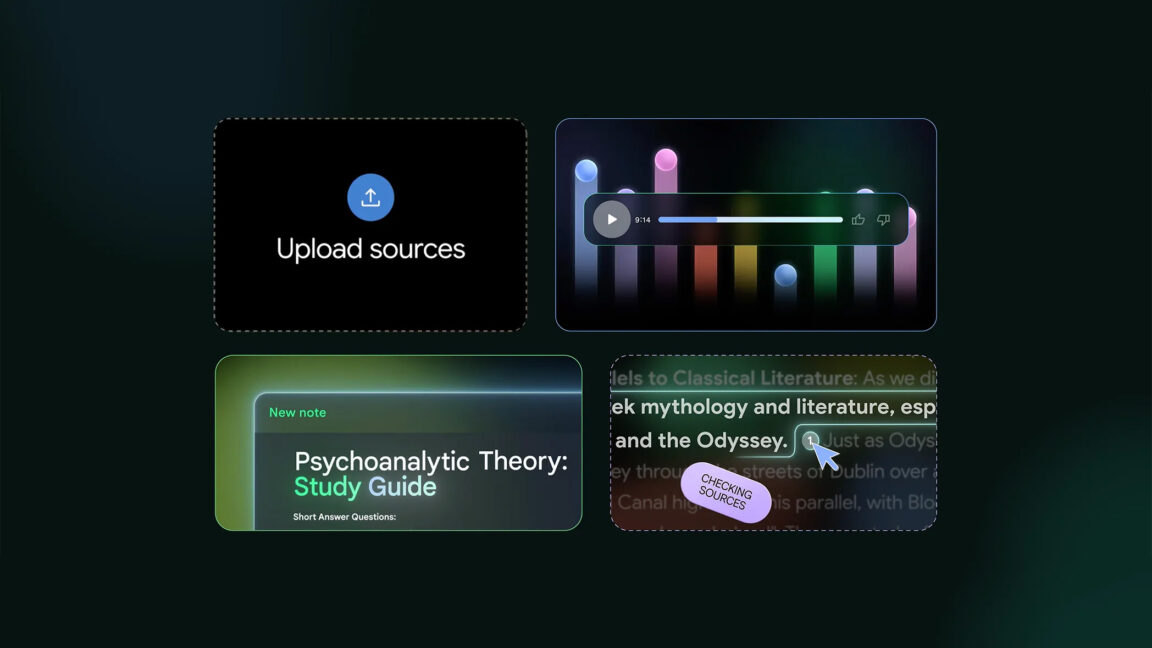
After several years of escalating AI hysteria, we are all familiar with Google's desire to put Gemini in every one of its products. That can be annoying, but NotebookLM is not—this one actually works. NotebookLM, which helps you parse documents, videos, and more using Google's advanced AI models, has been available on the web since 2023, but Google recently confirmed it would finally get an Android app. You can get a look at the app now, but it's not yet available to install.
Until now, NotebookLM was only a website. You can visit it on your phone, but the interface is clunky compared to the desktop version. The arrival of the mobile app will change that. Google said it plans to release the app at Google I/O in late May, but the listing is live in the Play Store early. You can pre-register to be notified when the download is live, but you'll have to tide yourself over with the screenshots for the time being.
NotebookLM relies on the same underlying technology as Google's other chatbots and AI projects, but instead of a general purpose robot, NotebookLM is only concerned with the documents you upload. It can assimilate text files, websites, and videos, including multiple files and source types for a single agent. It has a hefty context window of 500,000 tokens and supports document uploads as large as 200MB. Google says this creates a queryable "AI expert" that can answer detailed questions and brainstorm ideas based on the source data.
Microsoft on Wednesday launched several new “open” AI models, the most capable of which is competitive with OpenAI’s o3-mini on at least one benchmark. As it says on the tin, all of the new permissively licensed models — Phi 4 mini reasoning, Phi 4 reasoning, and Phi 4 reasoning plus — are “reasoning” models, meaning […]
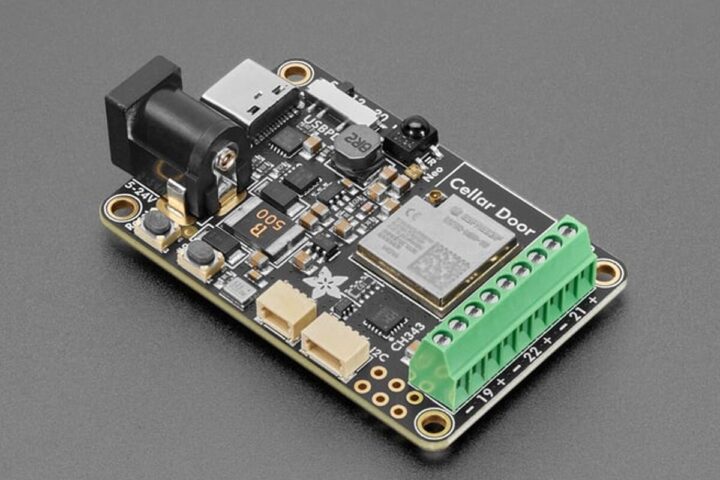
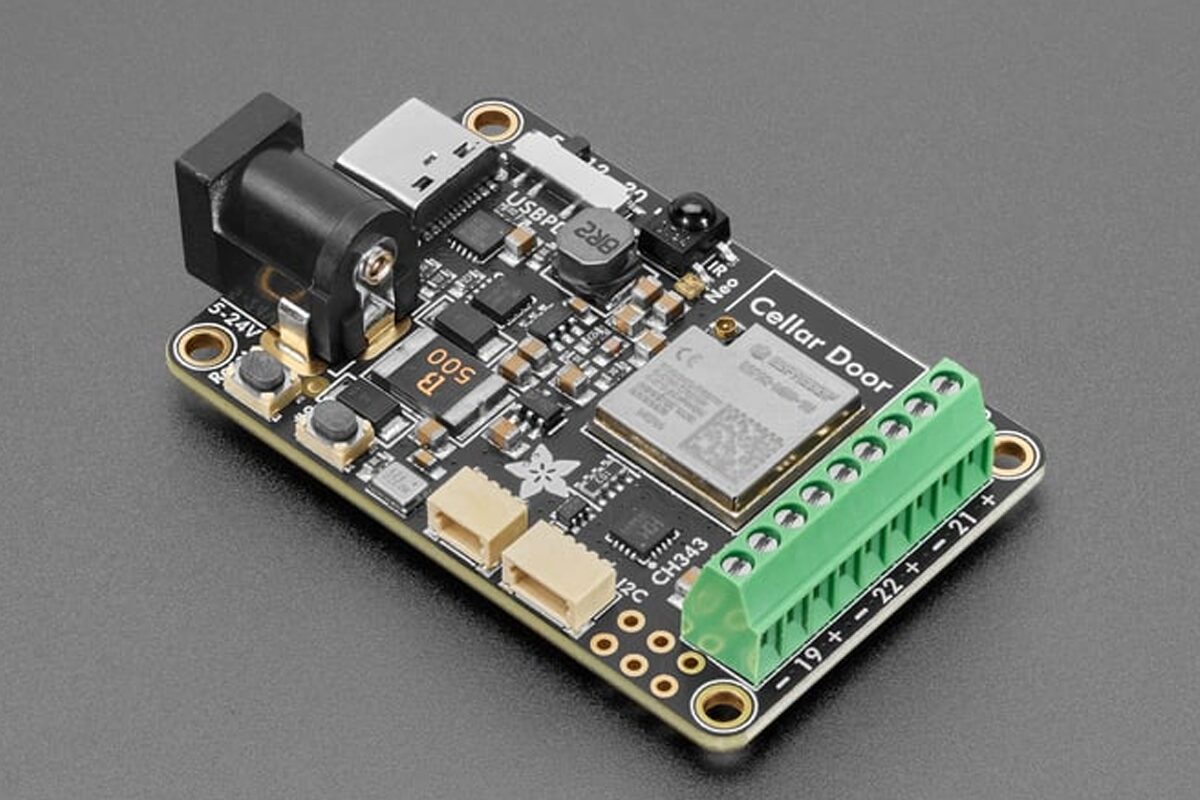
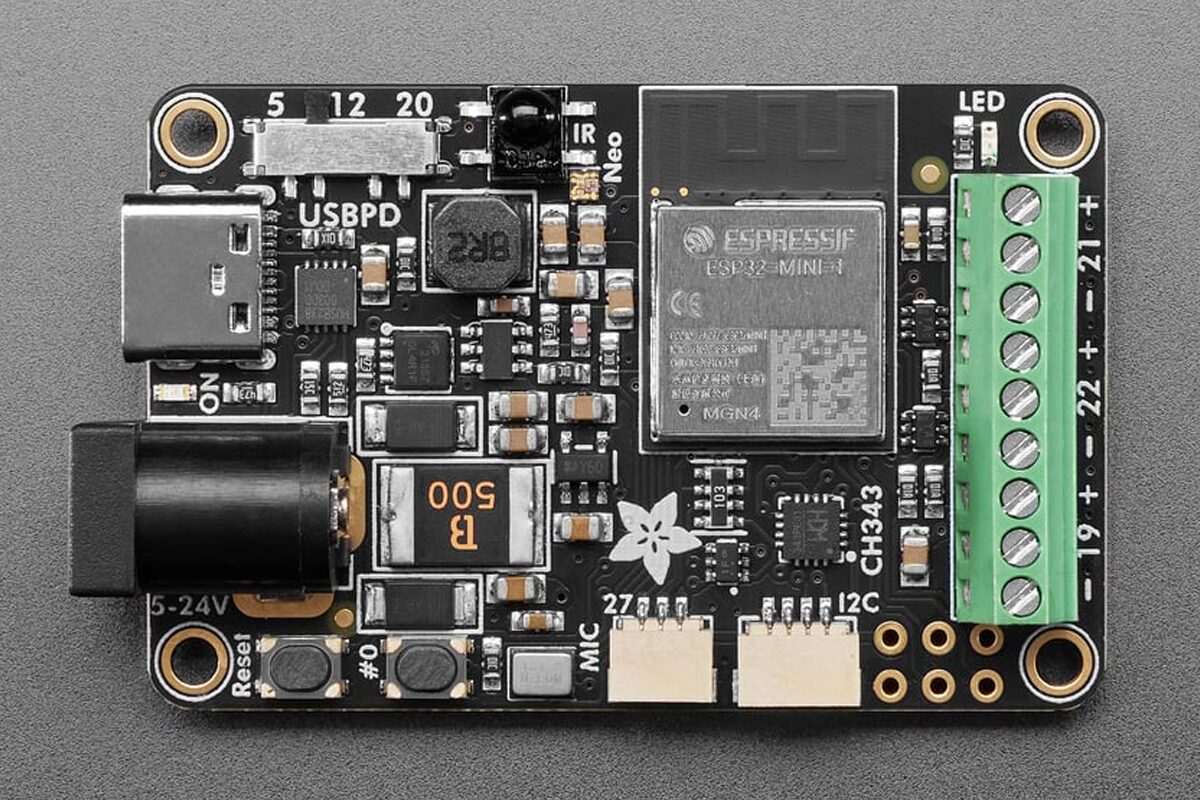
The Adafruit SparkleMotion is an ESP32-based LED controller board designed to drive addressable LEDs, including WS2812B, APA102, SK6812, LPD8806, UCS2904, and SM16704. It supports both WLED and xLights projects and features an onboard 100W USB-C PD port to drive even high-voltage LED setups.
The board includes dual power input options (USB-C PD with 5/12/20V selection and 2.1mm DC jack), a 5A fuse, and level-shifted output terminals for controlling addressable LEDs. The board also features a built-in I2S digital microphone, IR receiver, Stemma QT I2C port, USB-serial with auto-reset, GPIO breakout pads, onboard NeoPixel and status LED, and multiple JST and terminal connectors for sensor and control integration. It comes pre-assembled with terminal blocks for easy wiring, making it suitable for applications such as wearable electronics, home decor lighting, audio-reactive displays, and remote-controlled installations.
Adafruit Sparkle Motion Specifications:
SoC – ESP32-S3 dual-core Xtensa LX7 MCU @ 240MHz with 2.4GHz Wi-Fi and BLE 5
USB Type-C PD input with slide switch for 5V / 12V / 20V selection (20V suitable for most 24V LED strips)
2.1mm DC barrel jack input (center-positive)
5A fuse and low forward-voltage diodes for protection
Dimensions – 45 x 33mm with mounting holes
Weight – Approx. 10 grams
Compliance – RoHS 2 2011/65/EU and 2015/863/EU
The Adafruit Sparkle Motion board works with WLED firmware with sound reactive support and xLights open-source software for setting up large LED displays with protocols like E1.31, DDP, and Art-Net. You also have the option to use Arduino IDE, ESP-IDF, MicroPython, or CircuitPython to design your own custom LED project. More information to get started can be found on the Adafruit Learn website.
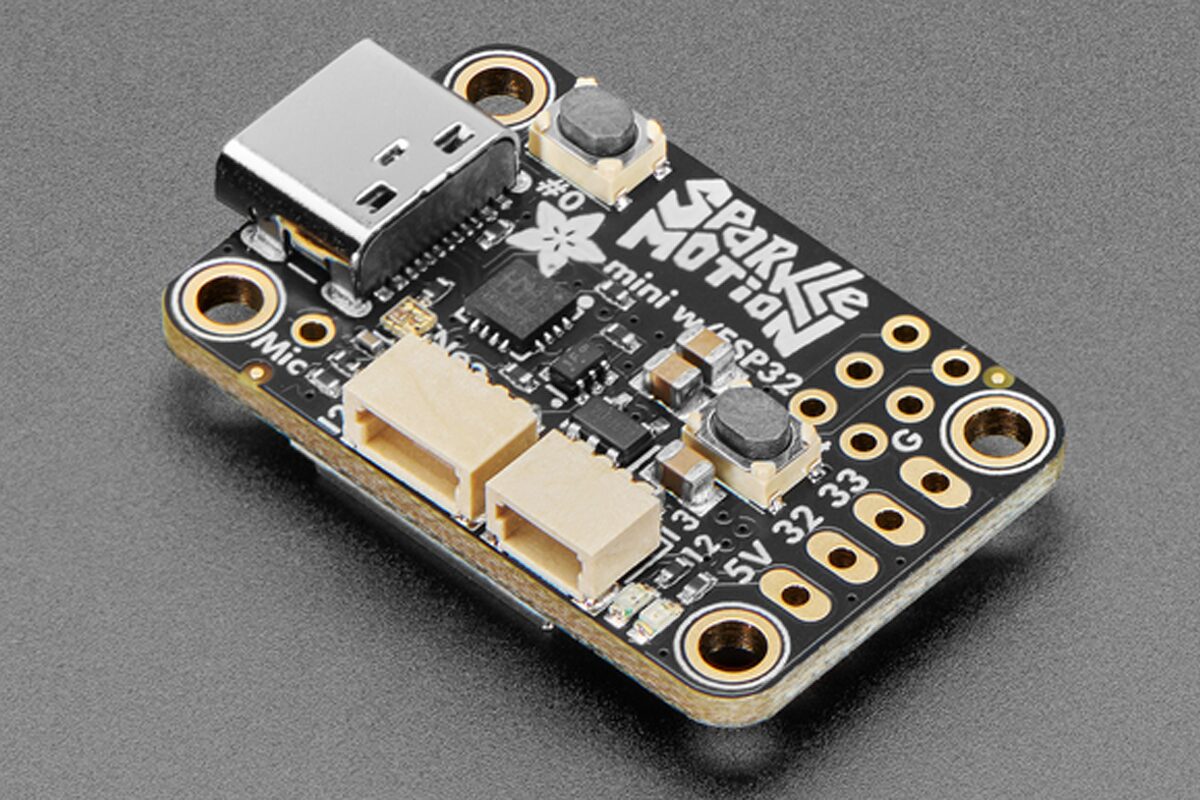
The Sparkle Motion addressable LED controller comes in two variants, one with a PCB Antenna and the other with the option to connect a wFL External Antenna. There is also a Mini Sparkle Motion board with 31.6 x 19.8mm from factor with level-shifted dual LED outputs, an I2S microphone, Stemma QT I2C port, user/reset buttons, and extra GPIO breakouts, which may be better suited to wearables and portable LED setups.
The Adafruit Sparkle Motion board, priced at $24.95, is available with either a built-in PCB antenna or a u.FL external antenna. Both are often out of stock due to high demand, and at the time of writing, only the version with an external antenna is in stock (46 pieces).
EN BREF ⚡ Les États-Unis ont développé un laser d’une puissance de 1 pétawatt, comparable à un million de centrales nucléaires. 🎯 La technique innovante du flipper a permis de propulser les électrons à des vitesses proches de la lumière. 🇫🇷 Le laser français Apollon demeure en tête avec une puissance-crête de 10 pétawatts, pour [...]
EN BREF 🔍 Découverte d’une base sous-marine secrète en Chine grâce à des images satellites, révélant plusieurs sous-marins nucléaires. 🚢 La base, située près de Qingdao, permet un déploiement rapide des forces sous-marines dans des zones géopolitiquement sensibles. 🔄 La Chine modernise sa flotte avec des sous-marins de nouvelle génération, accentuant sa puissance maritime face [...]
Ever looked at your waffle maker and thought, “Cool, but what if it was LEGO and had way more gears? Brick Machines is here to make all your breakfast dreams come true with the LEGO Waffle Factory — a brilliant machine that measures, mixes, pours, cooks, plates, and even drizzles syrup! It’s like Willy Wonka got a LEGO set and a serious craving for Belgian waffles. Check it out!
Des astronomes ont résolu deux mystères d'un coup : la nature d'un flash extrêmement puissant datant de 2004 et la manière dont se forme environ 10% de l'or et des éléments les rares et lourds dans l'Univers.En 2004 donc, un télescope spatial repère une violente bouffée de rayons X en direction de la constellation du Sagittaire (SGR 1806–20). Assez r...
OpenAI a dévoilé une mise à jour de ChatGPT, transformant son célèbre assistant conversationnel en une plateforme de shopping intelligente. Un pas de plus pour concurrencer les géants du secteur, notamment Google, en offrant une expérience d'achat en ligne plus personnalisée et sans publicité.
Matthieu Deboeuf-Rouchon, responsable de l'innovation chez Capgemini Engineering, décrypte l'univers des jumeaux numériques 5D, une révolution technologique qui transforme l'industrie, la gestion des infrastructures et la santé.
Les Digital Twins, ou jumeaux numériques, connaissent aujourd'hui une profonde mutation. Loin de se limiter à des représentations visuelles en 3D, ils deviennent de véritables plateformes d’aide à la décision, intégrant des données financières, temporelles et opérationnelles.
Matthieu Deboeuf-Rouchon explique comment cette évolution change la donne, à travers des exemples concrets comme la modélisation de l’aéroport de Heathrow. Les jumeaux numériques permettent désormais de simuler des environnements complexes et d’optimiser en temps réel la gestion des infrastructures, des flux logistiques ou encore des systèmes énergétiques.
Il dresse également un panorama des forces de l’écosystème français, avec des acteurs majeurs tels que Dassault Systèmes, et met en lumière les enjeux liés à la captation de données (IoT, lidar, computer vision) ainsi qu’à l'orchestration de l'intelligence artificielle.
La promesse de la digital workplace c’est d’être l’endroit unique où se passe notre vie au travail : là où on travaille, collabore, socialise, s’engage…
On en a longtemps fait une question d’outils mais maintenant qu’il me semble que la question est réglée (quand il n’y a presque plus de concurrence sur les outils la question du choix disparait) on peut enfin commencer à parler d’usages.
Et qui dit usage dit travail et il est plutôt sain de ne plus parler de comment parler de la digital workplace pour s’intéresser à ce qu’on y fait.
A ce propos je relisais dernièrement le Microsoft Work Trend Index 2023(Work Trend Index Annual Report – Will AI Fix Work?) et j’y lisais que les salariés passent en moyenne 57 % de leur temps dans Microsoft 365 à communiquer (réunions, messages, e-mails), contre seulement 40 % à travailler dans les outils bureautiques donc créer des documents.
On parle bien du temps passé dans Microsoft 365 et pas du temps total passé au travail mais ça m’a tout de même fait me demander si produire des documents était vraiment travailler ou, en tout cas, si c’était toujours travailler.
Créer des documents est en effet devenu une activité dominante dans la plupart des entreprises mais est-ce ce que nous sommes pas, parfois, en train d’entretenir une illusion d’activité lorsque nous le faisons.
En bref :
La digital workplace est désormais moins une question d’outils qu’une question d’usages réels.
La production de documents est souvent devenue une fin en soi, créant une confusion entre le support de travail et le travail lui-même.
La bureaucratie numérique entraîne une inflation documentaire qui dilue la productivité, malgré les promesses des outils numériques.
La création de documents sert fréquemment de mécanisme de protection individuelle dans les organisations, au détriment de l’action et des résultats tangibles.
Pour retrouver du sens dans le travail, il est essentiel d’interroger l’utilité, la contribution et la durée de vie de chaque document avant de le produire, afin de privilégier l’impact sur la formalisation.
La confusion entre le travail et son support
Au départ le document est un support qui sert à organiser, formaliser, transmettre. Sa vocation est de préparer ou accompagner le travail mais il n’est pas en soi le travail qui est la résultante des actions réalisées sur la base des informations contenues dans le document.
Pourtant j’ai fini par me rendre compte que dans beaucoup d’organisation la production de documents étaient devenue une fin en soi.
Rédiger une note, faire une présentation, faire un reporting devient un objectif même en l’absence d’usage effectif.
Livrer une note, poster une présentation sur Teams, envoyer un reporting par mail devient un objectif, même en l’absence d’usage effectif derrière.
Quand la production documentaire accapare davantage de temps que la production réelle cela ne peut que poser des questions en termes d’efficacité.
L’inflation documentaire : symptôme de la bureaucratie numérique
Ca n’a rien de nouveau. En 1955, l’historien britannique Cyril Northcote Parkinson posait la loi qui porte son nom :
« Le travail s’étend pour occuper tout le temps disponible pour son achèvement. »
Dans la digital workplace la loi de Parkinson se traduit par une inflation documentaire. Plus une organisation devient complexe plus elle génère de documents, le plus souvent pas pour agir mais pour donner l’illusion qu’elle agit voire justifier l’existence de certains fonctions dédiées au contrôle.
La note devient la preuve de la réflexion. La roadmap devient un substitut à la livraison. Le reporting devient un moyen de montrer qu’un service existe et fonctionne, indépendamment de son impact réel.
Et plus on produit de documents plus on perd du temps à les rechercher, à séparer le bon grain de l’ivraie.
Les digital workplaces, vendues comme des outils de productivité ne sont en fait que des accélérateurs de production et de diffusion documentaires.
9 heures par semaine dédiés non pas à travailler mais à subir les effets de la surproduction documentaire.
Aujourd’hui on mesure plus la performance à la capacité à produire les preuves qu’on a essayé de faire quelque chose qu’à l’impact réel.
De la même manière que le présentéisme valorise davantage le fait d’être au bureau que ce qu’on y fait, on ici une sorte de culture du formalisme qui consiste à montrer qu’on travaille plutôt que faire avancer ce qui compte.
Travailler c’est transformer, pas documenter
Travailler ça n’est pas produire des supports ou, plutôt, ne devrait pas l’être. Au contraire c’est transformer de la connaissance et de l’information en action.
Écrire une procédure de traitement client n’améliore pas à elle seule l’expérience client, rédiger un plan projet n’aboutit à la livraison d’un projet et faire un compte rendu de réunion ne sert à rien s’il n’est pas suivi d’effets.
Un document n’est utile que s’il est actionné : s’il déclenche une décision, guide son exécution, sert de support à une collaboration productive. Sinon il n’est qu’un document qui prend de la place et ajoute à la surcharge informationnelle.
Comme le disait Peter Drucker :
« Il n’y a rien de plus inutile que de faire efficacement ce qui ne devrait pas être fait du tout. »
Le document comme protection individuelle
Dans un climat d’incertitude et un environnement complexe, produire des documents est une manière de se protéger.
En documentant produisant des notes, des présentations, en montrant ains des signes d’activité, un salarié peut chercher à se prémunir d’éventuelles critiques futures : « j’ai informé », « j’ai formalisé », « j’ai transmis ».
Peu importe que ça n’ai résulté en rien, qu’aucune action ou décision n’ait eu lieu : la trace existe.
C’est ce que le sociologue Michel Crozier décrivait déjà dans « Le phénomène bureaucratique » (1963) :
« La multiplication des règles, des écrits et des procédures permet aux individus de se protéger, mais elle freine l’action collective.
Dans la digital workplace moderne, cette dynamique est simplement passée d’une paperasse physique à une documentation numérique quasi illimitée. Comme toujours, le digital a rempli son office : faire les choses plus vite et à plus grande échelle. Peu importe que ces choses soient utiles ou non.
L’effet amplificateur des outils collaboratifs
Les outils de collaboration comme Microsoft 365, Google Workspace, Notion, Confluence, ont apporté d’immenses gains de flexibilité mais ils ont aussi démultiplié la tentation de produire des documents à bas coût cognitif.
Pire encore, l’arrivée de l’IA générative ne va que faciliter cette tendance à produire des documents : puisqu’on peut générer un texte en quelques secondes pourquoi s’en priver ?
Les démarches d’adoption insistent tellement sur le fait d’utiliser les outils qu’on a fini par oublier pourquoi on devait les utiliser.
Créer un document, en faire une nouvelle version, commenter, partager, refaire circuler est devenu aussi simple qu’un clic.
Résultat : on multiplie les itérations, les validations, les brouillons, sans jamais se demander à quoi sert le document.
Selon une étude de Asana (Anatomy of Work 2023), 60% du temps de travail est aujourd’hui absorbé par ce qu’ils appellent le « work about work » : recherche d’informations, coordination, discussions de suivi, documentation.
Moins de la moitié du temps est réellement consacré aux tâches qui ont une valeur ajoutée réelle.
Conclusion
Nous faisons face à une situation assez paradoxale : jamais les outils n’ont autant facilité la création de documents, et jamais la nécessité de faire le tri entre l’utile du superflu n’a été aussi forte.
Créer un document n’est pas travailler. C’est au mieux supporter un travail qui doit aller au delà, c’est au pire alimenter une machine bureaucratique qui étouffe le travail sous une avalanche de slides, de notes et de process.
Crédit visuel : Image générée par intelligence artificielle via ChatGPT (OpenAI)
Vuzix Corporation recently announced the acquisition of a waveguide research and development facility in Milpitas, California, allowing Vuzix to supercharge waveguide tools that are integral for its next-generation of workplace AI-driven smart glasses and those of its ODM/OEM partners.
Vuzix continues to drive innovation in waveguide optics and display technology, enabling the development of next-generation AI-powered smart glasses. This facility strengthens our ability to support our partners with the highest-quality waveguide solutions, ensuring they have the technology needed to bring advanced, fashion-forward smart glasses to market. AI and AR are converging rapidly, and Vuzix is positioned to lead the way in this evolution.
Vuzix notes that the move centralises Vuzix’s innovation in the heart of Silicon Valley and involves the acquisition of state-of-the-art equipment, solidifying its position as a key enabler for the smart glasses market.
Vuzix to Empower OEMS
Vuzix is strengthening its OEM partnerships with its recent move. The company has started shipping its latest order of XanderGlasses, a private-label version of the Vuzix Shield smart glasses designed as an assistive technology solution for individuals with hearing loss.
This development represents another significant milestone for Vuzix, following a strong start to 2025. XanderGlasses aims to assist approximately 48 million people in the U.S. who experience hearing loss, and the device is currently being shipped to users across the country.
The Vuzix Shield smart glasses can display real-time captions of in-person conversations directly within the wearer’s field of view, allowing users to remain fully engaged in both social and professional settings. Xander has gained recognition for its product, being honoured as a CES 2024 Innovation Award Honoree in the Accessibility and Ageing Tech categories.
The news comes during a much-needed period of growth for Vuzix. Travers noted in March this year: “By combining Vuzix Shield smart glasses with Xander’s powerful embedded voice captioning software, we are addressing a significant need,” creating further demand for its hardware portfolio, “we look forward to supporting Xander as they scale their solution this year and beyond.”
When you combine the recent Vuzix OEM success with its Silicon Vally move, the future appears bright for the smart glasses veteran as the market picks up steam.
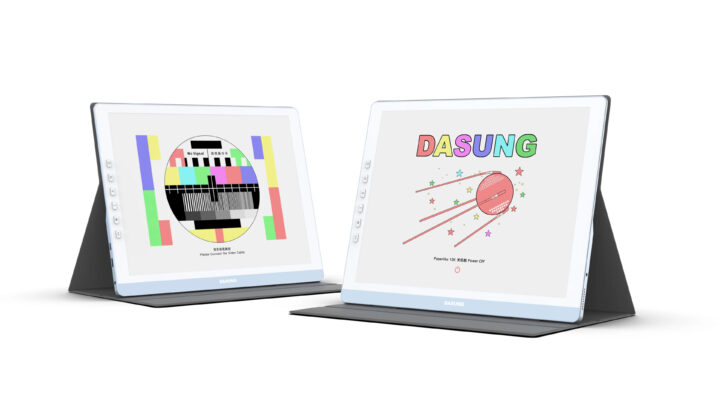
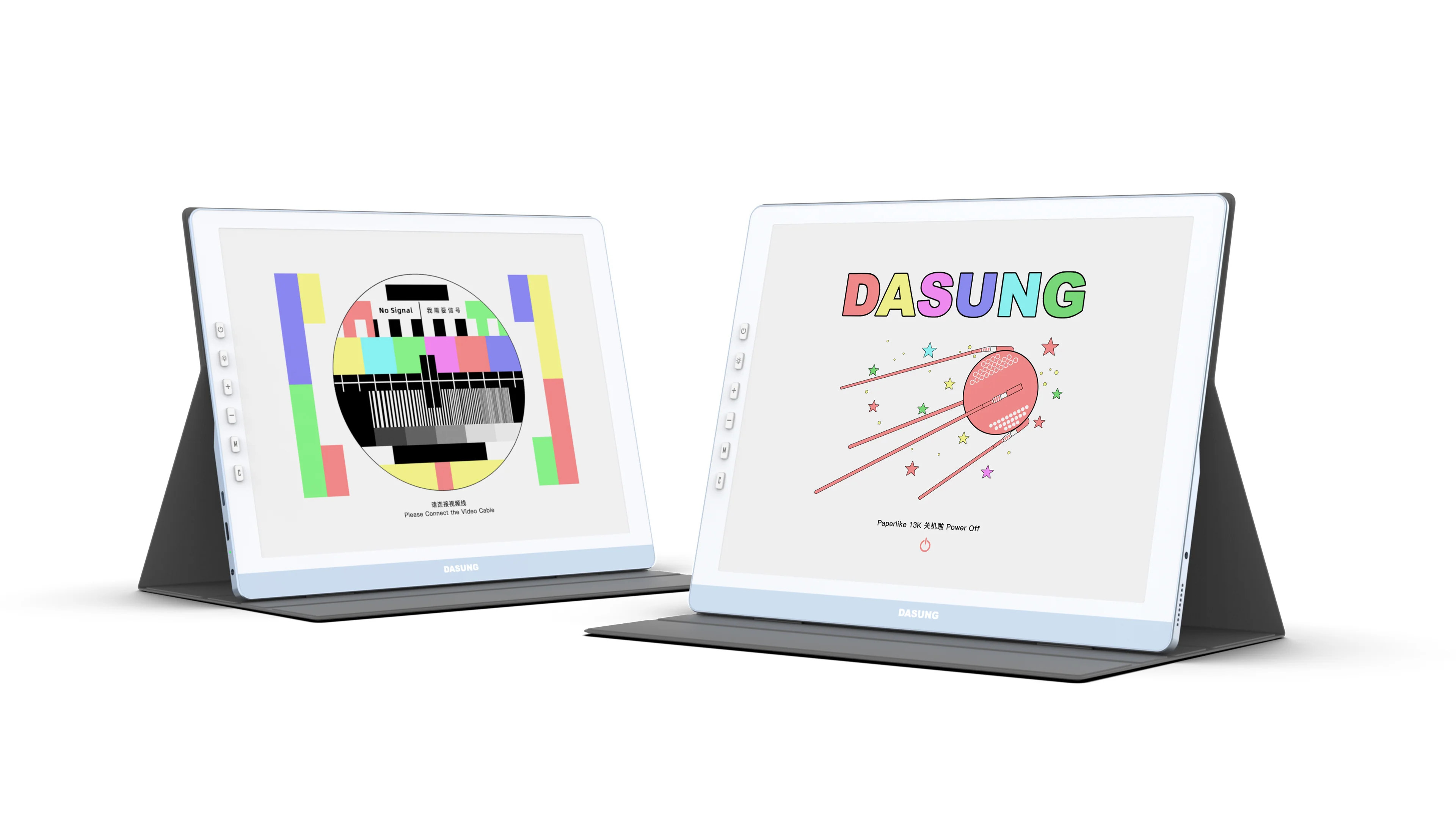
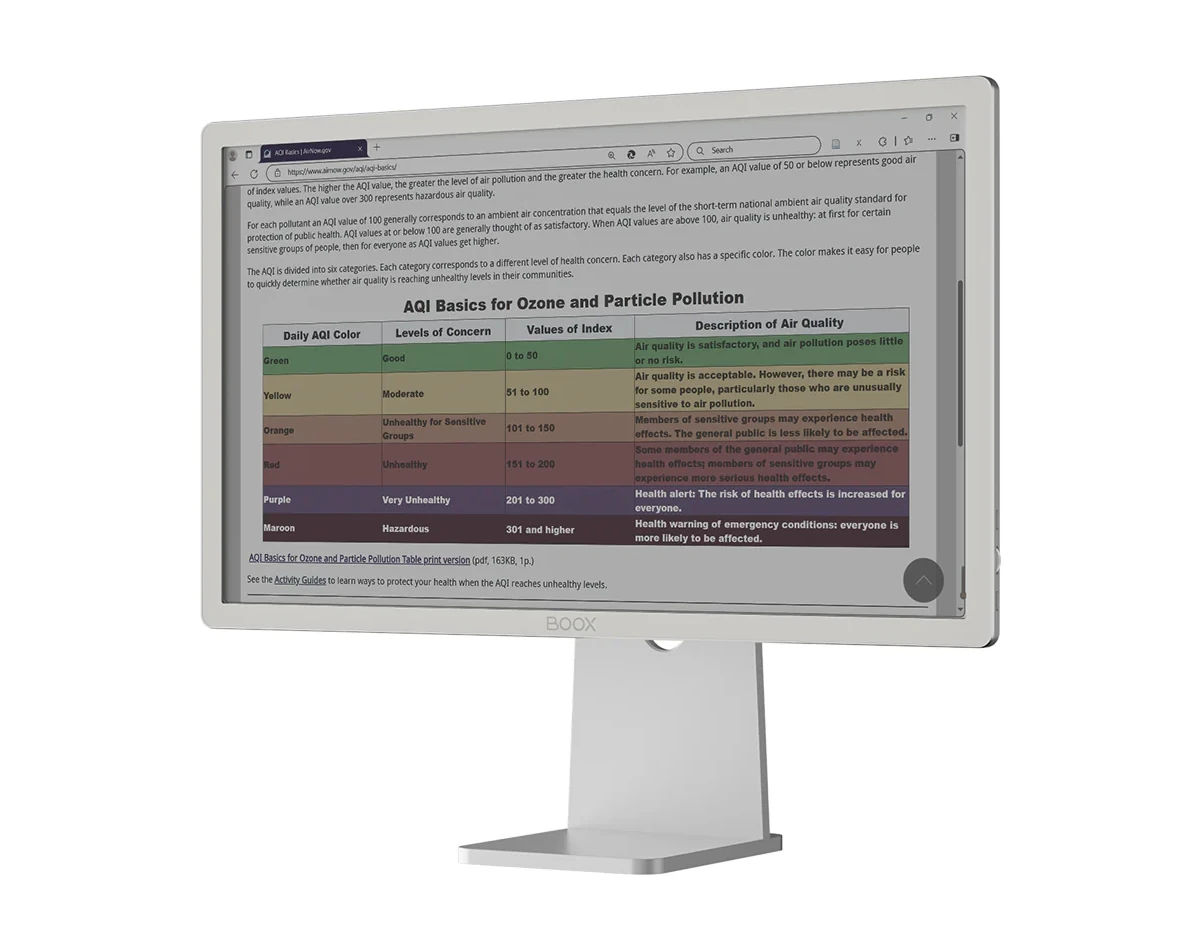
Let’s revisit color e-paper monitors in 2025 with two new models that were just announced: the DASUNG Paperlike 13K 13.3-inch e-ink color monitor and BOOX Mira Pro (Color version) with the same 23.5-inch E-Ink Kaleido as competing monitors launched in 2023. Those monitors are particularly well-suited for people spending long hours in front of the screen, and don’t need to watch video and play games due to the lower refresh and ghosting effect. It’s supposed to be friendlier to eyes, and there’s no blue light.
DASUNG PaperLike 13K – 13.3-inch e-ink color monitor
Paperlike Paperlike 13K (13KCFT) specifications:
Display
13.3-inch Color E-ink (4:3 ratio) with up to 4096 colors
Resolution – 3200 x 2400; 300PP (in grayscale mode, color should be 150PP)
Refresh Rate – 37 Hz with DASUNG’s “New Generation God-Level High Refresh”
Color E-ink Algorithm: DASUNG X-Color Filter Algorithm
Auto-clear Ghosting Tech
Touchscreen support
Front Light – White light, warm light, and mixed light
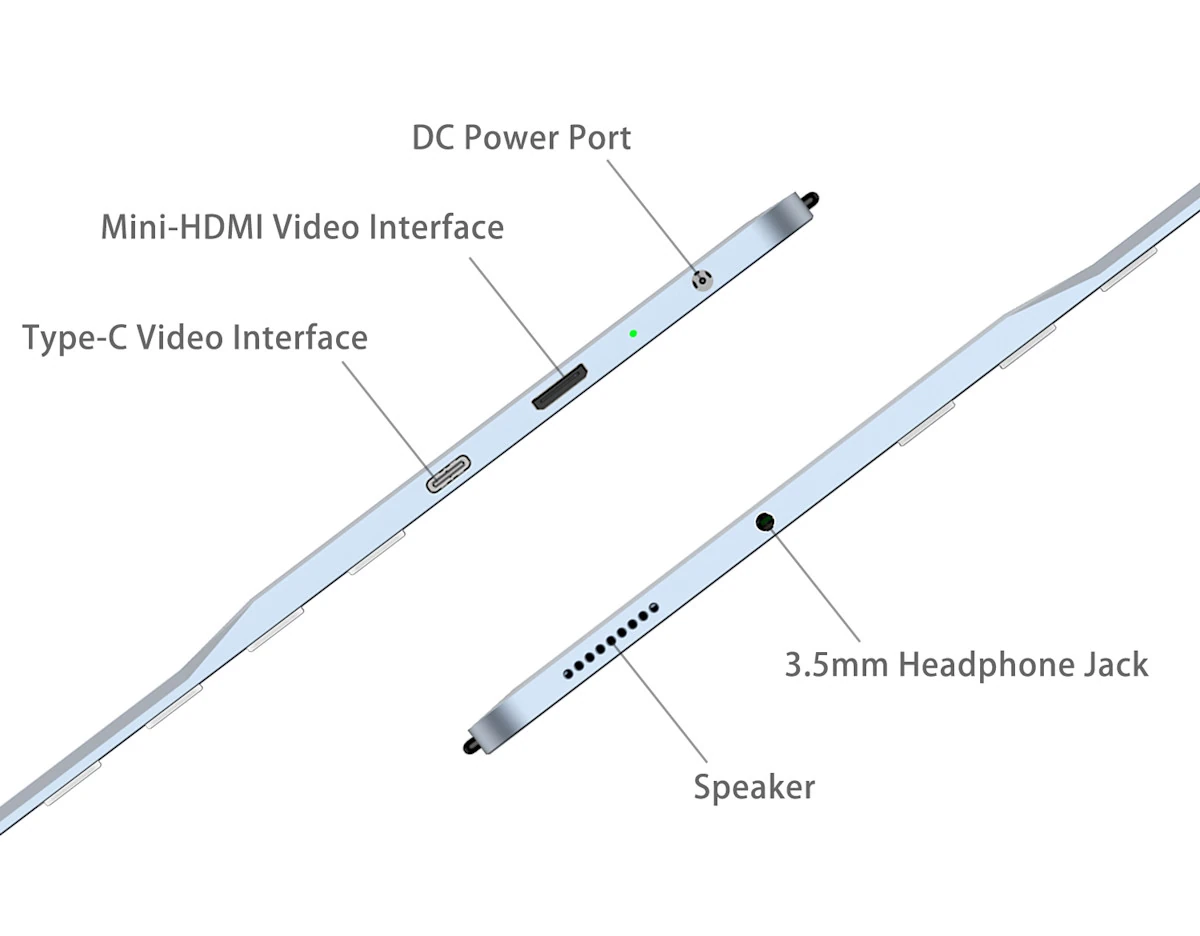
Video (and Audio) Input – USB Type-C or Mini HDMI
Audio
3.5mm headphone jack
Speaker
Misc – 6x physical buttons for power, brightness, contrast, etc…
Power Supply – Via DC jack
Dimensions – 307 x 241 x 5mm at its thinnest point (Aluminum alloy shell)
Weight – 721 grams
The monitor works with Windows/Linux PCs and Android smartphones, but the company discourages Mac users from buying the monitor due to “screen jittering and display instability issues”. Mounting options include a portable stand (pen-like accessories installed on the back of the display), a magnetic protective cover as shown in the first image, and a 75x75mm VESA mount.
A 13.3-inch monitor may not be suitable for everybody, and I personally struggle with under 15-inch monitors unless I increase the size of fonts and/or place my face very close, so the BOOX Mira Pro (Color Version) may be better suited to people who prefer a larger monitor.
Specifications:
23.5-inch color E-ink Kaleido 3 color screen with 3200 x 1800 resolution (145ppi)
4096 colors, or 16 grey levels in monochrome mode
Frontlight version – Front Light with CTM (Warm and Cold)
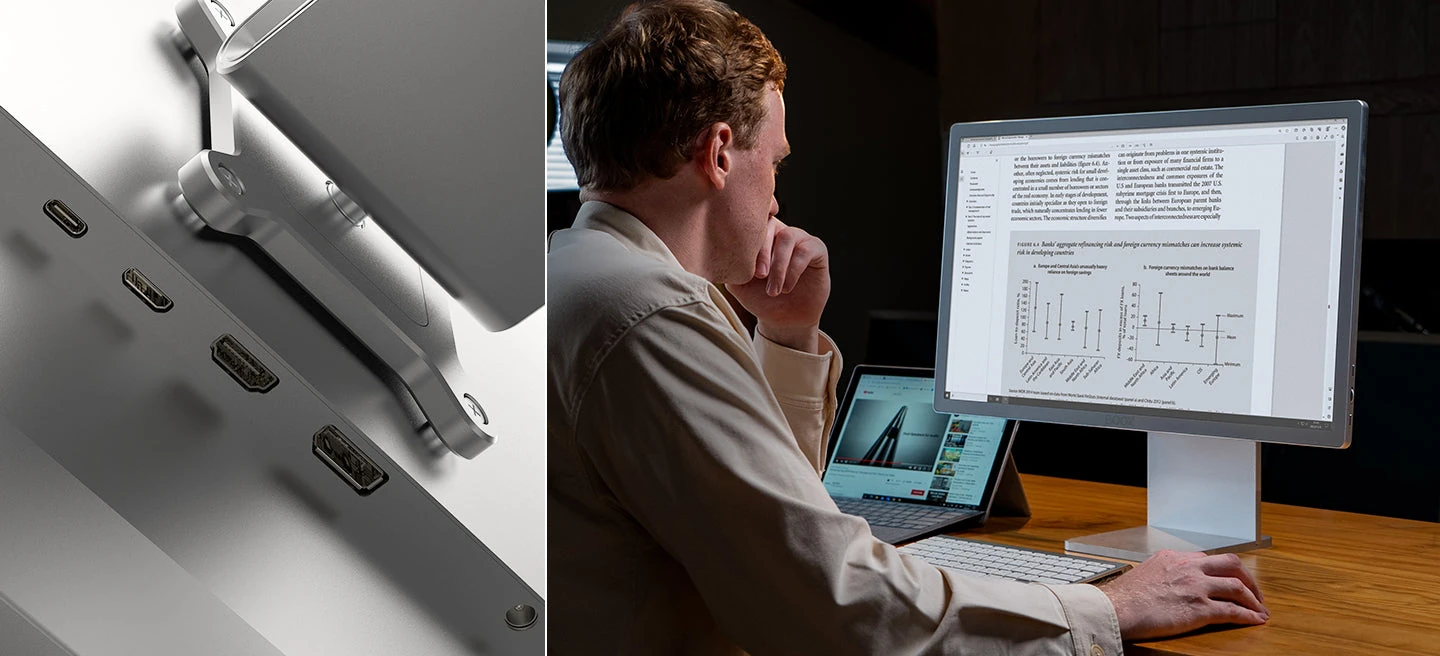
Video Input – HDMI, mini HDMI, DisplayPort, and USB Type-C
Audio – Stereo speakers
Misc
Function and Refresh buttons
Scroll wheel
Power Supply – 12V/3A via DC jack
Dimension
Display panel – 594.2 x 349.2 x 26.5mm (11mm at its thinnest)
The BOOX Mira Pro color e-paper monitor ships with an aluminum adjustable stand, a USB Type-C to USB 2.0 cable, a USB Type-C to Type-C cable, an HDMI to Mini HDMI cable, a 100~240V adapter, a Quick Start Guide, and a warranty card.
The company provides software to adjust the monitor settings for Windows 32-bit/64-bit, Linux, and macOS, and the display also works with Android and iOS mobile devices. BOOX doesn’t mention any potential Mac compatibility issues like the DASUNG model.
I had hoped prices of color e-paper monitors had come down since 2023, but sadly, it’s not the case, with the BOOX Mira Pro (Color Version) going for $1,899.99 with free shipping (to Thailand), and excluding tariffs, VAT, or other taxes or fees customs may impose before delivery. For reference, the previous generation DASUNG 23.5-inch color E-Ink monitor is sold for about $2,000 on Amazon. A regular 24-inch Full HD monitor can be had for $100, so it will be hard to justify the purchase for most people.
La troisième personne à bénéficier de l’implant de Neuralink vient de publier une vidéo pour partager son expérience. Atteint de la maladie de Charcot, entièrement paralysé et ayant perdu l’usage de la parole, il a pu s’occuper lui-même du montage et de la narration de la vidéo.
SID Display Week (DW) 2025 is coming to San Jose, CA, May 11–16. My last two articles discussed LCOS technology I saw at DW 2024 and MicroLEDs for AR at DW 2024. This article will concentrate on Micro-OLED (also known as OLEDs on Silicon), which could be used in optics-see-through (OST) Augmented Reality (AR) or Virtual Reality (VR) headsets.
If you have a product or concept or want to discuss a topic from this blog at Display Week 2024, please email me at meet@kgontech.com. I’m planning on being there every day of the exhibits (May 13-15).
Partnering with SID and Discount Code
I’ve partnered with SID to share my insights from Display Week (DW) — past, present, and future. If you’re planning to attend Display Week, SID has provided the code DW25KARL for a free exhibit hall pass — don’t miss the chance to explore the latest innovations shaping the future of displays.
Brighter Micro-OLEDs to Overcome Optical Inefficiencies and Support Higher Dynamic Range
Today’s Micro-OLEDs have much better image quality, resolution, and cost than MicroLEDs and have better image quality, particularly in terms of contrast, than LCDs and LCOS, which may cost less. These characteristics make Micro-OLED the best quality pick for VR Headsets as well as Birdbath and LetinAR’s Pintilt optical see-through (OST) AR glasses.
Micro-OLEDs, with their Lambertian-like light output, larger light-emitting area, and brightness limitations, are impractical to use with diffractive and reflective waveguides, which typically output to the eye less than 1% of a microdisplay’s “raw” nits. These waveguide optics use MicroLED, LCOS, DLP, and Scanning, which can output hundreds of thousands to several millions of nits.
Even the brightest Micro-OLEDs with about 10,000 nits have on the order of 1/100th the nits necessary for use with waveguides. Still, they have image quality advantages over other display devices when using more efficient optics than waveguides. While many VR headsets used Fresnel Lenses and aspherical lenses, which lose little of the display’s light, many of the newer, smaller, and lighter-weight headsets use “pancake optics,” which typically output only about 10% of the display’s light/nits.
The diagrams below show example light paths for optical see-through (OST) birdbath optics (e.g., Nreal/Xreal) and VR pancake optics (e.g., Quest 3, and Apple Vision Pro ). With both optical designs, only about 10% of the display’s nits reach the eye, so it takes an OLED with about 10x the desired output nits to reach the eye.
Both eMagin (acquired by Samsung in 2024) and LG discussed 10,000-nit Micro-OLEDs. These would seem to much more than is necessary for VR, but would be useful in (non-waveguide) OST AR in situations, like outdoors, where the ambient light would be much brighter.
Nits, or more scientifically, candela per square meter (cd/m²), measure light in a specific direction, and for head-worn displays, into the eye. To calibrate things a bit, typical computer monitors and TVs output 100 to 300 nits, which is a little brighter than a piece of white paper in typical room lighting. High-dynamic-range (HDR) TVs can go to (perhaps for small bright regions) 1,000 to 10,000 nits. Typical VR headsets output 80 to 200 nits today, but are starting to add higher dynamic range. VR headsets don’t have to be as bright as, say, a monitor, since they block out ambient lighting.
Whereas direct-view displays have a black background, optical AR headsets have to compete with the reflections of objects in the real world. Depending on the room lighting combined with the angles of the light, reflectivity of the paper, and the direction to the eye, a piece of white paper indoors might have 50 to 300 nits. Outdoors in sunlight, grass has about 2,000 to 3000 nits, white concrete as much as 10,000 nits, and clear sky (not looking directly at the sun) about 7,000 nits. The simultaneous dynamic range is huge, as things can be in shadow. For text to be easily readable, you want at least 2:1 contrast where the image would be as bright as the background (contrast = {content+background}/background). To reasonably distinguish colors, at least an 8:1 contrast is necessary.
While adding some level of dynamic shutters/dimming to glasses can help, they A) can’t block so much that the real world cannot still be seen well, and B) they have to deal with the real world’s dynamic range. Thus, even with dynamic dimming, AR glasses for outdoor use would like to have more than 1,000 nits, and preferably more than 2,000 nits to the eye.
Today, Common micro-OLED displays used in birdbath and pancake optics output between 1,000 and 3,000 units, which translates to about 100 to 300 nits to the eye. Both eMagin and LG were at DW 2024 talking about 10,000-nit Micro-OLED microdisplays.
3M Dominance in Higher End Pancake Optics
As discussed in 3M Dominates Polarized Light Plastic Films for Pancake Optics, 3M has a major presence in beam-splitting polarizer films and other optical films used in both Pancake and Birdbath optics. At DW 2024, 3M showed Meta (Quest Pro and Quest 3) and Pico VR pancake (and Quest 2, which used Fresenel lenses) headsets using their films, and it is widely believed that the Apple Vision Pro also used 3M films in their pancake optics.
Samsung/eMagin
Founded in 1996, micro-OLED maker eMagin has had some success in military and industrial applications. Still, it has seemingly always lost out to Sony and, more recently, others in higher-volume consumer products, including camera viewfinders as well as VR and AR headsets. Samsung started acquiring eMagin in 2023, but the acquisition wasn’t completed until June 2024. The eMagin name branding is still being used. Samsung is expected to add capital and manufacturing muscle to eMagin’s technology, which will be necessary to compete with other large display companies.
In addition to a lineup of micro-OLEDs with various resolutions and brightnesses, eMagin has a micro-OLED that can reach as bright as 24,000 nits for a green-only device (likely for military and industrial applications). They also have a prototype of a 10,000-nits full-color device. The pictures below were taken in eMagin’s DW 2024 booth. Interestingly, they were showing an 8″/200mm wafer in the booth (below right). I suspect that Samsung will help eMagin transition to 12″/300mm wafers with Samsung’s help to take advantage of more modern CMOS technology (see Lighting Silicon (Formerly Kopin Micro-OLED), where I discuss their transition to 12″/300mm wafers ).
I was able to take direct photographs (with a camera macro-lens) of eMagin’s 2.5K by 2.5K with a 7.2 micron pixel pitch that can output 3,000 nits (I used neutral density filters on the camera lens). Click on the images below to see them in higher resolution (note that these displays were unprotected, and some dust can be seen in the pictures).
LG 10K Nits Micro-OLED
LG is perhaps best known for its displays for large-view LCD and OLED televisions and monitors, but it makes displays of all sizes, including cell phones and microdisplays. Of particular interest to the field of XR is its development of very high-brightness micro-OLED microdisplays.
High-brightness Micro-OLEDs are particularly interesting to VR systems with pancake optics that want to support high dynamic range. It would also be of interest to some non-waveguide AR systems (for example, using birdbath optics or LentinAR’s PinTilt for use outdoors). Even at 10K nits, LG’s Micro-OLEDs are not bright enough for Waveguide optics that need many hundreds of thousands to millions of nits due to pupil expansion and efficiency losses.
At DW 2024, LG demonstrated a “10-K Nits 4K x 4K” 1.3″ (3840×3840 pixels, 4175 PPI = ~ 6.08 Microns/Pixel). In their booth, LG made clear that this was a “laboratory prototype” and that there was no immediate plan to make it a product.
They had a demo prototype with optics, and I first took a picture through the optics with an iPhone 15 Pro Max (right).
LG allowed me to remove their lens and get a direct picture with an Olympus 60mm macro lens. This picture has much more detail and eliminates the distortion from the demo optics. One thing I saw in the high-resolution picture was that there was a dead vertical line of red (only) pixels (click on the images below to see it in high resolution).
I’m not faulting LG for this as it is just a prototype, but it is an example of what cannot be seen based on content, and how well you can see the demo device. Many demos of “prototypes” will structure the content and/or only let you see a small display without great optics, so that you can see their defects.
BOE
BOE and SeeYa (not at DW 2024) are the two Micro-OLED companies I hear most as an alternative to the current Sony Micro-OLED dominance. BOE was showing a “4K x 4K” (more exactly 3552 x 3840) 1.35″ MicroLED. I took the picture below via the optics of their demo system.
Lumicore (Nanjing Lumicore Technology)
Lumicore was founded in 2019, but DW 2024 was my first encounter with their Micro-OLED technology. They have devices with 1920 x 1080 (1080p) and 2560 x 2560 (2.5K x 2.5K) pixels.
The booth included a prototype system with their 1080p device and birdbath AR optics. The 1080p device was also running independently, driven by a development board.
Fraunhofer Semi-Transparent Micro-OLED
Fraunhofer is an applied research institution funded by the German government. As of 2022, its budget was €3.0 billion, and they have diverse efforts in the field of display devices and MEMS devices. In SID Display Week 2024 – MicroLEDs for AR, I discussed their paper on quantum dot color conversion for MicroLEDs.
Fraunhofer has shown their “semi-transparent Micro-OLED” at many conferences, including the SPIE’s AR/VR/MR 2024 and 2025 and DW 2024. This technology combines multiple lenses on top of a transparent OLED to make a somewhat see-through microdisplay.
In recent years, I have seen several companies, including Newsight Reality and LUSOVU (below), with similar “see-through” microdisplay concepts (below). Conceptually, they “work” by doing a form of pupil replication by having optics (either refractive or reflective) over multiple subdisplays. In this way, the user can see the image as their eyes/pupils move. The optics serve to move the focus of the images far enough away that the eye can focus and to direct the image light such that multiple sub-images will combine into a single image.
Unfortunately, this whole concept, Fraunhofer’s variation included, fails for many reasons. First and foremost, there is no way to make the optics and sub-display combinations small enough that they won’t cause a major disturbance to the view through the display, and the effects of diffraction make this fundamental problem worse. Secondly, the eye is never perfectly aligned with various replicated images. The ideal spacing of the replicated displays is based on the pupil size, which is variable both due to the light’s effect on the pupil size and the variability from person to person. The technique needs many replicated pixels to form the various pupil replications, resulting in a high-resolution display being required for a low-resolution image.
The net result of this technique is that the user will see circles in both the real world view and in that of the virtual image. While a technical curiosity, I can’t imagine this ever having a volume practical application.
Conclusion
Revisiting my experience at DW 2024 reminded me of how much I learned, and it has helped me prepare for DW 2025. While this series of articles has concentrated on the microdisplay technology for XR headsets, this is only a small subset of all the display and optics technology shown at Display Week.
People who aren't legal experts are more willing to rely on legal advice provided by ChatGPT than by real lawyers—at least, when they don't know which of the two provided the advice. That's the key finding of our new research, which highlights some important concerns about the way the public increasingly relies on AI-generated content. We also found the public has at least some ability to identify whether the advice came from ChatGPT or a human lawyer.
Quantum computing has long been announced as “just around the corner,” but several companies are now determined to make this a commercial reality, with the promise of solving complex problems beyond classical computers’ reach. The problems in question are wide-ranging, from medicine and cybersecurity to materials science and chemistry. But first, there are very practical […]