Chrome/Firefox: Google got rid of the black navigation bar again. Many users feel that the new app launcher is a sub-par replacement. Thankfully, Proper Menubar brings it back with a vengeance.
Okay, maybe "vengeance" is a strong word, but the extension adds quick links for all of your favorite Google services to the top of many Google sites. For consistency, it will override many of the sites that still have the black bar including Gmail and Maps. However, since it has quite a few more links than Google's version, we're betting you won't mind.
So adorable, it almost makes me forget that I'm still pregnant over a week past my due date.
More on-topic, if you're like me, your first thought watching this was probably something like, "Wait! What about the platypus' poison barbs!"
Platypuses are, in fact, venomous. Or, at least, the males are. They've got sharp spurs on their hind legs and the venom, while not deadly to humans, is supposed to hurt like a sumbitch. The platypus featured in this video, however, is female. Also, the spurs on the male, while not fully retractable, are mobile and don't just stick out waiting to stab anything that brushes up against them. And the venom is only produced during mating season. All of these facts will prove helpful should you decide to visit Australia's Healesville Sanctuary, a zoo that offers special "Wade With the Platypus" tours.
It’s the end of the month, and you look at the budget you created to help yourself control your spending. Your stomach sinks when you see that you went over by $200. And you didn’t even contribute towards your savings or retirement accounts. With a guilty heart, you vow to do better next month. Then the pattern repeats again, and again, and again…
If you’ve had this experience, you’re probably asking yourself, how do I make a budget stick? The truth is, it requires that you master the “mental game” of budgeting. Budgets are a tool to help you, but they only work if you can get in the right mindset. Below, we offer tips on how to do exactly that.
Pay Yourself First
If you find yourself not contributing to your savings or retirement accounts at the end of the month–or not paying your extra debt payments–because you spent the funds elsewhere, here’s an easy tip. Pay your savings and retirement accounts first.
How? Just automate the contributions so the proper amount gets transferred when each paycheck comes in. That way, those accounts will always be paid first, and I’m willing to be that you often won’t even miss the contributions once they magically disappear into the safety of your savings and retirement accounts.
Accept You’ll Always Blow At Least One Category
Trust me, as a veteran of many a hopeful budget, there’s always at least one category where you’ll grossly underestimate your spending. And for the most part, that’s okay. The key is not getting discouraged when this happens and taking the initiative to adjust your budget as necessary. Unexpected expenses always come up. Look at what categories you’re overspending, and why. It could be that you’ve underestimated the amount you actually need. Or on the other hand it could be that you consistently find your eye caught by some fanciful new thing. Whatever the reason is, once you understand it, you can take action to address it.
Give Yourself An Allowance
Budgets often feel like punishment, but they don’t have to be. Here’s how to make your budget feel more empowering and fun. Each month, include in your budget a little “mad money.” This is the money you give yourself permission to spend on whatever you want. No guilt necessary. Personally, I recommend that you keep your allowance in cash and don’t track what you spend. By letting yourself blow off some steam this way–without guilt–it’s much easier to stay disciplined.
Cut Up Your Credit Cards
Credit cards feel like free money, but the bills that come are all too real. Studies have shown that credit cards increase spending. In fact, on credit, people are willing to spend between 50%-200% more. That’s a huge difference, and your budget won’t forgive you for it.
The solution? If you find yourself making larger purchases with credit, try using a debit card instead (with online tracking) or try switching to an all-cash budget. The physical act of handing over money and seeing the dwindling amount of bills in your wallet has a real impact on how much you spend. In fact, going to cash has been shown to increase savings by 20%, on average, as spenders carefully think through purchases before letting go of precious dollar bills instead of nonchalantly handing over their convenient, pain-free credit card.
Wait 48 Hours
Most impulse buys are just that–impulsive. Even if you ask yourself in the moment, “Do I really need this?” you might just say yes! To counteract purchases that you probably don’t need, wait 48 hours before buying, especially if the amount involved is large. It’s very likely that after the waiting time, the desire you feel will fade and perhaps you’ll completely forget about what you wanted at that time.
“Own” It Virtually
Advertising creates a need to do something about whatever it is the ad is selling. They have to make you feel so displeased with your current situation that you take some action. That action usually involves making a purchase. But you can help yourself by “scratching that itch” without actually making a purchase.
How? Add the desired item to an Amazon wish list or pin it onto your Pinterest boards. (Or if you’re old fashioned, take out your Holiday wish list and write it down using good old pen and paper.) Taking action this way fulfills the itch to do something about your desire to own it, without you actually making a purchase.
Fiona Lee is a guest blogger for ReadyForZero. She's a freelance writer and a frugalista who loves discovering new ways to save money, especially in expensive cities. After living in New York and Beijing, she now makes her home in San Francisco. See more of her work at fionaklee.com.
The New York Times used Google+ Hangouts to interview U.S. Secretary of State John Kerry about Syria’s chemical weapons. The Weather Channel used Google Earth to illustrate the damage of Superstorm Sandy through dramatic before and after satellite images and live YouTube video. And Svenska Dagbladet used the Google Maps API and crowdsourced information from readers to plot disparities in neighborhood mortgage rates, generating a meaningful debate in Sweden.
These are just a handful of ways journalists around the world are already using the Internet and Google tools to report the news, visualize data and improve their storytelling capabilities. To continue helping journalists report the news in new and compelling ways, we’ve launched Google Media Tools, a centralized hub aimed at empowering journalists of all skill levels with more ways to connect with their audiences and communities.
The site—which we unveiled last week at Online News Association ‘13 (ONA), a premier digital journalism conference—features a variety of ways to do everything from research to developing to publishing. There are many tips and tricks to make technology do some of the heavy lifting in the daily lives of journalists. The site also showcases the power of the Internet overall in reaching new audiences and giving journalists more ways to make an impact.
We’ll add more resources including case studies, tutorials and expanded content in the coming months, and will soon launch the site in other languages as well.
Posted by Daniel Sieberg, Head of Media Outreach at Google
It’s not surprising to see the BBC keeping the hoopla heavy for Doctor Who’s 50th anniversary celebration, given how successful it has been around the world, as well as at home. The channel used new drama Atlantis as the launchpad for a trailer focusing on the character’s history and teasing what’s to come with the November 23 episode. Take a look and see what classic/Nu-Who elements you can spot.
The special – which will be broadcast simultaneously in several countries to try to stamp out downloading – finds Matt Smith’s Eleventh incarnation coming face to face with David Tennant’s beloved Tenth. Also on deck is the mysterious Doctor played by John Hurt, who we met at the end of The Name Of The Doctor.
There’s plenty to enjoy in the trailer, even if it doesn’t show any footage from the special episode itself (a refreshing change and a policy we’d be happy to see continue until transmission, because, as River Song might say, “spoilers!”) And to mark the episode, there's also a new poster featuring all eleven (at least the canon characters) doctors so far, which was dubbed by Graham Linehan on Twitter as a Whoman Centipede...
{Doctor Who 50th poster}
With lots of special programming dedicated to the Doctor, it’s all leading up to this year’s Christmas episode, which will see Smith hand in his TARDIS key and regenerate into Peter Capaldi.
Using low-power NFC communication and made for Android, the One2Touch Softpad is a unique take on a travel keyboard
If you have ever tried to do any real work on a touch screen device, you know how frustrating text entry can be. Having a mini-computer in your pocket is mighty convenient, and applications to edit things like presentations and documents are good enough for limited use on Android, but the limiting factor, for me at least, is trying to type on a piece of glass.
I wouldn't recommend any Android device for a dedicated office computer, but for traveling and those unexpected times where you need to get something done, the One2Touch Softpad NFC keyboard is a really interesting gadget.
Windows/Mac/Linux: Adobe Lightroom might be the professional photographer's photo management tool of choice, but you can save $149 and download free and open source LightZone instead.
Android/iOS: Alongside Windows 8.1, Microsoft released its Remote Desktop application today for both Android and iOS. This makes it easy to control your Windows desktop from your Android or iOS device.
Themer is a great tool for completely customizing your home screen with a few taps, but which themes are the best? Which ones will really make your phone look sharp? We did some digging and picked a some great Themer customizations you might want to try.
Wouldn't it be nice if your Windows programs would all update themselves in the background, without you having to manually download every ding dong update that comes along? There are a lot of programs that will monitor updates for you, but the best we've found is Ninite Updater. Here's why.
iOS: Snapchat, the app that sends disposable messages, just got its first dumpster diver. SnapHack takes those once ephemeral photos and videos and removes the self-destruct timer so you can save them forever.
Windows: Shortcuts on your desktop (or anywhere else) are usually indicated by that little arrow in the bottom-left corner of the icon. It’s a tad ugly and a new tool called Windows Shortcut Arrow Editor lets you remove it, change it to the old XP style, or customize it with your own arrow.
iOS: Most personal finance apps are complex affairs with tons of graphs, options, and various ways to tally up your income. Level Money takes an opposite approach and simplifies your finances into just a few bubbles.
Android: Agent is a combination automation tool and personal assistant that will silence your phone during meetings, remember where you parked, auto-respond to texts and phone calls while you're driving, and more, all so you don't have to.
Win/OS X/Linux: It's been years since f.lux,one of our favorite tools to protect your eyes, picked up a major update, but this new version is out of beta. It adds features like warmth as low at 2700/1200K, a "movie mode" that's warm but won't sacrifice shadows and detail, new hotkeys for manual control, and more.
Chrome: Email isn’t the only place you find someone’s contact information. It might be on LinkedIn, their personal website or anywhere else on the web. WriteThat.Name grabs that contact info from anywhere on the web and puts it into your address book.
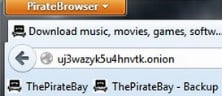
On the occasion of its 10th anniversary last August, The Pirate Bay presented a gift to its users – the PirateBrowser.
Blocked by court orders all over the world, The Pirate Bay is arguably the most censored website on the Internet. The PirateBrowser software allows people to bypass these restrictions, without having to use a proxy site or other circumvention tool.
It appears that the browser idea appeals to a wide audience as the number of downloads have been going through the roof right from the start.
Today, The Pirate Bay team informs TorrentFreak that they just served the 1,000,000th PirateBrowser download from its website.
The million downloads says little about how many people actively use the software, but according to TPB roughly 0.5% of all their visitors now uses the browser. This translates to hundreds of thousands of active users a week, mostly from countries where ISPs are blocking the site.
“I guess that a lot of people want to see the websites their governments and courts are trying to hide from them,” Pirate Bay’s Winston told TorrentFreak commenting on the success.
The browser is based on Firefox 23 bundled with a Tor client and some proxy configurations to speed up page loading. It is meant purely as a tool to circumvent censorship and doesn’t provide any anonymity for its users, as that would slow down the browser.
While the PirateBrowser continues to expand its user base, proxies are still the preferred way to circumvent ISP blockades. Currently 7% of all visits to The Pirate Bay go through dedicated proxy sites, some of which receive millions of visitors per week.
The Pirate Bay team informs TorrentFreak that they will continue to develop the browser. An updated edition with several improvements and Mac and Linux versions of the software are also in the works.
The team are also working on a special BitTorrent-powered application, which lets users store and distribute The Pirate Bay and other websites on their own computers, making it impossible for third parties to block them.
This “p2p browser” should be able to keep The Pirate Bay operational, even if the site itself is pulled offline. There is currently no estimated release date set for this second project, but it will take a few more months of development at minimum.
Good news for anyone outside the U.S. who's managed to import a Chromecast into their country. We're hearing reports that the accompanying Android app can now be downloaded through Google Play by international users, and we've confirmed that that's the case in the UK. (AC readers have chimed in saying they're seeing it in many other countries, so it appears all regional restrictions on the app may have been lifted.)
Previously the Chromecast app, like the dongle, was unavailable to all outside the U.S. Unfortunately the device itself is still cannot be purchased from the UK Google Play Store, though the app's new international availability may signal possible changes ahead.
There's nothing quite like the feel of a new book, the smell of an old record, or the joy of heading to the comic book store every Wednesday. Sometimes, though, those physical collections can be a burden—like when you're starved for space or want something more portable for traveling. Here are 10 forms of media you can take into the digital age.
10. Scan Photos to Your PC
You've probably already switched to a digital camera for most of the photos and video you take, but is any of it organized? And what about all your photos from the pre-digital days? If you have a flatbed scanner, take some time to scan those photos into your digital collection and touch them up. If you have the negatives, those can often produce better results, and this simple DIY negative scanner should work pretty well. Once you've got everything in digital, don't just leave it sitting around—come up with a good organization scheme, whether it's just in folders or using a photo management app like Picasa or Lyn.
9. Subscribe to Your Radio Shows as Podcasts
Radio may be convenient, but it doesn't offer many other advantages. If you have a lot of radio shows you really like, chances are they're already available online as podcasts, sometimes with pretty extensive archives. And, with the right app and a little configuration, you can turn all your favorite shows into a custom radio station that you can stream from anywhere, on your own time. Check out our favorite apps for iOSand Android, and our tips on how to supercharge your podcasts for more.
8. Play Your Video Games, Old and New
If you play video games on a PC, you've probably already started using steam to buy and organize them all—after all, why would you want to buy a disc, especially when online stores have such great sales? But when it comes to those classic games from your past, you may still have a few old systems knocking around. Those are great, but if you want to play on-the-go, you can turn your smartphone or tablet into a portable retro game arcade, or create one for your house that combines all those systems into one. You can even create your own retro arcade table for some serious playing.
7. Turn Your Recipes and Cookbooks Into a Digital Database
Everyone's gotta eat, and cooking for yourself is the ultimate way to save money and eat great food. But once you start building up a good collection of recipes, it can become hard to sort through. Either you've got a shelf full of cookbooks or a box full of disorganized recipe cards you have to hand-write yourself. Luckily, all those cookbook recipes are probably online somewhere, and you can import them right into a digital recipe organization or meal planning tool. Then you can search for the recipes you want, plan your meals for the week, and even create a grocery list from the ingredients. You'll never go analog again.
6. Read Your Newspapers and Magazines Online
Some of you digital mavens may scoff at those of us who still read old school newspapers and magazines, but they're perfect ways to catch up on news or keep yourself entertained when you don't have time to dig through RSS feeds or crawl Twitter. However, paper news does have one downside: it takes up a lot of space and wastes a lot of paper, especially once you start building up a collection. Luckily, going digital is easy: just grab your favorite news and magazine apps on your phone, tablet, or rooted ereader. Apple's Newsstand and Android's Google Play have some pretty great collections, and you can also get a lot of cheap magazines from apps like Zinio. If you're looking for old issues, you can often find them via Google Books or other sources. And when you're done, those old newspapers make great odor removers. Photo by Hector Alejandro.
5. Immortalize Your Journals, Drawings, and Other Personal Creations
Chances are you have a few old keepsakes lying around, from journals you wrote when you were younger to drawings and other projects. You probably don't want to get rid of these, and you shouldn't—but if you don't have room to store them nearby or want to make them easier to access, you can scan them in just like you do photos. Going forward, you might consider taking some of those hobbies ditigal—for example, it's really easy to keep a private journal online or get started with digital drawing. It lacks some of the emotion of pen-to-paper, but you can also do a lot of other cool stuff with it.
4. Consolidate Your Massive Comic Book Collection
If you're tired of digging through long boxes just to read a few of your old comics, it might be time to take them digital. You can subscribe to your favorite comics from companies like Marvel and DC with apps like ComiXology, or use a CBR reader for old, indie, or other scanned issues. Check out the best comic book readers for the desktop, iOS, and Android for more, and start collecting.
3. Load Up Your Ereader with Books
Physical books still have their time and place for sure, but when you don't want to carry around a giant tome like Lord of the Rings, an ereader is the perfect option. Not only can you load up on ebooks for free or cheap, but a lot of ebook apps actually enhance your reading experience by helping you keep track of characters, look up words and locations, search through text, translate it, and more. Check out the five best ebook stores for more, and if you have some ebooks lying around already, you can consolidate them and remove their DRM with Calibre for a truly organized collection.
2. Rip Your DVDs, Blu-Rays, and VHS Tapes
If your shelves are buckling under the weight of your massive DVD and Blu-Ray collection, maybe it's time to go digital. Maybe you've already started with a service like Netflix, but when it comes to the movies you already bought, you have a lot of choices for downsizing that physical collection. Our favorite method, though is ripping those discs and crafting your own personal library of movies on a home theater PC or set-top box. You probably know how to rip a DVD, and ripping Blu-Rays is almost as easy, so what are you waiting for? Analog formats like VHS are more complicated, but with the right equipment, it can be done.
1. Organize and Upgrade Your Massive Music Library
Okay, so you probably knew this was coming—in fact, you've probably already gone digital with most of your music collection anyways. Ripping CDs is a breeze, and music stores like iTunes and Amazon make it so easy to buy music you've probably ditched CDs altogether. But if your library's a little overwhelmed, it may be time to go clean it up a bit—get rid of stuff you don't want, make sure your metadata is all correct, and so on. Try out a new music player or upgrade those old, low-bitrate songs. Streaming services like Spotify and Rdio can get you pretty far, but they probably won't replace your library 100%. And if you do still have some analog music lying around—like old records—you can digitize and clean those up for your library too, so you can listen to them anywhere.
Welcome to the era of the reboot. Over the past decade we’ve seen more than 10 different film franchises rebooted with fresh faces and new names — and there’s a lineup of new ones already on the way. What’s more, with releases like this weekend’s Carrie reboot we’re seeing studios reaching further and further back into pop culture past — leaving no stone unturned as they try to squeeze every last drop from their libraries.
At the rate we’re going, it’s just a matter of time before some ambitious young turk at Paramount pitches a new-and-improved Godfathers with Channing Tatum as Sonny and Joseph Gordon-Levitt as Michael. We’ll know things have really gone too far if we’re...
Update 2: We've now received independent confirmation from a credible source that there will be no news, Android or otherwise, at this event. Sorry, everyone - continue your Nexus reveal date conspiracy theorizing as normal.
Update: Geek.com has updated its story with a statement from a "reliable source," and that source is playing down any hopes of a Nexus reveal next week:
We just received a tip from a reliable source telling us that the 10/24 event will not feature any hardware.
"Capture the everyday and the epic in fresh new ways. Starting at $349."
That's a pretty good sign that we'll see more than one SKU (aka retail version), meaning we'll (obviously) see more than one storage size. The defunct link took us to a 16-gigabyte version, so that's a pretty good starting point. The URL also points to a "black" version — a pretty good indication we might see other colors as well. Figure white, of course.
...The Court actually failed to seal the unredacted brief, and they have published in full the leaked document. The document — as of yet still available to the public through the PACER court records system — is properly labeled as “sealed” by the clerk’s office, meaning they received and understood my instructions that the document was not to be public, but neglected to hide the attachment from public view.
The information revealed, which I may now comment on since a third party has made it publicly available, is devastating to the TSA’s argument that virtually strip-searching the public using its $1B nude body scanner fleet, as well as literally putting their hands in the pants of travelers during full-body pat-downs, is necessary to prevent airplanes from dropping out of the sky at the hands of terrorists. In 2011, the year after the scanners became primary screening, TSA intelligence officials concluded that “terrorist threat groups present in the Homeland are not known to be actively plotting against civil aviation targets or airports.”
The TSA has a lot of explaining to do, both to members of Congress and to the general public, all of whom were misled as to the threat we face and the justification for the most intrusive searches ever performed on the public at large in the United States in the history of this great nation. The terrorists that the TSA has made the country fear, it admits, do not actually exist.
Welcome back to Android Gaming Weekly, our weekly recap on new game releases. We still plan to cover upcoming releases and games we’re playing, but this column is dedicated to new games you can install and start playing right now. Check out our top picks and let us know if you have any suggestions for next week in the comments below.
Neon Shadow
Description: Neon Shadow is a fast paced Cyber Punk FPS inspired by classic shooters. Suit up and grab your shotgun. Your mission: Save humanity from the dark mechanoids who have taken control of your space station and soon the rest of the galaxy!
Description: I, Gladiator offers an almost too real experience of a bloody gladiatorial combat. This is not a simple hack & slash game. To prevail you would need to be cunning as well as strong, work out a strategy for every level, use environment to your advantage, notice and utilize enemy’s weaknesses and last, but not the least, win that spoiled crowd.
Description: Inspired by the classic games, Ludo and Parcheesi, which were introduced hundreds of years ago and continue to be a popular global phenomenon played by millions and spawning popular themed games, Mr. Ludo takes a new and modern spin on one of the world’s beloved games.
Description: Surf for your life across the galaxy! An inevitable destructive force is after you… The end of the universe! Your only hope? You can cheat death by rewinding time! Get ready for the most adrenaline-pumping surf of the year!
Description: FIST OF AWESOME is a heartfelt love-letter to golden classics like Double Dragon, Streets of Rage and Final Fight. Prepare yourself for the most epic time-travelling-lumberjack-em-up OF ALL TIME!
Description: An evil race known as the Guardians is taking over the universe, ravaging planets, and killing all peaceful life forms. You are the galaxy’s only hope for salvation. As an elite pilot serving in the ARC Squadron, you are tasked to take on the Guardians in head-to-head combat and bring down their empire.
Description: Real Steel World Robot Boxing packs bigger punches, harder-hitting battles, and double the action of its predecessor with better graphics, brand new robots, more modes and head-to-head multiplayer.
Description: Temple Treasure is an addictive, thrilling, exciting and one of the best android game with new game play. This awesome game utilizes cutting-edge Augmented Reality and Location Based Tracking technologies.
Description: Tilt, tap or drag your way through space, collecting as much space junk as possible as you hurtle towards planet Earth. Become as huge as you can to inflict maximum damage!
Google on Thursday slightly beat Wall Street expectations by reporting third-quarter earnings per share of $10.74 on revenue of $14.9 billion, thus besting the consensus forecast of $10.34 EPS on revenue of $14.8 billion. The $14.9 billion in revenue represented a 12% year-over-year increase from the revenue the company posted in the third quarter of 2012. One of the few negatives for Google on the quarter was that its cost-per-click — a key metric used to determine how much money Google can charge for advertisements — deceased by 8% year-over-year in Q3 2013. The company also posted some bad news from its Motorola Mobility segment, which saw its revenues decline from $1.78 billion in Q3 2012 to just $1.18 billion in Q2 2013 while posting a $248 million loss on the quarter. Google shares rose by more than 6% in after-hours trading immediately following the earnings report. The company's full press release follows below.
With the PlayStation 4's release just under a month away, Sony is giving gamers the chance to try its next-gen console a bit early. PS4 demo kiosks can now be found at select Sony Store locations in the US, where players can sample games including Knack, Octodad: Dadliest Catch, FIFA 14, Contrast, Super Motherload, and Pinball Arcade. Predictably, the console is shielded beneath a protective casing, so you won't be getting your hands on the hardware itself. But Sony's trial does offer a chance to get familiar with the DualShock 4 before the PS4's November 15th launch.
Unfortunately for now, the demo kiosks are spread out pretty far and wide. We found only one participating Sony Store location within a 50-mile radius of New York City....
UK Prime Minister David Cameron has vowed to punish the Guardian for publishing leaks about the campaigns of lawless, reckless spying by GCHQ and the NSA. He's asked Parliament to find a legal rubric for cracking down on newspapers that publish stories of compelling public-interest such as the Snowden leaks. He made a bizarre accusation that the Guardian's cooperation in the destruction of its computers (made under dire threat) was an admission of guilt.
In the end, what Cameron is doing is making it clear that the UK can have no free press. It can only have stenographers. When the government threatens to have you investigated for reporting on the excesses of government, you've created massive chilling effects, and guaranteed much greater corruption and abuse, as you've wiped out a key factor in keeping those things in check. Cameron's statements reflect poorly on the wider UK and its supposed belief in free speech and a free press.
Calvin & Hobbes creator Bill Watterson rarely gives interviews, but this month he sat down with Mental Floss for a long interview about his work and his life after Calvin. As in previous interviews, Watterson maintains there are no new comics in the pipeline. He says Calvin's rush of success "created a level of attention and expectation that I don't know how to process," and he has no interest in repeating the experience. At the same time, Watterson sympathizes with the clamor for more Calvin. "You can’t really blame people for preferring more of what they already know and like," Watterson says. "The trade-off, of course, is that predictability is boring. Repetition is the death of magic."
Timothy from Creative Commons writes in about CC's contribution to the Copyright Office's copyright reform effort: "Creative Commons has always been slightly reticent about its role in the copyright debate, even though many of its greatest supporters are vocal in the copyright reform movement. Today, we're adopting an unambiguous position: open licensing is a fantastic tool, but it's not a substitute for substantive improvements in copyright law worldwide." (Thanks, Timothy)
Nearly 30 million people across the world are currently living in slavery, according to a report published Thursday. The inaugural Global Slavery Index, compiled by the Walk Free Foundation, estimates the prevalence of slavery in 162 countries, based on both internal research and data from UNICEF and the US State Department's Trafficking in Persons report. According to the report (PDF), slavery is most prevalent as a percentage of the population in Mauritania, Haiti, and Pakistan. India, China, and Pakistan are among the countries where slavery is most prevalent in absolute terms; together with Nigeria, Ethiopia, and five other countries, they account for more than 75 percent of the world's enslaved population.
New apps need lovin’ too, right? Every day there are thousands of new entries on the Google Play store, but many go unnoticed and never receive the attention they deserve. We’ve shown in the past that this community can discover great apps and launch them to new heights. Our weekly column Fresh Meat highlights new apps with less than 100k installs. Browse our new Android app picks below and let us know which ones you enjoy.
Runtastic Six Pack Abs Workout
Description: Download Runtastic Six Pack Abs Trainer, Exercises & Workouts and DEFINE YOURSELF WITH RUNTASTIC today! Follow the lead of the Runtastic avatars in high-quality, HD videos to complete intense, customized core workouts.
Description: Dessin (pronounced like “design”) is an innovative combination of mind map and phone automator. It will simplify and speed up your work with a phone. Dessin allows you to make notes, draw mind-maps and even build circuits, which will control your phone.
Description: Send money to anyone with an email address. It’s fast, safe, and free! No account needed. Just securely link your debit card to start sending money. It’s free to send, and free to receive money directly to your U.S. bank account.
Description: Speed up your way of typing with error-proof results. Everything will seem easier with AwesomeIME: Increasing the space both vertically and horizontally between each key, it improves readability and reduces errors.
Description: Get astonishing masterpieces of world renowned photographers in your hands! With superb color expression of Samsung Display AMOLED, you can enjoy Full HD photographs more accurately and vividly.
Description: Thanks to the new Patch, getting the latest about your town has never been easier. Our brand new app delivers a beautiful browsing and reading experience to Android users, with an emphasis on simplicity.
Description: Unlike most Call Recorders that simply record the call audio from your Microphone (at low volumes) Total Recall is designed for TRUE CALL RECORDING, which results in audio from both sides of the call on compatible devices.
Description: Visiting a wholesale club is more frustrating than tangled headphones! Membership fees, long lines, and schlepping huge carts are a thing of the past with Boxed Wholesale, where we bring the warehouse to you! Now you can have the benefits of bulk goods shipped to your door in 2 business days or less.
Description: Fast battery Charger uses power-saving mode to control the power-hungry hardware and settings and remind users of the current power-hungry programs and auto-start services, in order to maximum the standby time and save at most 50% power!
Description: The world’s most popular anti-malware technology has now gone mobile! Malwarebytes Anti-Malware Mobile protects your phone or tablet from malware, infected apps, and unauthorized surveillance.
'4GEE Extra' plans and larger mobile broadband allowances coming too
British mobile operator EE has announced some sweeping changes to its range of 4G LTE services today, including new Pay As You Go 4G plans, a new two-tiered approach to LTE speeds and larger allowances for mobile broadband customers.
EE's new prepaid 4G plans for smartphones start from £5 per 30-day period for 100MB of data, increasing through to £30 for 10GB. Anyone with a data bundle greater than 2GB will get EE's fastest "double speed" data rates. Other PAYG customers will get standard speeds of up to 30Mbps. PAYG calls and texts are being charged separately, starting at £3 for 100 minutes and £2 for 400 texts.
The PAYG plans will debut alongside new, cheaper LTE-capable phones, including the £129.99 Alcatel One Touch Idol S, though EE says all its 4G devices will be available to prepaid customers too. To sweeten the deal, anyone signing up from the Oct. 30 launch date through until Jan. 31, 2014 will receive a one-off 10GB data allowance. A Christmas promotion will also give PAYG customers 2014 minutes to use in the new year.
What if sending money was as simple as sending an email?
That’s the premise of Square Cash, launching today for all debit card users in the US, using any email service. To use Square Cash, all you do is compose an email to a friend, type the amount you way to pay in the subject title, and cc cash@square.com. If it’s your first time using the service, you’re directed to Square’s website where you type in your debit card number — and you’re done. There are no accounts to create, apps to download, friends to add, surcharges to pay, or bank account numbers to look up.
In May, The New Yorker revealed what hacktivist Aaron Swartz was building before his untimely death: an encrypted dead drop system that would whistleblowers leak documents to journalists without fear of exposing their identity. The New Yorker launched its own implementation, Strongbox, and other media outlets were free to do the same — but in August, noted security researchers at the University of Washington reported that DeadDrop wasn't quite ready for primetime, citing issues installing and using the software among many other things.That's where Aaron Swartz's legacy stood — until today.
Today, the Freedom of the Press Foundation has announced that it has taken over the project, specifically hiring computer security expert James...
Sono is a noise-cancelling gadget that can selectively convert a specific annoying background noise into a more pleasant sound, such as birds chirping.
Noise-canceling window sensor helps you enjoy the silence amid cacophony: The cacophony of any city's hammering jack hammers, beeping buses, and relentlessly yacking citizens can make anyone long for an oasis of silence. Enter the Sono, a futuristic noise-canceling gadget that sticks on the window and turns even the noisiest of rooms into a chill place to think. The pebble-shaped device, a finalist in a prestigious design competition, serves as a reminder of the power of quiet.
"From time to time, I just want to escape the noisy world for a while to reset my mind," Rudolf Stefanich, an industrial designer who created the Sono device while a graduate student at the University of Vienna in Austria, told NBC News in an email. The gadget was selected as a top-20 finalist for the annual James Dyson Award. The famous designer will hand pick and announce a winner on Nov. 7.
Stefanich recently moved to Shanghai to take a job with Designaffaris, an international design and strategy company. Inspiration for Sono came while he was working in a large office where meeting rooms were enclosed with glass doors that looked great, but failed to contain any noise. "I thought, 'Wouldn't it be great if you had a volume knob on that glass to simply turn down the volume," he said.
The Sono device sticks to the window where it senses the noise vibrations on the glass surface. It uses this information to generate a signal that cancels out the vibrations, similar to the way the noise-canceling headphones some travelers wear to drown out the droning conversations of their fellow passengers.
Sono can turn the sound of a barking dog into a tweeting bird.
The major advance comes from the digital sound processing technology that "allows for more complex functions like selective noise cancelling or sound event detection," he explained. "For example, you could detect the sound of your neighbor's dog barking, cancel out that specific sound and replace it with with a bird's tweet."
Yes, Sono can selectively turn the grating yips of that annoying ankle biter into more soothing sounds.
The gadget's battery can be recharged the old-fashioned way via plugging it in to the grid, but it gets extra battery power by harvesting energy from the electromagnetic noise in the surrounding environment, such as Wi-Fi signals. That technology, Stefanich noted, is currently being developed at Nokia Research Center and may soon be a standard feature in many electronic gadgets.
Stefanich is currently looking for a partner and funding to complete the engineering for the device and usher it toward commercial production. To see the vision, check out the video below.
Active noise control - Sound is a pressure wave, which consists of a compression phase and a rarefaction phase. A noise-cancellation speaker emits a sound wave with the same amplitude but with inverted phase (also known as antiphase) to the original sound. The waves combine to form a new wave, in a process called interference, and effectively cancel each other out - an effect which is called phase cancellation.
Modern active noise control is generally achieved through the use of analog circuits or digital signal processing. Adaptive algorithms are designed to analyze the waveform of the background aural or nonaural noise, then based on the specific algorithm generate a signal that will either phase shift or invert the polarity of the original signal. This inverted signal (in antiphase) is then amplified and a transducer creates a sound wave directly proportional to the amplitude of the original waveform, creating destructive interference. This effectively reduces the volume of the perceivable noise.
A noise-cancellation speaker may be co-located with the sound source to be attenuated. In this case it must have the same audio power level as the source of the unwanted sound. Alternatively, the transducer emitting the cancellation signal may be located at the location where sound attenuation is wanted (e.g. the user's ear). This requires a much lower power level for cancellation but is effective only for a single user. Noise cancellation at other locations is more difficult as the three dimensional wavefronts of the unwanted sound and the cancellation signal could match and create alternating zones of constructive and destructive interference, reducing noise in some spots while doubling noise in others. In small enclosed spaces (e.g. the passenger compartment of a car) global noise reduction can be achieved via multiple speakers and feedback microphones, and measurement of the modal responses of the enclosure.
In 1986, a five-year-old boy named Saroo Munshi Khan accidentally fell asleep on a stationary train in India. He woke up hours later, alone and in an unfamiliar place. This fateful train ride ripped Saroo away from his home and family. For more than a quarter century, he searched for them before finding his way back home with the help of Google Earth.
This incredible true story spans decades, miles and continents. If it weren’t for hope, determination and technology, Saroo would have remained forever lost.
On that day 27 years ago, Saroo and his 14-year-old brother, Guddu, were searching a train station for change to help support their family. Guddu wandered beyond the station and Saroo fell asleep on a stationary train waiting for his brother’s return. When he woke up, the train had left the station, separating Saroo from his home and family.
The train Saroo boarded was in Berhanpur, India, and he ended up 1,500 kilometers away, in Calcutta. For weeks, he survived on the streets. Eventually, he was taken into an orphanage, where he was adopted by the Brierleys, an Australian family. He moved across an ocean to the town of Hobart in Tasmania. At six years old, Saroo had a new family, home, country and name. Though Saroo Munshi Khan couldn’t find his home, Saroo Brierley never gave up the search.
In 2011, using vague memories and Google Earth imagery, Saroo identified his home town. Using the ruler feature in Google Earth, he mapped out a search radius by making an educated guess about how far he traveled by train. After countless hours of scouring this area of Google Earth imagery, he came upon a proverbial needle in a haystack. Saroo spotted one vague landmark that led him to the next, helping him unlock a five-year-old child’s memories. He eventually spotted a neighborhood, street and tin roof that looked familiar.
In Saroo's words, "It was just like being Superman. You are able to go over and take a photo mentally and ask, 'Does this match?' And when you say, 'No,' you keep on going and going and going."
In 2012, Saroo embarked on a trip from Australia back to Khandwa, India. Once he arrived, he shared his story with locals, who helped him find his way back home to his mother and surviving brother and sister. Twenty-six years after accidentally leaving home, he finally found his way back.
The Google Earth imagery that brought Saroo home.
Maps can affect our lives in many ways, big and small—but hopefully they always help us find our way. You can now read Saroo’s book, “A Long Way Home,” for a detailed account of his journey of survival and triumph against incredible odds. It celebrates the importance of never letting go of what drives the human spirit—hope.
Posted by Peter Birch, Google Earth Product Manager
Rumors of an Amazon smartphone have circulated for well over a year now, but a new report out today says that the retail giant will use HTC to help it make its upcoming devices. Three different smartphones are said to be in development, according to The Financial Times article, but one of the HTC-made devices is apparently close to completion. One source warns the paper that while one of the devices is in the advanced stages of development, Amazon has pushed back its timetable before.
Earlier rumors pointed to two different Amazon smartphones, one of which would use a new 3D interface. The other device is rumored to be offered for free or at a very low price. It's widely believed that Amazon will not release a smartphone this year...
Tasker is the current king of Android automation, but it's not exactly easy to use. Other apps have tried and failed to make it easier to understand the complex actions and various dependencies that arise when you automate Android. Dessin takes a completely visual approach to setting up actions – it's a little like an interactive flow chart. Is this the next big thing in Android automation?
Dessin is designed around a series of nodes, each one with specific actions like toggling WiFi or silencing the phone.


 On the occasion of its 10th anniversary last August, The Pirate Bay presented a gift to its users – the PirateBrowser.