Shared posts

02 Nov 22:27

Android's SmartWatch will be Android compatible; coming this December

by Jerry Hildenbrand

Android smart watch

Fashion watch company Android is getting into the wearables game with their own smart watch design

Android as a brand is used for more than just smartphones. One case where this is true is a small company that designs and sells moderately priced watches that feature bold, industrial design. They've been around a while, and have a considerable number of fans among "watch geeks" — including yours truly. 

I've been waiting for some company like Android to build a smart watch compatible with our Android phones since I first saw the Pebble. It looks like that's going to be soon, as the Android SmartWatch is said to be coming in December. The quick first look we see in the above image, and in the video after the break, aren't exactly the awe-inspiring design I was waiting for, but hopefully the price will be right and the functionality will be at least equal to the better units we see today. 

We'll know more when they tell us more, In the meantime, there's a video after the break that shows it off a bit, including the Galaxy S4 it's being used with. 

Source: Android Watches

read more


02 Nov 22:27

The History Of Nexus Phones In 3 Seconds

by Ryan Whitwam

nexusae0_unnamed-130Google kicked off the Nexus program back in early 2010 with the Nexus One. It was a fine phone for the time, but it's vastly different than the most recent iterations of the Nexus flagship. That's illustrated quite well by this quick GIF.

You're really reminded of how small a 3.7-inch screen is as you watch the N1 morph into the much larger phones. It's also interesting to note that the overall aesthetic of the phone silhouette hasn't really changed much since the Nexus S.

Done With This Post? You Might Also Like These:

The History Of Nexus Phones In 3 Seconds was written by the awesome team at Android Police.


02 Nov 15:01

Dear Google, What's Wrong With You?

by Jon Evans
google_hurt

Dear Google: What's wrong?

I ask because last weekend, while in San Francisco, I asked Google Maps for “hot chocolate mission” - and was promptly directed to an ARCO station in Fremont, 40 miles away. Similarly, last month I searched for “coffee” while in the Embarcadero Center, one of the denser coffee hotspots in America, and was sent to a Starbucks more than two miles away. And it hasn't escaped my notice that you keep highlighting faraway places with Zagat listings over much closer places without.

Now, sure, if you're thinking “hey, you're just abusing your position as a highfalutin tech columnist to make anecdotal complaints here!” - well, you're not entirely wrong. Perk of the position. What can I say? But Google Docs won't save documents, the new Gmail interface still feels like a big step backwards, Gmail Offline keeps crashing on me, Google Hangouts hangs whenever we try to combine text chat and video…and for what it's worth, it's not just me who's wondering what's gone wrong:

Pop quiz: name a Google product that existed at this time last year that has improved in the last 12 months.—
Laurie Voss (@seldo) October 15, 2013

Don't misunderstand. I've long been one of your bigger fans. Sure, I complained: “Google is in serious decline” a few years ago, but you've managed to turned your mighty aircraft carrier around quite nicely since. Stock at record heights, etc., etc., etc.

I don't think you're in decline now. Quite the opposite: I think in certain domains you've become so dominant that you've grown complacent. In fields where you've got real competition - e.g. Android, Chrome - you're as incisive and innovative as ever. Google+ isn't exactly setting the world on fire, but it's probably become an asset rather than a hindrance. And the ambition of Google Glass and your crazy moon-shot stuff like balloon-powered global Internet and self-driving cars (oh, yeah, and immortality) remains awesome.

The problem is that in certain fields you hardly need to compete any more. I mean, who competes with Google Maps? Oh, there are plenty of competitors, but who actually competes? Even mighty Apple is perceived as dramatically inferior (although Apple Maps has improved by leaps and bounds since its balky launch.) As for Bing Maps, and Nokia's There, and OpenStreetMaps et al. - forget about it.

So if you want to highlight all things Zagat since you acquired them, and downplay all others, who's going to stop you, right? I mean, you sent me to a gas station 40 miles away for hot chocolate, and I just shook my head and took it in stride. It would be way too much work to install and familiarize myself with an entirely different map app, when you're usually mostly good enough. (Also, to be fair, after I complained about you on Twitter, a friend who's a Google employee directed me to Cafe St. Jorge, so I can't rule out the possibility that you were just playing the long and subtle game.)

Same with your bread-and-butter search. Even if Bing was better - and I don't for a moment believe that it is - who's actually going to the trouble to find that out? I'd have to compare a multitude of different searches to figure out whether I should switch, and that's way too much work in this modern world. As long as you're perceived as good enough, you don't actually need to get any better. Maybe you will anyways, out of the goodness of your heart, or, more accurately, your aesthetic hunger for purity and perfection - but you won't be pushed there. So of course you slow down and get sloppy.

It's not really your fault, Google; it's the fault of your would-be competitors. So, what the heck, since they can't seem to get their collective act together, why not go building barges instead of polishing products? I bet it's a lot more fun.

But Google, be careful. IBM grew dominant and became complacent. Microsoft grew dominant, and became complacent. And look what happened to them. Okay, fine, so they're still immensely profitable megacorporations, but they lost the initiative, they no longer dictate the conversation, they're not the ones who build the future any more; they just come and mop up after it's built.

That is not the Google way. But you're pretty huge these days, arguably bloated, and middle-aged for a tech company - and while your numbers are great, revenue is a lagging indicator in the technology business. I'm not saying all is lost. Far from it. I'm just saying that, where everyone else seems to see a dominant unstoppable machine, I think I see some distant early warning signs. I hope you see them, too.

Image Credit: Rajesh Patel, DeviantArt.


02 Nov 10:38

Video: NYPD try to stop skateboard race down Broadway

by Cory Doctorow

Despite a court order banning it in 2012, this year's Broadway Bomb skateboard street-race down Manhattan's iconic boulevard still attracted a huge number of participants. This video -- Yakety Sax and all -- shows some of NYC's finest doing...something...with the traffic and the skateboarders and whatnot, with a large amount of comical bumbling and not much else.

Broadway Bomb - Benny Hill Style - 2013 (Thanks, Fipi Lele!)


02 Nov 10:32

UK legal aid proposal: bonuses for lawyers whose clients plead guilty

by Cory Doctorow


The latest salvo in the UK government's attack on legal aid is a new fee structure that will earn defense lawyers huge bonuses if they get an early guilty plea out of their clients, who, by definition, can't afford to hire lawyers who are incentivised to keep them out of jail.

It's pitched as a cost-saving measure, but that only holds true if the defendants are presumed to be guilty and the trial is seen as an expensive formality. On the other hand, if you support the idea that people are innocent until proven otherwise, this is a measure that will cause the state the enormous expense of imprisoning the innocent (and letting the guilty go free).

On the other other hand, if you're part of David Cameron's cabinet of millionaires, perhaps being unable to afford a lawyer is proof enough of your guilt. "If you can't afford a lawyer, you simply shouldn't get arrested. Obviously."

"A client pleading guilty to a standard actual bodily harm charge in crown court will earn their lawyer as much as a 20% fee increase," the LCCSA said. "There are some cases in the crown court where a quick guilty plea will earn a lawyer a 75% fee increase.

"Likewise, in magistrates courts a simple guilty plea [for instance, for common assault] will reward lawyers with a 17% pay increase. This flies in the face of the government's advertised 17.5% cuts to save £220m from the legal aid budget."

The association said the revised fees would result in some lawyers losing out as much as 65% in some magistrate court cases and up to 73% in some crown court cases. Steven Bird, a London solicitor and LCCSA member, said: "The only conclusion to draw from these figures is the sad truth that the new fee structure is ideological and has nothing to do with austerity.

"By law, we're already obliged to advise our clients about the benefits of an early guilty plea, by way of credit on their sentence … It doesn't take a legal background – or criminal record – to realise that these incentives for a guilty plea and disincentives for a trial are an affront to justice."

Lawyers to earn higher legal aid fees for early guilty pleas [Owen Bowcott/The Guardian]

(Image: Mr Toad's Wild Ride, Disney)


01 Nov 22:55

I Miss the Old Days

by Bill Crider
01 Nov 22:54

Laurie Anderson, 'O Superman,' 1981

by Xeni Jardin

[Video Link] 'O Superman (For Massenet),' from "Big Science." Because the work of the woman the Los Angeles Times once called "the most important multimedia artist of our time" should be more than a footnote this week. It's not her only work, but it's a great place to start for younger readers of this blog who are not familiar with her 5-decades-and-counting career.


01 Nov 22:50

Download: 9 Wallpapers From Android 4.4 KitKat [Update: Default '5' Wallpaper Found]

by David Ruddock

default_wallpaper

Looking for the new Android 4.4 wallpapers? We've got 'em, ready for your downloading pleasure. There are 8 wallpapers in total, 6 of which have a native resolution of 3966x3966, so you can put them on pretty much anything! The two nature wallpapers are at a slightly smaller 3966x2644, since they're actual photos. Here they are.

Update: The colorful wallpaper everyone was after - the one with the number 5 - was hiding in a different place, but we found it after all.

Done With This Post? You Might Also Like These:

Download: 9 Wallpapers From Android 4.4 KitKat [Update: Default '5' Wallpaper Found] was written by the awesome team at Android Police.


01 Nov 22:50

How Google is flexing its muscles to take more control of Android

by Brad Reed
Google Android 4.4 KitKat Home ScreenGoogle's Android is still free for anyone to use but the company has started asserting more control over the mobile platform by making its default home screen into a giant Google search app. As Ars Technica's Ron Amadeo points out, Google has changed its platform with Android 4.4 KitKat by turning "all home screen functionality over to the Google Search app," which means that "the wallpaper, the icons, the widgets, and the app drawer — are all drawn by the Google Search app." Amadeo says that joining the search app to the home screen at the hip is the same strategy that Facebook used with Facebook Home: Just as the Home overlay turned Android devices into Facebook phones so does the KitKat strategy turn them into Google phones first.

Continue reading...
01 Nov 22:48

Beautiful, interactive feature from 'The Guardian' reviews all the NSA revelations

by Adrianne Jeffries

The Guardian has come out with a comprehensive guide to former federal contractor Edward Snowden's National Security Agency (NSA) leaks. The interactive piece, which is designed to be beautiful and digestible, summarizes the scandal after months of fractured reporting about different aspects of the NSA's surveillance program, and explains why you should care. The story seamlessly embeds video of sources, which autoplays in lieu of inline quotes, as well as major documents including the controversial slides on domestic monitoring. Set aside 20 minutes to read the whole thing.

Continue reading…

01 Nov 22:47

UK intelligence agency worked tightly with France, Germany, and others, says leaked survey

by Adi Robertson

New leaks could intensify the debate over how complicit European spy agencies have been in global NSA surveillance. A survey obtained by The Guardian sheds light on the technical capabilities of France, Spain, Germany, the UK, and other countries, suggesting that Britain's GCHQ acts as a hub for Europe and the United States. In the 2008 survey, the UK expresses particular admiration for Germany, which has recently reacted to news of NSA surveillance of chancellor Angela Merkel's phone with outrage. Germany's intelligence service had "huge technological potential and good access to the heart of the internet," it says, apparently referencing its ability to tap fiber optic cables.

The survey also describes favorable relationships with...

Continue reading…

01 Nov 18:12

iGoogle's Demise May Toll The Bell For The Personalized Home Page

by Brian Proffitt

Google’s iGoogle home page service is no more. Despite protests from hordes of iGoogle users, the personalized home page vanished today, traveling to that great multi-colored Google place in the sky, leaving only a link that now redirects to Google's home page. And other personalized home pages might not be far behind.

iGoogle fell victim to one of the company's periodic round of service trimming, as Google general manager of global enterprise search Matt Eichner spelled out on Google’s official blog 16 months ago. At the time, Eichner explained that iGoogle was no longer necessary given new app-like interfaces within Google’s Chrome browser and the ChromeOS and Android platforms. The AJAX-based iGoogle used app-like widgets for users to organize and customize information on their iGoogle pages, and Google saw this as redundant.

“With modern apps that run on platforms like Chrome and Android, the need for iGoogle has eroded over time, so we’ll be winding it down,” Eichner wrote.

Another reason for the demise of iGoogle might be an unspoken one: the rise of social media platforms like Facebook have probably had a deleterious effect on iGoogle, too. ReadWrite founder Richard MacManus certainly thought so:

The main selling point of startpage was always the widgets, the mini web applications that users could add to their dashboards. Over the past couple of years, Facebook has become far and away the largest platform for mini web apps. Nearly every major web product these days has a Facebook Application version. A startpage widget is now often a second thought, if considered at all, for online businesses.

Google+, which wasn't yet officially released when MacManus wrote that article, would also fall into the category of personalized home page replacement.

You can extend this argument to the "appification" of the Internet on mobile as well. As user access to the Web gets chopped up into material displayed in apps or shortcuts to mobile web pages, there's less and less of a need for a personalized home page. The apps sitting on a smartphone or tablet have supplanted its purpose.

There Are Alternatives, Though They Seem Less Relevant

Of course, many Web denizens still want a familiar home page. For these people, My Yahoo, Netvibes and iGoogle clone igHome can meet that need pretty well.

The future of such iGoogle replacements could be short-lived, though. Even on the open Web, users have many more options for specialized home pages than they used to. If you want a steady stream of headlines, news sites ranging from AOL and MSN to CNN, Fox News, MSNBC or Al Jazeera provide encapsulated looks at world events, stocks, entertainment and human interest stories, even if you can't customize them as thoroughly as you could iGoogle.

Other services, such as Google's News search page, can bring more custom looks at the Internet. The demise of Google Reader, another content presentation service from Google that was recently shuttered, has brought forth a slew of replacement RSS-reader services, like Feedly and Digg Reader

And there are many more. But that's just the open Web. On mobile, apps have basically eaten the personalized home page already. App-built "magazines" like Flipboard can act as surrogate home pages, although of course they don't offer the same sort of widgets that iGoogle did. But that's on purpose; on a smartphone or tablet, the apps themselves are the widgets.

The pervasive influence of mobile platforms on our interfaces (see: Windows 8) means that the line between the personalized home page and the interface of the operating system itself is getting blurred. Why use a personalized home page, when your operating system can act as the same kind of gateway?

Image courtesy of Flickr/Matt Biddulph

01 Nov 18:12

A list of every phone set to get Android 4.4 KitKat so far

by Zach Epstein
Android KitKat UpdateGoogle finally (FINALLY) announced and simultaneously launched its new Nexus 5 smartphone on Thursday and Android fans were ecstatic. Google's initial supply of the black 16GB model ran out within about 10 minutes, the white 16GB model followed a short while later, and both models were completely sold out within a couple of hours. Initial stock of the 32GB is gone as well, and new orders won't ship for between 2 and 3 weeks. Nexus 5 owners aren't the only ones who will have access to Google's new Android 4.4 KitKat software though, and 9to5Google has compiled a list of every device set to get the Android 4.4 KitKat update so far, along with relevant timeframes. Devices from Samsung, HTC and Motorola are among the chosen ones, and Google has updates brewing for three Nexus devices as well. The full list follows below.

Continue reading...
01 Nov 18:10

Nexus 5 and Android 4.4 KitKat video walkthrough

by Alex Dobie

Android 4.4 KitKat on the Nexus 5

Come take a look at the future of Android

The Nexus 5 is upon us, and with it Android 4.4 KitKat. The latest Nexus handset combines high-end Android hardware with the latest pure Android straight from Google. In the new OS version, KitKat, the stock UI has seen its biggest visual overhaul since Android 4.0, with brighter colors replacing the old "Holo" blue. Many of the staple Android apps have been overhauled too — text messages are now handled by Hangouts, the dialer has turned into a sort of digital yellow pages, and Google Now is now built into the stock launcher.

Software often soaks up much of the attention when there's a new Nexus phone, but the the Nexus 5's hardware is impressive in its own right. The (very soft) soft-touch back and sides . The jury's still out on the device's camera — we'll need to test it some more in the days ahead — but if nothing else it's a welcome improvement on the Nexus 4's disappointing shooter. And as we've seen on other high-end Android phones, Qualcomm's Snapdragon 800 CPU screams with performance.

All in all, we're looking at one of the most impressive Android phones of the year. Check past the break to watch our video walkthrough of Android 4.4 KitKat and the new Google Nexus 5.

read more


01 Nov 18:10

It's Safe To Come Out From Under the Bed Now. Open Thread

by huh989 on Hackerspace, shared by Walter Glenn to Lifehacker

It's Safe To Come Out From Under the Bed Now. Open Thread

​Welcome! You know what day it is? You guessed it! Friday!!!! Here's your congratulatory open thread in which to revel in excellence.

Here's how it works. You start commenting about whatever you want and...that's it! You just talk about whatever you want. Share some knowledge, ask some questions, gif it up.

We are coming from ​Hackerspace, Lifehacker's awesome commenter driven little sibling. Check it out throughout the week and maybe you'll like it so much you might ​stick around and ​drop a post or two on us.

Here's some tunes for your Fri-day par-tay:

Pure chillstep #9 from 8Cvetko on 8tracks Radio.

Image: I waste so much time

01 Nov 18:09

APK Downloader Pulls APK Files Directly From Google Play

by Eric Ravenscraft

APK Downloader Pulls APK Files Directly From Google Play

Being unable to install an app on your device from the Play Store is a pain. Fortunately, a developer has created a tool that lets you pull an APK directly from Google's servers and side load it yourself. Handy!

The web app requires you to enter the package name for the app you want (which you can find in the URL of the app on the Play Store, after "id="), and after that it will generate a download link. The site only works for free apps—this isn't a piracy tool, after all—and remember, if you side load an APK, you're taking the risk that it might not be properly supported. However, if you need to move an app over to a device without an internet connection, or want to try it on a phone that's not officially supported, this can help.

APK Downloader | via Digital Inspiration

01 Nov 12:30

Top 10 Android games this week: Long Run, Westbound, Juice Cubes

by Steve Raycraft

Welcome back to Android Gaming Weekly, our weekly recap on new game releases. We still plan to cover upcoming releases and games we’re playing, but this column is dedicated to new games you can install and start playing right now. Check out our top picks and let us know if you have any suggestions for next week in the comments below.

Even Up

Description: Inspired by Sudoku, Even Up is a super slick, super simple puzzle game with one one basic rule: pair up tiles to make a match and eventually clear the board. Its premise may be simple, but the puzzle solving becomes trickier as you swipe your way through 125 carefully crafted levels.

Wraithborne

Description: When magic returned to the world, everything changed in an instant. All that remains of the past are the crumbling ruins of the fallen Age of Humanity. The old legends – wraiths, goblins and werewolves – stalk the lands. Now, one born of their greatest fear will claim the power of the Runes and protect what remains of humanity. You are Wraithborne.

Long Run

Description: Spy Training just got exciting! Use simple swipe gestures to jump, slide and sprint your way through a dangerous high security building. You will need to dodge lasers, missiles, security cameras and more to survive for as long as possible and become the greatest spy in the world!

Snow Slopes

Description: Create the snow slopes that your characters surf on! Snow Slopes lets you control your snowboarder with the slopes that you draw. Use your touchscreen to create the snow slopes you want in real time. Keep your character alive while collecting coins and power ups to keep the clock running. Perform front and back flips for additional bonus points.

Rocket Ranger

Description: With the zapping of ray guns and the cries of Zombie Women, Rocket Ranger brings all the action, romance, thrills and spills of the Saturday morning serial! The action begins with an urgent message from the future.

Westbound

Description: Your wagon train has broken down on its way out West! Now you’re stranded in a canyon for the winter with a motley crew of strangers. It’s time to build a new home and turn it into your own beautiful western town! Saddle up your horse and come along!

Chase Whisply

Description: Chase Whisply is an “augmented reality” FPS. Your mission is to seek, find and kill the ghosts living around you.

Spider Swarm

Description: Spider Swarm is a creepy and scary game. The spiders are coming down the hallway and you need to tap them to survive. Realistic spiders and scary sound effects make this game a great horror experience. See how long you can last against the spider swarm!

Juice Cubes

Description: Connect the cubes in 165+ levels of deliciously fruity fun set in a tropical paradise with pirates, mermaids, witches and much more! Solve tons of challenging puzzles as you set sail for the sweetest and fruitiest adventure around!

Mech Conquest

Description: Mech Conquest places you in the heat of the action as you gather resources to expand your fleet, recruit the hottest pilots and build a formidable army of fully customizable 3D battle Mechs to fight it out against real opponents for ultimate galactic supremacy.

COMING SOON

01 Nov 12:27

Android 4.4 KitKat 'Easter egg' animation

by Alex Dobie

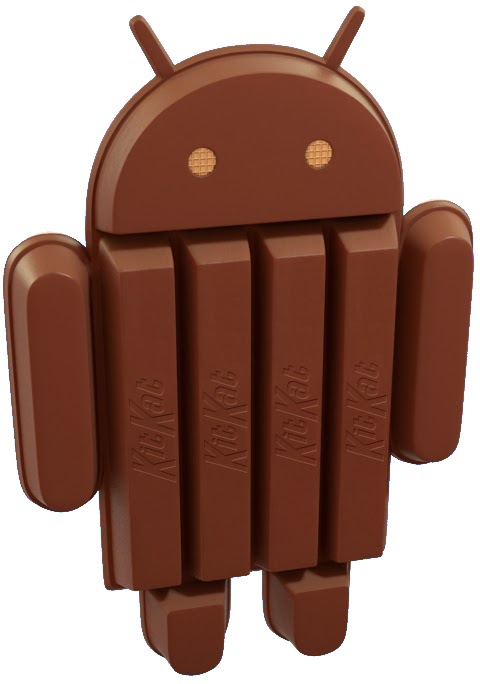
With each new version of Android there's a new, hidden animation tucked away in a corner of the Settings app. In Ice Cream Sandwich it was a NyanCat-style bugdroid robot. In Jelly Bean it was a field of floating, happy multicolored beans. In Android 4.4 KitKat there are actually three layers to the hidden animation — first a big spinning "K," then an KitKat-style Android logo, then a big grid of jumping confectionery celebrating Android versions of old.

Check out the animation in our video above.


31 Oct 22:33

Android 4.4 KitKat Is On Its Way, Here's What To Expect When It Hits Your Device

by Cameron Summerson

kk-android-44

Well ladies and gents, the day is finally here. It's been a long road full of leaks and teasers, but the Nexus 5 is now available for sale and Google has released full details about KitKat. It looks like this is going to be the best version of Android to date (as if you expected anything less), and there's a lot to talk about. Let's dig in.

Interface and Google Now

1 2

We've seen dozens of leaked screenshots and images that show off KitKat's new transparent navigation and status bars and white icons, so it shouldn't come as a shocker to see them as part of the finalized version of the OS.

Done With This Post? You Might Also Like These:

Android 4.4 KitKat Is On Its Way, Here's What To Expect When It Hits Your Device was written by the awesome team at Android Police.


31 Oct 19:44

Android for all and the new Nexus 5

by Unknown
Just in time for Halloween, we have two new treats for Android fans. First, we're excited to unwrap our latest platform release, KitKat, which delivers a smarter, more immersive Android experience to even more people. And second, we're introducing Nexus 5—a new Nexus phone developed with LG.

The first thing you’ll notice about KitKat is we’ve made the experience much more engaging: the book you're reading, the game you're playing, or the movie you're watching—now all of these take center stage with the new immersive mode, which automatically hides everything except what you really want to see.

Bringing more Google smarts to Android 
Behind the polish on the screen is the power under the hood. Take the Phone app, which for most people hasn’t really changed since the days of flip phones. Now, we’re making calling easier than ever, by helping you search across your contacts, nearby places, or even Google Apps accounts (like your company’s directory), directly from within the app. And with the new Hangouts app, all of your SMS and MMS messages are together in the same place, alongside your other conversations and video calls, so you’ll never miss a message no matter how your friends send it. This is just a small taste of KitKat—learn more on our site.

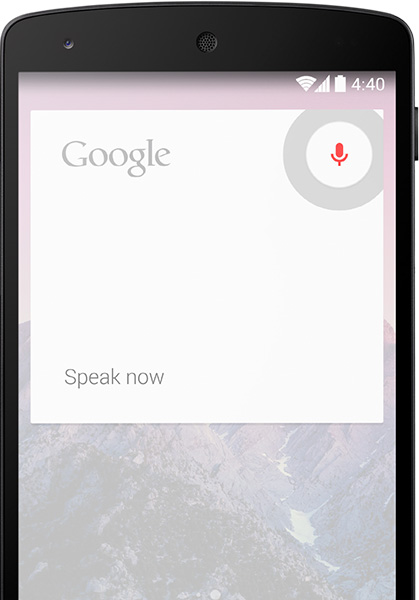
Google has always focused on helping users get immediate access to the information they need, and we want to bring this same convenience and power to users on Android. With the new Nexus 5 launcher, Google smarts are deeply integrated into the phone you carry around with you, so getting to the information you need is simple, easy and fast. Swipe once from the home screen to get Google Now literally at your fingertips. Put Google to work for you by saying “OK, Google” to launch voice search, send a text, get directions or even play a song you want to hear. And in the coming weeks, we’re enhancing Now with important new card types that bring you information about contextual topics that interest you such as updates from a favorite website or blog.

Reaching the next 1 billion users 
Building a platform that makes mobile phones accessible for everyone has always been at the heart of Android. Until now, some lower-end Android phones couldn't benefit from more recent Android releases due to memory constraints. With KitKat, we've slimmed down Android’s memory footprint by doing things like removing unnecessary background services and reducing the memory consumption of features that you use all the time. We did this not only within Android but across Google services like Chrome and YouTube. RAM (or memory) is one of the most expensive parts of a phone, and now Android can run comfortably on the 512MB of RAM devices that are popular in much of the world, bringing the latest goodies in Android 4.4 within reach for the next billion smartphone users.

Introducing Nexus 5 
Along with our sweet naming tradition, we also introduce a new device with each platform release to showcase the latest Android innovations. For KitKat, we partnered with LG to develop Nexus 5 -- the slimmest and fastest Nexus phone ever made. Its design is simple and refined to showcase the 5” Full HD display. Nexus 5 also keeps you connected at blazing speeds with 4G/LTE and ultra fast wifi. The advanced new lens on Nexus 5 captures more light for brighter night and sharper action shots. And with optical image stabilization, you no longer have to worry about shaky hands and blurry pictures. A new HDR+ mode automatically snaps a rapid burst of photos and combines them to give you the best possible single shot. Learn more on our site.


Nexus 5 is available today, unlocked and without a contract, on Google Play in the U.S., Canada, U.K., Australia, France, Germany, Spain, Italy, Japan and Korea (and coming soon to India), starting at $349. Just in the time for the holidays, Nexus 5 will be available soon at the following retailers: Sprint, T-Mobile, Amazon, Best Buy and RadioShack.

Android 4.4, KitKat, which comes on Nexus 5, will also soon be available on Nexus 4, 7, 10, the Samsung Galaxy S4 and HTC One Google Play edition devices in the coming weeks.

How’s that for a treat?

Posted by Sundar Pichai, SVP, Android, Chrome & Apps
31 Oct 19:43

Video: What's new in Android 4.4

by Phil Nickinson

Google's Reto Meier — a great dude to do walkthroughs if we've ever seen one — dives through some of the more techy changes in Android 4.4 KitKat. Still a great watch for the rest of us. Set aside a dozen minutes and check it out.


31 Oct 19:40

Android for all and the new Nexus 5

by Emily Wood
Just in time for Halloween, we have two new treats for Android fans. First, we're excited to unwrap our latest platform release, KitKat, which delivers a smarter, more immersive Android experience to even more people. And second, we're introducing Nexus 5—a new Nexus phone developed with LG.

The first thing you’ll notice about KitKat is we’ve made the experience much more engaging: the book you're reading, the game you're playing, or the movie you're watching—now all of these take center stage with the new immersive mode, which automatically hides everything except what you really want to see.

Bringing more Google smarts to Android
Behind the polish on the screen is the power under the hood. Take the Phone app, which for most people hasn’t really changed since the days of flip phones. Now, we’re making calling easier than ever, by helping you search across your contacts, nearby places, or even Google Apps accounts (like your company’s directory), directly from within the app. And with the new Hangouts app, all of your SMS and MMS messages are together in the same place, alongside your other conversations and video calls, so you’ll never miss a message no matter how your friends send it. This is just a small taste of KitKat—learn more on our site.

Google has always focused on helping users get immediate access to the information they need, and we want to bring this same convenience and power to users on Android. With the new Nexus 5 launcher, Google smarts are deeply integrated into the phone you carry around with you, so getting to the information you need is simple, easy and fast. Swipe once from the home screen to get Google Now literally at your fingertips. Put Google to work for you by saying “OK, Google” to launch voice search, send a text, get directions or even play a song you want to hear. And in the coming weeks, we’re enhancing Now with important new card types that bring you information about contextual topics that interest you such as updates from a favorite website or blog.

Reaching the next 1 billion users
Building a platform that makes mobile phones accessible for everyone has always been at the heart of Android. Until now, some lower-end Android phones couldn't benefit from more recent Android releases due to memory constraints. With KitKat, we've slimmed down Android’s memory footprint by doing things like removing unnecessary background services and reducing the memory consumption of features that you use all the time. We did this not only within Android but across Google services like Chrome and YouTube. RAM (or memory) is one of the most expensive parts of a phone, and now Android can run comfortably on the 512MB of RAM devices that are popular in much of the world, bringing the latest goodies in Android 4.4 within reach for the next billion smartphone users.

Introducing Nexus 5
Along with our sweet naming tradition, we also introduce a new device with each platform release to showcase the latest Android innovations. For KitKat, we partnered with LG to develop Nexus 5 -- the slimmest and fastest Nexus phone ever made. Its design is simple and refined to showcase the 5” Full HD display. Nexus 5 also keeps you connected at blazing speeds with 4G/LTE and ultra fast wifi. The advanced new lens on Nexus 5 captures more light for brighter night and sharper action shots. And with optical image stabilization, you no longer have to worry about shaky hands and blurry pictures. A new HDR+ mode automatically snaps a rapid burst of photos and combines them to give you the best possible single shot. Learn more on our site.

Nexus 5 is available today, unlocked and without a contract, on Google Play in the U.S., Canada, U.K., Australia, France, Germany, Spain, Italy, Japan and Korea (and coming soon to India), starting at $349. Just in the time for the holidays, Nexus 5 will be available soon at the following retailers: Sprint, T-Mobile, Amazon, Best Buy and RadioShack.

Android 4.4, KitKat, which comes on Nexus 5, will also soon be available on Nexus 4, 7, 10, the Samsung Galaxy S4 and HTC One Google Play edition devices in the coming weeks.

How’s that for a treat?

Posted by Sundar Pichai, SVP, Android, Chrome & Apps
31 Oct 19:39

Google's next generation: Nexus 5, Android 4.4 KitKat, and more

by Verge Staff

Today Google launched the latest in the Nexus line, the Nexus 5, and showed off the newest version of its Android OS, KitKat.

Continue reading…

31 Oct 16:34

UK Government Funds Anti-Piracy Outfit With Taxpayer Money

by Ernesto

Muso-logoThe anti-piracy business is booming, with thousands of companies making a decent living by helping rightsholders to protect their work.

London-based MUSO is one of these outfits. The company has been around for a few years already and has evolved into one of the most active senders of DMCA requests to Google.

Earlier this month MUSO broke the one million URL barrier in respect of their DMCA takedown requests, while charging their clients between 8 and 24 cents per link. However, the company has bigger plans and is developing a new technology to convert pirates into paying customers.

To fund this new technology the company applied for a “Smart Award” grant from the Government’s Technology Strategy Board. After a careful review of MUSO’s proposal the Government awarded the anti-piracy outfit £250,000.

MUSO director Christopher Elkins is delighted with the news and says that the money will eventually benefit the UK tech sector and copyright holders.

“The grant award gives our R&D team an extremely robust financial position from which to develop this ambitious and forward-thinking product, to the benefit of the UK tech sector, and rights holders looking for new ways to further drive the online growth of great content,” Elkins says.

The question is, however, to what degree the UK will benefit from the investment. A quick look at MUSO’s top clients based on Google’s Transparency Report shows only foreign copyright holders.

The top five consists of the Indian movie studio “Eros International”, Canadian based “Entertainment One”, the Dutch publisher “Meulenhoff Boekerij”, “Nuclear Blast” from Germany, and Norway’s “Nordisk Film Distribution Norway.”

Another prominent associate of MUSO is the Russian social network VKontakte, who signed an agreement earlier this year allowing the UK company to monitor and report uploads of copyrighted material.

How the new technology will convert pirates into paying customers remains a mystery for now. The company is said to be starting a trial in the second quarter of next year but further details are lacking.

TorrentFreak contacted MUSO for more details on their plans but we have yet to receive a response. Previously the company announced a browser addon which will allow people to report infringing torrent and cyberlocker links to the company, but these have yet to be released to the public.

Source: UK Government Funds Anti-Piracy Outfit With Taxpayer Money

31 Oct 14:05

MyColorScreen's Themer Is Now In Public Beta After 550,000 Signups And 1.5 Million Downloaded Themes

by Jeremiah Rice

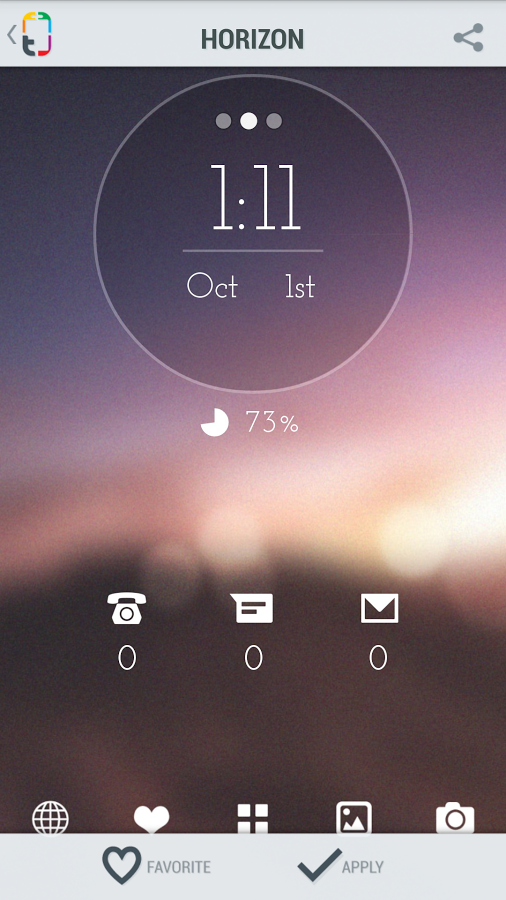
unnamed (14)So it looks like a lot of you were excited by Themer, MyColorScreen's custom launcher which promises no-hassle installations of some of the fantastic homescreens featured on the site. After a month in closed beta the service is now open, so you no longer need a code to get access to those sweet, sweet themes. The free app is available on smartphones (and only smartphones) running Android 4.1 or later.

unnamed (15) unnamed (16) unnamed (17)

MyColorScreen was eager to share two key statistics with us after four weeks in full operation.

Done With This Post? You Might Also Like These:

MyColorScreen's Themer Is Now In Public Beta After 550,000 Signups And 1.5 Million Downloaded Themes was written by the awesome team at Android Police.


31 Oct 14:05

Phones 4u to carry pink Samsung Galaxy Note 3

by Alex Dobie

Pink Galaxy Note 3

Pink Note 3 arriving from Nov. 1 exclusively at Phones 4u

UK retailer Phones 4u has announced that it'll soon be offering the Samsung Galaxy Note 3 in its "blush pink" color option. The pink Note 3, which we saw at IFA 2013 in Berlin a couple of months back, swaps out the handset's monochrome front and back panels in favor of a more colorful tone. It's even bundled with a stylish pink S Pen, too.

To sweeten the deal, Phones 4u will throw in a free wireless speaker, valued at £120, to those buying the Note 3 in any color. Phones 4u will begin carrying the pink Galaxy Note 3 from Nov. 1 from all of its brick-and-mortar stores. On-contract prices start at £47 per month for a free Note 3.

For a closer look at the "blush pink" Galaxy Note, check out our photo gallery from IFA 2013.

More: In Pictures: The pink Galaxy Note 3

Source: Phones 4u


31 Oct 14:02

Forgotten Music

by Bill Crider
31 Oct 14:01

Sony posts $196 million Q2 loss despite strong smartphone sales

by Zach Epstein
Sony Earnings Q2 2013Sony said shipments of its Xperia smartphones were strong in the September quarter, but weak camera and PC sales coupled with the flop of its big-budget feature "White House Down" dragged the Japan-based giant into the red once again. The company on Thursday posted its results for the fiscal second quarter, during which it lost about $196 million on sales that grew nearly 11% on-year to $18.1 billion thanks to the weakening yen. Sony warned that its electronics business is weakening more quickly than it expected, however, as TV and PC sales continue to slow. The company still forecasts a full-year profit of about $300 million thanks in part to its upcoming PlayStation 4 launch, though that estimate is down 40% from the $500 million profit Sony projected earlier this year.
30 Oct 23:41

How to Block Annoying Facebook Apps From Posting to Your Feed

by Eric Ravenscraft

Your friends are having a fun time with some trendy new Facebook app and you don't want to be the cranky curmudgeon that complains, but you also don't want to see their posts. What do you do? Block the app of course.

While this feature isn't particularly new, it can prove very handy if you're one of the growing number of people who don't like to see certain apps. To permanently end the flood of posts from a particular app, here's what you need to do:

  1. Click the drop down menu attached to the post itself.
  2. Select "Hide all from [app name]." (Note: if you're using the new interface, you may have to select "Hide" and then choose to block all from that app.)
  3. Enjoy life.

If you ever need to unblock the app for whatever reason, you can undo it by going to your Facebook Settings and, under Blocking, removing the block on the app. Though, in certain cases, you may never even want to. This trick works for people too, as we've mentioned before, but we thought this was worth revisiting with the rise in certain apps.

Bitstrips Reaches 11 Million But The Backlash Is Becoming Widespread, How To Block The Facebook Comic App | IBTimes

30 Oct 19:45

Five Excellent, Customizable Start Pages to Replace iGoogle

by Whitson Gordon

Five Excellent, Customizable Start Pages to Replace iGoogle

Google is shutting down the super-customizable iGoogle start page on November 1st—this Friday—but that doesn't mean you're stuck without your daily dose of news and other widgets. Here are five great alternatives to iGoogle that you can use as your new do-anything start page.

This post originally appeared in July of 2012, when the shutdown was first announced. We've since added a few more alternatives to get you ready for the shutdown, happening on November 1st.

Note that there are a ton of different kinds of customizable start pages out there. For the purposes of this post, we'll be focusing on the ones with widgets for things like news, weather, and other information, like iGoogle had. If you're looking for something a bit similar, though, there are a lot of other great options, like Myfav.es or Symbaloo.

My Yahoo Is a Beautiful, Easy Start Page

Five Excellent, Customizable Start Pages to Replace iGoogle

My Yahoo is my personal favorite of the bunch. Just like the awesome Yahoo Weather app, Yahoo has focused on making their start page actually attractive. You can choose from a number of themes, chose how many columns you want, and add a ton of different content—and not just Yahoo-focused content, either. Yahoo's Mail widget supports Gmail for all the Googlers out there.

The Good: Yahoo's start page is the Feedly to iGoogle's Google Reader. It may not be quite as feature-filled, but it'll satisfy most people, and it looks a lot better. Yahoo's made it easy to import all your iGoogle widgets and settings with just a few clicks, starts you off with a handy wizard, and has a ton of sites built in. We couldn't find an option for importing your own RSS feed, which is annoying, but it had all the sites we wanted to add, including Lifehacker. It's incredibly easy to add and search for content, too.

The Bad: The lack of an RSS widget is pretty annoying, and it doesn't have a ton of configuration options (at least compared to the other sites in this list). News widgets only have the options of "full" or "compact," and you can only choose how many columns exist on your page (from two to four), but not how they're laid out. If you want something simple you can migrate to from iGoogle, My Yahoo is great and attractive, but it isn't for those that like to configure every nook and cranny.

igHome Aims to Be Like iGoogle, but With More Customization

Five Excellent, Customizable Start Pages to Replace iGoogle

We've mentionedigHome before, and it's still one of the best options if you want something that works exactly like iGoogle did. It has a black bar just like Google did, a search box, and a widget library that looks awfully similar. You can import from iGoogle, which is great for getting up and running right away.

The Good: If you want something reminiscent of the original iGoogle, igHome is a good choice. You can add RSS feeds or preconstructed gadgets from their very large and browseable library, add any background you want to the page, choose your search engine, customize the links in the black bar, and more. In some ways, it's more customizable than iGoogle ever was.

The Bad: igHome's biggest annoyance is that you can configure the "format" of your RSS widgets, just like the others—compact or full—but your setting applies to all your widgets, not just one. The all-or-nothing approach is pretty annoying since every other site on the list offers you options on a widget-by-widget basis. We also can't find any way to create widgets of different widths, and a lot of the widgets just don't work properly—you can set them to show images, but they won't always do so, and right now my ESPN widget is completely blank. Some of the widgets are also pretty ugly (like the AccuWeather widget).

NetVibes Is a Super Customizable Start Page for RSS Geeks

Five Excellent, Customizable Start Pages to Replace iGoogle

NetVibes has long been a popular portal for news, weather, email, and other customizable widgets, and while it's a bit more focused for business-minded folks and news junkies, it makes a great start page. It has a ton of widgets to choose from, including weather, news, Gmail, Facebook and Twitter, stocks, a to-do list, and more blogs and RSS feeds than you can shake a stick at. It has a lot of specialized widgets for more popular sites, but you can also embed web pages and other objects into your page as well, if you want to embed something like Google Tasks. NetVibes probably has more pre-created, specialized widgets than any of the other options.

The Good: NetVibes is very customizable. You can create as many different tabs as you want, each with its own set of widgets, and each with its own movable layout. That means you can have up to four columns of widgets, some wide, some narrow, arranged in many different ways. It also has a ton of pre-made themes as well as the ability to create your own, so you can really customize how it looks. Plus, it has a built-in RSS reader. You can exit the widgets view to go into a very Google Reader-like interface, so you don't need to use a separate RSS reader if you don't want to. It's definitely ideal for RSS junkies.

The Bad: The main downside of NetVibes is that it can be a little difficult to use at times, and ugly if not done right. Dragging widgets around isn't nearly as easy as it should be, and sometimes creating new widgets from feeds can get a little frustrating. Moreover, some of the widgets can be downright awful, especially if you're creating your own from scratch (seriously, they look horrible). Its selection of widgets isn't bad, though, so you'll have to try it out to see if you can get by without having to deal with ugly ones.

uStart Focuses on Interactive Widgets with Lots of Layout Options

Five Excellent, Customizable Start Pages to Replace iGoogle

uStart is similar to the others, but with a bit more of a focus on interactive widgets than just RSS feeds. I has widgets for Mail, Facebook, Delicious, Google Drive, Instagram, internet radio, tasks, notes, and a lot more. It has a lot of options for how each one works, so you can make each widget your own. It can also import from iGoogle or NetVibes.

The Good: uStart has more widget options than most of its competitors. You can choose up to six different layouts for RSS widgets, along with how wide the widget is, how many news items show up, and whether to open it in its built-in RSS reader. Interactive widgets have a bunch of similar options depending on what they do. This is extremely nice and makes your layout pretty customizable based on how many columns you have, which widgets are wide, and so on. You can also customize much of the theme, from the background to widget color and background color.

The Bad: uStart isn't as good looking as most of its competitors, and the top bar seems a little cluttered with no way to clean it up. It has a lot of great interactive widgets, but nothing like the library of igHome, so some users may feel a bit limited. Overall, though, it's a start page with a lot to offer out of the gate and it's easy to set up.

Protopage Is an Easy to Use Page with a Free Form Layout

Five Excellent, Customizable Start Pages to Replace iGoogle

Protopage is very similar to NetVibes: You have your own customizable page to which you can add widgets, create customizable tabs, and change themes to fit your desires. It has a number of built-in widgets, but most of the widgets you'll create yourself by typing in a feed, connecting it to your email or social networking account, or creating one from a web page (again, like if you use Google Tasks).

The Good: Protopage is very easy to use. Dragging widgets around is smooth as butter, and it has a "free positioning" feature that lets you really customize how each widget is laid out across multiple columns. Feed widgets have a fair number of options, and you can resize them however you want. Anyone can get up and running with a good-looking page in minutes since it's a bit more one-size-fits-all. You can, however, customize the theme to the nines, from the background to all the colors used.

The Bad: Protopage has a lot of layout options, but not a lot of widgets. Its list is pretty short, and most of the stuff you add will probably be from RSS feeds. The widgets are rarely specialized, either. While some other services have a dedicated widget for Gmail, Yahoo, and other mail clients, Protopage only has one mail widget that requires you to connect via IMAP. It takes a bit more work, but it works with everything. The feed widgets aren't quite as customizable as some others, but they look good out of the gate.


It's hard to say whether one service is better than the others, since they all have their own advantages and disadvantages. It's so easy to try them out—usually without having to set up an account—that you can get a feel for them pretty quickly. Pick a few from this list that look good to you, try them out, and see how they work. We're confident you'll find one that fits most of your needs.

Title image remixed from Fer Gregory.