Shared posts

25 Mar 12:41

LAPD says every car in Los Angeles is part of an ongoing criminal investigation

by Cory Doctorow


The Electronic Frontier Foundation is trying to figure out what the LAPD is doing with the mountains (and mountains) of license-plate data that they're harvesting in the city's streets without a warrant or judicial oversight. As part of the process, they've asked the LAPD for a week's worth of the data they're collecting, and in their reply brief, the LAPD argues that it can't turn over any license-plate data because all the license-plates they collect are part of an "ongoing investigation," because every car in Los Angeles is part of an ongoing criminal investigation, because some day, someone driving that car may commit a crime.

As EFF's Jennifer Lynch says, "This argument is completely counter to our criminal justice system, in which we assume law enforcement will not conduct an investigation unless there are some indicia of criminal activity."

This reminds me of the NSA's argument that they're collecting "pieces of a puzzle" and Will Potter's rebuttal: "The reality is that the NSA isn't working with a mosaic or a puzzle. What the NSA is really advocating is the collection of millions of pieces from different, undefined puzzles in the hopes that sometime, someday, the government will be working on a puzzle and one of those pieces will fit." The same thing could be said of the LAPD.

In another interesting turn in the case, both agencies fully acknowledged the privacy issues implicated by the collection of license plate data.

LAPD stated in its brief:

"[T]he privacy implications of disclosure [of license plate data] are substantial. Members of the public would be justifiably concerned about LAPD releasing information regarding the specific locations of their vehicles on specific dates and times. . . . LAPD is not only asserting vehicle owners' privacy interests. It is recognizing that those interests are grounded in federal and state law, particularly the California Constitution. Maintaining the confidentiality of ALPR data is critical . . . in relation to protecting individual citizens' privacy interests"

The sheriff's department recognized that ALPR data tracked "individuals' movement over time" and that, with only a license plate number, someone could learn "personal identifying information" about the vehicle owner (such as the owner's home address) by looking up the license plate number in a database with "reverse lookup capabilities such as LexisNexis and Westlaw."

The agencies use the fact that ALPR data collection impacts privacy to argue that—although they should still be allowed to collect this information and store it for years—they should not have to disclose any of it to the public. However, the fact that the technology can be so privacy invasive suggests that we need more information on where and how it is being collected, not less. This sales video from Vigilant Solutions shows just how much the government can learn about where you've been and how many times you've been there when Vigilant runs their analytics tools on historical ALPR data. We can only understand how LA police are really using their ALPR systems through access to the narrow slice of the data we've requested in this case.

Los Angeles Cops Argue All Cars in L.A. Are Under Investigation [Jennifer Lynch, EFF]

(via /.)


25 Mar 12:40

Use Your Grocery Receipt to Trick Yourself Into Saving

by Kristin Wong on Two Cents, shared by Whitson Gordon to Lifehacker

Use Your Grocery Receipt to Trick Yourself Into Saving

Your grocery receipt probably includes the amount you saved during your shopping trip. This amount might be based on coupons, store loyalty discounts or sales. Either way, Daily Finance has a creative way to use this amount to "trick" yourself into saving.

"My mother-in-law and father-in-law have a great system for their grocery loyalty cards. They take the amount listed on the bottom of their receipt that they saved with their loyalty card, and they put that in the savings account or piggy bank."

This is a simple, creative way to save some extra cash. But I like this method because it makes your grocery savings tangible. And because of that, you might be inspired to find more ways to saveon groceries . Nothing wrong with that.

5 clever ways to trick yourself into saving more money | Daily Finance

Photo by JoeInSouthernCA.


Two Cents is a new blog from Lifehacker all about personal finance. Follow us on Twitter here.
25 Mar 12:39

Lifehacker Faceoff: OneNote vs. Evernote

by Melanie Pinola

Lifehacker Faceoff: OneNote vs. Evernote

Now that Microsoft OneNote is free for Mac and Windows , the price and cross-platform barriers to this much beloved note-taking tool are gone. But how well does OneNote stack up to (the also awesome ) Evernote, Lifehacker readers' favorite note-taking app ? Let's take a look at where each app shines, and why you might want to use one over the other.

The comparison below is based on the major features most people use these apps for: taking notes, saving information from the web, jotting down notes on the go, and other fine details.

Taking Notes: Two Very Different Approaches

Lifehacker Faceoff: OneNote vs. Evernote

OneNote and Evernote share the same main objective: To help you get organized by keeping all your ideas, saved web pages, and other documents in one place. They also offer similar features, such as a web clipper, Optical Character Recognition (or OCR, which interprets images or scanned information as text), instant syncing of notes to all your devices, and integration with third-party services.

While they seem like similar tools, however, you can see the biggest difference between these two apps at a glance. Above is my OneNote note brainstorming this post. Below is a similar one done in Evernote.

Lifehacker Faceoff: OneNote vs. Evernote

OneNote Is the Better Digital Notebook

OneNote takes the "digital notebook " analogy to heart, organizing notes into colored tabbed sections within notebooks. Also like using a paper notebook, you can add text, images, tables, and more anywhere on the page—side by side if you want—and format them as easily as you can a Word document. OneNote's menus, in fact, include text formatting tools like quick styles (for headings, footers, etc.) and the very useful "format painter" tool to copy and apply formatting. You can also customize how each note—really, they're more like pages than notes—looks: the background color, gridlines, and page sizes. Or you can apply various templates to make your notes or pages stand out.

Continuing the word document analogy, OneNote also includes writing tools like a research panel to look up reference sources, a thesaurus, a spell checker, and language translation. You can also dock your note to a small window on your desktop for easy note-taking or writing while you surf the web.

In the Windows desktop version, you can draw or handwrite anywhere on a note as well. (Sadly, this isn't a feature in the Mac version, although it might make sense, considering Macs don't ship with touchscreen displays.)

Also, in OneNote you can choose to show or hide notebooks—which helps cut down on visual clutter— and make some notes "subpages" (indenting them in the page menu)—which helps create a visual hierarchy of notes and group them together easily.

In short, if you want to make your notes look pretty or organize them the way you would a paper notebook, OneNote's powerful and flexible formatting capabilities are for you. It's ideal for brainstorming, visually organizing your notes, and creating longer content.

Evernote Is a Better Digital File Cabinet

Evernote, on the other hand, is more of a "digital file cabinet " (Evernote's slogan is, of course, "remember everything"). It has a simpler, starker user interface, and it's more conducive to making simpler notes than more styled ones.

What it lacks in style, Evernote makes up for in information management. You can quickly create a note, tag it, share it, and set a reminder for it in about the time it would take you to find out how to share a note in OneNote. (For OneNote users: Right-click and copy the page link or use the email button.) Evernote also adds potentially helpful metadata to your notes, like where you made them.

Even though it uses the notebook metaphor, Evernote is more like a database of everything you've ever saved. Not only can you filter your notes by notebook and tag(s), your notes can appear in your Google searches—one feature that puts it ahead of OneNote when it comes to information you've seen before. (OneNote does have a nifty summary pages feature that's like saved searches, but easier to use.)

Also, Evernote's web clipper and email-to-notes services are better than OneNote's (more on those in a bit). That makes Evernote the better option for collecting random information and quickly retrieving it later.

Web Clipping and Third-Party Integration: Evernote Has a Clearer Head Start

Lifehacker Faceoff: OneNote vs. Evernote

With its free OneNote release, Microsoft also added a much needed universal web clipper. Previously, you could clip entire pages in Internet Explorer or use the virtual "print to OneNote" printer in other browsers, but it was clunkier than dedicated solutions like Evernote's clipping browser extensions. OneNote also now has a dedicated me@onenote.com email address you can send emails to.

Both the web clipper and new send-to email address are essential, helpful tools if you use OneNote to save web pages and emails. They're just not as functional as Evernote's (screenshot above).

OneNote saves web clips via the bookmarklet to the same "Quick Notes" section of your default notebook. If you want it in a different notebook or section, you have to move it after you clip it. Also, the web clip is saved as an image—in essence, OneNote takes a screenshot of the web page; that image is OCRed and searchable, but you can't select text to copy elsewhere. With the Evernote web clipper, by contrast, you can not only clip the page intact as a full-text article, but also highlight parts of it, specify which notebook it should go into, add multiple tags to the clipping, and add a reminder to the clip. It's the difference between saving a web page with post-it notes and highlighted notes specifically where you want to save it…and taking a picture of a web page and dumping it in a catchall folder.

Similarly, the new email-to-notes feature in OneNote is convenient and welcome, but could offer more options. Once you enable your registered Microsoft accounts to be able to send to OneNote, you only have to remember the me@onenote.com address to send or share anything to OneNote. That's it, though. With Evernote's email system, you can add information to your subject line to better file your email note. Add @Notebook to specify the notebook, for example, or #tag to add tags to the note.

Don't get me wrong, the new web clipping bookmarklet and email sending features are great for OneNote, and you might not need more than what these have to offer if you use OneNote to occasionally save web pages and emails. Evernote's (long-established) versions just offer more options.

Similarly, OneNote has been adding third-party app integration support, so now you can do things like send articles from a specific site to OneNote or create pages from a text message to OneNote via IFTTT. Other OneNote apps include LiveScribe, News360, and Feedly.

By contrast, though, since Evernote has been built from the beginning as a web-based service with an API for developers, you can add many more apps to Evernote to supercharge it as a productivity tool.

In short, OneNote is catching up, but it hasn't caught up completely when it comes to extensions of the program or productivity-enhancing add-ons.

Notes on the Go: Evernote Offers the Most Desktop-Like Experience

OneNote's mobile apps are what you would expect, if you expect a developer to think "People on mobile only need this, this, and this feature, so let's scrap the rest." Evernote's mobile apps are more like the developers thought "How can we tweak the app for a mobile interface?" The two perspectives make a big difference. Evernote retains much of the functionality of the desktop apps, while OneNote–still awesome as a note-taking and capturing tool, mind you—is more limited in mobile than it is on desktop.

In terms of Android widgets, both are pretty similar. OneNote has added the ability to pin notebooks or notes to the home screen, and the widgets let you see the most recent notes as well as quickly add a text, photo, or audio note.

Evernote's mobile apps, however, allow you to move notes to other notebooks, tag them, share them via email or other sharing apps, or set a reminder to them. In OneNote's mobile app, you can only add a photo, audio, or text note. You'll need to manage or share the note on your desktop.

OneNote is fine if you only use your mobile device to read or make basic notes on the go. If you want to use the app mostly on mobile and expect it to perform like a desktop app, Evernote is your better bet.

Other Important Considerations

The above analysis makes it seem like Evernote wins hands-down on most points, and for those pretty important points, it might. But the fine differences between the two apps might make a big difference too.

More OneNote Advantages

  • OneNote is integrated into Windows. Hit Win+N and you can create a sticky note-like note instantly in OneNote. If you have a touchscreen Windows PC, OneNote lets you change the UI to make it more touch-friendly.
  • OneNote works betters with the Microsoft Office ecosystem, of course. You can add reminders to text in your note via Outlook, share OneNote notes or notebooks on SharePoint with your company (paid version only), or embed Word, Excel, or Visio documents (and edit them in OneNote). In two clicks, you can add meeting details from Outlook to OneNote, which is probably why Lifehacker readers voted it the best meetings minutes service .
  • OneNote lets you tag parts of the page individually. If this were a OneNote note, for example, I could have tagged this bullet point "remember for later" while the bullet before I could have tagged "question."
  • OneNote has rich collaboration features not available in Evernote, such as seeing revision authors and finding comments by author. Paid OneNote users (e.g., in the corporate environment) have many more note-sharing tools and notes revision histories features.
  • You can drag-and-drop files as embedded objects in OneNote. For example, if you drag a document to OneNote as you (even a Google Docs shortcut!), you can insert it as an attachment or embed it in full as a printout. In Evernote, a similar document can only be added as an attachment.
  • If you want to export your OneNote notes, you can do so in more formats: In addition to the proprietary OneNote format, you can export entire sections or pages at once into PDF, Word, or HTML. Evernote only lets you select notes to format into its own format or XML or HTML.

More Evernote Advantages

  • You can add a reminder to an Evernote note. Although you can also add a reminder to a note in OneNote, you'd have to have Outlook installed in order to do so (and be willing to open Outlook every time you use OneNote). With Evernote, reminders are built-in.
  • Evernote's sharing options are much stronger. You can share a note via Facebook, Twitter, or LinkedIn, as well as via email or URL.
  • You can encrypt (password-protect) selected text in any note. In OneNote, you can encrypt entire notebook sections, but that's only for the premium (paid) Microsoft Office versions. In Evernote, select text and right-click to encrypt it.

Which One Should You Use?

Choosing between Evernote and OneNote is like choosing between Evernote and Springpad : Both (or, really, all three) occupy the same app category space, but it might not be an either-or question.

OneNote is just now catching up to Evernote, at least when it comes to cross-platform compatibility. But there are reasons why OneNote users—suffering a Windows-only platform and dismal mobile apps—stayed loyal to OneNote. The visual interface and stronger formatting features make OneNote much better for brainstorming and certain types of note-taking.

There's no single note-taking style, of course. Choose the one that's best for your organizing needs, or try both together. You might find a place for both apps in your life.


25 Mar 12:31

26 Best (And 1 WTF) New Android Apps From The Last 2 Weeks (3/11/14 - 3/24/14)

by Michael Crider

roundup_icon_largeWelcome to the roundup of the best new Android applications, games, and live wallpapers that went live in the Play Store or were spotted by us in the previous 2 weeks or so.

Please wait for this page to load in full in order to see the widgets, which include ratings and pricing info.

Looking for the previous roundup editions? Find them here.

Featured App

A Better Camera

Today's roundup is presented by A Better Camera from Almalence.

Done With This Post? You Might Also Like These:

26 Best (And 1 WTF) New Android Apps From The Last 2 Weeks (3/11/14 - 3/24/14) was written by the awesome team at Android Police.


25 Mar 12:29

HTC Sense 6 apps hit Google Play ahead of new HTC One launch

by Alex Dobie

BlinkFeed, HTC Service Pack and SenseTV listed on Google Play, complete with screenshots

We're just hours away from the expected arrival of the new HTC One (M8), and we're starting to see signs of the final preparations being made for the phone's launch. HTC has this morning released three new HTC Sense apps onto Google Play — HTC BlinkFeed, HTC Service Pack, and HTC SenseTV.

Update: HTC Gallery and HTC Guide have joined the fray.


24 Mar 23:21

Albuquerque police chief OKs shooting of homeless man who ran from flash grenade

by Mark Frauenfelder
Still image from a video that shows officers assaulting and then killing a mentally ill man who was illegally camping

Travel tip for Albuquerque visitors: When a gang of police officers unleash their attack dog on you and startle you with a flash-bang grenade, stand very still. If you try to back away, Police Chief Gordon Eden has given the officers permission to shoot you on the spot.

The Albuquerque Police Department has been under federal review by the U.S. Department of Justice since 2012 when the agency’s record of shooting 25 suspect – 17 fatal – garnered national attention. The department has added 11 more shootings to that list since the end of 2012. Albuquerque officers have shot more persons than the NYPD, a department serving a city 16-times larger, since 2010.

Albuquerque cops assault and kill camping homeless man


24 Mar 23:19

Google inks Glass deal with the maker of Oakley and Ray-Ban

by Sean Hollister

Google just signed the deal that could allow its Glass wearable computing device to go mainstream. The company has announced a partnership with Luxottica, the eyewear manufacturer behind a host of brands including Ray-Ban and Oakley, to design and produce an exclusive collection of eyeglass frames that incorporate the technology. To start, the deal will be limited to the US market, and focus on Ray-Ban and Oakley. According to a Luxottica press release, the first collection will "combine high-end technology with avant-garde design offering the best in style, quality, and performance."

Continue reading…

24 Mar 21:10

Top 10 most popular Android apps from last week: uPod, iM5, AcDisplay

by Steve Raycraft

Every week we cover new Android apps with Fresh Meat on Wednesday, followed by Android Gaming on Thursday and Top 10 App Updates on Friday. When Monday rolls around, we look back to see which apps were the most appealing to our audience. Read on for the 10 most popular Android apps from last week.

1. iM5*

IM5

App info: iM5 is a new social network designed to inspire real-life action through the sharing of ideas.


2. FLATEE APEX/NOVA/ADW THEME

Flatee

App info: Flatee is another stellar theme to give your device the flat treatment.


3. AcDisplay

AcDisplay

App info: Using AcDisplay, you will see notifications light up your screen as they arrive and show as a circular icon with a timer ring, which is your chance to act on that notification before your screen times out again.


4. Lightning Launcher Home

Lightning Launcher Home

App info: Lightning Launcher is a new app that lets you not only add pages to the left and right, but also above and below.


5. Cast Store for Chromecast

Cast Store for Chromecast

App info: This app helps you quickly find apps to use with Chromecast.


6. Floppy LeBron – Basketball

Floppy LeBron

App info: Floppy LeBron is a basketball-themed alternative to Flappy Bird.


7. PushOn Icon Pack

PushOn Icons

App info: The icons itself are transparent and the impressed effects of the icons should appear on all backgrounds besides pitch black and dark black backgrounds.


8. MyCastScreen

MyCastScreen

App info: MyCastScreen lets you display content you want to see like the date, time, top news stories and weather when starting your Chromecast device.


9. Network Monitor

Network Monitor

App info: Network Monitor displays the apps that are using your network and the IP address assigned to them.


10. uPod light – Podcast player

uPod Light

App info: uPod is a new Holo-based podcast player that offers cross-device synchronization.


Note:  To ensure that all apps receive a fair chance to make the list, we will retire any app that has made the list for 3 consecutive weeks and will place it in our Android and Me App Hall of Fame. We will post this Hall of Fame list in a dedicated series.

Any app with * next to the title indicates it will now be added to our Hall of Fame list and will no longer be listed in this article.

24 Mar 21:10

Tumblr Introduces New Two-Factor Authentication Option To Better Protect User Accounts

by Bertel King, Jr.

Tumblr-ThumbTumblr has rolled out a new two-factor authentication option that, once enabled, decreases the likelihood of someone breaking into your Tumblr account. Rather than just a password, you will also need to type in a key generated by your Android device. We've already seen Google, Facebook, and Twitter implement this functionality, so while it's about time, it's also better late than never.

Tumblr

You can enable the feature through your Tumblr settings page.

Done With This Post? You Might Also Like These:

Tumblr Introduces New Two-Factor Authentication Option To Better Protect User Accounts was written by the awesome team at Android Police.


24 Mar 20:59

Google Now finally comes to desktop Chrome browser

by Chris Welch

Google's quest to bring Google Now over to its desktop Chrome browser has been years in the making, but today it's finally official. The latest version of Chrome will display many Google Now cards you'd normally see on your Android or iOS smartphone, including weather, sports scores, event reminders, and a preview of your commute to and from work. Google notes that some of this data is based on the location of your mobile device, so it may not prove very useful if your computer and smartphone are in different places. Support for Google Now first appeared in a beta version of Chrome released last month, but the company has been working on the migration for months.

Google Now cards appear in Chrome's notification center, which appears...

Continue reading…

24 Mar 16:31

LG shows off their Android Wear GWatch

by Adam Zeis

The first image we saw of LG's GWatch wasn't really the greatest (or most revealing). However they have just posted up a new, much clearer image on Twitter showing off a bit more of the goods.

We still don't know any of the big details — pricing, specs, availability — but we do get to see a bit more of the design than we had earlier. Right now the GWatch and the Moto 360 are the two big Android Wear devices that everyone is buzzing about, but we'll undoubtedly see more in the coming weeks as we get closer to an official launch.

What do you think of the GWatch design? Sound off in the comments!

24 Mar 15:33

New X-Men: Days Of Future Past Trailer Online

New X-Men: Days Of Future Past Trailer Online

Tough times ahead – and behind – for the X-Men

A new trailer has hit the internet for Bryan Singer's X-Men: Days Of Future Past, and this gives us our best guide to the plot yet. It also showcases bigger action scenes than any that we've previously seen – we started counting Sentinels but ran out of fingers – and a Patrick Stewart voiceover that recalls the opening of the very first film. Take a look at the trailer below – and have a gander at the latest poster further down the page.

The story this time, of course, sees Hugh Jackman's Wolverine have his consciousness sent back to his younger self, in order to attempt to change a nightmarish future where mutants are an endangered minority hunted by unstoppable robot sentinels and the world is a blasted battleground. The younger Wolverine then somehow has to pull young Professor Xavier (James McAvoy) and Magneto (Michael Fassbender) away from, respectively, self-pity and a pro-mutant crusade, and try to get them to change the course of history. Easy! Oh, except that Mystique (Jennifer Lawrence) is at the heart of the whole problem, and changing her plans won't be easy.

Judging by the new poster below, Lawrence's role is front-and-centre (or they're really trying hard to cash in on her massive Hunger Games popularity), Wolverine has an itchy ear and Professor X the Elder has a floating wheelchair with flames coming out the bottom.{Final X-Men: Days Of The Future Past Poster}

The film also features Halle Berry, Patrick Stewart, Ian McKellen, Nicholas Hoult, Fan Bingbing, Peter Dinklage, Ellen Page, Evan Peters, Daniel Cudmore, Omar Sy and Shawn Ashmore, and hits cinemas on May 22.


24 Mar 15:32

​Sorcery And Witchcraft: How To Fold A Fitted Sheet

by JolieKerr on The Concourse, shared by Whitson Gordon to Lifehacker

​Sorcery And Witchcraft: How To Fold A Fitted Sheet

Jolie Kerr is a cleaning expert and advice columnist. She'll be here every other week helping to answer your filthiest questions. Are you dirty? Check The Squalor Archive for assistance. Are you still dirty? Email her.

A few months ago, word started getting out that I know how to fold a fitted sheet. And once it did, the cries began: "SHE'S A WITCH! BURN HER!"

And while yes, I do have a bit of a witchy bent, my ability to fold a fitted sheet actually has nothing to do with magic. Maybe a little bit. OKAY FINE, IT'S MAGIC, FINE. But it's teachable magic, and I am a benevolent, educating witch.

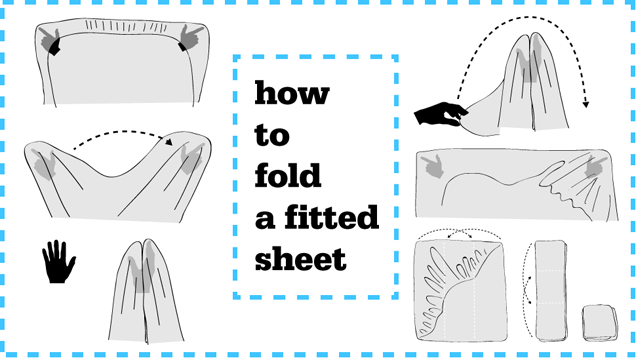
The thing about providing instructions for folding a fitted sheet is that the writing of it, no matter how clear one is, tends to be confusing. It's just one of those tasks that is best taught by showing, rather than telling. And so that's exactly what I've done for you. Despite the fact that I hate being on camera, I love you enough that I put aside my vanity and fears — oh, god, so many fears, you guys — and made you the following video, which shows how to fold a fitted sheet.

To make it even more fun, and also to prove that even people who aren't witches/don't fold fitted sheets for a living can totally do this thing, I asked my colleagues Tom Ley and Barry Petchesky to try their respective hands at it. I baked them cookies, too, which is neither here nor there, but speaks nicely to my point about being a benevolent witch.

(SPOILER ALERT: They did so well! I was, like, absurdly proud about the whole thing. I don't have children, but I guess that's what it must feel like when your kids get into Harvard.)

A final note for you: My method deviates ever-so-slightly from the traditional way of marrying the corners—I find my approach is easier and far less likely to result in a tangled-up sheet. But if you want to try it the other way, or are just wondering how many ways there could possibly be to fold a fitted sheet, here's The Supreme herself, Martha Stewart, demonstrating the way in which she folds a fitted sheet.

My way is better, though, and here's the full Jim Cooke illustration to prove it:

​Sorcery And Witchcraft: How To Fold A Fitted Sheet

Jolie Kerr is the author of the book My Boyfriend Barfed In My Handbag … And Other Things You Can't Ask Martha (Plume); more cleaning-obsessed natterings can be found on Twitter, Kinja, and Tumblr. Squalor appears on Jezebel and Deadspin on alternating weeks.

Art by Jim Cooke. Video shot by Kyle Wagner and edited by Dave Mayers.

The Concourse is Deadspin's home for culture/food/whatever coverage. Follow us on Twitter: @DSconcourse.

24 Mar 13:35

Change In UK Tax Law Could Raise The Price Of Music And Apps In The Country

by Alex Wilhelm
A change in UK tax law that may take force at the start of 2015 would push the price of apps, music and other downloads and “e-services” higher in the United Kingdom. The legal shift would see downloads in the United Kingdom charged the value added tax (VAT) of that country. Currently, The Guardian reports, companies like Apple and other digital store owners “are allowed to sell… Read More
24 Mar 13:33

AOL Launches Premium Video In UK, With Mainstream Partners Like Endemol, ITN

by Mike Butcher
Today AOL UK launches its 'AOL On' Network in the UK. This is a premium video syndication platform that includes both curated and original content. The UK is the first market outside of North America for AOL On. The AOL On app will be available in the UK in the Apple App and Google Play stores in early April. Read More
24 Mar 13:31

All New HTC One stars in 14-minute German video

by Nick Sarafolean

We’ve seen some pretty leaky Android devices, but the All New HTC One might take the cake. HTC’s upcoming flagship is slated to debut and possibly even launch on Tuesday, yet the leaks continue to roll in fast and thick. The latest leak comes in the form of a 14-minute hands-on video that’s spoken entirely in German. Unfortunately, to someone who speaks zero German, this sounds a lot like gargling with nails with an occasional “HTC One” thrown in here and there.

All jokes aside, this is the mother of all leaks. The video shows off all sorts of different aspects of the device’s software and hardware. Some time is spent focusing on the new One’s dual camera setup and from what we can tell, this should be a powerful step forward in the way of mobile camera innovation. Kudos to HTC for thinking outside of the box.

We also get a nice look at the Sense 6 software, which seems to embrace KitKat’s transparent notification bar and navigation buttons. Best of all, we just get to look at the All New One’s beautiful aluminum body. We’re excited to officially see what HTC brings to the table this year, even though we pretty much know everything about the All New One.

What feature of the All New HTC One are you most excited about?

24 Mar 13:27

Use Sandpaper or Cookie Sheets to Keep Cats off the Kitchen Counters

by Alan Henry

Use Sandpaper or Cookie Sheets to Keep Cats off the Kitchen Counters

If you have cats, it may be a losing battle to keep them off the kitchen countertops all the time, but you definitely don't want them there while you're cooking. Thankfully, there are plenty of ways to do the job without resorting to a spray bottle of water.

Apartment Therapy has a great roundup of tips from sources like the ASPCA, This Old House, and the Humane Society for keeping cats off the countertops while you're cooking or otherwise working with food. For example, the ASPCA suggests that you set up the environment to punish the cat so you don't have to:

You can dissuade your cat from entering banned areas by using “environmental punishers,” which punish her remotely, without you being present. Cats are sensitive animals, so it’s never a good idea to shoo a cat away with your hands or threaten her with a spray bottle. Too often, your cat just learns to be afraid of you. Instead, arrange for the environment to punish your cat directly. For instance, if your cat likes to jump from the floor onto the kitchen counter, balance some lightweight cookie sheets on the edge of the counter. When your cat jumps up, she’ll land on the sheets. They’ll move and possibly topple over, making some unpleasant noise while she leaps back onto the floor. Your cat shouldn’t be harmed by this experience, but she’ll be unlikely to risk jumping on the counter again.

Similarly, the folks at This Old House suggest that cats hate the gritty feeling of sandpaper under their paws, and suggest using it as a way to deter cats from scratching furniture or carpet where they've shown an interest. Apartment Therapy suggests putting some down on the countertops when you're not cooking as an environmental deterrent.

Of course, if you're willing to go all out, you could build an automated remote sentry to keep the kitties off the countertops, but these methods use things you hopefully have already, or aren't too difficult to get. Hit the link below to read more.

Tips for Keeping Cats Off Kitchen Counters | Apartment Therapy

Photo by Lawrence Simon.

23 Mar 20:43

Music Industry Wants Pirate Site Blockades in More Countries

by Ernesto

stop-blockedIn recent years blockades of “pirate” websites have spread across Europe and elsewhere. In the UK, for example, more than 30 websites are currently blocked by the major ISPs per court order.
Opponents of this censorship route often warn that the measures inhibit free speech and risk overblocking. However, music industry group IFPI disagrees, pointing out that the rights of creators to protect their work trump these concerns.

“Despite misrepresentation by some anti-copyright campaigners, courts have consistently found that the blocking of sites providing illegal content achieves an appropriate balance of fundamental rights,” IFPI writes in its latest Digital Music Report.

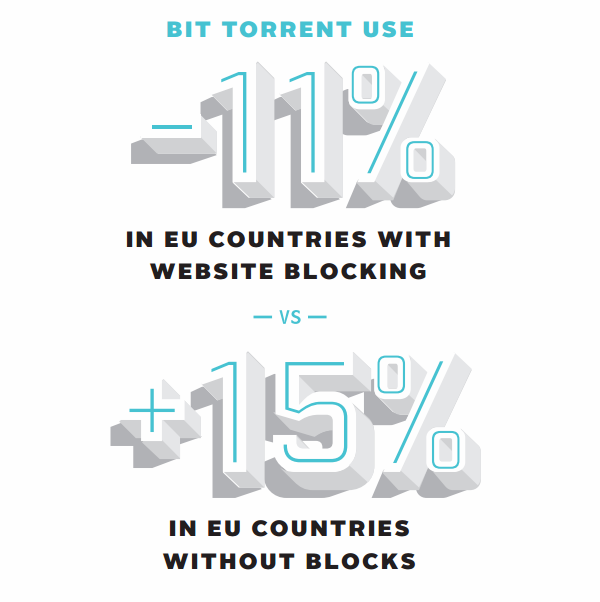
IFPI points out that the ISP blockades in several European countries are having effect. Drawing on information supplied by data intelligence firms comScore and Nielsen, they report that “BitTorrent usage” decreased 11 percent in countries where pirate sites are censored, while it increased elsewhere.

“Website blocking measures implemented by ISPs have been effective. Between January 2012 and July 2013, European countries where blocking orders are in place saw BitTorrent use decline by 11 per cent, while European countries without such orders saw BitTorrent use increase by 15 per cent.”

tpbblockade

The data further shows that this blockade effect is most pronounced in Italy and the UK, where the most torrent sites are blocked. In Italy BitTorrent traffic dropped 13 percent and in the UK the decline was even larger, 20 percent.

The report doesn’t make it clear whether actual BitTorrent traffic was measured, or only page views at popular torrent sites. Regardless, IFPI notes that there’s still plenty of work to be done.

The blockades are currently limited to fixed lines, for example, and should be expanded to mobile networks as well. In addition, IFPI says that the blockades should be expanded to other countries worldwide.

“The industry believes that website blocking is an effective tool to help tackle digital piracy and should be available in more countries worldwide. It also needs to be extended to cover mobile networks,” IFPI reports.

The music industry group doesn’t name any countries, but perhaps they are hinting at the RIAA to push for “voluntary” blockades in the United States. In any case, if it’s up to IFPI the number of ISP blockades around the world will continue to increase.

The results reported by IFPI run contrary to a decision from the Dutch Court of Appeals earlier this year, which concluded that the Pirate Bay blockade was “disproportionate and ineffective.” As a result, Dutch ISPs were allowed to lift the access restrictions.

Photo: Michael Theis

Source: TorrentFreak, for the latest info on copyright, file-sharing and anonymous VPN services.

23 Mar 17:37

Five Best VPN Service Providers

by Alan Henry

Five Best VPN Service Providers

A VPN, or a Virtual Private Network, is a great tool to protect your privacy and security while you use the internet . Whether you're at home or using public Wi-Fi while traveling, the best combine great pricing with security features and privacy guarantees that make them worth your trust. This week, we're looking at five of the best VPN providers, based on your nominations.

Earlier in the week, we asked you which VPN service providers you thought were the best —the ones that don't keep logs, protect your anonymity, don't discriminate against traffic or protocol types, offer exit servers to help you get around location-restricted content blocks, and deliver the best bang for your buck. It takes a lot to make a VPN service worth your trust , but there are some good ones out there. Here are some of the ones you thought were the best, in no specific order:

Private Internet Access

Five Best VPN Service Providers

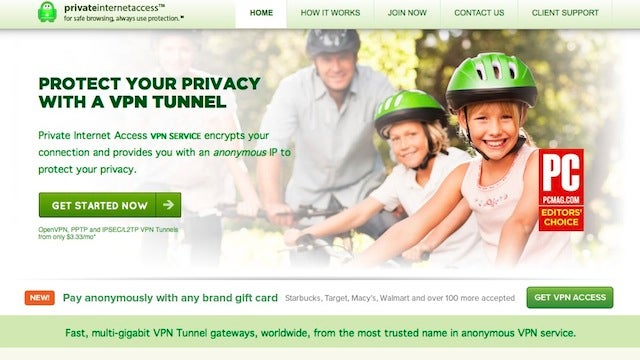
Private Internet Access is one of our favorite VPN service providers , and based on the number of nominations they picked up, they're one of yours as well. PIA is one of those VPN service providers that both protects your privacy and security by encrypting all of the traffic between your home computer (or home network) and their service, but also anonymizes it and helps you get around regional content restrictions by giving you a choice of exit servers (close to 1000, in 10 different countries.) PIA doesn't log data about your session or connection details, they don't discriminate against protocols or IP addresses, and they don't host any data about its users activities at all. They support a number of different authentication and encryption methods, support virtually every mobile and desktop operating system, and their pricing isn't bad either ($7/mo or $40/yr for up to five devices connected simultaneously.)

PIA has made the list every time Torrentfreak looked into privacy protecting VPN providers, and picked up an Editors Choice award from PCMag. Those of you who chimed in in the nominations thread noted that they also provide connectivity options for your home router so you can stay constantly connected, connect to your home network when you're away, or customize your solution. Many of you praised their customer support and technical expertise. Read more in the nominations thread here .


TorGuard

Five Best VPN Service Providers

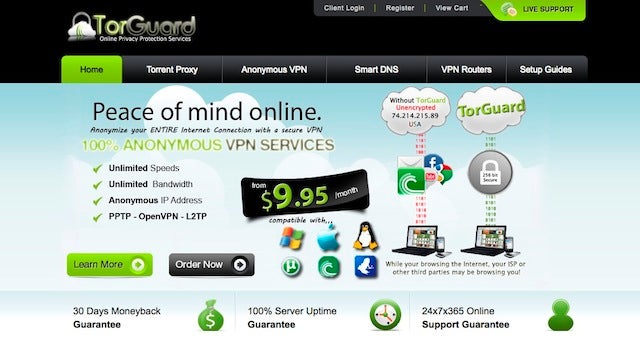
TorGuard's claim to fame is that they offer specific types of servers for different activities. That gives you the ability to connect to torrent-friendly services if you need to download something, encryption and anonymity-friendly servers if you just need a little privacy and security, and so on. They're also one of the few VPN service providers to take DNS leaking seriously , and they even offer their own test to make sure that your VPN—even if you don't use them—isn't leaking DNS and thus information you thought was secure. Depending on your usage habits and patterns, TorGuard has different plans for you. For our purposes though, their full VPN service will set you back $10/mo or $60/yr, and they have less expensive plans if you just want an anonymous proxy or a torrent proxy. Their full VPN service however features over 200 exit servers in 18 countries, no logging or data retention of any kind, and their network is set up in a way that they actually have no information to collect on their user activities—they don't know what you're doing or when you're connected. They delivered a really great response to Torrentfreak's questions that's well worth a read for more info. They also support multiple connectivity protocols, support for virtually every desktop and mobile OS, and even offer their customers encrypted, offshore email service if you want to take advantage of it.

Those of you who praised TorGuard in the call for contenders thread noted that they have "Stealth" VPN servers to protect you against deep packet inspection (a technique used to capture and systematically decrypt or inspect encrypted data, usually used by corporate networks, university networks, or specific "agencies.") You also noted that they support OpenVPN, help you get connected via your home network, and have great customer service. Read more in the nominations thread here .


IPVanish VPN

Five Best VPN Service Providers

IPVanish takes an interesting approach to privacy and security. They use shared IP addresses, so when they say no one has any idea what you're doing when you're connected, they mean it. That doesn't mean they're compromising security though—they have over 14,0000 IPs to share on over a hundred exit servers in 47 different countries. You can choose where you'd prefer to connect, which again is perfect for getting around location restrictions, and their encryption makes sure your traffic is safe from prying eyes. They support OS X, Windows, and Ubuntu (although it wouldn't be too hard to stretch that to other distributions), along with iOS and Android, and they offer configuration utilities so you can set you home router to connect to them as well. They feature multiple connection protocols, don't discriminate against traffic types or port usage, and don't log a thing. Torrentfreak gave them the nod as well. Accounts with IPVanish are $10/mo or $78/yr, and you can connect two devices at once (as long as they're using different protocols.)

IPVanish earned high praise in the call for contenders thread for its speed while connected. How they manage to do it is impressive, but the service manages to hold itself to a high standard of privacy and security while giving you breakneck speeds that you may not be accustomed to with a VPN. The service proudly notes that they're happy with you streaming video or music while you're connected to get around pesky content blocks, especially if you're an expat who's currently abroad but wishes they could see their favorite TV shows back home or make use of their streaming music subscription. Read more in the nomination thread here .


CyberGhost VPN

Five Best VPN Service Providers

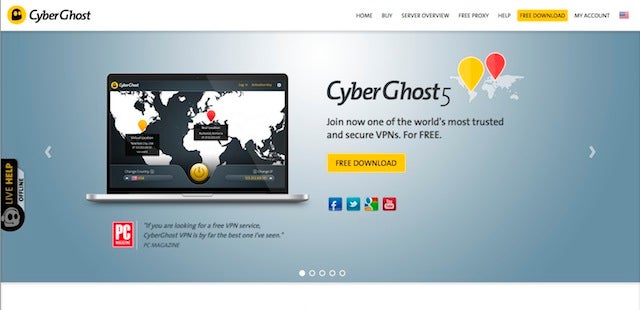
CyberGhost has been around for a long time, and while we've mentioned them before , they made a great showing in the call for contenders thread. Like any good, trustworthy VPN provider, they both encrypt all of the data that passes through your connection and anonymize your location. They offer free and paid subscription plans, so if you just need a little security on the go, you may be able to get away with a free account. The service just went through a massive overhaul about a year ago, where they removed traffic and bandwidth restrictions for free accounts, and improved security from the ground up. CyberGhost doesn't log any traffic or user data, and even they have no idea when or if you're connected, much less what you're doing while you're connected. They offer your choice of exit servers in 23 different countries (free users can pick from one of 14, still impressive for a free service), and you can see server status at any time. Their clients are easy to use, support virtually every mobile and desktop platforms, and they don't discriminate against traffic types, protocols, or IP addresses (in fact, they just donated 10,000 licenses to users in Turkey to get around their location-blocks.)

The only major difference between free and pro CyberGhost accounts is that free accounts disconnect after 3 hours, and are limited to the official client, while pro accounts can use other connection protoctols and have way more servers in more countries to choose from. You'll pay $7/mo or $40/yr for a premium account, but if you need more than one device connected at any given time, you'll need to step up to Premium Plus, at $11/mo and $70/yr. Those of you who praised the service noted their great connection speeds, wealth of servers to choose from (even for free users). Read more in the nomination thread here .


Do-It-Yourself

Five Best VPN Service Providers

Of course, no list of great options would be complete with the DIY approach. If you don't need exit servers in different countries, and your primary need is to encrypt and secure your data when you're away from home, you can roll yout own VPN with OpenVPN or a number of other free, open-source tools. Many of the best routers on the market support OpenVPN out of the box, and even if they don't, the DD-WRT or Tomato firmwares do, so if you can install those on your router, you'll be all set. The beauty of a home-rolled VPN is that you get to set the level of encryption, you get complete control over who connects and who has access to what parts of your home network, and where your data goes from there.

Of course, this setup is best for people traveling who want to encrypt their data while they're on the go, but with a couple of friends, it's easy to set up a mesh network that would get you around content restrictions and port blocks. Similarly, advanced users can fire up a VPN on their preferred host or VPS provider and keep their VPN running there while they connect to it when necessary. The sky's the limit with the DIY option, it just takes the skill and knowhow to do it, and some compromise on the level of features and tools you get. You won't get quite as much as a professional VPN service provides, but you might get everything that you need. Check out the nominations thread here.


Now that you've seen the top five, it's time to put them to an all-out vote to determine the winner.

We have more than a few honorable mentions this week, including one of my personal favorites, Hideman VPN, for their cross-platform, mobile-friendly, no-logging VPN service—complete with free VPN options for people just looking for a little security on the go without shelling out for a premium service. Also noteworthy are the great people over at Tunnelbear, who are constantly working to improve and update their service to help you get around regional restrictions and blocks—-and recently unveiled a browser add-on to tunnel some services but not others, giving you even more control over your connection.

We'll also give the nod to AirVPN, a popular pick around Lifehacker HQ that packs in way more features than you might possibly need. You can forward remote ports, pick and choose exit services in multiple countries, and even generate an OpenVPN config through their wizard to connect your home network to their service all the time—oh, and they don't log, don't discriminate against protocols, and they have no idea when you're connected. If you're looking to walk the line between a truly DIY option and a VPN that you roll at home, configure, and then connect to externally, they're worth a look.

We should also highlight VyprVPN, which was a really tough call. VyprVPN is owned by the same company that owns Giganews, the Usenet service provider. You can use VyprVPN as a stand-alone VPN client, but you'll sign up for Giganews when you get it. They did very well in the call for contenders thread—although many of their votes were from first-time accounts—and they certainly talk the talk on privacy issues. They have multiple exit servers in multiple countries, strong encryption, and they're improving their service all the time. However, they have a history of logging user data, sometimes a lot of user data, and at the very least log user sessions and data for troubleshooting, acceptable use issues, and more for up to 90 days. That's not an issue if you don't care about logging, but they were cagey with Torrentfreak back in 2011 on the topic, cagey with me when I last spoke to a rep from the company, and this Reddit thread is rather illuminating as well. Still, there are signs that things may be changing with VyprVPN. The feature set and the face of the company both look good, and they combine Usenet with VPN services which is great, but we don't feel comfortable calling them one of the best if we can't verify their commitment to your privacy and anonymity as well as the security of your data.

A final note—something we mentioned when we talked about how to tell if your VPN provider is trustworthy —don't fall into the geography trap, assuming that an overseas VPN or one outside your country is somehow safer or more committed to privacy than ones based in your own or subject to your own laws. A local VPN that doesn't keep logs and has none to turn over is more trustworthy than an overseas VPN that logs everything and is happy to turn your data over to anyone who asks—and there are definitely VPN providers that fall in both categories.

Want to make the case for your personal favorite, even if it wasn't included in the list? Remember, the top five are based on your most popular nominations from the call for contenders thread from earlier in the week . Don't just complain about the top five, let us know what your preferred alternative is—and make your case for it—in the discussions below.

The Hive Five is based on reader nominations. As with most Hive Five posts, if your favorite was left out, it didn't get the nominations required in the call for contenders post to make the top five. We understand it's a bit of a popularity contest. Have a suggestion for the Hive Five? Send us an email at tips+hivefive@lifehacker.com!

Photo by Maksim Kabakou.

23 Mar 10:28

BitTorrent Hip Hop Album Becomes First Ever to Accept Bitcoin

by Andy

Following a December 2013 teaser, February builds of FrostWire’s Windows, Mac and Linux BitTorrent clients included a ground-breaking new feature.

The Frostwire client, which can be used in the same way as uTorrent or Vuze for example, now includes a torrent creation feature which supports Bitcoin, Litecoin, Dogecoin and PayPal donations.

Once a torrent is created and loaded into FrostWire, downloaders are given a new set of icons indicating which crypto-currency donation options are programmed into the release.

FrostBit

Clicking any of these takes the downloader to a custom donation page, meaning that there is a direct connection between a torrent and a monetization option, something that has been absent from torrents since their creation well over a decade ago.

Although software and a music single were used as a demo for the tipping system, no band had taken the plunge and used it for one of their albums. A month later and hip hop band Ain’t No Love have made history, becoming the first ever band to offer a full album for free on BitTorrent, using an integrated Bitcoin tipping mechanism.

AintNoFrost

“Using Bitcoin has definitely widened our reach to people who don’t necessarily listen to our type of music, but like that we get down with Bitcoin, and started listening to our music, which is a cool thing in itself,” says lead singer Saidah Conrad.

Having worked hard on a Bitcoin implementation, FrostWire say they are pleased to welcome the band on board.

“Ain’t No Love’s Tears of Joy comes to FrostWire during a very special time – as a first ever .torrent album to support crypto-currency donations such as Bitcoin, Litecoin, and Dogecoin (as well as the more traditional PayPal),” the company said.

“So if you love the band just as much as we do, be sure to check them out on Facebook, share the video, spread the news on Twitter or simply show some support by giving a little tip, whatever you can, any way you can.”

The other neat thing is that all donations go directly to the band as there is no middleman, and FrostWire is promising to keep it that way forever.

The torrent for Ain’t No Love’s Tears of Joy can be downloaded here.

Source: TorrentFreak, for the latest info on copyright, file-sharing and anonymous VPN services.

22 Mar 20:33

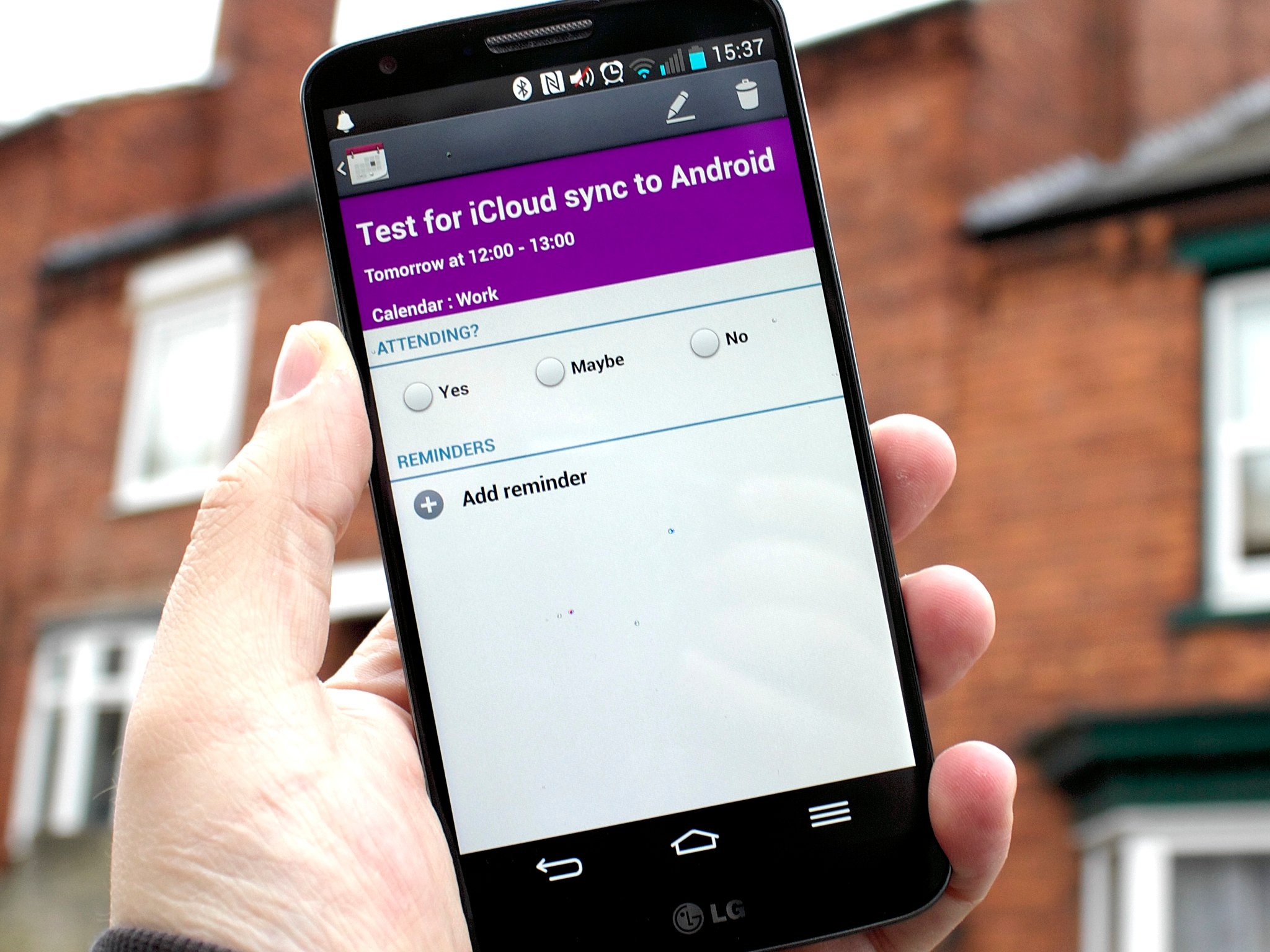
How to easily sync your iCloud calendar to Android

by Richard Devine

One app makes it simple to keep using your iCloud calendar on Android

With all the awesome Android devices on the market today, it's perfectly understandable if you're ditching your old iPhone and coming to join us where things are more Google flavored. But, with leaving one ecosystem completely comes the problem of moving all your stuff with it.

iPhone owners may well have relied upon iCloud in a similar manner to Android users relying on Google. Fortunately, there's always something you can do to bring thing with you and here we're going to look at syncing your existing iCloud calendars to your Android device. You need not move it all to Google Calendar since there's a really simple way to carry on using it. Head on past the break to see how.


22 Mar 20:33

Busted: BSA Steals Photo For “Snitch On a Pirate” Campaign

by Ernesto

nopiracyA few weeks ago we reported on a controversial anti-piracy campaign operated by the Business Software Alliance (BSA).

Representing major software companies, the BSA is using Facebook ads which encourage people to report businesses that use unlicensed software. If one of these reports results in a successful court case, the pirate snitch can look forward to a cash reward.

Below is one of the promoted Facebook posts that appeared in the timeline of thousands of people on Saint Patrick’s Day. It features a homemade cake in the shape of a pot of gold and sends a clear message to the readers.

“Your pot of gold is right here baby. Report unlicensed software and GET PAID,” the post reads.

Unlicensed Photosnitchbsa

The ad is a bit misleading, since those who read the fine-print realize that the pot of gold is as unreachable as any. However, there’s a more worrying issue with the ad.

On closer inspection the photo appears to be lifted from Cakecentral where a user named ‘bethasd’ posted her home-baked creation. Indeed, all signs suggest that the photo for this campaign wasn’t properly licensed, but pirated by the BSA.

Hoping that this was all a misunderstanding, TF contacted the BSA yesterday afternoon, asking for a comment. Thus far the group hasn’t responded to us, but an hour after we sent the inquiry the infringing photo magically disappeared from Facebook.

Luckily we made a copy, and so did Google.

So while the BSA didn’t comment, their attempt to cover up the situation clearly shows that they didn’t have the right to use the image in question. Needless to say, that is more than a touch ironic, especially for an image that’s being used in an anti-piracy campaign.

We encourage ‘bethasd’ to get in contact with the software industry group, and demand both licensing fees and damages for the unauthorized use of her photo. Surely, the BSA will be happy to hand over a pot of gold to her.

For the BSA it’s probably wise to reconsider their marketing strategy on Facebook. Right now the overwhelming majority of the comments are negative, which defeats the purpose of the campaign.

Facebook love
face

Source: TorrentFreak, for the latest info on copyright, file-sharing and anonymous VPN services.

22 Mar 20:31

The NSA has reportedly been spying on Huawei's servers for years

by Nathan Ingraham

The US government has made definitive statements about Chinese telecommunications company Huawei — a 2012 report claimed that the company's networking equipment posed a national security risk, something that caused the company to largely retreat from operating in the US market. Somewhat ironically, however, the US government appears to be doing something very similar to what it accused Huawei of. The New York Times is reporting that the NSA has created its own "back doors" directly into Huawei's telecommunications networks for the purpose of collecting information on the vast array of hardware that the company claims connects a third of the global population.

The NSA also monitored communications of the company's top executives and...

Continue reading…

22 Mar 17:47

Teens migrate from Facebook to a Youtube video's comment-section (funny)

by Cory Doctorow

Here's a funny fake-news video reporting on the mass-migration of teens from Facebook (where their parents have migrated) to the comments section of a slow-motion Youtube video of a deer running. While I don't think there's going to be mass-migration of all the world's teens to one comment board, there's a grain of truth here. My old Informationweek editor, Mitch Wagner, once discovered some young girls holding a gossipy chat in the comments section of an old blog post of his; when he asked them what they were doing there, they told him that their school blocked all social media, so every day they picked a random blog-post somewhere on the Internet and used it as a discussion board for the day.

Teens Migrating From Facebook To Comments Section Of Slow-Motion Deer Video (via Waxy!)


22 Mar 17:45

Google Patent Application Shows Multi-Sensor Contact Lenses For Wearable Device Input Via Blinks

by Michael Crider

geordi"Smart contact lens." Get used to that term, even if it makes you cringe - a new patent from Google indicates that at least someone at Mountain View thinks it's a potentially viable idea. Patent Bolt reports on a Google application to the USPTO for "multi-sensor contact lenses," intended primarily as a method for blinking input or input augmentation for wearable devices, or just electronics in general. (Note: this shouldn't be confused with Google's other contact lenses, announced in January as a medical diagnostic device for diabetics.)

6a0168e68320b0970c01a5118b2912970c

The basic idea is that a number of sensors embedded into a contact lens could be used to detect blinks with incredible accuracy.

Done With This Post? You Might Also Like These:

Google Patent Application Shows Multi-Sensor Contact Lenses For Wearable Device Input Via Blinks was written by the awesome team at Android Police.


22 Mar 15:17

Top 10 Ways to Beat a Bad Mood

by Whitson Gordon

Top 10 Ways to Beat a Bad Mood

Feeling grumpy? It happens to the best of us. Stress is one thing , but some days, your brain just decides it's in a bad mood and it feels impossible to beat it. Don't give in. Here are 10 simple ways to kill that bad mood.

10. Eat and Exercise

Top 10 Ways to Beat a Bad Mood

Sometimes, just giving your body what it needs can turn your whole mood around, no matter what caused it. Heck, sometimes what's bothering you isn't really the issue—maybe your body just needs some food. So before you do anything else, give your body what it needs—eat something If that isn't the problem, get a bit of exercise and get that blood moving. Even a short walk can make a difference—and if you can, do it outside in the sunshine. It's amazing what a little attention to your body can do for your brain.

9. Do Something Creative

Top 10 Ways to Beat a Bad Mood

You may not feel like doing "work" when you're in a bad mood, but it can actually help get you out of your funk. Researchers have found that the same "narrow, alert focus on issues" that causes a bad mood can actually be a good thing when you're being creative—and can make for more positive emotions. So not only will you kill that bad mood, but your work will be better too!

8. Crack a Smile

Top 10 Ways to Beat a Bad Mood

You've probably heard this one before, but it bears repeating: research shows that just turning that frown upside-down actually makes you more likely to experience a positive mood. Of course, if you try too hard to fake it, it can backfire —so make sure to accompany that smile with some positive thoughts to help it along.

7. Do Something Nice for Someone Else

Doing something nice for others can make you feel good—even if you're in a bad mood . So if trying to make yourself happy isn't working, try making someone else happy . It could be something big or something small—every little bit helps.

6. Listen to Music

Top 10 Ways to Beat a Bad Mood

Music is a magical thing. One study found that 10 minutes of classical music minimized participants' negative moods, and it's not the only one. Find music that works for you and press play. Maybe that's uplifting music, or maybe it's something energetic to get your blood pumping. Listening to something you don't know might help, too—our brains crave novelty , so a song you aren't familiar with might be just what you need.

5. (Don't) Vent

Top 10 Ways to Beat a Bad Mood

One of your first impulses may be to vent your frustration, but that's actually a bad idea . Venting may feel cathartic in the moment, but it keeps your anger present rather than getting rid of it—which is, ultimately, what you want to do. So, try to channel that into more positive energy (like exercising) rather than negative (like yelling and punching stuff).

4. Stop the Momentum

Top 10 Ways to Beat a Bad Mood

Unfortunately, once you recognize you're in a bad mood, your brain continues to expect bad things—turning a bad mood into a bad day. So catch this before it starts , and make sure you don't give your bad mood momentum. If you can, try and evaluate what put you in that bad mood, and try and put a positive spin on it —even if it's "I'm motivated to do better next time." That'll keep your brain from over-simplifying.

3. Breathe...and Clear Your Mind

Top 10 Ways to Beat a Bad Mood

It's cliché, but taking a few deep breaths can really help you calm down. It's just simplified meditating —which has been shown to have tons of mental benefits . So even if it seems silly, find a quiet space, breathe, and clear your mind for just two minutes. You'll be surprised how much better you feel afterward.

2. Find the Patterns

If this bad mood is just an isolated incident, then you can move on once it's beat. But if this is something that's happening more often than you'd like, it's time to dig a little deeper and find the root of the problem. Keep a journal , or fill out this simple form every day to see what patterns emerge—maybe it's the same thing setting off your mood, or maybe you just aren't eating breakfast on the days you find yourself grumpy. Whatever it is, finding the pattern is the first step to defeating it.

1. See It Through

Top 10 Ways to Beat a Bad Mood

Lastly, while it may seem counterintuitive, you may have to spend some time on what's bothering you. If it's something you need to deal with, pushing it down isn't going to help. Instead, think through what's making you mad—whether it's a piece of bad news or something else—and let your brain fully process it. If you do, you can actually lessen the effect it has on you . That isn't to say you should dwell on it all day long, but if it's something you need to work through, you're better off doing it now than letting it fester.

Images by Elenapro (Shutterstock), OpenClips, whologwhy, Peter Merholz, LawPrieR, Alexandre Normand, Naval Surface Warriors, Andrew Thomas, Amanda Hirsch, and Frédéric de Villamil.

22 Mar 13:41

Lost Bakshi Lord of the Rings footage found

by Ethan Gilsdorf

If you remember the first film adaptation of The Lord of the Rings, the 1978 animated version by Ralph Bakshi–the legendary outsider director behind Fritz the Cat, Wizards, American Pop and Fire and Ice–you’ll recall the experience was a mixed bag.

The movie was a dark, moody, oversaturated vision of Tolkien’s world, with stunning design and many memorable scenes. Bakshi used rotoscoping to trace live footage for animation, and posterization to give it a rough, hand-made look. Both techniques allowed many corners to be cut, but at the time, the film’s PR claimed Rings was the “the first movie painting.”

Sadly, Bakshi’s 133-minute film left viewers stranded after the battle at Helm’s Deep, just as Gollum is about to lead Sam and Frodo into Mordor. Roughly two-thirds through Tolkien’s three-part story, Bakshi didn't get to make the final installment. Rankin-Bass, the studio behind the 1977 TV adaptation of The Hobbit, churned out The Return of the King as a “sequel” in 1980, with little artistic resemblance to Bakshi’s vision.

Now, quietly, some of the scenes from that 1978 classic have been rescued from the “cutting room floor,” Bakshi, now 75, said when I reached him via email this week.

Eddie Bakshi, Bakshi’s son, has been busy scanning in original “cel” artwork from Bakshi's archives, timing them to the cartoon’s original exposure sheets, and posting the scenes on Bakshi’s Facebook page. (The Facebook page also includes clips from Bakshi’s other films, though it appears none of these are new.)

The particular Rings footage that has been restored comes from the Gandalf vs. Balrog fight sequence, and it is brief. One clip is a three-shot, 12-second sequence of the two characters falling into the void, titled “Gandalf recalls fighting the Balrog.” The other is a 10-second shot described as “Gandalf duels with the Balrog and smashes into the endless staircase.” In the film, the Balrog battle was recounted via minimally-animated still images.

“If you’re getting close to delivery, it’s better to cut the animation out to make the scene work, than racing to reanimate it to make the cut work,” Bakshi said, recalling the hectic atmosphere as the film’s deadline loomed.

Asked why Gandalf and the Balrog look quite different in these new scenes, compared to the rotoscoped Gandalf and Balrog seen on The Bridge of Khazad-dûm, Bakshi said, “Well, it’s hazy, but I was trying to make memories different than the real time story. I was wrestling with trying to separate the styles.”

It’s unclear what other lost scenes from The Lord of the Rings might be found, shot and posted. Due to low budgets and little wiggle room to fix, reanimate or make cuts, “Very little or nothing ended up on the floor,” Bakshi said. If any gems are discovered, Eddie Bakshi will decide whether they are worthy of reshooting. For the elder Bakshi, it’s “been there, done it.”

Bakshi fans should feel nostalgia for this old footage, which evokes the days of hand-drawn animation: “It was great to see it again,” he added, “but I got aggravated at the animator again for making the mistake 30 years later.”

Still, Bakshi was effusive in his praise for his team of artists who made the movie, which included a young Tim Burton, in his first job out of college.

“My animators–old school–were the greatest ever," Bakshi said, "barring none.”


22 Mar 09:57

Apple considering releasing an iTunes app for Android

by Dima Aryeh

With Android having surpassed iOS as the biggest mobile platform, many companies are releasing apps for both Android and iOS. Of course, Apple apps have always been exclusive to iOS, which doesn’t come as a surprise. Apple has tried to keep its ecosystem exclusive, and that’s understandable. But with iTunes profits dropping and services like Spotify and Google Play Music seeing increased profits, Apple may be getting a little desperate.

According to some reports, this desperation has led Apple to consider releasing an iTunes app for Android. While that doesn’t seem very desperate at all, it would be a huge move for Apple. Such a decision would make iTunes available to many more people and potentially boost profits for Apple, though many of us would probably be happy to stick with Google Play Music or Spotify.

Apple may also unveil an on-demand streaming service. This option has proven very popular with different services, so I can see why Apple may want to give it a shot. What do you think of the possibility of an iTunes app for Android? Would you jump on it or stay as far away from it as possible? Leave a comment!

22 Mar 09:57

Assistant AG admits he doesn't understand what Weev did, but he's sure it's bad

by Cory Doctorow
Andrew “weev” Auernheimer is serving a 41-month sentence for visiting a publicly available webpage and revealing that AT&T had not secured its customers' sensitive financial information. Now, weev's lawyers are appealing, and in the opening day's arguments, Assistant US Attorney Glenn Moramarco admitted I don’t even understand what [Auernheimer actually did.]" Then he compared it to blowing up a nuclear power-plant.


21 Mar 23:26

Twitter #Music is officially dead

by Casey Newton

Months after the company stopped active development on the app, Twitter #Music is being pulled from the App Store today, the company said in a tweet. The app, which attempted to harness conversations around music and artists on Twitter to create a new way to discover music, failed to peel listeners away from the many competing music apps on the market. The app will cease working for existing users on April 18th, the company said.

Later this afternoon, we will be removing Twitter #music from the App Store. If you have the app, it will continue to work until April 18.

— Twitter Music (@TwitterMusic) March 21, 2014

In a separate tweet, the company said it would look for "new ways" to incorporate music into Twitter: "We continue...

Continue reading…