Welcome to the roundup of the best new Android applications, games, and live wallpapers that went live in the Play Store or were spotted by us in the previous 2 weeks or so.
Please wait for this page to load in full in order to see the widgets, which include ratings and pricing info.
Looking for the previous roundup editions? Find them here.
Every week we cover new Android apps with Fresh Meat on Wednesday, followed by Android Gaming on Thursday and Top 10 App Updates on Friday. When Monday rolls around, we look back to see which apps were the most appealing to our audience. Read on for the 10 most popular Android apps from last week.
1. Android Wear
App info: The Android Wear app is the link to Android wearables. Control voice action preferences, adjust notification settings and configure devices.
App info: The keyboard from the Android L Developer Preview, modified to run as a standalone app by Chrisch1974 and I. Free, no ads, no bloat. No root required.
App info: Terrain is a smart homescreen for Android that makes your phone simpler and more streamlined by putting everything you care about in one place. Find contacts faster, launch apps faster and view content faster.
App info: Never miss your notifications! During the intensive game, or during hard work – Heads Up! will always save your day. This app will let you receive floating notifications from selected apps which you will be able to dismiss – or, if you want, they will disappear all by themselves.
App info: Phoenix is the perfect companion for your home screen. It is a set of 80 WIDGETS for Zooper so it Requires Zooper Widget PRO installed to use.
App info: Glassboard is secure messaging for your friends, coworkers and family. Create a board for each group, share photos and files, chat and collaborate on every device. It’s the best way to stay in touch, communicate at events and get things done.
App info: Cardboard puts virtual reality on your smartphone. Try a variety of immersive demos on Android and get inspired to build your own using the VR Toolkit at http://g.co/cardboard.
App info: Feeling the Nostalgia of playing Real Arcade Racing games ? Don’t look further… INDY 500® Arcade Racing does bring back the fun of the retro Arcade atmosphere whilst using today’s latest technology.
Note: To ensure that all apps receive a fair chance to make the list, we will retire any app that has made the list for three consecutive weeks and will place it in our Android and Me App Hall of Fame. We will post this Hall of Fame list in a dedicated series. Any app with * next to the title indicates it will now be added to our Hall of Fame list and will no longer be listed in this article.
ATM skimmers, the miniature devices that stealthily help fraudsters capture your credit and debit card data, are getting smaller and harder to detect. Skimmers have always been designed to blend in with any ATM they're attached to, but for years a discerning eye or tug of the card reader were often enough to uncover them. That's not the case anymore. Krebs on Security has been researching a number of devices recovered in Europe this year, and several of them were small enough to fit inside the ATM card slot itself. The ultra-thin profile of these "insert skimmers" makes them far less obvious to your average person making a quick stop at the cash machine.
Soundcloud is a great place to discover new music and share your own mixes and mashups. We still love it, but last week the service gave music labels (Universal, to start with) complete and unsupervised access to users' music and accounts. That means that if the label decide your mix, cover, or mashup infringes on their copyrights, even when it doesn't, the label can delete it, leaving you with no recourse once you've discovered your music is gone.
Do Androids Dance? has a good rundown here, along with an example of a radio DJ who ran afoul of the new policy. Some DJs have already pledged to leave the site. So if you're looking for a new place to upload and share your music, or you just want a new place to find and save music without the labels looking over your shoulder, we have some options for you.
Mixcloud is already host to a number of great radio shows, podcasts, and DJs. The service boasts mobile apps for on-the-go listening, and easy tools for musicians to upload tracks and share them with their audience. They offer more space than Soundcloud, pays royalties out to artists, and promises not to take down your music just because someone asked them to. I often hear podcast hosts note that you can find them on Soundcloud and Mixcloud, so if you have a favorite show, you might want to see if they have a presence there too.
Mixcloud has a huge following with electronic music fans and DJs, so it's a natural place to look if you're interested in that, but the genres and artists run deeper. There's plenty of jazz, funk, hip-hop, world music, and live recordings from music festivals available as well. Since Mixcloud is popular with radio DJs as well, you can expect to find lots of talk radio programming and news, too. Its standalone player, dedicated tracklists, and other listener-friendly features make it a serious Soundcloud competitor. If you're looking to upload your own tunes, Mixcloud offers unlimited uploads, although it won't let others download your music.
Bandcamp was one of our favorite music stores you may not know about, and it's just as good for discovering new music as it is for people looking to make their music available for download—whether you want to charge for it, or give it away for free. If you're a music lover, you've probably already been to Bandcamp, mostly because the service makes it really easy for musicians to upload music, set their own price, fill out a profile, and either let their music go free to anyone who wants it, or make a little money from their own independent storefront.
The site is free for everyone to join, and once you're a member, you can explore just as easily as you can upload. Scroll down the main page a bit and you can see popular uploads, uploads today, search by tag, or just check out what's best selling. While many of us probably know our favorite musicians' own Bandcamp sites, there's a lot to explore if you haven't poked around. While you can't easily share or build your own profile or playlist of songs from other musicians, you can always download or buy the music outright, which is also nice.
Mixcrate is another service that caters to DJs, but it a more social feel to it. You're encouraged to follow both DJs and other Mixcrate members who save and share their favorite finds. The array of music types and genres is pretty wide too. You'll find the traditional electronic selection you'd expect on a site like this, but also world music, reggae, alt-rock, jazz, slow jams, and even country. If you're in the mood for it, there's probably a DJ at Mixcrate spinning it, or at least some enterprising users building great mixtapes to enjoy.
From the upload side, DJs can upload new mixes (you get unlimited uploads) and share them out with their communities, and musicians will be pleased to note that they clearly define what they think a DJ mix is and isn't so they don't run afoul of any legal or copyright issues. The service is designed and built around mixes and mixtape-style creations, so you won't find your entire mix missing one day because someone holds the copyright to one of the samples used in one of the songs somewhere in your hour-long study mix.
8Tracks has been around for a long time, and deserves more attention than it gets. It's had its share of copyright battles and limitations to keep the labels happy, but on the whole it's a safe place to upload and share your own creations, or find remixes and mixtapes. 8Tracks has mobile apps, and the service encourages you to follow other users that make great mixes, upload your own tracks, and discover more based on your mood, the time of day, or what you're doing. There are even mixes crafted for the perfect road trip, basking in the summer sun, or concentrating at work.
From the upload side, you can add your own music for your mixes through their upload tools, make your mixes public or private, and then share them with your friends when you're finished. They do have some licensing particulars you should know about (like you can only have two tracks from the same artist in any given mix) that you can read about in their FAQ, specifically in the "Mix Creation" and "Legal Stuff" sections.
Grooveshark and YouTube are kind of honorable mentions in this regard. Both services have their own copyright issues you have to be aware of, especially with Grooveshark in the middle of a massive legal fight with the music industry and YouTube having given a number of labels similar rights to mass-delete or auto-flag content with no warning or recourse the way Soundcloud is now. Even so, whether you're a DJ or a listener, both places are great places to upload your music and share them with your community, and as a listener they're great places to go in search of new mixes and niche tracks. Don't overlook them—plus, with services like Whyd and Songdrop, you can save tracks from other sites into a single profile for easy listening.
Soundcloud isn't going anywhere, and we don't think you should give up on it entirely. However, if you're wondering where some of your favorite DJs went, why you can't hear some of your favorite musicians there anymore, or where all of your bookmarked or saved tracks vanished to, you may have better luck with these other services. At the very least, they're worth looking into.
Android: You can already use Google Now to do tons of cool things with just your voice, but it doesn't have everything. Commandr not only adds several new voice commands, but it allows you to create your own with Tasker.
The app works by utilizing the "note to self" command. As veteran users know, you can set a default app with this command to choose your note-taking service. Commandr takes the input from the note to self command and turns it into custom voice commands. It may be a little awkward to say "note to self turn on GPS", but if you're using your phone hands free in the car, it can be a life saver.
Additionally, Commandr allows you to plugin to custom Tasker actions. We've talked about how to create custom Tasker voice actions before, but they require your phone to be constantly listening (which can be a battery drain). With Commandr, you can activate commands via Google Now, which is accessible in several ways, so it's always on hand.
The developer has also promised to add new voice commands and is accepting votes from users on which ones to develop first. It's a rare treat to see a developer seek such explicit input from users so if you'd like to see something added, be sure to ask!
After slashing roaming costs earlier this year, Vodafone is now rolling out a new deal that allows customers to continue using their plan while abroad for £5 a day.
Amazon UK has launched a dedicated store that features various wearable devices across categories like activity trackers, smartwatches, smartglasses, wearable cameras and more. With over a 100 different products already listed, Amazon's wearable technology store currently offers the largest selection of wearable devices.
Before Jeffrey Scudder became a manager at a consulting firm, he worked in the CIA. According to The Washington Post, his career was cut short after he submitted a Freedom of Information request, which allows anyone to ask for federal agency records. "I submitted an FOIA and it basically destroyed my entire career," Scudder said. What began as a seemingly innocent attempt at putting information into the hands of the public led to confrontations, confiscation of his family's personal electronics, and his eventual termination — despite Scudder's use of legal means.
Google is now gently suggesting who users should blame when YouTube videos fail to stream smoothly. A new pop-up bar that reads "Experiencing interruptions? Find out why" is now showing under some YouTube videos when playback gets choppy. Clicking on the bar takes users to Google's relatively new Video Quality Report page, which provides information on internet service providers, including details on video streaming performance. The page also offers a comparison between other ISPs in your area, and it ranks providers as either "HD Verified," "Standard Definition," or "Lower Definition" based on the average performance they achieve on YouTube. Quartz first reported on the new notice featured underneath YouTube videos.
We take up nearly this entire episode with Android Wear. What is it? Why would you want it? What is the smartwatch you have to have? Plus we answer your questions, live on air. Join us for the smartwatch revolution!
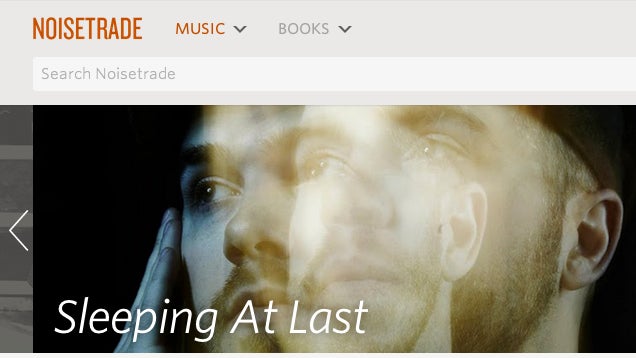
Although we've covered many ways of getting free books and music before, Noisetrade has a huge selection of both—and it's all legal.
The items have a requested "tip" you can leave to pay for your download, but all they ask for in return is an email address and a zip code to get the download link. The privacy policy states that by doing this, you are agreeing to future emails—but you can opt out of those after the fact. If that's a concern for you, use a disposable email address instead.
The book collection is somewhat limited and the music doesn't include many artists you've heard of, but it's free, so it's worth checking out—you might discover something you like. The music is in mp3 format and the books are available in both mobi and epub. Check out the link to see the full selection.
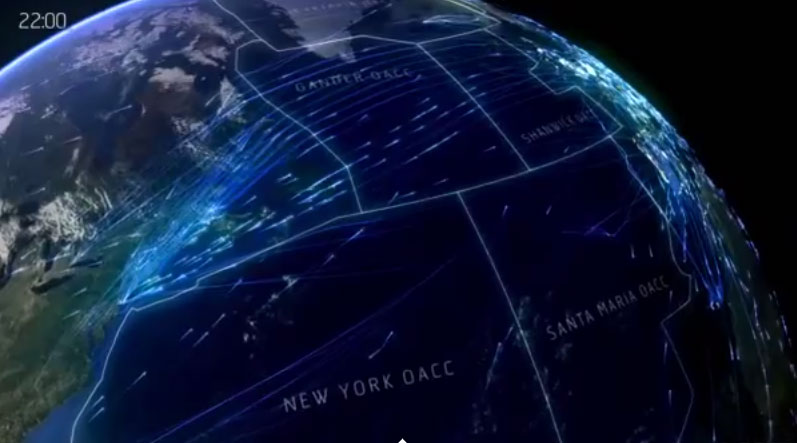
Britains' NATS, an air-traffic control management company, commissioned these beautiful visualizations of flights over the Atlantic ocean (above) and Europe (below).
A new law passed by Russian parliament today requires that internet companies store the personal data of Russian users inside the country's borders, a move that could make it easier for government officials to keep tabs on citizens. Members of parliament have defended the bill as a measure to protect internet users in the country whose details are often kept in the United States or elsewhere, and a never-ending cascade of revelations over US spying and Russia's own protection of NSA whistleblower Edward Snowden have likely made the bill easier to pass.
The new law requires that companies doing business in Russia open data centers inside the country by 2016 or face being blocked; a number of high-profile companies including Twitter have...
Editor's note: This post was originally published by our partners at PopSugar Tech.
In April 1973, Motorola engineer Marty Cooper made the first call from a "real handheld portable cell phone," a point he made very clear during that historic conversation with Joel Engel, the head of rival research firm Bell Labs. Fast forward to June 29, 2007, and the iPhone was born. Now in 2014, innovation is showing no sign of slowing down.
Since that fateful phone call four decades ago, mobile phones have evolved dramatically. Those magical portable technology boxes have become an essential part of interpersonal communication, and their significance will only increase with time. From the rise of SMS to anywhere, anytime Internet connectivity to mobile photography, cell phones have been the catalyst for cultural and technological changes over the past 41 years. Let's relive the defining moments and trends of the mobile era.
Radio Common Carrier (RCC)
This soldier was using a radio common carrier, which was introduced in the ’60s as a precellular system. Like a radio, it could transmit voice communication through a push-to-talk system, but it used a public telephone network and had its own telephone number.
Brick Phone
Gordon Gekko may have been the star of Wall Street, but his Motorola DynaTAC played a major supporting role. The classic brick phone had an LED screen and boasted 30 minutes of talk time with eight hours of standby. The DynaTAC was priced at almost $4,000 in the early ’80s — no wonder it made its first appearance in the hands of bankers on Wall Street!
It was this phone with which Motorola employee Marty Cooper made the first mobile phone call.
Brick Phone
Here's Marty showing off the cell phone he used to make that historic call.
The Clamshell
The first foray into truly portable devices was the clamshell form factor. Motorola was a pioneer in this front, with the MicroTAC, which looked much like the one Whoopi Goldberg was using in 1989.
The MicroTAC had a red LED display and a standard 12-button keypad, plus a menu of options including a calculator, hands-free operation, keypad tones, and much, much more. By the time that MicroTAC was announced, the phone still cost consumers upward of $2,500.
The Candybar
Nokia was at the forefront of this type of device. The candybar phone was named as such, because it was approximately the size and shape of, well, a bar of candy.
The Elites
The mid-’90s was a period of evolution for the mobile industry. The clamshell phone shed some heft and paved the way for the modern flip phone.
Satellite Phone
This Motorola hybrid satellite/GSM phone was one of the first of its kind. A satphone connects to orbiting satellites, rather than Earth-bound cellular towers, which means it can make a call from essentially anywhere in the world.
The PDA
The personal digital assistants of the '90s ushered in a wave of pocket computing and touchscreen devices. The industry game changer was popularized by Palm, which launched the Palm Pilot in 1997 for a retail price of about $200–$300. The virtual keyboard, handwriting recognition, and Internet connectivity were cutting-edge technologies during that time.
Nokia 6000 Series
Snake! Interchangeable face plates! You either knew someone who had a Nokia 6000 Series phone or owned one yourself. The popular cell phone of the early ’00s made mobile communication affordable and widely available for the masses.
Creative Keyboards
Mobile-phone manufacturers looking to capitalize on the rise of SMS created a variety of wacky-looking phones that incorporated full-size QWERTY keyboards.
Razr
Ohhhh, the Razr. The slim, sleek, and superpocketable form factor made the Motorola flip phone, which launched in 2004, a surefire hit among the fashion-forward crowd.
BlackBerry
The BlackBerry email client and BlackBerry-to-BlackBerry instant messaging took the mobile world by storm when it made its debut in the early ’00s. Thumbs were never the same again.
T-Mobile Sidekick
Originally named the “Hiptop,” the T-Mobile Sidekick was an SMS-friendly phone for the next generation of texters. Like, for texting your BFF Jill.
The iPhone
The world wasn't quite ready for the iPhone when it was unveiled in 2007. Apple founder Steve Jobs launched the all-in-one digital music player, camera (2MP!), and Internet-enabled PDA device, and the rest is history.
Apps Take Over
App-enabled smartphones took over the market after the release of the iPhone. Google's open-sourced Android platform made it possible for manufacturers like Samsung, LG, HTC, and others to create devices based on the mobile operating system.
The Fire Phone
In June 2014, Amazon got in on the cell phone game with the Fire phone. It comes with pretty innovative features, including a better camera and free photo storage in the cloud, 3D features, and Firefly technology, which can recognized 100 million items in the real world.
The Future
The Future Touchscreen phones are getting lighter, wider, and more powerful—but what else can we expect for the future of mobile communication?
Devices will be more resistant to their environments and (hopefully) get much better battery life as technology advances. Sony launched the waterproof Xperia Z at 2013’s CES, and Samsung followed suit in 2014 with the waterproof Galaxy S5.
The National Literacy Trust has dotted London with painted benches that celebrate classic works of literature from Paddington to The Lion, the Witch and the Wardrobe to The Hitchhikers' Guide to the Galaxy.
Read the rest
For the third consecutive year, Katmai national park in Alaska will have several live webcams set up to broadcast video of the local brown bears. The bears, and the cameras that track them, have steadily grown in popularity since 2012, when the Annenberg Foundations's Explore.org group first helped to set them up. As detailed by The Awl, much of that popularity came because nature lovers were able to do more than just watch giant mammals hunt fish — they were able to create a narrative about what was happening.
Welcome back to Android Gaming Weekly, our weekly recap of new game releases. We still plan to cover upcoming releases and games we’re playing, but this column is dedicated to new games that you can start playing right now. Check out our top picks and let us know in the comments section if you have any suggestions for next week’s post.
Blek
Description: The goal is simple: shape a line that collects all colored circles avoiding black holes on its route. There are no specific moves that you need to master. To every level countless solutions exist, from delightfully simple to exceptionally deep and complex, yet always elegant.
Description: Before you download this experience, please consider that this app contains social media links to connect with others and in-app purchases that cost real money. Also please be noted that you must download the free instant messenger app LINE in order to log in to LINE: Disney Tsum Tsum.
Description: Your assignment as a member of this venerable organisation is to showcase your increasingly frantic promenading as far as you possibly can. As you and your stiff upper lip travel through the streets of London take care to avoid obstacles and pesky pigeons. Bank coins and collect power ups to help take your walk to new heights of silliness.
Description: Do you have what it takes to WIN? Play solo or against your friends in this ultimate soccer adrenaline rush and prove that you’re the champ! LEAD YOUR DREAM TEAM from the slum to win the global championship.
Description: Eliss is an award winning and critically praised game, with innovative multitouch gameplay, a stylish and fluid procedural design, dynamic sounds, and a superb soundtrack. It’s a fast-paced puzzle/action game that will push your limits as a player.
Description: 99 Bricks Wizard Academy is a fun and magical physics builder. Can you build the highest tower? Explore a magical world and learn powerful spells to improve your building skills. Do you have what it takes to become the wizard of legends?
Description: Are you ready for an amazing role-playing game experience? WARTUNE: HALL OF HEROES is now on mobile! Join millions of players together to share victory with friends! Adventurers, face your destiny in the HALL OF HEROES! The world of WARTUNE awaits!
Description: Join KIM KARDASHIAN on a red carpet adventure in Kim Kardashian: Hollywood! Create your own aspiring celebrity and rise to fame and fortune!
Description: Star Nomad is a top-down Role Playing Strategy Sandbox. It was created as a tribute to classic sandbox spacesims of old such as Wing Commander: Privateer 1 & 2, Escape Velocity and Freelancer.
Description: Feeling the Nostalgia of playing Real Arcade Racing games ? Don’t look further… INDY 500® Arcade Racing does bring back the fun of the retro Arcade atmosphere whilst using today’s latest technology. In cooperation with Indianapolis Motor Speedway, We are proud to introduce (exclusive for Android worldwide), the official INDY 500® track and 33 meticulously-detailed open-wheel INDY cars.
A puddle in the road, plate glass windows, or a shiny car – what do they all have in common? They provide great opportunities to get reflection photos.
This set of images of reflections is to give you some ideas to go shoot your own reflection photos.
There's always been something to be said for first-party apps, but not always for Twitter's. Twitter apps are diverse, and the official app in years past has been considered a bit underwhelming. The layout isn't customizable and the ads aren't removable (as they are on most third-party clients), but Twitter's app has improved greatly over the last months and now serves quite well as the daily Twitter app of millions, including 80% of our polled readers.
Twitter's app is ad-supported but free, and the better this app gets, the harder it is to sell users on paid alternatives. Twitter's app is also the first to get any new features, from live streaming video like the Presidential Debates and NFL Football.
For years, the last holdout for many users to using the official app was its blindingly white theme. Last year finally brought a dark theme to the official Twitter app and brought in thousands of users who are now using it to Tweet through their nightly insomnia.
Bottom line: The official app may lack frills and customization, but it gets features first and finally has a night theme.
One more thing: This is the only free Twitter app to make our list, and while you pay for features and customization, it's comforting that the best Twitter app is still the free one.
Why the official Twitter app is the best
Years ago, even a year ago, it was a tough sell to push the official Twitter app over the numerous third-party apps out there that were more flexible, more functional, more fashionable, but times have changed, and so has the official Twitter app.
Each time Twitter unveils a new feature, such as images not counting towards the 140 character limit or quoting tweets, it becomes a waiting game to see which Twitter apps get updated and when. When a feature rolls out, the official Twitter app usually sees it in under 48 hours.
With the introduction of a dark theme on the official Twitter app finally rolled out last summer, the official app took its final step towards becoming the daily app for a lot of users who didn't care to be blinded while tweeting in bed. Dark blue isn't AMOLED black which every other app on this offers, but it's still easy on the eyes and that's enough for users who want the official app and the latest features.
One of the features from the official app that hasn't replicated in most Twitter apps (including the rest of the apps on this list) is the ability to preview videos on mute in the timeline and in tweet views. Being able to watch a muted video without leaving the timeline helps me browse in public without too much fear of being disruptive, and for captions videos like ABC News, I can watch the whole thing in my timeline and move on.
Talon has been around for a while now, and it continues to earn its keep on this list by being a dependable, smartly laid-out Twitter app with just enough customization to let us tweak the app to our likings without letting us get lost in a sea of toggles, list styles and buttons. Talon's layout is compact without feeling tight, it offers excellent in-line media sizing and quoted tweet styles, and it offers dual-page options in landscape mode, which work excellently on larger phones and tablets.
Talon also has excellent controls for background syncing, notification control, and memory management. If you need a Twitter app that won't bump a bunch of apps out of your cache or take up too much space on a 16GB phone without a microSD card slot. You can also cut down on what Talon pulls while off Wi-Fi, if you're not lucky enough to still be holding on to an unlimited data plan.
Bottom line: Talon's customization is not too little, not too much, it's just right, and it's a layout that I miss whenever I switch to any other Twitter client.
One more thing: Talon is battery and memory-conscious, allowing you to tweak how many tweets, mentions, and messages to store in the database, as well as allowing storage-strapped users to clear Talon's database to free up room whenever needed.
Flamingo is a relative newcomer in the Twitter client market, but it already has quite a following, and it's easy to see why. Flamingo is not a Twitter app you can just install and go with, it's an app that begs to be tweaked, customized, and done up to suit your style. It feels great once you have everything set up and to your liking, but until you find that sweet spot, you're going to have to muddle around with the layout and layout settings.
Once you have that layout set up, theming this app is wonderful and ridiculously detailed. Pick the Primary color, the background color, the tweet text color, the quote text color, the RT badge color, you can theme and customize quite literally everything in the app. While I wish more default themes were available, and while I wish more color choices were available, the themes here are still the most comprehensive and awesome we've seen in a Twitter app.
Bottom-line: Flamingo is new, bright, bold, and beautiful. And once you've got things dialed in, this is a twitter app that will make your feed work for you and keep it easy on the eyes.
One more thing: Widgets for twitter usually suck, especially for theming, but Flamingo does Twitter widgets right, letting you pick the opacity and colors for the widget that looks and fits best with your home screen layout.
Tweetings is an app with a lot of bells and whistles — literal whistles — to play around with, but a few things set it apart. The first and most obvious is a stats panel that will come in with a swipe from the right side of the screen, as opposed to a swipe right on the screen, which will go to the next tab. This stats tab shows how much activity you've gotten today, how many likes your tweets have gotten, and so forth. If you're a professional or at least a power user this tab will be very useful, but for most, it's an interesting page, even if it reminds us how few likes we got today.
Tweetings takes an unusual step with verified user tweets, putting the verified badge over the avatar rather than next to the name. This can be useful for regular users as well as power users, as it's easier to spy the verified icon (or lack thereof) on an account avatar far easier than checking past a potentially long name and handle for one before RTing a fake account, as I have done about half a dozen times.
Bottom line: Tweetings is a hell of a Twitter client, but it truly comes alive for users who want to dig into statistics and trends to expand their reach and diversify their feeds. For the rest of us, it's an interesting client that will let us get as much or as little technical as we like.
One more thing: Tweetings by default has play sound on send turned on, and while it sounds and feel like you just launched a torpedo (hey, maybe we found Trump's Twitter app), you're probably going to want to turn it off before you get in trouble for tweeting during an all-hands meeting. Not that I'd know anything about that.
Conclusion
There's a lot of really great Twitter apps out there if you want to get down and dirty with customization, theming, and the nitty gritty of tweeting from the toilet, but for the large majority of users the first-party — and free — official Twitter app will be more than enough to get them by. If you want to customize your experience, the third-party apps are waiting in the wings, ad-free versions in hand.
There's always been something to be said for first-party apps, but not always for Twitter's. Twitter apps are diverse, and the official app in years past has been considered a bit underwhelming. The layout isn't customizable and the ads aren't removable (as they are on most third-party clients), but Twitter's app has improved greatly over the last months and now serves quite well as the daily Twitter app of millions, including 80% of our polled readers.
Twitter's app is ad-supported but free, and the better this app gets, the harder it is to sell users on paid alternatives. Twitter's app is also the first to get any new features, from live streaming video like the Presidential Debates and NFL Football.
For years, the last holdout for many users to using the official app was its blindingly white theme. Last year finally brought a dark theme to the official Twitter app and brought in thousands of users who are now using it to Tweet through their nightly insomnia.
Bottom line: The official app may lack frills and customization, but it gets features first and finally has a night theme.
One more thing: This is the only free Twitter app to make our list, and while you pay for features and customization, it's comforting that the best Twitter app is still the free one.
Crowd funding sites like Indiegogo have spurred a tons of mobile-focused innovation, and the latest huge campaign looking for more contributors is called GOkey. The basic idea behind GOkey is being a bit of an all-in-one smartphone tool — a large key-sized device that is a battery, a charging and data sync cable, a device locator and a file storage device all in one. It's a pretty neat idea, and it's pulled in nearly $1 million after looking for just $40,000 to start.
by Kristin Wong on Two Cents, shared by Andy Orin to Lifehacker
Dear Two Cents, I'm working to get out of debt. My boyfriend has his finances in order, and he likes to go out a lot. But I have to live frugally because of my financial goals. We don't share our finances, but we do live together. I don't want our differences to come between us. What can we do?
Thanks,
Debt Downer
Dear DD,
"We" is key here. While you might feel like your debts are holding your boyfriend back, this is a relationship issue that involves both of you. You can deal with some stuff on your own, but, overall, both of you should be committed to addressing the issue. Here's how we suggest you get started.
Talk About Money
Money can be a taboo topic. Couples are often afraid to address each other's finances. But, especially when you're living together, communicating about money is important. Claire Murdough of financial site Ready for Zero tells us:
I've been on both sides of this problem—the penny pincher and the freer spender. In each situation, open communication was the key. Talking honestly to your partner about your budget will save you the frustration or resentment of spending when you don't want to or feeling like you're always the one who plans events out.
In fact, most experts say you should have a clear understanding of not just your partner's spending habits, but their past financial habits, too. This will help you avoid conflicts.
Here's how you should handle these conversations:
Discuss your current financial situation.
Discuss your spending habits.
Talk about your financial goals.
Discover each other's financial philosophies and accept your differences.
At the same time, Murdough suggests keeping it simple.
You want to open up the channel for future financial talks not flood with information. In terms of beginning topics, general budgets are a usually good jumping point. Sharing a future savings goal is also a great way to talk about your future financial plans. One tip: it always helps to have a handle on your own money values before asking another person for theirs, so take a few minutes before the talk to write down your top two or three financial goals. It's a great opportunity to define and assess your plans!
Once you know where the other person is coming from, consider holding weekly financial meetings with your partner. It doesn't sound terribly romantic, but it's good relationship maintenance. You'll stay on the same page, and it'll serve as a helpful reminder to your partner that you can't afford to splurge.
Pay Yourself First
When you're struggling to pay off your debt, the last thing you need is temptation. And your boyfriend's entertainment splurges are probably enticing.
One way to avoid giving into temptation: use a zero-sum budget. Pay yourself first, then have a home for every cent of your income.
Decide how much you want to put toward each of your financial goals. Each time you get paid, that's where your money goes first. The rest of your paycheck is dedicated to each category of your budget, with not a dollar left.
As our own Eric Ravenscraft put it, this method allows you to be much more intentional with your spending. So when your boyfriend tempts you with an outing you can't afford, you can tell him it's literally not in your budget. And you've already made your debt payments, so there's no "borrowing" from that fund.
Budget Together
Even if you have separate budgets, it might help to allow your partner to help with your own budgeting. This way, he can clearly see and understand that you have debts you're trying to pay—and going out all the time isn't helping.
Letting him in on your budget can also help you come to a compromise and come up with a system. Maybe you agree to spend a certain amount each month on entertainment. But set a limit, and let him know what that limit is. This way, there aren't any surprises.
Get Creative
After you've talked about your finances and included your partner in your budget, come up with some frugal entertainment options you can enjoy together. Murdough suggests:
I used to think financial balance in a relationship was all about compromise but I've since realized it also requires a fair bit of creativity. There are tons of events and activities that are free or cheap - it just takes a little brain juice to discover them.
Planning these dates together can be a fun challenge. Of course, you can always find online inspiration to get the ideas flowing.
Make Subtle Frugal Suggestions
At The Simple Dollar, writer Trent Hamm talks about this same issue. If your boyfriend is turned off by frugal options, you might consider Hamm's tip:
…when making spur-of-the-moment entertainment or social choices, suggest frugally but don't point it out. If your spouse wants to do something today, take the initiative and suggest something that doesn't break your budget in half. Instead of a trip to the mall, suggest going to a free museum. Instead of going out to eat somewhere expensive, propose that you make a romantic dinner at home. The best tactic is to suggest the idea spontaneously, but don't focus on the fact that it's cheap.
Hamm uses museums as an example. Here are some other frugal date options:
Festivals
Coffee dates
Picnics
Volunteering together
Celebrate Goals Together
Consider letting him in on your goals, too. Healthy couples support each other, so hopefully he's willing to cheer you on and watch you succeed with your debt repayment.
"It's important to acknowledge that your goals are not necessarily their goals - thus they may not understand right away," Murdough tells us. "With that in mind, paint the big picture for your partner - highlights, shadows, sparkles, and all. Explain and clarify the scope of your financial goals and what these goals really mean to you."
She adds that, when your partner understands the whats, whens and whys of your goal, it's easier for him to see your perspective and help support your financial journey.
Maybe you can agree to celebrate the milestones with a small entertainment splurge once you reach them. This way, he gets to go out with you—and you get to pat yourself on the back for achieving your goal.
Remember to Compromise
If there's a concert your boyfriend is dying to go to, and you just can't afford it, maybe he can check out the band with a friend instead. It's okay to do things separately.
Come to an agreement on how often you can go out and how much you can spend when you do. If he wants to take you out on a date every now and then, that's a different story. But as far as your budget goes, you should both have a clear idea of what your limits are. Your goals don't have to hold him back—he can go enjoy those things, but he'll have to understand that you can't always join in on the fun.
At the same time, make sure you spend time together, too. Quality time with your partner shouldn't cost anything; you shouldn't need to go out all the time to enjoy your relationship. Of course, we assume he understands this.
These tips also assume your boyfriend is willing to work with you. If not, that's a whole other issue. But if you're in an otherwise healthy relationship, and you just happen to be different in different places financially, a few simple steps can help you get on the same page. Good luck!
I have a confession: My name is Adriana, and I’m addicted to arm notifications.
When I began checking out smartwatches last year, I didn’t realize how dependent I’d become on having alerts piped to my wrist. Now I’m obsessed with finding just the right device to deliver them.
The LG G smartwatch, powered by Android Wear
This is a tricky mission. I’ve had a Pebble smartwatch strapped to me for several months. Now I’m running around with the LG G Watch, the first Android Wear device to hit the market. In between, I’ve peeked at numerous other contenders vying for the valuable real estate on my arm.
The current crop's giant offerings tend to elicit two responses: Curiosity from male onlookers, and weird looks from female friends that seem to come with an unspoken hashtag: #JustNo.
The gadgets offer different features to satisfy various needs, but none can give me the one thing I really want: an attractive, functional device that doesn’t look ridiculous on my delicate lady wrists.
In other words, I am screwed.
Looking ... Smart?
Smartwatches aren’t a mainstream movement yet, but that could be about to change drastically. And soon.
Tech companies are jumping on this bandwagon in droves. Android Wear devices are just the most recent options capping a long list, including offerings from Sony, Pebble, Martian, and many more. Each one tries to differentiate itself. And yet, most just wind up looking like some variation of these:
Really? Come on now. These are massive. (Samsung Gear Live, left; Pebble Steel, middle; LG G, right)
To be fair, the $229 LG G Watch offers stock watch faces that are attractive, even fun. But at the end of the day, it’s a black slab on a rubber strap. The flattened box looks downright comical on a smaller arm like mine—way too basic to even work as a “boyfriend watch” (an oversized women's timepiece that takes cues from men's watches).
Well, at least the wrist strap is a standard 22 mm size, so that rubber can hit the road. And yes, it is rubber, black-grey that is not attractive or unattractive, but certainly not a stylish leather or metal band that could enhance its cool quotient.
Style in general has become an important issue for wearables. (Oh, please—we wear them on our bodies. Of course we want them to look good.) Even your choice of smartphone is a fashion statement these days. For wearables, women’s fashion may be even more crucial. Analyst firm NPD Group believes women will fuel the wearables market, with more than half of prospective buyers skewing female, at 58%.
Some wearables companies are getting it right. I gave Ringly credit for making a gorgeous piece of jewelry that doesn’t skimp on the technology. Fitness-tracking watches such as Gear Fit and Withings Pulse O2 figured out that watches don’t have to be fat, chunky slabs. Even Google finally got a clue, hiring high-powered fashion designer Diane Von Furstenberg to work on Glass (though even she can't seem to make the whole "camera on your face" thing attractive. Go figure).
At least it’s a start. Hopefully the tech giant’s Android Wear partners will consider putting the same thought into their watches. Perhaps the best designer of Google's Android partners—HTC—can take Android Wear aesthetics to the next level.
Of course, these manufacturers may have no choice but to build beautiful watches. Apple, after years of iWatch rumors, seems primed to finally get into the wearables game some time this year. Whether that will be a fitness-oriented device or a full-fledged smartwatch isn’t clear. But if it exists, it will surely be beautiful. We hope. Apple’s strongly honed design chops likely wouldn’t have it any other way.
Is Android “Ready To Wear”?
When it comes to the LG G, the sex appeal obviously does not lie in the hardware. It’s in the software, which also graces the next Android Wear watches Samsung Gear Live and the upcoming Moto 360. Good thing the software looks like a decent start.
Pebble may get credit for setting off today’s smartwatch craze, but the Android Wear experience might bring it home. Pebble launched its software development kit last year, so it has had more lead time to usher in and encourage the smorgasbord of watch apps in its now swelling app store. By contrast, Google only just released the SDK for Android Wear last week. And yet, the initial set of test apps does a good job of showing the company’s vision of how applications and notifications should work on the wrist.
The main way to interact with the watch is via voice command, and using that, I can reply to texts, call a ride, send an email, show my step counts and much more. For times when I’m shy, I can also pull up some of those features by tapping the touchscreen. Swipe-able cards deliver full-color notifications or snippets of useful, contextual (or even location-aware) information, thanks to Google Now.
Swiping vertically on the 1.5-inch screen conjures different cards—whether for Eat24, Fancy, Delta flight details, appointments, messages or other apps—while swiping the card horizontally drills into the app further, for more info or settings. I even like the ability to put the display to sleep by placing my palm or forearm on top of the screen.
But all these features come with a downside, and primary among them is battery life. The Pebble, with its non-touch, e-paper display, runs for 5 to 7 days on a single charge. So does the ill-fated Qualcomm Toq with its MEMS display. The LG G, with its 400 mAh power cell, may charge quickly in its battery cradle, but only offers about a day and a half. That's more than the one day the company promises, but it's still unacceptable for any active person on the go.
Square Hole, Meet Round Peg
The LG G Watch is just the beginning of what will probably be a flood of Android Wear watches. So it's possible that some of my criticisms will be addressed later on. What probably won’t, though, is this: The predominant design ethos yields an awfully clunky gadget that's just not comfortable to wear.
Does that look comfy? Because it's not.
Like wrists tend to be, mine are rounded. The G watch’s large, unforgivingly straight body teeters on top, with the rubber strap lashing it in place. It feels like having a stiff board tied to my arm.
For the size, I would expect the device to at least pack some high-powered internals that could, say, let it work as a standalone smart gadget, separate from a phone. But I would be disappointed. Android Wear requires pairing with phones loaded with Android 4.3, at minimum.
There's no getting around the fact that larger screens offer better usability. The problem is, when they're not in use, they hang on the body like the fashion equivalent of an albatross.
Hope is not lost, though. There’s still one stunning style statement for Android Wear on the way: the Moto 360.
The Moto 360 on a company rep's arm.
The Moto 360 on my arm. It's chunky, but more like a boyfriend watch than the LG G.
It’s a genuinely good-looking smartwatch, which is a rarity in the current market. While it too boasts a big screen, the Moto 360—like the Martian analog-digital smartwatch mash-up before it—offers a rounded aesthetic that bucks the boxy dictum. This is sexy hardware design that might work as a high-tech boyfriend watch, at least.
It's also more comfortable. When a Motorola representative let me try it on at the Google I/O developer conference last week, I expected it to be just as ill-fitting as the other large watches. It wasn’t. The device is big, that's true, but somehow it sat well on my wrist. And the software also adapted nicely to the circular frame, displaying a pleasing interface. I was surprised.
Now I’m incredibly impatient. The Moto 360 is expected to ship sometime in August. Maybe it’s too much to hope that this pretty watch will offer decent battery life as well. But maybe, just maybe, users won’t get screwed after all.
Fingers crossed. Wrist waiting.
LG G screens courtesy of LG. All other images by ReadWrite.
The NSA says it only banks the communications of "targeted" individuals. Guess what? If you read Boing Boing, you've been targeted. Cory Doctorow digs into Xkeyscore and the NSA's deep packet inspection rules.
Read the rest
Tor (The Onion Router) is a military-grade, secure tool for increasing the privacy and anonymity of your communications; but it's been the subject of plenty of fear, uncertainty and doubt.
New apps need lovin’ too, right? Every day there are thousands of additions to the Google Play Store, but many go unnoticed and never receive the attention they deserve. We’ve shown in the past that this community can discover great apps and propel them to new heights. Our weekly Fresh Meat column highlights new apps with fewer than 100,000 installs. Browse our new Android app picks below and let us know which ones you enjoy.
Android L Keyboard
Description: The keyboard from the Android L Developer Preview, modified to run as a standalone app by Chrisch1974 and I. Free, no ads, no bloat. No root required. Old users who can’t change to Material may need a reinstall. To show Emojis button, hold down Enter key.
Description: Inside is a real-time mobile news app, designed to be the most efficient way to stay informed. Each day, Inside delivers hundreds of the world’s most important and fascinating stories, all selected and written by our team of talented news curators.
Description: Cardboard puts virtual reality on your smartphone. Try a variety of immersive demos on Android, and get inspired to build your own using the VR Toolkit at http://g.co/cardboard.
Description: The official YouTube Creator Studio app makes it faster and easier to manage your channel on the go. Check out your latest stats, respond to comments and get customized notifications so you can stay connected from anywhere.
Description: The application connects your Flower Power to the Parrot Cloud (via 3G/4G or Wi-Fi) where the data is analyzed. After the data is analyzed, you receive an alert in real time when one of your plants has special water, fertilizer, light or temperature needs.
Description: Nudge brings all of your healthy living together in one app with one score. Connect Nudge with your favorite health-tracking apps and wearables like RunKeeper, Moves, Fitbit and more to see how your Nudge Factor stacks up against your friends.
Description: It is the simplest way to turn your pictures into stories. Transform everyday photos into cherished memories you’ll want to share with friends and family for generations.
Description: Experience the 2014 Tour de France like never before…watch every stage LIVE on your Android handheld or tablet device. And track the peloton in real-time with interactive maps and profiles. It’s as close as you can get to the Tour without a passport!
Description: VLC media player is a free and open source cross-platform multimedia player that plays most multimedia files as well as discs, devices and network streaming protocols. This is a BETA version of the port of VLC media player to the Android™ platform. It plays both audio and video.
Description: Never miss your notifications! During the intensive game, or during hard work – Heads Up! will always save your day. This app will let you receive floating notifications from selected apps which you will be able to dismiss – or, if you want, they will disappear all by themselves.
Samsung has sent emails to customers informing them that the company plans to shut down its Video and Media Hub on August 1. This news comes as Samsung has already pulled the plug on its Music Hub service.
Yahoo’s spring cleanings have extended into the summer months, the company announced today, detailing a series of product changes and closures, many of which are nearly obsolete, obscure, or just unpopular. But among the more high-profile of these closures is Yahoo acquisition Xobni, the maker of smart email and contacts management apps that were acquired last summer. At the time of… Read More
 Welcome to the roundup of the best new Android applications, games, and live wallpapers that went live in the Play Store or were spotted by us in the previous 2 weeks or so.












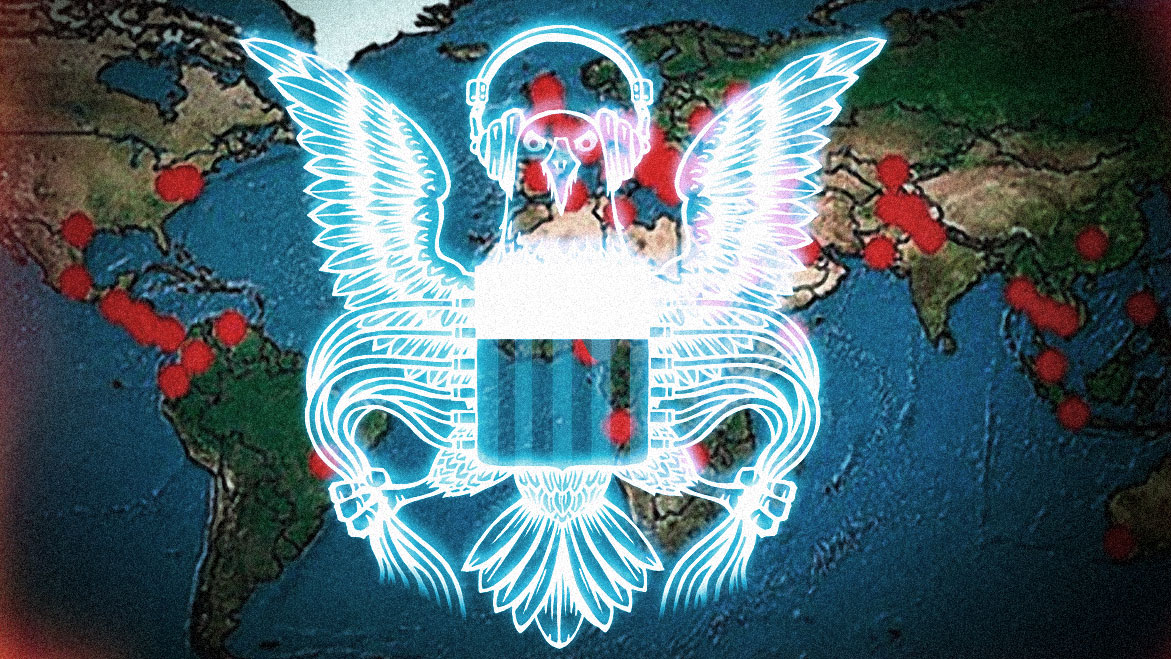 The NSA says it only banks the communications of "targeted" individuals. Guess what? If you read Boing Boing, you've been targeted. Cory Doctorow digs into Xkeyscore and the NSA's deep packet inspection rules.


 Yahoo’s spring cleanings have extended into the summer months, the company announced today, detailing a series of product changes and closures, many of which are nearly obsolete, obscure, or just unpopular. But among the more high-profile of these closures is Yahoo acquisition Xobni, the maker of smart email and contacts management apps that were acquired last summer. At the time of…