 The Inspectorate of Constabulary says that police now tell victims of property crimes to "solve the crimes themselves," directing them over the phone to review CCTV footage and canvas their neighbourhoods for witnesses.
Read the rest
The Inspectorate of Constabulary says that police now tell victims of property crimes to "solve the crimes themselves," directing them over the phone to review CCTV footage and canvas their neighbourhoods for witnesses.
Read the rest
Bcstevieb
Shared posts
05 Sep 16:00

UK police watchdog: burglary and car crime "on verge of being decriminalised"
by Cory Doctorow
05 Sep 15:56

Technoeuropanic
by Jeff Jarvis
Europe is at it again. Or still. I’m told that a consortium of European publishers will run an ad in European papers this weekend attacking Google and the EU’s antitrust deal with the company. It’s the same old stuff: publishers whining and stomping their feet that it’s just not fair that Google is doing better than they are and government should step in to do something about this, this damned, uh … competitor.
 In the ad, the publishers’ argument is that Google’s search is not “impartial.” First, who said it has to be? Second, Google does point to its competitors; see this search for “maps” to the left. Third, who requires the publishers to promote their competitors? Here, the so-called Open Internet Project — a front started by German publisher Axel Springer — demands “equal search” (what the hell would that be?) for, say, shoe listings, complaining that Google makes money pointing to its shoe advertisers. Hmmm. And here is Bild, Springer’s gigantic newspaper, selling shoes itself. I don’t see them linking to Google’s shoe ads. Shouldn’t a news publication be — what’s the word? — impartial?
But, of course, this isn’t the point. It’s a game. I’ve seen German publishers chuckling about it that way. They think they can use government and political pressure to cut some flesh out of Google. But they should beware the unintended consequences. They are helping Europe — and particularly Germany — get a reputation for being hostile or at least inhospitable to technology. Here is the Economist writing about “Germany’s Googlephobia.”
It so happens that I’m going to Berlin next week to speak at the IFA technology show about just this topic: Europe (specifically Germany) and technology specifically American technology companies). I worry about Europe.
Germany just banned Uber (despite the advice of EC VP Neelie Kroes). A European court instituted the ludicrous and dangerous Right to be Forgotten (what about the right to remember?). German government officials harassed Google over Street View so much that Google gave up photographing its streets (so much for Blurmany). German publishers got government to pass an ancillary copyright to go after Google quoting and linking to their content (but then lost a round in court). The German book industry gave technosceptic Jaron Lanier its big-deal peace prize and Dave Eggers’ dystopian novel is roaring up the charts. A German pol is threatening to break up Google (how?). Spain is looking to tax the link. The head of powerful German publisher Axel Springer raises the spectre of Google starting its own nation without laws. A German government agency is talking about declaring Google a utility and regulating it as such; I’d call that quasi-nationalization. “It is the core task of liberalism and social democracy to tame and restrain data capitalism gone wild,” declared Social Democratic Chairman Sigmar Gabriel in a German paper. “Either we defend our freedom and change our policies, or we become digitally hypnotised subjects of a digital rulership.” I could go on….
Would you invest in technology in Europe and specifically in Germany? I sure wouldn’t.
Some of this is about disrupted companies and institutions rallying to try to hobble their disruptor. Some of this is cultural technopanic. In either case, the damage to Europe and particularly Germany could be great.
At IFA, I plan to tell the technology executives there that they need to step up and defend progress or they might find themselves left behind.

05 Sep 15:51


Motorola confirms UK availability and pricing for Moto X, Moto G and more
by Rich Edmonds

Motorola announced various new products at IFA 2014 this morning, including the flagship smartphone Moto X, affordable Moto G, Moto 360 and some other Motorola devices.
05 Sep 13:00

The Moto Hint is the future of the Bluetooth headset
by David Pierce
Don't call the Motorola Hint a Bluetooth headset. It makes everyone at Motorola wince. They'd rather you call it a wireless earbud, or, in a brilliant slip of the tongue from Motorola design chief Jim Wicks, an "earable." The Hint is a tiny, Bluetooth-enabled earbud that is designed to keep you in immediate, voice-enabled touch with the world around you.
But it's not for phone calls, or at least not just for phone calls. It's for getting directions, for doing quick voice searches, for...
04 Sep 18:43

Boxer Integrates Your Email with To-Dos, Dropbox, Evernote and More
by Eric Ravenscraft
Android: There are a million and one solutions to the email problem, but Boxer manages to turn some heads. The app allows you to combine all your email accounts into one inbox, turn emails into to-dos for your list, and quickly delete or archive messages.
The service is free for basic users, but if you want to add multiple accounts, you'll need to shell out $10 for Pro. That's a pretty penny, but the features of Boxer are worth it. In addition to the above, you can easily attach files from Dropbox and Box, send an email to Evernote with a single tap, and even "like" an email to reply to those messages that need to be acknowledged but don't really need to communicate anything. On the other side, your recipient will receive "Sucha Name liked your message," though, so it might only be worth using for personal email, rather than professional.
Boxer | Google Play Store via Android Police
04 Sep 18:42

Facebook's New Privacy Checkup Tool Reviews Your Settings in 3 Steps
by Melanie Pinola
Today and over the next few days, you'll see a Privacy Checkup popup on Facebook when you log in. The tool will help you audit your privacy settings and control who you're sharing with on the social network.
As the video above shows, the review is pretty simple, with just three steps to follow. First, you'll review (and change, if you want) the default audience for your status updates, then go over Facebook-connected apps, and finally review and edit the items in your profile.
Privacy Checkup will be available under the padlock icon > Privacy Checkup.
Facebook has gotten a lot of flak for privacy snafus and complicated settings (which is why we need a complete guide on the matter). This, however, is a very welcome step in the right direction.
Privacy Checkup Is Now Rolling Out | Facebook
04 Sep 18:40


HP announces two new Chromebooks, including one powered by NVIDIA K1
by Simon Sage

Amidst all the IFA madness, HP has announced two new Chromebooks coming to the U.S. this fall. The 11-inch model will be available October 5 for $279.99, with options for white and light blue color schemes. The 14-inch HP Chromebook in silver, orange, blue, or green will be $299.99 when it launches October 22. The latter will be packing the NVIDIA Tegra K1 graphics processor for extra oomph. You'll get 100 GB of Google Drive space for two years when picking either one of these up.
04 Sep 18:37

The best note-taking app for Android
by David Pierce
You need to make a dentist appointment. A friend just spent 45 minutes raving about A Heartbreaking Work of Staggering Genius and you need to remember to read it so you can get a word in edgewise next time. You just came up with a killer startup idea (it's like Uber but for dress pants) and you don't want to let another billion-dollar idea slip away. Where do you put all of this?
You could write an email to yourself, which is sort of the 2006 version of leaving yourself a message on the...
04 Sep 18:37

Twitpic is shutting down because Twitter killed it
by Tom Warren
Twitter, surprisingly, never used to natively support images back in 2008 and so a new service was born: Twitpic. Various popular third-party Twitter clients supported Twitpic and it was used by thousands, but Twitter eventually added photo sharing to its service and it was clear services like Twitpic and Yfrog weren’t going to last forever. Twitpic is now shutting down on September 25th, but not because it couldn’t compete with Twitter’s own image service — because Twitter is killing it dead.
In a blog post announcing the service closure, Twitpic’s Noah Everett notes "Twitter contacted our legal demanding that we abandon our trademark application or risk losing access to their API." The move shocked Everett "since Twitpic has been...
04 Sep 18:36

Apple to stream its iPhone 6 and iWatch event live online
by Jacob Kastrenakes
Apple is expected to unveil the iPhone 6 and its first wearable at a huge event next Tuesday, and you'll be able to watch the announcements right as they happen. As Apple often does, it'll be streaming the event online for all to see. Unfortunately, as Apple often does, it's requiring that you use Safari or an Apple TV in order to view it. That'll cut out some potential viewers, but it means that at least current Mac and iPhone users will be able to watch. We'll also be reporting from the event over at our liveblog, which is usually a little bit ahead of Apple's slightly time-delayed livestreams.
By the way, if you're wondering exactly how long you have to wait until the event starts: Apple has you covered. Clearly, it's pretty excited...
04 Sep 14:35

Kickstarting a line of Orwell-inspired clothes with radio-shielding pockets
by Cory Doctorow
"The 1984 Collection" is a line of clothing for men and women with removable, snap-in pockets that act as radio-shields for slipping your devices and tokens (cards, phones, etc) into to stop them from being read when you're not using them. Read the rest
04 Sep 14:35
LG G Watch R hands-on
by Alex Dobie

If all the hype around the Moto 360 in recent months tells us anything, it's that tech enthusiasts want smartwatches that look good. LG's first Android Wear device, the G Watch, was little more than a vessel for Google's wearable OS. There really wasn't much hardware to talk about, just a rectangle on your wrist, and a window onto Android Wear.
For its second Android wearable, the Korean manufacturer has focused much more strongly on the design of the physical hardware. The LG G Watch R And the result looks less like a smartphone on your wrist and more like a traditional analog watch. There's a gulf in build quality between this smartwatch and an expensive high-end timepiece of course, but like the rival Moto 360, the G Watch R represents an important step in the right direction for smartwatch design.
The LG G Watch R boasts a bold design — one two years in the making according to the company's designers. Though whether it's the right fit for you — both physically and stylistically — will vary from individual to individual. In our opinion it's a vast improvement on the original G Watch, which is seen as more of a reference design for Android Wear than a fashion item. At least this G Watch is trying to be something.
The body of the G Watch R is a union of glass and metal, with a stainless steel frame and substantial lugs joining to its calfskin strap. Although there's only one body style, LG showed the device paired with a variety of different straps intended to fit different use cases — from sporty fabric designs to metal links suited to a more formal setting. There's no escaping the sheer size of the G Watch R — its chunky proportions make it feel larger on the wrist than its squared-off sibling — but at least you've got some personalization options open beyond the bundled leather strap.

The same goes for watch faces, and LG's included a wide variety of analog faces with the G Watch R for different styles and scenarios — for example camping, hiking or a world clock showing the time in different locations. Given the dearth of decent watch faces for the original G Watch, the variety we're seeing in the G Watch R is a welcome change. The core software remains Android Wear, however, and it's going to take Google to move that experience forward. (Our fingers are crossed for some meaningful improvements with the upcoming Android L release.)
The internals haven't changed much, but the screen is vastly improved.
When it comes to numbers and specifications, the G Watch R doesn't stray far from its predecessor's spec sheet — you're running a Qualcomm Snapdragon 400 CPU and 512MB of RAM. The screen has seen a significant improvement, though, moving to a P-OLED panel at 320x320 resolution (with the corners cut off, naturally), and it's noticeably brighter and more vivid than the original G Watch's dull LCD. We'll need to wait and see how daylight visibility plays out, but based on the brightness alone the G Watch R should be easier to see outdoors.

Unfortunately there's no ambient light sensor included — a disadvantage compared to the Moto 360, meaning you'll need to change brightness levels manually through Android Wear's cumbersome settings menu. The trade-off is that you get a "true circular" display, rather than settling for the cutout used by Motorola.


When it comes time to charge, the G Watch R uses a magnetic dock like the original — a larger hockey puck-like design. Like LG's previous smartwatch, pins on the back of the watch join it to its charging dock, and the puck itself connects to other stuff over microUSB. We're not huge fans of proprietary charging docks, but the nature of smartwatches makes them unavoidable to a degree, and at least LG's circular arrangement fits together neatly.

The G Watch R boasts a bold design, but it might lack universal appeal
It's still early days for the LG G Watch R, which is expected to ship in Q4. We have a pretty good picture of the hardware, but we'll have to wait and see how Android Wear develops, and what other software tricks LG might be able to bring to the experience. Perhaps the most significant quality of this watch, though, is how unlike a smartwatch it looks. From the right angle, in the right conditions, you could absolutely confuse the G Watch R with a standard analog timepiece, and that's something you can't really say about any of the competition.
More: LG G Watch R in pictures

04 Sep 14:02
 I can’t quite put my finger on why I keep using this new app called Steven – yes, Steven, like a boy’s name – but I do. The app itself is sort of silly – it offers you a way to log your activities and location using emoji, optionally add photos, plus view and respond to posts from other friends, also through the use of emoji. Why? Well…why not? The app may… Read More
Former Twitter Chief Scientist Launches Steven, An Emoji-Based Social App
by Sarah Perez
I can’t quite put my finger on why I keep using this new app called Steven – yes, Steven, like a boy’s name – but I do. The app itself is sort of silly – it offers you a way to log your activities and location using emoji, optionally add photos, plus view and respond to posts from other friends, also through the use of emoji. Why? Well…why not? The app may… Read More
04 Sep 13:26

Rescued mink experiences playing in water for the first time in its life
by Xeni Jardin
From the wonderful YouTube channel Camels and Friends, which is run by people who care for a bunch of critters on a farm, comes this video of a mink who did not end up as a fur coat, having a blast in a tub of water. Read the rest
04 Sep 13:24

Why Social Engineering Should Be Your Biggest Security Concern
by Alan Henry
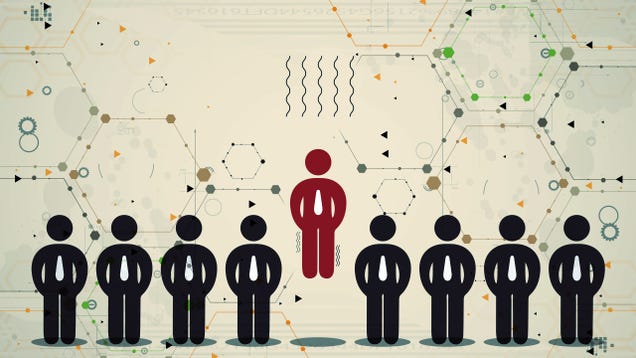
We all know the basics—strong passwords, two-factor authentication, and so on. However, the most recent security and privacy breaches have had less to do with bad passwords and more to do with social engineering. Let's look at what that is, why it can happen without you knowing, and how you can protect yourself.
How Social Engineering Works (and Why You May Never Know You're a Target)
Strictly, social engineering is a technique to get around security systems—or any type of system—not by breaking through it or exploiting vulnerabilities in the system itself, but to exploit vulnerabilities in the humans around the system. Instead of breaking in or cracking a password, you convince a tech support agent to reset the password and give it to you, for example, or you trick a system into thinking you're an authorized user through some logical means using information you have available.
We've actually shown you some examples of this before. When we talked about how to convince someone you work in their building, that's technically social engineering (although it was for a mostly good cause.) Getting into parties and clubs without an invitation? Same deal.
At its heart, social engineering is an essential form of hacking—it works around or outside existing systems to obtain a desired result. And just as it can be used for innocent fun, it can also be used to steal identities, violate people's privacy, and cause serious harm. Just ask Mat Honan, who had his identity stolen a few years ago thanks to a little clever social engineering of support reps at Apple and Amazon. Now, we're seeing it again, no thanks to the celebrity photos leaked and lurking around the internet, obtained by social engineering, not brute force cracking or sloppy security. In this case, the intruders likely used known information to defeat security prompts, reset passwords, and obtain access to otherwise secured information. And the most interesting (and scariest) part is that this kind of social engineering is relatively easy given a little research into your target.
Most people think that social engineering involves engineering the target, and convincing them to give up useful information. That's one way to do it, but it's not the only way. In fact, the most successful methods involve never letting your target know until it's too late. Don't get us wrong, hackers and data thieves are still interested in your passwords, it's just that in order to get at your data, there are far more effective ways to do it than trying to brute force your Google account.
Why You Should Pay Attention to Social Engineering Attacks

Like we mentioned above, passwords are passe. You've probably already read our myriad guides to password security. You know to enable two-factor authentication wherever possible (including Linkedin). You know you should be using a password manager, know how to audit your passwords, and know password managers are still your best option even if they appear to be a single point of failure. If you're the type to make a password "password" or "123456," then you know who you are, and you know you should do better, but for one reason or another, you haven't.
Password security and two factor authentication have been driven into almost all of us. There are plenty more people who need to get on board, to be sure, but it's covered territory. Plus, even though passwords are easier to obtain and crack than ever, most hackers aren't interested in just passwords anymore. Remember the 1+ billion passwords a Russian gang picked up last month? Most of those identities are being used for spam, if they're being used at all. That's because identities—account usernames and passwords—are only as good as the information they store or have access to, and most malicious hackers are looking for targets with valuable information they can use, exploit, or sell.
Selecting a high-value target and using more advanced methods to get their data is a better use of an intruder's time. Given how well it works and how easy it is, that makes us all targets. The illusion that the average joe "doesn't have anything valuable" quickly diminishes as it gets easier and easier to use automated tools and social engineering to get access to your data.
How to Protect Yourself from Social Engineering Attacks

If we haven't established yet how easy it is to use social engineering to obtain information, this piece at The Washington Post explains how easy it is to hack someone's iCloud security questions—which is likely how some (but not all) of the aforementioned celebrity photos were obtained. Similarly, David Pogue posted his take at Yahoo, where he also debunked some common reactions to the whole affair. So, aside from teaching people not to be horrible jerks who violate each other's privacy and expose personal, private information to the world, what can we do to protect ourselves against social engineering attacks?
- Obviously, never give out confidential information. We went into this in detail in our old guide to social engineering attacks. While that post focused on protecting yourself from being engineered, it applies here too. A malicious hacker is less likely these days to pose as a friend of yours on Facebook (although honestly, you really shouldn't friend anyone who sends you a request) or call you pretending to be from your bank, but that doesn't mean you can toss around information they could intercept and use to call your bank pretending to be you.
- Safeguard even inconsequential information about yourself. Security questions in particular are usually easy to defeat because they're systemically flawed. Users will want to pick questions that are easy to remember answers to, but that usually means they pick the questions easiest for an intruder to decipher, like "Where were you born?" or "What city did you go to high school in?" If you have to use security questions, be very careful with the information they request, and use the most obscure, nuanced questions available. You can always make a secure note in your password manager or an encrypted text file with the answers if you're afraid you'll forget them.
- Lie to security questions, and remember your lies. You could just outright lie, and say you were born in Cincinnati when you were actually born in Little Rock, but you'll have to remember that lie. Alternatively, you could make up your own questions and use those answers instead, so when you're asked "What's your best friend's first name," put down your pet's name instead. Again, it's tougher on your memory, but it's much more secure, and unlikely to be defeated by an intruder who's banking on your honesty.
- View every password reset email with skepticism. Even the ones that say things like "If you didn't request this, you don't need to do anything." I've found people hammering old accounts I used to have with password reset requests not because they think my account is theirs, but in the hopes they'll get a different kind of prompt eventually so they can hijack the account. They know I'm notified every time they try to reset the password, but they're betting on me not doing anything. Contact support for the service in question and let them know. The best services can freeze reset requests for your account, or will send you over to their abuse or security team who can investigate the source of the attack.
- Watch your accounts and account activity. This is in the same vein as keeping an eye out for password requests, but there's nothing wrong with checking your Google Dashboard to see what's connected to your account and where you're logged in (you can even get monthly reminders to check your activity.) Do the same with all of your sensitive accounts—every cloud storage service, social network, and email provider has some dashboard where you can see where you're logged in and what apps or tools are connected. Watch your financial accounts too—you can log into them individually or use a service like Mint or Personal Capital to get a bird's eye view of everything. As for your credit, we've shown you how to monitor that for free on your own as well.
- Diversify passwords, critical services, and security questions. This one should be common knowledge, but it's clearly not: Don't use the same password everywhere, and don't use the same security questions everywhere they're offered. Sadly, most banks and cloud service accounts recycle the same bank of common security questions over and over, and it can be tempting to have five services with "What's your mother's maiden name" as the security question. Don't do it—beyond the fact that your mother's maiden name is incredibly easy to find out using public information, it's just as bad as using the same password everywhere. Similarly, diversify your cloud storage services, email services, and other critical webapps and web services. Don't let one hack, if it ever happens to you, shut down your entire online life. You want to be able to isolate a hack quickly and have tools to react to it if it does.
For more tips, we've covered many of these suggestions (and some more) in our previous guides to protecting yourself against social engineering, as well as how to protect yourself from fraud and identity theft online and offline.
Keep an eye out. Social engineering and this kind of "soft" hacking isn't particularly new, but it's rising in popularity among even untrained and unsophisticated hackers, mostly because it's easy to do, can net a ton of information, and, of course, the human systems set up around our technology are almost always the weakest link in the security chain. A little attention to detail and vigilance goes a long way.
Title photo made using vs148 (Shutterstock) and B Studio (Shutterstock). Video from Hackers. Additional photos by Perspecsys Photos and Cory Doctorow.
04 Sep 13:22


[New Game] Angry Birds Stella Bombards The Play Store With Another Iteration Of Rovio's Most Successful Franchise
by Cody Toombs

Many moons ago, a plucky little game company named Rovio decided that a hungry wolf wasn't the only thing that could blow down the homes of snarky pigs — airborne fowl would also join in the on destruction. In subsequent lunar cycles, those homicidal kamikaze birds would continue to bring their particular breed of catastrophe down upon on the poor, defenseless porkbellies; and in turn, generate many money-dollars for the twisted jerks that inspired them.
[New Game] Angry Birds Stella Bombards The Play Store With Another Iteration Of Rovio's Most Successful Franchise was written by the awesome team at Android Police.
04 Sep 13:22


Hands-on with the Sony Smartwatch 3 with Android Wear
by Richard Devine

Sony's newest smartwatch ditches its own software in favor of Google's wearable platform
 Sony took us by surprise a little today by announcing the Smartwatch 3 with Android Wear. Previous reports had Sony execs claiming the company was committed to doing its own thing, and yet, here we are. The Smartwatch 3 changes up other things too from its predecessors, most noticeably the design of the band. It still looks like a Sony Smartwatch of old a little, but it's quite different when you get beyond that.
04 Sep 13:17

Intel just made a snakeskin smartwatch for women
by Josh Lowensohn
Back in January, Intel said it would be working with designer Opening Ceremony to create a smart wearable device that was also fashionable. The big question was just what exactly what it would do. The two companies answered that today with the My Intelligent Communication Accessory (or MICA), a wireless bracelet that could easily be confused with a normal piece of jewelry from one side, and a smartwatch on the other.
03 Sep 22:47
Video: Astronauts on the ISS look down on our spinning Earth
by Xeni Jardin
In this delightful little video, WHICH WAS SHOT IN SPACE AND BEAMED TO EARTH, ISS Expedition 38 crew members Mike Hopkins and Rick Mastracchio look at various cities across the globe from the vantage point of the Cupola. (more…)
03 Sep 22:47

UK Ministry of Justice loses harddrive with 3,000 prisoners' data, which they forgot to encrypt
by Cory Doctorow
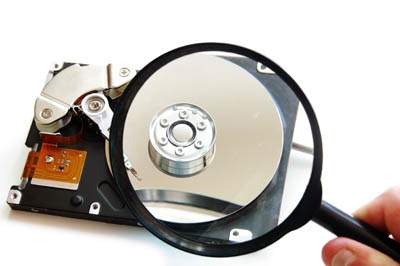 Alan sez, "The UK Ministry of Justice was just slapped with a fine for the loss of a hard disk containing data on over 3,000 prisoners. These things happen."
Read the rest
Alan sez, "The UK Ministry of Justice was just slapped with a fine for the loss of a hard disk containing data on over 3,000 prisoners. These things happen."
Read the rest
03 Sep 22:46

Canadian gov't economists insist that stats on collapsing middle class mean just the opposite
by Cory Doctorow

Dave sez, "Last year, Employment and Social Development Canada put together a report suggesting that the Canadian middle class has seen wage stagnation and is experiencing record levels of debt; Finance Canada felt that this 'appears to conflict with the general message in Budget 2014 and previous internal briefings' so they made a new report -- that says the opposite, while looking at the same data."
03 Sep 22:39
 Once upon a time, it was rare to see sports streamed online, but that’s no longer true. As more and more audiences are turning to their laptops, mobile phones and tablets to watch streams of their favorite sports teams, broadcasters are increasingly making those matches available on those devices. The latest is Fox Sports. Read More
Fox Sports Go To Stream 101 NFL Games Online And On Tablets This Season
by Ryan Lawler
Once upon a time, it was rare to see sports streamed online, but that’s no longer true. As more and more audiences are turning to their laptops, mobile phones and tablets to watch streams of their favorite sports teams, broadcasters are increasingly making those matches available on those devices. The latest is Fox Sports. Read More
03 Sep 20:15
 Sony has indeed added to its lineup of camera tech add-ons for smartphone devices today, with not one, but two new devices in the QX series of accessories. The QX1 and QX30 join the existing QX10 and QX100, with the QX1 offering interchangeable lenses as revealed in a leak earlier, and the QX30 offering 30x optical zoom. The two new Sony accessories both offer ways to improve your photo quality… Read More
Sony Unveils The QX1 And QX30 Lens And Camera Sensor Add-Ons For Smartphones
by Darrell Etherington
Sony has indeed added to its lineup of camera tech add-ons for smartphone devices today, with not one, but two new devices in the QX series of accessories. The QX1 and QX30 join the existing QX10 and QX100, with the QX1 offering interchangeable lenses as revealed in a leak earlier, and the QX30 offering 30x optical zoom. The two new Sony accessories both offer ways to improve your photo quality… Read More
03 Sep 20:13

Sony's wild new cameras for your smartphone offer big zoom and lens flexibility
by Chris Welch
Last year Sony took a bold gamble by introducing its QX line. Strap one of the "lens cameras" onto any Android or iOS device, and you'd get pictures that were far superior to what a smartphone could ordinarily turn out. The idea was novel; these "lenses" were basically cameras themselves — complete with dedicated SD card slots and batteries. And your phone's big screen makes for a great viewfinder. It could've changed the way we all use Instagram, but Sony's execution was clumsy and torturously slow. Give the company credit for not giving up: today it's back with not one, but two new companion lenses for your phone.
First is the 20.4-megapixel QX30, which delivers 30x optical zoom and the sort of reach that smartphone owners can...
03 Sep 20:11


[IFA 2014] Sony Officially Introduces The SmartWatch 3 And The E-Ink SmartBand Talk
by Bertel King, Jr.
 Sony's been in the Android-powered smartwatch game for years now, but with the release of the third iteration of its straightforwardly-named "SmartWatch" line, the company is transitioning to Android Wear.
The SmartWatch 3 is an unapologetically plastic product. Rather than the usual black brick with a cheap strap, the band on Sony's watch comes in to wrap around the body of the device. This provides it with a look that sets it apart from the competition, though this also means it will probably show more wear and tear with age.
[IFA 2014] Sony Officially Introduces The SmartWatch 3 And The E-Ink SmartBand Talk was written by the awesome team at Android Police.
03 Sep 20:05


Amazon expands Fire TV sales to the UK and Germany
by John Callaham

Amazon has started selling its Fire TV set-top box outside the United States for the first time as it begins pre-orders for the UK and Germany.
03 Sep 20:03

The Immortal Augustus Gladstone movie: now free
by Mark Frauenfelder
Augustus Gladstone, a feature film presented by Boing Boing, is now available to watch for free on Vimeo and Youtube.
Read the rest
03 Sep 15:01

Sony joins the Android Wear ranks with underwhelming SmartWatch 3
by Vlad Savov
In March, Sony said it'd stick to its own smartwatch software in lieu of joining the Android Wear party with the likes of LG, Motorola, and Samsung. Today, Sony's completely reversing that stance with the introduction of SmartWatch 3, its fifth-generation smartwatch, which has completely embraced Google's Android Wear platform. Sony intends to add a Walkman app for music playback via a Bluetooth headset along with a remote control app for stuff you're playing on another device. Don't look for much more to distinguish this device on the software front.
In terms of design, the SmartWatch 3 leans toward a sporty look and seems to prioritize ruggedness with a steel-backed case, interchangeable silicon straps, and an IP68 waterproof rating....
03 Sep 15:01

Sony's Xperia Z3 and Z3 Compact will be the first smartphones with PS4 Remote Play
by Vlad Savov
The Sony Xperia Z3, Z3 Compact, and Z3 Tablet Compact are joining the PS Vita in being able to stream and play PlayStation 4 games away from the console. Starting in November, the three members of the new Z3 family will allow you to play your PS4 games directly on their screens so long as they are on the same Wi-Fi network as the big games machine. This is a major step on the way to Sony finally making good on its perpetual promise of PlayStation gaming on mobile devices. The Japanese company even says that PS4 Remote Play will be "theoretically" possible over a web connection, but is hedging its bets by recommending that you have both the console and remote device hooked up to the same Wi-Fi network and plugged into a fast internet...