Shared posts

03 Sep 14:35

Samsung's fall onslaught: The Note 4, Note Edge, Gear S and Gear VR

by Phil Nickinson

Two phones, a watch and a virtual reality visor give us some really good fare to geek out on

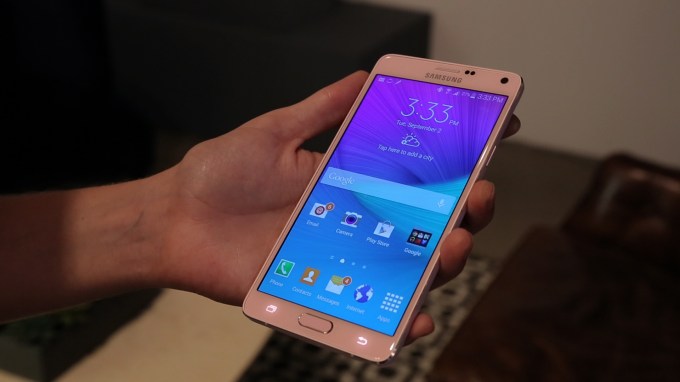
Samsung today unveiled four new products as part of the IFA conference in Berlin, as well as at simultaneous events in New York City and Beijing. Fresh out of South Korea are the Samsung Galaxy Note 4, the Galaxy Note Edge, the perviously announced Gear S smartwatch, and the Gear VR virtual reality headset, which it's doing in conjunction with Oculus.

  • The Galaxy Note 4 is the next iteration of Samsung's phablet line. (You might hate that term that attempts to straddle the line between phone and tablet, but Samsung has no such reservations.) You can check out our hands-on with the Note 4 here.

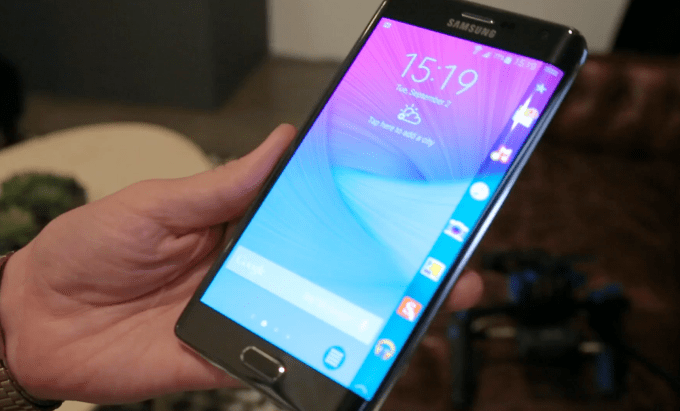
  • The Galaxy Note Edge is very much the Note 4, only with one edge curved downward, taking advantage of Samsung's new flexible display technology and turning it into a 160-pixel wide secondary display. (If this sounds familiar, it's because Samsung attempted two screens on one phone with the Continuum in 2010.) We went hands on with the Note Edge, and it's an intriguing smartphone.


03 Sep 14:34

Samsung Galaxy Note Edge hands-on

by Andrew Martonik

A Note 4 that trades the metal design for an interestingly-curved display

So say you like the size and S Pen functionality of the Note series, but want something a little different to set you apart from every other big phone out there. Well, here's Samsung's answer to that user group: the Galaxy Note Edge. It's a plastic-clad version of the Note 4, with all of the same great perks — QHD display, S Pen, 16MP OIS camera — of the latest generation, but with the added twist that it has an extended portion of the display that's curved over its right edge.

That's right, the Note Edge makes use of a curved AMOLED display, but rather than distributing the curve gently across the entire panel — akin to the Galaxy Round — it uses it sharply on just one edge. That rounded edge offers you another way to multitask, with small amounts of information occupying the rounded portion while the rest of the display shows a full-screen app.

It's a pretty awesome idea, and one that we haven't seen executed to this effect until now. Read along for our full hands-on with the Samsung Galaxy Note Edge.

Join the discussion in the Galaxy note Edge forums

03 Sep 13:49

The best word games for Android

by Simon Sage

We've rounded up the best Android word games you'll find in the Google Play Store. These will test your puzzle-solving skills, trivia knowledge, and sheer reflexes. Quite a few have in-app purchases, but still offer plenty of free content on their own.

Ready to start working with letters? Check out our top five Android word games!


03 Sep 13:49

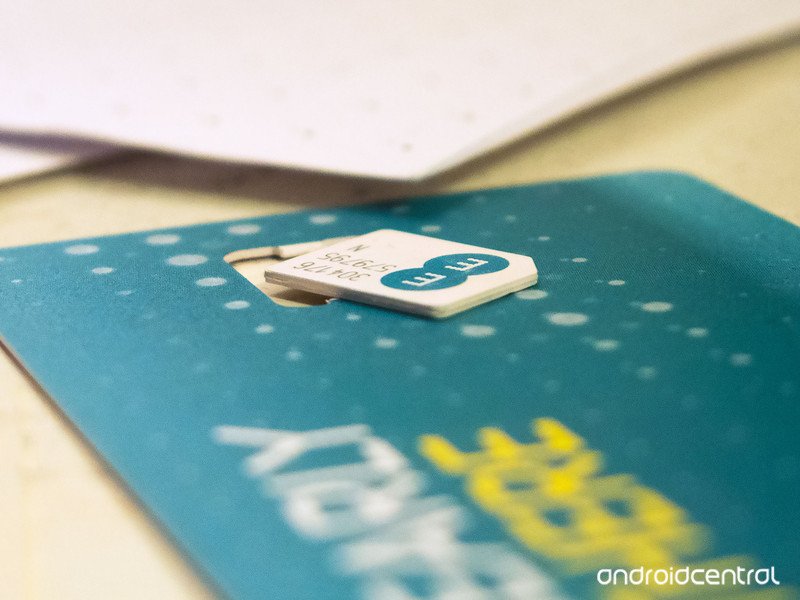
EE rolls out new PAYG packs, offering 4G for just £1 a week

by James Richardson

With all eyes on IFA this week the UK's largest 4G network are kicking things of nice an early by announcing some restructuring with their Pay-As-You-Go offerings. As you'll see from the following press release EE have studied what PAYG users are after and have come up with some solutions which include 4G packs from just £1 per week.


03 Sep 13:49

Asus launches new MeMO Pad 7 with full-HD display

by Harish Jonnalagadda

IFA 2014 New event, new MeMO Pad 7. This time, Asus is using a different Intel Atom CPU, a 64-bit quad-core Z3560 that is clocked at 1.83 GHz. The screen resolution has seen an increase to 1920 x 1080 from the 1280 x 800 sported by the predecessor. Also new is the fiberglass design along with a duralumin frame, which Asus claims is inspired by "clutch bags and wallets."


03 Sep 13:48

Hands-on with the Asus Zenwatch

by Richard Devine

Asus is new to the wearables game, but it came out swinging with the Zenwatch

IFA 2014 We're live in Berlin at IFA 2014 where Asus has finally unveiled its first Android Wear smartwatch to the world. Having been teased ahead of the event, does the Zenwatch live up to the hype? We've spent a little time with the new watch and already we're impressed. It's launching in October for €199 in Europe – no word on U.S. pricing or availability right now – but you want to see it, right?

Well, here it is!


03 Sep 13:40

Samsung Unveils The Galaxy Note 4

by Jordan Crook
Galaxy Note4 B-roll 2 00000511 Samsung has just unveiled the fourth generation in its surprisingly popular phablet series. Ladies and gentlemen, meet the Galaxy Note 4. In terms of design, the Galaxy Note 4 is very similar to the Galaxy Note 3, save for a few small details. For example, the metal strip that runs along the side of the device is a bit more straight-edged, and is the same color as the phone itself, which comes… Read More
03 Sep 13:40

The Galaxy Note Edge Is A Phablet With A Curved Edge Display

by Jordan Crook
Screen Shot 2014-09-03 at 9.31.51 AM Perhaps taking a bit of the spotlight from the new Galaxy Note 4, the Galaxy Note Edge is essentially a Galaxy Note 4 with a special curved display on the edge of the phone. Thus, the super clever name. The Galaxy Note Edge has almost identical specs to the Galaxy Note 4, save for a slightly smaller battery and, of course, a random display hanging off of the side of it. The Edge display… Read More
03 Sep 13:33

Finally, a keyboard that embraces fanboys of all colors

by Cassandra Khaw

Logitech just revealed its new Bluetooth Multi-Device Keyboard K480, which is being touted as "the first desk keyboard designed for use with up to three devices." The platform-agnostic peripheral will allow users to alternate input for their Bluetooth wireless-enabled desktop machines and handheld devices with a flick of a dial.

Continue reading…

03 Sep 13:32

Microsoft's assault on cheap Android tablets starts this week

by Tom Warren

Microsoft promised cheaper Windows tablets with its "Windows 8.1 with Bing" option for manufacturers, and they’re now starting to arrive. Toshiba is one of the first to announce a 7-inch Windows tablet this week at the IFA tradeshow in Berlin, signalling a new price point for mainstream manufacturers to battle the cheap Android alternatives. The new Encore Mini is a 7-inch (1024 x 600) Windows 8.1 tablet running a quad-core Intel Atom processor with 16GB of internal storage and an SD slot if you need more space. It’s a pretty bare-bones machine, but it’s priced accordingly: it retails for just $119.99 and is available now.

Probably the cheapest, most bare-bones Windows 8.1 experience you can find

Continue reading…

03 Sep 13:32

Asus adds Zen to the Android Wear smartwatch

by Vlad Savov

Promises, promises. Asus went into this year's IFA show in Berlin with the immodest pledge of revealing the best looking Android Wear smartwatch to date. Featuring a curved 2.5D design on the front and a stainless cover on the back, its newly announced ZenWatch emphasizes style above all else. Its price also isn't bad, coming in at 199 euros, and it has a set of high-quality internal components, too — including a 1.6-inch AMOLED display, 4GB of storage and 512MB of RAM, and the same Qualcomm...

Continue reading…

02 Sep 21:23

Pocket Updated To v5.6 With Download Limits, Better Evernote Support, And More

by Ryan Whitwam

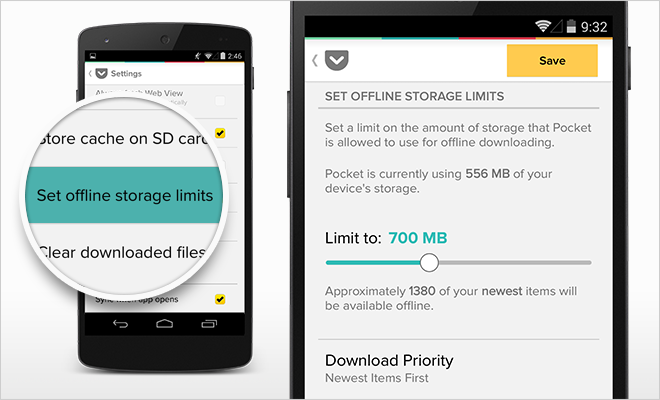
pPocket is one of the most popular ways to read cluttered web pages in a format that won't drive you to the edge of madness. The Android app has been consistently awesome, and today it's getting even better with version 5.6. This time attention is being paid to how you manage your articles.

PKTBlog_AndroidCacheUpdate_v1_2-Devices (1)

Here's the changelog for v5.6.

  • New: You can now set a limit to how much storage space Pocket is allowed to use.

Pocket Updated To v5.6 With Download Limits, Better Evernote Support, And More was written by the awesome team at Android Police.


02 Sep 19:17

Ouya May Be Throwing In The Towel As It Reportedly Begins Acquisition Talks With Chinese And US Firms

by Ryan Whitwam

nexusae0_Ot_thumb1_thumbThe low-cost Ouya game console got a big start a few years back when it raised more than $8 million on Kickstarter. When the console actually came out in mid-2013, the results were less than impressive. Ouya has gone through a number of changes since then, but now Recode is reporting that it has entered acquisition talks with a number of companies in the US and China.

nexusae0_Ouya-4_thumb

Ouya reportedly feels cashing out is a better option than raising additional money to continue on its own.

Ouya May Be Throwing In The Towel As It Reportedly Begins Acquisition Talks With Chinese And US Firms was written by the awesome team at Android Police.


02 Sep 19:16

Bring! Shopping List Comes To Android, Complete With Wear Support

by Cameron Summerson

bring

One of the biggest issues my wife and I have is remembering what to get at the grocery store. We've tried shared spreadsheets, various list applications, and jotting stuff down on paper. Nothing sticks. We either forget to do it or just don't want to deal with hassle (thus is the case with most apps). Bring! may change that. Hopefully, anyway.

1 2 3

Basically, it's a super simple, and seemingly intuitive shopping list app.

Bring! Shopping List Comes To Android, Complete With Wear Support was written by the awesome team at Android Police.


02 Sep 19:00

Temptation, Diana Krall

by Jason Weisberger

Diana Krall's incredible cover of Tom Waits' Temptation is without compare.

02 Sep 11:55

The Perfect Sleeping Positions to Fix Common Body Problems

by Patrick Allan

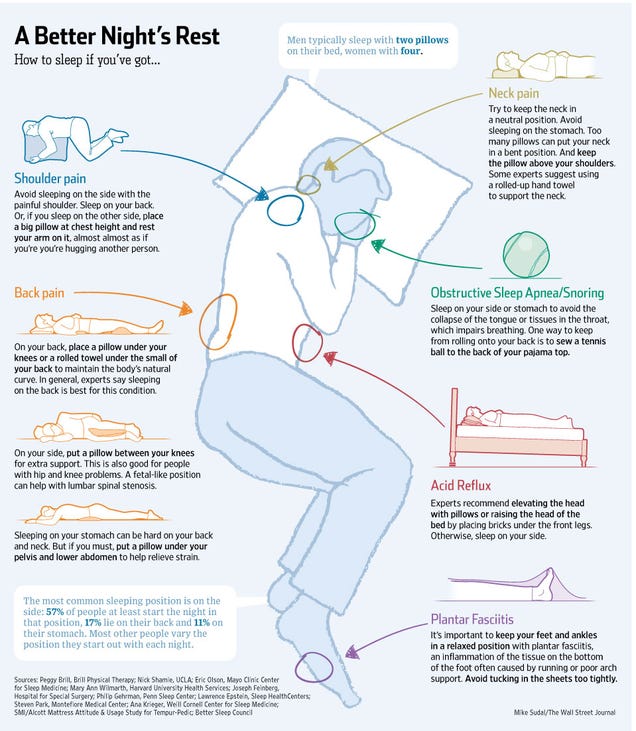
The amount of sleep you get every night is important, but what's even more important is that the sleep your getting is good sleep. If you have aches, pains, indigestion, or tend to snore, these are the positions that can help cure what ails you.

This helpful graphic from The Wall Street Journal points out some common trouble spots and how you can adjust the way you sleep to make sure you have sweet dreams. Back pain? Try a pillow between your knees. Acid Reflux or indigestion? Elevate your head with some more comfy pillows or a few bricks under your bed's legs. Don't waste your precious sleeping hours by forcing yourself to sleep uncomfortably. For more information on how your sleeping position can affect you, check out the complete Wall Street Journal article at the link below.

Find the Perfect Sleep Position | The Wall Street Journal via Best Infographics

The Perfect Sleeping Positions to Fix Common Body Problems

01 Sep 19:49

33 Best (And 1 WTF) New Android Games From The Last 2 Weeks (8/19/14 - 9/1/14)

by Michael Crider

nexus2cee_gamethumbWelcome to the roundup of the best new Android applications, games, and live wallpapers that went live in the Play Store or were spotted by us in the previous 2 weeks or so.

Please wait for this page to load in full in order to see the widgets, which include ratings and pricing info.

Looking for the previous roundup editions? Find them here.

Games

Calculords

Android Police coverage: Math Nerds And Card Nerds Can Both Geek Out With Calculords, Now Available On Android

Calculords is an odd mix of a Magic-style collectible card game, Math Blaster, and lane-based defense.

33 Best (And 1 WTF) New Android Games From The Last 2 Weeks (8/19/14 - 9/1/14) was written by the awesome team at Android Police.


01 Sep 16:03

Hello Kitty Avengers

by Cory Doctorow


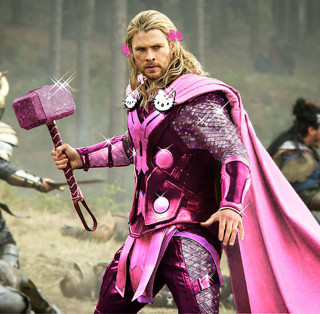
The amazing Hello Kitty Avengers meme started back in (at least) May, but has only picked up steam since then, growing to encompass many other Supers. (via Wil Wheaton)

Read the rest

01 Sep 12:05

First Agents of S.H.I.E.L.D. promo for Season 2.

https://www.youtube.com/watch?v=t6Nhd0r2s08

It's largely Season 1 clips, with a few glimpses of new footage from Season 2. Nothing spoilery.

31 Aug 22:54

Notable PDF is a More Advanced PDF Viewer For Chrome

by Dave Greenbaum

Notable PDF is a More Advanced PDF Viewer For Chrome

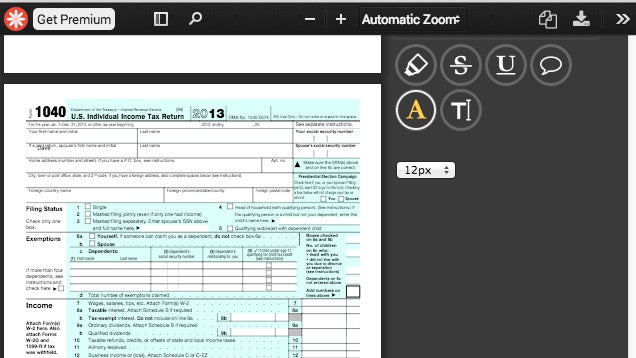
Chrome: Notable PDF is a Chrome extension lets you edit PDF files from within the Chrome browser. This extension works offline, too, so it's a great add-on for Chromebooks.

Once you install the extension and create an account, you'll be able to annotate PDFs and add comments. The extension integrates with Dropbox and Box accounts for opening and saving PDFs. Most options are free. If you want to save the PDF directly to Google Drive or digitally sign the PDF, you'll need a $4.99 per month account.

Notable PDF | Chrome Web Store via AddictiveTips

31 Aug 18:59

The best new Android apps of August 2014

by Simon Sage

If you're itching for some fresh downloads this Labor Day weekend, we've gathered together the five best app releases this month in the Google Play Store. This go-around we've got a bit of photography, some productivity, and a little something from HTC and Google.

Be sure to check out our round up of the best Android games released this month if you're hankering for more.


31 Aug 09:36

KickassTorrents Goes Secure, Encrypts Traffic For All Visitors

by Ernesto

KATLike most Internet users, torrent site visitors prefer not to have their browsing habits exposed to third parties.

One way to prevent this from happening is by using SSL encryption. This is supported by more and more sites, and last year Google even went as far as encrypting all searches by default.

Most of the larger torrent sites such as The Pirate Bay and Torrentz also offer SSL support. However, KickassTorrents is the first to force encryption. This means that everyone who visits the site will now be sending data over a secure https connection.

TorrentFreak spoke with the KickassTorrents team who told us that the new feature was implemented by popular demand.

“We’re just thinking about those people who will feel safer when they know all the data transferred between them and KAT is completely encrypted. People requested it, so we respond,” the KAT team informs TF.

SSL encryption will prevent one’s boss, school, or ISP from monitoring what pages are visited what data is sent or retrieved from the site. However, it’s still possible to see that the KickassTorrents domain was accessed, and how much time was spent there.

Also, it’s worth emphasizing that it doesn’t anonymize the visitor’s IP-addresses in any way, as a VPN or proxy might.

That said, enabling encryption is a good way for KickassTorrents to offer its users a little more security. On top of that, Google recently noted that it would prioritize SSL encrypted sites in its search results, something the site’s operators probably wont mind either.

Source: TorrentFreak, for the latest info on copyright, file-sharing and anonymous VPN services.

31 Aug 09:34

Sony SmartWatch 3 and SmartBand Talk spotted in grainy renders

by Chris Parsons

Sony has already had one apparent leak of an unannounced smartwatch in a promo for their Sony SmartBand but the device now dubbed as the Smartwatch 3 has appeared once again in some rather grainy renders.

According to info obtained by 9to5Google, the SmartWatch 3 will feature a 1.68-inch 320 x 320 display and will be IP58 certified, be powered by Android Wear but that's where the details stop.

As for the SmartBand, it's noted that it will be introduced as the SmartBand Talk and will feature a curved e-ink display as well as bluetooth and is meant to be a follow up to the Sony SWR10 released earlier this year. Both devices are expected to be fully revealed at IFA 2014 in just a few days.

30 Aug 23:18

11 Reasons Email Is the Worst

by Tim Urban - Wait But Why on Gizmodo, shared by Whitson Gordon to Lifehacker

11 Reasons Email Is the Worst

Email is one of those things that's just a part of your life, period. Most of us know someone who has closed their Facebook account or refused to join in the first place in a little foot-stomping stand by their ego, and you might even know someone who is thrilled with themselves for not owning a smartphone.

But within the adult internet-using world, no one is allowed to not have email.

Not having email today would be the equivalent of not having a phone number—you'd have to be really doing your own thing to go there.

And so here we all are, typing things into compose windows, battling down our inboxes, and it's going pretty well—but like any world of social interaction, email has its difficulties.

Let's discuss 11 particularly awkward things about our email lives.


1) Exchanges that have an unequal power dynamic.

11 Reasons Email Is the Worst

If someone you're emailing with:

  • is making typos and you're not
  • is skipping punctuation and you're not
  • is skipping capitals and you're not
  • is taking a long time to reply and you're not
  • is responding to your long, well-written emails with much shorter responses

Then you're their bitch.

Unequal email power dynamics can happen for many reasons—a professional ladder discrepancy, an age discrepancy, a "customer's always right" situation, a thing where many people are all emailing one person—but usually, it's that the person writing the high-quality email wants/needs something from the person writing the low-quality email. Simple as that.


2) Emailing with un-tech savvy Baby Boomers.

Not all Baby Boomers—you know who I'm talking about.

They're the last remaining people with AOL email addresses. They scan a hard copy of an article and email it as an attachment instead of emailing a link to the article. They write the word e-mail with a hyphen in it. And they don't know that "replying to all" is a thing that can happen in the world:

11 Reasons Email Is the Worst

11 Reasons Email Is the Worst

11 Reasons Email Is the Worst

11 Reasons Email Is the Worst

11 Reasons Email Is the Worst

11 Reasons Email Is the Worst

Sometimes, you'll come across the especially un-tech savvy Baby Boomer who inexplicably writes their emails in all caps.

11 Reasons Email Is the Worst


3) Emailing with anyone born before 1930.

11 Reasons Email Is the Worst

To my grandmother, who tells me that her "machine is broken" when the browser window has accidentally been minimized, words like "forward" and "attachment" and "link" don't have simple, concrete definitions—they're just vague, complex ideas that she's heard of but doesn't understand.

She feels about email the way I feel about this sentence:

Central banks in developing countries are tightening policy and intervening in currency markets in response to concerns about the potential effect of currency depreciation on inflation, though gross issuance of nonfinancial corporate bonds and commercial paper have slowed and interest volatility has substantially diminished, possibly suggesting that reaching-for-yield behavior might be increasing again.

If you weren't far too lazy to write a letter, it would be a good idea to stick to hand-written correspondence with people born in the 1920s, especially since there's the side benefit that a letter from someone born in the 1920s will be a cool thing to own in 50 years.


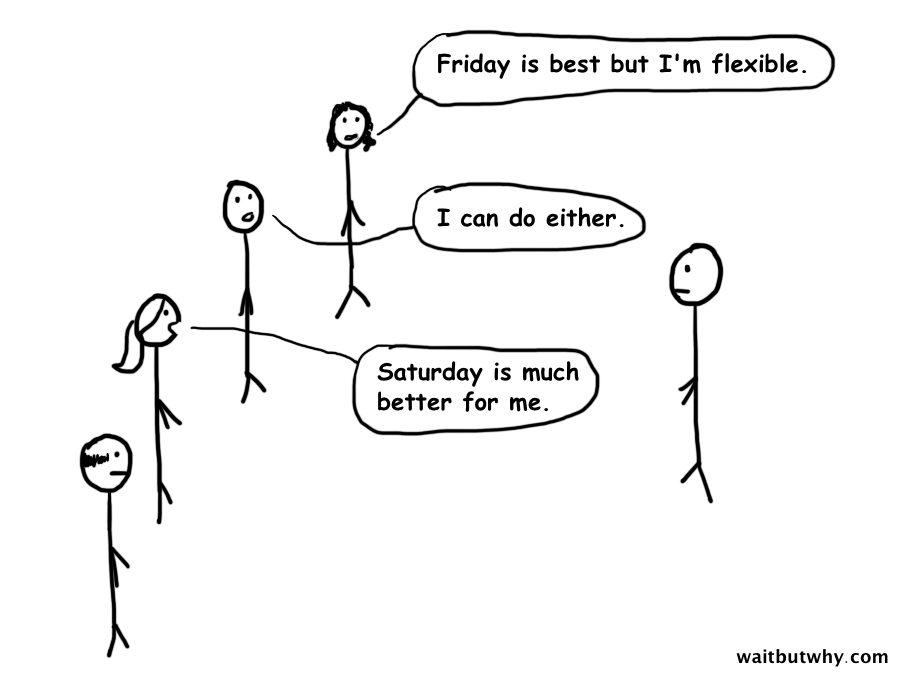
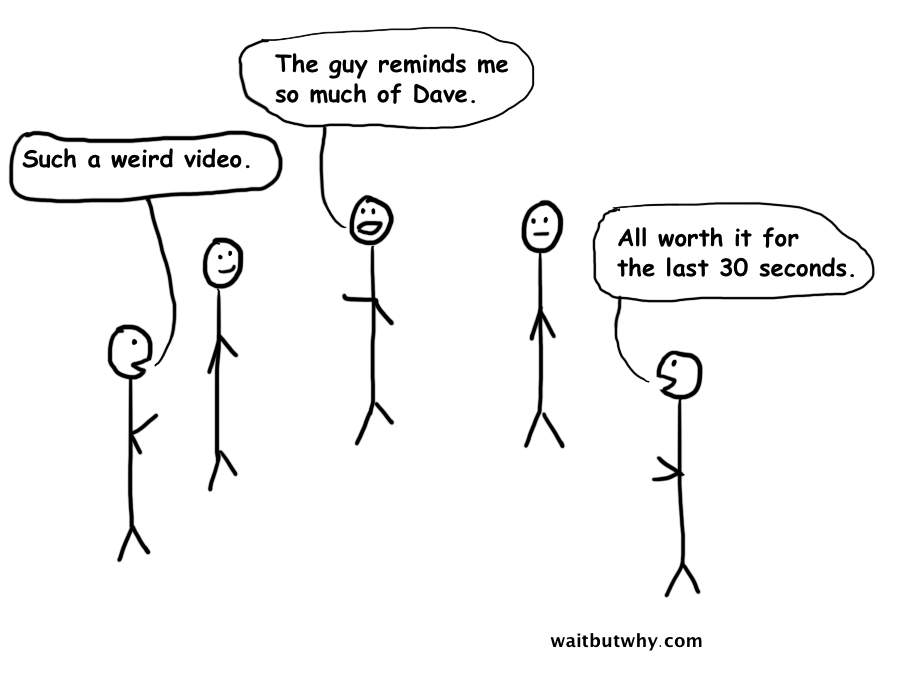
4) The group email chain Late Responder.

11 Reasons Email Is the Worst

11 Reasons Email Is the Worst

11 Reasons Email Is the Worst

11 Reasons Email Is the Worst


5) Figuring out how to address a minor friend in an email greeting.

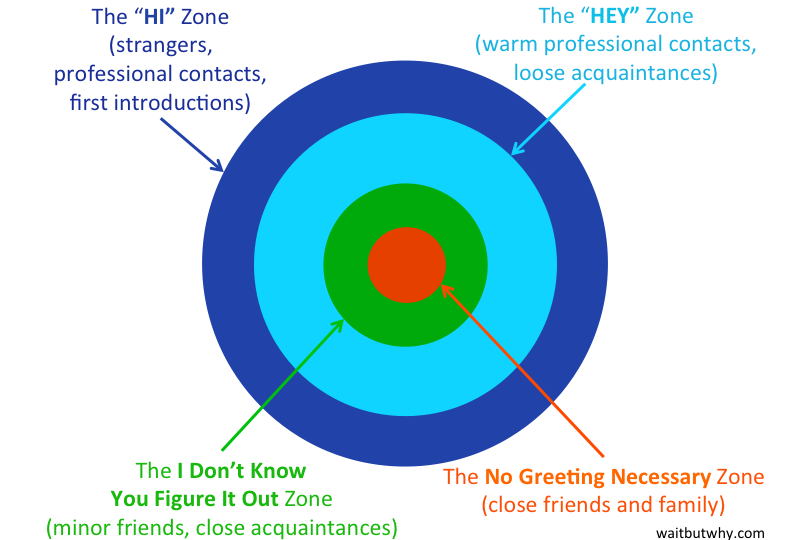
To make things easy, we at some point all agreed upon certain rules and regulations for how to address various categories of people that we email.

11 Reasons Email Is the Worst

Notice the problem?

"Hi ____" is friendly in a distant, neutral, professional way for everyone you don't know well. When your relationship with someone takes a step forward, it graduates to the warmer, more casual Hey Zone. And with really close people, you can just skip the greeting altogether—no one starts an email with "Hey Mom".

But how about that green zone category of people who are more than acquaintances—so greeting them with "Hey" would seem too formal and distant—but you don't talk to them enough to just out of the blue email them and start talking without a greeting? How the hell are you supposed to start an email to that friend from college you talk to every two years or that old work colleague you became friends with and then fell mostly out of touch with?

It's not easy. And unlike all the other greetings, this one requires creativity. Some possibilities:

- Hey John! — The exclamation point says, "This isn't a normal Hey greeting—I'm smiling and extra excited because we're pretty close, and our relationship is a positive thing in my life."

- Johnny! — A typical response greeting to the "Hey John!" email. It's acknowledging that you're on nickname terms, and also joining the celebration of your friendship with the exclamation point.

- Hey man — This is something guy acquaintances or minor friends do to deal with being in the green zone. It's the greeting version of a friendly back slap.

- Sammmm — A girl tool to deal with the green zone.

- Heyyy — The extra Y's say, "Just swinging by to say something, and we're friends so sometimes we just swing by.

11 Reasons Email Is the Worst

5b) Figuring out how to sign-off in an email to a minor friend.

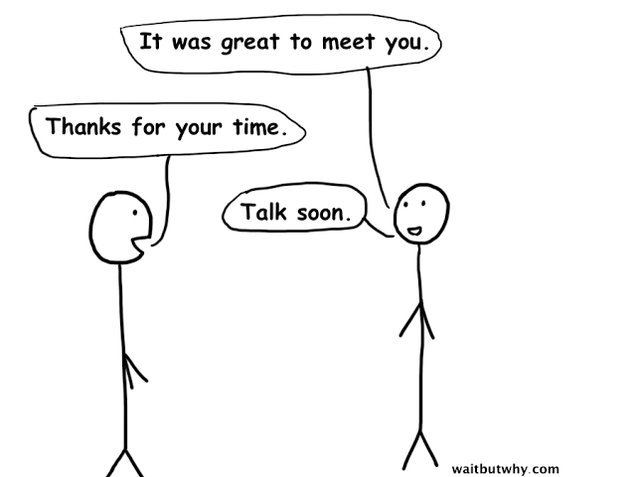
Similar situation. For the distant people, we have all sorts of autofills—Best, Regards, Talk soon, Take care, Thanks, etc.—and the really close people need no sign-off at all. But for minor friends, we've got another whole song and dance on our hands.

I'll sometimes finish a minor friend email with something like, "Thanks," and then look at it and think, "Ugh it's too formal." I then sigh, put the cursor at the end of the word, and begrudgingly type in two more S's.

It's also worth noting that some people have decided that xoxo is an appropriate sign off because they're just that adorable, and others just decided to start signing off with only the first letter of their name, because apparently we're now dating. To me, both sign-offs make me think the person looks like this when they're typing it:

11 Reasons Email Is the Worst


6) Saying Robot Phrases, which reminds you that you're not actually that unique a person.

A Robot Phrase is a commonly used email phrase that you end up using just because everyone else is using it and you're not that creative a person.

11 Reasons Email Is the Worst

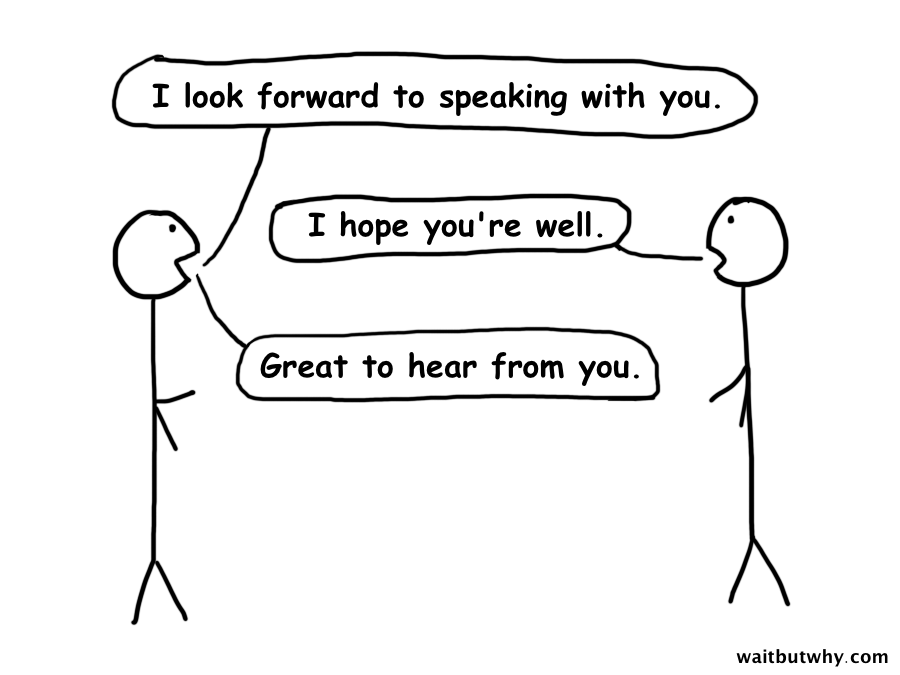
These cookie-cutter Robot Phrases remind me of my voicemail recording being "Hi, you've reached Tim. Please leave a message." The next thing that comes on is an actual robot that says "At the tone, please record your message yada yada," and she and I are doing an equal job of expressing our individuality—but unfortunately, the only other option is to be an unnecessary weirdo by doing something surprising.

Email Robot Phrases are not quite as socially required as Voicemail Robot Recordings, but most of us are too lazy to deal with thinking up alternatives. Every single time I type one, though, I feel a slight twinge of self-loathing for being such a societal cog.


7) Mastering the exclamation point chess match.

With in-person interaction, we have a million subtle ways to express tone. Even on the phone, without the use of facial expressions or mannerisms, tone of voice gets the job done sufficiently.

But over email, we're stuck with a crude set of symbols as our tools to express nuance, making punctuation a critical part of the email world. A few guidelines:

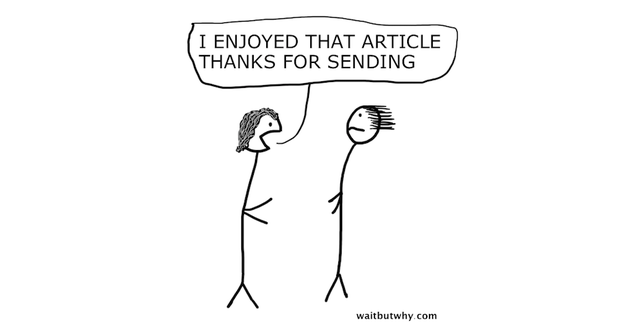
Some people don't use exclamation points, and with those people, it's safe to stick with periods.
11 Reasons Email Is the Worst

Others use them constantly, and with those people you're a huge dick if you don't, so you're forced to join the party.
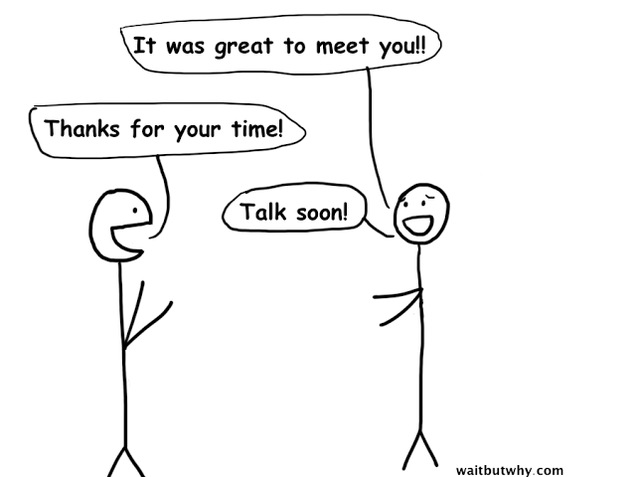
11 Reasons Email Is the Worst

This is important because to a rampant exclamation point user, the difference between a period and an exclamation point looks like this.

11 Reasons Email Is the Worst

There's also the rare but disastrous exclamation point / question mark mixup typo.

11 Reasons Email Is the Worst

I can go either way with exclamation points and tend to just follow the other person's lead, but I find that this is a pretty strong correlation:

11 Reasons Email Is the Worst

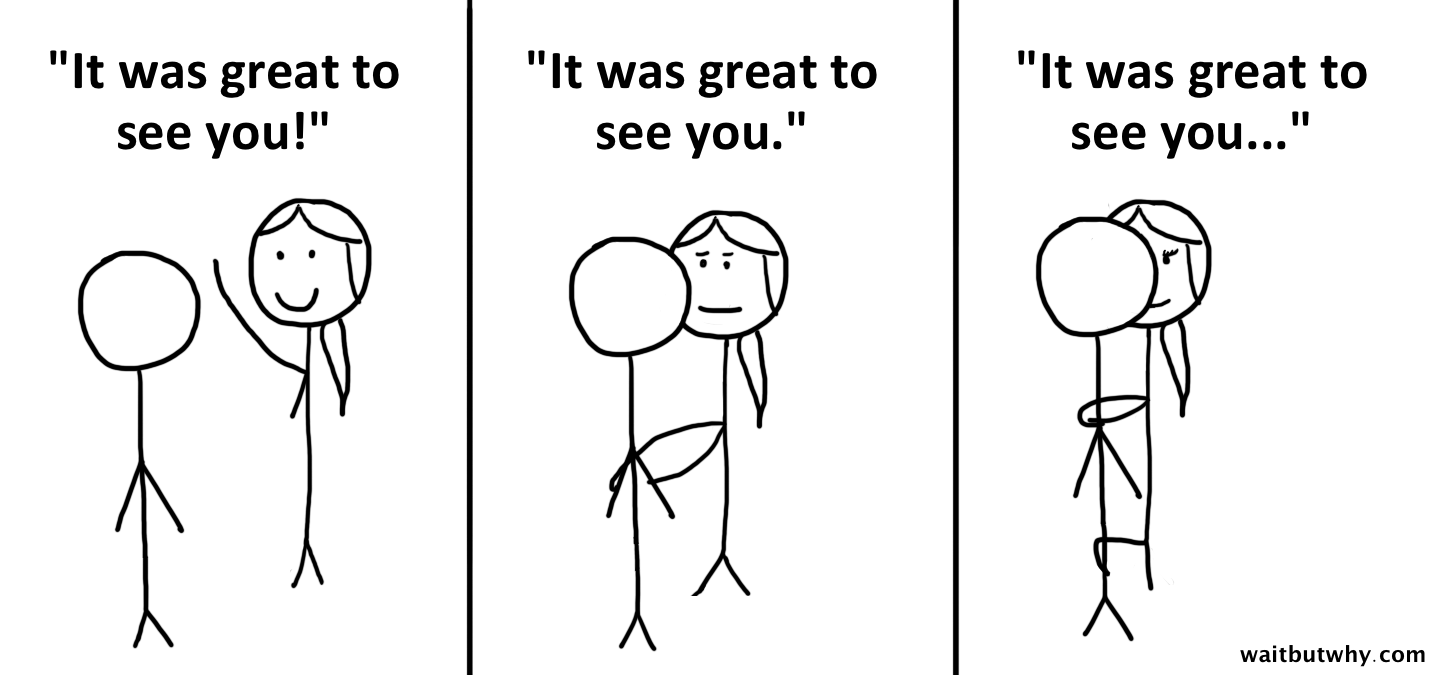
Ellipses are a whole other thing. Some people use them to be mysterious or threatening, and of course, they can be massively slutty.
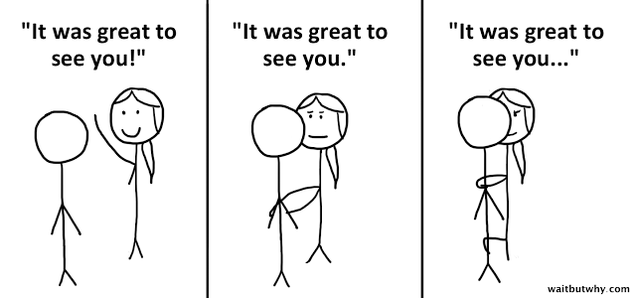
11 Reasons Email Is the Worst


8) The epic correspondence that neither involved party wants to be a part of.

11 Reasons Email Is the Worst

This is a very odd phenomenon unique to email. It happens when two not-that-good friends find themselves stuck in the mutually-obligated chore of writing long descriptions of their lives to each other every few months. Both parties dread having to answer all the last email's questions and write a lengthy life description, and each is pretty bored by the process of reading the other's.

This cycle either goes on until one of the people dies, or sometimes, someone finally gathers the guts to just not respond to the other's email and then both parties can sigh a deep breath of relief.


9) Trying to shove the concept of laughter into the email medium.

11 Reasons Email Is the Worst

Laughter is a delightful part of vocal correspondence, so we've decided we need to figure out a way to express the same thing over email—but it's awkward.

Absurd people who say lol aside, here's what we're dealing with:

haha — I found this either mildly funny or not funny at all

hahaha — I found this a little funny

hahahaha — I found this reasonably funny

HA or HAHA or HAHAHAHA — I found this very funny

hahah or hahahah — I'm a very subpar human

At least in my world, I find that when something is actually funny, it'll result in capital letters.

And in almost all of these cases, the recipient pictures the sender actually laughing as they type, when in fact they probably look like the guy in the picture above.


10) The fact that hurtful things are happening to you and you're not thinking about it.

11 Reasons Email Is the Worst

Being humored by fake haha's is just the beginning.

You know how people sometimes BCC someone on an email they're writing to secretly loop them in? You know what you don't consider? The times when you've received an email from someone and there's a BCC happening unbeknownst to you—when you're the chump being spied on. Kind of upsetting right?

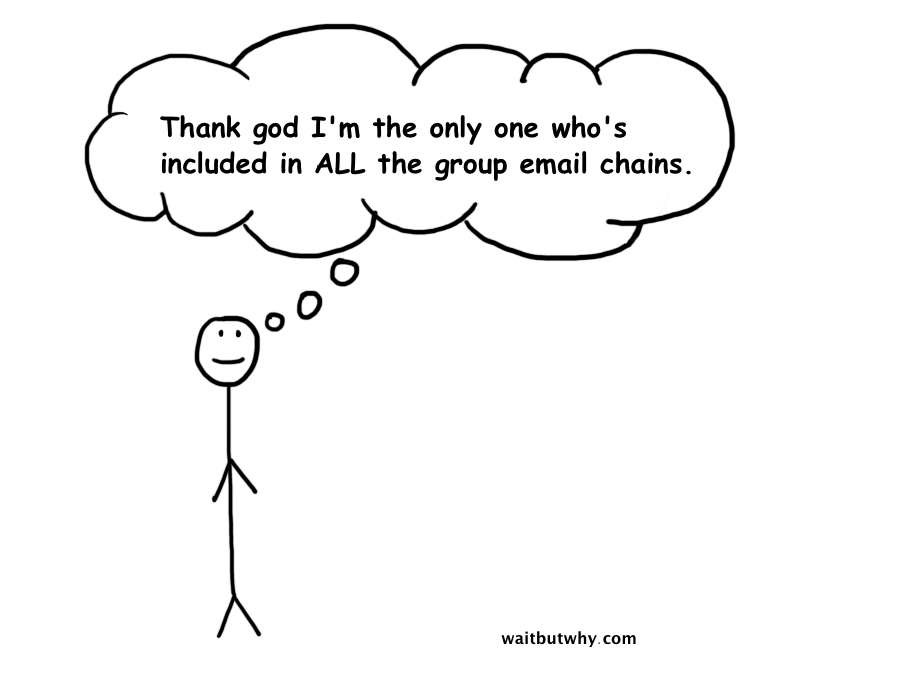
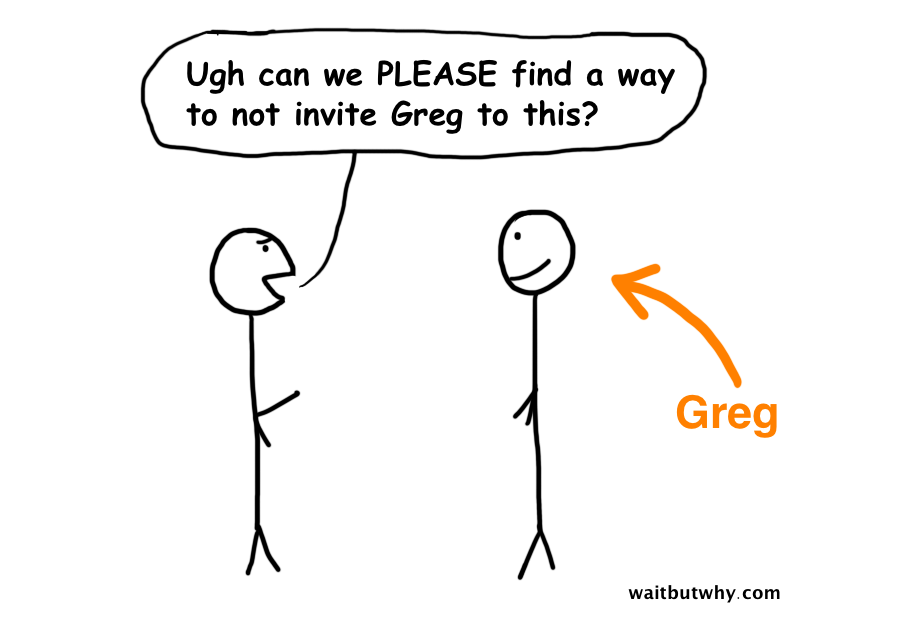
How about the fact that you're part of a number of group email chains, some one-time things and some that are recurring—and you kind of just assume that those are the only group chains happening. When in fact, there are a number of group chains between various friends or family members of yours that you are not included on, whose existence you never really consider.

Worse, think about a time you've forwarded an email you received to someone else for mocking purposes. Kind of mean, but you've also kind of done it right? How shitty is it that at some point, you've been the subject of the secret mocking forward?

Luckily, we tend to avoid assuming these things are happening. But they're happening.


11) Email disasters.

11 Reasons Email Is the Worst

11 Reasons Email Is the Worst

The email disaster is a special kind of disaster. It can be mortifying, hurtful, or even friendship-damaging.

Examples include:

- Emailing Person X to say something bad about Person Y and accidentally emailing it to Person Y instead.

- Replying just to Person X on a group chain to say something private and accidentally replying to all.

- Forwarding an email to someone and forgetting that below the email is a whole correspondence chain that has something sensitive in it, maybe even about the person you just forwarded it to.

- Sending an attachment to someone and accidentally attaching the wrong horrifying thing.

Other people's email disaster stories are a great source of schadenfreude—so if you have a good one, please share in the comments .

If you liked this article, subscribe by email to have Wait But Why's once-a-week posts sent to you by email. Never any spam.

Related Posts:


This article has been republished with permission from WaitButWhy.com, where it can be seen here.

Follow Wait But Why on Facebook: www.facebook.com/waitbutwhy

Follow Wait But Why on Twitter: www.twitter.com/waitbutwhy

30 Aug 09:45

Four ISPs Sued For Failing To Block Pirate Movie Sites

by Andy

pirate-cardFavorable rulings in both the European Court of Justice and the local Supreme Court earlier this year gave Austrian anti-piracy groups the power they needed to move forward on site-blocking.

What transpired was an attack from two directions. The first involved VAP, the anti-piracy association of the Austrian film and video industry. The second was launched by the local branch of IFPI, the International Federation of the Phonographic Industry.

In late July, VAP wrote to UPC, Drei, Tele2 and A1 with a request for the ISPs to block ThePirateBay.se plus streaming sites Movie4K.to and Kinox.to. Days later in a letter dated August 4, the IFPI asked five local ISPs to block access to four torrent sites – ThePirateBay,se, isoHunt.to, 1337x.to and H33t.to.

Unfortunately for VAP and the IFPI, the ISPs were going to need more than just a letter to begin censoring the Internet. By mid August, with their deadlines expired, none had initiated blockades. That led to threats of lawsuits from both anti-piracy groups.

With August now drawing to a close, VAP has made good on its word. CEO Werner Müller confirmed to German media that his organization has now sued four Austrian ISPs. Müller would not be drawn on their names, but DerStandard spoke with UPC and A1 who both confirmed receiving letters.

“[The decision on blocking] should be left to the judgment of a judge, since in a specific case the rights of Internet users and the movie / music industry can be weighed more,” said A1 spokeswoman Livia Dandrea-Böhm. “We will now take a position in the time allowed by the court. Thereafter, the judge has to decide.”

Of further interest is VAP’s decision to exclude The Pirate Bay from their legal action and only sue for blockades against kinox.to and movie4k.to. There are suggestions that this could prove an easier legal route for VAP as the local Supreme Court is already familiar with the operations of Kinox and Movie4K, sites similar in structure to the now defunct Kino.to, the site which originally prompted calls for blocks in Austria.

However, The Pirate Bay will not escape so easily. The IFPI will tackle the infamous torrent site alongside others including isoHunt.to, 1337x.to and H33t.to. The music group is expected to sue several ISPs to force a blockade, although papers are still being drawn up.

Source: TorrentFreak, for the latest info on copyright, file-sharing and anonymous VPN services.

29 Aug 19:57

Match Your Suit and Shoes Perfectly with This Cheat Sheet

by Whitson Gordon

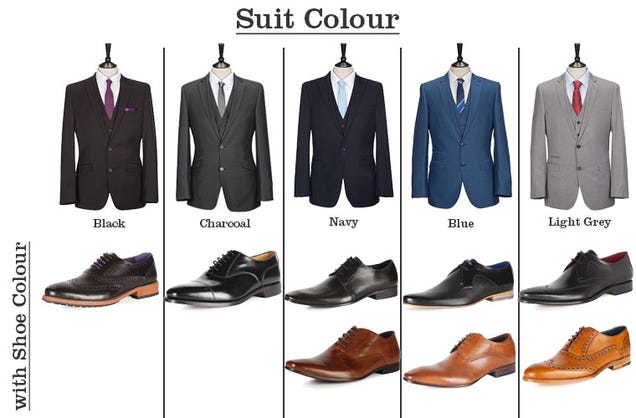
Match Your Suit and Shoes Perfectly with This Cheat Sheet

If you're still learning how to dress a bit better, it can help to have some little "cheat sheets" on hand. This graphic from Slaters shows you what color shoes go with what color suits.

Of course, fashion rules were made to be broken, but if you're just getting the hang of things, this very basic guide should help you stay on track. Black shoes go with just about anything, but if you want to stand out, a light or dark brown shoe with a navy, blue, or light grey suit can look great. Print it out, pin it up in your closet, and you'll always match them up correctly. (Just don't wear them with white socks.)

The Slaters Guide to Suit & Shoes Colour Matching | Slaters via Life Made Simple

29 Aug 16:17

Second Shaun The Sheep Teaser Is Here

Second Shaun The Sheep Teaser Is Here

He's off to pastures new...

Following the first teaser earlier in the year, here’s a longer and more complete look at footage from Shaun The Sheep’s movie, following the adventurous ovine and his buddies as they hit the nearby metropolis. 

There’s a definite flavour of Wallace and Gromit at the start here, especially given that regular Shaun character Blitzer reminds us strongly of Aardman’s most famous canine.

In this expanded adventure, Shaun and his pals decide to take the day off. That would be fine, except they don’t bother to tell the Farmer where they’re going, causing no end of trouble and leading to the poor, put-upon bloke being carted off to the big city. Shaun and co. must travel to the confusing, chaotic city and help him out.

We’re promised the usual sheep-powered chaos plus a few new characters including animal warden Trumper and Slip, an orphan dog who helps out our heroes. You’ll want to bleat it (sorry, couldn’t resist) to cinemas when Shaun The Sheep arrives on February 6.


29 Aug 15:51

Write Down Every Time You Spend Money to Trick Yourself to Save More

by Melanie Pinola

Write Down Every Time You Spend Money to Trick Yourself to Save More

Saving money isn't easy; in fact, we're wired not to do it. So little mental tricks like forcing yourself to document when you spend money could handily prevent you from overspending.

This advice comes from psychologist Dr. Ryan T. Howell, who studies the psychology behind spending, and tipped the Muse on how to spend money more wisely and happily:

There are things you can do to limit the pleasure of buying in the moment. For example, people report that shopping is often an emotion-fueled experience. But what we found is that there's something about tracking your spending that takes the emotional, addictive quality of shopping away—and makes it rational.

So one way to train your brain is to instill a rule that, any time you spend, you have to write it down. We found that just the knowledge that you have to track a buy makes it more difficult to make those spur-of-the-moment purchases. You're much more likely to spend your money in wise ways.

Check out the full interview for more tips on making better spending decisions.

How to Train Your Brain to Make Better Money Decisions | The Muse

Photo by torbakhopper.

29 Aug 15:50

Nokia brings HERE mapping to Samsung Tizen-powered smartwatches

by Rich Edmonds

HERE Samsung Gear

Today Nokia announced that the company has worked with Samsung to prepare for the arrival of HERE mapping on select Android smartphones and Tizen-powered smartwatches. This means should you purchase the newly announced Gear S, you'll be able to enjoy a full mapping experience from Nokia.

With HERE for Tizen smartwatches, owners can check their current location, select destinations and receive turn-by-turn walk directions. Local public transit is also supported (in select cities), offering an insight into timetables and the up-to-date status of multiple modes of transport. It's possible to perform all these tasks offline and without a smartphone , which is always handy.

Nokia will be releasing its HERE software for Android (select Samsung smartphones) and Tizen soon. Check out the HERE blog post for more details. Will you be picking up a Samsung Gear S now that you know HERE will be on-board?

Source: Nokia

29 Aug 12:41

Use Written Suggestions to Get Ideas Out of Quiet Meeting Members

by Eric Ravenscraft

Use Written Suggestions to Get Ideas Out of Quiet Meeting Members

One of the big problems with meetings is that, more often than not, a small number of people end up doing the majority of the talking. To get ideas from everyone else, try asking for written submissions.

If you're trying to get ideas or suggestions from a large group of people, start the meeting by asking everyone to submit their input in written form. Then, go through the suggestions one by one. This helps avoid a couple of loud, outgoing people dominating the conversation, allowing you to source ideas from people you might not otherwise hear from. Management researcher Leigh Thompson refers to this process as "brainwriting."

Of course, there's always the possibility that requiring input from everyone can put some people on the spot, but brainstorming is inherently messy. In some contexts, it may be worth pushing people outside their comfort zone. It's never a bad idea to listen to input before committing to a plan.

Video: How brainwriting can neutralize the loudmouths | Kellogg School of Management via 99u

Photo by John Benson.