 In what seems to be an effort to reduce the power Amazon has over book sales, Harper Collins has announced a new service for authors that allows them to add a “Buy Now” button to their personal websites and social feeds which transfers buyers directly to the hc.com online store. In addition, authors will receive better royalty rates on affiliate sales.
From the… Read More
In what seems to be an effort to reduce the power Amazon has over book sales, Harper Collins has announced a new service for authors that allows them to add a “Buy Now” button to their personal websites and social feeds which transfers buyers directly to the hc.com online store. In addition, authors will receive better royalty rates on affiliate sales.
From the… Read More
Bcstevieb
Shared posts
06 Oct 19:00
In what seems to be an effort to reduce the power Amazon has over book sales, Harper Collins has announced a new service for authors that allows them to add a “Buy Now” button to their personal websites and social feeds which transfers buyers directly to the hc.com online store. In addition, authors will receive better royalty rates on affiliate sales.
From the… Read More
HarperCollins Will Give Authors A “Buy Now” Button For Their Own Books
by John Biggs
In what seems to be an effort to reduce the power Amazon has over book sales, Harper Collins has announced a new service for authors that allows them to add a “Buy Now” button to their personal websites and social feeds which transfers buyers directly to the hc.com online store. In addition, authors will receive better royalty rates on affiliate sales.
From the… Read More
06 Oct 19:00
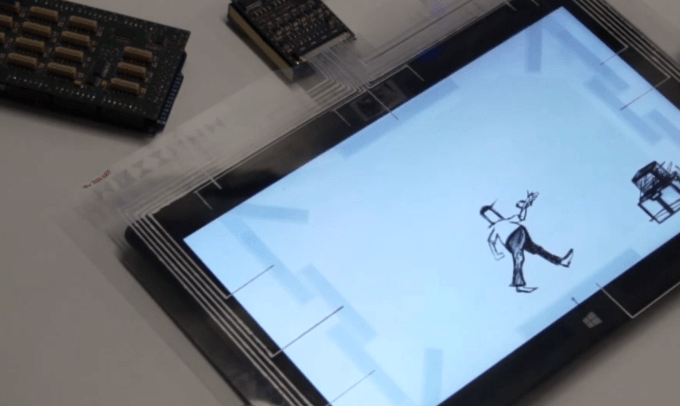 The merry band of scientists over at Microsoft Research — who apparently get paid to have fun and speak with fixed tones over videos — have put together something called FlexSense, a flat piece of bendable material loaded with sensors. You torque it, and it accepts the “deformation” input. That means it can tell how you are bending it and translates that information for… Read More
Microsoft’s FlexSense Project Is A Thin Sensor Layer To Make Your Tablet Awesome
by Alex Wilhelm
The merry band of scientists over at Microsoft Research — who apparently get paid to have fun and speak with fixed tones over videos — have put together something called FlexSense, a flat piece of bendable material loaded with sensors. You torque it, and it accepts the “deformation” input. That means it can tell how you are bending it and translates that information for… Read More
06 Oct 19:00
 In July, eBay announced a partnership with noted auction house Sotheby’s to help bring its inventory of art, antiques and collectibles online via a new live auction format with real-time bidding. At the time, eBay said Sotheby’s was the “anchor tenant” to trial this new format on eBay.com. Today, the company is expanding on these earlier efforts with a number of… Read More
eBay To Host Live Art Auctions On New Site
by Sarah Perez
In July, eBay announced a partnership with noted auction house Sotheby’s to help bring its inventory of art, antiques and collectibles online via a new live auction format with real-time bidding. At the time, eBay said Sotheby’s was the “anchor tenant” to trial this new format on eBay.com. Today, the company is expanding on these earlier efforts with a number of… Read More
06 Oct 15:44

Google's Software Removal Tool Removes Crapware, Resets Your Browser
by Eric Ravenscraft
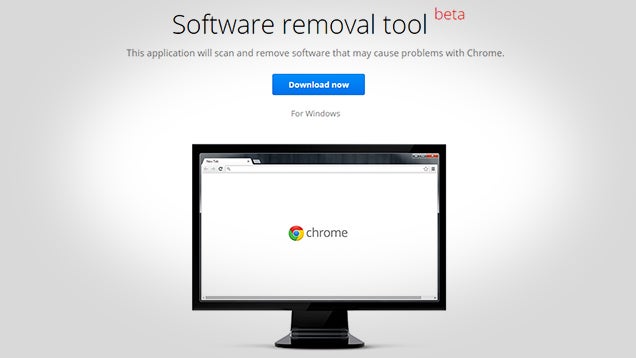
We're no strangers to unwanted toolbars and browser-hijacking malware. Neither is Google. The company has released a tool that helps combat the problem by scanning for bad software and (optionally) resetting your browser if it's misbehaving.
This Software Removal Tool can be thought of as a last resort, nuclear option for fixing Chrome without completely reinstalling Windows. The app runs in two phases. The first scans your computer for any toolbars or other junk that may have been installed that can affect Chrome. The second step—which can be canceled—offers to uninstall your extensions, reset your browser settings, and clear various cache and cookies.
In most cases, you probably won't need to use this to fix a simple problem. However, if you frequently find yourself fixing a family member's computer (and they use Chrome), this tool is a handy do-it-all method of clearing out junk and starting fresh. It's no substitute for proper security software, but it can definitely help fix many problems in one fell swoop.
Google Software Removal Tool | Google via Ghacks
06 Oct 14:47

Facebook now officially owns WhatsApp
by Ellis Hamburger
Eight months after announcing its intent to acquire messaging giant WhatsApp, the deal has finally gone through. Facebook announced the closing of the deal with the SEC in the United States, and with the European Commission in Europe. Since the deal was announced for $19 billion, its price tag has actually increased to a whopping $21.8 billion. This is in part due to Facebook's rising stock price over the last several months, Recode points out.
Don't expect WhatsApp to abandon its $1 / year business model
As WhatsApp officially joins the Facebook fold, WhatsApp founder Jan Koum has joined Facebook's board. He will also be paid just $1 per year like Facebook CEO Mark Zuckerberg, according to filings, but has been given a very hefty...
06 Oct 13:23

Advertising beacons discovered in hundreds of NYC phone booths
by Russell Brandom
As New York City looks to upgrade its phone booths, the boxes may be getting more technology than many citizens realize. This weekend, a Buzzfeed investigation found approximately 500 advertising beacons in Manhattan phone booths, all installed without a formal approval process or public comment period. The beacons are already common in malls and stadiums, but it's rare to see them on public streets, and even stranger to see them taking over a spot previously reserved for public landlines.
05 Oct 08:20
 This is how social graph politics works. Building community on a new social app is tough because you need your users to be able connect with their friends. Some apps cross-reference your phone’s contacts, but others piggyback on APIs of top social networks like Facebook, Twitter, and Instagram so you can find your friends based on who you know on those services. But if a big dog thinks… Read More
Instagram Cuts Off Kevin Rose’s Photo App Tiiny From Its Social Graph
by Josh Constine
This is how social graph politics works. Building community on a new social app is tough because you need your users to be able connect with their friends. Some apps cross-reference your phone’s contacts, but others piggyback on APIs of top social networks like Facebook, Twitter, and Instagram so you can find your friends based on who you know on those services. But if a big dog thinks… Read More
04 Oct 18:24


Best Android apps and games of September
by Simon Sage

Summer is slowly drifting away, but the Google Play Store apps are still coming out with full force. We've got a good mix of new and premium Android games, and a few solid communication apps that launched in the last four weeks for your consideration.
We're always eager to hear what you guys have installed, so be sure to hit up the comments with your favorite new apps. With that, let's dig into our top ten new Android apps that were released in September.
04 Oct 17:00

Top 10 Ways to Banish Bad Smells from Your Home and Your Body
by Melanie Pinola

Pet odors, stinky shoes, mildew-y wet laundry, and your everyday household odors: A spray of Fabreeze might not be enough to conquer them. Here's how to get your home and yourself smelling fresher.
10. Neutralize Pet Odors with Vinegar or Tea Leaves

Magical substance vinegar works great for deodorizing rooms and pets (who don't don deodorizers). The vinegar neutralizes both new and old pet odors if you spray them on carpets.
If the awful smells are coming from the cat litter (which is supposed to help reduce odor!), you might want to mix some dried tea leaves into the litter box.
9. Deodorize Just About Anything with Cat Litter

On the other hand, if the smell is outside of a litter box, kitty litter could do wonders: in stinky shoes, in the fridge, at the bottom of trashcans and diaper pails. The cat litter soaks up odors—even musty ones from clothes pulled out of storage—but you'll have to change it weekly or at least before it gets damp.
8. Store Newspaper in Plastic Containers to Keep Them Odor Free
Plastic containers absorb the smells of whatever you've stored in them, sometimes even long after washing the containers. Crumple up some newspaper pages and store them in the containers and you've got an odor-free container for your next use.
7. Remove Odors from Trash Cans and Fridges with Newspapers
Yup, newspapers again. Crumpled up newspaper can take the place of baking soda for deodorizing just about any container in your home—trashcans, shoes, and fridges could be considered containers of sorts.
6. Make Your Closet Smell Fresher with Chalk

Hang some chalk in your closet and the chalk will absorb moisture, which could cause your clothes to stink. That's probably enough said.
5. Get the Smoke Smell Out of Clothes and Other Items with Dryer Sheets
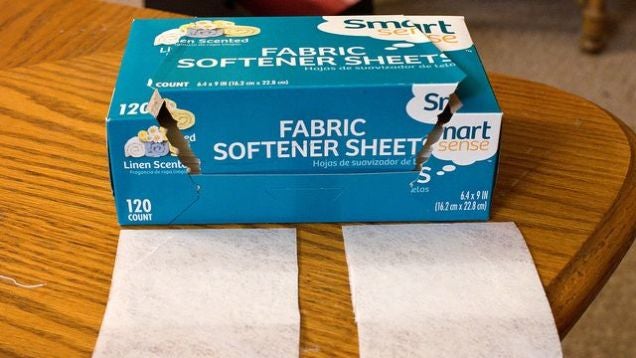
Dryer sheets to the rescue. If there are a few things you own with some lingering smoke odor on them, try putting then in Ziploc bags with a dryer sheet or two. For furniture and other smoke-tainted items, we've got other suggestions.
4. Get Rid of Garlic or Onion Smell on Your Hands by Rubbing Stainless Steel
So maybe you don't have any of the odor issues above. Chances are, though, if you cook you'll get some stinky garlic or onion smell on your hands. The quick solution: rub your hands with something that's stainless steel—a spoon or even the edge of your sink—under cold water. Goodby lingering cooking smell.
3. Neutralize Body Odor with Baking Soda
Baking soda neutralizes the PH of your sweat, decreasing the odor-causing bacteria in your armpits and feet. In other words, it's a natural deodorant.
2. Learn How to Defeat Bad Breath Once and For All

Don't be embarrassed, halitosis affects many of us. But there's lots you can do about it, from seeing if you have bad breath to fixing it with good-breath-friendly foods like cinnamon and good hygiene.
1. When in Doubt, Try Vinegar, Baking Soda, Newspapers, or Dryer Sheets
So many of the odor-busting tips we've featured over the years involve the same ingredients: vinegar, baking soda, newspapers, and dryer sheets. So you should probably have these items on hand to conquer most odor problems, inexpensively and naturally. (Vinegar removes mildew smells from towels and wet laundry, as well as many lingering food smells.) Unlike air fresheners, they don't mask smells, but rather work to absorb moisture and neutralize the causes of these odors so both you and your home can smell fresh.
Photos by Kaz, HomeSpot HQ, trendttsd.
04 Oct 10:23

Microsoft earned $1 billion from Samsung Android patent licensing last year
by Tom Warren
Microsoft has a vast number of Android patent licensing agreements with device makers worldwide, but a Samsung court case has put a figure on exactly how much money the software giant makes from Android. Samsung paid Microsoft $1 billion in patent-licensing royalties last year, a huge sum that has the pair locked in a legal battle over contracts. Samsung originally signed two contracts — a cross-licensing agreement and a business collaboration agreement — with Microsoft in 2011, ahead of its impressive dominance of Android shipments, but late last year Samsung decided it was tired of paying on time, or paying interest when a late payment was finally made.
03 Oct 17:24

Marriott to pay $600,000 settlement for jamming Wi-Fi hotspots
by Jacob Kastrenakes
Marriott will pay $600,000 to settle a Federal Communications Commission investigation into an incident in one of its hotels where employees were jamming Wi-Fi hotspots, ostensibly so that the hotel could charge customers to use the its own networks. The issue occurred at Marriott's Gaylord Opryland Hotel & Convention Center in Nashville, Tennessee, where the commission discovered, after receiving a complaint, that at least some number of Marriott employees were using a jammer to block internet access in conference rooms, which would be in violation of the Communications Act. At the same time, that Marriott was selling internet services at the rate of $250 to $1,000 per access point.
"It is unacceptable for any hotel to intentionally...
03 Oct 17:24


New Moto X, Moto Maker now available in the UK
by Joseph Keller

The 2014 Moto X is now available in the United Kingdom, along with the Moto Maker customization site, a first for the UK. The phone is available directly from Motorola with 16GB of storage for £419.99, or 32GB for £459.99. A carrier SIM card must be purchased separately.
03 Oct 17:22
Tangled Fox cub rescued, massaged
by Rob Beschizza
"I'm quite surprised how cute he is". [via Arbroath.]

03 Oct 15:16


A Collection of Stunning Photos of Birds
by Darlene Hildebrandt
Birds are a tricky subject to photograph. They move to fast and erratically, getting sharp images of them in flight is a challenge. But the large birds so majestic looking, and the tiny ones so delicate even shots of them in a flock or sitting still can be great.
So let’s have a look at some photographers that are doing it right, and some stunning photos of birds in this week’s image collection.
The Birds


 by Alexander Lazarov on 500px


Okay so that ended up being a lot of photos. I like birds, what can I say?!
The post A Collection of Stunning Photos of Birds by Darlene Hildebrandt appeared first on Digital Photography School.
tomshi likes this
03 Oct 14:06


Tesco launches the Hudl 2, boasting improved specs and parental controls for £129
by Rich Edmonds

Tesco has launched the second generation of its Hudl tablet. The UK retailer has even put plans for a branded smartphone on hold just so everything can be focused on getting Hudl 2 out the doors and into the hands of consumers. The company has kept most of what made the Hudl unique, but has made some notable improvements.
03 Oct 13:59
Lawyer representing victims of nude photo leak compares Google to NFL
by Matthew Williams
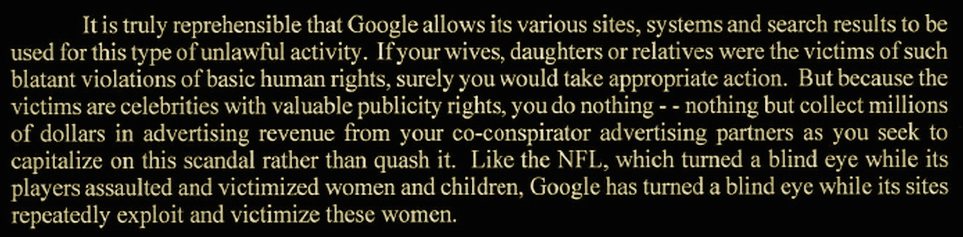
An attorney representing several of the celebrities whose nude pictures were circulated online is threatening to sue Google for allegedly not doing enough to prevent the photos from spreading online.
03 Oct 13:51

USB has a huge security problem that could take years to fix
by Russell Brandom
In July, researchers Karsten Nohl and Jakob Lell announced that they'd found a critical security flaw they called BadUSB, allowing attackers to smuggle malware on the devices effectively undetected. Even worse, there didn't seem to be a clear fix for the attack. Anyone who plugged in a USB stick was opening themselves up to the attack, and because the bad code was residing in USB firmware, it was hard to protect against it without completely redesigning the system. The only good news was that Nohl and Lell didn't publish the code, so the industry had some time to prepare for a world without USB.
03 Oct 13:50
 This just coming in: the EU has approved Facebook’s $19 billion acquisition of WhatsApp — deciding that the two are “not close competitors”. WhatsApp today has 600 million users, while Facebook has 1.3 billion, with 300 million using its Facebook Messenger product. This marks closure for the last big regulatory hurdle that the social network needed to pass before… Read More
EU OKs Facebook’s $19B WhatsApp Acquisition, Clearing The Last Antitrust Hurdle
by Ingrid Lunden
This just coming in: the EU has approved Facebook’s $19 billion acquisition of WhatsApp — deciding that the two are “not close competitors”. WhatsApp today has 600 million users, while Facebook has 1.3 billion, with 300 million using its Facebook Messenger product. This marks closure for the last big regulatory hurdle that the social network needed to pass before… Read More
02 Oct 20:29


O2 Now Officially Selling The Moto 360 In The UK, Ships Next Day
by Bertel King, Jr.
 There's this company over in the UK that's ready to sell Moto 360s to people on that side of the pond. O2 is its name. Anyone who heads over to the carrier's website will now see the smartwatch for sale at £199.99. It seems to only be available in black.

People who hit that buy now button should be rewarded with a product that ships on the next day. This comes after the device was previously available on the site only as a pre-order.
O2 Now Officially Selling The Moto 360 In The UK, Ships Next Day was written by the awesome team at Android Police.
02 Oct 20:29


Best Android puzzle games without in-app purchases
by Simon Sage

Really dig on puzzle games for Android, but hate being nagged to buy hints and power-ups to take the easy way out? We're showing off ten of our top Android puzzle games with no in-app purchases whatsoever. You'll find a nice range of starkly abstract to friendly and cartoony, physics games and logic games, and just about everything else in between.
Of course, the Google Play Store is full of options. Feel free to drop a comment and let us know your favorite IAP-less Android puzzle games!
02 Oct 20:28


Stream your first movie or TV show from Amazon and get 500 free coins
by Adam Zeis

Amazon's Instant Video for Prime members is already a few weeks old, but if you haven't yet taken the time to stream a movie or TV show, here's some incentive. Amazon is offering up 500 free Amazon coins when you stream your first movie or show from your Android phone. The coins carry a value of $5 in total and will be added to your Amazon Appstore account, where you can then redeem them for apps & games.
02 Oct 17:17

Why the UK middle class should be rioting in the streets
by Cory Doctorow

Alex Proud, a lifestyle columnist for the right-of-centre UK daily The Telegraph, has an incendiary and essential column about the end-game of financialized capitalism, which, having destroyed the lives of working class people, has now set its sights on the middle class, as private equity firms buy up productive businesses, saddle them with debt, cash out huge dividends, and leave the businesses to collapse.
Read the rest
02 Oct 17:14

Nobody wants to host the 2022 Olympics
by Cory Doctorow

The only bids remaining are Almaty, Kazakhstan and Beijing (which has no mountains) -- all the other states that had bid have pulled out following devastating popular opposition (the remaining cities are in countries where the public doesn't get a vote).
Read the rest
02 Oct 15:41
A new look for Google Play Newsstand
by Unknown
It’s been a little less than a year since we launched Google Play Newsstand, our news reading experience for Android and iOS devices, and we’ve already been serving billions of headlines to you every month. Today we’re updating the Play Newsstand app for Android devices with a new look and a fresh reading experience for magazines.

Play Newsstand brings together all of your favorite news sources in one reading experience, including everything from online newspapers, websites, blogs and your favorite print magazines. Today’s redesign brings a new magazine reading experience on your phone. In the past, print magazines have been hard to read on a small screen, zooming in and out to skim an article. But now you’ll see a list of articles from the magazine that you can toggle through and easily read with big images right on your phone.
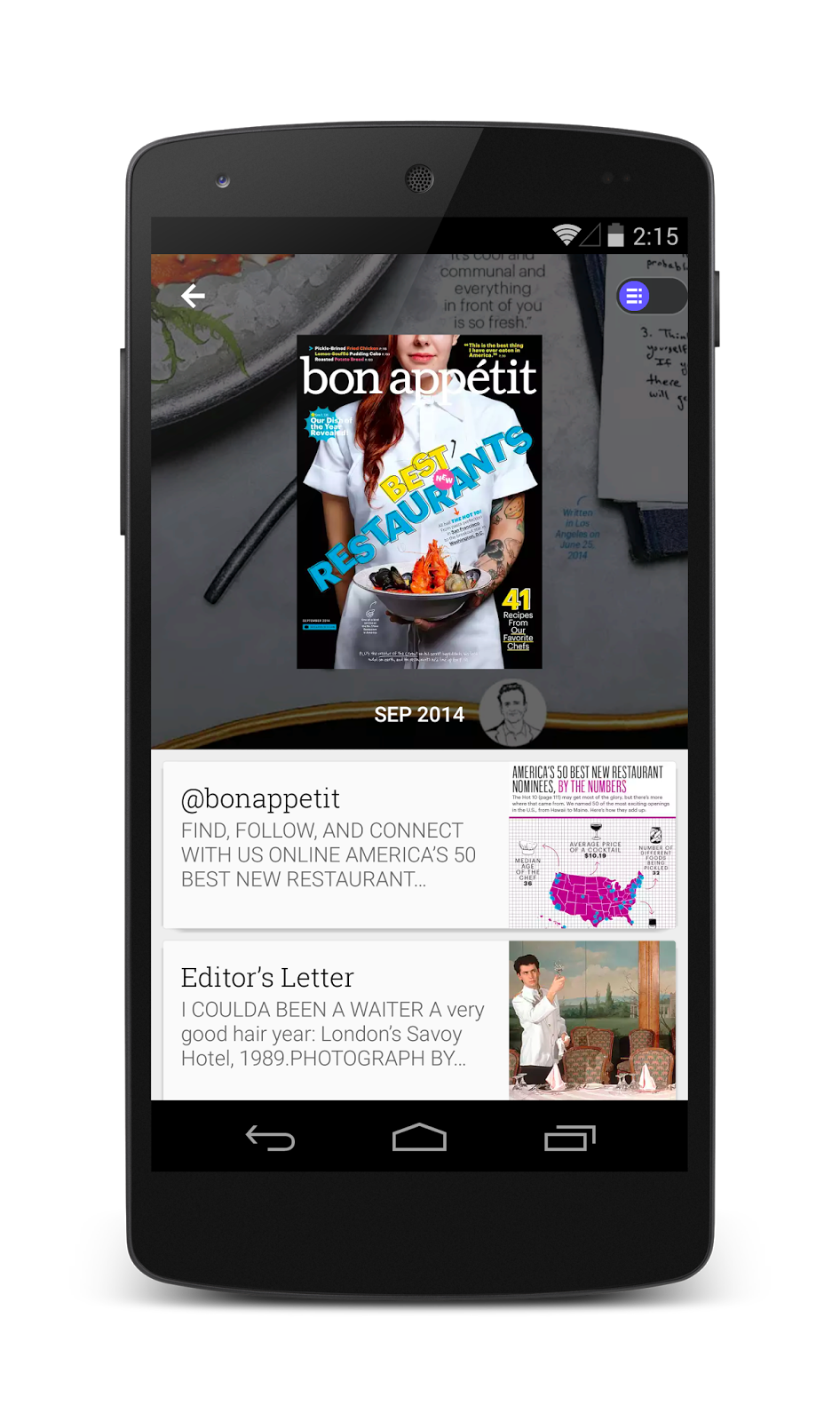
The new Play Newsstand app for Android pulls from Google’s material design with bigger images, more contextual headers and smoother transitions. You can swipe left and right between topics, and swipe up and down to dive more deeply into a particular topic. Play Newsstand puts the news you care about front and center with big images that jump off the screen.
We’ve also added deeper topic cards in the Explore section so you can start subscribing to topics you are passionate about - whether that be the Vegan or Paleo Diet, Game of Thrones, or Star Wars. Topics deliver a personalized and up to date reading experience on your passions and interests. And our new Android app is faster than ever.
With more than 2,000 free and paid, full length publications, you’re sure to find something to read in Play Newsstand. The new Android app is available in more than 40 countries and will rollout to all users over the next week, or you can download the app on Google Play today. Happy reading!
Posted by Mussie Shore, group product manager for Google Play Newsstand
Play Newsstand brings together all of your favorite news sources in one reading experience, including everything from online newspapers, websites, blogs and your favorite print magazines. Today’s redesign brings a new magazine reading experience on your phone. In the past, print magazines have been hard to read on a small screen, zooming in and out to skim an article. But now you’ll see a list of articles from the magazine that you can toggle through and easily read with big images right on your phone.
The new Play Newsstand app for Android pulls from Google’s material design with bigger images, more contextual headers and smoother transitions. You can swipe left and right between topics, and swipe up and down to dive more deeply into a particular topic. Play Newsstand puts the news you care about front and center with big images that jump off the screen.
We’ve also added deeper topic cards in the Explore section so you can start subscribing to topics you are passionate about - whether that be the Vegan or Paleo Diet, Game of Thrones, or Star Wars. Topics deliver a personalized and up to date reading experience on your passions and interests. And our new Android app is faster than ever.
With more than 2,000 free and paid, full length publications, you’re sure to find something to read in Play Newsstand. The new Android app is available in more than 40 countries and will rollout to all users over the next week, or you can download the app on Google Play today. Happy reading!
Posted by Mussie Shore, group product manager for Google Play Newsstand
02 Oct 15:41
How to fix a slow Android phone
by Jerry Hildenbrand
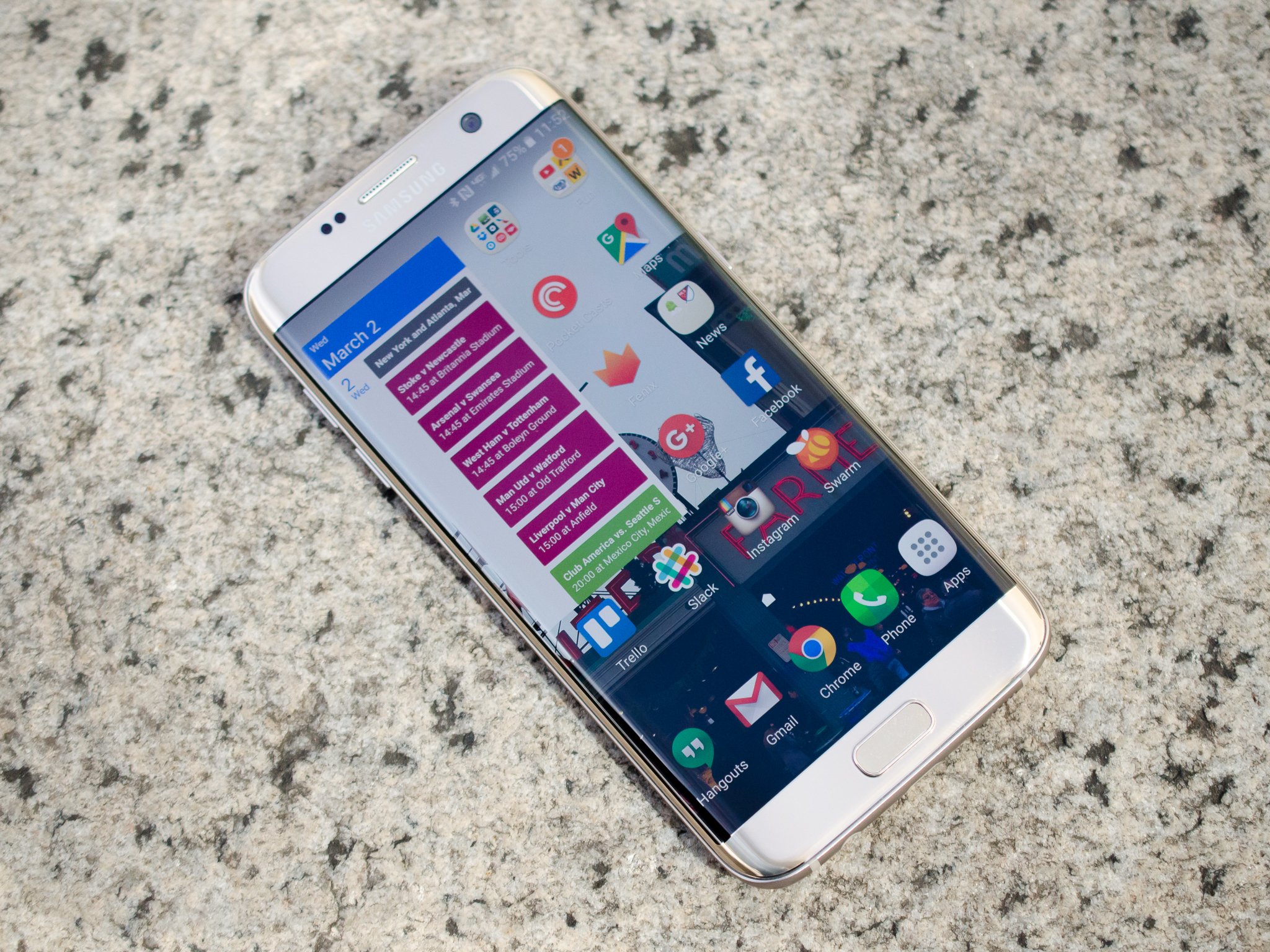
Make your Android fast again — it is possible
Updated May 4, 2017 to make sure these tricks work with the latest and greatest Androids!
We've all been there. You have a fancy, new, highly complex Android device that can do everything from checking your email to surfing the web to controlling your microwave so your popcorn doesn't burn. It's shiny and screaming fast while doing all the things we wanted it to do. Everything is roses all around.
Fast forward a year down the road, and besides the shiny wearing off, things aren't as zippy as they used to be. Apps take longer to open and run. Transitions between screens take longer to redraw than we would like. The speed demon that your device once was is starting to get a little frustrating to use. Your Android is slow.
Don't fret. This happens to every computer, even the Android one you carry in your pocket. The good news is that there are a few things you can do to alleviate your pain and get back to Speed Racer mode again. None are difficult, and we're going to take a look at the five best things you can do to "fix" a slow Android.
Delete all those apps you're not using

You know the ones I mean. We all download apps on a whim, try them a time or two, then forget they are even there. They sit in the app drawer, counting their days and plotting ways to make your phone slow by using resources like CPU cycles for background services, taking up memory blocks and fragmenting your storage, and generally cluttering the place up. It's not you, dog whistle simulator app, it's us. Things just aren't going to work and we have to say goodbye. We're still the best of friends, right?
To delete any app you've downloaded, you can head into the device settings to find the App "manager." The people who made your phone might have buried it inside another section (hello there, Samsung!) but poke around or ask somebody and you'll find it.
Once open, you'll see lists of apps that are installed on your phone with various sorting options. When you find an app that needs to go away, tap the list entry to open the application's info screen. At the top you'll see a button to Uninstall it. Tap. Boom. Bam. Goodbye unwanted application.
Be vicious here. You can always download an app again if you decide you needed it after all — and that includes apps you paid for — but getting rid of the stragglers and hanger-on apps can make a big difference in how your phone runs the apps you do want.
Clean up that device storage space

After some time, you'll find a literal crap-ton of "junk" in your storage. Remember all those times you said, "Wait, let me take another one" while you had the camera open? All those pictures you didn't want are still there. So are the screenshots you took to share then promptly forgot all about them. Add in the Downloads folder and you just might have one hell of a mess. I know I do.
This is also an easy fix. To delete the pictures you no longer need, simply open the gallery app and choose the ones that need to go, and delete them. The same goes for videos. And doing it this way, through the gallery, means you have to see each picture or video before you delete them to be sure you really want to delete them.
Next, open the Downloads folder from your app drawer. There's a good chance you'll find it's filled with images, zip files, sound clips and any number of files that you no longer need. If you don't need them, there's no reason they should be taking up storage space, right? Zap them to oblivion. Again, doing it this way makes sure you look at files before you delete them.
Finally, open the storage page in the settings and move down the list until you see an entry for "Misc." or Other. Tap it, and you'll see a list of miscellaneous files that applications have created on your device storage. If you see something you know you no longer need, you can delete it here. If you don't know what a file is for, don't delete it.
If you root and ROM, be sure to look at your backup files and toss any that you no longer need. Those suckers can be HUGE.
Clear your cached data

Cached data is generally a good thing and unless you think you have an issue it's best to just leave it alone. Intelligently keeping some things in a local storage, like the post thumbnails for the Android Central app, means you don't have to download or generate them each and every time you open the app itself. And a well-written app knows when to clear its cache and start it all over again. But like all good things, there are drawbacks.
Apps you rarely use will have cached data that not only takes up space, but is always out of date and will need flushed and rebuilt anyway. Sometimes, cached data can be buggy and cause apps to misbehave — especially when it's woefully out of date. You can clear the cache for an individual app in the Application's info page (see section one about deleting apps above), but if we want to freshen things up so that our Android runs faster we want to wipe the cache all at once.
That's also easy!
Open the settings on your Android, and go into the device storage page. Scroll down the list until you see the Cached data entry, and tap on it. You'll see a pop-up telling you that you're able to clear out all cached data. Say yes with no fear — there's nothing here that an app needs, and anything important will be re-cached the next time you open the app.
Look at your SD card
Not all Androids have one, but if you do, a messy slow SD card can really make your Android chug. We can fix that to some extent. What we want to do is backup the card, format it so that it's clean and ready, then put our files back into place. The easy way to do this is with a computer.
Warning — you can lose game progress, app data, coins you paid real money for in Tiny Tower and other things you may not want to lose by doing this. If your favorite application doesn't use Google Cloud save, think about this before you do any tapping clicking or popping.

Power down your Android, then take the SD card out of the device. Place it in an adapter so that it can go into either an SD card slot on your computer or into a free USB port on the computer, and insert it in the appropriate hole. Your computer will take a second then mount it so that you can see all the file on the card itself.
Next, make a folder on your computer desktop to put all the files in. Name it something you'll remember, like sd-card-backup or the like. Using the file manager on your computer, copy all the files from the SD card and paste them into this new folder you created. Double check that they are all there. Then triple check that they are all there. Once you know all the files were copied, unmount the SD card from your computer and pop it back into your phone.
Fire up your phone, the dive into the storage section of the settings again. This time, we're going to format the SD card. This wipes all data off the SD card. Make sure you have everything backed up, or you'll be sorry. Go ahead and format the card, then power the phone off again.
Formatting your SD card will erase everything on it. Back up all your stuff before you click or tap any buttons!
Pop the SD card back into the computer and open the backup folder. Go through and delete anything you know you no longer need, but be sure you don't need it first. I might have three DVD images for Red Hat on the SD card in my phone. Those don't need to be on my phone, so I wouldn't copy them back over to the freshly-formatted card. Err on the side of caution here, and if you don't know what a file or folder is, copy it back over. Once you have everything you want and need copied back to the SD card, place it back in the phone and power it back on.
Once everything is up and running again, go into the app drawer and say "Dammit, Jerry, what happened to my apps!?" Some of your apps were partially installed to the SD card in a secure image when they were installed. Find those apps in Google Play and reinstall them to fix it.
Pro tip: This step is sort of a pain in the butt. It also can make a huge difference, so it could be worth doing. Either way, it's not something you want to do very often, so think about upgrading that SD card when you do it. This is a perfect time to move to something faster and bigger than that Class 4 16GB card you bought when you first got your phone ...
If all else fails, factory reset

Trust me: I hate resetting a device as much as you do. They take hours to set back up, and no matter how careful you were backing things up you always lose something. Not to mention all the game progress you are going to lose. But sometimes, things are so FUBAR that you just have to go here. Especially if you're the type of person who just has to root and mess with things to make them "better."
Factory resetting makes everything go away and returns your phone to the same condition it was in when you first opened the box. Firmware updates will still be in place, but things like your text messages and other data not in the cloud are gone forever. But sometimes, a fresh start is the best way to go.
You'll find a way to reset your phone in the device settings. Look for words like backup and restore or privacy to find the exact entry. Once you find it, tap away and wave goodbye to all those Knights of Pen and Paper levels.
When things boot back up into Android, you'll be nice and fast again, which is good because you'll be spending plenty of time swiping and tapping to set everything back up.
02 Oct 15:39
 Google’s Scott Jenson, an interaction and UX designer who left the company only to return to the Chrome team last November, has revealed a project underway at the company called The Physical Web to provide “interaction on demand” so that people can walk up and use any smart devices without the need for intervening mobile apps. This would make it possible for users to simply… Read More
Google Reveals ‘The Physical Web,’ A Project To Make Internet Of Things Interaction App-Less
by Darrell Etherington
Google’s Scott Jenson, an interaction and UX designer who left the company only to return to the Chrome team last November, has revealed a project underway at the company called The Physical Web to provide “interaction on demand” so that people can walk up and use any smart devices without the need for intervening mobile apps. This would make it possible for users to simply… Read More
02 Oct 14:01


Instapaper is now available for free, launches new premium subscription
by Rich Edmonds

Instapaper has today announced that the company is changing its subscription model, enabling everyone to download the official app for free. A new premium subscription is now available for $2.99 or $29.99 a year, but for those who are already paying for the service, you'll remain on the old $1 a month plan (as a token of their gratitude). The team states that the new premium model will enable them to add cool new features to the advanced package.
02 Oct 14:00

Have a Plan Before Asking For Help to Get Better Responses
by Eric Ravenscraft

Asking for help isn't always easy, and it can be difficult to convince someone to give you a hand if you don't know what you need them to do. Start by having a plan to make it more likely they're willing to assist.
As personal finance blog Wise Bread explains, having possible solutions makes it easier for someone to agree to help you. They know off the bat what they're going to be helping you with and, if you bring multiple options, they can choose straight away. From their perspective, this is much better than being forced to come up with their own plan on how to fix your problems:
Before you go asking for help, come up with a list of possible solutions to your problem. Even if they're a bit far fetched, having something to offer is many times better than having nothing. If you're very uncomfortable asking for help, or it feels threatening, you can even pose your question as "Which of these options seems best to you?" This allows your respondent to give an opinion or offer a solution of their own.
Even if you don't know how to fix a problem, offering some kind of solution—even one that won't work—shows that you've thought about it. For the person you're seeking assistance from, knowing you've given it some thought is more preferable to the alternative.
The 7 Best and Worst Ways to Ask for Help | Wise Bread
Photo by Keith Tyler.
02 Oct 12:59
 Twitter is today putting in place the latest piece of its global “social TV” strategy, which involves measuring how its users share and discuss TV programs and related content on Twitter’s network. Twitter is turning on TV ratings in the UK, in partnership with WPP subsidiary Kantar Media. The service — which includes a variety of metrics, the creation of a… Read More
Twitter UK TV Ratings Go Live This Month, The First Of 6 New Markets With Kantar
by Ingrid Lunden
Twitter is today putting in place the latest piece of its global “social TV” strategy, which involves measuring how its users share and discuss TV programs and related content on Twitter’s network. Twitter is turning on TV ratings in the UK, in partnership with WPP subsidiary Kantar Media. The service — which includes a variety of metrics, the creation of a… Read More
01 Oct 22:59

Enchant Your Desktop with These Starry Night Wallpapers
by Melanie Pinola

There's something invigorating and deeply moving about a clear night sky when you can see the stars and moon. No wonder starry nights make for such great photography subjects...and, thus, desktop wallpapers. Here's a selection for you to download.
Remember, we're now requesting your participation in the Wallpaper Wednesday series! You'll find a selection here, but post your favorites for this week's topic in the discussions below. Stick to our format as best you can, including a title, the image, resolution, and a link. Happy wallpapering!
Starry Night by Van Gogh

Download this wallpaper (1920 x 1200) | The Paper Wall
Stars Night Galaxy...

Download this wallpaper (1920 x 1080) | HD Wallpaper PC
Starry Night in the Forest

Download this wallpaper (2560 x 1600) | HDW
Star Walkers

Download this wallpaper (3008 x 2000) | Paul Kline (Flickr)
Milky Way and Mountains

Download this wallpaper (2560 x 1600) | Wallpapers Craft
Snow and Stars

Download this wallpaper (1920 x 1080) | The Paper Wall
City and Starlight

Download this wallpaper (1920 x 1080) | The Paper Wall
Star Timelapse

Download this wallpaper (1920 x 1200) | The Paper Wall
Title photo via The Paper Wall.