Shared posts

10 Oct 13:30

Jony Ive: companies that copy Apple's style are stealing

by Casey Newton

When Jony Ive sees designs from other companies that closely mimic Apple's, he isn't flattered. Apple's head of design told the audience at the Vanity Fair New Establishment Summit today that copying makes him angry. In response to a question about Xiaomi's highly Apple-like designs, Ive said his feelings were "a bit harsh." "I don't see it as flattery," he says, noting that he was speaking about the issue generally and not about Xiaomi specifically. "I actually see it as theft." Xiaomi, for its part, has denied being an Apple copycat. But the perception has stuck.

Continue reading…

10 Oct 13:13

Passengers ebola joke triggers hazmat panic

by Matthew Williams

When a dark-skinned man sneezed on a plane then joked about having ebola, the flight crew took no chances and called a team in hazardous material suits to escort him off the plane.

The passenger had never been in Africa. He did not have Ebola.

09 Oct 20:43

The Best Weather App for Android

by Whitson Gordon

The Best Weather App for Android

Android has what seems like a billion different weather apps available, but when it comes to getting the essential in an easy-to-read fashion, we prefer 1Weather.

1Weather

Platform: Android
Price: Free, $1.99 Pro
Download Page

Features

  • Current weather conditions, hourly, and detailed 10-day forecast
  • Real-time severe weather alerts
  • Optional persistent notification in the menu bar with current conditions
  • Animated radar and satellite with multiple layers
  • Tons of themes and customization options
  • No ads (Pro version only)

Where It Excels

1Weather crams just about all the weather info you could need in a simple-to-read interface, without feeling overly cluttered or confusing. Swipe to the right to visit different sections, like a forecast, graph view, radar, and more—each with their own separate tabs that customize the view (such as hour-by-hour or 10-day forecasts). It also comes with multiple themes, so you can tweak its looks to your heart's desire.

Where It Falls Short

While 1Weather's design is better than most weather apps—which often feel very cluttered—I do feel like its design could still be better. Yahoo Weather, for example, puts everything in one, simple, vertically-scrolling view, which is nicer than switching between tons of different tabs. Similarly. Apple's default weather app on the iPhone lets you expand certain portions of the interface for more info instead of putting everything in front of you. Little touches like this can make a big difference in usability. Still, 1Weather bests most of its competition.

The Competition

Yahoo Weather is my personal favorite of the bunch, and it solves most of my design issues with 1Weather. Everything you need is on one screen, with smaller (but still readable text), so as you scroll, you see the panels you want in descending order of common need (though you can rearrange them). It fits in all the important stuff without wasting space. Yahoo Weather's downfall, unfortunately, is its radar map, which does not move—a functionality quirk that keeps it from being our top pick.

Weatherbug has improved a lot since it was our top pick, but it just hasn't surpassed the more well-designed apps out there. Weatherbug suffers from an overload of clutter, making it hard to read at a glance like 1Weather. However, it probably offers more weather information than any of the others on the list—so if that's what you want, Weatherbug is for you.

The Weather Channel aims to mimic the great design Yahoo Weather pioneered, and it does an *okay* job. Its biggest annoyance, however, is the unnecessary stuff in between the useful tiles—gigantic ads, news and video from The Weather Channel, and something called "Social Weather," which I can't imagine I'd ever want. And, you can't move those tiles around, so I see little reason to use this over any of the others. AccuWeather has a similar problem, giving precedence to graphs and gimmicks that get in the way of the actual info you want.

If you want a different paradigm altogether, there are a few other cool apps out there too, like Nice Weather with its flat, minimalist look, or Eye in Sky Weather, which is about as simple to read as they come (but doesn't give you much beyond the basic temperatures and forecasts). If you want something truly simple, though, one of them will probably make you happy.

These are far from the only apps in the Play Store, but they're the most popular and the best we looked at. If you have a different favorite of your own, be sure to mention it in the discussions below.


Lifehacker's App Directory is a new and growing directory of recommendations for the best applications and tools in a number of given categories.

09 Oct 15:42

Droid Protector Locks Apps, Hides Photos All in One App

by Eric Ravenscraft

Android: We've seen apps that lock other apps with passwords and ones that hide sensitive photos. Droid Protector does both, in a nice-looking package.

Droid Protector allows you to set per-app restrictions to keep nosy people out. You can also enable a fake "crash" dialog for a specific app if someone tries to access it without authorization. This app will also allow you to hide certain photographs or videos from prying eyes, which is a particularly handy feature that complements the other features so well, you'd wonder why other apps don't already do both.

Droid Protector | Google Play Store via Guiding Tech

09 Oct 14:13

HTC RE camera heading to EE in November for £169.99

by Harish Jonnalagadda

Three UK announced yesterday that it will be stocking HTC's RE camera, and now EE has also mentioned that it will be carrying the connected camera starting early November for £169.99 ($275).


09 Oct 14:12

Zynga reboots Words With Friends for Android with more features

by John Callaham

Zynga is rebooting one of its most well known and popular games, Words With Friends, with an update for Android that not only adds some new features but also changes the name of the game slightly to New Words With Friends.


09 Oct 00:34

Hands-on with the HTC RE camera

by Phil Nickinson

This grippy little guy is fun to use, but the $199 price may have many thinking twice

The idea behind a handheld, standalone camera isn't exactly new. I can remember sporting a Flip camera back in the day, a (relatively) affordable, easy-to-use digital video camera. It was quickly killed off as smartphone cameras took over.

And the idea of the auxiliary camera, tied to a smartphone, has been done before. Sony rolled out its quite-good QX line in Berlin in 2013. And while they weren't cheap definitely had a bit of a Borg feeling to them, they never really took off. (Kodak has its own clone as well.)

And today we have the new RE camera from HTC — a small, sleek, nicely designed handheld camera (yes, it looks a lot like a tiny periscope, or perhaps an upside-down asthma inhaler — that works on its own, or connects to an Android or iOS device. It's $199 retail, and will be available in the U.S. in the coming weeks, with other markets to follow.

We've spent a little time with the RE camera this week in New York City. Don't look for the future of HTC to be found in this singular product. But it is a fun little accessory.

Let's take a closer look. Here's our hands-on with the HTC RE camera.


09 Oct 00:34

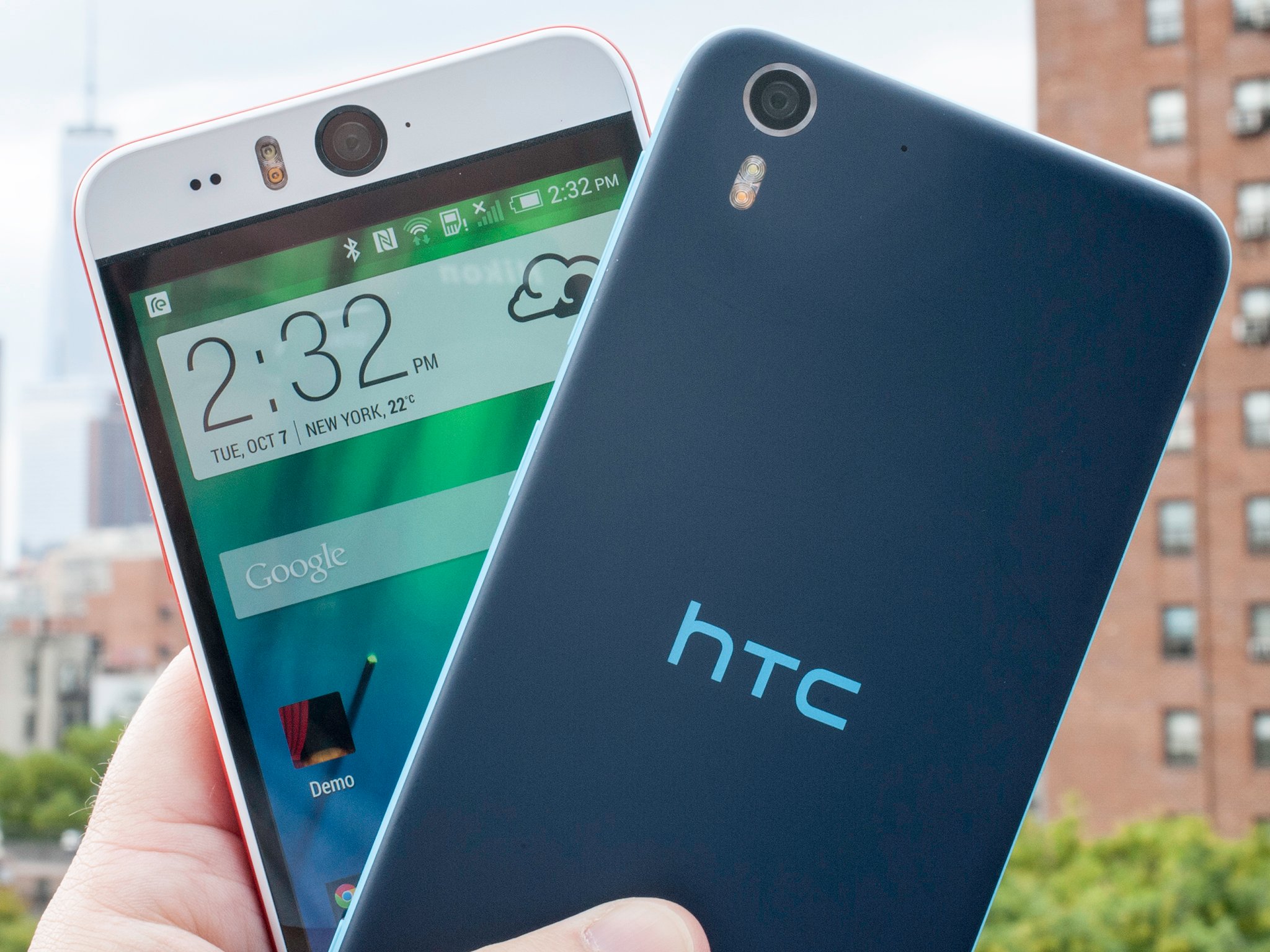
Hands-on with the HTC Desire Eye

by Phil Nickinson

It's not exactly a cyclops, but this phone's 13-megapixel front-facing camera aims to see all

HTC's not been shy about trying things when it comes to mobile imagery. We've spent the last couple years in the world of the UltraPixel. But we're starting to see a bit of a shift back to more traditional sensors. That continues today with the new HTC Desire Eye. As the name implies — and any picture of the phone makes perfectly obvious — this cyclops is all about the selfie.

But beyond that front-facing 13-megapixel camera, the phone lends itself to a bit of a taxonomy conundrum. Typically the Desire line has been a bit below the One line. But on paper, the Desire Eye (like the One E8 before it) isn't far off from the HTC One M8 — it's the design that really diverges.

So there's a lot to talk about here. Let's take a dive into our hands-on with the HTC Desire Eye.


08 Oct 19:15

The best news apps for Android

by Ara Wagoner

All the news that's fit to render

News in the digital age has gotten faster, so it's no surprise that more and more users are getting their news on their phones rather than on their TVs. And while news aggregators like Press and Newsstand have their place, today we're going to look at getting our news straight from the source. These are the best apps from professional news organizations, at least from the humble opinions of the Android Central staff.


08 Oct 17:00

Snowball Debuts A Unified Inbox For All Your Messaging Apps

by Sarah Perez
snowball-screen A new mobile application called Snowball, launching today, is going to give iPhone users Android envy. The app serves as a universal inbox for your many mobile messaging clients, including Facebook Messenger, WhatsApp, SMS, Snapchat, Google Hangouts and more, and appears right on your Android homescreen in a format that resembles the small, circular “Chat Heads” icons introduced… Read More
08 Oct 15:12

EE announces new set-top box for the connected home, streams content to mobile devices

by Rich Edmonds

UK mobile operator EE today announced EE TV, a new set-top box that will connect consumers to over 70 Freeview channels, catch-up and on-demand services, as well as sporting DVR functionality. The 1TB box is a new path for EE to offer a more complete package for families in the UK, and to attract more consumers to the company's broadband packages..


08 Oct 15:12

Google Glass Basecamp opens in London to help you try and buy

by Rich Edmonds

If you fancy trying out Google Glass before making a purchase, it's now possible if you reside in the UK. Google has opened up a Basecamp based in London where you can schedule an appointment to purchase Glass and available accessories.


08 Oct 15:11

Microsoft launches XIM for Android as a new way to share photos

by Sam Sabri

Microsoft has just announced Xim, a new app that will be available today for Windows Phone, Android and iOS. Xim allows you to share photos easily with a group of friends nearby. You can then all view and browse the same photo content at the same time. With Xim you share your photos, not your phone.


08 Oct 15:07

Offtime Blocks Phone Distractions, Allows VIPs Through for Emergencies

by Mihir Patkar

Android: Offtime cuts out phone distractions by switching off apps, calls and texts, only allowing people and apps you choose. It also tracks your usage and lets you auto-schedule focussed time based on your calendar.

Set up a profile, choose which people and apps you want to allow when you are running Offtime, and finally set the amount of time you want to focus. In any profile, tap the Settings cog wheels icon in the corner to choose your auto-reply SMS message, how calls are handled (including soft-blocking, which lets a repeat call through), ringtones, notifications, and the ability to schedule your profile via your calendar. If you've noted a task, at its start time, Offtime will kick into action.

Once you start Offtime, it's up to you how strict you want to be. By default, you can manually stop it with a long press, but you also have the option to set Offtime in a way where it can't be stopped manually.

Offtime also tracks which apps you are using, who you are interacting with, and other phone data to present graphical statistics about how you use your phone. This could help you figure out where you are losing time in a day.

If Offtime isn't for you, you can check out a few other apps that offer such focus-boosting features like Sanity to block incoming calls and texts.

Offtime (Free) | Google Play Store via TechCrunch

08 Oct 15:04

You Can Ask Google Now to Show You Upcoming Bills

by Whitson Gordon

You Can Ask Google Now to Show You Upcoming Bills

Google recently added a new feature to Google Now in which it will remind you to pay upcoming bills. Now, Google Now also lets you ask what's coming up—just invoke Google Now and say "Show me my bills" or "my bills due this week."

It's a small update to a feature that rolled out earlier this year, but it's certainly a nice addition! See more about the original feature below. [via PC World]

08 Oct 15:03

Search Individual Sites on Google by Searching For Their Name

by Eric Ravenscraft

Search Individual Sites on Google by Searching For Their Name

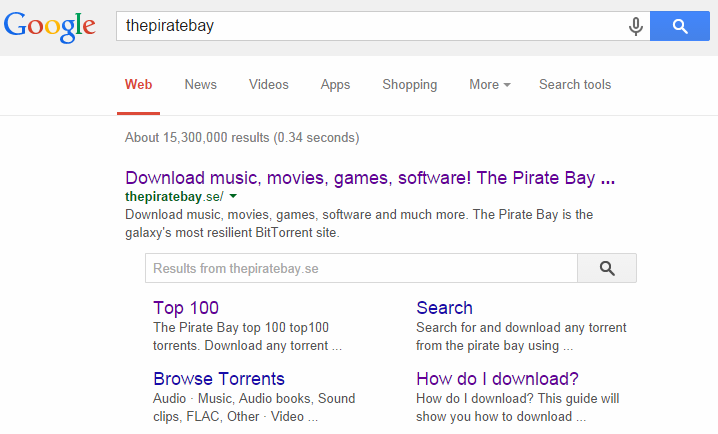
Lifehacker veterans will know the "site:" operator you can use to only search Lifehacker within Google. Apparently someone told Google about this trick, so now the company has built it right into search results itself.

If you're tired of typing "site:lifehacker.com" you can create custom search engines in Chrome. However, if you don't search a specific site frequently (or want to teach a less tech-savvy person how to do so), just enter the name of a site in Google. Last month, the company quietly added a search box in the list of results that will perform the "site:" operator itself.

This isn't a revolution in usability, but it does put an incredibly powerful tool a bit closer to your hands. And, perhaps more importantly, closer to the hands of those who may not instinctively use search operators in daily life.

An improved search box within the search results | Google Webmaster Central Blog via Torrent Freak

08 Oct 12:59

Best Password Manager For Android

by Andrew Martonik

Best overall

1Password

See at Google Play

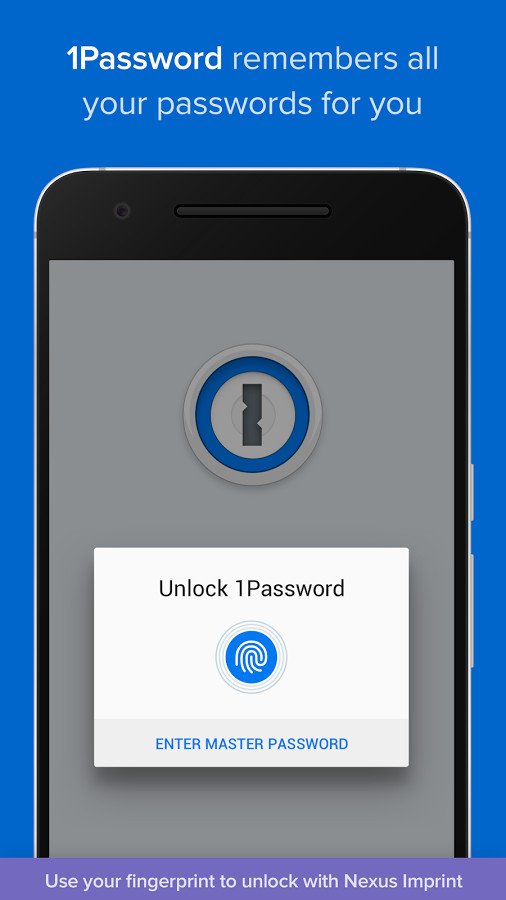
1Password hits all of the features we expect from this sort of app: AES 256-bit encryption, password generation, fingerprint security, storage for all kinds of information and cross-device syncing; all with a well-implemented Android keyboard that lets you quickly paste login and password details from your secure storage.

1Password gets really powerful when you pay to upgrade from the free version. For $2.99 per month (billed annually) 1Password keeps all of your secure information synced across devices and you don't have to configure a thing. You can also upgrade to a Family or Team plan ($4.99 per month, billed annually) to share important information between multiple 1Password users.

Bottom line: 1Password isn't cheap, but it is definitely the easiest to use and most full-featured password manager available.

One more thing: For teams or families that need to simply and securely share passwords, 1Password is definitely the best choice.

Why 1Password is the best

You get everything you need with a single service in 1Password.

1Password has become the gold standard for cross-platform password managers, and that starts for most of us with the Android app. The app is well designed and implements all of the features we want. That means you get easy ways to store logins and passwords, but also other personal information and notes securely. Everything is secured with top-end encryption and synced across all of your devices — phones, tablets, and computers — with no additional setup.

The app offers one-touch fingerprint login for compatible devices, and also offers a keyboard that lets you quickly paste login information right into apps without toggling over to the full 1Password app. It's simple, and it just works the way you expect.

For many, 1Password is the best choice simply because it offers the best multi-user experience available today. For $4.99 per month, everyone in your family can have shared passwords and access to specific information from other family members, which is invaluable for some. 1Password Teams does the same, but for businesses that need to store and share large numbers of passwords.

For just individuals, 1Password is hoping you'll choose its $2.99 personal plan that offers automatic cross-device syncing, web access and of course regular updates. There's still an option to pay upfront for an individual app license for 1Password, but you lose automatic syncing and web support, which are of course two key features of what makes 1Password so great.

With a simple, powerful app and great sharing options between families or large teams, 1Password really does it all — and that's worth the price for many.

Best for less

LastPass

See at Google Play

LastPass offers the same general set of features as 1Password, including secure encrypted storage of your information, fingerprint unlocking, auto-filling of logins for browsers and apps, as well as free cross-device syncing (which used to be a premium feature).

For a subscription of $2 per month you can get a "family sharing" setup with access for five distinct users, extra two-factor authentication options, emergency access and 1GB of encrypted file storage.

Bottom line: For a full-featured password manager at a lower subscription price, LastPass should be considered.

One more thing: Most people will be happy enough with the basic free features of LastPass, but give the Premium subscription a look just in case.

Best for your own cloud

Enpass

See at Google Play

Enpass is a simple app that integrates every password manager feature you could ask for. There's app auto-filling, a built-in browser, fingerprint sensor lock, password generation and the highest level of encryption. And of course apps for all of the big platforms.

The desktop apps are free, but you'll pay $9.99 for the mobile app to unlock all of its features. That's just a one-time purchase, though, because you can store your Enpass data for cross-device syncing on your own cloud service of choice. Data is still encrypted, so you control it, and you also don't have to pay a monthly fee to keep the service going.

Bottom line: Enpass is a great option for those who want to store passwords on their own cloud, without an additional monthly subscription.

One more thing: Enpass actually has a relatively functional free version if you want to cheap out for a bit before paying for the full feature set.

Best for free

Dashlane

See at Google Play

Dashlane offers industry-standard AES-256 bit encryption of your passwords, as well as secure cross-device syncing and on-device password generation. It's also able to store other sensitive non-password data such as IDs, credit card info, addresses, and secure notes.

Dashlane comes with its own browser that will auto-fill all of your accounts and passwords as you visit websites, but you can also elect to use its keyboard to easily insert passwords into other apps as well. The app blocks screenshots and offers several security measures to keep the app safe from unwanted users.

Bottom line: Dashlane is the best choice for someone who wants to use a full-featured password manager on one device for free, but isn't as good as 1Password for the paid version.

One more thing: When you download Dashlane you get 30 days of the premium features for free to give you a taste of everything it has to offer.

Conclusion

For those who want the absolute best password manager for their phone, tablet, and computers, 1Password is the way to go. It has every feature you (and your family or company) want, and you pay a bit extra for that complete package.

Best overall

1Password

See at Google Play

1Password hits all of the features we expect from this sort of app: AES 256-bit encryption, password generation, fingerprint security, storage for all kinds of information and cross-device syncing; all with a well-implemented Android keyboard that lets you quickly paste login and password details from your secure storage.

1Password gets really powerful when you pay to upgrade from the free version. For $2.99 per month (billed annually) 1Password keeps all of your secure information synced across devices and you don't have to configure a thing. You can also upgrade to a Family or Team plan ($4.99 per month, billed annually) to share important information between multiple 1Password users.

Bottom line: 1Password isn't cheap, but it is definitely the easiest to use and most full-featured password manager available.

One more thing: For teams or families that need to simply and securely share passwords, 1Password is definitely the best choice.

Update Septmeber 2017: The list stands unchanged from before, but we've updated small details on pricing and plans.

08 Oct 12:58

You can now preorder feature films on Google Play if you're in the US

by Jerry Hildenbrand

Starting today, those of us in the US can now preorder feature films from Google Play. This will let us reserve certain hit movies before they are released to DVD or digital download. This is all done through Google Play on your computer or Android.


08 Oct 12:55

Google Adds Custom Search Box For The Pirate Bay, and Others

by Ernesto

google-bayThe entertainment industries have gone head to head with Google in recent months, demanding tougher anti-piracy measures from the search engine.

According to the RIAA, MPAA and others, Google is making it too easy for its users to find pirated content. Instead, they would prefer Google to remove sites such as the Pirate Bay from its search results.

Thus far this hasn’t happened and it’s unlikely that the position will change in the near future. The search engine has changed Pirate Bay’s appearance in the search results, however, but not in the direction the copyright holders had hoped for.

A few weeks ago Google announced its new and improved “sitelinks” section. This section appears when searching for keywords related to large sites, including The Pirate Bay, and lists links to popular sections of the site.

In an additional new move, it now shows a prominent search box that people can use to search for content on The Pirate Bay directly from Google.

Google’s Pirate Bay search box
tpbsitelinks

The feature also works with other large search related sites and wasn’t intended for The Pirate Bay specifically. However, considering the entertainment industries’ previous critique this will soon be added to their long list of complaints.

Perhaps even more painful than the search box itself is the fact that the new sitelinks also support AutoComplete. This means that people get pirate-themed search suggestions if they use the box in question.

Simply typing in the letter G shows the following search suggestions, for example.

Pirate autocomplete
tpbsuggest

It’s unclear where these suggested terms are sourced from. They could come from popular searches on Google that relate to The Pirate Bay, or perhaps they are based on Pirate Bay pages that are indexed by the search engine.

It’s worth noting that the “pirate” AutoComplete appears to go against Google’s policy of not showing copyright-infringing suggestions. Regular Google searches don’t suggest “Pirate Bay” when entering “Pirate B” for example.

And things could get even worse in the future.

For now, the custom Pirate Bay search box returns its results within Google. However, if The Pirate Bay decides to implement the right markup it will take users directly to The Pirate Bay, which is likely to escalate the situation further.

The Pirate Bay team is aware of Google’s new feature and is considering adding support for these direct searches. Whether Google will allow that to happen remains to be seen.

Source: TorrentFreak, for the latest info on copyright, file-sharing and anonymous VPN services.

08 Oct 12:54

Full Cast Announced For Dad's Army Remake

Full Cast Announced For Dad's Army Remake

Do tell them their names, Pike

Dad's Army Movie Cast Announced

Don’t panic! Don’t panic!

The full cast for Oliver Parker’s remake of the classic Jimmy Perry-David Croft sitcom, Dad’s Army, has finally been announced, and it reads like a Who’s Who-do-you-think-you-are-kidding-Mr-Hitler of British acting talent. We know that there’ll be scepticism and cynicism in some quarters about this update of a beloved institution, but here at Empire Towers, we’re genuinely enthused and excited by the prospect. And when we tell you the names of the cast involved, belying Captain Mainwaring’s famous order, hopefully you’ll share that excitement.

On board as the fastidious, uptight Captain Mainwaring, leader of the beleaguered Walmington-on-Sea Home Guard, we have Toby Jones, replacing the legendary Arthur Lowe. As his right-hand man, the eternally suave Sgt. Wilson, Bill Nighy steps into John Le Mesurier’s shoes; perfect casting if ever we saw it.

Speaking of perfect casting, The Inbetweeners’ gawky Blake Harrison will take on Private Pike, the gauche newcomer created so memorably by Ian Lavender. Along with Daniel Mays, seemingly spot-on as the sleazy spiv Walker (first played by James Beck), those two represent the young blood in a cast that admirably focuses on elder statesmen.

So we also have Michael Gambon as Godfrey (played by Arnold Ridley in the original show), Bill Paterson giving it his best ‘we’re doomed! We’re doomed!’ as Private Fraser (the spelling seems to have changed for the movie version), while Tom Courtenay will be screaming ‘Don’t panic! Don’t panic!’ as Private Jones, the role originated by the great Clive Dunn.

Bill Nighy as Wilson
Bill Nighy (Wilson)

Toby Jones as Captain Mainwaring
Toby Jones (Captain Mainwaring)

Tom Courtenay as Corporal Jones
Tom Courtenay (Corporal Jones)

Michael Gambon will play Godfrey
Michael Gambon (Godfrey)

Blake Harrison will play Pike
Blake Harrison (Pike)

Danny Mays will play Walker
Danny Mays (Walker)

Bill Paterson will play Fraser
Bill Paterson (Fraser)

The cast is rounded out by the likes of Sarah Lancashire, Alison Steadman and Catherine Zeta-Jones, who will play a journalist sent to Walmington-on-Sea to interview the Home Guard as the Second World War winds down. Her arrival, which stirs the blood of the men, also coincides with news from MI5 that a spy is on the loose. Plot ahoy!

Filming will start this month entirely on location in Yorkshire. It’s going to be mighty interesting watching this one. Will the new cast bring their own tics and quirks to their roles, or will they be indebted to what’s gone before? How will a modern audience react? How will long-serving Dad’s Army fans (some of you have already been dismissing the movie on our Twitter feed) welcome the new version? And, most importantly, will it be as funny as the original?

For Empire’s part, this opens the prospect of further remakes of classic British sitcoms from the 70s and 80s. Perhaps even a shared Croft & Perry-verse, Avengers-style, could launch ‘Allo ‘Allo, It Ain’t Half Hot, Mum, and Hi-De-Hi franchises, building to one single crossover movie, The Age Of Mrs Slocombe’s Pussy.

Thoughts on this? Potential tragedy or potential triumph? Do tell.


07 Oct 20:45

Olloclip for Samsung Galaxy S5

by Richard Devine

Anyone who's previously been familiar with an iPhone will likely know of Olloclip. Producers of arguably the best clip on lenses for the iPhone and more recently, the iPad, Olloclip has now branched out to Android for the first time with lenses for the Samsung Galaxy S5 and Galaxy S4.

It's not hard to understand why they first started with Samsung's two biggest selling Galaxy S phones, the numbers game certainly has to be a factor. We first saw the new lenses at IFA, where they first launched, and we've had a little play around with them to see if they're worth your time.


07 Oct 16:35

Welcome to 'Endgame,' Google's worldwide augmented reality game that begins today

by Nathan Ingraham

At its simplest, Endgame: The Calling is a novel about 12 teenagers scattered around the globe, participating in a high-stakes competition with the threat of the apocalypse and near-certain death looming. But the Endgame universe sprawls much further than a single book.

Endgame will eventually combine three novels with a host of other material, including shorter novellas, movies, and alternate-reality games (some of which lead to massive cash prizes of real gold) put together by Google’s...

Continue reading…

07 Oct 15:18

Asus Zenwatch, LG G Watch R and Sony Smartwatch 3 get first UK pre-order prices

by Richard Devine

Just yesterday we heard that LG is preparing to launch the G Watch R in its native Korea, but here in the UK pre-order pricing is beginning to emerge for that and some of the other new Android Wear watches headed our way. Online retailer, Expansys, has pre-order listings for all three and is pricing the Zenwatch a fair bit cheaper than the others .


07 Oct 12:57

Video: How bubble wrap is made

by Xeni Jardin

bub

I could watch this video all day.

06 Oct 21:52

33 Best New Android Apps And Live Wallpapers From The Last 2 Weeks (9/23/14 - 10/6/14)

by Michael Crider

roundup_icon_largeWelcome to the roundup of the best new Android applications, games, and live wallpapers that went live in the Play Store or were spotted by us in the previous 2 weeks or so.

Please wait for this page to load in full in order to see the widgets, which include ratings and pricing info.

Looking for the previous roundup editions? Find them here.

Featured App

Stocks IQ - Stock Tracker

Today's roundup is brought to you by Stocks IQ - Stock Tracker from HandyApps.

33 Best New Android Apps And Live Wallpapers From The Last 2 Weeks (9/23/14 - 10/6/14) was written by the awesome team at Android Police.


06 Oct 21:47

500px Announces Adobe Creative SDK Integration

by Kyle Russell
500px iOS Photo-sharing service 500px announced today that it’s one of the first developers participating in the public beta of Adobe’s Creative SDK, which allows app developers to integrate Creative Cloud services into their mobile apps. This will allow 500px iOS users to edit photos using tools from the Photoshop and Lightroom apps for iOS and upload to the cloud for further editing on… Read More
06 Oct 19:13

BBC iPlayer now stores your favorite shows for 30 days

by Rich Edmonds

The BBC has updated its iPlayer service to now store 30 days' worth of content for viewers in the UK. In the past, the catch-up service was limited to 7 days for the majority of shows, making this quite the upgrade for those who found themselves frequently missing episodes.


06 Oct 19:13

HP confirms plans to split up enterprise and PC divisions into two companies

by John Callaham

The rumors are true: HP has just announced that it plans to split itself up into two separate, and publicly traded, companies, with one focusing on its enterprise hardware, software and services, while the other will still offer its PC and printer products.


06 Oct 19:01

Nap Anywhere head support

by David Pescovitz

Slide_1_2_1

I already can (and do) nap anywhere, but the Nap Anywhere looks like it would make it more comfortable to do so. Here's a video demo. (Thanks, Tanya Schevitz!)

06 Oct 18:58

Floating bike highway proposed for London's River Thames

by Josh Dzieza

A group of architects, engineers, and artists proposed a novel way of creating protected bike lanes in traffic-clogged London: a floating bike highway along the Thames. The path, called the Thames Deckway, would run east-west along the river’s southern bank for about seven miles, from Battersea to Canary Wharf.

"London needs to think outside the box of conventional solutions to solve its deep-seated traffic and pollution problems, the River Cycleway Consortium said in a statement announcing the proposal. "The river Thames, London’s main transportation thoroughfare from Roman times up to the 19th century, is overlooked today as a major travel artery except for a handful of passenger boats."

The route will float with the tides

Designers...

Continue reading…