Shared posts

03 Dec 18:14

Bats, donuts, and a compass: scientists discover how animals orient themselves

by Arielle Duhaime-Ross

Picture yourself exiting a subway car. You step onto the platform and for a moment, you’re completely disoriented. It feels weird, because when you entered the car at another station, you knew north from south, but now you’re turned around. According to researchers at Weizmann Institute of Science in Israel, that feeling is likely caused by a temporary failure in what they think is the mammalian brain’s 3D compass — a compass that doesn't rely on a magnetic field, but that orients our brains relative to our surroundings. And as it turns out, the best way to represent this 3D compass is by modeling it after a donut.

the best way to represent this 3D compass is by modeling it after a donut

To understand how animals orient themselves in...

Continue reading…

03 Dec 17:58

ASUS ZenWatch Review: The First Smartwatch I'd Wear As a Watch

by Darren Orf on Gizmodo, shared by Whitson Gordon to Lifehacker

ASUS ZenWatch Review: The First Smartwatch I'd Wear As a Watch

For years, I've wanted a smartwatch: a device that would blend style with digital convenience. Unfortunately, the first crop of smartwatches have predominantly been bulky pieces of plastic and glass for which adjectives like "elegant" seem disingenuous. But the Asus ZenWatch is evidence that things are getting better.

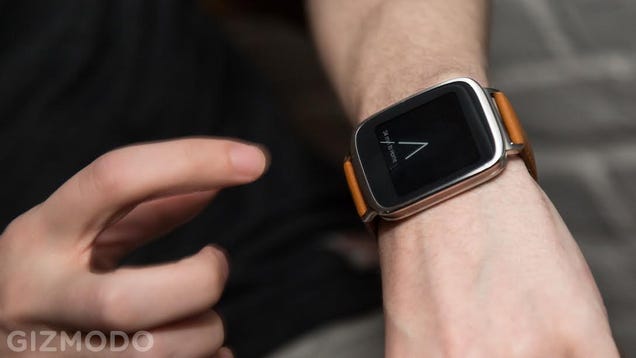
With a slim watchface body, a snap-and-go wristband, and a battery-conscious AMOLED display, the ZenWatch is an unobtrusive and stylish timepiece.

What is it?

A $200 smartwatch from Taiwanese manufacturer Asus, running Google's wearable software, Android Wear. It's not meant to replace your smartphone, but compliment it by sending notifications, step counts, weather forecasts, and other bits of info straight to your wrist.

It packs in many of the same specs we've seen in other smartwatches, primarily the AMOLED display and smartphone-grade Snapdragon processor, but it does it all with an attractive stainless steel casing and a slim body. It's one of the better looking smartwatches out there.
ASUS ZenWatch Review: The First Smartwatch I'd Wear As a Watch

Who's it for?

Until recently, smartwatches have really looked like smartwatches, resembling sci-fi wrist computers rather than things you'd want to wear every day. Samsung's Gear lineup certainly doesn't do much to hide its wrist-wearable pride and bulky entrants from LG and Motorola didn't help much either. They have trouble blending into the average person's wardrobe. For some that's just fine—and for others not so much.

The ZenWatch is for the others, the people who want something that looks great and also provides great smartwatch-y capabilities.

Using it

When I'm not reviewing tech timepieces, I wear a $35 Timex watch I bought from Target about two years ago. I think it was on sale, maybe. It tells time. It glows in the dark. That's about it. Yet I wear that thing almost every day, so every time I transition to a new smartwatch, I'm like a caveman discovering fire. "It's a watch that can tell time...and more!" After all, it's the "more" that makes people want these things in the first place. But there's a reason I haven't traded in my Timex yet: I just haven't found the right one for me. After two weeks with the ZenWatch, my attitude is changing.

ASUS ZenWatch Review: The First Smartwatch I'd Wear As a Watch

During those two weeks I've learned one undeniable truth—most people think the ZenWatch is an Apple Watch. These are passing strangers, mere acquaintances, and that one bartender from a dive bar down the street. So maybe not the most smartwatch literate, but it's still a major compliment. Beauty may be in the eye of the beholder, but Apple's Jony Ive is well-known for design prowess. I was pretty pleased to see my new accessory confused for an Apple product.

The ZenWatch also wins with one of the more slimming watchfaces available. It's almost a full 2 millimeters thinner than the Moto 360, and curved sides make it feel even more so. The body itself is made from water-resistant stainless steel with a rose-gold (basically bronze) pane sandwiched between two panels of gray steel.

ASUS ZenWatch Review: The First Smartwatch I'd Wear As a Watch

Asus ZenWatch resting on top of the LG G Watch R

The curves along both edges of the ZenWatch feel comfortable against my wrist, and I like that the well-unified exterior isn't broken up by some awkward knob sticking out of the side. Instead, the only visible hardware inputs are on the back: a set of charging pins and a single button on the left. You have to grasp the watch and lift from your wrist a bit to reach the button, which could be a little annoying, but you can easily swipe and tap on the touchscreen to change settings and launch the watch from standby. The button only really exists so you can reset the device if you get in trouble.

Powering on the screen, you're greeted by a 320x320 AMOLED display, much the same as the LG G Watch R and the Samsung Gear Live. AMOLED is great news for battery life but can mean not-so-great news for daytime readability. The (slightly) curved ZenWatch display does look dim in comparison to the Moto 360's backlit LCD, but it also sips on battery rather than guzzling it down, and at no point did the watchface feel totally unreadable in sunlight. You can also crank up that screen brightness if need be, but I operated exclusively on the lowest setting and all was well.

ASUS ZenWatch Review: The First Smartwatch I'd Wear As a Watch

The screen itself—including color, brightness, and viewing angles—are all pretty stellar. The only downside are the big bezels, those black panes of dead space that feel particularly egregious on such a small screen. The edge-to-edge display on smartwatches like the Moto 360 will spoil you in comparison. If I have one rule for smartwatches, it's this: dead space is unforgivable. These screens are simply too small to not take advantage of every single millimeter that you can.

At very close inspection, like nose-to-glass close, you can make out pixels, some color fringing in certain cases, and jagged edges on the digital watch hands. But this isn't a smartphone screen. You're not going to play endless games of Clash of Clans or stream Netflix on this thing.

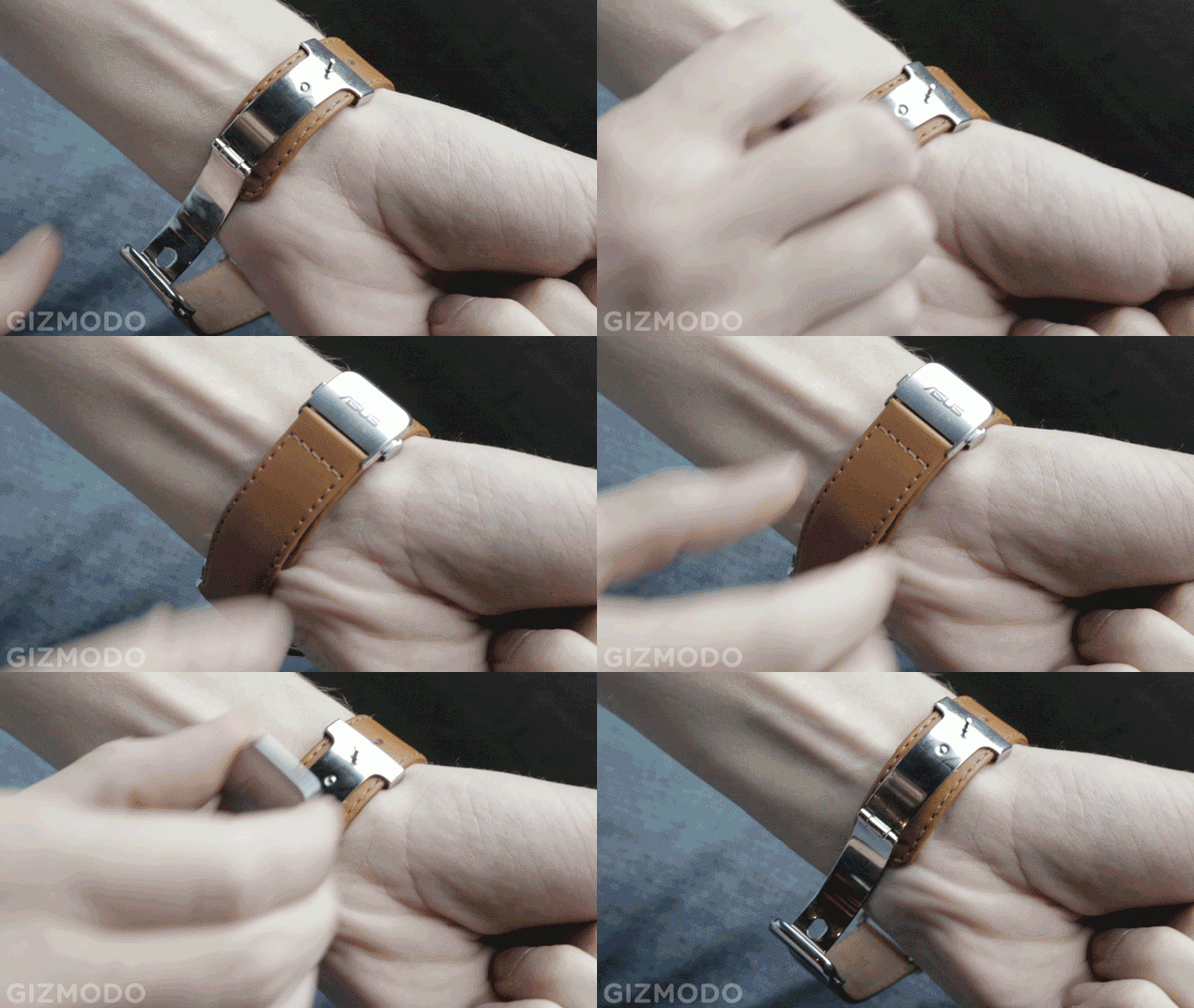
Almost as important as the watch itself is the band that accompanies it. I need a watch band that's quick to put on and adjust with almost little to no effort. The more I need to wrestle with getting the thing on my body the less I like it. The ZenWatch is as easy as it possibly gets. Buckle, then unbuckle. Done. The silver clasp unbuckles with a modicum of force or you can just pinch two small buttons on the side to release easily. As far as function goes, there isn't a better smartwatch buckle out there.
ASUS ZenWatch Review: The First Smartwatch I'd Wear As a Watch

But color is another story. Asus lets you choose from a brown band and also a…no wait, just brown. Sure, you can just swap out for any ol' 22mm watch band—another nice feature—but I actually like the small branding on the buckle and the matching metal clasp. I just wish there were more options.

There's also the tiny little issue of the way the strap tends to latch onto any unfettered piece of clothing. Several times I had to wrestle through a coat sleeve or untangle from a backpack strap. And while the clasp is super simple to slip on, it is somewhat bulky, making it uncomfortable to rest your arm on anything.

ASUS ZenWatch Review: The First Smartwatch I'd Wear As a Watch

If you've had a chance to test drive Android Wear (and you really should), then you're probably familiar with the strengths and weaknesses of the platform. Unlike Samsung's plans with Tizen or even Apple's own smartwatch ideas, Android Wear is a stream of small cards delivering information on local weather, traffic info, sports (in my case hockey) scores, and occasional recommendations for things in the Google Play store. If you brandish an Android smartphone on the regular, this should sound pretty familiar—it's essentially Google Now.

This isn't meant to be some Swiss Army watch or a wearable outfitted for double-O agents, it's a notifications screen on your wrist. You can't take pictures, make phone calls, watch movies, or type out texts. You'll be regularly ushered to your smartphone if you try to do anything too complicated, and that's perfectly fine.

ASUS ZenWatch Review: The First Smartwatch I'd Wear As a Watch

Asus's additional ZenWatch companion app helps set security features, watchface backgrounds, Find My Device options and is a great no-fuss way of hunting down neat smartwatch apps, specifically the ones designed by Asus like Wellness and Remote Camera.

Wellness is just a fitness app that tracks your activity and relaxation. However, I'd warn you against using the ZenWatch as a detailed fitness tracker. I took the ZenWatch to the gym and threw it in my locker within five minutes. The thing just knocks on my wrist too much, and unlike some smartwatches, the ZenWatch doesn't have an optical heart rate sensor on the bottom to keep track of your pulse. Instead you have to stop what you're doing and place two fingers on the side of the screen with a peace sign hand gesture. The ZenWatch will work in a pinch for simply counting steps, but not much else.

ASUS ZenWatch Review: The First Smartwatch I'd Wear As a Watch

As for Remote Camera, this app turns the ZenWatch's 1.63-inch AMOLED display into a tiny camera viewfinder. You can turn camera flash on and off or use it as a tiny spying device—whatever you're in to. It's a cool trick to show friends when you're at a bar or something (I think I go to too many bars), but one they'll probably laugh off with a "Ok, what's the point?"

That's the big question when it comes to smartwatches, period. What is the point? I'm not saying there isn't one, but that answer is different for every person. For me, I love the simple moments when the ZenWatch genuinely shows me something interesting. Once, it let me know that I could finally buy the new Parquet Courts album I'd been looking for weeks ago, and while at work, the ZenWatch reminded me that I was seeing Interpol later that evening, a show I had completely forgotten about since I purchased the tickets back in July. These are all small things, sure, but they're things I did on my watch. If that isn't the definition of "living in the future," I don't know what is.

But for all those little moments of wonder, there are as many that are frustrating and obvious version 1.0 shortcomings. The stream of consciousness via Google Now is great, but I wish there was a way to pin certain apps on my screen without them disappearing on me all the time. For instance, if I want to use the Asus' quirky Remote Camera app, I'd rather just swipe down a few times and tap it rather than saying "Ok Google. Start Remote Camera" and frightening everyone within listening distance.

Simply put, I want to talk to my watch as little as possible. One evening I was walking down the street trying to say "Ok Google. Start Maps" without drawing the questioning gaze of various passersby. Of course, I didn't speak loud enough so my watch heard "Star Maps" and I was whisked away to a teensy 1.63-inch version of Google Search prompting me to download a star-gazing app.

ASUS ZenWatch Review: The First Smartwatch I'd Wear As a Watch

Like

Despite some impressive designs from Motorola, Samsung, LG, and Sony, Asus has delivered a smartwatch that's very much its own. It's a great-looking timepiece that you won't mind wearing, and one that effectively combines digital convenience with personal style.

Despite the bulky clasp, wearing the ZenWatch is completely comfortable. Except when working out at the gym.

Dislike

Brown is great and everything, but I'd never buy that color if I had a choice. If Asus had a nice gray option along with the matching steel rim included, this could very well be the watch that wins me over, but right now it's brown or bust.

Android Wear still feels like a version 1.0 product.

I can't help but shake the feeling that the screen is too small for the frame. Compared with the Moto 360, this thing just looks tiny in comparison. If Asus could have brought that edge-to-edge style with this watch, we'd have something amazing on our hands. Literally.

ASUS ZenWatch Review: The First Smartwatch I'd Wear As a Watch

Should you buy it?

Perhaps! If you're sure you want an Android Wear device, the ZenWatch is among the best. For me, it's definitely in the top three, nestled alongside the LG G Watch R (which looks more like a Casio G-Shock) and the Moto 360's big silver disc. It's easily the best square-faced Android Wear device out there as it actually looks like a well-designed fashion accessory first and a smartwatch second. In comparison, the LG G Watch, Sony Smartwatch 3, and Samsung Gear Live all fall short on style.

If the LG G Watch R's intentionally bulky design doesn't cut it and you worry about the Moto 360's battery-guzzling woes, then the Asus ZenWatch might be just for you. It's also aggressively priced. At $200, it's tied with the Samsung Gear Live as one of the cheapest Android Wear watches available.

Will 2015 bring even better smartwatches than the Asus ZenWatch? Almost definitely. But for the right here right now, it's a solid pick.

And for the first time, I'm not missing my Timex.

Photos and GIF by Nicholas Stango.

03 Dec 17:55

The PlayStation is 20 years old today

by Sam Byford

Today Sony celebrates 20 years since the PlayStation went on sale in Japan. And there’s much to celebrate; the brand is resurgent, with the PlayStation 4 enjoying a phenomenal first year.

But the occasion is a little bittersweet for long-term Sony watchers — it marks two decades since the company last truly changed the world.

Continue reading…

03 Dec 15:18

Bluetooth 4.2 will make your connected devices smarter, faster, and more secure

by Rich Edmonds

The Bluetooth Special Interests Group has shared with the world what Bluetooth 4.2 will bring to connected devices. According to details published by the group, consumers can look forward to improvements with regards to privacy, battery conservation and speed.


03 Dec 15:17

Google’s reCAPTCHA (Mostly) Does Away With Those Annoying CAPTCHAs

by Frederic Lardinois
2014-12-02_1729 The end of the CAPTCHA is nigh — and very few tears will be shed for them. As Google today announced, those ubiquitous forms that make you prove you are human by typing in barely legible words and house numbers, will soon be replaced with a single click — at least on sites that use Google’s reCAPTCHA service. The company is now rolling out a new API that replaces the… Read More
03 Dec 13:14

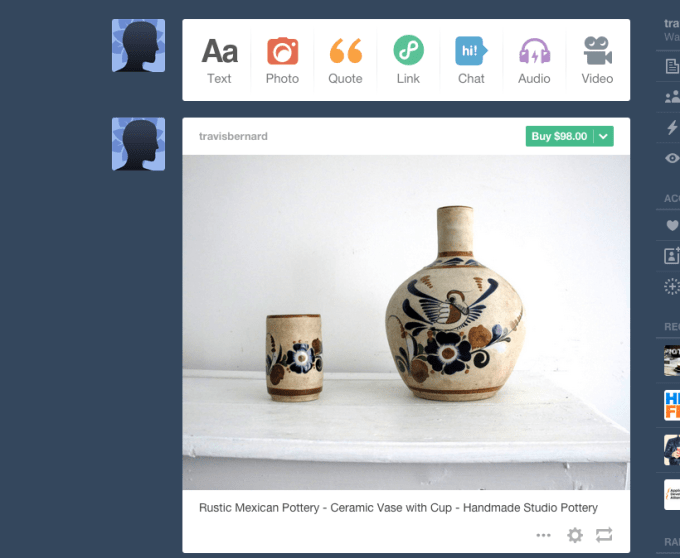
Tumblr Now Has ‘Buy,’ ‘Pledge,’ And ‘Get Involved’ Buttons From Etsy, Kickstarter, Artsy + Do Something

by Ingrid Lunden
Screen Shot 2014-12-02 at 3.56.47 PM Tumblr — the site that has apparently overtaken Instagram as the fastest-growing social media property — has today announced a test of a new feature that will give it more interactivity, and more of a social commerce spin. Users that post links from a selection of sites — Etsy, Artsy, Kickstarter and Do Something — will now automatically see action buttons appear in… Read More
03 Dec 13:13

Skype founder backs Wire, the 'best possible communication tool'

by Cassandra Khaw


Backed by Skype co-founder Janus Friis and a team of tech veterans, the freshly launched Wire aims to be more than a regular chat service. It is a marriage of its competitors' most popular features, including the ability to "ping" contacts. In an interview with The Guardian, Skype co-founder and Wire investor Janus Friis remarks, "What attracted me to Wire is that it is something truly new. This is not some marginal improvement. This is not just an app." He then adds, "Skype was launched more than a decade ago. A lot has changed since then - we are all used to free calls and texting, and we have taken to carrying our computers in our pockets." Friis says that now is the time to create "the best possible communication tools" that are as...

Continue reading…

03 Dec 13:11

Black Friday 2014 was a day for Britain to forget

by Richard Devine

A new tradition off to a bad start

Black Friday didn't used to be a thing in the UK. Just like Thanksgiving is just a normal Thursday to us, the following day traditionally was just any other Friday. Then it began to creep in. In 2013 a few retailers jumped on the bandwagon, led by the Walmart-owned Asda. Then came this year.

Unbelievable.


03 Dec 00:16

[App Roundup] Our Top Seven Picks For The Best New Apps Of November 2014

by Michael Crider

nexusae0_ic_thumb_thumbWith Android Lollipop finally getting into full swing, November was the month for developers (or at least those devs that are paying attention) to release Material Design UI updates. Those updates took up a lot of AP coverage last month, but there are still a few standout apps for you to check out below. Just don't get too attached to Clippit - it's entirely too cool and useful to survive the wrath of the US copyright system.

[App Roundup] Our Top Seven Picks For The Best New Apps Of November 2014 was written by the awesome team at Android Police.


02 Dec 22:29

[Game Roundup] Our Top Seven Picks For The Best New Games Of November 2014

by Michael Crider

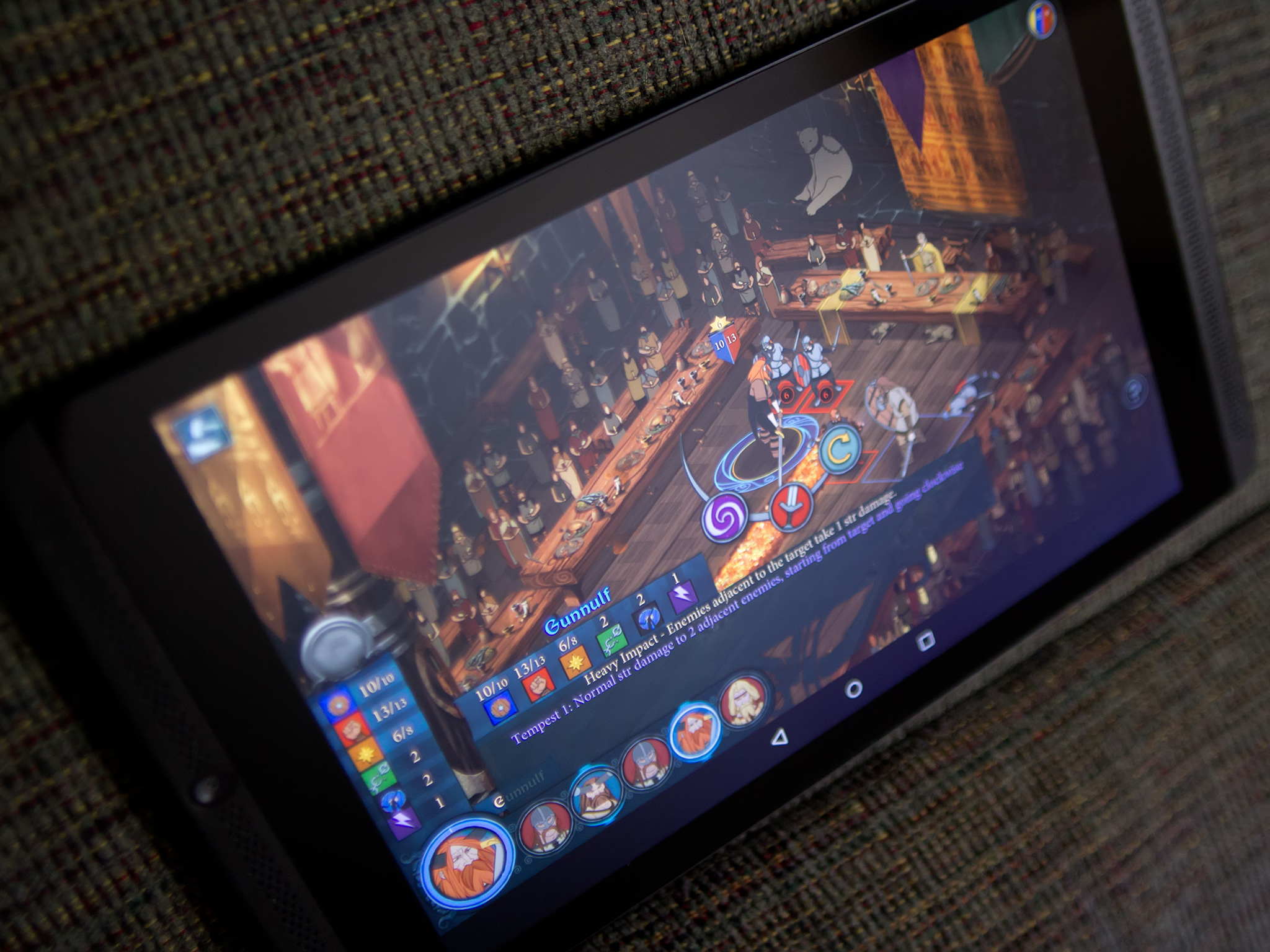
nexusae0_icon_thumb1_thumbIf you're a fan of strategy games, you had a very good month in November. In addition to soft strategy like Kingdom Rush: Origins and Godus, you've got new entries in the XCOM and Civilization series, not to mention the very impressive newcomer The Banner Saga. There are also some respectable entries in what you might call the casual genre (if you weren't busy swearing at some of the higher levels in The Blocks Cometh), and we've added a few honorable mentions as well.
[Game Roundup] Our Top Seven Picks For The Best New Games Of November 2014 was written by the awesome team at Android Police.


02 Dec 21:18

Valve Takes On Twitch With Steam Broadcasting

by Kyle Russell
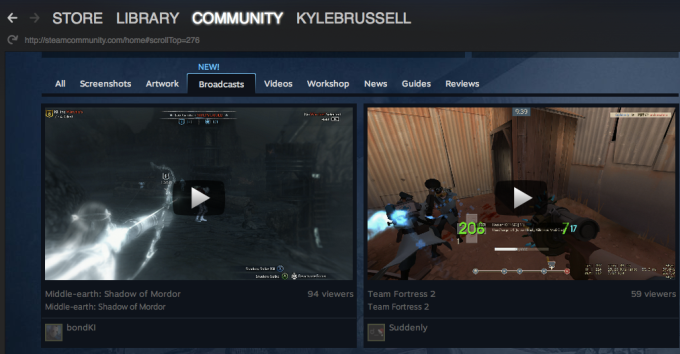
Valve Steam Broadcasting There’s a new entrant in the already-competitive online game streaming space: game developer, publisher, and retailer Valve just announced the beta version of Steam Broadcasting, a tool for watching your friends play from within the company’s popular game store and community hub. Read More
02 Dec 17:59

Vimeo Revamps Its Mobile Website, Adds Features For Logged Out Users

by Sarah Perez
vimeo-mobile-web Video service Vimeo is out this morning with a faster, revamped mobile website that reduces the clutter, improves performance, and lets users interact with the service while logged out. On the updated site, users who aren’t signed in can like videos and even add them to a “Watch Later” list to save them for future viewing, the company says. The service is also hoping to… Read More
02 Dec 17:57

SkyBell releases a successor to its smart doorbell with improved Wi-Fi performance

by Rich Edmonds

SkyBell version 2.0 has just been released, enabling home owners to purchase the smart doorbell successor that hooks up to your Wi-Fi network and to a supported smartphone or tablet. Gone were the days of checking who is at the front door. With SkyBell installed, all you need to do is go through the app and use the built-in camera and speaker to communicate with whoever appears to be on your property. This second version of the doorbell brings a better camera and improved wireless performance.


02 Dec 15:18

Kitten shaped marshmallows

by Jason Weisberger

kitten-marshmallows

Only on sale in Japan, Swimmingly has the story.

01 Dec 21:27

Firefox Gets an Instantaneous Video Chat Feature, Better Search Bar

by Whitson Gordon

Firefox Gets an Instantaneous Video Chat Feature, Better Search Bar

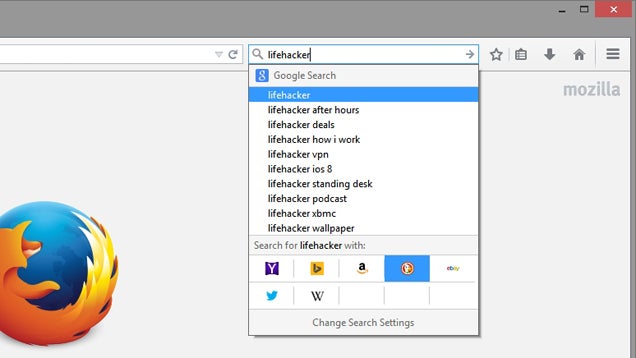
The latest version of Firefox is here, bringing an updated, easier-to-use search bar and a signup-free, no-plugin-required video chat feature.

In Firefox 34, when you search for something in the search bar, you can click on a search engine's button to search directly on that site, rather than having to open up a different dropdown menu. It's a small change, but a convenient one.

Firefox Gets an Instantaneous Video Chat Feature, Better Search Bar

Arguably cooler is the new Firefox Hello feature, which allows you to start an instant video chat with anyone, on any browser, with no signup or extra plugins required. Just click the Firefox Hello button (if you don't have it, here's how to find it), send the link to your friend, and when they click it, you'll get a video chat session right away. It works with any browser that supports WebRTC (such as Chrome and Opera), and in our tests worked very well. In fact, it's one of the most convenient ways to start a video chat we've ever seen—as long as one party is using Firefox.

You don't need to sign up or install a plugin to get it working, though if you sign up, you can manage a list of contacts (or import them from Google). Check out the link for more info on the latest update.

Firefox Notes (34.0) | Mozilla

01 Dec 21:26

15 Best New Android Apps And Live Wallpapers From The Last 2 Weeks (11/20/14 - 12/1/14)

by Michael Crider

roundup_icon_largeWelcome to the roundup of the best new Android applications, games, and live wallpapers that went live in the Play Store or were spotted by us in the previous 2 weeks or so.

Please wait for this page to load in full in order to see the widgets, which include ratings and pricing info.

Looking for the previous roundup editions? Find them here.

Featured App

Expense IQ - Expense Manager

This week's roundup is brought to you by Expense IQ - Expense Manager from Handy Apps.

15 Best New Android Apps And Live Wallpapers From The Last 2 Weeks (11/20/14 - 12/1/14) was written by the awesome team at Android Police.


01 Dec 21:21

New ATM Skimmers Connect To The Card Reader Via A Nearly Invisible Hole

by John Biggs
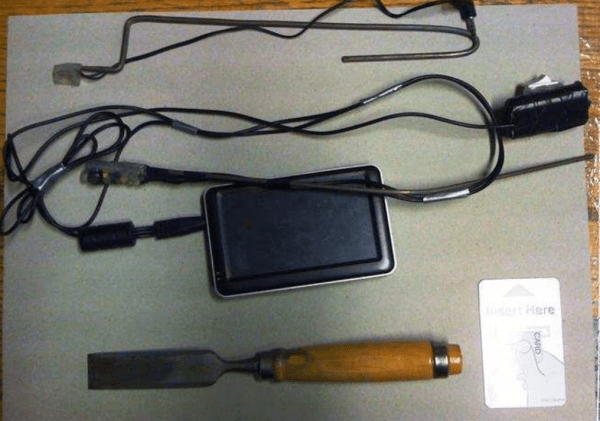
wiretapping-600x421 A new advance in credit card theft technology has hit the streets and it’s pretty clever. The ATM hackers are now drilling a small hole near the card reader and inserting a bit of electronics that connects to the ATM’s innards. The hole is then covered by a decal and the skimmer fished out once the thieves are ready to take in their haul. Discovered by the European ATM Security… Read More
01 Dec 18:35

Pigeon outwits cat

by Mark Frauenfelder

For a while, at least! [via]

01 Dec 13:50

US Efforts to Jail Dotcom Fail as Kim Walks Free

by Andy

dotcom-laptopAfter three days of hearings in Auckland, Kim Dotcom left court smiling today.

The recent appearances were triggered by new claims from United States authorities who want to extradite Dotcom to face charges of copyright infringement, money laundering and racketeering.

They alleged that the Megaupload founder had breached his bail conditions on numerous occasions since his arrest in early 2012 and should put back behind bars as a result.

Relying on what appeared to be wiretap evidence from FBI Special Agent Rodney Hays, who did not appear in court, the Crown said that Dotcom had indirectly associated with Julius Bencko, a former Megaupload developer also named in the U.S. indictment.

During the hearing it was also put to Dotcom that with his knowledge, estranged wife, Mona, had attempted to sell a 2010 Rolls Royce Phantom, a $500,000 forfeitable asset.

Also of concern to the United States is Dotcom’s alleged wealth. Last week Dotcom admitted that since his arrest in 2012 he’d made $40m, but that had all been spent on a luxurious lifestyle and funding a $10m legal battle. The Crown argued that it could not be ruled out that Dotcom had money hidden away, a factor which elevated him as a flight risk.

Also under discussion was the exit of Dotcom’s legal team, which reportedly ditched him after learning that the money had run out. This would be a significant problem for Dotcom during next year’s extradition battle and could indicate that the Megaupload founder would flee rather than face extradition, the Crown argued.

But in the end, none of the arguments convinced the Auckland District Court to jail Dotcom today.

Judge Nevin Dawson said there was “no proof” that Dotcom had contacted former Megaupload staff, nor was there evidence to back up claims that he’d hidden money away to facilitate a pre-extradition escape from New Zealand.

However, Judge Dawson did recognize that the risk of Dotcom fleeing would increase as next year’s hearing nears so with that in mind he banned the entrepreneur from traveling by helicopter or sea, unless that transport is via a public service. Dotcom was also ordered to double up on his current once weekly visits to a police station.

Leaving the Court, a clearly relieved Dotcom told waiting reporters that he had been exonerated.

“The Court has found that i’ve not breached any of my bail conditions,” Dotcom said.

“I have been probably the most compliant and exemplary candidate and I am surprised, even though I’m going home right now, that my bail conditions have been tightened.”

Dotom said that the attempt to revoke his bail was timed by local and U.S. authorities to exploit his during a moment of weakness.

“I think this is another example of harassment and bullying by the United States government in concert with the New Zealand government,” he said.

“I think this whole application was only made because my lawyers decided to resign because of lack of funds on my part because Hollywood has seized the new family assets that have been earned after the raid. So the Crown and the U.S. government have used this opportunity in a weak moment to make up the bogus case for me having breached my bail conditions.”

Dotcom went further still, accusing the FBI’s Special Agent Rodney Hays of flat-out lying to the Court.

“I invite every member of the media to have a look at the Court file and see how an FBI agent lied in his declarations that I have attempted to sell a car, that I have attempted to get a refund for forfeitable assets, and that I have breached my bail conditions by being directly or indirectly in contact with one of my co-defendants,” Dotcom said.

“All these things have been proven to be wrong, and lies, and I invite everyone to have a look at this to understand the tactics of the U.S. government and to understand that the U.S. government can not be treated with candor and good faith in this case.

“The same thing that I’ve experienced in this bail hearing I’ve also experienced with the indictment, which is just as flawed and wrong and misleading and malicious as this bail proceeding was.”

Handing questions over to his lawyer Ron Mansfield, who Dotcom praised for doing an excellent job, the German smiled.

“I am now going home to play with my kids.”

Source: TorrentFreak, for the latest info on copyright, file-sharing and anonymous VPN services.

30 Nov 23:19

Google posts 'Best Apps of 2014' list

by Jerry Hildenbrand

Google's best apps

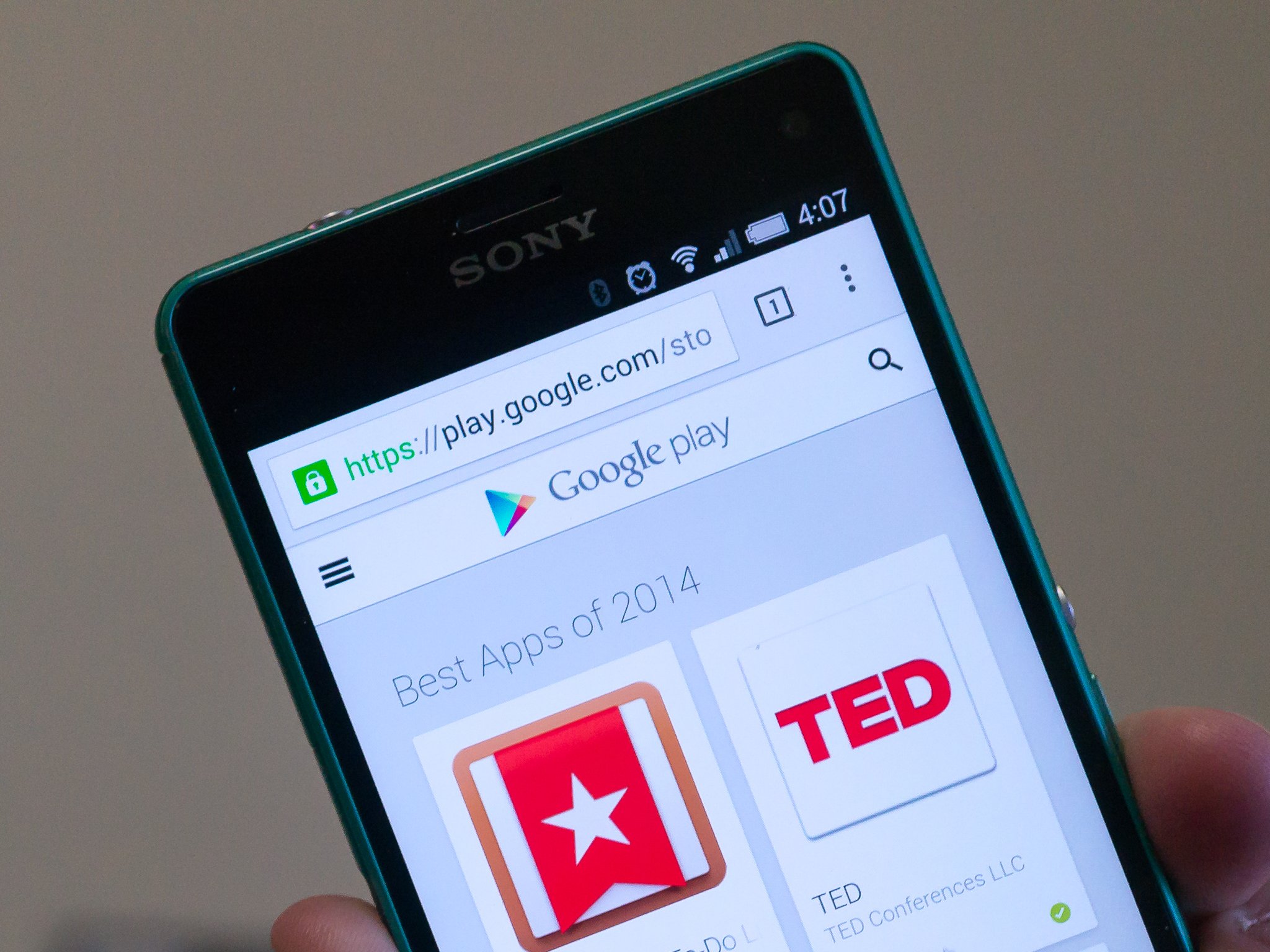
Google has posted their "Best Apps of 2014" list this afternoon. The list includes old favorites like Swiftkey keyboard and Link Bubble, as well as some great new apps like Over or Strive. Chances are, you'll agree with many of the apps included and disagree with others — just like every list.

Of course, Google's not the only one with app picks. We post our favorites every week, and you'll want to be watching soon for our own best of 2014 lists.

What about you fine folk? What apps would make your best of 2014 list? Shout out in the comments and let everyone know.

Source: Google


30 Nov 23:19

The best podcast apps for Android

by Richard Devine

Get the very best podcast experience with these great apps

While we usually think of our mobile devices as great for listening to music of all kinds, increasingly our Android phones and tablets are being used for listening to podcasts as well. We produce a bunch of them here at Mobile Nations, and the popularity and scale of the podcast continues to grow. But just as is the case with music player apps, not all podcast players are created equally.

Thankfully Android is blessed with a strong selection of podcast apps to choose from, but there are some more worth your time – and money – than others. So, head on past the break to see the top podcast apps for Android. And once you've chosen, why not subscribe to the Android Central podcast and join us each week for a listen!

Originally published June 2014, updated for April 2016.

Pocket Casts

Pocket Casts has long been a favorite among avid podcast listeners, but in its current incarnation it has arguably risen to the top of the mountain. If you want style and function, cloud sync, a huge library, video support, variable speed playback oh and not forgetting Chromecast support, then look no further. The folks at developer Shifty Jelly have you covered with all of those.

Add to all that a widget, full controls in the notification tray, auto download and delete, filters and playlists, a sleep timer and OPML import and export support and you're looking at one of the most full-featured podcast apps available in Google Play. And it goes beyond Google Play, too; Pocket Casts is also available on iOS, Windows Phone and the web, keeping your podcasts in sync no matter what device you're on. That extends even to the car with support for Android Auto, and you can keep control from your wrist, too, with Android Wear.

Pocket Casts also takes on the task of podcast discovery and pretty much succeeds. The featured, trending and top podcast sections are brimming with a bevy of shows covering all kinds of different subject areas. If you really are looking for one of the very best, then give Pocket Casts at least a look. The developers also post probably the best changelogs anywhere in the Play Store!

Download: Pocket Casts ($3.99)

BeyondPod

BeyondPod used to lack the visual flare of something like Pocket Casts, but it always brought it where it matters most. And now, it's also a damn fine-looking app with its recent redesign. A favorite of many for a long time now, BeyondPod has power, features and access to a huge library of podcasts that should please even the most obscure show hunter.

It too has Chromecast support, something fast becoming a "must have" when it comes to media delivery applications, as well as cross-device sync and automatic background downloading. BeyondPod is available to trial in full free for 7 days before you need to pay up the $6.99 for the full version. That's a nice touch and not something seen every day.

With that free trial, BeyondPod should certainly be given a look.

Download: BeyondPod ($6.99, 7 day free trial)

Podcast Addict

Podcast Addict is a free, ad-supported or paid-for premium podcatcher that may lack a little on the visuals but more than makes up in the features. It'll let you import your feeds from a number of sources but it'll also help you easily find some great new content to listen to. Search by channel, interests and more, and Podcast Addict will come up with the goods.

Besides podcasts, though, it'll also let you organize RSS feeds and YouTube channels, which is something competing apps don't offer. It's also got Chromecast support built in, which is fast becoming a must have feature. After all, why wouldn't you want to listen to your podcasts on the best speakers you own?

The option of a truly free and ad-supported version is appealing, but if you're going to be spending the $2.99 to remove the ads you may want to consider one of the prettier options out there. But if you're all about function over form, Podcast Addict will suit you just fine.

Download: Podcast Addict (Free, $2.99 to remove ads)

Doggcatcher

Doggcatcher is another long time favorite, indeed it once claimed the title of Android Central's Editors Choice for podcast app of the year – back in 2011 if you were wondering. The alternative choices weren't quite as strong as they are today, but Doggcatcher is still a fine choice.

The interface has improved with the past few updates, but still feels a step behind the leading competition. What it lacks in the user interface department it makes up for everywhere else, though — the way it handles podcasts with its auto download and delete features, variable speed playback and feed categorization makes it worth checking out. And it has Chromecast support which we love to see.

At $2.99 all-in it's an inexpensive choice in the grand scheme of apps as well, so it's really worth giving a shot.

Download: Doggcatcher ($2.99)

Player FM

If you're looking for one of the most modern-looking podcast players on Android, Player FM is where it's at. Embracing Google's new Material Design principles, Player FM just looks amazing. There's no other way to describe it. Beneath the good looks though, Player FM is packed with useful features like cross-device subscription sync and support for both Chromecast and Android Wear.

One of the other strong points to Player FM is its excellent discoverability features. Be it individual shows or subscribing to channels, you're going to be well looked after in finding some quality content. Tell it what you're interested in and watch it work its magic.

Oh, and it's completely free — forever, not just a trial — for up to 20 subscriptions, with a new Gold service coming to unlock unlimited subscriptions and a few other neat features.

Download: Player FM (Free)

Stitcher for Podcasts

Stitcher may be mostly known as an internet radio service, but it's also a great podcast service as well. You can browse and add all of your favorite podcasts, and "stitch" them together into stations for listening in the order you want. You can also keep up with breaking and daily news through a variety of top news programs to mix it up from your normal weekly podcasts. There's single sign-on support from Google and Facebook, which is convenient as well.

It's still sticking to its older-style of design that doesn't quite look as modern as Pocket Casts and Player FM do, but it's functional and familiar to folks who have been using Stitcher for years. And the fact that you're getting this many features in a free app definitely makes it worth considering.

Download: Stitcher for Podcasts (Free)

Antennapod

Antennapod is a podcast app that's been around for some time now but equally one you may have skipped over in favor of one of the bigger names. But it's a decent little player, it's free and open source.

It's not as if it's sparse on features compared to some on this list, either. It's got an up-to-date look inspired by Material Design, access to the iTunes database and an easy import for your OPML podcast subscription lists. Oh, and a dark theme, which is always great news.

Atennapod lets you skip ahead or back by half a minute, set a sleep timer or view show notes in the app, as well as a whole bundle of features to customize the experience when using headphones and more. It's a podcast app well worth your attention.

Download: Antennapod (Free)

Podcast Republic

Podcast Republic is another free-to-download podcast app that can boast ticking off major feature boxes. Chromecast and Android Wear support are here, and while Android Auto isn't yet there is at least a dedicated car mode that makes it simple to operate while in a cradle. It'll manage downloads for you without you having to worry about and you can use it on a tablet and feel good about the experience thanks to the dedicated interface.

Cross-device sync is ever more important and thankfully Podcast Republic also has this taken care of. Multiple languages, multiple playlists and a sleep timer are all just icing on the cake. For $1.99 you can also make the ads go away should you so wish.

Download: Podcast Republic (Free, $1.99 to remove ads)

30 Nov 21:47

The best Android games and apps of November

by Simon Sage

November is winding down and the dust is settling from Black Friday insanity, so it's time to look back on the month and all of the great new apps and games that have been released. This go-around we have some excellent strategy games, as well as a new action title to keep you on your toes. On the app side, we've got something for the kids, something for the wardrobe, and something for the kitchen.

It's been a really good month for Android apps and games. Dive into our top ten list of the latest Google Play Store releases, and be sure to drop a comment with the best new stuff to grace your home screen.


30 Nov 17:53

Five Best Custom PC Builders

by Alan Henry

Five Best Custom PC Builders

We're all for building your own computer. We've shown you how and given you some builds. However, if you're looking for a rig that's high-end but also comes with perks like support, a warranty, and your supervision but not your time and troubleshooting, we have five custom PC builders that'll build that rig for you—based on your nominations.

Earlier in the week we asked you to tell us which custom PC builders do it right—high-end components, great customer support, great build options and customization choices, and of course, options for various budgets. You weighed in with some great suggestions, and now, in no particular order, are your top five.

Puget Systems

Five Best Custom PC Builders

Puget Systems has been around since 2000, building custom high-end desktops and laptops for people who want to have their say in how their system is built and designed, but also wanted the luxury of burn-in testing, a warranty, customer support, and other features that a PC builder can offer. Additionally, Puget Systems puts a special focus on making sure their rigs are as quiet as absolutely possible, so your computer doesn't sound like a jet engine every time you fire it up. The company is known for offering systems with high-quality fans and soundproofing to keep noise down. While traditionally PC gamers are the ones people assume need these kinds of rigs, Puget also makes systems for video editors, graphic or 3D designers, and other professional users with high-end spec requirements. In addition to completely custom PCs, Puget also offers pre-built computers and base systems you can tweak and customize to your heart's content.

In the nomination thread for Puget, you praised the company for its concierge service, which helps you through the customization and build process from start to finish, including the time required for your computer to be benchmarked, tested, and shipped to you to set up. You mentioned that they ask detailed questions to make sure that you get exactly what you need, and the quality of their builds is incredible, from high-end parts and a clean case to excellent cable management. You even get photos and video of your build as it's built and before it ships out to you, which is a nice touch. You can read more praise for the company and its customer service in its nomination thread here.


Falcon Northwest

Five Best Custom PC Builders

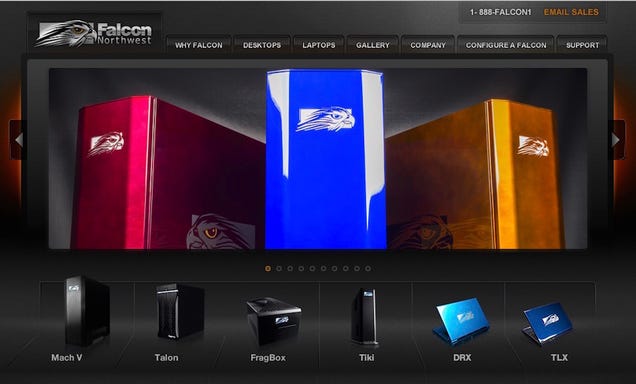
Falcon Northwest was founded in 1992, and has been churning out custom desktops and laptops since then, aimed right at people who want powerful PCs but don't have the time or the inclination to build them on their own. They're one of the oldest custom builders around, still making completely custom systems for enthusiasts—specifically PC gamers looking for great performance. The company prides itself on its long history and the fact that all they do is make custom PCs (unlike some of their competitors) with unique designs, styles, and configurations for the most demanding consumers. They also pride themselves on their unique case designs, which use custom machined cases as opposed to off-the-shelf components you could use on your own. The company offers desktops in multiple sizes and form factors, and laptops for power users on the go. Each system also comes with a highly optimized BIOS, exceptional pre-ship testing and benchmarking, and a custom "rescue" USB drive you can use to restore your PC to your own preferred state if something goes wrong.

In its nomination thread, Falcon Northwest earned your praise for its customer support, burn-in testing, completely custom builds from components to design to paint job, and their configuration tool that makes it easy to personalize even one of their starter builds that you can use to get started designing the system of your dreams. You noted that they're not the cheapest show in town, so budget buyers may not look to them first, but their build quality is on the mark. You can read more in the Falcon Northwest nomination thread here.


Digital Storm

Five Best Custom PC Builders

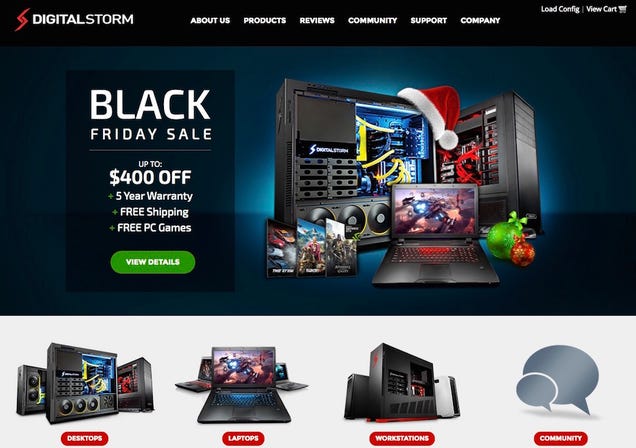
Digital Storm has been building custom gaming PCs, laptops, and workstations for enthusiasts since 2002, and also sells components and peripherals like gaming headsets, keyboards, and mice. They also publish their own articles outlining how the components they sell (and use in their custom PCs) benchmark and perform in real-world tests and popular games. Digital Storm builds systems with custom machined cases and completely unique copper piped watercooling loops—some of which are so intricate and complex that they're difficult for someone without the tools and workspace that Digital Storm has to do really well. The company also offers laser etching for your custom desktop or laptop, overclocking before it ships to you, stress testing, and of course, their beautiful liquid cooling options. While most of Digital Storm's systems are extremely unique and tailored to PC gamers, anyone who gets one can enjoy both the craftsmanship and the power that's under the hood of those systems. The company is also proud of its customer service and workmanship, saying that unlike many custom PC builders that just slap off-the-shelf components together, they put a lot of effort and care into making sure your PC isn't just perfect, but it works flawlessly when it gets to you.

In its nomination thread, many of you highlighted those amazing watercooling loops that Digital Storm is known for, and their own custom chips, controllers, and other components that make Digital Storm truly a custom PC builder, capable of putting together a system that's just right for you, with the components you need in the size and form factor that you need as well. You also mentioned their Hydrolux cooling system, which is awesome even if you don't want the copper setup, designed to keep all of your components nice and cool with a custom setup for your specific computer and the gear you put in it. Read more in their nomination thread here.


Origin PC

Five Best Custom PC Builders

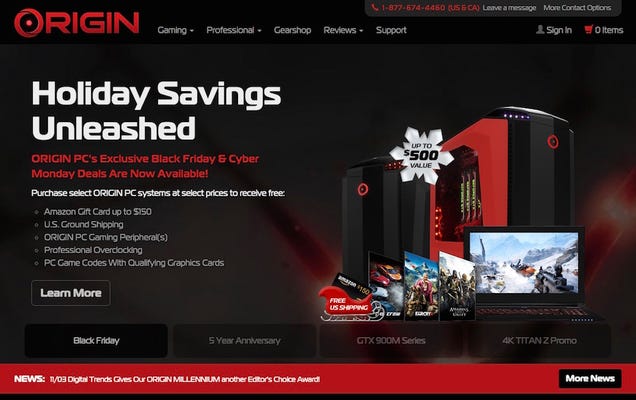
Origin PC has made headlines repeatedly since it was founded in 2009 by the original team behind Alienware (which at the time had been snapped up a few years earlier by its current owner, Dell), partially for its high-end gaming and professional computers, but also because the company regularly pushes the boundaries of what you can fit in a PC. They were one of the first companies to sign on with Valve to build Steam Boxes running Steam OS, and shortly thereafter released one. They were the folks who managed to cram an Xbox 360 into the same chassis as a gaming PC, after all. They're well known for their completely custom rigs, with cases and chassis you'll only find on Origin PCs, and thin, built-to-demand gaming laptops you can use as desktop replacements or take anywhere. When you buy from Origin, you can build with a starter system in mind and customize from there, or you can go full custom and build something just for you. Origin also sells their own lines of gaming peripherals, like keyboards and mice, to both go along with their systems, or just to anyone who wants them. They may not be the cheapest on the block, but they offer some really special systems, from workstation and relatively budget-friendly machines to rigs capable of 4K gaming out of the box.

In Origin's nomination thread, many of you praised them for being the company that made Alienware great before it got sold to Dell, and others of you mentioned their exceptional customer service, their rock-solid warranty and fast, expert support, and a customer service team that's willing to go the extra mile for their customers. Many of you also highlighted Origin's regular sales and discounts, which can take the sting out of spending all that money on a custom high-end machine. You can read more in their nomination thread here.


eCollegePC.com

Five Best Custom PC Builders

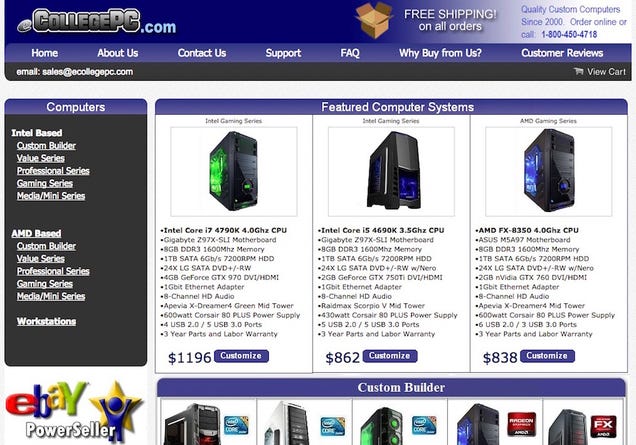
eCollegePC was a bit of a dark horse nominee, but it picked up just enough steam to make it to the top five, even over some other, bigger names. Why? The company offers exceptional customer support, great technicians, a killer selection of components and cases to build your system with, and above all, budget-friendly prices for those high-end rigs. You may not get fancy completely customized machined hardware here, but you will find people who know what they're doing, are willing to help you get the best bang for your buck, and do it all right without robbing you blind in the process. The company has been around since 2000, making well-priced custom desktops for designers, gamers, students, and anyone else who wants one since then. Their custom builder will make sure that the components you want work together and you get the power you need, and it's easy to use. Their customer support is lightning quick, with support techs available around the clock and even on the weekends (with some turnaround time.) They're also one of the few custom builders in the field to offer a 3 year parts and labor warranty on your whole machine.

Those of you who nominated eCollegePC noted that they're a smaller company, but also praised them as offering customer service and support that the bigger names could learn from. You highlighted their exceptional build and shipping speed, not to mention their affordable pricing that didn't break your budget. You can read more in their nomination thread here.


Now that you've seen the top five, it's time to vote for the all-out community favorite:

This week's honorable mention goes out to DogHouse Systems, who missed the top five by just one vote. DogHouse Systems has a history of supporting geek and gamer-friendly podcasts and webcomics, and offers great custom desktops and laptops for those same podcasts, webcomics, favorite games, and more. You have the option of customizing your own system using their base builds, tweaking it to your hearts content, and then adding things like custom case designs, water cooling, and more. They're well known for their World of Warcraft special systems, and their current partnership with Scott Kurtz' awesome webcomic, PVP. You can read more in its nomination thread here.

We should also give a shout to Velocity Micro, who, even though they didn't make it in the nominations round, are generally considered a serious competitor to the names above, so if you're looking for another option, they're worth checking out, along with some of our other nominees from the call for contenders thread.

Finally, we should give a hearty honorable mention to the do it yourself (DIY) option, since after all, that's the one we encourage you to follow whenever possible. We've talked about why it's important to try, how to determine if your needs make it cheaper to build or buy, and even how to save money when you do and where you should get your parts when you build. We've even offered up a guide to doing it and some PC builds for any price point. If you can do it yourself, you really should—but we completely understand that the DIY approach comes with its own benefits—and its own drawbacks. Still, we encourage you to give it a try!

Want to make the case for your personal favorite, even if it wasn't included in the list? Remember, the top five are based on your most popular nominations from the call for contenders thread earlier in the week. Don't just complain about the top five, let us know what your preferred alternative is—and make your case for it—in the discussions below.

The Hive Five is based on reader nominations. As with most Hive Five posts, if your favorite was left out, it didn't get the nominations required in the call for contenders post to make the top five. We understand it's a bit of a popularity contest. Have a suggestion for the Hive Five? Send us an email at tips+hivefive@lifehacker.com!

Title photo by JD Hancock.

30 Nov 12:08

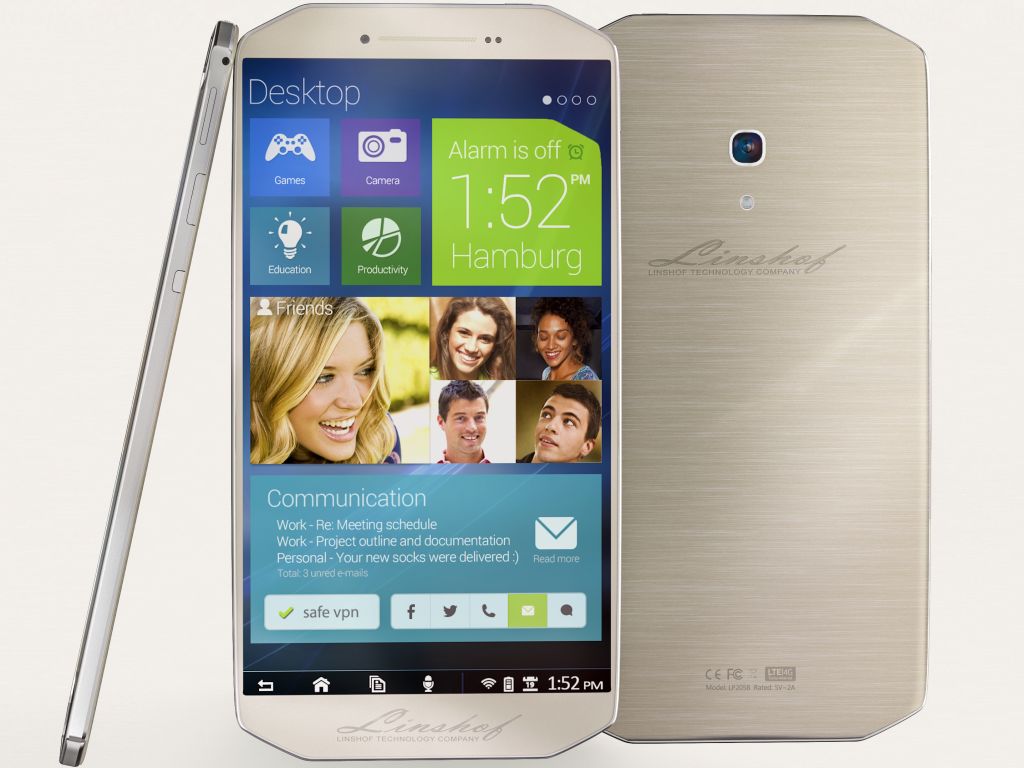
New OEM Linshof says it will launch 'clean Android' smartphones and tablets in 2015

by John Callaham

This week, a new OEM revealed its presence on the Internet. The Germany-based company Linshof says it will release a line of high-end Android 5.0 Lollipop smartphones and tablets for very low prices starting sometime in the first quarter of 2015.


30 Nov 00:06

Find Your “Spending Triggers” to Stay on Budget

by Dave Greenbaum

Find Your “Spending Triggers” to Stay on Budget

If you're trying to reduce spending, you probably have a few regular overindulgences you'd like to cut out. Instead of focusing on cutting back, discover the triggers that cause you to overspend.

If you remove the triggers, you'll remove the temptation and opportunity to overspend. Financial blog VOSA explains how to find these triggers:

To get started, sit down with a piece of paper. Create two columns. One for purchases, one for emotions. Think about the spending patterns in your life. Are there things that consistently come up? Do you have certain emotional associations with those purchases? When I track my spending, I have a line for how I felt making that purchase, so that I can ensure I am spending based on my values and also tracking my potential spending triggers.

Once you find those triggers, you're one step towards eliminating them. Identifying those triggers are the first step to keeping finances in order.

Check out the link for examples of spending triggers to identify and manage.

Knowing Your Spending Triggers | VOSA via Rockstar Finance

Photo by Tax Credits.

28 Nov 23:29

BMG and Rightscorp sue ISP for right to decide who may use the Internet

by Cory Doctorow


The giant, criminal rootkit distributor and the dying, sleazy extortion racket want a judge to say that ISPs should disconnect people from the Internet on their say-so. Read the rest

28 Nov 15:26

Watch the first trailer for 'Star Wars: The Force Awakens'

by Jacob Kastrenakes

It's finally here: a first look at the new Star Wars. The teaser trailer runs 88-seconds long and is available to watch online and in theaters starting today. Here's all you need to know: it looks really, really good. The trailer gives a first glimpse at a lot of the new and returning stars, but it also shows just how great a job director J.J. Abrams' appears to have done in putting back together the Star Wars universe. This isn't much for now, but it ought to get fans' hopes way up.

Read next: every scene from The Force Awakens trailer

While this is only a short glimpse at The Force Awakens, this is the first look that we've gotten at all. That's partly because Disney has been incredibly secretive about the production of Episode VII,...

Continue reading…

28 Nov 14:07

The First Full Trailer For Shaun The Sheep The Movie

The First Full Trailer For Shaun The Sheep The Movie

Shaun: Sheep In The City

It's a brave film company that puts up its trailer on the same day as Star Wars: The Force Awakens, but Aardman are no cowards, so here is the first full look at Shaun The Sheep The Movie. It's bleating marvellous, etc. etc.

In this expanded adventure, Shaun and his pals decide to take the day off. That would be fine, except they don’t bother to tell the farmer where they’re going, causing no end of trouble and leading to the poor, put-upon bloke being carted off to the big city. Shaun and co. must travel to the confusing, chaotic city and help him out.

Shaun and his farmyard friends are usually silent (except for the occasional baa, bark or burp), so as you can tell from the trailer, this will be an exercise in a lot of Aardman’s talent for silent film comedy.

Mark Burton and Richard Starzak are the people responsible for marshalling the herd, working from their own script. We’re promised the usual sheep-powered chaos plus a few new characters, including animal warden Trumper (featured prominently in this trailer), as well as Slip, an orphan dog who helps out our heroes.

Shaun The Sheep arrives in cinemas "early 2015".


28 Nov 13:28

Vodafone UK announces Black Friday flash sale with savings on select smartphones

by Rich Edmonds

Vodafone has unveiled its flash sale for Black Friday in the UK, offering up to 50 percent off on new smartphones. For the next three days, consumers will be able to shop online or in-store and bag a high-end handset at a more affordable price point.


28 Nov 13:27

‘Right To Be Forgotten’ Guidelines Published By European Regulators

by Natasha Lomas
Google right to be forgotten Europe’s Article 29 Working Party, the body comprised of data protection representatives from individual Member States of the European Union, has now published guidelines on the implementation of the so-called ‘right to be forgotten’ ruling, which was handed down by Europe’s top court back in May. Read More