You have a ton of options for password managers, but when it comes to your security, you want the best possible tool for the job. Let's take a look at some of the most popular password managers and compare them side-by-side so you can pick the one that's right for you.
Considering the
security required for a password manager, you have a surprising amount of choices here. We spent some time with all of them, then picked the following five because they hit the sweet spot between reliability, features, security, and support (and not surprisingly, the best five were the the ones you all voted for in our last poll). That said, we'll talk about some of the other options at the end too. With that, let's start by taking a look at the the basic feature set of our top five:

Click the expand button above for a closer look.
Features aren't everything, though. It's also about usability, support, and security. To keep things short, let's start by talking about the basics that each of these password managers have:
-
Password generation: The only secure password is one you can't remember, and you need a different one for every account you use—which means a password generator comes in really handy. So, all of the password managers on this list will do that for you when you sign up for a new account on a web site.
-
Form filling: Every password manager here will also fill out your name, address, and other information automatically on other sites. It isn't specifically related to passwords, but hey, it's super handy.
-
Secure password sharing: Each of the password managers here support sharing passwords securely with other people. They each do things a little differently, but if you need to share a password with a co-worker or family member, this feature is one of the easiest (and most secure) ways to do so.
-
Secure Notes: If you want to store extra passwords for Wi-Fi networks or any personally identifiable information, all of these password managers include a secure notes section.
With that, let's take a look at how each of these password managers differs to help you pick the one that's right for you.
LastPass
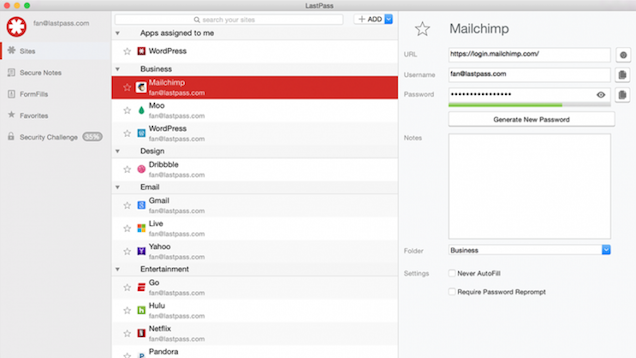
LastPass has long been a household favorite here at Lifehacker, but that doesn't necessarily mean it's the best manager for you. Let's take a quick run through its feature set:
-
Browser extensions and a dedicated Mac app: With browser extensions, you can use LastPass with just about any browser out there, without the need for an extra app on your computer. Once you get it set up, your login and password information are saved securely on LastPass's servers, and you can access them from any computer on which you have the extension installed. The Mac app adds a few more features to the extensions, including a faster search and a better way to browse your passwords outside your browser.
-
Mobile apps: If you do a lot of browsing on your phone or tablet, you can take your LastPass passwords with you. The apps themselves are free, but they require a LastPass Premium account ($12/year) to actually use. LastPass is available on Android and iOS like everything else on this list, but you can also get it on Windows Phone and Blackberry.
-
Password audits: LastPass will scan your vault to check for weak passwords and help you create more secure ones. It'll also show you a nice score on the screen so you can quickly see how strong the bulk of your passwords are.
-
Automatic password changes: After a site gets hacked, it's generally advisable to change your password to that service (and any other service on which you used the same password). LastPass keeps a database of hacks around the web and will alert you when you have an account that's been compromised. From there, you can change your password with just a click.
-
Two-factor authentication: LastPass supports two-factor authentication through services like Google Authenticator, Grid, YubiKey, and more.
Where LastPass fails: LastPass is free if you're only using it on your computers, but the extra features and mobile apps do cost $12/year. That might sound like a lot over the course of your life, but with a subscription system you're more likely to get more features and better support over the years. That said, even after a much needed update, the interface is still a bit clunky, and it takes a while to get the hang of. Likewise, since LastPass stores your (encrypted) passwords it the cloud, which some might not be comfortable with, but they've done so in a way that's quite secure and keeps them safe from hackers. However, LastPass has been very good about notifying users immediately if something happens, and if you have two-factor authentication on you should be safe in the case of any password breaches.
Who LastPass is for: LastPass is a great all-around solution for people who just want to keep their passwords safe. It has enough advanced features, even in the free version, to make it worthwhile for most power users. LastPass' real appeal, though iis the fact that anyone can get started using it really quickly (provided they can navigate the clunky UI). With the exception of mobile access, most of LastPass' best features are available for free, so if you don't need to get your passwords on the go, it's easily your best option. LastPass also has the widest mobile support of all the password managers, with apps on Android, iOS, Windows Phone, and Blackberry, so if you're not an Android or iOS user, it's your best bet.
Dashlane
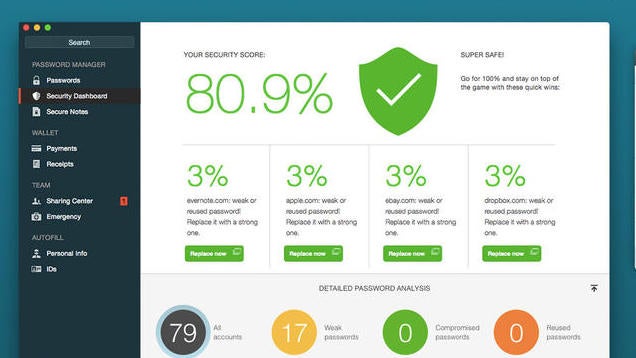
Where LastPass fails a bit in basic interface,
Dashlane truly excels. It's packed with a ton of features and is incredibly easy to use, even if you're not the most computer savvy person out there. Here's what you'll get with Dashlane:
-
Browser extensions, Windows and Mac apps: Dashlane works primarily from its desktop apps, but browser extensions allow you to integrate that data into your browser too. This means that you can set up Dashlane to store your data and sync online if you want, or keep it locally if you don't want those passwords going anywhere. Unlike LastPass, you'll need the Windows or Mac apps installed to use the browser extensions.
-
Mobile apps: If you want to use the free mobile apps, you'll have to shell out for a subscription. Dashlane's is a $40/year.
-
Password audits: Dashlane has a handy security score screen where you can check for weak or duplicate passwords, then automatically change them in a click if a hack is reported. Likewise, Dashlane will alert you if a security breach is reported.
-
Automatic password changes: One of Dashlane's more killer features is the Password Changer. Just log into your Dashlane account, click the checkboxes next to any passwords you want to change, and Dashlane will automatically change them on each individual site, all at once.
-
Two-factor authentication: Dashlane supports two-factor authentication through Google Authenticator.
-
Digital Wallet: Dashlane's digital wallet stores all your credit card information, then automatically saves receipts and screenshots of your online purchases. If you're using the mobile apps, that information goes with you too.
Where Dashlane fails: If you want features like syncing and web access to passwords, Dashlane very pricey at $39.99/year. However, you do get a lot of bang for your buck, and the app's constantly being updated with new features and security improvements.
Who Dashlane is for: If you're willing to pay the $39.99/year for Dashlane, it's definitely one of the simplest to use password managers out there. The breach notifications, consistent UI, and range of features makes it a better entry-level password manager than LastPass if you're willing to shell out the cash. The automated, bulk password changes also make it a great choice for anyone who doesn't want to spend the time changing passwords.
KeePass
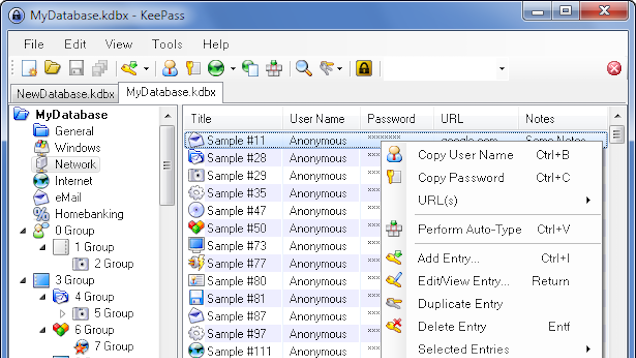
KeePass is the only truly free option that's any good, and it's also open source, which is immediately appealing to a lot of people. That said, KeePass works a lot differently than some of the more modern options. KeePass stores all your passwords locally, and doesn't have a syncing service—though you can sync your passwords through Dropbox with a plug-in. Beyond that, it's feature set it drastically different than your other options.
-
Official Windows, Mac, and Linux apps: KeePass is officially available on Windows, Mac, and Linux. It integrates with your system to fill out passwords not just online, but everywhere else on your computer as well. KeePassX is a clone that alters the look and feel of the original a bit, if you're looking for something different.
-
Unofficial mobile apps: Officially, the KeePass team doesn't make any mobile apps, but since it's open source, other people have. You can find a massive list of various ports for iOS, Android, Blackberry, and more here. Just remember, you'll need to manually sync your passwords to your mobile device, since KeePass won't do it for you.
-
Portability: KeePass doesn't require installation on your system, which means you can carry it around on a USB stick from computer to computer easily.
-
Plug-ins add tons of features: Besides being free and open source, the truly unique thing about KeePass is the support for plug-ins. With them, you can completely alter how KeePass works. This includes adding syncing through service like Google Drive or Dropbox, adding enhanced search, creating password strength reports, and more.
Where KeePass fails: KeePass is a decidedly more hands-on password manager than the other options here, which means it's not as dead simple as something like Dashlane. Which is to say, it'd be hard to recommend KeePass to anyone who isn't computer literate, even though it is the only truly free option. KeePass also doesn't have the handy security alerts and automatic password changing features of some of the other paid options.
Who KeePass is for: If you're willing to put in the effort to set it up, KeePass is incredibly powerful and well supported. Since it offers offline access and gives you complete control of your encrypted passwords, it's perfect for anyone who doesn't want to keep their data stored on a third-party server, too. If you're the tinkering type who likes to really customize your software, KeePass is definitely worth trying.
1Password
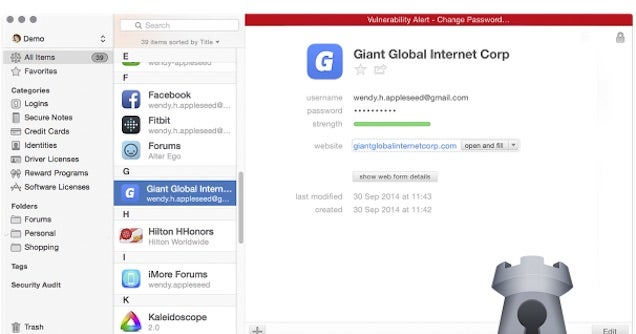
Like LastPass and Dashlane,
1Password takes the "simple is better" approach to a password manager and sports the best looking software suite of the bunch. While it might look the same as everything else at a glance, it has its own special twist on the password manager that's going to appeal to some more than others. It includes:
-
Windows and Mac apps, with integrated browser extensions: 1Password works similarly to Dashlane: you need the desktop app installed, but you can easily integrate it into your browser with extensions for Chrome, Firefox, Safari, and Opera. The nice thing about 1Password is the fact you can use it locally only, or sync to the web if you want to use it across devices. You can sync through Dropbox, iCloud, Wi-Fi, or shared network folders. You'll need to download a single license of the desktop apps for a one-time fee of $50.
-
Mobile apps: 1Password has free apps available on iOS and Android. Uniquely, you can download and use these apps without the desktop companion for free, but you won't get the syncing features.
-
Password audits: 1Password will take a look at all your existing passwords, then audit them for duplicates, weak passwords, and old passwords. More importantly, the Watchtower service will monitor your passwords and alert you to any breaches that require you to change your password right away.
-
Two-factor authentication: Instead of supporting a variety of two-factor authentication services, 1Password acts as it's own authenticator if you're a paid user of the apps. This allows you to generate one-time passwords for a variety of services. It does not support two-factor authentication to access your 1Password account, though, which is a pretty big downside.
-
Digital wallet: 1Password includes a digital wallet that organizes and securely stores any personal information you want. You can set it up to store credit cards, IDs, social security numbers, and just about anything else.
Where 1Password fails: While it's the only password manager on here that offers a one-time payment option, the $50 entry fee to use 1Password is a bit high for some people. Thankfully, there is a demo available if you just want to check it out. While most people are only using Windows, Mac, iOS, and Android, the lack of support for other operating systems does limit its usage a little. The lack of a two-factor authentication method is also a pretty big security hole and a major downside over your other options.
Who 1Password is for: If you're a fan of good design, 1Password is easily the best looking password manager on this list. More importantly though, it's constantly getting updates and new features, so you know that your $50 is well spent. If the thought of paying an annual subscription for Dashlane or LastPass is a turn off, 1Password's the way to go.
Roboform
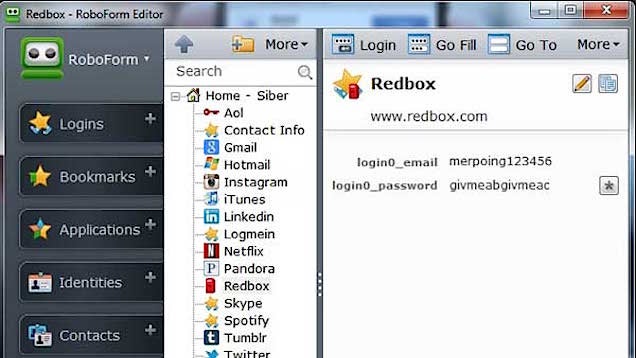
Roboform has been around for a long time, and while it's not the most innovative password manager out there, it does its primary job very well. It has:
-
Windows, Mac, and Linux apps: Roboform is available on all the major platforms, including on a USB stick, which makes it easy to transfer from computer to computer. The apps themselves integrate right into Chrome, Firefox, Internet Explorer, and Safari. Like 1Password, you can sync your password in the cloud or store your passwords locally only.
-
Mobile apps: Roboform is available for Android, iOS, and Windows Phone for free.
-
Start page: If you tend to log into the same sites every day, Roboform has a handy start page where you can easily log into a bunch of different sites at once.
Where Roboform fails: Roboform is easily the least feature-packed on this list, and at $9.95/the first year and $19.95/every year after, it's hard to justify why you'd pick Roboform over something like LastPass. If you're only interested in the desktop version and not the syncing features, you can grab the Windows or Mac apps for a one-time fee of $29.95. However, Roboform has been around a long time and has a incredibly good history of solid security. For a password manager, that's a very important thing.
Who Roboform is for: Roboform's lack of advanced features have one very specific advantage: it's incredibly easy to use. It generates passwords, logs you into sites, and that's it. There's no extra fluff, no wasting time checking password security (assuming you're already up to snuff), or anything else. If you've been using strong passwords for a while, Roboform is a nice, barebones option that does just what it's supposed to do and nothing else.
Other, Lesser-Known Options
As we mentioned at the start of this post, there are a ton of different password managers in existence. Most don't stray too far from the feature set of the above five though, and often get held back by pricing models or platform availability. That said, if none of the above work for you, these may be worth checking out:
-
Password Safe: Password Safe was created with the help of security technologist Bruce Schneier, so you know it's one of the most secure password managers out there. As these things tend to go, that comes at the cost of convenience. The free version of Password Safe is only available on Windows (The Mac clone is $14.99), and it doesn't integrate with browsers. Heck, it doesn't even create passwords for you, it's simply a vault. But it's a very secure vault.
-
Keeper: Keeper does the basics of a password manager and adds in a handy file vault as well. The pricing is a bit on the higher side though, with a single device costing $10/year and multiple devices running you $30/year.
-
PasswordBox: PasswordBox is a free password manager that has all the features you'd expect, but it's hard to recommend at the moment as they're in a transitional period after being bought out by Intel Security. On paper, that sounds like a good thing, but it's difficult to gauge what software support will be like from here on out.
Whichever one you pick, just remember, it doesn't really matter which you chose, but
pick one. If you aren't using a password manager, you're more vulnerable than you think.
Photo by Sergay Nivens.

 The Snowden revelations have made it clear that online privacy is certainly not a given.


 While Google continues to work through implementing Right To Be Forgotten legislation in Europe, there are some more developments around how Google handles consumer data and privacy. The search giant has reached an agreement with the UK’s Information Commissioner’s Office over how it collects personal data in the country, signing and publishing a lengthy document outlining its…
  As the U.K.’s political parties sweat their policy wonks to come up with voter-friendly manifestos ahead of the General Election in May, incumbent telco BT has dropped a reminder that broadband upgrades will never be big enough nor fast enough for digital’s cutting edge unless politicians find the willpower and public money to chuck at future-proofing the problem.


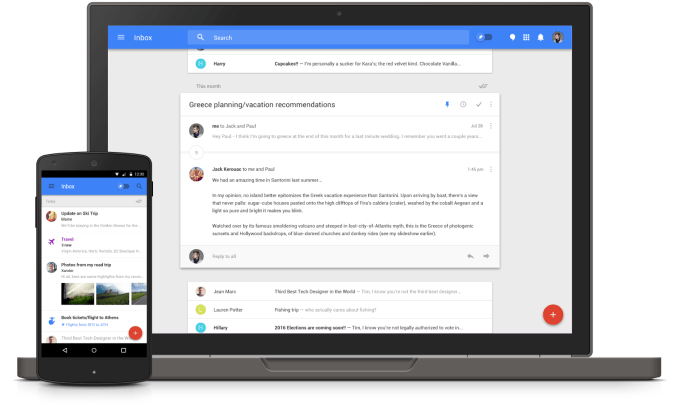 Google is serving up its longest ever period of guaranteed invites for Inbox, its alternative mobile email app built by the Gmail team. The official Gmail account tweeted the announcement today (which was then retweeted by the official Inbox profile), noting that anyone who emails inbox@google.com from a personal Gmail account between 12 PM ET today and 12 PM ET tomorrow will receive an…


 Google Wallet — the search giant’s payments business that competes against PayPal and Apple Pay, among others — is today taking its first step outside of the U.S., in the form of money transfers. Users in the UK will now be able to send money to each other by way of an “attachment” in Gmail. Google tells us that the feature should be live today for 10-20% of…


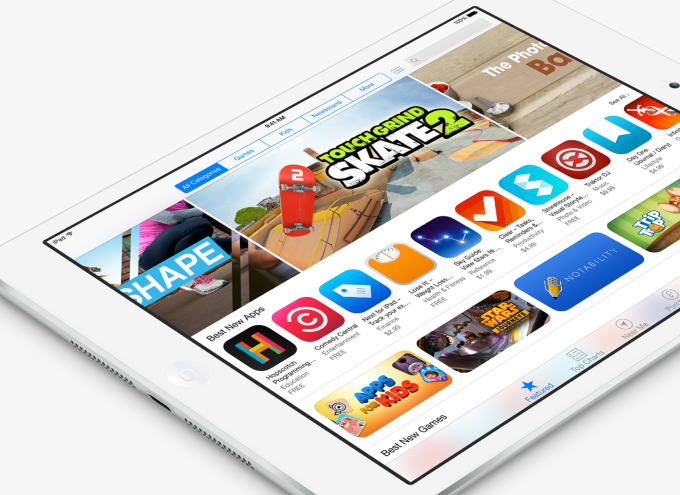 Mobile analytics provider App Annie, the market leader in the app measurement business today, is out this morning with its annual report that takes a look back at the app trends that defined the past year. The report includes a look at app category growth, like the expansion of mobile messaging services, mobile video streaming, “sharing economy” apps and more, as well as growth of…
 Some closure in the ongoing story of retail giant Tesco offloading its digital content effort blinkbox. Assets from blinkbox Books — specifically customer accounts and existing e-book libraries — are being picked up by Kobo, the e-book division of Rakuten. Blinkbox customers are getting emails informing them of the transition, and Tesco has confirmed the details to us directly.



 Amazon continues to try to shift unsold inventory of its unpopular smartphone, the Fire Phone, by slashing the price-tag. It’s currently discounting a U.K. version of the device that’s on contract with the O2 carrier to £99, down from £399.