Shared posts

02 Jun 20:01

SoundHound Has Developed Its Own Voice Assistant 'Hound' To Take On Google Now, Currently Available As An Invite Only Beta

by Bertel King, Jr.

Hound-ThumbGoogle isn't the only word that can follow OK. SoundHound has developed a voice assistant of its own, and while the project is still in invite-only beta, the newly available app is clearly going after Google Now. From the moment you utter the words OK Hound, you know you're in for something similar, but different.

SoundHound thinks Hound is special due to its ability to better understand speech.

Read More

SoundHound Has Developed Its Own Voice Assistant 'Hound' To Take On Google Now, Currently Available As An Invite Only Beta was written by the awesome team at Android Police.

02 Jun 19:48

Firefox Integrates Pocket, Adds Distraction-Free Reader View

by Frederic Lardinois
PKTBlog_FFIntegration_Header Mozilla’s Firefox now features a full integration with the Pocket read-it-later service for saving text and video. In addition, Reader View now offers users a distraction-free reading mode that’s similar to Apple’s Reader mode in Safari and the functionality of the popular Readability add-ons and bookmarklets. Read More
02 Jun 19:46

Google Maps now shows real-time transit updates in six locations

by Nathan Ingraham

Google Maps has long had pretty excellent public transportation directions both on the web and in its mobile apps, and today the company is tweaking things to make them a bit more real-time — in a few specific locations, that is. According to the official Google blog, Maps has just added more than 25 new real-time data providers for public transit in six locations: Chicago, Seattle, San Francisco, the UK, the Netherlands, and Budapest. I just did a quick test in San Francisco using a Nexus 9, and the transit direction results did indeed alert me to a bus arriving a bit earlier than scheduled on my chosen route. It also lets you know when trains are departing from a particular station for your chosen route so you can plan accordingly and...

Continue reading…

02 Jun 13:23

Here’s how many people each Marvel character has killed

by Caroline Siede
Marvel

The folks over at Morphsuits decided to break down the Marvel universe by a rather unusual metric: Murder. Read the rest

02 Jun 11:54

Behold, the world's largest whoopie cushion

by Xeni Jardin

This video about the world's largest whoopie cushion is all about the cat. (more…)

02 Jun 11:49

Vodafone's new PAYG bundles offer generous 4G allowances from just £10

by Rich Edmonds

Vodafone today launched Big Value Bundles on Pay As You Go, offering generous calls, SMS allowances and 4G access for those who top-up by £10 or more.


02 Jun 11:41

Blocks Modular Smartwatch-In-The-Making Will Run On Android

by Natasha Lomas
final_renders_3 U.K. hardware startup Blocks Wearables, which is in the process of building a modular smartwatch — shown off in concept-form in this teaser video last fall, and originally inspired by Google’s Project Ara modular smartphone — has confirmed the device will run on a modified version of Android Lollipop, rather than the Google Wear platform. Read More
01 Jun 19:33

Google+ Link And 'Share' Shortcut Disappear From The Google Bar

by Liam Spradlin

sharebegone

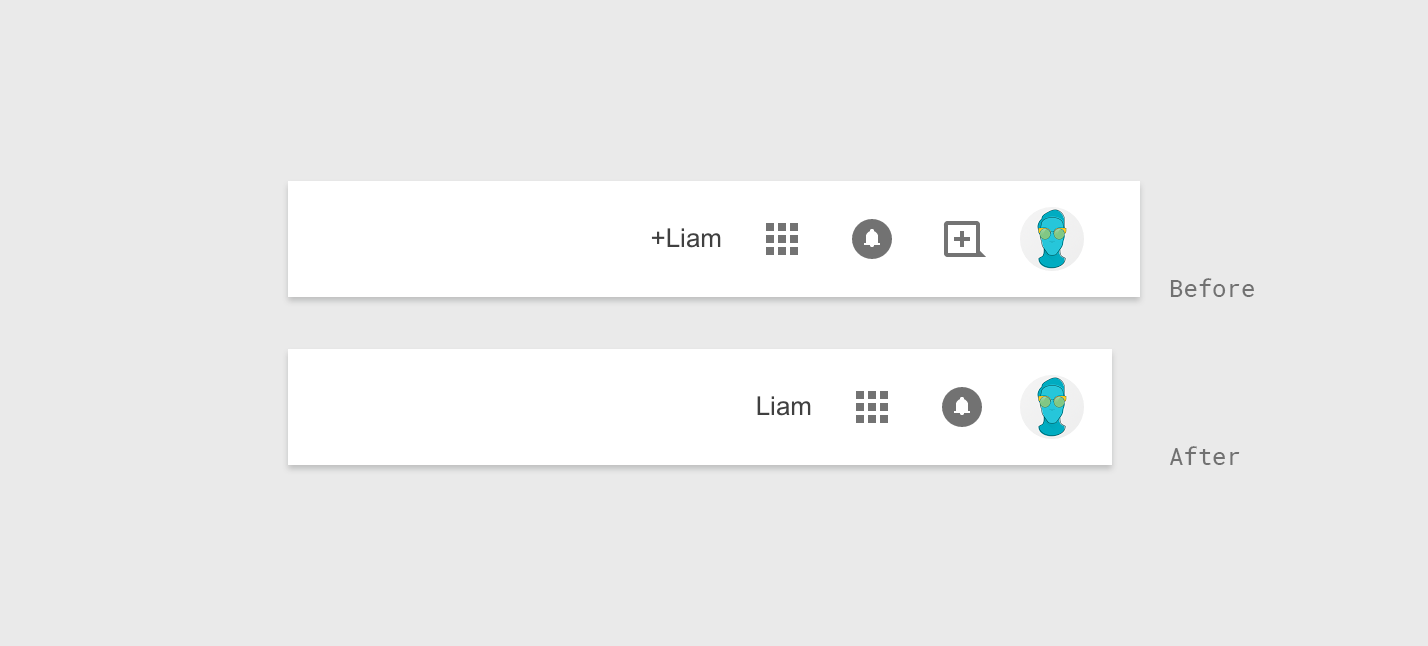
It looks like Google is performing some surgery on the Google bar, the familiar toolbar that appears across the top of many of Google's web properties (including Chrome's new tab page). Until recently, the bar held a G+ sharing shortcut, a profile switcher, an "app drawer" to switch between Google products, and a link shortcut to your Google+ profile.

Today it looks like two of those things have been axed - specifically the Google+ link and the sharing shortcut.

Read More

Google+ Link And 'Share' Shortcut Disappear From The Google Bar was written by the awesome team at Android Police.

01 Jun 19:32

Netflix is testing ads for Netflix original content on Netflix

by Ben Popper

Reed Hastings, Netflix CEO, has always been adamant that his service would never rely on advertising to pay the bills. But over the last week or two, a small number of users have begun seeing what they thought were ads, and the fiery complaints flared up on Twitter. A sampling of ire from just the last few hours is below.

Continue reading…

01 Jun 19:25

To Change a Spending Habit, Focus on Cause and Effect

by Kristin Wong on Two Cents, shared by Andy Orin to Lifehacker

To Change a Spending Habit, Focus on Cause and Effect

You’ve probably heard that, when changing a habit, it helps to focus less on your goal and more on the process—the steps you take to achieve that goal. This makes your goal immediate and actionable. To build that process, think about the cause and effect of your habit.

Over at I Need Money Asap, writer Thomas explains that it’s often hard to stick to a budget because of our spending habits. To change a habit, think about what causes you to spend and what effect the spending has on you afterward.

He uses the famed latte example. If you want to cut out your daily $5 latte, ask yourself what causes you to buy it everyday:

Perhaps you buy your $5 latte on the way to work. You buy it at a coffee shop you walk by every morning. To change your latte buying habit you may need to change the path you take to work. Take a different route to avoid that particular coffee shop. By altering your habit of walking to work you make it easier to change your habit of buying a $5 latte every morning.

But also consider the effect of spending money on that latte:

Or perhaps you buy your $5 latte because it gives you a little boost of energy afterwards. In this case you need to find a new (and cheaper) way to get that energy boost. Buy some healthy treats in bulk and keep them at your desk for an easy and less expensive way to get a quick energy boost.

    It’s one example, but it’s a smart way to frame your thinking when you’re trying to change your spending habits. Head to the link below for more insight.

    3Reasons Why It’s Hard to Budget | I Need Money ASAP

    Photo by 401(k) 2012.

    01 Jun 19:25

    How the New Google Photos Makes Your Picture Library Awesome

    by Alan Henry

    How the New Google Photos Makes Your Picture Library Awesome

    Google announced Google Photos last week, a new photo hosting service that combines everything great about Google+ Photos with unlimited free storage for high quality photos and HD videos. Whether you’re trying it for the first time or logging in to see what’s different, here’s what’s new, and how to make the most of it.

    Google Photos is impressive, but it’s not totally new. The service was previously pretty tightly tied to Google+ but still let you do tons of awesome things with your photos. Quick photo editing using Snapseed’s powerful tools, photo filters, auto-upload and “auto-awesome” (which creates GIFs and short videos from your photos,) were all features that Google+ fans will recognize, but everyone can use now, whether they have a Google+ account or not. Let’s take a look at some of the other big changes that make managing your photos easier than ever.

    Upload Everything from All Of Your Devices, For Free

    How the New Google Photos Makes Your Picture Library Awesome

    Everyone likes free, and when Google announced free storage for all of your photos and video, the audience cheered. There’s one caveat however: If you choose Google’s “unlimited” free storage, you can only upload photos up to 16 megapixels or 1080p HD video. Anything higher resolution than that will be downgraded to fit. If you don’t want to do that, you can opt out—which means you still get free space for anything at or below 16 megapixels or 1080p, but anything higher resolution will count against your Google Drive quota (15GB for most people, unless you purchase an upgrade,) shared across Gmail and all Google apps. The option is in your Google Photo settings, and the setting applies to all of your devices where the Google Photos app is installed.

    The “unlimited” option is probably good for most people, though. Unless your phone has a really high-resolution camera or is capable of shooting in 4K, you probably won’t notice too much of a difference if you enable this feature, and being able to automatically store everything sweetens the pot. Most of us look at our photos in web browsers or on mobile screens anyway. However, if you’re a stickler for quality or all of your devices have high-end cameras, “unlimited” might not be for you. In that case, you might consider leaving it off or finding a service that doesn’t trim the quality of your shots. Oh, and even though we’re talking about uploading here, if you want all of those photos on your computer, or backed up offline (and you should), now you can download them all with one click over at Google Takeout.

    Let Google Organize Everything (or, If You Must, Create Your Own Albums)

    How the New Google Photos Makes Your Picture Library Awesome

    Google Photos’ new “collections” feature automatically arranges your photos by date or location, which is a big improvement over the way the feature worked before. The new “Assistant” is the place you’ll go for newly generated auto-awesome photos, highlight reels, and short videos. By default, your photos are still organized by date, the way they’ve always been. Click or tap “Collections” to see photos of specific events, like an afternoon photo walk or a trip to the beach.

    Google Photos is good at automatically bundling up photos you took from a specific time period and creating a collage of them—it’s not perfect at knowing where you were (it labeled some photos I took outside of the Capitol Building as the National Portrait Gallery, which is definitely not the same thing or even nearby) but the collections are easy to tweak and add detail to. You can even share them with others, and the whole experience is much more interesting than a simple photo album could ever be. Your notes and narrative are in-line with the photos, right next to the geo-locations where took the pictures. (Speaking of geo-tagging your photos, your photos are automatically tagged with their location now. If you’d like to turn it off, it’s a toggle in your settings.)

    If you prefer to take matters into your own hands, you can still create your own albums, generate your own stories or animations, or build your own collage of photos. Click or tap the plus sign next to the search bar (or at the top of the screen in the mobile app) and select the photos you want to be in your album. Add notes, select music, and share it with friends. You can let Google Photos do the heavy lifting for you here, but even if you want to do it yourself, it’s surprisingly easy.

    Fall In Love with the New Search Bar

    How the New Google Photos Makes Your Picture Library Awesome

    The big new search bar at the top of Google Photos is probably the most impressive update. Type in just about anything you’ve taken a picture of, and it’ll find your photo. It’s a bit like Google’s Image Search, but just for your photographs—and it works remarkably well. Type in “people,” and any photos or portraits of individual people will come up. When I type “Air and Space,” all of the photos I took at the Air and Space museums here in DC appear instantly. Even when I type in “salad,” I get multiple photos of, well, salad that I’ve taken (A fact of which I’m sufficiently embarrassed). That said, it’s not perfect—if you type in “people,” you might find art you’ve taken photos of or downloaded, but that’s okay.

    The search bar is hiding another neat feature you’ll want to try: Quick access to all of your photos in Google Drive, your videos, recently added photos, and any creations (auto-awesome photos, highlight reels, or GIFs) you’ve made. Just click or tap the search bar once and scroll to the bottom of the list of suggestions to see quick links for each.

    Being able to search for photos is incredibly powerful. Ideally, you could start just taking shots and letting them upload automatically, and then search for what you want to see instead of painstakingly creating individual albums or folders. Google Photos allows you to create them manually, but the changes to the way photos are organized makes it less necessary than other photo sites, and the fact that I can just search for broad terms to see all of my matching photos is a huge boon.

    Share Your Photos with Everyone

    How the New Google Photos Makes Your Picture Library Awesome

    Sharing is much better than it used to be. Back when Google+ Photos was tied to Google+, your sharing options were essentially a link that would bring a visitor to G+, or to share your photo with your Google+ Circles. Now, you have the option to share direct links to your photo, or to send the photo to Facebook and Twitter as well as Google+. All of those shared links can be tracked from the sidebar too, so you can always see which photos are out there and visible to other people, which is a nice touch.

    Customize Your Gallery View

    How the New Google Photos Makes Your Picture Library Awesome

    This feature is mobile-only, but it’ll completely change the way you look at your photos. By default, your photos are organized by the day you took them. If you take a lot of photos, or just want a broader view, you can zoom in (making the photos larger but displaying fewer on-screen) to a daily view, or pinch to zoom out, making the photos smaller individually, but showing more on-screen. As you zoom, the organization changes to better suit the view—photos you took “yesterday” are merged with all the photos you took over the past week, then this month.

    Zooming around like this makes it really easy to find photos you took last month, or even last year, but it’s also great for looking right at photos of an event, or getting a nice view of all of the shots you took on your week-long vacation, or while you walked around town yesterday.


    Of course, these are just some of the new and newly upgraded features. All of the things that made the service great are still here, like the ability to edit your photos, crop and resize them, apply layers, and download them to your computer, from the web or your mobile device. Google Photos also now lets you delete your photos from your smartphone or tablet once they’ve been uploaded, which gives you more space on your phone for apps or other things.

    There’s a lot to love about the new Google Photos, and a great mix of new features and old ones that have been substantially upgraded. If you’re not already using it to manage your photos, it’s worth a look—and even if you’re using another service, like Flickr or Facebook, the fact that it’s free gives you one more place to back up, organize, edit, and share your photos for free.

    01 Jun 17:01

    German Shepherds aren't as smart as you think

    by Heather Johanssen

    Poor dog. This had to be ruff.

    via

    01 Jun 16:59

    Watch an insane marble machine with 11,000 marbles

    by David Pescovitz

    Jelle Knikkers makes incredible "Marble Machines and Rolling Ball Sculptures" including this one containing 11,000 marbles rolling down four paths. Called the "Marble Tsunami," it's located in the indoor playground Monkey Town in Gouda, The Netherlands. The Marble Master

    01 Jun 16:57

    Hands-on with ASUS' new ZenPad tablets

    by Alex Dobie

    ASUS' new tablet range includes three entry-level models and an intriguing Intel-powered high-ender.

    This morning at its "Zensation" event in Taipei, ASUS unveiled a new line of 8-inch Android tablets under the ZenPad brand — the ZenPad 8.0 and ZenPad S 8.0. Then after that presentation, the company showed off a further two low-end ZenPad models — the ZenPad 7 and 10, at 7 and 10 inches respectively. While most of these devices won't appeal to spec-happy tablet buyers, the new flagship ZenPad S 8.0 delivers an impressive combination of hardware power in a slim, sleek form factor. And even the budget offerings have some unique accessories going for them. We'll take a closer look after the break.

    01 Jun 16:56

    Report: Sony Mobile Cuts 975 Workers In Sweden As Troubled Handset Maker Restructures

    by Ingrid Lunden
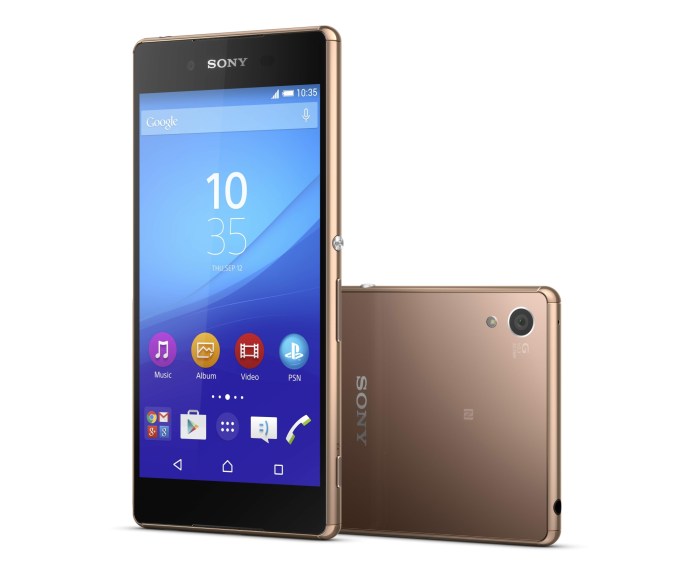
    Xperia Z3+_Copper_front_side The difficult shakeout among less successful mobile handset makers continues apace. According to a report, and Sony confirmation, from Swedish local publication 8till5, Sony Mobile is cutting nearly 1,000 jobs in Sweden, one of the company’s key manufacturing and R&D centers. In all, 575 staff and a further 400 contract positions will be eliminated across all divisions,… Read More
    01 Jun 16:53

    TodayTix Brings Its Last-Minute Ticketing Service To London’s West End

    by Anthony Ha
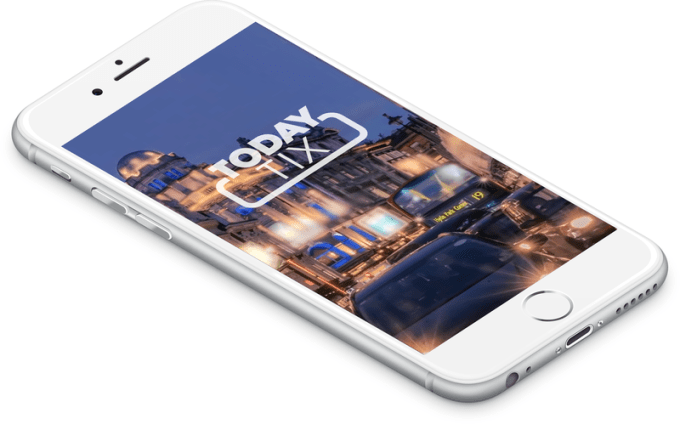
    todaytix We’ve written about how TodayTix has been working to help the theater industry adapt to the world of on-demand, mobile-centric commerce — today it’s crossing the Atlantic, to London’s West End. The New York City-based startup launched its mobile app at the end of 2013 and says it’s now selling an average of one ticket every minute to its 425,000 users. Read More
    01 Jun 16:53

    Microsoft explains what you’ll lose by upgrading to Windows 10

    by James Vincent

    Microsoft announced today that it will be launching Windows 10 on July 29th, encouraging Windows 7 and 8.1 users to reserve their free upgrade with a notification in their task bar. However, while the company has been busy highlighting all the shiny new features in the upcoming OS, it's been a bit quieter when it comes to spelling out the limitations — including making updates automatic for Windows 10 Home users.

    Say goodbye to hearts and desktop gadgets

    Firstly there are the software losses. Most of these will only affect a small number of users, but upgrading will mean saying goodbye to Windows Media Center, the card game Hearts, and Windows 7's desktop gadgets. Anyone in the habit of using floppy disks on Windows will also have to...

    Continue reading…

    01 Jun 16:53

    Lego just launched a Minecraft competitor on Steam

    by Andrew Webster

    Apparently Minecraft-themed Lego sets weren't enough — today Lego has launched its very own Minecraft-like video game. Called Lego Worlds, the surprise game is available now through Steam "early access," essentially a paid beta program where you can purchase games still in development. (Also a business model that Minecraft famously pioneered.)

    Just like Minecraft, the game features procedurally generated worlds where players can modify their surroundings to create whatever they like. Only this time, those worlds are made of Lego bricks. "Lego Worlds enables you to populate your worlds with many weird and wonderful characters, creatures, models, and driveable vehicles, and then play out your own unique adventures," the game's Steam page...

    Continue reading…

    01 Jun 13:07

    Google Calendar's SMS Notifications Will Not Be Available After June 27th

    by Rita El Khoury

    GoogleCalendar-Thumb

    There was a time, several years ago, when SMS notifications were very handy. Twitter, Google Calendar, and many other services, used the 160 characters to let you know of any changes to your schedule, new mentions and direct messages, and surfaced other useful information to you. But in today's age, where smartphones are so ubiquitous and you could get one for less than $100, SMS is taking a step back to regular notifications from installed apps.

    Read More

    Google Calendar's SMS Notifications Will Not Be Available After June 27th was written by the awesome team at Android Police.

    01 Jun 13:06

    Stop Relying on Motivation and Make Change by Creating Systems

    by Eric Ravenscraft

    Stop Relying on Motivation and Make Change by Creating Systems

    Motivation is great when you’ve got it. It makes you excited about things and you’re eager to put your nose to the grindstone and start working. When you don’t have it, however, your productivity can plummet. Instead, stop relying on motivation and start creating systems of habits to get things done.

    As personal finance blog I Will Teach You to Be Rich points out, motivation comes in waves. It’s unreliable and therefore should not be relied on. Instead, giving yourself a system that makes it easy for you to do what you need to anyway is a better approach to instituting change:

    One of my mentors, BJ Fogg, who runs the Persuasive Technology Lab at Stanford, says we should assume that our “future self” is going to be lazy with no motivation. We need to set up systems to make achieving our goals as easy as possible — even when our motivation is low. In other words: Motivation DOESN’T work. Systems do.

    While it’s nice to feel motivated, you’re a lot more likely to stop drinking soda and start drinking water if all you have is water in the house. Feeling motivated to be healthier isn’t going to be enough all the time. With any habit you can get into, the more you can structure your life around you to accommodate the way you want to live, the more likely you are to stick with it even when motivation fails you.

    How to motivate yourself | I Will Teach You To Be Rich via Rockstar Finance

    Photo by Dennis Hamilton.

    01 Jun 13:06

    U.K. Police Making One Comms Data Request Every Two Minutes — Report

    by Natasha Lomas
    mac keyboard U.K. civil rights group Big Brother Watch has obtained data revealing the extent of domestic police forces’ access to web users’ communications data. In a report published today the organisation says U.K. police forces made more than 733,000 requests for comms data over a three year period (between 2012 and 2014) — which is says is the equivalent of one request being made… Read More
    01 Jun 12:16

    ASUS ZenWatch 2 hands-on

    by Alex Dobie

    ASUS' second-generation smartwatch isn't the design revolution some will have been hoping for, but it's still the best-looking rectangular Android Wear device we've seen.

    ASUS didn't talk about its second Android Wear device, the ZenWatch 2, on-stage at its pre-Computex press conference today, but we were able to spend some quality time with the watch in Taipei today. In essence, it's a refinement of the design of the company's first Android smartwatch — not a drastic departure from the previous generation, but good enough to stand out in a sea of circular Android timepieces.

    01 Jun 12:13

    Asus' new tablet has swappable backs that add surround speakers or battery life

    by Dante D'Orazio

    Asus isn't one to shy away from wild ideas (remember the dual-OS Transformer Book Trio?), and at Computex this year it looks like the company has another crazy tablet up its sleeve. The company's new ZenPad 8 Z380C tablet has interchangeable back plates that don't just let you change how the tablet looks — they add features.

    One back plate that makes some sense adds an extra battery, giving you a total of 14 hours worth of juice. Another, called the Audio Cover, makes less sense. It adds six — yes, six! — speakers to the back of your tablet. With the audio cover snapped on, you'll get DTS-HD 5.1 surround sound, supposedly. To our great dismay, Asus hasn't provided us any photos of this thing, but we're guessing that the speakers...

    Continue reading…

    01 Jun 12:13

    Asus announces ZenWatch 2, bringing a digital crown and a choice of sizes to Android Wear

    by Vlad Savov

    The only way for Computex, Asia's foremost tech exhibition, to get going is with a deluge of announcements from local powerhouse Asus, and this year's show is no different. The headline new device from Asus is the ZenWatch 2, its second Android Wear smartwatch, which appears to borrow a great deal from the Apple Watch, both in its form and new functionality.

    Continue reading…

    01 Jun 12:12

    Microsoft will release Windows 10 on July 29th

    by Tom Warren

    Microsoft promised to launch Windows 10 in the summer, and now the company is revealing an exact date: July 29th. The official date comes weeks after AMD CEO Lisa Su revealed that Microsoft would launch Windows 10 in late July. Microsoft’s aggressive timing means that the company will be looking to finalize its features for Windows 10 very soon. Recent preview builds of the operating system continue to include many changes to features, and a number of issues and bugs.

    Microsoft now has less than two months to fix all these issues and bugs before it launches Windows 10 to the world. That’s slightly concerning given the state of the operating system right now, but recent preview builds have started to look and feel more final, indicating...

    Continue reading…

    31 May 21:24

    US police have killed hundreds this year, but the FBI still doesn’t keep count

    by Lizzie Plaugic

    In the first five months of 2015, US police forces fatally shot at least 385 people, The Washington Post reports. That's more than two people per day, and more than double the amount of police killings on record for the last decade. But this doesn't necessarily mean police are killing more people than they ever have, rather it's indicative of the FBI's known failure to keep a reliable, comprehensive database of police killings nationwide.

    Jim Bueermann, a former police chief and president of the Police Foundation told the Post that police killings in the US are "grossly underreported." "We are never going to reduce the number of police shootings if we don’t begin to accurately track this information," he said.

    Police killings are...

    Continue reading…

    30 May 22:37

    Take a virtual journey through Vietnam's massive Son Doong cave

    by Lizzie Plaugic

    The Son Doong cave is one of the world's largest, but until now you had to travel to Vietnam to experience its misty, majestic glory. National Geographic recently created a virtual tour of its massive tunnels and little jungles, so now you don't even have be wearing shoes to stroll inside.

    The cave is over 5km long, with sections reaching up to 200 meters tall and 150 meters wide, and a total volume of 38.5 million cubic meters. National Geographic highlights certain cave features throughout the tour, like a giant stalagmite known as The Hand of Dog and a flush, green jungle nicknamed The Garden of Edam.

    Continue reading…

    30 May 22:36

    Google's New 'My Account' Interface Makes Checking And Managing Account Settings Beautiful And Easy

    by Liam Spradlin

    As Googler Andy Bohm notes on G+, Google's Privacy team didn't appear on stage during the I/O keynote this year, but that doesn't mean the team didn't have anything awesome to talk about. Specifically, Google has launched a revitalized account management interface. The new My Account page injects privacy and security settings with simple navigation, easily understood explanations, and tons of awesome illustrations to walk users through checking, changing, and otherwise managing their account/privacy settings.

    Read More

    Google's New 'My Account' Interface Makes Checking And Managing Account Settings Beautiful And Easy was written by the awesome team at Android Police.

    30 May 22:35

    The Best Furniture Fabric When You Have Pets

    by Kristin Wong

    The Best Furniture Fabric When You Have Pets

    When you have pets, you have to be careful with furniture. Your sofa or armchair can easily turn into a giant scratching post, chew toy, or hair magnet. And the upholstery fabric you choose can make a big difference.

    Some fabric is more pet-friendly than others, Apartment Therapy points out. They share a a few of their best options for furniture fabric when you have pets. A couple of them include:

    Consider Synthetic Fiber (Ultrasuede/Microfiber): It’s not always easy to get excited about this choice aesthetically (that said, there are always exceptions, especially if the shape of the sofa or chair is super stylish), but it’s about as close to “pet proof” as you can get. Cats don’t seem to like scratching it (especially if there is a scratching post nearby) and even if they try, it’s easy to brush away, if it even shows up. Cleaning is easy too, especially if the upholstery code is “W”: you can use a simple solution of soap and water.

    Lots to Love with Leather: The allure of leather is that it is mostly resistant to odor and it doesn’t attract pet hair. If by chance some actually happens to find its way onto the cushions, it wipes off easily with a dust cloth. Cats seem to avoid leather as long as there is a scratching post nearby, and if your dog leaves a scratch you can usually buff it out. If it’s an option, choose distressed leather, it will draw less attention to scratches and scuffs.

    They suggest staying away from tweed, which can trap the hair in its weave. Of course, pets and their habits vary, so your mileage will, too. But each of their suggestions have some valid points to consider. Check out the full post for yourself at the link below.

    Best Upholstery Fabric Options for Cat & Dog Owners | Apartment Therapy

    Photo by Petras Gaglias.

    30 May 22:33

    New Jersey judge orders newspaper to “remove a news article.” The paper's response is awesome. (UPDATED)

    by Xeni Jardin
    A county judge ordered a local paper to “remove a news article” that relates to a child custody case, demanding that the paper take it out of public internet view for all eternity. Good luck with that. Read the rest