Shared posts

29 May 21:03

The Coolest Android Mashmallow Features That Google Didn't Announce

by Eric Ravenscraft

The Coolest Android Mashmallow Features That Google Didn't Announce

Android Marshmallow has finally arrived. First announced at Google I/O, the company already teased a bunch of cool features. Here are some of the sweet features Google didn’t announce.

http://lifehacker.com/all-the-import...

Right now, Android Marshmallow is only available for certain Nexus devices. If you haven’t received an update yet, here’s how to skip the line and update manually. For everyone else, be sure to check out our list of devices that are expected to get Marshmallow at some point in the future.

Google Has a Powerful New App Backup Tool, If Developers Use It

The Coolest Android Mashmallow Features That Google Didn't Announce

Google has relied on the cloud to backup most of your data for forever. The one key exception, though, has always been app data. If you uninstall an app or move to a new device, you have to change all your settings all over again. While the company has allowed developers to optionally backup data to Google Drive for a while, the company has finally built a powerful new system.

What that means for you is that you shouldn’t need apps like Titanium Backup just to get your home screen back to normal. Of course, it comes with some limitations. For starters, only 25MB of data will be backed up. That should cover things like your settings, but it may not include the 5GB of music you downloaded. Developers can also choose to opt-out of including certain files, or disable the backup entirely. This is a good thing, as there are certain types of apps and data you don’t want backed up by default. However it does mean there may still be a few things you have to manually transfer.

The problem is that developers can still opt out, and most so far have. In order to use the new system, developers have to specifically target API level 23 (read: Android 6.0, for the layman). So any developer that hasn’t updated their apps won’t use the backup. Moreover, devs can choose to opt out of the backup system if it’s not working for them. While the backup system is great, don’t expect it to work in the short term. Then again, it will take a while for most people to get Marshmallow anyway, so you might see it the next time your phone gets an upgrade.

You Can Manually Add or Re-arrange Quick Settings Tiles
The Coolest Android Mashmallow Features That Google Didn't Announce

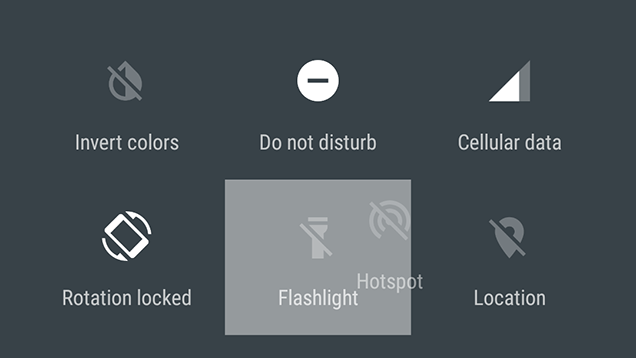
In Android Lollipop, Google revamped the quick settings shade so that now, rather than including a bunch of options you don’t need, the shade will intelligently show you the settings you use most often. That’s a nice feature, but it also leaves you scrambling to find things every now and then. In Android Marshmallow, you can finally customize which tiles appear in quick settings.

This is one handy feature of the new hidden System UI Tuner. In order to access it, you’ll need to pull down your settings shade, then long-press the small gear icon next to your profile picture. You’ll then see a toast notification saying that System UI Tuner has been added to your Settings app. Open it up and you’ll seen option called Quick Settings. Use this to reorganize your quick settings shade.

Show Your Battery Percentage and Hide Icons In the Status Bar

The Coolest Android Mashmallow Features That Google Didn't Announce

Yet another cool feature of the System UI Tuner, you can now add a numeric battery percentage to your indicator in the status bar. Open up the Tuner in your Settings app and enable the “Show embedded battery percentage” toggle option.

You can also use the System UI Tuner to hide icons in the system bar. You can hide several icons including cellular data, Wi-Fi, airplane mode, alarm, Bluetooth, Do Not Disturb, and Hotspot. Some of these may be more useful than others, but if you’re running out of space, you can clear out some of the junk.

Swipe Left on the Lock Screen to Open Voice Search Instead of the Dialer

The Coolest Android Mashmallow Features That Google Didn't Announce

In Android Lollipop, Google added the ability to swipe left on the home screen to access the dialer, reminding everyone that phones exist. Apparently no one really cared about phones, though, as Google has changed this behavior. Now, when you swipe left, you can perform a voice search. This is probably a lot handier than opening the phone app, and will result in fewer butt dials. Butt searches, however, will see a marked increase.

Your SD Card Will (Finally!) Be Treated As Internal Storage

The Coolest Android Mashmallow Features That Google Didn't Announce

Google has been trying to ignore the existence of SD cards for years, with no Nexus device even including the option since the Nexus S. Part of the reason for this, the company claims, is because it makes file management harder when you have multiple storage volumes. With Android Marshmallow, Google is fixing this by allowing users to treat SD cards like they’re just more internal storage.

This is particularly important since Google has been making it a bit harder for developers to use SD card storage recently. Now, you can let Android “adopt” your SD card and it will be treated to the same rules that apply to your internal storage, which should give your apps a lot more flexibility in how they use your extra space. In other words, having an SD card shouldn’t come with any weird penalties anymore.

29 May 20:58

Google announces new 'Hands Free' payment system, testing to begin later this year

by Jared DiPane

Later this year Google will begin testing of another payment option, Hands Free, which will let customers pay with just their voice.

At Google I/O Google introduced Android Pay, the companies newest mobile payment system. It appears as though the company is also set to test yet another payment option, Hands Free. This new payment system will be tested out later this year, starting in the San Francisco Bay Area.


29 May 20:58

Age-based app ratings now showing in Google Play Store

by Phil Nickinson

Google back in March announced that all Android apps in the Google Play Store soon would display age-based content ratings. Developers would answer questions in a fairly simple survey (I've done it a dozen times now) and in turn would receive a rating from the International Age Rating Coalition. (More on that here.)

Today, those ratings have gone live in the web version of the Google Play Store, visible just under the app ratings. (Presumably the app-based Google Play Store will show them soon, too.)


29 May 20:56

Bold Knot Is A Cute Top-Up Charger Built By A Startup From The West Bank

by Natasha Lomas
Bold Knot The Bold Knot is a neatly designed top-up battery pack aiming to prevent smartphone users from running out of battery towards the end of the day. It offers an end of day boost (equivalent to three hours’ extra talk time) as an alternative to carrying a hefty full-size power pack. Read More
29 May 20:55

Google's Frankenstein phone just came to life

by Dan Seifert

During the ATAP keynote at Google I/O, Google engineer Rafa Camargo demoed a functioning Project Ara smartphone. Project Ara, which was announced last year, is a modular smartphone system that lets you swap out components such as processor, camera, battery, and more without having to purchase an entirely new phone. Camargo built a phone by sliding modules into a frame, turned it on, then added a camera module and took a picture of the audience.

Project Ara's components have been shown off before, but this was the first time Google built the phone as part of a live demonstration. Camargo did not provide much more info about the status of Ara beyond the demo, but the project is expected to begin a pilot test in Puerto Rico later this year...

Continue reading…

29 May 20:54

Google's incredible, immersive Spotlight Stories are coming to YouTube

by Bryan Bishop

Google is expanding its Spotlight Stories program in a big way at I/O this year, taking the short films beyond Motorola phones and toward the Android ecosystem at large — and during today's ATAP presentation Google confirmed they would be coming to YouTube as well. The news came during a presentation about the way Spotlight Stories have expanded from the earlier animated shorts, put together by classic animators like Glen Keane, and into the world of live-action — most specifically with Help, a short from Fast & Furious director Justin Lin about an alien invasion descending upon Los Angeles. Variety broke the YouTube news earlier this week.

Rather than going for the full field-of-view immersion that something like Oculus (or Google...

Continue reading…

29 May 16:59

Google Debuts App Invites, A More Personalized System For Inviting Friends To Try Apps

by Sarah Perez
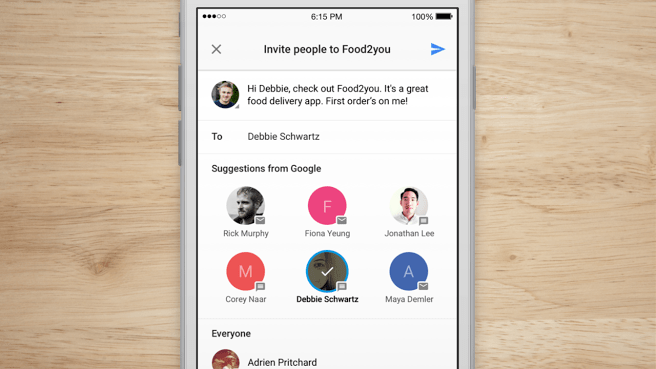
appinvites2 Google has debuted a new product called “App Invites” aimed at helping mobile app developers grow their application’s user base. Now in beta for both iOS and Android, App Invites includes a set of standardized tools for sending out app invites over SMS and email, highlighting recommended contacts, creating personalized onboarding experiences for new users, and measuring… Read More
29 May 16:58

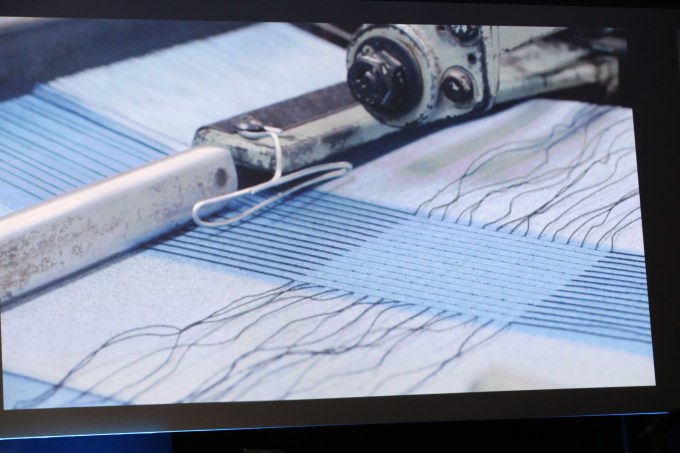
Google ATAP’s Project Jacquard Wants To Weave Sensors Into Your Clothes

by Frederic Lardinois
google-io-2015-atap0049 Google’s ATAP unit today debuted Project Jacquard, the group’s effort to develop the technology that could soon make interactive textiles not just a novelty, but something that the global fashion industry could adopt. Read More
29 May 16:54

Surprising and Delicious Foods You Can Make in a Rice Cooker

by Melanie Pinola

For the past few years, the Instant Pot has been the sweetheart of the one-pot cooking world. But before it was the hot item on everyone’s registries, there was the rice cooker. But don’t let the name fool you: rice cookers cook more than just rice.

Read more...

29 May 16:52

South African canopy walkway is breathtaking

by Caroline Siede
1Q4Rtm6zOdRJWptVGCmOjzAi0AaLZXLuW8-bqoEFGLQ

Kirstenbosch National Botanical Garden near Cape Town, South Africa, offers visitors the chance to walk above the trees. Read the rest

29 May 16:51

Place a rock on top of another rock, go to jail: Boulder cops

by Mark Frauenfelder

Boulder artist Michael Garb (aka "Gravity Glue") says Boulder police have threatened to fine and jail him for stacking river rocks, which he has been doing for years.

Read the rest
29 May 14:12

YouTube A to Z: #HappyBirthdayYouTube

by Google Blogs
Every adventure starts somewhere, and YouTube’s began on Saturday, April 23, 2005, when "Me at the Zoo" became the first video uploaded to a new site no one had ever heard of. Captured at California's San Diego Zoo, the clip is a 19-second description of what exactly makes elephants so cool. Its brief runtime and casual setup suggest little of the online video craziness that would follow over the subsequent decade.

But it turns out “Me at the Zoo” proved to be a simple distillation of the premise of the new platform, where anyone could just turn on a camera and broadcast themselves with ease. Who could have predicted that, in that same environment, new genres, new forms of expression, and new paths to stardom would evolve? That engaging and unique personalities borne of this place could be more influential than Hollywood's biggest names? Or that more than a billion people from all corners of the globe would come together in that space to experience what the world creates, broadcasts, and shares?

Yeah. We were surprised, too.

For our 10th birthday this month, we've gone from A to Z celebrating the adorable, empowering, awesome, weird and wonderful moments that represent the many sides of YouTube. But, of course, if we're really going to capture 10 years of YouTube, we're going to need to do it in … a video:

Thanks for a wild and inspiring 10 years. Now, you've got 300 hours of video to capture and share in the next minute. So get back to it!

**Bonus Points: How well do you know YouTube, A to Z? Play the YouTube trivia game to find out at YouTube.com/10.

Posted by the YouTube Team
29 May 14:11

Here’s a tiny tortoise eating a cucumber to brighten your day

by Caroline Siede

Her name is Lucy. She has her own Vine account.

(more…)
29 May 14:11

26 Imaginative Images of Inanimate Objects

by Darlene Hildebrandt

When you’re just learning photography non-living or inanimate objects make great subjects because they have infinite patience and don’t move. You can take your time getting your shot just right, checking the lighting, and composing the perfect image.

These images of objects, table top products, still lives, are great examples of what you can do with such subjects. See if you don’t get some ideas for your own photography.

The post 26 Imaginative Images of Inanimate Objects by Darlene Hildebrandt appeared first on Digital Photography School.

29 May 13:04

Google highlights the best apps with Material Design with Google Play showcase

by Dan Thorp-Lancaster

Google has compiled a list of 18 apps that it feels best showcase Material Design.

Just in time for the one year anniversary of Material Design, Google has compiled a showcase of the 18 third-party apps that it feels best take advantage of the design paradigm.

29 May 13:00

4 Myths About Hydration That Refuse To Die

by Dick Talens on Vitals, shared by Andy Orin to Lifehacker

4 Myths About Hydration That Refuse To Die

As Derek Zoolander wisely put it, wetness is the essence of life. Whether you like drinking water or not, it accounts for about 60% of your body weight, and plays a pretty darn important role in making sure your body functions normally. But statistics aside, there are a couple of myths about hydration that refuse to die.

Myth One: You Need To Drink Eight Cups A Day

This most well-known but laughably arbitrary rule of thumb has been hammered into us since who knows when. In fact, Dartmouth physician Professor Heinz Valtin went as far as to pen a paper published by the American Physiological Society on the lack of scientific evidence behind the popular axiom.

The truth is, your actual needs can be more than 8 glasses, or less than 8 glasses. There’s no magic number, and the amount changes every day, depending on your size, weight, ambient temperature, daily activities, and, more significantly, your food.

So how do you know how much water you should drink? Before all this science, people relied on a pretty fine-tuned, reliable mechanism to make sure they were getting enough water. It’s called thirst, and you may have heard of it. Drink enough to satisfy your thirst, and that’s good enough.

Myth Two: If You’re Thirsty, You’re Already Dehydrated

Strictly speaking, it’s true. Thirst is normally triggered by a decrease in your body’s water content. But it’s not as dire as it’s usually made out to seem.

Normal levels of thirst usually come about with a 2-4% reduction in body water. As long as you don’t have kidney problems, this is generally tolerable, and acts as a perfectly sound guide to let you know when you need a glass of H2O.

Dehydration becomes a problem when you exceed an 5-8% reduction in body water. By this stage, however, you would be experiencing dizziness and fatigue–far more severe than a slightly dry mouth.

The thirst principle also applies to when you’re exercising. But if you notice that you forget to hydrate or finish parched, take heed of the American Council on Exercise’s guidelines: about 7-10 oz (about a glass) for every 10 to 20 minutes of heavy activity should be enough.

Myth Three: Sports Drinks Are the Best Option After Exercise

This depends. Sports drinks are full of electrolytes (salt ions) that help your body replace those lost from sweat. These electrolytes are important: they’re crucial for nerve functioning, and help to maintain blood pH levels, among other things. But Gatorade? Less important. Good marketing may try convince you otherwise, but such drinks are really only necessary if you’ve been exercising hard for a long time, like long distance running, or hours of hiking in the hot sun. Even then, beer is a better option.

No matter how hard you killed your leg workout, you’re probably better off sticking to plain water.

Myth Four: Water Flushes Out Toxins From Your Body

Not really. There’s a popular misconception that drinking copious amounts of water will help magically cleanse your innards of the sins of last weekend.

Drinking adequate amounts of water ensures your body’s metabolism works correctly, part of which is the natural detoxification process your liver and kidneys conduct. But they work fine as long as they’re getting enough H2O. Any additional water intake isn’t going to help. In fact, drinking too much water can actually prevent your body’s detoxification process. It reduces the concentration of salt in your blood, which can damage your kidneys and liver and prevent their normal functioning.

29 May 12:55

This fresh, romantic take on Solitaire will have you hooked

by Leigh Alexander
regency1

Imagine the card game of Solitaire, except it's about Victorian courtship, and you can win fancy dresses and decorate your ballroom and also unlock clever and challenging new twists on the game design. I KNOW. No seriously you have got to play this I'm not kidding. Read the rest

29 May 12:45

8 Super Handy Things I Just Learned About Google Photos

by Greg Kumparak
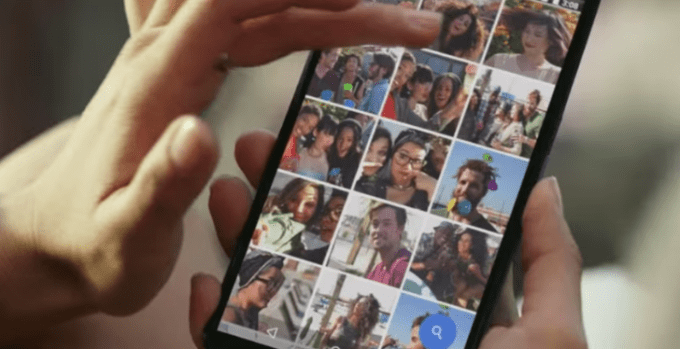
0 intro Google just launched a free, unlimited photo storage service. They’re calling it — wait for it — Google Photos. I met with Google shortly after the announcement, and they mentioned all sorts of neat tricks they didn’t get around to discussing in the keynote. Read More
29 May 12:44

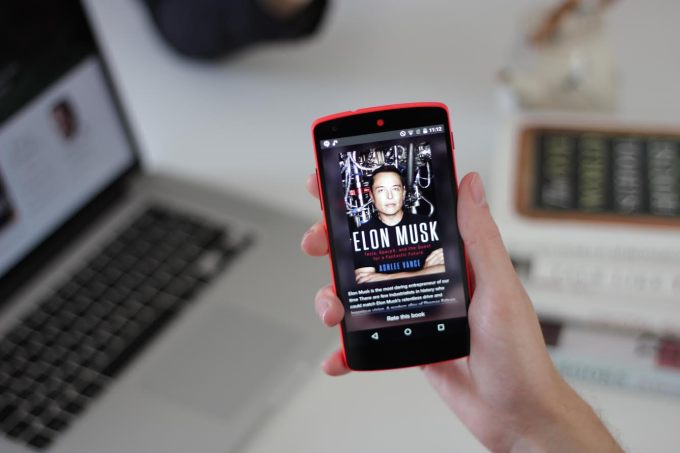
Glose Brings Its Social Ebook Reader To Android, Adds Free Excerpts

by Romain Dillet
Glose Photo Elon Musk Zoom Glose is a brand new take on ebook reading for phones and tablets. Yet, until today, one thing was crucially missing — Android support. Today, the company is launching its app on Android phones and tablets. It is also adding free book excerpts for its entire catalog. “Things are going well,” co-founder and CEO Nicolas Princen told me. “We basically doubled our catalog,… Read More
29 May 12:41

You say you want a mobile revolution...

by Google Blogs
This morning, more than 6,000 developers descended on San Francisco’s Moscone Center to burn through 1,500 gallons of coffee and join millions of others via live stream for our 8th annual Google I/O—a time to fill people in on what we’ve been building recently, and how we’re tackling the future.

Android growth and momentum
In just a short number of years, mobile technology has completely changed the way we find information and entertainment, communicate with friends and family, and get things done. Having a supercomputer in our pocket is now second nature; today more searches on Google come from mobile than from desktop computers, and by some estimates there are more mobile devices than there are people on the planet. For evidence of the mobile revolution, look no further than the growth of Android. There are now more than one billion Android users worldwide—a long way from when we launched the first Android phone back in 2008. And there are 4,000 unique Android devices on the market, from more than 400 manufacturers and over 500 carriers.

The devices themselves have changed a lot, too. In today’s multi-screen world, you can now use Android on your phone, your tablet, your wrist, in your car and in your living room, and move seamlessly between each. Many of these new form factors have arrived just in the last year. You can now choose from seven different Android Wear watches, not to mention bands, styles, and more than 1,500 watch faces built by developers.

By the end of this year, 35 car models will offer Android Auto, helping you access Search, Maps, music and other information through your car’s controls. And the first sets running Android TV have now arrived.

With all of these new places and devices for people to use Android, developers have even more opportunities to build the apps that people use for education and engagement and entertainment. So today we talked about the new tools and features we’re giving them to build more powerful experiences on the Android platform.
M is for more performance and an improved user experience
Android M is the most powerful Android release yet, with hundreds of improvements made to the platform. Among the highlights, we’ve improved battery life and streamlined permissions for apps to make it easier for you to decide what information the apps on your phone can use. We previewed Android Pay, which lets you pay for things with your phone, without even opening an app. And we’re making it much easier to find information in apps, as well as making some important updates to Google Now (more on that below!).

Organizing the world’s information, better
Your mobile phone packs a lot of information, but it’s not always easy to find that nugget of information when you need it—as you know if you’ve ever tried to navigate your email, organize hundreds of photos across devices, or search for restaurant reviews when you’re chatting about dinner plans with friends. Luckily, finding and organizing information is something Google is good at (some might even call it our mission).

So as part of M release, we’re expanding Google Now to give people on-demand assistance in the moment they need it—like seeing if there’s an open table at a new restaurant or when and where “Pitch Perfect 2” is playing—no matter where you are on your phone. We’re also making it much easier to find new apps and in-app content—which is good news for both users and developers.

We’ve also put our years of research into machine learning to work in other ways, making Search more useful and your inbox more insightful. And now it’s also helping you make sense of all your photos. Today we launched a new Photos app that gives you a single place for all your photos and videos, and helps you sort through them more quickly, bring them to life in cool new ways, and share them however you choose.

A new platform for the Internet of Things
We’re surrounded by devices, but they often exist independently of each other. Our day-to-day lives will be much simpler when these technologies can talk to each other—if our recipe app, for example, could communicate with our smart oven to turn the temperature to exactly the right setting. ​Or outside the home—from transportation systems that notify commuters of schedule changes, to farms where harvesters and irrigation systems are controlled from phones. ​

But many roadblocks remain—the user experience is inconsistent and confusing, manufacturers often redo their work for every device, devices don’t interoperate, and developers often have no way to create great experiences across devices.

Enter Project Brillo, a new platform derived from Android that lets developers and manufacturers build connected devices. As part of Brillo, we’re introducing a communications protocol (Weave) developed in partnership with Nest, a set of developer APIs, a core set of schemas and a certification program to ensure device and app interoperability.

Although it will launch later this year, we previewed Brillo today because we’re committed to fostering a vibrant ecosystem in which we all work together to move the industry forward.

New mobile experiences
Mobile has evolved so much in the past few years, with connected screens for different experiences depending on your needs. But we are just at the start of what will prove to be a much more immersive mobile experience. At last year’s I/O we introduced Cardboard, which lets you turn your phone into a virtual reality experience. Now there are more than 500 Cardboard apps for film, games, tours and learning, and more than 1 million Cardboard viewers have been shipped. Today we announced iOS support for developers and debuted Google Expeditions, which lets students take virtual trips with Cardboard to places like the moon and underwater. We also shared a preview of Jump, which lets you capture the world in video that you can step inside of.

The next billion users
The first billion users of the Internet came online through desktops. The next billion are taking a different path to computing—coming online through mobile and smartphones—and present a unique set of opportunities and challenges. We’re working hard on ensure these people have a great experience across our products.

In addition to making devices more affordable with Chromebooks and Android One (now in seven countries), we’re making changes to ensure that our software works even where there aren’t great Internet connections. We’ve launched a streamlined version of our Search results page in 13 countries, and 73 million people now use data saver mode in Chrome to browse the web more efficiently. Finally, we previewed the new offline maps—that’s right, and it’s as simple as it sounds—maps that you can take offline, even with turn-by-turn directions.

Solving complex problems for a mobile world
From our earliest days in Search, our aim has always been to build products for everyone, applying unique technical insight to tackle big problems. That’s just as relevant in today’s mobile-centric world—from finding the information scattered across apps, to helping someone organize and share the photos of their kids; from taking people on a virtual trip to the Pyramids to helping the next billion people come online.

And by providing a platform on top of which any developer can innovate, we can reach people around the world and put the power of the Internet in their hands—no matter what device they use, where they live or who they are.

So here’s to the mobile revolution. We can’t wait to see what comes next.

Posted by Sundar Pichai, Senior Vice President, Products
29 May 12:41

Hands-on with Google's first Android M preview

by Chris Welch

After loading Google's first developer preview of Android M onto a Nexus 6, we've just had our first peek at what's to come when the big update is ready for consumer release in Q3. For starters, most of the most important features that Google announced today are nowhere to be found. The very cool Now on Tap feature isn't yet active (hopefully that'll come in a later preview update), Android Pay's not yet ready, and obviously the Nexus 6 isn't going to do much in the way of scanning fingerprints. So what's left? Well, the first developer preview shows that Google has been working to refine and polish the work that began in Android 5.0 Lollipop. 

The first thing you'll notice is a slightly tweaked font on Android M's home screen....

Continue reading…

28 May 22:45

Makerbook Is a Huge Collection of Free Resources for Creative Projects

by Thorin Klosowski

Makerbook Is a Huge Collection of Free Resources for Creative Projects

When you’re working on a big project, tracking down free assets is often key to keeping costs down. Makerbook is a collection of a variety of places where you can find free assets, including mockups, audio, images, and more.

Makerbook is divided into eight categories: photography, mockups, graphics, textures, fonts, colors, video, and audio. Each category has a handful free resources to help you finish whatever type of project you’re working on.

Makerbook | via Swiss-Miss

28 May 22:43

Touch-sensitive fabric and tiny radar chips: hands-on with Google's ridiculous new tech

by Dieter Bohn

Every year there's some experimental station at Google I/O that has some kind of cool tech demo you didn't expect. This year, Google's skunkworks ATAP R&D division has two of them. They're called Project Jacquard and Project Soli, and if they're meant to do what I think they are, they're going to make interacting with wearables a whole lot better. And perhaps even invisible.

Let's start with Jacquard. That code name is the first clue — it's a reference to using technology to improve weaving. Pretty clever, actually, because what it amounts to is touch-sensitive fabric. A giant blue sheet of cloth is laid out on a table here and at various points there were either monitors or light bulbs or phones stationed next to it. There are tiny...

Continue reading…

28 May 20:09

Hands-on with Google's new Photos service

by Josh Lowensohn

It's no secret that Google+ failed to catch on like Google wanted it to. Despite efforts to shoehorn it into other parts of Google — though mainly the dark realm of YouTube comments — people are still flocking to Facebook to stay in touch with friends, and to be entertained with a non-stop barrage of news stories, videos, and photos. Yet while Facebook boasts that it's the place where the most people are sharing photos on the entire internet, there's little arguing that it's one of the worst for organizing them. Facebook's done a ton of work to overhaul how it stores photos, but very little in the way of letting you find the one you're looking for in a sea of snapshots.

These things, combined with the general sluggishness among other...

Continue reading…

28 May 19:31

Google's 'Android Nanodegree' is a six-month course to teach Android development

by Andrew Martonik

If you're interested in learning how to develop Android apps, Google wants to help.

Announced at Google I/O today, Google is partnering with Udacity to create an Android learning course set that will teach you the basics of developing for the platform in just six months. The course is just $200 per month, a steal compared to what you'd pay at a large university, and at the end you'll have a "Nanodegree" in the subject.

28 May 19:30

Google's 'Jump' platform creates immersive 3D content for VR experiences

by Andrew Martonik

Google is launching a new platform for creators to make immersive 3D imagery.

While Google Cardboard seemed a bit like a joke a year ago, it's clear that Google isn't slowing down in its VR efforts. Alongside the announcement of a new version of Cardboard, Google is also announcing a new VR content capture system called Jump.

28 May 19:30

Here’s What’s New In Android M

by Brian P. Rubin

Dave Burke, Google’s vice president of engineering for Android, took to the stage at Google I/O Thursday to reveal a few cool new features that’s coming to Android M. The new features focus on refining the user experience that was ushered in with Android L last year.

“We’re working incredibly hard to release our most polished Android release to date,” said Burke.

App Permissions

To start, Android M will offer users finer-grained control over app permissions. Currently, when Android users download new apps, they grant broad permissions to various features and data on a device. This has been a source of frustration for users and at times a cause for security concerns, with apps from little-known developers asking for too much personal data.

With Android M, users will have the ability to decide which features each app will be able to access.

For instance, Burke demonstrated the new permissions feature using WhatsApp. When he tapped the microphone icon to send a voice message, a dialogue box appeared to ask if he would grant permission for WhatsApp to use the device’s microphone. Permissions will come up each time an app wants to access a different part of your device’s system.

Chrome Tabs & App Links

Apps that give users links on the Web will now have the ability to create in-app Chrome Tabs, rather than launching the Chrome app separately. Even better, those in-app tabs will still retain a user’s Chrome data, including profiles, preferences, and passwords.

A feature called New App Links gives developers the ability to eliminate the annoying "disambig"—short for "disambiguation"—boxes that pop up when there are multiple ways to access particular links. When someone emails you a link to Twitter, you’ll be able to click it and jump right into the Twitter app to see it, rather than have to decide between Twitter or your web browser each time.

Android Pay & Fingerprint Support

The name says it all: Android Pay is Google’s new mobile payments service to compete with Apple Pay. Burke said that Android Pay will be available at 700,000 stores across the United States, and will work at any payment terminal equipped with NFC. To use it, users will simply unlock their phones and wave their devices on the pay terminal.

Android M will also bring fingerprint support to apps, Android Pay in particular, though it’s contingent on devices having those sensors built in by manufacturers. Devices like Samsung’s Galaxy S6 and Note 4 have fingerprint sensors, but with M’s support, expect to see those sensors on a lot more devices before too long.

Doze

Burke also explained that Android M will bring a new power-saving feature to devices called Doze. Using devices’ built-in motion sensing capabilities, Doze will know whether or not a devices is in someone’s hands, and will go into a deeper powered down state to save battery in the long run. However, it won’t turn off entirely, since it’ll still be able to activate alarms or wake up for incoming chat requests.

Burke said that two Nexus 9 tablets were tested head to head—one with Android L, one with Android M. The Android M tablet was able to last two times longer than the one with Android L.

Other Details

Soon Micro USB will disappear from Android devices as Google is bringing in USB Type C support. Android M will also bring in smarter text-selection controls, as well as better control over volume streams.

The developer preview for Android M is available today, and the official release is set to hit devices starting in the third quarter of 2015.

Screenshots by David Nield and Brian P. Rubin for ReadWrite

28 May 19:08

Google Play Gets More Family-Friendly With Content Ratings, Filtering By Age And Interest

by Sarah Perez
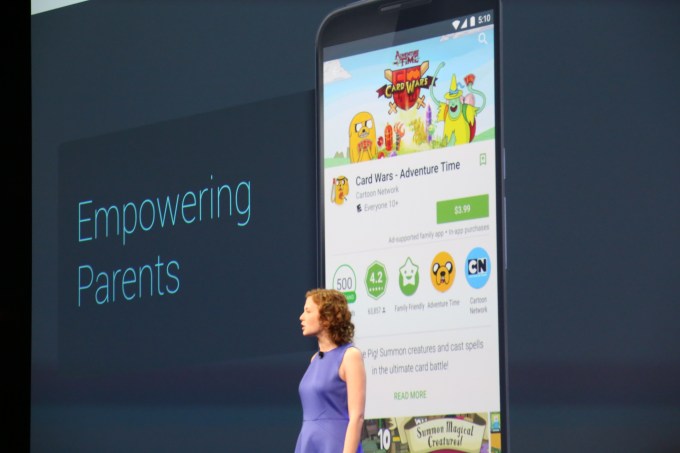
google-io-20150274 In April, Google announced a new developer-facing program called “Designed for Families” which allowed mobile app publishers the option to undergo an additional review in order to be included in a new section focused on kids’ apps within Google Play. Today, that section — or sections, as it turns out — is being officially unveiled. Parents searching… Read More
28 May 19:06

Google announces unlimited picture and video storage with new Photos app

by Jacob Kastrenakes

Google is making a big play for your photos. It's releasing a revamped Google Photos today that offers unlimited storage of images and videos entirely for free. Resolution is limited to 16 megapixels for photos and 1080p for videos, but that's not much to complain about (if you want to store a higher resolution file, it can also tap into Google Drive storage). Photos is being made available on iOS, Android, and the web, and it includes a number of other helpful features that may make you want to pick it up.

Photos automatically organizes all of your images

The other big feature present in Photos is around organization. Google will analyze your images and automatically sort them into groups. On stage, Google showed how it could sort out...

Continue reading…

28 May 19:06

Google has a new Cardboard headset, and it supports iPhones

by Adi Robertson

Google has announced a new version of Cardboard, its virtual reality viewer. The latest Cardboard design will fit larger phones, up to 6 inches, and it's gotten rid of the magnet controller, replacing it with a cardboard button that will work with every phone. It also takes fewer steps to assemble. Just as importantly, Google has launched its Cardboard virtual reality app on iOS. The new app will let iPhone users explore city environments, use a virtual kaleidoscope, and view 3D objects from a museum collection. Until now, the official Cardboard app was available only on Android, where it has been downloaded over a million times. For developers that have created their own Cardboard-compatible apps, the software development kit also...

Continue reading…