Shared posts

17 Jan 03:09

What’s in My Bag — Tyler

by Claudia Lamar

I am a geographer for the Department of Defense who works mainly as an information systems professional (GIS). I generate, process, and visualize data, and therefore spend my day inside of an office and behind a computer.

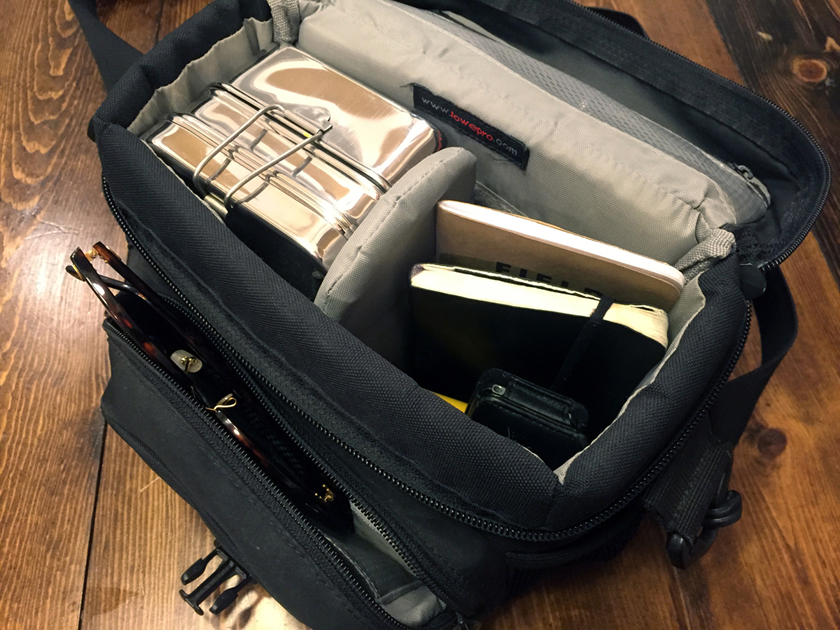
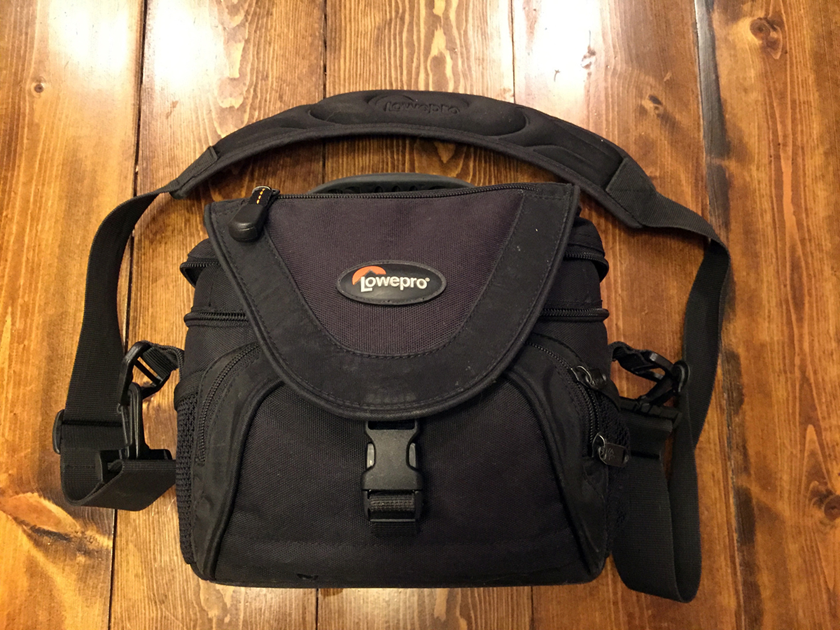
When I’m commuting by car, my bag is an old Lowepro Nova 1 AW ($20), (this is 80% of the time). I bought this as a used bag at a local camera shop. I primarily purchased it for holding an SLR and accessories, but the bag is spectacular at carrying small loads in a compact and comfortable manner. I frequently switch it back to photo gear mode; It’s full of pockets and separators and overall very versatile. I believe it’s comparable to the modern Nova 160 AW ($45).

wimbterry1

Within the bag are personal and work items: an ECOlunchbox, small notepad ($10), moleskine pocket weekly planner, Lamy Safari pen, extra pen, Ray-Ban Clubround sunglasses ($160), iPhone 6 with cheapo cover and tempered glass screen protector, iPod Nano 1st Gen, Panasonic in-ear earbuds within a film canister, Volvo key, Belroy Card Pocket, and a cheap badge holder.

I usually stick to items which have proven themselves; even the miscellaneous pen is one that has consistently worked well. However, a few of these products are really worth highlighting.

wimbterry
ECOlunchbox ($31)
People are constantly surprised by how much I fit into this thing. It always carries a sandwich in the bottom and an assortment of vegetables/olives/cheese on top. I sometimes throw a piece of fruit or granola bar in my Lowepro, but the ECOlunchbox carries my main lunch really well in an extremely compact package. Some people have had trouble with rusting; I always hand wash mine and have had no problems. The ECOlunchbox has drastically reduced the number of plastic and paper bags I use.

Lamy Safari ($20)
This was my first fountain pen and has remained my only fountain pen. It’s so darn cheap and does so well when used with a fine nib. I hope some day to upgrade, but this one hasn’t let me down for two years running. I often buy these as gifts, and have converted many.

Panasonic in-ear earbuds ($10)
These are surprisingly good earbuds for the price. I’ve had several different types of earbuds, from Skull Candy to Shure custom fits, and these Panasonics stack up well. The medium gel fits my ear really well (they come with three sizes), and they are so cheap I buy several to make sure I’m never without. Always hook-em-horns before putting in canister!

Belroy Card Pocket ($60)
This slim wallet fits well in the front or back pants pockets. I mainly carry cards, with some paper and cash mixed it, and it handles everything well. Two dividers help with basic organization (plus a nifty SIM card slot if you’re a traveler!), but there is none of the extra material that you get with a bi/tri-fold. The construction and materials are solid; I have only seen some wear along the zipper after a couple years of daily use, and the leather gets more supple with time.

iPod and Moleskin Monthly Notebook ($16)
I know these are old school. I am often without my phone and thus need some basic organization & media tools. Moleskines are great, I buy one every year. The iPod sticks around because it just keeps ticking.

Everything gets thrown into two main compartments within the bag except for the sunglasses (front pocket), and the wallet and car key (triangle flap pocket). I sometimes wish I had more space, and I will soon grab a bigger bag if I begin to include project management notebooks/organizers. But for now this has been a great setup that has served me well.

-- Tyler

16 Jan 05:02

Meet Dr. Gregory Peck, the Grand Pomologist of Hard Cider

by Brian Barth
This month, a lucky group of Cornell undergrads will embark on one excellent academic adventure. Students enrolled in Food Science 4340, the Cider Production Lab, will receive 1.5 credits towards graduation for, well, brewing up their own batch of hard cider and carrying out a “sensory difference test”—in other words, drinking it—to evaluate the results.Their professor, Dr. Gregory Peck, is arguably the nation’s preeminent hard cider scientist. And Cornell, in the heart of upstate New York’s apple growing region, is arguably the epicenter of the nation’s hard cider explosion. Since 2011, the hard cider industry in the United States has grown nearly 900 percent. And New York, with 75 cider producers and counting, ferments more apples into alcohol than any other state.“We know, for example, how many grape clusters per vine there should there be for certain high quality wines. But we haven’t really looked at these issues from a cider making perspective.” — Dr. Peck “This class will be the first time that hard cider has been taught to undergraduates anywhere in the country, as far as we know,” says Peck, with obvious pride.Peck is a pomologist—one who studies apples—and he’s on a mission to turn America’s fledgling hard cider scene into a sophisticated industry, à la the viticulturists of California. This means thinking of hard cider production as more than just a process for turning apple juice into alcohol. Winemakers are obsessed with every detail from the planting of the vine until the first sip. The interaction of soil, climate, varietal, timing of the harvest and myriad other factors are all part of the vintner’s magic. Peck doesn’t see why it shouldn’t be the same with cidermaking—there’s more to cider, he says, than something that “tastes like apple juice with some alcohol and carbonation in it.”Dr. Gregory PeckProblem number one is that American orchardists grow almost exclusively apple varieties intended for juicing, baking or eating fresh, which are a very different beast than the apple varieties historically grown for hard cider, most of which originate in Europe. There’s a good reason for that: cider apples taste awful before they are made into cider. “Spitters,” Peck calls them. They’ll make your mouth pucker like you ate a spoonful of earth. Fujis and Galas and Winesaps and all the other apples you’ll find it a grocery store or farmers market are considered dessert apples—they might be sweet, they might be tart, but they definitely aren’t bitter or astringent.But that funky flavor—a result of naturally-occurring polyphenols, also referred to as tannins—is exactly what makes an ideal cider apple, says Peck, as he lists off some of the varieties he is experimenting with at Cornell, most of which haven’t been household names for a couple hundred years or so: Binet Rouge, Brown Snout, Ellis Bitter, Porter’s Perfection. “Any apple can be fermented and turned into an alcoholic beverage,”—naturally-occurring yeasts feed on the sugar in the fruit and produce ethanol and carbon dioxide as a by-product—“but the bulk of cider being made in United States right now is being made from dessert apples, or from apple juice concentrate. Those tend to have very low tannin levels.”Peck has evaluated the chemistry of dozens of American-grown dessert apples and traditional European cider apples, and he’s found that on average the former has 20 percent less tannin content than the latter. It’s akin to making wine out of table grapes, he says: table grapes are sweet and low in tannins, while the European wine grape—which is literally a different species—isn’t very pleasant to bite into. “When you get that puckering sensation in your mouth, it’s the polyphenols binding to proteins in your saliva giving you that dry sort of sensation,” Peck says. It’s what vintners call ‘mouth feel’. “Those compounds are really important for the flavor profile of a beverage, giving you a more robust, complex experience when you drink it. It’s why we age white wine in oak barrels—we’re extracting those oak tannins into the wine to increase the tannin levels.”The team has begun interbreeding commercially successful dessert apple varieties with older cider varieties in hopes of creating new cider-worthy hybrids with the disease resistance and production levels required by commercial growers.Peck and his colleagues at Cornell are starting to flesh out the art and science of how to get more of that “mouth feel” into hard cider. Having the right varieties is one thing, but it takes several years for a newly planted apple tree to begin producing, and there are many other variables to consider. One item on the hard cider research agenda is a study on how common apple fungicides affect the naturally occurring yeasts needed for successful fermentation. Another is to determine how temperature and light affect polyphenol development, as these factors can be controlled through pruning practices and orchard design.  “We are looking at which practices will most benefit the quality of the apple in terms of the polyphenol content and the availability of the particular nutrients that yeasts need for fermentation,” says Peck. “Those are the kind of questions that have been looked at a lot in wine grape production—we know, for example, how many grape clusters per vine there should there be for certain high quality wines. But we haven’t really looked at these issues from a cider making perspective.”The Cornell team has also begun interbreeding commercially successful dessert apple varieties with older cider varieties in hopes of creating new cider-worthy hybrids with the disease resistance and production levels required by commercial growers. And a new research orchard will soon be planted to determine which are best suited to local conditions and the cultivation practices of modern, high density orchards. “Traditional European systems are based on large, widely spaced trees,” says Peck. “But our commercial apple growers today want 1000 trees to the acre; they want a tree that is 10 to 12 feet tall so it is easier to spray, prune, and harvest, keeping their labor costs down and their efficiency up. So we’re trying to figure out how to grow some these unusual varieties in a high density system.”From an orchard management perspective, one of the most revelatory findings to date is that having more, smaller apples on the tree, as opposed to fewer, larger apples, has a dramatic impact on polyphenol content. Orchardists typically thin out up to half of the apples on a tree while the fruit is still small, in order to produce larger supermarket-quality fruit, but it turns out that that’s counterproductive when it comes to a cider crop. Peck’s research shows that minimal thinning results in 37 percent greater polyphenol content compared to typical thinning practices.Will the current cider craze soon lead to a cider bubble? Peck doesn’t see that coming anytime soon. At a recent national cider conference, he says 20 percent of the people in attendance were planning to open a cidery within the next few years, according to a survey of the participants. So it sounds like the exponential growth curve of the industry is likely to continue for the foreseeable future. And if Peck has his way, hard cider in America won’t mushroom into a bland, volume-oriented industry, but will continue as a renaissance of artisanal producers. He says so far there are only a few hundred acres of true cider apple varieties planted in the Northeast, so it’s very much a grower’s market. “From our surveys we found that all producers, from the smallest to the largest, would love to be able use more bitter apples, but they are just not available,” says Peck. “There is a huge supply and demand imbalance right now, so prices are 2 to 3 times higher for cider apples than culinary apples.” So to all the farmers out there looking for a new niche, says Peck, consider planting a few acres of a good spitter.The post Meet Dr. Gregory Peck, the Grand Pomologist of Hard Cider appeared first on Modern Farmer.
16 Jan 05:01

Ten Wild and Wacky Farm-Related Guinness World Records

by Andrew Amelinckx
Since 1955 when the first book of Guinness World Records came out, the company has been the go-to source for facts of all kinds, from the mundane to the seemingly miraculous. Among the scads of records the company has recorded are a ton related to agriculture.“There are a lot of people who really get excited about anything agriculturally based and we have a lot of records in that area,” says Hannah Ortman, a Guinness World Record adjudicator (that’s what they call the folks who do the judging) and senior records manager for the U.S. and Canada, tells Modern Farmer in a phone interview. The ag-related record attempts just keep coming, she says. A recent applicant plans to set the record for most mules plowing at the same time, a record that Ortman says has never been attempted. Meanwhile, here are ten ag-related Guinness World Records that have been set and that you’ll enjoy. Llama DramaThe current record for the highest bar jump cleared by a llama is held by Caspa, who hails from Wales and is owned by Sue Williams. In June 2015, Caspa leapt over a 3-foot, 8.5 inch high bar during Dogfest, an annual dog-related event in Cheshire, England. It’s an impressive feat, although we’re not sure how a camelid got invited to a festival dedicated to canines.Caspa – Highest Jump By A LlamaGuinness World Records 2016Photo Credit: Paul Michael Hughes/Guinness World RecordsOne Portly PotatoThe heaviest potato in the world debuted at the National Gardening Show in Shepton Mallet, Somerset, in September of 2011. Heavy? Yes. Pretty? No. But what this knobby spud grown by Peter Glazebrook lacked in looks it made up for in girth, weighing in at an impressive 10 pounds, 14 ounces.Making TracksThe record for longest journey by tractor goes to a German man named Hubert Berger who traveled across Europe between May and October of 2016 covering 15,769.38 miles. What makes this feat even more impressive is that Berger did it all on a vintage 1970 Eicher Tiger 2, which has a top speed of less than 2o mph.A Matchless MilkerSmurf, a Canadian Holstein cow owned by La Ferme Gillette Inc. Dairy Farm in Embrun, Ontario, is the Guinness World Record holder for highest recorded lifetime yield of milk. Born in September 1996, Smurf was 15 (and the oldest cow on the farm) when she was crowned queen of the milkers with 478,163 pounds of milk produced as of February 2012.Prodigious PlantA cucumber plant at the Epcot Science project at Walt Disney World Resort in Lake Buena Vista, Florida, holds the record for producing the most cucumbers in one year. From March 24 to July 5, 2006, 2,078 pounds of cucumbers were picked from the plant. That is a lot of cucumber salad, my friend.This cucumber plant holds the world record for producing the most cucumbers in one year.  Photo courtesy of Guinness World Records.Threshing Out the RecordThe record for most threshing machines operating simultaneously is 139 and was set in July 2016 at the Manitoba Threshermen’s Reunion and Stampede in Austin, Manitoba. The record attempt was organized by the Manitoba Agricultural Museum and Canadian Foodgrains Bank to raise awareness and money to help end world hunger and to preserve Canada’s agricultural heritage.One Persistant PigThe record for oldest pig ever goes to a porker named Ernestine who was born July 17, 1991 and was the beloved pet of Jude and Dan King and their daughters, Morgan and Rhiannon, from Calgary, Alberta, Canada. The Vietnamese pot bellied pig was 23 years and 76 days old when she passed away on October 1, 2014.A Tough Egg to CrackSome records come and go, while others have staying power. That’s the case with the heaviest chicken egg, a record that hasn’t been broken in more than 60 years. A White Leghorn from Vineland, New Jersey, produced one whopper of an egg back in February 1956. It weighed 16 ounces! Yep, it was a one pounder and contained a double yolk and double shell. You have to feel bad for the poor chicken that laid that monster.Goat on the GoSkateboarding isn’t just for kids—goats are also into the sport. Happie, Fort Meyers, Fla., is the current record holder for distance skateboarded by a goat at 118 feet, set in March of 2012.A Spritely Old Seed IndeedA 2,000-year-old date palm seed discovered in the early 1960s during an archeological dig at Masada, an ancient fortification in Israel, holds the Guinness World Record as the oldest seed to germinate. The seed was planted by Dr. Sarah Sallon of The Louis Borick Natural Medicine Research Centre in the Hadassah Medical Organization, Jerusalem, and Dr. Elaine Soloway of Kibbutz Ketura, Israel, in 2005. Eight weeks later, it sprouted. The amazing plant, which is from an extinct species famous for medicinal uses, earned the name “Methuselah,” after the Bible’s oldest man. It’s still alive and well. It should be noted that a team of Russian scientists managed to sprout a 32,000 year old seed in 2012, but it hasn’t been verified by Guinness World Records.   The post Ten Wild and Wacky Farm-Related Guinness World Records appeared first on Modern Farmer.
16 Jan 04:57

Cinder Speakers

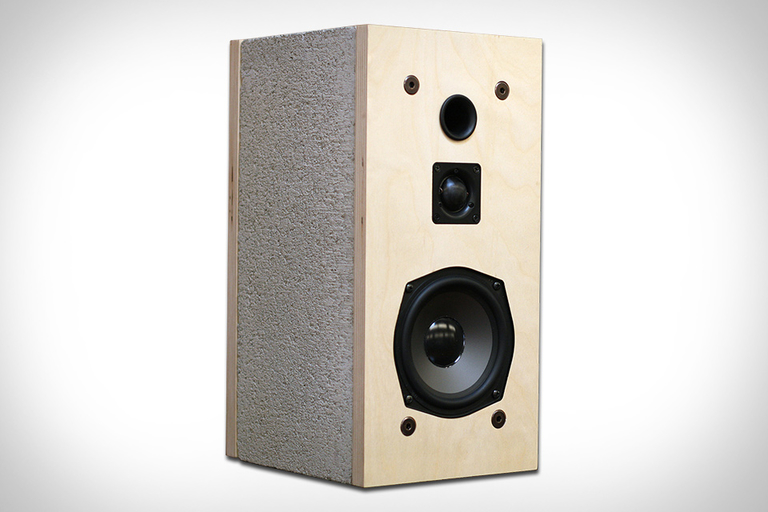
You can do a lot of things with cinder blocks, but creating a set of speakers is one of the less obvious options. Cinder Speakers are a development from Daniel...

Visit Uncrate for the full post.
16 Jan 04:57

Lexus Sport Yacht

Curious as to what a Lexus vessel might look like, Toyota motors president Akio Toyoda decided to go ahead and build one. The Lexus Sport Yacht is the result. Created...

Visit Uncrate for the full post.
16 Jan 04:55

Huus Gstaad

Set over half a mile above sea level in the Swiss Alps, Huus Gstaad is a terrific mountain getaway. Formerly known as the Steigenberger Hotel, the 136-room property has been...

Visit Uncrate for the full post.
16 Jan 04:41

North Koreans Try American BBQ

by Miss Cellania

Digitalsoju TV took some people who escaped from North Korea years ago to one of the best barbecue restaurants in South Korea. They also recruited a master barbecue chef and flew in a variety of American barbecue sauces. The people who were trying all these cuts of meat and sauces for the first time were quite impressed (as I'm sure anyone would be).

(YouTube link)

But the food is mainly a starting point for a discussion about the difference between North Korea and the rest of the world. They tell us about the food, the farms, and the customs they grew up with, and especially the North Korean government that takes everything from the people to feed the administration and military. It's all in Korean with subtitles, but well worth the watch. -via reddit, where two of the video producers answer questions.

Warning: if you watch this, you will end up hungry.

16 Jan 04:40

The 5 Best Free Apps to Check Disk Space Storage on Mac

by Tim Brookes
mac-hdd-analyze-apps

If your Mac is running low on disk space or you’ve seen that scary “startup disk is full” message, you know it can be frustrating to free up storage. To deal with this problem, many people resort to external drives and juggle their files continuously between the disks.

While you can manually track available storage space, we’ll show you how to check disk space on a Mac using some disk analyzer apps. They offer unique visual experiences and let you take actionable steps to free up valuable disk space.

How to Check Hard Drive Space on Mac

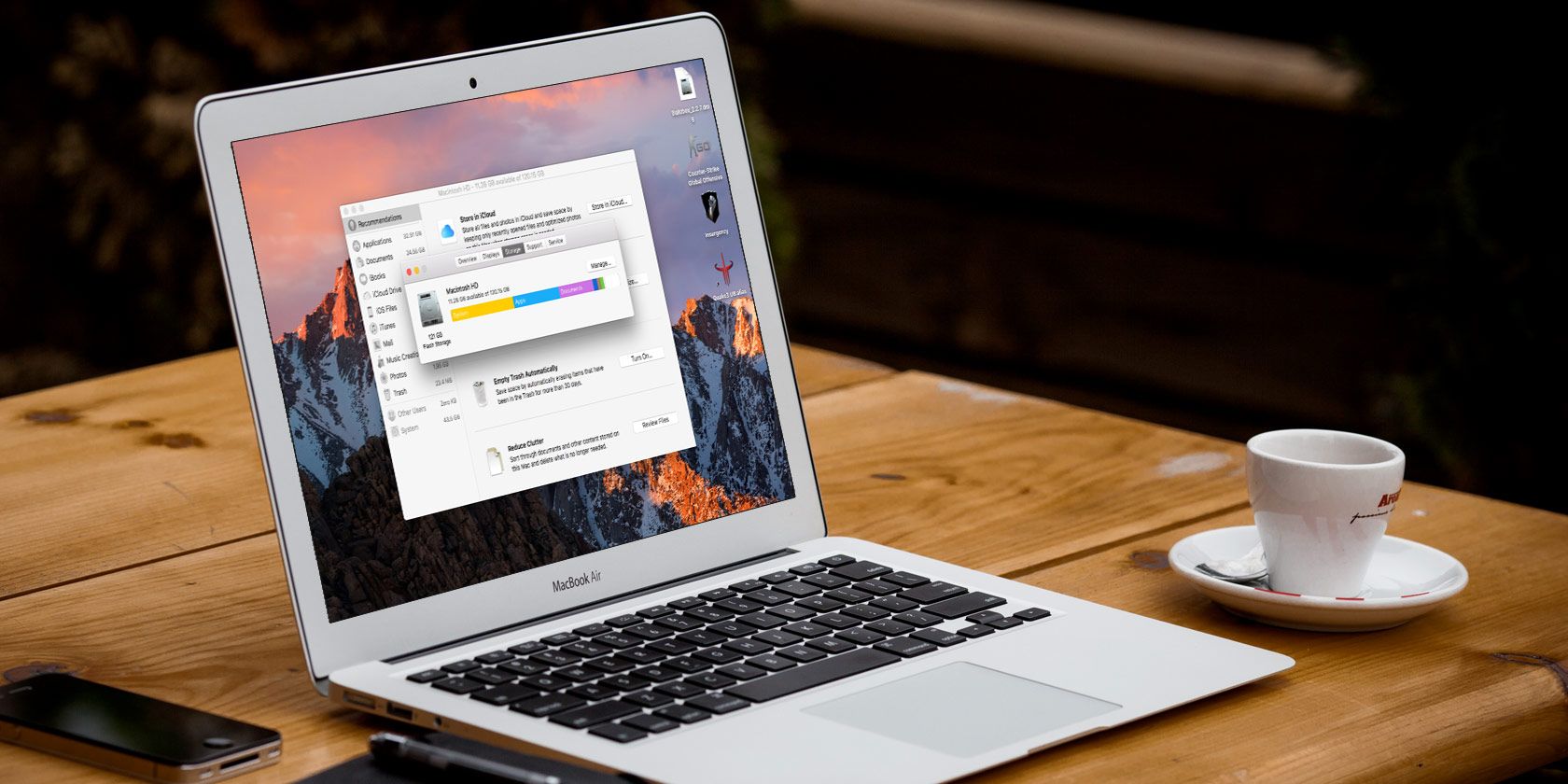
There are multiple ways to check the storage space on your Mac. Choose Apple menu > About This Mac and click Storage for the most basic one. Hover your pointer over the colored blocks to see what kind of content is using disk space.

see the disk space using about this mac

For more info, open Disk Utility by searching for it with Spotlight (Cmd + Space). Select your startup volume from the left panel to check the amount of used space in the volume.

Then, click the Info button in the toolbar to show more details like Purgeable space and Available space (Purgeable + Free).

disk space information in detail using disk utility

For another method, right-click the Macintosh HD disk icon on the left sidebar in Finder and select Get Info. You’ll get details on Used versus Available capacity, along with the space macOS considers purgeable.

disk space through get info menu

What Is “Other” in Mac Storage?

On some Macs, you’ll notice that the Other storage category takes up a lot of disk space. This includes macOS system files, user Library folders, cache folders, and more. The majority of these folders are not normally visible.

If you mess with these directories, it could result in an unstable system, loss of data, or even prevent your Mac from booting up. Find out more about macOS folders you shouldn’t touch and how to handle them if they use a lot of space.

Why You Should Use a Mac Disk Space Analyzer

Why would you use a third-party app when there are multiple built-in ways to check the disk space on your Mac? Here are some reasons:

  • Finder might incorrectly interpret hard links as another copy of the file. Although hard links take no actual disk space, Finder counts them (at least) twice as distinct files, resulting in inaccurate estimation of folder sizes.
  • Your Mac’s file system, APFS, uses space-efficient clones while copying a file within the same volume. Instead of duplicating the data, it updates the metadata, and the on-disk data gets shared. Finder does not understand this mechanism and wrongly estimates free and used disk space.
  • The APFS snapshot feature works differently. When Time Machine creates local snapshots, the file system is aware of the changes. But neither Finder or About This Mac shows the space taken by snapshots. As a result, it may show the System category taking a lot of space.
  • In APFS, every disk is a container that can hold multiple volumes and shares the same pool of free space. If your startup disk consists of at least four separate volumes, you might notice a reduction in space available to Macintosh HD.

Now that you know why we recommend you use third-party apps, let’s explore the best Mac disk space analyzers to inspect and analyze disk space.

1. GrandPerspective

GrandPerspective user interface

GrandPerspective is a utility app that uses a treemap structure for visualizing disk space. Upon launch, it asks you to select a folder or drive you want to analyze. A view window shows the contents in colorful rectangle blocks.

Hover your mouse pointer over a block to display the file name and size at the bottom of the view window. You can move the selection from a file to one of the folders and vice-versa by changing the focus. Press Cmd + [ and Cmd + ] to move up and down in the file hierarchy.

Click a block to lock the selection. Then, you can take action directly on that item. Press Space to take a quick look and click the Reveal button to show the selected file/folder in Finder.

What Makes GrandPerspective Unique?

  • You can change the sorting criteria by creation date, extension, file type, or folder and even choose a different color palette.
  • Select from the list of recently scanned folders to save time. Or select Load Scan Data to create a new view with older scanned data.
  • Create new filters for refining the view and perform filter tests to mix them in different ways. You can choose from audio, hard-links, images, app package contents, and more.
  • The app lets you rescan a folder with different settings. Afterward, open those results in a separate window to compare with the last results.

Download: GrandPerspective (Free)

2. OmniDiskSweeper

sweep drive with omnidisksweeper

OmniDiskSweeper is another disk space analyzer for Mac. Upon launch, select a drive from the list and click Sweep Selected Drive. A new window opens with folders and files displayed in a column view. Once the scanning process completes, click on a folder and navigate to any file that takes up significant disk space.

The app uses different colors to group files by size and to show the status of an item. File sizes marked in green are the smallest files. As the size gets larger, this changes to dark green, dark purple, and light purple for huge files. Double-click on an item to open it in Finder.

What Does OmniDiskSweeper Offer?

  • It lets you sweep external and disk drives located on your network. If you share a folder located on a PC, the app can even scan that folder.
  • The bottom window provides you detailed information of a file, its size, and packages it belongs to in the file system. You should focus on files that are not part of packages.

Download: OmniDiskSweeper (Free)

3. Disk Inventory X

disk inventory multi faceted interface

Disk Inventory X is a utility app that gives you an overview of the space taken by different file types. Open the File menu and select any drive or a folder you would like to analyze. Once the scanning process finishes, the app creates a graphical treemap for visualizing storage space.

The left panel helps you sort the file list based on the colors associated with a particular file type, size, number of files, and file format. Click on any element in the graph to help you identify and locate the biggest files.

Unique Features of Disk Inventory X:

  • Any selection you make in the treemap graph gets synchronized with the finder-like view. This helps you find the major culprits, no matter where they are on the disk.
  • The app sorts file types in descending order. Each file type has a color used in the treemap graph and throughout all open folders.
  • You can view package contents, zoom into folders, and hide free space to analyze disk space in different ways.

Download: Disk Inventory X (Free)

4. DaisyDisk

DaisyDisk beautiful user interface

DaisyDisk is a beautifully designed disk analyzer that uses a sunburst map to show you a disk overview. Upon launch, it displays all mounted volumes with different color styles. Green means that at least half of your disk is empty, while red denotes that it’s time to take action.

Click the Scan button, and within a few seconds, you’ll see the map with a brief overview on the sidebar. Place your mouse over any segment to see its contents on the sidebar. When you want to navigate to the parent folder, click in the center of the disk map.

Key Features of DaisyDisk

  • The sunburst map helps you separate the huge files from smaller ones. Drill down and find out which items are consuming the most disk space.
  • If you scan the disk as an administrator, it can reveal more data about files hidden on other volumes, space taken by local snapshots, and details on purgeable space.
  • You can preview any file from the sidebar, send them to a collector panel, then delete them at your convenience.

Download: DaisyDisk ($9.99, free trial available)

5. NCDU

ncdu command-line disk space analyzer

NCDU is a command line disk analyzer with a ncurses interface. It’s based on the du command, but it’s much faster and easy to use on your Mac and remote servers. To get started, you’ll need to install the app through Homebrew. To do this, see how to install Mac apps using Homebrew.

Once installed, open Terminal and type in ncdu / to start scanning your drive. Use the arrow keys to navigate across items. Then, press i to view the details of the selected item.

Unique Features of NCDU

  • You can use different options to enhance the disk-related information. Navigate to the NCDU man page for more details.
  • It’s easy to export all the information to an output file. You can then use file comparison apps to better analyze your disk usage.

Download: NCDU (Free)

Stay on Top of Your Mac’s Free Space

Getting accurate details about free and used space on your Macis tricky. While there are many built-in techniques, most of them are unreliable for detailed use. Use Disk Utility and these apps to inspect and analyze your storage space in detail.

For more help, make sure to check our big list of tips for creating free space on your Mac.

Read the full article: The 5 Best Free Apps to Check Disk Space Storage on Mac

16 Jan 04:35

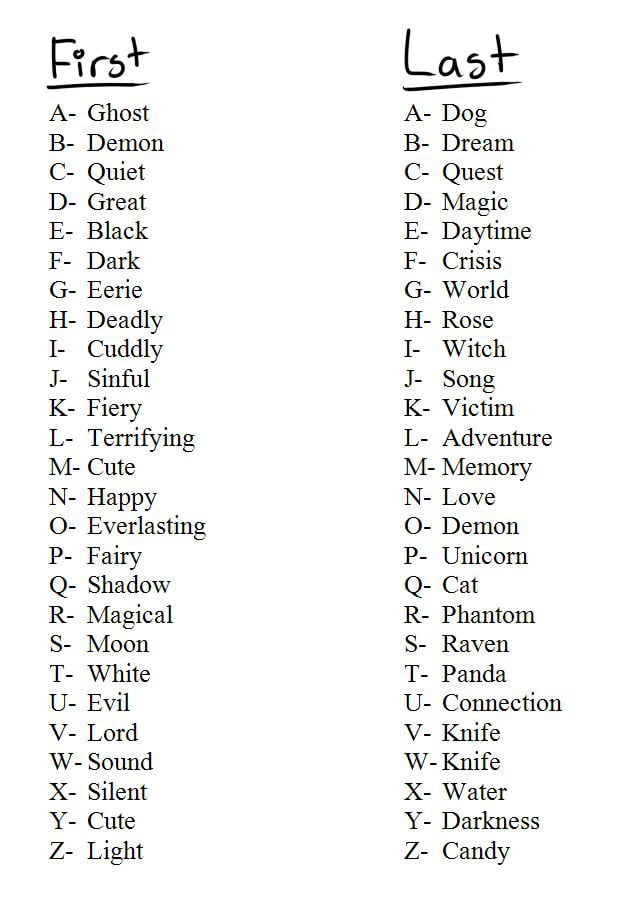
Whats your code name?

11 Jan 02:59

8 Tricks to Help You Master Composition

iStock 514175513

In photography, as in any other artistic and creative endeavor, there are no set rules or regulations. Ultimately, what you create depends on your creative eye and your aesthetic sensibilities. However, that doesn’t mean that there aren’t certain tricks or rules of thumb that you can use to enhance the quality of your image, and therefore make it more pleasing to view.

In this comprehensive guide, we explore eight essential compositional rules of thumb that will help you take your photos to the next level. Some of these tips and tricks, like the rule of thirds, are quite well-known and implemented often. Others are more specialized to certain types of photography, but are valuable tools to have nonetheless.

The Rule of Thirds

iStock 518899606

Let’s start with the most well-known rule in photography, the rule of thirds. Put simply, the rule of thirds suggests that you divide the image you wish to take into nine equal quadrants using two vertical and two horizontal lines, equidistant apart. By placing important elements of the scene either along one of the four lines, or, even better, at one of the four intersection points of the grid, you’re able to create a more balanced image that holds the viewer’s attention.

Note how the rule of thirds helps the image above feel more balanced. Even though the dog is off-center, the image feels nicely balanced because the dogs face, snout, and tongue roughly align with the rule of thirds grid. What’s more, it’s a better composition - by shifting the dog to the left, the image is more interesting for the viewer than if the dog had been framed smack in the middle of the shot.

Great for: all types of photography

Use Negative Space
iStock 172239400

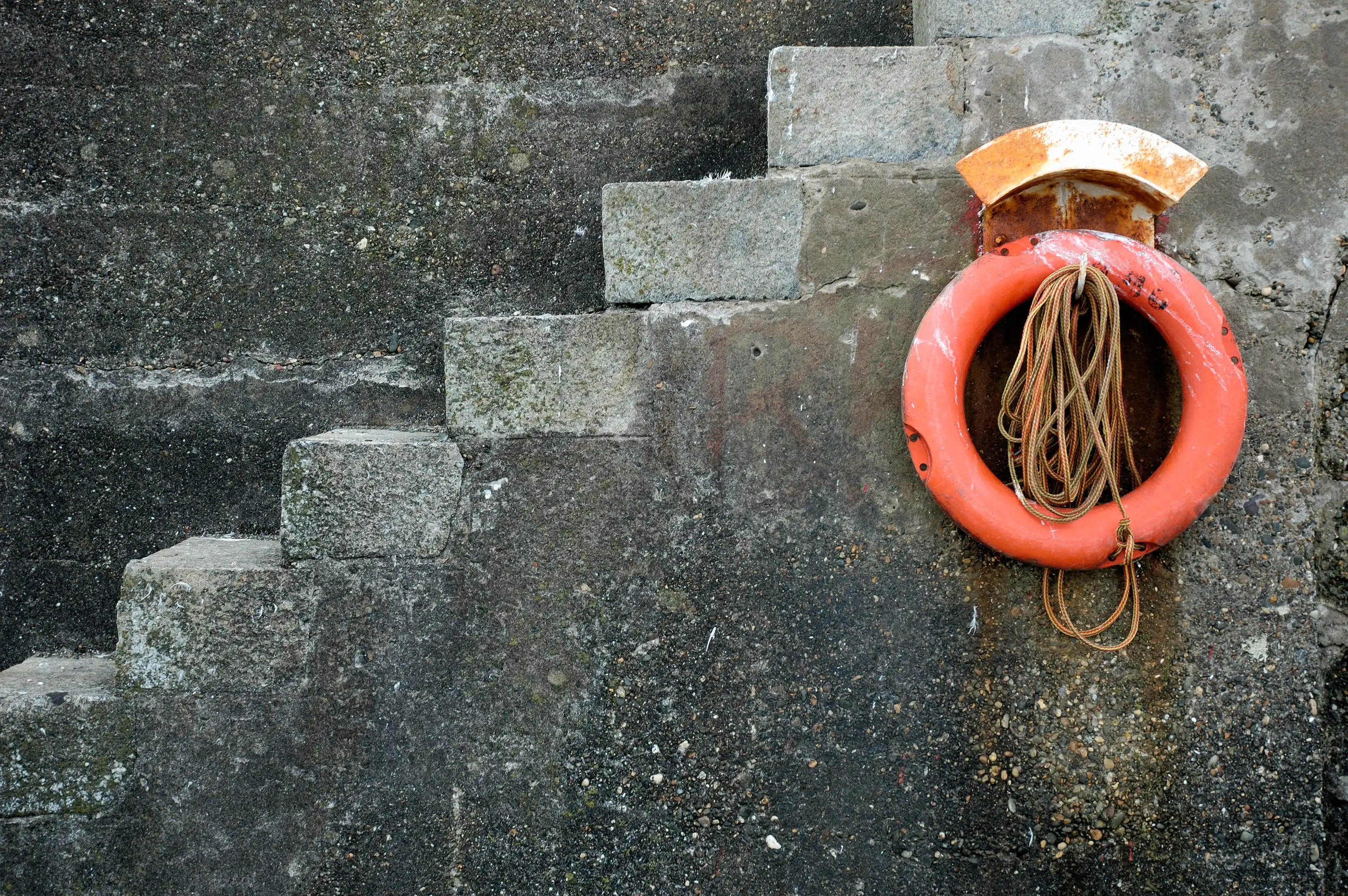
An identifying feature of minimalist photography is the use of negative space. Usually, this means that the area around a subject or between multiple subjects has little detail. In the absence of detail in these areas, the importance of the subject is amplified, drawing the viewer’s eye and commanding their attention for a longer period of time.

But this trick isn’t just for one type of minimalist images. Whether you shoot portraits, cityscapes, landscapes, or just about any other subject, you can use the principle of negative space to create a breathtaking image that delights the viewer’s eye. Often, it’s the simplest images that have the most impact, so learning how to edit out unnecessary elements from your images is a handy skill to have.

Note how negative space was used effectively in the image above. The eye is immediately drawn to the life ring, both because it is surrounded by the gray, relatively detail-free concrete wall, and, of course, because of its bright orange color. This image is a good example of the rule of thirds as well - with the life ring shifted to the right, the image is more visually interesting. Just imagine this photo had the life ring been positioned in the middle of the shot. It wouldn’t be as effective, would it?

Great for: minimalist photos, landscapes, portraits

Fill the Frame
iStock 496799506

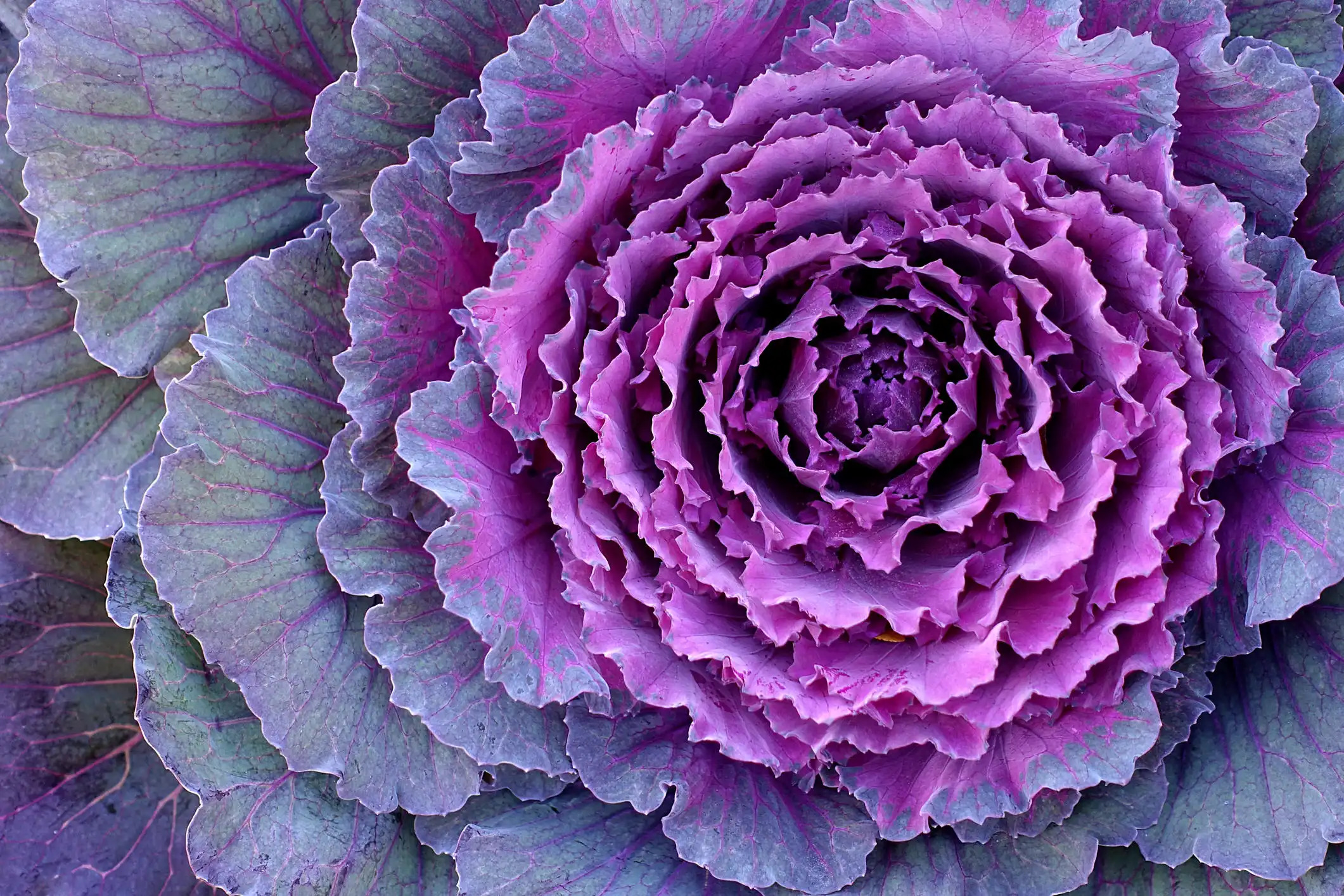
On the opposite end of the spectrum from using negative space is filling the frame with your subject. Sometimes, in order to appropriately highlight the subject, you need to get close to it. Really close. Doing so is certainly a challenge because composing a close-up is much more difficult than standing back and snapping a photo of the larger scene. And, as you’ve likely encountered in the past, by standing too far from the subject, you run the risk of the subject getting lost in the scene, thereby diminishing its impact.

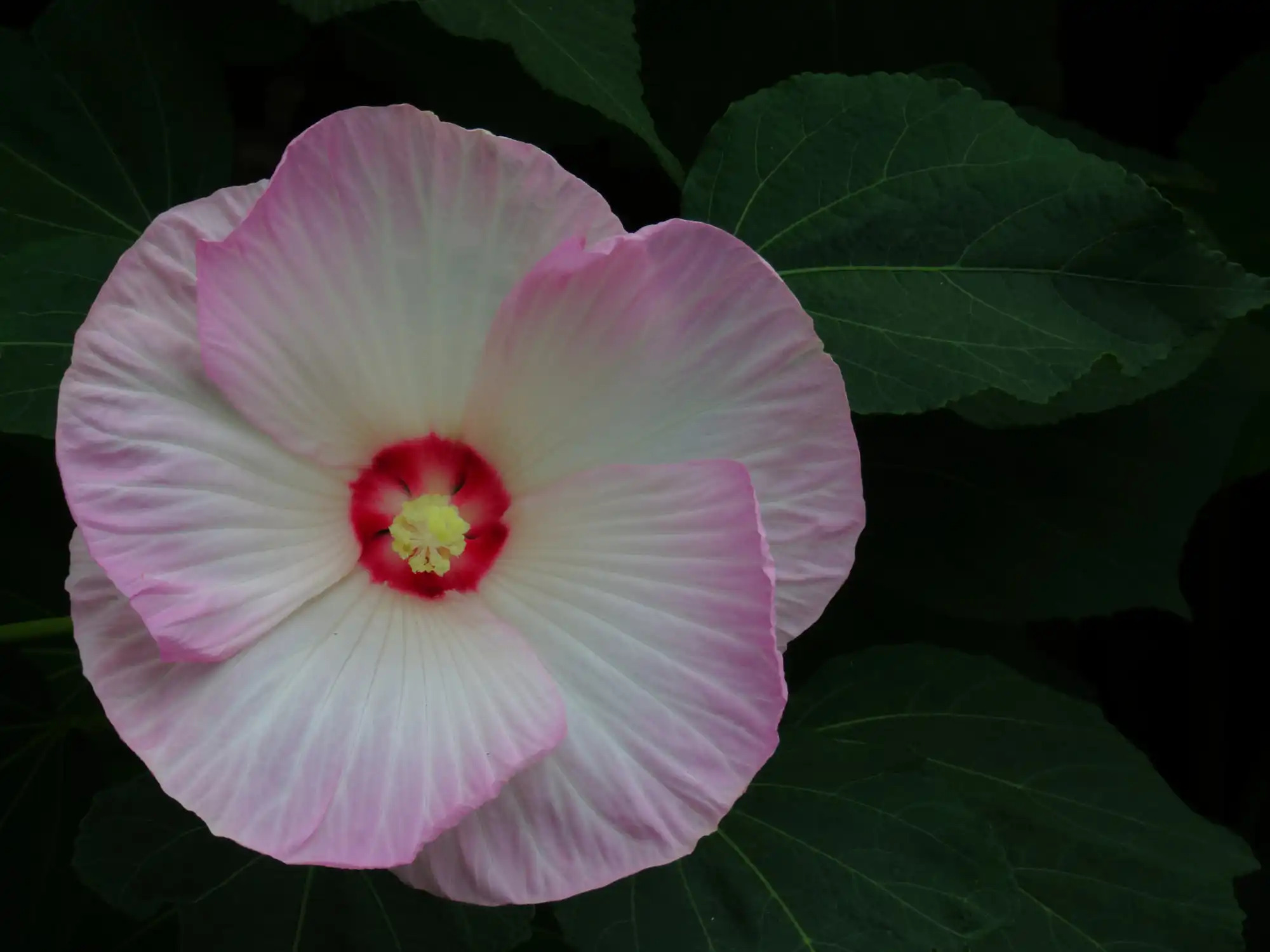
Instead, try filling the frame with whatever it is you’re photographing. The image above certainly benefits from filling the frame because the intricate details of its leaves are on full display. Not only that, we’re given a close-up view of its beautiful colors and the way in which the colors fade as they get further from the center of the plant. Now imagine if this image had been taken from ten or fifteen feet away - this plant would not have the same visual impact.

Great for: macro photography, portraits, landscapes

Use Color to Your Advantage

iStock 171299632

Regardless of what you’re photographing, using color in a smart or unusual way can take the image’s composition to another level. Perhaps more than any other visual element, color can add great interest to an image. Of course, given that color is so powerful, it can easily be overdone.

Instead, inspect the colors in the scene to ensure they work well together. This takes some understanding of color theory, like using complementary colors like blue and orange, which contrast nicely with one another. Have a look at the sample image above - notice how it’s a very simple image, with just two colors. However, because blue and orange are complementary, the image is quite visually impactful.

Great for: landscapes, cityscapes, street photography, abstracts

Change the Perspective
iStock 507831914

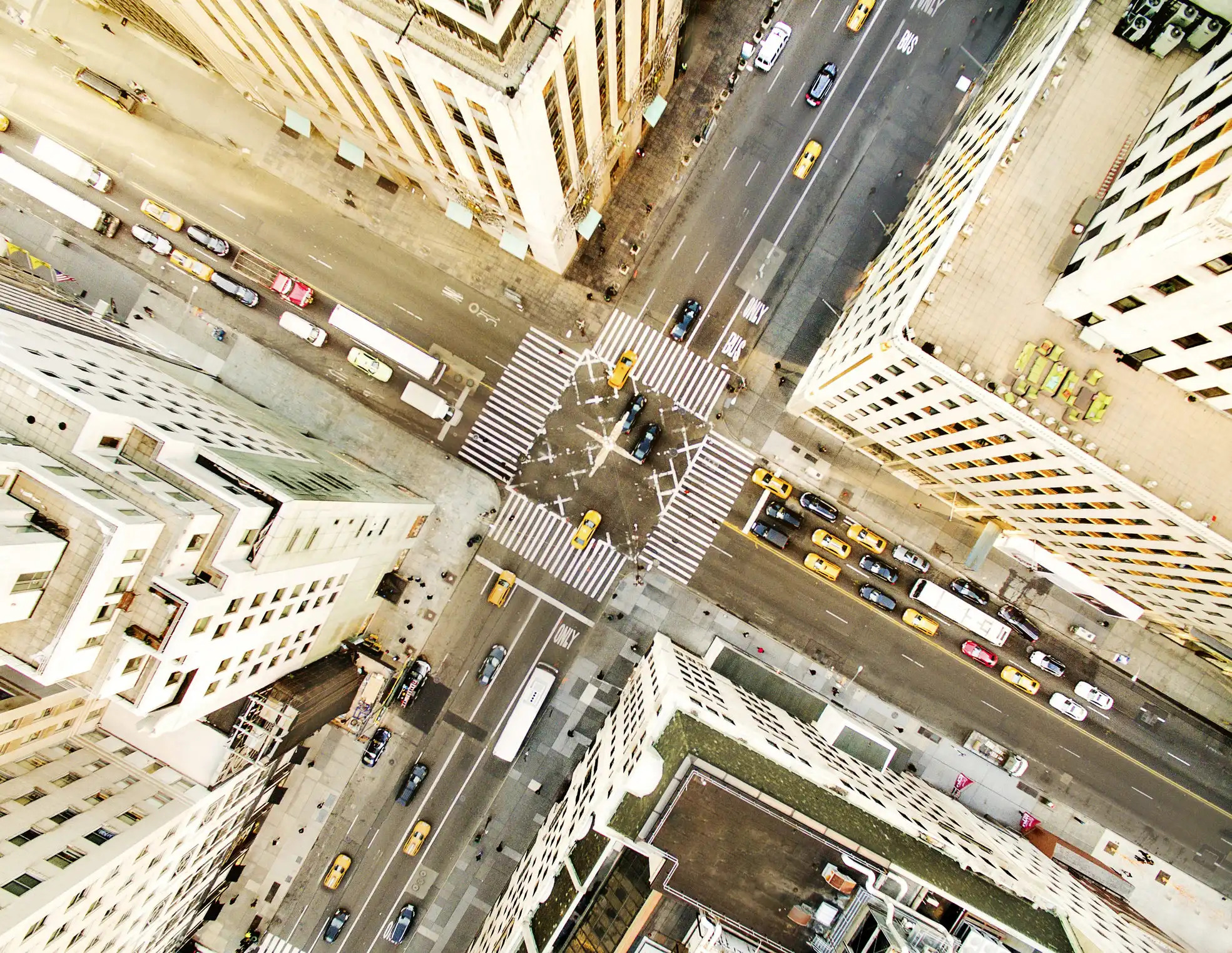
When you look at the photos that beginner photographers take, you’ll likely see a number of patterns. Chief among them is that many of the photos use the same perspective - one that is gained by standing straight up and photographing the subject from the eye level of the photographer.

Now, this isn’t bad all the time, but certainly, changing the perspective from which you shoot now and again will help you create images that are more interesting, if not unexpected.

With that in mind, you can improve your composition simply by moving around a little bit. Instead of standing, try kneeling down or even lying down on the ground. Find a high vantage point and take a photo looking down on the subject. Move left or right. Look up. The point is that the more you move around and find ways to give the viewer to see the subject, the more interesting the photo will be.

Great for: portraits, cityscapes, landscapes

Focus on the Details

iStock 507003890

If you’ve ever gotten married or looked at someone’s wedding album, you know that some of the pictures taken that day are of the small details - the wedding rings, the place settings, and the like. But focusing on the small details isn’t just a trick for wedding photographers. In fact, by focusing on the details, you can create a landscape image, a portrait, a street photo, or even a photo of food that has far more power than an ordinary image.

Look at the image above. In traditional portraits, it’s the individual’s face, and in particular, their eyes, that are the focus of the image. However, in this image, we get to see a different side of the subject, one that, in the case of their hands, shows a lot of detail and character. In fact, you can tell that the people holding hands in this image care deeply for one another - you don’t need to see their faces to understand that. Therein lies the beauty of focusing on small or unusual details in your images - you can tell a powerful story, but do so in an unexpected way.

Great for: macro photography, portraits, landscapes

Use Visual Direction
iStock 108203914

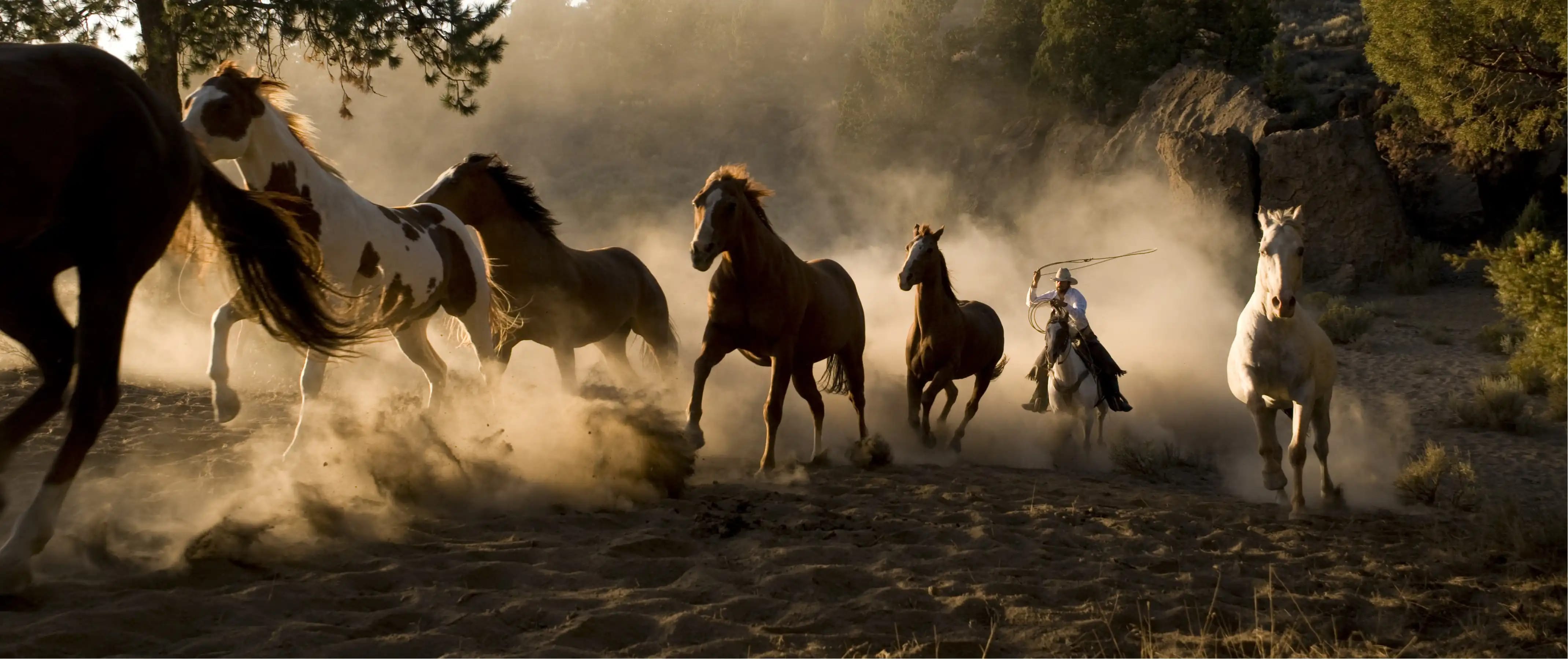
Visual direction refers to the concept of the impression of movement in an image. For example, in the image above, we understand that the horses are running to the left because of the impression of movement in that direction in the photograph. However, visual direction doesn’t just apply to people, animals, or objects on the move. In a portrait, if the subject is looking to the right, the viewer will feel a sense of movement to the right, even though there is no movement actually occurring.

This trick is advantageous from a compositional standpoint because it can be used to draw attention to the subject, to draw attention to what the subject is looking at or moving towards, and it can help you achieve an image that has greater visual balance as well.

Great for: action photography, portraits

Use Visual Weight
iStock 512151814

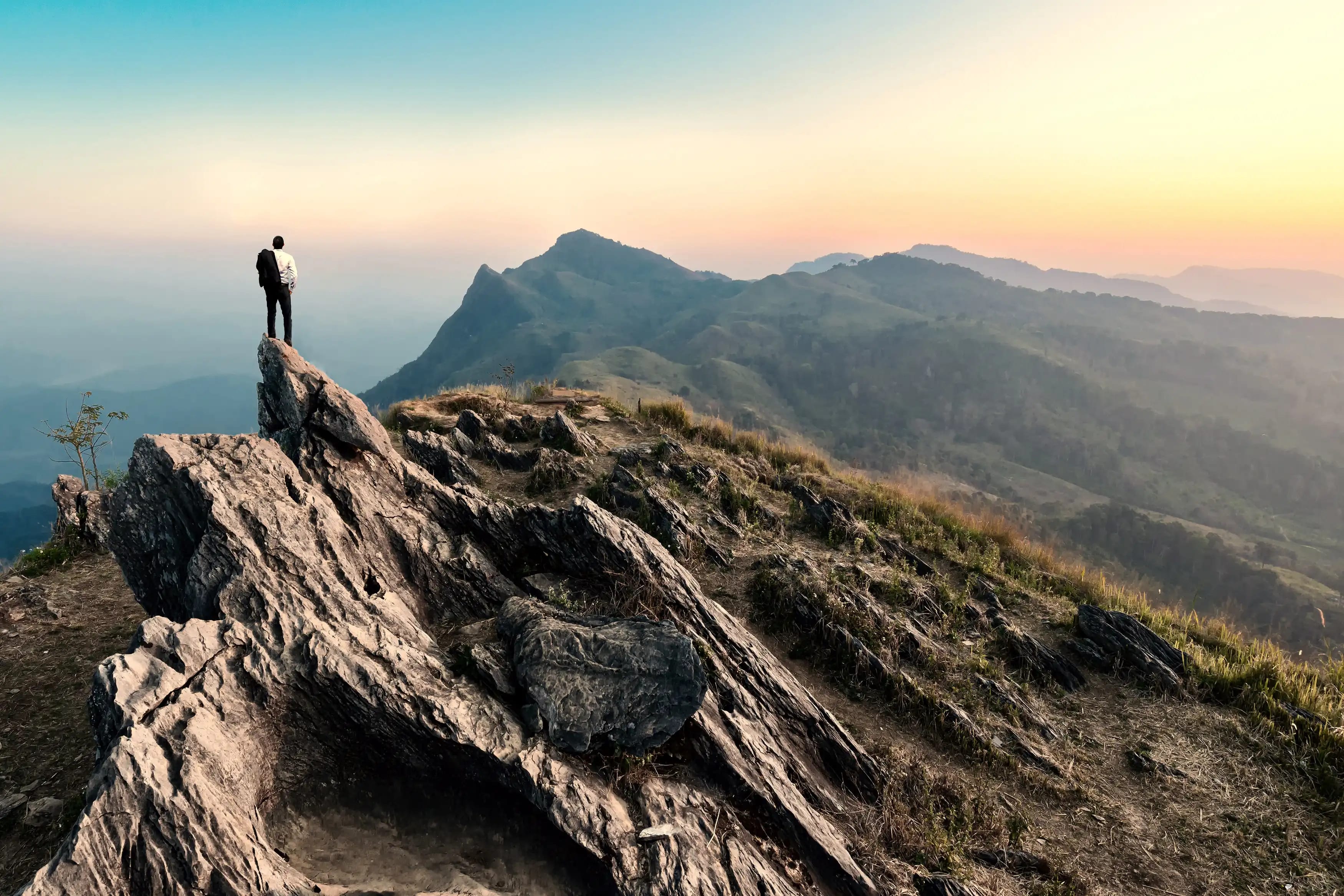
Visual weight is used to describe the power of an object in a photo to draw the attention of the viewer. Obviously, objects that have certain features, like being large in size, being highly colorful, or positioning in the foreground of an image, have more perceived visual weight. But that doesn’t mean that you can only use this trick when one of those situations applies.

For example, in the image above, where does your eye go right off the bat? Likely to the person positioned in the background on the left. Even though the person isn’t physically large, brightly colored, or in the foreground, their form still holds a lot of visual weight. That’s because our eyes are naturally drawn to the human form, even if larger objects or more brightly colored objects are also in our field of view.

Great for: landscapes, street photography, nature & wildlife photography, portraits

Why You Should Break These Rules

Clearly, there are a lot of tips and tricks you can use to compose a better photo. But, as many beginner photographers discover, it’s very easy to get caught up in always adhering to these rules.

The problem with that is that if you blindly apply each and every rule you learn to every shot you take, your photos will all end up looking the same. What’s more, they will likely feel (and look) forced, as though you were trying to shoehorn the subject into some preconceived notion of what the photo “should” look like.

The task, then, is to learn these compositional tricks, and then learn to apply them when necessary while understanding that sometimes, you simply have to break these rules to get the best shot. In the end, being open to breaking all the rules is being open to creativity and creating images that reflect who you are as an artist. So, give these tips and tricks some thought, but let your creativity flow as well!


11 Jan 02:59

Demystified: An In-Depth Guide to Your Camera’s Histogram

iStock 499023654

If you ask 10 photographers what camera feature they are least comfortable with, what do you think they’d say?

Hands down, my bet would be the histogram.

It’s probably one of the most useful features on modern cameras.

But it’s also one of the most misunderstood and underused features as well.

That’s a shame too, because it’s such a powerful tool!

In this guide, you’ll be taken step-by-step through what a histogram is, how to read it, and how you can use it to improve your photos immediately!

No, seriously…

That’s how powerful your camera histogram really is.

If you master how to use it, you’ll have a tool at your disposal that can have a dramatic, positive impact on your photos.

Let’s get started!

What the Heck is a Histogram Anyway?

Demystified How To Read A Histogram

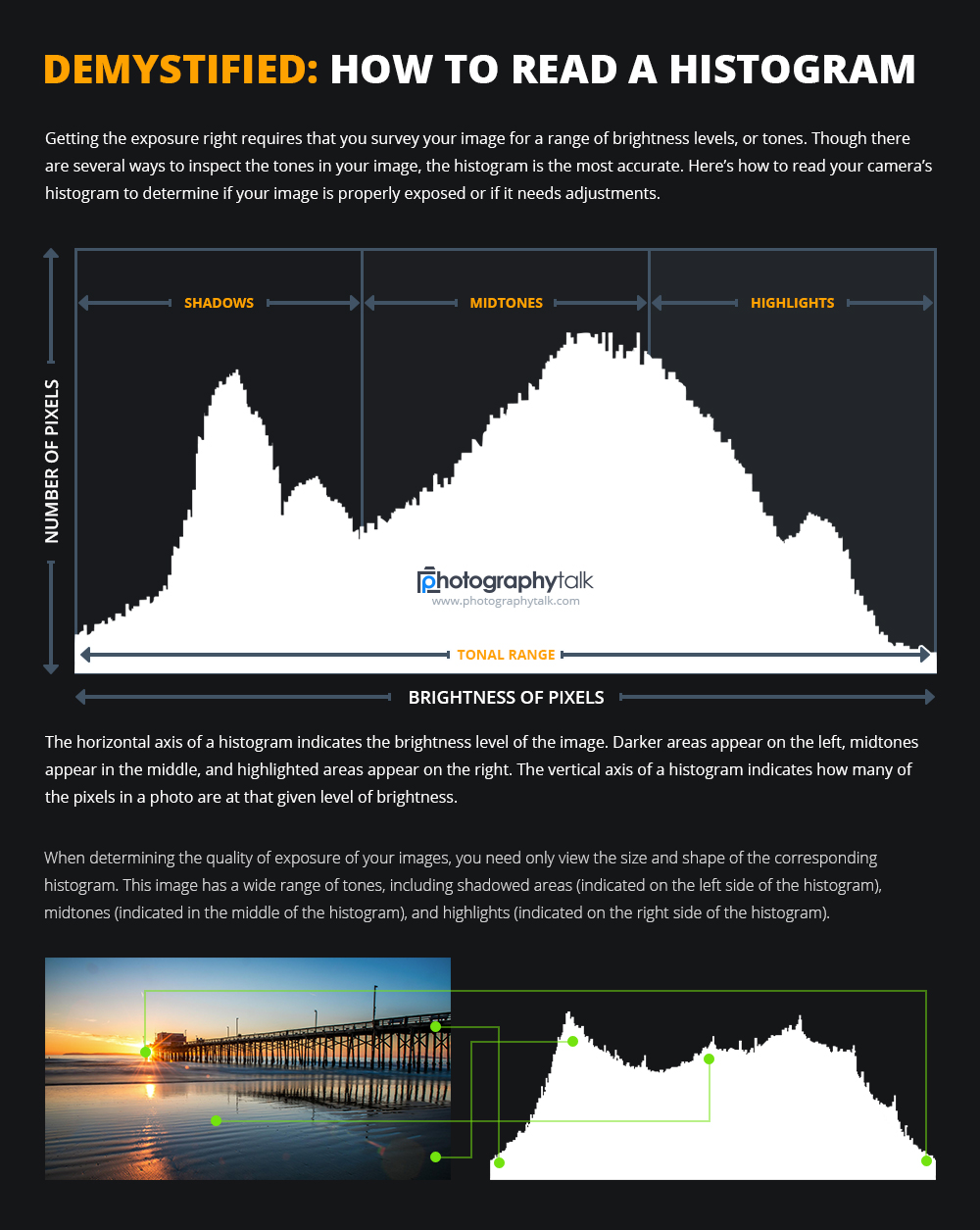
Rather than relying on a technical, mathematical-based definition of a histogram, let’s just define it as this:

A graph that shows the tones or colors in a photo, including shadows, midtones, and highlights, that also shows how many pixels in the photo represent one of those tonal values.

In other words, the histogram is a graphical representation of the exposure levels in your photo. As you can see above, darker areas appear on the left side of the graph, midtones appear in the middle, and highlights appear on the right side.

The reason this is such a handy tool is because it is a precise representation of the brightness levels of the photo. That is, the distribution of the graph isn’t impacted by ambient light or brightness levels of your camera’s LCD - two things that impact how you are able to view the images themselves.

That means that using your LCD to view your images to make a determination of the quality of exposure isn’t going to get you the best results. Rather, a histogram will.

Tweet This Histogram In Depth Guide

Gleaning Information From the Histogram

Typically, modern cameras actually have a number of histograms, including one that indicates luminosity (as discussed in the previous section) and another that indicates color, as seen below:

Demystified How To Read A Histogram 02

The luminosity histogram is used most often, and has a monochromatic display. The color histograms give you an overview of the presence of red, green, and blue pixels in the image. Usually, these histograms are displayed in their specific color spaces, as seen above.

Since the luminosity histogram is used most often, let’s explore it in more detail.

histo 0001

The luminosity histogram gives us detailed information about the exposure of the photo. But a histogram shows more than just how many pixels are dark or bright:

  • Histograms indicate if an image is well-exposed throughout. If the graph extends from one side to the other, all tones are represented in some number in the photo.

  • Histograms indicate if one value of tones is overpowering the others. If there aren’t any spikes on the left or right sides of the graph with an arch in the midtone region, the image is pretty evenly exposed.

Both of these concepts can be seen in the histogram above. Note how the graph extends from one side to the other, but without sharp spikes on the edges. Also note how the midtone area is prominent, with the tell-tale arch peaking in the middle and descending towards the left and right.

Let’s take a look at a few more examples.

iStock 506997370

histo 0002

Note in this histogram how we do not have the midtone arch that was present in the previous example. The graph has changed because the image of the mom and her baby is predominantly white tones with very few dark areas. That’s why we see a large spike at the far right of the graph, and a greater number of pixels from the middle of the graph to the right. Note in the image how there are very few dark areas - something that’s reflected in the histogram as well.

It’s important to be aware that just because this graph is shifted to the right doesn’t mean that it is a poorly exposed image. All this means is that for this subject, which has many lighter tones, the resulting histogram will naturally be shifted to the right. In fact, if the exposure was adjusted to make the histogram more “typical,” it could well render the light-colored subject matter as darker, like turning the white highlights to gray.

iStock 532523359

histo 0003

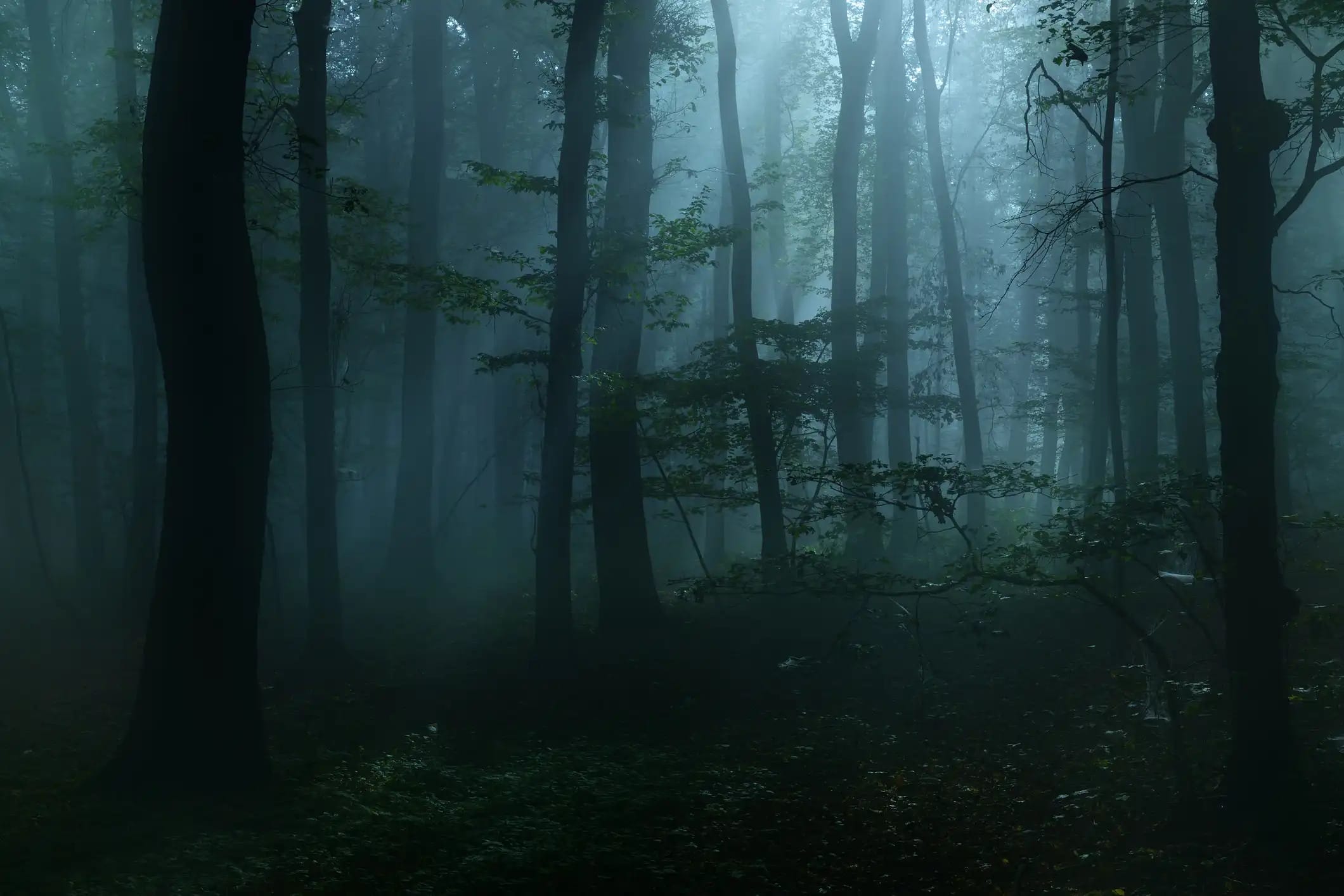
In this histogram, we see that darker tones are greater in number because of the sharp spikes toward the left side of the graph. Again, keep in mind that this doesn’t necessarily indicate a poorly exposed image. Rather, the primary subject might simply be a dark, like the shot of the dark forest above.

Something that this histogram and the previous two histograms have in common is that the full range of tones is represented. Notice how even though one histogram spikes in the middle, another spikes on the right, and another spikes on the left, that there are still values across the entire spectrum represented in the image. That means that each of these histograms indicate a good exposure.

Using the Histogram to Adjust Exposure

When you view the histogram for an image and there is a gap on the left or the right, you’ll need to put some work into making it a more appropriately exposed image.

Why?

Gaps indicate that there are pixels in that range of tones completely missing from the photo.

iStock 532317563

histo 0004

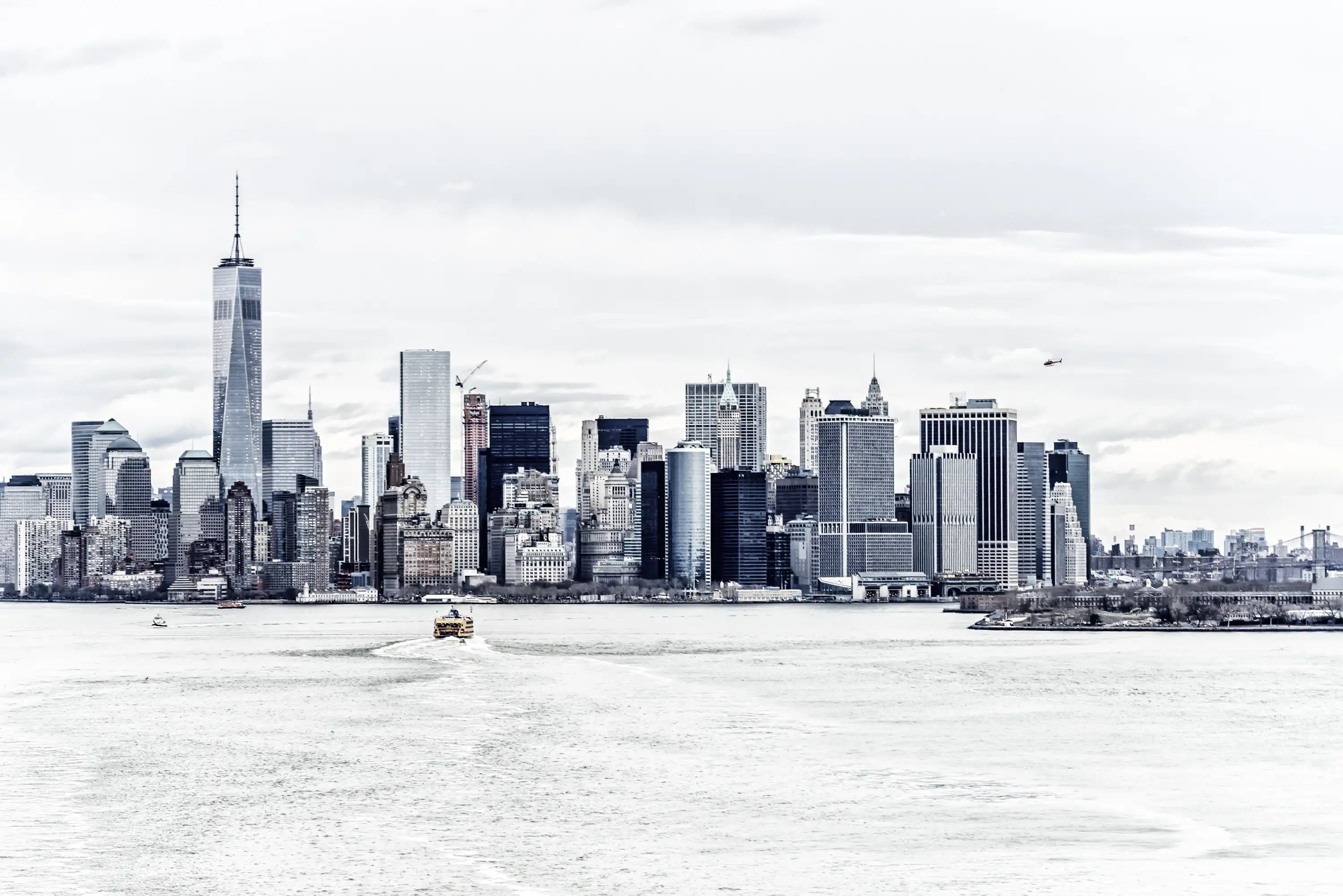
For example, in the sample image of New York City’s skyline above, note how there are no shadow details in the image. This is reflected in the histogram where a gap exists on the left side That means that the image is overexposed (which is also indicated by the tall spikes on the far right of the graph). To rectify the situation, you would adjust your exposure settings to restrict the amount of light, either by using a smaller aperture, a faster shutter speed, or a lower ISO, or a combination thereof.

iStock 611171498

histo 0005

Of course, the opposite problem can occur as well. In the example above, there are far too many dark tones in the image, with no detail beyond the foreground leaves and a minimal amount of contrast. This is indicated by the cluster of spikes on the left side of the graph. There are no highlights indicated, meaning the image is too dark. Boost the brightness of the image by using a larger aperture, a slower shutter speed, or a higher ISO value, or a combination thereof to extend the graph from the left all the way to the right.

Tweet This Histogram In Depth Guide

Clipping 101

You might have heard the term “clipping” thrown around before.

If you don’t know what it means, it simply indicates that there has been a loss of detail in the image in the highlighted or shadowed areas. In other words, that detail has been clipped from the image.

Clipping is indicated by a tall spike on the left or right side of the graph. Tones in these clipped areas are usually unrecoverable, meaning that they will render as pure black (if on the left side of the graph) or pure white (if on the right side of the graph), as seen below:

 histo 0006

To avoid clipping, ensure that your histogram barely contacts the left or right sides of the graph. That will ensure that you retain the details you need in those dark and light areas. This goes for colors too! Check your RGB histogram for clipping as well because it might show areas of colored clipping where the luminosity histogram shows no clipping at all.

Give yourself even more protection against clipping by using the histogram in tandem with your camera’s highlight warning feature, which is often called “blinkies.”

Essentially, blinkies make the clipped highlights or shadows in an image preview blink - that way you know what areas are being lost. This display is separate from the histogram, and gives you yet another visual cue as to what areas of the image might need more attention to bring the exposure into a more desirable realm.

If you’re a Canon shooter, either press the “Info” or “Display” button repeatedly until you see the blinkies appear on your image preview. If you’re a Nikon shooter, press the Up or Down buttons as you preview an image until you see flashing highlights. Consult your camera’s owner’s manual to get more details about your specific model’s highlight warning features.

Using the Histogram to Your Advantage

iStock 543350286

Now that you have a firm grasp on what a histogram is and how to read it and interpret it, it’s important to determine how you can use that information to your advantage.

Part of this process is identifying the impact that the scene you’re photographing will have on the image you take. For example, if you take a portrait on a bright, sunny day, you should expect to see a spike on the right side of the histogram. Conversely, if you take a low-light image of a forest with a lot of shadowed areas, expect to see a spike on the left side of the histogram.

Because every scene will be different, your histograms will be different as well. Just because it doesn’t conform to the typical form with the midtone arch in the middle doesn’t mean it’s a bad exposure. Let the scene speak to you, and if it requires more shadows, let the histogram reflect that; if it requires more highlights, that’s fine too!

In other words, don’t conform your photos to a certain type of histogram. It is a tool that is helpful for correcting exposures that have gone awry - not a hard and fast rule that you must adhere to in each and every shot. Ultimately, what makes a “proper” exposure is you and your creative vision.

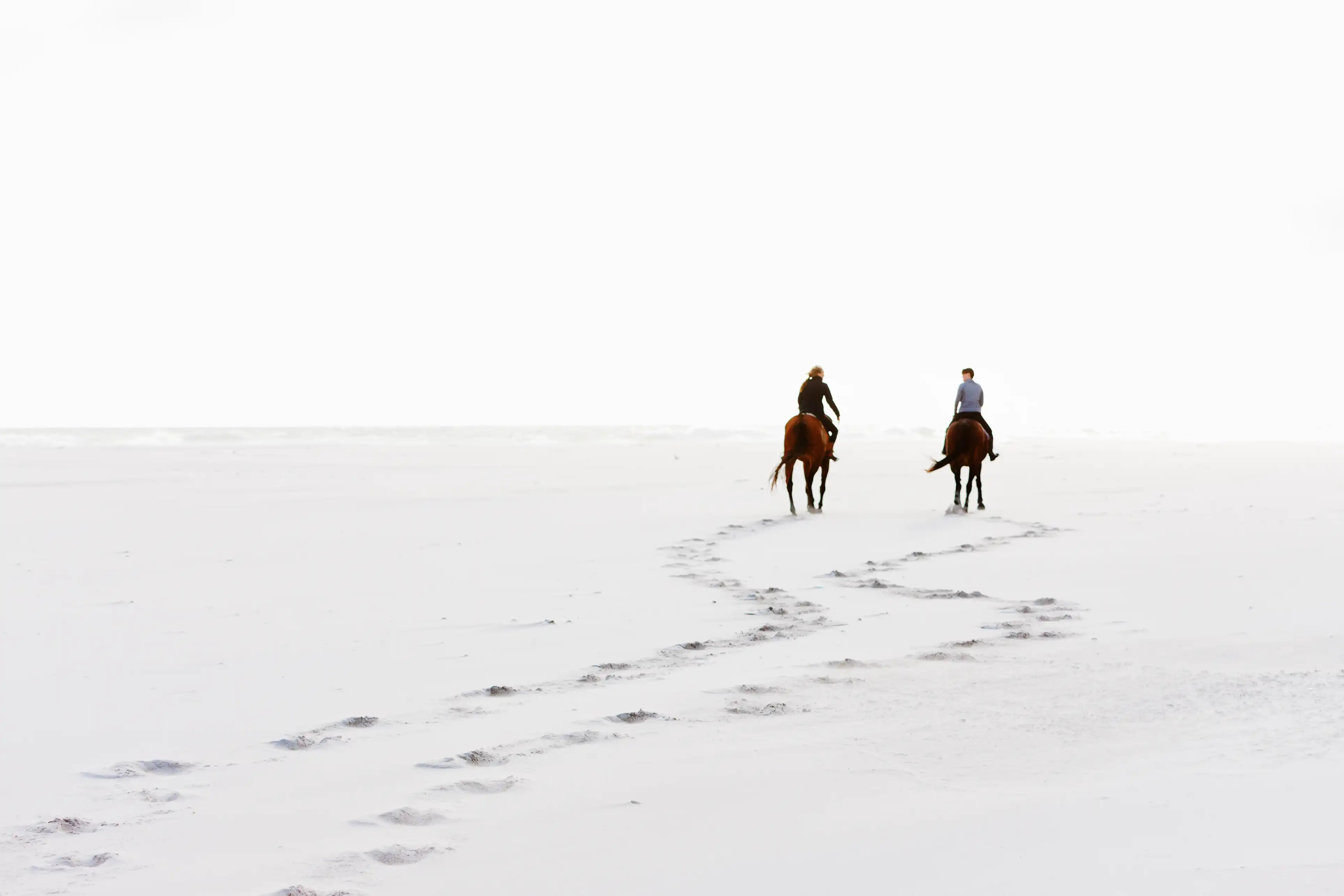
That means that sometimes you’ll intentionally overexpose an image, as was done in the image of the couple riding horses above; other times you’ll intentionally underexpose it. Doing so can add to the artistic interpretation of the photo and result in something that has more mood, evokes more emotions, or simply aligns with your aesthetic more completely.

In the end, look at each scene you’re photographing and determine how you want to interpret that scene. Then, use the histogram to help you get the effect you want. That’s how you use this powerful tool to create even more powerful photos.


If you liked this article check out these: Six Things Your Camera Would Say if It Could Talk and  Understanding the Basics: Your Cameras Histogram


11 Jan 02:57

Jumpstart Your Job Search With Instagram

The social network could link you to your next employer.
11 Jan 00:27

Hotel Emma

Originally built in 1894, Hotel Emma offers riverfront accommodations in a San Antonio landmark. The brewery-turned-hotel consists of 146 luxury rooms in the heart of the city's culinary village —...

Visit Uncrate for the full post.
11 Jan 00:25

'Treehouse Master' Pete Nelson On The Business Of Building In The Trees

by Brittany Hodak, Contributor
'Even though I had been doing this for 20 years [when the TV series started], it still wasn’t a great business model.'
11 Jan 00:15

Best Florida Duck Hunting Locations

by Ian Nance

If you can’t find a place to duck hunt in Florida, you’re simply not trying.

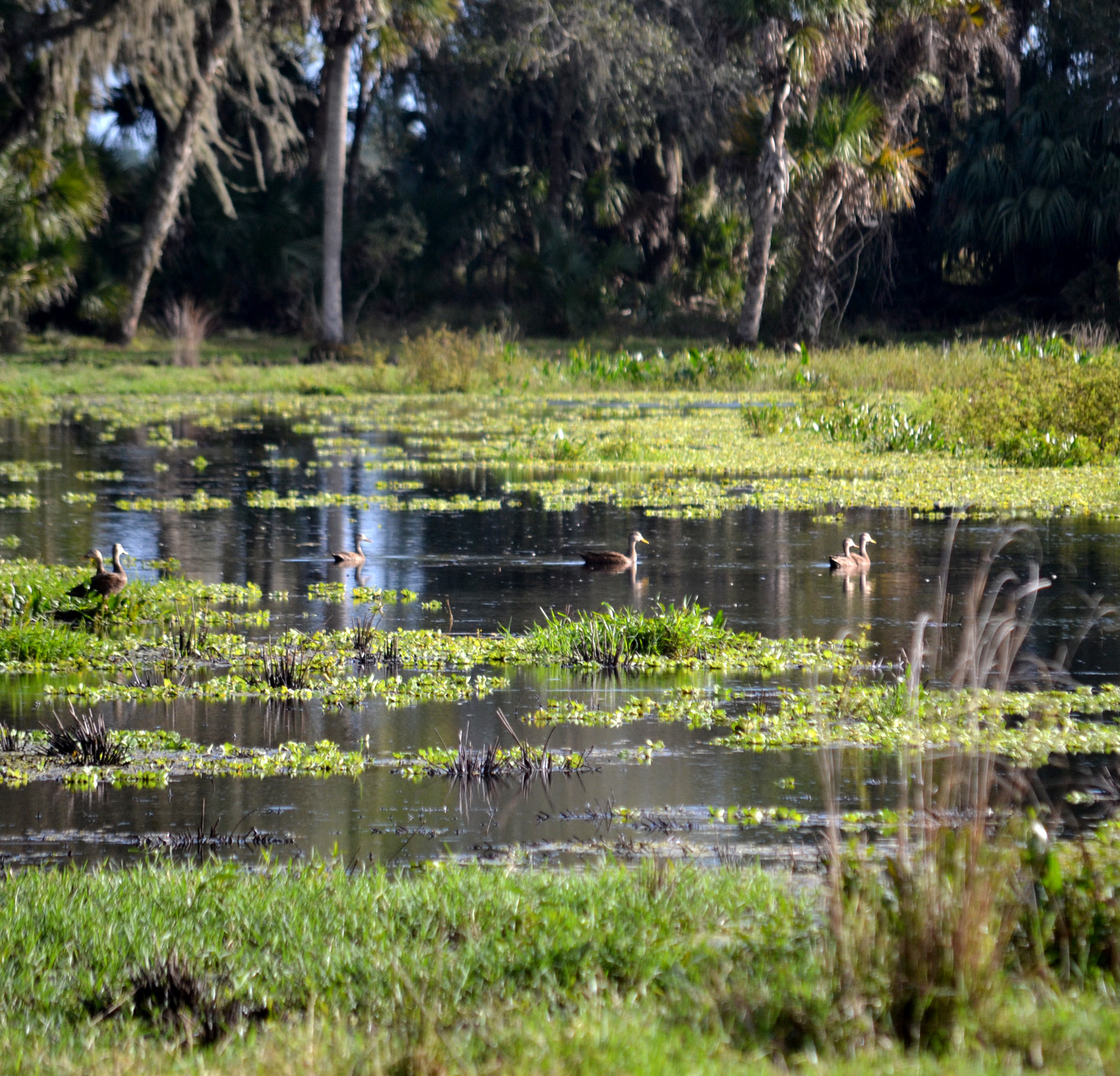
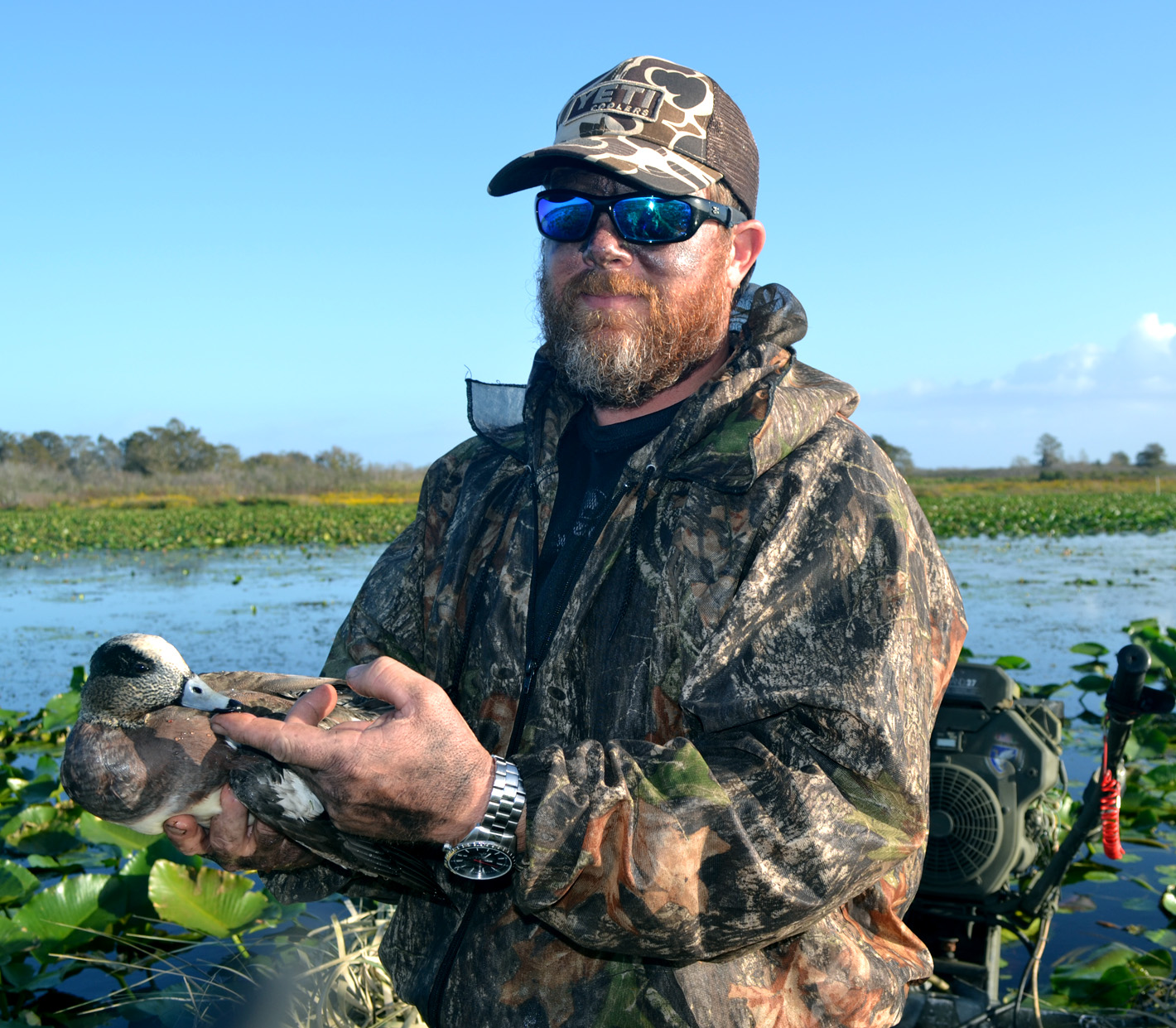
Non-migratory mottled ducks can be found in honey-holes off the beaten path.

I’ve long maintained, if you can’t find a place to duck hunt in Florida, you’re simply not trying. Waterfowling here is legal on most bodies of water with public access. The coasts provide an almost-endless opportunity to set up for a hunt. Multiple river systems and WMA’s throughout the state are there to be explored. The options are incredible.

Mottled ducks

Having said that, though, Florida waterfowling is a maddeningly inconsistent sport from year to year. For one, the vagaries of the migration affect the quality of hunting. While many factors contribute to the birds’ travels, generally speaking, weather conditions have a profound impact. Too warm to the north and many ducks don’t bother making the journey. Too much rain in this state and the game tends to spread out.

Furthermore, habitat changes, both natural and artificial, impact the hunt. Weed control, seawater encroachment, development, water management policy, among other factors, can run ducks to the next pond over.

For that reason, it’s best to have a few options tucked under your wing. The best duck hunters stay mobile, scout, and research, taking full advantage of all the state has to offer as well as get away from the crowds. But, if you’re new to Florida duck hunting and seeking a place to get your feet wet, let’s take a look at five standard-bearers for local water-fowling.

Merritt Island NWR

Merritt Island National Wildlife Refuge (MINWR) is as well-known of a Florida duck hunting venue as you’ll find. According to the U.S. Fish & Wildlife Service (USFWS), in 1962 NASA acquired 140,000 acres of land, water, and marshes adjacent to Cape Canaveral to establish the John F. Kennedy Space Center. Through USFWS, large undeveloped portions of this area became a refuge which is now managed by the Department of the Interior.

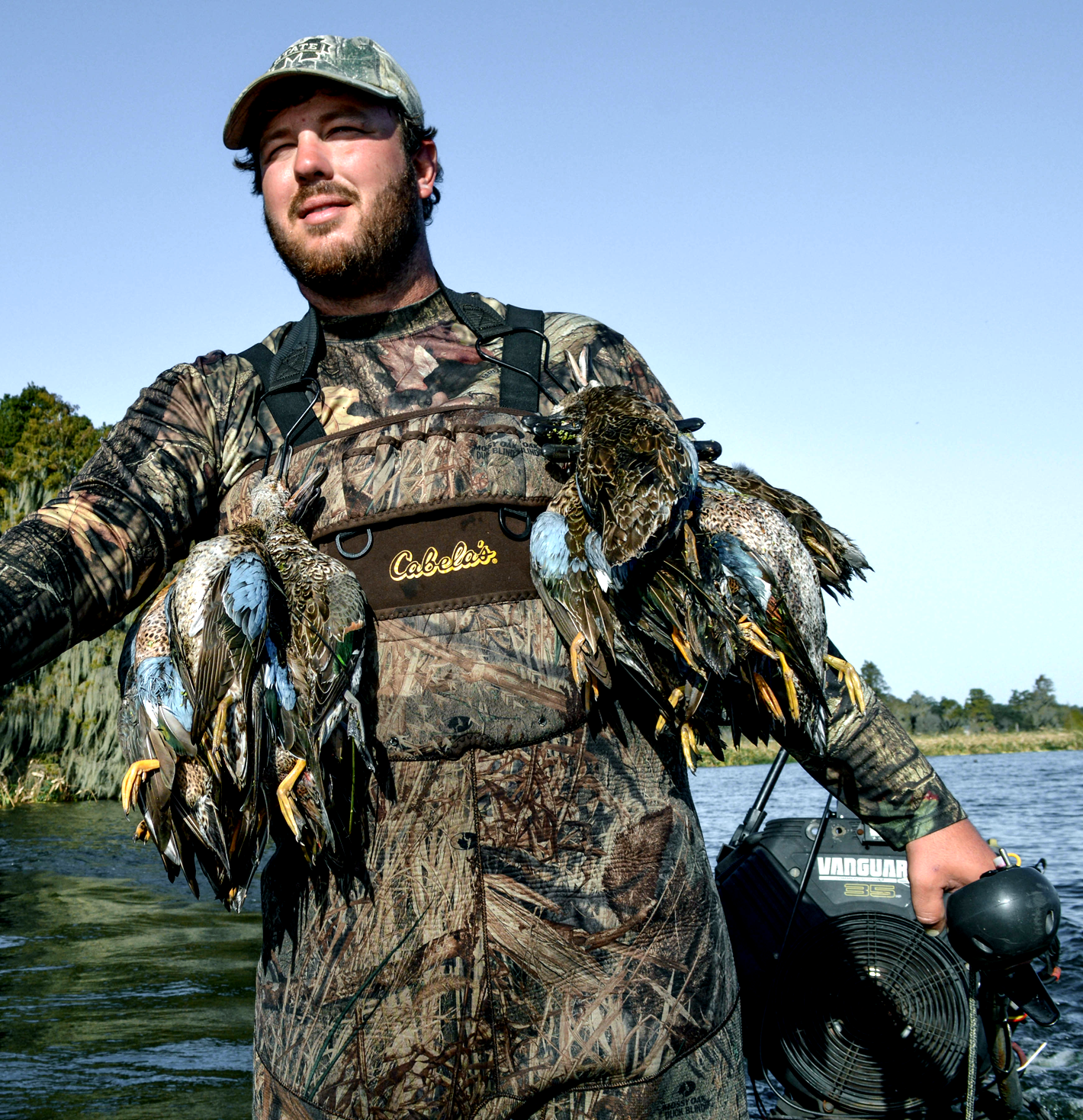
Blue-winged teal are found throughout Florida

As a duck hunting location, multiple water-control impoundments serves as habitat for migrating waterfowl, from puddle ducks to divers. In years gone by, MINWR was considered to be a premier destination until seawater encroachment damaged much of the vegetation upon which migrating ducks relied.

With the recent summers of heavy rainfall, the saltwater has been largely flushed out, and the hunting has improved; however, MINWR permits – with applicants chosen through an annual lottery – are limited and highly-coveted, and new rules governing motorboat accessibility and passage have been implemented effective the 2016 season.

Still, when the conditions are right, the duck action at MINWR is hot with hunters experiencing some of the finest mixed-bag shooting Florida has to offer.

T.M. Goodwin WMA

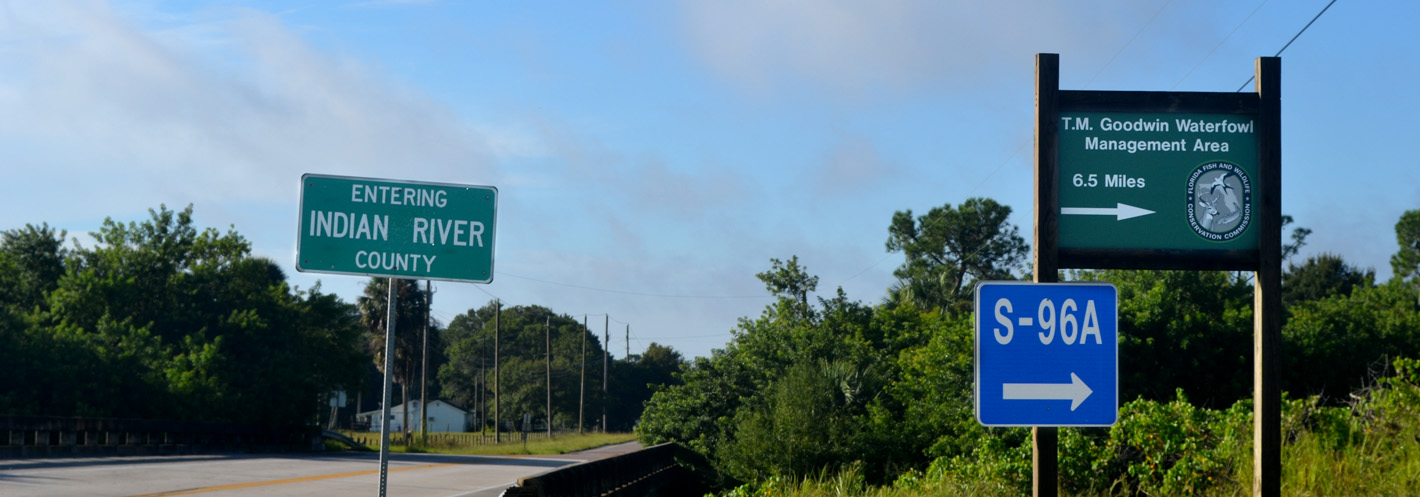
Entry point to T.M. Goodwin.

Per Florida Fish & Wildlife Conservation Commission (FWC), T.M. Goodwin Waterfowl Management Area (WMA) is comprised of 6,270 acres split between two management areas – the T.M. Goodwin Unit and the Broadmoor Marsh Unit. The T.M. Goodwin Unit was developed with funds provided by the North American Wetlands Conservation Council, Ducks Unlimited (DU), and the former Florida Game and Fresh Water Fish Commission.

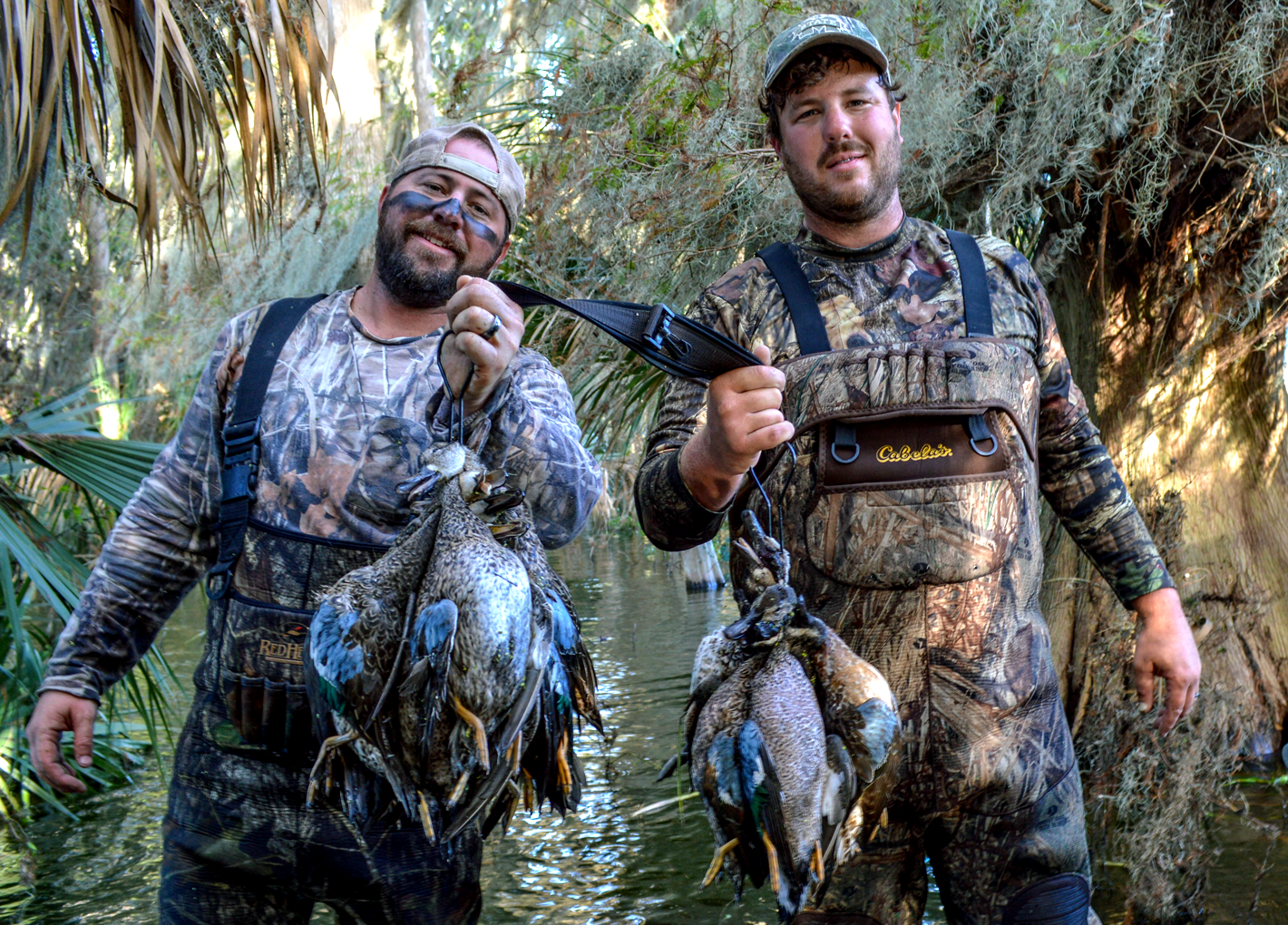
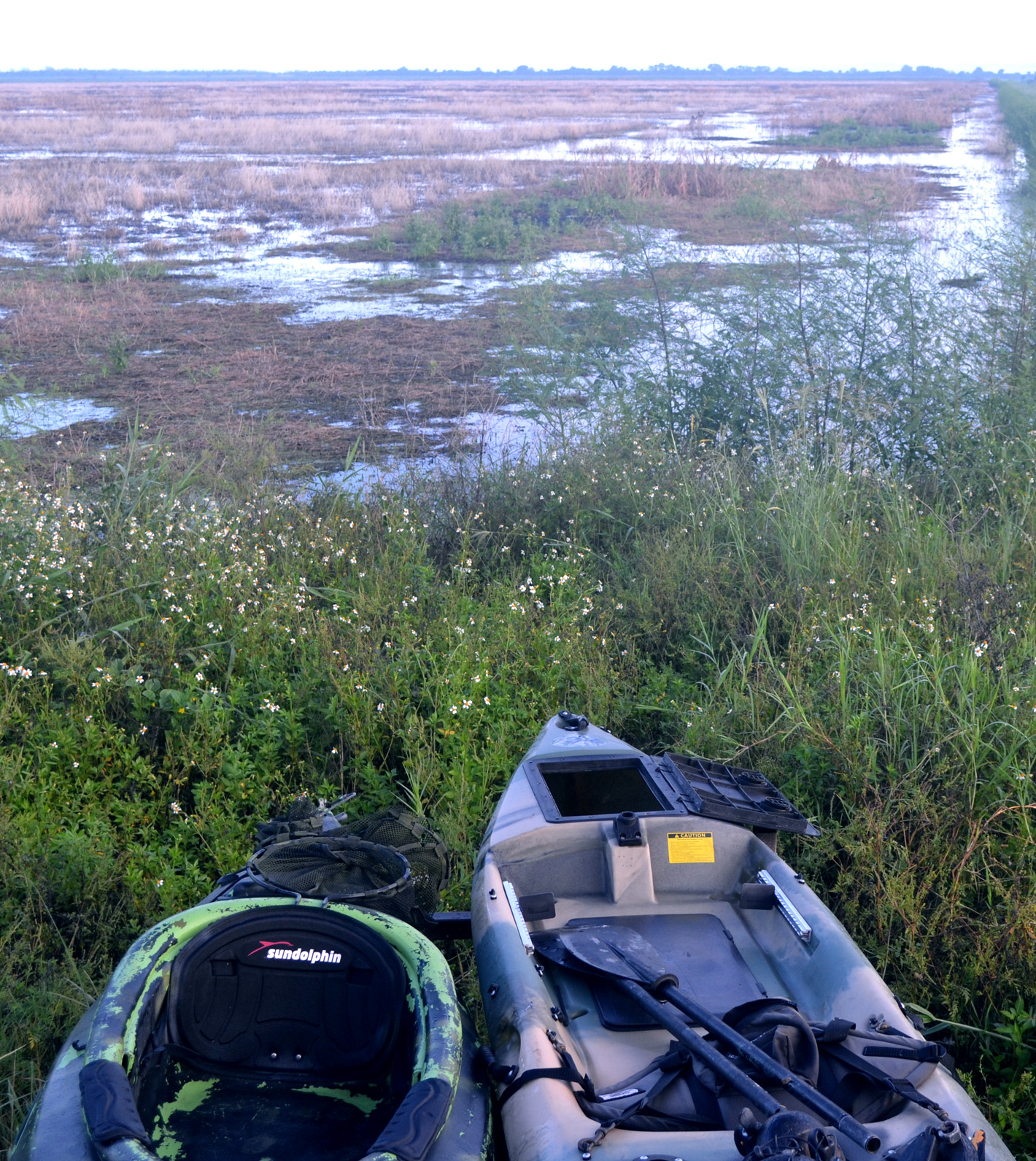
Kayaks are a popular duck hunting vessel at the STA’s and the Broadmoor Unit of T.M. Goodwin WMA

Broadmoor was acquired in 2002 through the Natural Resources Conservation Service (NRCS) and the St. Johns River Water Management District purchasing a Wetland Reserve Program conservation easement and fee-title acquisition on agriculture property north of Goodwin. This land was then leased to FWC to provide high-quality wetland habitat for waterfowl and other species.

Located near Fellsmere, T.M. Goodwin offers limited-entry hunts throughout the season. Like MINWR, hunters apply each Fall for permits. Once checked in on the hunt date, successful applicants choose their hunting area on a map based on the order in which the permit was designated to the recipient. FWC staff is on hand to give the conditions of each cell. Hunting spots on Broadmoor are accessible by kayak, canoe, and, in a few areas, wading. Hunters in the Goodwin Unit can use motorized boats under 40HP in certain hunting zones.

Even if you’re unsuccessful pulling permits for T.M. Goodwin WMA, access to Upper St. Johns WMA is off the same access road and holds vast duck hunting potential for those willing to explore.

Kissimmee Chain of Lakes Watershed

Numerous species of puddle ducks are found around the Kissimmee Chain of Lakes Watershed.

Central Florida hunters who either weren’t drawn for limited-entry hunts or don’t care for assigned seating for a duck hunt should check out the Kissimmee Chain of Lakes watershed.

Ring-necked ducks can be found throughout Florida, especially in waterways with hydrilla

These vital wetlands begin in Orange County and form the headwaters of the Kissimmee-Okeechobee-Everglades system. Including Cypress Lake, Lake Hatchineha, Lake Kissimmee, and the Kissimmee River among other lakes, their tributaries and marshes, this region serves as major hub for Florida’s waterfowl.

The big lakes, in particular, attract a variety of diving and puddle ducks due to hydrilla found there. Hunters must pay attention, though, to efforts to control this invasive vegetation for as those weeds go, so goes much of the attractive elements for ducks who forage through these hydrilla mats.

For airboaters, the Kissimmee region is a paradise as they are able to access out-of-the-way honey-holes that outboards and surface drives can not reach. While the immensity of this area can be intimidating, there are a charitable number of boat ramps, campsites, and lodging opportunities for hunters to set up shop. Combined with some of the best bass fishing in the state, the potential for a world-class Florida Cast N’ Blast adventure is abundant throughout the Kissimmee Chain of Lakes watershed.

Lake Okeechobee

Pitching decoys.

The marshes from Clewiston and Moore Haven north to the city of Okeechobee on the Big Lake are well-renowned for quality duck hunting and with good reason.

These expanses are replete with habitat that favor migrating waterfowl, namely shallow water, plenty of food, and room to escape hunting pressure.

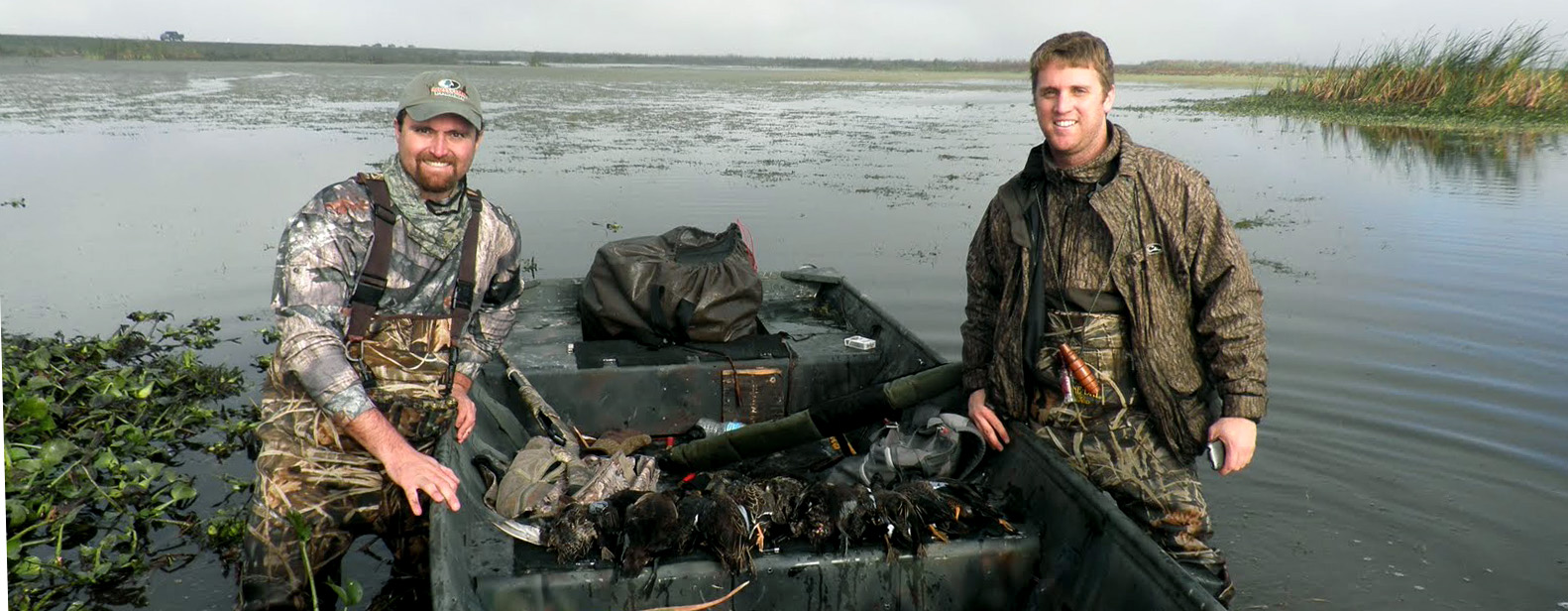
On a place like Okeechobee, there aren’t too many secrets these days. Airboats have an easier time reaching low-traffic spots but other hunters do just fine working the outside marshes. Blue-winged teal and ringers comprise the majority of hunters’ bags with mottled ducks and black-bellied whistling ducks helping out when the migration is slacking. The trick on Lake Okeechobee is to scout, locate birds, try not to booger them up too bad, and get there early before the next guy does.

And, as with Kissimmee, the bass action is on fire during the winter months. Tournament season is underway leaving duck hunters and fishermen jockeying for available lodging.

Stormwater Treatment Areas

Expect a long paddle and a mixed bag of ducks at the STA’s

Seeking a quality South Florida hunting adventure when on any given morning one can expect a potpourri of different duck species? Look no further than the Stormwater Treatment Areas (STA’s).

Designed to trap phosphorus from storm runoff in an effort to resuscitate the Everglades ecosystem, the STA’s have become a hotbed of waterfowling activity. Shallow waters and hydrilla congregate the birds in these areas. At this time there are four STA hunting properties – STA 1-W in Palm Beach County; STA-2 north of the Palm Beach / Broward County line on HWY 27; STA-3/4 at the intersection of the L-5 levee and US 27 at the Palm Beach / Broward County line; and STA-5 in eastern Hendry County.

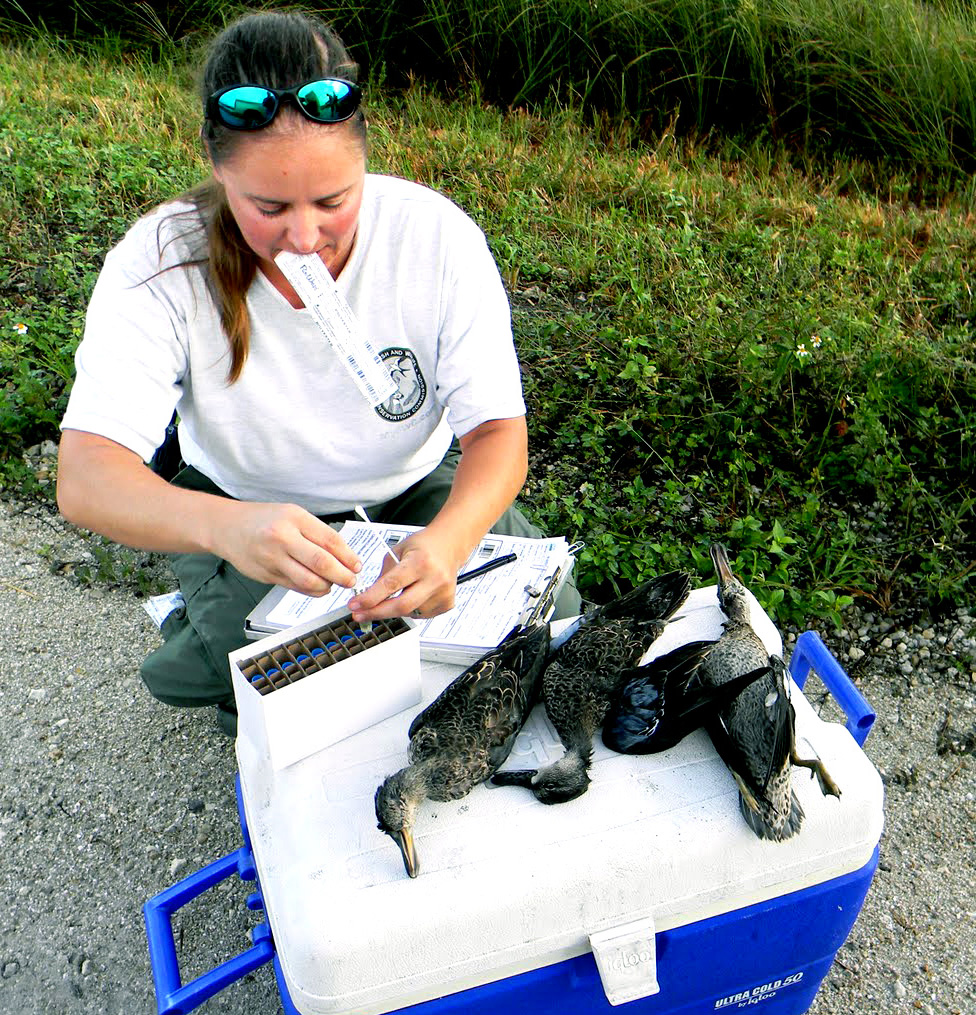
Biologists are often present at the STA’s to study harvested birds.

Being the duck magnets these areas are, drawing permits has become difficult in recent years; however, in 2016 FWC changed the permit issuance process in an attempt to spread the wealth as much as possible. With motorized vessel prohibited, hunters canoe or kayak to spots near designated parking spots.

The shooting has been consistently good from year to year, but there is concern about the long-term viability of the duck hunting as cattails and hyacinths thrive and choke out hunt space due to the accumulation of phosphorous and other nutrients. For now, however, it doesn’t get much better in this state.

No matter where you choose to duck hunt in Florida, expect a wild experience. Many different species winter here. It’s not uncommon to kayak eyeball to eyeball with a gator while coastal hunters become accustomed to dolphins swimming around decoys. Give it a try and you’ll be hooked.

For more information on waterfowling in Florida, please check out FWC’s webpage on the subject at http://myfwc.com/hunting/by-species/waterfowl/

The post Best Florida Duck Hunting Locations appeared first on Florida Sportsman.

11 Jan 00:10

Do This Five-Minute Stretching Workout at Your Desk For a Workday Energy Boost 

by Patrick Allan

If you feel sluggish when you sit down at your desk every morning, this quick mini-workout will get your blood flowing and your brain powered up. You don’t even have to get out of your chair.

Read more...

10 Jan 17:38

Carbon Craze in Fishing-Boat Industry

by Jim Hendricks

Carbon-fiber technology decreases weight and increases stiffness in boats and accessories

Carbon-fiber technology decreases weight and increases stiffness in boats and accessories.
10 Jan 17:37

Video: Boston Whaler 280 Outrage Fish Trial

by Video Produced by Chris Balogh

Safety and comfort combine in an easy-to-fish layout

Check out our video of the new Boston Whaler 280 Outrage.
10 Jan 17:36

homemade irish cream

by deb
homemade-irish-cream

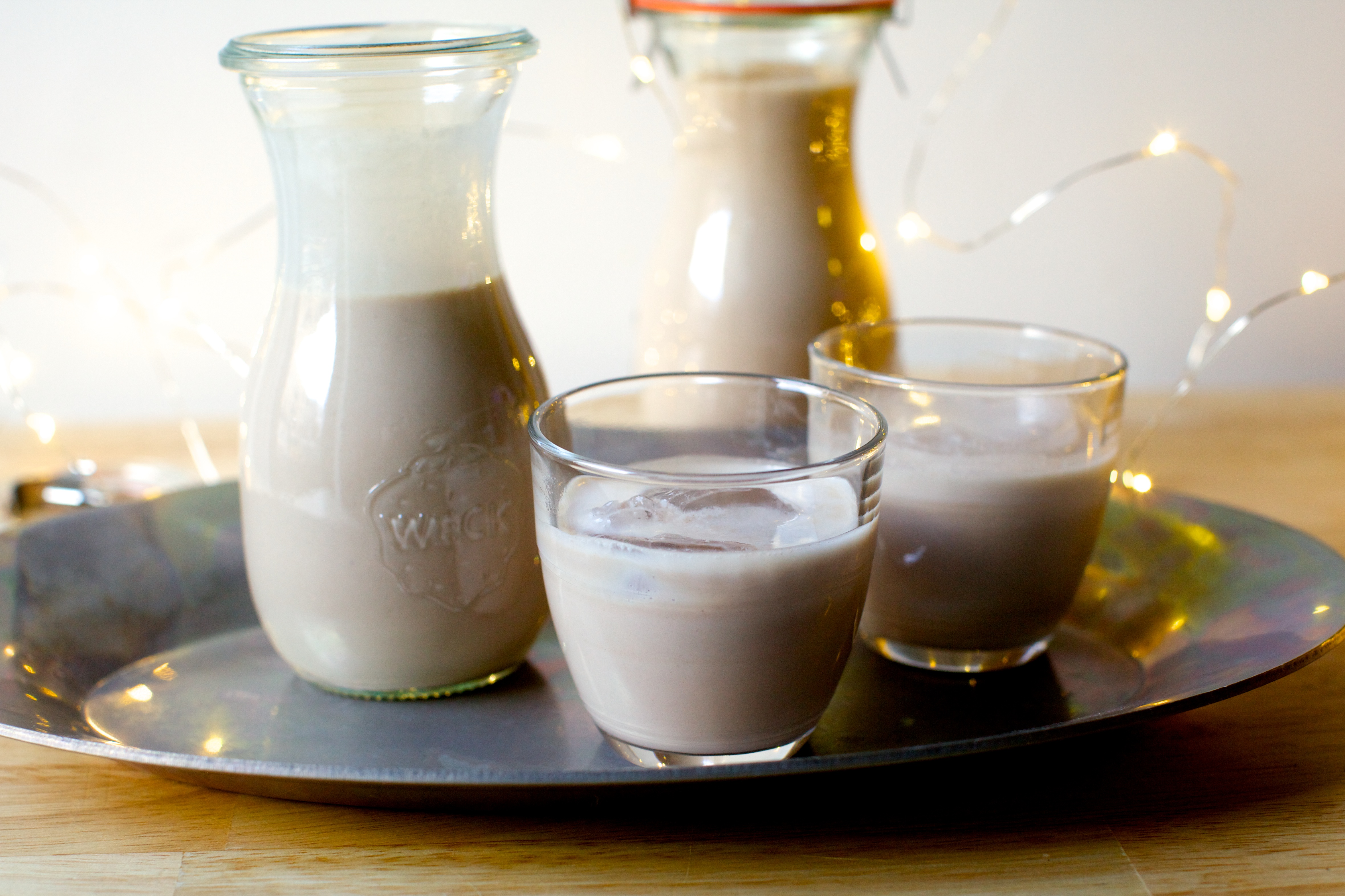
Look, we all have to draw the line somewhere. I have over the years insisted that making some things from scratch were just crazy, best left to others, and one by one come around and worse, as if I’d forgotten my repudiation of five minutes earlier like some sort of toddler, extolled the virtues of doing so. Cases in point: Graham crackers, marshmallows, bagels, dulce de leche, pop tarts, rainbow cookies, goldfish crackers, apple strudel, fully from-scratch hot fudge sundae cakes and Russian honey cakes but if you were to suggest I should make my own yogurt, croissants or sushi, despite the fact that I would be delighted if you made any of these things, doubly so if you brought some to me right now, I would probably rather unpack the last box from our last move (two-plus years ago), not even jokingly labeled “Unfiled Files.” Look, we all have to draw the line somewhere. I mean, what’s next if I cross these lines? Milling my own flours? Smoking my own pork belly? Making our own Bailey’s-style Irish cream?

Read more »

10 Jan 17:36

pimento cheese potato bites

by deb
pimento-cheese-potato-bites

Sorry, I blinked and missed 2016 in that way that happens when you’re so deeply in it, you forget to look up. I went from having one kid and a tiny bundle wrapped in a blanket to have two real-live mobile children and they are impossibly cute and exhausting and I wouldn’t want it any other way except for maybe once a week if we can find a babysitter. Like all parents ever, I think my seven year-old says amazing things, such as when he told us this weekend we needed to get our New Year’s Revolutions ready. My 17-month old is a tempest of curls and a blur of frenetic energy and whenever she exhibits, ahem, “low frustration tolerance” people decide this is the perfect time to tell me how much we are alike, not sure what that’s about… Both kids got serious birthday cakes and for once, my husband did alright too. I got to go on a surprise birthday trip to Mexico City without kids (!) and then we went to Portugal with two children, had a great time, and even remembered to bring the same two children home with us. If we can do that, we can do anything, right?

Read more »

10 Jan 17:30

10 everyday objects torn down completely

10 Jan 17:25

10 Steps to Starting a Side Business While Working a Full-Time Job

by Ryan Robinson

We are living at a time of unlimited potential. Never before have we experienced such a rapid growth in the number of young entrepreneurs who’ve begun working for themselves. From app developers, to freelance writers, business consultants, creative producers, and startup founders, there’s no shortage of people willing…

Read more...

10 Jan 15:49

Omega Speedmaster Speedy Tuesday Watch

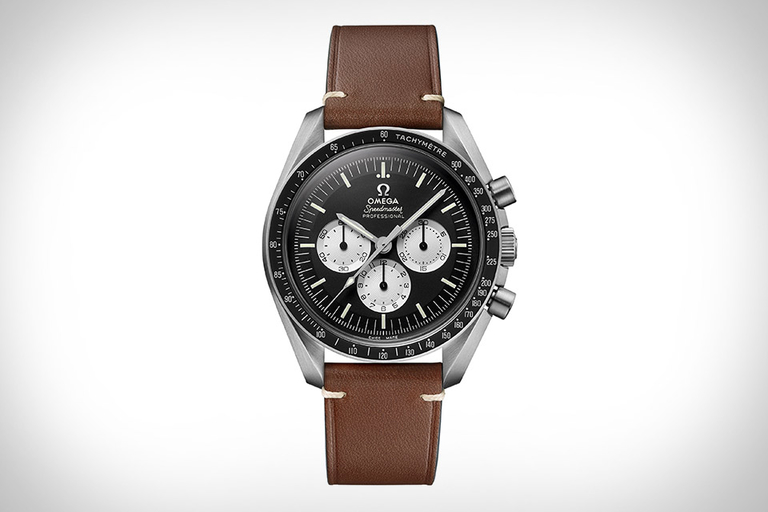
Named for the Instagrammers that hashtag photos of their watches every week, the Omega Speedmaster Speedy Tuesday Watch blends together several vintage touches in a new limited edition. The overall...

Visit Uncrate for the full post.
10 Jan 12:25

10 Best European Red Wines Under $20 To Drink Today

by Nick Passmore, Contributor
Packed with the heady aromas of rosemary and wild mountain thyme, the perfect antidote to mid-winter gloom, and an ideal companion for the heartiest stew.
09 Jan 18:57

Alcatraz East, Pigeon Forge, TN

Feature: America's most comprehensive museum of crime. ...
09 Jan 18:56

Watch How Neon Signs are Made

by Chris Higgins

Neon burns red, argon glows blue.

09 Jan 18:46

7 Features You Will Love When Switching to Mac

by Joel Lee
love-switching-to-mac-featured

A little less than a year ago, I was that guy who rolled his eyes at MacBook users and judged all Apple fans for being pretentious hipsters with too much money to burn. But when I saw an opportunity to dive in with a massive discount, I bit the bullet and bought an iMac. Now I think I understand why Macs inspire such strong brand loyalty among users. I wouldn’t call myself a die-hard fan yet, not even close, but my eyes have been opened and my mind enlightened. Despite taking me several months to get comfortable, it was worth it....

Read the full article: 7 Features You Will Love When Switching to Mac

09 Jan 18:46

The 6 Best Free Video Editing Apps for iPhone and iPad

by Sherwin Coelho

There’s no need to head to a Mac or PC to create a custom movie using photos, music, and video. As iOS hardware continues to become more powerful and get closer to a true computer, there are a plethora of apps that allow you to edit and create a video from different media files.

Below we highlight six mostly free video editing app choices for your iPhone or iPad.

1. iMovie

iMovie Settings iPhone

Any list of free iOS video editing apps wouldn’t be complete without Apple’s iMovie. The app should be your first choice for editing on an iPhone or iPad. While the interface might look overwhelming at first, it offers a number of powerful features and is as close to a desktop-class video editor you can find on an iOS device.

There are two major features to take advantage of. The surprisingly powerful editor allows you to select from eight themes complete with matching titles, transitions, and music. Additionally, the app offers 10 different filters to select from. You can compose a movie’s soundtrack from built-in music and sound effects, music from your library, or even your own narration.

If you’re looking for something different, iMovie has a great feature to help you make Hollywood-style movie trailers with the included graphics and scores.

You can save or share both types of movies in 4K or 1080p at 60FPS. Make sure to take a look at our great guide to editing videos on iPhone that includes a number of iMovie tips.

Download: iMovie (Free)

2. Splice

GoPro’s Splice lets you import files stored in other services like Facebook or Dropbox.

The app then lets you choose a soundtrack or add a track from your iTunes library. It has a vast selection of tunes neatly arranged in 13 genres (including pop, rock, and reggae). On the following screen, you can change your background color, transition, photo duration, and more.

When it comes to editing the video, you can select from a number of tools to trim the file, add filters, change playback speed, place text, and change the volume.

The audio editor tab has options to trim your music, download effects, or add aarration. You can then save the video to your device or share it via social media.

Download: Splice (Free)

3. Videorama Video Editor

Videorama is another solid video editor. After opening the app, you can pick from three different video orientations: landscape, portrait, or square. The square size is perfect for Instagram.

Easily the app’s best feature is the ability to download free videos and photos from Pixabay. It also allows you to download video effects, sound effects, and copyright-free music.

On the editing timeline, you’ll see the usual array of editing tools at the bottom including adding text, photos, music, and filters. Tapping the video slider at the top reveals four more tools. These include options to edit the clip, remove it, duplicate it, and add different transition effects.

The free version of the app allows you to create short 720p videos with a Videorama watermark. You can pay for a monthly subscription, or unlock all the features of the app. That will remove the watermark, provide access to premium content and features, allow you to create 1080p 60FPS video, and the ability to share content longer than three minutes.

Download: Videorama Video Editor (Free, in-app purchases available)

4. Quik

Another great app from GoPro, Quik is a solid choice if you want to create a video montage with just a few taps. Instead of a being a true editor like Splice, the app focuses on bringing together different media files for a customizable result.

After importing media files, you’ll then select a theme and its own soundtrack. You can also select the music icon on the bottom of the screen to change the music or add your own track.

If you prefer, you can instead select a number of different built-in templates, each with their own graphics and music. Before saving to your iPhone or iPad or sharing on social media, you can convert the video into a 16:9, square, or portrait format.

Download: Quik (Free)

5. Adobe Premiere Clip

Adobe Premiere Clip iPhone

You’ll need an Adobe account to use this app, but creating one is free and provides 2GB of storage. Premiere Clip lets you select media files stored on your device, in a Dropbox account, or within Adobe’s own Creative Cloud accounts. An automatic tool will create a video montage.

But the manual option allows much more control over the final video. You can choose the video’s exposure, highlight, and shadows. It’s also possible to change the playback speed and make duplicate clips on the timeline.

There’s not a wide variety of included music, but it’s easy to add your own. In the Settings section of the app, you’ll find a number of different filters and video effects.

Download: Adobe Premiere Clip (Free)

6. Magisto Video Editor & Maker

With a focus on social media, Magisto takes all the difficulty out of creating a perfect video. Just like Quik, the app handles all the editing itself. Using AI, the editor combines video, photos, music, text, effects, and filters.

After selecting a specific editing style like caring moments, memories, or travel, it’s time to import all the needed media files. Next, there are a number of different songs to select from, including everything from rock to cinematic. You can also choose a specific tune from a music library. Then share the results with just a single tap to Facebook, Instagram, Twitter, and many other social networks.

The free version will create movies as long as two minutes and 30 seconds. There are two subscription types—Professional and Premium—that bring a number of additional features like longer movies, more editing styles, unlimited movie downloads, and more.

Download: Magisto Video Editor & Maker (Free, subscription available)

Ready, Set, Create With These Video Editing Apps

It’s so simple and quick to capture a photo or video with an iPhone or iPad. But most of us probably have a huge number of media files sitting on our device that we’ll never watch again. Using one of these free video editing apps, you can create a film to help enjoy those memories over and over.

Looking to specifically create a video for YouTube, Instagram, or other social outlets? Take a look at these great video editing apps for social media.

Read the full article: The 6 Best Free Video Editing Apps for iPhone and iPad

09 Jan 18:43

The Best Drones for All Budgets in 2017

by Moe Long
best-drones-featured

Drones rocketed from the obscure to the mainstream in just a few years. However, as much as you might want to own a drone, buying one is a complex process. A sea of devices exist. Plus, distinct features further complicate drone-buying. Budget and intended purpose are excellent criteria for most buyers. Learn how to select the best drone, from asking the right questions to finding the right specifications. Drone Buying Considerations Before you purchase a drone, you’ll want to first consider these eight questions. Notably, what you’re looking for is likely not a drone but a quadcopter. By definition, a...

Read the full article: The Best Drones for All Budgets in 2017

09 Jan 18:31

Watch Two NASA Astronauts Replace Batteries In Space

by Cara Giaimo

Even the International Space Station needs its batteries changed every once in a while. This past Friday, NASA astronauts Shane Kimbrough and Peggy Whitson took on the task, beginning the swapping-out process during a six-hour spacewalk.

The current batteries, nickel-hydrogen units that recharge in the sunlight, have been powering the ISS for 18 years. This year, they'll be replaced by a lithium-ion design, which have a better storage capacity and are essentially just enormous versions of cell phone batteries, Whitson told NASA TV.

The swap is a two-trip effort—the actual batteries will be plugged in this Friday, Space.com reports. This time, Kimbrough and Whitson installed adapter plates and electrical connections. In the process, Whitson tied the record for most spacewalks by a female astronaut—seven.

Next time you balk at getting on the ladder to replace your smoke alarm batteries, take a deep breath and think of these two.

Every day, we track down a fleeting wonder—something amazing that’s only happening right now. Have a tip for us? Tell us about it! Send your temporary miracles to cara@atlasobscura.com.