Shared posts

06 Feb 16:06

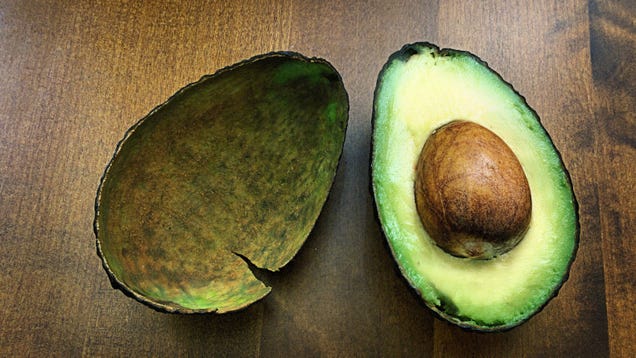
The one place on the avocado to squeeze to tell whether it's fully ripe

by Kevin Pang on The Takeout, shared by Virginia K. Smith to Lifehacker

You squeeze an avocado at the supermarket. It feels both firm and squishy. You think to yourself: “Why, yes! This is a perfect avocado ready for my award-winning guacamole.” Then you return home, slice the avocado open and discover to your horror that this seemingly fully ripe avocado is, in fact, not. Your guacamole…

Read more...

06 Feb 16:06

Panasonic's GH5S Can Take Photos in Basically Complete Darkness

by Sam Rutherford on Gizmodo, shared by Virginia K. Smith to Lifehacker

Back at CES, Panasonic announced a camera which is designed primarily to do one thing above all else: get the best possible low-light pictures and videos. Unfortunately, we couldn’t actually test the claims Panasonic made of it’s new GH5S until recently.

Read more...

06 Feb 16:06

See How Much Your Appliances Cost To Operate With This $9 Meter

by Shep McAllister on Kinja Deals, shared by Shep McAllister to Lifehacker

Curious how much electricity your devices are using? This $9 meter can measure wattage, amperage, and voltage, tell you how much a device costs to operate in actual dollars and cents, and even estimate its carbon footprint. Just use promo code JMMGNC4M at checkout to get the deal.

Read more...

06 Feb 14:33

This McDonalds bag left in the parking spot.


2767 points, 106 comments.

06 Feb 12:47

Why Don't Babies Smile from Birth?

by Daniel Barron
Their facial muscles work fine, but the neural networks that let them recognize the feeling of happiness take a while to develop 

-- Read more on ScientificAmerican.com
06 Feb 12:47

3 Things You Need To Know About The Heavy Falcon Launch [Infographic]

by Kevin Anderton, Contributor
A big rocket will blast off from Earth today. This one is quite the game changer and will have some impact on the future of space travel.
05 Feb 13:13

Simplifying Manual Mode to Help You Take Control of Your Images

by Nisha Ramroop

As the owner of a DSLR camera, you may have heard the pros encouraging you to graduate to Manual Mode or M on your camera’s dial. While there are different schools of thought on which mode to use, Manual Mode allows you the greatest control over your settings.

Simplifying Manual Mode to Help You Take Control of Your Images

So why are so many people still daunted by it and how do you take next step to start working with Manual Mode? In this article, I’ll try to simplify it for you so you can understand how to use it and take better images.

Simplifying Manual Mode to Help You Take Control of Your Images

Why Manual Mode?

If you use the other modes, the camera helps you figure out some or all of the settings. For example, if you choose Aperture Priority mode, the camera works out the shutter speed and vice versa if you choose Shutter Priority. So if it already does all this, why bother with manual?

Sometimes these automated or semi-automated settings are not always in line with your vision. They may even be incorrect or tricked by unique lighting situations. This is where you take back control by using Manual Mode. You tell the camera how you want your output and your photos to look.

Simplifying Manual Mode to Help You Take Control of Your Images

Understanding the Big Three

As stated before, with Manual Mode you have control over “everything”- but what exactly does this mean? Well simply put, there are three variables that determine the exposure of your photograph and Manual Mode puts you in control all of them. These variables are the aperture, shutter speed, and ISO, which together make up what is known as the Exposure Triangle. The balance of these three points of the exposure triangle is what Manual Mode is all about.

Aperture

Also known as f-number or f-stop, aperture refers to the size of the hole in your lens that lets in light. With a larger aperture (smaller f-number like f/2.8), more light hits your camera sensor. The reverse is also true (a larger f-number like f/16 lets in less light).

NOTE: It is often confusing for beginners because the smaller the number, the larger the hole. Just remember that the aperture is a ratio or fraction so f/2 is like 1/2 and f/20 is like 1/22. So remember that one half of anything is larger than 1/20th. 

Your control of aperture determines the depth of field in your photo – or how much of your image is sharp. A wider aperture (like f/2.8) results in a shallow depth of field. This means that only a part of your image is sharp, leaving the rest blurred or out of focus. Portraits are a good scenario to use wider apertures.

Simplifying Manual Mode to Help You Take Control of Your Images

Here a shallow depth of field has been combined with a fast shutter speed to get this shot.

If you want most of your image to be sharp, use a smaller aperture. Smaller apertures (higher f-numbers like f/16) are commonly used when shooting outdoor or landscape scenery.

Shutter Speed

Shutter speed refers to the length of time that the shutter inside your camera is opened and light is allowed to hit the sensor. So to double the amount of light, you can double the length of your exposure.

If you want to freeze motion, use faster shutter speeds to limit the amount of time that light hits the sensor. Conversely, if you want to blur motion in your scene, use slower shutter speeds (or long exposure photography).

Simplifying Manual Mode to Help You Take Control of Your Images

Taking control of your shutter speed can change your usual day shots. Here a long exposure was used to add a motion blur to the moving water.

ISO

To keep the definition of ISO simple, it is the way your camera controls its sensitivity to light. Increasing your ISO value allows you to shoot in lower light conditions without a tripod. Note that higher ISO values add digital noise to your image which affects image quality. Fortunately, most cameras now handle digital noise better that those of times gone by, so experiment with it as it can be quite useful.

Simplifying Manual Mode to Help You Take Control of Your Images

Higher ISO values can add noise (grain) to your image but it is sometimes necessary to do this.

How to use Manual Mode

Now that you are familiar with what Manual Mode controls, how do you start working with it? Well, after you decide what you want to shoot, pick one the points of the exposure triangle as your starting point.

To shoot a landscape, for example, decide how much you want in sharp focus. Let’s say you choose an aperture of f/16. After your aperture is set, turn your shutter speed dial until the exposure is balanced. You can use the camera marker on your exposure chart as a guide. Theoretically, you have just balanced your aperture and shutter speed.

Start with your ISO at 100 and take a shot. Is your photo too bright or too dark? Based on the results, adjust your settings and retry. When working with the exposure triangle, most times when you adjust one setting, you usually have to adjust one of the other two (in the opposite direction) to get a balanced result and a proper exposure.

Simplifying Manual Mode to Help You Take Control of Your Images

Conclusion

Manual Mode may seem daunting, but as you learn more about controlling light, it becomes easier with time. While nothing is wrong with using the other available modes of your camera, the ability to control the final output of your vision is a great skill to develop.

If you have any tips or tricks that worked for you when you were learning Manual Mode, please share with us in the comments below.

The post Simplifying Manual Mode to Help You Take Control of Your Images by Nisha Ramroop appeared first on Digital Photography School.

02 Feb 13:04

Late Amazon Delivery? How to Get 1 Free Month of Prime

by Nancy Messieh

There are plenty of benefits when it comes to using Amazon Prime, but if you use a little-known Amazon policy, you could get your Prime subscription extended for free. If a free two-day shipping package is late, Amazon Prime members can reach out to customer service and potentially get a free month added to their Prime subscription. This information used to be listed on Amazon’s website but has since been removed. Despite that, people are still benefiting from the policy, so it never hurts to ask. How to Get 1 Free Month of Prime If your package delivery is delayed, go to the Amazon...

Read the full article: Late Amazon Delivery? How to Get 1 Free Month of Prime

02 Feb 12:57

Birds Can Tell Us a Lot about Human Language

by Adam Fishbein
The brain areas that control vocal learning in birds are strikingly similar to language regions in the human brain

-- Read more on ScientificAmerican.com
01 Feb 23:22

This Site Will Automatically Rebook Your Hotel If the Price Drops

by Susan Shain on Two Cents, shared by Virginia K. Smith to Lifehacker

A few years back, I had plans to meet up with some friends in another city. I made my hotel reservation two months ahead of time (a rarity for me), and generally felt pretty smug about how prepared I was. That is, until I discovered that a friend who’d booked after me had paid less. As it turns out, hotel rates, like…

Read more...

01 Feb 23:16

Building Light – Can You Know What Your Boat Will Weigh?

by PaddlingLight.com
portaging a light wood canoe

It’s a perennial question. How much is my boat going to weigh? It’s asked by every builder and, for the most part there, is no simple answer. Materials and design choices can make as much as a 25 pound difference in a strip built canoe or kayak. A 15′ Solo Canoe from Ashes will weigh more than 45 pounds if traditional materials and techniques are used. On the other hand, by reducing strip thickness, using lighter cloth and replacing the gunnels and seat materials with lighter woods, we regularly build canoes in the 30 pound range.

portaging a cedar strip canoe on railroadThis kind of weight reduction requires taking a close look at every element; it requires a sharp pencil, patience, and specific knowledge of the woods, fabrics, and finishes in question. For those who enjoy puzzles and building spreadsheets, the process can be almost as engaging as building a boat. For others it seems like a dark art and it’s easier to default to a designer’s suggested weight.

This fall (2017) to help our customers and bring greater clarity to our in-house design and building decisions we invested in making an online weight calculator that automates the process of estimating final weights. Its results are based on  an array of simple inputs; boat model, length, wood choices, layers and type of glass, etc …

It lets its users know anticipated results within a pound or two and with a full understanding of why each boat weighs what it does and what the implications are for  making different choices. Our hope was, that it would allow ourselves and others to make decisions in an accessible and transparent way. In other words, no more guessing! Based on the users inputs, the calculator individually determines the weight of:

  • bare hull
  • gunnels
  • fittings
  • finishes and fasteners
  • final boat weight

Having this information in advance means builders are better able to make materials choices, choose construction techniques based on their final weight goals, and make meaningful comparisons when choosing which boat might meet their needs.

Canoe Weight Calculator

The only challenge a user might find will be in knowing  the surface area of a particular boat. Some plan sellers will publish this number. Some won’t. To help those without access to this number I’ve included some generic numbers as starting points. It should be noted too, that the calculator is limited to the most commonly used boat building woods and materials and as such won’t be useful to those using exotic fabrics or hardwoods.

How Accurate is the Calculator?

In ou

portaging a cedar strip wood canoe that is lightweight

r shop, using best practices to the best of our ability, we generally get with one pound of our target weights. That said, to hit the numbers an amateur builder needs to pay attention every step along the way.

  • Choose properly dried wood. Anybody who’s randomly selected planks of building materials will know how much variation there can be between one plank and another. If weight matters, don’t be lazy about wood choice.
  • Pay attention to your gunnels and fittings. It’s easy to overbuild. The calculator provides options based on the type of use you’ll be putting your canoe or kayak to.
  • Use the manufacturer’s recommended amount of epoxy for the cloth you’re using. This is an area where it’s easy to get carried away. Use enough to fill the cloth weave and no more; you’ll just be adding plastic where you don’t need it.
  • Consider your use of mechanical fasteners. The greatest stresses on a boat are at the stems and centre thwart. Do you really need screws every four inches along the gunnels?
  • Be a minimalist. Do you really need fancy decks? Complex marquetry? Inlays? Flotation tanks? Brass cleats? Sliding seats? It’s all your call; it all comes with a weight consequence. You choose.


The Calculator is free to use. Find it at Ashes Still Water Boats – Weight Calculator.

………………….

Trevor Paetkau is the proprietor of Ashes Still Water Boats, a purveyor of Custom Canoes and Plans for Cedar Strip Construction.

The post Building Light – Can You Know What Your Boat Will Weigh? appeared first on PaddlingLight.com. You can leave a comment by clicking here: Building Light – Can You Know What Your Boat Will Weigh?.

01 Feb 23:15

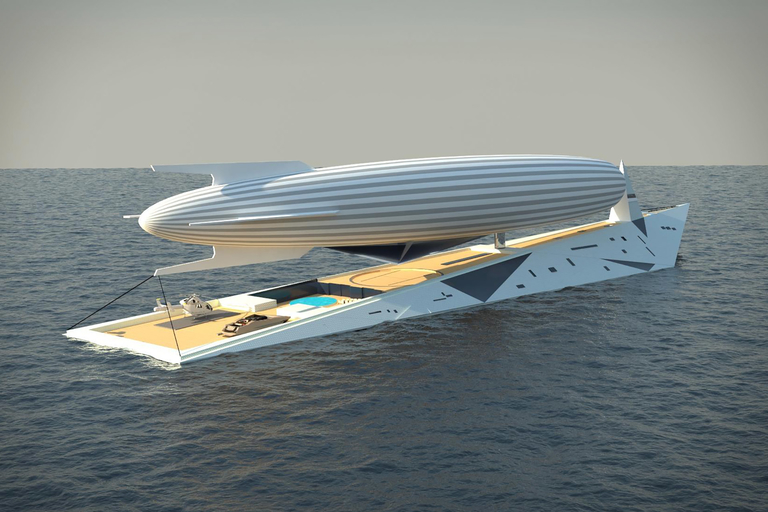
Dare to Dream Airship Superyacht

Most large yachts have space for a tender and toys. The Dare to Dream Superyacht concept is the same — except its tender is a 100m airship. Drawing inspiration from...

Visit Uncrate for the full post.
30 Jan 17:53

How to Patent an Idea in 8 Simple Steps

by Ryan Dube
patent-an-idea

If you’re a maker or a creative person with a lot of innovative technology ideas, at some point you’re likely to find yourself pondering how to patent an idea or a product you’ve created. We’ve previously covered how and why to copyright, which protects intellectual property like writing or photography. We’ve also done fun articles about brand trademarks, which is a design or logo that identifies a product or service (a brand). In this article we’re going to cover the patent process, especially from the perspective of a maker. Keep in mind that this article isn’t intended to provide legal...

Read the full article: How to Patent an Idea in 8 Simple Steps

30 Jan 17:21

Google Has Started Selling its Clips Cameras

by Dave Parrack

Google has started selling its adorable little Clips camera. Unfortunately, at the time of writing, the device is already out of stock. The first pre-orders are due to start shipping at the end of February, but there’s no word yet on if and when Google will start taking orders again. Google is becoming a serious contender when it comes to hardware. Its current lineup includes the Pixel 2, the Google Home speaker, the Chromecast, Pixel Buds, and Daydream View (which Plex now supports). And the company is also preparing to unleash Google Clips onto the world. Google Clips Captures Everything...

Read the full article: Google Has Started Selling its Clips Cameras

30 Jan 17:20

5 No-Signup Free Online Video Editors That Keep You Anonymous

by Mihir Patkar
online-video-edit-anonymous

You shoot videos regularly, but you don’t always need to edit those videos. On the off chance that you want to edit, try these free online video editors with no downloads and no registration.

With these free online video editors, you can resize, rotate, trim or cut, and reduce the file size of any video with ease. You can even add captions or subtitles, and increase the volume. Plus, since these websites need no signups nor registrations, you are virtually anonymous and protect your privacy.

1. Kapwing: Resize Videos for Social Media and Add Subtitles

Kapwing is a free online video editor to resize videos for social media or add subtitles

Kapwing has a series of free online video editors for common alternations. Two of these outclass the others: a video resizer for social networks and a tool to add subtitles.

The resizing tool will instantly fit your video to the best size for popular social networks. Upload your video and choose what you want to resize it for: Instagram feed, Instagram Story or IGTV, uncropped Instagram story, Facebook, or Twitter. Kapwing has built-in settings for that and will show you a preview too. You can directly publish the video on that social network, or download it to your hard drive.

The subtitle or caption tool is as simple as they come. Pause the video where you want and add the text. Create a new line and a new timestamp for more text. It’s super easy and the best online tool we’ve seen to add captions.

These features make Kapwing one of the standouts among free online video editors.

2. VideoLouder: Increase or Decrease the Volume of Any Video

VideoLouder is a free online video editor to increase or decrease the volume of any video without registration or signup

This is simple, isn’t it? You’ve got a video where the volume is too low to hear clearly. So head over to online video editor VideoLouder, and artificially boost it. Or if the video is too loud, decrease the volume, even all the way to mute it.

VideoLouder works with any AVI, MPEG, MP4, MOV, or XVID file, of up to 500MB. It’s as simple as it comes, but you can’t change the file format while you’re at it. The site also protects your privacy by removing the video from its servers a few hours after the initial upload.

Like Kapwing, VideoLouder is part of a larger set of free online video editing tools. You can extract or remove the audio of any video file as well. There’s also a video file size compression app, but forget about that and use the next tool in this list, Compressify.

3. Compressify: Reduce File Size Without Affecting Quality

Compressify is a free online video editor to reduce file size of videos by up to 60%

Social networks drastically limit the file size of videos. So when the size is too large, pass the file through Compressify to shrink your video without losing quality.

The “magic” lies in using Google’s WebM format, a file format designed for videos on the internet. It makes videos 20 to 60 percent smaller than the original. All the major social networks support WebM, so you’re good to use the video. And you can check a before-after comparison to see how good the file compression is.

Like the others in this list, Compressify requires no registration and no downloads. And if you like this file size reduction tool, check out other apps to reduce the file size without losing quality.

4. RotateMyVideo.net (Web): Rotate Any Video Quickly

RotateMyVideo.net is a free online video editor with no registration and no download that lets you rotate any video and change its aspect ratio

Shooting videos on your smartphone can be problematic later. Vertical (or portrait) videos don’t look good on YouTube, while horizontal (or landscape) videos are weird on Instagram or Snapchat. RotateMyVideo is a free online video editor to fix this in a jiffy.

Upload a video from your hard drive, and you’re ready to flip it. Rotate it left or right with the buttons. You can also change the aspect ratio of the video, flip between 4:3, 16:9, or keep the original. Once you’re done, download the video or share it directly on social networks.

Of course, when faced with a large file, you are probably better off using offline Windows or Mac tools to rotate the video. But this free online video editor works well for smaller ones.

5. Online-Video-Cutter: The Best All-in-One Tool

Online-video-cutter is the swiss army knife of free online video editors with no registration and no downloads

If there is one site you need to remember in this whole list, it’s Online-Video-Cutter. It has been around for a long time and is a Swiss Army knife of free online video editors.

The web app works with files up to 500MB in size, and in almost any file format. Here’s a quick list of what you can do:

  • Trim: Cut a small clip out of a longer video. You can preview it too.
  • Crop: Like cropping a photo, you can crop a video and change its frame.
  • Rotate: It’s as easy as RotateMyVideo, but you can’t change the aspect ratio.
  • Convert: You can convert the file from one popular video format to another.

Online-Video-Cutter is completely free, and unlike some other online tools, you don’t need Adobe Flash to use it. The web app also protects privacy by deleting your video a few hours after you are done, so no one else can access it.

For Advanced Video Editing…

While Online-Video-Editor does all of the jobs well, the other apps in this list that specialize in one or two tasks are better at those tasks. For example, none of the other file size reducers manage compression as well as Compressify.

That said, these are basic free online video editors with no registrations and no downloads. If you need more than the aforementioned features, you’re better off with these advanced free online video editors, which require you to sign up to use.

Read the full article: 5 No-Signup Free Online Video Editors That Keep You Anonymous

26 Jan 17:06

More Than Half Of Americans Don't Have These Essential Estate Documents, Do You?

by Zach Conway, Contributor
There’s more to estate planning than tax avoidance for the old and rich. Here is my breakdown of the essential estate planning documents Millennials need.
26 Jan 15:26

Mastercard Offers Financial Tools For Gig Workers From Uber To Dog Walkers

by Tom Groenfeldt, Contributor
The gig economy with its variety of jobs that can run for hours or month and create variable income for workers, Mastercard is promoting financial tools to help individuals cope.
24 Jan 15:17

How Rare Is The All-In-One Supermoon, Blue Moon, And Lunar Eclipse, Really?

by Ethan Siegel, Contributor
If you thought once in a blue moon was rare, wait until you get a load of this.
22 Jan 17:26

The 5,525-mile Slash

by Miss Cellania

The US-Canadian border along the 49th parallel is the longest national border in the world at 5,525 miles. You'd think such a long border would be fairly invisible, especially since it runs through forests for much of its length. But there's a straight line running through those woods in which a 20-foot-wide swath of trees have been cut down. In fact, they call it the Slash. It's visible in satellite photos.

Stripped of trees, this slice runs through national forests and over mountains. It is too long and remote to be continuously cut down, but every few years (longer on the Western sections, where growth is slower) workers freshly deforest the greenery that grows back.

It might seem unnecessary, but there is a reason for this intervention: a person on either side wandering close to the border can see it and recognize they’re approaching the line. So each year, American taxpayers pay around half a cent each to the International Boundary Commission (IBC) to help periodically maintain this dividing void.

Learn more about the Slash, particularly how the two countries maintain it, at 99% Invisible. -via Digg

(Image credit: Flickr user Carolyn Cuskey)

22 Jan 17:23

Land Rover Finally Makes the Perfect Defender for America

Just when you thought Land Rover was done building the old-school Defender, it goes and springs this surprise on us.

22 Jan 14:32

5 Uncomplicated Note-Taking Web Apps to Be More Productive

by Mihir Patkar
Simple Note Taking Apps

These days, note-taking apps tend to add a whole lot of features. Most OneNote or Evernote users aren’t utilizing half of those features. In fact, these simpler, uncomplicated notepad apps can actually make you more productive. A lot of productivity is about discarding unnecessary things that you think are necessary. Strip the useless bits of note-taking apps and you’re left with lean and mean productivity tools, ready to get things done. It’s something that the Notes app on macOS and the ever-popular Simplenote app do well. And that’s the philosophy that more apps have taken up. So try out these...

Read the full article: 5 Uncomplicated Note-Taking Web Apps to Be More Productive

19 Jan 17:23

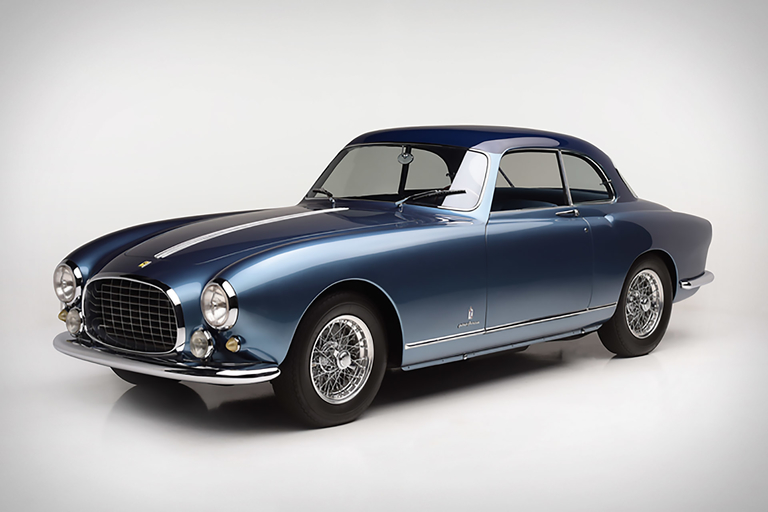
1952 Ferrari 212 Europa

Made from 1951-1952, this Ferrari 212 Europa is extremely rare, even by early Ferrari standards. One of only eleven 212 coupes bodied by Pininfarina, this 212 was used by the...

Visit Uncrate for the full post.
19 Jan 17:04

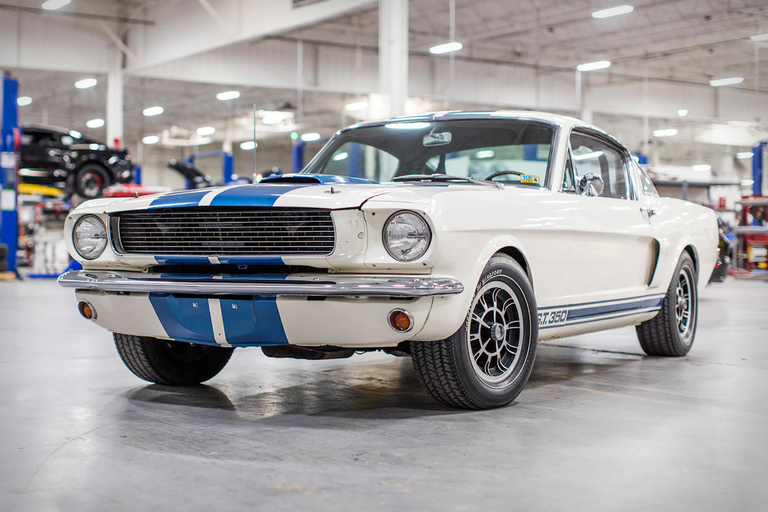
Carroll Shelby's 1966 GT350H Fastback

This GT350H is straight from the black-hatted Texan's own stable. One of the legendary GT350 "rent-a-racers" delivered to Hertz for duty as a rental car, Carroll Shelby wasn't even the...

Visit Uncrate for the full post.
19 Jan 16:19

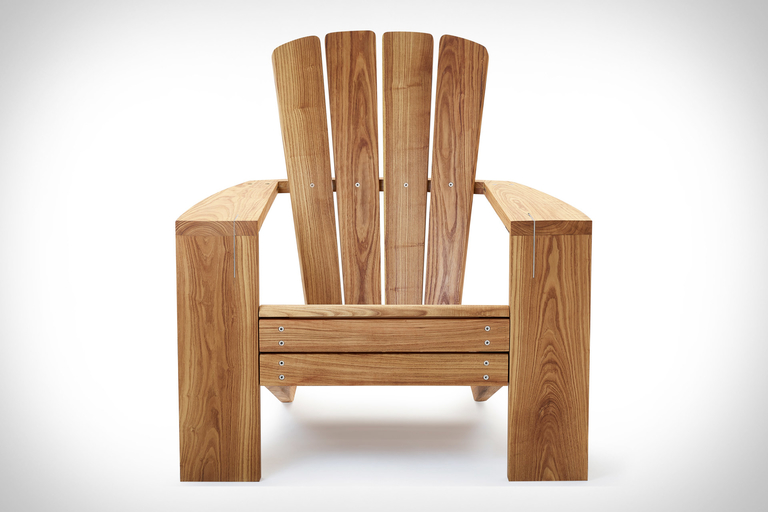
Beau Lake Great Lakes Chair

Inspired by Adirondack chairs, the Beau Lake Great Lakes Chair is the modernization of a classic. It retains the original's seat, back, and arms.Wide front legs and a curved back...

Visit Uncrate for the full post.
19 Jan 13:23

I Need An Affordable Adventure Vehicle To Travel Cross Country! What Car Should I Buy?

by Tom McParland on Jalopnik, shared by Melissa Kirsch to Lifehacker

Nicholas has wised up and decided to get the heck out of NYC. He wants to take a cross-country road trip with his girlfriend, see the sights, make new friends and find a new place to live. But he needs the right car to make the journey, what should he buy?

Read more...

19 Jan 13:20

Use This Travel Time Map to Pick Your Next Hotel

by Nick Douglas

When you go on a trip, you usually want to stay somewhere central, with easy access to a few local destinations: a conference center, a few restaurants, a fun neighborhood. You can’t just eyeball a map. Travel times depend on more than just distance; they rely on street layout, highways, and public transit. You could…

Read more...

18 Jan 18:11

Your Position, Triangulated

by Ernie Smith
Your Position, Triangulated

Today in Tedium: Last month, a blog post caught my attention, because I’m the kind of person for whom blog posts catch attention. The piece, by onetime Apple Maps cartographer Justin O’Beirne, noted how Google, objectively, has maps better than every one of its competitors, because it captures levels of detail that no other mapping system does. For one thing, it tells you where buildings are, using a mixture of computer visioning and aerial photography. O’Beirne at one point ponders: “At the rate it’s going, how long until Google has every structure on Earth?” Nearly as impressive at this feat is the fact that GPS, the secret sauce of modern mapping, exists in the first place. It’s perhaps the most impressive thing we’ve ever done, and it’s getting better daily. Today’s Tedium tells you how we got from point A to point B. No map necessary. — Ernie @ Tedium

1973

The year development of the Navstar Global Positioning System program was approved by the U.S. Department of Defense. (The system would be built out starting in 1979 but wouldn’t see completed form until 1995.) This program, which would eventually just become known as GPS, made it possible for a person to figure out their the current location on the planet, something that would have been considered impossible just a few decades prior.

Your Position, Triangulated

The second Transit satellite gets inspected.(Johns Hopkins University Applied Physics Laboratory/Smithsonian Institution)

The system that directly inspired the GPS system

As you might imagine, solving a problem like mimicking the shapes of trillions of individual structures on maps around the world is tough.

But starting from scratch, it doesn’t sound quite as hard as the problem researchers at Johns Hopkins Applied Physics Laboratory were trying to solve.

The U.S. military needed a way to track the location of submarines, which, by their very nature, are submerged, sometimes for months on end. Being deep in the ocean, of course, has its limits based on what kinds of equipment you can use.

But while researchers at Johns Hopkins had a challenge, they also had ideas to be inspired by—particularly due to the Space Race and the competition brought forth by the Soviet Union.

When the satellite Sputnik launched into orbit in 1957, it took the already-budding inventiveness of the early computer era and turned it into a catalyst to innovate. And that directly helped to inspire the work of Frank T. McClure, the inventor of the Transit Navigation System, the direct predecessor to GPS.

After the satellite first went into orbit, two researchers at the university, William H. Guier and George C. Weiffenbach, tracked Sputnik using the Doppler effect to figure out its exact orbit. After talking to the two scientists, McClure realized the idea was translatable to navigation in general.

“Yesterday I spent an hour with Dr. Guier and Dr. Weiffenbach discussing the work they and their colleagues have been doing on Doppler tracking of satellites,” McClure wrote in a memo to Ralph E. Gibson, the director of the laboratory, in 1958. “The principal problem facing them was the determination of the direction which this work should take in the future. During this discussion it occurred to me that their work provided a basis for a relatively simple and perhaps quite accurate navigation system.”

This spark inspired the launch of the Transit system, which had the support of the U.S. Navy and was developed in tandem with the Defense Advanced Research Projects Agency (DARPA), eventually went live around 1964, after years of prototyping.

The system, also known as NAVSAT, would remain active for more than 30 years, only getting retired from its primary navigational use in 1996.

By that point another, by then better known, technology had usurped it.

Your Position, Triangulated

The TIMATION I satellite, a key turning point in the history of the GPS. (Naval Research Laboratory)

The guy who figured out that GPS was really a matter of good timing

While Transit was a huge leap forward as a tracking technology, it was not without its limitations. It was not an easy to use system and required the user to know where the satellite was, as well as the vessel’s position on the ground. This ensured Transmit wouldn’t be taken up by the masses, though it did see some commercial use.

It left opportunities open to improve on the navigation capabilities, something that Roger Easton of the U.S. Naval Research Laboratory was well-positioned to do. (I swear I didn’t realize how punny “well-positioned” sounds in a story about GPS until I wrote it down.)

Easton was already well-versed in satellite technology, having helped developed MINITRACK, the first satellite tracking system, as well as the Naval Space Surveillance System, which allowed the U.S. to keep track of any satellites that had entered the Earth’s orbit.

This work inspired Easton and put him on the path where he was in a position to build a navigational system based on time navigation, or timation. The concept of ensuring perfect timing between multiple satellites helped to allow satellites to synchronize and triangulate a specific location—effectively automatically figuring out things that Transit Navigation System required a person to know manually. On top of that, the satellites would be able to offer up their exact coordinates passively, allowing for many people to grab the information from a satellite at once, with no distinct lag.

Easton’s ideas were put into practice with the two TIMATION satellites, launched in the late 1960s. In an essay on a website dedicated to his work, the late Easton noted that atomic clocks were necessary for exact accuracy, but initially were too large for use in satellites, so they initially had to use quartz.

“The problem with the quartz oscillators was that they were of marginal accuracy and that they could be affected by space particles,” he wrote. “Never-the-less crystal clocks were used in the first two TIMATION launches and valuable information was obtained from them.”

These experiments, which took place despite the existing Transit program, helped lead to rethinks of how satellite navigation could be done, and it was done on a budget: TIMATION received a modest budget of just $35,000, the most it could receive without regulatory approval, and the first satellite entered orbit by piggybacking on a rocket with another satellite.

The smaller-scale effort, however, helped to prove out Easton’s ideas, and in 1973, Deputy Defense Secretary William P. Clements, Jr. approved a more elaborate version of the idea, called GPS, that was said to accurately nail down a location to within 30 feet. The cost of the project at the time of its announcement was $150 million, though the cost would go up significantly in the years to come. By 1995, when the final satellite of the 24-satellite build went online, the total cost of the project was estimated at around $14 billion, according to a Department of Defense estimate, not including the launch of the satellites into space.

If the interstate system and the internet were the United States’ two greatest investments for the benefit of the public at large, GPS is an easy third—and, considering it makes both interstates and the internet better, it might actually be even better than that.

And for his work, Roger Easton lived the final years of his life getting compared to Thomas Edison. What a way to go out.

$908M

The amount that was appropriated for the federal GPS program in the federal budget for 2017, according to the GPS.gov website. The program, while paid for by U.S. taxpayers, is freely available for civilian use for people around the world. (There are other competing systems, of course, but GPS is probably the best-known globally.) Currently the system is mostly budgeted through the U.S. Department of Defense, but the U.S Transportation Department is also responsible for some of its funding.

Your Position, Triangulated

A soldier holds an early handheld GPS device during the Gulf War. (U.S. Air Force)

The turning point for GPS technology came at the tail end of the Clinton administration

Early on, GPS got something of a bad rap—as a technology considered too expensive and too inaccurate for mere mortals.

The cost factor was organic, of course, but the accuracy issues were artificial. See, the U.S. government got a lot of miles, as well as a lot of direction from the Global Positioning System, but for years, it was treated as a competitive advantage by the military, rather than as something with broad cultural benefits.

Over time, this started to change, particularly in 1983, when an incident involving a Korean Air Lines flight that dipped into Soviet air space led to the deaths of 269 passengers and crew members. Knowing that commercial access to the GPS system might have helped prevent the deadly incident, Ronald Reagan two weeks later opened up global access to the system.

However, that access came with intentional limits. While the U.S. military allowed basic access to the system on a consumer tier, it chose to block the most fine-toothed results from public consumption through the use of a scrambling device. This approach, called “selective availability,” helped ensure the military could use GPS as a strategic advantage, but it also had the effect of making civilian GPS devices less useful, by ensuring that basically limited the effectiveness of GPS for the broader public, as while you could learn the general location you were located in, it would only narrow your location down to within 300 feet or so—a distance that’s manageable for, say, flying a plane that’s already in the air, but would make it really difficult to use for actually landing that plane.

Despite the Defense Department’s claims of military necessity, when the U.S. government actually had a war on its hands—the first Gulf War in Iraq—it actually turned the GPS scrambling off. Due to a lack of GPS devices, the public was sending military members versions of the system that could only read the scrambled signals. The military responded by turning the system off, because it wasn’t like their opponents had GPS, anyway.

The 1991 Norman Friedman book Desert Victory: The War Far Kuwait broke down how the public perceived the oversight:

GPS can be switched to coded transmissions that can be used only by special receivers. In the event, not enough special receivers were available, so the GPS network could not be switched to the coded mode. That meant anyone, including the Iraqis, who had a standard GPS receiver (which is widely available commercially) could use GPS to find his own position. Considerable publicity was given to this apparent lapse in U.S. equipment, but it made little difference, since the GPS itself does not give away the positions of attackers.

Not long after the war, pressure started to mount from both the civilian world and from other parts of the executive branch (specifically, the Federal Aviation Administration) to remove the scrambling technique for good.

The scrambling technology also proved susceptible to disruption. Avionics noted that the effect of slowing down the signal could be beaten by a differential technique that would be able to correct the errors intentionally added by the selective availability technique.

By the late ‘90s, the Clinton administration had seen enough and started taking steps to disable the the scrambling technique, first announcing steps to support consumer use of the GPS system in 1996 and, in 2000, shutting off selective availability entirely.

“The decision to discontinue SA is coupled with our continuing efforts to upgrade the military utility of our systems that use GPS, and is supported by threat assessments which conclude that setting SA to zero at this time would have minimal impact on national security,” President Bill Clinton noted in a press release from the era.

Your Position, Triangulated

A Magellan Explorist handheld GPS. (Rogiro/Flickr)

In 2007, when the GPS system was getting an upgrade, the ability to scramble the data was removed for good.

Like the internet, GPS was simply too awesome of a technology to leave in the hands of the military-industrial complex. And soon enough, the technology was in everyone’s phones—where it’s used for every piece of technology imaginable.

The network of satellites that make up the modern GPS system have fallen into the mundanity of modern life. They simply work a lot of the time—and at even closer distances now than they did in 2000—and without them we wouldn’t have ride sharing services like Uber and Lyft.

(That said, GPS is far from 100 percent accurate, and part of the problem is often the device. It’s not entirely uncommon for some poor Uber driver with an outdated Android phone to have trouble properly presenting his or her location in the app with GPS.)

Still, this technology changed the world and moved far from its military roots. But skepticism of GPS still runs deep for some, due to its roots as a military product.

Most infamously, in 1992, two activists who opposed military activity broke into a facility owned by the then-major industrial conglomerate Rockwell International, which we last mentioned in our story on the history of call centers.

Peter Lumsdaine and Keith Kjoller entered Rockwell’s Seal Beach, California, facility and smashed parts of the satellite intended to go into orbit. Lumsdaine reportedly hit the satellite with an axe around 60 times, causing $2 million in damage. The duo called themselves the Harriet Tubman-Sarah Connor Brigade, because why not.

Since then, the U.S. military’s use of satellite positioning has made way for the public as a whole to use satellites for things like looking at maps online and requesting car service.

In a 2015 interview with The Atlantic, Lumsdaine said he had no regrets about what he did, emphasizing that the system is still “military in its origins, military in its goals, military in its development and [is still] controlled by the military.”

Sure, maybe that’s technically true. But for the hundreds of millions of people who have benefited from this technology over the years, it’s likely to never even be considered in this way.

It’s a point that feels a little off the mark in the modern day.

18 Jan 18:05

10 Fascinating Internet of Things Devices You Should Try in 2018

by James Frew
iot-gadgets-2018

It’s predicted that by 2020, there will be 30 billion devices connected to the internet, with 250 new devices added per second. That works out to be almost four internet connected devices per person. While some people do have multiple phones, the enormous growth isn’t fueled by smartphones. Instead, it’s being driven by a range of gadgets known as the Internet of Things (IoT). It was once the case that only the (now-laughably) large home computers could connect to the internet via dial-up. These days, even miniature devices strapped to your wrist can access the world wide web. Thanks to...

Read the full article: 10 Fascinating Internet of Things Devices You Should Try in 2018

18 Jan 15:37

The 50 Best American-Made Style Brands

Made in America matters, now more than ever. We've collected the best footwear, apparel, denim, bags and EDC, all made here in the USA.

18 Jan 14:23

Top 10 Faux Pas Committed By US Presidents

by JFrater

Being the leader of a country like the United States requires a vast and diverse skill set. Chief among them would arguably be that ever-vaunted talent known as people skills. A US president will inevitably engage in an endless array of social functions, many times with the heads of state of other world nations. Mastery […]

The post Top 10 Faux Pas Committed By US Presidents appeared first on Listverse.