KWBaker
Shared posts
'Crazy Rich Asians': Hong Kong's Ultra Rich Population Overtakes New York's [Infographic]

3 Ingredient Easy Pineapple Cake
This easy pineapple cake requires just 3 very basic ingredients and comes out to be incredibly moist and delicious. You will find that this cake is perfect for basically any type of event, whether it’s for a kid’s birthday party or just as an afternoon treat. You can always adjust this recipe to suit your […]
The post 3 Ingredient Easy Pineapple Cake appeared first on Cooking Perfected.
4 Ingredient Easy Coconut Cake
This deliciously easy coconut cake takes just minutes to prepare and only needs four simple ingredients to make. I recommend serving this with some fresh berries and whipped cream for the best tasting combination. Even something like a raspberry coulis would work incredibly well. If you’re not a fan of coconut, then it’s probably best […]
The post 4 Ingredient Easy Coconut Cake appeared first on Cooking Perfected.
Easy Tater Tot Casserole
This easy Tater Tot casserole is a deliciously simple meal that you can cook up with very little effort. A casserole like this is perfect for when you are running low on time and only have just a few ingredients. You can add some vegetables such as peas, corn, or even diced bell pepper to […]
The post Easy Tater Tot Casserole appeared first on Cooking Perfected.
Super Easy Orange Chicken
This easy orange chicken is a simplified version of the real thing with the sauce only needing three simple ingredients. While this isn’t the easiest recipe in the world it does only need a few ingredients. Once you get the chicken coated there isn’t much to do other than cook the chicken and make the […]
The post Super Easy Orange Chicken appeared first on Cooking Perfected.
1983 Land Rover Series 3 SUV

Visit Uncrate for the full post.
Conserve The Sound
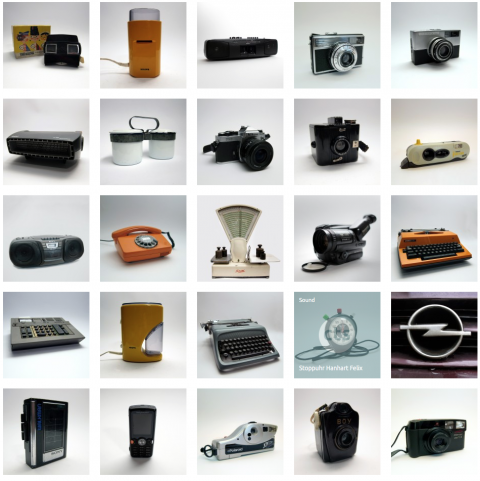
Conserve the Sound« is an online museum for vanishing and endangered sounds. The sound of a dial telephone, a walkman, a analog typewriter, a pay phone, a 56k modem, a nuclear power plant or even a cell phone keypad are partially already gone or are about to disappear from our daily life. Love this!
(via)
The 10 Best Travel Documentaries on Netflix

Maybe you’ve caught the travel bug. Maybe you have returned home from a big trip abroad and are wondering where to go next. Or maybe you’re an aspirational traveler who partakes in wanderlust from the comfort of your own sofa.
No matter what your motivations are, Netflix has you covered. In this article we list the best travel documentaries you can watch on Netflix right now. All of which are guaranteed to make you long for a week (or two) experiencing new sights and sounds.
1. Expedition Happiness
What is life’s purpose? To be happy, sure, but how? In Expedition Happiness, a couple tries to find out. What is happiness after all? Is happiness a wedding? A loft overlooking a great view of the city’s chaos? A monotonous routine just to maintain a healthy bank balance?
After all, what is the point of living if you do not break the routine. Sit back and stream the Alaskan mountains to the Mexican beaches with the “Loft on Wheels” created by Mogli and Felix with their dog Rudi. Let your soul travel as these three try to figure out what happiness is.
Get to know the ups and downs of executing a moving residence, and to turn an old school bus into happiness.
2. Street Food
Combining travel with food, this documentary series from the creators of Chef’s table will probably leave you hungry after a few episodes. The first season concentrates on Asia, visiting Bangkok, Osaka, and Seoul, among other destinations.
The theme tying all of these locales together is, as you probably guessed from the name, the street food you can find there. While the focus is often on the food itself, the show also focuses on the local heroes who create it.
3. Somebody Feed Phil
This is hands down the most fun you’ll have watching a food and travel documentary. The way that Phil approaches new food, new places, and new people is a breath of fresh air.
He’ll take you to places you never thought of. Places you’ll end up adding to your bucket list. After watching this I ended up adding to my list: coffee in Vietnam, vegetarian food in Israel, dragon fruit in Thailand, and hot dogs in Copenhagen, to name a few.
As Phil says, “If you like a dish, go to the source.” Get delighted, get amused, get amazed and definitely get hungry while somebody feeds Phil.
4. Dark Tourist
Not all of the best travel documentaries have to be about the beautiful and the serene. If you’re in the market for a slightly twisted travel story, Dark Tourist is for you. David Farrier, a New Zealand based filmmaker and journalist travels around the world looking for unusual and often morbid tourist spots across the world.
This documentary explores a new phenomenon called dark tourism. This is where tourists intentionally travel to places associated with death and destruction. A war-torn country? Sure. A dangerous border crossing? Why not. A quick trip around radioactive environments? Don’t mind if I do.
5. National Parks Adventure
The US National Parks Service is more than 100 years old. That’s more than a century of protecting natural wildernesses in the United States.
This breathtaking documentary by filmmaker Greg MacGillivray will make you want to go visit a national park right away. Between the beautiful montages is a story of three artists as they revisit Roosevelt and Muir’s camping trip, where the Parks Service began.
6. Pedal the World
Some titles are artistic, hinting at a deeper meaning. Others are starkly literal. Pedal the World belongs in the second group. Why? This is a documentary following one man’s trip around the world by bicycle.
That man is Felix Starck, who also happens to be the director of Expedition Happiness. If you enjoyed that documentary, you’ll likely enjoy this one as well. Keep in mind that this is an earlier effort, so it may be a little rough around the edges compared to the newer movie.
This is a must watch for bicycle enthusiasts and anyone obsessed with world travel.
7. Jack Whitehall: Travels With My Father
Father-son bonding is a different experience for everyone. When comedian Jack Whitehall was young, he and his father Michael never really bonded.
Now, Whitehall wants to bring that spark back by taking a gap year and traveling with his father. Watch as this comedian trades the stand-up stage (see the best stand-up comedy specials on Netflix) for a tuk-tuk in Thailand.
What better way to spend time with your parent than by going on a trip. But what happens when you have a slightly grumpy father and you are the overly energetic one? Quite a blast, actually, Watch as this father-son team gets into accidents, goes to odd places, and attempts to open up to one another.
8. Paul Hollywood’s Big Continental Road Trip
For most people, where you travel is the important part. For others, it’s how you get there that matters. Car enthusiasts definitely fall into the latter group. If you count yourself among them, Paul Hollywood’s Big Continental Road Trip should be next up in your Netflix queue.
This documentary follows the actor, baker, and part-time racing driver across a large swathe of Europe. The series sees Hollywood visit Italy, Germany, and France. In each hour-long episode, he chronicles the cars and culture of a given country.
If you’re a fan of cars as well as the Great British Baking Show, don’t miss this one.
9. Mountain
Feeling contemplative? Are you looking for a documentary that features breathtaking locations but takes a slower, more meditative approach? Mountain could be exactly what you’re looking for.
Directed and produced by Jennifer Peedom, Mountain explores peaks around the world. Willem Dafoe narrates the film, occasionally reading passages from Robert Macfarlane’s Mountains of the Mind.
Much like that book, the film examines the human fascination with mountains. Even if you never visit a mountain in your life, this film will give you a greater appreciation of them.
10. Night on Earth
Whether you’re a night owl or you’re afraid of the dark, night can a fascinating time. Night on Earth is a documentary in the style of Planet Earth that focuses on what happens at night across the world. Thanks to new camera technology, this is the best look at night you’ve probably ever seen.
Each episode has its own focus. The first episode follows predators and their prey, while other episodes touch on nighttime in the ocean or even cities. One episode even takes you behind the scenes to see how the crew captures such amazing footage.
Keep Going With Food Documentaries on Netflix
Travel and food often go hand in hand. But what if you’re more of a foodie than a traveler? Now that you know about the best travel documentaries to watch on Netflix why not check out the best documentaries about food.
Read the full article: The 10 Best Travel Documentaries on Netflix
5 Sleeves for Covering Cables
In this video we’re going to take a look at 5 different types of cable wrap. As a maker, I use this stuff to gather and protect wires in my projects, but it’s also good for managing cables from your computer or TV. I was surprised to learn there were so many different types of this stuff — velcro, spiral, split, braided tube. I’m going to show you what each one is like. I have links for everything in the description. And by using those links you help support my videos and the Cool Tools blog.
First up, I have this velcro style braided cable wrap ($23). It comes in this flat reel. You roll out however much you need, cut it, and fold it around your cables. The hook and loop keeps it secure.
It’s a good look, and very common around office buildings. The velcro makes it easy to undo, or pull out a cable along the way. But it also adds a little flap that sticks out, which depending on how concerned you are about the look of your project, feels a little sloppy.
One quick tip about working with this braided wrap is that you can avoid a frayed edge by using a hot knife, or hitting the edge with a torch or lighter.
If you just cut it with scissors, the ends tend to unravel and it’s messy
The best option is to use a hot knife. I have a cordless one. This cuts right through and melts the edges together as it goes so it doesn’t unravel.
You can also use a heat gun or torch or lighter, but the edge is a little more globby than what you get with a hot knife.
Next up we have this polypropylene spiral wrap ($13) from WingOfFly. It comes in a bunch of colors and like most of these options you can get bigger or smaller diameter. This is the smallest I found, which is an 8mm diameter.
It’s interesting stuff. It’s hard and smooth, and kinda slippery. And it’s UV resistant. It looks like an old school telephone cord, which I kinda like.
To use these, you cut the length you want and then wrap it around your cables like you’re wrapping a bandage.
It’s a little more work than some of the other methods here, but the end result is smooth and seamless. It’s also really colorful, which I like.
Next, we have a different version of the braided sleeve ($7). Instead of using velcro, this design has a stiff, open split down one side that stays closed on its own.
You can get it in different sizes, but at this smallest ¼-inch size, you can use it to dress up a cable or two.
To me, this stuff looks better than the velcro option, and seems to be just as easy to put cables in and out of.
Next we have this common black polyethylene spiral wrap ($9). This stuff is cheap and easy to find. It’s very flexible. And like the polypropylene wrap you put it on by wrapping it around over and over.
My main complaint about this stuff is that it just looks a little sloppy. It kinda looks like you wrapped your cables in electrical tape.
You can also find clear versions of this stuff, which I like a little better, but still isn’t a great look.
The upshot of this stuff is that you get a nice, thick, protective layer around your cables. If you’re trying to protect a lot of little fragile electronic wiring from heat and wear and tear, this is the most practical option I’ve found.
Finally, it’s worth mentioning that if you’re making your own cables, you can buy these uncut braided tubes in a bunch of different designs.
The trick with these is that you run your wiring through, slip on some heatshrink for the ends, attach your connectors, and then heat shrink the ends in place for a nice, finished look.
So there you go, 5 different cable wrap options. Maybe one of them is perfect for your next project. Again, you can find Amazon links for everything in the video description. And you can find thousands of reader recommended tools like these at Cool-Tools.org.
Tools:
1/2″ Side Entry Cable Wrap Braided Sleeving with Hook & Loop Fastener
WINGOFFLY 5pcs x 6.5Ft 8mm Cable Management PP Hose Protector Sleeve Spiral Wire Wrap
TechFlex F6N0.25BK Flexo F6 General Purpose 1/4-inch Braided Cable Sleeve
Copapa 21M 68 Ft PE Black Polyethylene Spiral Wire Wrap Tube PC Manage Cable 6mm 1/ 4”
1/4 inch Flexo PET Expandable Braided Sleeving
Related tools mentioned:
Hot knife – Dremel Versa Tip Precision Butane Torch
Art Comber

Efficient equipment, tool or “stuff” management is always an issue with creativity. With the Art Comber ($70), I always have a portable art studio at my beck. I draw everyday, but attend paint-ins/outs a minimum of least once a month. It is one thing to simply draw with a pad and pencil; it is another to be able to get out of my vehicle or attend a workshop with a self-contained studio intact and, almost instantly, sit down and let colors fly and create. The seat is quite comfy, much more than a campstool. The average indoor dining chair seat measures 17″; the Comber measures 14 1/2″ and the height is quite close to a regular chair, too. I’ve taken the Comber through a variety of terrain — roadside, parks, reserves, beach, arboretum, poolside, barns, and other artists’ homes. The relatively light weight is important since you are pulling and lugging around a lot of stuff.
My cart (approx. 21″ x 8.5″) holds: 1 digital camera (strapped on), 1 14″x18″ cushioned lap desk w/metal clip-fastener, 1 sketch pad/book, 1 14″x20″ watercolor-paper block pad, 1 ceramic/metal mixing pan (15 1/2″x 11 1/4″), plastic or paper trash bags, 1 12.5″ x 9″ clipboard, 2 collapsible canvass paint tube caddies, 2 brush caddies, 1 portable easel (use depends on style of painting), 1 tri-leg 23″ x 3″ camp stool (for an extra flat surfaced mini-table, if necessary), scissors, tape, water spray bottles, 4-6 stackable water containers w/closeable lids, Kleenex, jar or plastic bottle, bottle of water, sandwich, bug spray. I use portable caddies and Ziplocs to handle much of the stuff (erasers, glue tubes, sponges, frisket, rulers, water bottles, etc.). One improvement would be to add side pockets and a few compartments, so unpacking for the colorful spontaneous event would be even simpler. Until then, I am very pleased with the Art Comber and the caddy also serves as tidy storage when I am not painting.
[This is a Cool Tools Favorite from 2008]
10 eBay Advanced Search Tips for Geeks

eBay’s heyday might be in the past, but the site still boasts 175 million active users, 25 million sellers, and revenues of almost $10 billion. In fact, if you’re looking for an alternative to Amazon, eBay should be right at the top of your list.
After you’ve been using the site for a while, you’ll probably want to become more efficient in the way you search online. Don’t worry; you’re in the right place. Here are 10 eBay advanced search tips.
How to Access eBay Advanced Search

eBay has a powerful advanced search tool. It provides power users with a way to be much more focused about what they’re looking for.
In this article, we’re going to introduce you to some of the most useful parts of the advanced search tool, then progress to show you some other advanced search tips that aren’t immediately obvious.
First, however, you need to know how to access the advanced search tool on eBay. It’s easy; just head to eBay’s homepage, log into your account and click on the Advanced Search link in the upper right-hand corner.
On the left-hand of the Advanced Search page, you should see the navigation menu. In the main window are the various search tools.
1. How to Use the Seller Search on eBay

The eBay seller search lets you find products from specified people or groups of people.
For example, you can use the tool to include or exclude specific people, only search for items from sellers in your favorites list, or only include people with an eBay store in the results (rather than one-time individual sellers).
To use the seller search feature, open the Advanced Search window and click on Items > By Seller in the left-hand panel.
Make sure you mark the checkbox next to Only show items from, then set up the search terms and parameters as your needs require.
2. How to Use eBay Store Search

Although you can use the eBay seller search to find eBay stores, there’s a more streamlined way. As part of its Advanced Search tool, eBay includes a store search.
There are two links to look out for in the left-hand panel: Stores > Items in Stores and Stores > Find Store. You can use either tool to find the products you’re looking for.
3. How to Search for an Item on eBay

Of course, eBay’s basic search is essentially an item search—just type your query and press Enter. However, the Advanced Search page is also mostly geared towards performing an eBay item search.
Let’s take a closer look at four of the most useful filters.
Buying Formats: eBay offers two different ways for people to sell their products—an auction and “Buy It Now.” If you’re only interested in seeing results from one of the two categories, this is where you can apply the filter.
Price: No one wants to spend a fortune on overpriced tat. If you’ve only got a limited budget, you can enter your preferred price range.
Condition: The nature of eBay means you will find a lot of things that aren’t brand new. You can filter your results by New, Used, and Not Specified.
Listings: The listing filters lets you see items whose auctions are about to end, items which have a specific number of bids so far, and items that are listed for sale.
4. How to Search for an Item Number on eBay

Oddly, the eBay item number search is not included in the main Advanced Search page. Instead, you need to click on By Item Number in the left-hand panel.
When the page has finished loading, type the item’s reference code in the text box below Enter item number. Click on Search to see the results.
5. How to Search for a User on eBay

The eBay user search lets you find users, even if they’re not sellers. You just need to know the person’s email address or user ID.
Oddly, the member search feature is no longer listed when you click on the Advanced Search link on the homepage. Use this link to access the tool instead.
When you click on the link, two new hidden links should appear in the left-hand panel: Find a Member and Find Contact Information.
Use Find a Member if you want to enter a person’s contact details. If you want to request a person’s contact information from eBay after a recent transaction, click on Find Contact Information.
6. How to Search for Sold Items on eBay

When an item is sold in an auction, its listing quickly disappears off the regular search results; eBay doesn’t want to advertise products to you that you can no longer buy.
However, it is still possible to search for items that have been sold. It’s useful if you want to find out if someone bought something you saw earlier. If they didn’t, you can keep your eye open for it popping up again at some point in the future.
To search for sold items on eBay, head to Advanced Search > Items > Find Items > Search including and tick the checkbox next to Sold listings.
The sold items search is also an excellent tool for sellers; it can give you a ballpark figure for the amount you should list your item for.
7. How to Perform a Global Search on eBay

The dream item you’re looking for might not be available in your region, but that doesn’t mean someone, somewhere in the world isn’t selling it.
eBay lets you search its entire global listings through its Advanced Search tool. Head to Items > Find Items > Location to begin.
You will see three options. You can either set a radius (useful for large items that you might have to collect in person), set your preferred location by region, and set your preferred location by country.
To perform a global search, choose Worldwide from the drop-down menu next to From preferred locations.
Other Useful eBay Advanced Search Tips
Here are three more eBay search tips that aren’t part of the Advanced Search tool.
How to Create a Saved Search on eBay

Perhaps you frequently search eBay for the same thing—for example, signed memorabilia from your favorite sports team.
In such cases, it’s a good idea to make a saved search. Not only will it save you time when you’re on the site, but it will also send you an alert every time a new item is listed that meets your search criteria.
To save a search, click on Save this search at the top of your list of results. You can manage your saved searches by heading to My eBay > Saved Searches.
Deliberately Misspell Your Search Terms
It seems that there are a lot of people in the world who can’t spell “Yves Saint Laurent,” “Christian Louboutin,” and all the other top fashion brands.
You can use this to your knowledge. Try running an eBay search with words that are deliberately misspelled; you’ll find all the products that no one else is bidding on. Genius, right?
Use Boolean Search Commands
Like most web-based search engines, you can enter Boolean commands to precisely refine your results.
There are lots of Boolean commands available. If you’d like to learn some, check out our guide to using Boolean logic.
Don’t Forget the eBay Sidebar!
When you use the regular search, you can apply some of the filters that are available in the Advanced Search tool by using the sidebar on the left side of your list of results. It’s the best way to refine your results if you’re not sure exactly what you’re looking for in the first place.
If you’d like to learn about more cool eBay tips and tricks, check out our articles about how to win auctions using automatic bidding and how to search eBay using images.
Read the full article: 10 eBay Advanced Search Tips for Geeks
Cut, Burn, and Melt All the Things With This Insane Dobot Mooz Machine (Giveaway!)

An easy-to-assemble 3D printer kit, with optional CNC or laser engraving modules. This is a versatile machine, albeit a slow one. 910
This is the Dobot Mooz. It’s a 3-in-1 industrial grade machine, priced at an entirely reasonable $699. It’s a 3D-printer, CNC machine and Laser-engraving combined machine. Join as us we dig into it and see what it can do. Is it the Jack of all trades, but master of none?
If you’d like to own a Dobot Mooz of your own, then enter our contest at the end of the article, where we’ll be giving away our review model!
Design and Build Quality
The Mooz oozes quality. The all-metal construction and modular design ensure it stands out in a very crowded market.

The Mooz comes with with four identical modular, linear actuators. These parts contain everything required to move the machine in one axis. The sealed units each contain a stepper motor, linear rail, drive screw, and end stops. The self-contained design means assembly is super quick, and you don’t have to spend hours fine-tuning each axis.

Each axis bolts onto the solid metal base and then connects to the brain with a single RJ45 connector. It’s all a very simple and straightforward affair.
Three different modules can be quickly swapped out (in minutes, rather than seconds). Each module is for a different function. These are:
- 3D printing: melted plastic forms complex shapes in the “traditional” Fused Deposition Modeling (FDM) process.
- CNC Machining: a drill bit like tool is spun at high speeds to carve a shape out of a solid material.
- Laser Engraving: produce complex engravings with this 0.5W laser module.
Each module is covered in greater detail in their respective sections further below. While each module simple bolts on to the linear actuator, don’t expect to be swapping out modules instantly. With practice, you can expect to change them over within a few minutes, but it’s still a slightly fiddly process, involving miniature bolts and hex keys.
The machine bed (where your finished part will sit) comes in two different styles. The heated bed is used for 3D printing or a vise-like bed for holding material for CNCing. Dobot recommends the 3D printing bed for laser engraving as well, but we think the CNC vise works far better for this, and you’re less likely to damage the precious 3D printing bed.
These beds are attached to the linear actuator with four bolts. Dobot has included four oblong shaped holes in the base, for your hex key to fit through. This means you can change beds without having to remove any other parts first and is an excellent idea.

The Mooz is controlled through the included touchscreen controller. This looks like a small smartphone, and a small magnet on the base holds it to the base. This interface is rather basic, but it gets the job done.
This interface shows the percentage complete, but not time remaining. This leaves you having to guess at how long is left, based on percentage and time taken so far. Hopefully, a software update can bring this much-needed feature.

While the Mooz is extremely well made, with a lot of consideration put into the design, we can’t say the same about the manual. The English quality is not brilliant, and it can be hard to decipher the instructions at times. It’s not impossible to assemble, as it’s so well designed, but you may need to read and then re-read the manual again to figure things out.
Dobot Support
During our review, we encountered a problem with our CNC module. It appeared to work fine, but the Mooz would refuse to start any print jobs. We fixed it by rotating the X-axis, but the support team told us this was unlikely to stop it working.

While attempting to resolve the issue, we contacted Dobot support. Initially, we received no reply to our query, but after messaging our press contact, things starting moving. It’s worrying that we heard nothing until our media credentials spurred things along, and we can only hope that the support team experienced a busy period and that it’s not a sign of a general lack of support.
Laser Engraving
Lasers are quite possibly the coolest toys around. While DIY laser turrets are cool, using one to engrave designs is amazing. You’ll need to wear the included eye-protection, but apart from that, operating the laser is a simple process.

The laser on the Mooz is a rather meagre 0.5W. It’s possible to upgrade to a larger 1.5W module, but that still won’t be powerful enough to cut wood, plastic, metal, or glass. It can cut paper, but you probably don’t want to do that. What it is good at, is laser engraving. This burns the surface of your material and produces a permanent etching. This could be words, artwork, or photos. It’s a bit like a tattoo for objects.

This works really well, but you’ll need to experiment with materials. Leather and softwood produce excellent results, but you’ll have a hard time etching metal. The better the surface quality of your material, the better the resulting image.

Despite being so small, this laser is 100% electricity based. This means that there are no costly CO2 tubes to change or mirrors to balance and protect. It ensures the Mooz is small and light, at the expense of laser power.
Much like using a magnifying glass to burn ants*, the laser only works at a pre-set focusing height. For each material you use, you’ll need to experiment to figure out the best height, speed, and power.
* No ants were harmed in the making of this review.

The laser primarily produces designs in a raster format. The laser head moves left to right horizontally, gradually creeping forwards. It’s a slow process but generally produces excellent results with a reasonable level of detail.
CNC Machining
Moving on to CNC machining is where things get interesting. By spinning a cutting tool at high speed, and moving it around a material, you can cut out complex shapes and patterns. This is a simplified description, but the process remains the same.

CNC machines are nothing new, and a mini DIY CNC revolution almost took off before the 3D printing explosion. The problem with many small CNC machines is their rigidity. Producing designs by carving away material is a tough process, and puts a big strain on the machine.
As it’s made of solid metal, the Mooz has no problems producing designs. You won’t be able to cut metal, but most plastics and softwoods work well. If you need to produce a very deep carving, then you can make repeat passes until reaching the desired depth.

By spinning a tool at 12,000 RPM, the Mooz makes a big noise. Not only that, but you’ll get timber shavings and sawdust all over the place. We highly recommend using the CNC module in a garage or workshop, away from your house.
To prevent dirt from getting inside the mechanical workings, a small cover is included. This moves with the bed and stops almost all the CNC shavings from falling into the linear actuator.
The CNC module produces excellent results. A stunning level of detail can be achieved, and even materials with a poor surface finish are transformed by removing the top layer of material. This is the perfect tool for carving logos or small designs. PCB manufacturing is another excellent use.

Only one tool is provided, and as CNC machining is still slightly specialized, you may need to pay a premium for any replacement tools, especially those that are both quality and small size.
3D Printing

3D printing is possibly the main selling point of the Mooz. Producing objects by pushing molten plastic around is always an exciting process to watch, and the Mooz doesn’t disappoint. The rugged metal design is almost overkill for simple 3D printing, but it ensures a solid and stable base that is more than capable of producing amazing prints.

The Mooz works like the majority of other 3D printers on the market. It uses Fused Deposition Modeling to produce objects one layer at a time.
While a large cooling fan is constantly running, the Mooz is generally fairly quiet. You wouldn’t want to sleep with it in the same room, but it’s not so loud that it’s a nuisance like the CNC module.

A heated bed is included, with a total build volume of 130mm. A reasonable top speed of 80mm/s is achievable, and a layer height of 0.05mm is excellent.
The extruder is a sealed unit, but it’s possible to take apart for maintenance. You don’t need to cover the bed with special tape or glue, as the plastic surface provides the perfect base for prints to adhere to.

Note: this image depicts a warped print, which didn’t happen with other prints.
As you would expect from such a premium machine, the print quality is fantastic! It is surprising how well prints come out, and how it “just works”. You’ll need to spend some time perfecting speeds and temperatures for your own prints, but the factory-provided models are all ready to go.
Don’t forget to read our ultimate 3D printing guide for detailed 3D printing tips and tricks. If you own the Mooz, or any other 3D printer, then why not learn how to recycle 3D prints?
Is the Mooz for You?
Dobot DB-MZ001 Mooz 3D Printer 3 in 1 Industrial Grade Transformable Metallic, Support CNC and Laser Engraving, Free PLA Filament, Protective Case and Goggle Dobot DB-MZ001 Mooz 3D Printer 3 in 1 Industrial Grade Transformable Metallic, Support CNC and Laser Engraving, Free PLA Filament, Protective Case and Goggle Buy Now At Amazon $799.00By using a solid metal design, industrial-grade parts, and self-contained modules, the Mooz is able to achieve an accuracy and ease-of-use which is almost unmatched at this price range.
This machine won’t shake itself to pieces or vibrate your table so much that is must be placed in another room. Yes, the laser can be smelly, and the CNC generates a huge amount of noise along with a big mess, but what similar machines don’t?
Possibly the easiest to assembly 3D printer kit we’ve used, the Mooz “just works”. Even with poor instructions, it can be assembled in less than an hour and enables even a complete novice to produce stunning designs. With a bit of practice and tweaking for different materials, environments, and speeds, you can create jaw-dropping artwork.

If you’re on a budget, it’s possible to buy the Mooz without the laser and CNC modules and upgrade those parts later on if required. If you’re looking for a 3D printer which doesn’t transform, then why not take a look at our 3D printer buying guide?
The only downside to the Mooz is the speed. Quality comes at a price, so don’t expect to manufacturer-on-demand at a craft fair, it’s too slow. This isn’t Dobot’s fault, it’s physics. There’s only so fast a laser or CNC can move before the quality is all but lost. If you can wait, the Mooz will deliver designs of the highest quality.
Thanks to Dobot, we’re giving away our review model. All you have to do is enter our giveaway contest!
Enter the Competition!
Dobot MOOZ: 3D Printer, Laser Engraver and CNC All-in-One GiveawayRead the full article: Cut, Burn, and Melt All the Things With This Insane Dobot Mooz Machine (Giveaway!)
8 Common Types of Motorcycles to Know Before You Shop
A quick explainer of the most common types of motorcycles you'll come across out on the road.

Grill the Perfect Steak Time After Time
When Americans are polled about their favorite foods for grilling, steak always heads the list. A slab of beef is the perfect food for the grill: Its broad surface area soaks up wood and smoke flavors, and it cooks quickly. The most common mistake made in grilling steak is overcooking it; the second most common is undercooking. And in my experience, most grill masters fear both. Because, let’s face it: A great steak can set you back more than a few bucks.
If you’re insecure when grilling a pricey steak, you’re not alone. I can’t tell you how many times students of Barbecue University have sidled up to me to confide it’s the one takeaway they want from the three-day class.
Below is a compilation of my best steak tips gleaned over the years from experience, grill masters, and restaurateurs.
Select the Right Meat and Cut: The best steaks come graded Prime, which means they have the most marbling (that luscious intramuscular fat). You’ll likely need to buy prime beef at a specialty butcher shop or on line.
If you source your meat at a supermarket, Choice is likely what you’ll find. Choice meat has less marbling, but can still deliver a good steak. Just choose a tender cut, like porterhouse, T-bones, rib-eyes, or strip steaks—ideally 1 1/2 inches thick. (It’s no “mis-steak” that premium steakhouses push steaks that are a pound or more and easily serve two people.)

Of course, fibrous steaks, like skirt, hanger, and flank, also taste great grilled, provided that they are thinly sliced against the grain on a sharp diagonal. (This shortens the meat fibers.) If price is no object, invest in Premium grade dry-aged meat. Good online sources include Creekstone Farms, Strauss,and DeBragga, a New York City butcher who sells premium meats to both restaurants and consumers.
One online newcomer is Crowd Cow, which sells distinctive, intensely flavorful grass-fed beef from small farms around the country. Each of their steaks has a unique flavor in a way that reminds me of how a pinot noir wine can taste dramatically differently depending on whether it’s grown in the Napa Valley, Sonoma, Mendocino, Oregon, Washington State, or Burgundy.
Season Generously: One of the big mistakes neophytes make when cooking steaks at home is under-seasoning. Sprinkle your steaks generously from a height of several inches with a coarse-grained salt (kosher or sea salt) at least 45 minutes before grilling. Not only does the salt enhance the meat’s flavor in the same way a dry brine does, but it encourages a steakhouse-caliber crust.
Just before grilling, crush black peppercorns in a sturdy plastic bag using a cast iron skillet. (A spice grinder works, too, but I like the lack of uniformity when the peppercorns are crushed the old-fashioned way.)
Or use a rub, like my pepper- and spice-scented Malabar Steak Rub.
Another tip from the pros is to add a final sprinkle of finishing salt—a crunchy, big-crystaled seasoning like Maldon or Australia’s apricot-colored Murray River salt—the latter a favorite of Nancy Loseke, my assistant. Salt plus caramelized meat juices make for a taste experience like none other.

Keep it Hot, Clean, and Lubricated: You know Raichlen’s Rules—keep it hot, keep it clean, keep it lubricated. Heat your grill to high—steakhouses cook at temperatures ranging from 800 to 1200 degrees—impale a cube of beef fat or half an onion dipped in vegetable oil on a barbecue fork and rub it across the rungs of the grill grate. An oiled paper towel clasped in tongs works well, too. Of course, I prefer my Grilling Grate Oiler Brush system.
Set Up Your Grill for Two-Zone Grilling: Thick steaks (again, 1 1/2 to 2 inches thick) should be charred over a hot fire to develop a deeply caramelized crust, then moved to a cooler side of the grill (covered at this point) to finish cooking. Even gas grills work well for this, though I prefer steaks cooked with natural lump or wood charcoal.
Act Like a Pro: Arrange the steaks on the grill grate so they are all lined up in the same direction. After two minutes, rotate each steak. Normally I rotate them 45 degrees. This creates an attractive diamond-pattern of grill marks on the steaks. Cook the steaks until beads of blood appear on the surface, about 3 to 5 minutes per side for a thick steak. Lately, I’ve been using the reverse-sear for steaks that turn out uniformly pink from top to bottom.

Know When They’re Done: Memorize the target temperatures for steak doneness. Rare is 120 degrees; medium-rare is 125 to 135 degrees; meat cooked to 140 degrees and beyond is considered medium-well to well. (Hopefully, you will not be cooking steaks to these temperatures.) An instant-read thermometer, inserted through the side of the steak, will give you an accurate reading.
Let Them Rest: After you pull the steaks off the grill, a rest of several minutes will contribute much to the steaks’ juiciness. Don’t worry about the steaks cooling; they won’t cool by more than a few degrees (actually, they usually continue to cook for a bit, raising the temperature by 3 to 5 degrees). And the juices, forced to the outside of the meat by the high heat of the grill, will reconvene near the center.
Gild the Lily: Top-rated steakhouses like Peter Luger or Ruth’s Chris finish their steaks with melted beef fat, extra virgin olive oil, beef marrow, or compound butters, making even well-marbled meat more luscious and flavorful. Compound butters are easy to make at home: Simply beat room-temperature butter with minced garlic, minced fresh or dried herbs, salt and pepper or other spices, and a squeeze of lemon juice. Using waxed paper or parchment, form the flavored butter into cylinders and refrigerate for up to a week, or freeze for 6 months. (These butters are great on grilled vegetables, too.)
Carve the Meat Against the Grain: This is especially important, as I said, for fibrous steaks like flank steak or tri-tip and will make even tougher cuts seem more tender. In a cut like tri-tip, the grain can change along the length of the muscle, so pay attention and use a sharp knife.
Have any great steak tips? Share them with us on Facebook, Twitter, or the Barbecue Board.
The post Grill the Perfect Steak Time After Time appeared first on Barbecuebible.com.
Eat Like a Local: Ford Fry’s Guide to Atlanta

photo: Courtesy of Ford Fry
Chef and restaurateur Ford Fry.
Texas native Ford Fry ran high-end kitchens in Florida, Colorado, and California, but when a corporate chef job brought him to Atlanta in 1998, he fell hard. Almost a decade later, Fry began mounting a culinary takeover of the city: his first venture, JCT Kitchen & Bar, opened its doors on the Westside in 2007. Since then, he’s pioneered nine more restaurants, from Italian fare at St. Cecilia to oysters at the Optimist to steak at Marcel—and garnered five nods from the James Beard Foundation along the way. He’s taking on additional projects, too: Little Rey, slated to open in Piedmont Heights early next year, will serve up breakfast tacos and chicken al carbon platters. And Fry will soon expand to Nashville with a trio of new concepts in Germantown—Le Loup, a cocktail lounge; Sea Wolf, a seafood restaurant; and Star Rover, a honky-tonk and taqueria—as well as a Tennessee outpost of his Tex-Mex joint, Superica, that will join locations in Charlotte and Houston.
“On weekends, I can’t seem to take time off. It doesn’t feel right,” Fry says. “I just love watching our chefs in their element—and trying their food.” But he still has an eye out for what his peers are up to. Fry’s favorite spots—from morning coffee to late-night bites—are scattered across Atlanta, but they all have one thing in common. “What really makes them great is the people,” he says. “You can easily tell when the staff enjoys their job. When they do, it takes the restaurant to another level.”
Check out Fry’s must-try Atlanta restaurants below. (Bonus points if you make it to all three barbecue joints.)
The General Muir
1540 Avenue Place, B-230
“I love going here for lunch. Todd Ginsberg is the king of sandwiches—among lots of other things.” thegeneralmuir.com

photo: James Camp
A Reuben sandwich at General Muir.
Masterpiece
3940 Buford Hwy
“I found out about this place through fellow chefs. We are always seeking out great Szechuan. My favorite dish is the fried eggplant. It’s very interesting—super thin with a crunch, while soft in the middle with a spicy, fine dust coating. I couldn’t stop eating it.” masterpiece-chinese.com

photo: Courtesy of Masterpiece
Fried eggplant at Masterpiece.
Barbecue—A Three-Way Tie
“Depending on area of town I’m in, Fox Brothers, Community Q, and Das BBQ get me my Texas barbecue fix. I always order “fatty” brisket—it’s the best part. Now we just need Rodney Scott to get to Atlanta for my Carolina fix.” foxbrosbbq.com, communityqbbq.com, dasbbq.com

photo: Justin Fox
A plate at Fox Brothers with Frito Pie, fried okra, sliced beef brisket, sausage, and ribs.
Floataway Café
1123 Zonolite Road, No. 15
“Solid, simple, and ingredient-focused. You know it’s a good spot when the house-made French fries are spot-on. [Making them] takes a lot of focus each step of the way. ” starprovisions.com/floataway-cafe

photo: Andrew Thomas Lee
The bar at Floataway Cafe.
East Pole Coffee Co.
255 Ottley Dr NE Ste. 105
“I drink so much iced coffee, and I have a ton of shops I love depending on the area of town—Brash, Chattahoochee, Mashburn Coffee. East Pole is my new spot when I’m near the location for our [upcoming restaurant] Little Rey. I pick these places for the folks who work there. Good people.” eastpole.coffee

photo: Freddy Castro
East Pole Coffee Co.
Octopus Bar
560 Gresham Ave SE
“If I have the chance to get over to East Atlanta, Octopus Bar is a great choice for late-night food. It’s nice for the city to have a good option for post-work, post-shows or being out late to cap off the night. And its sister bar, 8arm, crushes it if you are near the Ponce City Market area.” octopusbaratl.com
The post Eat Like a Local: Ford Fry’s Guide to Atlanta appeared first on Garden & Gun.
“Sailgating” on the Tennessee River
Football in the South has all kinds of special traditions—from the clanging cowbells at Mississippi State to the Midnight Yell at Texas A&M. But no matter what team you pull for, everybody can agree that the University of Tennessee’s Vol Navy is pretty darn cool. Neyland Stadium, on the banks of the Tennessee River in Knoxville, is one of only three college stadiums in the U.S. fans can travel to by boat. The river is part of the Tennessee Valley Authority system and it stretches 652 miles across four states before it meets the Ohio River in Paducah, Kentucky. Which means Volunteers could conceivably set out for gameday from New Orleans—or points beyond.

photo: Donald Page, Courtesy of Tennessee Athletics/UTsports.com
The Vol Navy.
The Navy first set sail in 1962, when the late University of Tennessee broadcaster George Mooney became fed up with driving to and from Neyland Stadium in gameday traffic, and took to the water instead, tying his ski boat to a tree on the Tennessee River. It wasn’t long before other Vol fans realized Mooney was on to something, and more and more boats docked alongside him. Now, two to four hundred vessels can be found secured to city-owned docks along the Tennessee on any given fall Saturday.
Although joining the fleet is completely free and no reservation is required, the Vol Navy Boater’s Association, which formed in 2002, asks that large boats moor up to the dock first, and smaller boats tie up to them. “There might be thirty boats lined up in one row,” says Justin Wilson, a diehard Tennessee fan who launched the official Navy Facebook group and TheVolNavy.com.
It isn’t difficult protocol to follow, as most large boats start camping out on Monday or Tuesday. Some people will dock their boat for the entire season, like Greg Boles, whose massive orange-and-white houseboat-turned-floating-sports-bar sits moored by the stadium from August through November. Anything from a yacht to a paddleboard is welcome to tie on, and anyone, no matter the color of their pom-poms, is invited to join.
“When Alabama plays us at home, they bring their boats up,” Wilson says. It takes about three days for Tide fans to reach Knoxville by water. “One of their boats is a huge houseboat that sleeps about sixteen people,” he says. With a master brewer and members of a band on board, the kegs flow and the music plays the entire time, and the Vol Navy welcomes them with open arms. “I’ve never really seen any argument there,” Wilson says. “In fact, I’ve never really seen anyone be upset at all.”

photo: Craig Bisacre, courtesy of Tennessee Athletics/UTsports.com
Calm before a gameday storm.
For Wilson and many of the other boaters, the community is as important as the football. “It’s family style,” Wilson says. “Everyone knows each other.” When boats are docked throughout the week, someone will post a picture to the Navy’s Facebook page, showing everyone how much room is left and that the boats are well taken care of. The Navy’s boater association’s website makes that philosophy clear: “If the boat [on the dock] is unattended, simply tie up to them,” it reads. “No one will mind, and you will make great friends.”
On Friday nights when the Vols are at home, a huge party breaks out on the boat decks. “I’d say about half the people don’t even make it to the game,” Wilson laughs. “But if we win, it’s a good Saturday night, too.”
Read about Southern college football traditions:
>> Georgia’s hedges: How they endure and thrive
>> Florida State’s Sod Cemetery: “A grave responsibility”
>> Auburn’s Toomer’s Corner: Touchdowns, trees, two-ply
>> LSU’s Mike the Tiger: Always on the prowl
>> Tennessee’s Vol Navy: Sailgating on the river
The post “Sailgating” on the Tennessee River appeared first on Garden & Gun.
This Is the Most Important Motorcycle Ever Made and It’s Coming Back to the USA
After a 40-year absence in the US, the iconic Cub makes its return to our shores.

One of the Best Charcoal Grills Out There Just Got Way More Portable
PK Grills's new accessory takes the cooking from the backyard to the campsite.

Mophie’s Slick New Power Banks Can Wirelessly Charge Your Phone
Mophie's new powerstation wireless and powerstation wireless XL are power banks with a 6040mAh and a 10,000mAh battery capacity, respectively.

Land Rover Finally Makes the Perfect Defender for America
Just when you thought Land Rover was done building the old-school Defender, it goes and springs this surprise on us.

Web Resizer/Small parts storage/Linkclump
Fast photo resizing
Upload any image to Web Resizer and shrink it to a manageable size. You can also round the corners, tint or sharpen the image, or apply other filters. It’s faster than Photoshop, and free. — MF
Small parts storage
My preferred system for storing lots of small parts (screws, Legos) in my workshop or studio is a multi-bin case. Many brands (Sortimo, Stanley, Amazon) made these at different price points but the form is similar. The clear lid of the flat case opens to a grid of different sized bins, which can be moved around to suit the contents. The cheapest ones, good enough for me, are 20-bin Storage Cases from Harbor Freight for $9. I have 20 of these trays stacked in a rack. — KK
Open all links at once
With the Linkclump extension I can drag and select all the links on one page and open them up all at once. It’s a real timesaver when I’m proofreading and need to make sure all the embedded links redirect to the right places. — CD
Ingenious amateur film
This cool 9-min video story, Fire in Cardboard City, is enjoyable in itself, but I really like it because the creator hacked an Xbox Kinect to do extremely low-budget motion-capture that looks great, proving how far amateurs can go today in film. — KK
Keep champagne fresh longer
I love drinking sparkling wine, but unless I have guests over it takes me 4-5 days to get through a bottle. I’ve tried a few different champagne stoppers, and this Fantes Champagne Stopper is the best designed. Others have broken or don’t seal as tight. Even on the fifth day, my champagne will still be bubbly. — CD
Perfect pie crusts
This wooden rolling pin ($20) comes with four pairs of discs that attach to either end, ensuring uniformly thick dough. We’ve used them for pizza, quiches, pies, and cookies and love the results. — MF
The Story Behind The Most Famous Missing Apostrophe in Las Vegas

Find the Perfect InDesign Resume Template to Showcase Your Skills

Adobe InDesign is the perfect tool for creating a resume. Its text features lend themselves to figuring out the flow of text, and it’s the Adobe program geared toward publication layout and printed content. With this in mind you may find it’s the best option for crafting a CV.
If you’re not sure where to start, downloading a free resume template can take the hard work out of the process. Or can, at the very least, give you a starting point to create your own original design.
Why Adobe InDesign?
There are many reasons you should consider using Adobe InDesign to create your resume:
- You can create styles for your text and easily apply them to other sections of your resume.
- InDesign has the most robust text options of any Adobe program.
- You can use smart guides to create a balanced layout.
You’ll find plenty of great sites packed with InDesign templates, but if you’re looking specifically for a resume template, we’ve got you covered.
What to Consider When Choosing a Design
You’ll often hear advice to keep your resume simple, and in many cases, this advice is quite accurate. If you’re applying for a job where you know the company uses an applicant tracking system, then an overly designed resume will probably work against you.
On the other hand, if you’re applying for a job that requires creativity and you want to stand out from the crowd, these designs could serve that purpose.
Adobe InDesign Templates: Free vs. Paid
While you can find some impressive free templates available for InDesign, you’re likely to find a far bigger selection of paid InDesign resume templates.
It really comes down to your personal needs. If you look at the free options and find that they just aren’t cutting it, Creative Market is a good place to start when searching for paid designs. The site is a marketplace for designers so you’ll be paying the designer directly for their work, and there’s a huge selection of InDesign resume templates to choose from.
If you prefer to go the free route, we have a selection of nine InDesign resume templates that you can download right now. It’s also worth keeping an eye on Creative Market’s weekly freebies, where you’ll find the occasional resume template.
1. Yellow Two-Column Layout

This yellow two-column layout free resume template is available as an InDesign file, as well as an Illustrator and Photoshop file. It also comes with a complementary cover letter.
While it’s free, you will have to register for a free Graphicpear account to download it.
Graphicpear is home to plenty more resume templates, but the vast majority are Adobe Illustrator templates.
Fonts you’ll need: Roboto, Alex Brush.
2. Simple CV

The name says it all. Simple CV is a minimalist design with three different layout options for how you can display your skills, hobbies, interests, and more.
The design also includes space for a personal logo and makes good use of font color to signify choices for your skill level
Fonts you’ll need: Arial.
3. Infographic Resume

This free InDesign Infographic resume is available as an A4 design. If you’re looking for the US letter version, you’ll have to purchase it on Creative Market. The free version also comes with a Microsoft Word file.
The clean design takes cues from infographics, with a map, timeline, icons, and scales. It also comes with a complementary cover letter.
Fonts you’ll need: Raleway.
4. Hexagon Vita


This pay-what-you-want resume can be downloaded for free, but you will have to fork over your email address to get it either way. Once you get the download link, you can save the file five times.
The two-page resume is perfect for a designer with icons for sites like Behance and Dribble, a timeline of your experience, and a page listing your skills.
Fonts you’ll need: Open Sans Italic.
5. Clean Styled Resume Pack Free Sample

Sometimes keeping things simple is the best approach. And this resume template certainly does that.
The minimal design includes space for your experience, contact information, education, and social media profiles. It also follows most of the tips included in what not to include in your resume.
Fonts you’ll need: Montserrat.
6. CV Template, Journalist Edition

In addition to a two-page InDesign resume template, Journalist Edition also comes with a cover letter and an Adobe Illustrator business card template.
The resume template will come in handy for anyone whose job takes them around the world, and is geared specifically toward journalists.
Fonts you’ll need: Simple Line Icons, Source Sans Pro.
7. Free Resume Template

StockInDesign’s free resume template comes in a yellow and grey theme with a couple of different layouts. And if yellow isn’t your cup of tea, you can easily change the color to suit your style.
The multipage template includes space for your education, experience, and skills, and the set comes with a complementary portfolio layout useful for any visual artists or designers.
Fonts you’ll need: Simple Line Icons, Montserrat.
8. Free Experienced Engineer Resume Format

If you’re looking for a unique, niche resume, this dark design catering to a young engineer has some interesting choices. The dark, infographic-like layout will definitely not play nice with any companies that use an applicant tracking system, but if you want to stand out from the crowd with a company, this resume might be just what you need.
You’ll need to provide your email address before downloading this template.
Fonts you’ll need: Century Gothic, Montserrat.
9. Free Material Resume

Inspired by Google’s material design, this free template includes space for your work experience, education, skills, online profiles, and more. In addition to taking its design cues from Google’s flat design aesthetic, it also features a nice combination of infographic-like images and a timeline for your education and experience.
In addition to the InDesign files, you’ll also get free Illustrator and Photoshop files.
Fonts used: Roboto.
Alternatives to Adobe InDesign
Using templates should make easy work of figuring out Adobe InDesign, but if you’re still getting the hang of the program, it’s possible to teach yourself Adobe InDesign for free.
If you feel like InDesign isn’t right for you, there are no shortage of Illustrator and Photoshop resume templates. You’ll also find some great Microsoft Word resume templates that could help you land a job. If you want something completely unique, you can even create your own Word resume template.
If you’re not looking to reinvent the wheel or feel you don’t have the design chops to create something yourself, you can a slightly different approach and use an online resume builder to generate a visually appealing resume.
Read the full article: Find the Perfect InDesign Resume Template to Showcase Your Skills
Take Yo-Yo Ma's Advice on Learning Incrementally

While performing Bach’s Prelude from Suite No. 1 for NPR’s Tiny Desk concert series, cellist Yo-Yo Ma offered some advice for building habits and becoming more skilled that apply well beyond the realm of music.
The 10 Most Relaxing TV Shows on Netflix

What do Breaking Bad, Hannibal, and The Americans have in common? They’re all quality shows deserving of the awards that came their way. However, they’re also dark, heavy, and difficult to watch when you’re stressed. They’re definitely not relaxing TV shows.
Sometimes you just want to come home, plop down on the couch, and watch a palate cleansing-type of show to help you unwind. For that, you’ll want to check out these relaxing Netflix shows. You could even use these TV shows to help you fall asleep, if you want.
1. Comedians in Cars Getting Coffee
Imagine a talk show hosted by comedian Jerry Seinfeld where every guest is one of his famous friends. And then imagine it takes place inside a café as well as the car ride there. No scripts. No self-promotion. It’s entirely authentic, genuine, and absolutely hilarious.
Just look at the name of the show, it says it all: Comedians in Cars Getting Coffee. The episodes are about 15 to 20 minutes long, and each one features a vintage car picked by Seinfeld himself to match the personality of that episode’s guest.
It’s the ultimate show for when you want to shut off your brain and just have a laugh.
2. Bob Ross: Beauty Is Everywhere
Bob Ross: Beauty Is Everywhere is basically the same thing as The Joy of Painting, but the episodes are taken from the 1991-1992 seasons of the show, and not all of the episodes are there.
But who cares? Nothing beats the feeling of watching Bob Ross paint up another scenic masterpiece, complete with his soft voice and gentle encouragements. Looking for a relaxing TV show you can fall asleep to? Then look no further.
3. Chef’s Table
Have you seen Jiro Dreams of Sushi? If you have and you liked it, then you really should watch Chef’s Table. Directed by the same person (David Gelb), Chef’s Table is one of the best Netflix documentaries for foodies.
Every episode focuses on the life and cuisine of a world-class Michelin-starred chef, and brings out the human element that’s often missing in food documentaries.
If that sounds boring, think again. Not only is Chef’s Table a beautifully shot show, it’s deeply engrossing and inspirational. The hours will melt away as you watch.
4. Explained
While Explained is a Netflix show, it feels more suited for a YouTube series in that every episode is about 15 minutes long, educational, entertaining, and entirely self-contained to a single per-episode topic.
There are Explained episodes for cryptocurrency, K-pop, esports, the stock market, cricket, the longevity of life, and more. It’s enough to give you a general understanding of a topic’s history and importance, and it’s presented in a mostly unbiased way that’s engaging—and surprisingly relaxing.
5. The Great British Baking Show
Also known as The Great British Bake Off, this show is perhaps the most wholesome reality TV competition you’ll ever watch (rivaled only by MasterChef Junior).
The Great British Baking Show has amateur bakers face off in a series of elimination rounds until there’s a winner. But the best part is that it’s devoid of the hardcore competitive spirit that props up most American reality shows. It oozes with kindness, humor, and great food.
6. Terrace House
Have you ever wanted to watch Big Brother or The Real World but without any of the fabricated drama or scripted narratives? Then you should give Terrace House a try.
Six strangers come together to live in a shared house for a month, with hidden cameras everywhere. However, this is a Japanese reality show, and there’s a different culture and atmosphere than what you normally see in American reality TV. It’s soft, it’s polite, and it’s a joy to watch.
The original Terrace House (Boys and Girls Next Door) ran for three years in Japan, but Netflix revived it in 2015 with Boys and Girls in the City. This was followed by the sequels Aloha State and Opening New Doors. Only the Netflix-produced ones are available on Netflix.
7. Our Planet
The world around us is incredible. We’re lucky to live on Planet Earth, surrounded by so much natural beauty, and Our Planet is a documentary series that brings the exotic jungles and deep ocean seas right onto your TV screen.
It’s hosted by Sir David Attenborough, who provides insightful and calming commentary and also fronts some of the best BBC documentaries on Netflix. The show was also film entirely in Ultra High Definition, which makes the visuals even more stunning. There’s something meditative about watching nature play out in some of the most remote corners of the world.
8. Samurai Gourmet
Samurai Gourmet is a light-hearted show that follows a newly retired Japanese man who roams his neighborhood and explores the rich culinary offerings therein.
In a word, Samurai Gourmet is refreshing. Few shows are as easy to watch as this one, and it demands nothing of you in return.
9. Aggretsuko
Aggretsuko is a Japanese anime that’s ultra cute, but it’s not a kid’s show. The cuteness contrasts against the main character’s mundane and frustrating office life, as well as her secret love of death metal karaoke.
The episodes are short at just 15 minutes apiece, so you can pop them on whenever you—like the main character—feel like you need to blow off some steam.
10. The World’s Most Extraordinary Homes
The World’s Most Extraordinary Homes is a documentary series fronted by British architect Piers Taylor and property developer (and actress) Caroline Quentin. They head to remote locations and check out some fantastic custom-designed homes, exploring how they’ve been built to adapt to their surroundings.
Though you might get a bit of house envy when watching it, this is still a delightful show to watch. Seeing the creativity on display is inspiring, but there’s also no drama or competition about it—this is purely a relaxing, friendly look at how other people live.
Use Meditation Tools to Relax Even More
These are some of the best TV shows to put on when you’ve had a stressful day and want something cheerful and fun to help you relax. Or even to fall asleep to.
And if you want to relax even more, you should try out these easy meditation tools for beginners to learn mindfulness.
Read the full article: The 10 Most Relaxing TV Shows on Netflix
5 Film Recommendation Sites to Find New Movies to Watch or Stream

The most asked question for the modern multimedia addict is, “What should I watch tonight?” If you’re in the mood for a movie instead of a TV show, these sites will help you find the right pick. And that includes going to the theater too.
Largely though, you will be looking for streaming options. Even though Amazon Prime or Netflix do their best to deduce what you want to watch, they won’t always get it right. These third-party sites do a great job of recommending a film based on your tastes, on finding common ground for date night or uncovering movies you may have missed.
What Movie Should I Watch Tonight (Web): One-Line Descriptions

Let’s start with a website whose name is the question on your mind. What Movie Should I Watch Tonight (WMSIWT) has been around since 2010, providing quick one-line introduction to some of the most watchable films.
The idea of this site is that there are no bad movies listed on it. Each film is a recommendation from the editor, Kevin Yaun. Yaun’s one-line descriptions take some time to get accustomed to, but once you get what he’s going for, they’re a treat. Take Deadpool for example, which is described as “The superhero of dark humor and spandex.” You can click any movie to view the trailer or follow the Watch Now link to find which streaming service it’s on.
You can also find similar movies by clicking or searching for any film. Yaun’s “Collections” are an excellent way to narrow down choices too, with themes like “road trip movies” or “badass bank robbers”. You will definitely find something to watch with this site.
Flickmetrix (Web): The Best Filters to Find Streaming Movies
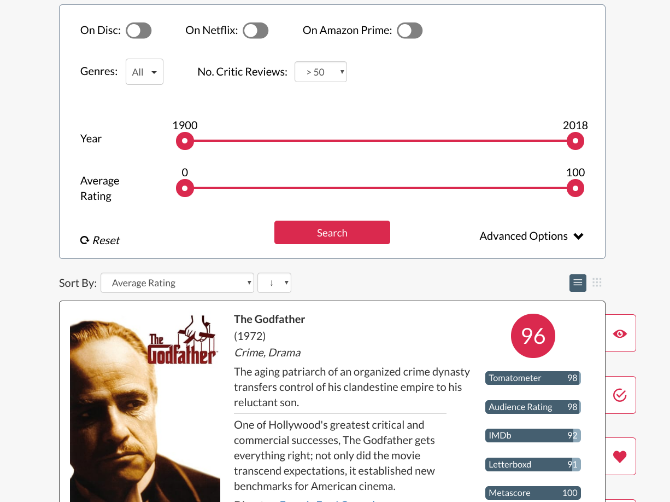
If you use Netflix or Amazon Prime (or both), then Flickmetrix is the best solution to find a film when you know exactly what you want to see. It has a ton of different filters to sort the list of recommended movies.
You can filter movies by their ratings on IMDb, Rotten Tomatoes, Metacritic, and Letterboxd. You can choose which streaming service you want to watch it on. And there are other options like genres to include or exclude, the year the film was released, or its primary language. Set it all up and you’ll get a neat list of recommended films with essential information, like a short description, the director and the cast, and a link to the trailer.
If the site feels familiar, that’s because Flickmetrix used to be called Cinesift. The name has changed and so has a lot of other things, including the ability to create an account and add movies to your watchlist, or mark them as seen so they don’t pop up again.
Date Night Movies (Web): Find Common Ground Between Two FIlms
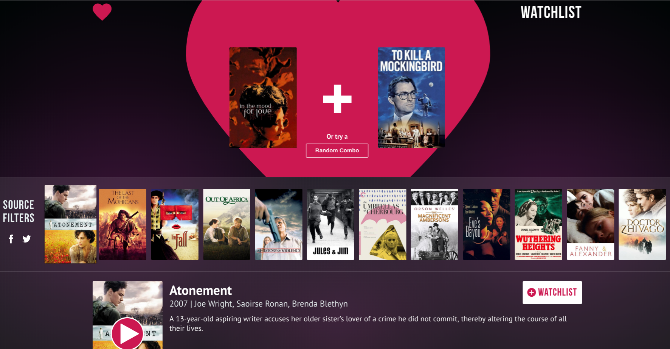
Don’t go by the “Date Night” name. This web app works for any situation where you and someone else can’t decide which movie to watch, and want to find something you will both enjoy.
Add two movies to the app and it will spit out a line of recommendations that are somewhere between the two choices. You can sort this line by source too, if you specifically want something that’s available on Netflix or Amazon Prime, or even if you want to watch a free film on YouTube.
Click on any movie to find out more information about it, like a description or the actors in it. Date Night Movies surprisingly skips mentioning the director, which can be a huge influencer at times.
Movie of the Night (Web): Only One Recommendation
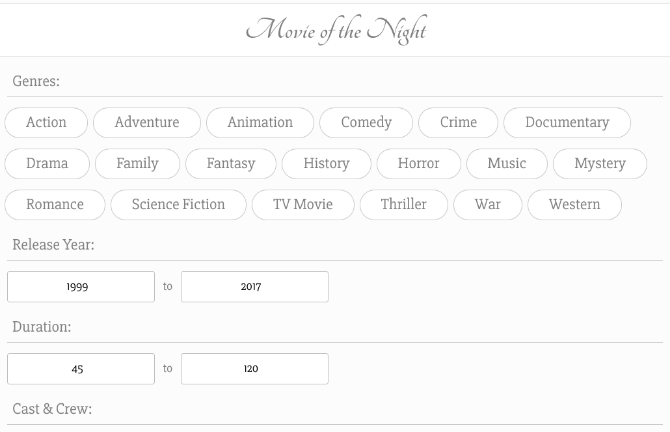
Once you set your parameters and search, all of the aforementioned sites give you a series of recommendations. That isn’t really helping you quickly figure out something to watch. So Movie of the Night makes it simpler and gives you only one recommendation.
First, pick the genres you are interested in. It’s fine to pick multiple genres. In fact, you will get better results if you do that. Next, say how old the movie can be, and how long it can be. Finally, if you want, add a few of your favorite directors or actors. One other filter lets you choose only English films, and there is an option to skip adult movies. You can skip any of these steps, or use them all.
Click the “Get Recommendation” button and Movie of the Night will give you a single film recommendation, with its description, cast and crew, and a link to its trailer. If you’ve already seen it, click the button again. It’s simple and hassle-free.
Popcornic (Web): Endless Series of New Film Trailers

If you want to watch something released recently, try Popcornic first. The website plays a series of trailers, one after another, showing films playing right now or released in the past few months. You’re guaranteed something fresh.
It’s a nice leanback experience, going from trailer to trailer to find new films that catch your attention. You don’t have to remember any names, since the History tab tracks every trailer you played. Each movie also offers a link to its Metacritic page, in case you want to see what people had to say about it before putting down your money to go watch it.
Oh yes, for some of the films, you’ll need to go to a movie theater. Others might already be available on some streaming sites, or released exclusively for them. But chances are, you are going to discover something that’s still playing in a cinema near you.
Another Great Choice, and Something for Netflix Fans
Between these sites, you should be able to find a film to watch tonight that you will thoroughly enjoy. One of MakeUseOf’s other favorites for recommendations is A Good Movie To Watch (AGMTW), which we have talked about a few times before, so don’t forget to check that out too.
AGMTW has expanded its scope to include Amazon Prime as well, but for most people, Netflix still remains the king of good video streaming content. If you’re a subscriber, try these ways to find good movies and shows on Netflix.
Read the full article: 5 Film Recommendation Sites to Find New Movies to Watch or Stream
How to Learn a Foreign Language by Immersion Using Flowlingo

Immersion is probably one of the best ways to learn a language. But we can’t all jump on a plane and jet set around the world to learn languages. But one app is trying to bring that immersion to you. Flowlingo, available as an iOS and Android app, immerses its learners in books, music, and videos as a means of learning a new language.
Flowlingo has an impressively long list of languages available in the app, with more coming soon. That said, not all of them are fully immersive. At the moment, the only language that boasts all the features is Spanish. So, if you’ve been interested in learning Spanish, this app might be the one for you.
You can select your native language and the language you want to learn, and can then start browsing content in the latter.
In the case of Spanish, you’ll find individual tabs for websites, videos (including music), books, and lastly a tab for words you’re learning. For all other languages, you can browse websites in that language, and select individual words or entire paragraphs at a time to translate them.
How Flowlingo Works
A lot of the content on Flowlingo will be familiar to you but will appear in Spanish instead. For example, it includes links to popular websites from Buzzfeed and CNN to Wikipedia and Reddit. You’ll also find familiar book titles, videos, and even covers of English songs in Spanish.
When reading a book, you can select your difficulty level from Basic to Max. With Basic, every word will be translated, while with Max, none of it will be translated.


When watching a video, you can listen and read along as the video progresses. You can also tap words to add them to your flashcards to save and review later.


When you review words you’ve saved, you can choose from a selection of images (some of which are sometimes not very helpful) as a means to help you recall the meaning of the word.


When reading an article on a site, select a word to see it’s translation. That word will also be added to your flashcards.
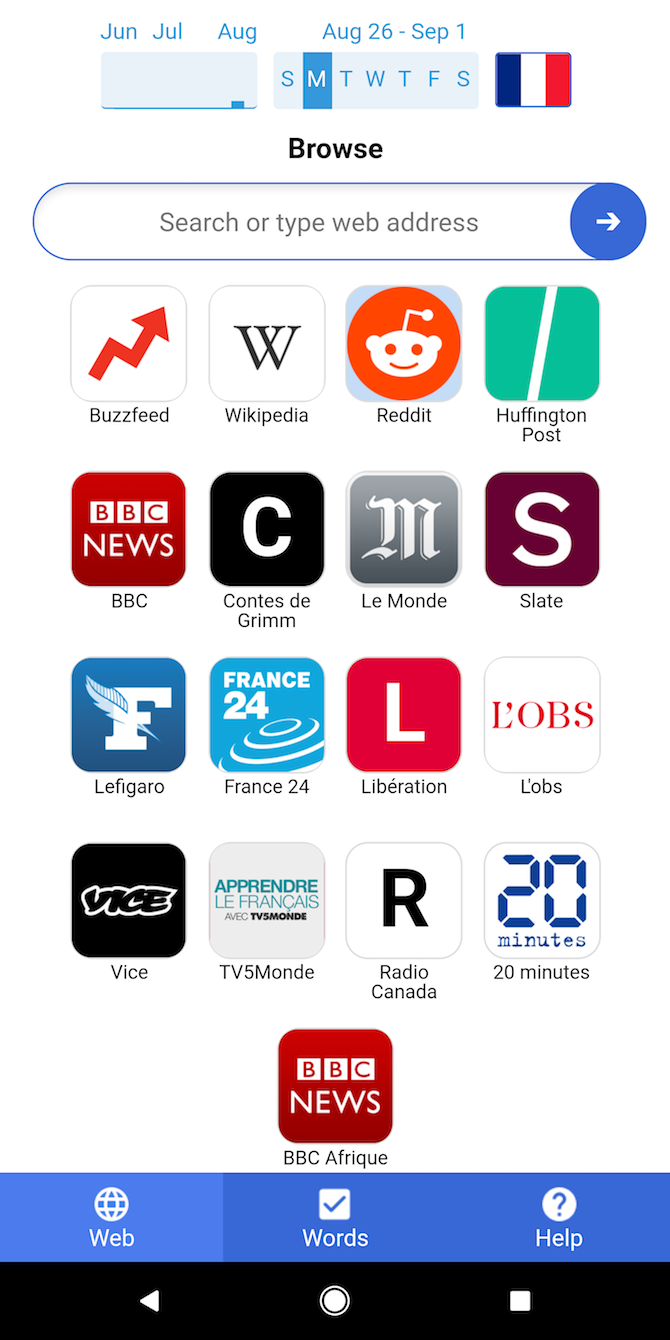

Reviewing words you’ve learned is based on an honor system. You’ll see a card asking you to guess what the word means. (You’ll also see the image if you’ve associated a picture with that word). After you guess, tap Show Answer and the app will ask if you got your answer right, and you can tap Yes or No to keep track of your progress.

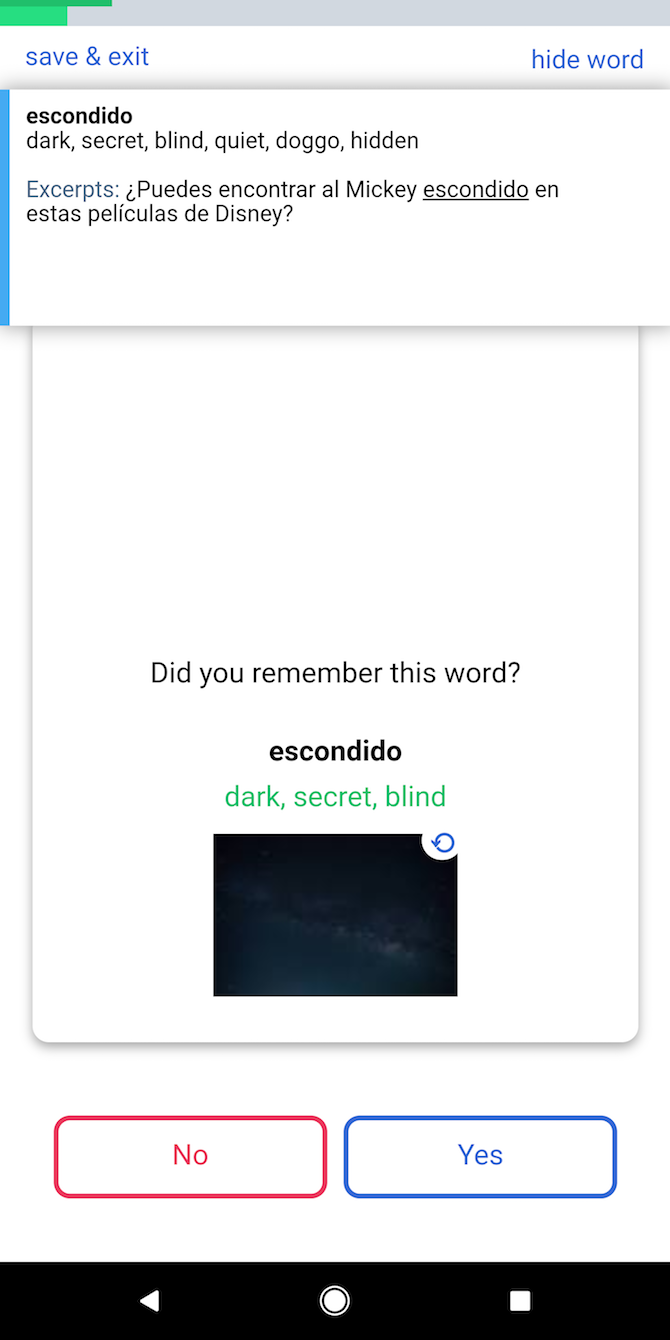

If you get a word right, you’ll review it again after five days. If you get it wrong, you’ll review it again after 30 seconds.
Flowlingo, is joining a pretty crowded space of free language apps to expand your language skills, but it’s at the very least a great way to improve your vocabulary. The question remains as to whether it works as a standalone app to learn the grammar complexities of a language that is completely new to you—if polyglots are to be believed, with dedication and hard work on your part, it may be the best way out there.
Read the full article: How to Learn a Foreign Language by Immersion Using Flowlingo
The Best Sleep Apps for Tracking and Improving Sleep

Does anyone actually get a good night’s rest anymore? Everyone complains about being tired, forced to stay up late, waking up during the night, tossing and turning, and other issues. Sleep just doesn’t come easy.
And if you’re reading this, there’s a good chance you’re desperate for better sleep.
But can mobile apps really help you sleep better? Under the right circumstances, yes they can. Let’s look at the three types of apps that can help you get better sleep: sleep tracker apps, blue light filter apps, and sleep meditation apps.
The Best Sleep Tracker Apps
Sleep as Android
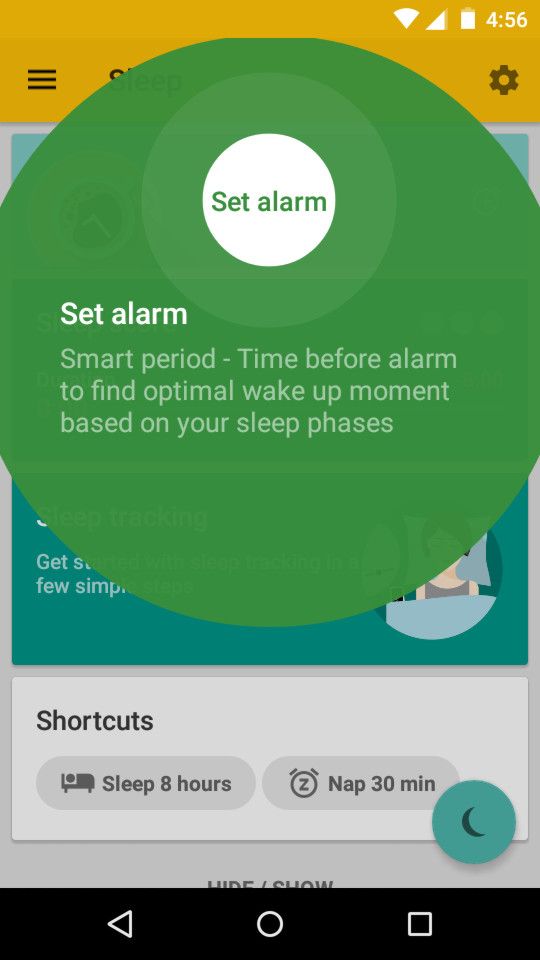
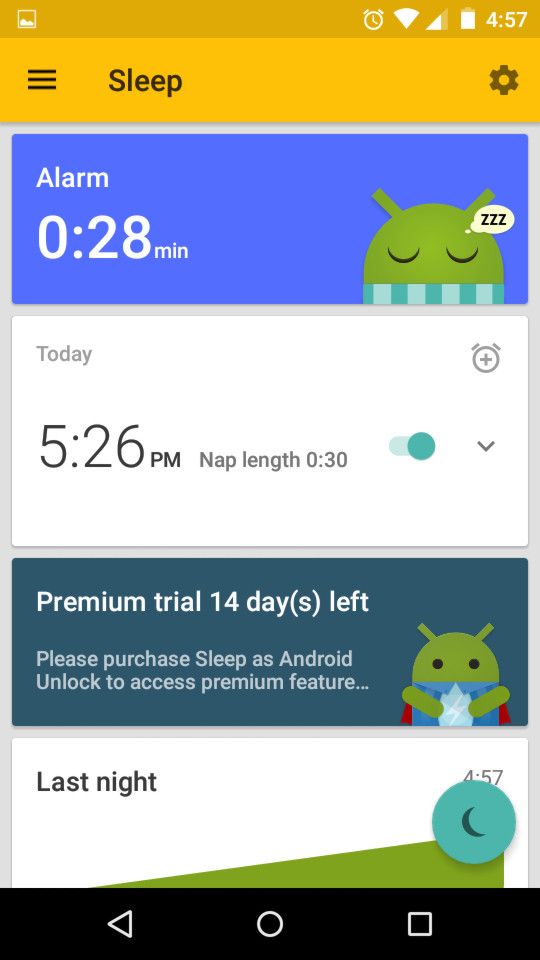

Not only is Sleep as Android one of the best sleep tracking apps, it’s also one of the best alarm clock apps for Android. It does a lot more than that too, and we recommend you install it even if you never use it as a sleep tracker OR alarm clock.
For example, it can play lullabies to help relax your mind, it has CAPTCHA wake-up verification so you don’t snooze back to bed, anti-snoring measures, sleep talk recording, sleep apnea pre-screening, and more.
Other notable features include integration with smartwatches and wearable devices, Philips Hue smart bulbs, social media, and Spotify.
Download: Sleep as Android for Android (Free, premium version available)
Sleep Cycle
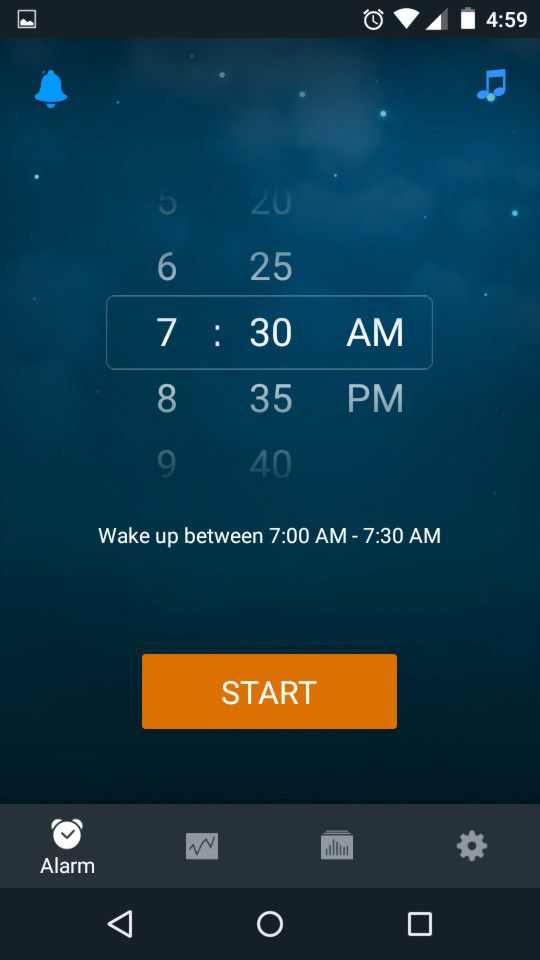
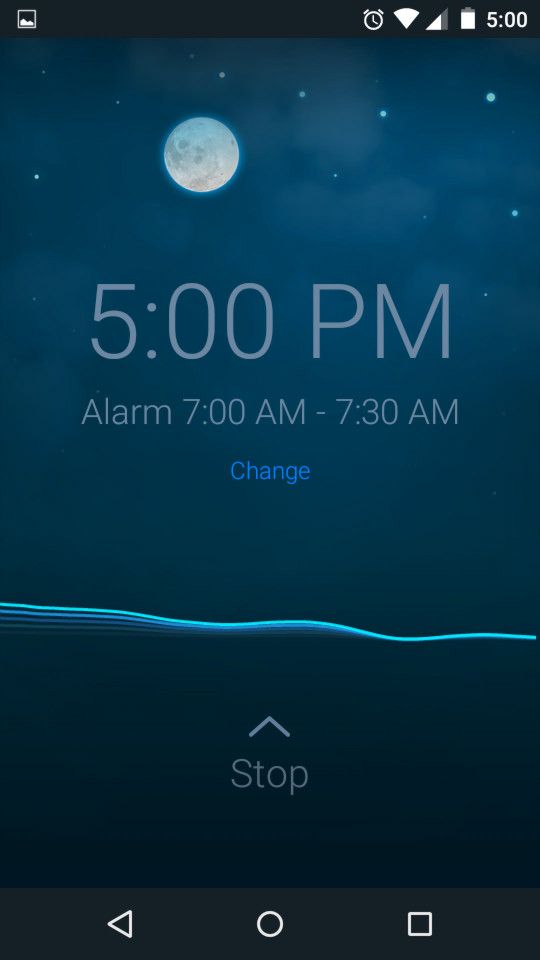

Sleep Cycle was once a paid-only app but now has a free version, which is great because it’s easily one of the best sleep tracking apps currently available. And even better, it’s available on both Android and iOS!
In short, Sleep Cycle tracks your sleep cycles and attempts to wake you up during the lightest phase of sleep closest to your wake-up time. Waking up during deep sleep can leave you groggy for the rest of the day, while waking up during light sleep can help you feel more refreshed.
But don’t worry: if you’re still sleeping by your wake-up time, it’ll force you awake.
With a premium plan, you can track long-term sleep trends, take sleep notes to see how various factors affect your sleep quality (like caffeine, diet, and stress), compare your sleep data against world sleep stats, back up your sleep data online, and more.
Download: Sleep Cycle for Android | iOS (Free, subscription available)
Good Morning
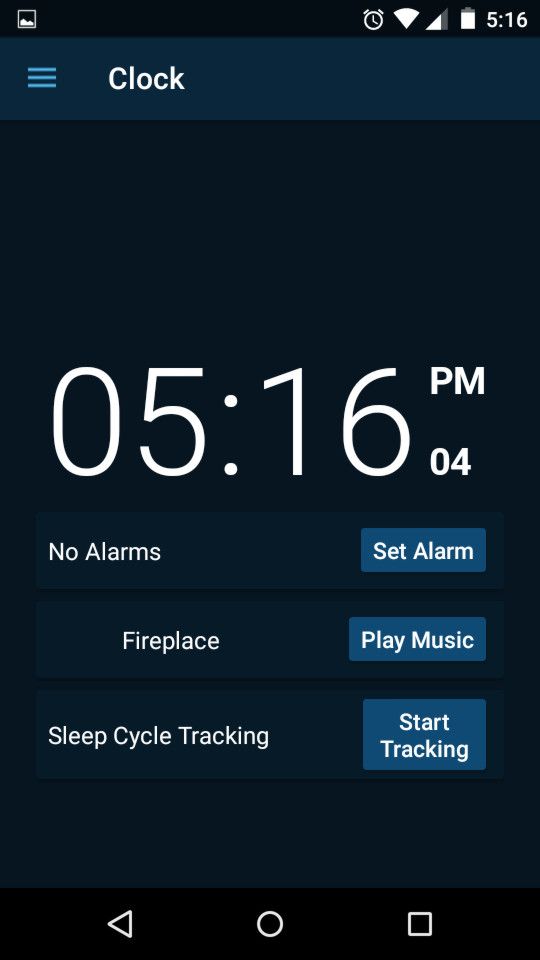
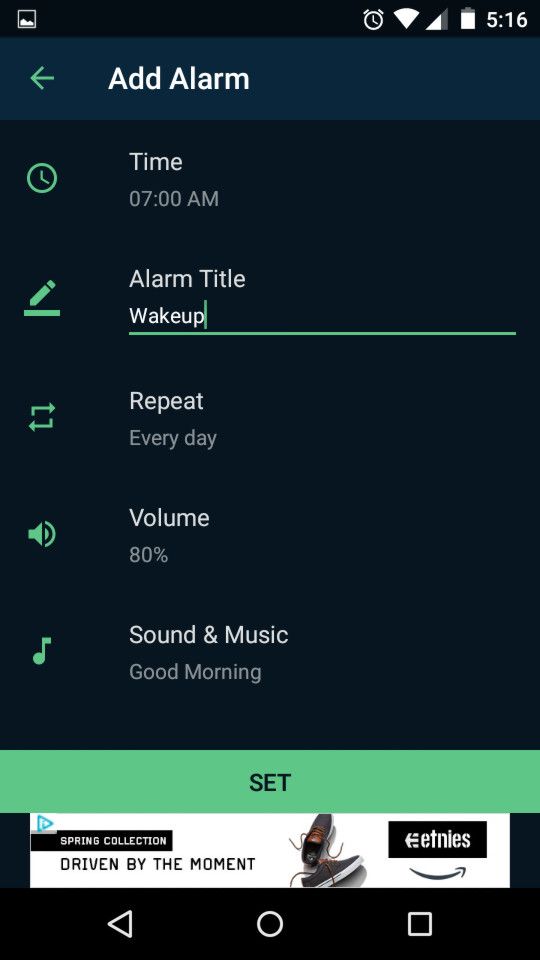

Good Morning does basically the same job as Sleep Cycle. The app tracks how well you sleep using your phone’s sensors, then tries to wake you up during your lightest sleep phase so you feel a refreshed as possible.
So why would you choose Good Morning over Sleep Cycle?
Good Morning has detailed statistics that are presented in a more visually pleasing manner. You can also create sleep goals and reminders that nudge you toward a healthier sleep routine. Nightstand mode is nifty if you want to use your phone as a bedside clock.
Download: Good Morning for Android (Free) | iOS ($5)
The Best Blue Light Filter Apps
Twilight
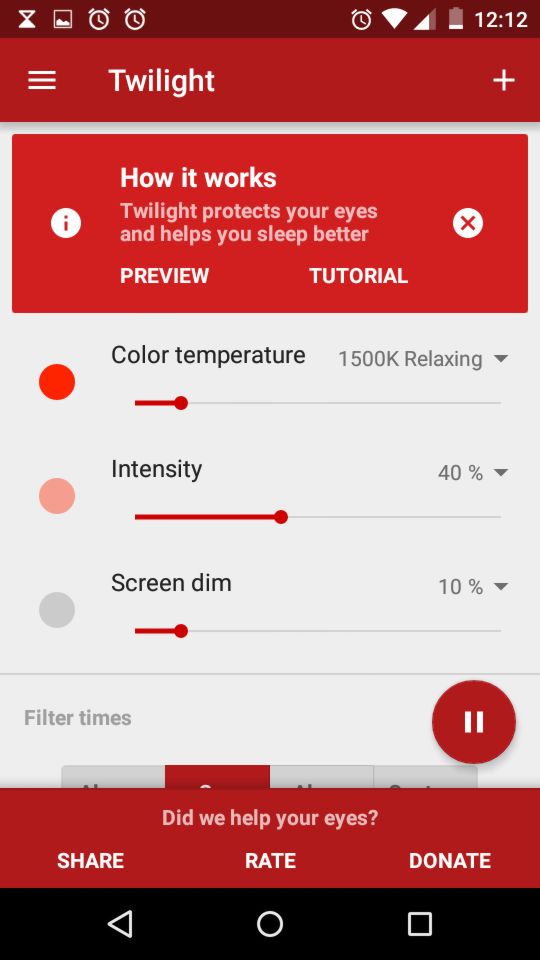
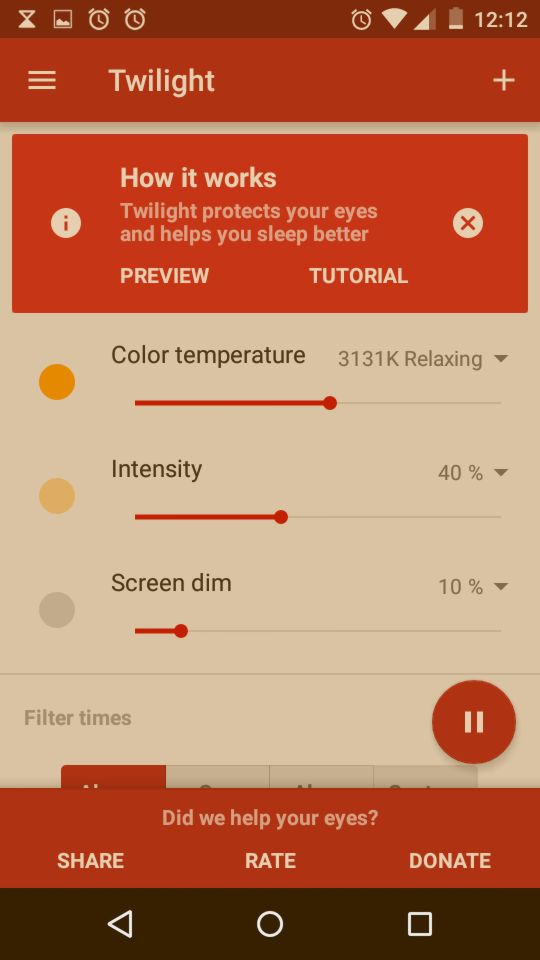

Twilight is a must-have app for every Android user. Just input your location (or let it decide based on your GPS data) and it will automatically “warm up” the color of your screen as day turns to night.
The goal is to eliminate (as much as possible) the “blue light” that’s emitted by your screen during the hours before you sleep. Blue light has been shown to disrupt the body’s circadian rhythm, which can cause difficulties falling or staying asleep.
Blue light filters really do work. In fact, not only should you install Twilight on your Android devices, you should also install F.lux (a similar app) on your desktop and laptop. The “warm” screens will look weird during the first few days, but once you get used to it, you won’t notice at all.
Download: Twilight for Android (Free)
CF.lumen

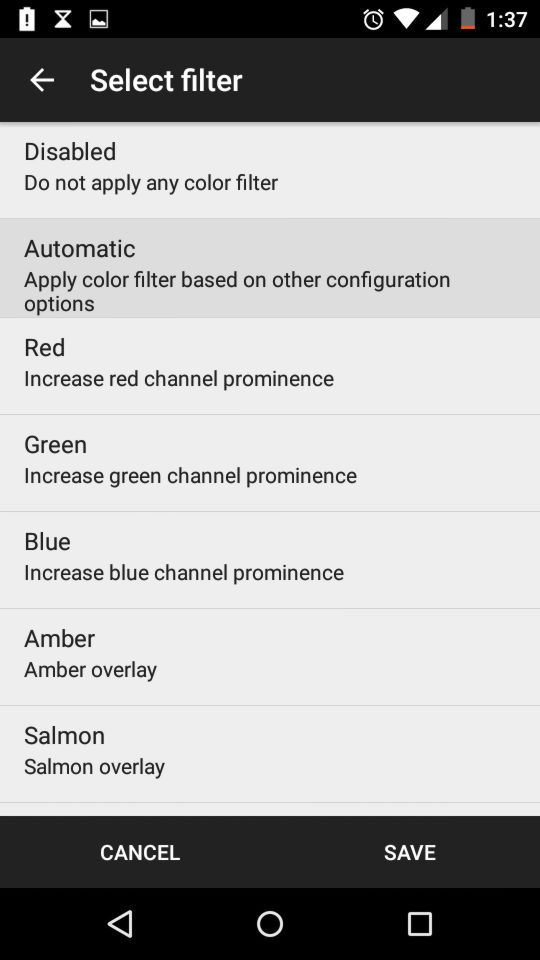
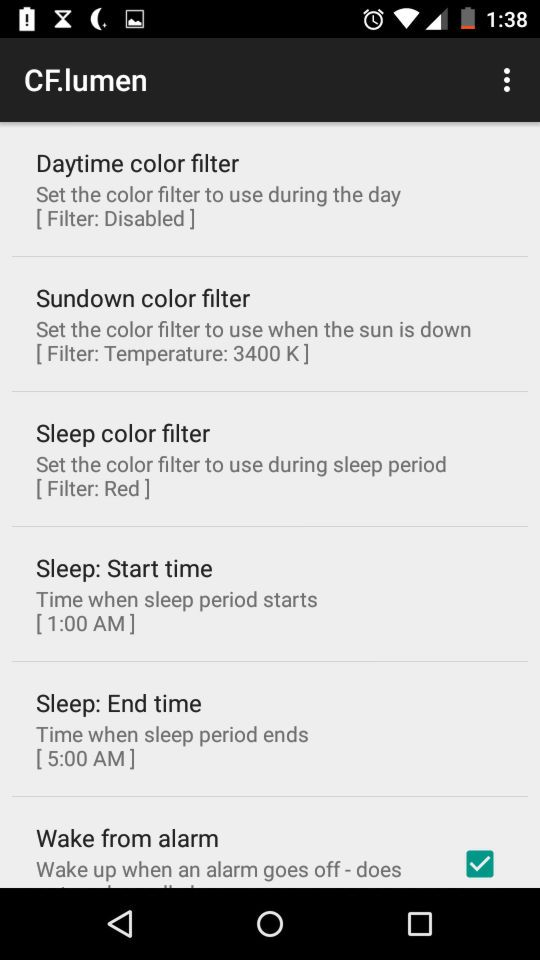
CF.lumen is an app that’s actually designed to control Android screen brightness, but it includes a blue light filter feature (similar to Twilight) that automatically warms the screen color based on the device’s light sensor.
While CF.lumen is free to use, you’ll encounter some limitations unless you purchase the premium version. The option to auto-launch the app when the device boots is disabled, none of the notification options are available, and there are minor nags to upgrade.
Download: CF.lumen for Android (Free, premium version available)
Night Shift

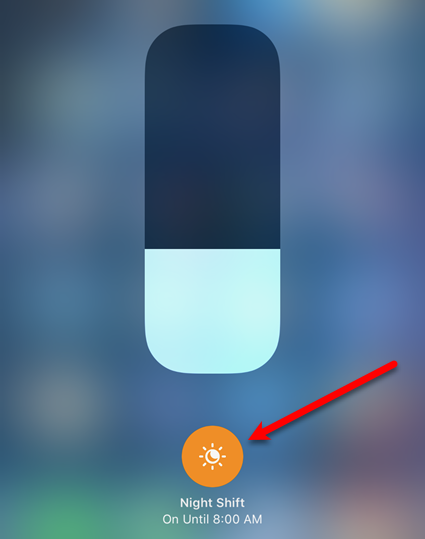
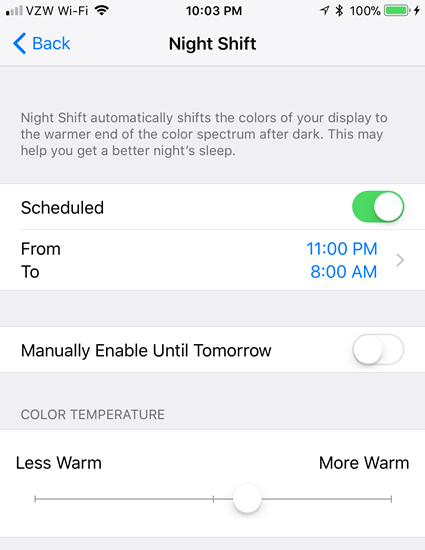
There aren’t any reputable blue light filter apps for iOS, because apps can’t access the parts of the OS necessary to filter blue light. However, starting with iOS 9.3, iPhones have a built-in blue light filter feature called Night Shift.
Night Shift is simple but effective: it changes the warmth of the screen color depending on the times of sunrise and sunset. You can also set a custom Night Shift schedule if you want more control.
We’ve written more about making iOS more pleasant to use at night. You should also know that Night Shift is available on Mac devices, which you should utilize if you use your computer at night.
The Best Sleep Meditation Apps
Calm


Calm is one of the apps we frequently recommend for destressing and relaxing. It’s not specifically meant for improving sleep, but clearing your mind before going to sleep can work wonders.
In short, Calm is a guided meditation app. Just play one of the many programs available and let it lead you towards relaxation. In addition to meditation, Calm can play music, help you breathe, and read out “sleep stories” that are designed to help you fall asleep.
While Calm is free to use, a paid subscription unlocks many more programs, guided meditations, and sleep stories.
Download: Calm for Android | iOS (Free, subscription available)
A Soft Murmur
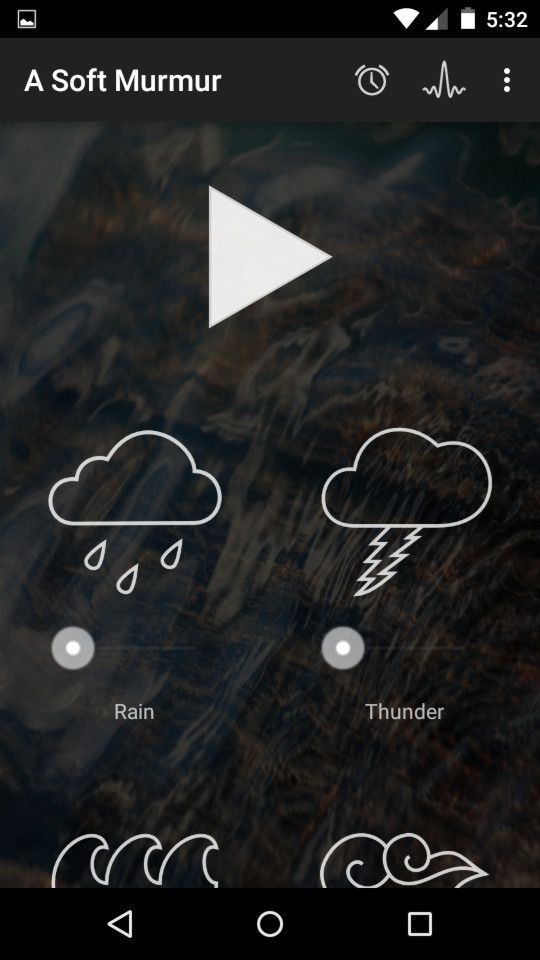
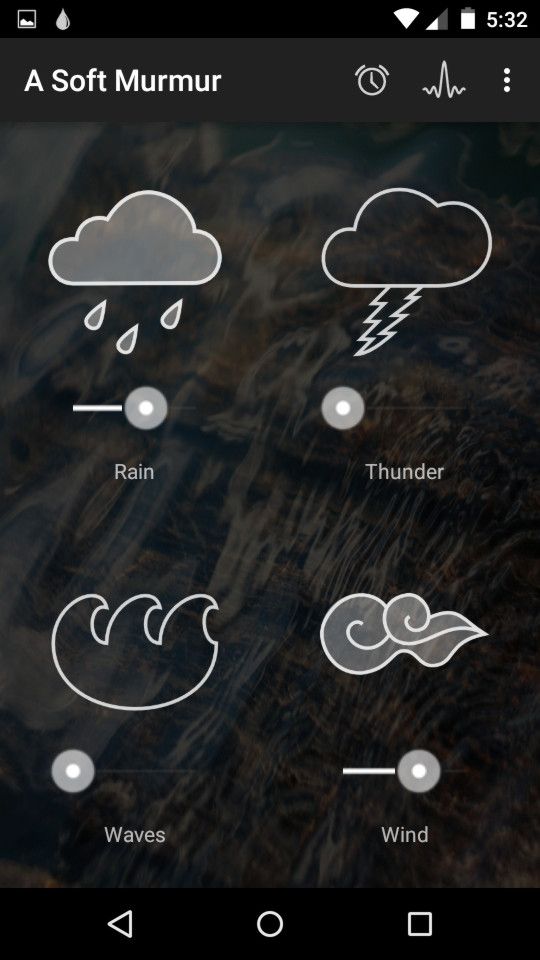
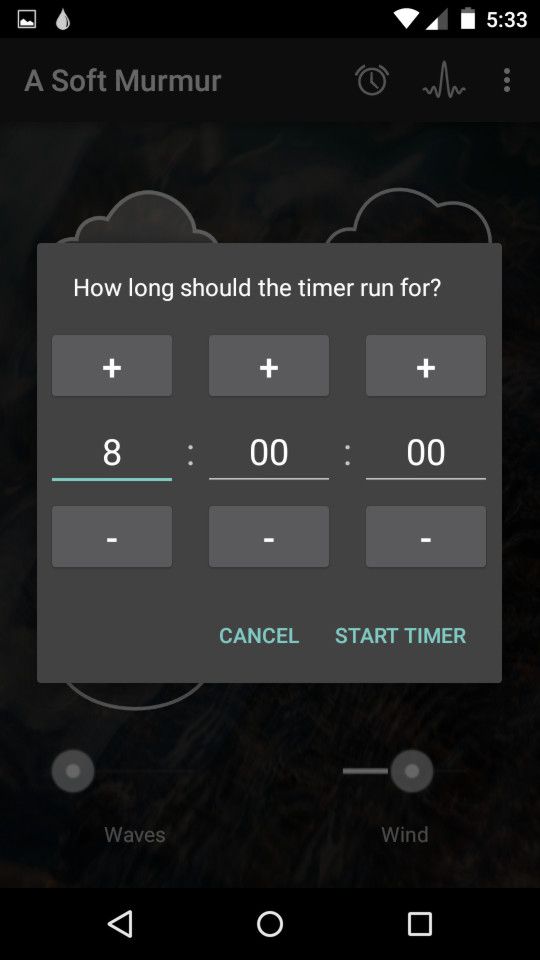
Equipped with individual sound loops, A Soft Murmur allows you to mix and match many kinds of white noise and background sounds to create your own soundscapes and atmospheres.
You can also customize each individual sound’s volume, which is something a lot of white noise apps can’t do. In addition to using it as a sleep aid, A Soft Murmur comes in handy when studying or even just lounging.
Four base sounds are free, with six extra sounds available as a single in-app purchase.
Download: A Soft Murmur for Android | iOS (Free, premium version available)
Pzizz
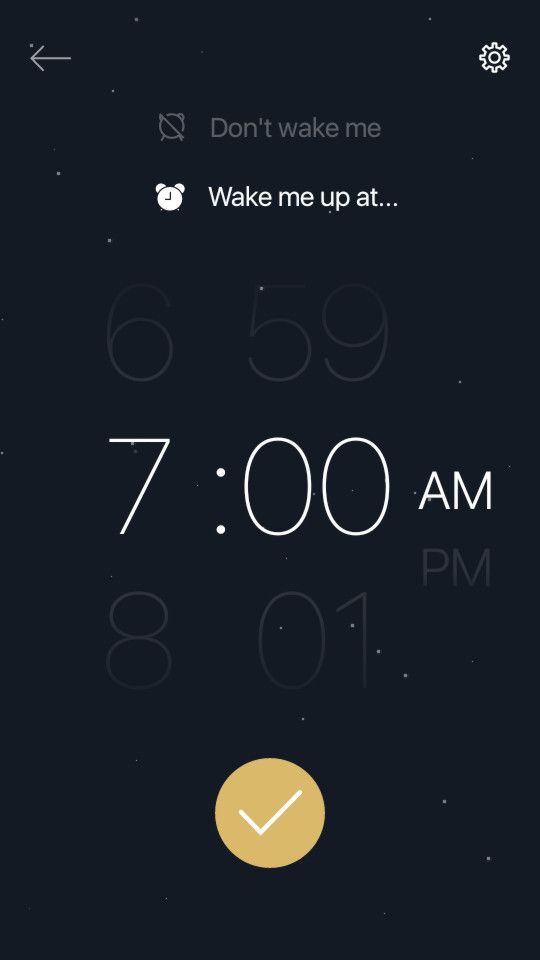
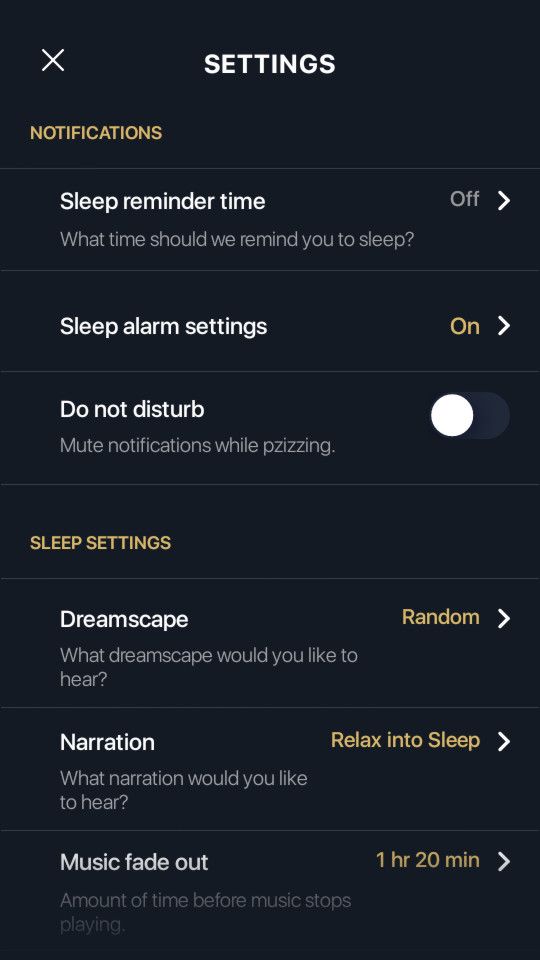
Pzizz claims that it can “deliver sleep at the push of a button”—and thousands of users swear that it really works.
Here’s the idea behind how it works: by combining voiceover narrations with techniques like guided imagery, mindfulness, progressive muscle relaxation, and even hypnosis, Pzizz creates psychoacoustic dreamscapes that actually help you fall asleep. (Read the science of how Pzizz works.)
Using it is simple. Just set a time limit for how long you want to sleep, and let Pzizz do its job. Every session is unique, so you won’t adapt and cause it to become less effective. Speakers are fine, but use headphones or earbuds for the best experience. While Pzizz is free, the paid subscription comes with many more dreamscapes and a few extra features.
Note: Pzizz is a massive app with a download size of 550MB due to all the sound files it contains. Make sure you’re on Wi-Fi when you download and install it!
Download: Pzizz for Android | iOS (Free, subscription available)
More Tips to Help You Fall Asleep
Science is still catching up, but current evidence does support the idea that apps, sounds, music, and guided meditations really can help with falling and staying asleep. The most relaxing songs according to science are good examples.
But you can do more.
See our tips on effective relaxation techniques, and if you still can’t fall asleep, we recommend checking out some devices and gadgets to help you sleep better. For example, the ResMed S+ Sleep Sensor sits on your nightstand, monitors your sleep, and gives suggestions on what you can do for better sleep!
Read the full article: The Best Sleep Apps for Tracking and Improving Sleep
How to Reinvent Yourself, With Coss Marte and Lawrence O'Donnell

In this episode, Coss Marte tells us how he went from drug kingpin to fitness entrepreneur using a regimen he developed in prison. Then we head outside to find out how people have reinvented themselves, and chat with television pundit Lawrence O’Donnell about how he reinvented himself as a socialist (and why some…