KWBaker
Shared posts
Barely Getting Any Interviews? Two Methods You May Not Be Leveraging

Avoiding Common Analysis Pitfalls

Bloomberg's Promise of a New 'War on Poverty' Echoes Past Government Failures
During his first inaugural address in 1964, President Lyndon Baines Johnson declared a no-holds-barred federal "war on poverty" that promised not only to improve poor people's economic conditions—but to address the fundamental causes of their despair. "Our aim is not only to relieve the symptom of poverty," he said, "but to cure it, above all, to prevent it."
LBJ promised to help poor Americans become self-sufficient, but mostly touted an array of familiar-sounding proposals—hiking the minimum wage, investing more money in public schools, building public-housing projects and creating new or expanded income-support programs. His economic-development ideas promised to uplift African-Americans in urban slums, Native Americans on reservations and whites in Appalachia.
It sounded so high-minded, yet what Johnson later termed "The Great Society" left a trail of destruction that rivaled his other initiative—the Vietnam War. Poverty rates are lower today than in 1964, but that's "despite" the government's war on it. America now suffers from rates of dependency and family breakdown that are partially the result of Johnson's not-so-great ideas. Despite these "investments" and social programs, poverty—especially in California—is as intractable as ever.
Why the short remembrance of the Johnson administration? Apparently, most Democratic presidential candidates—and one in particular—seem to have missed the lessons of the past 56 years. In his presidential campaign's recent tour in California, former New York City Mayor Michael Bloomberg said "my job will be to move all Americans ahead, and that includes committing our country to new and innovative ways to combat poverty. There has to be a war on poverty."
One of the weird things about getting older is listening to people revive old discredited slogans that make me shudder when I hear them. Republicans push an "America First" agenda now, which brings back echoes of the 1940s-era pro-fascist movement. California Democrats talk about fighting "economic crimes," which has a strange Soviet-like ring to it. And now a 2020 presidential candidate talks about a "war on poverty" without any sense of the past.
I'm all for "innovative ways to fight poverty," but most of Bloomberg's ideas—hiking the minimum wage, dumping billions of dollars in public-housing programs and the like—are retrograde, not innovative. I like his plan to ease zoning restrictions, which will help boost development in urban areas, but beyond that it's more of the same-old failed policies of dumping government money on the problem. He hasn't learned a thing.
In fact, Bloomberg made his remarks in Stockton, where poverty rates top 20 percent. The city's young and idealistic mayor, Michael Tubbs, had endorsed Bloomberg earlier in the day. Tubbs' best-known idea is called Universal Basic Income, whereby the city provides $500 a month to a few dozen families with no strings attached. The pilot project is privately funded, but supporters see Stockton's plan as an experiment that could be replicated elsewhere using public funds.
That epitomizes the old "war on poverty" approach, which is based on the idea that the only reason many people are poor is that they don't have any money. Give them money or housing or whatnot and, viola, problem solved. Unfortunately, life doesn't work that way. "While the state of neediness we call poverty does involve a lack of material resources, it also involves a mass of psychological and moral problems, including weak motivation, lack of trust in others, ignorance, irresponsibility, self-destructiveness, short-sightedness, alcoholism, drug addiction, promiscuity and violence," explained a still-timely 1999 piece by the free-market Foundation for Economic Education.
In my first newspaper job, I covered a plan by the city's officials to build scattered-site housing—a major initiative during Bill Clinton's administration—and rent them on the cheap to poor people. Plopping subsidized suburban-style houses in the middle of settled working-class neighborhoods often undermined the surrounding city blocks for a pretty obvious reason.
You can give a poor person a middle-class house, but that doesn't automatically give them the social skills to turn them into bona fide members of the middle class. A 2016 article in the liberal publication Vox looked at Brooklyn's Bedford-Stuyvesant neighborhood in Bloomberg's own city and found that despite all the money and good intentions, the situation now is almost indistinguishable from what it was when the Great Society concentrated its efforts there.
California has the nation's highest poverty rates, according to the Census Bureau's cost-of-living-adjusted measure, even though it offers the most generous income-support programs and the most aggressive minimum-wage and anti-poverty laws. Johnson was right about one thing, though, when he said in his address that "lack of jobs and money is not the cause of poverty, but the symptom."
Instead of offering failed multitrillion-dollar ideas from the past, Bloomberg and others need to focus on boosting public-school competition and reducing regulations that impede job growth in struggling cities such as Stockton. That's the kind of "war on poverty" that's worth fighting.
This column was first published in the Orange County Register.
17 low-carb keto Instant Pot recipes you'll love - CNET
This Comic Book's Persuasive Case for Open Borders
Immigration is not charity. Immigration is a positive-sum game and it’s a game with benefits in spades.
If You Own an iPhone, Here’s How to Cut Your Monthly Bill In Half
Google's cell phone service, Google Fi, now works with all new iPhones. It's a great way to manage your data and cut the cost of your monthly cell phone bill.

6 Iconic Cars We’re Thankful for This Holiday Season
Score an exceptional beach car or a great vintage off-roader over the long Thanksgiving weekend.

These Are the Best Bourbons of the Year, According to the World’s Leading Whiskey Expert
The most-read whiskey critic in the world on the best bourbons of the year.

How Athletes Are Reaping the Benefits of Keto Without Actually Giving Up Carbs
Exogenous ketones were all over the Tour de France — and will surely be the secret weapon of Olympians in 2020. Here’s everything the everyday athlete needs to know.

16 of the Best Used Cars to Buy in 2019
CarGurus just announced its yearly list of the Best Used Cars and this year, there's a total of 16 winners.

Shooting Creative Holiday Portraits at Night with a Single Flash
Photographer and YouTuber Irene Rudnik was recently scrolling through Instagram when she stumbled across some beautiful blue-hour snow portraits by photographer @kateblc. Like any good artist, she decided to run with that inspiration, and in the video above, she takes us along behind the scenes to see how she captured a beautiful holiday-themed nighttime portrait using only a single flash.
The setup for this shoot is extremely simple: it’s a simple backlit portrait captured using a single Godox/Flashpoint AD200Pro for lighting. In terms of camera gear, Rudnik used a Sony a7 III with a Canon 85mm f/1.2 attached using Sigma’s MC-11 adapter. After taking few shots using only the Godox for lighting, she brought in a reflector to see if she could splash a little bit of fill light onto her model Emily from the front, helping to balance out the exposure, but that didn’t actually make much of a difference.
Most of the portraits were shot at 1/250 of a second, f/1.8 and ISO 400, until the sun finished setting and she had to increase the ISO to 800 and the aperture to f/2. Those were the settings used on the sample portrait below:

Check out the full video up top to join Irene for this photo shoot and see her entire process from planning through post-production.
If you’re struggling for portrait ideas heading into the darker, colder winter months, hopefully this BTS will inspire you to try some snowy backlit portraits; turns out all you need is a single flash, a willing model, and maybe a cute dog or two.
Image credits: Photo by Irene Rudnik and used with permission.
Skier buried alive for five hours under 16ft of snow in avalanche -- survives...
Skier buried alive for five hours under 16ft of snow in avalanche -- survives...
(First column, 26th story, link)
Drudge Report Feed needs your support! Become a Patron
Are Street and Documentary Photography Art?
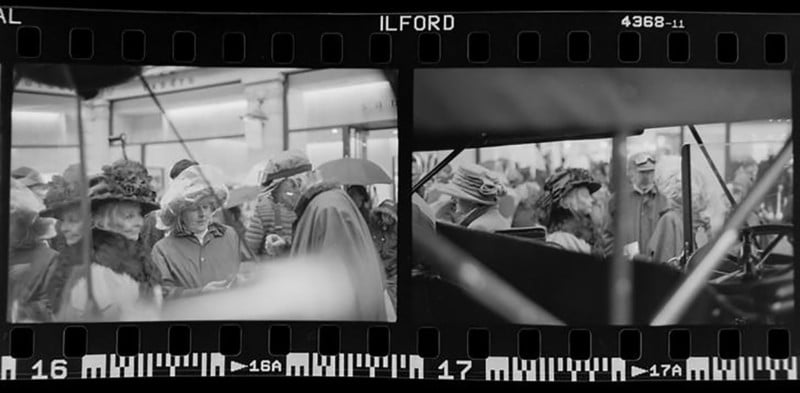
I think the question of whether something is or is not “art” is a bit disingenuous, often used more as a tool for gatekeeping than true analysis or critique. There is no objective standard for what makes something enjoyable as a piece of art, whether that’s a photograph, music, sculpture, or a blade of grass in a field.
However when it comes to the deliberate creation of an artefact I think that the intention of the creator is very powerful, and can offer some strong insight into the way that work can be interpreted.
One of the best descriptions I heard (I think when I was still in University) regarding the difference between an artistic process and a design process is that design is about the destination, whereas art is in the journey.
This implies that a designer works with some final goal in mind, a blueprint of materials and techniques that they may go about producing the end result based on what they see in their minds eye. An artist would not have as clear of a goal or end product in mind; it’s is more about experimentation, making mistakes, and not knowing what the end result will really be until they see it come together.
This isn’t a clinical definition, and I’m sure there are other valid ways of explaining these processes, but for me these really make sense. I think that incorporating elements of both art and design in your work can make for a very articulate portfolio with an intention behind what needs to be communicated, but an openness in the way that is implemented practically.

When I’m assigned work, I make sure I discuss with my client which of these roles they would prefer for me to embody. For example, if I’m hired to take some studio portraits, in a certain style—with a set number of deliverables and clear visual language—then I’ll understand that in terms of a design project and adjust my approach accordingly. I may prepare a shot list, and be more strict about the lighting, and make sure certain aspects like framing, and the expression on my subject is consistent.
However, if I’m hired for a documentary project, then I have more freedom in how I approach the topic. I’m hired for documentary work like set stills/BTS or wedding photography because of my skill at telling a story through images, using detail, emotion, and gesture (among other things) to offer a series of images that really summarize a particular point in time for my client.
This is not something for which I can easily create a shot list, as things will unfold unpredictably and require fast reactions in order to properly capture moment-to-moment happenings.
I can’t rely on consistent lighting, or situations, and this means that my approach usually ends up far closer to the definition of “art” that I outlined above.

Finally, for my personal photography, which is mostly street photography, I almost never have a clear idea of what I may come away with from any given day. I may have an inkling of a theme I want to explore, but I will never know where I will encounter that theme until I do, for a fraction of a second, and must react to it quickly.
I can then curate a selection of images around this theme, and a series begins to take shape; the images I’m curating will be very different from each other, and represent a lot of trial and error, spontaneous decisions, and experimentation. This is very different from curating a set of headshots from a portrait shoot, where at most I’ll be removing examples where my subject blinked.

I think that, based on my definitions of the process behind both art and design, street and documentary photography can be understood as an artistic process: not even the photographer will know quite how the images will look, and what situations they’ll even be shooting.
Whether or not the end product feels more like a piece of art or design is almost irrelevant to this discussion—that’s a more subjective discussion to be had around specific pieces, and not something that can really be learned by someone looking to change their methodology and approach.
I’m happy to call what I do “art,” and am always glad when I feel that I am spending time engrossed in the process of photography, rather than worrying about the end result. When I do spend too long on a composition, or curating it starts to feel like a design piece, then I’m usually less proud of those results in general; they represent a different kind of process, one which I don’t value at the moment for myself, and not where I want to be taking my work moving forward.
About the author: Simon King is a London based photographer and photojournalist, currently working on a number of long-term documentary and street photography projects. The opinions expressed in this article are solely those of the author. You can follow his work on Instagram and you can read more of his thoughts on photography day-to-day over on his blog. Simon also teaches a short course in Street Photography at UAL, which can be read about here. This post was originally published on Simon’s personal blog.
2019 in Photos: 35 pictures in politics
Crop-duster used to spread 100 gallons of holy water on Louisiana town
Our 5 Favorite Camper Vans of 2019
The best of the best, ranging from 4x4 overlanding beasts to 3D-printed visions of the future.

Industrial Ice Cream Scoop
Tool: Thrifty “square” ice cream scoop ($50)
Guest: Rusty Blazenhoff
Blog
Newsletter
Instagram
Twitter
“I have an ice cream scoop that is kind of special. It’s from Thrifty, which many people know Rite Aid bought. But they have a special ice cream scoop that they used in their ice cream parlors. I call it ‘square ice cream’ but it’s not really square. It’s a cylinder, but it looks square to me.”
[Cool Tools has a YouTube channel with many more tool reviews]
Thrifty “square” ice cream scoop ($50)
Available from Amazon
Activists vs. One Man's Skee-Ball Arcade: How Red Tape Is Ruining San Francisco
Joey Mucha is a three-time Skee-Ball national champion and the owner of Joey the Cat, an arcade rental, repair, and events company that he started in 2010 from his one-bedroom apartment in San Francisco.
After winning some prize money, Mucha was able to purchase his own fleet of Skee-Ball machines and other arcade games. In 2014, he purchased a former car repair shop and turned it a private event space and a place for fixing broken arcade games.
In April of 2019, he decided to convert his space into a restaurant, bar, and arcade. His property was already zoned for this use, but despite following all applicable codes and regulations, Mucha still had to argue his case at a public Planning Commission hearing in November. His project was jeopardized by a process known as discretionary review, in which any member of the public, in exchange for a $600 fee, can ask San Francisco's Planning Commission to hold a hearing to review building permits.
So far in 2019, the commission has publicly heard 91 requests for discretionary review. Since every building permit in the city is subject to this process, it can add significantly to the construction costs.
"Commissioners are empowered to reject most any permit, regardless of whether it satisfies the underlying zoning code," wrote Reason's Christian Britschgi in a piece about Mucha's fight.
While Mucha did end up getting permission to move forward with his renovations, the story of how the project was nearly stopped, and what Mucha endured in order to prevail, underscores how even the most benign land-use changes in San Francisco can be hampered by red tape.
Produced by John Osterhoudt. Additional camera by James Marsh and Zach Weissmueller.
Music Credit: Sadstorm by MADGOHAPPY
Fiona Ma Photo Credit: Randy Pench/ZUMA Press/Newscom
Would you buy a house in a community with no cars?
The founders of a new housing development called Culdesac certainly think so.
Culdesac, which calls itself the “first car-free neighborhood from scratch in the United States,” plans to open its doors in Tempe, Arizona, in fall 2020. And they say people are clamoring to live in their $140m experiment.
The 1k-person neighborhood will feature restaurants, a grocery store, a gym, a light rail stop, and even a dog park. But if you want to be a resident, you have to ditch your wheels.
Sure, people will have access to car shares, Ubers, and Lyfts…
But the point is to build a city where people can get to work, get what they need, and reasonably entertain themselves without having to own a car.
Transportation emissions in the US continue to rise, even though it’s now clearer than ever that we need to drastically reduce our emissions in order to (maybe) fend off the most horrific impacts of climate change. Building housing near public transit is a good way to get cars off the road.
Research points to the health benefits of green space…
And Culdesac emphasizes that they’re pulling out parking to make room for just that. Their website doesn’t have much content; instead, there are cartoons of people wearing hip clothing — one walking a dog, another biking.
It’s pretty clear they’re marketing to millennials, who may be interested in a simpler, more sustainable lifestyle.
The post Would you buy a house in a community with no cars? appeared first on The Hustle.
Why some of America’s top CEOs take a $1 salary
In the last few decades, a curious trend has emerged: A small but growing number of prominent CEOs have reduced their cash salary to $1.
That’s about 93 cents after taxes or 4 cents in bi-weekly paychecks.
The ranks include some of Silicon Valley’s most visible figures, including Mark Zuckerberg (CEO, Facebook), Evan Spiegel (CEO, Snapchat), Jack Dorsey (CEO, Twitter), and Larry Page, the recently departed CEO of Alphabet, Inc.
This reduction in pay is typically symbolic, used by CEOs to broadcast an alignment of interests with shareholders during a rough patch. It’s also hailed as an altruistic act — a sacrificial, praise-worthy gesture that other employees should emulate.
Truth is, the $1 CEO salary often isn’t as selfless as it seems.
To understand why let’s start by taking a trip back to a time when business leaders made the bulk of their income from base pay and a salary cut actually meant something.
The origins of the $1 CEO salary
In the early 1940s, America was in the throes of planning how to keep the economy mobilized during WWII. Everyone was expected to do his or her part — and that included the nation’s top business leaders.
A number of big-time execs, like GE CEO Philip Reed and General Motors President William S. Knudsen, offered their services to the government for free. But since the law forbade Washington from hiring unpaid volunteers, these men were offered $1. They soon became known as the “dollar-a-year men.”
Decades later, the concept was adopted by a new crop of CEOs in the private sector — not as a symbol of wartime sacrifice, but as a gesture to shareholders.
The pioneer of this trend was Lee Iacocca, then-CEO of the ailing Chrysler Corporation.

Zachary Crockett / The Hustle
In 1979, Chrysler, one of the “Big 3” automobile companies in the US, was in dire straits. In the aftermath of the oil crisis, they were struggling to find the capital to address changing consumer tastes, demand for smaller cars, and increased competition abroad.
Iacocca decided to ask the government for help. To show that he was serious about turning things around, the CEO slashed his salary to $1.
When Chrysler secured $1.5B in federal loans and eventually re-stabilized, Iacocca was celebrated for “leading by example” and for exhibiting a “spirit of sacrifice.” And from then on, the $1 salary became the default PR move among wealthy CEOs looking to broadcast their willingness to cut back in tough times.
During the dot-com crash of the early 2000s, a number of high-profile tech execs joined the $1 club.
Steve Jobs famously slashed his pay to $1 shortly after rejoining Apple and kept it there for more than a decade. James Barksdale (Netscape), John Chambers (Cisco), Tom Siebel (Siebel Systems), and Larry Ellison (Oracle) soon followed suit.
By 2006, it was so trendy for tech CEOs to take a $1 salary that the Los Angeles Times deemed the move “a new status symbol.”
Today, a selection of the country’s wealthiest CEOs carry on the tradition.
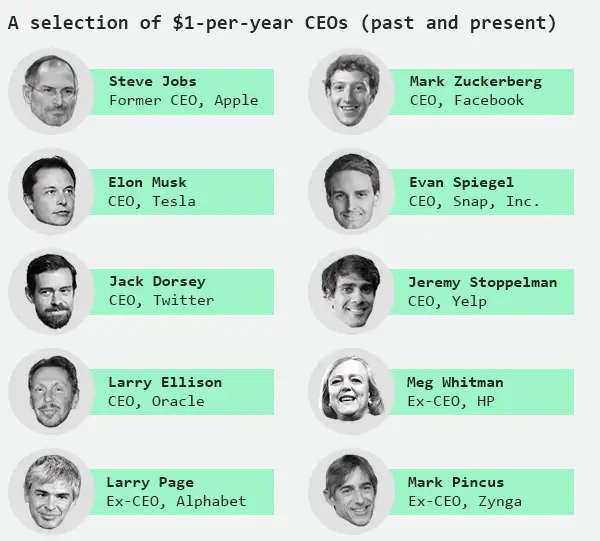
Zachary Crockett / The Hustle
But the “sacrifices” these CEOs are making are a far cry from those made by the dollar-a-year men in the 1940s.
The CEOs of yesteryear made significantly less money (adjusted for inflation), and the bulk of it was in the form of a cash salary.
By contrast, salary only makes up a tiny fraction of total compensation for today’s CEOs; modern executives’ riches come in the form of non-cash rewards, like stocks and options. Jeff Bezos, for instance, paid himself a salary of $81,840 in 2018, but his Amazon holdings increased by $24B, making him the only man on Earth with a 12-digit net worth.
Though the $1 salary is often hailed as some kind of benevolent act, these alternate forms of compensation often make it more personally beneficial than it’s made out to be.
The $1 salary ruse
For starters, research suggests that many CEOs who take a $1 salary are rewarded with stock, option, or bonus packages that match — or even outweigh — the cash they sacrifice on a pay stub.
One 2011 study of 50 executives concluded that the average $1 CEO gives up $610k in salary but gains $2m in other “not-so-visible forms of equity-based compensation.”
“We find evidence consistent with the view that $1 CEO salaries are a ruse hiding the rent-seeking pursuits of CEOs adopting these pay schemes,” wrote the researchers. “Rather than being the sacrificial acts they are projected to be, our findings suggest that adoptions of $1 CEO salaries are opportunistic behavior of the wealthier, more overconfident, influential CEOs.”
A similar study gauged the pay of $1 CEOs against non-$1 CEOs and found that, while $1 CEOs make about $1.6m less than their peers in total cash payments, they end up earning $3.5m more in alternate forms of compensation. (Note: We adjusted the figures in this 2011 paper for inflation.)

Zachary Crockett / The Hustle
Steve Jobs, for instance, took a $1 salary every year from 1997 and 2011 — $15 in total cash pay. During that same period, his stock value increased from $17.5m to $2.2B and Apple rewarded him with a $90m private jet. In 2007 alone, he realized $647m from vested restricted stock, according to SEC filings.
Some other examples:
- In 2011, Larry Ellison paid himself $1 but netted more than $77m in other forms of compensation.
- In 2018, Kinder Morgan CEO Steve Kean took a $1 salary but was awarded stock valued at $16m.
- In 2018, Capital One Financial CEO Richard Fairbank took $0 in pay but accepted stock worth ~$13 million, as well as a $4.2m bonus.
To be clear, we’re not talking about CEOs at small startups here. CEOs who take a $1 salary can afford to do so because they tend to be extraordinarily wealthy: 30% are on the Forbes 400 list of richest Americans, and the majority of them retain a much higher equity stake in their company than non-$1 salary CEOs.
The “generous” spirit of these CEOs also tends to expire rather quickly, with the average $1 tenure lasting around 3 years. For example, Meg Whitman took a $1 salary as the CEO of HP in 2011, but by 2013, her salary was back to $1.5m.
And remember Lee Iacocca? By 1983, he was the highest-paid exec in America, with a package worth $20.5m ($53m adjusted for inflation).

Zachary Crockett / The Hustle
One of the most frequently trumpeted benefits of the $1 salary is that it aligns the goals of a CEO and his or her company, incentivizing better leadership and resulting in stronger company performance. But even this isn’t often true.
In fact, firms run by $1 CEOs see returns on assets (ROA) and earnings that are 1% per month lower than those run by market-rate CEOs. The salary cut has little bearing on improving leadership in any meaningful way.
Of course, CEOs have varying motives for taking a $1 salary. But it seems likely that personal gain plays a role in some cases.
“They get their pot of gold at the end of the rainbow, not at the beginning,” an industry analyst told the Atlanta Constitution in 2007. “They are more than willing to trade off short-term income in order to receive a longer-term share of the pie. That ends up being a hell of a lot more than the salary would have been.”
Or, as Slate’s Daniel Gross put it in 2003, “It’s like a fat person who devours two pizzas a day forgoing the mushroom topping to cut calories.”
$1 or 1%?
Another rationale for taking a $1 salary, posits one researcher, is that it serves as an excellent publicity stunt and deflection tactic.
In recent times, taking a smaller salary has become a way to “camouflage” any association with wealth inequality.
Since 1978, CEO pay has grown by 940%. In that same time period, the rest of us have seen a gain of only 11.9%. The average CEO in America now makes 278x the average worker.

Zachary Crockett / The Hustle
The bulk of these riches are made on “performance-based” CEO pay like stock and options, which are taxed at a lower rate than income.
Worse yet, thanks to a 1993 law passed by Congress, performance-based pay can be deducted from the firm’s taxable income. When CEOs take a tiny salary and transfer the bulk of their compensation to options, taxpayers are effectively subsidizing their gains.
So the next time your grandpa gives his stump speech about how “$1 won’t get you anything these days,” tell him he should’ve been a CEO.
The post Why some of America’s top CEOs take a $1 salary appeared first on The Hustle.
How to Convert PDFs to Printable Booklets Using BookletCreator
Sometimes you need to put a booklet together. Not a fancy booklet, either—a simple one for yourself or your friends, ranging from topics like recipes to book reports.
Enter BookletCreator, a simple tool that lets you instantly turn any PDF document to a printable booklet. While the software has been around for awhile, it’s still easy to use. Here’s how to use this printable booklet maker tool to convert a PDF to a booklet.
What Is a Booklet Creator?
BookletCreator is an extremely simple tool that lets you turn a PDF to a booklet. If you’re one of those people who prefers to read documents in paper format, and you don’t have the budget for something like InDesign, then this is the program for you.
Basically, BookletCreator reorders your pages in such a manner so that when the document is printed, it can easily be folded into a small book. No registration is required for the free trial. When you download the program, you simply have to complete these steps:
- Upload your PDF
- Run BookletCreator
- Save the printable file to your computer
- Print the booklet out
Thankfully, BookletCreator has both macOS and Windows versions, so you’re in luck no matter which platform you prefer. The developers also provide detailed, easy-to-follow instructions for BookletCreator that make it easy to get started.
For this tutorial, we’ll use the macOS version of BookletCreator.
How to Use BookletCreator
After you download the free trial of BookletCreator and open the program for the first time, you may see a popup notice similar to the one above. BookletCreator will tell you that because you’re using the trial version, only the first 16 pages of your document will be processed.
We did some investigating about this “hard limit” on how many pages you’re allowed to process. For the trial version, it seems that you’re able to create multiple booklets, so long as those booklets are under 16 pages each.
However, we’re not sure how long this free trial will last. The official documentation on these limitations in the Terms and Conditions section is scarce.
If you’re just using the free trial, press OK to proceed to the booklet making process. However, if you have a license number, enter it. In case you want to buy the program, press Buy Now. You can go to the company’s website to see the details on BookletCreator’s pricing plan.
Step 1: Add a PDF File to Your Booklet Creator
Once you’re past the loading screen, the first action you’ll need to take is adding your PDF file to BookletCreator. Press Add PDF File, as shown below in red. Find the PDF on your computer that you want to format, and add it.
It’s important to note that BookletCreator cannot “reorder” your text, or format it. All it can do is reshuffle the way your pages are laid out. That way, when you print them, you can turn your PDF into a double-sided booklet. So it’s important to get all that formatting sorted out ahead of time.
If you want to know more about formatting PDFs, check out how to create, merge, split, and mark up PDFs on a Mac.
Step 2: Use Page Setup When You Convert a PDF to a Booklet
Next, you’ll need to finish the page setup for your booklet. BookletCreator automatically checks the Auto paper size option when you upload your PDF to the printable booklet maker, but you can also format this booklet to the paper size that’s best for you.
To do this, click on Page Setup. Once you’re there, you can format your document to fit any printer available with the specific dimensions you’re using to print.
You can also change the scale of the document, along with its orientation.
For booklets, in most cases it makes sense to print in Landscape orientation. BookletCreator automatically has this option checked, so keep that set. Once you’re done adjusting your specs, click OK. If you don’t want to manually adjust the page setup, click Cancel. Then check the Auto paper size option again.
We used the Auto paper size option in our testing, which worked well.
Step 3: How Many Pages per Booklet?
After you figure out your paper size, you need to decide how many pages you want within your booklet.
Because booklets are usually printed double-sided, all numbers for the pages show in sets of four. You have several options:
- You can print All pages in your booklet, to the closest set of four that the program can manage. BookletCreator will not skip any pages, which means that if you have an odd number of pages, some of the pieces of paper in your final booklet will be blank. Use this if you’re not sure.
- 4 will have BookletCreator create multiple booklets with four pages each, to split up your PDF into manageable chunks.
- 8 will create multiple booklets with eight pages.
- This continues down the line with 12 and so forth.
Please note: When using the free trial, you can only process booklets that contain up to 16 pages each. If you choose above the 16-page option, you may run into issues.
Step 4: Additional Booklet Options to Consider
Once you’ve figured out how many pages you want in your booklet, there are a few additional options you can adjust before you format the book. If you didn’t add page numbers to your original PDF file, you can do so now. The tool also lets you add some basic formatting to those page numbers, such as:
- Letting BookletCreator know which pages to put the numbers on.
- What those starting numbers should be.
Additionally, you can format the booklet for duplex printers, put the last page on the back cover, or have the document read from right-to-left instead of left-to-right.
Once you’re done formatting these options—if you need to format any of them—press Create Booklet. BookletCreator will create a new PDF specifically laid out in booklet format for you to print.
Step 5: Printing From Your PDF to a Booklet
The last stage of BookletCreator is the printing part, and it’s a simple but important step. Before you print, it’s recommended that you look at your document in an image previewing app to make sure that everything looks correct.
You’ll notice that the pages seem to be out of order, but they aren’t actually. This is just how a booklet looks before it’s stapled together. After you take a look, press Print.
If you have a double-sided printer, make sure that you turn off the double-sided print option on your device. If you don’t have a double-sided printer, you’ll need to feed the pages through manually.
You also need to make sure that you use the right-sized paper for your document when you print it. Because we just did a test booklet, the paper isn’t exactly the right size, but the print quality still turned out decently. Here’s the result:
As you can see, the double-sided printing works well. All the pages were in order, exactly as BookletCreator formatted them. Once printed, it was a simple matter of folding the printed pages and stapling the booklet together.
Use BookletCreator to Convert a PDF to a Booklet
BookletCreator will never have the fine-tuned controls of a program like Adobe InDesign. However, it’s quite simple to use and will work great for people who just need to make a printable booklet every once in a while.
Those you want to create lots of professional-looking booklets should look at the best free InDesign templates for books, flyers, and magazines.
Read the full article: How to Convert PDFs to Printable Booklets Using BookletCreator
Google Assistant Now Offers Realtime Translations
Google Assistant now has the ability to translate conversations in realtime on your phone. This is thanks to Interpreter mode, which can act as your go-between when conversing in a foreign language. Meaning you’ll never have to resort to using hand gestures again.
Google Assistant Learns to Translate Conversations
In February 2019, Google rolled out Interpreter mode to Google Home smart speakers and smart displays. This allowed owners of these devices to translate conversations in foreign languages. However, its usefulness was limited by the lack of mobility of these devices.
Now, Interpreter mode is available on Google Assistant on your phone. Which means you can use it to translate conversations between you (speaking one language) and someone else (speaking another language) in realtime just using your smartphone.
Assistant’s Interpreter Mode Lands on Smartphones
Google announced the increased availability of Assistant’s Interpreter mode in a post on The Keyword. The company claims Interpreter means that “you can have a back and forth conversation with someone speaking a foreign language.”
To enable Interpreter mode just say, “Hey Google, be my German translator” or “Hey Google, help me speak Spanish”. You’ll then “see and hear the translated conversation on your phone.” Google will even offer Smart Replies to keep the conversation flowing.
Don’t want to get lost in translation? Let your Google Assistant be your real-time interpreter by saying, "#HeyGoogle, help me speak Spanish." Here’s how to use interpreter mode in 44 languages, rolling out on phones today ? https://t.co/vASrsm06s7 pic.twitter.com/yaPbCmvnxA
— Google (@Google) December 13, 2019
The most basic way of using Interpreter mode is to just start talking. Google will then automatically translate both sides of the conversation. However, you can also control what’s being translated or type out the sentences you want to have translated.
Google Assistant’s Interpreter mode currently supports 44 languages, including Arabic, Dutch, English, French, German, Italian, Japanese, Russian, and Spanish. It’s rolling out around the world to the Google Assistant app on Android and on iOS.
The Best Apps to Help You Learn a New Language
While Google Assistant’s Interpreter mode makes it easier to understand another language, it isn’t perfect. So we would still recommend everyone learn a new language. And to help you get started, here are the best language learning apps that work.
Read the full article: Google Assistant Now Offers Realtime Translations
The 14 Best Sites to Find Free Creative Commons Music
There are lots of times you might need to get hold of royalty-free, Creative Commons music. You could be putting together a short film, designing a video game, or recording a podcast; with the right license, you can use CC music for all of that.
You can find plenty of free music across the sites in this list, whether you plan to share it, remix it, or use it commercially. When it comes to Creative Commons music, there’s no shortage of options.
Creative Commons Licenses
With Creative Commons music, you still need to check the specific license for each track. Different licenses let you do different things with the music, whether that means listening to it in private or remixing it for an ad campaign.
The Creative Commons organization uses easily recognizable symbols for each of its licenses. This makes it easy to find out what you can and can’t use each track for. All you need to do is learn about the different Creative Commons licenses available.
1. SoundCloud
SoundCloud is a great resource for anyone who wants to share music, podcasts, and more. So it’s no surprise you can discover a lot of decent royalty-free Creative Commons music on SoundCloud as well.
There are a few ways to find CC-licensed music on SoundCloud. The easiest way is to follow the official Creative Commons profile, which has hundreds of tracks you can download.
Other users also upload royalty-free music, which you can find by filtering your SoundCloud search results. To find what you’re looking for, click the CC button and choose how you want to use the music.
2. Audionautix
All the music on Audionautix is under the Creative Commons Attribution 4.0 license. That means it’s free to share, remix, and use commercially. The only rule is that you credit the artist, Jason Shaw.
That’s right, all the music on Audionautix is created by one person. But there’s no shortage of tracks on here since Shaw has spent years building up the library.
Filter the available tracks by genre, tempo, and mood. Or search a keyword to find exactly what you’re looking for. Audionautix has an impressively broad range considering it all comes from the same guy.
3. Free Music Archive
In September 2019, the Free Music Archive combined with Tribe of Noise, a community for musicians and other creatives to network with each other. Use Tribe of Noise to chat with musicians directly or buy a license to access royalty-free music.
That said, you can still access the old Free Music Archive website, which is full of Creative Commons music for you to use right away. Click the FMA Static Pages button in the top-right to browse the various curators, genres, or charts.
4. Freesound
Freesound lets visitors search for music and sound effects using tags, comments, and locations. Take a look at the tag cloud for a place to start if you’re not sure what you want. Then sign up for a free account when you want to download stuff.
As always, be sure to check the exact license for each track so you know how you can use the audio. Some of the music uses non-commercial Creative Commons licenses, which means you can’t use it to make money in any way.
5. Incompetech
Incompetech is a good place to find full-length royalty-free music for films and videos. You can search the library by genre, tempo, or topics. If you register for a free account, you can even search for CC music by the mood or length.
Music on Incompetech is “absolutely royalty-free” and licensed under the Creative Commons Attribution license. This means it’s free to share, remix, and use commercially, as long as you credit the artist.
Alternatively, pay for a license from Incompetech if you don’t want to credit anyone.
6. dig.ccMixter
Another major Creative Commons library you don’t want to miss is dig.ccMixter. This site is overflowing with free music to download, sample, and share. You can find instrumental music to use for films, commercial projects, and video games.
As is the case with all sites, take a close look at the license on each clip to make sure you don’t break the rules. Three different icons show what you can or can’t do and dig.ccMixter gives a crystal clear overview of what each icon means.
7. Bump Foot
Bump Foot is a Japanese non-profit netlabel with two sides to their music catalog. On the Bump side, you can find techno and house music; while the Foot side has ambient and IDM tracks instead.
All the music from Bump Foot is under the Creative Commons Attribution Non-Commercial Share-Alike license. That means you can share and remix the tracks, as long as you credit the artist and don’t use it to make any money.
8. Musopen
Get recordings, sheet music, and textbooks without any copyright restrictions from Musopen. It’s a non-profit organization aimed at boosting exposure to music with free resources and educational material.
Discover royalty-free music from classical composers, such as Bach, Mozart, or Beethoven. If you aren’t up to speed on your composers, search the catalog of recordings by choosing a mood instead.
As always, check the Creative Commons icons next to each track to find out what you are and aren’t allowed to do with the free music.
9. CC Trax
CC Trax lets you search an entire Creative Commons library of music by genre, choosing from electronica, dub, techno, house, downtempo, and ambient. Full albums are available to download and use, often licensed by a range of netlabels.
Click on each album or track you want to use and check the Creative Commons icons to find out what it’s licensed for. Most of the music on CC Trax is non-commercial, which means you can’t make money off of it, but it’s still great for personal use.
10. Internet Archive
The Internet Archive is a place you can go to find a lot of free stuff. It’s a non-profit library of free books, movies, software, and websites. Click the Audio button to start browsing the collection of music and audiobooks from the Internet Archive as well.
There are over 7 million recordings available, ranging from old radio shows, to news broadcasts, to live music concerts. Filter the media type you’re looking for and click a recording to see more details about it.
11. iBeat
iBeat offers free beats, loops, and breaks to download under different Creative Commons licenses. Browse rap beats, piano chords, and drum loops to use in your own productions or for commercial purposes, like jingles.
There’s no need to create an account to download and use tracks, which makes it quick and easy to get started. Just make sure to check the specific license for the music you download, as not all of it is for commercial use.
12. blocSonic
blocSonic is another netlabel with over 3,000 pieces of free CC music for you to download. Most of it is under the non-commercial license, which means you can’t use it to make money, but if you want free music for yourself, this is another great resource.
Check out new artist releases from the home page or visit the catalog to see everything blocSonic has to offer. With music from over 400 artists, you’re sure to find something to your liking.
13. FreePD
All the music on FreePD is completely free, with no need to attribute artists when you use it, even if you use it commercially. A subscription lets you download more tracks in high quality, but for most people the free service is plenty.
Navigate the simple website by clicking one of ten musical categories, covering genres and moods. Each track is tagged with bright emojis, making it easy to find the music you want with a glance.
14. Looperman
Looperman features thousands of royalty-free music loops and vocal recordings for you to use. Join the community of musicians to get support developing your craft or make valuable contacts to find the free music you’re looking for.
You don’t need to be a musician to make use of Looperman; anyone can download the loops and beats to use however they need to. As always, make sure to check the specific Creative Commons license for the music you want before putting it to use.
Don’t Stop There, Get Free Images Too!
That should help you find all the royalty-free, Creative Commons music you need. But why stop there? You probably want pictures to go with your music as well. Find out where to get copyright-free images to cover all your bases.
Read the full article: The 14 Best Sites to Find Free Creative Commons Music
The Best Cheap Bluetooth Speakers Under $50
Bluetooth speakers vary wildly in price. Some cost a few dollars, and others cost hundreds of dollars. But you don’t need to spend a fortune to enjoy high-quality sound. You can spend under $50 and still get a fantastic speaker.
Here are some of the best cheap Bluetooth speakers.
1. Anker Soundcore 2
Anker Soundcore 2 Anker Soundcore 2 Buy Now On Amazon $38.96The Anker Soundcore 2 is arguably the best Bluetooth speaker available for less than $50. The sound is better than several larger, more powerful speakers. The Soundcore 2, which measures 6.5 x 2.1 x 1.9 inches, comes with two 12W speakers and two 1.5-inch drivers. Low ends diminish at 150Hz.
It offers 24 hours of battery life and a Bluetooth range of up to 66 feet. There’s also an AUX port that allows you to play music from devices that aren’t Bluetooth-enabled. The Anker Soundcore 2 also has an IPX7 waterproof rating. This means the speaker can withstand being submerged in a meter of water for up to 30 minutes.
2. JBL Clip 3
JBL Clip 3 JBL Clip 3 Buy Now On Amazon $39.95Although almost all of the best cheap Bluetooth speakers are portable, many aren’t suitable for using when you’re physically on the go. The JBL Clip 3 is different. It offers a solution for people who don’t want to use Bluetooth headphones while they’re moving. Everyone from gardeners to sportspeople will find it useful. The device includes a carabiner clip so you can attach it to your clothes.
Given its small size (it weighs just 7.8 ounces), it’s unsurprising that the speaker itself doesn’t pack the same punch as the other models on this list. It includes a solitary 3W speaker and a 40mm transducer. The batteries last for around 10 hours. The speaker does not include an AUX port.
3. Dell 520-AAGP
Dell 520-AAGP Dell 520-AAGP Buy Now On Amazon $68.88The Dell 520-AAGP isn’t designed for rugged outdoor use. The silver casing looks excellent on desks and in kitchens, while the rubberized plate on one end gives you the option of placing it vertically or horizontally. It also includes some features that are more suited to indoor use.
Dell includes NFC compatibility for rapid pairing and a microphone for using on hands-free phone calls. The speaker’s Bluetooth signal has a 33-foot range, and the battery will last for 10 hours. Under the hood, you will find two 2.5W speakers, a full-range driver, and a passive radiator.
4. AOMAIS Sport II
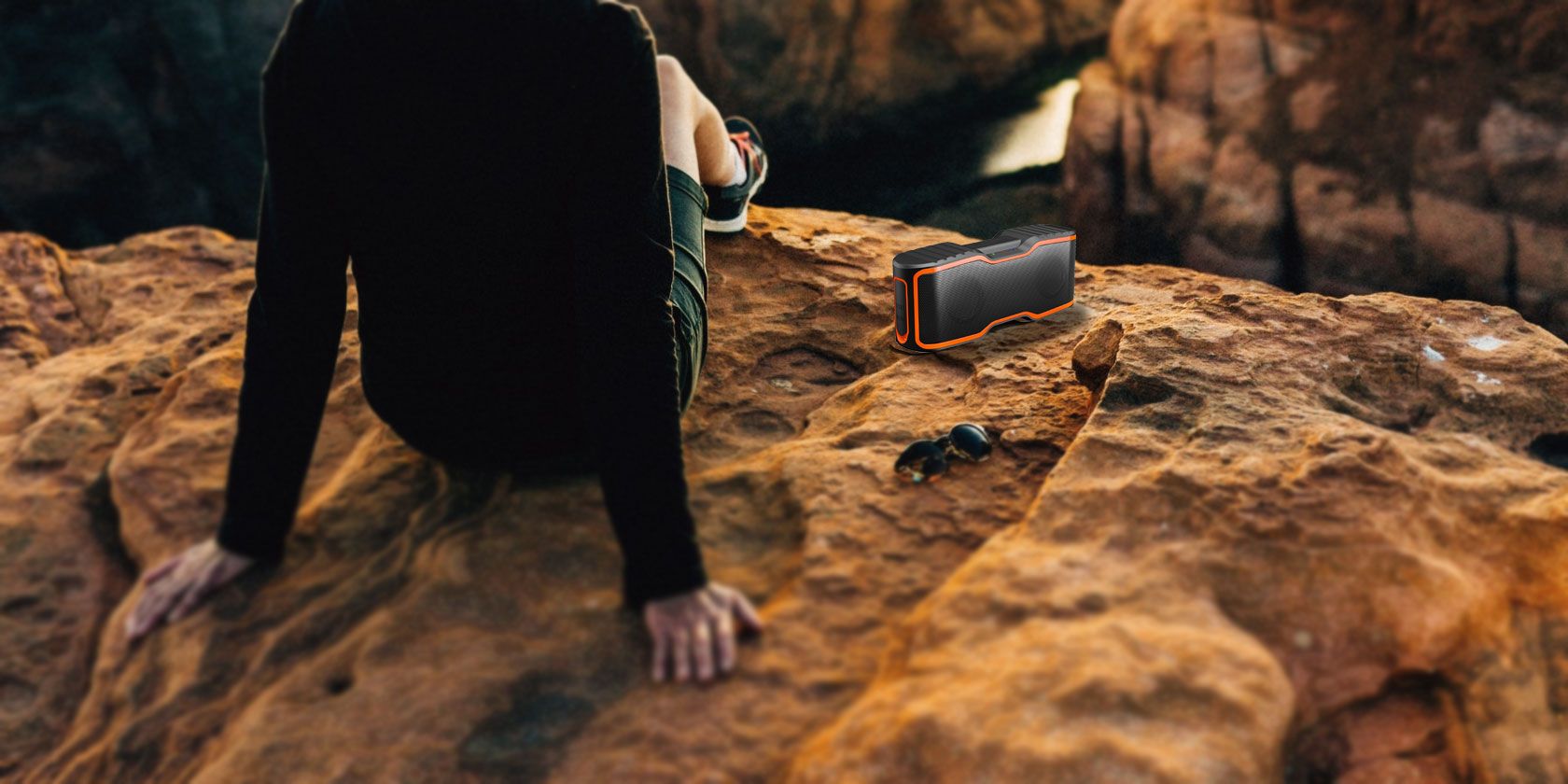
AOMAIS Sport II AOMAIS Sport II Buy Now On Amazon $32.99The AOMAIS Sport II oozes durability. The speaker’s entire outer shell is reinforced with a combination of thick rubber and plastic. A watertight flap hides all of the speaker’s ports. All the reinforcement earns the speaker an IPX7 rating. Sound-wise, the AOMAIS Sport II doesn’t disappoint.
The speaker has two 10W speakers; it’s more than enough to fill a large room with music. On the downside, the two speakers’ output their sound in mono. If you want to enjoy stereo sound, you’ll need to pair two of the devices together. The speaker also comes with a microphone and an NFC reader.
5. DOSS SoundBox
DOSS SoundBox DOSS SoundBox Buy Now On Amazon $27.95If sound quality is more important to you, the DOSS SoundBox is one of the best Bluetooth speakers available for under $50. The audio is delivered via two 6W speakers. The speaker also has enhanced bass and 360-degree sound technology. In addition to Bluetooth and AUX-in connectivity, the DOSS SoundBox is also one of the few speakers that offers a microSD card port.
The presence of the port means the speaker isn’t waterproof and thus isn’t suitable for rugged outdoor use. The controls might not be to everyone’s taste. They’re touch-only and are illuminated by a bright backlight that you cannot disable. The speaker measures 6.6 x 2.9 x 2.7 inches and comes in white, black, and blue. It has a Bluetooth range of 33 feet.
6. Creative Muvo Mini
Creative Muvo Mini Creative Muvo Mini Buy Now On Amazon $22.98The Creative Muvo Mini is a curious speaker. Its quirky design means it doesn’t look out of place indoors or outdoors, while the features will also appeal to both markets. For example, the built-in microphone and NFC support make it a perfect desktop companion, but the 10-hour battery life and IP66 waterproof rating make it ideal for use on a deck or patio during the summer.
The speaker also has an AUX port and microphone. The low-end bass sounds acceptable, but not perfect. It is the speaker’s biggest weakness. The Creative Muvo Mini weighs 285 grams and measures 7.4 x 1.4 x 1.7 inches. It is available in black, blue, red, and white.
7. OontZ Angle 3 Ultra
OontZ Angle 3 Ultra OontZ Angle 3 Ultra Buy Now On Amazon $34.99The OontZ Angle 3 Ultra is perfect for people who want to use their speaker for a long time in large spaces—for example, on camping trips. The battery lasts for an impressive 20 hours, while the 100-foot Bluetooth range is the largest out of the seven speakers we’ve discussed in this list. With an IPX6 rating, the speaker is spray-resistant and splash-resistant, but it will not survive complete submersion.
Think of it as shower-proof rather than bath-proof. The two physical speakers each provide 7W of sound and are capable of handling stereo output. You can even pair two Oontz Angle 3 Ultras together for even more impressive stereo performance. The speaker has an AUX port and built-in microphone.
The Best Cheap Bluetooth Speakers
When you’re hunting for the best cheap Bluetooth speakers, the key to long-term satisfaction is to purchase a device that meets your specific needs. There’s no point in buying a high-quality rugged speaker if it’s just going to sit on your desktop all day, every day.
If these are too weak for you, check out the loudest Bluetooth speakers money can buy. Or if you don’t want Bluetooth anymore, check out these awesome desktop speakers that are worth every penny. Between all our recommendations, we are sure you’ll be able to find something that meets your needs.
Read the full article: The Best Cheap Bluetooth Speakers Under $50
What Is FileVault on macOS and How Do I Use It?
Most people are aware that privacy is a big concern when it comes to digital information. How can you be sure that the data on your computer is kept safe from prying eyes?
Unlock the free "Most Useful Mac Keyboard Shortcuts" cheat sheet now!
This will sign you up to our newsletter
Using strong passwords can help keep your information safe, but that’s only a small part of what you can do to protect your privacy. Encryption play a big part in safeguarding your information, especially if your laptop gets stolen. That’s why FileVault disk encryption on your Mac is a lifesaver.
What Is FileVault? A Brief History
Apple’s FileVault is a type of disk encryption. What this means is that it hides your information from prying eyes by essentially scrambling it. If somebody were to look at an encrypted text file, for example, it would look like complete gibberish. The only way to unscramble it is by using a key that only you (or in this case, macOS) know.
If someone steals your laptop, they might have the hardware, but they can’t get to the information. This applies even if they take out the disk and try to read it with another computer. Without encryption, doing so would allow anyone to easily see what’s on your storage drive.
The original version of FileVault wasn’t as useful as it could be. It encrypted your home folder, which is likely where all your personal data is, but left the rest of your system untouched. If a program stored private information somewhere else on your system, it wasn’t protected.
Starting in Mac OS X Lion, Apple introduced FileVault 2. This encrypts your entire SSD or hard drive instead of just your home folder. As another benefit, FileVault 2 also uses overall stronger encryption than the original version, helping to keep your data even safer.
Going forward, you may encounter some terms you’re not familiar with. While we’ll try to keep it simple, encryption is a complex topic, so there may be cases where you came across more technical terms. We have a list of basic encryption terms that should help you out in that case.
Should You Use FileVault?
If you’re wondering whether you should use FileVault, the default answer is yes, you should. There aren’t many occasions where it’s a bad idea to use FileVault. That said, FileVault encryption is more useful in some cases than others.
If you have an old Mac mini sitting in your house that you use to store your iTunes music catalog for playing over Airplay, FileVault isn’t strictly necessary. On the other hand, on the MacBook that you carry with you for business, FileVault disk encryption is essential. If you travel with your Mac laptop frequently, take a look at our list of tips for keeping your Mac safe on the road.
You should know that FileVault encryption doesn’t come without a cost. On any device, encryption will have some sort of performance penalty.
In most cases, encryption only adds marginal performance overhead, but if your computer is already struggling, this may slow it down even more. If you’re using a RAID setup or run Boot Camp, you may not be able to use FileVault at all.
Once FileVault has encrypted your disk, you must log into your computer with your account password to unlock your files. As a consequence, you cannot use automatic login on your Mac when FileVault is enabled.
You may already have FileVault encryption enabled on your computer, especially if you bought your Mac recently. In the next section, we’ll look at how you can check.
Is FileVault Already Enabled on Your Mac?
Checking whether you have FileVault enabled on your Mac is simple. Open System Preferences, then navigate to the Security & Privacy settings. Here, select the FileVault tab at the top of the screen.
You’ll see a brief overview of what FileVault does, as well as a grayed-out button to turn it on or off. At the bottom of this screen, you may see a message saying FileVault is turned on for the disk “Macintosh HD” or something similar. If you do see this message, FileVault is already enabled on your computer.
If the message instead begins with FileVault is turned off, you’ll need to enable it manually.
How to Enable FileVault on Your Mac
Enabling FileVault is simple. If you’re not already there, launch System Preferences, then click on Security & Privacy. Here, click on the FileVault tab.
On this page, you’ll notice the button labeled Turn On FileVault is disabled. All you need to do is click the lock icon at the bottom of the screen, then enter your administrator password. Now click the button to enable FileVault encryption.
If you have multiple users on your computer, you’ll need to enter the password for each user. Now you need to choose how to unlock your disk and reset your password if you ever forget it. You have two options: use iCloud to unlock your disk, or create a FileVault recovery key.
Using iCloud is easier, but slightly less secure. If someone can compromise your iCloud account, they can decrypt your computer’s drive. Using a FileVault recovery key is typically more secure, but if you ever lose this key and forget your password, there is no way to recover it.
If you opt to use a FileVault recovery key, keep it safe. This means you should store it somewhere other than your now-encrypted Mac system drive, such as a password manager or a safe. No matter which method you choose, encryption will take a while, but it happens in the background so you can keep using your computer.
How to Disable FileVault
Disabling FileVault disk encryption, should you ever want to, is easy. The process starts the same way that enabling FileVault does. Open System Preferences, then go to Security & Privacy and click the FileVault tab. Click the lock at the bottom of the screen and enter your password.
Now, click the button labeled Turn Off FileVault. The decryption process will start. As with encryption, this takes place in the background, so feel free to continue using your computer.
FileVault Is Just the Beginning of Encryption
Using strong passwords and encrypting your Mac with FileVault encryption will go a long way toward keeping your information safe. However, you can do much more. Each additional method you add is another lock on the door between your data and someone looking to get their hands on it.
This could mean switching to a more secure email provider or using two-factor authentication, but it often means even more encryption. If enabling FileVault on your Mac has you wondering where else you might be able to use encryption, you’ve got options. For a place to start, take a look at our guide to using encryption in your daily life.
Read the full article: What Is FileVault on macOS and How Do I Use It?
How to Make the Perfect French Omelet
Forget everything you thought you knew about making breakfast.
