
It's Patch Tuesday, so the shipping versions of Windows 10---versions 1607, 1511, and 1507---are all being updated with various fixes.
The post Microsoft Updates the Shipping Versions of Windows 10 appeared first on Thurrott.com.
It's Patch Tuesday, so the shipping versions of Windows 10---versions 1607, 1511, and 1507---are all being updated with various fixes.
The post Microsoft Updates the Shipping Versions of Windows 10 appeared first on Thurrott.com.
Dass Tesla-Besitzer ihre Elektroautos an den schnelleren Supercharger-Ladestationen gratis aufladen konnten, war bisher ein Verkaufsargument und eine Rechtfertigung für den relativ hohen Preis. Zumindest Neukunden werden bald dafür bezahlen müssen.
Teslas Netz von 4.600 Supercharger-Ladesäulen wird für Neukunden ab dem kommenden Jahr nicht mehr grundsätzlich kostenlos sein. Sie sollen aber pro Jahr 400 Kilowattstunden gratis laden können – ausreichend für rund 1.600 Kilometer, wie der Elektroauto-Hersteller am Montag mitteilte. Danach werde „eine kleine Gebühr“ fällig, die Tesla später bekanntgeben will. Sie werde kleiner sein als der Preis einer Tankfüllung für einen vergleichbaren Wagen mit Verbrennungsmotor. Für bisherige Kunden sollen die schnellen Ladestationen weiterhin komplett kostenlos bleiben.

Die Gratis-Nutzung der vor vier Jahren eingeführten Supercharger war bisher ein Verkaufsargument von Tesla. Sie sind grundsätzlich für Fernreisen gedacht, aber das Unternehmen tolerierte es bisher meist, wenn auch Anwohner ihre Autos dort aufluden. Inzwischen bildeten sich aber häufig Schlangen an den Stationen. Ein Supercharger braucht rund 75 Minuten, um einen Tesla-Akku komplett aufzuladen und eine halbe Stunde für eine halbe Ladung.
Tesla investiert gerade massiv in die Produktion seines für Ende 2017 angekündigten günstigeren Wagens Model 3 und rechnet daher für die nächste Zeit mit roten Zahlen. Zugleich kündigte das Unternehmen einen weiteren Ausbau des Supercharger-Netzes an. /dpa
Auch lesenswert: Tesla: Die besten Erfindungen jenseits von Elektroautos und Tesla Model S und X: Destination-Charging kommt in Europa in Fahrt

 Eine von vielen Banken erhobene Gebühr für Bauspardarlehen benachteiligt Kunden unangemessen, entschied der Bundesgerichtshof. Für Erstattungen gelten Verjährungsfristen.
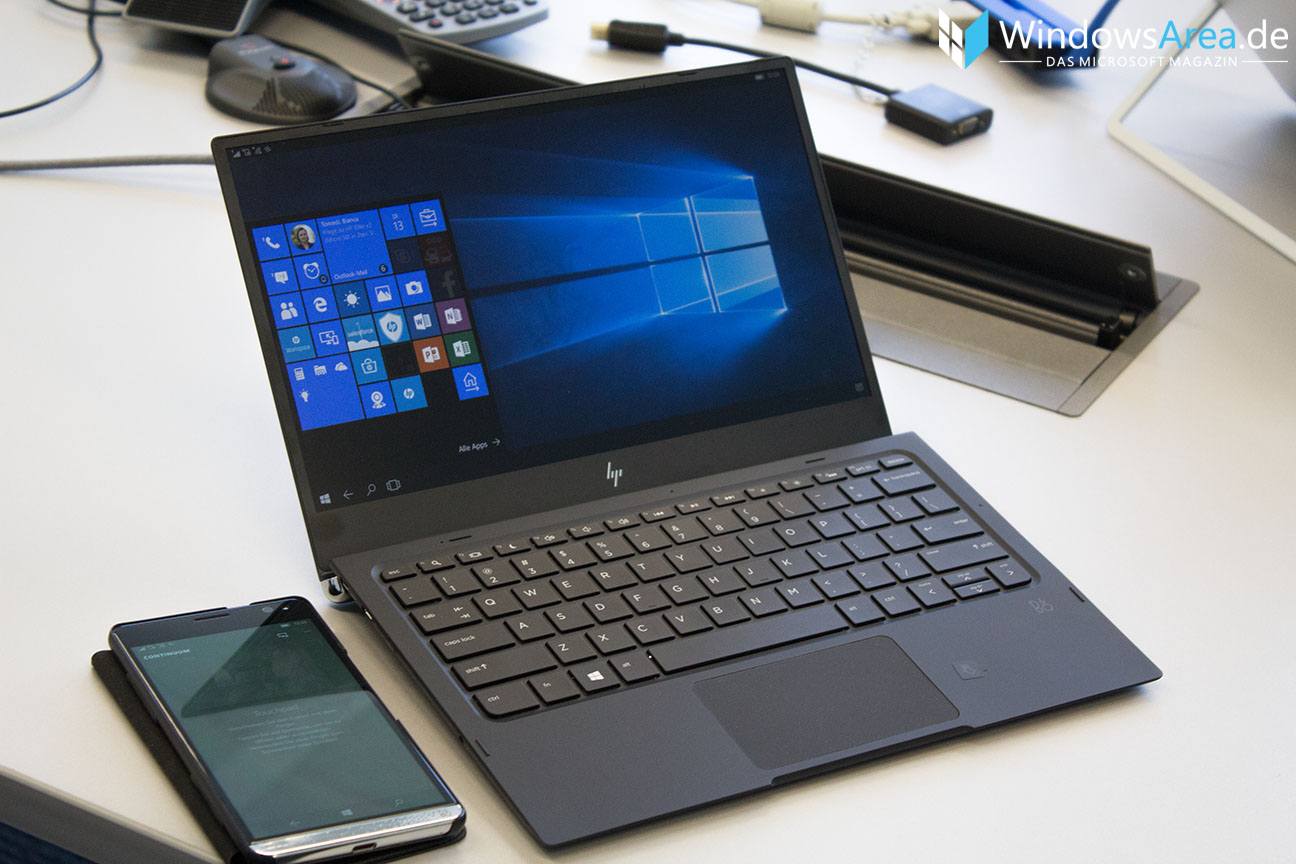
Das eigene Smartphone als PC zu verwenden, ist nicht erst seit Continuum ein interessantes Konzept und wurde vorher bereits versucht. Ubuntu Phone bot eine ähnliche Funktionalität zu Beginn, aber sie wurde aufgrund der schwierigen Umsetzung entfernt. Microsoft hat das Feature als Continuum zumindest dem Massenmarkt zugänglich gemacht, wenn sich auch dieser nicht wirklich damit befassen möchte. Microsofts Business-„Strategie“ am Smartphone lässt sich damit aber ganz gut beschreiben.
Analysten von Technology Business Research sehen in Continuum sehr großes Potenzial, auch im HP Elite x3. Der Analyst Jack Narcotta beschreibt HPs Flaggschiff-Smartphone als Referenz dafür, „wie Business-Smartphones sein sollten.“ Die Analysten rechnen allerdings nicht damit, dass Microsoft damit den mobilen Markt von unten zurückerobern kann. Viel eher geht man davon aus, dass es von Continuum auch eine Android-Version geben wird. Damit könnte das System für viele Nutzer tatsächlich den PC ersetzen, schließlich müssen diese dafür nicht ein Smartphone mit einem anderen System kaufen als sie derzeit verwenden.
Mit Chrome OS hat Google bereits ein fertiges Desktop-Interface, worauf nun auch Android-Apps laufen. Tastatur- und Mausunterstützung ist ebenfalls gegeben, also ist es gar nicht so unwahrscheinlich, dass sich die Prognose der Analysten bewahrheitet. Es gibt bereits eine Reihe von Continuum-Alternativen auf Android-Basis, welche als Custom ROM auf einigen Geräten installiert werden können. Erste Apps, die im PlayStore aufschlagen, bieten die Funktion ebenfalls bereits. Microsoft dürfte also nicht mehr allzu lange haben, um Continuum als Alleinstellungsmerkmal der mobilen Windows-Plattform zu verkaufen.
via mspu
Der Beitrag Analysten: Continuum wird 2017 den Smartphone-Markt beeinflussen erschien zuerst auf WindowsArea.de.
Microsoft pretty much has an Insider program for all their products that this point. You've got the Windows Insider Program, the Office Insider Program, the Xbox Insider Program, and now the Skype Insider Program too. Microsoft has today announced that users can now sign up for the Skype Insider Program and begin testing pre-release builds and features for the platform.
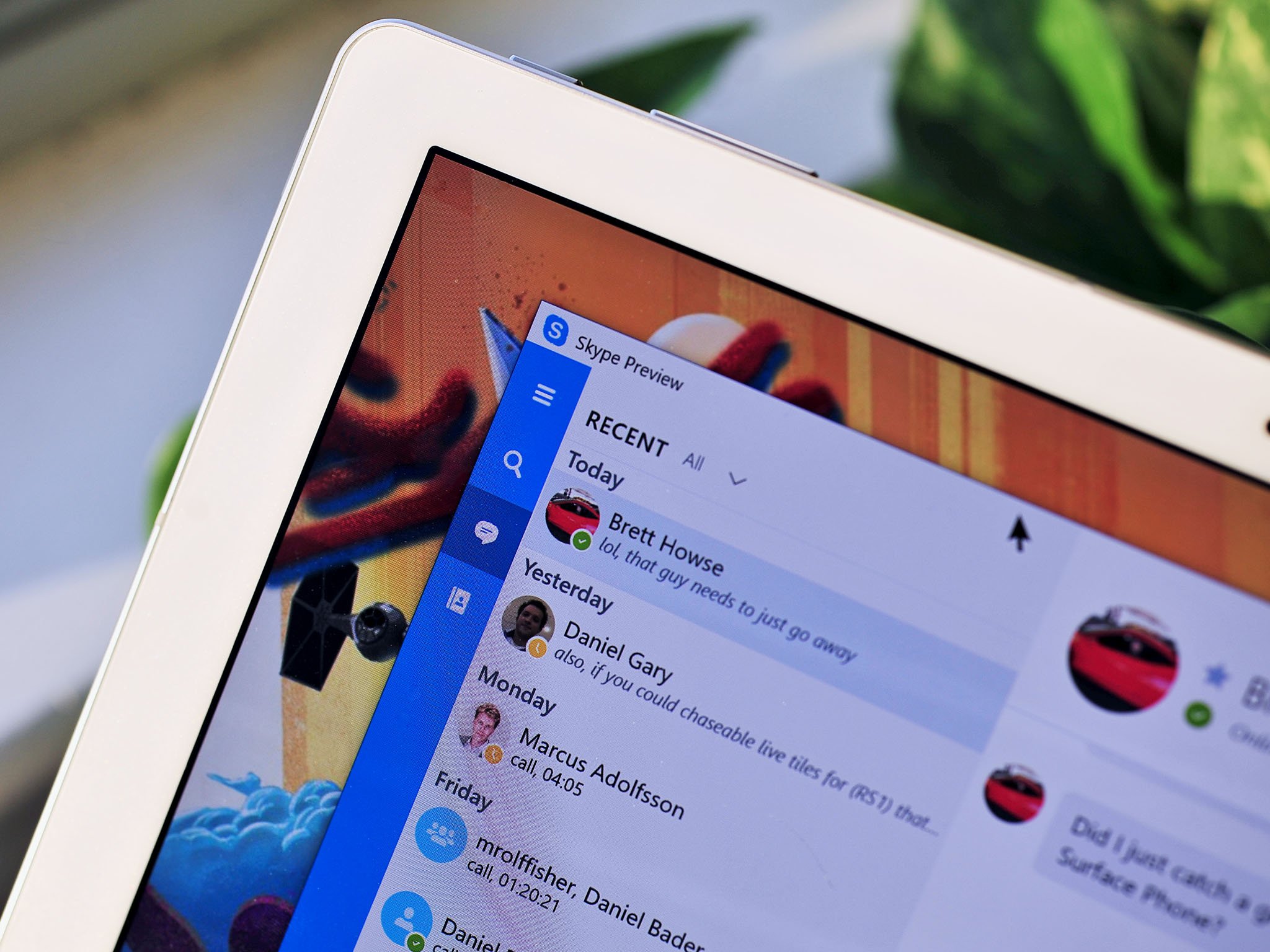
As a Skype Insiders, you'll be able to take advantage of the following:
The Skype Insider Program requires the user to register first before being given access to the Insider build of the Skype desktop app. Once signed up, you'll be given a link to download the preview version and get testing. Of course, as with all of Microsoft's Insider programs, Insiders are encouraged to submit feedback, including bugs and suggestions that you think will make the service better.
You can sign up for the Skype Insider Program at this link. You'll be required to sign into your Skype account first, and choose the platforms in which you plan to use Skype on.
Apple hat offenbar die Lösung unendlicher Energie entdeckt: Schließt man das neue Macbook Pro USB-Typ-C-Kabel kurz, wird der Lademodus aktiviert.
Apple hat sich beim neuen Macbook Pro (ohne Touch Bar) einen (weiteren) kleinen „technischen Fauxpas“ geleistet, wie Reddit-Nutzer Jdcampbell feststellen konnte. Er hat kurzerhand ein USB-Typ-C-Kabel genommen und beide Seiten in die beiden USB-Typ-C-Anschüsse gesteckt. Und siehe da: die Ladeanzeige des Macbook Pro leuchtet hell auf und das Ladesignal ertönt.„For kicks and giggles I took the provided USB C cable and plugged it into both ports on new MacBook Pro.“
Dass der USB-Typ-C-Anschluss unter anderem für das Aufladen des Macbook Pro zuständig ist, dürfte bekannt sein, schließlich hat Apple den neuen Modellen außer einer Audiobuchse ausschließlich Anschlüsse dieser Art verbaut. Dass das Notebook aber durch das Kurzschließen per USB-Typ-C-Kabel den Ladesound von sich gibt, sollte eigentlich nicht sein. Immerhin: aufgeladen wird es auf diesem Wege wohl nicht. Dem Reddit-Beitrag zufolge scheint das Macbook Pro von Jdcampbell trotz der Kurzschlussschaltung keine schweren Schäden davongetragen zu haben – zumindest geht er nicht darauf ein.

Apple erläutert in einem Support-Dokument die Funktionsweise der USB-Typ-C-Anschlüsse beim Aufladen. Zwar sei es möglich, zwei Ladegeräte über die USB-Typ-C-Anschlüsse mit dem Macbook Pro zu verbinden, allerdings ließe der Rechner sich nicht gleichzeitig mit zwei Netzteilen aufladen. Weiter heißt es: „Wenn Sie mehrere Netzteile an Ihr MacBook Pro anschließen, wird es dasjenige nutzen, das den meisten Strom liefert. Die Reihenfolge, in der Sie sie angeschlossen haben spielt keine Rolle.“ Ferner wird davon abgeraten Netzteile mit mehr als 100 Watt anzuschließen.

Dass das Macbook Pro sich nicht selbst mit Strom versorgen kann, auch wenn der Ladehinweis und das -Signal ertönt, dürfte jedem klar sein. Immerhin könnt ihr aber ein anderes Gerät aufladen – damit fungiert es letztlich als ein 1.700 Euro teures Akkupack – beispielsweise das Google Pixel oder Pixel XL (Test). Um das iPhone 7 aufzuladen, müsst ihr euch allerdings noch einen zusätzlichen Adapter zulegen.
1 von 34
via www.heise.de
 Solange die Klimaverhandlungen nicht vorankamen, waren sie ein praktisches Alibi für mangelhaften Klimaschutz. Jetzt kann die Politik sich nicht mehr verstecken.

Wir haben heute bereits darüber berichtet, dass Microsoft das Xbox Preview-Programm in Xbox Insider Programm umbenannt hat und plant, dieses für sämtliche Nutzer zu öffnen. Mit dem Windows Insider Programm hat Microsoft begonnen, die eigenen Nutzer Beta-Software testen zu lassen, woraufhin Office und Xbox nachgezogen sind.
Für das Unternehmen ist das eine sehr gute Möglichkeit, neue Ideen zu sammeln und die Software vorab von einer größeren Menge an Nutzern testen zu lassen. Skype hat nun ebenfalls ein solches Vorschauprogramm gestartet, jedoch lediglich für die Plattformen Windows Desktop, Android und iOS. Nutzer der Windows 10- und Windows 10 Mobile-Apps aus dem Windows Store können daran nicht teilnehmen.
Dies liegt daran, dass die Skype Universal Apps an die Windows Insider-Builds gebunden sind und direkt davon abhängen. Skype zählt am PC und Smartphone mittlerweile zu den System-Apps und macht auch regelmäßig von neuen Schnittstellen Gebrauch, welche erst durch neue Windows 10 Insider Bilds ermöglicht werden.
Die meisten aktiven Skype-Nutzer dürften ohnehin den Desktop-Client verwenden, vor allem aufgrund der höheren Stabilität und Zahl an verfügbaren Features. Wer also dazu beitragen will, dass Skype am Desktop, unter Android oder iOS noch ein stückweit besser wird, kann sich unter diesem Link zum Skype Insider Programm anmelden und zwar entweder mit dem eigenen Microsoft Account oder der Skype ID.
Quelle: Skype
Der Beitrag Microsoft initiiert Skype Insider Programm für Desktop, iOS und Android erschien zuerst auf WindowsArea.de.
 In der Regierungskoalition war um Härtefallklauseln und Ausnahmen vom Verbot von Kinderehen gestritten worden. Jetzt haben sich die Parteien geeinigt.
Der geschäftsführende Direktor von CFACT Craig Rucker erklärte: „So vieles, was man den Menschen über die globale Erwärmung erzählt hat, ist rundheraus falsch. Klima-Computermodelle haben den gegenwärtigen Erwärmungstrend erheblich übertrieben, ebenso wie Extremwetter weltweit, und Eisbedeckung und Meeresspiegel sind alle normal. Dies sind wissenschaftlich festgestellte Tatsachen [die vor allem in der „Süddeutschen Zeitung“ permanent geleugnet werden! Anm. d. Übers.]. Das UN-Klimaabkommen wird einige wenige Privilegierte sehr bereichern, während freie Ökonomien belastet werden bis zum Zusammenbruch, was für das Klima gar nichts bedeuten würde. Die hart arbeitenden Menschen, die aufgefordert werden, für das UN-Paris-Abkommen zu zahlen, müssen davon in Kenntnis gesetzt werden. CFACT arbeitet daran, um genau dies sicherzustellen“.
Die UN unternahm außerordentliche Bemühungen, um ein Abkommen zu erreichen, solange Präsident Obama noch im Amt ist. Viele der Haupt-Vorgaben in dem Abkommen sind jedoch nicht bindend, um Obama zu helfen, die Ratifizierung im Senat zu umgehen. Aber extreme Elemente der Klimabewegung trachten jetzt nach einer Ausweitung des Paris-Abkommens und wollen so radikale Gedanken darin sehen wie einen Internationalen Gerichtshof für „Klima-Gerechtigkeit“ und eine Haftung entwickelter Länder für „Verluste und Schäden“, die weniger entwickelten Ländern durch Extremwetter entstehen. Sie trachten danach, den derzeit vonstatten gehenden UN-Prozess zu nutzen, um eine solche Politik durchzusetzen, sei es nun graduell oder offen.

CFACT wird sich inmitten der UN-Verhandlungen in Marrakesch aufhalten und diese Fragen beantworten. Es wird über viele weitere Aspekte mit weitreichenden Auswirkungen auf die Politik berichten, sowie sie sich entwickeln.
CFACT, gegründet im Jahre 1985, ist eine von den UN anerkannte NGO, die seit Jahrzehnten die harten Fakten präsentierte, die den Irrtümern der Klimawissenschaft und -politik auf UN-Konferenzen widersprechen. CFACT wird unbequeme Tatsachen ansprechen und führende Wissenschafts- und Politik-Experten heranziehen, die ein dringend benötigtes Gegengewicht zur Klimadebatte repräsentieren.
In der CFACT-Delegation wird auch Marc Morano sein, Betreiber des Blogs ClimateDepot von CFACT, eine der am meisten angeklickten und einflussreichsten Nachrichtendienstes für Klima und Informationen der Welt. Er fungierte als Kommunikationsdirektor für das Environment and Public Works Committee des US-Senats und arbeitete als Journalist im Radio, im Fernsehen und bei Printmedien. Er ist Moderator im Film Climate Hustle, der grundlegenden Dokumentation, die erstmals bei den Klimagesprächen in Paris im vorigen Jahr gezeigt wurde, und war der #1-Film in Amerika während des nationalen One-Night-Theater-Ereignisses im Mai.
Die Klimapolitik-Experten vom CFACT werden während und nach COP22 Kommentare und Analysen abgeben. Diese stehen allen Medien zur Verfügung, die ihre Berichterstattung ausgewogen gestalten wollen und die harten Fakten benennen, die die Campaigners der globalen Erwärmung unterdrücken möchten. [Bei der „Süddeutschen Zeitung“ wird das wohl nie der Fall sein! Anm. d. Übers.] Medienanfragen oder Interview-Wünsche richtet man bitte an: Judy Kent (fjmnkent@gmail.com).
Aktualisierungen von COP22 durch das CFACT gibt es regelmäßig bei CFACT.org und ClimateDepot.com
Link: http://www.cfact.org/2016/11/07/cfact-headed-to-marrakech-to-challenge-un-climate-pact/
Übersetzt von Chris Frey EIKE
Today’s post was written by Bill Baer, senior product manager for the SharePoint team.
When we launched SharePoint Server 2016, we shared our vision that it would be a foundational release, born in the cloud and built for continuous innovation. Today, we’re pleased to announce our next step on this journey with the availability of Feature Pack 1.
Through the November 2016 Public Update for SharePoint Server 2016, we’re delivering several new features based on customer feedback, extending support for hybrid scenarios and developer needs, including:
SharePoint administrators spend time troubleshooting administrative changes to their on-premises environment that can result in failure conditions or other undesired effects. To aid in troubleshooting, especially in the increasingly common multiple administrator set-ups, we have added logging around key SharePoint administrative actions performed either through the SharePoint Server 2016 Central Administration website or through the SharePoint Server 2016 Management Shell.
MinRole is the new farm topology in SharePoint Server 2016 that simplifies your deployment experience and improves performance and reliability. Based on a set of predefined server roles, MinRole takes the guesswork out of making sure that services are running on the right servers in your farm. You decide what services you want to run in your farm, and MinRole handles the details of where they should run.
We’ve enhanced MinRole with two new server roles that are optimized for small and medium-sized farms: Front-end with Distributed Cache and Application with Search. Now, you can deploy a MinRole farm with just two servers or a high availability (HA) MinRole farm with just four servers. Our farm topology guidance has been updated to cover the full range of MinRole farm sizes.
The new look and feel is clean, intuitive and beautiful; the navigation is simple to understand and use, and you always have frequently used actions like upload, edit and share just one click or touch away. We’ve also made it easier to keep your files organized with easy selection and drag-and-drop features that work just like folders on your PC. And power users will notice that familiar keyboard commands and right-click options make working with your files even faster. The OneDrive for Business modern experience is available to Software Assurance customers.
The App Launcher provides quick and easy access to all your SharePoint and Office 365 workloads. Now, you can also add your own custom tiles that point to other SharePoint sites, external sites, legacy apps and more. This makes it easy to find the relevant sites, apps and resources to do your job.
Build a quick integration that allows your users easy access to OneDrive files from within your app. Now, with OneDrive for Business support, you can build a robust file management and workflow app for your line of business.
The OneDrive API provides a set of HTTP services to connect your application to files and folders in OneDrive Personal, OneDrive for Business and document libraries in SharePoint Online. OneDrive API makes it easy to connect your app to your user’s files across Office 365 and access the advanced functionality of files in OneDrive and SharePoint.
In addition to the updates above, we’re extending support for additional hybrid scenarios with SharePoint and Office. Hybrid provides a bridge between your existing on-premises SharePoint investments and Office 365. With Feature Pack 1, we’re introducing two new hybrid scenarios, auditing and taxonomy.
Microsoft SharePoint Insights is a new hybrid feature that aims at helping administrators manage their SharePoint infrastructure by giving them access to various reports and dashboards in Office 365. The reports generated from SharePoint 2016 Preview on-premises diagnostic and usage logs.
If you opt in for this service, audit logs get collected and uploaded to Office 365 regularly. From the Office 365 dashboard, you can view auditing and activity reports that show usage and reliability patterns in your SharePoint Server farm.
Taxonomy is key to promoting discoverability and access to the right information at the right time. Hybrid taxonomy in SharePoint Server 2016 allows customers to bring their taxonomy store to Office 365 enabling a single-source for creating and managing Terms, Term Sets and Groups through a single Managed Metadata Service.
Learn more about what’s in Feature Pack 1 and how to get started at go.microsoft.com. For more information, read our blog post, “Announcing Feature Pack 1 for SharePoint Server 2016—cloud-born and future-proof.”
—Bill Baer
The post Feature Pack 1 for SharePoint Server 2016 now available appeared first on Office Blogs.
In August 2016, we announced that Office 365 Groups would get full-powered SharePoint team sites. When you create a group, Office 365 gives the group a shared inbox, calendar, OneNote notebook, place for files, Planner for task management—and now a modern team site with pages, lists, libraries and team news, so the group can collaborate, communicate and coordinate. This is now 100 percent rolled out to all Office 365 First Release customers, as noted by the @SharePoint team.
Starting today, people will be able to create SharePoint team sites connected to Office 365 Groups from the SharePoint home in Office 365—and it’s fast. Admins control how these new capabilities appear for their users. And it is more intuitive to adjust the site as business needs require. Now, no matter where users create an Office 365 group (from Outlook, Microsoft Teams, Yammer and more), they will consistently get a full-powered, modern SharePoint Online team site.

To work together as a team, people need to be adaptable, connected and mobile. In this modern era, it is essential that productivity tools, like SharePoint Online and Office 365 Groups, adhere to these very characteristics.
Let’s dive in to the details of how we’re connecting new sites with groups and making it lightning fast to get started.
When it comes to managing information and building business apps, people turn to SharePoint Online team sites—to create multimedia news articles, manage documents, track data in lists and more. Users can create SharePoint Online team sites connected to Office 365 Groups by clicking the Create site button on the SharePoint home page in Office 365. A two-step creation wizard will fly out from the right. Step one: Enter the title of the team site, select whether the group will be public or private, choose the site classification and then click Next. Step two: Enter the owners and members, click Finish and you’re done. A modern SharePoint Online team site is provisioned and ready for use in seconds.

The Create site wizard is connected to Office 365 Groups and creates a SharePoint Online team site in seconds.
What about managing the Create site functionality? SharePoint Online admins can control the user availability and behavior of the SharePoint home Create site button, and in cooperation, Office 365 global admins can control how site classification appears to highlight usage guidelines to their users.
The updated Site Creation settings can be found in the SharePoint Online admin center—within the settings tab. The new experience will let users create sites that include Office 365 Groups by clicking the Create site button on the SharePoint home page that starts the new Create site wizard. If you already enabled the original Start a Site for your users, we recommend that you review the new settings to ensure you selected options that meet your business needs.

Admins control how Create site works using the Site Creation settings within their SharePoint Online admin center.
Admins can manage whether Create site appears at all, and when it does, admins can adjust who sees the Create site button and what their provisioning experience should be (classic, modern or custom).
Learn more about how to manage Site Creation in SharePoint Online. Additionally, admins can control additional aspects of Office 365 Groups. Learn more about how to manage Office 365 Groups.
As the entire SharePoint Online team site experience becomes more modern, users can more easily adjust commonly used settings without having to click multiple times into a classic site settings page—but rather accomplish tasks more intuitively within the context of what they are doing.
Editable home page
Create your site to meet your team’s needs. The team site home page is now editable. This means you can go into Edit mode and add, remove and reorder your site’s various web parts. Do you need to see a rollup of certain content on a particular topic? Add the Highlighted Content web part, select the filtering criteria and watch as content adjusts dynamically based on search. Want to add a group forum discussion? Throw the Yammer web part in the mix. There are a lot of web parts already available, and more are coming. Also, as you add and adjust, you can be confident the page and web parts will look great on web and mobile (within the SharePoint mobile apps).

When in Edit mode, users can use the toolbox to add new web parts to their home page.
Learn more about using web parts on pages.
Modern create panel for new libraries and lists
We’ve modernized the experience for creating new lists and document libraries, to help users add value to their team sites right from the top portion of the team site home page, instead of multiple clicks in. Click + New, choose the new component from the drop-down menu, and out pops the create wizard.

Click + New > List to bring up the inline creation pane to provide details, and then click Create.
In-place navigation editing
We’ve also brought forward in-line editing of left navigation elements, a nice feature that helps site owners encourage all members to find and make use of the site’s full capabilities.

Easily add new URL links to the left-hand navigation and adjust where and how the link shows up in the left-hand nav.
Edit site information
As needs change—for instance, a project codename getting a final public name—we’ve built in to the modern team sites experience a new way to edit site properties without leaving the home page. The editing panel is available for connected Office 365 Groups sites—accessible from the top-right gear menu. It allows owners to update the site name, description, privacy level and classification. Changes made here will also be reflected in the group. Note: we will be removing Site Settings from the gear—instead, we’ll show Site Information to make it simple to change the most common information, and from this panel, users will have a link to the full site settings page if they need more advanced configuration.

Edit site permissions
Beyond site information, site owners may want to further refine the level of access group members have when working in the team site. For this, we’re bringing a site permissions panel for connected Office 365 Groups sites—also accessible from the top-right gear menu. We think owners of public groups will particularly appreciate how easy this makes it to decide whether non-members should have full edit permissions, or whether public access should be limited to read-only viewing.

Give your classic site a modern home page
It is now possible to create a modern page in a classic team site and declare it as the new, modern home page. You simply go to the Site Pages library within Site contents. Create a new, modern page and add whatever web parts make sense for the front of the team site. Once it looks as you want it to, select the page from within the Site Page library and choose Make homepage from the command bar above. Your classic site just got a modern face lift.

Select Make homepage to declare a modern page as Home in a classic team site.
SharePoint Online team sites and Office 365 Groups bring integrated content collaboration to a new level. And there’s more to come, making it easier to create, use and manage content and information throughout the work cycle. We look forward to your feedback every step of the way. Please share your thoughts in the SharePoint space of the Microsoft Technical Community and submit your ideas to the SharePoint UserVoice page—and we always have an eye on tweets to @SharePoint. Let us know.
Q. What is the rollout plan for the new Create site capabilities on SharePoint home in Office 365?
A. This week, we will first update the Start a Site settings in the SharePoint admin center for our First Release customers. The new settings will be renamed Site Creation, and admins can then decide if they want their users to get the new site creation experience. The user capability to create modern sites connected to Office 365 Groups will then be enabled the following week.
Q. What happens if my company already built a custom site collection provisioning solution?
A. If you have built a custom site collection provisioning solution, you will be able to maintain it when you select the Use this form at this URL: checkbox. We are working on updating SharePoint Patterns and Practices (PnP) guidance so you can provision a new, modern team site connected to Office 365 Groups (instead of a classic site)—you will be able to programmatically do one or the other per your requirements.
The post Create connected SharePoint Online team sites in seconds appeared first on Office Blogs.

Microsoft's Project Cheshire has entered into a private beta and since we last saw the app, it has been updated with a refreshed UI and there are mobiles apps too.
The post Microsoft’s Project Cheshire Heads To Private Beta appeared first on Thurrott.com.
Project Cheshire, the code name for a to-do list app that Microsoft is working on, has reportedly entered private beta testing.
We are pleased to announce that Azure’s Government Cloud has expanded its FedRAMP Provisional Authorization to Operate (P-ATO) with the addition of five new offerings. Service Bus, Notification Hubs, Site Recovery, StorSimple, and Backup have all received Joint Authorization Board (JAB) approval for addition to Azure Government’s P-ATO at the High Impact Level.
With the addition of these five offerings, the total number of Azure Government offerings that meet the FedRAMP High baseline grows to 18.
Azure Service Bus: Provides cloud-enabled communication with enterprise messaging and relayed communication to help connect applications, services, and devices. Service Bus connects applications running on Azure, on-premises systems, or both. A feature of Service Bus is Event Hubs which is a highly scalable, publish-subscribe service that can ingest millions of events per second and stream them into multiple applications.
Azure Notification Hubs: A massively scalable mobile push notification engine for quickly sending millions of notifications to iOS, Android, Windows, or Kindle devices, working with APNS (Apple Push Notification Services), GCM (Google Cloud Message), WNS (Windows Push Notification Services), MPNS (Microsoft Push Notification Service), and more.
Azure Site Recovery: Orchestrates replication of on-premises physical servers and virtual machines to the Azure cloud or to a secondary datacenter allowing organizations to meet BCDR (Business Continuity and Disaster Recovery) objectives.
Azure StorSimple: An integrated storage solution that manages storage tasks between on-premises devices and Microsoft Azure cloud storage. StorSimple is an efficient, cost-effective, and easily manageable storage area network (SAN) solution that eliminates many of the issues and expenses associated with enterprise storage and data protection.
Azure Backup: A simple and cost-effective backup-as-a-service solution that extends tried-and-trusted tools on-premises with rich and powerful tools in the cloud. It delivers protection for customers’ data no matter where it resides – in the enterprise data center, in remote and branch offices, or in the public cloud – while being sensitive to the unique requirements these scenarios pose. Azure Backup, now in a seamless portal experience with Azure Site Recovery, offers minimal maintenance and cost-efficiency, consistent tools for offsite backups and operational recovery, and unified application availability and data protection.
Azure is dedicated to expanding the number of offerings available to government customers and will continue to provide updates through our blog as well as adding covered offerings to the Microsoft Trust Center.

Ein Fehler in populären iOS-Apps ermöglicht es, das iPhone zum automatischen Anwählen einer bestimmten Rufnummer zu bringen und den Nutzer zugleich am sofortigen Abbruch des Telefonats zu hindern.
If you want to keep up with the results of the U.S. election today, Bing is here to help.
If you are using Public Folders (legacy or Modern) and would like to migrate some of them to Office 365 Groups, we are working on a solution for that. We are starting with the migration of Calendar folders and will move on to other types as we complete work on calendars. We would like to have customers who would like to try this migration to provide feedback. Please email us with below information if interested. You can also send us your information if you would like to try migrating other types of public folders (other than Calendar) as we extend the support to those folder types.
Drop us an email at: pftogroupmigration@service.microsoft.com
Your organization might need to join our TAP program (depending on public folder location) – and if so, we will share those details with you after reviewing the above.
Public Folder Migration team
 Für uns harmlos, für Geflügel tödlich: Erstmals sind deutsche Wildvögel nachweislich an A/H5N8 verendet. Das Infektionsrisiko für Nutzgeflügel schätzen Experten hoch ein.
Dell, of all people, were planning to build a super-powerful Windows 10 Mobile handset with an x86 Intel Core M processor, with 4GB or 8GB of RAM and 128GB or 256GB storage. The device would've been more of a small tablet rather than a smartphone, with the screen being 6.4 inches diagonally. That wouldn't matter however, as the concept for the device was for it to be one device that you can use as a desktop, laptop or tablet.

Most of the devices functionality would've taken advantage of Continuum, which allows high-end devices to transform into a desktop environment with a familiar taskbar, start menu and more. We've all seen Continuum before, and with the upcoming improvements which add windowed-mode, this device would've been one powerful, capable handset.
The problem however is we don't know what happened to the Dell project, which was internally referred to as "Stack". VentureBeat reports the device was scheduled to launch in the Spring of 2017, but the current state of the project is unknown. Perhaps the project was shelved after Intel announced plans to kill off its ATOM line of CPUs, or maybe it's just in hibernation, waiting for Microsoft to up their game on the software side of things.

Intel und Dell haben Mitte 2014 damit begonnen, an einem sehr ambitionierten Produkt zu arbeiten, welches man Dell Stack nannte. Das Projekt sah vor, die Windows 10 Desktopversion auf einem Smartphone zum Laufen zu bringen und so die Grenzen zwischen Smartphone, Tablet und PC verschwimmen zu lassen.
Das zentrale Bindeglied dieses Konzepts war das Smartphone, ein 6,4-Zoll FullHD Mini-Tablet mit einem Intel x86-Prozessor. Der verbaute Chip sollte demnach auf einer Intel CPU der aktuellen Kaby Lake-Generation basieren und zwar einem Intel Core m3, m5 vPro und m7 vPro der Y-Serie. Als Tablet sollte das Gerät eine Leistungsaufnahme von 3,5 Watt benötigen, während es angedockt als Desktop-Ersatz mit 12 Watt auskommen könnte. Leistungsmäßig wäre das Tablet also etwas schwächer und sparsamer als heutige Laptop-Prozessoren der Y-Serie, während die Chips angedockt etwas schwächer als die mobilen Core i U-Prozessoren wären. Das ist ein sehr hohes Ziel, welches sich Intel und Dell mit dem Dell Stack gesteckt haben.
Beim Arbeitsspeicher ist man ebenfalls auf Niveau eines heutigen Notebooks und zwar sollte das Windows 10 Smartphone mit 4 bzw. 8 Gigabyte Arbeitsspeicher und 128 bzw. 256 Gigabyte an SSD-Speicher auskommen. Erweiterbar sei der Speicher per MicroSD-Karte, bei den Kameras wurden 8 und 5 Megapixel avisiert, von denen die Frontkamera auch für Windows Hello geeignet hätte sein sollen.
Später wurde das Konzept demnach umgeändert, dass es kein 6,4-, sondern ein 7-Zoll Display haben sollte. Schließlich war es mit ersterer Displaydiagonale ohnehin nicht mehr Hosentaschen-tauglich, sodass die paar Zentimeter mehr auch keinen Unterschied mehr machen sollten. Zur Hitzeentwicklung hätte dies nämlich nur positiv beitragen können.
Die Pläne von Dell und wohl auch Microsoft wurden von Intels Entscheidung durchkreuzt, aus dem mobilen Markt vorerst auszusteigen und hat die Atom-Chips mit Telefon-Konnektivität eingestellt. Diesen Schritt hat der Chiphersteller erst Anfang dieses Jahres bekanntgegeben – durchaus überraschend. Die Partner des Unternehmens dürften zwar davon gewusst haben, aber wirklich etwas ändern können sie daran wohl nichts.
Aktuell gibt es keine Updates zu diesem Produkt, welches dem Bericht zufolge für das Frühjahr 2017 geplant war. Einige kleine Hoffnungsschimmer gibt es jedoch und zwar wurden die Atom-Prozessoren für Smartphones eingestellt, was nicht bedeuten muss, dass Intel nicht weiterhin nach Möglichkeiten forscht, die Kaby Lake Laptop-Prozessoren dafür zu nutzen. Wahrscheinlicher ist aber, dass das Konzept einfach eingestellt wurde. Das Interesse an einem Produkt bei Privatkunden und Unternehmen ist allerdings ungebrochen und würde sehr wahrscheinlich einen größeren Umbruch am Smartphone-Markt bedeuten.
Quelle: Venturebeat
Der Beitrag Dell Stack: Alle Infos zum Windows 10 Smartphone von Dell und Intel erschien zuerst auf WindowsArea.de.
 Die Spitzen der großen Koalition konnten sich weder auf Rentenreform noch Klimaschutzplan einigen. Die Umweltministerin wurde dabei wohl von ihrem Parteichef brüskiert.


 In Schleswig-Holstein ist die Glasfaser-Abdeckung inzwischen sehr hoch. Und 15 Prozent nutzen bereits FTTH/B (Fiber To The Home/ Fiber To The Building). (