Shared posts

21 Apr 16:00

Code Coverage – Part 2

by James.W.Truher

In my last post on code coverage, I shared the process for you to collect coverage for your environment. This week, I’ll be describing a way to use our tools to create new tests and show how you can measure the increase of coverage for PowerShell Core after adding new tests. To recap, we can collect code coverage with the OpenCover module, and then inspect the coverage. In this case I would like to know about coverage for a specific cmdlet. For this post, we’re going to focus on the Clear-Content Cmdlet because coverage is ok, but not fantastic and it is small enough to go over easily.

Here’s a partial capture from running the OpenCover tools:

coverage-2a

By selecting the class Microsoft.PowerShell.Commands.ClearContentCommand we can drill into the specifics about the class which implements the Clear-Content cmdlet. We can see that we have about 47% line coverage for this class which isn’t fantastic, by inspecting the red-highlights we can see what’s missing.

coverage-2b

coverage-2c

coverage-2d

It looks like there are some error conditions, and some code which represents whether the underlying provider supports should process are not being tested. We can create tests for these missing areas fairly easily, but I need to know where these new tests should go.

Test Code Layout

Now is a good time to describe how our tests are laid out.

https://github.com/PowerShell/PowerShell/test contains all of the test code for PowerShell. This includes our native tests, C-Sharp tests and Pester tests as well as the tools we use. Our Pester tests should all be found in https://github.com/PowerShell/PowerShell/test/powershell and in that directory there is more structure to make it easier to find tests. For example, if you want to find those tests for a specific cmdlet, you would look in the appropriate module directory for those tests. In our case, we’re adding tests for Clear-Content, which should be found in https://github.com/PowerShell/PowerShell/test/powershell/Modules/Microsoft.PowerShell.Management. (You can always find which module a cmdlet resides via get-command). If we look in this directory, we can already see the file Clear-Content.Tests.ps1, so we’ll add our tests to that file. If that file didn’t exist, you should just create a new file for your tests. Sometimes the tests for a cmdlet may be combined with other tests. Take this as an opportunity to split up the file to make it easier for the next person adding tests. If you want more information about how we segment our tests, you can review https://github.com/PowerShell/PowerShell/docs/testing-guidelines/testing-guidelines.md.

New Test Code

Based on the missing code coverage, I created the following replacement for Clear-Content.Tests.ps1 which you can see in this PR: https://github.com/PowerShell/PowerShell/pull/3157. After rerunning the code coverage tools, I can see that I’ve really improved coverage for this cmdlet.

coverage-2e

There seems to be a small issue with OpenCover as some close braces are not being marked as missed, but you can see the improvement:

coverage-2f

Now it’s your turn and we could really use your help. If you have areas of the product that you rely on, and don’t have the tests that you think they should have, please consider adding tests!


23 Mar 20:56

I’m late to the party again, but so the is the “Create site” UI

by Mikael Svenson

I want full control over sites and Office 365 group creation and I’ve seen the setting in SharePoint Online Admin for ages to specify my own form URL. My bad for not testing this earlier.

image

Well, turns out, this does not replace the default form, which still allows me to create an Office 365 group off the, but instead adds a tiny tiny link on that form which no one will ever click.

image

Seriously? Which leaves the only option left, hide the “Create site” link altogether, and tell users to go to my fab order form instead.

23 Mar 20:46

Sprachsteuerung ab sofort für Homematic IP verfügbar

by HomeMatic-INSIDE
Kunden der Smart-Home-Systeme "Homematic IP" und "HomeMatic" können ab sofort die Sprachsteuerung von Amazon Alexa nutzen. eQ-3, der Europamarktführer im Bereich Smart Home, ermöglicht seinen Anwendern durch ein Update der Homematic IP App, das Homematic IP System per Sprachbefehl zu steuern. Der neue Skill erweitert die Funktionen von Alexa und vereinfacht die Steuerung des Smart Home durch Homematic IP Produkte.
Auf der ISH und der CeBIT können Interessierte am Messestand der eQ-3 AG Homematic IP im Zusammenspiel mit Amazon Alexa live ausprobieren. eQ-3 Kunden können ihr Smart Home ab sofort über Sprachbefehle steuern. Durch die Sprachsteuerung mit Amazon Alexa wird die Anzahl möglicher Befehle für das Smart Home weiter steigen. Mit Aufforderungen wie „Alexa, schalte das Leselicht ein“ oder „Alexa, schalte den Vollschutz ein“ wird die Bedienung des Smart Home noch komfortabler. Der Smart-Home-Skill von Alexa ist ohne zusätzliches Codewort nutzbar. Zusätzlich zur Steuerung über die App sowie über die Fernbedienung können Sicherheitsmaßnahmen wie der Hüll- oder Vollschutz des Hauses mit dem neuen Skill per Spracheingabe eingestellt werden. Eine Fremdsteuerung von außen wird durch Sicherheitsfeatures verhindert. Sobald ein Schutzmodus aktiviert ist, können keine Homematic IP Geräte über Amazon Alexa angesprochen werden. Homematic IP verfügt mit Alexa über die Fähigkeit, den Ecobetrieb im gesamten Haus einzustellen oder Geräte wie die Leselampe bequem per Aufforderung ein- und auszuschalten. Der Umfang der Lösung wird stetig um weitere Befehle ausgebaut und steht den Nutzern kostenlos zur Verfügung. Im Vergleich zu Wettbewerbern bietet der Homematic IP Skill damit eine große Bandbreite an Befehlen. eQ-3 präsentiert das Feature auf den Messen ISH und CeBIT.

Mit Homematic IP stellt eQ-3 die nächste Smart-Home-Generation vor, die für Besitzer eines Eigenheims genauso geeignet ist wie für Mieter einer Wohnung und den idealen Einstieg in die Smart-Home-Welt bietet. Homematic IP ist leicht zu installieren, lässt sich problemlos nachrüsten und basiert auf dem Internetprotokoll IPv6. Damit ist es bestens für das Internet of Things gerüstet. Das System umfasst Produkte und Lösungen aus den Bereichen Sicherheit, Licht und Raumklima.
So richtest Du Homematic IP für Amazon Alexa ein:
  • Aktualisiere Deine Smartphone App für HomematicIP
  • Öffne die Alexa App (Browser oder Smartphone)
  • Gehe auf "SmartHome"
  • Klicke auf "Meine SmartHome Skills -> Mehr SmartHome Skills abrufen"
  • Wähle Homematic IP aus der Liste aus
  • Klicke auf "Aktivieren"
  • Gebe den Homematic IP Aktivierungsschlüssel ein (folge einfach der Anweisungen)
Anschließend beantworte die Frage nach dem automatischen Suchen nach neuen Geräten mit "Ja" (oder stoße den Suchlauf in der Alexa-App manuell an). Nach einem kurzen Moment sollten alle gefundenen Geräte in der Liste auftauchen und können fortan via Sprache gesteuert werden.
Sprachsteuerung ab sofort für Homematic IP verfügbar
23 Mar 20:44

The practical guide to having a remote company

08 Mar 17:25

LTE: Telekom führt Narrowband-IoT-Netz in Deutschland ein

Die Telekom bietet Narrowband-IoT in Deutschland ab dem zweiten Quartal an. Die Abdeckung soll um einiges besser sein als bei GSM und auch Zähler im Keller erreichen. (IoT, Technologie)
08 Mar 17:25

Matrix Voice: Preiswerter mit Spracherkennung experimentieren

Wer für Spracherkennungsexperimente nicht auf Geräte von Amazon oder Google zurückgreifen will, kann über Indiegogo eine Open-Source-Platine erwerben. Sie kann auch mit einem Raspberry Pi kombiniert werden. (Raspberry Pi, Spracherkennung)
08 Mar 17:25

Hash-Verfahren SHA-1 ist tot: Google gelingt erste erfolgreiche Kollision

by Jörn Brien

Wer noch auf SHA-1 setzt, sollte sich jetzt schnell nach Alternativen umsehen. Google-Forschern ist die erste erfolgreiche Kollision gelungen. In drei Monaten soll der Angriff jedem möglich sein.

Kollisionsangriff auf SHA-1: Alternativen nutzen

Schon 2005 hatten chinesische Kryptographen um Wang Xiaoyun SHA-1 theoretisch geknackt, seitdem gilt das Hash-Verfahren als unsicher. Dennoch wird es immer noch eingesetzt, etwa bei Git oder dem freien Kryptographiesystem GnuPG, das unter anderem zum Verschlüsseln von E-Mails verwendet wird. Alle, die SHA-1 noch einsetzen, sollten spätestens jetzt auf den Nachfolger SHA-2 oder Alternativen umsteigen. Denn Forschern von Google und dem CWI Amsterdam ist es erstmals gelungen, einen erfolgreichen Kollisionsangriff auf SHA-1 zu demonstrieren.

Zwei PDF-Dokumente, aber nur ein SHA-1-Wert. (Bild: Google)

Als praktischen Beweis für die Durchführbarkeit der Attacke auf SHA-1 haben die Forscher zwei PDF-Dateien mit demselben SHA-1-Wert erzeugt. Das dürfte eigentlich nicht sein, denn zu einer kryptographisch sicheren Hash-Funktion gehört, dass keinesfalls zwei unterschiedliche Datensätze mit demselben Hash-Wert erzeugt werden können dürften. Die Forscher warnten, dass mit der von ihnen praktizierten Technik schon jetzt für 110.000 US-Dollar per Amazons Cloud-Plattform Kollisionen in Git-Dateien oder digitalen Zertifikaten herbeigeführt werden könnten. Und diese Kosten dürften in den kommenden Monaten weiter sinken.

SHA-1 zerschmettert: 6.500 CPU-Jahre benötigt

Um den Kollisionsangriff erfolgreich zu entwickeln, haben Google-Forscher und deren niederländische Kollegen zwei Jahre zusammengearbeitet. Die benötigte Rechenkapazität belief sich auf 6.500 CPU-Jahre und 110 GPU-Jahre. Das sogenannte Zerschmettern („Shatter“) von SHA-1 geht Google zufolge damit immer noch schneller als eine Brute-Force-Attacke auf die Hash-Funktion. Die nehme zwölf Millionen GPU-Jahre Rechenkapazität in Anspruch.

Google will eigenen Angaben nach in 90 Tagen eine Software freigeben, mit der jeder selbst SHA-1-Kollisionen erzeugen können soll. Spätestens dann sollte SHA-1 aus allen Anwendungen verschwunden sein. Darüber hinaus stellen die Forscher auf dieser Webseite einen Test zur Verfügung, mit dem man überprüfen kann, ob eigene Dateien kompromittiert worden sind.

via arstechnica.com

08 Mar 17:24

Perspective API – An API that makes it easier to host better conversations

08 Mar 17:24

An epidemic of unnecessary and unhelpful medical treatments

08 Mar 17:23

Wind and solar power are disrupting electricity systems

08 Mar 17:19

Introducing Mint SIM, the perfect way to get cheap data in the U.S.

by Staff

An introduction to alternate mobile service providers in the U.S., and to the awesomeness that is Mint SIM.

Mobile Nations and Mint SIM have partnered to bring you the best new way to get connected to high-speed LTE in the U.S.

Favorite laptop, favorite tablet — While it's relatively easy to list off the benefits of products you can hold in your hand, it's less easy to recommend mobile carriers.

There are so many factors that go into deciding which carrier to sign up for — location, budget, and individual needs. In the U.S, four carriers dominate the industry, and the airwaves — T-Mobile, AT&T, Sprint, and Verizon — but thankfully there are alternatives, many of which are built on the foundations of those incumbents.

08 Mar 17:18

Signature of a resonance transition between Mars and Earth

08 Mar 17:17

A curated list of Terminal frameworks, plugins and resources

08 Mar 17:17

How a Mistake Gave Us the Word 'Cherry'

08 Mar 17:16

Web Maker: Browser-basierter Editor für Entwickler

by Jessy Kösterke

Ortsunabhängig und ohne Internetverbindung arbeiten? Das ist für Entwickler oft schwierig. Mit Web Maker soll sich das ändern.

Als Entwickler hast du wahrscheinlich schon einige Code-Playgrounds ausprobiert, wie zum Beispiel CodePen, JSBin oder JSFiddle. Sie dienen alle dazu, Code-Snippets zu testen oder zu teilen. Und alle von ihnen machen einen guten Job, wäre da nicht ein Problem: Sie sind vom Internet abhängig. Außerdem fehlt die Möglichkeit, auf Reisen zu coden, denn gerade da ist ein Internetzugang nicht immer garantiert. Natürlich kann man im Editor „vor“coden und mit funktionierender Verbindung testen, was einen aber in dieser schnelllebigen Welt ausbremst.

Genau das hat sich auch der Entwickler Kushagra Gour von Web Maker gedacht und war auf der Suche nach einer CodePen-Alternative – erfolglos. Also machte er sich selbst an die Arbeit.

Web Maker: Die Offline-Alternative

Web Maker unterscheidet sich nicht groß von anderen Playgrounds, außer in einem Feature: Du kannst es auch Offline nutzen. Web Maker ist als Chrome-Exentsion erhältlich und Open Source. Es verwandelt deinen Browser in einen Web-Playground zum HTML-, CSS- und JavaScript-Coden – inklusive Live-Vorschau. Aufgrund der Web-Extension ist Web Maker schnell und unabhängig, es sei denn, es wird eine Third-Party-Library verwendet. Einige Änderungen erfordern nicht einmal einen Reload und werden automatisch in der Vorschau angezeigt. Außerdem lassen sich verschiedene Arbeitsschritte lokal speichern.

Externe Libraries können ohne Problem über den „Add Library“-Button hinzugefügt werden. Zusätzlich ist das Editor-Layout anpassbar – etwa so, dass du ein Gefühl dafür bekommst, wie die Vorschau auf ganzer Browser-Breite aussieht. Weitere Features sind außerdem die Screenshot-Funktion der Vorschau, der Export zu CodePen oder das lokale Speichern der gesamten Datei.

Geplante Features sind laut Entwickler in erster Linie Import- und Export-Möglichkeit von eigenen Snippets oder Libraries. Außerdem soll es in Zukunft auch möglich sein, Backups in einer Cloud zu speichern. Und schließlich will er den Editor noch anpassungsfähiger machen.

(Screenshot: sitepoint.com)

28 Feb 20:34

Visualize work in powerful new ways

by Visio Team

We’re constantly pursuing the latest innovations to help your team create powerful diagrams. That pursuit continues with several recently released updates for Microsoft Visio Pro for Office 365, including robust database reverse engineering capabilities and new third-party content that meets various industry standards. With these updates, you can visualize your work in exciting and meaningful ways, boosting efficiencies and helping your team make informed decisions with confidence.

Visualize database structures from source data

Visio’s database reverse engineering tool allows you to create a visual representation of a database from its source data. Visio can connect to a number of database solutions, including SQL Server, MySQL and Oracle, to create a real-time illustration of that database, which updates in Visio as the underlying information changes. This kind of reverse engineering helps you drill into specific database elements, like tables and views, to better understand how they relate to one another—all without showing the actual source data.

Using an intuitive wizard, you can select the source database and specific elements to include in the visual, giving you full control over the resulting diagram. In addition to tables and views, you can also incorporate stored procedures and specific table objects, like primary keys, indexes and triggers. Best of all, the database diagram updates when the source information changes, helping ensure everyone has access to the latest data.

Quickly launch a reverse engineering template from the home screen.

Users across industries can benefit from this feature. Healthcare is a perfect example—hospitals store huge amounts of patient data in secure databases. Using reverse engineering in Visio, IT and business analysts can build diagrams that explain the relationship between patient data and healthcare history, including prescriptions, insurance, appointments and more.

You can download the Visio Pro for Office 365 add-in for database reverse engineering here.

Download templates for industry-specific diagrams

You can now access authorized third-party content directly from within Visio Pro for Office 365 for your specialized diagramming needs. Fifty templates and 100 sample diagrams have been developed with trusted partners, including several that meet industry-specific standards.

Business processes

Trisotech has developed a set of templates to help you create diagrams that conform to accepted business standards, including case management models using Case Management Model and Notation (CMMN), professional process models with Business Process Model and Notation (BPMN), and business decisions and rules using Decision Model and Notation (DMN). “The availability of these new CMMN, BPMN and DMN templates, along with various samples, will help promote the adoption of recognized standards by business users in Visio, and therefore help our customers standardize their process design,” says Denis Gagné, CEO of Trisotech.

Visualize work in powerful new ways 2

Design the process for a customer quote request using templates from Trisotech.

Software development and engineering

Programmers and engineers can benefit from templates that meet industry-wide standards, such as Unified Modeling Language (UML) 2.5 for designing software logic flow and Institute of Electrical and Electronics Engineers (IEEE) compliance for creating electrical diagrams. Of these, we recently added three new templates for UML 2.5 to help system architects, software engineers and software developers create diagrams of software-based systems and business processes. The UML diagrams help streamline software development and maintenance. They accurately represent the software’s behavior and structure in a format both technical and non-technical project team members can understand. The three new templates enable you to create:

  • Component diagrams showing components, ports and interfaces and the relationships among them.
  • Deployment diagrams illustrating the deployment architecture of software artifacts to nodes.
  • Communication diagrams highlighting the interactions between lifelines that use sequenced messages in a free-form arrangement.

Visualize work in powerful new ways 3

Easily create UML-verified communication diagrams.

IT

Industry-proven NetZoom capabilities from Altima Technologies enable IT professionals to leverage data center templates and sample diagrams available directly from within Visio. “NetZoom Visio Stencils is the largest single-source collection of fully detailed, and regularly updated, manufacturer-specific device stencils for IT, A/V, security, network and data centers. The Visio Content Store integration brings the stencil library to the entire Visio community, worldwide,” says Jacquie Staggs, general manager of services at Altima Technologies, Inc.

Visualize work in powerful new ways 4

Develop main and local branch diagrams using NetZoom stencils.

Education

Map shapes historically have been some of the most popular pieces of educational content in Visio. Teachers and students can now use maps from Visio Guy in the classroom to learn about the locations of states and territories and interact with them easily in the diagram.

Interact with maps from Visio Guy.

Transform the classroom with Visio

Visio Pro for Office 365 is bringing more than 20 templates and 20 sample diagrams that span core education, education planning, games, sports and hobbies. The core education templates for the classroom cover many subjects, including algebra, chemistry and physics. Great visual illustrations bring the subject matter to life for educators and students, enabling better comprehension and accelerated learning.

Visualize work in powerful new ways 6

We are also excited to introduce education templates focused on extracurricular activities like music, sports and gaming. With these templates, you can easily create fun diagrams leveraging the smart shapes in Visio Pro for Office 365 to foster learning in these subjects.

Visualize work in powerful new ways 7

We’ve only just begun incorporating third-party content into Visio. Subscribe to Visio Pro for Office 365 to stay up to date with the latest and greatest of Visio. Also, visit our UserVoice to submit suggestions for new products, and follow us on Facebook, YouTube and Twitter for the latest Visio news.

For developers and partners, get in touch and submit your shapes, templates or solutions today!

—The Visio team

The post Visualize work in powerful new ways appeared first on Office Blogs.

28 Feb 20:33

Episode 119 on expanding Azure skills with Kirk Evans—Office 365 Developer Podcast

by Office Dev

In episode 119 of the Office 365 Developer Podcast, Richard diZerega and Andrew Coates are joined by Kirk Evans to discuss how Office and SharePoint developers can expand their Azure skills.

Download the podcast.

Weekly updates

Show notes

Got questions or comments about the show? Join the O365 Dev Podcast on the Office 365 Technical Network. The podcast RSS is available on iTunes or search for it at “Office 365 Developer Podcast” or add directly with the RSS feeds.feedburner.com/Office365DeveloperPodcast.

About Kirk Evans

KirkEKirk is a Principal Program Manager for AzureCAT at Microsoft where he helps some of Microsoft’s largest customers deliver solutions in Azure. Kirk is a popular blogger and speaker at conferences and trainings around the world. Prior to his work in Auzre, Kirk was a SharePoint Premier Field Engineer and certified SharePoint Master. Kirk lives with in Dallas, Texas and is the biggest Georgia Bulldogs fan in the state. You can find more of Kirk’s publications on his blog and twitter.

About the hosts

RIchard diZeregaRichard is a software engineer in Microsoft’s Developer Experience (DX) group, where he helps developers and software vendors maximize their use of Microsoft cloud services in Office 365 and Azure. Richard has spent a good portion of the last decade architecting Office-centric solutions, many that span Microsoft’s diverse technology portfolio. He is a passionate technology evangelist and a frequent speaker at worldwide conferences, trainings and events. Richard is highly active in the Office 365 community, popular blogger at aka.ms/richdizz and can be found on Twitter at @richdizz. Richard is born, raised and based in Dallas, TX, but works on a worldwide team based in Redmond. Richard is an avid builder of things (BoT), musician and lightning-fast runner.


ACoatesA Civil Engineer by training and a software developer by profession, Andrew Coates has been a Developer Evangelist at Microsoft since early 2004, teaching, learning and sharing coding techniques. During that time, he’s focused on .NET development on the desktop, in the cloud, on the web, on mobile devices and most recently for Office. Andrew has a number of apps in various stores and generally has far too much fun doing his job to honestly be able to call it work. Andrew lives in Sydney, Australia with his wife and two almost-grown-up children.

Useful links

StackOverflow

Yammer Office 365 Technical Network

The post Episode 119 on expanding Azure skills with Kirk Evans—
Office 365 Developer Podcast
appeared first on Office Blogs.

28 Feb 20:33

SharePoint Framework reaches general availability—build and deploy engaging web parts today

by SharePoint Team

The past year has come with significant updates to our SharePoint user experiences, such as modern team sites, document libraries and pages. These modern experiences feature simple and powerful web parts that are responsive, easy to use and mobile-ready. By customizing web parts on a page, team members can build tailored sites that feature the most relevant content and tools for their team. In addition to a rich set of web parts available within SharePoint, developers can also create completely new web parts. We’re modernizing our developer surface to keep pace with rapidly changing techniques and technologies used in the broader industry. SharePoint Framework lets developers take advantage of up-to-date practices, tools and libraries to help them build more engaging, mobile-ready web parts at a rapid pace.

Today, we’re proud to announce the general availability of SharePoint Framework—allowing developers and administrators to build and deploy parts that are used by Office 365 users in their production environments.

What is the SharePoint Framework?

Our partners, customers and independent developers have created innovative solutions using SharePoint’s page and web part model, which was largely implemented in .NET and, like many content and collaboration systems, was designed and matured in the server-rendered era. The SharePoint Framework (SPFx) is a page and web part model that provides full support for client-side SharePoint development, easy integration with SharePoint data and support for open source tooling. With the SharePoint Framework, you can use modern web technologies and tools in your preferred development environment to build productive experiences and apps on SharePoint that are responsive and mobile-ready from day one!

For more details, be sure to check out our full blog post announcing the SharePoint Framework last May.

Product momentum

Since the SharePoint Framework Developer Preview was released in August, we’ve seen substantial community excitement and contributions. At Microsoft Ignite, SharePoint Framework was one of the top discussed items on Twitter among Microsoft technologies at the event. Community contributions to the evolving SharePoint Framework have been strong, with dozens of blog posts around tools and techniques from the community exploring various facets and techniques of building parts. Over 30 code samples are now live in our GitHub repository for code samples—many of which were built by the community. We also have a showcase of parts created by partners—many created a few short weeks after initial release.

SharePoint Framework reaches general availability 1

The React-Multipage (Poll) web partone of over 30 sample web parts developers can begin using.

SharePoint Framework reaches general availability 2

During the developer preview period, the SharePoint Framework itself evolved quickly based on feedback. Over the span of three months, six distinct updates to the framework were made, including many features and fixes based on developer feedback from the community. Examples include improved initial start size and making facets of our build process more customizable and consistent.

What’s next?

The SharePoint Framework General Availability release tools are now available. Over the next week and beyond, the SharePoint Framework General Availability release will be rolled out to Office 365 tenancies. After this, we’ll continue to iterate on the SharePoint Framework, making fixes and improvements based on community feedback. Now that we’ve reached general availability, ensuring continued compatibility across versions will be our focus. We’re also working on the next legs of our product roadmap, including on-premises support and new development scenarios—so stay tuned for new SharePoint Framework extensions and capabilities.

How to get started

Developers can learn more about building web parts and custom solutions with the SharePoint Framework at the Office Dev Center, leveraging code samples from our GitHub repository, and by watching these related sessions from Microsoft Ignite:

Administrators and site owners can now use and deploy SharePoint Framework web parts to their production environments. They can learn more on governing and deploying SharePoint Framework components in this article.

We—and a lot of #SPFx developers—can’t wait to see SharePoint Framework web parts in the hands of users!

The post SharePoint Framework reaches general availability—build and deploy engaging web parts today appeared first on Office Blogs.

27 Feb 16:48

Public preview: Loading files from Azure Blob storage into Azure SQL Database

Azure SQL Database enables the direct load of files stored in Azure Blob storage by using BULK INSERT and OPENROWSET commands.
27 Feb 15:39

Microsoft: Bessere Synchronisation soll Onedrive effizienter machen

Dropbox macht es vor, Microsoft zieht nach: Onedrive soll nun doch eine differentielle Synchronisation bekommen. Außerdem können sich Nutzer auf das Teilen von Inhalten direkt aus dem Windows-Explorer einstellen. (Onedrive, Microsoft)

27 Feb 15:28

5 good reasons to keep the faith in Windows 10 Mobile

by Jez Corden

"Windows 10 Mobile is dead!" is a common mantra these days. But I'm here to say that you'll have to pry my Lumia 950 XL from my cold, dead hands. Here's why.

"Windows on phones" might be in decline, but there was a point where it felt like the ecosystem genuinely had some momentum, particularly in Europe, where Windows Phone took some key market share milestones in countries such as Germany, Italy and the UK. That's all behind us now, however.

Microsoft purchased Nokia's phone division a couple of years back and quickly set about dismantling its hardware strategy. You know the story.

When you combine the cancellation of McLaren, the lack of enthusiasm from third-party devs, hardware makers, carriers and arguably Microsoft itself, fans have found themselves in an awkward position. The free-fall decline of "Windows on phones" as an entity led to Microsoft's current "retrenchment," while it repositioned itself for the next attempt to enter the market. We can argue for hours about Microsoft's Windows Phone strategy, but I'm not here to discuss that today.

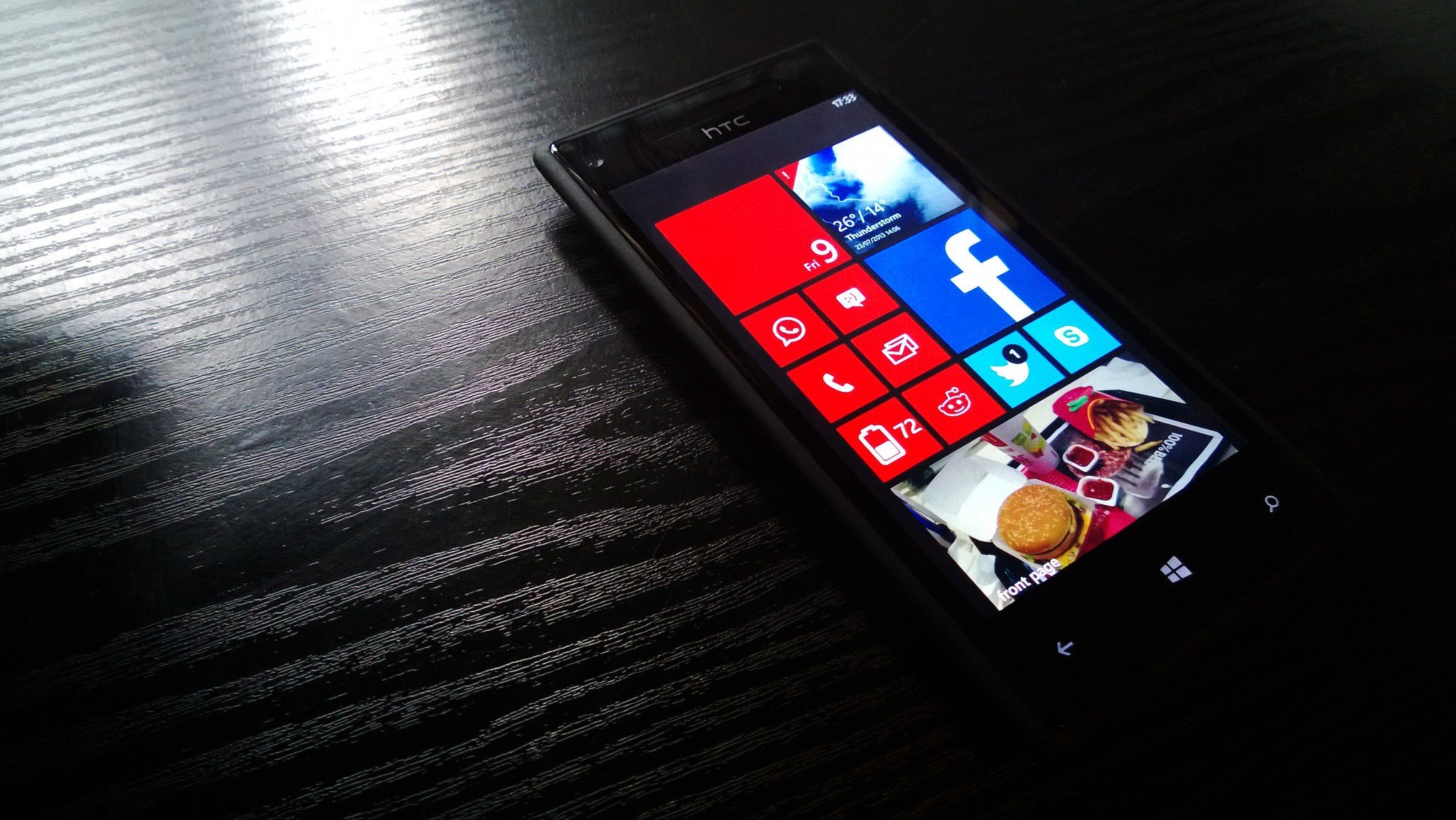
My first Windows Phone: The underrated HTC 8X.

Following this week's Ask Dan episode where our dapper editor-in-chief discussed those of us who still use Windows 10 Mobile, I thought I'd offer some reasons why I stick around, and why I'm still hopeful for the future.

I primarily write about Xbox, and there's no rule that anyone here has to use a Windows 10 Mobile device. But I do so 100 percent by choice. Here are five reasons why.

27 Feb 15:28

Inklusion: Diese Gifs bringen Ihnen Gebärdensprache bei

by ZEIT ONLINE: Gesellschaft - Hanna Lauwitz
Eine Onlinebibliothek bietet 2.000 Gifs an, mit denen sich englische Gebärdensprache von der Couch aus lernen lässt.
27 Feb 15:25

Office 365 Roadmap Updated: 2017-02-25

27 Feb 15:24

Behind-the-scenes of the Windows 10 Creators Update Bug Bash

by Anita George

Hi! My name is Anita George, and I am the leader of the two Bug Bashes for the Windows 10 Creators Update (the one in November 2016 and the one we just finished up in Feb). For this most recent Bug Bash, Windows Insiders completed approximately 108,900 Quests and submitted or upvoted an astounding 115,100 feedback items! Thank you so much to everyone that took the time to Bug Bash with us. The level of participation was just incredible! So what goes into running a Bug Bash? I’d like to take some time to explain the behind-the-scenes work that happens to make a Bug Bash successful.

I can’t take full credit for running the Bug Bashes. There is a team of people from across the Windows and Devices Group (WDG) that help with prepping and running an event of this magnitude. We call them the “Bug Bash Crew”. These people are responsible for external Bug Bash prep like driving Quest creation, setting up webcasts, monitoring data, designing the Bug Bash badge, and sending out surveys. We have representatives from some of the key areas in WDG like Shell, Apps, Surface, Xbox, IoT, HoloLens, Windows Insider Program, Localization, and Feedback Hub. Below is a picture of our Bug Bash Crew with some familiar names for those of you that participated in one of our Beam webcasts.

Bug Bash Crew

Bug Bash Crew + twitter handles: (left to right) Anthony Kinsey (@AKinseyMSFT), Aman Benes (@Aman_msft), Jen Gentleman (@JenMsft), Kyle Hagel, Aiko Diamond, Josh Moore, Sunitha Gowda, Anita George (@anitag_MS), Jason Howard (@NorthFaceHiker), Srini Malladi (@srinivm_MSFT), and Reid Szafraniec (@ReidMSFT).

We also do a lot of work to help our internal WDG employees to get involved in Bug Bashes and this participation spans across 27 buildings on Microsoft campus and one building in Vancouver, BC. We provide an internal wiki (website) with key information about the Bug Bash and show regular daily updates on how the Bug Bash is progressing through a reporting dashboard.

Internal employees across the different teams in WDG work to create and review Quests while members of the Bug Bash Crew are responsible for publishing these Quests at the right time and for the correct builds and devices. The Quests do not get authored by the BugBash Crew. When you are running through a Quest, you are performing steps that an engineer from that specific feature team has written down in the hopes that someone will exercise his/her feature. We have some Quests that we want to make available on certain days, like after the second Bug Bash build goes out. We group Quests based on some themes like “apps”, “devices”, and “quality” so that participants can focus on similar functionality for that day. Many feature teams want their Quests to show up on the first day of the Bug Bash, but we found doing this in small, themed groupings is more consumable than getting 232 Quests all on one day, for example.

Our Microsoft employee participants also need to know where internally to install the latest builds which can be complex since we have engineers running in different rings (like Canary and Selfhost) and some will run local builds of Windows with preliminary code that hasn’t made it into a flighted build. Over the course of the last two Bug Bashes, we have shifted our focus to the Feedback Hub and now all Microsoft employees participating in the Bug Bash internally enter their issues into Feedback Hub just like Windows Insiders. During the Bug Bash and after it ends, we triage the items in Feedback Hub as well as the bugs that get moved into Visual Studio. We try to complete this triaging within 2-3 weeks after the end of the Bug Bash.

Every Bug Bash, we host an internal Microsoft event to generate new and interesting bugs. For the Bug Bash in November, we set up a Device Room which contained about 10 Surface Studios, a bunch of IoT devices, and new performance Surface Books. Employees could stop by during the 4-hour event to try running Quests on this unique hardware. For the February Bug Bash, we tried something much different inspired by all the work we’ve done in emerging economies in Africa and other parts of the world. We set up a limited connectivity network in one of our campus buildings to simulate what many people in the world experience when trying to use technology over the internet. We called it Nigeria Day, hosted by Dona Sarkar, and we had good African food and music as people tried running Quests with low connectivity.

Nigeria Day

Participants in Nigeria Day: (left to right) Tommy Lasebikan, Fernando Sanchez Gonzalez, Jeremiah Marble, Bambo Sofola, Wale Martins, Dona Sarkar, Shina Oyetosho, Ayuba Audu.

One key area we focus on during the Bug Bash is collecting data to determine if the Bug Bash is progressing as expected. In the past, this was time-consuming as we pulled data from multiple places with multiple data-science experts looking at it and validating it. Between the November and February Bug Bashes, we had a small team of engineers work on creating a Power BI dashboard that would show progress on Quests completed, feedback items entered, bugs triaged, and whether teams and individuals inside of WDG were participating more than others. We did this to form a healthy competition between the 78 Windows Engineering Directors and their teams. Overall, this was a huge time savings for the Bug Bash Crew and was used heavily by the engineering teams. We also monitor the progress of our Windows Insider activity during the Bug Bash with this dashboard. Do you know that the most completed Quest was the one for our new Night light feature? And the Apps and Games category received the most feedback items from Insiders? Outside of the United States, Germany was the most active country to provide feedback, followed closely by India in second place. Way to go, Germany and India! We are looking to see what parts of this dashboard we can provide externally to Insiders for the Bug Bashes in the future. Wouldn’t that be fun?

If you have feedback on the February 2017 Windows 10 Bug Bash, let us know through Feedback Hub. I hope this information gives you some insight into what we do inside of WDG Engineering to provide you with an optimal Bug Bash experience.

Thank you everyone for participating. We couldn’t have done it without you!

Anita George.

#winbugbash #neverstopquesting

The post Behind-the-scenes of the Windows 10 Creators Update Bug Bash appeared first on Windows Experience Blog.

27 Feb 15:21

Blackberry KEYone: Android-Smartphone mit guter Tastatur

Blackberry KEYoneDas Blackberry KEYone mit echter QWERTZ-Tastatur und Android-Betriebssystem wird auf dem Mobile World Congress offiziell vorgestellt. Es soll schon im April für einen attraktiven Preis erhältlich sein.
27 Feb 15:05

Blackberry Key One: Android-Smartphone mit Hardware-Tastatur kostet viel

TCL hat ein neues Blackberry-Smartphone vorgestellt. Das Key One hat eine fest eingebaute Hardware-Tastatur und wird wohl ähnliche Probleme wie das Priv-Smartphone bekommen. (MWC 2017, Smartphone)
27 Feb 14:01

Hands-on: BlackBerry KEYone – Smartphone mit Touch und Type

Zum Mobile World Congress 2017 stellt TCL Communication das BlackBerry KEYone vor. Das Smartphone besitzt ein Touchdisplay und eine mechanische Tastatur. Für 599 Euro kommt es im April auf den Markt.

Das vor wenigen Wochen auf der Consumer Electronics Show 2017 leicht angerissene BlackBerry Mercury wurde nun offiziell vorgestellt. Damals hatten wir den Namen DTEK70 vermutet, tatsächlich heißt es KEYone. Der Name ist Programm: das Gerät besitzt sowohl einen Touchscreen als auch eine vollwertige Hardware-Tastatur. Anders als der gegen Ende Dezember präsentierte BlackBerry Priv ist das KEYone kein Slider, sondern ein Telefon im Barrenformat, ähnlich wie das Passport oder das nostalgische Pixi Plus von Palm.

Das BlackBerry KEYone hat einen 4,5 Zoll großen Bildschirm im Seitenverhältnis 3:2. Die Auflösung ist mit 1620 × 1080 Pixeln bei einer Pixeldichte von 433 ppi vergleichsweise hoch, die Darstellung also scharf. Als Betriebssystem dient nicht BlackBerry OS 10, sondern Android OS 7.1 Nougat. Hinzu kommen zahlreiche BlackBerry-Features wie DTEK, ein Sicherheitssystem, oder der BlackBerry Hub – ein zentraler Ort für alle Nachrichten.

In dem 9,4 Millimeter dünnen und 180 Gramm schweren KEYone arbeitet der Qualcomm-Prozessor Snapdragon 625 mit acht Kernen. Die Taktfrequenz liegt bei 2 GHz. Dazu gibt es drei GByte RAM und einen internen Speicher von 32 GByte. Platz für eine Speicherkarte ist vorhanden, der Speicher lässt sich um bis zu 2 TByte erweitern. Der Akku im neuen BlackBerry hat eine Nennladung von 3505 mAh und wird über USB Type C und der Spezifikation USB 3.1 schnell aufgeladen.

Die Hauptkamera hat eine Auflösung von 12 Megapixeln und verfügt über verhältnismäßig große Einzelpixel; sie messen 1,55 Mikrometer. Das sorgt für eine hohe Lichtempfindlichkeit und verspricht gute Fotos in dunklen Umgebungen. Videos werden im Format 4K Ultra-High-Definition aufgezeichnet. Neben einem Kontrastfokus bringt das KEYone auch Phasendetektionsfokus mit. Die Blende wird mit f/2.0 angegeben. Ein optischer Bildstabilisator (OIS) fehlt jedoch, dafür gibt es elektronische Stabilisierung (EIS). Auf der vorderen Seite schießt die Kamera Bilder mit acht Megapixel und einer Blende von f/2.2.

Das KEYone wirkt qualitativ hochwertig verarbeitet. Das Gehäuse besteht aus Aluminium, während das Schutzglas der Anzeige ein Gorilla Glass 4 von Corning ist. Der Rücken des Gerätes besteht aus einer Softtouch-Oberfläche, die besonders guten Griff verspricht. Die als Smart Keyboard bezeichnete Tastatur besitzt 35 mechanische und beleuchtete Tasten. Genau wie beim PRIV und Passport sind Wisch- und Scroll-Gesten möglich. So kann beispielsweise die Texteingabemarke flexible positioniert werden, wenn ein Fehler zu korrigieren ist. Außerdem können die Tasten mit einem Schnellzugriff für eine App oder Funktion ausgestattet werden.

Das KEYone wird ab April in den Handel kommen und zu einer UVP von 599 Euro verfügbar sein.

Kompletter Beitrag
27 Feb 14:00

Blackberry Key One im Hands on: Android-Smartphone mit toller Hardware-Tastatur

Wenn es nur nicht so teuer wäre! Das Blackberry Key One hinterlässt beim ersten Ausprobieren einen sehr guten Eindruck. Wir kommen sofort gut mit der Tastatur zurecht und das ordentlich verarbeitete Smartphone liegt gut in der Hand. Ein Hands on von Ingo Pakalski (MWC 2017, Smartphone)
23 Feb 09:26

Nordrhein-Westfalen: Türkei fordert offenbar zu Spitzelei an Schulen auf

by ZEIT ONLINE: Schule -
Schüler in NRW werden laut eines Berichts dazu angehalten, Kritik an der türkischen Regierung im Unterricht zu filmen und zu melden. Die Justiz ist informiert.
22 Feb 22:04

Announcing updates to Windows 10 Mail & Calendar apps

by Lynn Ayres

We know how important it is you to stay on top of your emails and manage your time well. On the Windows 10 Mail & Calendar team, we’re working hard to come up with new ways to make this possible. Along with architectural improvements that enable enhanced performance and faster innovation, we’re excited to announce several new features today.

These new features are beginning to roll out to all Mail & Calendar users over the next few weeks for their Outlook.com and Office 365 accounts. And we’re working hard to bring these to accounts from other providers in the future.

Focused Inbox helps you focus on what matters

Our inboxes are being inundated with more emails vying for our attention. That’s why we’re giving you a new way to stay focused. The Mail app now separates your inbox into two tabs – Focused and Other.  Emails that you likely want to act on appear under the Focused tab, while the rest remain easily accessible—but out of the way. What lands in your Focused tab is determined by an understanding of the people you interact with often, and the content of the email itself (e.g. newsletters, machine generated email, etc.). You can turn this feature off or on at any time under Settings > Reading in the app. If you need to fine tune your Focused Inbox, just right click on an email and use the “Move to Focused” or “Move to Other” options.

Get to emails that matter quicker with the new Focused Inbox.

Get to emails that matter quicker with the new Focused Inbox.

Mentions to help you get someone’s attention and focus your own

Mentions make connecting on email fast and easy. Simply add the @ symbol anywhere in the body of an email. This will bring up your frequent contacts as well as access to your directory. Once you pick the person you want to address their name is highlighted in the message in blue, helping them know they are being asked to take an action in your message. If the person isn’t part of the email conversation already, they will be automatically added to the To: line so they receive a copy of your email.

Use @ mentions to quickly add contacts and get their attention.

Use @ mentions to quickly add contacts and get their attention.

In addition, mentions helps you be aware of what you’ve been asked to do. The @ symbol appears in the message list for the messages you’ve been mentioned in, so you can see at a glance which emails require your action before you open them. There is also a filter so you can sort to see only the messages where you’ve been mentioned. Once you’ve opened the email, the blue highlighting of your name in the body of the email helps you quickly find where you’ve been mentioned.

Colors categories for calendar events so you can plan your time better

With the latest update to the Calendar app, you will be able to categorize calendar events in a variety of color categories, enabling you to quickly scan and visually associate similar events, and plan your day better. This has been the top requested calendar feature , so our team is delighted that we could focus our work on what you want.

Categorize events with colors to quickly scan and associate similar events.

Categorize events with colors to quickly scan and associate similar events.

Interesting Calendars let you follow favorite events and schedules  

Calendars are useful not only for your personal and work commitments but also keeping up with what interests you. We recently introduced Holiday Calendars, so you can track and plan for holidays, festivals or other public events in your country of choice. We’re now introducing Interesting Calendars, powered by Bing, so you can keep track of TV schedules and your favorite sports teams’ calendars. For example – it’s basketball season right now, so add the game schedule for any team you support or a rival team you want to keep track of. Over time we will add interesting schedules from various regions to this feature.

Add interesting calendars to keep track of your interests.

Add interesting calendars to keep track of your interests.

Stay on top of your travel reservations and package deliveries

Staying on top of travel plans or package delivery details can be a hassle. So far, we’ve given you a way to keep track of such time sensitive events by automatically adding travel reservations and package delivery details from your emails to your calendar. Now, we are adding simplified summary cards in your inbox and calendar enabling you to quickly get to travel reservations and package delivery details, check in for flights or change hotels and rental car reservations or track the latest packages delivery status at the touch of a button, and stay on top of these events with reliable reminders. It’s on by default, and you can configure this feature from ‘events in email’ settings in your account on the web.

Stay on top of travel reservations and package deliveries.

Stay on top of travel reservations and package deliveries.

New features to help you do more with calendar invites

In addition to the above key features, we’ve also been at work on small improvements that can be a delight. Now you’ll see location suggestions from Bing so you can add popular addresses quicker, an option to add Skype for online meetings, a scheduling assistant for Office 365 accounts, a fun emoji picker, and a people picker to help you quickly browse and select contacts, when you create a calendar appointment. And when you want more details on someone in your calendar, you can now easily access the Windows 10 People app in one click. These updates build on the other recently rolled out features and improvements in the Mail & Calendar apps including ability to pop out emails from the inbox and to drag and drop calendar events, support for *.eml email and *.ics calendar event formats, and integration with Windows 10 taskbar calendar so you can easily glance at your upcoming appointments.

See location suggestions–such as Starbucks stores in your city–when creating calendar invites.

See location suggestions–such as Starbucks stores in your city–when creating calendar invites.

We invite you to give the latest Mail & Calendar apps a try, and let us know what think through Settings > Feedback in the app.

– Lynn Ayres

The post Announcing updates to Windows 10 Mail & Calendar apps appeared first on Windows Experience Blog.