Shared posts

04 May 13:26

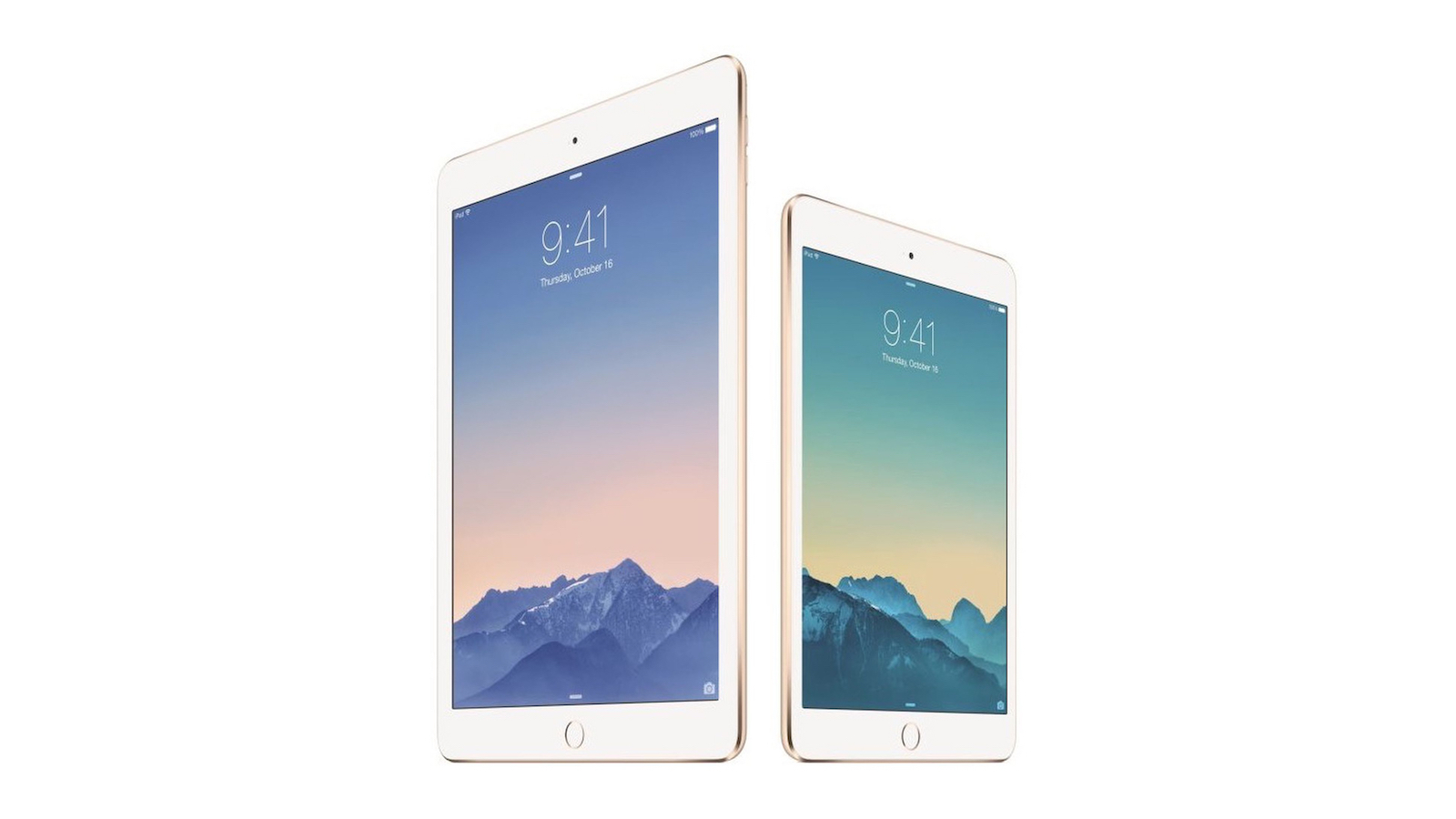
Apple Adds iPad Air 2 and iPad Mini 2 to Vintage Products List

by Tim Hardwick
Apple today added the iPad Air 2 and iPad mini 2 to its vintage and obsolete products list, as it has been more than five years since the devices were last offered for sale.


The ‌iPad Air‌ 2 was first released in October 2014, and was the first ‌iPad Air‌ to feature a Touch ID fingerprint sensor. It also used Apple's A8X processor and had a laminated gapless display, which made it significantly thinner than the original ‌iPad Air‌.

Launched in November 2013, the ‌iPad mini‌ 2 was colloquially known as the Retina ‌iPad mini‌, due to its Retina display with 2048 x 1536 resolution. Otherwise, visually it was identical with its predecessor, though it was slightly heavier and thicker. The tablet used an A7 processor and the M7 coprocessor originally introduced in the iPhone 5s.

The vintage products list features devices that Apple stopped distributing for sale more than five years ago and less than seven years ago. Apple provides service and parts for vintage devices for up to 7 years, or as required by law, but repairs are subject to parts availability.

On a side note, Apple was expected to move 2014's 11-inch and 13-inch MacBook Air models and the mid-2014 13-inch MacBook Pro from vintage to obsolete at the beginning of May, but the latest update shows that only the two MacBook Airs have currently made the transition.
Related Roundups: iPad Air , iPad mini
Related Forum: iPad

This article, "Apple Adds iPad Air 2 and iPad Mini 2 to Vintage Products List" first appeared on MacRumors.com

Discuss this article in our forums

07 Mar 09:49

How to change iPhone lock screen password, and why

by news@appleinsider.com (William Gallagher)
Your face makes for a very good security check, but your passcode remains a weak spot. Here's how to change it to keep your iPhone data safe by changing your lock screen passcode.
Change your iPhone Lock Screen passcode regularlyChange your iPhone Lock Screen passcode regularly
People tend to make passcodes that are dangerously easy to guess. Companies that impose passcodes, tend to make them long and convoluted enough that users avoid their phones locking. In either case, you can be open to someone gaining access to your phone — and that can mean to everything you store on your iPhone.

Read more...
19 Dec 07:24

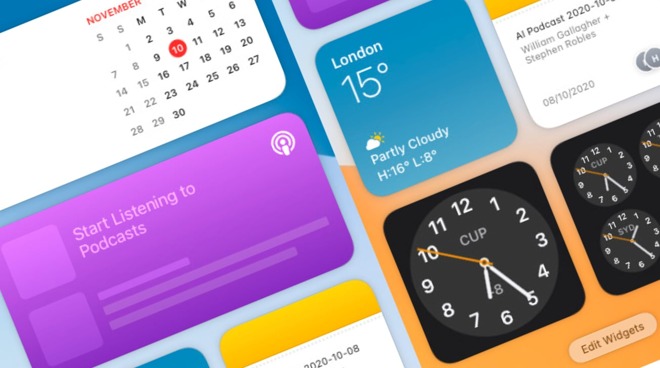
How to customize your widgets in macOS Big Sur

by news@appleinsider.com (Malcolm Owen)
Apple has updated its use of widgets in macOS Big Sur to make them more visually interesting and useful. Here's how to use the updated versions in the Notification Center.
The updated widgets in iOS 14 and iPadOS 14 may have had most of the attention, but Apple also made changes to the widgets in macOS to make them practically as useful. Not only are they as visually impressive as their iOS counterparts, complete with redesigned versions for core apps like Calendar and Stocks, but they also offer a level of customization.In macOS Big Sur, the widgets live in the Notification Center, the pull-out panel that slides in from the side of the screen, usually when you click on the date and time in the menu bar. If you have a trackpad, swiping left with two fingers form the right-hand edge will also bring up the Notification Center.

Read more...
10 Dec 13:10

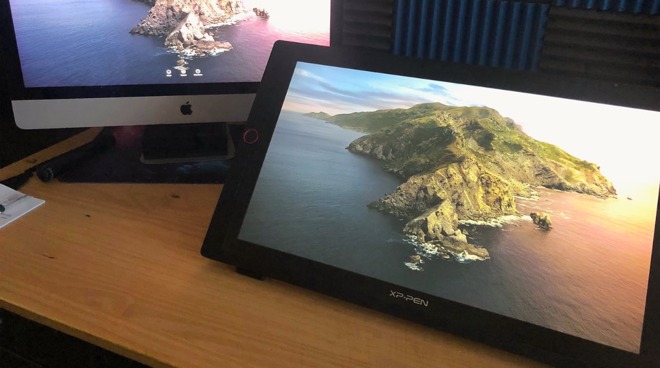
Review: XP Pen Pro 24 is cheaper than Wacom, but nowhere near as good

by news@appleinsider.com (AppleInsider Staff)
While Wacoms are effectively a standard tool for digital artists, rivals such as the XP Pen Pro 24 offer a budget-conscious alternative. AppleInsider handed over the cheaper rival to a webcomic artist to see if it stands toe-to-toe.
Editor's Note: Author and artist Brian Patterson, who has recently wrapped up a 10-year run of webcomic D20Monkey.com, worked with AppleInsider on this review.It is a different era for art and illustration, and for quite a few years, many artists and illustrators (both hobby-enthusiasts and professionals alike) have made the transition from traditional pen, ink, and paint over to a purely digital workflow.

Read more...
19 Feb 22:08

A Charlie Brown Christmas Re-Recorded With Old Synths and Drum Machines

by Andrew Liszewski

A Charlie Brown Christmas Re-Recorded With Old Synths and Drum Machines

You've probably been watching A Charlie Brown Christmas since you were small enough to still believe in Santa Claus. But did you know it originally aired in 1965, almost 50 years ago? So it seems only fitting for the Blockhead Trio to re-record the animated special's instantly recognizable holiday soundtrack using similarly vintage synths and drum machines.

Read more...


25 Jul 22:11

Google Glass Could Let Soldiers Shoot Around Corners

by Jamie Condliffe

Google Glass is finding a place on the mean city streets , but it could also prove useful in the battlefield, too. Soon, Glass could allow soldiers to shoot round corners, using the HUD to take aim while behind cover.

Read more...


26 Jun 13:44

Blackmagic releases firmware 1.8 for all cinema cameras

black_magic.jpg

Blackmagic Design, maker of a range of high-end compact cinema cameras, has announced a firmware update for all of their models. Available today, the new firmware provides an entirely new code base for the Blackmagic cameras and will enable the company to roll out new features to their devices. The new update claims to provide improved performance and introduces a new user interface. Learn more

20 Mar 14:58

Alfred 2.0 adds workflows, improves preferences, more

by Dave Caolo

DNP Alfred 20 adds workflows, improves preferences, moreAlfred is one of my favorite Mac utilities (here's my review of version 1.0). After a long beta period, version 2.0 is now available. I've been using it throughout the beta period and I can say that it's a huge improvement over version 1.x. The new workflows are fantastic, the preferences are easier to use and better organized. Here's my look at Alfred V2.

Looks

Alfred's main interface is still a single input field, but now you can customize it more deeply than before. New theme options let you change the fonts, sizes and the height and width of the results window. You can even change the roundness of the corners.

Once in the theme editor, use a combination of mouse clicks and key combinations to affect different changes. Pop-up help text guides you through the process so it's easy. You can duplicate an existing theme if you want to use it as a starting point, or begin entirely from scratch.

And for the record, I like the Dark And Smooth theme.

Gallery: Alfred V2

Movie workflowRdio workflowThemingPreferencesPrefs

Workflows

Let's talk about the big guns. Alfred 2's marquee feature is Workflows. Some people think of Alfred as a launcher. Workflows will change that for good.

Workflows let you combine a series of actions into a helpful sequence. You get your triggers, inputs, actions and then the outputs. What's nice is that it's entirely approachable. You needn't code a single thing, and the supplied templates and examples will get you started. A workflow can be simple or complex. Here are a couple of examples.

Every day I use a workflow called "paste to plain text." Occasionally I'd paste text into TextEdit to strip out the styling. Now I simply hit the hotkey combination I set up in Alfred -- Option-P -- and the contents of my clipboard are pasted as plain text.

One of the example workflows is called "Should I watch this movie?" Here's how it works. Launch Alfred, type "movie" and the the film's title. Hit Return, and Alfred opens the movie's IMDB page, its page on Rotten Tomatoes and its trailer on YouTube, all in separate tabs on your browser.

I also created a quick one that launches QuickTime Pro and begins a new audio recording, which is helpful when I'm podcasting.

There's so much you can do from fun to productive, from triggering AppleScripts to terminal commands. You can even share your work with others.

Other improvements

You can now have Alfred remember where you like its window to appear. You can also change the wallpaper that appears in the background of the theming preference pane. These little improvements stand out and make the experience very pleasant.

Conclusion

Alfred V2 is a great update. So how does pricing work? Alfred is a free download, and the Powerpack, which adds features, is paid. For upgrades, a single license to a mega license is £20. This been the case since the beginning of the beta. You can go from a single to v2 single for £10, and from a family license to v2 family license for £15.

Alfred 2.0 adds workflows, improves preferences, more originally appeared on TUAW - The Unofficial Apple Weblog on Thu, 14 Mar 2013 09:59:00 EST. Please see our terms for use of feeds.

Source | Permalink | Email this | Comments
20 Mar 14:58

Alternatives to Google Reader for OS X and iOS users

by Kelly Hodgkins

Google caused a stir yesterday when it announced that it will shut down Google reader this summer. Though you have a few months to migrate to a new RSS reader, now is the time to start looking at alternatives.

We've compiled a list of web services, OS X clients and iOS apps for you to consider while you prepare to make the switch. Don't be quick to abandon your favorite apps just yet, as most will likely migrate away from Google Reader in the next few months. Both Reeder and Feeddler, two popular Google Reader clients, have said they are not going away.

If you have any suggestions for clients or services not mentioned in this post, please share them in the comments.

Web Services

Feedly

Feedly is a news aggregator with a newspaper-like flair. It has its own iOS and Android apps so you can setup your feeds in the browser and view them on your mobile devices. There's no desktop app, but you can use Fluid to create one.

In response to Google's announcement, Feedly said it has been working on a clone of the Google Reader API that could easily replace Google Reader both in Feedly and in other popular Google Reader apps.

Newsblur

Newsblur is another news aggregator that pulls down stories from your favorite blogs, podcasts and YouTube channels using their URL or RSS feed. You can access your news via the web, iPad, iPhone or Android device. The basic service is free while a premium account (US$1 per month) adds extra features like unlimited sites, private shares and more.

Feed Wrangler

Feed Wrangler is an RSS aggregator service from David Smith that is ready to enter beta testing. He describes it as a backend syncing/aggregation subscription service with web and native clients. Smith started work on the service as a replacement for Google Reader and planned to launch it this summer. After Google's big announcement, those plans have been moved up. You can sign up on Feed Wrangler's website to be alerted when the service is ready to launch.

Feedspot

Feedspot, created by Anuj Agarwal, is another startup service that's building a new RSS platform to replace Google Reader. It already has a working website and you can create a login to check it out for free. Feedspot lets you import your Google Reader feeds.

Bloglines

Bloglines is another online agregator that lets you subcribe, manage and share news feeds and other web content. It's been around since 2003 and has changed hands a few times. Now owned by MerchantCircle, Bloglines is one of the largest news and feed aggregators using RSS. It is web-based; there are no native apps.

Fever

Fever is a PHP and MySQL application that you run on your own Apache server. Fever serves up your RSS feeds and rates them so you can see the hottest stories first. It's not for everyone and developer Shaun Iman, who created Fever, has some tips for those considering switching to this self-hosted option. There is a $30 one-time fee to use the software. There's also a native iOS client, Sunstroke, created by Gone East.

OS X Apps

Readr, $4.99

Readr is a basic RSS client capable of reading Atom and RSS feeds. You'll see a setting for syncing with Google Reader, but that is optional, not required. The app also integrates with Pocket, Instapaper, Readability and Evernote.

NewsRack, $7.99

NewsRack is a basic RSS reader for Mac OS X with a keyboard-friendly, tabbed interface. Syncs with Google Reader, but that feature is optional, not required. Created by Ole Zorn, the developer behind Pythonista for the iPad, Newsrack hasn't been updated in a over a year. Hopefully, the Google Reader News will be incentive to bring some fresh features to the app.

Pulp, $9.99

Pulp takes your favorite news feeds and presents them in an magazine-style layout. You can scan through previews and quickly find the stories that interest you the most. You can export your current Google Reader feeds as an OPML file and import them into Pulp for OS X. Pulp works on the Mac & iPad.

Headlines, $1.99

Headlines brings together the news you are interested in and displays the content in newspaper-style columns. It supports RSS feeds and lets you organize them into 7 pages of content. This is a good option for someone with a smaller RSS feed portfolio.

Feedy $2.99

Feedy is an RSS reader that uses Twitter and Facebook to score the items in your feeds. Those topics with a high rating float to the top of your news stream. It's designed to help you find the news that you care about.

iOS Apps

Rss Runner, Free

RSS Runner is a non-Google Reader client that supports 9 different feed formats, offline reading and background downloading. It'll import your current feeds from Google Reader as well.

News, $0.99

News App is a basic RSS Reader for the iPhone and iPad. No accounts (Google, Yahoo!, etc.) of any type are required. It's not as robust as the more popular Google Reader-based apps, but it will still work a few months from now.

xFeed RSS Reader, Free

xFeed is a lean RSS Reader for the iPhone and iPad. Like the News app, it's not as robust as the more popular Google Reader-based apps, but it will still work a few months from now.

TLDR, Free

TLDR is a news aggregator that pulls down 100 feeds from 14 news categories. The app gives you short summaries of each article so you can quickly decide which story to read. If you are tired of managing RSS, TLDR is a nice alternative.

Zite, Free

Zite is a news service instead of an RSS reader. The service scans news stories and pulls down those articles that match your areas of interest. It's not a replacement for your RSS reader, just a different way of consuming your news.

Alternatives to Google Reader for OS X and iOS users originally appeared on TUAW - The Unofficial Apple Weblog on Thu, 14 Mar 2013 11:00:00 EST. Please see our terms for use of feeds.

Source | Permalink | Email this | Comments
20 Mar 14:57

Apple offering iMacs with optional VESA mount adapters

by Michael Grothaus

Apple has begun offering iMacs with an optional VESA mount adapter. The new BTO option was first noticed by Macworld UK. Users who buy an iMac on Apple's online store can order the iMac with the VESA mount adapter instead of the standard foot stand for an additional US$40.

The pre-installed adapters cannot be swapped out for the iMac's standard foot stand later. Apple is currently not selling the VESA mount adapters individually for use with previously purchased slimline iMacs. Users of iMacs with VESA mount adapters will also need to purchase a mounting arm separately, as the iMac does not ship with one. From the description on Apple's website:

The iMac with Built-in VESA Mount Adapter is ready to pair with your favorite VESA-compatible wall mount, desk mount, or articulating arm (sold separately). This iMac doesn't include a stand, so a mount is required. If you don't already have a mount, you can purchase one when you configure your iMac.

Apple currently lists a seven- to 10-day ship time for iMacs with VESA mount adapters.

Apple offering iMacs with optional VESA mount adapters originally appeared on TUAW - The Unofficial Apple Weblog on Thu, 14 Mar 2013 11:30:00 EST. Please see our terms for use of feeds.

Source | Permalink | Email this | Comments
05 Mar 15:00

YouTube find: 10,000 iPhone "dominoes"

by Dave Caolo
This clever animation from Atama Studio was produced to illustrate the potential of NFC on the iPhone 5. You'll notice that, as each CG iPhone falls, it triggers the image on the phone next to it. The effect is most dramatic at the end, when a huge...
26 Mar 01:00

How to spring clean "Open With" duplicates

by Shawn "Doc" Boyd

If you use your Mac for any period of time, you will find the need to open a document with a different program other than the one set as default. The "Open With" menu appears in the Finder whenever you right-click or control-click on the icon of a document. The "Open With" command is designed to give you a list of alternative choices to handle the file that you've selected, but after long-term use you will find this list can get a little bit messy.

Duplicate entries in your "Open With" menu can be easily cleaned via a simple terminal command. We initially covered this command in a 2009 post about rebuilding your launch services, but this post is updated with video and a few new methods that'll work in OS X Mountain Lion. In the video below, I will demonstrate the basic terminal command. I will also show you how to create a bash script to make it easier to repeat this cleaning whenever needed, as well as create an Alfred workflow to do the same (requires the Alfred powerpack.)

Below you'll find the commands used in the video. If you are creating the .bash_profile alias method, remember you will have to quit and relaunch terminal for this to work.

Fix Duplicate "Open With" Terminal:

Fix Duplicate "Open With" via Bash alias:

If you are a little shy of monkeying around in terminal and bash, you can use utilities such as Onyx or Cocktail to get the job done.

How to spring clean "Open With" duplicates originally appeared on TUAW - The Unofficial Apple Weblog on Mon, 25 Mar 2013 20:00:00 EST. Please see our terms for use of feeds.

Source | Permalink | Email this | Comments