
A gorgeous Northern Lights video by Markus Kiili from Ylläs, Lapland, Finland in September, 2015.
A gorgeous Northern Lights video by Markus Kiili from Ylläs, Lapland, Finland in September, 2015.

Last May, Jackie Burns, the deputy leader of the Labour Council in South Lanarkshire in Scotland, voted to close all public toilets as part of the Scottish government's £22 million cost-cutting programme; early last Saturday morning, police issued him a £40 ticket for pissing in public. (via Reddit)
 You’ve probably been watching music videos on YouTube since its inception. The platform has also served as the go-to place for wannabe musicians to be found, but it’s never catered to that specific vertical. The team rolled out YouTube for gaming last month and today it is launching YouTube Music for iOS and Android. The enhanced, paid, experience is free during a 14-day trial.… Read More
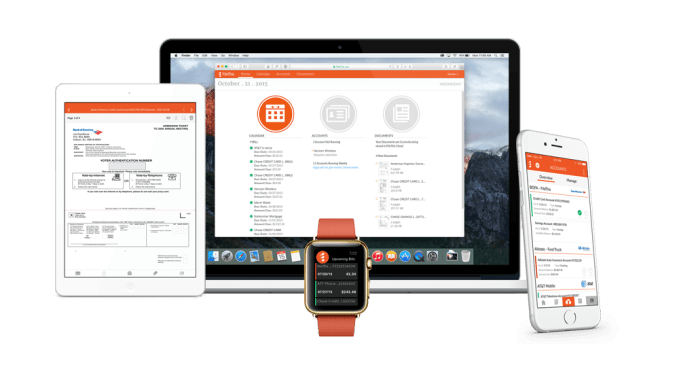 As more consumers shift to using online services for managing their banking, bills, payments, and more, some of our most important personal and financial documents are scattered across a number of websites – sites which don’t always maintain thorough archives of our past statements. A service called FileThis has been working to address this problem by offering a utility that… Read More
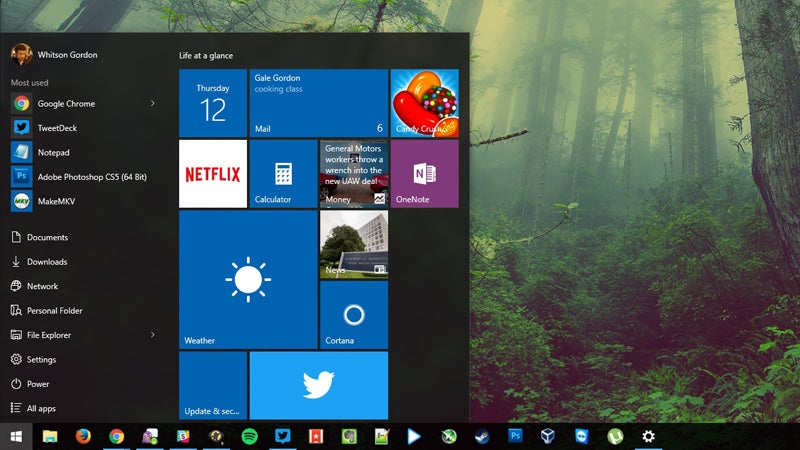
Windows 10 gets its first major update today, with a number of features you’ve asked for—like colored title bars, fixes to the Start menu, and (finally!) a better way to activate your Windows 10 license.
Now, when you install Windows 10, you can activate it with your Windows 7, 8, or 8.1 product key. None of this “install Windows 7, then update, then re-install from scratch” business just to do a clean install of Windows 10. Everything should work much more smoothly now, and while this won’t affect your computers that already have Windows 10 on them (since they’ll be activated automatically by the hardware), any computers you haven’t upgraded yet should be much simpler.
The Start menu, while not going to please any Windows 7 fans, gets a few improvements in this update. You can now stretch columns up to four tiles wide (Settings > Personalization > Start > Show more tiles), and the Start menu as a whole can contain more than 512 tiles—2048, to be exact. The context menus have also gotten a more consistent look (though they still aren’t consistent with the desktop’s just with each other).
The Start menu in Windows 10 has always had “suggested apps” that it recommends you install from time to time. Thankfully, this update brings an easy setting to turn this off: just head to Settings > Personalization > Start and switch “Occasionally show suggestions in Start” to off.
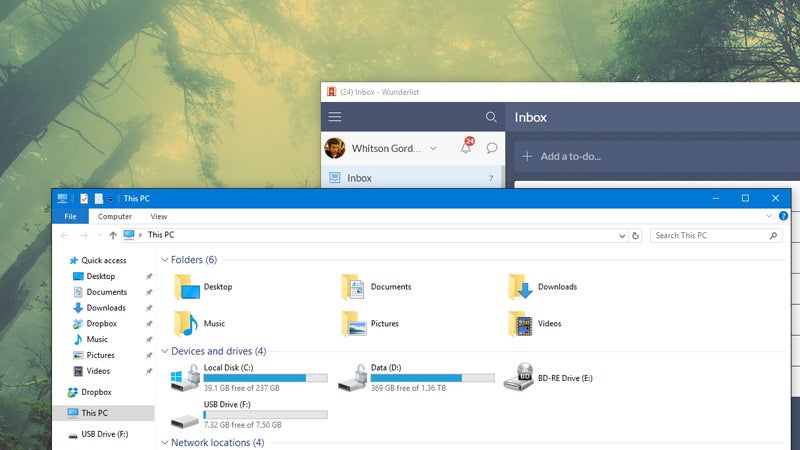
It was a little silly that Windows 10 let you customize the color of the Start menu and taskbar, but not the title bars of your windows—which stayed white no matter what. Now, if you go to Settings > Personalization > Colors and check the “Show color on Start, taskbar, action center, and title bar” option, your color customizations will show up on all your desktop windows, too.
We’ve always recommended installing an app like Prey to find and track your stolen laptop, and while it’s still a great feature-filled option, you no longer have to! Windows has a new “Find My Device” feature built in, which will track your laptop or tablet if it gets lost or stolen. Just head to Settings > Update & Security > Find My Device and click “Save my device’s location periodically” to enable it.
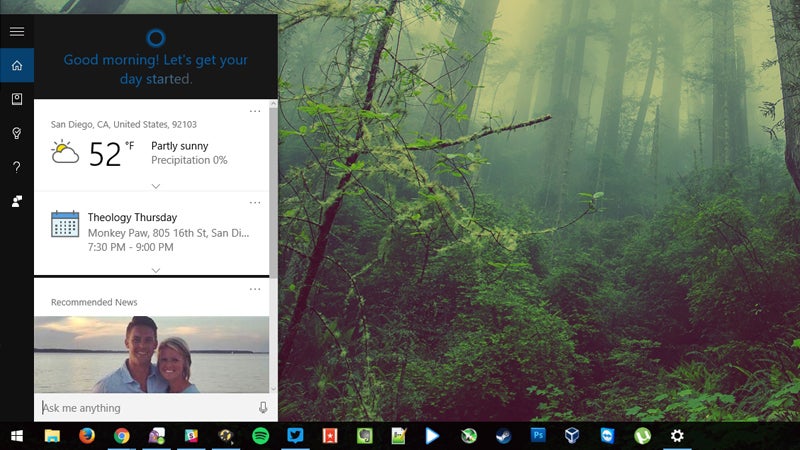
Cortana fans will enjoy this update, since the personal assistant is even better at knowing what you want. Cortana (who is now available in canada, Japan, Australia, and India) can now understand handwritten notes, track movies and other tickets from your email, alert you of coupons for sites you visit in Edge, and sync your messaging and call history with your Windows phone, and notify you of missed calls on your desktop (you’ll find these in Cortana’s settings). Cortana can even put your computer to sleep when it knows you’re out of the office (Settings > System > Power & Sleep).
And, above all else, Cortana finally works with local accounts, so you don’t need a Microsoft account to reap the benefits.
Those are the big changes, but you’ll also find some nice new touches:
There’s a lot of stuff going on with this update, but these are the major and minor changes most people will care about. There are also a lot of under-the-hood performance improvements to boot time and other tasks, so you should notice some increased snappiness.
To download the update, head to Settings > Update & Security and check for updates. Note, however, that the update seems to be rolling out slowly—my desktop got the update immediately, but my laptop is still showing as “up to date”, so you may have to be patient. You can read even more about the update at the links below.
First Major Update for Windows 10 Available Today | Windows Blog
Windows 10 November Update - Features, Changes, and Improvements | Windows Central
Update: We originally said the Start menu’s suggested apps were new in this update, when in fact, the setting to turn them off is the only new feature. We’ve corrected the article accordingly.
 Attention citizens of Earth dimension... uh, which dimension is this one again? Anyway, all you lower carbon-based life forms down there. This is Archie Florboops the 68th, the sector representative of the Galactic Government, and I have a very important announcement to make. By the way, life on other planets exists. Try not to let it distract you.
It's come to our attention that a Meeseeks Box, the invention of inter-dimensional criminal Rick Sanchez (dimension C-137) has been used at this location.
Read More[I'm Mister Meeseeks, Look At Me!] Help Me Get This Vinyl Skin On My Nexus 6P [Ooh, Yeah! Can Do!] was written by the awesome team at Android Police.


Google developed two very good email clients for the web, Android, and iOS, but you don’t have to choose between them. It’s possible to use the two apps together, taking advantage of the best features from both to power through your overflowing inbox. Here are some tips on how to do it without getting in a complete tangle.
Gmail is Gmail, 11 years old and no doubt a product you’re pretty familiar with. It’s the full-fat Gmail experience, complete with advanced filters, advanced searches, labels and all the rest... it’s still the best place to turn if you want to take maximum control over the way your email works, though some auto-sorting features are available, too.
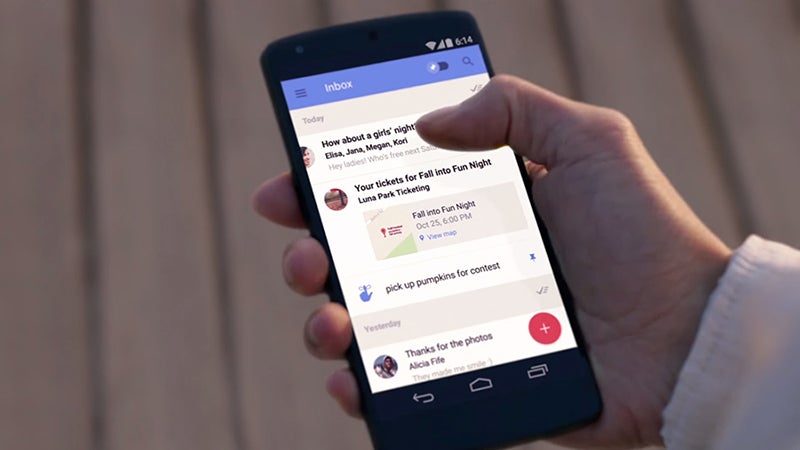
Inbox by Gmail is Google’s idea of a next-generation email client. It tries to do as many tasks as it can automatically, filtering away messages, bundling packs of emails together, surfacing photos and documents it thinks are important so you can get to them easily. It doesn’t (yet) have the depth of full Gmail, but it’s better for quickly churning through the day’s incoming emails.
With that in mind, it makes sense to use Gmail on the desktop when you’ve got more time to think and organize, and Inbox on mobile when you’re quickly sifting through messages and taking actions on them—though it’s completely up to you of course. Thankfully Google has made it easy to jump from one app to another without much hassle.
The first task on mobile is controlling notifications, particularly if you have both the Gmail and Inbox apps installed. Head into the Settings screen on either app (on Android or iOS), and you can disable notifications for one while keeping them on in the other.
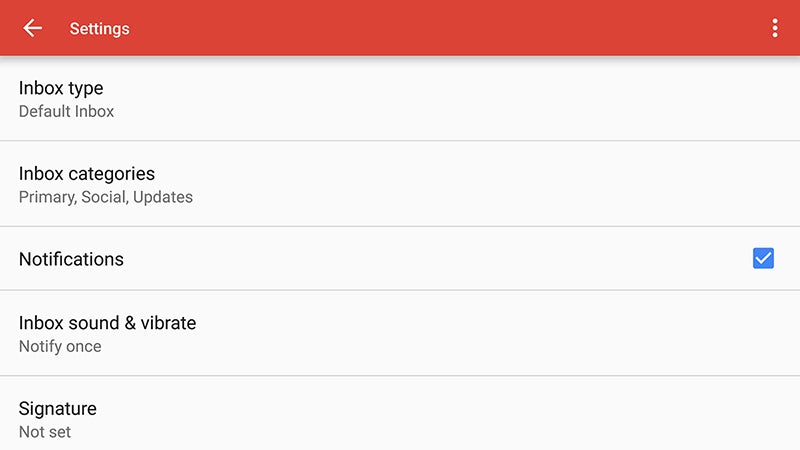
Note that the Inbox by Gmail Settings screen lets you choose whether dismissed messages are deleted or just archived—getting this right is crucial in using Inbox in tandem with Google’s original email client. Which you go for is up to you, but make sure the option is correctly configured, otherwise you could find messages vanishing that you want to keep.
As we’ve said, using Inbox on mobile makes a lot of sense. You can swipe left and right on messages to snooze them or mark them as done, and thanks to the automatic sorting that Inbox does, it means a less cluttered look on your smaller mobile screens. There’s no reason why you can’t use both on the same device, but you’re likely to spend most of your time in one or the other.
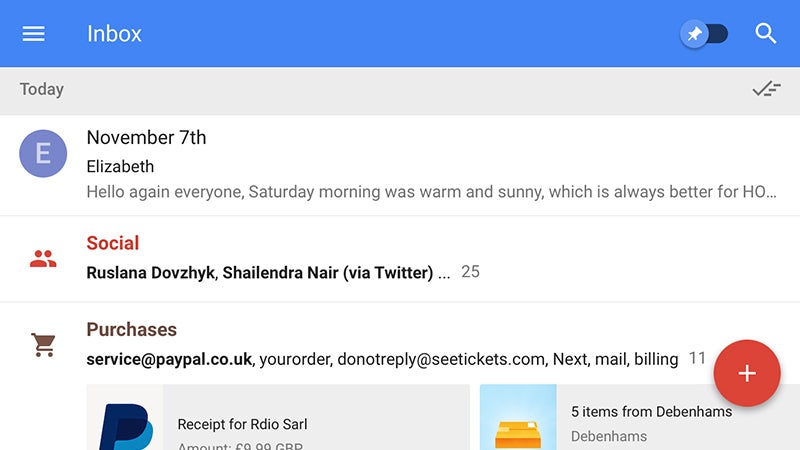
Both apps will keep your messages in sync, even if the view you get of your emails is likely to be significantly different. If you open up the left-hand menus in each app you’ll notice they’re largely similar, giving you access to all the labels you’ve configured in Gmail as well as the standard folders for sent emails, drafts, spam messages, and so on.
Getting two tabs or two bookmarks pointing to Gmail and Inbox is straightforward enough, and you can jump from one to the other seamlessly on the web. Labels created in one app are instantly available in the other, though Inbox offers more in the way of automatic labeling, including a Low Priority filter for those less important messages.

If you snooze an email in Inbox, it’s archived in Gmail; move it back to the inbox in the latter app and you break the snooze function. You can actually find snoozed emails in Gmail by typing “label:snoozed” into the search box, and the Inbox bundles (Finance, Purchases and so on) have similar hidden labels—as indeed do the tabs in the default Gmail interface.
While starred emails (Gmail) and pinned emails (Inbox) work along similar lines, they’re not the same thing. Your starred emails don’t appear as pinned emails and vice versa (search for “label:pinned” in Gmail if you want to check). That gives you the freedom to use pins and stars for two different purposes, but they won’t cross over between apps.
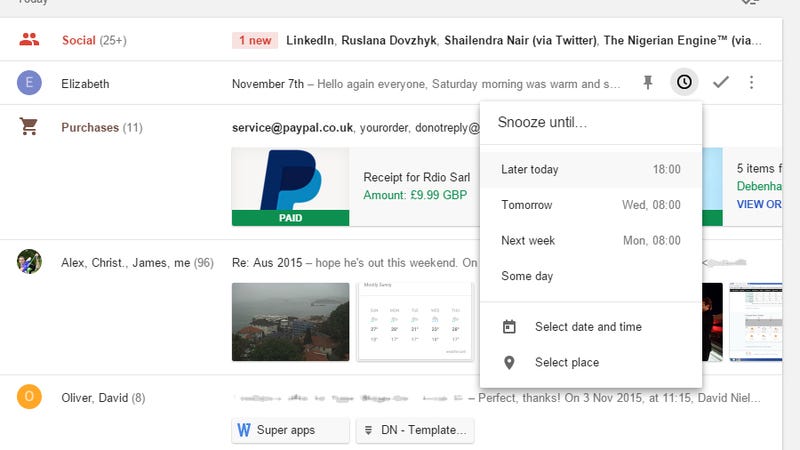
If you are using Gmail on the desktop and Inbox on mobile, then you can access Inbox’s features to some extent via the hidden labels we’ve mentioned. You can’t snooze messages from the Gmail interface, but they will reappear in the appropriate tab at the specified time—it’s not as obvious as the feature is in Inbox, but it is there.
Google has done an impressive job of keeping these two apps working in harmony, and hopefully these tips help you jump between them without a hitch. If you are using both Gmail and Inbox alongside each other, let us know how you utilize the different features available in each in the comments.
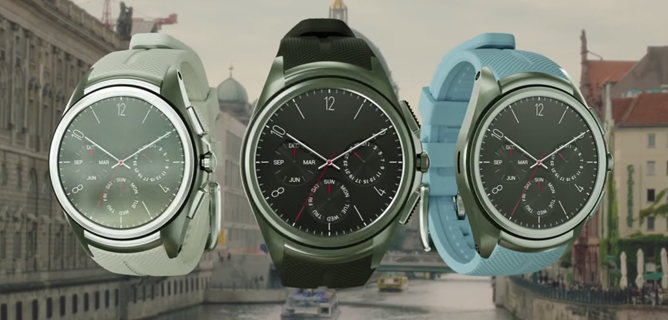
Google "surprised" us all yesterday by announcing that cellular support was coming to Android Wear. Cue in Oooohs and Aaaaahs and gasps of jubilant shock. Having already heard about the LG Watch Urbane 2nd Edition LTE through its teaser video back in September, it was pretty much a given that Wear watches were about to learn a new trick and cut their umbilical cord tether to their phones. But understandably, Google had to make things official just in time for the release of the LG Watch Urbane 2nd Edition LTE.
Read MoreThe LG Watch Urbane 2nd Edition LTE Is Up For Pre-Order On AT&T And Verizon, Available On November 13 And 19 Respectively was written by the awesome team at Android Police.


Living in Lebanon, I'm used to seeing limited app compatibility on the Play Store. Some apps are just not available in my country for a logical reason, others aren't because who-knows-why, and a few are limited to carriers or specific devices. I am, however, definitely not used to seeing "You don't have any devices" on every single app that I visit on the Play Store, which is what happened to me yesterday. I chalked it off as the Play Store being the Play Store, which is to say sometimes weird and slow to realize that I have at least 7 different Android devices that the app can be installed on, and moved on.
Read More[Bug Watch] If The Play Store Is Saying "You Don't Have Any Devices" For All Apps, You Are Not Alone was written by the awesome team at Android Police.

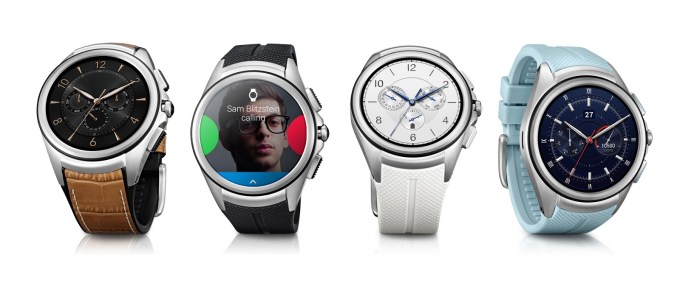 Google is finally adding cellular connectivity to Android Wear, its operating software for smartwatches and wearables, in a move that could reduce a user’s dependence on their phone. Read More

Microsoft has been testing a fresh update to Windows 10 for the past few months, and now it's ready to release it to everyone. More than 110 million machines are now running Windows 10, and they'll all be offered the update today. The update includes a number of fixes and UI changes that were originally planned for the final version of Windows 10.
One of the noticeable differences is a new colored title bar for desktop apps. All apps now feel a little more similar to the ones designed specifically for Windows 10, and Microsoft has also improved the context menus throughout the OS to make them a little bigger and darker to match the general theme. Another big change is the introduction of Skype integration with dedicated Messaging and...

Securus, a leading provider of phone records to nearly 1 million US prisoners, has been hacked, and the company's now-public records are raising new questions about attorney-client confidentiality. Obtained by The Intercept, the cache of documents includes records for more than 70 million phone calls, placed from 37 different states where Securus operates. Of those records, 14,000 were calls between prisoners and their attorneys, which appear to have been fully recorded by Securus.
If the records are genuine, they could have serious legal implications for Securus. While prison phone calls are routinely recorded, calls to attorneys are a powerful exception, and interception of those calls has often led to cases being dismissed or...

Apple usually only brings up Android when it has something bad to say, but the story is a little different when it comes to streaming music. In order to compete in the crowded streaming field — and take on early giants like Spotify — Apple needs to be everywhere that people want to listen. So yesterday, Apple launched Apple Music on Android, and it isn't leaving Android users with a second-rate experience.
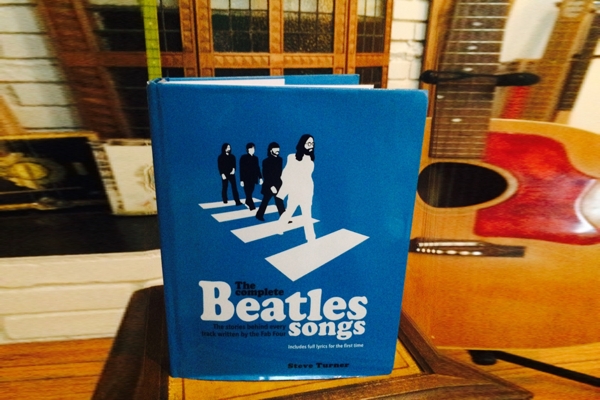
See sample pages from this book at Wink.
The Complete Beatles Songs has gone through several editions over the last 20 years as author Steve Turner continues to dig deeper to find the origins and meanings of every song the Beatles wrote. I’ve read a few books about the Beatles and I was surprised to learn so many new things and see so many photos I’d never seen before.
The book has turned out to be Turner’s life project, and it's worth it. Turner interviewed hundreds of people and pored over warehouses of archives to learn the often surprising and fascinating circumstances that led to the lyrics behind the band’s songs.
For instance, here’s how Lennon came up with the title for the song "Happiness is a Warm Gun":
The final section was inspired by something in an American gun magazine that George Martin had pointed out to him. There was a line on the cover reading “Happiness is a warm gun in your hand...,” an obvious play on Peanuts cartoonist Charles Schulz's 1962 book Happiness is a Warm Puppy. The apparently bizarre juxtaposition of killing and pleasure stimulated John's imagination, especially coming at a time when America was involved in a war. "I thought, what a fantastic thing to say," said John. "A warm gun means that you've just shot something."
If you have made up your own meanings for the Beatle’s beautiful lyrics, this book will destroy them. Read it at your peril.
The Complete Beatles Songs
by Steve Turner
Dey Street Books
2015, 352 pages, 1.5 x 9.2 x 11.5 inches
$29 Buy one on Amazon

Your new Nexus 6P comes from the factory with a locked bootloader. While unlocking it is trivial, it's important to remember that an unlocked bootloader is very unsecure, and makes your personal data more vulnerable should someone get your phone in their hands. If you're not the type of person who wants to flash ROMs or system images or the like, it's probably best to leave it locked. That's for you to decide.
Should you decide to unlock your bootloader, remember that doing so will erase all the user data on your phone and return it to the out-of-box state. Still with us? Cool. Here's how to do it.
You'll need a working installation of fastboot on your computer. Yes, you need a computer to unlock the bootloader. We recommend that you install the Android SDK and the official Google USB driver if you're using Windows, but there are toolkits and bundles available if you'd rather go that way. You'll find more information about that in the forums. We're going to go with the premise that you've downloaded and installed the Android SDK for your computing platform, and any needed drivers for Windows computers.
Next, you'll need a suitable cable. In this case, suitable means one end needs to be USB Type-A to plug into your computer, and the other needs to be USB Type-C to plug into your phone. For the Nexus 6P, we recommend you use the one that came in the box.

Your new Nexus 5X comes from the factory with a locked bootloader. While unlocking it is trivial, it's important to remember that an unlocked bootloader is very unsecure, and makes your personal data more vulnerable should someone get your phone in their hands. If you're not the type of person who wants to flash ROMs or system images or the like, it's probably best to leave it locked. That's for you to decide.
Should you decide to unlock your bootloader, remember that doing so will erase all the user data on your phone and return it to the out-of-box state. Still with us? Cool. Here's how to do it.
You'll need a working installation of fastboot on your computer. Yes, you need a computer to unlock the bootloader. We recommend that you install the Android SDK and the official Google USB driver if you're using Windows, but there are toolkits and bundles available if you'd rather go that way. You'll find more information about that in the forums. We're going to go with the premise that you've downloaded and installed the Android SDK for your computing platform, and any needed drivers for Windows computers.
Next, you'll need a suitable cable. In this case, suitable means one end needs to be USB Type-A to plug into your computer, and the other needs to be USB Type-C to plug into your phone. For the Nexus 5X, there is no suitable cable in the box and you'll need to buy one.

Mozilla launched Firefox OS 2.5 Developer Preview earlier today, and is now offering the operating system as an app on Android. The experimental app replaces several elements of the Android homescreen with Firefox's web-based offering, and even comes with a set of system apps for phone calls, messages, emails, and even an app store. Think of it as a launcher with a set of bundled apps.
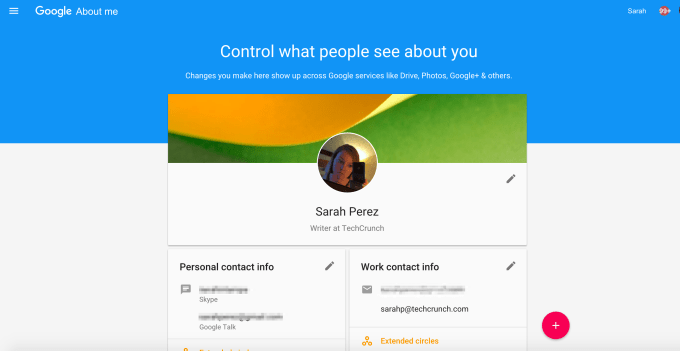 Worried that Google has too much of your personal data, thanks to the way it has pried into your life over the years as you steadily adopted more of its services, ranging from search to email to productivity apps to YouTube and more? The company is now attempting to address those concerns with the launch of a new online tool called “Google About me” which allows you to change… Read More

Londoners know it, but not all visitors do: sometimes it's quicker to walk than take the tube. The official London Underground map — designed by Harry Beck in 1933 and arguably the most recognizable transit map in the world — is a masterpiece of compressed design, but this can also make it misleading as visitors confuse proximity on the map and physical distance. To fix this, Transport for London (TfL) has released the first official walking map of the tube, revealing where you can save time by sticking above ground.
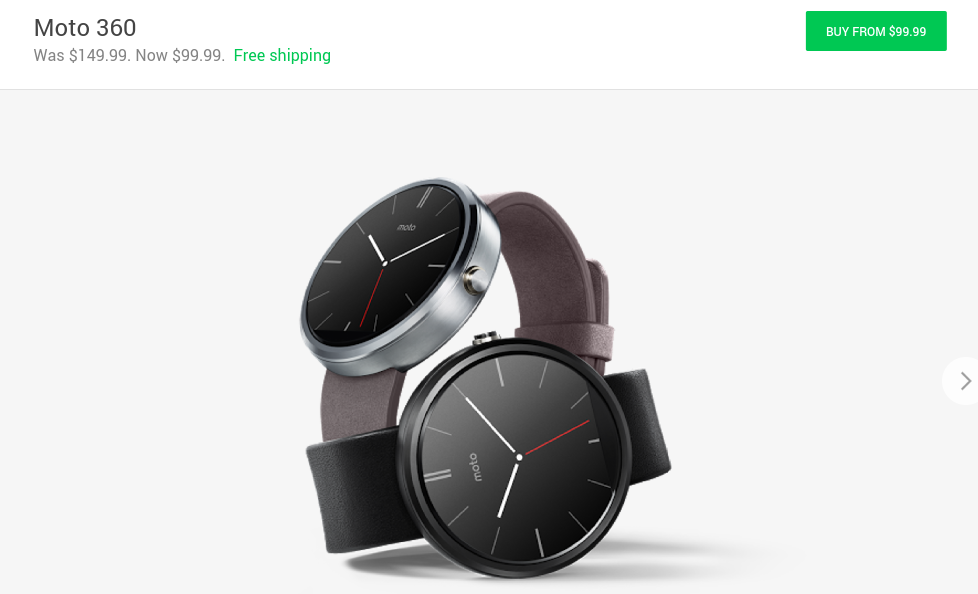
As is often the case with technological innovation, the 2nd gen Moto 360 is a better product than its predecessor. And just as unsurprisingly, the older model continues to drop in price. Whereas starting this summer you could snag one on the Google Store for $150, the circular smartwatch now goes for $100.
The Moto 360 was the first Android Wear device to get us truly excited. Ultimately, it was never the most powerful, finding itself outperformed by the LG G Watch and Samsung Gear Live that beat it to the punch.
Read More1st Gen Moto 360 Is Now Only $99.99 In The Google Store Following Another Price Drop was written by the awesome team at Android Police.


Valve, the makers of games like Half-Life, Portal and Left 4 Dead, and the creators of the Steam gaming downloading service, is now officially launching into a new era. The company is now shipping its Steam Machine devices, including its Steam Controller, Steam Link and a series of SteamOS-based PCs that are designed to be an alternative for playing PC games in the living room.
The $49.99 Steam Controller is a PC gamepad that replaces the normal analog sticks with trackpads that offer haptic feedback to play games. The $99.99 Steam Link allows users to stream content from their Steam library of games on their regular Windows PC to a big screen TV in another room.
Valve has also created a Linux-based operating system, SteamOS, that is being used inside PCs made by third-parties. That include's Dell's Alienware division, which is launching the first SteamOS Steam Machine today, both online and in GameStop stores. Steam Machines are supposed to be designed so they can be used in a living room, like a regular game console, but they play games that work with Valve's SteamOS rather than Windows. Zotac and Cyber are also selling their own Steam Machines.
Source: Steam
 Speaking at the Open Mobile Summit in San Francisco today, Twitter’s SVP of Product, Kevin Weil, shared with the crowd that the new hearts aren’t stopping activity. In fact, the activity is increased: "With the change from favorites to likes we've seen a 6% increase in like activity in just the first week." –@kevinweil — Robi Ganguly (@rganguly) November… Read More
 Tumblr today has launched a feature that its user base has wanted for some time: messaging. The blogging platform has long offered an inbox feature and way for its users to ask each other questions, but now it has added threaded, instant messaging as well. The feature is rolling out now on the web as well as within Tumblr’s mobile apps on iOS and Android. Not all users will immediately… Read More
 Earlier this year, Google announced that it would still support Chrome on Windows XP through the end of 2015. The end of 2015 is getting closer and as Google announced today, so is the end of Chrome support for Windows XP. Starting April 2016, users who still use Chrome on XP (and at this point, there’s really no excuse for running Chrome on XP) will no longer get updates and… Read More

The internet has one less regulator, thanks to a ruling passed down this morning from The US Court of Appeals for the Federal Circuit. According to the decision, the United States International Trade Commission does not have the authority to regulate information on the internet, blocking what many advocates saw as a major threat to the open web.
Thanks to its broad powers, the ITC has become an increasingly popular venue for patent and copyright disputes, but its jurisdiction traditionally only extends to physical goods as they pass over borders. This latest case looked to change that, with potentially profound implications for data as it crosses international borders.

Apple Music has arrived on Android. The app launched in the Play Store today and is available in every region that Apple Music currently serves, except for China. Most of Apple Music's features have made the jump, including Beats 1, Connect, and custom music suggestions; the only things that aren't available are music videos and the ability to sign up for a family plan. The details come from TechCrunch, which spoke with Apple's Eddy Cue about the launch. The app is said to be in a "beta" release for now, with its missing features being added back in before that label is removed.
This is Apple's first real Android app; its others are Beats' products and a migration tool, making this the first Apple-branded app that people will...

In late August, Amazon replaced its free App of the Day program with its Amazon Underground app, which offered access to over $10,000 worth of Android apps and in-app content for free. Now the company has announced that the amount of apps and in-app purchase available from Amazon Underground has tripled since its launch.
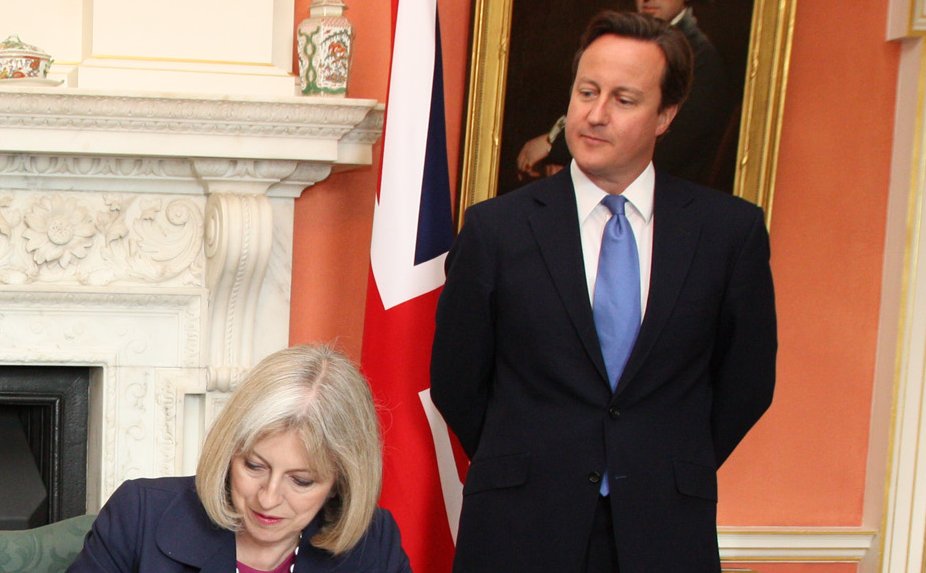
Under the UK's new Snoopers Charter (AKA the Investigatory Powers Bill), the Secretary of State will be able to order companies to introduce security vulnerabilities into their software ("backdoors") and then bind those companies over to perpetual secrecy on the matter, with punishments of up to a year in prison for speaking out, even in court. (more…)

Wired recommends the Mrice E300 earbuds, a cheapie ($17-25) option that outperforms many headphones that cost over $1000 (!). (more…)