 It’s not just TechCrunch saying it, now a UK parliamentary science and technology committee has warned the government needs to clarify the legal position around end-to-end encryption in its draft Investigatory Powers Bill (IP bill). Read More
Bcstevieb
Shared posts
01 Feb 14:36
It’s not just TechCrunch saying it, now a UK parliamentary science and technology committee has warned the government needs to clarify the legal position around end-to-end encryption in its draft Investigatory Powers Bill (IP bill). Read More
UK Gov’t Must Clarify Its Position On End-To-End Encryption, Says Parliamentary Committee
by Natasha Lomas
It’s not just TechCrunch saying it, now a UK parliamentary science and technology committee has warned the government needs to clarify the legal position around end-to-end encryption in its draft Investigatory Powers Bill (IP bill). Read More
01 Feb 12:35


YouTube Is Not Liable for Pirating Users, Court Rules
by Ernesto
 YouTube has been battling music rights group GEMA in several court cases for more than half a decade.
In one of the most prominent cases the music group, which claims to represent 70,000 artists, argued that YouTube is liable for the content its users upload.
As such, the music group demanded Google’s video service to pay 0.375 euro cents per view for a selection of copyrighted music videos.
Before the weekend the Higher Regional Court of Munich announced its verdict in the case, resulting in a clear win for Google. According to the court YouTube is not liable for the infringing material uploaded by its users.
The verdict, which confirmed a ruling from a lower court last summer, comes as a disappointment to GEMA. The music rights group believes that services such as YouTube are profiting from piracy.
“Today’s decision is most regrettable. The court has obviously followed YouTube’s argument that it is only the uploaders who are responsible for the contents that are retrievable via the service,” says Tobias Holzmüller, GEMA’s General Counsel.
“We consider this to be wrong. Furthermore, the decision is not justified from an economic perspective, as it continues to enable YouTube to generate high advertising revenues without passing them on to musical authors,” he adds.
The court’s decision is in line with the safe harbor principle which holds that user-generated content services are automatically not responsible for the actions of their users.
However, in recent months various music industry groups have called on lawmakers to reconsider this position. The European music group IFPI, for example, argued that these sites and services must obtain proper licenses.
In line with GEMA, IFPI chief executive Frances Moore previously called out YouTube for not playing fair, accusing it of benefiting from piracy.
“It is true that artists and record producers are not being paid fairly for the use of their music. This is because user upload platforms, such as SoundCloud and YouTube, are taking advantage of exemptions from copyright laws that simply should not apply to them,” Moore said.
“There should be clarification of the application of ‘safe harbors’ to make it explicit that services that distribute and monetize music do not benefit from them.”
GEMA says it’s reviewing the decision from the Higher Regional Court Munich, which it expects to appeal in the near future.
Source: TF, for the latest info on copyright, file-sharing, torrent sites and ANONYMOUS VPN services.
01 Feb 12:32

Samsung's Android browser gets ad blocking capabilities
by Dan Seifert
Samsung is today adding support for content and ad blocking plugins to the web browser preinstalled on its Android phones. The updated browser, which is being pushed to Samsung phones with Android Lollipop or newer starting today, will let users install helper apps that block ads from websites they visit, similar to how content and ad blocking works in Apple's Safari browser in iOS 9. An ad or content blocker could reduce loading times and mobile data usage, as web pages loaded without ads are much smaller than those with advertising enabled.
Content blockers on mobile devices caused quite a commotion when iOS 9 was released this past September, but once the initial hype died down, blockers fell from the top ranks of Apple's App Store,...
31 Jan 17:23

The Verge Review of Animals: the maned wolf
by Kaitlyn Tiffany
This column is part of a series where Verge staffers post highly subjective reviews of animals. Up until now, we've written about animals without telling you whether they suck or rule. We are now rectifying this oversight.
I know what you're thinking: "That's not a wolf! That's a fox! With elegant long stems! That's a real fox, if you see what I'm saying." Well, sorry weirdo, you're only half right.
The maned wolf is actually not a wolf, and also not a fox. It does belong to the canidae family, so it's a distant cousin of wolves, foxes, and domesticated dogs. It is the largest canid you can find in South America, unless you bring your Saint Bernard there on vacation. Obviously it looks like a fox on stilts, but that doesn't make it a...
31 Jan 17:22

Read It Later Showdown: Pocket vs. Instapaper
by Thorin Klosowski

When it comes to “read it later” services that let you save articles today to read when you have time, you only have two serious options these days: Pocket and Instapaper. Both are great, but they’ve diverged a bit over the years and play to different strengths. Let’s compare them, head-to-head.
Features
For the uninitiated, a “read it later” service is just a fancy bookmarking app. You create an account, save articles you want to read from any web browser, and the app organizes them and lets you read them in a clean, uncluttered view that ditches most of the ads and focuses on the text.
Let’s start by addressing the big similarities between Pocket and Instapaper. Both Pocket and Instapaper are available have bookmarklets for every browser as well as apps on Android and iOS. Both save anything you find online, from articles to videos, for easy access later. Both have a special reading mode that strips out excess ads or images, perfect for lightweight devices. Both also have offline reading modes for their mobile apps, so you can download articles and read them anywhere, with or without a connection. Both even have text-to-speech options built right in. Heck, both even integrate with the automation service If This Then That.
Even so, Pocket and Instapaper differ pretty dramatically. Here are a few of the features that are exclusive to each service:
- Tagging system to organize articles
- Quick direct sharing with other Pocket users
- Built-in social network for publicly sharing articles and finding recommendations
- Instant import of URLs from your clipboard in the mobile apps
- Syncs with Kobo reader
- Desktop app for Mac
- Text highlighting
- Variety of font options in reader view
- Follow other users and see their recommended articles
- Organize articles into folders
- In-line article commenting
- Tons of sorting options to find articles quickly
- Speed reading options
- Syncs with Amazon Kindle
- Build-in “reading times” for articles
Each app has its own list of proud, exclusive features. Now let’s dig into what it’s like to actually use both of these apps.
Using Each Service
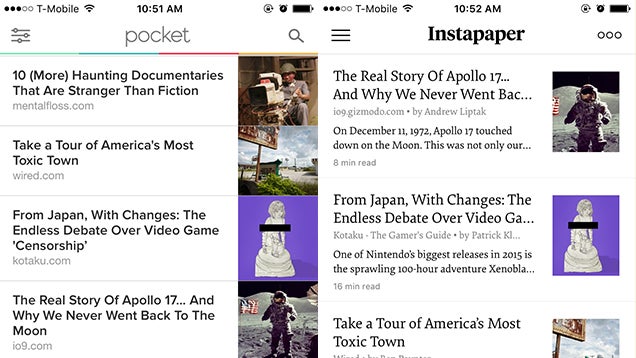
While Pocket and Instapaper have similar features, they feel like completely different apps when you’re using them. Take a glance at Instapaper and you get a much more serious tone from its newspaper-esque layout, lack of colors, and simple list. Conversely, Pocket is bright, displays images like a proud parent, and flaunts its colors behind bouncy animations. While it’s hard to quantify the “feel” of an app, Pocket’s tone has the jovial relaxed vibe of a pop-up craft store in San Francisco, while Instapaper feels designed for a librarian in Cambridge.
Those moods extend throughout the experience. Instapaper’s primary focus is the reading experience. Subsequently, you get all sorts of options for customizing the font, themes, and text size of an article. Beyond all that, you can also change the spacing and width, which makes the reading experience much more pleasant overall. Pocket only allows you to change the color theme, choose between one serif or san serif font, and alter the text size. So, if reading text articles is all you want to do, Instapaper’s the app you want.
On the other hand, in my experience, Pocket is much better at handling images and any built-in media. While Instapaper does support the likes of YouTube and Vimeo, it doesn’t do nearly as good of a job at parsing those things out. Case in point, Instapaper just added support for in-line video in an update this month. Still, Instapaper routinely cut images and video out from articles when I used it, while Pocket displayed them all with ease. Arguably, for some this is more of a feature than a bug, but my preference falls to Pocket for media.
One of my favorite features in Pocket comes from something as innocuous as pasting a URL. When you open the Pocket mobile app and it detects a web page on the clipboard, it’ll automatically suggest you add that link to your reading list. It’s a little thing, but it’s a time saver I’ve used a bunch. Instapaper doesn’t have a solution nearly as elegant—even worse, it doesn’t have a solution at all. You can’t paste a URL into the Instapaper mobile app at all, which is a bizarre exclusion. Of course, most apps and browsers allow for direct sharing to both services, so it’s a moot point for many since that little share icon is virtually everywhere, but if you get links from a variety of sources, Pocket makes importing a tad easier. Update: Instapaper has this URL import as well, which happens as a pop-up when you open up the app. It didn’t work very reliably for me for some reason though.
To Instapaper’s credit, its best feature is the highlight and note function. You can easily highlight text excerpts and save them, or add notes of your own to the articles you read. For students and other researchers, this alone is Instapaper’s killer feature.
Finally, one of the biggest key differences is in how you organize articles. Pocket uses a tagging system where you quickly add tags to any article, then search and sort by tag later on. Instapaper uses a pretty clunky folder system that only allows you to put an article in one folder at a time. Depending on how you prefer to organize your stuff, this can be a dealbreaker.
Price
Both Instapaper and Pocket are free. However, both have optional subscription models that toss in premium features. They’re not required by any means, and most users can likely get by without spending a dime. Still, here’s what you get in each of the premium packages:
Pocket: $4.99/month or $44.99/year
- Permanent copy mode (makes pages accessible even if the original web page disappears)
- Advanced search operators
- Smart tag suggestions
- Full text search
- Search through current articles and archives
Instapaper: $2.99/month or $29.99/year
- Full text search
- Unlimited highlights
- Unlimited speed reading articles
- Text-to-speech playlists
- Send to Kindle via bookmarklet option
- Ad free mode on the web site
Some of the premium features are nice, but they’re not a necessity for most of us. Regardless of which service you choose, I’d stick with the free version at launch and decide later on if you need any of the premium features.
The Bottom Line: Pocket Is Best for Multimedia, Instapaper Is Best for Pure Reading
After using both Pocket and Instapaper over the years, I think there’s pretty good distance between the two. Pocket is best for people who like to save multimedia, or save just as many videos, image and vine-heavy articles, or mixed media, and who obsess over organization. Instapaper’s best for people who just want to read text articles they find on the web.
Really, that’s it. When it comes to design and usability, the rest is about preference. Some people might find comfort in Instapaper’s decidedly serious-yet-drab color options, while others might prefer Pocket’s clown car color scheme. Where one person definitely needs notes in their read it later app, another might not at all. The features that separate these two don’t establish a clearly “best” option, but they do suggest what type of user will get the most out of them. Pick the one that suits your reading needs and stick with it.
Or heck, if you really want to go all in, IFTTT has plenty of recipes for syncing all your articles between both services.
30 Jan 21:17
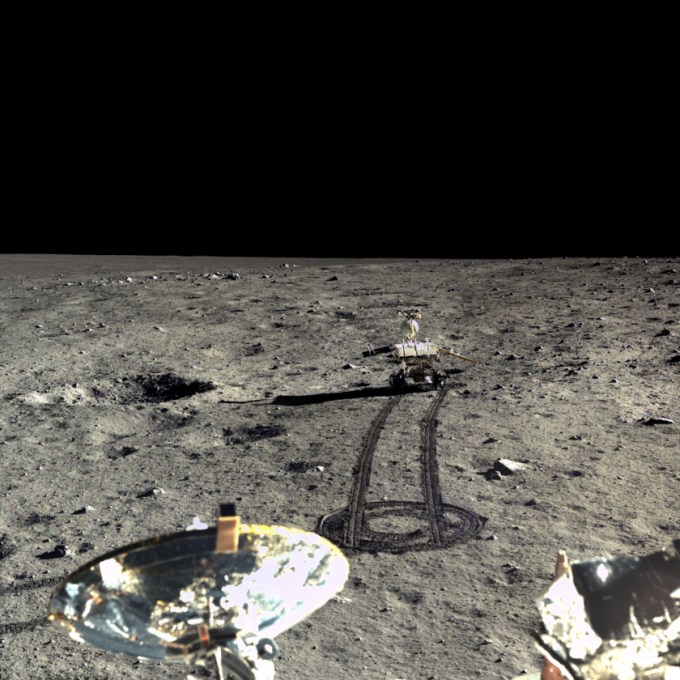 This month, the China National Space Administration released all of the images from their recent moon landing to the public. There are now hundreds and hundreds of never-before-seen true color, high definition photos of the lunar surface available for download. The images were taken a few years ago by cameras on the Chang’e 3 lander and Yutu rover. In December of 2013, China joined… Read More
China Just Released True Color HD Photos Of The Moon
by Emily Calandrelli
This month, the China National Space Administration released all of the images from their recent moon landing to the public. There are now hundreds and hundreds of never-before-seen true color, high definition photos of the lunar surface available for download. The images were taken a few years ago by cameras on the Chang’e 3 lander and Yutu rover. In December of 2013, China joined… Read More
30 Jan 10:36

Breastfeeding stickers turn mom's nursing breast into “fruit”
by Xeni Jardin
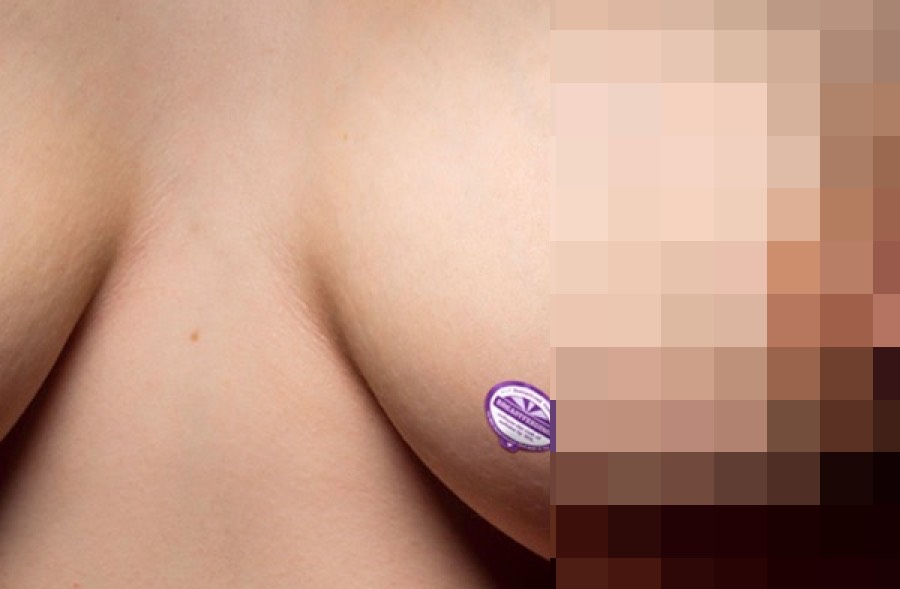
Ad agency Boone Oakley created a provocative campaign in posters and stickers for hospitals to promote breastfeeding to first-time moms.
30 Jan 01:00

Hackers release data from Fraternal Order of Police, largest U.S. police union
by Xeni Jardin

Sensitive electronic files from America’s biggest police union were posted online this week after a hacker breached the Fraternal Order of Police website. The ill-gotten dump includes officers' names and addresses, message board posts bashing Barack Obama, and details of eyebrow-raising contracts made between the union and city authorities.
30 Jan 00:55

Google adds design oomph to virtual reality unit as Apple enters the fray
by Mark Bergen
Now that Google has an official virtual reality division, it’s shuttling more Googlers into it.
The company has moved around 10 employees to a dedicated design team for VR, including Joshua To, a design lead for the apps unit, according to sources. A Google rep confirmed To’s move, but didn’t comment further.
Design is a critical element for Google’s success in VR. Most of the VR devices on the market, or coming soon, are considered lacking in their accessibility and aesthetic. And Google may face inordinate pressure to deliver here. (Remember Glass?)
30 Jan 00:55

Netflix is officially bringing back Gilmore Girls
by Russell Brandom
We're heading back to Stars Hollow. Netflix and Warner Bros. have confirmed that Gilmore Girls is being revived on the streaming service in some form. Creator Amy Sherman-Palladino and stars Lauren Graham and Alexis Bledel are all on board for the show's new episodes, but details regarding the number of episodes being made and the revival's premiere date haven't yet been announced.
The revival has been rumored since a TVLine report in October, and photos from the set leaked in January, prompting significant anxiety among some of The Verge's staffers. Netflix content chief Ted Sarandos hinted at the project earlier today, listing Gilmore Girls as an example of a show Netflix was reviving, and Graham has since confirmed the revival on...
29 Jan 21:48

Watch a clay vase take shape from the potter's wheel's perspective
by Mark Frauenfelder
TORTUS: SPIN from Tortus Copenhagen on Vimeo.
It looks like the room and everything in it is spinning around a fixed potter's wheel.
[via]
29 Jan 18:16
Exploring the ASUS ZenFone Zoom's camera
by Russell Holly

With a camera this big, it needs to take nice pictures.
It couldn't be more clear that ASUS has positioned the ZenFone Zoom to be all about the camera. This 3X optical zoom sits like a small hockey puck in the body of a ZenFone 2, with a special camera grip on the back and shutter buttons for both photo and video on the side of the phone. This was clearly designed to bring out the professional phonetographer in all of us, but you need more than a camera-themed outer shell to make a phone into a decent camera.
Here's a look at the software that drives this hardware, and some camera samples to give you an idea of what this phone is capable of.
The ASUS ZenFone Zoom is using a 13MP sensor with 3X optical zoom, OIS, laser autofocus, and a dual-color flash. That all sounds great, but as many know from using Android phones in the past it's usually the software that makes magic happen. The camera app on the ZenFone Zoom is the same camera app they've been using for a while now, and it's called ASUS PixelMaster Camera.

Out of the box, PixelMaster is a fairly simple interface with a whole lot of screen dedicated to the view in front of you. Like many camera apps, you get a shutter button for photos, a video button, and a quick toggle to the Manual camera mode closest to your thumb. On either side of that capture interface you get a thumbnail for the last photo you've taken and a button for all of the camera modes available to you. If you're shooting vertical, that puts just about everything you need at the bottom of the interface. The notable exceptions are the camera settings, the buttons to switch to the front camera and control the flash sit at the top of the interface.
The most impressive feature here is the way PixelMaster will auto-recommend camera modes.
Turning the phone onto its side rotates all of these icons, but also gives you access to the physical buttons designed to interact with this interface. The physical shutter and video buttons under the volume rocker will launch the camera and start capturing once you press either button again. Using the volume rocker when the camera is open will increase or decrease magnification through the optical zoom and nothing else. There's an option in settings to enable optical zoom if you'd prefer it, but from our usage there doesn't seem to be a compelling reason to enable that feature. If you're not a fan of using the volume keys, you can pinch to zoom on the center of the camera UI instead.
The interface is easy enough to use, as is flipping between the 19 different camera modes, but the most impressive feature here is the way PixelMaster will auto-recommend you enable one of these camera modes. When the lighting isn't great, you'll get a little icon suggesting low light mode. Same for HDR and selfie mode when appropriate. These suggestions arrive with surprising accuracy, and switching between the modes is remarkably fast.

The big question with the ZenFone Zoom is how well this PixelMaster app works with the unique hardware inside this phone. Adding a 3X optical zoom suggests some fun could be had with macro shots, grabbing more detail at a distance, and maybe even offering some increased quality over the other cameras in this $400 price range. While we're going to save the full breakdown of this camera's capabilities for the review, it's already clear that some of these hopes have not made their way to reality. For starters, there's no RAW support, which is more than a little disappointing for a camera of this caliber. If you are closer than 30cm to whatever you want to take a photo of, autofocus fails nearly every time and you get a warning explaining you need to be further away. That 3X optical zoom helps a little, but your best bet is to either go manual or try your luck in auto.
There are also quite a few misfires when it comes to some of the camera modes baked into this phone. PixelMaster's HDR frequently returned grainy shots, sharpening in super resolution mode lead to some quality problems when you zoom in, and while night mode often works remarkably well the image size is dropped to 3MP to get the same image quality as the Nexus 6P.
Don't take our word for it, though. Here's a series of sunrise photos with the Nexus 6P, the Galaxy Note 5, and the ZenFone 2 in Auto, HDR, and super resolution modes.







Check out the full resolution images here
As you can see, ASUS has a lot of great ideas with software but the execution isn't quite there. ASUS does give users great manual control and the ability to disable optimizations like sharpening and color adjustments, but for folks who want to just a straight-forward point-and-shoot experience this camera doesn't quite hit the exceptional mark compared to the other great cameras out there right now.
29 Jan 15:05


Guides By Lonely Planet Walk Into The Play Store, Maps In One Hand, Booklet Of Tips In Another
by Rita El Khoury

Lonely Planet is known by travelers all around the world for its small travel tip booklets that cover many cities and destinations, using experts and local guides to gather the best advice about each location. After what seemed like an eternity with half-hearted mobile apps, Lonely Planet is finally ready to make the big leap over to your smartphone. The app is now available for both Android and iOS and for a first version, it's a thing of beauty.
Read MoreGuides By Lonely Planet Walk Into The Play Store, Maps In One Hand, Booklet Of Tips In Another was written by the awesome team at Android Police.
29 Jan 13:51
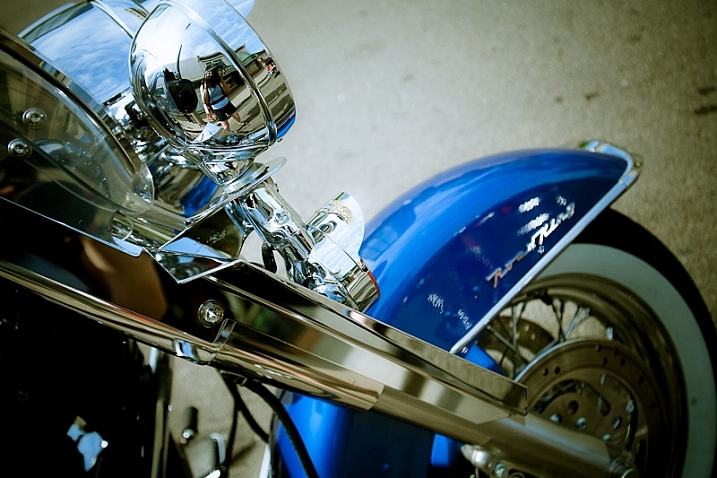
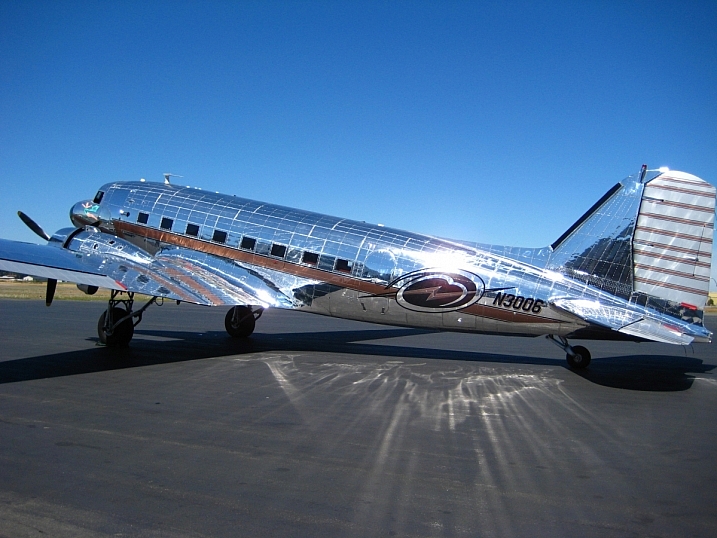







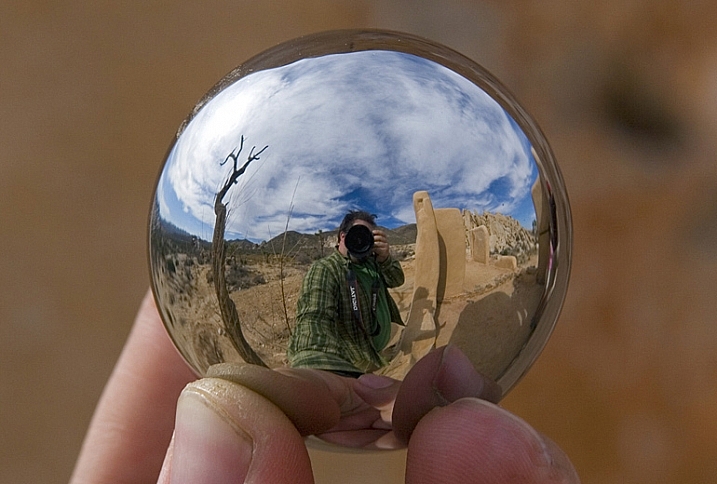

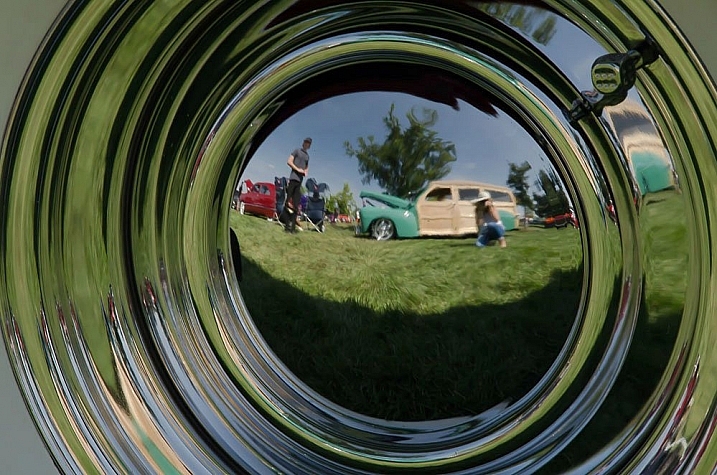


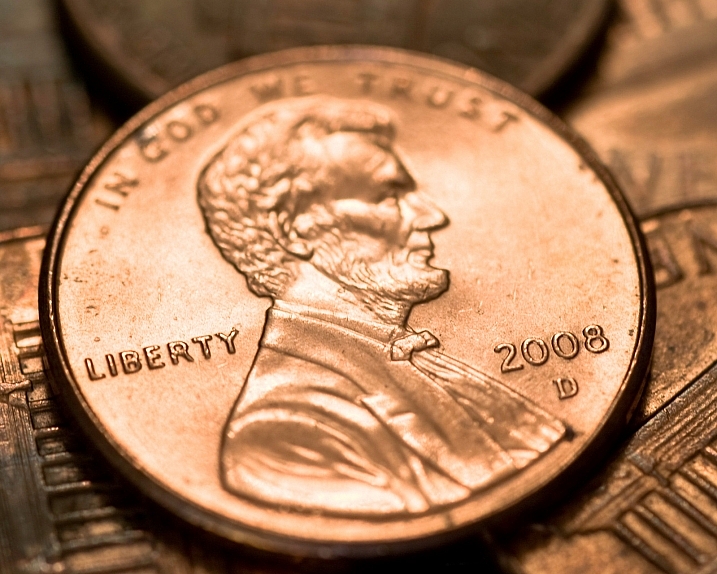
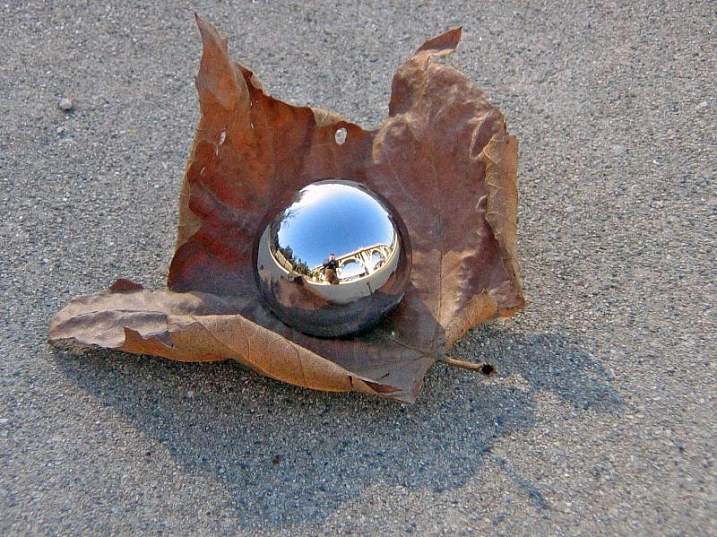
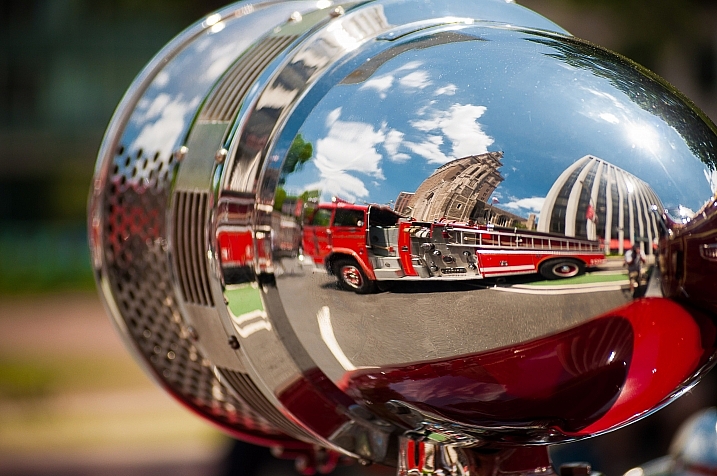
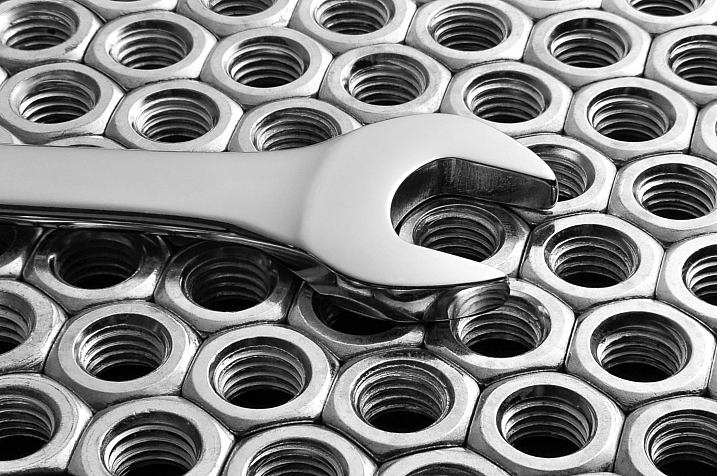
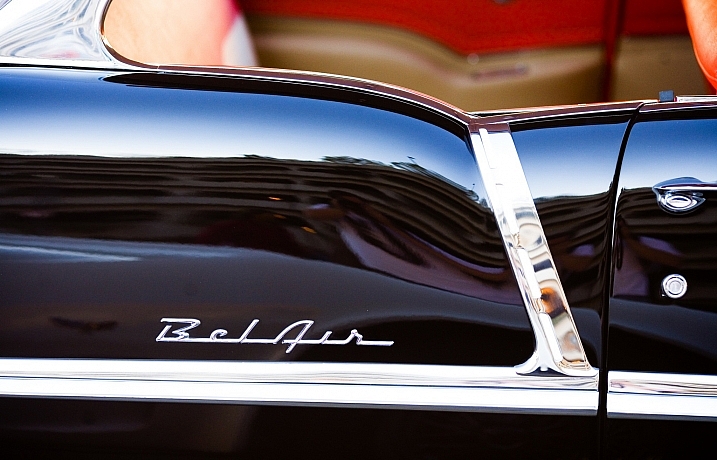
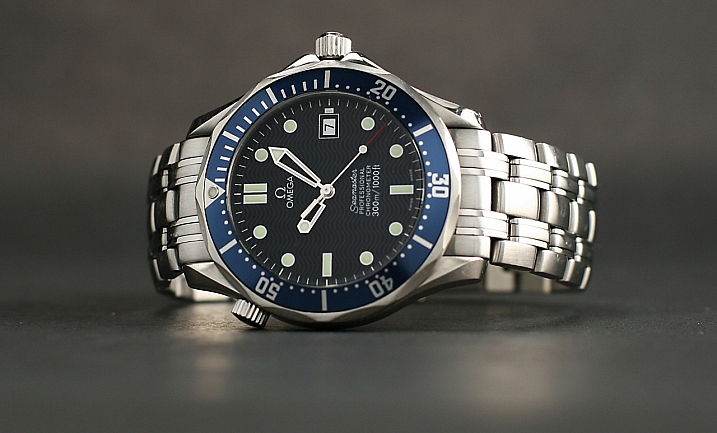
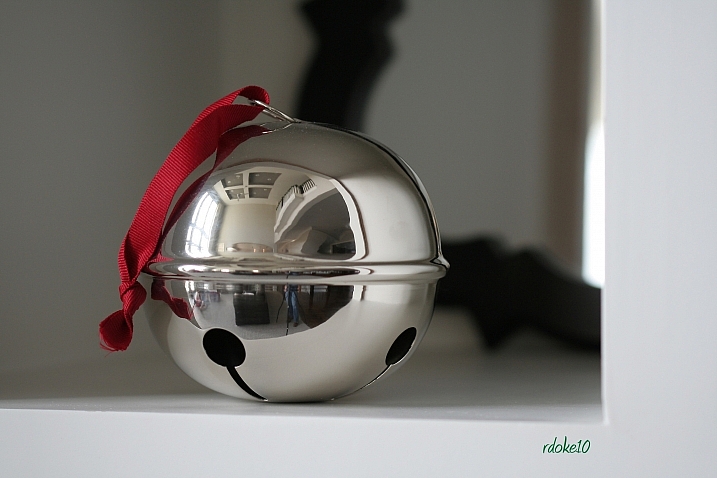
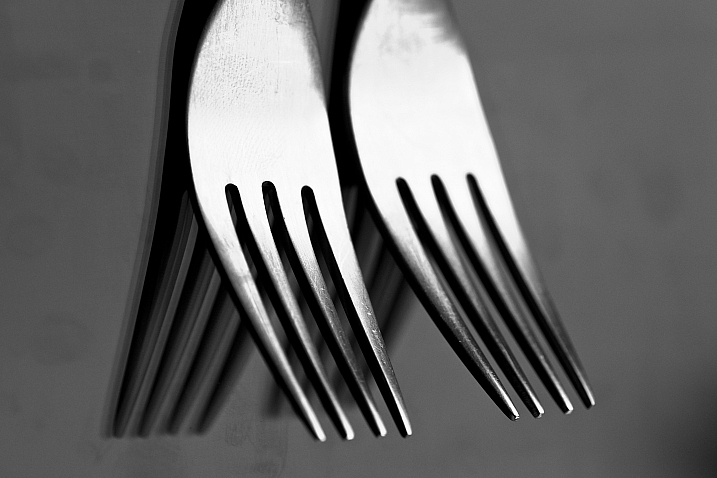
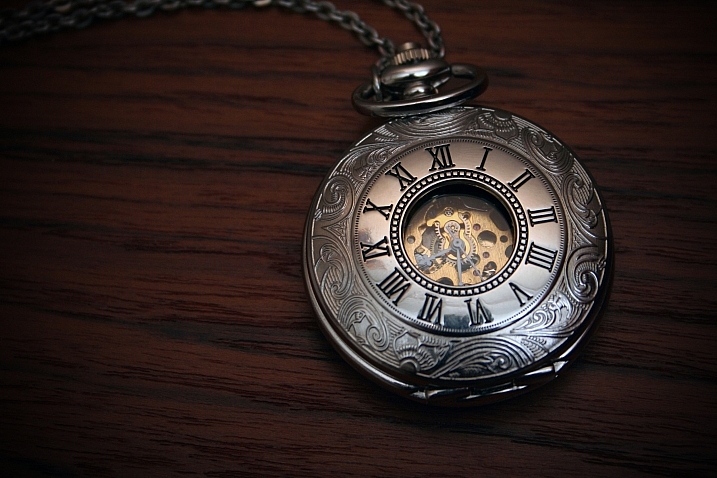
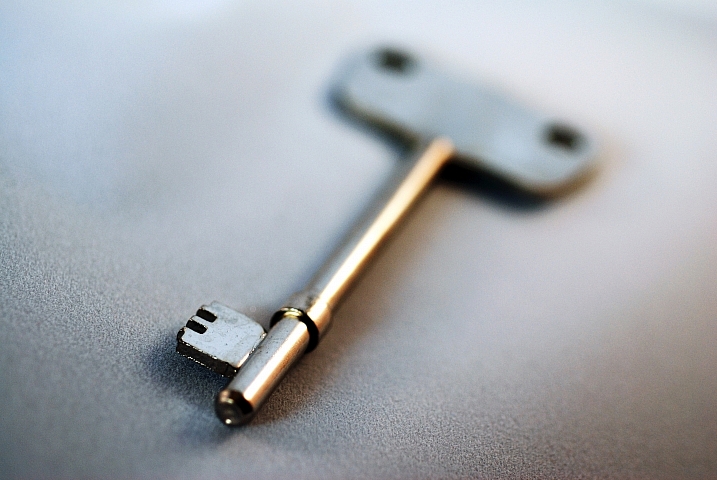



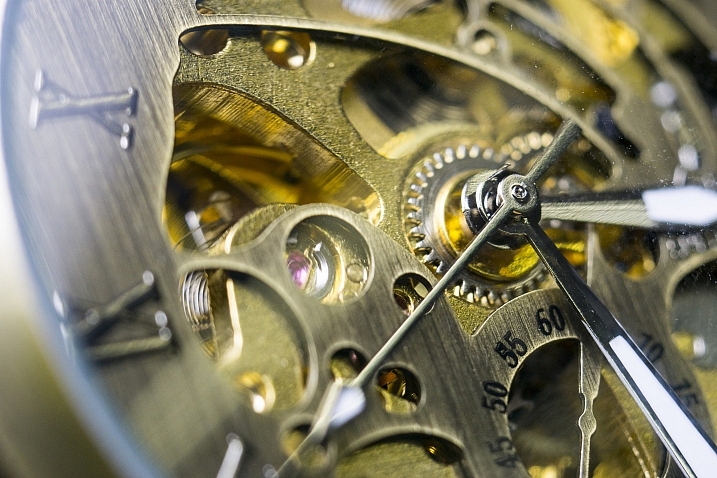


29 Polished Images of Shiny Things
by Darlene Hildebrandt
I think as human beings we are all attracted to shiny things – oh look squirrel! Just kidding.
But they go grab our eye. However, photographing them can be a bit trickier. You have to watch out for reflections, or maybe use them in your composition to your advantage. But you have to be intentional about it as a photographer.
In these images I found of shiny things let’s see how some other photographers handled this tough subject:
By Darlene Hildebrandt (a selfie of mine from 2009!)
By Brian Burger
By Bill Gracey
By Sean Molin
By Lawrence OP
By Dave Wilson
By Kurt Bauschardt
By Alan Newman – an1.uk
By Neil Kremer
By Kolby
By Siggi Churchill
By Cathy McCray
By Jon Matthies
By *Vintage Fairytale*
By killerturnip
By Kolby
By Tiago
By Darlene Hildebrandt
By > Mr.D Photography
By Thomas Hawk
By Mark
By Ron Doke
By Nana B Agyei
By Genna G
By Philippa Willitts
By carlos
By Aleksey Gnilenkov
By Fatima
By Tobias S.
The post 29 Polished Images of Shiny Things by Darlene Hildebrandt appeared first on Digital Photography School.
29 Jan 13:49
Sony posts $1 billion profit, but mobile sales take a tumble
by Harish Jonnalagadda

Sony has posted its Q3 2015 earnings, and while the manufacturer has done significantly better from Q2 2015 on account of strong PlayStation sales, mobile sales have fallen 14.7 percent. Overall, Sony made ¥2.58 trillion ($21.5 billion) in revenue, with an operating profit of ¥202.1 billion ($1.69 billion). Net profit was at ¥120.1 billion ($1 billion), 33 percent higher than Q2 2015.
The PlayStation division saw a sales increase of 10.5 percent, bringing in an overall revenue of ¥587.1 billion ($4.89 billion). Sony Pictures also had a decent quarter, posting revenues of ¥262.1 billion ($2.18 billion) that resulted in a YoY growth of 26.9 percent.
The mobile division's revenues witnessed a decline of 14.7 percent to ¥384.5 billion ($3.2 billion). From Sony:
This decrease was due to a significant decrease in smartphone unit sales resulting from a strategic decision not to pursue scale in order to improve profitability.
Sony's restructuring efforts, which include scaling back the R&D and marketing divisions, have paid off, as the vendor recorded operating profit of¥24.1 billion ($201 million). The vendor's image sensor business — the growth driver for Sony for several quarters, which led to it being spun off into a standalone entity — also took a sales hit in Q3, with Sony attributing the downturn to a decrease in unit sales of video cameras and digital cameras.
Source: Sony
29 Jan 13:48
BT completes its acquisition of EE
by Rich Edmonds

BT has successfully escaped the gauntlet of regulatory approvals and is now able to complete the company's purchase of EE. Picking up and absorbing the largest UK mobile operator, the £12.5 billion deal is a victory for BT, which has plans to enter the competitive mobile industry once more. 31 million EE customers will be included in the deal, which will put BT in a strong position against the competition.
BT already offers mobile phone options and EE has a limited TV and broadband service, but combining the two companies together to offer complete packages would make sense to prevent overlap. However, it's not just EE and BT who have plans to join forces. Eyes will now switch focus to Hutchison Whampoa (owner of Three) who has hinted at a potential purchase of Telefonica's O2.
Simply put, it's gearing up to be quite the period for mobile networks in the UK.
28 Jan 18:20
How to make your own cat scratching posts
by Mark Frauenfelder

Mr. Homegrown shows how to make a cat scratching post from some rope and lumber. He writes, 'I’m so satisfied with the results that I’m thinking about creating a integrated cat scratcher/USB charging station/cat perch using a twisty tree branch. I know, that sounds like a bad idea, but as Marshall McLuhan once said, “If you don’t like that idea I’ve got others.'"
28 Jan 18:19

Watch a tree get shredded by a lightning bolt
by David Pescovitz
Meteorologist Cedric Haynes of East Texas station KLTV tweeted this amazing video recorded by a surveillance cam at Bishop Thomas K. Gorman Catholic School in Tyler, Texas.

28 Jan 16:41
Yet another Star Trek Series
by Marc Perkel
If someone told me last week that there was a Start Trek series I never heard of I would have said, no way! If they told me there were 2 Star Trek Series you never heard of I would have said, Impossible! As it turns out there are 3 Star Trek series that I never heard of. This one is called Axanar. It’s about a 4 year war with the Klingons. It’s another prequel to TOS. I will leave the commenting up to you. So here’s the new Trek list:
Star Trek isn’t just a TV show. Star Trek is a vision of the future. It’s Gene Roddenberry’s vision about our future evolution. a vision that humanity progress, move out into the universe, and to boldly go where no one has gone before. And it’s great to see that this vision of the future is so compelling that Star Trek fans have gone where no fans have gone before to not wait for the commercial powers but to make, not 1 but 3 new series.
Here’s a bonus video. Fan James Cawley, who was one of the masterminds and actors in Star Trek New Voyages flips the bird to J.J, Abrams Star Trek movies that quite frankly – suck.
28 Jan 16:39

Chicago police are destroying their own dashboard cameras
by Russell Brandom
Chicago's police camera system has run into a big problem: Chicago police. According to new documents obtained by DNA Chicago, the department is struggling with widespread equipment failures in its body and dashboard cameras, in many cases driven by intentional destruction of the devices by officers.
The report points specifically to the squad car involved in the controversial 2014 shooting of Laquan McDonald, which was equipped with a dashboard camera but unable to capture audio. According to police records, the camera had been returned to the squad car just eight days earlier after what technicians described as "intentional damage" to the audio recording system. Roughly 80 percent of Chicago police video is missing audio, a statistic...
28 Jan 16:38

Expiration Dates on Your Food Mean Nothing
by Thorin Klosowski
Sell by, best if used by, expires on, display until; the shelf life of food seems like it’s a well regulated, concrete affair, but it’s not: It differs by region and type of food. In the end, those labels mean almost nothing, which leads to both food waste and an assumption of safety.
Where Expiration Dates Came From
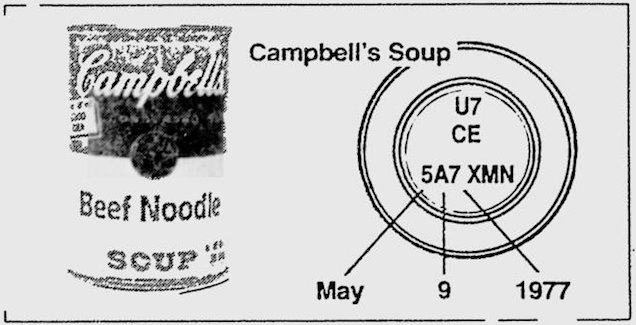
The origin of expiration dates is a classic life hack. By the 1970s, Americans had moved away from buying food from farms and small grocers and purchasing the bulk of their edibles from grocery stores. At the time, manufacturers started using special codes like the one above that told supermarkets when to rotate stock. As you’d expect, someone deciphered these codes and released a small book, called Blind Dates: How to Break the Codes on the Foods You Buy. As the name suggests, the book walked consumers through how the codes worked so they could buy the freshest food. For a taste of how it all worked back then, this article published in 1978 from the Deseret News walks you through what the process was like.
As more and more consumers cracked the codes, more people started asking for some type of freshness label on their food. As they did, supermarkets and food suppliers voluntarily started including sell by dates on their food. As time went on, sell by dates became common, but consistency didn’t.
Congress introduced a few bills in the mid-’70s to regulate expiration dates, like the Open Dating Perishable Food Act of 1973 and the Fair Packaging and Labeling Act but they all failed. So, states took the issue on themselves, which is why you see certain types of expiration dates in one state but not another. States like Utah, Idaho, South Dakota, Nebraska, and a handful of others don’t require any labels at all. Other states, including California, Pennsylvania, and Virginia only require labels for milk and shellfish.
If you’re curious about just how disjointed the system is, this report from Natural Resources Defense Council (PDF) details which states require which labels. Basically, over the course of the last 40-plus years, expiration dates became a muddled mess because the requirements vary from state-to-state.
Nobody Really Regulates Expiration Dates
With the exception of infant formula, the federal government never stepped in to regulate expiration dates. Because of that, we have different terminology that all means different things. In most cases, those labels describe food quality and have nothing to do with food safety. As an example, let’s break down some of the most common terms:
- Sell By: This tells the supermarket how long to display a product before rotating its stock.
- Use by or Best Before: This tells you when to use the product by for the best flavor quality and has nothing to do with food safety.
- Expiration Date: Expiration dates are typically meant as a suggestion for the last date you can consume food.
For most packaged foods, these dates are usually left up to the food producer’s discretion. They usually work with third-party companies like The National Food Lab, who perform tests to see how long it takes food to spoil, and how shelf-stable packaged food really is.. For example, they’ll leave food out on a shelf for weeks and create a rating system to describe its quality over time. Or sometimes, it’s just a taste test. Other times, it’s more about how the food looks, and has nothing to do with taste or nutritional value. In any case, it’s not particularly scientific or indicative of the actual safety of food, and it’s all highly subjective. NPR dug into exactly how this process worked:
The experts give the food grades, in numbers. The numbers go down as the food gets older. Bread gets stale. Salad dressings can start to taste rancid.
John Ruff, president of the Institute of Food Technologists in Chicago, says the companies that sell this food take a look at those grades and decide where they will draw the line, to protect the reputation of their products.
“If the product was designed, let’s say, to be a 7 when it was fresh, you may choose that at 6.2, it’s gotten to the point where [you] don’t want it to be on the market anymore,” he says.
“If it’s 6.0, would most people still find it reasonably good? Absolutely,” he says. “But companies want people to taste their products as best they can at the optimum, because that’s how they maintain their business and their market shares.”
Which all goes to say that most expiration dates, regardless of the terminology used, are mostly about the “quality” of food, as determined by the manufacturer. They rarely have anything to do with the safety of that food or eventual spoilage.
It’s Impossible to Figure Out an Exact Date When Food Will Spoil
We like to think there’s a quantifiable date that will tell us when food will go bad, but there are too many variables for something so simple. That’s the real problem with food expiration dates.
How long food sits on a truck waiting to be unloaded at a grocery store, how long it’s in your car on the drive home, how long it’s on your counter before you put it away, and more all factor into the timeline for food spoilage. It can even come down to your refrigerator’s temperature (which should be at 40 °F or below), or even where you store the food in your fridge.
More importantly though, “expired food” isn’t guaranteed to make you sick. It just means that food doesn’t taste as good. What usually makes you sick are foodborne pathogens like Salmonella or E. coli,which can live in your food before you buy it, or even persist after you cook it if you don’t cook it properly. There’s no label or timeline that guarantees your food is free from bacteria that may make you sick. Bacterial growth is time and temperature dependent, so proper food handling is more important than a printed date. This is also why food tends to last longer in the freezer than it does in your fridge—the freezer may not kill all bacteria, but it does slow them down a bit, and halts bacterial growth. Either way, spoiled food might taste gross (and there’s no reason to eat it if you don’t have to,) but that alone doesn’t make it unsafe to eat.
http://lifehacker.com/these-are-the-...
What To Do Instead of Relying On Expiration Dates

So, if the dates are mostly arbitrary, what can you do? Well, the sniff test is still your best option. If it smells bad, it’ll taste bad. Your eyes can also tell you a lot. If food looks spoiled, it probably is. Likewise, certain meats, like chicken, tend to get a slimy texture and dull color when they spoil. We all have the innate ability to tell when food is appetizing or pungent and rotten. Trust your senses.
Beyond that, there are some other basic guidelines that can help. The USDA’s chart above is a helpful starting guide. If you want to want to dig into the longevity of specific packaged and opened foods, sites like StillTasty and Eat By Date feature tons of tips about how long food tends to last in the fridge or frozen. More importantly, both sites give you tips on identifying when food spoils, so it’s useful when you’re doing the sniff test and you’re not sure if what you smell is as bad as it seems.
Finally, your best bet is to store your food properly so it actually lasts as long as it’s supposed to. When food’s mishandled, say, by defrosting frozen chicken wings at room temperature for six hours, that alters the safety more than anything else, so make sure you follow the basic rules for defrosting. Keep a sharp eye for mold or other signs of spoilage, and cook your food thoroughly and properly to avoid contamination.
The fact is, the expiration dates, regardless of the language they use, mean little. While they’re worth a glance when you’re standing in the grocery store, they’re worthless beyond that point, and certainly not worth the faith most of us put in them. We can do much better with our eyes and noses.
Illustration by Sam Woolley.
28 Jan 16:36
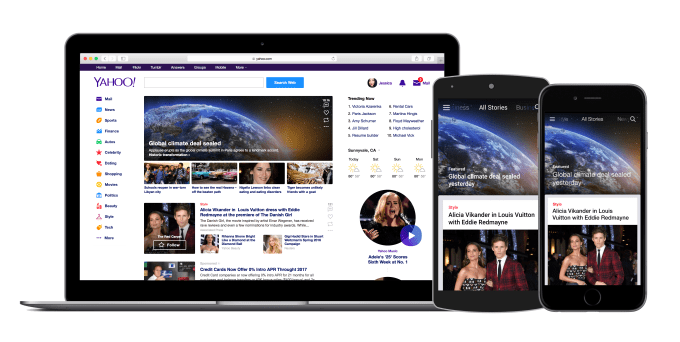 Yahoo today is rolling a major revamp of its homepage and flagship mobile application with a focus on offering a more personalized, social experience, where readers can find stories they like, comment and debate the day’s news, and track stories of interest. The move is meant to better reflect how consumers are engaging with and reading news on mobile devices, but it’s also… Read More
Yahoo Revamps Its Homepage And App To Offer A More Social Experience Around The News
by Sarah Perez
Yahoo today is rolling a major revamp of its homepage and flagship mobile application with a focus on offering a more personalized, social experience, where readers can find stories they like, comment and debate the day’s news, and track stories of interest. The move is meant to better reflect how consumers are engaging with and reading news on mobile devices, but it’s also… Read More
28 Jan 16:34

The internet bundle is already here
by Dieter Bohn
For the past six years or so, this image that (as best I can tell) was created by Reddit user quink has been making the rounds as the "nightmare scenario" if net neutrality dies. It's the bundle: your favorite websites tiered up into different packages, forcing you to pay different rates just to access different sites. A significant thread through the net neutrality debate was making sure ISPs (read: cable companies) didn't turn the free and open internet into the thing those ISPs actually want, cable packages.
We had to stop the bundle.
We have, thus far, been mostly successful in stopping it. We've been less successful in stopping the inverse-yet-also-bad idea of zero-rating, thanks to companies like T-Mobile and Facebook offering...
28 Jan 16:32

Gamestop’s first published game is a gorgeous underwater adventure
by Andrew Webster
Insomniac Games is best-known for a few big franchises, including Ratchet & Clank and Resistance. But for its latest project the studio is doing something a lot smaller: a gorgeous 2D side-scrolling adventure called Song of the Deep. The studio is partnering with Gamestop on the project, making it the retailer's publishing debut.
The developer describes Song of the Deep as a "metroidvania-style action-adventure," with a focus on exploration similar to Metroid and later Castlevania games. It follows the story of a young girl named Merryn, who delves into the deep unknown in search of her missing father. The reveal trailer shows an Irish folklore-inspired underwater world filled with massive creatures and submerged cities, which you...
28 Jan 13:16

First Click: Clamping down on VPNs will turn Netflix subscribers into pirates
by Rich McCormick
The great darkness came at around 9PM last night. I was watching the fifth season of Archer on Netflix — catching up before starting the sixth — when my TV screen went black. A flicker, and a moment later, The Message appeared.
27 Jan 19:25

Brilliant iPhone action game Downwell is now available on Android
by Andrew Webster
Downwell wasn't just one of the best mobile games of last year: it was one of the best games period. The game mashed together perfectly tuned, fast-paced action with a pixelated world full of Lovecraftian horrors, resulting in a surprisingly atmospheric arcade-style experience about falling down a well. iPhone and Steam gamers have been enjoying the game since October, but today you'll finally be able to play the game on Android devices. "Sorry for the wait," developer Moppin said of the months-long delay. You can grab the game from Google Play right here.
Sorry for the wait! Android version will hit tomorrow ;) pic.twitter.com/FyZKW6l4zJ
— Ojiro (@moppin_) January 26, 2016
27 Jan 18:11

Themepark in an ancient, cavernous Transylvanian salt-mine
by Cory Doctorow

Transylvania's Salina Turda themepark is housed in an ancient salt mine with millennia of history. Visitors use its vertical shafts to access vast underground salt caverns and lakes dotted with a concert hall, mini-golf courses, bowling alleys, and rowboats. (more…)
27 Jan 18:10
(Un)folding a virtual journey with Google Cardboard
by noreply@blogger.com (Google Blogs)
A year and a half ago we introduced Google Cardboard, a simple cardboard viewer that anyone can use to experience mobile virtual reality (VR). With just Cardboard and the smartphone in your pocket, you can travel to faraway places and visit imagined worlds. Since then everyone from droid lovers and Sunday edition subscribers, to big kids and grandmas have been able to enjoy VR—often for the very first time. Here's a look at where we are, 19 months in:
1. 5 million Cardboard fans have joined the fold.

2. In just the past two months (October-December), you launched into 10 million more immersive app experiences:

3. Out of 1,000+ Cardboard apps on Google Play, one of your favorites got you screaming “aaaaaaahwsome,” while another “gave you goosebumps.”

4. You teleported to places far and wide, right from the comfort of YouTube.

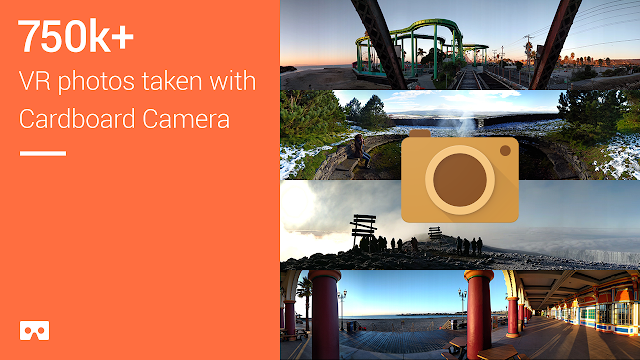
5. Since we launched Cardboard Camera in December, you’ve captured more than 750,000 VR photos, letting you relive your favorite moments anytime, from anywhere.
6. Students around the world have taken VR field trips to the White House, the Republic of Congo, and 150 other places around the globe with Expeditions.

While you've been traveling the world and beyond with Cardboard, we've been on a journey, too. Keep your eyes peeled for more projects that bring creative, entertaining and educational experiences to mobile VR.
Posted by Clay Bavor, VP Virtual Reality http://2.bp.blogspot.com/-2lf4cAt9Xoo/VqkFrHZ5xxI/AAAAAAAARzs/E8ZK8l4EPo8/s1600/Google-Cardboard_hero.jpg Clay Bavor VP Virtual Reality
1. 5 million Cardboard fans have joined the fold.

2. In just the past two months (October-December), you launched into 10 million more immersive app experiences:

3. Out of 1,000+ Cardboard apps on Google Play, one of your favorites got you screaming “aaaaaaahwsome,” while another “gave you goosebumps.”

4. You teleported to places far and wide, right from the comfort of YouTube.

5. Since we launched Cardboard Camera in December, you’ve captured more than 750,000 VR photos, letting you relive your favorite moments anytime, from anywhere.

6. Students around the world have taken VR field trips to the White House, the Republic of Congo, and 150 other places around the globe with Expeditions.

While you've been traveling the world and beyond with Cardboard, we've been on a journey, too. Keep your eyes peeled for more projects that bring creative, entertaining and educational experiences to mobile VR.
Posted by Clay Bavor, VP Virtual Reality http://2.bp.blogspot.com/-2lf4cAt9Xoo/VqkFrHZ5xxI/AAAAAAAARzs/E8ZK8l4EPo8/s1600/Google-Cardboard_hero.jpg Clay Bavor VP Virtual Reality
27 Jan 18:09
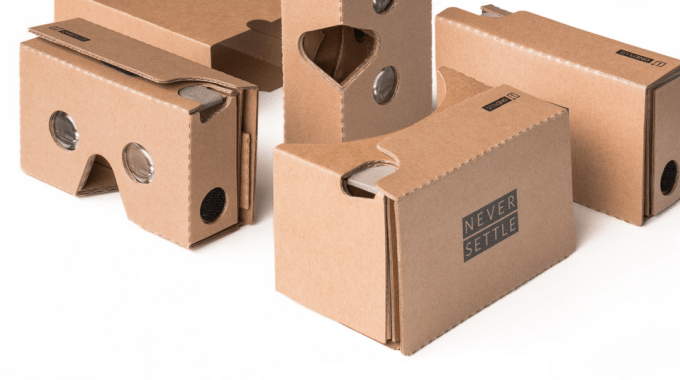 In a Google blog post today by Clay Bavor, Google’s new VP of VR, the company detailed a few quick stats on the company’s Cardboard program. This interestingly comes at a time when it’s clear Google is looking to further emphasize virtual reality and augmented reality from a hardware perspective through recent moves. Nevertheless, Google took some time today to pause and look… Read More
5 Million Google Cardboard VR Viewers Have Shipped
by Lucas Matney
In a Google blog post today by Clay Bavor, Google’s new VP of VR, the company detailed a few quick stats on the company’s Cardboard program. This interestingly comes at a time when it’s clear Google is looking to further emphasize virtual reality and augmented reality from a hardware perspective through recent moves. Nevertheless, Google took some time today to pause and look… Read More
27 Jan 13:44
Amazon launches Prime Stations in the UK to get you jamming
by Rich Edmonds

Amazon has launched Prime Stations in the UK. The online retailer previously rolled out the feature – enabling those with Prime to take advantage of personalized genre-driven music stations – in the U. S., but now those in the UK will be able to tune into their favorite genres and enjoy. The feature is available to Prime members through the Amazon Music app on iOS, Android, Mac, PC, as well as the web.
The stations themselves are ad-free and are curated around a specific genre or individual artist. Utilizing a familiar rating system, listeners will be able to thumbs up or down each track played for the service to further personalize playlists. It's a neat feature that will certainly appeal to those who opt for choosing a genre (or artist) and hitting play. As noted above, you'll be able to enjoy Prime Stations on the web or using Amazon's Music app.
Ready to get started? Hit the link below to learn more about Amazon Prime Music, its benefits, and to sign up for a free trial.