Another despatch from the ‘mobile messaging is eating the world’ file: blue collar recruitment app and European startup Corner Job has closed a $10 million Series A funding round. Read More
Android Pay is set to launch in the UK as Google steps up to compete against Apple's own contactless mobile payments platform. According to Industry sources, the company is expected to roll out Android Pay next month.
With the roll out hitting your device, Android Pay will enable you to add your credit and debit cards to the app, which in turn will allow you to quickly tap to make payments with NFC readers. Think contactless payments but without needing to pull out your credit or debit card.
The launch of Android Pay will be a massive boost for the UK due to just how popular smartphones are running Google's mobile OS.
The Academy Awards took place once again at the Kodak Theatre in Los Angeles, California. While a few awards in the acting categories were all but locks, its one of the most competitive Oscars in recent memory, with The Revenant, The Big Short, Spotlight and even Mad Max Fury Road serious contenders for major trophies. Here are all the big winners of the night, updated as they come in.
Best Original Screenplay
Spotlight (Josh Singer & Tom McCarthy)
Best Adapted Screenplay
The Big Short (Charles Randolph & Adam McKay)
Actress in a Supporting Role
Alicia Vikander (The Danish Girl)
Best Costume Design
Mad Max: Fury Road (Jenny Beavan)
Best Production design
Mad Max: Fury Road (Colin Gibson and Lisa Thompson)
A major new Raspberry Pi microprocessor has been announced today: the Pi 3 Model B board becomes the new top-of-the-line Pi, with a 64bit 1.2GHz quad-core chipset and 1GB RAM it’s being slated to offer a 50 per cent power bump over the Pi 2. But is still priced at just $35… Read More
Amazon has signed a wholesale supply deal with Morrisons, one of Britain’s largest supermarket chains, to deliver fresh and frozen groceries to Amazon Prime Now and Amazon Pantry customers. Read More
Seedcamp-backed travel startup, Much Better Adventures, which lets you book ‘active holidays’ with independent providers, has raised £400,000 in seed funding to expand its ski offering and launch a second vertical in the form of road cycling holidays. Read More
On April 1, 22 states will roll back their food stamps rules to pre-crisis levels, so adults without dependents or disabilities will only be entitled to "three months of food stamps in any three-year period—unless they work at least 80 hours a month, or meet education and training or volunteer benchmarks."
(more…)
PC Mark McKay, a police officer in Camberwell, London, tweeted this warning to locals to beware of bike racks that thieves have sawn through and camouflaged with gaffer tape; once the bikes are locked up, the thieves return, remove the tape, and make off with the bikes.
(more…)
For lifelong learners and self-made scholars, the internet is a priceless resource. Continue your education with these top free online tools.
10. Free Massive Open Online Courses (MOOCs)
Massive open online courses (MOOCs) have greatly expanded the educational opportunities for everyone with a computer and an internet connection. These typically free online courses, usually provided by universities and colleges, cover everything from Astronomy to Web Development. MOOCs are a category unto themselves, but there are plenty of individual MOOC providers and platforms to look to, including the universities themselves, such as Stanford Online and MIT Open Courseware. Popular commercial and non-profit organizations that serve up courses from multiple sources include Academic Earth, edX, Class Central, Udacity, Coursera, Udemy, and FutureLearn. If you feel like there are too many free online courses to choose from, don’t worry. Several of the tools and sites below curate courses from MOOCs and other sources into fields of study.
9. Skillshare
Skillshare is a learning community that connects over a million students and teachers. In fact, anyone can teach a class (typically 30 minutes to 1 hour long) on subjects like crafts, cooking, film, photography, technology, or writing—as long as the class adheres to the site’s publishing guidelines. It’s a good resource for viewing project-based lessons (e.g., designing 3D type and texture) and there are tracks of courses grouped by subject. Over 300 lessons are available for free, but you’ll need a pro subscription to access the 3,000+ full library.
8. University of Reddit
Love Reddit? You can partake in this community’s crowd-sourced online education initiative. Covering standard subjects like art and computer science as well as “fun and games” (e.g., StarCraft II Strategy), University of Reddit is taught by Reddit users. You can also apply to teach a class yourself.
7. CourseBuffet
CourseBuffet lets you search and compare hundreds of free MOOCs from over 250 universities. You can search by subject, browse by field, or even see learning paths that organize courses into a bachelor’s degree-level curriculum for you—for example a complete computer science or management path. And it’s all free.
6. ALISON
ALISON not only provides free online courses from publishers like Google, Microsoft, MIT, Macmillan, and Cambridge University, the site also offers diploma-level courses. So you can earn a certificate in project management, HR, social work, and other subjects that might be helpful during a job search. Over 750 free diploma and certificate courses are available now, and you can use the site to track your progress and test your skills.
Join over 38 million online learners at Khan Academy, a non-profit MOOC of its own. Their tagline is “you can learn anything,” and you’ll find a wide range of interesting video classes here as well as interactive courses. Track your progress and earn badges to keep learning fun.
3. iTunes U
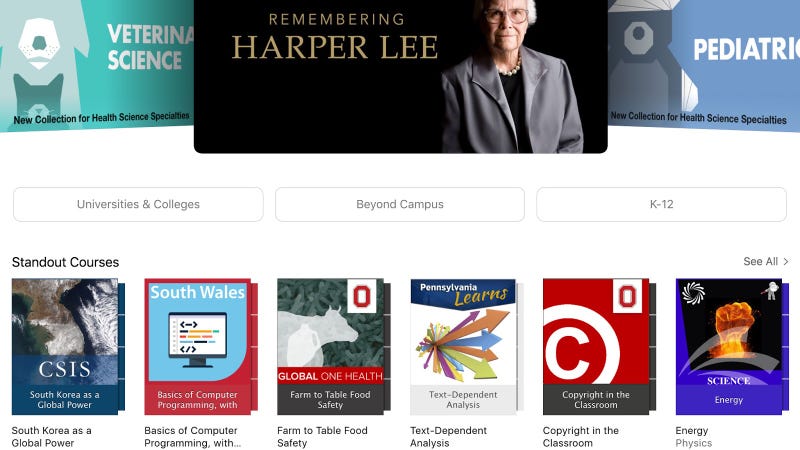
The iTunes U app for iOS, Mac, or Windows not only lets you access courses from leading schools and other sources on your device, it lets you see and complete course assignments and add notes for each course. The catalog contains hundreds of thousands of resources on various topics, all at your fingertips.
2. Open Culture
Open Culture is a treasure trove for any learner. Currently, the site lists 1,150 free online courses, 725 free movies, 700 free audio books, 800 free ebooks, 200 free textbooks, 300 free language lessons, and 150 free business courses. They’ve grown a lot—and continue to keep growing—since we mentioned them a few years ago. Resources are well classified. This is a great one-stop source for free, enriching media.
1. Lifehacker U
Not to toot our own horn, but Lifehacker U is a well-curated collection of the best free online classes you can take each semester. One of the best things about it is our own Alan Henry highlights specific courses in each subject field you might be interested in, along with detailed notes and descriptions. So rather than pointing you to, say, Stanford University in general, you’ll see courses from multiple schools in your discipline that are new or returning at this time.
The resources above just scratch the surface of all the places you can learn something new online, of course. But they’re a good place to start and should keep you busy learning all year round.
Illustration by Fruzsina Kuhári.
Lifehacker’s Weekend Roundup gathers our best guides, explainers, and other posts on a certain subject so you can tackle big projects with ease. For more, check out our Weekend Roundup and Top 10tags.
People who spent years, even decades, behind bars in California's prisons before being exonerated are not entitled to any services or compensation, not even the normal reintegration counselling, funding and services made available to parolees and criminals who've served their time.
(more…)
The Freedom 251 is a 3G Android handset with a 4-inch display, a Qualcomm 1.3-GHz quad-core processor and 1 GB RAM. It was introduced a couple of weeks ago in India for the low, low price of 251 rupees (US$3.67). It sounds like a great deal for millions of people who couldn't otherwise afford a smart phone.
But India MP Kirit Somaiya says he's looked into the little-known company that makes the phone and says they're Ponzi schemers.
“This is a huge scam, that is why I went through all the papers of the company. The government has informed Uttar Pradesh government to check the bonafide of the promoter. This is a Ponzi bogus company scam,” Somaiya told ANI. [Indian Express]
On Twitter, @Joydas posted photos of the Freedom 251, calling it a "Chinese Smartphone. Whitener used to Hide Name. Sold in garb of Narendra Modi's "Make in India" campaign."
Finding widgets that work with one theme can be hard. Finding widgets that work with many is like a diamond in the rough, and here they are, ready to shine.
Android has hundreds of thousands of home screen widgets out there for you to try out, from advanced widget creators to those that come with your favorite apps. Some are beautiful, some are extravagant, and some are refined, but above all, they have to work. Widgets have to earn their keep on my home screen, or they'll be deleted and replaced with something I actually use.
Not all apps have customizable widgets, and no matter how good some of those widgets are — like Google Keep — if they don't play well with themes, then I can't count on them when I'm building my home screen.
Another Widget
The Google Pixel 2 brought a few new tricks to its home screen this year, but none have been as popular as the At A Glance widget. This refined, easy-to-see and easy-to-use widget is only available on the Google Pixel, but enterprising developers have begun to mimic it in apps like KWGT and launchers like Action Launcher. The best interpretation of the At A Glance widget so far is hands-down Another Widget.
Despite the pedestrian name, Another Widget is not just another imitator. Another Widget goes beyond the original by allowing users to customize the text size, text colors, shadows, data shown, and the apps triggered by tapping the calendar and weather portions of the widget. In short, Another Widget is more flexible than the original and available to everyone, not just those who could blow $650 on a new Pixel.
Whether you're trying to make your phone look as Pixel-y as possible or just want an informative widget that doesn't get in the way of a good theme, give Another Widget a try. The app itself is free, but you can support the developer by buying them a coffee, breakfast, or dinner should you appreciate their work.
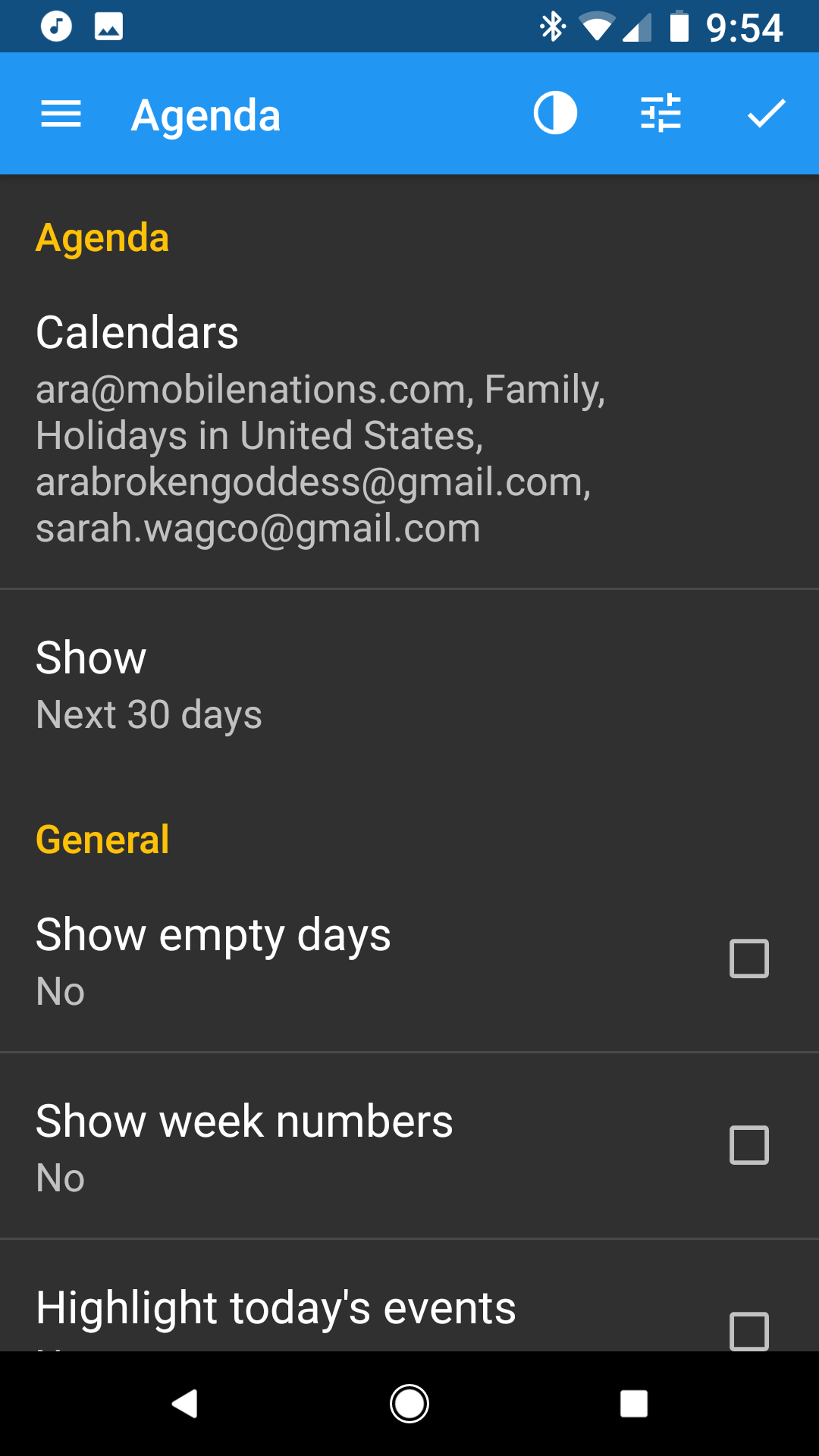
I'm not going to sugarcoat it: Most calendar widgets are ugly and don't theme particularly well. That said, if you have to have a calendar widget on your home screen beyond a next appointment widget like Another Widget, then Calendar Widget Month + Agenda by Milan Sillik is probably going to be your best bet. The widget is easily resizable and adaptable, you can recolor it and change the transparencies to your liking, and you can try it out for free with all features enabled. Free users have a bar at the top of the Agenda advertising the PRO version license, but it's easy to scroll past while you're testing it out.
Using it with 100% transparency allows your calendar events to scroll in and out of your wallpaper seamlessly, and it's easy to turn the transparency back up when using a busier wallpaper. Just don't set the bottom toolbar to Minimalistic, or you won't be able to get back into the widget's settings without clearing the app data.
Weather widgets are the most popular widgets on the block, and no matter what weather app you have installed, there's bound to be a widget or two with it, but no weather app has quite the diversity or flexibility of the widgets included with 1Weather. 1Weather is a weather app designed by OneLouder, the development team behind popular Reddit app BaconReader and Twitter client TweetCaster, and 1Weather's layout is as easy to use as it is easy to customize.
1Weather's widgets come in all shapes and sizes, and while the icon sets are either black or white, you can set accents for each widget to help the widgets blend or pop against your current themes. 1Weather's widgets are highly adaptable, and I've used them in dozens of themes.
When it comes to widgets that fit your theme, sometimes you can't rely on an app to have a widget that fits. Sometimes, you have to make your perfect widget, and when it comes to making your own widget, KWGT is king. KWGT — short for Kustom Widget — is a WYSIWYG widget creator, and its basis is quite simple: what you see is what you get. KWGT allows users of all skill levels to build and modify widgets layer by layer, piece by piece so that they get a widget that fits and performs exactly as desired.
Don't worry, you don't have to build each and every widget from scratch. KWGT Pro enables you to pull in presets — pre-built widgets — from other users and from Kustom packs, packaged KWGT presets and komponents. This means that KWGT widgets are easier the share than they are to build, and themers often share their KWGT presets while showing off their themes in communities like r/androidthemes/.
KWGT is also a good way to introduce yourself to WYSIWYG editors and Kustom's framework before you dive into KLWP — Kustom Live Wallpaper — KWGT's beefier big brother.
Once upon a time, Zooper was the WYSIWYG widget maker that diehard themers turned to. The UI was a hair easier to pick up on Zooper, but unfortunately, Zooper hasn't been updated since 2015, and it was even briefly removed from Google Play in December. In short, it's outdated, unreliable, and not worth your effort today.
Your turn
If you have widgets that are team players when you theme, sing out in the comments below! We're always on the lookout for a few good widgets.
Updated February 2018: This article has been completely overhauled and rewritten to reflect developments and discontinuations in the Android widget space.
Google's Inbox by Gmail email client is adding some more options for its Snooze feature. They are designed to give users some more flexibility on when they want to be reminded to take action on a specific email.
First, Snooze is getting two highly-requested snooze times: Later this week and This weekend. These new options should hopefully save you some time, and decrease the need to use custom snooze.
The second new Snooze option now allows users to pick the specific weekend days. The options include picking only Friday, Saturday or Sunday but it also allows users to select Snooze to work from Thursday to Friday, Friday to Saturday or Saturday to Sunday. The company says:
This feature is especially useful for people living who live in places where the weekend spans different days of the week.
Popcorntime.io, probably the most popular iteration of slippery movie piracy app Popcorn Time, is back — sort of. Earlier this week, part of the team apparently behind popcorntime.io announced a comeback, four months after being shut down and hit with a lawsuit from the MPAA. Like its predecessor, the new service offers sleek streaming-video apps that play a large selection of pirated movies, all distributed via Bittorrent. But it's being launched at the new popcorntime.sh domain with a more visible awareness of the legal risks its developers are taking.
As noted by Torrent Freak, signs of the new Popcorn Time started popping up earlier this month, with strong evidence that it was created by team members from popcorntime.io. A blog post...
Facebook will bring its live video streaming service to Android phones within the next week, the company announced today. The Android rollout will begin with users in the US, before expanding to other countries. The Facebook Live feature, which allows users to broadcast live video through the company's flagship mobile app, initially launched on iOS in the US. As of today, it's available in more than 30 countries, and Facebook says it plans to bring it to new markets "within the coming weeks."
Live video has been a point of focus for Facebook in recent months, as it looks to broaden its News Feed to include more real-time content. In a post announcing the Android rollout today, Facebook said the average time its users spend watching live...
Motivation is fleeting, which is why it’s important to build a solid system for getting stuff done. This way, you make it as easy as possible to achieve your goals, even on low-motivation days. When you second guess your system, though, you defeat the purpose. David Allen reminds us: trust your system.
Let’s say your goal is to eat healthier. Some days you’re motivated and it comes easy. Other days, you just want pizza. To combat those pizza days, you set up a system for yourself, which involves stocking your fridge with healthy options and perhaps allowing yourself the occasional indulgence so you don’t burn out. That’s a common example of a system, and it can be a pretty effective one. But we often tweak our system to perfection at the cost of our overall goal. Getting Things Doneauthor and productivity guru David Allen puts it this way:
If you don’t trust your system, you can’t let go of operational details and you’ll limit your ability to create at a bigger level.
I’m guilty of this. I set up a system and then I second guess it, thinking it could be better. For example, I schedule all my tasks for the day, and I’ll get through the first task, but then I think, “maybe I should rearrange everything and optimize it more.” If I would spend that time actually using my system instead of analyzing it to death, I’d be one step ahead in reaching my goals for the day.
Allen calls it micromanaging your mind. Your system might not be perfect, and at some point, sure, maybe you want to revisit it. But if you’ve hit paralysis by analysis because you can’t let go of the operational details, you’re taking away from your overall goal. Set up that system, trust it, then move on.
Chrome: This might be the quickest way to share links with others. Just click the Send from Gmail (by Google) button and a new email message is prepped for you with the web page title as the subject line and the link in the body.
All you have to do is enter your recipient and click send.
The extension works with Google Apps and you can customize the message to have a prefix in the subject field. For example: “Interesting link:”
Also, since it’s one click from the toolbar to creating a new email message from any page, you can use this to quickly send any kind of email—you just have to edit the title and body.
This extension has been around for a while, but it was new to us. Hopefully all you frequent link-sharers will enjoy it.
This month, Examiner.com has been profiling "noted atheists who experienced dramatic shifts in their views, eventually becoming Christians." This week, it has a story about Douglas Ell, a former atheist who has undergraduate degrees in math and chemistry, and an MA in theoretical mathematics from the University of Maryland.
Using his advanced knowledge of mathematical analysis, combined with the latest science, Ell came up with probability calculations which were incredible: practical proof, he concluded, of a designed and ordered universe. Sitting with his friend Peter Fisher one evening, Ell told him, "You know, someone should write a book about this, because I'm finding modern science strongly supports belief in God." Fisher, who is now head of the physics department at MIT, responded, "Maybe that someone could be you."
Thus inspired, Ell poured out his findings into his book, Counting to God, which takes the more theoretical elements and breaks them down to an understandable level, where Ell hoped to show the beauty he saw in science and math to the eyes of each and every reader.
After months of rumor, Opera finally confirmed two weeks ago that its board had accepted a takeover offer from a consortium of Chinese firms for the price of $1.2 billion. I had a chance to sit down this week at MWC with Lars Boilesen, the CEO of Opera, and Håkon Wium Lie, the company’s CTO and inventor of cascading style sheets (CSS). In this wide-ranging and candid interview, we… Read More
The time has come once again to leave beautiful Barcelona and all of the amazing things we've seen behind. Mobile World Congress is always an incredible place to look at what we can expect from the entire mobile landscape over the next couple of months, but as is often the case there's a few things that truly stood out as exceptional. With that in mind, we've assembled a list of our top picks for this year's Mobile World Congress.
If you want to see all of our MWC coverage — lets face it, you probably missed a couple of things — be sure to check out our MWC 2016 page and then continue on to see our top picks for this year.
Samsung Galaxy S7 and Galaxy S7 edge
Do words even need to go here? Samsung's next pair of phones are equal parts style and power, with no clear competition in sight. The company is as focused as ever on delivering their own ecosystem on top of Android, and as a result we're getting hardware in 2016 from the biggest smartphone manufacturer on the planet with waterproofing, removable storage, and what looks like an impossibly good camera. Sure, Samsung stuck with the microUSB port so they could push forward at full speed with the Gear VR and that removable storage isn't part of the adoptable storage system Google introduced, but for a ton of people out there neither of those things matter.
It's going to be a lot of fun exploring everything these phones are capable of, and it couldn't be more clear by the reaction so far that Samsung did right by their audience with this release.
The company with a long history of breaking the mold ditched leather backplates and a unique volume and power combo on the back for a metal unibody design with a fingerprint sensor on the back. If it weren't for the whole bottom of this phone coming off to expose the removable battery and make room for some modular accessories to make photography and audio consumption more fun on a phone, you might have been able to call the G5 boring. Fortunately for LG fans, it looks like this phone is going to go well above and beyond what we expect a phone to be capable of.
Pour one out for the Rear Key, but get excited for everything LG is bringing to the table with the G5.
Folks in the U.S. might still be surprised to hear that Sony makes Android phones that are, on occasion, a genuine pleasure to use. With any luck that will change with the Xperia X and Xperia X Performance, a pair of mid-range phones that target a market we've seen grow tremendously over the last year. If Sony can actually get phones to the US in a reasonable timeframe doing something interesting like these two phones seem to be doing, we're going to see even more curiosity in the that mid range this year.
Xiaomi is the only massively successful smartphone in the world without a US or European presence, and there's a reasonable chance that could change this year. The new Mi 5 is packing a Snapdragon 820 processor and 4GB of RAM under a 5.15-inch display powered by a 3,000 mAh battery. It's also packing a 16MP Sony sensor with a unique 4-axis OIS that we can't wait to spend some time with. That alone is enough to capture the attention of Android specs geeks around the world, but when that hardware is coupled with a $306 price tag for the 32GB model, it's a phone that simply can't be ignored.
You can expect us to be spending a lot more time with this phone as soon as possible, as it's likely to cause even more excitement in an already explosive mid-range market.
It would be enough to say that Alcatel won an award from us for being clever and turning a Google Cardboard kit into their retail packaging, but that takes away from just how nice the Idol 4 and 4S look and feel. Alcatel started showing signs of a mid-range experience with a premium feel last year, and it looks like this year the transformation has been completed. The sleek glass and metal in multiple colors is matched only by the unique, clever software that Alcatel has been rocking for a little while now.
Of the accessories LG announced for their shiny new smartphone, a rolling robot with a camera and IR sensor is by far the most impressive. LG is selling this as a security camera, cat toy, remote control for your TV, and smart home hub all in one rolling white orb. As we've seen with BB-8 by Sphero, it's enough to have something that rolls around and crashes into things. Not we have something that rolls around and crashes into things and actually does stuff. As long as the price is right, you can bet we'll be chasing cats and interrupting the evening news with this little bugger as soon as it is available for purchase.
We've known for a year now that Samsung was aware of the need to give users the ability to power their own VR experiences with a 360 camera. The next challenge is making something easy enough to use at a price point that makes it so Gear VR users actually take the plunge and have some fun with it. That's where the Gear 360 comes in, and with any luck it will be the first step for a lot of people in capturing 360 videos that can be experienced just about anywhere.
If for no other reason than to compare it to the impressive lineup of 360 cameras we've seen announced this year, the Gear 360 cam is high on our list of things to play with some more.
Someone at LG agrees that having a phone in a box half an inch from your face is a recipe for awkwardness, and decided to make a Google Cardboard kit that is way more complicated than just a cardboard box. The LG 360 VR is a VR headset with its own display and sensors, which means it can be lighter, thinner, and sleeker. All you have to do is plug the headset into your LG G5, and you should be good to explore all of the Cardboard apps you like.
We've still got a lot of questions that need answering about this one, but it's hard to not be impressed with the effort here.
It may surprise you to know that HTC's precense at MWC this year was for more than just showing off the consumer version of the HTC Vive that will be available for pre-order soon. The HTC One X9 is not a return to form for the One X series, but instead is bigger version of the HTC One A9 with no fingerprint sensor that had previously only been available in Asia. With a 3,000 mAh battery and the MediaTek Helio X10 processor it's unlikely we'll see this dual-SIM phone in the US, but it does offer up an idea of what a larger A9 would look like. You know, just in case there happens to be an M9 with a similar form right around the corner.
If you're looking for an all-metal phone running Marshmallow that doesn't leave the $250 price bracket, ZTE might have something to show you. The Blade V7 is running a highly stylized version of Android, but with a 1080p display and 2GB of RAM the phone is certainly one of the better options in this price bracket. Toss in an 8MP selfie camera with front-facing flash and you've got everything you've got a great recipe for low-to-mid range competition.
We've got a hands-on with the Blade V7 and it's $189 cousin the V7 Lite for anyone interested in more details.
Lenovo has a decent presence in the U.S. when it comes to tablets, and it gains traction by targeting the lower end of the market with better hardware and specs than you expect. The Tab3 series comes in three different sizes, but the smallest of the three is the most interesting.
The Tab3 7 is thin and light enough to use in one hand, and considering that it's positioned towards families with children that makes even more sense. The software matches up with that idea, leveraging Android 6.0 with multi-user capabilities to put restrictions on children's profiles so they can't get themselves into too much trouble. There are parental controls over apps, data usage, websites and even just time logged into the device, which is a huge bonus for those who need it.
Considering it has a MediaTek processor and 1GB of RAM you won't be flying around every app on the Tab3 7, but that's not what it's about. At $129 you can deal with a few slowdowns (and really, this'll handle most basic tasks you'll throw at it), particularly if you're planning to handle this to a kid who may not know the value of such electronics just yet.
Some folks like their phone to be as naked as the day it came out of the box, while others move their expensive communications device from its box to a sturdy case immediately and never take it out again. There's nothing wrong with either of these options, but I think the people who live somewhere in the middle have the most fun. whether they're called covers, skins, or stickers, these accessories aren't much for protection but often add a whole lot of personal flair to your phone.
Having recently pulled a Toast cover off of a Nexus 6P, I have a warning for anyone who would rapidly switch between skins on their phone. Be extremely careful when removing adhesive from the Nexus 6P, or you will deeply regret it.
I've been a big fan of the Toast cover for the Nexus 6P, but it was time for the skin to come off so I could do some other things with this phone. In a perfect world I'd have kept the cover on, as it hadn't shown any signs of wear or anything, but I only have the one phone and needed to do something else with it. That meant slowly and carefully removing the thin wooden layer that had basically been glued to the Nexus 6P a couple of months ago. If you've never had to remove a Toast cover from something, count yourself among the lucky. As amazing as these skins look on your phone or laptop, removing the wood and cleaning off the adhesive is a nightmare. I knew this going in, but with the Nexus 6P found myself with an all new adventure as I removed the cover from the volume rocker.
Huawei's design team didn't feel it necessary to anchor the top and bottom of their volume rocker to the casing, so the only thing keeping that button secured to the phone is the central mechanism holding the button in place. Ordinarily this wouldn't be a big deal, but when trying to pull the cover off of the volume rocker I peeled back with just enough force to see the inside of the phone as the volume rocker lifted off the body. I was fortunate enough to have avoided using enough force to break the central connection to the phone, but it's really not that hard to do when dealing with this removal process.
It's not a big deal, and most skins aren't as difficult to remove as a Toast cover, but it's worth putting the word of caution out there either way. Pay close attention when dealing with adhesive around the volume rocker, use as little force as possible on the outer edges of this button, and everything should be fine. Do the opposite, and there's a good chance you'll be leaning on that Nexus Protect service to get yourself a new phone.
Instant Articles, meet Instant Ads. Facebook wants to give advertisers an immersive way to reach people without making them leave the social network. So today it officially launched its ad Canvas for all advertisers. When users click a Facebook News Feed ad connected to Canvas, it opens a full-screen, rich media page inside of Facebook rather than forcing users to wait for a mobile website… Read More
YouTube is launching a custom blurring tool today that will let filmmakers blur out any object in their videos. The video platform has offered a face-blurring tool since 2012, but the revamped desktop tool now works on items that move, too, and it keeps them blurred as they travel around the video.
Once users have drawn a box around the item they want to blur, they can resize the area and also lock it in place when the object is stationary. The edited video can be saved along with an original version. YouTube imagines people will use the tool to protect sensitive information, like license plate or credit card numbers, and to protect people's identities in compromising interviews or situations.
Google's latest deep-learning program can figure out where a photo was taken just by looking at it. The program, called PlaNet, was trained to recognize locations based on details in a photo by looking at over 90 million geotagged images taken from the internet. That means, for instance, that PlaNet can determine a particular photo was taken in Paris because it recognizes the Eiffel Tower. But most humans can do that too. What sets PlaNet apart is that it can use its deep-learning techniques to determine the locations of photos without distinctive landmarks, like the random roads and houses below.
Note: These are the best Chromeboxes you can buy today, but that could be changing. New models from Acer, ASUS, HP and others have been announced and are on the way. Once we learn a bit more about them we'll see where things stand and update accordingly.
Don't let the name fool you. The ASUS Chromebox M004U (generally known as the ASUS Chromebox though there are others from ASUS being sold) is dead simple to set up and use. Attach a monitor or television, a keyboard, and a mouse then turn it on. You'll be on the internet in just a few minutes.
The Haswell Intel Celeron 2955U CPU offers remarkable performance for the price, is energy efficient, and an industry staple in countless computers. Paired with a fast 16GB storage drive and 4GB of memory, you'll be able to enjoy everything Chrome has to offer, whether that means Facebook or a spreadsheet.
You also have the option to upgrade the ASUS Chromebox. Adding a larger storage drive or more memory is simple and well-documented. The ASUS Chromebox also makes an excellent HTPC as-is and can be an all-in-one media server with software like Plex.
Bottom line: The ASUS Chromebox M004U is powerful and capable. Chrome and everything you do present no challenges. If you want to explore other software options, upgrades are easy and inexpensive.
Why the ASUS Chromebox is the best
The ASUS Chromebox is the total package.
Chrome is a very lightweight and efficient, yet powerful, computing platform. On a computer like the ASUS Chromebox, you'll be able to experience everything there is to offer with nary a stutter once paired with good broadband internet service. Put the ASUS Chromebox under your TV for watching YouTube or Netflix, or use it at your desk to communicate or work from home. You can have confidence that this Chromebox can do it all.
If you're looking for more, you can upgrade the storage drive and RAM on the ASUS Chromebox using affordable and widely available off-the-shelf components without any complicated disassembly. If you are looking to install software like Kodi to build your own network streaming server, the ASUS Chromebox is widely recognized as the best value and is fully supported.
If you're looking for a complete setup and aren't interested in upgrading anything or installing any alternative software, the Acer Chromebox is a solid choice.
It offers a Broadwell 1.5GHz Intel Celeron CPU, 4GB of RAM, and a 16GB solid state drive in a vertical standing enclosure that's not going to need a lot of real estate. The Acer Chromebox also comes with its own mouse and keyboard.
The Acer is a powerful package that won't crowd your desk or TV stand and is an excellent choice if you're OK with spending a little more and not tearing apart the case.
Bottom line: The Broadwell CPU is future proofed and plenty powerful for everything you want your Chromebox to do, and many will find the included mouse and keyboard a useful addition
The ASUS Chromebok2-G013U has an awkward name, but it's a total powerhouse for a Chromebox.
powered by a fifth-generation Intel core i3 processor, complete with 4GB of DDR3L RAM and a 16GB SATA M.2 SSD the ASUS Chromebox2 will fly through anything work or play. If you need just a little more hardware inside your Chromebox, this is the one to get.
Bottom line: The memory and SSD are an industry standard and can be user upgraded to have 16GB of RAM and a 1TB SSD!
Conclusion
Any of your choices for the best Chromebox are good ones. We had to consider what was the differentiator between and think long and hard about saying one was better than the others. In the end, the tried-and-true ASUS Chromebox won us over with its excellent support for advanced users and easy upgradeability. While all these Chromeboxes are worth considering, the ASUS is the best all around from features versus price point of view.
Don't let the name fool you. The ASUS Chromebox M004U (generally known as the ASUS Chromebox though there are others from ASUS being sold) is dead simple to set up and use. Attach a monitor or television, a keyboard, and a mouse then turn it on. You'll be on the internet in just a few minutes.
The Haswell Intel Celeron 2955U CPU offers remarkable performance for the price, is energy efficient, and an industry staple in countless computers. Paired with a fast 16GB storage drive and 4GB of memory, you'll be able to enjoy everything Chrome has to offer, whether that means Facebook or a spreadsheet.
You also have the option to upgrade the ASUS Chromebox. Adding a larger storage drive or more memory is simple and well-documented. The ASUS Chromebox also makes an excellent HTPC as-is and can be an all-in-one media server with software like Plex.
Bottom line: The ASUS Chromebox M004U is powerful and capable. Chrome and everything you do present no challenges. If you want to explore other software options, upgrades are easy and inexpensive.
Updated January 2018: These are the best Chromeboxes for now, but new players are on the way.
A startup comprised of a trio of ex-Google engineers is doing something Google has roundly failed to do: make Android compelling on larger screen devices like tablets and even PCs. Read More
There's a new port making its way to phones and laptops this year.
For years now, nearly every smartphone and smartphone accessory on the planet has used a similar port for power. It's called microUSB, and while it did wonders for creating a unifying standard that basically meant nearly everyone's charger was the same, this year we're going to see the rise of a new standard. It's not going to be quick, and it's not going to be universal at first, but this new plug at the end of your charging cable is the start of a whole new kind of universal port.
It's called USB-C, and whether you're already using the port or you're looking at buying something that uses this port, there's a few things you should know.
USB-C is much more than a charging port for your phone. Long term, this port is going to replace multiple kinds of USB ports. This oval port will replace the rectangular USB port you see on the side of your PC, the angular port you see at the bottom of your phone, and in some cases even the power port and display port for things like laptops and small monitors. This single port is built to make it possible for one cable to connect just about anything to do with your phone and your PC, but it's going to take a long time before you truly only need one cable.
There's a lot to know about using USB-C right now, including some dangers associated with manufacturers selling cables and adapters that don't work quite the way they should, but there are a ton of positive benefits to using this new port. To help explain this point a little better, we've assembled this handy infographic to tell you just about everything you need to know about making the jump to USB-C. Enjoy!
Windows has more antivirus programs than we can count, and none of them are quite perfect. Right now, we recommend Avira for the best balance between protection, ease of use, and cost.
Real-time scanning detects threats on files as you use them
Start full system scans on demand
Schedule scans and updates whenever you want
Manage firewall settings directly in Avira
View event logs to help analyze threats
Won AV Comparatives awards for real world protection, file detection, overall performance, and malware removal
Where It Excels
During AV Comparatives’ yearly rigorous testing, Avira stood out in several key areas. It took home awards in real world protection, file detection, overall performance, and malware removal. Overall, it came in fourth, but it’s #1 if you only focus on free apps.
Avira also took home awards from AV-Test for 2015. It received the top rank for usability for the second year in a row, and also won for best repair tool, edging out the previous year’s winner Malware bytes.
Avira earns those usability awards, too. While it’s not quite set-it-and-forget-it, it’s close. After you first install it, Avira will be set to run a quick system scan every seven days. The Real-Time Protection feature will be active as well. If you want to perform or schedule full system scans, however, you’ll need to do it manually. It’s a good idea to at least run one deep system scan as soon as you start using Avira.
Where It Falls Short
Avira is very close to the top of the charts when it comes to virus protection, but in the tests we’ve looked at, it’s not the best. BitDefender and Kaspersky both rank higher overall, but they also require you to buy paid versions to get that protection. Avira, on the other hand, performed exceptionally with a free product, so it sneaks into our recommendation. While our recommendations have changed over the years, we still believe you don’t need to pay for good antivirus protection.
Avira also has a few annoyances of its own. While the antivirus product is nice, the launcher will also suggest you install a browser toolbar which you really shouldn’t do. It also has a daily popup which is annoying, though still not quite as annoying as Avast’s.
The Competition
If you don’t mind spending a little money, Kaspersky and BitDefenderboth offer top-quality paid products. Kaspersky took home AV Comparatives Product of the Year award for 2015, tying with BitDefender for overall best product. BitDefender won the same award in 2014, but AV Comparatives doesn’t give the award to any product that’s one in a previous year. Technically, this makes them both the best overall. Kaspersky also tied with Bitdefender for performance and with Avira for usability in AV-Test’s 2015 awards. You can download a free trial of Kaspersky Anti-Virus here, however the full version will cost $60 after 30 days. Meanwhile, BitDefender’s free version is using a discontinued engine, and its URL filtering seems to be broken on Windows 10. If you want to try BitDefender (and the tests indicate it’s worth a shot!) skip the free version and jump straight to BitDefender Internet Security.
Avast still remains one of AV Comparatives leading products overall (though it doesn’t top BitDefender, Kaspersky, or Avira), but its scores have dropped over the last couple years. It ranked seventh overall in AV-Comparative’s testing, and it’s won no awards from AV-Test. As we mentioned at the start of this article, it’s started adding many annoying features. That’s enough to bump it down from our recommendation. However, there are countless antivirus programs out there and Avast is still better than most of them. If you can handle the annoyances and really don’t like any of the other options on this list, it’s worth a look.
Among the other top-rated programs according to AV Comparatives, ESET was very low on false positives and excelled at proactive protection, and Emisoft won distinctions for file detection and overall performance. Neither managed to score high marks in as many areas as the previous recommendations, but they’re solid alternatives if the others in this list don’t work for you.
Most of all, remember that no antivirus solution is a replacement for good browsing habits. Make sure you trust an application before you install it and test it in a safe environment if you need to. Learn how to spot a scam and don’t click on everything you see. The more you can spot malicious software before it ends up on your computer, the less your antivirus programs have to clean up.
Google Docs users on the web can now do a little more without touching a keyboard thanks to the addition of voice editing and formatting. Voice typing was added to Google Docs on the web in late 2015, but the latest improvements mean that users can now dictate edits and formatting changes with specific commands as well.
After enabling voice typing in the tools menu, you can say commands like "copy" or "insert table" to do those things without touching your keyboard. The full list of commands is pretty comprehensive, covering nearly anything you could think of. Thankfully, Google has provided the entire list of commands on the Google Docs support site, so finding the right command for any situation should be easy.
If you're interested in checking out the feature, it's now available in Google Docs on the web for Chrome users to try.
The sky has fascinated humans for generations — we’re pretty sure it was a major pastime of people long ago to stare up at the stars and think about life. Naturally, present-day humans honor the sky with time-lapse videos. Filmmaker Chris Pritchard recorded 4K footage in thousands of locations over five years to produce his newest work, Skylight. The stunning three-minute film shows shots of the horizon in cities, like Los Angeles and Chicago, as well as in more natural locales, like Big Sur, the Mojave Desert, and Yosemite. "Regardless of our lifestyle or surroundings, the sky is always there above us to put on a show," Pritchard wrote on the film's Vimeo page.
Skylight condenses 36 hours and 42 unique locations into three minutes of...
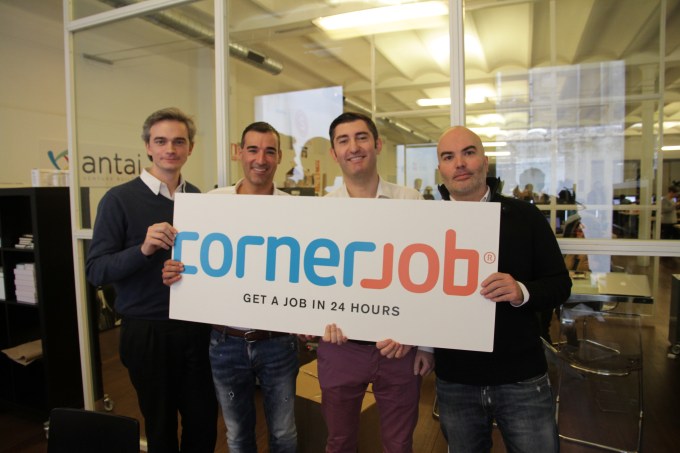 Another despatch from the ‘mobile messaging is eating the world’ file: blue collar recruitment app and European startup Corner Job has closed a $10 million Series A funding round. Read More


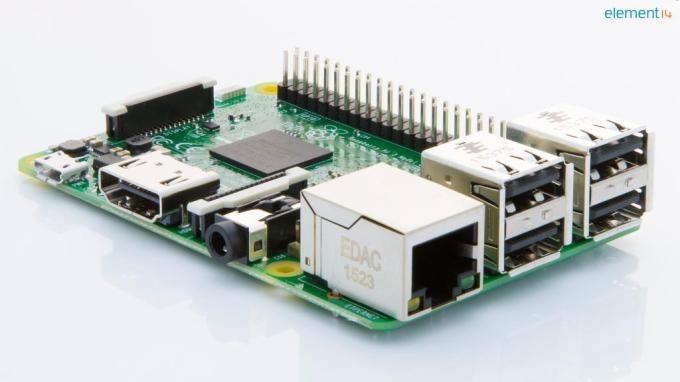 A major new Raspberry Pi microprocessor has been announced today: the Pi 3 Model B board becomes the new top-of-the-line Pi, with a 64bit 1.2GHz quad-core chipset and 1GB RAM it’s being slated to offer a 50 per cent power bump over the Pi 2. But is still priced at just $35… Read More
 Amazon has signed a wholesale supply deal with Morrisons, one of Britain’s largest supermarket chains, to deliver fresh and frozen groceries to Amazon Prime Now and Amazon Pantry customers. Read More
 Seedcamp-backed travel startup, Much Better Adventures, which lets you book ‘active holidays’ with independent providers, has raised £400,000 in seed funding to expand its ski offering and launch a second vertical in the form of road cycling holidays. Read More



 PC Mark McKay, a police officer in Camberwell, London, tweeted this warning to locals to beware of bike racks that thieves have sawn through and camouflaged with gaffer tape; once the bikes are locked up, the thieves return, remove the tape, and make off with the bikes.
(more…)
PC Mark McKay, a police officer in Camberwell, London, tweeted this warning to locals to beware of bike racks that thieves have sawn through and camouflaged with gaffer tape; once the bikes are locked up, the thieves return, remove the tape, and make off with the bikes.
(more…)


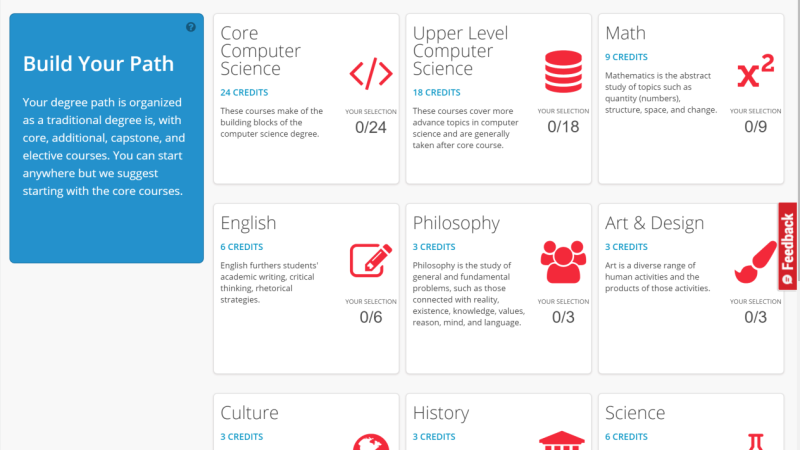







 After months of rumor, Opera finally confirmed two weeks ago that its board had accepted a takeover offer from a consortium of Chinese firms for the price of $1.2 billion. I had a chance to sit down this week at MWC with Lars Boilesen, the CEO of Opera, and Håkon Wium Lie, the company’s CTO and inventor of cascading style sheets (CSS). In this wide-ranging and candid interview, we… Read More


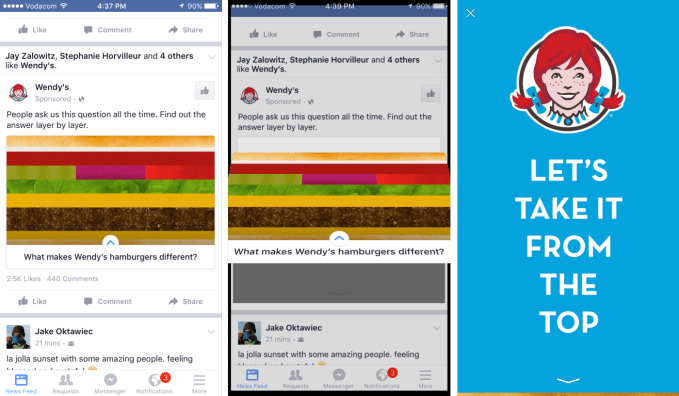 Instant Articles, meet Instant Ads. Facebook wants to give advertisers an immersive way to reach people without making them leave the social network. So today it officially launched its ad Canvas for all advertisers. When users click a Facebook News Feed ad connected to Canvas, it opens a full-screen, rich media page inside of Facebook rather than forcing users to wait for a mobile website… Read More


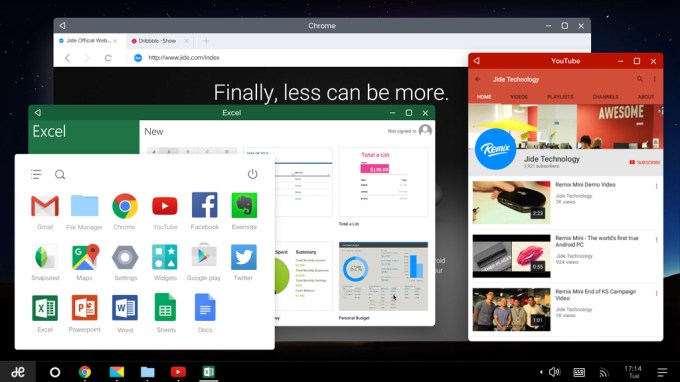 A startup comprised of a trio of ex-Google engineers is doing something Google has roundly failed to do: make Android compelling on larger screen devices like tablets and even PCs. Read More


