Bcstevieb
Shared posts
AMPing up in mobile Search
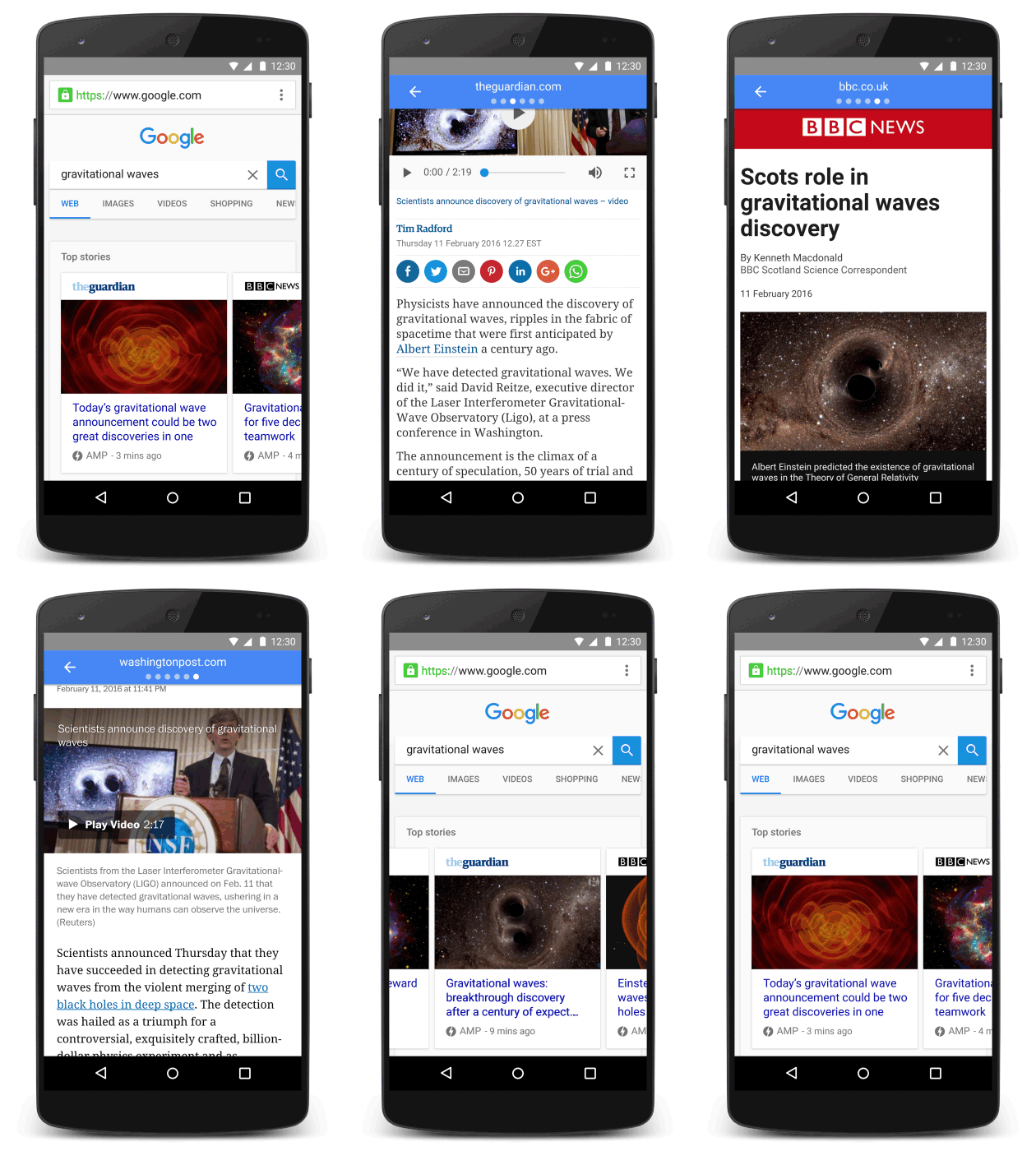
In just over four months, AMP has come a long way, with hundreds of publishers, scores of technology companies and ad-tech businesses all taking part in this joint mission to improve the mobile web for everyone. And starting today, we’ll make it easy to find AMP webpages in relevant mobile search results, giving you a lightning-fast reading experience for top stories.
Now when you search for a story or topic on Google from a mobile device, webpages created using AMP will appear when relevant in the Top Stories section of the search results page. Any story you choose to read will load blazingly fast—and it’s easy to scroll through the article without it taking forever to load or jumping all around as you read. It’s also easy to quickly flip through the search results just by swiping from one full-page AMP story to the next.
AMP is great for browsing the web on mobile devices, because webpages built with AMP load an average of four times faster and use 10 times less data than equivalent non-AMP pages. In many cases, they’ll load instantly. It's how reading on the mobile web should be—fast, responsive and fun.
While helping people find fast AMP content through Google Search is a significant step, there’s still a lot of work ahead for the open source AMP Project. Still, it’s been thrilling to see how the industry has come together to work on this common goal of making the mobile web great for everyone. And given the potential AMP holds for other types of content, we’re excited about what the future holds.
Posted by David Besbris, VP Engineering, Search https://4.bp.blogspot.com/-AstzXdmDwhg/Vs5OXT22dWI/AAAAAAAAR4Q/bQLXTpG9MZg/s1600/AMP%2Bhero.jpg David Besbris VP Engineering Search
Gmail adds rich text formatting and instant RSVPs to Android app
Gmail for Android is making it a bit easier to add some flair to your email text and quickly respond to calendar invites with a single tap. Today, a new update for the app will add support for rich text formatting — bold, italics, underlined / colored text, etc. — so you'll have extra tools at your disposal to get a point across, add emphasis to your text, or craft the signature you've always wanted right inside the app. And separately, calendar invites "from both Google Calendar and Microsoft Exchange" will now display a one-tap option to respond and view your schedule for the requested time slot.
The small-but-useful update should be available from the Google Play Store sometime today.
Don't Ask "Can I Afford It?" Instead Ask "Should I Afford It?"

Just because you have the money for something in your account—or the space in your budget to make the monthly payments—doesn’t necessarily mean that it’s a good idea to buy it.
The difference between “can” and “should,” aside from preventing possible dinosaur-related disasters, is key to setting up a financial plan that’s sustainable over the long run. As personal finance site Wealth Redesigned explains, your financial well being is determined largely by the habits you form. Rather than approaching a purchase or a financial decision from the perspective of whether or not you can, ask yourself if you should:
Making larger purchasing decisions with a buffer mindset can be tricky. It’s not a question of “can I afford it?” because if they wanted to, these people could probably write the check or line up the financing. It’s a question of “should I afford it?” What will taking that big vacation, upgrading to a nicer car or remodeling a bathroom do to the bigger financial picture?
By running your purchases through the filter of “should,” you can gain a better perspective on your overall finances. Sure, you could buy a new laptop with your tax refund even though your old one works okay, but you’d probably be a lot happier in the long run if you put that money towards your credit card debt.
Should I afford it? | Wealth Redesigned via Rockstar Finance
Photo by Thirteen of Clubs.
Facebook rolls out expanded Like button reactions around the world
After more than a year in development, Facebook's expanded Like button "reactions" are now coming to a News Feed near you. For the first time, you'll be able to react to friends' posts with something other than a gesture of pure positivity. Long press on the Like button and you'll now see "love," "haha," "wow," "sad," and "angry," and posts will now show the mix of reactions they've received. And while there's no "dislike" button, as some users have long requested, Facebook says that the new mix of reactions has proven popular with users during testing in Spain and Ireland. It's launching today on iOS, Android, and the web.
WordPress Sites Now Support Google’s AMP To Make Mobile Pages Load Much Faster
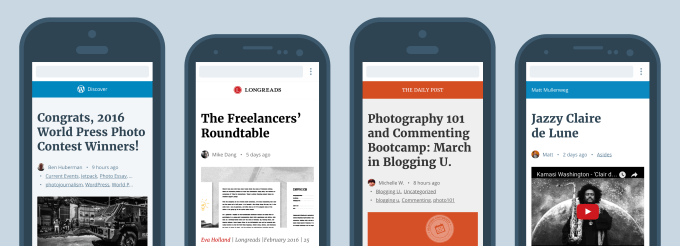
Google has some big plans when it comes to making the web faster on your mobile phone. The company just added AMP-enabled pages in its mobile search results. And one of the first companies supporting the new Instant Article-like format is an important one — Automattic’s WordPress. Read More
Windows 10 Is Showing Ads On Your Lockscreen, Here's How to Turn Them Off

Windows 10's new Spotlight feature usually shows you neat photographs and fun facts when you first start your computer. Now, it’s started showing ads. Here’s how to turn it off.
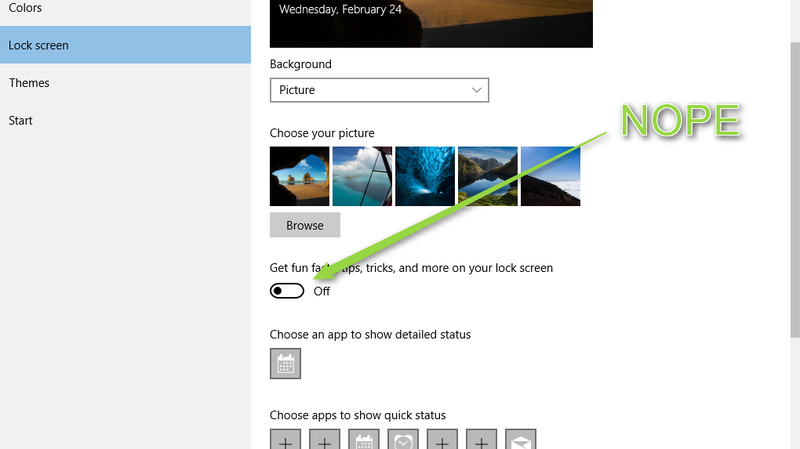
Tips site How-To Geek discovered that Windows Spotlight—which normally rotates between a selection of photographs—was being used to display an ad for Ubisoft’s Rise of the Tomb Raider. Understandably, most people probably don’t want to be hit in the face with a full-screen ad for a video game before they even unlock their computer. If you want to make sure you’re not hit with these ads, follow these steps to disable Windows Spotlight:
- Open the Start Menu and search for “Lock Screen Settings.”
- Under “Background,” select either Picture or Slideshow, instead of Windows Spotlight.
- Scroll down to “Get fun facts, tips, tricks, and more on your lock screen” and this toggle.
Apparently the “and more” is where Microsoft hid the advertisements. If you like the Windows Spotlight feature and just don’t want to see ads, How-To Geek points out that you can select a drop-down menu when you see the ad and provide feedback saying you don’t want to see more content like this. It’s yet to be seen if this will remove all ads, or just ads for video games, but it’s worth a shot if you really like Windows Spotlight.
How to Disable Ads on Your Windows 10 Lock Screen | How-To Geek
BlackBerry Buys UK’s Encription Ltd To Kickstart Its New Cybersecurity Consultancy
BlackBerry is not the smartphone powerhouse it used to be, but it’s been making a concerted effort to hold on to its position as a go-to place for enterprise customers, specifically in highly secure environments. As part of that strategy, today the company announced that it has acquired Encription Ltd, a cybersecurity consultancy that delivers services globally but operates “from… Read More
There’s an astronaut in a gorilla suit floating around the ISS
Getting cargo to the International Space Station is expensive and difficult — that's a huge part of why there's been so much buzz over commercial space flight operations like SpaceX. So if I were an astronaut living on board the ISS, I'd like to think I would pick my personal possessions very carefully, because I imagine the habitat is cramped and it might be a long time before I could get anything sent up again.
Maybe that's just not how astronauts roll, though, because here's a video of (presumably) NASA's Scott Kelly floating around the ISS in a gigantic gorilla suit, set to the Benny Hill theme.
Mighty is a modern iPod shuffle that runs on Spotify
Apple's iPod shuffle holds a special place in my heart; I've never found another music player so perfect for the gym and outdoor activities. Everything about the shuffle — its clip-on design, dead simple controls, and cheap price — meant you could take it anywhere and not really worry about anything. Mine endured accidental trips through the washer, countless sweat baths, and even in those worst-case scenarios, you'd be out less than $100. But the shuffle has lost just about all relevance with the advent of subscription music services. If you're still plugging one into iTunes, you're an outlier.
But what if another company reinvented the tiny, dead simple music player for the Spotify age? What if it only played songs from Spotify?...
Spotify Announces Google Cloud Platform Partnership
Spotify announced today on their news blog that they have selected Google Cloud Platform as an infrastructure partner for their popular music streaming service. Up until now, it appears Spotify has been managing that hardware burden themselves via multiple providers and data centers (including Amazon Web Services for whom they were an AWS case study). However the music company feels the… Read More
Amazon launches its own clothing brands
Over the years, Amazon has challenged the traditional brick-and-mortar model, redefined the books landscape, and gone all-in with original programming. Now, the retail giant is foraying headfirst into fashion.
Amazon has released 1,800 products, ranging from women’s clothing and bags to children’s clothing to men’s tailored apparel, spanning over seven private labels. Amazon owns the labels Society New York, Lark and Ro, Scout and Ro, Franklin and Freeman, Franklin Tailored, James and Erin, and North Eleven, WWD reports.
Updated: EE restores data services after power outage
UK carrier restores service disruption after a power outage.
Update: EE informs us that the issue was caused by a power outage to one of its data centers, and that the problem has now been resolved.
An EE spokesperson said: ""Data services were affected for a small number of customers after one of our data centres experienced a power cut this afternoon caused by a third party. We immediately re-routed traffic to minimise disruption, and power was restored within two hours. Service has largely been restored to the majority of people, but a very small number of customers may still have difficulty connecting to the network. Customers still experiencing connection issues should switch their device off and on, or enable and disable 'Airplane Mode' to resolve the issue. We apologise for any inconvenience caused.""
Original story: In tweets to affected customers, the operator blamed the failure on "small percentage of customers are experiencing PDP failure," adding "We are currently working to resolve the issue."
The issue doesn't seem to be limited to any particular region, and has even been affecting roaming coverage for our EE devices in Spain this week during Mobile World Congress.
Were you affected by today's EE outage? Shout out in the comments!
Google Begins Marking AMP-Enabled Sites With A Green Circle And A Lightning Bolt
Toward the end of last year Google began testing a way to make webpages load faster when you're on a mobile device. How fast? Instantly, ideally. Or at least no more than a second or two. Google calls these quickly-loading sites Accelerated Mobile Pages.
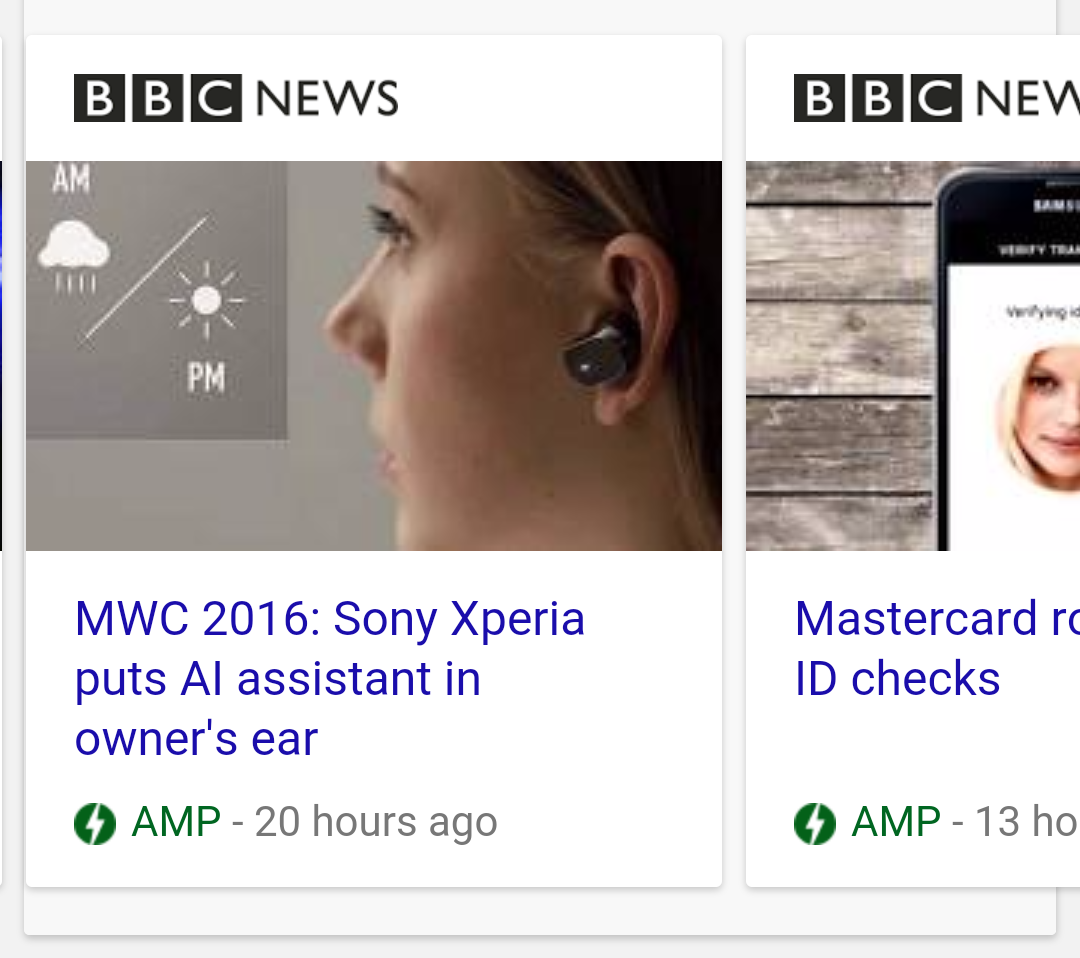
Google has now started to mark these sites in search results. When you see a green circle with a lightning bolt adjacent to the word AMP, you're in for what should be a satisfying tap.
Read MoreGoogle Begins Marking AMP-Enabled Sites With A Green Circle And A Lightning Bolt was written by the awesome team at Android Police.
Chimp, isolated on island for 3 years, hugs human visitor
Thirty years ago, 66 chimpanzees who had been used (and horribly mistreated) by the New York Blood Center for hepatitis research were abandoned on remote islands off Africa’s Ivory Coast. One of the chimps, named Ponso, was 10 when he was abandoned on an island with 19 other chimps. Within nine months, 11 of the chimps died, mainly from starvation. They were moved to another island, but most of the chimps died, leaving only Ponso, his mate and their two babies. A man in a village would occasionally drop by to give them chimps bread and bananas, their only source of food.
Oddity Central has more:
Sadly, Ponso’s entire family died by the end of 2013, leaving the grief-stricken chimp to a life of isolation on the uninhabited island. Given the traumatic experiences he has faced on account of humans, 40-year-old Ponso’s ability to immediately trust and embrace humans is nothing short of remarkable. When Estelle Raballand, director of the Chimpanzee Conservation Center, visited him recently, he was so happy that he actually laughed and wrapped her in a tight hug.
Unfortunately, his joy was short-lived as he had no choice but to return to his life of solitude after his human visitors left. The Humane Society of the United States is currently trying to raise money for Ponso and other chimps abandoned on remote African islands and a group called SOS Ponso has started a crowdfuning campaign that has already surpassed its €20,000 goal. They plan to use this money to provide food and urgent veterinary care for the world’s loneliest chimp.
The New York Blood Center announced last May that it would no longer pay to care for the chimpanzees it had experimented on.
Buy Safe USB Type-C Cables by Checking the Plug and Its Certifications

USB Type-C cables are great because they’re reversible and support the latest, fastest USB spec, but some cables are so poorly made they can ruin your expensive hardware. Here are a few tips for buying ones that are safe.
http://lifehacker.com/psa-some-usb-c...
Googler Benson Leung and The Verge’s Dieter Bohn both reported earlier this month that bad cable ruined their laptops. As we mentioned in our PSA, take special care to read reviews—including Leung’s in-depth ones—before you buy.
Laptop Magazine offers more tips that can reassure you. The first is to look at the plug itself:
“A good cable uses a deep-draw extrusion method that produces a Type C plug that is a single piece of metal and does not have a visible seam on one side of the plug,” said Tim North, a senior product manager at Monoprice (which recently had a cable approved by Leung). A folded and stamped connector, North explained, is usually made of zinc tin alloy which is easily broken and may not handle the cable’s power requirements.
Additionally, you can find a list of certified cables from USB Implementers Forum (USB-IF), which sets the standards for USB Type-C in this oft-updated PDF.
For even more on the potential damage from poor cables and other things you can do to protect your laptop, check out the link below.
How to Buy USB Type-C Cables That Won’t Fry Your Gadgets | Laptop Magazine
How to make the dock the most powerful part of your launcher
The dock is arguably the most important piece of the home screen.
It's where you put your most-used apps, it's our quick-launch guide to our device. What we keep on our dock says a lot about who we are and how we use our phones, and what most docks today tell us is... they are woefully under-utilized. Docks aren't exactly the sexiest thing to talk about, and I seldom mention them in my themes beyond an icon pack because you don't tell someone else what to put on their dock. I'll tell you what widgets to use and what app shortcuts to place where, but the dock is yours; the dock is sacred.
The apps on your dock are there for a reason, but that's not to say they're the only things that have to be there, Docks may look boring, but trust me, they can be functional, fashionable, and downright sneaky.
To app drawer button, or not to app drawer button
With the Pixel and its launcher brought a number of tweaks to the traditional home screen interface, but the biggest was eliminating the app drawer button and instead using a gesture to open the app drawer. That's not to say users hadn't done it before, but few phones had ever come out of the box without an easily recognizable button on the home screen that led to your apps.
Using a gesture instead of a button frees up a space on your dock for another most-used app, and our Pixel theme will tell you how to get that gesture set up. The Pixel also added a slight white bar over the dock and the nav bar, but that's entirely up to you and your wallpaper.
There are also plenty of ways to add more functionality to your dock without eliminating our precious app drawer button, such as...
Dock size and dock pages
The biggest and easiest way to bring more functionality to your dock is to add more slots to it. This isn't always an option with some launchers, but if your launcher supports more than five icons in the dock, it's worthwhile to consider adding another item or two — or more. Some launchers like Action Launcher can support up to 12 icons in their docks, though this is more for tablets than for phones.
The more icons in your dock, the smaller each of your icons get, so if you want to add space to your dock without downsizing their look, see if your launcher supports dock pages. Dock pages allow you to double or triple the amount of icons by simply swiping your dock back and forth like the pages of your home screen. Dock pages are not for everyone, but if you'd rather scroll through dock pages than pages in your app drawer, give them a try.
Folders and gestures
Another way to let your dock pull double duty is to stick folders in it. As mentioned in our guide to home screen folders, putting folders in your dock can help you achieve a cleaner home screen, or simply make way for more widgets and apps on your home screen. Folders allow us to take one tiny space on our dock and squeeze several apps into it. Folders are like TARDISes, and we can make them look as sexy as one, too.
In Action Launcher, Covers let these folders look like a simple app shortcut and act like one in a tap, but you can swipe it open to reveal a folder of useful apps inside. Gesture actions are quite useful in folders, and in some launchers like Nova, the regular apps in your dock (and on the rest of your home screen) can, too. Gestures allow you to hide one app within another, or hide specialized shortcuts. You can have the phone on your dock, and a gesture shortcut can let you swipe the phone up to instantly dial your best friend, or your better half, or your mother.
Android 7.1 Nougat introduced App Shortcuts, which allow you to swipe up — or long-press, depending on the launcher — on supported apps to reveal a small list of direct action shortcuts. If you use Google's Phone app, for instance, you'll be treated to three direct dial shortcuts.
Theming docks
As mentioned above, themers sometimes neglect docks, and that's a shame because theming a dock is simple and can either show off the apps in your dock or hide them from prying eyes and fingers. Docks can look uneven and unruly, especially when mixing apps and folders. The key to a successfully themed dock is symmetry and individuality.
Try to keep your dock looking even, whatever "even" looks like to you. If that means having six icons so there's three on each side, fine. If you need to keep three icons on each side of your app drawer to keep things even, that works, too. When choosing icons for your dock, pick one icon from your folder to represent the whole folder (if you're in Action Launcher, this decision is made for you) so that rather than a mix of bigger app icons and smaller icons in the folders we have one consistent line.
There's a fine line between a dock being consistent and a dock being boring, which is why I always try to add a little more spark to mine. Something as simple as a custom app drawer icon can pull your dock together with the rest of your theme.
Custom dock icons are another tactic I frequently employ, as they can be subbed for any icon or folder and they can camouflage important apps. You see a line of Disney Parks icons, you laugh and hand back the phone. You see someone's email app, photo gallery, or banking app, and you might start getting ideas. It may make it harder for a stranger to find their way around, but so long as you remember what apps are on your dock, hiding the actual icon behind a custom icon can also had a small degree of protection.
Whether you try to add more pages to your dock or just a custom app drawer icon, we hope these tips can make your dock more vibrant and more versatile. How does your dock look? What apps and folders have a place of honor upon it? Share your dock in the comments and stay tuned for more theming tips here at Android Central!
UN panel bans lithium-ion batteries from passenger plane cargo
A UN panel on aviation is recommending a total ban on rechargeable lithium-ion batteries as cargo on passenger aircraft, Reuters reported Tuesday. The same group rejected a ban on battery shipments last October, but reversed course earlier this year after pilots and airplane manufacturers said they were a fire risk.
Lithium-ion batteries are commonly used in rechargeable consumer products like cellphones and laptops. The batteries can still be transported in cargo planes, but starting April 1st they will be prohibited from commercial aircraft. The International Civil Aviation Organization (ICAO) said the ban will be in place until a new fire-resistant packaging standard is designed to transport the batteries, which is not expected until...
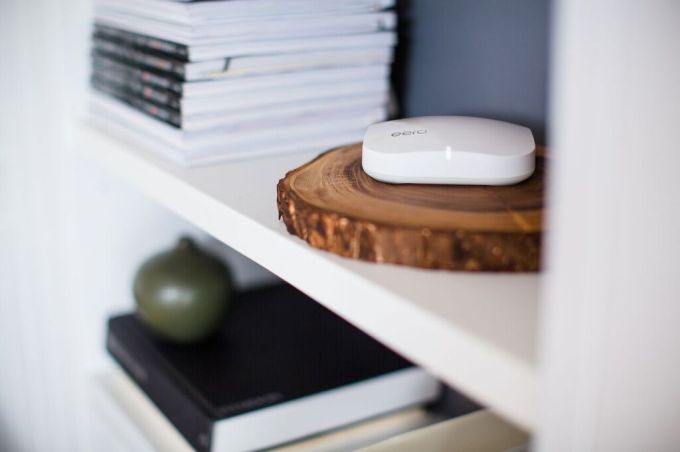
Hands On With eero, Or A Noob’s Guide To Building An At-Home Wireless Mesh Network
eero was supposed to go out late last year to those who bought the system during pre-launch but a manufacturing hiccup pushed the ship date to the here and now. But the startup has toiled away for well over a year to hopefully solve the agonizing pain of waiting for the next episode of your favorite Netflix show to load – It does this with a step-by-step Wifi mesh network kit you can… Read More
11 New And Notable Android Apps From The Last 2 Weeks (2/10/16 - 2/22/16)
Welcome to the roundup of the best new Android applications, games, and live wallpapers that went live in the Play Store or were spotted by us in the previous 2 weeks or so.
Looking for the previous roundup editions? Find them here.
Featured App
Internet Radio - PlayTime
This week's roundup is brought to you by Playtime Internet Radio from HandyApps.
Read More11 New And Notable Android Apps From The Last 2 Weeks (2/10/16 - 2/22/16) was written by the awesome team at Android Police.
HTTPS Renders UK Pirate Site Blocklist Useless
Following a series of High Court orders obtained since 2012, six of the UK’s major ISPs are required to block access to dozens of the world’s most popular ‘pirate’ sites.
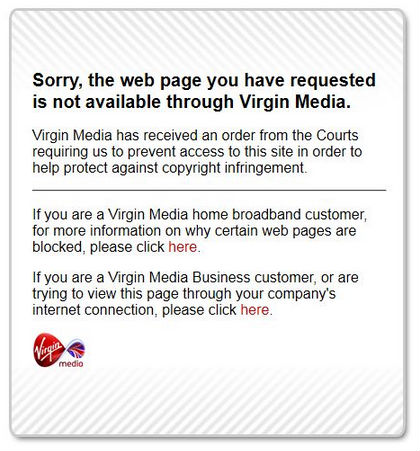
Over the past several years the number of blocked domains has expanded to roughly 1,000, with popular torrent sites such as The Pirate Bay and KickassTorrents being the main targets.
While it’s hard to stamp out piracy completely, the measures were supposed make it harder for UK Internet subscribers to access these sites.
However, a recent review of current blocking practices shows that several ISPs including Virgin Media, BT, EE and TalkTalk are failing. It turns out that many subscribers don’t have to jump through technological hoops to circumvent the blockades, as many popular pirate sites are freely accessible on their regular connections.
With the help from several subscribers, TorrentFreak was able to confirm that the HTTPS versions of most blocked websites including The Pirate Bay, KickassTorrents, RARBG and Torrentz, are still freely accessible.
While regular connections are still blocked, many pirate sites have added a secure HTTPS variant which appears to be hard to block for many providers.
Blocked?
Some sites even force users to use the HTTPS enabled domain and as a result UK traffic has been picking up again. For example, KickassTorrents is currently among the 300 most visited websites in the UK, even though it’s supposed to be blocked.
The HTTPS issue is not new and it appears that many ISPs don’t have a countermeasure in place. According to our information, only Sky is structurally blocking secure versions of various pirate sites.
The precise technical explanation for the issue is unclear, but since HTTPS connections can strip HTTP headers it may be harder to detect that a blocked site is being accessed.
In theory ISPs could also block the site’s IP-addresses, but since many use shared IPs from CloudFlare this would also take down other unrelated websites.
Whatever the reason, most UK Internet subscribers are now getting a taste of a free and uncensored Internet once again.
The HTTPS issue is refreshing as blocking problems are usually the result of overblocking. For example, TorrentFreak has been blocked in the past by Sky, and the same ISP also restricted access to several other sites because they shared a CloudFlare IP-address with The Pirate Bay.
Source: TF, for the latest info on copyright, file-sharing, torrent sites and ANONYMOUS VPN services.
Google Cardboard tour of Q's Workshop gives close-up look at James Bond's Aston Martin
If you were a fan of the latest James Bond flick, SPECTRE, you can now get a close-up look at Q's workshop with a 360-degree walkthrough compatible with Google Cardboard.
Throughout the short walkthrough, you can check take a look all around the workshop, getting a glance at Q's desk and a number of special vehicles used by James Bond himself. The entire experience culminates in a close-up look at Bond's Aston Martin DB10 as a set of doors slowly unveils the car.
You can check out the short trip through Q's workshop by clicking through the link below. The experience works on desktop, but you can get a more immersive look by opening the link in Chrome on your phone, tapping the Google Cardboard icon, and slotting the phone into your viewer.
Oppo's new Super VOOC battery technology will charge your phone in 15 minutes
Announced today at Mobile World Congress, Chinese smartphone manufacturer, Oppo, has a new battery charging technology in the works that it says can take you to 100% charge in just 15 minutes.
Sounds crazy, right?
It's called Super VOOC and is currently still in the prototyping stage, as such no new devices supporting it were announced. Equally, it doesn't seem backwards compatible to existing phones, so it's going to be exclusive to future Oppo releases.
Essentially it's the company's take on quick charging, only now taken to a pretty extreme level. The live demonstration took place during the press conference, with the prototype phone being charged entirely in the time the presentation took to deliver.
Power is delivered at a consistent 5V, which Oppo says means there's no additional heat issues to worry about, nor should it impact negatively on the life of the battery inside the phone. On a 2500mAh battery, 45% charge can be achieved in just 5 minutes.
The power adapter, cable and connector inside the phone have all been redesigned with "military grade" materials, and additionally pleasing is that it'll support both microUSB and USB-C.
Oppo says it developed the Super VOOC because current battery technology isn't advancing nearly as fast as the rest of the mobile device industry. We all use smartphones more and more, we all want longer lasting batteries. As an alternative to trying to squeeze enormous battery modules into a phone, Oppo is going down the road of charging it insanely fast, so you don't necessarily have to worry about running out.
After all, you can go grab a coffee and be fully charged before you leave.
It all sounds pretty exciting and Oppo is hoping to have an actual device hit the market with Super VOOC later this year. It's currently in the prototype stage and we'll reserve final judgment until we can actually put it through its paces ourselves. But color us intrigued.
Check out the full press release below.
Allowing users to fully charge their phones in just 15 minutes, OPPO has released its latest technology -- Super VOOC Flash Charge!
By applying a newly developed low-voltage pulse-charge algorithm, along with OPPO's customized battery, multiple technical innovations, as well as first-class hardware and software, Super VOOC Flash Charge can bring your device to a 45% charge in just five minutes of charging (for a 2500 mAh battery). This means that a full charge can be achieved in just 15 minutes! With Super VOOC Flash Charge technology, users can talk for 10 hours after just 5 minutes of charging.
The newly innovated low-voltage pulse-charge system, coupled with OPPO's customized battery, dynamically regulates the current, ensuring a safe, sustainable charging experience and preventing overheating. The Super VOOC Flash Charge adapter, cable and connector have all received a full redesign using premium and extremely reliable military-grade materials. Super VOOC Flash Charge supports Micro-USB and USB Type-C, in line with the global standard.
VOOC Flash Charge
VOOC Flash Charge was developed as a result of one of OPPO's main concerns about smartphone development. While the smartphone industry is fast-moving, the lithium-ion battery has not changed much since its creation, even though its high power consumption and endurance often leave users wanting more. Battery endurance has now become the biggest bottleneck restricting smartphone development. Meanwhile, battery capacity is constantly increasing. And with it, charging times are getting longer and longer. To offer consumers a better user experience, high-capacity batteries need to be matched with faster charging speeds. OPPO therefore zeroed in on this problem and developed VOOC as a result.
It took OPPO three years to develop the low-voltage, fast-charging technology that is VOOC Flash Charge. A totally independent undertaking, OPPO has already applied for 18 patents related to VOOC alone. Capable of charging four times faster than ordinary chargers, VOOC is the fastest and most secure smartphone charging technology.
VOOC Flash Charge was offered with OPPO's Find 7 in March 2014. With a 3000 mAh battery, the Find 7 supports two hours of talk time after just five minutes of charging with VOOC, and its power reaches 75% after 30 minutes, sufficient for a day's use. (This data is based on laboratory tests; actual charging may differ due to factors such as battery capacity and temperature, while actual call time can also be affected by the device state and real-life environment.)
With its creative solution to the issue of battery endurance, VOOC Flash Charge won praise from users and the media. In less than two years since its introduction, OPPO smartphones featuring VOOC Flash Charge saw sales exceed 17 million units in the Chinese market. VOOC Flash Charge's innovations led it to win 8 science and technology media awards internationally.
Technology Release Timeline
Version 1.0: On March 19th, 2014, when standard smartphone charging was still applying 5V1A, OPPO pioneered VOOC Flash Charge.
Version 1.1: Half a year after its release, VOOC Flash Charge speeds continued to lead the industry. OPPO then launched a VOOC Flash Charge power bank and VOOC Flash Charge car charger. Reducing the size of the original by half, VOOC Mini Power Adapter was introduced with the launch of the N3 and R5.
VOOC Flash Charge's Technical Principle
VOOC Flash Charge added an intelligent MCU chip (flash core) in the adapter in order to achieve revolutionary voltage open-loop and multi-stage, constant-current charging. VOOC Flash Charge creatively changes circuit topologies, meanwhile creates an all-side, five-level protection technique from the adapter to the interface as well as the device, securing the safety as well as the speed.
Low Voltage VOOC Flash Charge Advantages
The VOOC charging voltage is in line with the standard smartphone charging voltage of 5V. This means that the power can be directly transmitted to the battery without any voltage conversion, allowing the process to attain a charging efficiency of up to 97%. High-voltage fast charging, however, requires conversion to a lower voltage to supply power to the batter. This means a loss of energy and a lowered charging efficiency of about 85%.
Because of the difference in charging mechanism and efficiency, the temperature of a smartphone using VOOC Flash Charge remains significantly lower during the charging process than a phone using a high-voltage solution. VOOC Flash Charge-enabled devices will heat up by a maximum of only 3.3. degrees Celsius.
Because temperatures can be regulated so effectively during charging with VOOC Flash Charge, the smartphone can safely be used during the charging process. For instance, you can Flash Charge your smartphone while surfing the Internet, watching videos, or playing games. However, if you try to use your smartphone while using another fast-charging technology, the charger will revert to a standard charging speed, due to the temperature spikes caused by quick charging and screen brightening simultaneously.
Google is shutting down Google Compare
Google is shutting down a service that allowed web users to compare offers for car insurance, credit cards, and mortgages, according to a report from The Wall Street Journal. The site, called Google Compare, launched in March 2015, and is currently available in the US and the UK. The site aimed to simplify financial services for consumers, with Google taking a commission on referrals or in some cases selling products directly to users.
But the site apparently didn't live up to Google's expectations, as explained in an email to partners on Monday. "Despite people turning to Google for financial services information, the Google Compare service itself hasn’t driven the success we hoped for," reads the email, which was obtained and...
FlexEnable has created a screen you can wrap around your wrist
Sometimes, it seems like the tech world is inexorably bending towards a future full of curved devices. At MWC in Barcelona, we saw yet another prototype display, this time from English firm FlexEnable. Now, this isn't a working device of any kind — it's essentially just a screen running a demo — and neither is FlexEnable a consumer electronics company. But the firm says its technology is ready to go, and it's apparently in talks with unnamed hardware partners who want to make this sort of device a reality. How long until we see fully-fledged wristbands like this on the market? Eighteen months is the optimistic guess from FlexEnable's Paul Cain.
Skype Kills Its Standalone Video Messaging App Qik
Skype Qik, Microsoft’s attempt at spinning off video messaging into a simplified mobile application, is shutting down. The app was first introduced in fall 2014 to serve a different audience than the larger, more fully-featured, Skype application. Instead of offering real-time chat, screen sharing and audio and video calling, Qik was designed only for asynchronous video messaging. The… Read More
Panasonic reveals its rugged Android-based Toughpad FZ-N1
Panasonic will launch a new a rugged Android-based phone, the Toughpad FZ-N1. Based on Android 5.1.1 Lollipop, this 4.7-inch phone is being announced as part of the company's Mobile World Congress plans.
The Toughpad FZ-N1 will have an unnnamed 2.3Ghz quad-core Qualcomm Snapdragon processor, along with 2GB of RAM and 16GB of on-board storage. However, Panasonic has made this smartphone, along with the Windows 10 Mobile-based Toughpad FZ-F1, for enterprise customers who demand that their devices stand up to a lot of abuse:
The slim and lightweight Toughpad FZ-F1 and FZ-N1 feature a drop rating of 6' and have also passed a torturous tumble test that saw the devices endure 2,000 consecutive 3.3' drops – so they can stand up to the abuse of the most demanding enterprise and government usage environments. The devices are fully sealed against dust and are also submersible, in up to 3.3' of water for 30 minutes, meeting IP65 and IP67 certification requirements. Its ruggedized glass screen ensures the high level of display reliability and durability."
"The new Toughpad handheld tablets can operate beyond a typical 8-hour work shift on the standard, field replaceable battery, and with an optional extended life battery it can go well beyond two full work shifts. For times when a battery change is necessary during work hours, it can be accomplished while keeping the device operational. And when more power is needed, the quick charge capability delivers extended use after a one hour charge, with a full charge averaging only two hours."
The Panasonic FZ-N1 will go on sale this March in a Wi-Fi version for $1,499, with a voice-based version due later this summer for a currently unknown price tag.
Lightroom v2.0 Available With Built-In Camera, New Tools, And More
Adobe opted to make Lightroom free a while back, and now it's adding a few new features that might make you more likely to take advantage of the app. Lightroom v2.0 includes some new tools and a dedicated camera with RAW support. The RAW support won't work on all phones, but it'll be pretty handy on the ones that do.
Here's the full changelog for Lightroom v2.0.
- An in-app camera, supporting the capture of images in DNG raw format
- Shoot-through presets, also available within the in-app camera, enabling previewing and capturing images with a series of built-in presets providing non-destructive editing
- Dehaze tool to adjust haze and fog in an image
- Split Toning enhancement, enabling the addition of a color cast to the highlights and shadows of an image, creating a uniquely stylized color image or replicating the look and feel of a traditional toned black and white image
- Target Adjustment Tool functionality in the Color/B&W editing tool, providing direct, on-image editing controls
- Point mode in Curve tool providing complete control over the tonality and contrast of an image
- Enhanced sharing with one-tap access to Adobe Premiere Clip for crafting video stories.
Lightroom v2.0 Available With Built-In Camera, New Tools, And More was written by the awesome team at Android Police.
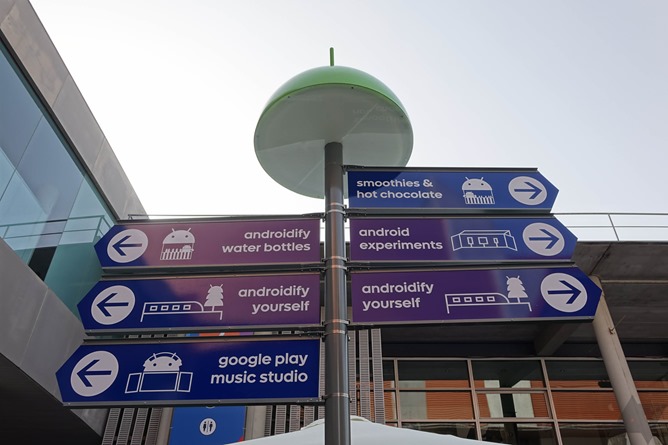
Google's Amazing Android Exhibit At MWC - A Photo Tour (With Smoothies)
Last year, Google marked its return to public exhibition at Mobile World Congress, but with a whole new twist: it wasn't really exhibiting any of its own or any of its partner's products, it was all just in the name of fun. You see, at trade shows like MWC, business is the predominant subject of conversation, and while quite a few consumer product announcements may occur, they're often secondary to the whole issue of "things which cause money to change hands." MWC isn't open to the public, either, and so attendees are largely in the mobile business in one form or another, or members of the media.
Read MoreGoogle's Amazing Android Exhibit At MWC - A Photo Tour (With Smoothies) was written by the awesome team at Android Police.
This is how Microsoft is integrating its Android apps into Cyanogen OS
Microsoft announced a deal to bundle its Android apps on Cyanogen OS last year. The deal includes deep integration of Microsoft’s Cortana digital assistant, allowing it to replace Google Now functionality. We’ve heard a lot about this partnership, but Cyanogen is now demonstrating exactly how these apps integrate further than normal Android ones.
Cortana is voice-activated on Cyanogen, just like it is on Windows Phone, and it allows you to access additional commands like "take a selfie" or "turn on airplane mode" that wouldn’t work on iOS and Android. These are fairly basic additions, but it’s easy to imagine even deeper integration in the browser and elsewhere for Cortana on Cyanogen in the future.
Microsoft is demonstrating some of...
The G5 is LG's best ever phone and its Friends are the reason why
LG's G5 was only introduced yesterday, but I'm already convinced it is the most polished and complete smartphone that the Korean company has yet built. Unlike its forebears, the G5 grew smaller rather than larger, and LG added features judiciously rather than gratuitously. This could only be possible with the introduction of the plug-in G5 modules that LG calls its Friends. Those extras have freed the Korean company from its perpetual obsession with cramming everything into a single device and, simultaneously, given it the halo of being perceived as a true innovator.