Shared posts

01 Aug 19:30

Amazing "balloon animals" – not seen at your ordinary kids party

by Carla Sinclair

Balloon1

Balloon.2

Tokyo-based Masayoshi Matsumoto takes "balloon animals" out of backyard parties and into the colorful arena that falls between highbrow craft and art. The 27-year-old balloon-artist, who studied at Tokyo Institute of Technology, uses the same techniques that party clowns use – bending, twisting and tucking balloons into animals and other fun shapes – but he uses dozens at a time and ends up with stunning rubber sculptures that would easily fit in any pop-art gallery (or pop-up gallery because of their perishable nature). Balloon.3 Balloon.4 Balloon.5 Balloon.6 Check out his extensive photo gallery on his Facebook page.

01 Aug 19:30

Jacksonville police pension fund blows $1.8M worth of tax-dollars fighting open records requests

by Cory Doctorow

When Times-Union Editor Frank Denton sued the Jacksonville Police and Fire Pension Fund over breaking the law by meeting secretly to negotiate pension benefits, the fund and the city blew nearly half a million dollars fighting the case before finally losing. (more…)

01 Aug 17:07

Burying the past in glass coffins: Victoria & Albert museum bans sketching in temporary exhibitions

by Cory Doctorow

2448

London's Victoria and Albert Museum, one of the world's great museums devoted to material culture and design, has joined a long line of museums who've allowed the owners of loaned items for temporary exhibitions to require them to ban photography and sketching of these items. (more…)

01 Aug 17:04

Google will start pushing Android notifications when new devices are added to your account

by Ryan Whitwam

Android Notifications

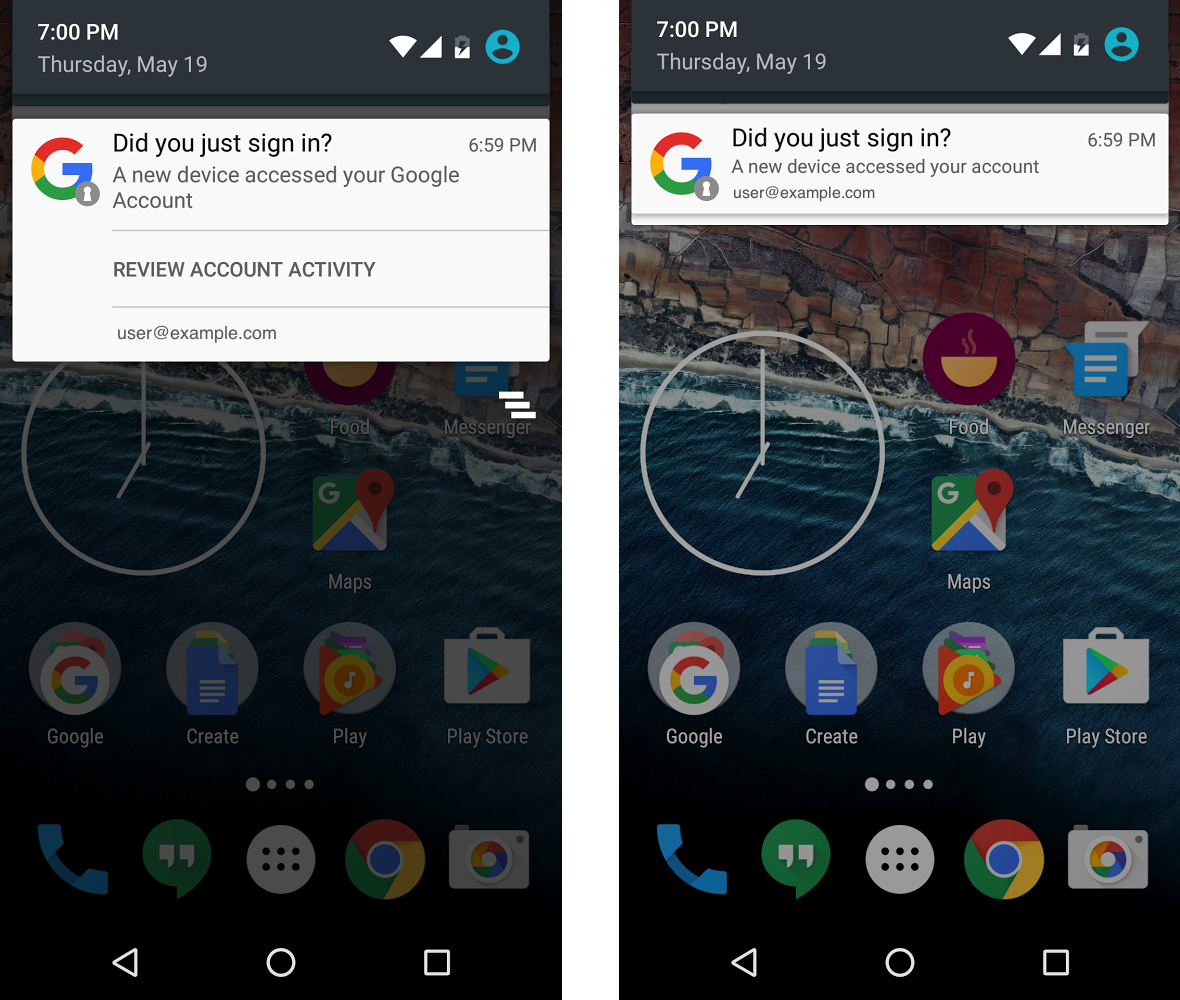
Google already sends email notifications when a new device accesses your account, but people are programmed to ignore email. According to Google, native Android notifications are four times more effective at getting your attention, so that's what it's going to show you from now on when devices are added to your account.

The new notification will ask, "Did you just sign in?" If the answer is yes, you can just dismiss the notification.

Read More

Google will start pushing Android notifications when new devices are added to your account was written by the awesome team at Android Police.

01 Aug 13:16

Microsoft's IFTTT Competitor Flow Gets Its First Android Beta

by Eric Ravenscraft
Microsoft's IFTTT Competitor Flow Gets Its First Android Beta

Android: Microsoft’s Flow is trying to compete with IFTTT, the automation service we already love pretty well. Now it’s finally gotten a key component: an Android app. Adventurous beta users can try it out now.

Unfortunately, the Flow app for Android is pretty limited. You can use it to monitor your recipes, pause or unpause them, and get notifications when they fail to run. However, you can’t create new ones and it doesn’t come with any Android-specific automation tasks. Still, if you’re using Flow, it’s a handy tool to have.

In order to try it out, you’ll need to sign up to be a beta tester here, then download it from the Play Store here. You’ll also need a Microsoft account associated with either a work or school email address for now in order to sign in.

Microsoft Flow Beta | Google Play Store via Android Police

31 Jul 23:40

5 important things to know about Google Play Family Libraries

by Ara Wagoner

I have a nice Google Play Movies library. And now, so does the rest of my family.

Google Play rolled out Family Libraries earlier this week in 8 countries. It allows families to share content from almost every section of the Google Play store with the whole group. Now, rather than buying all your content with one account and adding that account to every tablet/phone in the family, everyone can buy what they want and share it. It sounds great, and it's a leap forward for family content management on Android and Google's properties but there are a few things you should know.

1. You should set everyone up at once

In order to use a Family Library, you need to add your family's Google accounts to a Family Group. Family Groups can have up to six members including the family manager, so if you're in a large family, think carefully about which members can get in on the group. If you have to make two groups to accommodate your whole family, you'll have to have another account moderate the second group, as you can only be in one Family Group at a time.

You can also only switch family groups once every twelve months, so don't go thinking you can just switch in and out of groups between your friends and your family.

Once you've figured out who's gonna be in your group, get invites out and accepted quickly. Invitations can expire, and that's exactly what happened when I sent out my invites while setting up the Family Group for Google Play Music's Family Plan. You don't want to hassle with sending and resending everyone's invites and making sure everyone accepts and gets set up. Sit down and do it after a family dinner, or during movie night while everyone's watching Frozen for the billionth time.

2. Turn off automatic adding

You probably don't want your kids watching that copy of Deadpool in your Play Movies library, and you'd rather they not read your copy of 50 Shades Darker, you're not going to want Google Play adding everything from your library to the Family Library. If you did this during your setup already, no worries, let's just turn it off right now.

In the Google Play app (or the website), select Account from the left-hand menu, then under Family open Family Library settings. Here, we have settings for whether to automatically add each of the three type of Play content shareable in your Family Library: Movies & TV, Books, and Apps & Games.

When you tap on a content type, it'll explain how automatic sharing works and ask you if you want to use it. If you don't, select Don't add automatically, I'll do it myself. You'll also see a little warning below telling you that if you want to remove individual content from the Family Library, you'll have to go to that item's listing in the app.

If you want to carte blanche revoke every app or video of yours from the Family Library, you can remove all purchases with the Remove purchases button at the bottom of the page. Depending on how many things you need to remove, it might be quicker to wipe everything out and add them all back.

3. Curating your Family Library can get tedious

You can revoke everything in a hurry, but adding things back takes time. To individually add a movie, TV show, or app, you have to go find that movie/show/book/app on either the Google Play Store, Play Movies & TV, or Play Books. When you find the item you want to share, they'll be a toggle on that item's page (except in Play Books, where it's in the dropdown under the cover in your Library).

If you didn't add everything initially, you're going to be spending a lot of time scrolling through your library finding what you do and don't want to add. There is no batch adding — except for things you purchased as a bundle, and television shows, which are all or nothing when it comes to adding them to Family Library. So if you wanted to share JLA Trapped in Time with the kiddies but not Batman Under the Red Hood from the DC Animated collection, you're out of luck.

4. Switch the family payment method and monitor it

When you set up a Family Library, you have to set up a payment method for purchases that the whole family can use. While Google accounts registered at 13-17 years old will need the family managers approval before using the family payment method for any purchase, adult Google accounts in the family group don't need permission to use it for anything but in-app purchases by default -- and the only other option is to not need approval for those either.

Update: While Google Play credit was initially an option for the family payment option, it has been removed as of 7/31. Instead, we recommend setting the payment option as either a pre-paid Visa gift card or a credit card that you monitor frequently.

5. Not everything is shareable — especially when it comes to apps

While most if not all movies and TV shows are shareable, the same can't be said for books and apps. See, movies you got for free during promotions on Google Play can be shared, but books you got for free in Google Play cannot. Free apps cannot be shared, nor can in-app purchases — nor some paid apps. Of all the paid apps on my phone at the moment, only two are available to be shared in the Family Library.

However, that may have more to do with when I purchased the apps rather than their actual ability to be shared. Developers cannot completely opt out of Family Library, but they can opt out any purchases made before July 2nd of this year. Any app purchases you made before that, you are at the mercy of the developer as to whether or not you can add them to Family Library — thank you, Radarscope for enabling that on your app so quickly.

Because app purchases are shareable but in-app purchases are not, we may soon see a larger push to in-app purchases from apps that previously had paid and unpaid versions. It's also a shame that developers cannot opt out of sharing apps, as that could deprive them of thousands and thousands of purchases from one family member seeing another's app and deciding to purchase it themselves. However, this also gives family members a chance to try paid apps recommended by their brother or sister before they buy it themselves — and you should pay for apps that you enjoy using. Support developers!

What other tips do you have after setting up your own Family Library? Share them in the comments below and tell us which older-purchased apps you've been able to share.

31 Jul 21:49

Running barefoot over Lego bricks is a terrible idea

by Andrew Liptak

Stepping on a Lego with your bare foot is excruciating experience. Deliberately running on Lego? You’d have to be an absolute glutton for punishment. That’s where the internet comes in, because there’s plenty of people willing to go through hell to appear on YouTube.

WheresMyChallenge is a channel that features all kinds of cringeworthy challenges, and their latest takes stepping on a Lego brick to the worst possible extremes: running on Lego.The setup is simple and insane: set up a treadmill, take off your shoes, and start pouring Lego bricks onto the running belt.

The upside here is that it certainly puts that one piece you stepped on years ago into perspective, doesn’t it?

Continue reading…

31 Jul 19:56

The Verge review of animals: the frigatebird

by Amelia Holowaty Krales

These cloud-riding birds can fly for months at a time at over 13,000 feet, without stopping to rest and catch their breath. Frigatebirds are badasses of the sky.

The tropical bird that can make trans-Atlantic flightsThey don't look incredible: from afar frigatebirds are black and grey with white patches and long, hooked beaks and though close up their feathers are iridescent dark greens and blues. During courtship the males protrude a red balloon-like pouch on their necks to attract females — looking astounding. Here in the United States you might see the frigatebird in Florida and the Gulf region, and abroad they can be seen in the warmer climates of the Pacific region and in coastal areas of the Americas.

Photo by...

Continue reading…

31 Jul 19:54

BBC: And then we strapped a helicopter rig to an elephant

by Haje Jan Kamps
20160726-Elephant Rig Imagine being part of the BBC’s natural history unit, traveling the world to create some of the world’s most beautiful documentaries. Sounds like a dream job, right? I sat down with Huw Cordey, the producer on a ton of the Beeb’s best-loved shows, to find out more about the technology and gadgets the team deploys to capture the beasties in action. Read More
31 Jul 19:54

Arrested Development’s creator has recut its fourth season into 22 new episodes

by Andrew Liptak

When Netflix brought back Arrested Development for a fourth season in 2013, it looked different. Each of its fifteen episodes focused on a different character, ran just over half an hour, and took place at roughly the same time. It was a move that divided critics and audiences. Now, the show's creator, Mitch Hurwitz has finished an ambitious project: recut the entire season so that plays out more like a traditional television season.

The edit turned the fifteen, thirty-minute episodes into twenty-two, twenty minute episodes

Hurwitz said in 2014 that he had begun work on the project, which would turn its fifteen, thirty-minute episodes into twenty-two, twenty minute episodes. The edits would put change the pace of the story to better...

Continue reading…

31 Jul 19:51

Go Incognito Opens Your Current Tab in Incognito Mode, Scrubs It from Your Browser History

by Alan Henry
Go Incognito Opens Your Current Tab in Incognito Mode, Scrubs It from Your Browser History

Chrome: Go Incognito does one simple, very useful thing: It opens your current tab in Incognito mode, then removes any reference to that tab from your browser history. You know, in case you click a link or open something and you just forgot to do it in Incognito Mode first. It’s happened to all of us.

Once installed, Go Incognito adds a button to your Chrome toolbar. Click it, and the tab you currently have open will then open in an Incognito window. You can also right-click anywhere on a page and select “Open in Incognito” to trigger the extension, or just press Alt + I to trigger it as well.

Even better, if you set the extension as “allow in Incognito” in Chrome’s extension settings, you get the reverse functionality too—an Incognito tab you have open will then be opened in a normal Chrome window. Hit the link below to install it.

Go Incognito (Free) | Chrome Web Store via Browser Native

30 Jul 21:25

Exclusive: Future Camera update will add more photo grid options and a handy toggle

by Michael Crider

ratioAt the moment, the default Google camera app allows a staggering one option for a helpful photo grid: on or off. As happy as we are that it's there at all (if you're wondering, it's very good for getting a straight perspective and a balanced composition), we'd like to see some more options. And we'll get them sometime soon! We've managed to snag a preview of a future update for the APK, and while it's not exactly mind-blowing, it does add some very welcome tweaks to the grid.

Read More

Exclusive: Future Camera update will add more photo grid options and a handy toggle was written by the awesome team at Android Police.

30 Jul 21:24

First Look: The YI 4K Action Camera – nearly identical specs as the GoPro Hero4 Black for half the money

by Jeff Beck

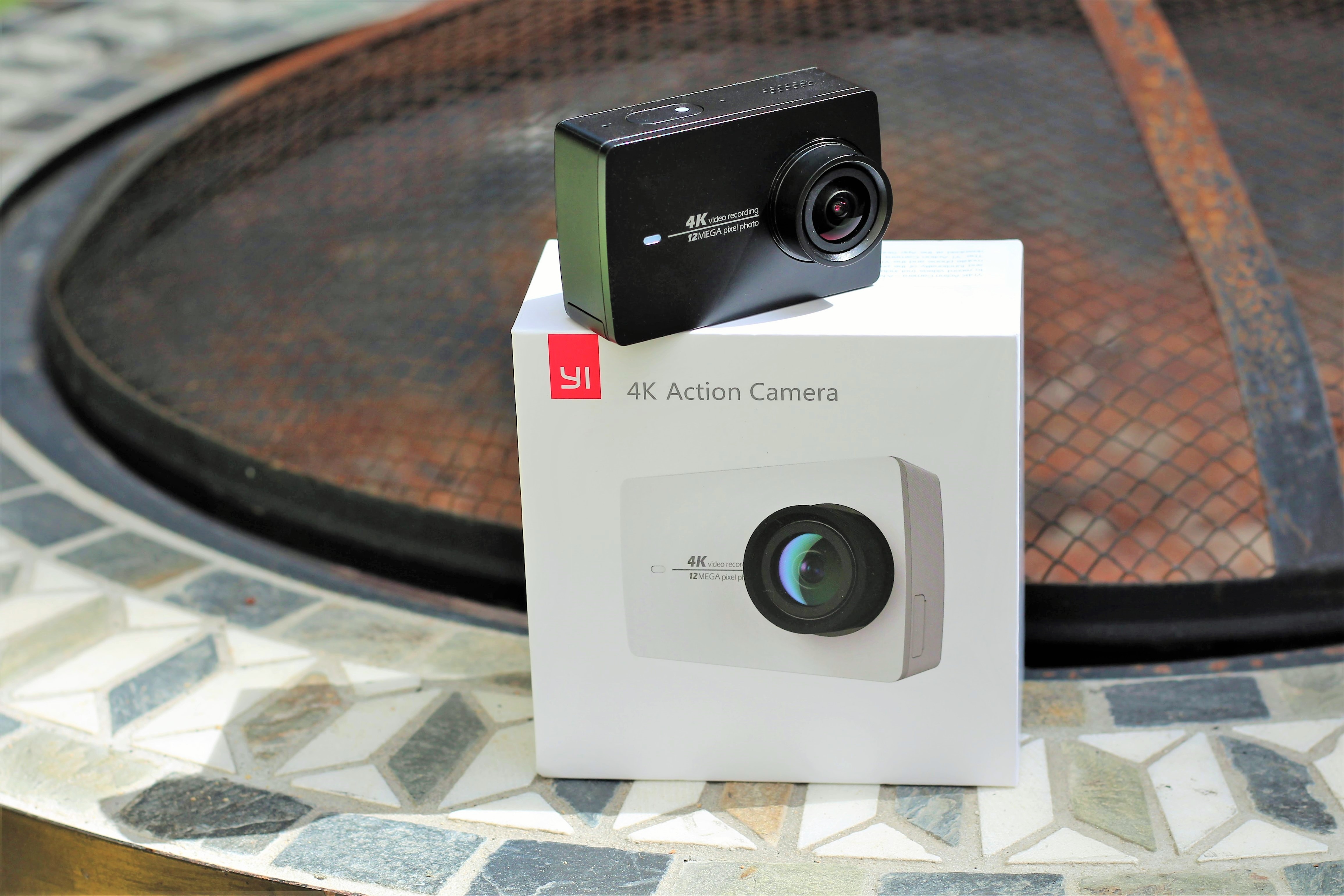
IMG_7799Few would argue that GoPro is the king of the action camera world. It's the brand of choice for professional film crews and amateur enthusiasts alike and dominates the competition in terms of market share and brand recognition. GoPro's current flagship model, the HERO4 Black, is touted by many as the best action cam on the market.

A couple of weeks ago, GeekBuying.com asked if I would be interested in reviewing a new GoPro competitor, the YI 4K Action Camera.

Read More

First Look: The YI 4K Action Camera – nearly identical specs as the GoPro Hero4 Black for half the money was written by the awesome team at Android Police.

30 Jul 16:01

Watch a man crack a the world's longest whip. Then watch him dual-wield fire whips.

by Rob Beschizza
whippings

At 238 feet and 3 inches, Adam Winrich's manila rope whip is reportedly the world's longest. Adam's YouTube channel is packed with amazing whippings; below he dual-weild fire whips. https://www.youtube.com/watch?v=aIEVegBfCB0

whippings

30 Jul 09:39

Best free Android games of 2017

by Simon Sage

Here's our roundup of the very best free Android games available in the Google Play Store right now.

Have some time to kill and only your trusty Android phone to keep you company? Take a gander at some of the most exciting, engaging, and free games that you can download from the Google Play Store. We have a healthy mix including shooters, puzzle games, racing, and lots more.

If you're itching for something new and you're able to stomach a few in-app purchase prompts, read on!

Stranger Things: The Game

Ostensibly a marketing tool for the second season of the Netflix series, Stranger Things: The Game is a surprisingly great game. All the characters, settings, and themes from the source material are converted into a pixel-retro action adventure game similar in gameplay style to the Adventures of Zelda.

There's a full story to unfold as you start out controlling Hawkins Police Chief Jim Hopper, as he receives a late-night call about four missing children and heads out to investigate. Where other 2D adventure games try and use a digital d-pad for control, Stranger Things uses a simple tap control system that really works well. The game is a good mix of puzzle-solving and action, with characters to unlock and add to your party. There's a surprising amount of depth to this game and everything feels complete for a free game.

It's nice to see Netflix publishing games based on its intellectual properties, and they deserve full credit along with the developers at BonusXP Inc. for going above and beyond here. This game could have been filled with ads, in-app purchases as is the trend with other free mobile games — but it's not. It's a standout game that just happens to double as a playable ad for a TV show.

Download: Stranger Things: The Game (Free)

Ancestor

Ancestor is a fast-paced puzzler mixed with a side-scrolling action runner. You'll need sharp reflexes and quick thinking if you have any hopes of getting far in this game.

You play as a cloaked hero who must traverse dangerous lands filled with traps and enemies — all with the help of a mysterious orb that shoots lasers. Clear the path ahead by solving quick puzzles and shooting down enemies — including boss battles — as the game adapts to your skills and ups the difficulty as you go. It's a free game with in-app purchases available to customize your character and the laser orb, but you can also unlock all items by collecting the in-app currency during gameplay.

Download: Ancestor (Free, IAPs)

Pokémon Go

Pokémon Go Is easily the hottest and most hyped game of the year, so chances are you're already out there exploring your city and attempting to catch 'em all.

If you've been living under a rock, Pokémon Go is a game developed by Niantic that lets you find and catch Pokémon all around you using augmented-reality. It's based on the Ingress platform, Niantic's first breakthrough game (which, coincidentally, was previously featured on this very list), Pokémon Go is built on a nearly identical game engine. It forces you to get out and explore your neighborhood as you search for wild Pokémon to catch and PokéStops to stock up on crucial items like Pokéballs.

Once your trainer reaches Level 5, Gyms are opened up to you and you're able to join one of three teams — Valor (red), Mystic (blue) or Instinct (yellow) — which is when the game really ramps up and turns into a truly social experience. Meet up with your friends and search for some rarer Pokémon, or team up to take down an enemy-controlled PokéGym.

Pokémon Go has quickly become a cultural phenomenon, so don't miss out!

Download: Pokémon Go (Free, IAPs)

Vainglory

Multiplayer Online Battle Arena (MOBA) games have been blowing up the PC gaming world recent years — think League of Legends or DOTA2. If you're looking for a quality MOBA game for your mobile device, one game has risen to the top: Vainglory.

This game is the complete package, featuring all the frantic MOBA action fans of the genre have come to expect — jump into a quick match with random teammates and opponents, create your own party of friends and take on all comers, or chill offline and practice your strategies against bots. There are five hero classes featuring a total of 25 unique heroes to unlock, upgrade and take into battle. The touch controls are smooth and easy to pick up, so you'll be able to jump right into the heat of the battle instantly. As you fight your way down the lane, there's a significant upgrade system that branches out, allowing you to react and counter your enemies more effectively.

If you're new to the MOBA genre, no worries! After introducing you to the gameplay fundamentals on first launch, Vainglory also features the Academy, an extensive tutorial section that will help you bolster your skills and abilities in the game. There's also a ton of things to unlock, live events to participate in, and a bustling online community on Twitch, Jump in!

Vainglory is a free download in the Google Play Store with optional in-app purchases available.

Download: Vainglory (Free, w/IAPs)

Asphalt 8

Asphalt 8: Airborne is easily one of the top racing games on mobile right now. It skips all pretensions of realism and provides an over-the-top, high-octane experience with all the fixings. Players can work their way through career mode, can unlock new rides, can upgrade the ones they have, or can take the competition online in multiplayer. The usual race modes are there, plus a new Infected mode where players have to tag other racers before succumbing to an explosive virus.

The incredibly polished graphics and outstanding soundtrack make Asphalt 8 an adrenaline trip you won't soon forget.

Download: Asphalt 8: Airborne (Free, w/IAPs)

Build a Bridge!

You don't have to be a civic engineer to build bridges — although it sure would help!

Build a Bridge! is a free game similar to the popular Steam game Poly Bridge, with controls optimized for touchscreen. Each level requires you to build a bridge that's strong enough to allow a car to pass over it without going over budget on supplies.

You plan out the bridge in an easy-to-grasp 2D interface, then give it a test run in 3D to see if it holds up. While conventional engineering standards might typically win the day, it's equally fun to try and experiment with bridges that just barely hold together. A collapsing bridge doesn't necessarily mean you fail, as long as the vehicle makes it to the other side — in this game, a winning bridge can be designed for one use only.

Once you beat a level with three stars in challenge mode, you unlock sandbox mode, which offers you unlimited funds to test the wackiest bridge designs you can think of. There are 30 levels of increasing difficulty to play, along with hidden levels to unlock along the way.

Download: Build a Bridge! (Free w/IAPs)

Hearthstone

Hearthstone is a free, turn-based card game that follows a familiar formula: players summon creature cards and cast spell cards based on the Warcraft universe in an effort to defeat online opponents. Every one of the nine heroes has their own unique special ability as well as a sizable batch of collectible and craftable cards. Casual online games, ranked matches, wacky weekly Tavern Brawls, and grueling Arena games appeal to varying levels of commitment.

Hearthstone is without a doubt the best free card game to come to Android to date.

Download: Hearthstone: Heroes of Warcraft (Free, w/IAPs)

Smash Hit

Smash Hit is a minimalist target practice game where players tap the screen to toss a marble and shatter glass obstacles. If you bump into something you lose marbles. Lose all your marbles and it's game over. Every section is littered with power-ups and fresh batches of marbles to keep you going. If you manage to keep hitting the marble refill crystals without missing, you can fire off two, three, or five marbles at once.

Though it's a simple, on-rails shooter, Smash Hit's polished physics make for a massively accessible and compelling experience.

Download: Smash Hit (Free, w/Pro upgrade)

Alto's Adventure

If you haven't checked out Alto's Adventure, what are you waiting for?

It's a beautiful game with simple controls and endless replayability. You play as Alto, who must snowboard down the side of a mountain to collect all of his runaway llamas, dodging boulders and jumping over chasms as he goes. You can pull off epic stunts, pick up power-ups, and work to complete challenges to level up. Sick of the challenges? Simply swipe over to Zen mode and just enjoy the endless relaxation of sliding down the mountainside.

It's definitely one of the best games released for Android in 2016, and best of all — it's FREE!

Download: Alto's Adventure (Free, w/IAPs)

Modern Combat 5

Modern Combat 5 offers some of the greatest shooting action you'll find on Android. Dive into an action-packed, single-player campaign, and once you're comfortable with the myriad of classes, weapons, and attachments, dive into a variety of multiplayer modes. Challenges invite players to really test their skill in short, specialized scenarios. For those that are really serious, Modern Combat 5 supports hardware controllers for the real FPS experience.

Modern Combat 5 is perfect for hardcore gamers.

Download: Modern Combat 5: Blackout (Free, w/IAPs)

Clash Royale

If you've grown tired of Clash of Clans gameplay but still love the characters and world that the folks at Supercell have created, you should definitely check out Clash Royale. Unlock and upgrade troops, build your battle deck, and take on real-life opponents in real-time battles.

Join or create a clan and share cards and strategies with friends from around the world. You'll need to employ quick thinking and genuine strategy to win, so you'll be compelled to keep tweaking your decks by working in new cards. In-app purchases will be tempting and are essentially required to reach the upper echelons of the leaderboards, but there's still tons of fun to be had playing Clash Royale without spending a dime, and Supercell has done a great job supporting the game with updates and balancing.

Download: Clash Royale (Free, w/IAPs)

Sky Force Reloaded

Fans of vertical scrolling shoot-em-ups rejoice! The new Sky Force Reloaded is on Android and is better than ever!

Blast your way through nine action-packed missions as you take down enemies while dodging the attacks they send back your way. Collect stars and upgrade your ships as you try to earn all medals on each mission at each difficulty level. It's a well-polished game from a storied and celebrated franchise, making Sky Force Reloaded an absolute must-play.

Download: Sky Force Reloaded (Free, w/IAPs)

Your favorite free Android games?

Nobody made us the Fun Police. Shout out in the comments with your favorite free Android games, as we're constantly on the lookout for the next great time-waster.

Updated October 2017: Added Stranger Things: The Game to our list.

[custom:android-gaming]

30 Jul 09:37

Marvel decides not to split Avengers: Infinity War into two movies

by Jacob Kastrenakes

Marvel has made a small but important change to its film schedule: it's still planning to release Avengers films in 2018 and 2019, but they'll no longer be two parts of the same story. The first film will keep the title Avengers: Infinity War, but the second picture is now untitled, dropping its previous Infinity War — Part II moniker.

The studio didn't elaborate on what this means for either film's story. More than likely, the change means they'll be a bit more disconnected than they were originally planned; but, these being Marvel movies, they'll of course have a central through line, so it's not like they'll be entirely disconnected either.

Continue reading…

29 Jul 23:11

North Carolina's voter suppression law struck down as "racist"

by Cory Doctorow

056c026d-1c66-4d42-9fae-a8e96df290c5-1020x1151

The 4th Circuit Court of Appeals has invalidated parts of North Carolina's voter suppression laws, ruling that the requirement to show photo ID was enacted "with racially discriminatory intent." (more…)

29 Jul 23:10

How to sign up for Google Play Family Library

by Marc Lagace

How can I share all my Google Play apps, movies and music with my family?

Sharing your Google Play apps and media with your family has never been easier, thanks to Google Play Family Library. It lets you connect up to five of your family members to a shared library of content, including a shared family-use credit card, so everyone can share their favorite movies, TV shows, music, books and apps.

While this was designed for families, you should also be able to create a shared library of content between your group of best friends, so you can all stay caught up with your favourite movies and TV shows, and play that cool new game your friend has been raving about.

Setting up a Google Play Family Library is an easy process, you just need to ensure you use your personal gmail account. Google accounts for Business are unable to be used for creating a Google Play Family Library.

How to sign up and get started with Google Play Family Library

  1. Launch the Google Play Store from your home screen or app drawer
  2. Tap the Menu icon. It's on the left side of the search bar.
  3. Tap Account.

  4. Tap Family.

  5. Tap Sign up for Family Library.
  6. Tap Sign up.

  7. Tap Continue to set yourself as the Family manager.

  8. Tap Continue. Doing so accepts the Google Play terms of service and Google's -privacy policy.
  9. Tap Set up to set up a family payment method.

  10. Confirm your preferred credit card is selected and tap Accept. (Editors note: Google Play won't let you take a screenshot on screens related to credit cards)

  11. Tap Continue to begin adding things to your Family Library.
  12. Decide whether you want to add all eligible purchases now, or add them individually later, then tap Continue.

  13. Tap Continue to invite family members to your group. They must be 13 years old or older with a personal google account to join. Alternatively, you can tap Skip and add family at a later date.

  14. You'll be asked to verify the CVC for the credit card you entered in step 10. Enter the three digit code found on the back of your credit card, then tap Verify.
  15. It's time to start sending invitations! Swipe to scroll through your Contacts and find the family (or friends) you wish to add to your share group. Alternatively, tap Add recipients at the top to search or manually enter a Gmail address.

  16. Tap Send once you're ready to send your invitations.

  17. Tap Got it to complete the setup process.

You're all set up! Once you're family members (or friends) accept their invitations, you'll all be able to enjoy your shared Google Play content.

How to accept a Google Play Family Library invitation

If you've been invited to join a Google Play Family Group, you will have received an email invitation. We'll start with accepting the invitation via the email on your phone.

  1. Launch the Gmail app from your home screen or app drawer
  2. In the invitation email, tap Accept Invitation. This will launch Chrome.
  3. Tap Get Started.

  4. Enter your account password and tap Sign in to login to your Google account. This will launch the Google Play Store.

  5. Tap Use account to confirm you want to use this account to join the Family group.
  6. Tap Join. This also accepts the Google Play terms of service and Google's privacy policy.

  7. Tap Continue to add your previously purchased items to your family library.

  8. Decide whether you want to add all eligible purchases now, or add them individually later, then tap Continue.
  9. Tap Got it.

You're now set up for the Google Play Family Library. Next, we'll show you how to check out the shared content available.

How to access content from your Google Play Family Library

Once you've got your Google Play Family Library set up and everyone has joined and added their personal content to the shared folder, it's easy to access and install them right from the Google Play Store on your phone. For this example, we'll access the shared apps and games.

  1. Launch the Google Play Store from the home screen or app drawer
  2. Tap the Menu icon. It's on the left side of the search bar.
  3. Tap My apps & games.

  4. Tap the Family Library tab.

  5. You'll see the list of apps and games available to your entire family group.

From there, it's as easy as tapping the apps you want and going through the standard installation process.

29 Jul 20:11

Calculate Your Alcohol Calories For This Weekend, Right Now

by Beth Skwarecki on Vitals, shared by Andy Orin to Lifehacker
Calculate Your Alcohol Calories For This Weekend, Right Now

How many calories are in your usual night at the bar? Even though beer will soon get nutrition labels, and a few other drinks like cider already have them, doing math with calories is probably not part of your fun night out. Instead, here’s a calculator that will give you a good estimate before (or after) the fact.

http://vitals.lifehacker.com/how-to-drink-w…

To use the calculator, just say how many drinks you’ll be having, of each type: Regular and light beer are items on the list, for example. There are also several items in the liquor, wine, and cocktail categories. You can adjust the size of the drink, too, so you’re not stuck with somebody’s idea of a standard pour when you know your drink your margaritas out of a fishbowl.

The result might not be exact, but it should be enough to help you calculate a calorie budget for the week. If you drink the same stuff week to week—whether that’s a nightly glass of wine, or a predictable weekend party schedule—just divide by seven and work the extra calories into your goal for each day.

Alcohol Calorie Calculator | National Institutes of Health

29 Jul 20:11

Watch the White Stripes' "Seven Nation Army" played by 15,000+ people

by David Pescovitz

Rockin'1000, consisting of 1000+ musicians, cover the White Stripes' "Seven Nation Army" with 15,000 of their closest friends on vocals.

29 Jul 18:30

Miss your pets? Call them to catch up!

by Drew Kozub

PetzChatz allows you to call your cat or dog while you’re away from home, so you never have to wonder if they’re up to no good.

Connect with your pets when you're not at home!

Wonder what your pet's up to while you're gone? Find out with PetChatz, a video camera that lets you call and interact with your cat or dog!

Who's a good boy??

If you have a pet, chances are you wonder what the heck they get up to while you're at work. Now, you can watch it all unfold on camera! With PetzChatz, you can connect and interact your fur baby while you're away from home. Whether you're at a computer or on your tablet or smartphone, the two-way audio and video set-up allows you both to see and hear each other and a special ringtone trains your pet that it's you on the other end.

The chew-proof device connects through Wi-Fi, so you don't have to worry about hiding cords, or your pet chewing through them. You can even reward your furry friend with a nutritious, all-natural treat when you're about to sign-off.

PetzChatz

$379.99+

PetzChatz allows you to call your cat or dog while you're away from home, so you never have to wonder if they're up to no good.

Visit website

*/ /*-->*/

So call me, maybe

If your pet gets anxious while you're away, PetzChatz allows you to release a safe, calming scent to help soothe him. You can also pre-program games with lights and noise to keep your pup entertained. Motion and sound detection alerts will help you keep tabs on rough play or scary thunderstorms.

Read More »

29 Jul 16:26

This Is the Lifehacker Pack: Essential Apps and Downloads for All Your Devices

by Alan Henry
This Is the Lifehacker Pack: Essential Apps and Downloads for All Your Devices

Over the past two weeks we have, like we do every year, given you a snapshot of the essential apps, extensions, and downloads we think every user of every major platform should try. Miss one? Here they all are, in one tidy package.

Lifehacker Pack for Mac: Our List of the Essential Mac Apps

This Is the Lifehacker Pack: Essential Apps and Downloads for All Your Devices

There’s no shortage of useful, interesting apps for the Mac, but some of them you just can’t live without. In this year’s annual Lifehacker Pack for Mac, we’re highlighting the best downloads for better productivity, communication, media management, and more.


Lifehacker Pack for Windows: Our List of the Essential Windows Apps

This Is the Lifehacker Pack: Essential Apps and Downloads for All Your Devices

Windows has more great programs than we can count, but some are essential to just about every PC setup. In this year’s annual Lifehacker Pack for Windows, we’re highlighting the must-have downloads for better productivity, communication, media management, and more.


Lifehacker Pack for Linux: Our List of the Essential Linux Apps

This Is the Lifehacker Pack: Essential Apps and Downloads for All Your Devices

With so many flavors of Linux and the awesome apps in their repositories, finding the right app for getting things done can be tough. In our annual Lifehacker Pack for Linux, we’re highlighting the must-have downloads for better productivity, communication, media management, and more.


Lifehacker Pack for iPhone: Our List of the Essential iPhone Apps

This Is the Lifehacker Pack: Essential Apps and Downloads for All Your Devices

The iPhone has the largest selection of apps on the mobile side, but that means it’s also the most frustrating to find what’s worthwhile. So we’re highlighting the apps that help you stay productive, connected, informed, and entertained.


Lifehacker Pack for Android: Our List of the Essential Android Apps

This Is the Lifehacker Pack: Essential Apps and Downloads for All Your Devices

With over two million apps in the Play Store, Android is home to one of the biggest app stores in the world. Soon they’ll even be on your favorite Chromebooks as well. In this year’s annual Lifehacker Pack, we’re picking the must-have downloads for every category of app you could ever need.


Lifehacker Pack for iPad: Our List of the Essential iPad Apps

This Is the Lifehacker Pack: Essential Apps and Downloads for All Your Devices

It took a little while for the apps to come into their own, but we’re at a place now where the iPad has nearly as good of a selection of apps as the iPhone. Now, it’s harder than ever to find apps that are worthwhile. Let us save you some time with this collection of the best iPad apps.


Lifehacker Pack for Android Tablets: Our List of the Essential Apps

This Is the Lifehacker Pack: Essential Apps and Downloads for All Your Devices

Android tablet apps got a jolt of excitement this year when we learned they’re coming to Chromebooks soon, too. In our follow up to last week’sseventh annual Android pack, we’re checking out the apps that are doing the best with larger screens.


Lifehacker Pack for Firefox: Our List of the Essential Extensions

This Is the Lifehacker Pack: Essential Apps and Downloads for All Your Devices

Firefox is still a strong browser, and with Chrome getting heavier than ever, many are looking back to their old friend Firefox as an alternative. Plus, it’s still got one of the best, well-vetted extension libraries around. Here are the essential Firefox extensions you need to bend the web to your will.


Lifehacker Pack for Chrome: Our List of the Essential Extensions

This Is the Lifehacker Pack: Essential Apps and Downloads for All Your Devices

Google’s Chrome browser is packed full of an incredible amount of extensions that add all sorts of functionality. It’s tough to sift through the store to find what’s useful though, so let us save you some time with this collection of our favorite Chrome extensions.

29 Jul 16:22

The Holofone Phablet is a 7-inch Android phone / Windows PC with a built-in projector

by Chaim Gartenberg

Smartphone season is rapidly upon us, with the new versions of Samsung’s Galaxy Note and Apple’s iPhone rumored to be just around the corner. Unfortunately for those two companies, Chinese OEM Akyumen (Pronounced like "acumen," probably) has just announced that its Holofone Phablet, which I assume is going to be the only phone anyone will ever need to buy ever again, will be available September 1st.

Continue reading…

29 Jul 14:07

Pokémon Go narrated by David Attenborough: "It is, of course, a bird."

by Rob Beschizza

pikachu-wild-pokemon

Lovin Dublin posted this perfect mashup of monster-hunting game Pokémon Go and soothing wildlife documentarian David Attenborough.

https://www.facebook.com/LovinDublin/videos/1437230712970361/

This makes me think that AR + ASMR is going to be a thing.

29 Jul 14:06

The Beach Party Playlist

by Eric Ravenscraft
The Beach Party Playlist

This summer is blazing hot, which means it’s the best time to hit the beach and party. This playlist will help get you in the mood to have fun while the sun tries to melt your face off.

This playlist, curated by Spotify, features music from artists like Nicki Minaj, Avicii, fun., Flo Rida, The Beach Boys, and more. It does not, however, come with a portable Bluetooth speaker that you can take to the beach, so you’ll have to provide your own.

Welcome to our Featured Playlist series. Each week, we’ll share a new themed playlist, embedded for your convenience! You can copy the track list to your service of choice, or listen right here. Have a sweet playlist of your own? Share it with us in the comments below!

29 Jul 14:01

Watch a horse in a pink Hello Kitty mask save Japan

by Rich McCormick

The summer of 2003 was a difficult one for many of Japan's citizens, as they suffered the after-effects of 10 years of economic stagnation — a period that became known as "the lost decade." But there were beacons of hope to be found in the country: one in the shape of a horse wearing a Hello Kitty mask. The horse, called Haru Urara (the name means "glorious spring"), never won a race, but came to be seen a symbol of spirit, a reminder to try your hardest even if you don't succeed.

Her name means "glorious spring"

Haru Urara's story is told in The Shining Star of Losers Everywhere, a short documentary filmed as part of ESPN's 30 for 30 series, and shown previously at events like Sundance and SXSW. The 18-minute video tells Haru Urara's...

Continue reading…

28 Jul 22:01

Best RPGs for Android

by Mike Tanasychuk

What are the best Android RPGs?

Role-playing games are wonderful, story-driven experiences that complement the mobile gaming experience nicely. Despite the relatively tiny mobile screens we're used to (yes, 5.7 inches is still small by gaming standards) RPGs allow us to get lost in fanciful worlds for a while.

In the case of some games, especially those ported over from PC, that "while" could be 20 or 30 hours! This makes the best RPGs worth their price in the Google Play Store. There are some duds in there, so we've hand-picked the best of the best to save you the trouble of digging.

If you're looking for more than just RPGs, be sure to check out our roundup of the best Android games of the year!

Final Fantasy

One of the most beloved RPG sagas is on mobile in the form of 12 Final Fantasy games:

If you have any love in your heart for the series, then you'll definitely want at least one of these titles on your phone or tablet. Play your way through the entire sci-fi/fantasy saga if you want to and help Cloud stop Sephiroth, help Cecil stop Golbez, and help defeat Queen Brahne alongside Zidane.

Most of the adventures and a few spin-offs are there for you to spend hours and hours with, which makes them worth the cash (they can be as much as $20.99!). Just note that these games can take up a LOT of space, like upwards of 2 gigs. That being said, you're getting the full game with all of these, so 2GB doesn't really seem all the huge. You may have seen ads for Final Fantasy XV, but do note that game was not directly developed by Square Enix and is full of pay-to-win mechanics.

Whether you're up for medieval fantasy or futuristic sci-fi action, Final Fantasy has something for everyone, easily making them some of the best RPGs around for Android or any platform for that matter!

Download: Final Fantasy (Free-$20.99)

Evoland

Evoland isn't the most original game of all time, borrowing elements from the Legend of Zelda, Diablo, and Final Fantasy to create a classic RPG adventure that might be a bit of a knock-off, but it's as fun as any of the originals, and there's a damn-good reason for its pilfering of the classics.

This game is all about the evolution of video games, starting you off with two colors and a 2D character. As you progress, you unlock new technologies and new graphics until you reach the modern, 3D/HD age.

Your sort of meta-journey is punctuated by references to classic RPGs and movies, so keep a sharp eye out and enjoy the Easter eggs thrown in as you battle and loot and level up.

If you love RPGs, no matter when they were made, then you'll love Evoland.

Download: Evoland ($5.49)

Arcane Quest 3

Arcane Quest 3 is a mobile RPG game for fans of classic tabletop games. It's a turn-based RPG that mixes adventure, role-playing, and stragegy elements to tell an epic story of revenge and redemption. You create your adventurer from your choice of 10 unique classes as you battle hordes of orcs and other undead enemies as you fight to restore the honor of your guild and save your people.

On top of the main storyline, there are real-time multiplayer quests so you can team up with your friends and other players from around the world and unlock fantastic rewards. There's also a quest editor that lets you create, publish, and share your custom-made quests, as well as options to play quests created by other players.

There are hours of gameplay to be had there that's sure to please the hardcore RPG gamer, and all without implementing a pay-to-win mechanic. Definitely worth checking out for any RPG fans looking for a new time sink!

Download: Arcane Quest 3 (Free w/ IAPs)

Crashlands

Butterscotch Shenanigans makes some quirky and hilarious games and Crashlands is no exception. In what might be the funniest mobile RPG to date, you play as Flux Dabes, a space trucker who's forced to crash-land (get it?) on an alien planet thanks to an alien jerk named Hewgodooko.

As you try to survive on this strange planet, you must craft your way through repairing your ship, build bases, tame wildlife to be pets, and fight the locals while crafting weapons and items from their corpses (it sounds morbid, but it's great).

If you love witty dialogue, a fun story, quirky games, and crafting over 468 items, then you should be playing Crashlands.

Download: Crashlands ($4.99)

Baldur's Gate and Baldur's Gate II: Shadows of Amn

If you're a D&D fan, then you're going to want the Baldur's Gate games on your phone ASAP. They use a modified version of the Advanced Dungeons and Dragons 2nd Edition rules and the original Baldur's Gate was credited with the computer RPG renaissance in 1998.

These are your classic fantasy games, wherein you start off knowing only the walls of the castle in which you were born, but are thrust into a war-torn world under mysterious circumstances. Venture off and take on mythical creatures, as well as real ones (like rats!)

If you like a good old fashioned romp around a medieval realm, clearing dungeons and slaying beasts, all while creating potions and bettering your character, then the Baldur's Gate games should be right up your alley.

Download: Baldur's Gate ($9.99, with in-app purchases)

Download: Baldur's Gate II: Shadows of Amn ($9.99, with in-app purchases)

Pocket Mortys

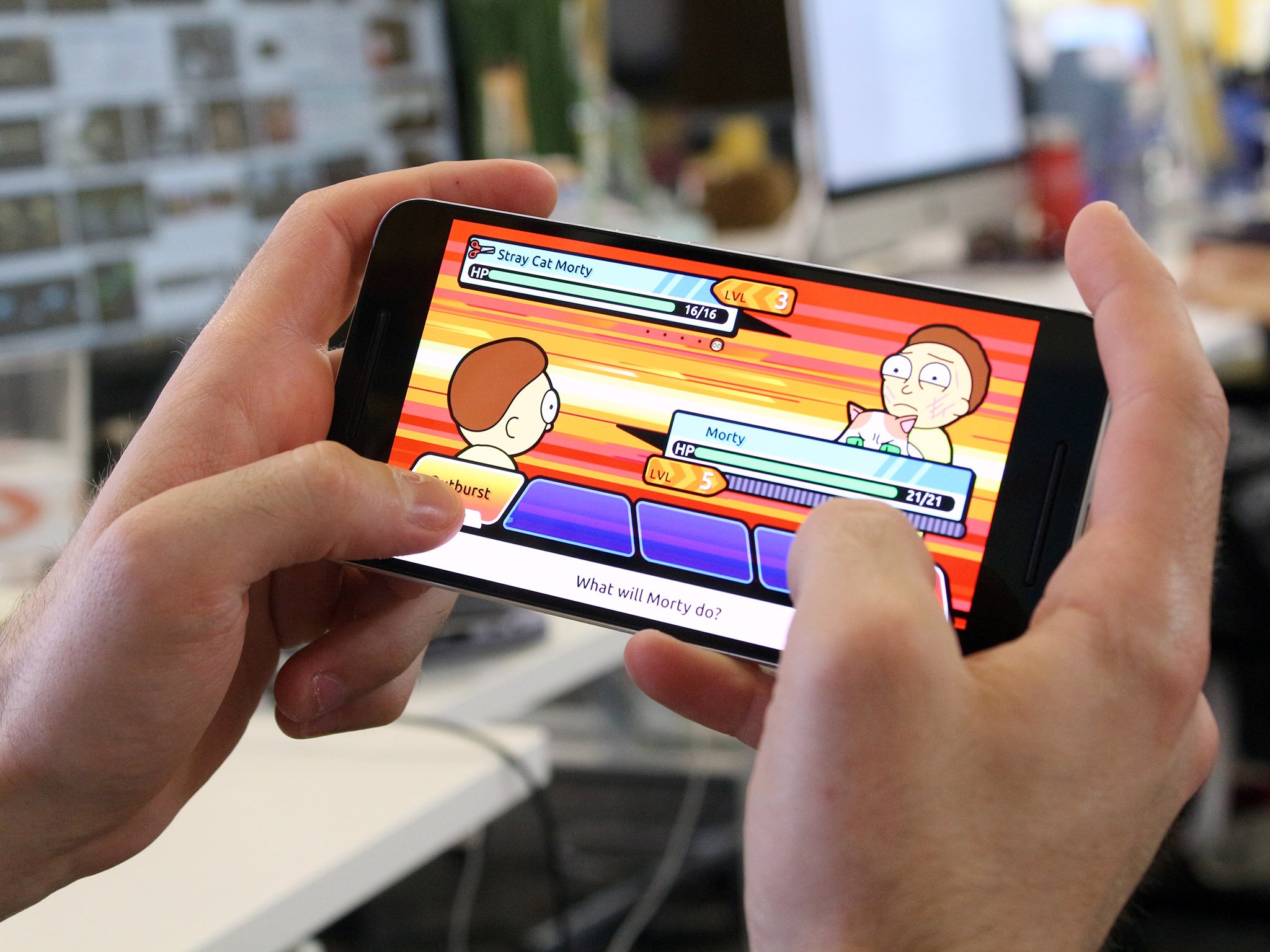
Like Pokémon? Love Rick and Morty? Does the Pope have lips? Is a chicken Catholic? At their core, the original Pokémon games were glorious RPGs and Pocket Mortys is about as close as you can get to (legally) playing the classic Pokémon games on your phone. (Yeah, Pokémon Go is a thing, but it's just not the same!)

You get to control Rick, who's just doing science in his garage when Mysterious Rick comes through a portal and challenges him to a Morty battle. After, Rick goes through the portal to the Council of Ricks, who confiscate his portal gun.

To get it back, you have to defeat the six Ricks sitting on the council, but before you can battle them, you must battle the Ricks from other dimensions and claim their badges. After all that's through, you have to go and capture every type of Morty.

This is probably the most twisted take on Pokémon you'll come across, but it's fun and branded with the cartoon's signature humor, making it a game that just makes you wanna get schwifty.

Download Pocket Mortys and SHOW ME WHAT YOU GOT.

Download: Pocket Mortys (Free, with in-app purchases)

Star Wars: Knights of the Old Republic

This is the full K.O.T.O.R. experience, so if you're a Star Wars fan, this is definitely the mobile game you're looking for. It's a huge download, at 2.4GB, but you get all the force-wielding, lightsaber-swinging, Republic-saving goodness that the console games dazzled us with.

You get to choose your party from nine types of characters, travel to eight planets on the Ebon Hawk, and learn to use the Force, including over 40 powers. You also get to build your own lightsaber!

Knights of the Republic is the epitome of a classic Star Wars RPG and this port is totally worth the cash. This game even supports controllers if you prefer to play that way. As the Jedi's last hope, you decide the fate of the galaxy as you battle your way to becoming a hero or falling to the temptation of the Dark Side.

You decide!

Download: Star Wars: Knight of the Old Republic ($9.99)

Dragon Quest

Possibly the most popular game in the Dragon Quest series, Dragon Quest VIII: Journey of the Cursed King is available for Android in all its cell-shaded beauty. It was the first widely released Dragon Quest title, being the first to hit the PAL region and the first to be called Dragon Quest in North America, where it was always called Dragon Warrior. (You can check out the earlier Dragon Quest games on Android as well)

In this version, you play as the Hero, a Trodain guard, who embarks on a quest to reclaim a stolen scepter from the evil court jester, Dhoulmagus, who has cursed Trodain castle, turning the king into a troll, the princess into a horse, and everyone else into plants.

This is the full PS2 game, so it's 1.4GB, taking up quite a bit of space on your phone. But you get everything the original has to offer: epic, turn-based battles, crafting via the Alchemy Pot, and classic fantasy, presented in a gorgeous 3D anime style. If you loved Dragon Quest VIII on PS2, you'll love it on Android too.

Download: Dragon Quest VIII ($19.99)

Eternium Mage and Minions

Claiming to be the first RPG truly designed for controls, Mage and Minions is an excellent fantasy RPG that really does feel great to play. The controls are smooth and make sense to the mobile experience and the gameplay is fun and immersive.

You and your party are off on a quest to prevent Ragadam from taking over the world and ultimately destroying it, all the while battling skeletons and demons, collecting loot, crafting items and weapons, and casting spells to get the job done. The spell-casting controls are particularly cool, since you have to draw symbols on your screen to summon different spells.

If you're looking for an RPG experience similar to dungeon crawlers like Diablo that was truly meant for mobile, then indulge in Eternium Mage and Minions.

Download: Mage and Minions (Free, with in-app purchases)

Dungeon Hunter 5

This is one of the deepest RPGs on this list, featuring a story mode, an online mode, and co-op mode wherein you hack and slash your way through dungeons, all the while leveling up and unlocking new weapons, armor, and other upgrades you can craft to create even stronger weapons.

This game is HUGE. The initial download is 33MB, but you'll eventually be downloading gigs of data, since there are over 900 weapons to wield and hundreds of different spells and skills to acquire.

While online, you get to develop your own dungeons where your precious loot resides, defended by minions that you recruit and craft from Minion Shards. As an added defense, you get to build Trap Rooms within your dungeons in order to thwart those that might steal your treasure. Just be careful; you'll likely be on the receiving end fairly often!

Dungeon Hunter 5 is a big, immersive, versatile RPG that sucks you in and before you know it, it's the year 2100 and you're a pile of dust, still battling your way to herodom or riches (because apparently heroes don't get paid).

If you're looking for an awesome free RPG that you can play until Ragnarok, then dive into Dungeon Hunter 5 and definitely keep an eye on your data usage!

Download: Dungeon Hunter 5 (Free, with in-app purchases)

Did we miss anything?

What's your favorite RPG for Android? Did it make our list? Sound off in the comments below!

Update July 2017: Added Arcane Quest 3 to our list and updated the other entries as needed.

28 Jul 21:58

Alphabet's stellar earnings send its share price soaring

by Ben Popper

Alphabet, the umbrella for Google’s core business as well as its riskier "Other Bets," posted its second-quarter earnings today. In the third time the company has detailed its performance segment by segment, it handily beat analysts’ expectations. It notched $21.5 billion in revenue, a gain of 21 percent versus this same period last year. It also reported $5.97 billion in net income, a 28 percent increase year-over-year. Both of those areas saw better growth rates than last year, an impressive feat given Google’s increasingly massive scale.

Other Bets, made up of Alphabet’s so-called moonshot projects, reported $184 million in revenue, more than double the $74 million it booked during this same three month period last year. It’s losses...

Continue reading…

28 Jul 21:57

White Noise 7 is out, and wants to be like Instagram for restful sounds

by Lora Kolodny
TMSOFT CEO and founder Todd Moore using his White Noise app. When software developer Todd Moore wrote up the code for his now-famous White Noise app in 2008, it was a side project to him and one of the first mobile apps go live on the Apple app store. The app quickly climbed to the No. 1 spot in the Health and Fitness category, and has remained a top pick for years. At this point, Moore said, the White Noise app sees between half-a-million and a… Read More
28 Jul 21:56

Watch Matt Damon grow up in supercut that spans 28 years

by Andrew Liptak

Matt Damon is one of those actors who has become one of the most recognizable and bankable stars in the movie industry. Because he’s worked in film for nearly three decades, he’s also an embodiment of time’s cruel indifference. Burger Fiction has put together a great 13-minute supercut of all the times Matt Damon appeared in film and television, capturing both his range of roles and maturation as a living organism.

The clip starts all the way back in 1988 with a young Matt Damon appearing in Mystic Pizza all the way to older, grizzled Matt Damon in this week’s movie Matt Damon Beats Up Bad Guys, or as the marketing materials call it, Jason Bourne. There are some great gems in his career: I'm especially fond of his work in science...

Continue reading…