Spotify — the music streaming service with 40 million paying subscribers — has made an acquisition that it hopes will help it hold on to them, and build up those numbers against encroaching streaming music competition from Apple, Pandora, Google, Amazon and more. The company has acquired a company called Preact, a cloud-based platform and service developed for companies that… Read More
Uber is rolling out a major redesign of its app today — the most significant update since 2012. The changes, which are only for users and not drivers, are supposed to offer a much cleaner interface, less confusion around which service to request, and shortcut options to frequent destinations.
The new app, which The Verge saw during a media briefing and product demo earlier this week, does appear to be much easier to use. (For instance, even small details such as the color of a driver’s car are now included in the familiar map interface.) But the redesign also underscores how bloated the Uber app had gotten in recent years, as the company has swelled in size and has continually tacked more features and services.
Material is the name of the game at the moment, with apps left, right, and centre adopting the new(ish) design standards and animations. While the Wallet Android app has been material for a while now, the web app has just been updated to adopt the desktop version of material design.
Generally speaking, the new web interface looks much like the Android app. There is a part to send or request money, a navigation drawer with options in it, including choosing what card to pay with and settings.
Adobe today announced that it has partnered with Reuters to bring the news agency’s video and photography to its Adobe Stock marketplace. Until now, Adobe Stock mostly focused on creative images and videos, but with this partnership, it is also adding editorial content. This includes Reuters photos that cover current news, sports and entertainment events. There are currently twelve… Read More
Having a second display for your laptop or phone can be fantastically useful, but most of the time we’re stuck without one because who the hell lugs a monitor around outside of their house? (Answer: very cool and very dedicated nerds. ) Portable projectors are one option, but a new Kickstarter campaign offers another solution: a collapsible projector-and-screen combo that pops open like an umbrella.
It’s called the SPUD or Spontaneous Pop-Up Display, and at The Verge, well, we can’t decide whether it’s terrible or genius. When collapsed, it looks like a deflated airbed: about the size of a big hardback book and weighing under 2 pounds. When opened, it's more like a light diffuser used by photographers. The projector itself sits at the...
LastPass is making its password manager a much better option for people who don’t want to pay. As of today, it’s opening up to everyone the ability to sync passwords between an unlimited number of devices — something that used to be available only to subscribers.
Free users were previously limited to syncing LastPass to a single app, which is pretty limiting in a world where you very possibly need to access those passwords across multiple PCs, a phone, and a tablet. Now, there are no longer any big restrictions on the free version of LastPass (though it’s still offering a $1 per month subscription with some additional features).
You should really be using unique passwords
Like other password managers, LastPass can be used to generate...
It’s been a long-running trend that Black Friday starts earlier each year, and now we’ve reached the apex of that: it’s November 1st, Halloween is over, and Amazon is kicking things off with its “Countdown to Black Friday” sales event. Are they technically early Black Friday sales? Are they just some decent deals? Does it even matter anymore since you now have permission to put up your Christmas tree anyway?
It’s honestly a bit hard to tell the difference between the sales page and Amazon’s usual Lightning Deals, so be careful as you click around because it’s easy to drop out of the zone where Amazon is offering deals and back into regular old product pages.
Here are the highlights of the sale so far today — but it looks like Amazon is...
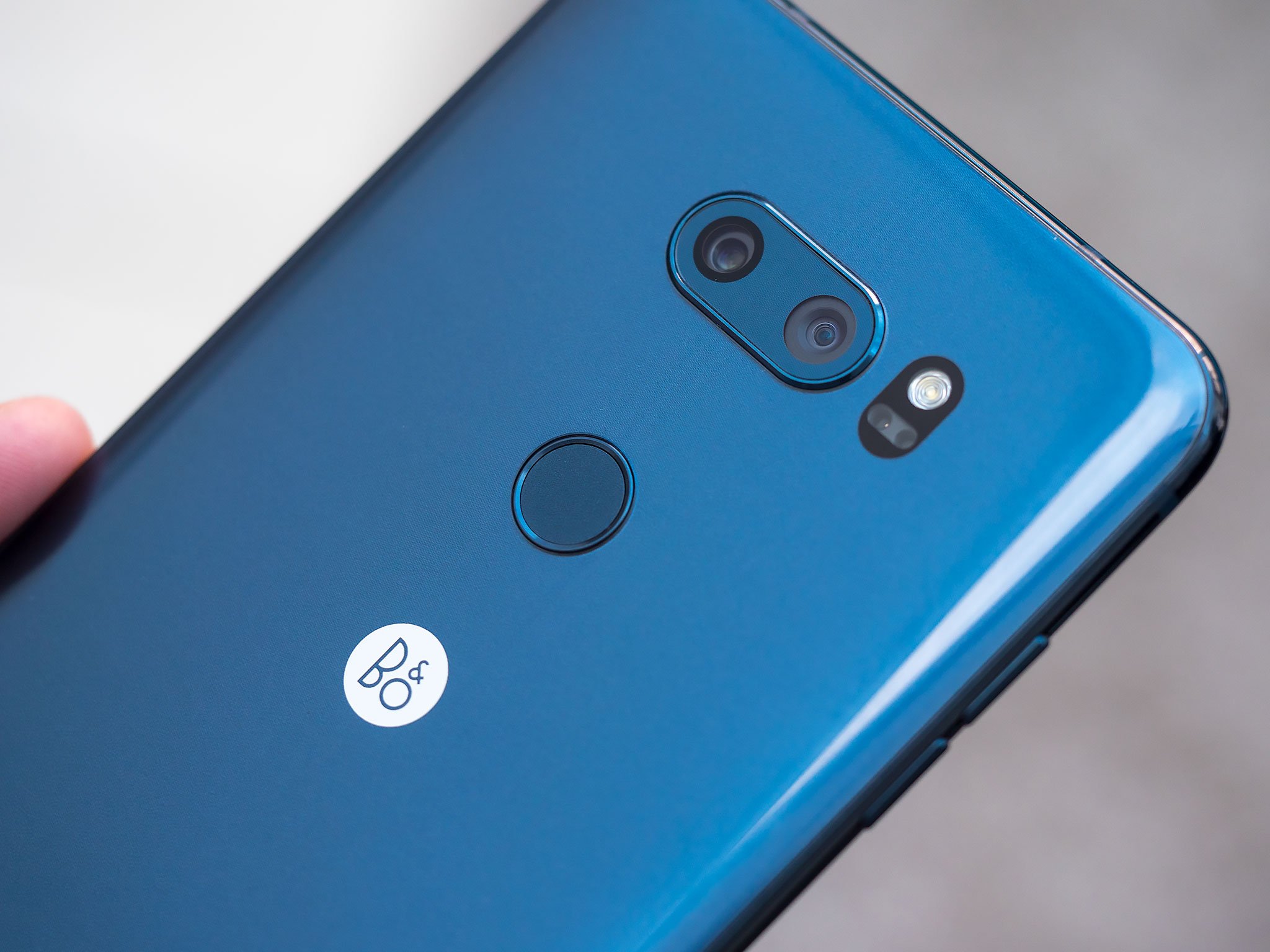
The successor to the enthusiast-focused V20, the V30 shares more in common with the G6 in terms of design, but that's a good thing. This phone is light, well-made, and powerful, while retaining many of the features that made the V10 and V20 so popular. Gone is the removable battery, but you get waterproofing and wireless charging in exchange, which is a far better trade-off.
And with the world's first f/1.6 lens in its main camera, and a low light-enabled f/1.9 lens in its second sensor, the V30 takes some amazing photos in wide- or ultra-wide angle.
Bottom line: Nobody does wide-angle cameras in a smartphone like LG, and between the camera and the general polish of other areas of the phone, the V30 is easily LG's best.
One more thing: The display isn't quite as great as Samsung's SuperAMOLED.
Why the LG V30 is the best
LG has positioned all of its V-series phones as being tuned for "content creation," and the V30 keeps up with that perfectly. We know it's quite capable for still photos, but its advanced video tools really make it shine.
Manual control and tons of shooting modes rule the roost here.
The core of the V30's video capabilities starts with its dual cameras, one with a standard focal length lens and another with a super wide-angle lens. It lets you shoot with one or the other, but also seamlessly "zoom" from the wide lens into the tighter one for a dramatic effect. That's paired up with all of the standard shooting modes, including 4K resolution and slow motion.
Photography and video may be the differentiator, but the LG V30 also scores points for just being a great all-round smartphone. There's no nonsense here, just a compact phone with a sleek design, fast performance, all the features you'd want out of a modern flagship and key bullet points like wireless charging, a headphone jack (with Quad DAC, naturally) and water resistance. And with prices continuing to fall as competing devices launch, the V30's price -- even unlocked -- is now highly competitive.
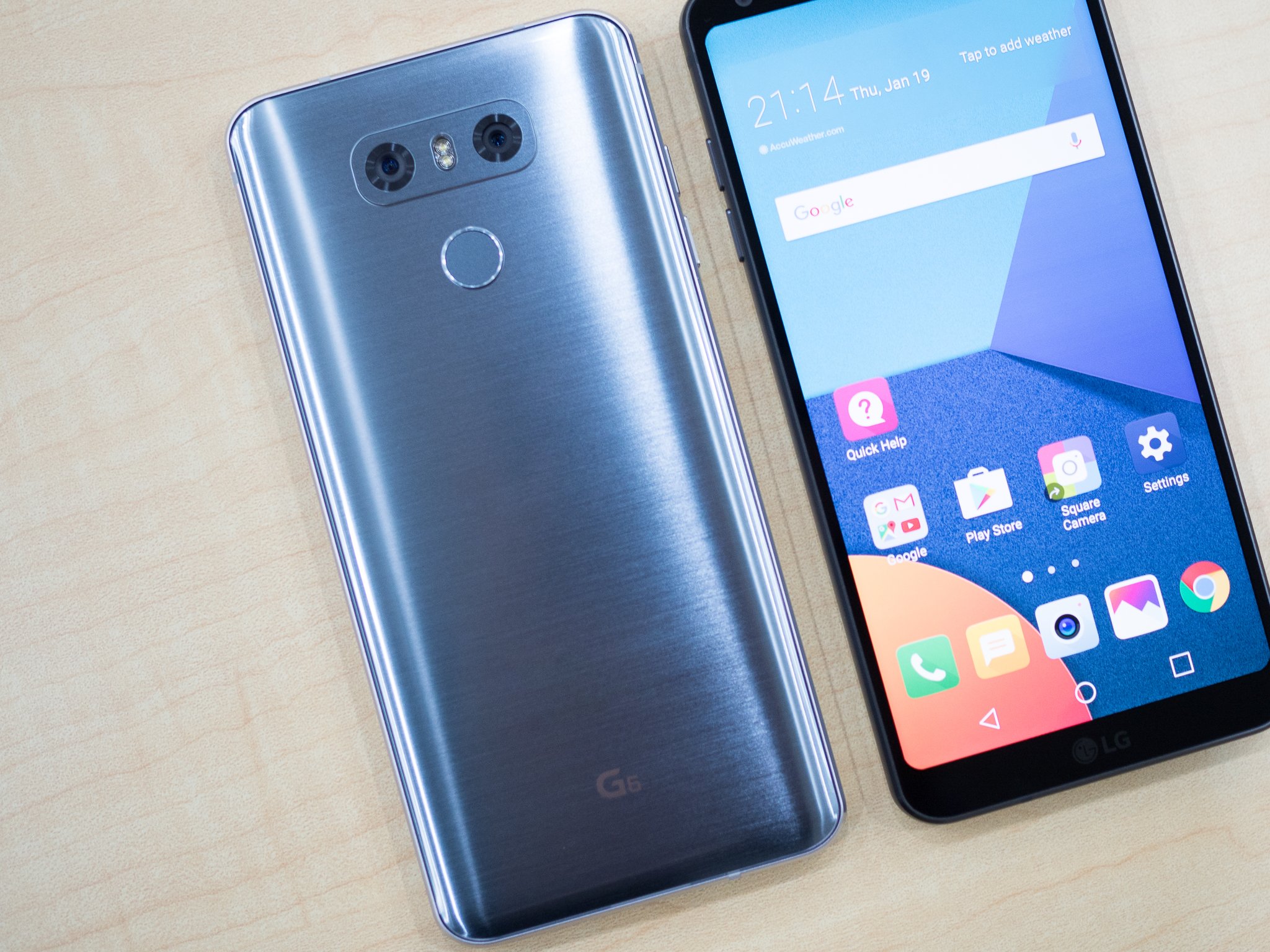
LG's successor to the disappointing G5 is an incredible feat of engineering. Glass front and back, with metal sides and an extra tall 2880x1440 display, the phone is all about simplicity and versatility. Adding to its pedigree is a system of dual 13-megapixel cameras — a standard 71mm lens and a 125mm wide-angle lens — which take amazing photos in almost any lighting condition.
Then there's the other additions to the collection this year: IP68 waterproofing, a larger 3,300mAh battery, a Quad DAC in some regions, and wireless charging in the U.S.
Bottom line: The LG G6 is no longer the new hotness, but it's still a decent mid-tier phone with some exciting features.
One more thing: Don't hold your breath for a speedy update to Android Oreo. LG will be prioritizing the V30 before updates to the G6 start rolling out.
Update, December 2017: We've updated this post to remove the now outdated LG V20.
Instapaper is dropping its monthly subscription and will begin offering its service ad-free to all users. All of Instapaper’s Premium features, including full-text article searches and speed-reading, will also be opened up to everyone.
This is a big shift for Instapaper, and one that’s clearly driven by its recent acquisition by Pinterest. Before today, Instapaper offered a $2.99 per month (or $29.99 per year) subscription to support itself. But in doing so, it placed some of the service’s unique and helpful features behind a paywall, making it harder to stand out from its much-loved competitor, Pocket.
Pocket still charges for some of these features
In opening those features up to everyone, Instapaper starts presenting a more compelling...
FilmStruck, the streaming service for “die-hard movie enthusiasts,” launched today. The service is a joint venture between Turner Classic Movies and the Criterion Collection meant to fill in classic film gaps left by Netflix, Amazon, and Hulu. FilmStruck’s collection will include “art house, indie, foreign, and cult films,” and the entire Criterion Collection, Business Insider reports.
The service was announced back in April, almost instantly drawing comparisons to the indie streaming site MUBI, which offers a constantly changing collection of 30 indie films for $4.99 per month. A “standard” FilmStruck subscription (which doesn’t include the Criterion Collection) will cost $6.99 per month, while the Criterion addition will bring the...
Twitter is rolling out bot-like features inside its direct messaging feature in an effort to lure more brands into using it as a customer service platform. The company today introduced automated “welcome” messages for customers who send a DM to a brand, along with “quick replies” that let customers choose from pre-written messages to complete common tasks. (“What’s the status of my order?”) You can try it now by messaging beloved brands Pizza Hut and Evernote, preferably about the sorry state of the consumer productivity market (in the case of Pizza Hut) or pizza (in the case of Evernote).
Welcome to the roundup of the best new Android applications and live wallpapers that went live in the Play Store or were spotted by us in the previous 2 weeks or so.
Please wait for this page to load in full in order to see the widgets, which include ratings and pricing info.
Looking for the previous roundup editions? Find them here.
Featured App
DigiCal Calendar Agenda
Today's roundup is presented by DigiCal Calendar & Widgets from Digibites.
There's nothing like a good keyboard to turn the average user into a prolific communicator.
Keyboards may be one of the most important choices you make on your phone. They will shape the speed and accuracy with which you use your phone to communicate, and because keyboards can see everything you type from passwords to social security numbers, it's important to have a keyboard you trust and like. To that end, here now are the four keyboards we trust and like the most to help us tweet, text, and type up our articles in a crowded bar.
Gboard: King of the keyboards
Gboard has summited the top of the Android keyboard market in recent months, and the reasons are clear: great predictions courtesy of machine learning, easy access to gifs and sticker packs such as the Disney Stickers collections, and a dictionary tied to your Google account, so it follows you everywhere.
They just keep adding all the smart features that Android users have enjoyed from other keyboards and wrap it all in a quick and responsive (and free!) package. Themes on Gboard still aren't as diverse or dashing as other keyboards, but the ones here look good and there's a Material Black option, which is all you really need at the end of the day.
Best of all, Gboard hides no features or options behind paywalls or ads. The best keyboard on Android is completely free.
Swiftkey is always right there alongside Gboard, but for now, isn't able to outdo it. SwiftKey has been a major player in Android keyboards for years, and it used to be the pinnacle of predictions and swipe, but both have fallen just a little behind Gboard. There is still a devoted following to SwiftKey, and after years of building a personal dictionary on SwiftKey, it can be hard to switch to anything else.
No worries, SwiftKey may not be number one, but it's still a damn good keyboard. And while SwiftKey used to be a paid keyboard, since its purchase by Microsoft it has long since gone free.
With most keyboards, you pick a theme and that's that, but Chrooma thinks that's a little boring. Instead, the colors of the Chrooma keyboard adapt to each app you're using: it turns blue for Twitter, green for Spotify, yellow for Google Keep, and so on. There's even a night mode that will darken the keyboards color selections at night — or all the time, if you leave night mode on like me. Chrooma's color options are on point with most apps, and it's easy to switch colors for the apps where it misses without losing the color adaptation when typing in other apps.
The swiping on Chrooma is top-notch, and the swipe further and further left to delete whole words or sentences is fabulous for removing short chunks of text. If you want to get really fancy with the keyboard style, size, font, and have your settings sync between devices, you'll have to shell out for Premium, which is a one time purchase of $7.99. It's a little steep, but if you're someone who moves devices frequently, that's easily worth the convenience of having your predictions and settings follow you from device to device.
Fleksy has been making a comeback, but unless you're exclusively a hunt and pecking typist, you'll probably want to keep moving. Swiping words on Fleksy doesn't happen, and the corrections on this keyboard can go a little overboard when you're using a bunch of acronyms or non-standard jargon. There are some neat add-ons for this keyboard, including emoji suggestion, and a fireworks add-on that brings little explosions to your keyboard taps and sounds.
Fleksy has a low learning curve, but unfortunately, it seems when you switch phones or factory reset your personal dictionary doesn't always follow you. We hope to see this keyboard continue to improve as it continues to grow, but for the everyday hunt-and-peck typer, Fleksy should be just fine.
What keyboard gets your typing skills? Does anything ease the ease and prediction prowess of Gboard? Are you a SwiftKey savant? Tell us in the comments what you're using and why it has the honor of being the default keyboard on your phone.
Updated January 2018: This article has been rewritten to offer a more concise analysis of our favorite keyboards and offer more images of the keyboards in use.
The recent rush of allegations against countries like Russia and China and their possible roles in cyber attacks on countries like the U.S. have prompted a big move from the UK: the government said today that it plans to invest £1.9 billion ($2.3 billion) over the next five years in a new cyber defence plan, called the National Cyber Security Strategy, to prepare for and fight back… Read More
Today, Google’s Threat Analysis group disclosed a critical vulnerability in Windows in a public post on the company’s security blog. The bug itself is very specific — allowing attackers to escape from security sandboxes through a flaw in the win32k system — but it’s serious enough to be categorized as critical, and according to Google, it’s being actively exploited. As a result, Google went public just 10 days after reporting the bug to Microsoft, before a patch could be coded and deployed. The result is that, while Google has already deployed a fix to protect Chrome users, Windows itself is still vulnerable — and now, everybody knows it.
Google’s disclosure provides only a general description of the bug, giving users enough information...
ASUS said earlier this month that the company’s new ASUS ZenWatch 3 would be available sometime around early November, and now the company is making good on its promise. Just a little bit earlier than expected, the circular ASUS ZenWatch 3 Android Wear smartwatch is now available on the company’s own website…
Earlier this month, Planet Money aired an interview with a Wells Fargo whistleblower who was fired for trying to alert the bank to the millions of criminal frauds being committed against its customers, and we learned that the whistleblower had been added to a confidential blacklist used by the finance industry, preventing her from ever getting work in the industry again.
(more…)
A patient at Tokyo Medical University Hospital was undergoing laser surgery on her uterus when she farted, apparently starting a fire that badly burnt her.
"When the patient's intestinal gas leaked into the space of the operation (room), it ignited with the irradiation of the laser, and the burning spread, eventually reaching the surgical drape and causing the fire," according to a report from the hospital.
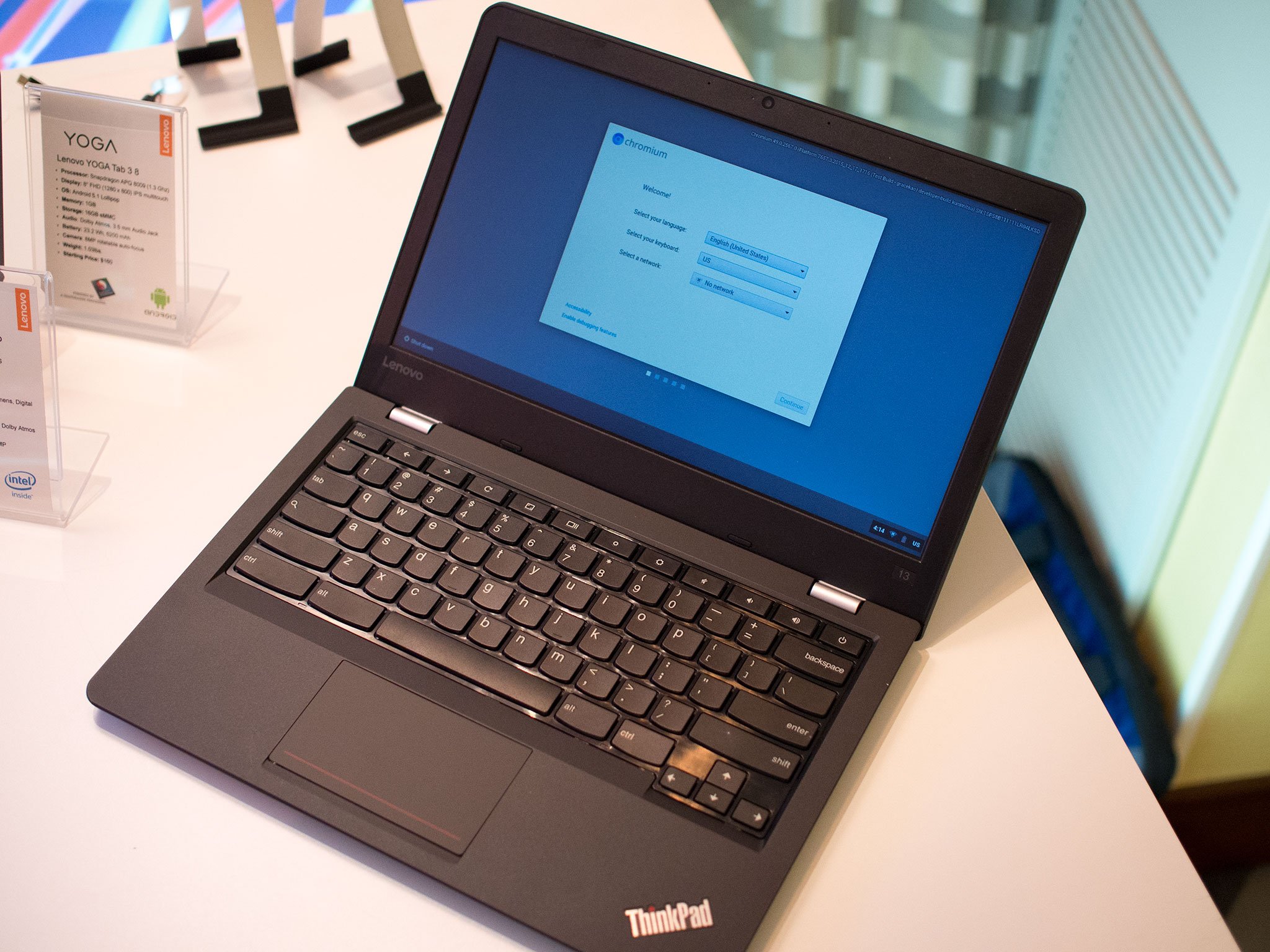
While not for everyone, a Chromebook can be the best choice for a lot of things.
Whenever we talk about Chromebooks, this is one of the questions that always pops up. It's understandable — you've got about half the internet telling you that Chromebooks are great and most folks can do everything they want to do on a laptop with Chrome, and most of the other half claiming that they are useless and you shouldn't spend your money of "just a browser."
As usual, I think the real wisdom comes from the people in the middle. Folks who will come forward and say a Chromebook is their only computer or the one they use all or most of the time, and why it works for them. I may be biased because I'm one of those people, but I really do think that for a good many of us, a Chromebook is the best computer you can buy.
What you can't do with a Chromebook
I think the easy way to answer this question is by saying that there are people who shouldn't buy a Chromebook and expect it to be able to do the things they want it to do. Chromebooks weren't designed to do everything — they were designed to do the basics that most people need very well.
For most folks working with code a Chromebook isn't the best choice
I know plenty of people who are programmers and developers. Some of them do web development using languages that don't need to be compiled into a container and instead are interpreted by the browser, and a Chromebook is a great way to do that. You can build out a web app or website, then get everything running well either online or locally. Once it works as intended, you clean things up and upload to a development server where folks using other browsers — you can't install Microsoft Edge or Firefox on a Chromebook. These two browsers tend to require small tweaks when compared to Chrome or Safari. Using a Chromebook is a great way to do webdev, but will require testing with other machines.
Other types of development just aren't practical. Sure, you can install plugins and extensions that allow for a Ruby or Python interpreter, but usually, they aren't able to do everything you'll need to do. Compiling software — turning source code into a stand-alone application — whether it be apps for a phone or for any other computer certainly isn't practical unless you put your Chromebook into developer mode and install another flavor of Linux. Of course, you can develop Chrome apps and extensions, but for most folks working with code a Chromebook isn't the best "main" machine. It wasn't designed to be.
Another area where a Chromebook isn't going to excel is media creation. You can find all sorts of Chrome apps for audio and video production or image editing, but for people doing anything like this full-time, the apps and their features just aren't powerful enough. Here at Android Central, we have a crew who handles video production and audio production, but we still need to do some of the "smaller" things ourselves, and I'll be honest — doing some of it on a Chromebook just isn't practical.
Even something as simple as cleaning up a photo using RAW imaging editing software can be a bit difficult unless you go the extra mile and install another Linux environment onto your Chromebook, and for many, a full-fledged Linux desktop has its own big learning curve. For serious editing, most Chromebooks also don't have the hardware under the hood to make it practical, either. Again, nobody selling Chromebooks is implying they were designed for this sort of work, and that's because they just aren't.
AAA games just aren't going to run on a Chromebook
The biggest problem for many is gaming. Most of us aren't programmers or media professionals, but plenty of us like to fire up a computer and play some games. None of those AAA titles you're interested are going to run on a Chromebook for two reasons — none of them are built to run in a Chrome OS environment (even if there's a Linux version available) and Chromebooks don't have the disk space, the video card or the memory to run them anyway. There are some really good browser based games out there, and most of them run really well on Chrome OS and the limited hardware Chromebooks usually ship with, but you'll never be able to play the Fallout series or Skyrim or CoD on your Chromebook.
Don't expect this to change anytime soon, either. A quick look at Steam for Mac or Linux shows developers are focused on building games for Windows using things like DirectX and special support for AMD or NVIDIA GPUs, or for the PlayStation and Xbox. We don't blame them — that's where the money is.
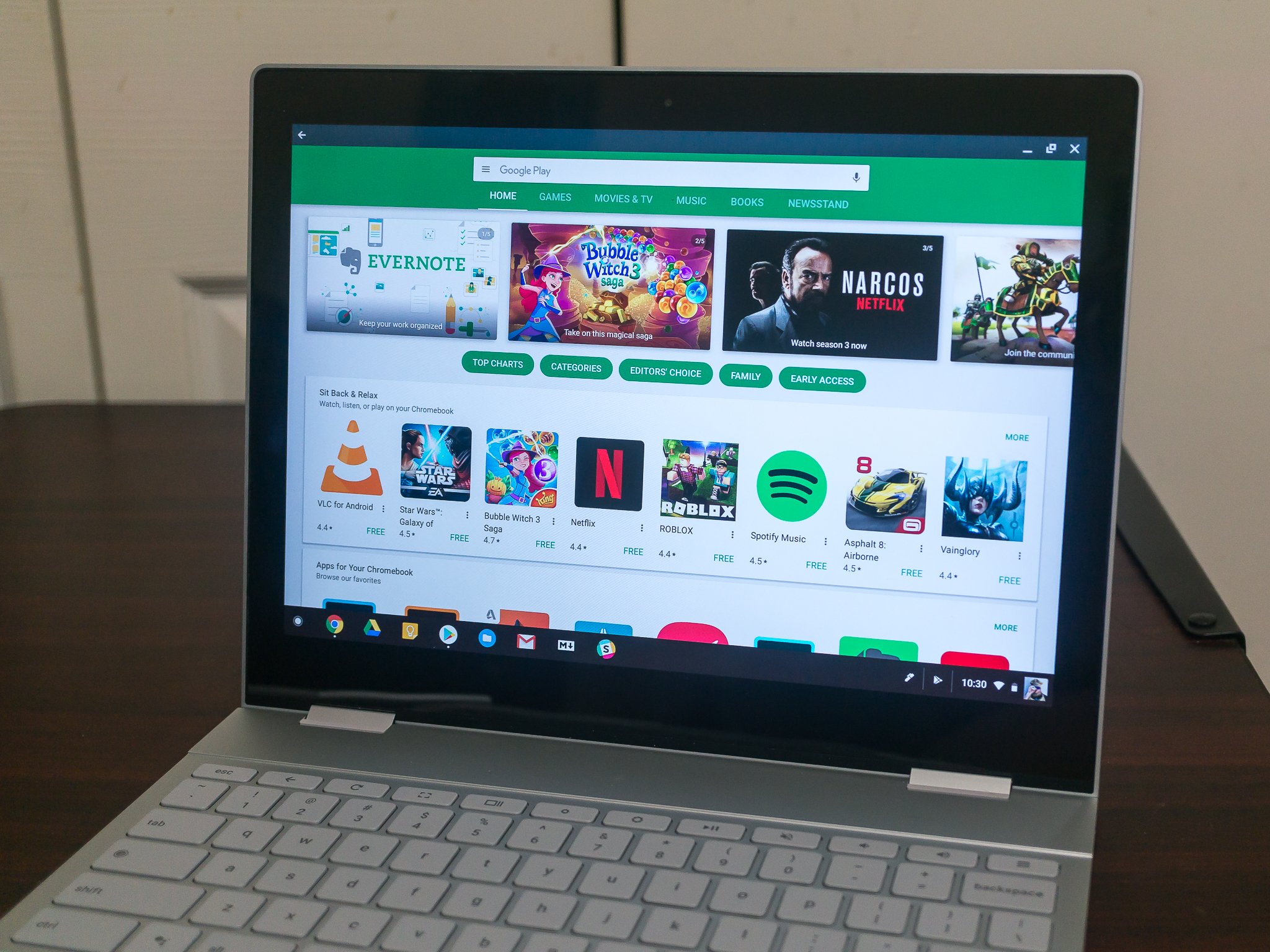
Of course, there is hope: Android app support means Android game support, and while the hardware support is currently limited, if a Chromebook is powerful enough to run Lightroom CC it can probably handle a few rounds of Clash Royale.
What you can do with a Chromebook
We've looked at things a Chromebook doesn't do well, and if any of these things are important to you, I think you'll be better served with a laptop running another operating system. But the good news is that Chromebooks do the things they were designed to do very well, and might be the best choice for you.
Chromebooks are built to run anything and everything on the web. You can visit your bank, or spend time on Facebook, or watch YouTube and Netflix and anything else you type into a browser bar. If you use a recent model, like the Samsung Chromebook Plus or Google Pixelbook, you'll have a much better web experience than you will with any similarly priced laptop.
Chromebooks are built to run anything and everything on the web.
This is because Chrome OS was designed to be light and manage resources far better than their Windows and Apple counterparts. On OS X or Windows, Chrome uses a bunch of memory to sandbox processes outside of the operating system as a security precaution, but on a Chromebook, they don't have to do that — the operating system manages the processes at the platform level with isolation in mind from the minute you turn your Chromebook on. Chrome the operating system is efficient very smart at multitasking between tabs or running applications.
You also have everything Google does available, with full access to your Google account if you like. The same way Android connects to Google and synchronizes your mail, your contacts, your online credentials and all your other Google data is how things work with a Chromebook. With apps, web interfaces and extensions from folks like Microsoft, or the native Google Docs and Google Drive combination, even office work is a breeze. Once you sign in, and only when you sign in, you have access to all your Google "stuff". If you want to be Google free, you can also log in as a guest and share none of this with Google. And just like Chrome the browser on any other computer, you can mix up both ways using incognito tabs and windows.
Security is also well managed on a Chromebook. You still need to check what data you're sharing with Google or any other service and look after your privacy, but only you'll not have to worry about the actual security aspect of it all — Chrome OS does it for you.
We already talked a little bit about sandboxing, but the way Chrome works means that no matter what you're doing in one tab or application window, none of it can affect any of the others. Any potential threat is contained and disappears once you close it.
Automatic updates and Verified Boot make Chromebooks the safe way to get online
Automatic updates and Verified Boot also play a big part here. Chrome OS is updated monthly without any user intervention, and the update process is seamless and you won't notice it. Every time you start your Chromebook it checks for a new version, and if one is available it's downloaded and the next time you start up you're running it. And every time you start your Chromebook Verified Boot checks to make sure nothing has changed in the operating system, and if it thinks anything has been tampered with, it starts from the last verified copy you downloaded from Google instead. You won't have to worry about malware, spyware or viruses on Chrome OS. If something does go wrong (people who want to break into your laptop are smart) you would be dumped into a recovery screen that tells you which keys to press to wipe the copy of the OS and download it fresh. As long as you haven't turned off security features by flipping the developer mode switch (think of it as unlocking the bootloader), you'll not have to worry about anything you didn't say was OK to do on a Chromebook.
These features are what makes me (and plenty of other folks) think that a Chromebook really is the best laptop for a lot of people. For Christmas, I replaced my mom's Dell with a Chromebook and she couldn't be happier.
If you don't need to do the things a Chromebook wasn't designed to do, I think you'll like it just as much.
Maybe you heard your LinkedIn, Tumblr or Dropbox password was floating around there. Or maybe you read a news story about that guy who got busted for running Silk Road, that site that sold drugs and other illicit goods. Chances are, you’ve seen the words “dark web” splashed in a headline or heard them mentioned by a friend. But WTF is the dark web? How do you get there? And… Read More
Social media is an important aspect of the lives of many people, and for the most part, we look at and make posts from our smartphones. The same goes for looking at online content.
Earlier this year, companies like Silverpush were outed for sneaking ultrasonic communications channels into peoples' devices, so that advertisers could covertly link different devices to a single user in order to build deeper, more complete surveillance profiles of them.
(more…)
On October 25, thousands of Icelandic women went home at 2:38PM, after 86% of their work-days had passed, to protest the fact that they only earn 86% of their male counterparts' wages.
(more…)
North Carolina is one of many states in which telcoms lobbyists have gotten the state house to ban towns and cities from selling high-speed internet to the public -- even in places where the cable/phone duopoly refuses to supply broadband.
(more…)
Barnes & Noble gave up its Nook brand a couple years ago and opted to instead co-brand other manufacturers’ tablets with the Nook name. Now it seems the bookstore chain will once again release its own new Nook, called the Nook Tablet 7. The device just passed through the FCC. As is typical with FCC documents, we can’t gather too much information, but what we do know is that the new tablet will run Android, and the Google Play Store will be available. This is great news considering Barnes & Noble killed its Nook App Store in March.
Here are the other specs we have:
MediaTek MTM8163 quad-core ARM Cortex-A53 processor with Mali-T720 MP2 graphics
Third-party USB-C hubs are notoriously a disaster. They overheat, are missing crucial ports, or the ports they have are underpowered, and on many of the ones we’ve tested, the SD card readers consistently fail to work.. If you can't tell, I own a 12-inch MacBook, and I, along with a few other Verge coworkers who own the laptop have used just about every viable USB-C hub to date, with less than stellar results.
Apple's multiport adapter is the best option — but only by default. It works fine, but only has three ports, no SD card reader, no MiniDisplay port, and no extra USB-C ports. It's not exactly pushing the world of USB-C peripherals forward and its overpriced for what it offers. But! We may finally have a decent option hitting the...
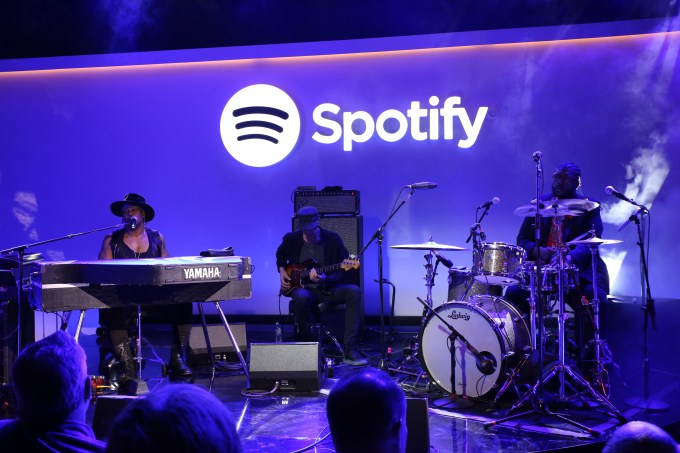 Spotify — the music streaming service with 40 million paying subscribers — has made an acquisition that it hopes will help it hold on to them, and build up those numbers against encroaching streaming music competition from Apple, Pandora, Google, Amazon and more. The company has acquired a company called Preact, a cloud-based platform and service developed for companies that… Read More


 Adobe today announced that it has partnered with Reuters to bring the news agency’s video and photography to its Adobe Stock marketplace. Until now, Adobe Stock mostly focused on creative images and videos, but with this partnership, it is also adding editorial content. This includes Reuters photos that cover current news, sports and entertainment events. There are currently twelve… Read More




 Welcome to the roundup of the best new Android applications and live wallpapers that went live in the Play Store or were spotted by us in the previous 2 weeks or so.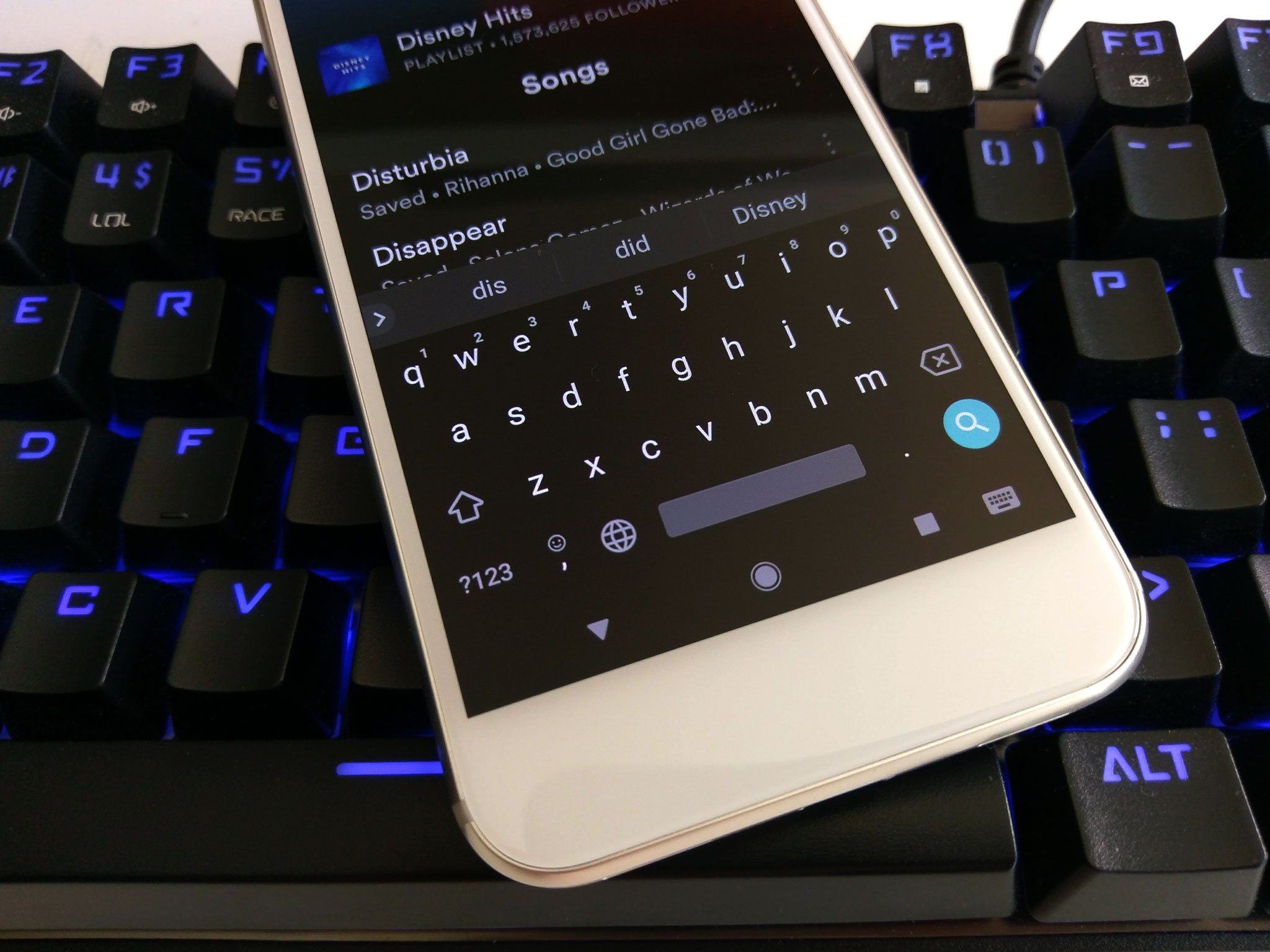


 The recent rush of allegations against countries like Russia and China and their possible roles in cyber attacks on countries like the U.S. have prompted a big move from the UK: the government said today that it plans to invest £1.9 billion ($2.3 billion) over the next five years in a new cyber defence plan, called the National Cyber Security Strategy, to prepare for and fight back… Read More







 Maybe you heard your LinkedIn, Tumblr or Dropbox password was floating around there. Or maybe you read a news story about that guy who got busted for running Silk Road, that site that sold drugs and other illicit goods. Chances are, you’ve seen the words “dark web” splashed in a headline or heard them mentioned by a friend. But WTF is the dark web? How do you get there? And… Read More