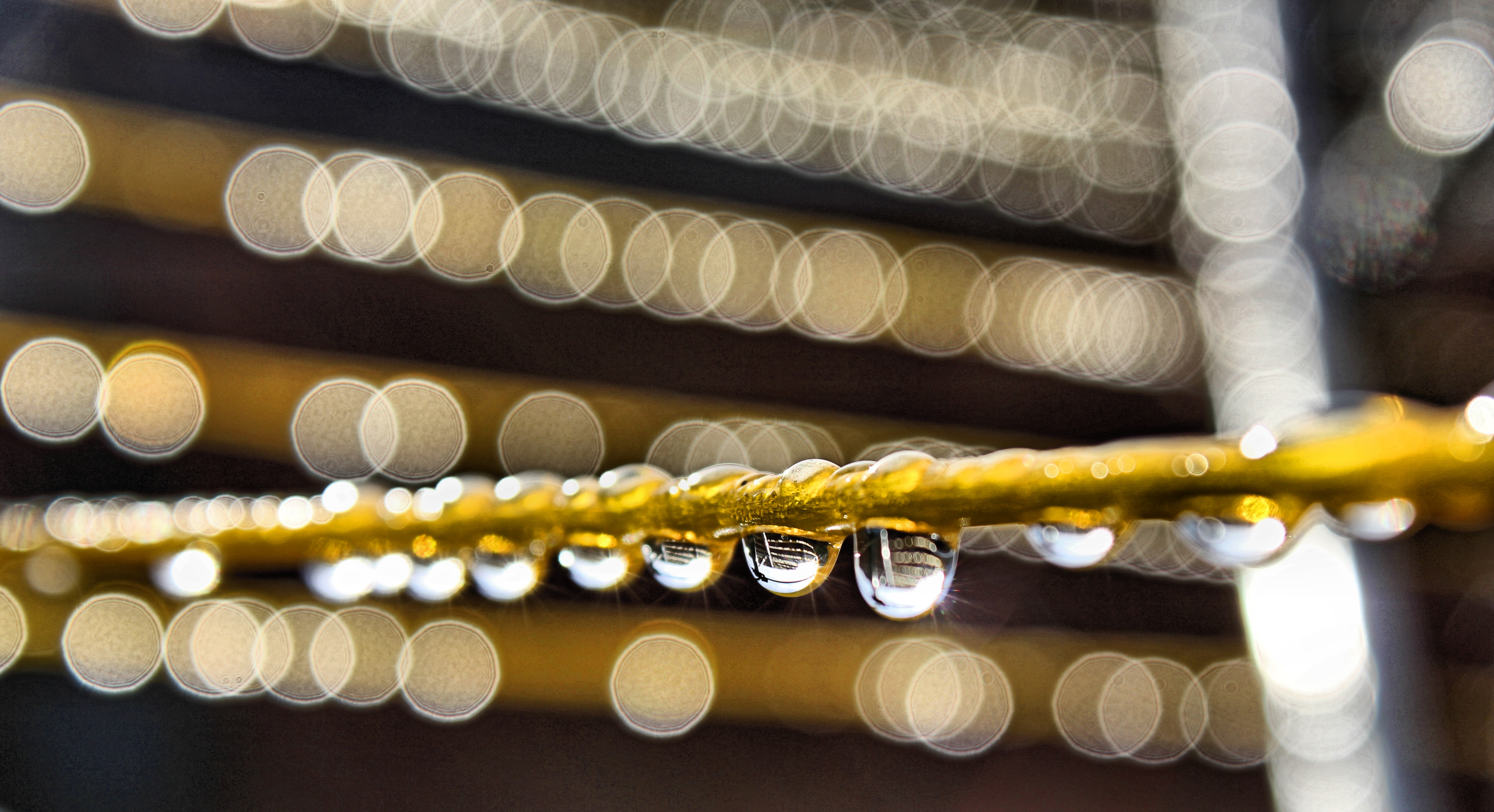
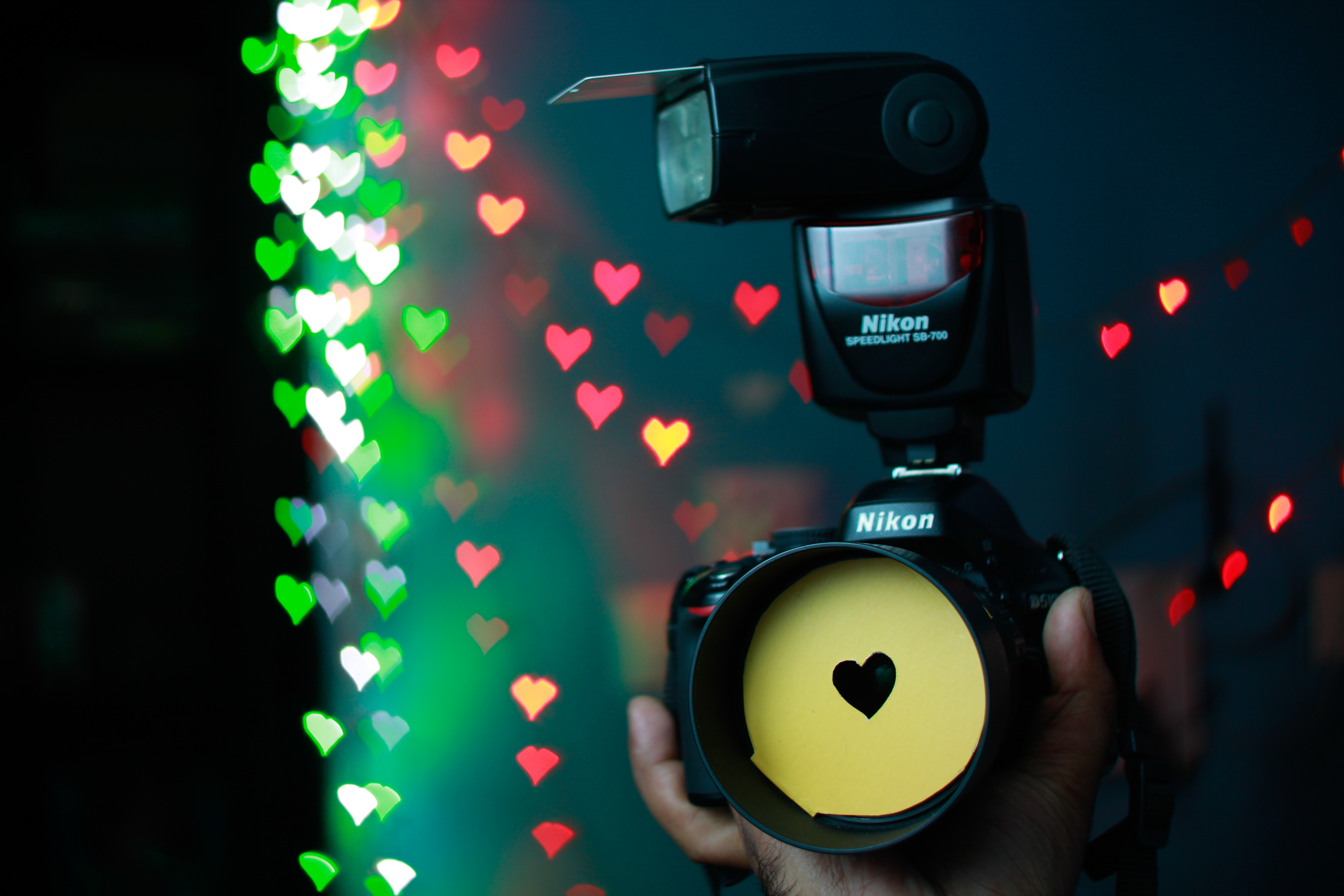
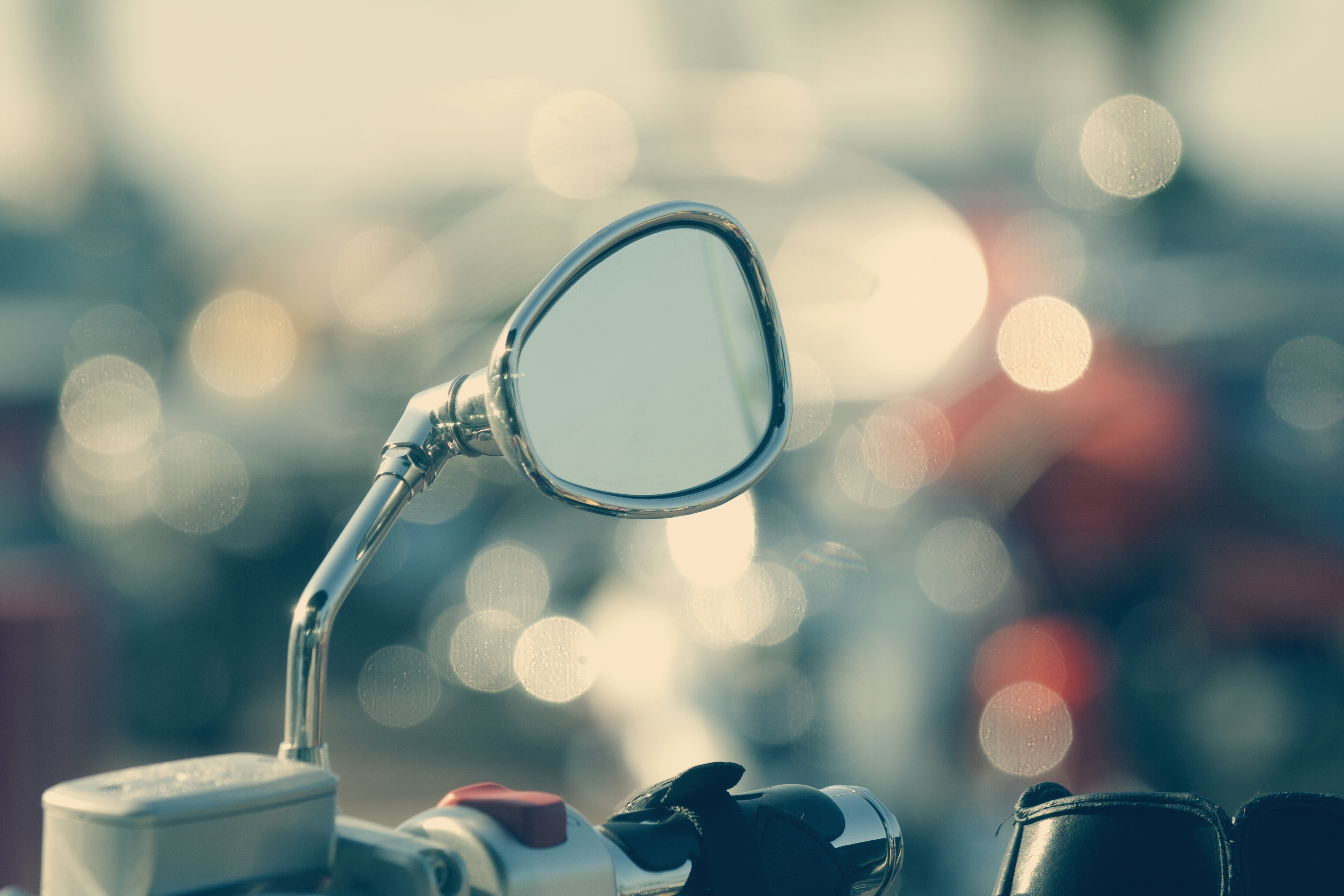
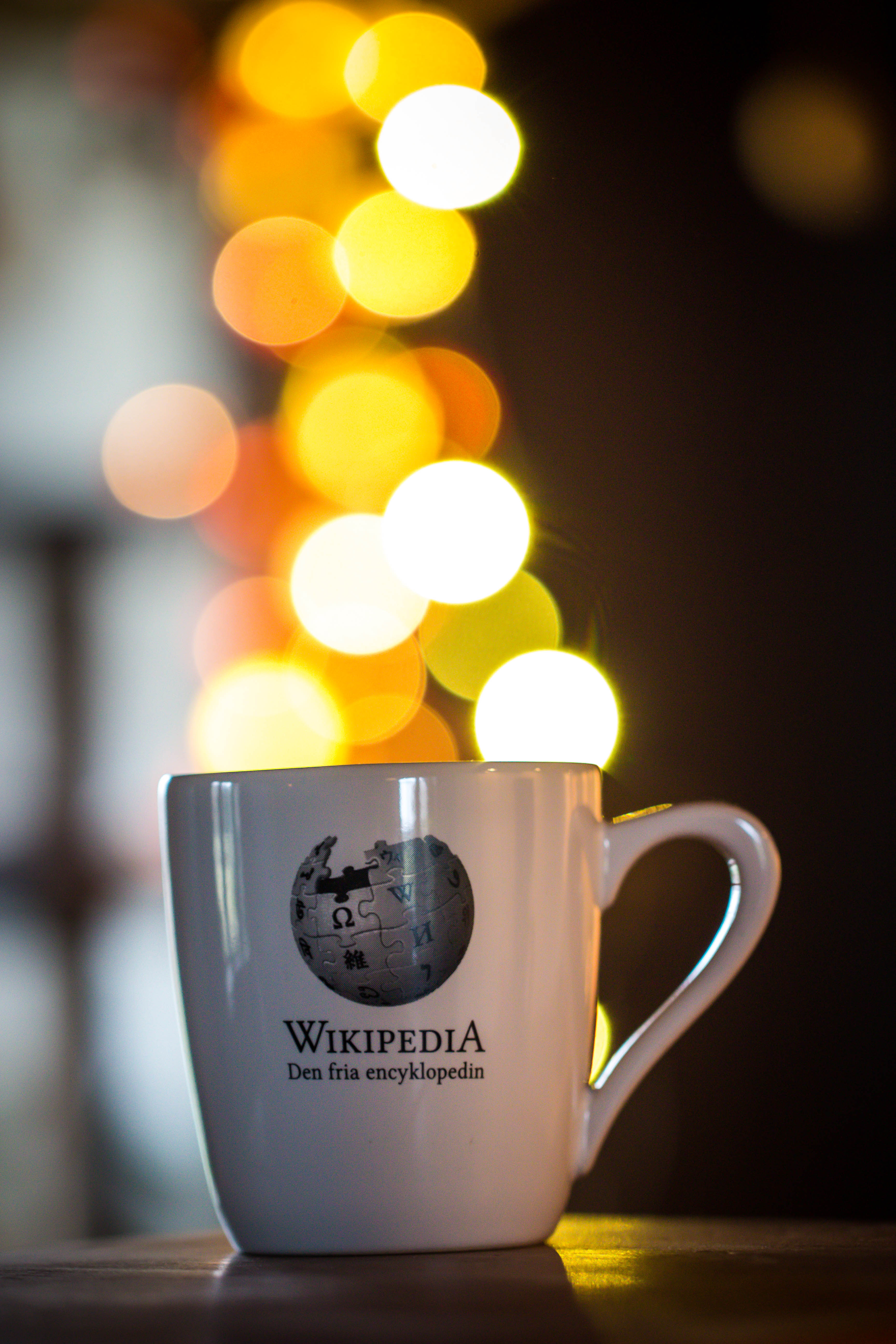
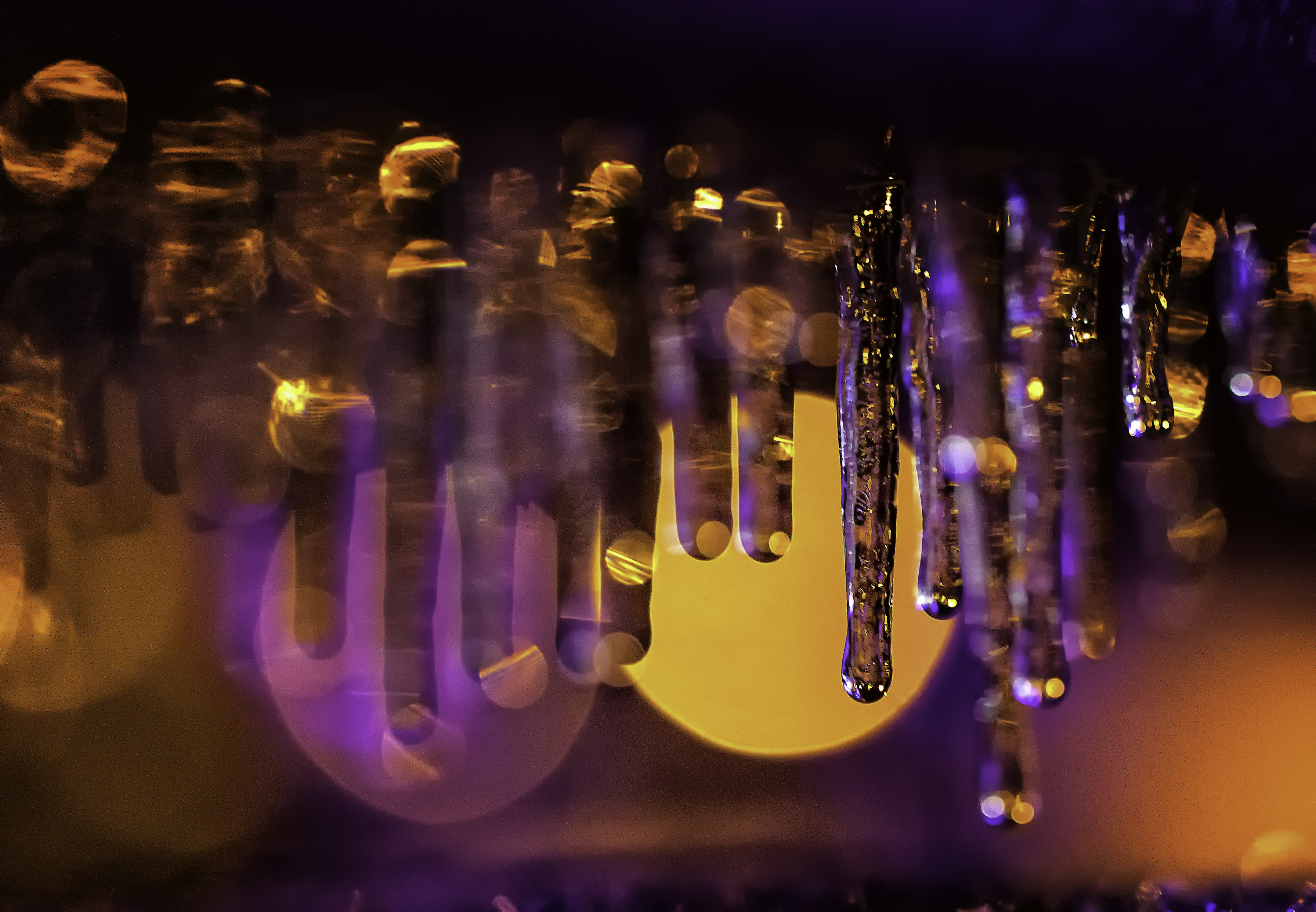
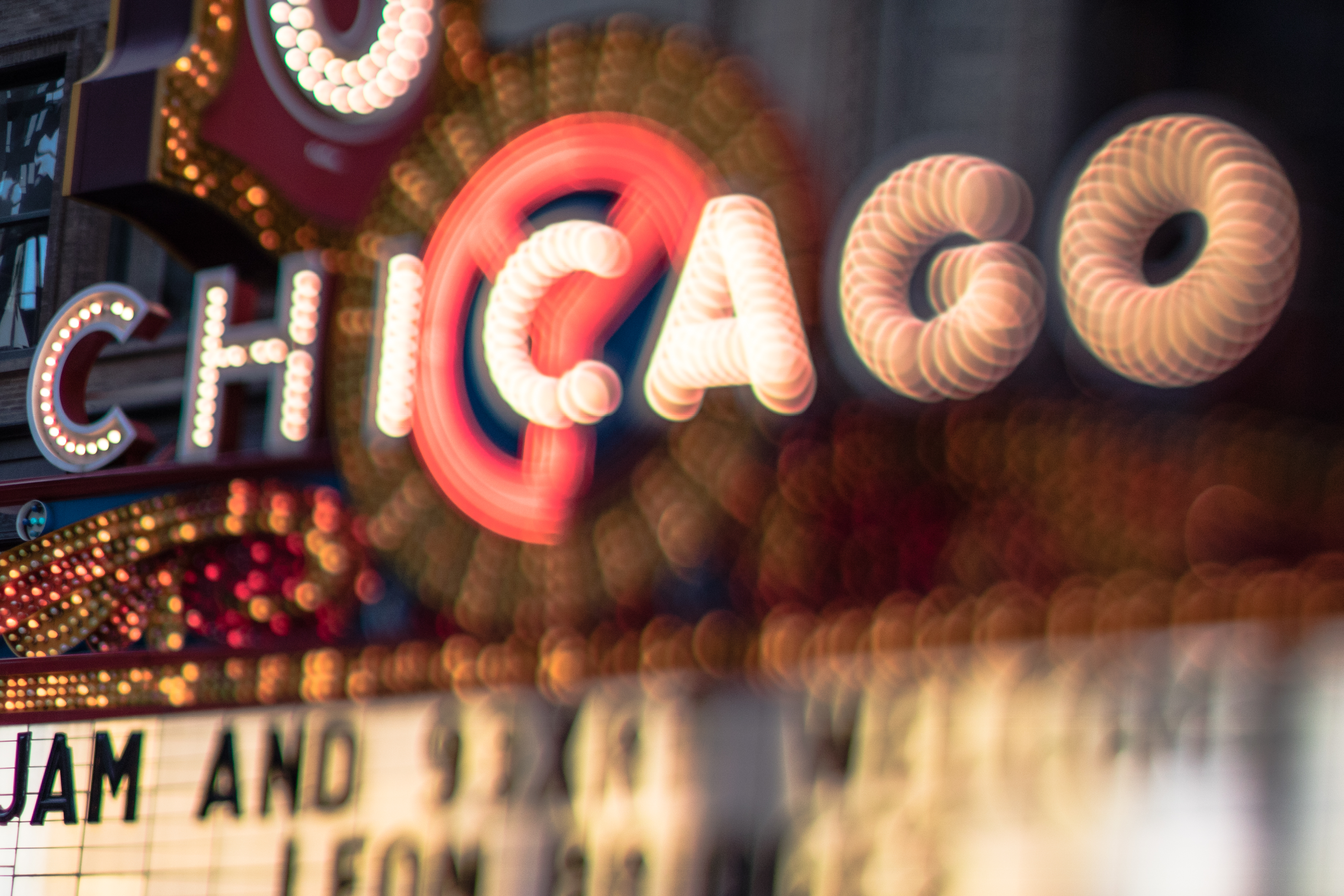
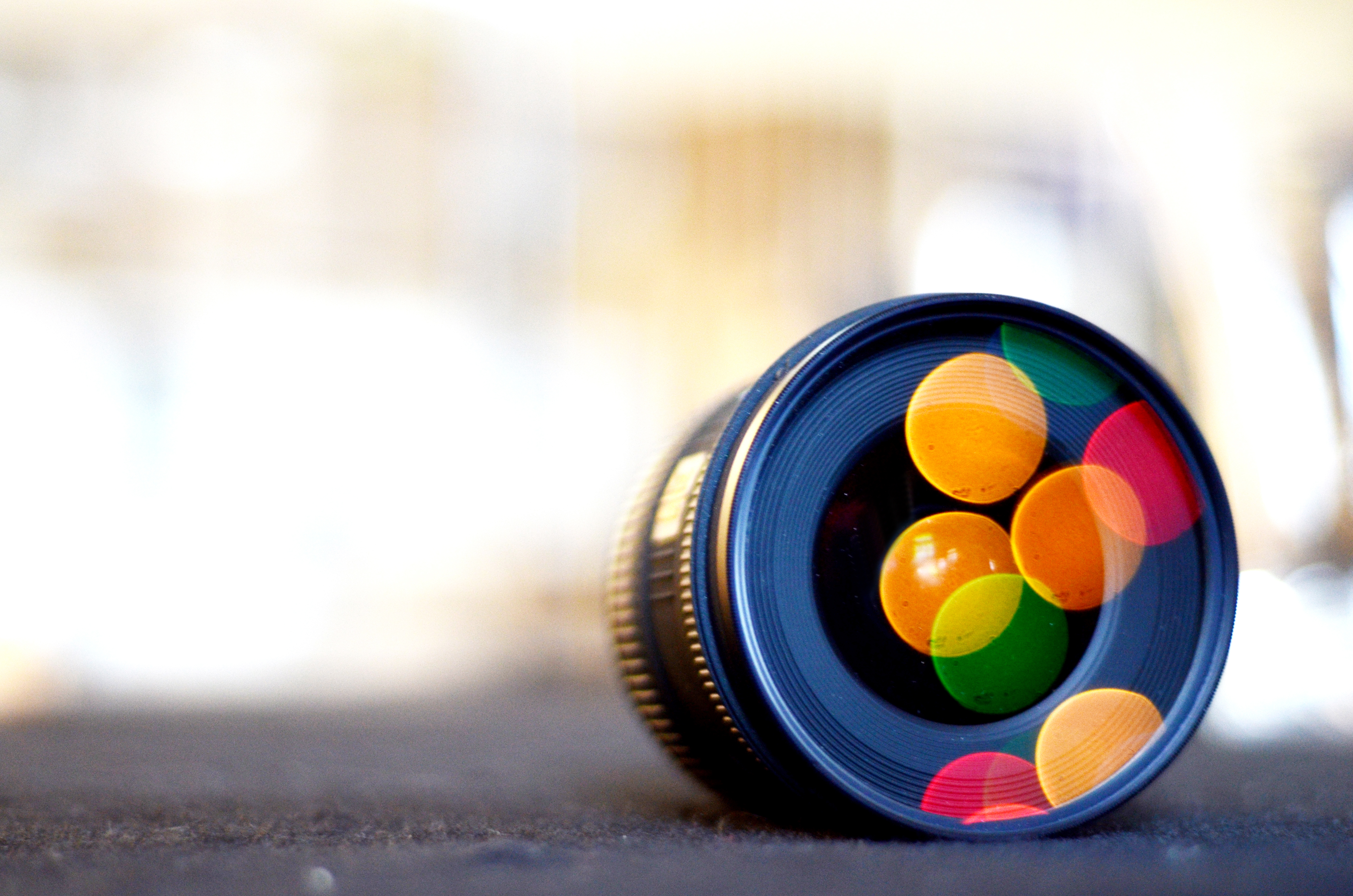
Bokeh – it’s that word nobody really seems to know how to pronounce, and the thing all photographers love. Those dreamy out of focus blobs that occur when you have shallow depth of field.
Here’s what several photographers did with their bokeh:
Everything you ever wanted to know about SD cards and your phone.
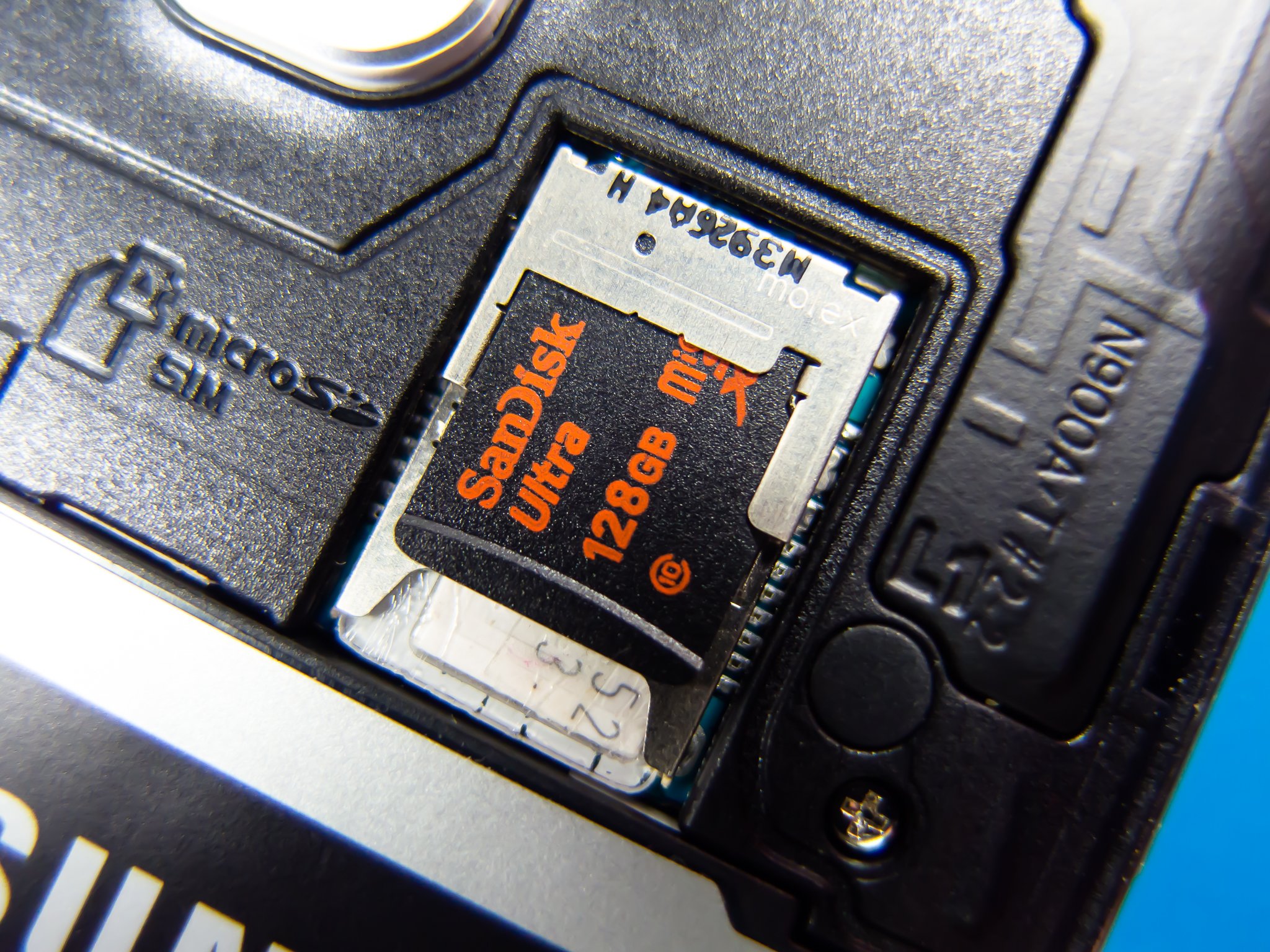
Android has supported SD cards since the G1 started it all. The overall idea is simple enough — slap an SD card in your phone and expand the storage so you have room for more stuff. While this is mostly the case, there are a few things to know about, especially before you go out and buy one.
We've rounded up everything you need to know about buying and using an SD card with your Android to try and make everything as simple as it can be.
SD card form factors
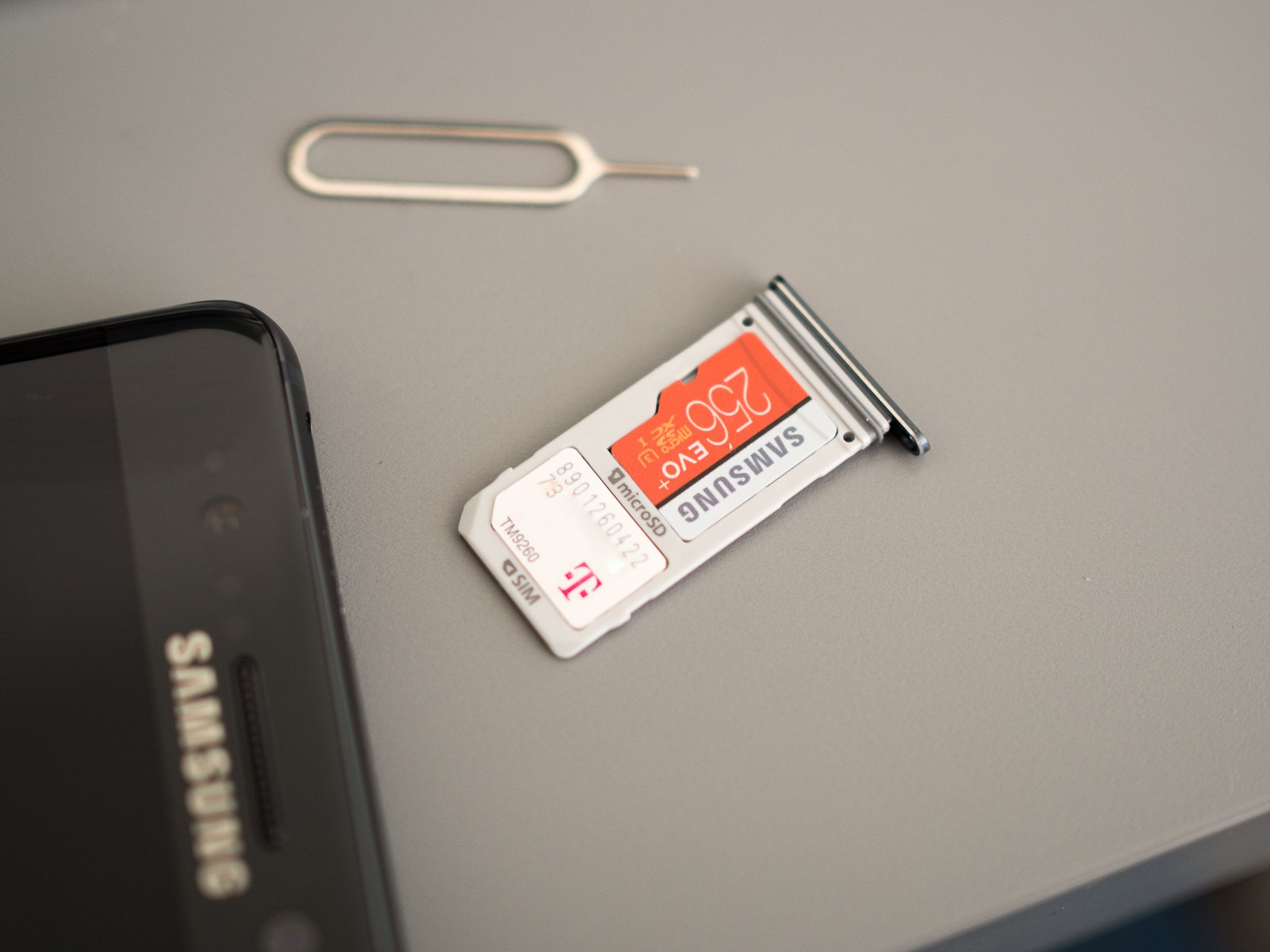
Before you do anything, make sure your phone can use an SD card! Since so many different companies make Android phones in so many different models, you will run across some that don't have a slot for a card. Phones from Google are this way, and every name you recognize when it comes to making phones has made at least one model that doesn't have support for an SD card. If you're not sure, poke around the outside of your phone to see if any doors or flaps open up, or grab the manual out of the box and see what it says.
Phones use the smallest microSD card form factor.
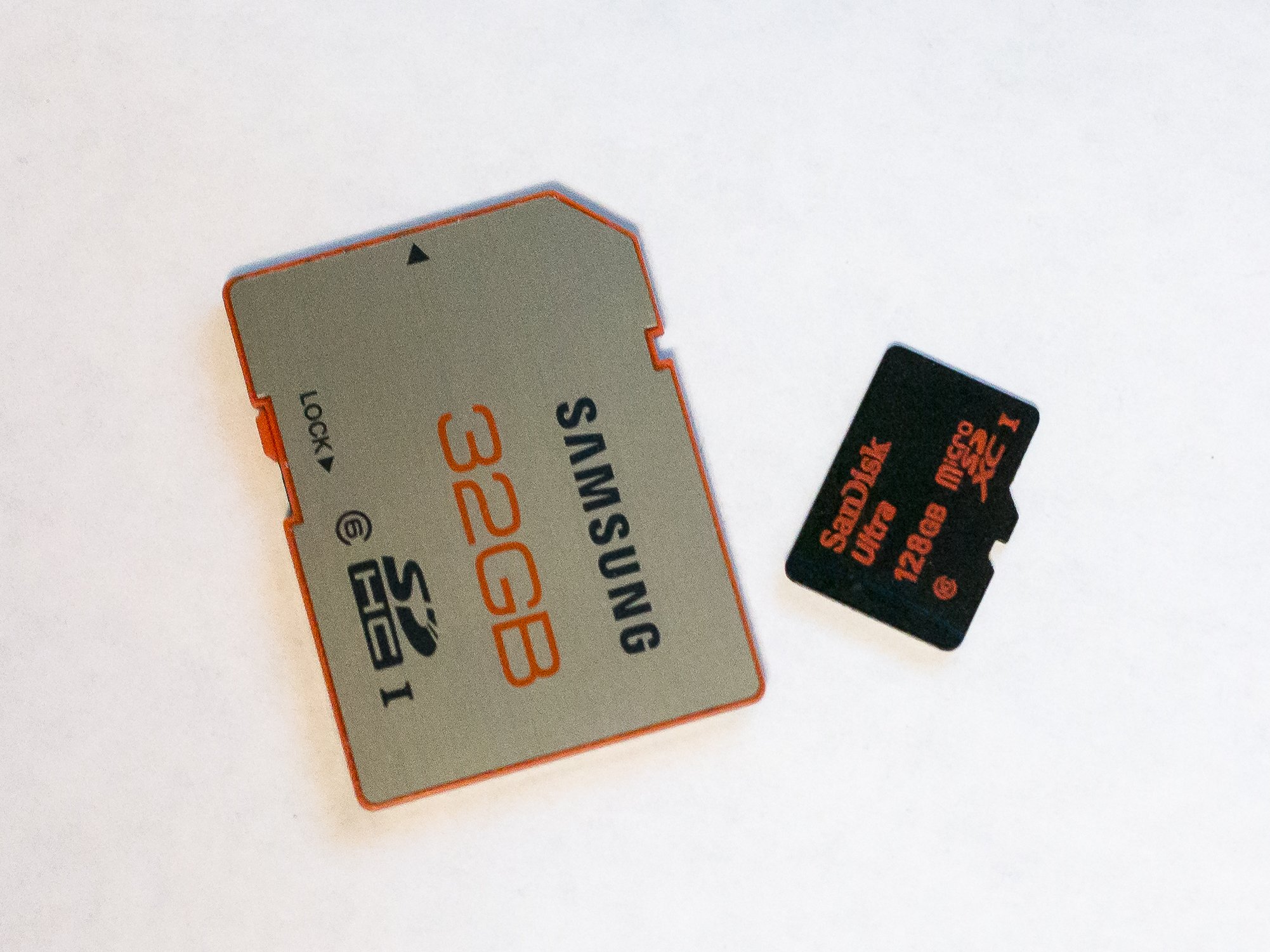
Once you've got that sorted, you need to make sure you get the right type of SD card. For your Android phone, you're looking for the microSD form factor. SD cards come in three different sizes. An SD card is the biggest — a little larger than a postage stamp — and is used for things like standalone cameras. The Mini SD form factor is about half the size of a full SD card and they aren't very popular. Chances are you won't ever buy anything that needs a Mini SD card. The microSD card is about the size of your fingernail and the one we're looking for.
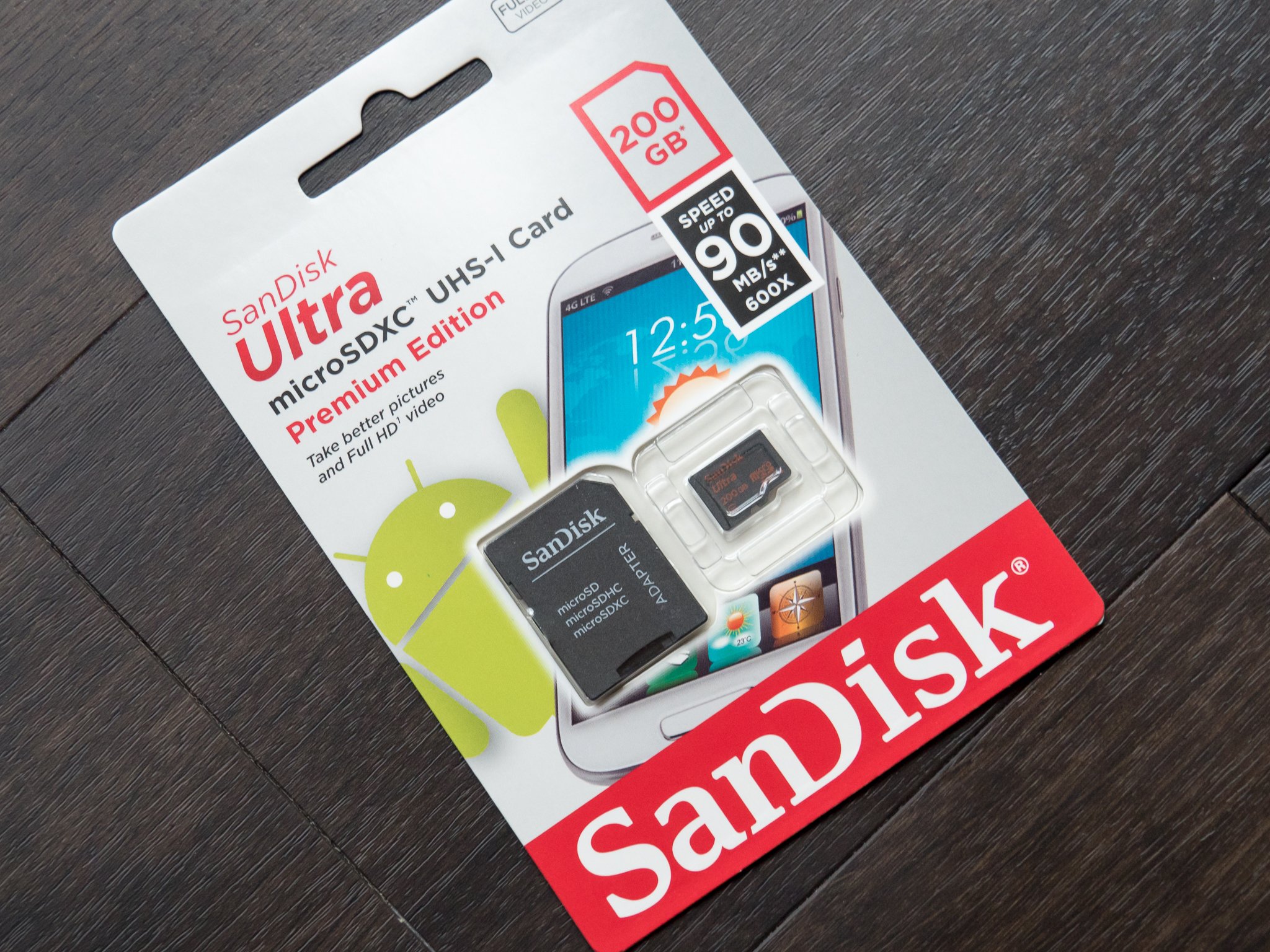
When you buy a microSD card, you often get an adapter in the package. The smaller card slides into the adapter so it can fit into something that needs a full-size card — like your computer — as well as something like your phone that needs a microSD card. Keep track of this, because it's pretty handy when transferring pictures or video from your phone to your computer.
SD card storage versions
There is a method to the madness of all those letters you see.
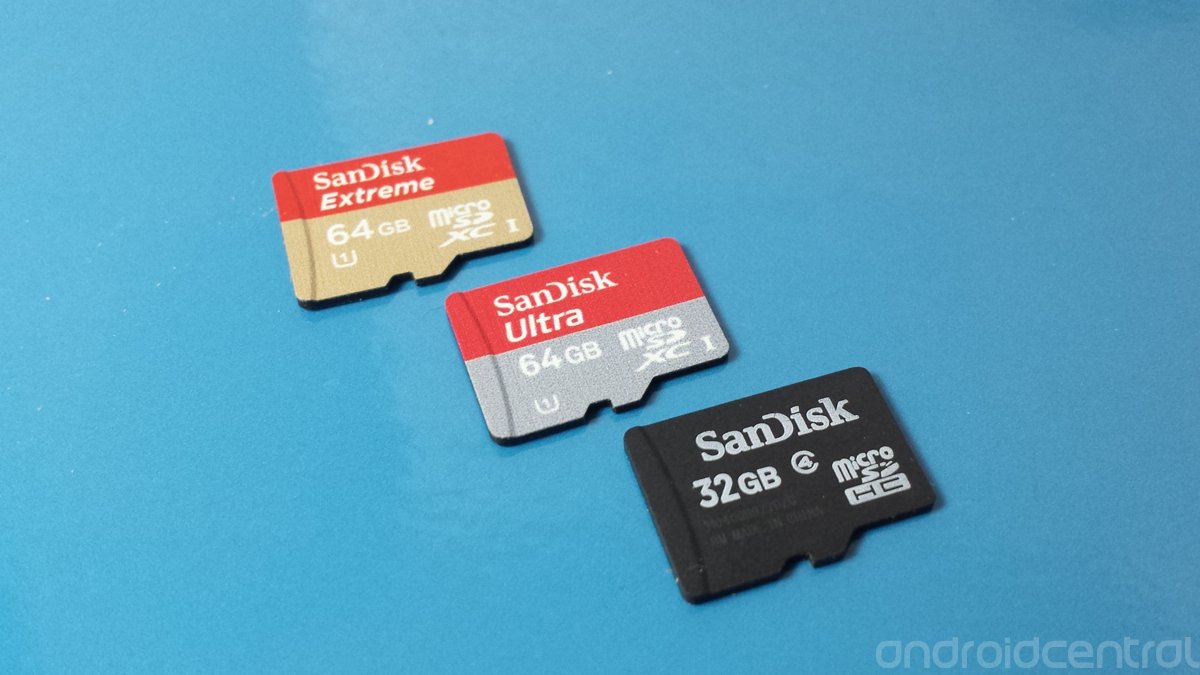
The next thing you need to know is the storage version. You can buy microSD cards, microSDHC cards, and microSDXC cards. A microSD card was designed to hold up to 2GB of information, though a few 4GB versions are available that work outside of the specifications. microSDHC cards (Secure Digital High Capacity) are designed to hold up to 32GB of data. microSDXC (Secure Digital eXtra Capacity) cards are designed to hold between 32GB and 2TB of data. It's important to know what version your phone can use. Most modern phones — Android or otherwise — will be able to use a microSDHC card. Many newer phones are capable of using a microSDXC card.
There are no easy-to-see differences between a phone that can use a microSDXC card and one that can't. You'll need to consult the documentation that came with your phone or hop into the forums and ask other folks who have already found the answer. The versions are backward compatible (a microSDXC card slot can use a microSD or microSDHC card) but there is no forwards compatibility, and if your phone can't use a microSDXC card, it won't ever work.
SD card speed classes
No card is going to be as fast as the listed maximum.
You need to understand the speed class ratings. Those are the numbers and letters you see printed on the card and the packaging. The short version is to never buy one with a number lower than 10 when it comes to speed class, and if you use a phone with a 4K camera, go even faster and look for a UHS class card.
We've broken down the specifics of what all this really means and which you need, and you can read that right here:
You'll probably see people talking about adoptable storage when SD cards and Android are in the conversation. It's a really neat thing that your phone probably doesn't have and chances are you're better off for it.
The idea is to use a fast SD card and make it a permanent part of the system. Once it goes in, it never can come out or all your stuff stops working. It's also a part of the phone it came out of and nothing else will be able to use it unless you reformat it and start over.
This, and concerns about performance, is why most companies making Android phones don't let you use Adoptable storage without hacking it in yourself. On Android things that aren't phones — like the NVIDIA Shield TV for example — you can plug in USB stick drives or hard drives and "adopt" them into the system. This makes a little more sense and a 500GB USB drive is a great match for your Android TV box. We go into details at the link below.
This is one of those things that if you have to ask, the answer is usually no.
SD card encryption is a great way to make sure nobody can see anything you have stored on your card without being able to sign into your phone, but there are a few drawbacks:
It takes a little longer to read something from or write something to the SD card. Not a lot but it's a definite thing.
You can't take the card out and do something like transfer pictures and music from a computer.
If your phone dies, you've lost everything on the card because your phone is the only thing that can decrypt it.
Keep all this in mind if you decide to try it, and make sure to have a good plan to keep your data backed up somewhere else.
Quick Q&A
How should I format my SD card? Insert it into your phone and follow the instructions in the notification you get. Since there are several different file formats an SD card can use, you should let the phone pick the one it wants. Don't worry, your card will still work in a computer to copy files.
Do SD cards go bad? Yes, but that's becoming less of a thing with recent cards. Your SD card has a limited amount of times it can be read from and written to before it starts to have errors. If you start to get errors when you are using it, consider buying a new one before it goes bad. As mentioned, newer cards last longer than cards from just a few years ago.
Is my SD card waterproof? Maybe. It will say on the packaging if it is designed to get wet. Always try to not let it get wet, but if it does, don't stick it into anything until it dries, then take a Q-tip and some 99% rubbing alcohol and clean the copper contacts on the end you plug in. Let that dry and give it a try.
Why does Google hate SD cards? I don't think it hates them because every Chromebook can use one. Officially, Google says SD cards are not as secure and having more than one storage drive is messy for the end user. Feel free to add your own theory here.
Which SD card should I buy? Only you know the answer based on how you will use it. We've done our research, and you can check out our favorites here:
When it comes to using SD cards in your phone, things don't need to be confusing. After you see all the hype from companies making them, take a minute or two and read through this again, then think about what you need a card to do. It really is that simple.
Extra, Extra, read all about it with these great Android apps.
Keeping informed on the go is one of the many things that our smartphones are incredible tools for. During the everyday hustle and bustle it's easy to ignore the world around you, but the news is everywhere. Including on your phone.
Android has a plethora of great apps to choose from thanks to the massive selection in the Google Play Store. But if you're looking to get your daily news fix, we recommend you check out this little lot.
For many, Flipboard is the default news app for Android. It's been around for a while and was one of the first apps to make reading the news less boring with its image-heavy, magazine-style layout.
One of the other merits to Flipboard is its customization. It's your news, your way. So beyond selecting topic areas of interest, you can also add in your own feeds so you're missing out on nothing.
Flipboard to this day makes reading the news a pleasure.
The Guardian is one of the most respected brands in journalism, delivering international news as well as a fresh perspective on American politics from across the pond.
Their Android app is simple to navigate and robust, filled with investigative deep dives, commentary, and videos to keep you informed on the latest breaking news around the world. Sign in via your Google or Facebook account to customize your homepage and follow your favorite critics and columnists so you're always in the loop on the news and stories you care most about.
Just as the name implies, the SmartNews app is designed in a very clever way so that you can quickly read all the latest headlines from around the world. News categories are displayed as tabs (referred to in app as "channels") at the top of the screen, giving you the option to swipe through them one by one, or jump straight to the sports section with a tap. When you tap a story, swipe over to SmartView and the whole story loads almost instantaneously.
The news here is curated from both newspapers and online news sources, giving you a well-rounded view on the day's events. You're also able to customize and tweak your experience by adding and reordering channels to suit your needs. There's even a Late Night TV channel for those interested on a humorous take on the news, featuring, monologues, comedy bits, and other highlights from the network's late night programming.
If you like your daily news with an American flavor, then the USA Today app should be right up your street. It's bright and colorful to look at and packed with large images. It grabs your attention, visually, and doesn't let go.
And it's packed with just about everything you could want. News, sports, weather, celebrity gossip, photo galleries, even offline support so you can download your articles before heading out of cellular range. You can even keep up with the day's news without reaching for your phone with Android Wear support.
Britain's national broadcaster delivers the news around the globe through round-the-clock TV broadcasts, but it also has itself a pretty nice Android app to deliver what's going on in the world today.
It'll also deliver that round-the-clock video coverage, though that might be dependent on location. Otherwise you're looking at breaking news, a wide range of topics to follow and an offline mode so you can catch up on a plane or on the morning commute on the London Underground.
If all you want is a simple app to show you the headlines and maybe the daily weather, check out Google News and Weather. It pulls in sources from Google's vast network that includes aggregated 65,000 publications.
It lacks some of the customization available elsewhere but it's a more 'no-frills' approach to serving you the headlines. And it has a nifty looking dark theme, too, if you like those.
Microsoft's news app is actually pretty good, though it may also have slipped your attention so far. If you have a Microsoft account you can sign in and keep your customizations in sync across devices, which includes your Windows 10 PC.
It's got a vast library of sources to pull content from and allows you to follow topics you're most interested in. Whether that's a sports team, a celebrity, a particular subject area of interest, the MSN News app will take good care of you.
If you want breaking news from one of the most highly-regarded organizations in the business — the Associated Press — then this is the one for you. Real-time updates of breaking events around the globe and a decent looking app and widget await inside. AP Mobile as very few little frills, just the news you want, when you want it.
And it's available in English and Spanish, which is a nice touch.
If you prefer to get your news delivered in RSS form, Feedly is pretty much the default choice these days. Rising from the ashes of the Google Reader shut down, Feedly has evolved and refined its service and app, and it's a pretty good choice all round.
Feedly also integrates with Facebook, Twitter, Evernote, Buffer, OneNote, Pinterest and LinkedIn for social sharing of all the things and the app itself is a pretty good reading experience. It's pretty light and snappy these days and it doesn't try to cram too much in.
The developers behind Nuzzel believe that in our social media dominated world, the best news aggregators are actually your friends and other influencers. Nuzzel lets you discover the best news stories shared by your friends on Facebook and Twitter without the rest of the noise that goes along with social media feeds. Another key differentiator for Nuzzel is their belief in the power of the email newsletter. You can sign up for newsletters from your favourite influencers or topics, or use Nuzzel to create your own and share the top 5 stories from your Nuzzel feed along with your own personal commentary
It's easy to scroll through the discover page and find topic feeds that interest you organized by topic. Add topics of interest to your favorite and sign up to receive daily email newsletters with the top stories of the day. Nuzzel believes this is a better way to engage with trending news than scrolling through cluttered social media feeds. If you agree, you'll definitely want to check out Nuzzel.
One of News Republic's best features is its 'smart' capabilities, meaning it learns your preferences as you use it. Then, in turn, caters more to your individual tastes without you having to set your own preferences.
Apart from that it delivers breaking news headlines in a well-designed, easy-to-use application and can also be used to create your own daily news digest. There's a lot crammed in, like RSS support, and with so much going on it's definitely one for the news junkies out there.
So, those are our best picks, but what about yours? If you've got a particular favorite not mentioned on this list be sure to drop it into the comments below!
This article was originally published in February 2015. It was recently published in November 2016 with the addition of Nuzzel, SmartNews and The Guardian.
Updated, April 2017: This post was recently refreshed to make sure that all information is still valid.
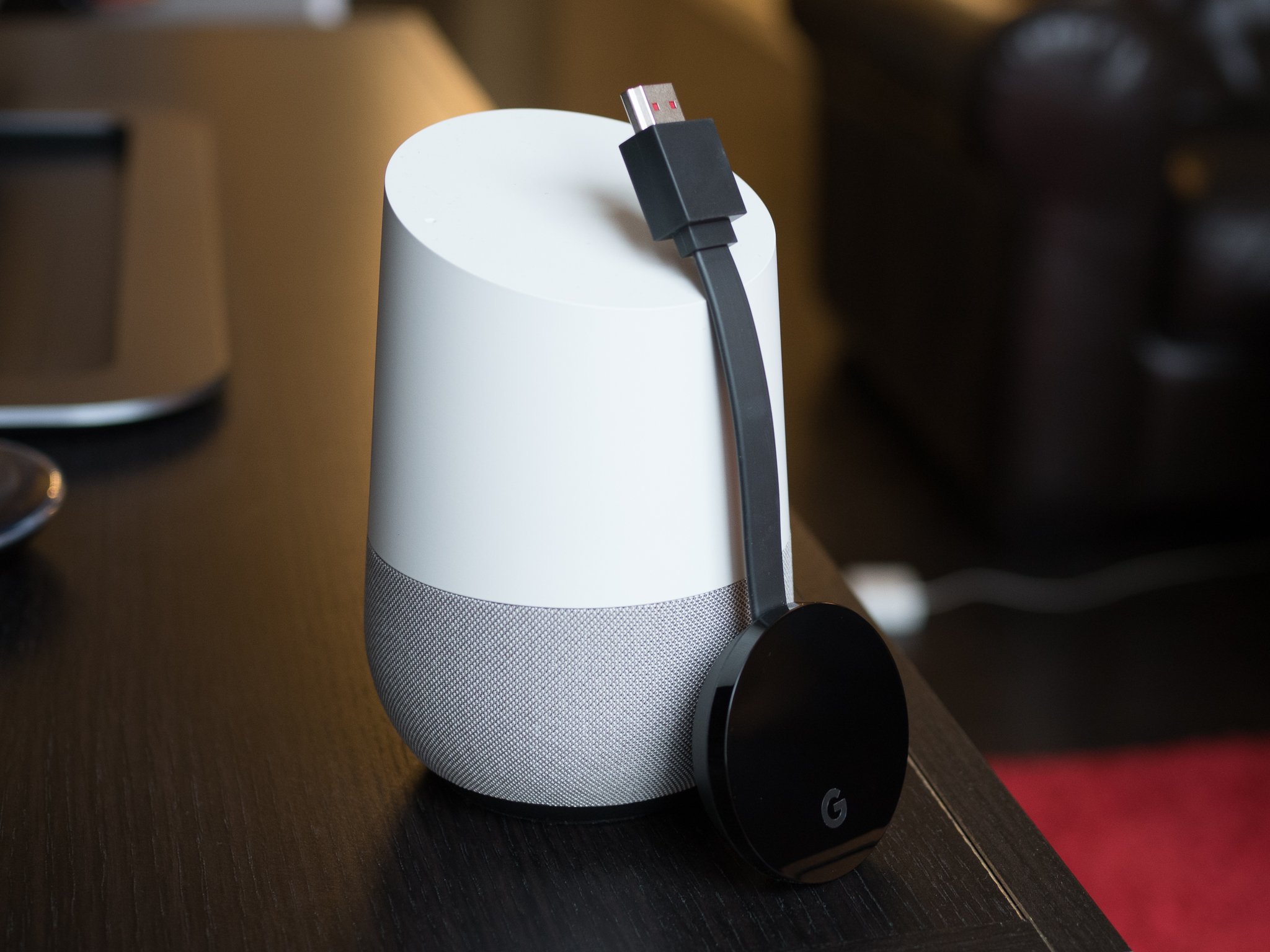
There are now two great home-based assistant speaker systems you can put in your house, but which one is the best fit for you? Are you a full-time Google user with a Chromecast on every television and an Android phone in both hands? Do you live and die by being able to have Amazon rush you something within an hour so you don't have to stop what you are doing? Maybe you're looking for the best way to fully automate your home, or the most efficient way to automate your personal life?
There's a lot to consider when choosing between Google Home and Amazon Echo, and it really comes down to what kind of person you are. First you need to know what kind of commands you can give and conversations you can have. We've got you covered here!
As you can see, neither speaker is perfect and there's some personalization needed to really get the most out of either experience. There's a few basic rules you can align with through this video:
Home is unlikely to ever be as capable as Echo for ordering from Amazon.
Echo is unlikely to ever handle sending video to your televisions like Home.
Google apps are much easier to connect to Home, but most work just fine on Echo.
There are plenty of basics that these speakers are always going to be able to do in roughly the same way. If you want a smart speaker in your kitchen that will offer you recipes or measurement conversions, both of these will work in essentially the same way. If you're looking for a nice single speaker to stream music in one room, both systems will handle that just fine. Asking basic questions about the weather or common search definitions are all the same.
Where things start to get more interesting is in less common but more day-to-day interactions. Starting from the top, you'll quickly learn that saying "Alexa" ten times a day to interact with you speaker is more convenient than "OK Google" will ever be (you can make this a little nicer with "Hey Google" but it's still not as mellifluous). Echo also has the benefit of having been around longer, which means Amazon has more services thanks to partnerships. If you have a favorite pizza order, you can have it delivered with only your voice. If you're looking for suggestions on a new mixed drink, there's an Alexa partner for that. You can even check your bank balance with Echo, though you probably shouldn't.
Asking to see a YouTube video and having it just show up on your television is so damn cool.
Google's strength with Home right now is in polish. The commands are more personal and conversation-like. You can use the nicknames you set in the Hue app without any extra configuration. Home treats everything like a first-party feature, where a lot of Alexa add on's require you to say "Tell [X Service] to do [Y command]" to get it to work. Home also syncs music across any Google Cast speaker, where Amazon Echo only plays on one speaker at a time. It's undeniably limited in these early days, especially when it comes to some of its coolest features, but the potential for this speaker to do everything Echo does only more naturally is significant. Also, asking to see a YouTube video and having it just show up on your television is so damn cool.
What about music?
Lots of people just want a speaker that will pull music when you call for it, and don't plan to use the Echo or Home for much more than that. While Google Home and Amazon Echo allow you to connect to a bunch of different third-part music services, both rely on internal services for the primary music request system. And they don't share, which means Amazon Music isn't available on Google Home and Google Play Music isn't available on Amazon Echo. This isn't likely to change anytime soon.
For many, this decision may come down to price. Amazon's Echo is $50 more than the $130 Google Home, but the smaller Echo Dot is only $50. It's cheaper to put Alexa in more rooms of your house, but if you care about streaming music and don't have a whole-house speaker system Home is a comparably inexpensive system that does a ton more. There's no clear "winner" if you look at it that way, but once you figure out what kind of user you are there's a lot of fun to be had!
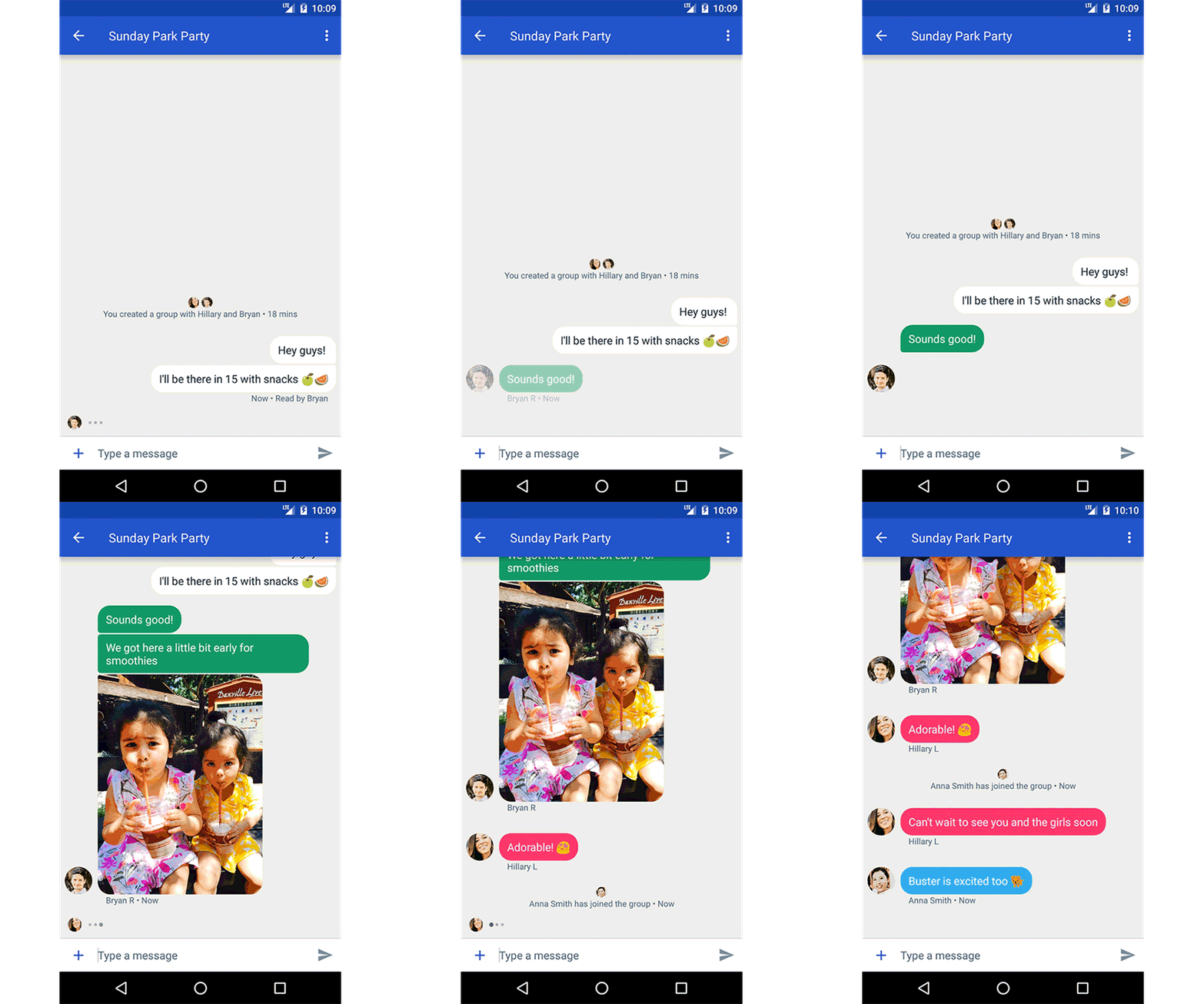
SMS is one of the most ubiquitous forms of communication today, used by billions of people worldwide. Over the course of this year, we’ve worked with the mobile industry on an initiative to upgrade SMS for users, to provide a better, more enhanced messaging experience through RCS (Rich Communications Services). And now more than 58 carriers and manufacturers, collectively covering a subscriber base of 4.7 billion people globally, have committed to supporting a single, standard implementation of RCS.
Today, we’re excited to announce the next step in this initiative with our first carrier launch supporting the new universal RCS profile. Together with Sprint, we’re launching RCS messaging to their customers using Android devices, starting today. This will bring enhanced features including group chat, high-res photo sharing, read receipts, and more to the standard messaging experience on Android. Sprint subscribers will have their standard SMS experience upgraded through the Messenger app for Android devices, developed by Google. The service will be powered by the Jibe RCS cloud from Google.
Next year, all new Android devices from Sprint will come with Messenger for Android preloaded as the default SMS and RCS messaging experience. Subscribers currently using select LG and Nexus phones from Sprint will have the messaging experience upgraded automatically through an app update, and subscribers using other Android devices can download Messenger from the Play store.
We’re excited to see this first launch of RCS come to life, providing a better carrier messaging experience for millions of people in the U.S. We look forward to launching RCS with more partners in the coming months.
Reflecting Google’s burgeoning device business, parent company Alphabet now lists hardware inventory in its latest quarterly SEC filing (via Bloomberg). With the filing providing data through the end of September, it likely reflects the ramp up for hardware announced at the October 4th event.
In the 18th century, William Blackstone wrote the seminal "Commentaries on the Laws of England," which contained one of the foundational definitions of property: "that sole and despotic dominion which one man claims and exercises over the external things of the world, in total exclusion of the right of any other individual in the universe."
(more…)
From robot cookie makers to lightbulbs that double as phone chargers, Silicon Valley is great at selling us random gadgets we didn’t know we need. And while it’s cool if you’re into automated pita bread warmers of the future, it’s what happens after you put these devices through the test of time that these startups are less helpful with.
New research by the engineering lab team at the University of California, San Diego is hoping to fix that by creating magnetic ink particles that could self-heal devices when they break. Sensors printed with this ink would magnetically attach to each other when a rip or tear occurs, automatically fixing a device at the first sign of disintegration.
A little over a week ago, we first detected several less-than-subtle hints of Rich Communication Services, more commonly known as RCS, in Google Messenger 2.0's code. In case you don't know what RCS is, it essentially adds some useful features to SMS that are similar to what you'll find in Apple's iMessage. Now, for a select few, Google has flipped a server-side switch for RCS.
Chrome: Whether you’re new to Google Docs, Sheets, Drive, or any other tool under the “G Suite” umbrella, or you’re an old hand, Google’s G Suite Training add-on for Chrome will teach you useful tips and tricks while you actually use the tools you work with every day.
Once installed, you’ll see a new training menu in all of your Google Apps (indicated by a question mark with the Google four-color circle around it.) The menu offers short training activities you can do while you’re logged in to Gmail, Google Docs, Google Sheets, and the other formerly-called Google Apps tools that will teach you shortcuts, and how to use some of the services’ most common and helpful features. Hit the link below to try it out.
YouTube today is rolling out an upgrade to its comments system, with the goal of putting creators more in control of which comments get featured in the feed, as well as the ability to better interact with their viewers and fans. Along with the ability to pin comments to the top of the feed and hold back inappropriate comments for review, creators will also have their own usernames highlighted… Read More
We like reporting on the tiny, minuscule improvements to the Android and Google platforms here at Android Police, so we were delighted to find that in the Google Play Store, older devices have disappeared on the list of 'My Devices.' This is pretty small and insignificant to most, but it's something that will have bothered many hardcore Android fans, so it's good to see it fixed.
Previously, every device you have ever owned would be listed, right from the first Android device you used (mine was a Nexus One) to the most recent.
by Kristin Wong on Two Cents, shared by Andy Orin to Lifehacker
They say a sucker is born every minute, but shady businesses are good at convincing you you’re a genius, not a sucker, for giving them your money. Many of these outfits prey on people want to improve their finances, which adds insult to injury. You know to stay away from bogus IRS collectors and Nigerian princes, but there are some less obvious, perfectly legal scams people fall for all the time.
Payday loans sound like a good deal: you don’t get paid until Friday, but rent is due Wednesday, so take out a quick loan and pay it back on payday. In reality, it rarely works out this way.
Most borrowers default on their payday loan, take out another loan to pay off the original loan, and end up paying crazy, high interest rates—as high as 780 percent for a two-week loan. In the U.S., borrowers pay $7 billion annually in payday loan fees.
Payday loans are a notorious debt trap that send consumers into a downward spiral of financial ruin, yet people still fall for them, not because they’re suckers, but because they don’t see any other options.
Before you sign your life away on a payday loan, first check out the alternatives. Ask your employer for an advance. Ask if your company offers any hardship programs. Call your other lenders, like credit card companies and see if they can put you on a hardship repayment program with a lower minimum monthly payment. Almost anything is better than a payday loan.
Credit unions are a solid alternative, too. Many of them offer loans through The National Credit Union Foundation’s REAL Solutions® program, an initiative that helps borrowers who don’t have a lot of money. Some credit unions also offer “signature loans,” which are aimed at people with bad credit. The terms are much better than payday loans and designed to help you improve your finances, not completely destroy them. The National Consumer Law Center lists some specific credit union loans in their Payday Loan report (PDF). Services like Kiva and Lending Circles offer loans peer-to-peer lending. Again, you still have to pay back the loan but the terms are a hell of a lot better than payday loans and designed to help you get back on your feet.
When I was 20, I wanted to get my finances in order like an adult. I had to pull my credit report, but I wasn’t sure where to start. Then I remembered a commercial I’d seen for “freecreditreport.com.” You know, the one with the cheesy band telling you to sign up and get your finances in shape? I should’ve known better, but it seemed harmless enough—why would a pop band lie to me about money management?
I signed up, got my credit report, and everything was fine until a few months later, when I noticed a random charge for $19.95 on my credit card statement. I didn’t recognize the name, so I called my credit card issuer and they asked if I signed up at freecreditreport.com. Yep, they charged me $1 for my credit report, but I also unwittingly signed up for a monitoring service (buried in the fine print) that cost $19.95 every month. Of course, I opted out, but I also wondered how many other naive, young people fell for it. This happened a long time ago, but people still get duped. In fact, a recent thread on Reddit Personal Finance brought it up again.
As that Redditor pointed out, you never have to pay to check your credit report or score. There are plenty of ways to get both for free, but annualcreditreport.com is the official source, backed by the Consumer Financial Protection Bureau. You get a free copy of your report every year from each of the three major credit bureaus. You shouldn’t have to fork over your credit card to get a copy, either.
Debt Consolidation
People turn to debt consolidation because they want to be responsible. They want to get their debt in order and pay it all back, but they have no idea where to start, so they turn to the “professionals” for help.
Unfortunately, though, more often than not, debt consolidation isn’t a good option. You take out a loan and, rather than make multiple payments to all your lenders, you make one single payment to the debt consolidation lender. It sounds reasonable enough, but there are so many caveats with it that people usually end up in a worse situation.
For one, debt consolidation stretches out the term of your debt. With interest, you usually pay more over time than you would just paying back your lenders on your own. Plus, if you miss a payment, you’re typically hit with costly fees, penalties, and higher interest rates. There are legitimate debt consolidation companies, but the whole process is already kind of shady, which makes it a breeding ground for scammers. LendingTree lists a few red flags:
You’re told that your loan approval is “guaranteed” or “highly likely”
You’re asked for an upfront payment before the loan is approved
You’re told that this will be a “quick fix” when it will take time to repay your debt
You’re asked to provide access to your bank account so the company can make automatic withdrawals
The contract says you can only sue the company in certain states – and not the state where you live
The company only has a P.O. Box and not an office address
Your intentions might be good in consolidating your debt, but in most cases, you’ll be better off with your own debt payoff plan or, if you really feel desperate, credit counseling.
Back in the day, someone invited my parents to a seminar that was supposed to help them earn huge amounts of money from real estate.
“If all it took to get rich was going to a free seminar, everyone would be rich.”
Both my parents were immediately skeptical and told me, “if all it took to get rich was going to a free seminar, everyone would be rich.”
You’ve probably heard of these, too. If it’s not real estate, it’s some other get-rich-quick pyramid or Ponzi scheme. You go to the free meeting (maybe you even get a free T-shirt!) and then you’re pressured to spend more money, buy someone else’s product to sell, or enroll in some really expensive courses.
These have been going on for ages, but people still fall for them. The problem is, a lot of these gurus lure people in with legitimate, sound personal finance advice. Robert Kiyosaki is a recent example. His book, Rich Dad, Poor Dad, was (and still is) considered a solid, inspiring personal finance read. The problem is, the book probably isn’t real. It’s more “a myth, like Harry Potter,” as Kiyosaki himself put it.
“It’s a three-day sales pitch, basically,” Deol said. “You’re not going to learn anything. But I think most people were a little afraid to say anything. It was very intimidating. The organizers would come up to you and stand behind you, over you and there was no talking allowed.”
The other problem is that there are some legitimate seminars, courses, and financial coaches out there who really do help people improve their finances, negotiate higher salaries, or build their businesses. So how do you separate the legit experts from the frauds? Here are some red flags, according to ScamWatch:
An advertisement or seminar makes claims such as ‘risk-free investment’, ‘be a millionaire in three years’, or ‘get-rich-quick’.
You are invited to attend a free seminar, but there are high fees to attend any further sessions. The scammer, posing as the promoter, may offer you a loan to cover both the cost of your attendance at the additional seminars and investments.
You see an advertisement promising a quick and easy way to ‘unlock’ your superannuation [retirement account] early.
Also, legit courses usually teach you general skills you can apply to any kind of business you want, whereas the scams aim to get you on board with something more specific: a company, product, timeshare, or business model.
Of course, if you have any doubts whatsoever, you should look up the company or individual’s standing with the Better Business Bureau. They include seminars, and they’ll tell you how many people have complained about them and what kind of complaints have been lodged.
Fake Financial Advisors
If you need help managing your money, you might turn to a financial planner, advisor, tax preparer, or accountant. There are a lot of different types of financial service professionals, and not all of them are legit. The scammers ride the coattails of the accredited ones.
This is called a “Misrepresentation Scam.” Basically, frauds misrepresent their credentials to make you think they’re trustworthy when all they want to do is take your money, Bernie Madoff-style. Investopediaputs it like this:
...there are dozens of financial planning designations such as certified financial planner (CFP), registered investment advisor (RIA), certified public accountant (CPA), chartered financial analyst (CFA) and many more. The public may not be aware of the designations, ethics, or requirements for a certification and thus may be receiving advice from someone with no education, experience, or background in the investment advising field. It’s quite easy for someone to hang up a shingle and start doling out advice. The scammer can then close up shop and walk away with the proceeds or swindle the unsuspecting clients with fake products.
When you hire a financial professional, make sure they have the credentials that matter. For example, if you need someone to manage your money, you want a fee-only Certified Financial Planner®, registered with the CFP Board. Real CFPs take a fiduciary oath to act in their customer’s best interest; otherwise, they could lose their license. This means they can’t sell you a bunch of sketchy investments just to earn a commission. Just because a financial advisor or investment professional isn’t a CFP doesn’t automatically make them a scam artist, but CFPs are very particular about their titles because it’s a sign of trust.
When it comes to your taxes, make sure your tax pro is a Certified Public Accountant, preferably registered in the IRS Tax Preparer Directory. If you’re hiring someone to invest for you, they should, at the very least, be a certified Chartered Financial Analyst or Registered Investment Advisor. You can also use the National Association of Personal Financial Advisors database to find highly-rated, legitimate professionals.
Credentials are just a start, though, and they don’t necessarily make a good money manager. You still want to ask the right questions and do your research.
If you want to get your finances in order and you don’t know where to turn, there are too many sketchy businesses out there that will take advantage. They’ll find a way to trick you into believing you’re making a good decision, but if you know what to look out for, you know when to stay away.
by Beth Skwarecki on Vitals, shared by Andy Orin to Lifehacker
We’ve discussed how much sleep you need (at least seven hours, for most people), but often our real question is the flip side: Can you get away with less than the optimal amount, or even replace your night’s sleep with a series of round-the-clock naps?
Everybody’s Needs Are Different, but Six Hours Is Probably the Minimum
“We should not be talking about how much sleep people need in any way that’s different from how many calories we need,” says sleep specialist Dr. W. Christopher Winter. Just like 2,000 calories is not the right amount for everyone, neither is a one-size-fits-all number like eight hours of sleep. If you are sick or if you exercise a lot, you may need more sleep. And as you age, you will probably need less.
According to the National Sleep Foundation, adults should get between seven and nine hours of sleep each night. The Foundation’s panel reviewed studies and used their own clinical experience to come up with those numbers since there is no way to conclusively determine how many hours an individual needs. Seven to nine fits with the available evidence.
The panel labeled a wider range, six to ten hours, as “may be appropriate.” That range is for adults aged 26 to 64; young adults may be fine with eleven hours, and nine is tops for those 65 and over. That doesn’t mean everybody would be fine with six hours. It means that some six-hour sleepers may have sleep problems, but for others, six hours just happens to be what their body needs.
Dr. Winter previously reminded us that people often get more sleep than they think they do, so check in with your Fitbit if these numbers don’t sound realistic.
Whatever your personal minimum is, you don’t want to undercut it on a regular basis. Check out what the National Sleep Foundation’s expert panel concluded for young adults (age 18-25):
The Panel does not advocate sacrificing sleep duration for school, work, or social responsibilities because short sleep duration is associated with increased fatigue, decreased psychomotor performance, accidents, poor physical and psychological health, and low academic performance.
And similarly for adults from 26 to 64 years:
Sleep deprivation’s adverse effect on multitasking performance, weight regulation, job safety, mental health, sugar regulation, blood pressure, and cardiovascular health was noted, particularly with nighttime sleep deprivation during the workweek.
Longer term, work schedules that routinely disrupt employees’ sleep are on the IARC’s list of “probable” causes of cancer. That’s the same category as red meat, hot beverages, and the pesticide glyphosate. To be clear, we don’t know for sure that shift work is a carcinogen, but there are enough links between sleep deprivation and poor health that the idea is not far-fetched.
So far, we’ve been assuming that you get all or most of your sleep in one big chunk at night. Long-time Lifehacker readers might remember that a few years ago, polyphasic sleep was all the rage: just take six tiny naps per day, and you can ditch the whole idea of getting a good night’s sleep. If this worked, it would be the ultimate time saver.
Great thinkers throughout history supposedly slept very little or on erratic schedules—Leonardo da Vinci and Thomas Jefferson are classic examples. But those stories don’t really hold up to inspection, and conveniently these geniuses are all dead and can’t be interviewed.
So, we asked Dr. Winter about whether naps can really replace sleep. He wasn’t impressed:
Polyphasic sleep proponents have nothing beyond anecdotal experiences that never hold up when rigorously tested...I would confidently say that sleep science would fall almost uniformly in the corner of saying this life hack is bogus.
To be clear, a comfortably long middle-of-the-day nap is still fine, and if that’s part of your routine you are welcome to continue. Young children need naps as part of their daily sleep, too. But if you’re taking short naps just to get through the day, you probably didn’t get enough sleep in the first place.
The idea of polyphasic sleep as a productivity tool was inspired by studies like this one published in Work And Stress that examined how crews in sailing races were able to stay alert around the clock. The sailors didn’t sleep at night because that’s when collisions and trouble were more likely to happen, so they were left with no choice but to take short naps throughout the day. The most productive sailors took naps ranging from 20 minutes to an hour.
Naps can help give you back some of your alertness when you are sleep deprived, and with enough naps the sailors were able to stay functional for days on end. The more sleep they got, though, the better they raced.
Nap-centric sleep schedules don’t seem to be sustainable. The bloggers who popularized the idea of polyphasic sleep typically gave up this extreme form after a few months, going back to a routine with a block of nighttime sleep and, for some, a nap or two during the day. (I looked, but could not find anybody who had kept up round-the-clock naps for years.)
So, like it or not, sleeping at night is here to stay. Naps can help you survive if you don’t get enough sleep at night, but for a healthy mind and body you’ll have to make sure to hit the sack for at least six hours a night—and for most of us, probably seven or more.
3 NHS hospitals under the Northern Lincolnshire and Goole NHS Foundation Trust have been infected by "a virus" that administrators detected on Sunday; the hospitals are on limited operations and turning away patients until the hospitals can "isolate and destroy" the malware.
(more…)
The lawsuit to force the UK government to call a Parliamentary vote before triggering Article 50 (the first and irrevocable step to pulling the UK out of the EU) has prevailed at the High Court.
(more…)
Narukawa developed a map projection method called AuthaGraph (and founded a company of the same name in 2009) which aims to create maps that represent all land masses and seas as accurately as possible. Narukawa points out that in the past, his map probably wasn’t as relevant. A large bulk of the 20th century was dominated by an emphasis on East and West relations. But with issues like climate change, melting glaciers in Greenland and territorial sea claims, it’s time we establish a new view of the world: one that equally perceives all interests of our planet.
According to this bird's human companion, Monty has not played with this complicated puzzle in over a year. He seems to know what he's doing. I'm impressed at how well he removed the nut from the bolt.
This year has seen some interesting movement in the world of hoverbikes, hovering platforms that can support a standing human, and drone prototypes large enough to carry people. EUKA has an overview of 8 noteworthy examples. (more…)
District Court Judge James Holderman, who presided over the hearing, said in court documents there was a “preponderance of evidence” in Mr Coffie's favour.
“This was a clear case,“ he said, ruling that: "Korhonen unreasonably inserted a screwdriver in Coffie's rectum in violation of Coffie's constitutional rights and that [Korhonen's partner, Officer Gerald] Lodwich knowingly failed to stop Korhonen's unconstitutional conduct."
“In addition, the evidence clearly showed that Korhonen and Lodwich each knowingly testified falsely at the trial.”
Officer Korhonen's mother must be so proud of her son.
Gousto, the U.K. cook-at-home recipe kit service that competes most directly with Rocket Internet’s HelloFresh, has raised a further £10 million in funding. Backing comes from BGF Ventures, Unilever Ventures, MMC Ventures, Angel CoFund, and Barclays — and is a mixture of equity and debt financing. In a call, Gousto founder and CEO Timo Schmidt tells me the startup plans to use the… Read More
The Moto Z is an ambitious and impressive device in and of itself, but its success will, in no small part, ultimately be dependent on accessories. In much the same way a gaming console’s hardware prowess doesn’t mean a heck of lot with a great ecosystem of games, a modular handset isn’t much to speak of without the right set of mods. The Z offered a decent array at launch… Read More
Like many tech enthusiasts, I’ve been using a $180 Amazon Echo intelligent speaker at my home for a year or more. And, while I love using it for some things — playing music and podcasts, setting timers, and re-ordering items from Amazon — I’ve come to realize that, like Apple’s Siri and all other virtual assistants, its Alexa voice-driven artificial intelligence system disappoints a lot.
So I was excited to test Google Home, the $129 Echo competitor that puts the search giant’s much-touted new Google Assistant intelligence technology inside a small, but powerful Echo-like speaker and microphone unit. Surely, I thought, after collecting all that info about the world (and about me) for years and years, Google would crush Amazon in the...
In Accessorize to a Crime: Real and Stealthy Attacks on
State-of-the-Art Face Recognition, researchers from Carnegie-Mellon and UNC showed how they could fool industrial-strength facial recognition systems (including Alibaba's "smile to pay" transaction system) by printing wide, flat glasses frames with elements of other peoples' faces with "up to 100% success."
(more…)
This starts out awful and goes exactly where you think it will. I believe you can see some of the passengers of the 'ferry' abandon 'ship' around the :55 second mark.
A controversial legislative framework that will strengthen and set in stone mass surveillance capabilities in the U.K. — including authorizing state agents to hack devices/services en masse and requiring ISPs to retain a year’s worth of website access logs on all users — looks set to come into force later this year, after the last opportunity to amend the draft passed by… Read More
IFTTT (if this, then that) is one of those services you either love or just plain don't understand. It can be hard to integrate IFTTT into your life, but it's great if you have a lot of smart devices around the house. IFTTT is trying to make the service a little easier to use with the latest app update. Recipes are now called Applets, and the app has them front and center.
Microsoft Teams throws a lot of you, right out of the gate. That’s because competitors like Slack already have a sizable head start on Microsoft’s workplace collaboration tool. More to the point, though, is that, while the company is late to the party, it’s got about as good a business suite infrastructure as anyone can ask for, from Office 365 to Skype. In a lot of ways,… Read More


















 YouTube today is rolling out an upgrade to its comments system, with the goal of putting creators more in control of which comments get featured in the feed, as well as the ability to better interact with their viewers and fans. Along with the ability to pin comments to the top of the feed and hold back inappropriate comments for review, creators will also have their own usernames highlighted…








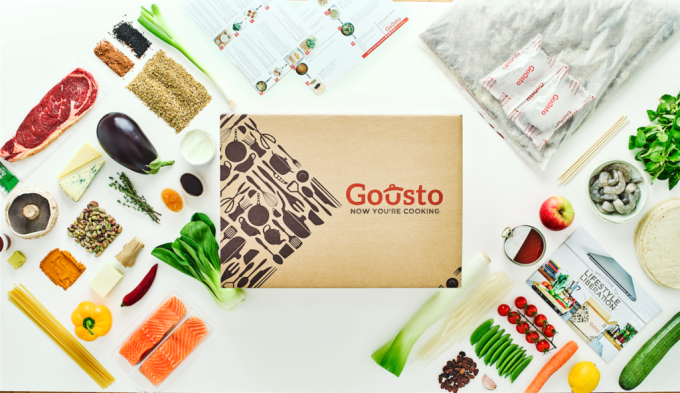 Gousto, the U.K. cook-at-home recipe kit service that competes most directly with Rocket Internet’s HelloFresh, has raised a further £10 million in funding. Backing comes from BGF Ventures, Unilever Ventures, MMC Ventures, Angel CoFund, and Barclays — and is a mixture of equity and debt financing. In a call, Gousto founder and CEO Timo Schmidt tells me the startup plans to use the…
 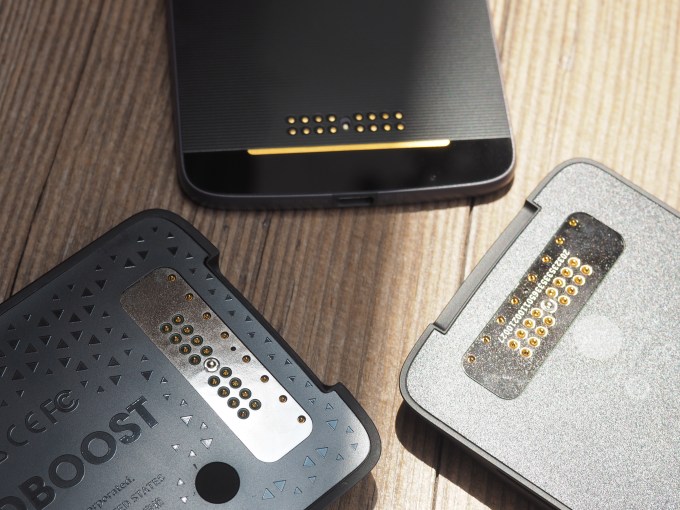 The Moto Z is an ambitious and impressive device in and of itself, but its success will, in no small part, ultimately be dependent on accessories. In much the same way a gaming console’s hardware prowess doesn’t mean a heck of lot with a great ecosystem of games, a modular handset isn’t much to speak of without the right set of mods. The Z offered a decent array at launch…


 A controversial legislative framework that will strengthen and set in stone mass surveillance capabilities in the U.K. — including authorizing state agents to hack devices/services en masse and requiring ISPs to retain a year’s worth of website access logs on all users — looks set to come into force later this year, after the last opportunity to amend the draft passed by…
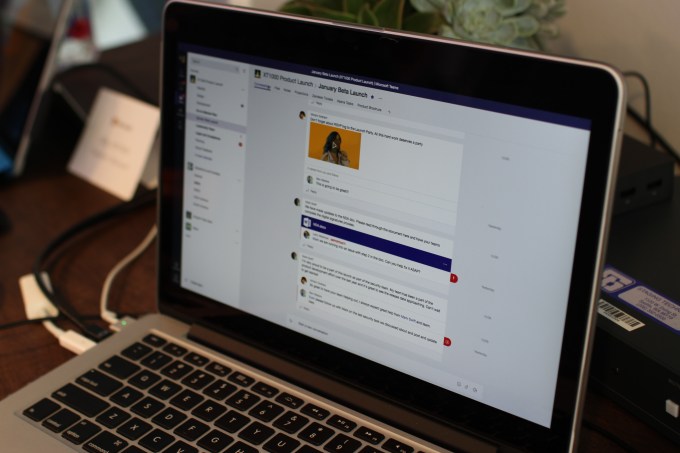 Microsoft Teams throws a lot of you, right out of the gate. That’s because competitors like Slack already have a sizable head start on Microsoft’s workplace collaboration tool. More to the point, though, is that, while the company is late to the party, it’s got about as good a business suite infrastructure as anyone can ask for, from Office 365 to Skype. In a lot of ways,…