Shared posts

05 Jan 18:10

Fostering Innovation and Creativity | Project Scoping

By Janet M. Six

Published: December 22, 2014

“While innovation is something that many companies would like to achieve, most long-established companies fail to innovate.”

In this edition of Ask UXmatters, our panel of UX experts discusses two topics:

  • how to encourage innovation and creativity within organizations
  • when and how to define the scope of a consulting project

While innovation is something that many companies would like to achieve, most long-established companies fail to innovate. How can organizations foster innovation and creativity? In this column, our expert panel first describes various ways to encourage innovation and creativity within an organization. They also consider these philosophical questions: why should organizations foster innovation and creativity and what do they gain by doing so?

Our expert panel then discusses the importance of consultants’ defining the scope of their projects to ensure that they get paid for all their work. They describe the approaches that they take to project scoping.

05 Jan 13:36

LMS Demos: The difference maker

by Craig Weiss

I want you to imagine a warm sunny day.  The sky is blue with a few big puffy clouds floating aimlessly.  You gaze to your right and see a turquoise sea along with a white sandy beach.

Now let me ask you a question.

After my detailed description, how many of you actually could see that?  Down to each detail, mind you?

If you said you didnt’ you are not alone.

In fact, for most people the brain cannot automatically assign such particulars related to colors and details (and equally – accurate specifications for each).   For example, I said white sandy beach.  You would have to seen such a white beach before to truly get an understanding, otherwise the colors would be off. 

I mention this because this is a perfect example of how a simple demo can fail.

It fails because it lacks particulars and items that enable you to get a better sense on whether it is right for you. 

Demo for me and you

There are a few ways to be successful in a demo and lots of ways to fail.  As such, I’ll cover some of the basics from the vendor perspective (what they should do) and from the buyer perspective (what you should require of them, prior to, during and post demo).

The following is for an online demo and not a final two or three pitch demonstration, which is a tad different.

Vendor Goals – Show me, Tell me..Let me

Here is a typical way most vendors show their product.

1. Once you request a demo, and assuming the vendor says sure (and 99% of the time they will), they should ask you what if any areas are you specifically seeking.  They may ascertain just from a series of questions, but honestly, they should also inquire.

2.  You see the demo.  Often it is vanilla looking or generic.  They either focus only on the areas you were interested in OR show the whole thing.

3.  During the time, they say to you, if you have any questions, please don’t hesitate to ask (or something along those lines).

4. After the demo, they may or may not ask if you have any additional questions, but they will often ask what are the next steps.

5. Call Ends

Here is the way they should do it

What you just saw above is quite common and yet, it has been set up to be a lackluster experience.  Most folks who have never had demos, specifically LMS demos, may not realize this, but for those of us who have seen our share of them, the above scenario is not something ideal.

Remember the beginning of the post where I asked you to see those colors and details in your brain?  And if you were like the majority, you unlikely either saw it or if you did, it was not 100% to what I envisioned?

Well, as noted earlier – it is not you, it is how your brain operates and as a result, if I (the vendor) show you a generic or vanilla LMS demo with my standard colors and then tell you to imagine it looking like this or that, with these colors or those, what do you think is going to happen?

Correct. Nothing.

You will try to get an idea, but for most folks, it just isn’t going to happen.  Rather than saying, I see nothing – most folks just go, “yeah, okay, got it.”

What Should They (Vendor do) Demo

Prior to doing the demo, go to the consumer’s web site and take a look at some of the colors.  Grab their logo.  Maybe mimic their header bar colors and so forth. Next, put that into your demo, prior to showing it to the customer.

BUT WAIT

Before you kick further into the demo, let them know here are some additional examples of what you can skin or do color, font wise, etc. – out of the box (and you show some customer examples).  Out of the box means, what is included when I bought the platform. It does not mean, showing me something awesome that someone dropped 5K or whatever for it look that way.

And here is another key item – Show me the best of what you got or what you think will wow me.

I’ve seen vendors who do the screen colors and then show me some examples and the examples look lame.   What this says to me is that your system even skinned will look lame.   What you should do – is identify those sites that you see as full power possibilities with your product.  And here’s the thing. If you don’t have one, create one.  If it can be done in the product, without someone paying extra for it, then show it off.

What Should They (Vendor do) Questions

I do like it when vendors ask me what I want to see, but there are plenty of times, where I will say, I want to see it all and then when you start, I may ask for some specific areas, rather than you showing it all to me.  I will always though request they show me

  • Learner side – From when I log into the system, to my home page to what I can see and do
  • Social options – If they have it, let me see it
  • Navigation – I want to know how a learner gets from Point A to Point B
  • Catalog and catalog options (i.e. filters) and what it looks like (it is icons or not).  Funny thing is that most folks regardless of age prefer icons and yet, I often hear salespeople go, “well the 20 somethings like icons”, uh no..we all do. Clearly, they have never seen some work instructions or training reference materials. 
  • Learner takes a course – how do they do it, what steps are involved
  • Mobile – Show it off. What can I do? What can I see?  And yeah, they can do it.. and they don’t need an actual device to show it.
  • Nav bar – This gets back to navigation, but what does the learner see?  What can be hidden? Can I change the labels – remove, keep or change the text? What about the text on the screen, fonts and so forth.
  • If they use blocks or widgets – can I select which ones the user sees? Can each learner have their own visual look – i.e. Fred gets six blocks. Steve gets four. Carolyn gets nine.
  • Administration side – HUGE.  These are the folks who are going to be using the system every day. 
  • Admin side – Assign courses, assign users to courses or materials, create a learning path or curriculum
  • Does the admin side start off with a home dashboard? To me, that is important.   Others not so much.
  • How easy is the admin side to figure out and work with?  If you are already being overwhelmed, trust me it won’t change.
  • Reporting – How many canned reports?  Do you have ad-hoc?  How do I do the ad-hoc?  Can I create my own filters?  What options are available for output?  Can I send reports to various managers if I need be..
  • Do you have any drag and drop capabilities with your admin side (in other words, what do you offer to streamline and enhance the processes).  I mention drag and drop, because many vendors are now incorporating that option via HTML5 or similar.  It is nice and sharp

Take a real look at the admin side.  Look at the icons they use (if they have any).  Does it look like it came from Windows 2000? 

The issue today is that for many vendors when they do a refresh in terms of UI, they often focus first on the learner side and not the admin side.  So, if you see a system like that, ask them how long or where they are with redoing the admin side.  And do not be afraid to ask the tough questions.

I’ve seen some amazing front ends (learner side) and then go to the admin, and end up being stunned – and not in a good way.  I know of one vendor who I jokingly said to them, “Those icons look like they came from Windows 98.” Their response (seriously), “Yep, how did you know?” 

Question Part 2

There are vendors who will ignore your inquiries. Yeah, they say, stop me if you have any questions OR you state what you want to see and they say okay they will do that and then they ignore you and follow their path (i.e. internal script).

I have told vendors I know a lot about LMSs, give some background and get detailed, only to have them ignore me and talk to them as though I do not even know what is a LMS.  Clearly, the listening aspect does not apply. 

If you are not getting an answer to your question, be more blunt.  We all go the nice route, “Excuse me,” or wait until they end their points and then try to jump in – but for some people that just doesn’t work.  Rather than just say to yourself, oh, forget it – jump in.  I have had to do it, and while it is not ideal, at the end of the day it is about ME (i.e. the customer) and not a song and dance from them (the salesperson). 

You are going to be the one (or your admins) using the system, so if people just blathering non-stop and ignore – stop them and ask the question or questions. 

After the demo ends (vendor)

Besides asking next steps, I would find out how they prefer communication – is it by phone, email, both and so forth. Never assume.  You can lose a deal, just by making that simple of a mistake. 

In the asking next steps, find out the process without being belligerent.  It is more than fair to ask if they do not select you or other vendors, if they will notify you by e-mail.  Vendors love the line, “well so we know what we can do better next time”, which is fine and dandy, but it is just human nature to learn why you were not selected.  As the consumer, you can simply just let them know they were not selected and move on OR you can just say we had concerns about blah blah and thank and move on. 

As the vendor this should be sufficient.  I hate it when a vendor who I politely let them know they were not selected and why, follows up and asks for more info or a call.  Why?

Unless I offer, accept and move on.   You pitching me on whatever is not going to change my mind.

One more thought

When consumers fire off RFPS to lots of vendors and then vendors respond, many never hear back one way or another.  It is always nice to let them know one way or another.  They just spent considerable time filling this thing out and at least you can do, is just say something as a follow up.

Think of it this way.

If you were on the other side, how would you feel if no one followed up with you?

Vendor Bonus for showing me you care

After that demo is done, the next thing I should get from you is a quick thank you. 

It can put you up over someone else, because as you know, the number one reason jump platforms is support and service.  What a great way to show you “care”, by sending a quick thank you. 

As the Consumer what you need

Besides the aforementioned, here are a couple of items, I always recommend to my consumer clients when they are going to view a vendor demo.

  • Send the vendor one of your courses and have them upload it into the system, prior to showing you the demo.  If you do not have a course available, ask them to upload some docs while you are seeing it in real time and then have them assign them to blah blah, and blah blah.   If it is a course – take a look at what it looks like in their system.  Have them assign users to it, and go forward from there. 
  • Afterwards, have them show a couple of analytics and reports
  • If you are unsure what documents to upload, I recommend a video file (mp4), a PDF and either a PPT or word doc.  If you use Office 365 make sure their system can accept those files.  It should, but I have run into systems that cannot.  With the mp4, have them run it in their system and take a look at what it looks like.  If you have a lot of videos, it is important to find out what data can they track – who has viewed it and so on.
  • If you are interfacing with a 3rd party API that is common, see if they can show you an example of a system that has that API turned on.  Some vendors have that ability to do so – you won’t know unless you ask.
  • Find out if what you are seeing comes with your product that you are buying.  I have seen demos where everything is turned on and the vendor has modules.  It is up to you to ask, and many people don’t – they just assume everything they are seeing is included. NEVER ASSUME.  I see it all the time and those who don’t and then get the system and see it does not have everything ends up unhappy.

What to ignore during the demo

  • Retention Rates and Customer Satisfaction rates

Why?  Because even it is is poor, no one will ever tell you that.  I have never heard a vendor say to me, my retention rates are 93% or customer support is 85%. 

Bottom Line

A demo can make or break a deal.  Often times it is the little things, the miniscule things that can make the difference.

A difference

between moving on

or falling off.

E-Learning 24/7

There will be a post on the 29th.  Have a happy holiday!


Tagged: LMS, LMS demo, LMS demonstration
19 Dec 15:28

Google Updates and Improves its Learning Center for Teacher Training

by David Andrade


Google has updated and improved its Learning Center for Teacher Training with new use cases and best practices, making it even more useful and easier to learn about Google apps.

The site has some great resources and training for:

  • Android Tablets for Education
  • Calendar
  • Chrome
  • Chromebooks
  • Classroom
  • Digital Citizenship
  • Docs Suite
  • Docs
  • Drawings
  • Drive
  • Forms
  • Gmail
  • Google Maps
  • Google Play for Education
  • Implementing Google Apps
  • Search
  • Sheets
  • Sites
  • Slides
  • YouTube


Each topic has an introduction, basics, and advanced sections depending on your level of experience with that app.


There are lessons, case studies, examples and best practices, and ways to connect with other educators.

It is an excellent resource for all educators


This post originally appeared on Educational Technology Guy

Feel free to share summaries and links to these articles, but do not copy and repost entire article.

Follow me on Twitter and Google+


19 Dec 12:45

Case Study: How a large university uses ThinkTank to assess enterprise risk

by Hugh Heinsohn
Queen's University uses ThinkTank team collaboration software

Case Study: How a large university uses ThinkTank to assess enterprise risk

Queen’s University is one of Canada’s oldest degree-granting institutions and is a full-spectrum, research-intensive university that conducts leading-edge research in a variety of areas, including computational science and engineering, globalization studies, mental health, and biomedical sciences. Its Board of Trustees needed an efficient, repeatable method for identifying strategic risks as well as developing appropriately scaled risk mitigation and response strategies.

A team of 30 senior personnel used ThinkTank to identify and define risks, assess the likelihood and impact for each risk, and develop recommended risk mitigation strategies. The team found that ThinkTank’s anonymity, type-at-once and voting (with immediate feedback) features were particularly helpful, especially considering the delicate, political nature of some of the risks. Using these tools saved time and also allowed everyone to share their opinions freely; the team was able to focus on the value of the ideas rather than their sources. ThinkTank also allowed the group to generate its report immediately at the conclusion of the session, which was critical to the overall success of the project.

The University now conducts annual strategic risk reviews using ThinkTank.

Read the case study

The post Case Study: How a large university uses ThinkTank to assess enterprise risk appeared first on ThinkTank.

19 Dec 12:19

The state of L&D in two tweets

by donaldhtaylor

Over the past 24 hours I have had Twitter exchanges with some people who really made me think about where we are in learning and in the L&D profession, against the backdrop of the huge changes that are taking place in our working lives.

The second of these was this morning (19 December), in reply to the regular Friday morning #LDInsight Tweet chat. The question was “What would you give to learners this Christmas?” This is Katherine Chapman’s response:

For 'learning' to be so integrated into workplace performance that it becomes an unconscious activity not an optional extra #ldinsight

— Katherine Chapman (@KathChapman) December 19, 2014

Which I though summed things up beautifully.

10 hours earlier, I had been in conversation with Todd Tauber, Tom Gram and Guy Wallace about the changing nature of work and the impact on workplace and the L&D department. Todd summed up the conversation succinctly:

@tomgram1 @DonaldHTaylor @guywwallace I agree learning is essential. But L&D is not.

— todd tauber (@toddtauber) December 18, 2014

For me these comments are two faces of the same coin. There is an ideal state of learning integrated into the workplace that successful organisations will head towards. Those that do not integrate individual and organisational learning practices into their daily working life will lose competitive advantage and fail.

What is L&D’s role in this? It can ignore the change, facilitate it, or even lead it, but the change is happening.

Our response, and our fate, are in our own hands.


19 Dec 11:12

Information School classed as World Leading in REF 2014

by Rachel Hayes
The Information School has achieved top positions in the Research Excellence Framework (REF) 2014 for research environment and for the impact of our research, based on the combined 4* (world-leading) and 3* (internationally excellent) categories. The results, published on 18 December 2014, show that 100% of our research environment was judged to be of world-leading quality and 100% of our
15 Dec 13:21

Why Corporate Learning Must Turn Employees into Lifetime Students and Teachers

by Megan Conley
By Emily Wilson, Director of Solutions Marketing Learning (Originally posted on SAP Community Network) Businesses that are unable to adapt to change struggle to survive. Don’t believe me? A few examples of highly regarded brands include Circuit City, Borders Books, Tower Records, Pontiac, Saturn, Palm – all companies that at one time seemed invincible brands and […]
12 Dec 15:15

Learning Analytics: Challenges and Future Research Directions

by Chatti, Mohamed Amine
eleed, Iss. 10: In recent years, learning analytics (LA) has attracted a great deal of attention in technology-enhanced learning (TEL) research as practitioners, institutions, and researchers are increasingly seeing the potential that LA has to shape the future TEL landscape. Generally, LA deals with the development of methods that harness educational data sets to support the learning process. This paper provides a foundation for future research in LA. It provides a systematic overview on this emerging field and its key concepts through a reference model for LA based on four dimensions, namely data, environments, context (what?), stakeholders (who?), objectives (why?), and methods (how?). It further identifies various challenges and research opportunities in the area of LA in relation to each dimension.
12 Dec 15:09

Awash in a Sea of Misinformation: Charter School Myths and Realities

by Mark Phillips
By confronting the myths of charter schools (monolithic entity, private ownership, failed experiments), we can examine why they exist and how to evaluate them individually.
12 Dec 15:01

11 Leadership Lessons from Alexander the Great

by Manfred Kets de Vries, INSEAD Distinguished Professor of Leadership Development & Organisational Change
Visionary, team builder, mentor, he shows us some timeless leadership lessons but also some glaring failures.
12 Dec 15:01

What Ancient Rome knew about innovation that modern companies could learn.

by Peter Crosby

Roman Forum In Rome 62188619 proThe ancient city of Rome converted a prime swath of centrally located land from a marketplace into an area that had tremendous significance to its citizens. It was a place where people gathered and interacted, where discussions, debates, meetings, and other activities took place. This place was called the “Foro Romano,” or Roman Forum.

Forums were critically important to societies of the time — some even date back to independent villages in the prehistoric period. Clearly, the human need for community and social interaction seems baked into our DNA. But there were more reasons for a forum than simply to have a place to people-watch and pontificate about the superiority of Roman theater to the Greek’s.

Where’s the party, citizen?

By having one central place where everyone could congregate, the people of Rome could easily learn what was happening in their fellow citizens’ lives, their immediate vicinity, and the world. This frequent and easy exchange of information was critical for the community’s well-being. Inside the forum, people could share news from other places, discuss community issues, or suddenly come up with the freaking aqueduct — essentially, the Forum was the social network of its time.

Today, this same kind of communal access and interaction has moved online. Early online attempts at an public sphere — not coincidentally called “forums” themselves — gained some level of popularity, yet weren’t seamless replacements for being there. It took today’s more engaging social networks to most closely approximate the Roman forum online. Facebook and Twitter, for example, now give people more access to their family, friends, and neighbors than even the Roman Forum did.

Today, the water-cooler won’t cut it.

But what about businesses? Aside from the 1950s water-cooler, businesses typically lack any sort of “Roman Forum replacement” — that is, there’s no place where employees can easily go to interact and share ideas as a group. And that’s too bad, because social interaction can lead to radical new ideas (see Roman Innovations).

Sadly, the closest mass-communication tool businesses have is email, and, frankly, email was never meant to be used the way most businesses use it. Email was certainly a good first attempt at speeding up business communications (for short text-based messages, it was a quantum leap over the messenger pigeon, telegraph, Pony Express, and fax machine). But while having a business conversation over email can be done, it’s inefficient, time-consuming, and not particularly engaging.

Employees using corporate email are potentially connected to hundreds or even thousands of colleagues, and yet no one knows any more information than what’s contained in the emails others send specifically to them. In other words, every email is a static piece of isolated knowledge that’s of no value to anyone except the few people it’s actually addressed to. It’s not conveying its information about the business to anyone else who could benefit from it.

Worse, by siloing conversations and blocking those with insight into a topic — but who weren’t CC’d — from helping out with new ideas or solutions, email actually prevents innovation. For example, email hinders newly hired employees from seeing conversations around a subject that happened even days before they came on-board. And email discourages serendipity, the cornerstone of many great advances in science, medicine, and technology. It’s a one-to-one communication tool that has high costs for both parties involved and your business. Email is, in a word, anti-social.

Social networks are the new Roman Forum.

The same way the Roman Forum and online social networks gave people a place to share news and ideas, the Enterprise Social Network gives employees one central place to keep up with what colleagues are doing and what’s going on with the business itself. An ESN can be transformative for a company because the more news and information you have circulating around, the more likely your people are to act on that information in ways that can have serious benefits for the company.

Learn how the leading Enterprise Social Network, tibbr, can open the channels of communication and collaboration in your company, increasing awareness, knowledge sharing, and innovation. Get a free trial of tibbr now.

12 Dec 14:39

Memo to L&D

by andrewjacobsld
To: L&D From: A person you work with Date: 2014 (although you treat us like it’s 1998) You want me to take responsibility for my learning; I already do. I regularly […]
08 Dec 15:27

The new copyright exceptions – what do they mean for LSE staff and students?

by Jane Secker
I <3 2 read by Kate Ter Haar

I <3 2 read by Kate Ter Haar

In 2014 there were a series of amendments to the 1988 Copyright Designs and Patents Act in the UK, following The Hargreaves Review of Intellectual Property. The final wording of the exceptions were subject to wrangling between the bodies representing authors, publishing, music and film industry and those representing libraries, museums and the cultural heritage organisations. However, we finally in June and October saw the amendments passed in parliament. In addition, just a month or so ago the Intellectual Property Office launched a scheme to licence ‘orphan works’ (which are works that where a copyright owner cannot be traced).

My role at LSE is to provide advice and support to staff wishing to use materials online to support their teaching, which often involves discussing issues of copyright. In October I attempted to summarise the main changes to the law on a copyright amendments webpage. However, I appreciate that copyright is not everyone’s favourite topic and sometimes not the easiest law to understand. In this blog post I’ll explore a few of the new exceptions and what they might mean in practice for staff and students at LSE.

Firstly, in making these changes to the law, the government recognised that quite a number of new exceptions permit copying that may have been going on already as common practice. For example, the new exception that now permits copying for personal use, now allows us to copy a legitimately owned CD onto our MP3 player or phone. I’m sure many of us had been doing this unaware it was technically illegal.

For those of us in education, we were really pleased to see a new exception which permits small amounts of copyright material to be used for ‘illustration for instruction.’ The copying must be ‘fair’ and not damage sales of a work, but prior to this change educational copying previously had to be carried out using a ‘non-mechanical process’ such as writing out in long hand! I’m not talking about the multiple copying of extracts from books and journal articles for classroom use which is usually undertaken using LSE’s CLA Licence. This new exception allows teachers to use small amounts of copyright works for instruction purposes. For example an image or diagram that you might wish to use in PowerPoint to illustrate a point you are making in your teaching.  Anything you include should be limited to what is necessary to illustrate the points you wish to make. You should also always include an acknowledgement of the source of any copyright material. But this new exception makes a lot of sense in the digital world.

Another much needed new exception is that which permits copying for persons with disabilities, to allow them to access material in a suitable format. Previously copying was permitted only for persons with a visual impairment, however this has been extended to cover all types of disabilities. It also now covers all categories of copyright works, including films and sound recordings and contracts, for example from a publisher, cannot override this exception. However this exception will only apply where an accessible copy is not available commercially at a reasonable cost. An example of something you can now do  is to include subtitles on a film for disabled students or to scan a reading to supply to a student who is dyslexic.

Finally another interesting exception that will be really important for researchers in the future, is the exception that permits copying for text and data mining purposes. Text and data mining is the use of an automated technique to analyse text and data to identify patterns or trends. You must have lawful access to the work to make use of this exception, which means you will need to purchase material yourself or use subscriptions to databases or sources. Also the copy can only be used for non-commercial research. However, the exception cannot be overriden by a contract from a publisher or content provider. In this era of ‘big data’ text and data mining will become increasingly important and text mining forms the basis of our next NetworkEDGE seminar on 14th January 2015, ‘Hacking the Archive’ given by Professor Matthew Connelly.

I’m really interested in copyright, but also interested in levels of ‘copyright literacy’ amongst those who work in libraries, archives, museums and the cultural heritage sector. I launched a survey for UK professionals in this sector last week, so if you work in this field do consider completing it. If you would like to find out more about the changes to copyright law and how they might affect you, there are some useful government documents from the IPO or do get in touch with LTI.

08 Dec 15:16

The Onion on the Value of Anonymity

by Hugh Heinsohn
The Onion on the Value of Anonymity

The Onion on the Value of Anonymity

This story came up on The Onion today and caught my eye. Here’s the best quote:

“There’s no way I’d put my job at risk by sharing what I actually think during meetings…”

I’m sure everyone reading this has felt this way at some point in their careers. This again highlights the real value of anonymity in certain types of meetings — especially brainstorming sessions. When no one in the session knows whether an idea is coming from the CEO or the intern, people focus on the merits of the idea itself rather than on the source.

As we’ve also all seen, anonymity on the public internet enables people to reduce themselves to participating in petty, mean, and/or stupid flame wars. However, in an organizational setting, our experience is that this rarely, if ever, happens. In a ThinkTank session, each participant is aware that their boss or best friend might be the person making a particular statement, suggesting an idea, or offering some information; therefore, they offer comments and critiques with respect. It works beautifully.

Remember, even the janitor has valuable information and insights. It’s up to leaders in the organization to create an environment where they feel safe enough to offer up their best thinking.

The post The Onion on the Value of Anonymity appeared first on ThinkTank.

04 Dec 14:02

40 Brand Logos with Hidden Messages

by Randy

40 Brand Logos with Hidden Messages infographic

Some of the best known logos hide the best kept secrets. 40 Brand Logos with Hidden Messages infographic designed by Oomph! reveals some of those secrets. How many did you already know?

You probably already know the story behind the famous FedEx logo and its clever use of negative space. (If you don’t, read this.) But of course, it’s hardly the only logo with a “hidden message.”

British plastic card maker Oomph has collected 40 such logos—check them out below. Amazon, Unilever and the Tour de France are particularly cool. How many of these sneaky messages would you have spotted without the help?

You can’t cover this topic without the visuals, and that’s why this infographic is so effective. It shows you the logos with clear explanations of the stories behind them.

The footer should include the uRL to the infographic landing page, so readers can find the original, full-size version when they find this design on other sites across the Internet.

Found on: http://www.adweek.com and http://www.thedrum.com

03 Dec 14:12

The opportunities for digital workplace adoption by law firms

by Martin White

Since February I have been working on a digital workplace project for a major global law firm. It has been a fascinating project as it is taking place against the background of very significant changes in the business of law, especially in what is often referred to as Big Law. This is a the term applied to the top 100 law firms. the top thirty of which have revenues in excess of $1 billion. The Harvard Law School Centre on the Legal Profession has just launched a new bi-monthly subscription journal entitled The Practice that will report on and analyse the changing market for legal services. In the preamble to the launch issue there is this statement

“Sophisticated clients have more access to information about legal services and what they need from those services. They’re demanding more transparency, asking firms to take things that used to come all packaged together—such as “litigation” or “deal work”—and unbundle and array those services across increasingly global supply chains. Such market forces are accelerating a move toward efficiency and what is euphemistically called “value” billing, in which work is priced not by input, but by the value of a firm’s output to clients. Vague, inexact measures of quality are no longer enough.In addition, competition is moving away from reputation or credentials to value as measured by metrics, and from firms to networks.”

What I find fascinating about the situation is the scope it gives to knowledge and information managers to transform the roles they have inside a law firm and build stronger links out to their opposite numbers in clients.Technology is also an important element of supporting changing market requirements and it is interesting to note the very rapid growth of UK collaboration software vendor HighQ in identifying specific requirements of the law business for closer collaboration internally and between a law firm and its clients. In terms of digital workplaces it could well be that major law firms move quickly to become significant adopters of digital workplace good practice, and it will be interesting to see the outcomes of the 2015 Digital Workplace Trends survey in this respect. The techniques now being adopted by law firms are largely standard practice in other professional services organisations and it will be interesting to see whether law firms start to entice the best KIM managers from these organisations to join them. Law is a very competitive market, dependent on the skills and reputation of senior partners.  Almost daily there are reports of either individual partners, or small groups, moving from one law firm to another, a substantial challenge to knowledge managers.  It is also a very conservative business and it will be interesting to see how quickly partners respond to the opportunities and challenges of digital legal workplaces in the next couple of years.

If you are a KIM manager and like to explore some of these issues at a breakfast meeting in London on 9 December book a free place on Eventbrite.

Martin White

03 Dec 14:10

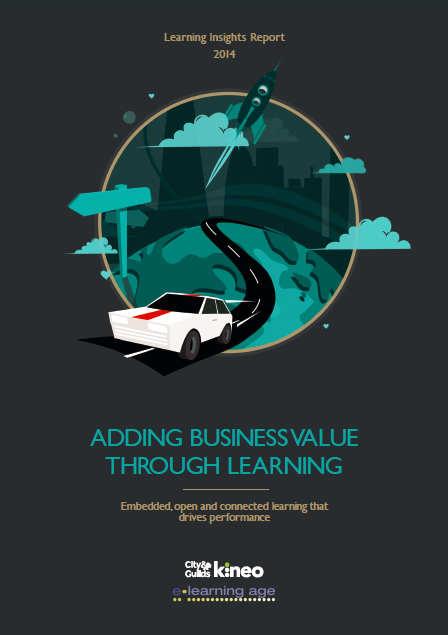
5 great reasons to download the Kineo Insights Report today!

by Cammy Bean
The latest Kineo Insights report is hot off the PDF presses! 

Think of it as an early Christmas present - a stocking filled with insightful nuggets, analysis, and trends.  Definitely worth the read over your morning cup of joe.

What is the Kineo 2014 Learning Insights Report? Insights and analysis from 35 leaders at stand out organizations all around the world who shared their views with us on what's happening in the real world.

Here's a teaser of some of my favorite quotes and tidbits from the report:

1. The role of IDs
Traditional instructional design skills are not going away but there is an increase in consulting skills required. The learning team has to consult with the business on how to improve performance because it is “no longer about the learning team delivering improvements through training”. One L&D manager argued “learning team members need to be able to talk more about ‘learning strategies’.

 2. The Learning Campaign campaign has taken off!

‘Campaigns’ has certainly entered the learning lexicon this year. A number of businesses are taking more of a campaign or change management approach. One L&D manager said it is no longer “one and done” but rather “building on key messages and taking people along through a communication strategy”.

3. Social tools go mainstream


In one retail business Yammer was seen as a core part of the learning platform. “Stores have really embraced it – section managers love it, people get back much more quickly, e.g. ‘Anyone got a fault with a zip on this jacket?’ ‘Yes, this is how you fix it’. People share pics of how they’ve laid out merchandise and ask for feedback, e.g. ‘I just moved this to be beside shoes’ etc. People respond much quicker on Yammer. No way you’d get that response on email.”

4. Too many channels?
Whilst technology was generally seen as positive there were concerns. One key risk identified was simply the amount of messaging people constantly get via different channels and devices. “There is a real challenge to cut through the 20,000+ messages individuals are receiving every day in and out of the workplace.”

5. Taking the assessment out of the course
One company was using post-learning assessments and reviews rather than built-in assessments to help achieve behavioural change and application in the workplace. They ask each learner “What will you commit to do differently because of the training?” They also get learners to work closely with managers to agree a plan of action and to demonstrate that they are applying training.

There's lots more to soak in and digest. 

Get your copy of the 2014 Learning Insights Report and: 


  • Understand how learning technologies have changed over the past year 
  • Learn about the challenges global organisations are facing, and key steps to help solve them
  • Find out the key areas of change you need to implement in your organisation in 2015


14 Nov 15:30

VLC media player for Windows Phone 8 may launch as early as next week

by Harish Jonnalagadda

VLC media player for Windows Phone. It's coming. We're excited, and judging by the amount of interest we've seen from you guys over this, you're excited as well. After getting the media player working on ARM-based hardware last week, the VideoLAN team is currently getting the app certified for Windows Phone 8, with a tentative launch date scheduled for next week.


14 Nov 15:29

Microsoft launches beta version of Skype for Web

by Joseph Keller

Microsoft has unveiled Skype for Web, a browser-based version of the VOIP service. Currently in beta, Skype for Web functions just like its native desktop counterpart, with voice and video calling and text messaging. The beta is available for Internet Explorer, Chrome, and Firefox on Windows, and Safari 6.0 or later on OS X.


14 Nov 12:10

Could the #Dyslexie font make your #elearning more accessible?


This post has been generated by Page2RSS
11 Nov 15:20

Microsoft will rebrand Lync as Skype for Business in the first half of 2015

by John Callaham

Microsoft will rebrand Lync, its enterprise and business-themed messenging and online meeting service, as Skype for Business sometime in the first half of 2015. The name change will also include a "new client experience, new server release, and updates to the service in Office 365."


06 Nov 10:42

Online learning at secondary school prepares students for university

by Katie Duncan

Secondary school students aged 16-19 years old who study courses online are better equipped for university and are able to study independently, use virtual learning programmes with ease and source relevant academic sources online, research from the Institute of Education University of London (IOE) has found.

Spearheaded and funded by UK-based Pamoja Education, the research captured data from over 100 students aged 17-23 years of age across universities in 36 different countries, 58 of which had studied at least one two-year course online as part of the International Baccalaureate Diploma Programme (IBDP) while at school.

A high 94% of students surveyed said having the ability to find academic resources online was valuable and 78% considered it important  to be able to use online tools to plan and coordinate group tasks in university study.

“Online learning not only gives students the chance to develop independence in their learning and other skills essential for university and the workplace, but it also acknowledges the learning preferences of students in this digital age,” Ed Lawless, Principal of Pamoja Education told The PIE News.

“Schools should be investigating online learning options as a way to complement traditional classroom pedagogy, and prepare today’s students for the next stage in their learning”

“Schools should be investigating online learning options as a way to complement traditional classroom pedagogy, and prepare today’s students for the next stage in their learning,” he added.

“Those students who had experience of online study were more autonomous, were more independent, were able to regulate their own learning practices more successfully than those who hadn’t,” commented Martin Oliver, professor of education and technology and head of the Learning Technologies Unit.

“They had a repertoire of tools and approaches they could use and they were able to draw on these to help them in their studies,” said Oliver.

Pamoja Education’s Anne Keeling told The PIE News that many nations can learn from this study and look to countries like the USA, where in several states, such as Florida, through the Florida Digital Learning Act, online learning is now mandatory in secondary schools.

UK-based Pamoja Education works in cooperation with the International Baccalaureate is the only provider of online IBDP courses for students aged 16-19.

06 Nov 10:31

Some things to think about when you’re evaluating LMS solutions

by Blackboard

This post is the first in a series on understanding – and evaluating – learning management systems.

We’ve come a long way since the time when a learning management system was defined as a course management tool that let students sign up for classes, and helped administrators and instructors keep track of things. Over time, the LMS has evolved to include features like content management and delivery, assessments, credit tracking, reporting. As online learning took hold, the best LMS solutions were there to support students and instructors exploring this front. The same goes for mobile device revolution: the best LMS solutions were right there. (And as technology advances , and as new opportunities to apply technology within a learning context emerge, the LMS will continue to evolve to become an ever-more comprehensive learning environment.)

Solution evolution
The continued evolution of LMS solutions is good news for colleges and universities, where student success is increasingly intertwined with an institution’s embrace of technology.

But it also means that, with more technology available to help drive student success, there are more and more options for administrators and CIOs to consider when making their LMS choice. This makes selecting a multi-faceted LMS solution far more complicated than just buying a single-purpose point product. When it comes to an LMS solution, there’s no such thing as just clicking on an item to toss it into your shopping basket. And the task may seem even more daunting as leading learning management systems vendors, like Blackboard, continue to expand and refine the definition of an LMS so that it now includes a full integrated learning environment impacting pretty much every aspect of education.

Beyond the traditional LMS
From my viewpoint, the best LMS solutions are those that those that are focused on the needs of learners, provide the best educational experience, and position learners for success. Such solutions combine traditional learning management systems with capabilities that let:

  • Students collaborate with each other on class projects, interact with their instructors outside of the classroom (e.g., meet during virtual office hours), take care of administrative functions such as course registration, and find technical support – using the devices and social tools they’re used to
  • Institutions augment their online learning offerings with real-time synchronous distance learning, or bring the outside world into the classroom
  • Colleges and universities take advantage of the plentitude of data that they have, using analytics to improve educational outcomes (and financial performance)
  • Students meet their career goals, an increasingly important consideration as college costs mount, and students (and their parents) focus more closely on what comes after that diploma’s in hand.

So when it comes to selecting an LMS solution, there’s a lot going on – and a lot for you to think about. You’ll want to make sure that you choose the one that not only meets your institution’s current needs, but also anticipates the future direction of higher education. Believe me, this goes well beyond lining up a couple of solutions and going through a side-by-side feature checklist.

Over the next couple of months, I’ll be weighing in on a number of the things you’ll want to consider when evaluating an LMS solution. I hope you’ll join me, and add your own observations. I even welcome your pushback. (Well, I more or less welcome it!)

Next time, I’ll be talking about students at the center of education, and the impact that this is having on colleges and universities. Stay tuned…


NAHE_LMSGuide_Banner_final

The post Some things to think about when you’re evaluating LMS solutions appeared first on Blackboard Blog.

06 Nov 10:20

The Future of Higher Education in a Digital Age

by David Hopkins

If the student voice has so much power, as I keep reading that it does (when it comes to module feedback, learning resource development, pricing, etc.) then it stands to reason that the voice of students yet to reach Higher Education also have a voice that should be heard?

This is a great video, students and staff alike, saying what their ‘digital age’ education should be … note the accessible, flexible, personal, social, and collaborative  attitudes these students ‘want’ from their learning. Yes, they’re talking about what HE should be in the future, but it’s grounded in their understanding in what is currently available, and possibly what they wish they had already?

“I see technology as the accelerator, the expander, the multiplier.”

YouTube: The Future of Higher Education in a Digital Age

Thanks to Anne Hole for sharing this on G+ earlier today.

06 Nov 10:17

Why organizations need self-managed learners – and how you can help

by Jane Hart

In the past, individuals were trained to do their jobs once and this would last them their whole careers.  Over time, as job roles became more sophisticated or new technology or procedures were introduced, training became a full-time operation to keep people knowledgeable, skilled and up to date. But the world is now changing so fast, that despite the fact that training activities are becoming shorter and taking place in the flow of work, Training Departments can no longer provide everything everyone needs to do their job. Read the rest of this post here.

06 Nov 10:10

City & Guilds Kineo Release 2014 Learning Insights Report

by Ashley Sinclair

The annual e.learning age Awards Gala Night taking place at the Marriott Hotel in Grosvenor Square in London this evening - November 6 - sees the release of City & Guilds Kineo’s latest Learning Insights Report. The 2014 Report highlights the importance of applied learning in helping businesses add value through learning.

06 Nov 10:08

Why I Connect With Strangers on LinkedIn

by Henrik Bresman, INSEAD Associate Professor of Organisational Behaviour
In online and real-world networking, the same principle applies: You never know when you might make a crucial connection.
06 Nov 10:07

Advancing L and D

by andrewjacobsld
  This post is being published as I’m speaking at the CIPD Annual Conference under the title “Advancing L&D to Create the Learning Practitioners of the Future”. It’s a long title which […]
03 Nov 16:29

Are You Educating Your Workers?

by nancyrubin

As an employer, you understand the importance of having employees who are competent. But to grow your business into an even bigger success, you might want to consider the benefits of formal education for your employees.

Knowledge Empowers You Chalk Illustration

You could make it a policy to only hire people with advanced degrees, but what about your current employees who have already given you years of service? It might be worth it to invest in their education.


As with any business financial decision, there are pros and cons to educating your workers. As the following article shows, ask yourself Is it time to go back to school? You be the judge.

You’ll show them how much you value them.

Your employees will appreciate how much value you place on their personal growth when you support their education. When they understand that you value them, your employees are more likely to feel needed, and like they are an important part of your business’s overall success.

You’ll be able to demonstrate your support.

There’s a big difference between “allowing” your employee to go back to school and “supporting” them going back to school. Your support can take many forms, depending on your financial means your personal predilection, but here are some of your options:

  • Allow them to take unpaid time off for classes
  • Give them paid time off to attend classes
  • Supplement their tuition fees
  • Pay 100% of their tuition

You’ll instill loyalty.

Employees who have benefited personally from your support for them to go back to school will feel a much stronger sense of loyalty to your business. They’ll be much less likely to leave, and more inclined to use their newfound knowledge to help your business improve.

You’ll be able to offer them advanced positions within your organization.

Your newly educated employee will be a prime candidate for the next managerial or executive position you have open. They will have learned the theories and techniques to be able to lead your business team to success. In this way, you’ll be able to take full advantage of the years of in-house training you’ve already invested in the employee as well as the advanced education they received formally.

Any tuition you pay is tax deductible.

Though it shouldn’t be the primary reason you help pay for tuition costs for your employee, it’s undeniably an attractive perk that tuition is a tax deduction for your business. Just don’t forget to keep those receipts for the accountant and the IRS.

They will inspire others.

When your employee returns with a well-deserved certification or degree, they will serve as an inspiration to your other employees. They’ll be able to teach others what they’ve learned and serve as a role model for how to do well in business.


Studies show that people tend to do better in life the more educated they are. Aside from the personal and business advantages you’ll reap from your employee going back to school, you’ll be doing society a favor in general. Education is something that can never be taken away. Your employee will be able to better provide for him or her for as long as they live. And that’s probably the best reason of all to send your employee back to school.


About the Author: Kate Supino writes about best business practices and financial matters.


31 Oct 13:46

Blackalicious Offers A Dizzying Definition Of Alliteration

by TeachThought Staff
TEST

definition-of-alliterationBlackalicious Offers A Dizzing Definition Of Alliteration

by TeachThought Staff

Alliteration is the repetition of the same sound at the beginning of a sequence of words. As a literary device, we all learned about it in elementary school. Sally and her seashells, Peter and his peppers.

But the video below really awakens the alliterative beast dwelling in all of us tempted to torture terms and titles until they tango. (Editor’s note: Ugh.)

In the song, California-raised rap duo Blackalicious puts the wily tool to wonderful effect, which in turn convinced Harry Potter to do the same recently on Jimmy Fallon, which is also pretty amazing. Both versions can be seen below.

Blackalicious’ original is clean other than the use of the n word when it gets to that letter. Radcliffe’s–err, Potter’s version is free of any naughty bits.

So, alliteration + Blackalicious + Harry Potter.

We all win.

Blackalicious Offers A Dizzying Definition Of Alliteration

TEST

The post Blackalicious Offers A Dizzying Definition Of Alliteration appeared first on TeachThought.