I.gardner.gb
Shared posts
Why Beacon Technology Isn't That Smart—Yet
Learning Experience Design: A Better Title Than Instructional Design?
How many times have you told people, “I’m an instructional designer,” only to be met with a blank stare? How many people are thoroughly confused about what we do for a living?
Last month, Connie Malamed proposed a new name for the field of instructional design: Learning Experience Design or LX Design. This moves the focus away from “instruction” and more to learning. Instead of focusing on the instruction or the materials, our starting point is thinking about the learners and how they will experience what we design. Connie argues this may help us focus more on learning science as well as being deliberate about designing valuable experiences.
Calling ourselves Learning Experience Designers acknowledges that we design, enable or facilitate experiences rather than courses. This gives us a broad license to empower people with the tools and information they need to do their jobs, regardless of the chosen format.
This isn’t an entirely new idea. Back in 2007, I wrote What Does An Instructional Designer Do? In that post, I used this as my definition:
What does an instructional designer do?: Design and develop learning experiences
I’m emphasizing “experiences” here deliberately, even though that isn’t always how others would describe the job. I think one of the crucial things instructional designers can (and should!) do is make sure that students have opportunities to actively practice what they are learning.
This is still the most popular post on my blog, averaging about 100 views a day. Based on the traffic, it seems there are a lot of people confused about the title instructional designer. It doesn’t immediately convey meaning. While I think learning experience design would still require explanation, I suspect that more people have an immediate positive association for the word “learning” rather than “instructional.”

Change Is Hard
Realistically, changing this in the field as a whole would be challenging, if not impossible. “Learning Architect” has a lot of advantages over “Instructional Designer,” but it never really caught on. And although we use instructional design as a generic term, actual titles in the field are quite varied. James Tyer collected a list of over 65 L&D job titles. Although that list includes training and other jobs, many of those could apply to instructional designers/LX designers too.
Besides the general challenge of rebranding a whole industry (as if that wasn’t enough), we have the added challenge of being quite varied in what we actually do for our work. Instructional design is used as an umbrella term for a wide range of skills. People who just tweak PowerPoint slides, wizards at rapid development tools with no writing skills, and fabulous designers and writers who rely on research to guide their decisions, and those who do a little of everything are all lumped into the same category. That’s another whole topic (and perhaps a post in the future), but a new title might help differentiate people who work on the entire learning experience from start to finish from those who focus solely on development. I think the field has become so varied that one title can’t cover everything, so LX Design won’t be the only solution; we need to talk about e-learning developers, multimedia developers, or other titles too.
Your Thoughts?
This topic generated some great discussion on LinkedIn, so I’m hoping for more thoughtful comments here. What do you think of this title? Would you use it? Would you recommend something else instead? Do you think we should stick with instructional design and try to reclaim the title?
Filed under: Change, e-Learning, Instructional Design

UCISA Digital Capabilities
A couple of weeks ago I had the pleasure of speaking about the Digital Student project at the UCISA Spotlight on Digital Capabilities. What I enjoyed most about the event was how the sessions dealt directly with the realities of supporting and embedding digital practices. There was no abstract waffle about ‘identity’ or hard-sell techno-solutionism. 
(Side note – the event was based at Media City in Salford so I naturally went right up to the window of BBC6music and got a lovely wave from RadMac http://www.bbc.co.uk/programmes/b0100rp6 which made my day…)
I had a 40 minute slot to tune people into the history of the project and, importantly, some of the lovely pragmatic outputs Helen Beetham has put together including:
- Highlighting some of the use cases which illustrate the 7 ‘challenge areas’
- The Enhancing the digital student experience postcards
- The ‘Listen to students’ posters
I’ve been in sessions where a mix of the above have been used to great effect.
I also discussed the various pulls there are on the technology we provide, specifically the different aspirations behind the drive to deliver curriculum and the keenness to support the student experience. I suggested that we often don’t explicitly discuss what the value of the tech we employ is supposed to be for the various groups within our institutions. This can lead to people claiming it’s ‘not fit for purpose’ even though a ‘purpose’ hasn’t been discussed…
Towards the end of the session I got everyone to do a very simple mapping of the tech they provide on this grid:

A slight re-working of my Visitor & Resident mapping grid for UCISA
Initially I was just going to have the horizontal axis but having thought through the ‘curriculum delivery’ vs ‘student experience’ tension I realised a vertical axis bringing in these contexts might be useful.
Given the size and shape of the room we couldn’t get into a detailed discussion of the mapping so I asked people to feedback on what they had mapped on the cusp of the expect/enhance line, this included:
- Introducing a new ‘more modern’ VLE (Canvas was mentioned)
- Better systems for students to receive notifications
- Institutional ‘for life’ digital provision (email, ePortfolio or blog for example)
One of the things that struck me most about the conference way the range of people in the room. It’s clear that ‘Digital Capabilities’ is a theme that cuts across many sections of university provision and it’s really racing up the agenda.
Working out loud: learning ecosystems in practice
Learning environments, learning ecosystems, blended learning, holistic learning, deliberately developmental organisations, 702010… how do all of these concepts come together and work in practice? How can we make these ideas a reality in our workplace? How can we use them to offer a personalised learning experience which may engage and motivate learners more?
We often focus on systems but what cultural practices need to be in place for these to be accepted? We talk about creating blended learning, but how does that get embedded with our learners, who may ultimately expect to be trained?
It’s a question I was asked as part of a secondment in marketing I’ve been doing alongside the day job. After much reading, listening, head scratching and doodles on pieces of paper, I’ve pulled together my own model to try and make sense of all these ideas. In the spirit of working out loud, I’m sharing this here.
Thanks to Lisa Minogue-White for her expert ear as I chatted this through with her.

A marketing learning ecosystem
- Each model is unique and reflects the systems and tools being used within that part of the business. The model here for marketing, might differ to the model for wider leadership development across the business, or the model used within Finance or Property. It’s about leveraging what exists. Marketing have a number of digital resources and portals which can support both ad hoc and structured development.
- All organisational development supports the business deliver against its strategy, improving colleague capability and agility to deal with the changing demands in the workplace.
- There are two inescapable practices to produce success moving towards learning and away from one off training. Without this any function will struggle improving their performance and yet they’re the things we seldom focus on…
- The role of the manager – Charles Jennings and Clive Shepherd have both drawn attention to the Broad and Newstrom research which stated the manager was the biggest influence on the success of a learner’s development. Without regular development conversations or coaching, the colleague doesn’t get the support, challenge and development that can transfer training or a problem into learning.
- Individual reflection – we focus so much on the now that we don’t take stock of what we may have learnt or done before. Encouraging reflection of what has worked, what hasn’t worked, where an individual is and what they need, why if they’ve tried it before it may have failed, helps with motivation and personalisation of the learning experience. Charles Jennings brought this brilliantly to life at the CLC event in April.
- Learning can be adhoc or structured: both can be blended or a mix of 702010, but structured learning is more likely to contain formal classroom//elearning interventions. Structured learning is more likely to support a predesigned curriculum, but the blend is scaffolding for learning the learner can choose from. Ad hoc learning, by comparison, is the Google culture, things that you look up at the point of need, and may not fit an obvious curriculum or a formal intervention. L&D may curate some resources which scaffold this, but it’s not planned, as it can’t be.
Next steps:
The model is being presented to the marketing leadership team, to get their buy in around the key behaviours required – namely manager support, led from the top.
Factoring in these cultural behaviours of coaching and support, and individual reflection, where these may not be done consistently, if at all.
There’s also the “led from the top” behaviours of encouraging and accepting that development doesn’t have to be about a F2F course. Managers can support and encourage colleagues to use web based resources, use social media and learn from one another.
The marketing training team can encourage and curate experiences of colleagues who may have worked with digital agencies, to capture their experiences or tips on video or as a yammer post to share that amongst a wider audience.
It’ll be interesting to see what happens next…
Source reading:
- Learning and performance ecosystems , Marc Rosenberg and Steve Foreman http://www.elearningguild.com/publications/?id=53
- More than Blended Learning, Clive Shepherd, http://morethanblended.com/
- Learning environments by design , Catherine Lombardozzi http://l4lp.com/downloads/learning-environments-by-design-ebook/
- Charles Jennings, 702010 event with the Corporate eLearning Consortium
- Learning Ecosystems, Whitepaper, Willow DNA http://www.willowdna.com/blog/our-christmas-gift-to-you-new-learning-ecosystem-for-2015-white-paper/
How Company Culture Fuels Digital Transformations

Last month, we wrote about transformational leadership in the digital age and shared some practical steps leaders can take to create the right culture. Our post received many positive responses, and there were two consistent themes in people’s comments: First, people agreed that successful leaders have to focus on culture, even at the expense of strategy, in order to foster innovation. Second, people pointed out that while our post focused on navigating the digital landscape, the need for leaders to create an engaging culture applies to all change efforts.
Several readers asked if we could delve further into the topic of culture, so as a follow-up, we will investigate: What culture is, how it manifests itself, why it’s so hard to perfect, and how to get it right.
1) WHAT IS CULTURE?
Culture is the formal and informal “guiding principles” that shape the way individuals in an organization operate. These principles serve as behavioral guideposts for the way employees interact both internally and externally. For internal behavior, we believe the key variable that distinguishes a healthy culture is a high level of trust. In a trusting culture, individuals believe it is safe to raise objections, safe to challenge long-standing assumptions, and, most importantly, safe to disagree with the boss. They trust that there will be no long- or short-term retribution for doing so.
2) HOW DOES CULTURE MANIFEST ITSELF?
Culture can’t be a string of well-crafted words that suggest a particular way of operating. It needs to be a deeply felt set of behaviors that leaders and employees are committed to living by—true culture exists when everyone “walks the talk.” We believe there are requirements for senior leaders when in they’re in the business of creating a true culture:
- Senior leaders must agree on the critically important values and behaviors
- Senior leaders must believe that the values and behaviors matter
- Senior leaders must engage employees from multiple levels of the organization early on when identifying the key values and make changes based on their input
- Senior leaders must have a strategy for cascading the values throughout the organization
- And most importantly, senior leaders must visibly “live” the values on a daily basis and hold their direct reports accountable for doing the same
Many organizations are able to articulate what the desired cultural values and behaviors are. Far fewer are able to implement them successfully.
3) WHY IS CULTURE SO HARD TO PERFECT?
One cultural value most organizations talk about is the need for candor and open dialog when there are conflicting perspectives. Sadly, this cultural value gets more lip service than real action. As a result, individuals in many organizations still feel a great deal of fear about providing candid “push-back,” particularly if they disagree with their boss. This disconnect between words and actions creates a “trust deficit.”
4) HOW DO YOU GET CULTURE RIGHT?
The ultimate question is, “How do you avoid the disconnect and get culture right?” The unfortunate answer is—there is no foolproof formula. As all organizations are different, they must each create their own unique implementation strategy. That said, there are several steps we recommend for senior leaders attempting to establish a true culture:
Hold a senior team offsite:
Set aside time to determine what is currently working and what is not working in the culture. Work together to reach a consensus on the specific behaviors you believe are essential for future success. Then build a practical communication plan and an action plan for integrating these behaviors into the daily fabric of the organization.
Source feedback:
Before implementing the plan, actively seek feedback on the cultural values from key cross sections of the organization. This is a critically important step, because it builds internal commitment and ownership beyond the C-Suite for the agreed-upon behaviors. Feedback in hand, regroup and make revisions and course corrections as necessary.
Roll out the communication plan:
Communicate the rationale for having specific cultural values and the expectations for making them come alive. Make sure to communicate this to the entire organization.
Implement senior team action plans:
Take concrete steps to clarify what the values are and to address any concerns or issues people have about them. Communicate your personal commitment for living the values and your expectations about making them come alive in the organization.
The proof is in the pudding:
What happens after the roll out is what really counts. Can you stay committed to living the values and provide feedback to individuals who don’t?
We are currently in the process of designing a C-Suite Leadership Workshop that we think will have a unique twist on how senior teams can use culture to significantly improve their organization’s ability to innovate and experiment in this era of ongoing change.
Interested in learning more about what it takes to be a transformational leader? Download our white paper “5 Critical Skills for Executives Leading in the Digital Age.”
Gary Schuman works extensively with C-Suite Leaders to help them navigate the leadership issues involved in culture change.
The post How Company Culture Fuels Digital Transformations appeared first on GA Blog.
Micro-Learning Myth or Must
This week on eLearning Learning, the top two articles were funny to see side-by-side:

You can find them on the Weekly Edition. Both articles may be interesting to read, but it also highlights how hot Micro-Learning is right now. Lot’s more content can be found on Micro-Learning on eLearning Learning, including it’s Top Ten articles.
- The Myth of “Micro-Learning”- Bottom-Line Performance, May 13, 2015
- Micro-Learning as a Workplace Learning Strategy- ID Reflections, March 31, 2015
- Micro-Learning: Making Learning Part of Everyday Tasks- Social Learning Blog, March 11, 2014
- 6 Ways to Use Micro-Learning in Your Organization- Origin Learning, December 16, 2014
- How to create a microlecture?- Edynco, March 26, 2014
- Micro-Learning’s Meteoric Rise- LearnDash, May 11, 2015
- From Courses to Micro-Learning- ID Reflections, March 5, 2014
- From Micro-Learning to Corporate MOOCs- ID Reflections, March 7, 2014
- Micro-learning as a workplace learning strategy [Chattopadhyay]- Learning Ecosystems, April 27, 2015
- Micro-Learning: Its Role in Formal, Informal and Incidental Learning- ID Reflections, August 7, 2014
eLearning Technology
Subscribe to the Best of eLearning Learning for updates from this blog and other eLearning blogs.
Watch your language - knowledge vs information

- Data - Field 1:13, field 2: 12, field 3: 08:17
- Information - The timetable for my number 13 bus to work shows that it is scheduled to arrive at my closest stop (12) located on Ridgeway Drive at 08:17
- Knowledge - Through experience, I know that this bus is sometimes 2 or 3 minutes early, often full and that mothers with strollers get on the front rather than back doors, as that is where the stroller space is.
- Insight - Walk to one stop before Ridgeway Drive by 08:10 and get on using the rear doors (insight)
Big announcement: IMS Global getting into Badges!
IMS partners with Mozilla Foundation to accelerate adoption and interoperability of badges in the education and workforce sectors.
“We are pleased that IMS has decided to partner with us to help with the evolution, adoption and promotion of Mozilla Open Badges,” remarked Mark Surman, Executive Director, Mozilla Foundation. “IMS has a unique focus on educational technology worldwide that we’re sure will enable substantial progress.”
The What?
We’re calling it the IMS Digital Credentialing Initiative (announced today here), IMS DC, but most people are probably just going to call it IMS Badges.
Many thanks to our friends at Mozilla Open Badges, the MacArthur Foundation, and the Badge Alliance for helping make today’s announcement possible.
Everyone knows that IMS is always leery of technology that is overhyped in the education sector (see Learning Impact keynote focused on “disruption” and the hype cycle). New technologies are just tools. It’s really all about how those technologies support where education needs to go.
Two hot topics that are receiving a lot of hype these days are Competency-Based Education (CBE) and Badges (meaning digital badges ala the Mozilla Open Badges specification).
Interoperability is the thing IMS tries to get right for our community/eco-system. Interoperability is all about enabling innovation at scale. Lot’s of great stuff can happen at small scale – but it is a foundation of interoperability that enablies leveraging of a community investment. Jumping in early in the cycle is not necessarily a bad thing – indeed, being somewhat ahead of the market is good for interoperability. But, our IMS members expect us to make good decisions with respect to what we focus our time and resources on. So, we are always using all our market engagement to determine if something receiving hype “has legs” and can “cross the chasm” into mainstream adoption.
However, IMS had already jumped into Competency-Based Education in a very big way and NOW will be making a substantial new investment (hiring 4 additional staff, the leaders from the group known as the Badge Alliance) partnering with Mozilla to advance educational badges.
The Why?
IMS thinks that CBE and Badges are probably going to become intertwined as both progress into the future. CBE, at its most broad interpretation, is about relaying information about what a person is capable of doing, ideally including evidence. The current Mozilla Open Badges specification is, in our opinion, the best work so far in enabling a digital representation of the accomplishment and the rubric. So, IMS believes we can do something good with the combination of these two ideas, something that can apply to all levels of education (K-12, HED and Corporate Education/Training).
IMS also believes that that Badges have an obvious role to play in terms of what they seem to be used for mostly now – capturing some sort of extra-curricular activity that can be vouched for in some way.
What IMS will bring to this in addition to our 300 member organizations, our partnerships with AACRAO and C-BEN (Competency-based Education Network) is that we know a thing or two about interoperability. We also happen to have some leading specifications that are all about enabling capture of educational progress and data (IMS ePortfolio, IMS Learning Tools Interoperability, IMS Caliper Analytics, IMS Question & Test Interoperability) – see architecture diagram below.
Thus, our goal is to see if we can help establish badges as a common currency in educational credentialing in at large scale by providing the necessary interoperable foundation. In short, we think this is going to be a very productive marriage!
See the initial public web page for this work here.
If you wish to join in, we will be talking a lot about our plans and ideas at the upcoming Learning Impact Leadership Institute, May 4-7 in Atlanta. Or, email imsbadges@imsglobal.org

What Do Game of Thrones, Jon Snow, and Khalessi Have to Do With Business Leadership? More Than You Think

Using Office Mix to create multi-media flash cards for revision
Earlier today in our blog post covering some revision aids that might be useful to students and teachers over Easter in the run up to end of year exams, we suggested that using Office to add your own audio or video commentary to slides could be a handy way of helping the subject matter sink in.
To make things easier for anyone who is unfamiliar with Office Mix and how it works, we thought it would be worthwhile to point out that we have an eBook all about this fantastic PowerPoint add-on, put together with the help of Ollie Bray, head teacher at Kingussie High School:
MIXing it up: Using Office Mix to Improve Learning details what Office Mix is all about, what features it includes, and how you can use it to add supplementary content to slides. This can be incredibly useful if you want to take a flash card style approach to your revision, with Office Mix allowing you to quickly prepare slides containing skeleton notes which you can then record audio or video over, for example. Not only will this save you time, but you can even play the audio in the background while you’re doing other things so that your revision notes can really ingrain themselves in your brain without have to be sat down at a desk!
We have a number of other educational eBooks available, just head over to our SlideShare and have a poke around :-)
We hope that Office Mix is a welcome addition to the way you go about studying both in the classroom and in private, and we’d love to hear of any innovative ways in which you are using it!
In HR, Outsourcing is not Always Transformational Many companies are on the journey back in house
 |
Robin Rasmussen, Principal, KPMG Shared Services and Outsourcing Advisory |
Human Resources (HR) is somewhat of a late bloomer when it comes to outsourcing, and for good reason. While ADP has been processing payroll for more than 60 years, outsourcing HR as a whole really did not ramp up until the mid-to-late 1990s.
Like the outsourcing of that period, lower costs and labor arbitrage were seen as the end goals. So not much effort went into creating transformational processes and methodologies—but instead into “your mess for less”—leaving HR outsourced, but not transformed. Unfortunately, in many cases, even the desired goal of reducing costs became just the inverse, with global corporations seeing continuous increases in the cost of HR.
“I told you so”
Recently, we finished a three-year project with a major healthcare firm that wanted to bring HR back in house. Based on that success, many others have followed suit. What we are finding is that when they outsourced HR, they ended up losing just about everybody who knew anything about it. So a number of my clients are reporting they lack controls, processes, and efficiency; they simply do not have the expertise or the readiness to undertake HR insourcing.
Many HR outsourcing contracts are only about seven years on, so it is fresh in the memories of many who worried about losing HR competency internally. Today, they are having to rebuild all that talent by hiring, rehiring, and development. It is a significant change management challenge. So you do hear many folks utter the dreaded, “I told you this would happen.”
Do not repeat the past
| We want to make sure it does not happen again, regardless of where the HR function lies. Be it in a Global Business Services environment, several shared service centers, or as a newer, more transformational outsourced arrangement, the key is to develop the right tools, best practices, and methodologies that support a fundamentally modern, self-service, and secure program for HR and payroll.That is exactly what we did for our healthcare client. First, we crafted a sound strategy that supported their business aims and helped them understand where they should go from a service delivery model perspective. Then we helped them design processes and implement SAP accordingly. |  |
To date, it has been deemed by many to be the largest insourcing transformation program. Many others are looking at this example and beginning their own journeys to bring HR back in house. We believe that whatever the delivery model outcome, starting on the journey today is the right way to obtain yesteryear’s HR promises in a very new and very promising way.
Robin is an established industry leader with extensive experience in the human capital management, shared services and outsourcing industry. She has over twenty five years’ experience in leadership positions in HR/RPO service providers, HR consulting, and strategic HR roles.
KPMG provides services to help your business embrace change and strengthen performance through proactive approaches to improving the organization and its most valuable asset, its people.
Learners are learning differently; are you changing the way you train and support them?
Mindfulness, happiness and existentialism
This is my last post on talks from the EQ Summit last week. I wasn’t sure what to expect from Alan Wallace on this topic. What was meant to be a talk on mindfulness became talking about stress, challenging what we accept for ourselves, a challenge to the overload of information, and talking about our happiness. It was philosophical, existentialist and pretty expansive.
He started by talking about conative intelligence which he defined as this…

His ask is that we get wise to our desires, listen to them and really understand what are they for. That he explicitly calls out the need to consider one’s own and others wellbeing is really interesting to me. I understand this as accepting we all have desires and intentions. When we consider the impact of fulfilling those desires, does it actually help us be better?
In the realm of human attraction and relationships this makes sense to me. In the realm of addictive behaviour this also makes sense to me. And in the realm of destructive and harmful behaviour this also makes sense to me.
In relation to addiction he identified three broad areas where behaviour can become addictive…

This was pretty excellent. I completely get it. Alan made an excellent insight here. He talked about the card game Solitaire and called it one of the most pointless games that has been created. Yet people would rather play a pointless game than sit with their own thoughts. This is hardly a modern phenomenon and you can replace Solitaire with previous pastimes. But it’s interesting isn’t it? Are we so addicted to action and being busy in various ways, that we would rather do an activity which is non-productive than just sit alone with our thoughts?
He then went on to talk about the enigma of human existence as he sees it…

Which was another highly pertinent thinking point. It’s a great question and challenge to us as a people. If we’re smarter than we have ever been, with modern medicine and technology at our disposal, with ease of communication and travel like never before, and with creative and innovative endeavours that push what it means to be human, why aren’t we all feeling happier as a global community? Why are rates of depression, divorce, suicide, obesity and terrorism so high? What’s happening with people that they aren’t availing themselves of the multitude options for being better and are instead being subjected to or succumbing to behaviours and actions which are clearly harmful?
One of his final points was that we should all be seeking to find happiness in our lives. Both Albert Einstein and the Dalai Lama have expressed this in different ways…

He built on this by encouraging us to be mindful that happiness comes from both hedonic means and genuine means. He defined hedonic as by seeking stimuli for happiness. He defined genuine as that which we give others. Life isn’t about one more than the other. As described earlier, it’s about understanding your own desires better so that you’re more mindful and aware of how acting on these can affect your own and others wellbeing.


Myths and interesting facts about neuroscience and EQ
Myth no 1. If you’re right brained you’re more creative and if you’re left brained you’re more data led
There are well researched pieces into how the brain works. Essentially what it finds is that in patients where the brain was cut in the middle, they still had full capability for creative abilities and for tasks needing focus on data and information.
Myth no 2. We only use 10% of our brain
No. Just, no. The very make up of our brains means that it is made up of the sum of its parts. No one part works independently of another. Depending on the task or situation at hand, we use different parts of the brain.
Myth no 3. The female brain is different to the male brain
Although physically the size of brains will be different, the way they operate is no different.
I loved this session by Dr Geoff Bird at the EQ Summit. There was lots of good information and as above debunking of myths about neuroscience and the brain.
The human brain consumes about 60% of the body’s glucose and 30% of our calorie intake. When we are working hard on something, we need more glucose to help the brain function well. This doesn’t mean gorging on chocolate during the task, it just means ensure you’re well fed before embarking on a task of importance.
He went on to talk about empathy and how it starts in the brain. If you turn off pain receptors, you lose the ability to empathise with others because you lose the ability to know what you might be experiencing. I found this fascinating as I wonder how it relates to pain thresholds. If you have a lower pain threshold are you more likely to be empathetic than someone who doesn’t?
There is a condition called alexithymia which is the inability to know your own emotional state. This is common amongst 10% of people which raises interesting points to consider. Psychiatrists tend to see this when presented with patients who have experienced trauma in some way, but do not have the words to express how it’s affecting them. Is there a higher preponderance of people suffering alexithymia in those who have perceived levels of power? In those that don’t have these positions of power, how does this play out in the team? What’s the effect of their behaviour on those they interact with? Please be cautious in what I’ve written here on this condition, there’s clearly more to read on it and understand better.
When we talk about sleep deprivation, we often think that must mean a pattern of disrupted sleep. Actually, as little as 5 hours sleep for one night can be enough to leave you deprived. Geoff made an excellent point here and said if we wouldn’t drive long distances when tired, why would you make important decisions when tired? Of course there are all sorts of reasons why you would, and a plethora of justifications for the need for decisions to be made. The point is that when we’re tired we make poorer decisions.
This last point is probably the most interesting. When we are stressed, the hippocampus doesn’t work as effectively. The importance of this is that the hippocampus supports production of long term memories and in helping us to function well. When we are in a state of stress, and cortisol is produced, this prepares the body for the flight or fight response. The hippocampus cannot work effectively with cortisol present and has a direct impact on neurogenesis – the creation of new neurons. It is neurogenesis which supports the brain’s ability to learn new things. This insight presents a direct challenge to the old adage that a bit of stress can be the right condition for optimal performance.
My pre-frontal cortex has worked a fair amount in writing this post and I’m now in need of breakfast and feel like I’ve done my day’s work already.


Innovative organizational learning technologies: organizational learning’s Rosetta Stone
Purpose – This contribution highlights opportunities for new insights into organizational learning processes through the use of practice-based innovative organizational learning technologies (iOLTs). The article explores the varied possibilities and application of learning technologies in terms of organizational learning perspectives. Design/methodology/approach – Given this is a relatively new field of practice and research, the three organizational learning theoretical perspectives – behavioural, action and practice – form a base upon which we can conceptualise learning as mediated through iOLTs and how we can leverage these technologies, particularly for practice-based organizational learning, which focuses more on the intangibles of learning. Findings – Due to the pervasive and ubiquitous potential of organizational learning technologies, new avenues for analysing the mediating effect of technologies on learning enable our research and practice attention to shift from formal learning to the informal; from top-down learning management to bottom-up learning creation; from cognitive and behavioural approaches to social, spontaneous and contextual learning – helping us decipher the “language” of learning in concrete ways. Originality/value – The iOLTs are emerging and at an ever-increasing pace. Practice-based iOLTs can help trace and decipher the “language” of learning in concrete ways, which is a key aspect in our being able to leverage our organizational learning capacities.
Learning Portals: When an LMS Just Isn't Enough
Bigger, better, faster, more. It’s the progression mantra for every technology. Need a new phone? You’ll get a bigger screen and a faster processor. Shopping for a new hard drive? Trade in that 500GB paperweight for a 4TB Cloud. Want a new TV? 65 inches is the new norm. And next year it will be 75.
7 reasons: Why we need to kill boring ‘learning objectives’!


building the intelligent enterprise
Managers need to be given non-traditional roles in order to become key units of intelligence in the organization. They will then have the mission to come back to pollinate intelligence throughout the organization.
However, managerial innovation is primarily reflective and collaborative. This is a real challenge in terms of societal evolution!
Making business intelligent is providing our organizations the opportunity to become more humanistic, which would in my view be a real proof of intelligence. – Marine Auger [l’originale en français à la fin]
These are the concluding paragraphs of Marine Auger’s book, Et si vous rendiez votre entreprise intelligente? which I have loosely translated. It is accompanied by an image showing the three components of an intelligent enterprise: organizational; managerial; and cultural. These are supported by the foundation of intelligent communication.
 On examining this model, I found four methods that could be used to start building such an enterprise (follow links for details).
- Intelligent communication requires an openness for learning. Working and learning out loud is evident when everyone in the organization is practicing personal knowledge mastery. It is how we can communicate our emerging intelligence with our peers.
- An intelligent organization embraces democracy and self-governance.
- Intelligent management is based on networked leadership.
- An intelligent culture adapts to life in perpetual beta.

Image updated 30 March

L’originale en français:
Pour devenir l’un des éléments de l’intelligence de votre entreprise, celle-ci doit également s’employer à opérer la mutation nécessaire pour rendre les managers agiles en leur donnant d’autres rôles que ceux jusqu’alors distribués. Car c’est à eux que reviendra la mission de libérer et de polliniser l’intelligence au sein de vos organisations.
L’innovation manageriale est avant tout réflexive et collaborative. Au-delà d’être un veritable enjeu en termes d’évolution sociétale!
Rendre l’entreprise intelligente c’est offrir à nos organisations la possibilité de devenir plus humanistes, ce qui serait à mon sens une véritable preuve d’intelligence.
Japan: Lessons from a hyperaging society
organizational transformation through pkm
“Those of us who work in organizational development and change management need to move to the edge, and quickly. You have been warned.” – Helen Bevan
Five Seismic Shifts are changing the world of work:
- Disruptive change is becoming the norm
- Digital connection is revolutionizing communications
- Work complexity is increasing
- Hierarchical power is diminishing
- Change is coming from the edges of the organization
Helen Bevan, Chief Transformation Officer, Horizons Group, at the UK’s National Health Service (NHS), spoke at the Quality Forum 2015 in British Columbia, Canada. Helen describes practical ways to guide transformation in the emerging network era:
- Power today comes from connections, not a position in the hierarchy.
- We can’t do transformation in our organizations in a discrete way any more.
- Relationships, not transactions, bind us in our work.
- We need to curate knowledge from our networks, to drive organizational improvement.
The guiding sense-making framework for change at the NHS is my Seek > Sense > Share PKM model.
- The kind of knowledge where the ‘magic’ happens is tacit knowledge.
- We need to make tacit more explicit in order to share it.
- The best way to spread tacit knowledge is through social connections, which is 14 times more effective than best practice case studies & tool kits.
- Every person needs to be a knowledge curator.
- If the knowledge you share does not have meaning, people will not connect with it emotionally.
Watch Helen describe how they implement the seek > sense > share framework, or view the complete video below.
What Are Benefits of More Education for Your Employees?
An educated employee is an asset to any business, which is why a growing number of businesses are encouraging their workers to continue their educations.

Furthering your employees’ educations not only enriches their lives, it also provides long-term benefits for your business.
Here are just a few business advantages of continuing education for your employees:
Employee Enrichment
When your employees are better educated, it gives them knowledge that can help them succeed in life.
Sure, this isn’t a direct benefit for your business, but employee enrichment leads to professional confidence, which is always a business advantage.
Training your employees for specific job responsibilities will make them an effective worker, but a continuing education will help make them well-rounded members of society. This will give them the skills necessary to succeed in your business and in life.
Increased Productivity
Employees who are equipped with real-world knowledge and decision-making skills are able to complete tasks faster. This allows for more time to complete other job responsibilities in a shorter period of time than employees who don’t have educational experience.
In other words, when your employees continue their educations, they become more productive which benefits your business in a myriad of ways.
Educated employees are not only more effective at their jobs; they can also contribute to your business by helping others with their tasks.
As the following article looks at, whether it’s continuing education for accountants or engineering continuing education classes, thoroughly educated employees can take on more job responsibility. This saves your business from hiring on more workers for jobs that a single employee can handle.
Fewer Instances of Turnover
When your employees continue their educations, it makes them a more valuable member of your business. This results in a decrease in employee turnover, especially if your business assists in the continuing education endeavors.
By helping your employees reach their education goals, you are also increasing their loyalty to your organization. They will appreciate your willingness to help them succeed, which will result in long-term employees.
In addition, by assisting your employees in continuing their educations, your business won’t have to let employees go as frequently.
Encouraging continuing education in the workplace means your employees will improve on their professional skills, which makes them assets to your business for the foreseeable future.
Education Financing Options
Whether you’re educating your employees so they meet the changing criteria of your business or so they’ll contribute more to daily work responsibilities, there are a couple options for financing continuing education programs.
Most employers have an education reimbursement plan in place.
With this plan, you can reimburse your employees’ education expenses through salary and wage increases. This is a win-win because you are rewarding your employees for their new business-related skills.
Another financing option is an educational assistance program.
Your business as a whole can apply for an assistance program that provides financial aid for continuing education courses. There are also assistance programs that allow individual employees to apply for financial assistance based on their specific needs.
From increased productivity to enrichment, it’s plain to see that continuing your employees’ educations will help strengthen your business.
About the Author: Adam Groff is a freelance writer and creator of content. He writes on a variety of topics including education and small business.


How Technology Will Affect the Future of Knowledge Management
APQC is engaged in an ongoing project to research and think about the future of knowledge management. We’re interested in where KM is headed, what the “next big thing” is, and what internal and external forces will cause the discipline to reshape itself (again) over the coming years.
How are Professional Service Firms Applying the PCF? Survey Results are In!
APQC conducted a survey to understand how organizations leverage the Process Classification FrameworkSM (PCF) and overcome implementation challenges. What it found was that over three-quarters of professional service (PS) firm respondents use the PCF in their client engagements for process development work and to establish a standardized language across the organization. This infographic highlights the key findings on how PS firms use the PCF with their clients and the challenges they face in those client engagements.
7 Things You Should Know About Visual Literacy
Visual literacy is the ability to recognize and critically appreciate meaning in visual content and to use visual elements to create effective communication. Visualizations often provide better ways to tell a story or understand data, and some colleges and universities are making visual literacy coursework part of general education requirements. As the prevalence of visual communication expands, so does the need to develop a critical eye to evaluate visual content for its accuracy and validity. The demand for visual literacy is driving key changes in curricula as visual content becomes a presumptive component of our communication toolbox.
The 7 Things You Should Know About... series from the EDUCAUSE Learning Initiative (ELI) provides concise information on emerging learning technologies. Each brief focuses on a single technology and describes what it is, where it is going, and why it matters to teaching and learning. Use these briefs for a no-jargon, quick overview of a topic and share them with time-pressed colleagues.
In addition to the 7 Things briefs, you may find other ELI resources useful in addressing teaching, learning, and technology issues at your institution. To learn more, please visit the ELI Resources page.
The Biggest Social Media Science Study: What 4.8 Million Tweets Say About the Best Time to Tweet
Updated 5/4/2016: Added some new insights and learnings into the blog post here on the best times to tweet. We’re so grateful for the chance to learn from the community on this!
Imagine removing all guesswork when you schedule your tweets, knowing the best times to experiment with tweeting for maximum clicks and maximum engagement.
As someone who is working on social media marketing strategy or shares frequently to social media, this info would be fantastic to have! We’re always eager to dig up new research into social media best practices—things like length and frequency and timing.
The timing element, in particular, feels like one where we’d love to dig deeper. And we just so happen to have a host of data on this from the 2 million users who have signed up for Buffer!
With a big hand from our data team, we analyzed over 4.8 million tweets across 10,000 profiles, pulling the stats on how clicks and engagement and timing occur throughout the day and in different time zones. We’d love to share with you what we found!
Update: Optimizing your schedule is one of the strategies I cover in the Actionable Social Media Strategies email course. I’d love to share some practical methods on timing your tweets with you there. (Plus, you’ll get pointers on 24 more areas of social media!)


The best time to tweet: Our 4.8 million-tweet research study
Our key learnings
Wow, we learned so much looking at the awesome stats from those who use Buffer! Here were some of the takeaways we came up with. I’d love to hear what catches your eye, too!
- Based on all of the tweet data we have collected, the early morning hours appear to be the time in which tweets receive the most clicks, on average.
- Evenings and late at night are the times when your tweets receive the most favorites and retweets, on average.
- In some cases, times with the highest amount of average engagement are almost inversely related to the most popular times to tweet.
- The most popular time to tweet and the best times to tweet for engagement differ across time zones, so it’s still important to experiment and find the times when your audience is most engaged.
What you might do with this data
In some of the results below, you’ll see specific times that we found to be the most popular times to tweet or the best times to tweet for clicks, for example.
What we love to do with specific takeaways like this is use them as the starting points for new experiments.
Over time we’ve come to learn that research studies like these are great for inspiration, not prescription. I’d pause slightly in suggesting that you change your whole Buffer schedule to align with these new Twitter times—unless your data and analysis says so!
What I’d love to suggest is that these new times perhaps give you ideas about what to test out next with your social media sharing, perhaps some counterintuitive suggestions about what to try—tweeting at non-peak times, tweeting at 2:00 a.m. for clicks, for instance.
And we’d love to hear back on how any of these tests turn out for you!
The most popular time to tweet:
Noon to 1:00 p.m.
We’ve taken the data from all tweets sent through Buffer to find the most popular times for posting to Twitter. Looking at all tweets sent across all major time zones, here is an overview of the most popular times to tweet.
- Noon to 1:00 p.m. local time, on average for each time zone, is the most popular time to tweet
- The highest volume of tweets occurs between 11:00 a.m. and 1:00 p.m., peaking between noon and 1:00 p.m.
- The fewest tweets are sent between 3:00 and 4:00 a.m.
What you might do with this data
The most popular time to tweet is also the time when there is the highest volume of tweets, perhaps making it a bit more difficult for your tweet to stand out in someone’s timeline.
What might be great to try here is tweeting at non-peak hours, the times in the early morning and late evening.
Another thought is that the most popular times to tweet could very well correlate to the times when most people are on Twitter. Perhaps it’s worth testing also to see if tweeting during a popular time is worthwhile simply for the amount of people who are online.
(One great stat to look at with this is tweet impressions, which you can find in Twitter’s free analytics.)
**
Here’s the chart for the most popular times worldwide, taken from an average of 10 major time zones (the times represent local time).

Here is the graph for the most popular times to tweet in each of the four major U.S. time zones.

(We normalized the data to account for daylight’s savings in the U.S. as well.)
Here are the charts for the major time zones in Europe and Africa.

(Note: The London (GMT) time zone used to be the default time zone for new Buffer users, so our data for GMT is not as clean as we would like it to be. We’ve omitted any takeaways for GMT from the research results here.)
Here are the charts for the major time zones in Asia and Australia.

It’s interesting to see how the most popular time to tweet varies across the time zones. We’ve shared Buffer’s 10 most popular time zones in the charts above. Here’s a list of each most popular hour for the 10 major time zones.
- Los Angeles, San Francisco, etc. (Pacific Time): 9:00 a.m.
- Denver (Mountain Time): noon
- Chicago (Central Time): noon
- New York, Boston, Atlanta, Miami, etc. (Eastern Time): noon
- Madrid, Rome, Paris, etc. (Central European): 4:00 p.m.
- Cape Town, Cairo, Helsinki, etc. (Eastern European): 8:00 p.m.
- Sydney (Australian Eastern): 10:00 p.m.
- Hong Kong (Hong Kong Time): 8:00 a.m.
- Tokyo (Japan Time): noon
- Shanghai, Taipei, etc. (China Time): 9:00 p.m.
For any clarification on this or the other research throughout this article, feel free to leave a comment and we’ll get right back to you.
Takeaways & thoughts:
- The most popular time to post could be due to a number of factors: This is when most people have access to Twitter (perhaps at a work computer), this is when online audiences are most likely to be connected (see Burrito Principle), etc.
- Should you post during the most popular times? That’s one possibility. Also, you may find success posting at non-peak times, when the volume of tweets is lower.
- If you have a large international audience on Twitter, you may wish to locate the particular part of the world where they’re from, and adjust your schedule accordingly. You can find the times when your audience may be online with tools like Followerwonk and Crowdfire.
The best times to tweet to get more clicks
We were excited to dig into the specific metrics for each of these tweets, too, in hopes of coming up with some recommendations and best practices to test out for your Twitter strategy.
First up, the best time to tweet for clicks.
Looking at the data, we found the following trends for maximizing your chance to get more clicks:
- Tweets sent between 2:00 and 3:00 a.m. earn the most clicks on average
- The highest number of clicks per tweet occurs between 2:00 a.m. and 4:00 a.m., peaking between 2:00 and 3:00 a.m.
- The fewest clicks per tweet happen in the morning (when tweet volume is particularly high), between 9:00 a.m. and 1:00 p.m.
What you might do with this data
We were fascinated to see that the best time to earn the most clicks on average was the middle of the night. It’s a quite counterintuitive results!
One interpretation here is that with this being the average, there is the possibility that outliers can have a large impact on the data—for instance an tweet that gets 4,000 clicks at 2:00 a.m. would raise the average significantly.
So what I might take away from this is that tweeting at 2:00 a.m. would likely not mean that every 2:00 a.m. tweet will see really high click numbers but that every once in awhile a 2:00 a.m. tweet could really take off.
** Scroll to the bottom of the post for an updated explanation of this data (as well as some alternate views). We’re very grateful for all the helpful comments on this! **
The data in the below chart is the worldwide average, calculated for the local time in each time zone. So the peak at the 2:00 a.m. hour would hold true as the overall top time no matter which time zone you’re in—2:00 a.m. in Los Angeles, New York, Cape Town, Hong Kong, etc.
For the specifics on each of the best time to tweet for clicks in each of the major time zones in Buffer, here’s a breakdown.
- Los Angeles, San Francisco, etc. (Pacific Time): 2:00 a.m.
- Denver (Mountain Time): 7:00 p.m.
- Chicago (Central Time): 2:00 a.m.
- New York, Boston, Atlanta, Miami, etc. (Eastern Time): 11:00 p.m.
- Madrid, Rome, Paris, Berlin, etc. (Central European): 2:00 a.m.
- Cape Town, Cairo, Istanbul, etc. (Eastern European): 8:00 p.m.
- Sydney (Australian Eastern): 2:00 a.m.
- Hong Kong (Hong Kong Time): 5:00 a.m.
- Shanghai, Taipei, etc. (China Time): noon
- Tokyo (Japan Time): 8:00 a.m.

Takeaways & thoughts:
- Clicks was far and away the largest engagement metric that we tracked in this study (compared to retweets, replies, and favorites).
- Some of the recommended best times for individual time zones show that non-peak hours are the top time to tweet for clicks. This data may reflect some particularly high-achieving posts—some outliers—that bring up the average when the volume of tweets is lowest. Still, it’d be a great one to test for your profile to see what results you get.
- One neat thing to keep in mind is that a non-peak hour in, say, Los Angeles may correspond to a peak hour in London or Paris. The worldwide audience is definitely one to consider when finding the best time to tweet.
- The 2:00 a.m. recommendation in the worldwide chart is made by looking at the average of all the data and hence may include the effect of certain outlier accounts. One way I like to look at this is that the potential exists for great leaps in engagement for your tweet by posting at 2:00 a.m., however it may be unlikely to expect that posting at 2:00 a.m. would bring consistently higher click rates on each and every individual tweet.
For more context on this, see our note from Julian, Buffer’s data scientist, below.
The best times for overall engagement with your tweet
We define engagement as clicks plus retweets, favorites, and replies. When looking at all these interactions together, we found the following trends for maximizing your chance to get the most engagement on your tweets:
- Tweets sent between 2:00 and 3:00 a.m. earn the most total engagement on average
- The highest amount of engagement per tweet occurs between 11:00 p.m. and 5:00 a.m., peaking between 2:00 and 3:00 a.m.
- The smallest amount of engagement happens during traditional work hours, between 9:00 a.m. and 5:00 p.m.

Takeaways & thoughts:
- The best times to tweet for engagement are quite the inverse of the most popular times to tweet. (The late-night infomercial effect—tweet when fewer people are tweeting—seems to be the case here.)
The best times for retweets and favorites on your tweets
Adding together two of the most common engagement metrics, we found some interesting trends for maximizing the retweets and favorites on your tweets, especially for those with a U.S. audience.
Looking at 1.1 million tweets from U.S. Buffer users from January through March 2015, here were some of the notable takeaways we found:
- Tweets sent at the 9:00 p.m. hour in the U.S. earn the most retweets and favorites on average
- The highest number of retweets and favorites occurs between 8:00 p.m. and 11:00 p.m., peaking between 9:00 and 10:00 p.m.
- The lowest retweet-favorite engagement happens at 3:00 a.m.
(Interesting to note, the takeaways from this data compared to the worldwide engagement data differ slightly for a couple reasons: 1) clicks represent a huge portion of overall engagement, and 2) the worldwide vs. US datasets vary.)

We’d love to make it easy for you to share these results with your audience, your friends, your clients—anyone you think might benefit from them.
>> Download every chart from this post (.zip) <<
The methodology for our research
We studied all tweets ever sent through Buffer—4.8 million tweets since October 2010!
Based on this sample set, we looked at the number of clicks per tweet, favorites per tweet, retweets per tweet, and replies per tweet, in accordance with the time of day that the tweet was posted to Twitter.
Further, we segmented the results according to time zones, based on the assumption that the learnings might be more actionable if they could be specific to exactly where you live and work.
We had an interesting opportunity to consider whether median or average would be the better metric to use for our insights. It turns out that so many tweets in the dataset receive minimal engagement that the median was often zero. For this reason, we chose to display the average.
Thanks for all your great comments on this data. We’re so grateful for your help in improving these results. See below for an update from our data scientist Julian. 
Update: Context & clarifications on the Twitter timing data
Some of the findings in this study are quite counter-intuitive. In particular, our finding of 2:00 a.m. as the best time to tweet for clicks really stands out.
I would love to take this opportunity to try to explain why.
The early morning hours were when tweets received the most clicks, on average, in several of the time zones we analyzed. There are several factors apart from the hour of day that may affect the amount of clicks that a tweet receives, many of which we’ve been grateful to learn from you in the comments and via social and email.
- The number of followers a Twitter account has can have a very large influence on the number of clicks, retweets, or favorites a tweet receives.
- The type of content, day of week, and messaging can also influence engagement.
When analyzing our tweet data, I did not control for these extraneous factors, and I’m sorry for the confusion this has caused. Analyzing the data as-is means that, when you see a result of 2:00 a.m. to 3:00 a.m. as the hour in which tweets receive the most clicks, this is an average amount of clicks for all of the tweets in that particular timezone.
This is an important consideration for a couple reasons:
- It means that large accounts with many followers have an unusually large influence on the average amount of clicks per tweet.
- Especially in the early morning hours, these large accounts have a disproportionate effect on the average amount of clicks because of both the high follower count and the relatively low tweet volume from many of the other Twitter accounts.
For example, the graph below shows the total number of tweets posted from accounts in each follower tier in the Eastern European Timezone (EET).

The largest accounts, those in tier T06 with over 5,000 followers, tweet far more often than all of the other accounts and tweet mostly late at night, when other accounts don’t tweet as much. This raises a red flag in my mind. What I could do here is segment the data, so that data from the large accounts doesn’t confound the findings from the rest of the accounts, which may represent a more typical Twitter user. (I did this below, if you’d like to take a look!)
Another great thought from those of you who read the post is that we could look at the data with another convenient statistic, the median (the middle value in a series of values), to compare the amount of engagement received by tweets sent out at different hours of the day.
The main reasons I chose to stick with the average is that so many tweets in our dataset received no clicks, retweets, or favorites. As a result, most of the medians for the different hours of day turned out to be 0!
More complicated transformations of the data could have also been employed, but the use of such methods make the findings a bit more difficult to interpret, and we’re very keen to provide actionable insight to all of our readers!
I totally understand that, while including all of the accounts gives a full view of all of our Twitter data, it means that some of the data might be skewed by these large accounts tweeting in unusual hours. I definitely don’t want skewed data, and I want to be fully transparent about this and what we’re doing to correct this.
The best time to tweet for clicks: An alternate way of looking at the data
To control for the effect of the large accounts on average engagement, I looked at the total number of tweets posted from accounts in seven separate follower tiers as well as the average likes received from those tweets.
In some cases an outlier in the data was also rather obvious. For instance, seeing tweets from accounts with fewer than 100 followers receive thousands of clicks on average raises a red flag in my mind that it could be an outlier. In other cases, I found that large accounts tweeted much more than other accounts during unusual hours and received an unnatural spike in average clicks.
I found that it might be useful to remove these segments from the data.
An example of a case such as this can be seen in the graph below.

After filtering out accounts with a disproportionate amount of weight that were skewing the data, here is what we found. I’d love to hear your feedback and would be happy to respond to any questions in the comments!
Best Time to Tweet for Clicks, Worldwide: 6:00 to 7:00 a.m.
(excluding outliers with abnormally volatile average click counts)
- Los Angeles, San Francisco, etc. (Pacific Time): 10:00 p.m.
- Denver (Mountain Time): 7:00 p.m.
- Chicago (Central Time): 2:00 a.m.
- New York, Boston, Atlanta, Miami, etc. (Eastern Time): 2:00 p.m.
- Madrid, Rome, Paris, Berlin, etc. (Central European): 5:00 p.m.
- Cape Town, Cairo, Istanbul, etc. (Eastern European): 5:00 a.m.
- Sydney (Australian Eastern): 1:00 p.m.
- Hong Kong (Hong Kong Time): 5:00 a.m.
- Shanghai, Taipei, etc. (China Time): 7:00 a.m.
- Tokyo (Japan Time): 8:00 a.m.
 We mentioned earlier that these fun stats are oftentimes better for inspiration rather than prescription. We wanted to take a moment to dive into a few different ways to further help us decide what timing we should go for when sending out tweets.
Let’s take a look at four of the most useful experiments that we ran when looking at the timing of Tweets:
1.) The data-driven approach to finding the best time to tweet:
If I had to suggest just one of these approaches to determining what time is best to Tweet, it’d be this one. Social media timing is so hard to pin down exactly that it definitely pays off to do your own experiments and pay attention to the data about when your audience is most receptive.
You can test this out with a bunch of different tools, but I’m going to use Buffer to show you some examples, since it’s so easy to do within Buffer.
1. Pick 4 times to test
You can pick any number of times to test, of course, but any more than four would be too much for me to keep track off so I’ll start there.

2. Schedule Tweets for each of these times
To keep the data as consistent as possible without annoying our followers with the exact same Tweet four times a day (we do post the same links multiple times, but we spread them out more), I’m going to post simple Tweets with a headline + a link each time.

3. Examine your analytics to compare
Once these have all posted, I can take a look at Buffer’s analytics the following day and see how the Tweets compare for clicks, favorites and Retweets. Here’s our queue with my posts added:

And here’s an example of what our analytics would look like:

4. Keep testing
There are lots more factors to test if I want to get useful data out of this experiment. Next, I’d keep doing this test on different days of the week, including weekends, and see how the results are affected by the day of the week.
We’ve also seen higher engagement recently with inline images on Twitter, so I’d do a follow-up study to test how Tweets including images perform at different times and on different days.
5. Refine your approach
Once you’ve got some useful data, you can refine your approach based on this. If you’re using Buffer, you can easily update your schedule so that you Tweet at better times based on your research.
Then, you can repeat the process on a regular basis, especially as your content changes and you get more followers, to make sure you’re always Tweeting at the most optimal times.
2.) The tools-based approach to tweet time optimization
There are a number of tools that help you come up with the best times to Tweet. Tweriod is a great example, which lets you run analysis on your own Tweets and those of your followers to see when you should Tweet more often.

Followerwonk is another tool that we love at Buffer. I’m going to give you a run-down of how Followerwonk works and how it integrates into Buffer as an example, but you can obviously use whichever tool suits you best.
To start with, head over to Followerwonk and click on “Analyze followers”

Next, pop your Twitter username into the box and select “analyze their followers” from the drop-down:

You can also choose to analyze the habits of people you follow, but in this case we’re looking for the best timing to reach more of our followers. When your report is done, you’ll see a bunch of graphs to tell you more about where your followers are from, what language they speak and how many followers they have. The really useful one, though, is the one below which shows when your followers are most active:

If you use Buffer, you can take advantage of this by creating a Buffer schedule based on your Followerwonk report. Just choose how many times you want to post each day, and hit the “Schedule at Buffer” button.

I also find the graph of how active I am really useful. As you can see by comparing the two, most of my followers are active when I’m asleep:

Guess I’d better get my Buffer account filled up again!
3.) The research-backed approach
Twitter is such a popular network for mobile users that it can be a bit tricky to lock down exactly when the best time to post is. Here are some suggestions from the research I’ve found:
Twitter engagement for brands is 17% higher on weekends.

If you’re tweeting from your company account, you might want to keep this in mind, especially if engagement is what you’re looking for. Buffer can help you spread out your tweets to post at the optimal times, so you don’t even have to work weekends to take advantage of this! Click-through rates are generally highest on weekends, as well as mid-week, on Wednesdays.
For B2B marketers, it’s not surprising to see in this Argyle Social study that weekdays provide 14% more engagement than weekends.

When we look at the time of day, retweets have been shown to be highest around 5pm.

When optimizing for clicks, research from bit.ly showed that 1–3pm is the best time to Tweet.

This study also found that Twitter gets the most traffic from 9am–3pm, which could be good or bad, depending on whether you can get your voice heard amongst the crowd.
Research from KISSmetrics, on the other hand, says noon and 6pm are the best times.

This could be due to lunch breaks and people looking for something to keep them occupied on the commute home after work.

There are lots of Twitter users who primarily use a mobile device—rarely loading up Twitter on their desktops. Twitter did an interesting study of these users and found that they are 181% more likely to be on Twitter during their commute.
They’re also 119% more likely to use Twitter during school or work hours.
4.) The “What do the Pros do?” approach
Lastly, you can try learning from the habits of others. We’re big fans of this at Buffer, and we try to keep track of what our favorite marketers are doing on Twitter.
If you follow successful people in your industry on Twitter, you can easily get an idea of how often they Tweet and which times lead to more engagement for them.
Guy Kawaksaki is a great example here, as he has some controversial Tweeting habits, but they are certainly working out for him, judging by his massive following.
In particular, Guy is known for posting the same content multiple times, and one reason he advocates doing this is to reach your followers in different time zones. He’s found that this increases the traffic to his content, particularly when Tweeting the same link several times:
The reason for repeated tweets is to maximize traffic and therefore advertising sales. I’ve found that each tweet gets approximately the same amount of clickthroughs. Why get 600 page views when you can get 2,400?
So posting your content in eight-hour intervals like Guy does might be an experiment you can try on your own Twitter account.
Of course, with this one, there’s a big caveat. The followers of people you look up to might be completely different to yours, making this approach less than helpful. But if you discover there is an overlap in followers, you can try copying their approach to see if it works for you.
Over to you: What are your takeaways on the best time to tweet?
We’re so grateful for the chance to dig into the stats from the many tweets that people choose to share with Buffer. The data is super insightful, both for sharing with others and for impacting our own social media marketing plans!
What did you notice from the stats here?
Did any of the results surprise you or get you thinking about your plans in a different way?
I’d love to hear your take on this! Feel free to share any thoughts at all in the comments!
Want more social media tips? Take our free email course!
I’ve put together a list of 25 practical social media strategies that work for us here at Buffer—and I’d love to share them with you via email. (We’ll also keep you in the loop with more social media tips!)
Image sources: IconFinder, Blurgrounds, Death to the Stock Photo, UnSplash
19+ Free Tools to Start Your Podcast From Scratch
“Slack is starting a podcast for some reason.”
That was the headline of a recent Fortune.com article. Author Tom Huddleston, Jr. wondered why Slack, “a hot Silicon Valley company with a fast-growing valuation,” would “make the most of its ever-growing momentum” by launching a podcast.
But to content marketers, Slack’s move isn’t surprising at all.
The podcast world has recently exploded. Since 2008, the number of Americans tuning in each month has doubled—from 9% to 17% in January 2015.
And companies are paying attention. Many sponsor podcasts as part of their efforts to hook new customers; according to the Boston Globe, businesses will soon be spending $100 million on podcast ads.
If you’re thinking of using podcasts to promote your company, there’s another option—following Slack’s lead and creating your own podcast. As Kevan Lee explained in his Podcasting for Beginners post, audio is just another tool in the content marketing toolbox.

Not only can you establish your company as a thought leader in its industry or field, podcasts can help you create a personal relationship with your audience, enhance your brand visibility, and reinforce your company’s story and mission.
You might be thinking, “Yeah, starting a podcast is great if you’re a big company with a huge advertising budget, but there’s no way I can afford to do it for my own business.”
Not so fast. There are a ton of free resources out there to help you get your podcast off the ground. With this guide, you’ll see how to launch your show with an (almost) zero-dollar budget.
Planning and creation tools
1. Capturing ideas: Evernote

It’s probably safe to assume you’ve heard of Evernote. However, you might not have considered using it to jumpstart your podcast. The tool is perfect for jotting down your show ideas while you’re out and about or brainstorming.
In addition, you can use it to take notes while you interview people, which will come in handy during the editing process and when you put together show notes.
2. Script-writing and collaboration: WriterDuet

Why might you need a script?
Well, it might not take a village to make a podcast, but it does take at least two people: you, your co-host(s), and hopefully some guests. And the more participants you have, the harder it is to keep your discussion on-topic and within your desired time range. A script will mitigate those problems by giving you some structure.
WriterDuet is an excellent script-writing software. Not only does it let multiple people work on your script at the same time, it logs every user’s edits and even lets you explain your changes with in-line video chats, text messages, and notes. As a result, you and your collaborators will literally be on the same page.
3. Scheduling: Doodle

When it comes to planning when you’ll record or live-stream your podcast, Doodle is a great tool. You set up a poll with multiple dates and times and then invite the other people involved with your podcasts to choose when they’re available. Once they do so, you can easily choose the time that works for everyone.
Doodle even connects with your calendar app so you don’t have to manually enter the event in your calendar once the date and time have been set.
In-the-studio tools
4. Sound dampening: soft furniture
As Daniel J. Lewis explains in his excellent article, “25 Free Podcasting Tools as Good as Their Paid Alternatives,” many of the places people commonly record their podcasts—like their basements, offices, or closets—have a lot of reverberation and echoing, which inevitably affects your audio.
If you don’t have access to a sound-proof studio, Lewis recommends putting soft furniture in the room where you’re recording. You can even hang blankets on the walls.
5. Interviewing/co-hosting: Skype

Using Skype to podcast is super common, and for good reason: it’s a pretty straightforward process.
While Skyping with your fellow podcasters (whether they’re your co-hosts, your guests, or some combo of the two), you record your conversation via a computer app. Skype Call Recorder and Audio Hijack 3 are free options for Windows and Mac computers, respectively.
After you’ve finished, you can edit what you’ve recorded with an audio editor. (More on that in a bit.)
6. Live-streaming: Google Hangouts On Air

Maybe you’d like to live-stream your episode, then convert it to a podcast. With Google Hangouts On Air, you can invite up to 10 people to a video meeting that’s also a live public broadcast.
Your Hangout will automatically be converted into a video after you’re done. To make it a podcast, grab the audio from the video file using software like Pazera Free Audio Extractor or AoA Audio Extractor.
7. Call recording: Google Voice

If you’re a really low-budget podcaster, consider using Google Voice to record a conversation between you and your co-host or guest. After you create an account and enable call recording, all of your incoming calls will automatically be converted to MP3 files. Yup, you read that correctly—the app only works for incoming calls. Either arrange to have your co-host use Google Voice to record your call, or ask others to call you.
8. Voicemail service: SimpleVoiceBox

Many podcasters play recorded questions or comments from listeners during their show. If you’re interested in doing this, use SimpleVoiceBox to set up a voicemail service with a unique number your listeners can call. The system will hold an unlimited number of messages—plus, those messages can easily be downloaded into .WAV format.
Editing and post-production tools
9. Recording and editing: Audacity and GarageBand
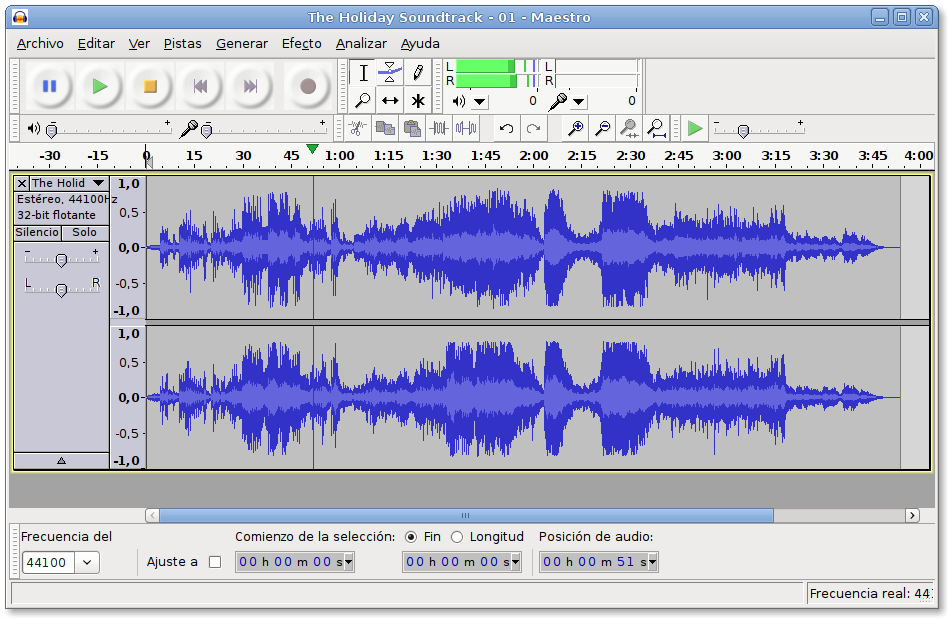
Editing your podcast is as simple or as complex as you make it. Daniel Lewis recommends only editing out distractions—in other words, you don’t have to get rid of “ums, “ahhs,” or long pauses, as long as those mistakes don’t detract from what you’re saying.
Even if you’re a minimalist editor, you’ll probably still want to trim the ends and add in other audio, such as theme music, songs, or sound effects.
Audacity is a solid option if you’re on a budget. Its interface isn’t super intuitive, but you’ll find many step-by-step guides for using it (like this one or this one.)
Mac users can take advantage of Garageband. “Garageband is free with most Macs, and it’s an incredibly capable audio editor with everything a podcaster could need,” explains MakeUseOf writer James Bruce.
Audacity and Garageband also both offer recording options. If you’re going to be the only person talking for the entire episode, than you can skip the Skype or Google Hangouts step and simply record directly into your editing program.
10. Audio post-production: Auphonic
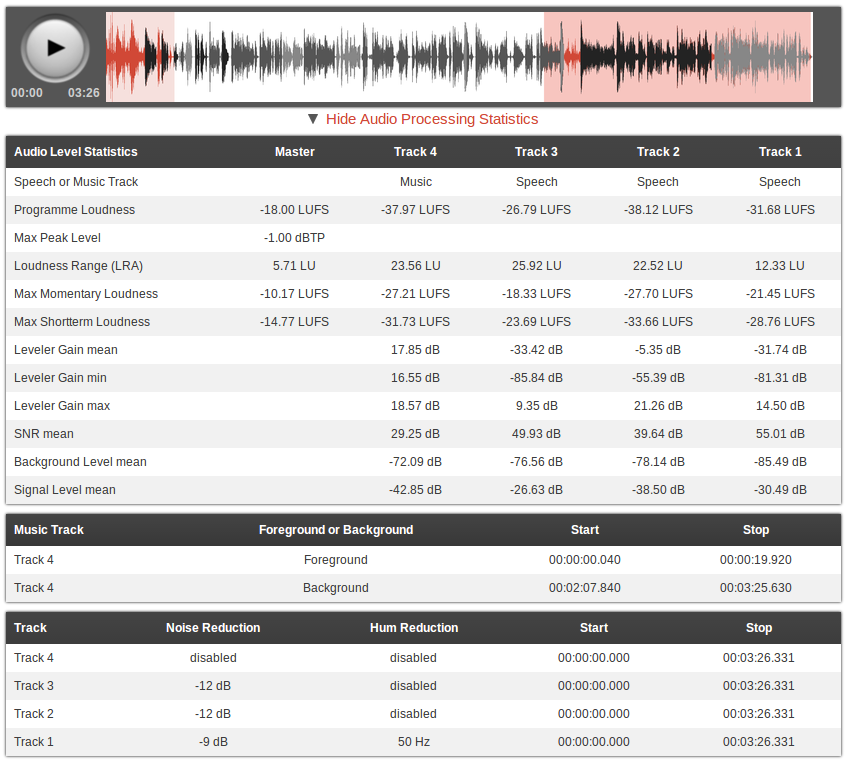
You can use Audacity or Garage Band to clean up your audio, but when you want it done professionally, take advantage of Auphonic’s free two hours of processed audio per month. The software will balance the levels between speakers, music and speech; normalize volume to broadcast standards; balance multiple tracks (for example, your recording with your co-host’s recording); encode your files, and more.
11. Music and sound effects: Freesound, Free Music Archive

Wondering where you’ll get that theme song or bleep noise? Freesound has a huge database of audio snippets, samples, and recordings.
The Free Music Archive also offers a wide selection; plus, you can browse by genre, so if you already know a blues song would be just perfect for your intro, it’ll be that much easier to find the perfect one. (Just make sure it’s labeled as available for commercial use.)
MP3s, tagging and transcribing
12. MP3 encoding: iTunes
After you’ve finished editing your podcast and adding sound effects, you’ll need to turn it into an MP3. There’s online software for MP3 conversions, but iTunes can do the same thing—and for free.
After exporting your file into iTunes, all you have to do is right-click on it and choose “Create MP3 version.”
(This article will walk you through the process.)
13. ID3 Tagging: EasyTAG, Podcast Tag Editor

ID3 tags allow you to embed important information in your audio files, including episode name, podcast name, episode content, and cover art.
Not only do iTunes and Windows Media Player use these tags to organize your podcasts, but having tags ensures even people who download your audio file from random places on the internet will know what they’re listening to.
In addition, maybe you’d like to include show notes—the text that pops up when you click the “Information” icon in the Apple podcast app.
To make these, just write the text of your choice in the “Comments” section of the ID3 tagging software you use.
14. Transcribing: Express Scribe Free

There are a couple different reasons to transcribe your podcasts.
First, transcriptions are SEO gold-mines. Search engines can crawl and pick up your podcast’s title, description, and tags—but not your audio. A transcript, on the other hand, is easily searchable.
Second, having a transcript gives you more than one way to disseminate your material. Maybe you want to turn your podcast into a blog post, or a SlideShare, or even an infographic. All of those will be easier if you’ve got a written version of each episode.
The free version of Express Scribe helps you transcribe audio files with its customizable playback speed, “Hotkeys” (which make a mouse unnecessary), and speech recognition software.
You can also add hyperlinks to your transcript and post it on your blog or site, which will appeal to the people who would rather read than listen (they exist!)
Finally, you can use your transcript to keep track of important moments. Many podcasters label these milestones in their show notes.
Marketing and promotion
15. Getting into the iTunes store: WordPress

It’s pretty simple to get your podcasts in the iTunes store via WordPress. Using a WordPress site you already have or one you’ve created, create a category for your podcasts—like “Podcasts.” Then copy the URL for the Podcasts category. You’ve just created an RSS feed: a technology that announces updates to a website. Apple uses this RSS feed to create a collection of your podcast episodes. To submit the feed to Apple, paste the URL into the “Submit a Podcast” Podcast Quick Links in the Podcast section of iTunes.
Then, each time you complete an episode, upload the MP3 into a new post on WordPress, assign it to the Podcasts category, then publish it.
Once you’ve submitted the RSS feed URL to iTunes, all of the posts marked “Podcast” will automatically be submitted for review by the iTunes staff and then uploaded to the iTunes store.
(For a more detailed version of these instructions, check out the WordPress tutorial.)
16. Checking your RSS feed: Feed Validator

But before you can submit that RSS feed link, you need to check and make sure it’s working. This is simple to do: just enter the URL into Feed Validator.
17. Social media scheduling: Buffer

After all the hard work that goes into creating a podcast, you’ll definitely want to attract as many listeners as possible. Buffer’s Individual Plan lets you connect your Twitter, Facebook, Google+, and LinkedIn accounts (for a total of four), and schedule 10 posts at a time for each.
So let’s say you’re releasing your podcast on Thursday at noon. You could use Buffer to post three “teaser” posts on each social media platform leading up to the launch, a post with the link to the podcast once it goes live on Thursday, and then four or five posts over the weekend reminding your followers to listen and give feedback.
Not only does this save you a ton of time, but you can see analytics for each channel. That’ll give you valuable insight into how many podcast listeners you’re getting from, say, LinkedIn versus Facebook.
18. Emailing: MailChimp

Many podcasters use a regular newsletter to deepen their relationship with listeners. Not only can you promote new episodes, but you can gather audience feedback, direct people to relevant links (say, your site or sponsor sites), and even give away exclusive content.
With MailChimp’s free plan, you can send up to 12,000 emails to 2,000 subscribers.
19. Analytics and stats: Blubrry

To get some basic statistics on your podcast, sign up for Blubrry’s free service. All you have to do is add your podcast to Blubrry’s directory—which has the added bonus of exposing your program to more potential listeners. There’s only one caveat, however: your podcast can’t advertise a competing podcast service.
Where to spend money on your podcast
1. A mic
As Ryan Imel explained on WPCandy, “Technically you can use your computer’s default microphone to record your podcasts. And by technically I mean your voice will travel through the air, collide with your computer and be recorded into a file.”
According to Imel, virtually any microphone you buy will be better than the one on your computer.
The Rhode Procaster ($229) is a popular choice, as is the Blue Yeti ($129).
2. Podcast cover art
Unless you’re a graphic designer, you may want to consider hiring a professional for your artwork.
Not only will amateur-looking cover art turn off potential subscribers, Apple won’t feature your podcast in its “New & Noteworthy” section if it doesn’t have an attractive image. Apple recommends including a title, brand, or source name.
There are also some size and resolution guidelines you should be aware of, courtesy of Libsyn:
- iTunes Podcast- 1400×1400 at 300 dpi
- iPhone Display – 160 dpi
- iPhone App Image requirement – 512×512 pixels at 160 dpi
- iPad Display – 132 dpi
If the initial artwork you create is large (1400 x 1400 at 300 dpi), it can easily be scaled down to fit all these mediums.
To find a designer, check out Fiverr, 99 Designs, Elance, or LogoMaker.
3. Podcast hosting service
There are three main ways to get your podcast online.
Host it yourself for free
You can use WordPress to host your podcast for free as I describe above. Here’s the problem with this approach: if you solely use WordPress, your audience is almost guaranteed to have a sub-par experience. Not only will the site take forever to load, but downloading the audio files will be time-consuming as well.
Use WordPress to set up your RSS feed and submit your podcasts to the iTunes Store, but if customers want to directly download your podcasts, it’s great to provide a different option.
Why not host your podcast on your own site? Well, web hosts aren’t designed for files with unpredictable downloading behavior. Your site has a limit on how much data can be transferred at any given time; if you have a bunch of people trying to download your podcast in the day or two after it’s released, they may crash your server.
Purchase a hosting service
The second option is to purchase a web hosting service, like BlueHost or HostGator. If you get the basic version of BlueHost, it’s $3.50 a month. Your Amazon S3 rates will change depending on how much bandwidth and storage you use every moth, but in general, it’s pretty inexpensive.
These services aren’t designed for hosting media files, so if you’re getting more than 100 downloads per episode, you’ll also need to purchase a media hosting service, such as Amazon S3. You’ll also need to configure the software yourself.
Pay for podcast hosting
The third and most straightforward option is paying for a podcast hosting service.
Both Libsyn and SoundCloud have a lot of reach—which means lots of listeners—a factor that might weigh heavily in your podcast hosting decision.
Libsyn hosts more podcasts than any other service in the world. For $5 a month, you’ll get 50 megabytes of storage; for $15, you’ll get 250. In addition, it’ll automatically create a RSS feed for you (so you can skip the WordPress process.) The HTML5 Media Player is another cool feature–it allows you to embed your podcast anywhere on the web.
Particularly if podcasting is going to be a big part of your marketing strategy, SoundCloud is worth looking into. Every time you upload an episode of your podcast to SoundCloud, it’ll be pushed out to iTunes as well. SoundCloud’s Pro plan, which offers six hours of upload time per month, is $55 a year. For $135 a year, you can upload as much audio as you’d like.
Libsyn, SoundCloud, and most other podcast hosts include download and audience statistics in their services. Knowing how many downloads you’re getting and from what media sources, what part of the world your listeners are coming from, and even which web pages or apps your podcasts are being played from will help you tailor your podcast to your listeners.
Do you have any free resources to add to this list? What about paid tools that are worth their price tags? I’d love to hear your picks in the comments!
The post 19+ Free Tools to Start Your Podcast From Scratch appeared first on Social.
Stop Designing for Millennials https://t.co/kjIWX9xqsq #MWL
Stop Designing for Millennials https://t.co/kjIWX9xqsq #MWL <"because there is so little that unites them other than perhaps life stage"
— Jane Hart (C4LPT) (@C4LPT) June 10, 2015
from Twitter https://twitter.com/C4LPT
Newcastle’s techy MP confirms her choice for Labour leader with voters on Twitter
Labour’s techy MP for Newcastle Central Chi Onwurah has taken to Twitter to confirm with her constituents who they’d like her to select for the new Labour leader after Ed Miliband’s resignation.
Having already chosen to get behind Rushanara Ali for the deputy leader post, highlighting in a blog for the New Statesman the commitment she believes her colleague has to building “new digital tools” for democracy, Onwurah has likewise headed online to demonstrate her belief in the power of tech.
Onwurah had already asked the members of her local Labour Party who she should get behind and found her Twitter followers were also overwhelmingly in favour of left-wing candidate Jeremy Corben.
Onwurah led the Labour Digital Government Review, which reported last year. She is also a chartered engineer and was the former head of telecoms technology for Ofcom.
Having won re-election in May, she is back in the shadow cabinet office leading on cyber security, social entrepreneurship and open government.
Onwurah’s home town is a growing regional tech hub, giving birth to the FTSE 100 company Sage, who are supporters of the Ignite 100 accelerator within the Campus North coworking space. It’s also the city where the Dynamo tech network and Venturefest North East are based.
Among other initiatives, Newcastle University has brought together £40m to build a National Centre for Ageing Science and Innovation in the city.
The post Newcastle’s techy MP confirms her choice for Labour leader with voters on Twitter appeared first on Tech City News.
CHURCH ROAD TO BE CLOSED FOR FOUR WEEKS
CHURCH ROAD TO BE CLOSED FOR FOUR WEEKS
PART OF Church Road – from Anerley Hill to Westow Street – is to be closed to through traffic for four weeks from late July while Thames Water tackles a leak in a 10 inch diameter clear water pipe.
The West Norwood-based Norwood Action Group is already warning motorists and passengers of ‘utter chaos’ and advising people to re-plan journeys.
“The works will require the closure of Church Road at this point, access to Church Road will be maintained through revocation of the existing one way system in that part affected and allow access from the Westow Street end using diversion signs.
“The wider impact of these works will be as follows:
Diversion Route 1 – traffic heading NW up Anerley Hill.
Crystal Palace Parade, College Road, Dulwich Wood Park, Gipsy Road, Salters Hill, Central Hill, Hermitage Road & Beulah Hill.
Traffic management requirements:
Two way traffic lights to be used at the railway bridge in Salters Hill, manually controlled at peak times.
Traffic calming / pinch point in Salters Hill near to Central Hill to be reversed to allow priority for traffic coming from Central Hill. This will be assessed and if it deemed necessary then the build-out will need removing to allow two way traffic.
Diversion route 2 – Traffic heading south down Crystal Palace Parade or heading east along Westow Hill.
Anerley Hill, Anerley Road, Croydon Road, Penge Road, High Street, South Norwood Hill.
Advanced signs will be in use two weeks prior to the works starting at strategic locations, the memo adds.
A Thames Water spokeswoman told News From Crystal Palace: “We’ve detected a leak on a 10 inch diameter clean water pipe which needs to be fixed as if left, could eventually lead to low water pressure in the area or customers having no water at all.
“If the pipe bursts it could also cause localised flooding and damage to the road itself. “There’s also the obvious reason of leaking pipes being a waste of water.
“It’s a complex job as we want to repair the pipe without having an impact on customers’ water supply so it will involve a lot of work to manage flows and pressures in our network of pipes which serve the local and wider area.
“We also have to be very careful of other pipes and cables which are underground alongside the leaking pipe as we wouldn’t want to damage any of them.
“The team responsible for the job will be working hard to try and finish the job early if they can. “This time period has been chosen to fit in with school holidays when traffic is generally lighter.”
A letter will be going out to local businesses, she added.
In an email circular Norwood Action Group say: “Expect utter chaos, so think about alternative routes if you drive or even bus in that area.”
7 Things You Should Know About Developments in Instructional Design
In recent years, instructional design has been undergoing significant changes resulting from developments in areas including pedagogy, learning science, and technology. Instructional designers today work with a broad and growing array of tools and a deeper and more complex understanding of learning processes. They fill a wider range of roles, serving as architects, partners, mechanics, translators, and guides. The field of instructional design is helping higher education reap the benefits of new technologies and educational models.
The 7 Things You Should Know About... series from the EDUCAUSE Learning Initiative (ELI) provides concise information on emerging learning technologies. Each brief focuses on a single technology and describes what it is, where it is going, and why it matters to teaching and learning. Use these briefs for a no-jargon, quick overview of a topic and share them with time-pressed colleagues.
In addition to the 7 Things briefs, you may find other ELI resources useful in addressing teaching, learning, and technology issues at your institution. To learn more, please visit the ELI Resources page.