Jackson Voekel has created an interesting interactive map which allows you to create a Voronoi map on the fly. His Voronoi Leaflet Map allows you to add any number of markers to any location in the world and create a Voronoi map showing different regions based on the proximity to each of your added points.
A Voronoi map partitions a location into different regions based on the distance to
The Map Context Frame is an interesting prototype "to support (interactive) map navigation by placing contextual information around a (interactive) map". When using interactive maps users often zoom in and out on the map to determine their location. For example users might zoom out on a map to confirm their relative position in terms of nearby towns, cities and other well known landmarks. The
It’s probably overstating things to compare the GPS week rollover to the Y2K bug (The Next Web, The Verge) but it’s hard not to see some parallels. In each case, it’s a function of too little memory assigned to timestamps.
One of the things that GPS satellites do is transmit precise timing information. It does this in part by stating the week as a 10-bit integer, counting from week one. That means the date number rolls over every 1,024 weeks. Every 19.7 years, then, the GPS week “rolls over” and a new GPS epoch begins. It’s already happened once: the GPS era started on 6 January 1980, and the first rollover occured in August 1999. The next one takes place—oh dear—tomorrow. Cue the mass hysteria.
How will our GPS receivers respond to that rollover? Because it’s happened before, and because consumer GPS tech doesn’t necessarily stay in use for long periods of time, it’s unlikely that your or my GPS receivers are affected. Anything released in the past two decades would have programmed after the last rollover. Also, receivers might have have had an offset to the 1,024-week limit programmed into their firmware, starting the clock from the date of compilation rather than August 1999, so devices affected may not be affected all at once. U.S. government agencies note that GPS receivers that conform to the IS-GPS-200 specification should not be affected: PC Mag pins that on devices manufactured in 2010 or later.
My own legacy GPS receivers—a Garmin eTrex Legend H and an Oregon 450t—date from just before 2010, and while I haven’t used them in years (when your smartphone has built-in GPS, dedicated receivers are superfluous in the most common use cases), I’m half tempted to fire them up and see what happens. Both TomTom and Garmin claim that the vast majority of their devices are unaffected, but neither go so far as to give us a list of affected devices. Firmware updates are apparently being issued for some of those affected devices—but again, a list would help.
In any event, it appears that using GPS for location, even on an affected device, will not be broken: at worst your tracklogs will have inaccurate timestamps. Receivers that use GPS for accurate timekeeping that have not been updated to handle the rollover might run into some trouble, though. And, like Y2K, any problems might be in industrial or embedded systems rather than consumer tech—and from what I’ve seen online they’ve been getting warnings about this for years.
In other words, as far as I can tell, the GPS world will not come crashing down tomorrow.
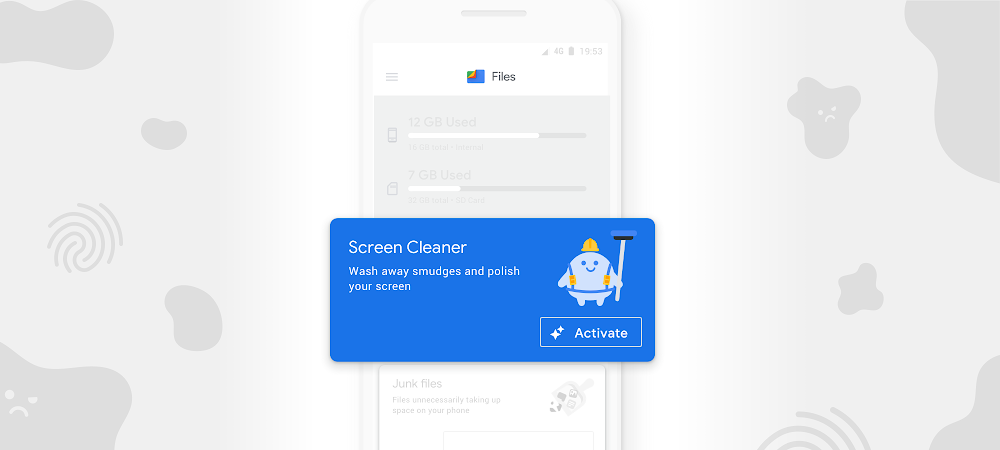
Files helps millions of people around the world organize their media, share files offline, and free up space on their phones. And by making the most of limited storage, Files helps users keep their phones running like new.
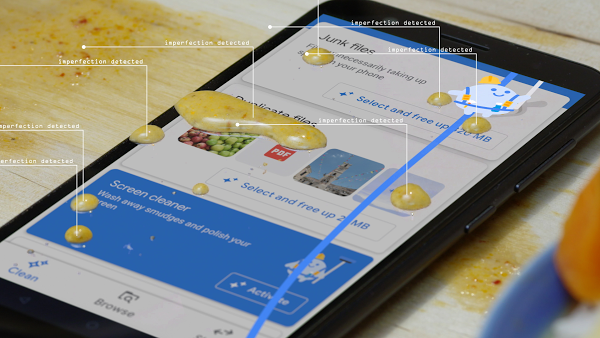
However, we've heard that it's a challenge to keep phones looking as clean on the outside as they are on the inside. Grease and fingerprints can stick to screens throughout the day, creating unsightly smudges and streaks.
Screen Cleaner is a new feature in the Files app that uses geometric dirt models, combined with haptic micromovement pulses, to dislodge what’s stuck to your screen. Screen Cleaner then generates a thin magnetic field around the surface of the phone, actively protecting against impurities—with a sweet scent to boot.
Set aside old covers and cases and activate Screen Cleaner. Give it a try at g.co/getfiles.
Throughout time, humans have created more and more effective ways to communicate with each other. But technology hasn’t quite made it there with flowers, even though it’s no secret that members of the floral world do talk to one another. Scientists have found that plants use their roots to send signals to neighboring plants, as a means to maintain their security and wellbeing.
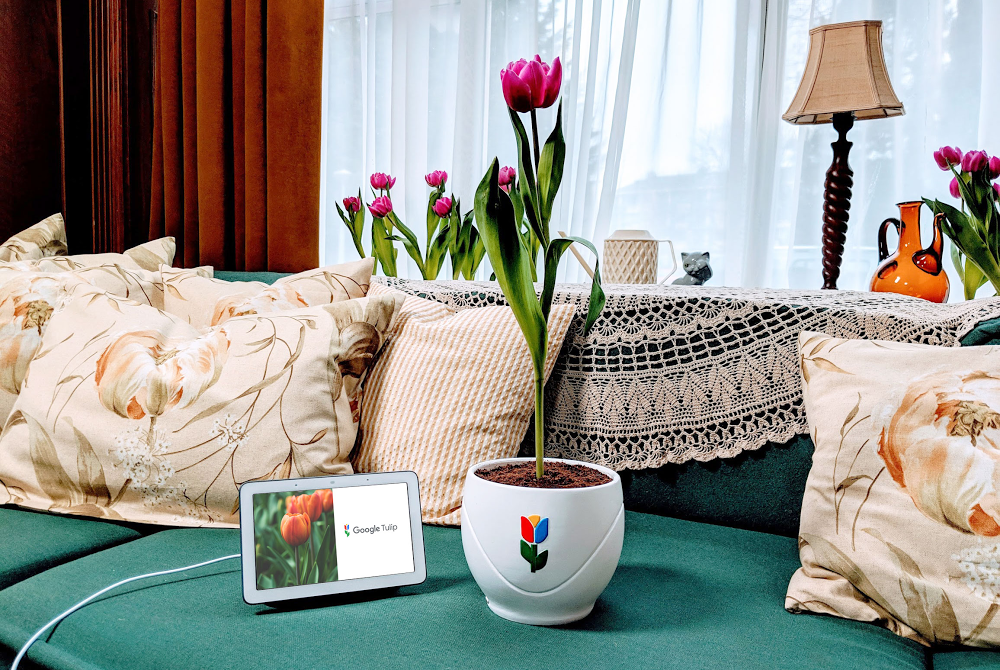
Decoding the language of plants and flowers has been a decades-long challenge. But that changes today. Thanks to great advancements in artificial intelligence, Google Home is now able to understand tulips, allowing translation between Tulipish and dozens of human languages.
The ability to speak with tulips comes with great environmental and societal benefits. Tulips now have a way to indicate to humans that they’re in need of water, light or simply some more space. As their needs are expressed more clearly, they are able to live a happier and healthier life.
Socially, it turns out that plants, and particularly tulips, are very chatty, and make for great friends. Tulips are excellent listeners and when listened to carefully, give sound advice.
It shouldn’t come as a surprise that Google Tulip was largely developed and tested in the Netherlands, a country that produces 12.5 billion flowers a year. In particular, the Dutch are world renowned for their tulips, and even have a world-famous flower park, called Keukenhof, which provided the perfect testing ground.
Google is uniquely positioned to solve the challenge of speaking with plants. Building on an advancement called Neural Machine Translation, we worked with Wageningen University & Research to map tulip signals to human language. After two years of training, we were finally able to add Tulipish as a language to Google Home’s recently introduced Interpreter Mode.
Google Tulip is only available on April 1, 2019. Look for it on your Google Home device, simply by saying, “Hey Google, talk to my tulip.”
Manifest Destiny - The Story of the US Told in 141 Maps tells the story of the United States in 141 maps from the Declaration of Independence right up to the present day. Manifest Destiny uses small multiple maps to show how the territory of the United States has grown throughout its history
Click on any one of the small maps and you can view it as a larger map. On each map different colors are
Make a Web Map with Leaflet is a Glitch challenge which shows you how to make a Leaflet.js powered interactive map. Glitch is a platform for creating, editing and hosting web applications. More importantly for new map makers it provides a neat way to clone and play with the code behind a basic interactive Leaflet map.
If you are an absolute beginner to creating JavaScript powered interactive
When people research their family trees they often don't consider searching for the geography of surnames. Researching the current and historical distribution of your last name may provide some very useful clues as to the countries, regions and even individual towns where you should concentrate your search for genealogical records.
If you are from Italy or have an Italian surname you can
Earlier this week Layers of London, a website dedicated to visualizing London's history, added a new vintage map layer to their interactive maps. The new layer allows you to explore Layers of London's historical events on top of John Ogilby and William Morgan's 1676 map of London.
Ogilby and Morgan's map was created after the Great Fire of London in 1666. The map was originally intended to
Where is Poland? is a fantastic exploration of Poland under partition as seen by the Danish writer Georges Brandes in the late Nineteenth Century. The site uses the observations of Brandes to explore one of Poland's most turbulent periods of history.
When Georges Brandes arrived in Poland in 1885 the country was divided between the three imperial empires of Austria, Prussia and Russia. Where is
Machine learning is already revolutionizing the way we solve problems across almost every industry and walk of life, from photo organization to cancer detection and flood prediction. But outside the tech world, most people don’t know what an algorithm is or how it works, let alone how they might start training one of their own.
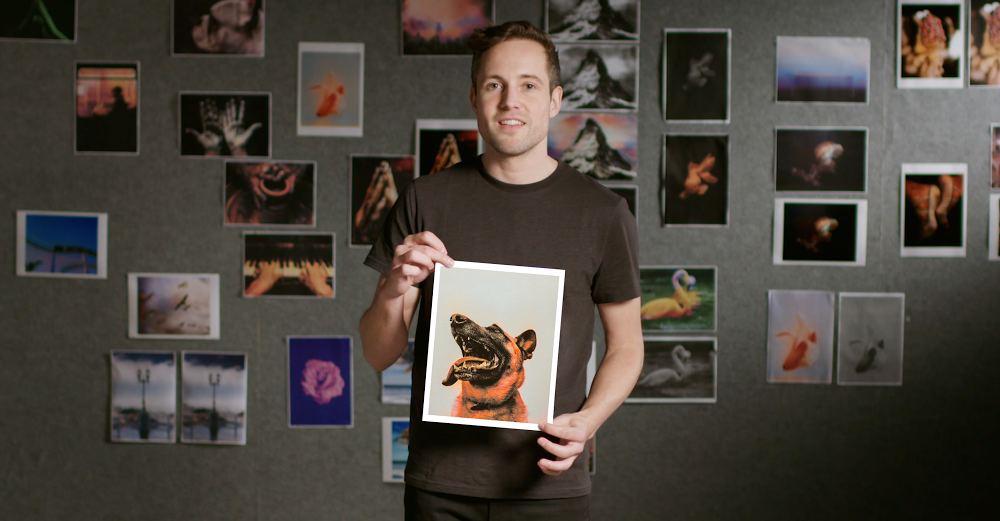
Parisian coder Emil Wallner wants to change that. Passionate about making machine learning easier to get into, he came up with an idea that fused his fascination with machine learning with a love of art. He built a simple, playful program that learns how to add color to black-and-white photos.
Emil used TensorFlow, Google’s open-source machine learning platform, to build the simplest algorithm he could, forcing himself to simplify it until it was less than 100 lines of code.
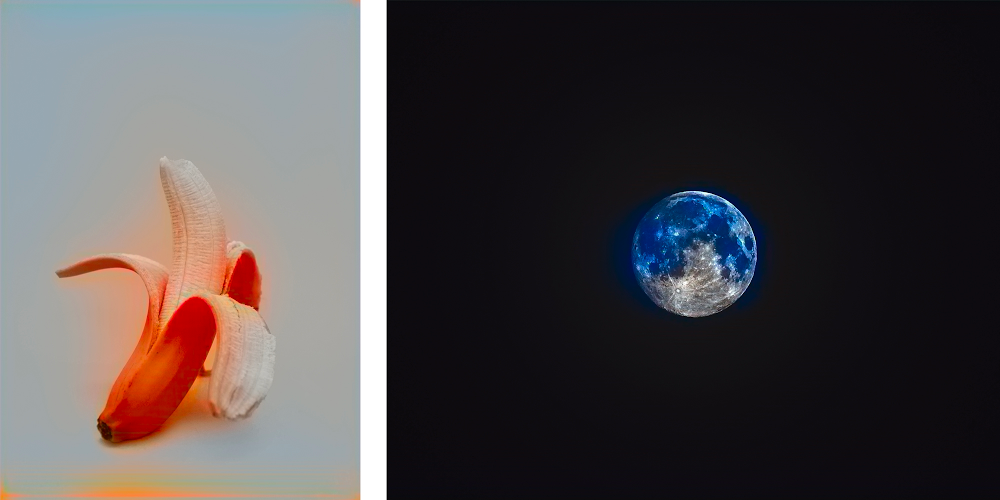
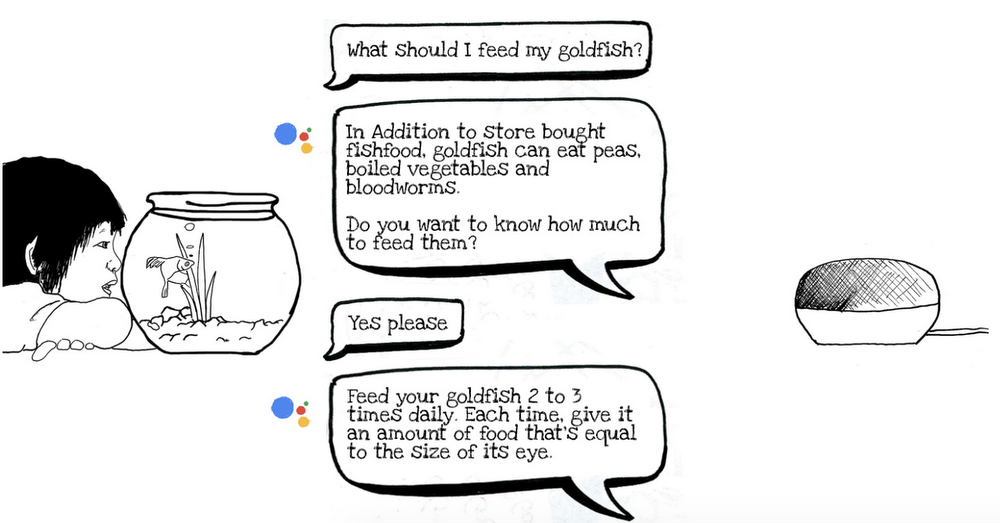
The algorithm is programmed to study millions of color photos and use them to learn what color the objects of the world should be. It then hunts for similar patterns in a black-and-white photo. Over time, it learns that a black-and-white object shaped like a goldfish should very likely be gold.
The more distinctive the object, the easier the task. For example, bananas are easy because they’re almost always yellow and have a unique shape. Moons and planets can be more confusing because of similarities they share with each other, such as their shape and dark surroundings. In these instances, just like a child learning about the world for the first time, the algorithm needs a little more information and training.
Emil’s algorithm brings the machine learning process to life in a way that makes it fun and visual. It helps us to understand what machines find easy, what they find tricky and how tweaks to the code or dataset affect results.
Thousands of budding coders and artists have now downloaded Emil’s code and are using it to understand the fundamentals of machine learning, without feeling like they’re in a classroom.
“Even the mistakes are beautiful, so it’s a satisfying algorithm to learn with,” Emil says.
Emil colorized photos - Jellyfish/mountain
Black-and-white photos colorized by Emil’s algorithm.
Emil ML, dog flower
Black-and-white photos colorized by Emil’s algorithm.
Emil ML, fish man
Black-and-white photos colorized by Emil’s algorithm.
Forma Urbis Romae (203-211) - a plan of a Pompeii amphitheater
In Instead of Writing a Thousand Words Lapham's Quarterly takes a detailed look at the history if maps around the world. Using the Esri Story Map format Lapham's Quarterly explores how geographical space has been visualized throughout history, from the earliest known maps painted on the walls of caves right up to maps created in the
Earth Elevation provides an interesting view of the elevation of the Earth along circles of latitude. That sounds more complicated than it actually is. You can see Earth Elevation in action in the screenshot above, which shows the elevation & ocean depth around the world at 30° north of the Equator. This cross-section shows the relative height of the Rockies in America and the Himalayas in Asia.
Hanzi, the written language of Chinese, has tens of thousands of separate characters. Many of those characters are not widely used. However, to be truly literate in written Chinese, you need a knowledge of at least three to four thousand characters.
The Hanzi Universe is an interesting experiment in mapping 8,615 Chinese characters according to their visual similarity. The Structural Similarity
Today we asked the Supreme Court of the United States to review our long-running copyright dispute with Oracle over the use of software interfaces. The outcome will have a far-reaching impact on innovation across the computer industry.
Standardized software interfaces have driven innovation in software development. They let computer programs interact with each other and let developers easily build technologies for different platforms. Unless the Supreme Court steps in here, the industry will be hamstrung by court decisions finding that the use of software interfaces in creating new programs is not allowed under copyright law.
With smartphone apps now common, we sometimes forget how hard it once was for developers to build apps across a wide range of different platforms. Our 2008 release of the open-source Android platform changed the game. It helped developers overcome the challenges of smaller processors, limited memory, and short battery life, while providing innovative features and functionality for smartphone development. The result was a win for everyone: Developers could build new apps, manufacturers could build great new devices, and the resulting competition gave consumers both lower prices and an extraordinary range of choice.
We built Android following the computer industry’s long-accepted practice of re-using software interfaces, which provide sets of commands that make it easy to implement common functionality—in the same way that computer keyboard short-cuts like pressing “control” and “p” make it easy to print. Android created a transformative new platform, while letting millions of Java programmers use their existing skills to create new applications. And the creators of Java backed the release of Android, saying that it had “strapped another set of rockets to the [Java] community’s momentum.”
But after it acquired Java in 2010, Oracle sued us for using these software interfaces, trying to profit by changing the rules of software development after the fact. Oracle’s lawsuit claims the right to control software interfaces—the building blocks of software development—and as a result, the ability to lock in a community of developers who have invested in learning the free and open Java language.
A court initially ruled that the software interfaces in this case are not copyrightable, but that decision was overruled. A unanimous jury then held that our use of the interfaces was a legal fair use, but that decision was likewise overruled. Unless the Supreme Court corrects these twin reversals, this case will end developers’ traditional ability to freely use existing software interfaces to build new generations of computer programs for consumers. Just like we all learn to use computer keyboard shortcuts, developers have learned to use the many standard interfaces associated with different programming languages. Letting these reversals stand would effectively lock developers into the platform of a single copyright holder—akin to saying that keyboard shortcuts can work with only one type of computer.
The U.S. Constitution authorized copyrights to “promote the progress of science and useful arts,” not to impede creativity or promote lock-in of software platforms. Leading voices from business, technology, academia, and the nonprofit sector agree and have spoken out about the potentially devastating impacts of this case.
We support software developers’ ability to develop the applications we all have come to use every day, and we hope that the Supreme Court will give this case the serious and careful consideration it deserves.
Remember the farm in Kansas that, thanks to an error in MaxMind’s geolocation database, became the default physical location for any IP address in the United States that couldn’t be resolved? It’s happened again, this time to a couple in Pretoria, South Africa, who received online and physical threats and visits from the police because IP addresses that were from Pretoria, but whose precise location couldn’t be resolved any further, defaulted to their front yard. Kashmir Hill, who covered the Kansas incident, has the story for Gizmodo. It’s a fascinating long read that burrows into the sources of geolocation data and the problematic ways in which it’s used.
In this case the problem was traced to the National Geospatial-Intelligence Agency, which assigned the lat/long coordinates for Pretoria to this family’s front yard. The end result: one home becomes the location for one million IP addresses in Pretoria. (The NGA has since changed it.)
The problem here is twofold. First, a failure to account for accuracy radius: a city or a country is represented by a single, precise point at its centre. That’s a real problem when the data point being geotagged can’t be more specific than “Pretoria” or “United States,” because the geotagging is made artificially precise: it’s not “somewhere in Pretoria,” it’s this specific address. Second is the misuse of IP location data. It’s one thing to use a web visitor’s IP address to serve them local ads or to enforce geographical restrictions on content, quite another to use that data for official or vigilante justice. The data, Hill points out, isn’t good enough for that. [MetaFilter]
Heading home for the holidays? Here’s hoping it’ll be a joyous reunion with friends and family, with plenty of cookies to go around. But if you’ve already been dreading those questions from your great-aunt about your love life, consider the ways we teach the Assistant to have natural conversations—it’ll make the talk your great-aunt a little less dreadful.
I’m on the Assistant’s conversational design team, where we work to make your chats with the Google Assistant as pleasant as possible. I’ve been teaching computers how to talk for nearly 20 years, starting my career working on some of those automated phone systems you’ve probably dealt with when you lost a suitcase at the airport. (In my case on a recent trip to Norway, it took 10 of those phone calls to find that lost bag!)
In my years in the industry, I’ve learned a thing or two about how to make conversations work. And so has the Google Assistant.
Give just the right amount of information.
We’ve all had that one relative who keeps droning on about a boring topic at the dinner table, oblivious to the fact that half the room has dozed off. And sometimes we experience the opposite problem, where we ask someone a question and they don’t provide enough information. Like when I ask my son what time it is, and he responds, “Yes.”
To strike the right balance when we design conversations for the Google Assistant, we follow something called the Cooperative Principle, proposed by Paul Grice in the 1970s. His Maxim of Quantity means we shouldn’t talk too much, or too little.
Here’s an example of a conversation that follows the Maxim of Quantity, along with one that doesn’t.
Do Uncle Anthony: So, how is your first year of college going? Me: Great! I’m taking four classes. My favorite is called “Taking care of turtles in the 21st century.” Do you know what a turtle’s favorite food is?
Don't Uncle Anthony: So, how is your first year of college going?| Me: Great! I’m taking four classes. My favorite is called “Taking care of turtles in the 21st century.” Some turtles are carnivores, and some are vegetarian. Sea turtles even eat squid. Leatherback sea turtles can grow to 1000 pounds! Uncle Anthony: Zzzzzzz….
Illustration by Kimberly Harvey, conversation designer, Google Assistant
Make it clear when it’s the other person’s turn to talk.
We use a variety of signals to let another person know when we’ve finished talking, and when it’s the next person’s turn to talk. For example, when I pause to take a bite of peppermint bark, that’s an opening for the other person to speak. When designing conversations with computers, which aren’t able to use things like eye contact and body language to determine when it’s their turn, it’s key to end each turn with a question or an instruction, to avoid confusion. And that tactic can work with your family, too, so you’re not always talking over one another.
Do Me: So I went to this awesome concert. Have you ever been to a concert? Grandma: Yes, I went to see the Beach Boys in 1987. What a show! Who did you see, dear? Me: Wow, how interesting. I went to a show called Punky Kittens.
Don't Me: So I went to this awesome concert. Have you ever been to a concert? I went-- Grandma Zara: Yes, I went to-- Me: --went to the greatest show the other day, and... Grandma Zara: What? Me: What?
Acknowledge the person you’re speaking with.
One of our most basic desires as humans is to be understood. We want to know the other person is hearing us correctly, like when you ask your brother to pass the green beans, not the gravy. One way the Assistant does this is by using something called “implicit confirmation.” This is how you let someone know they’ve been heard, and establish trust. Let’s see an example where, due to a misunderstanding, a cranberry crisis nearly occurs:
Do Me: Hey Joanne, I love (mumble mumble) cranberry sauce!| Chef cousin who hates canned cranberry sauce: You like canned cranberry sauce? Me: Actually I said FRESH cranberry sauce… Chef: Me too! Crisis averted.)
Don't Me: Hey Joanne, I love <mumble mumble> cranberry sauce! Chef: What? I hate that stuff! Me: Oh yeah? I don’t see why, you make it every year! (Crisis!)
Only use visuals when they’re appropriate.
The Google Assistant is available on multiple types of devices, from the voice-only Google Home, to the voice-forward Home Hub, to the multi-modal mobile phone. Because of this, we need to consider when it’s most appropriate to introduce visuals, such as cards or carousels, to the conversation.
Our go-to design principle is to add visuals when they enhance the discussion, and not to let them overshadow the rest of the conversation. Try to keep this in mind when you’re sitting down with family and friends.
Do Me: I just came back from a trip to Costa Rica, where we saw some amazing monkeys. Here’s my favorite monkey picture! <shows 1 photo> Everyone: Oooh! How cute!
Don't Me: Who wants to see my slideshow of my cruise to Costa Rica? I have 350 photos. Let me find that one on the beach where I saw a monkey. In fact, I’ll show you all 50 of them! Everyone: (Runs away.)
Get some practice with your Assistant.
Before you head out for the holidays, try having a few conversations with your Google Assistant and see if you can spot these great communication principles in action. We hope that by following some of these best practices, your holiday dinners will be more pleasant and relaxed.
In celebration of the holiday giving season, you can make charitable donations to inspiring nonprofits from the Google Play Store. If you’re in the U.S., Canada, Mexico, Germany, Great Britain, France, Spain, Italy, Taiwan and Indonesia, you’ll see this update over the next few days.
Making a donation on Google Play is quick, easy and 100% of your contributions go directly to the nonprofits you choose. On your Android device, you can head to play.google.com/donate to learn more about these incredible organizations and give to the cause—or causes—that move you.
Take a look at the participating nonprofits below:
American Red Cross: The American National Red Cross prevents and alleviates human suffering in the face of emergencies by mobilizing the power of volunteers and the generosity of donors.
charity: water: charity: water is on a mission to solve the water crisis and reinvent charity for a new generation by bringing clean and safe drinking water to people in developing countries.
Doctors Without Borders USA: Doctors Without Borders/Médecins Sans Frontières (MSF) provides medical relief to the victims of war, disease, and natural or man-made disasters, without regard to race, religion or political affiliation.
Girls Who Code: Girls Who Code programs work to inspire, educate, and equip girls with the computing skills to pursue 21st century opportunities.
International Rescue Committee: The International Rescue Committee (IRC) responds to the world’s worst humanitarian crises and helps people whose lives and livelihoods are shattered by conflict and disaster to survive, recover, and gain control of their future. Founded in 1933 at the call of Albert Einstein, the IRC is at work in over 40 countries and 25 offices across the U.S.
Room to Read: Room to Read seeks to transform the lives of millions of children in low-income communities by focusing on literacy and gender equality in education.
Save the Children: Save the Children works to give children a healthy start in life, the opportunity to learn, and protection from harm. From providing emergency assistance to promoting children’s rights, they transform children’s lives and futures.
UNICEF: The United Nations Children's Fund (UNICEF) works in more than 190 countries and territories. They help save children’s lives by providing health care and immunizations, clean water and sanitation, nutrition, education, emergency relief and more.
World Food Program USA: World Food Program USA brings people together to support the lifesaving work of the United Nations World Food Programme, the global leader in the fight to end hunger.
World Wildlife Fund US: World Wildlife Fund US is part of a global network which has worked for more than 50 years to protect the future of nature. World Wildlife Fund’s mission is to conserve nature and reduce the most pressing threats to the diversity of life on Earth.
We’re inspired by the many ways that the Play community shares resources, supports each other and creates positive change. We hope this update offers a way to help other communities outside of our own in need.
Copyright rules give news publishers rights over how their work is used. Europe is updating these rules for this digital age, and that’s a move Google supports. But the European Parliament’s version of a new copyright directive—specifically Article 11 and its recital 32—will have unintended consequences for smaller news publishers, limit innovation in journalism and reduce choice for European consumers. We urgently call on policymakers to fix this in the final text of the directive.
Let us be clear on one thing: Article 11 seeks to protect journalists and their work, and we agree with that goal. We care deeply about supporting the broader news industry because journalism is critical to the functioning of a free democracy. And we built Google to provide everyone with equal access to information.
However, Article 11 could change that principle and require online services to strike commercial deals with publishers to show hyperlinks and short snippets of news. This means that search engines, news aggregators, apps, and platforms would have to put commercial licences in place, and make decisions about which content to include on the basis of those licensing agreements and which to leave out.
Effectively, companies like Google will be put in the position of picking winners and losers. Online services, some of which generate no revenue (for instance, Google News) would have to make choices about which publishers they’d do deals with. Presently, more than 80,000 news publishers around the world can show up in Google News, but Article 11 would sharply reduce that number. And this is not just about Google, it’s unlikely any business will be able to license every single news publisher in the European Union, especially given the very broad definition being proposed.
This would mostly benefit larger players. One analysis hasforecast that in Germany, small publishers would receive less than 1 percent of the revenue generated by a so-called ancillary copyright—whereas the largest publishing group alone would receive 64 percent. Smaller newsrooms and overall online news diversity will be impacted as a result.
Because so much of the conversation in Brussels is driven by larger publishing organizations, the small publishers who raise this concern are not heard. Why are large influential companies constraining how new and small publishers operate? Particularly at a time when news business models continue to evolve, new, small, and innovative publishers need flexibility. The proposed rules will undoubtedly hurt diversity of voices, with large publishers setting business models for the whole industry. This will not benefit all equally.
Not only might this harm individual news publishers, it also seriously risks reducing consumers’ ability to discover and access a diversity of views and opinions. Unlike people in other parts of the world, European citizens may no longer find the most relevant news across the web, but rather the news that online services have been able to commercially license. We believe the information we show should be based on quality, not on payment. And we believe it’s not in the interest of European citizens to change that.
Today we drive economic value to publishers by sending people to news sites over 10 billion times a month. That free traffic has enabled many smaller or emerging publishers to get discovered, grow a business, and find success online. A Deloitte study found that each user visit was worth on average between €0.04 and €0.08 to publishers. That means real business value to European publishers, every year.
We recognize the news industry is undergoing substantial change as publishers around the world transition to digital. We’ve been working with EU institutions to develop workable solutions that benefit journalists and publishers. We’ve invested in creating tools to help publishers increase subscription revenue and enable mobile sites to be much faster, so that they can grow their audiences and their revenue. Thousands of news publishers use Google advertising services where they retain 70 percent and more of the revenue that’s generated.
There is a way to avoid the unintended consequences of Article 11. The copyright directive should give all publishers the right to control their own business models and destiny by giving them the choice to waive the need for a commercial license for their content. Publishers— big and small—should continue to be able to make their own choices about how their content can be discovered and how they want to make money with that content. The exact language of the new rules is being determined in the next few weeks. Now is not the time to stifle innovation in news or limit access to quality journalism.
A Street Near You is an interactive map showing the home addresses of men and women who died while serving in the First World War. There were an estimated 8 million military deaths in the war and the map shows the location records for nearly 410,000 of them.
A Street Near You is a powerful and sober visualization of the numbers of individuals who lost their lives in World War I. If you enter an
XKCD #2067 2018 Midterm Challengers is an interactive map of all the challengers in the 2018 midterm election. The size of the politicians' names on the map is determined by the importance of the office and the challenger's chances of success.
If you click on a challenger's name on the map you can visit the candidate's website. You can also click on place-names on the map to view a location's
Old Map Brought to Life is an interesting experiment in creating a relief map from an old paper map. The map uses three.js to overlay a vintage map of the Korean peninsula on top of a digital elevation model.
Just click on the 'Help' button on the map to view the full list of controls which allow you to zoom in and out, pan around and rotate & tilt this 3D vintage map of the Korean peninsula.
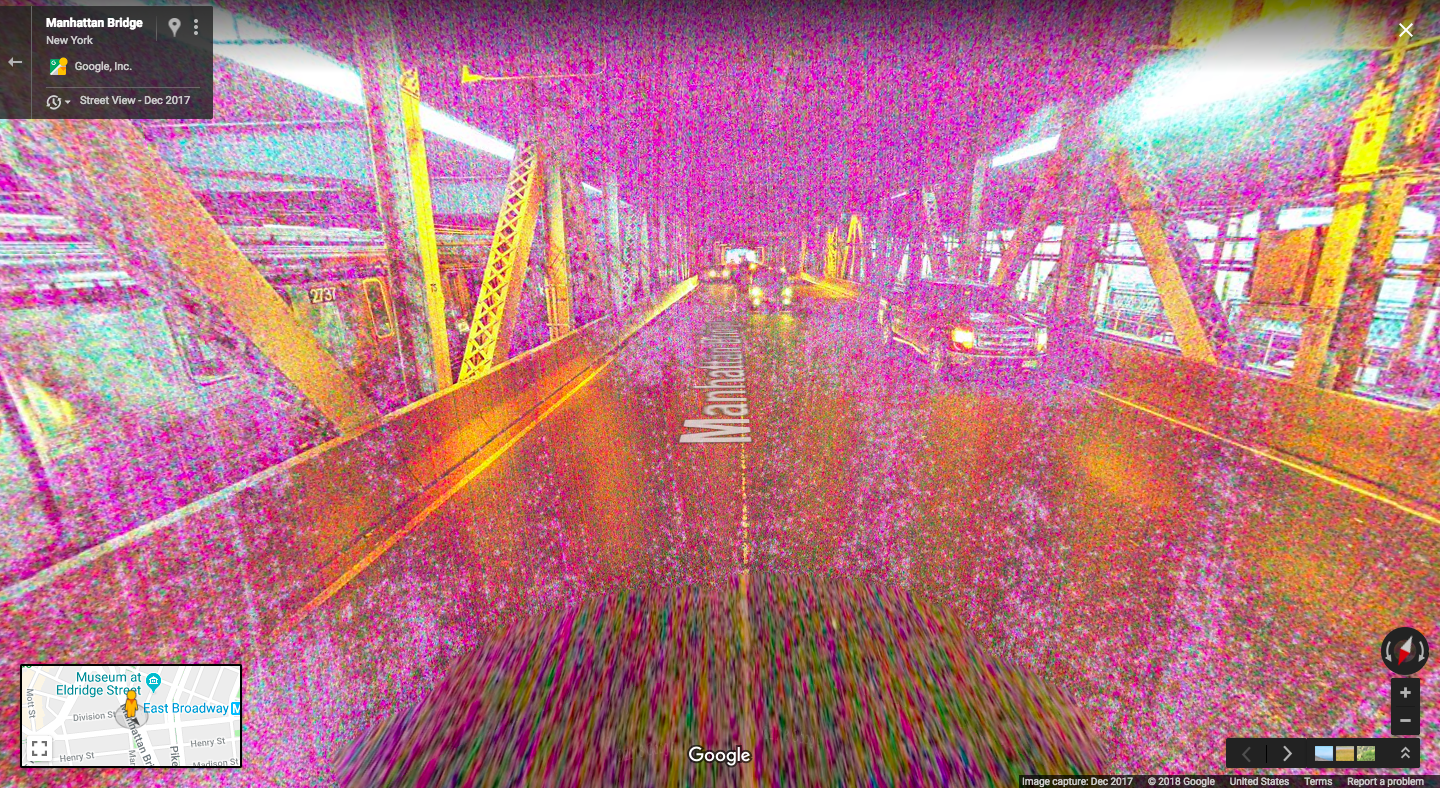
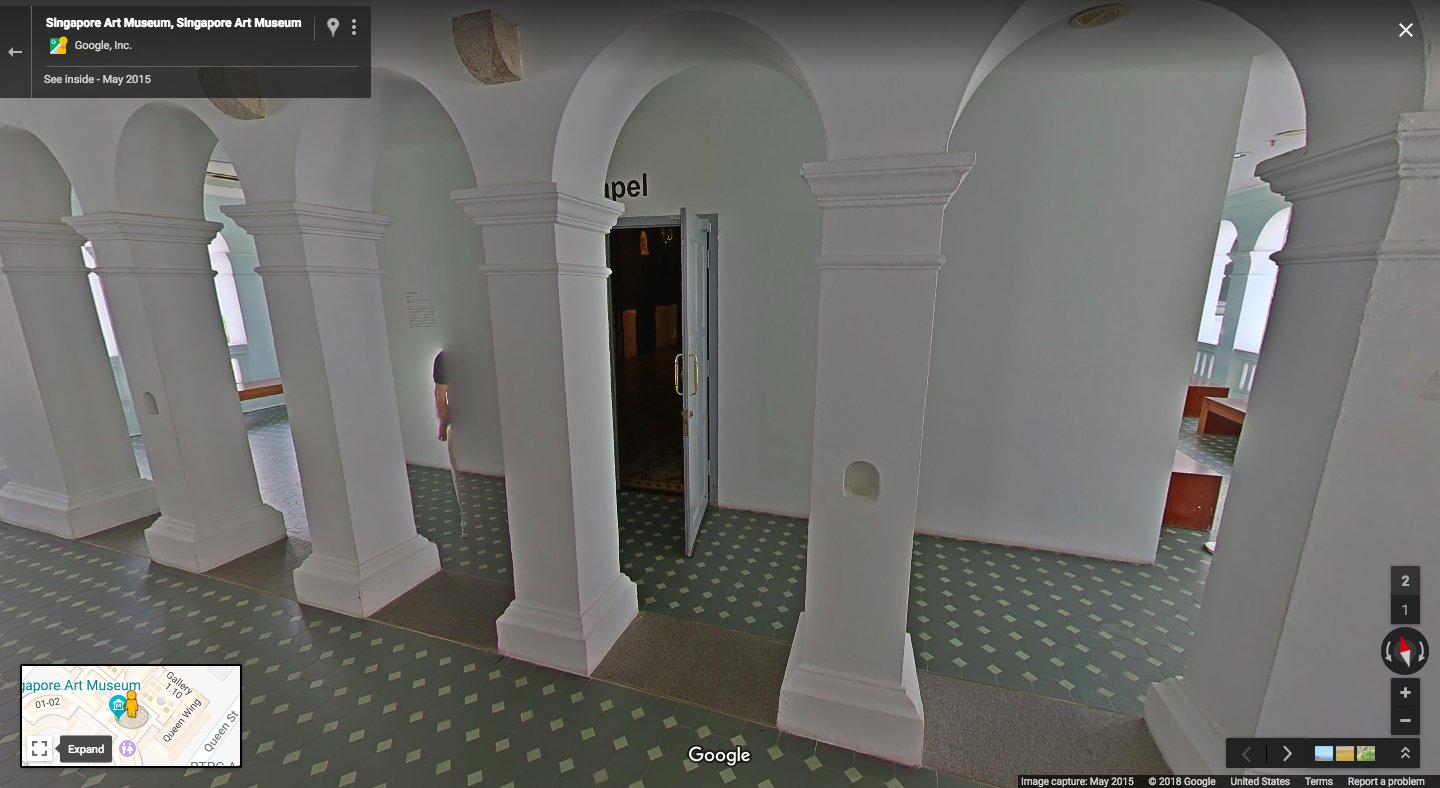
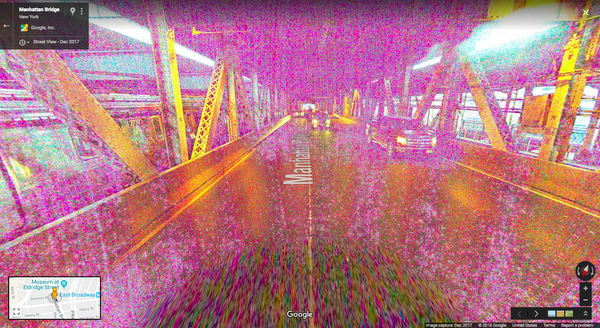
An extra leg. A super long arm. A shadowy figure. Even a plane in a lake. If you creep around Maps satellite imagery or Street View long enough, you’ll run into some seemingly spooky images. But don’t jump to any quick conclusions—they're never what they seem. Here are five spectacularly spooky snaps and reasons why they’re really not spooky at all!
I’ve never walked into a time portal or travelled between dimensions, but I imagine this is exactly what it would look like right before I’d disappear from reality and reappear in who knows where. At first glance, it’s easy to jump to conclusions, But the reality is a lot less exciting. The colors and graininess of this image are due to something many amateur photographers are familiar with – low light. Lighting is key to great imagery, which is why we make an effort to plan our Street View collects accordingly.
In Minnesota, it looks like a commercial aircraft has plummeted into Lake Harriet, taking its unfortunate passengers with it. But don’t worry—no humans or aircraft were harmed in the making of this image. The reason it looks like the plane is underwater is because each satellite image you see on the map is actually a compilation of several images. Fast-moving objects, like planes, often show up in only one of the many images we use for a given area. When this happens, faint remnants of the fast-moving object can sometimes be seen.
One glance at this and you might just be convinced you’ve found the gateway to the spirit realm—and spotted an evil apparition on its way in! But lo and behold, there’s a perfectly good explanation for this one, too. The darkness and hazy figure are caused by a snafu we’ve all made ourselves – the camera cover is on! Small holes in the cover allowed just enough light in to capture this scary view.
We’ve all thought we’ve seen a ghost out of the corner of our eye (or at least I have) and from this image, you’d think you finally have proof of the other side. Fortunately (or unfortunately if you’re a ghost hunter), these ghostly figures appear rather often in Street View. This is because Street View cameras take photographs as they move. Once the photographs have been taken, they go through computer processing before they're ready for use on Google Maps. This includes stitching the still photos into panoramas. Sometimes when someone or something is moving while the images are captured, we capture only part of that moving object.
Some super fans might be excited by this image, but others might find it terrifying to see the dark side in their very own front yard. There’s no technical explanation here. This was simply a good old-fashioned trickster who managed to get himself snapped by our Street View camera while taking out the trash—in full costume.
So sorry ghouls and ghosts, but these images just aren’t what they seem. Next time you see a spooky image on Maps or Street View, remember that whether it’s a technical glitch or just a person being silly, there’s always a perfectly reasonable explanation...or is there?
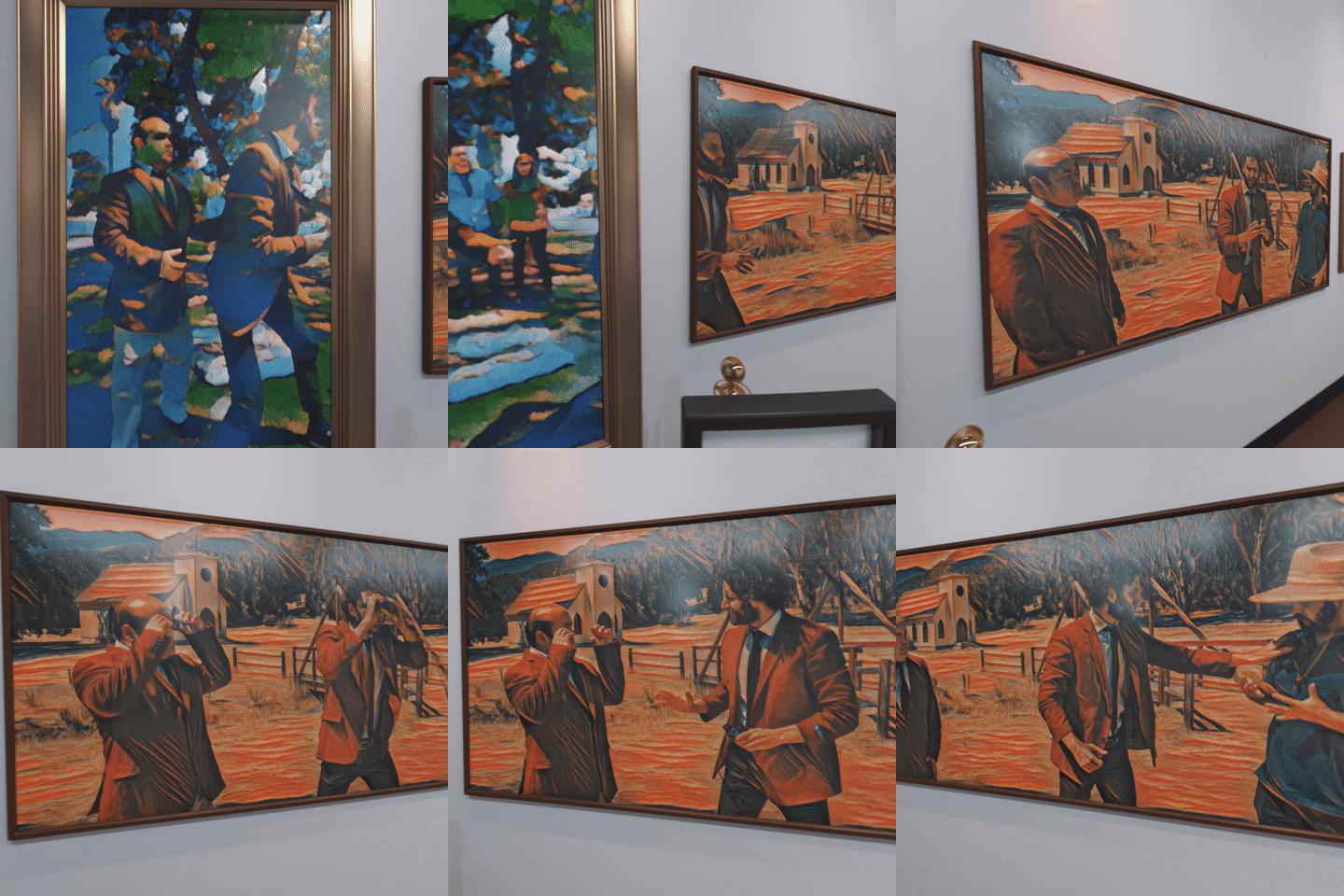
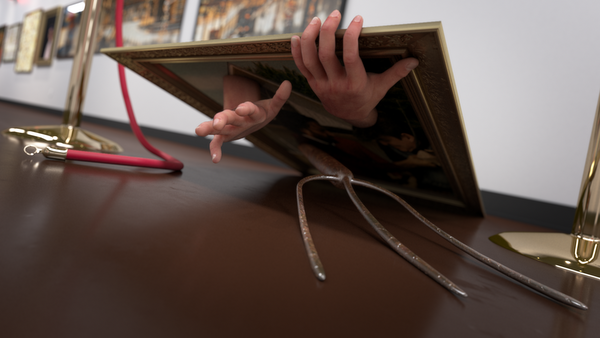
We all know you’re not supposed to touch the pieces of art in a museum, but what if you could jump inside them? In YouTube creator SoKrispy’s latest VR video, Do Not Touch, the characters do just that: they literally dive into the artwork and become part of the scene.
A scene From SoKrispyMedia’s “Do Not Touch” VR Video
Visual effects this advanced usually require physical equipment like green screens that can be costly and difficult to set up. SoKrispy, however, was able to achieve many of the effects in post-production with Google’s Jump VR Video suite, along with Adobe Creative Suite, Unreal Engine, and Autodesk 3DS Max.
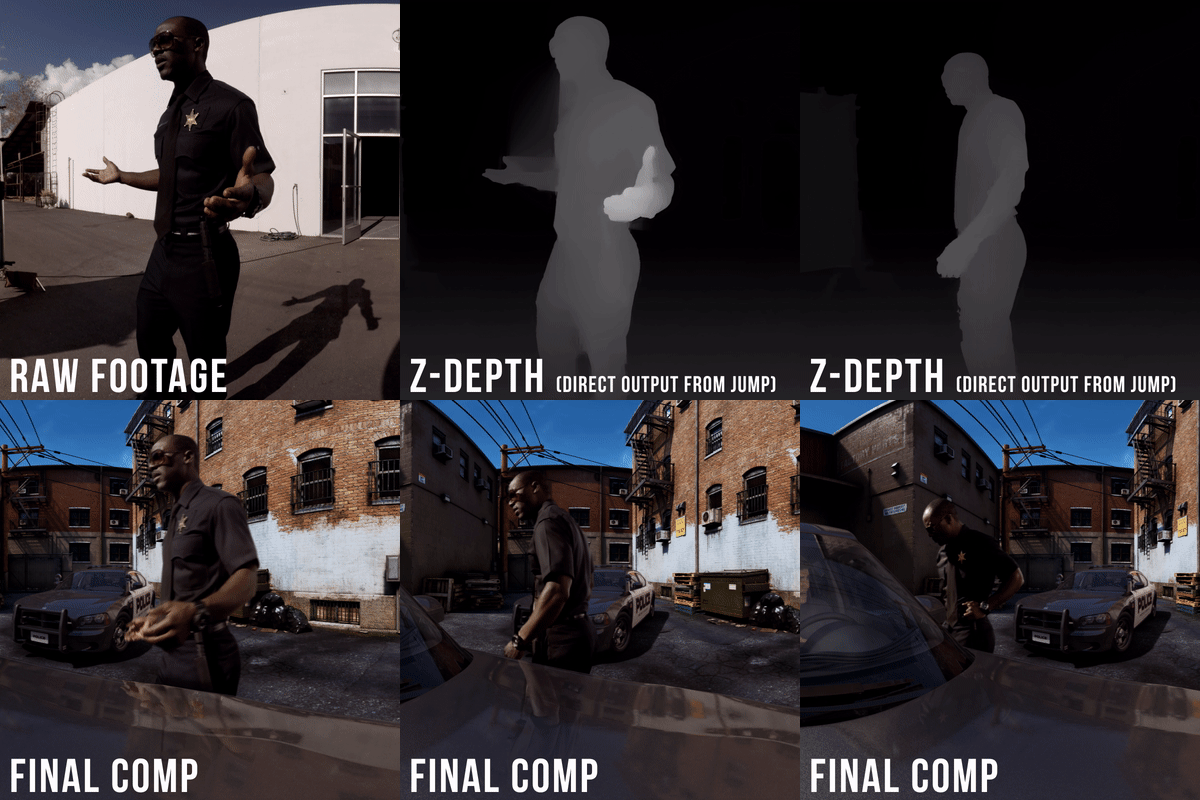
To make it look like the actors were actually inside the pictures, SoKrispyMedia used Jump’s "high-quality stitching" option, a feature that lets creators achieve a green screen effect without needing a physical screen. They also utilized this feature in one of their earlier works, “Video Game Vehicle,” after discovering in post-production that the physical green screen they had used while filming wasn’t big enough. High-quality stitching let them “fix it in post” with a few clicks, rather than spending days reshooting with a wraparound green screen.
Jump’s high-quality depth maps allow creators to get a green screen effect without a physical green screen
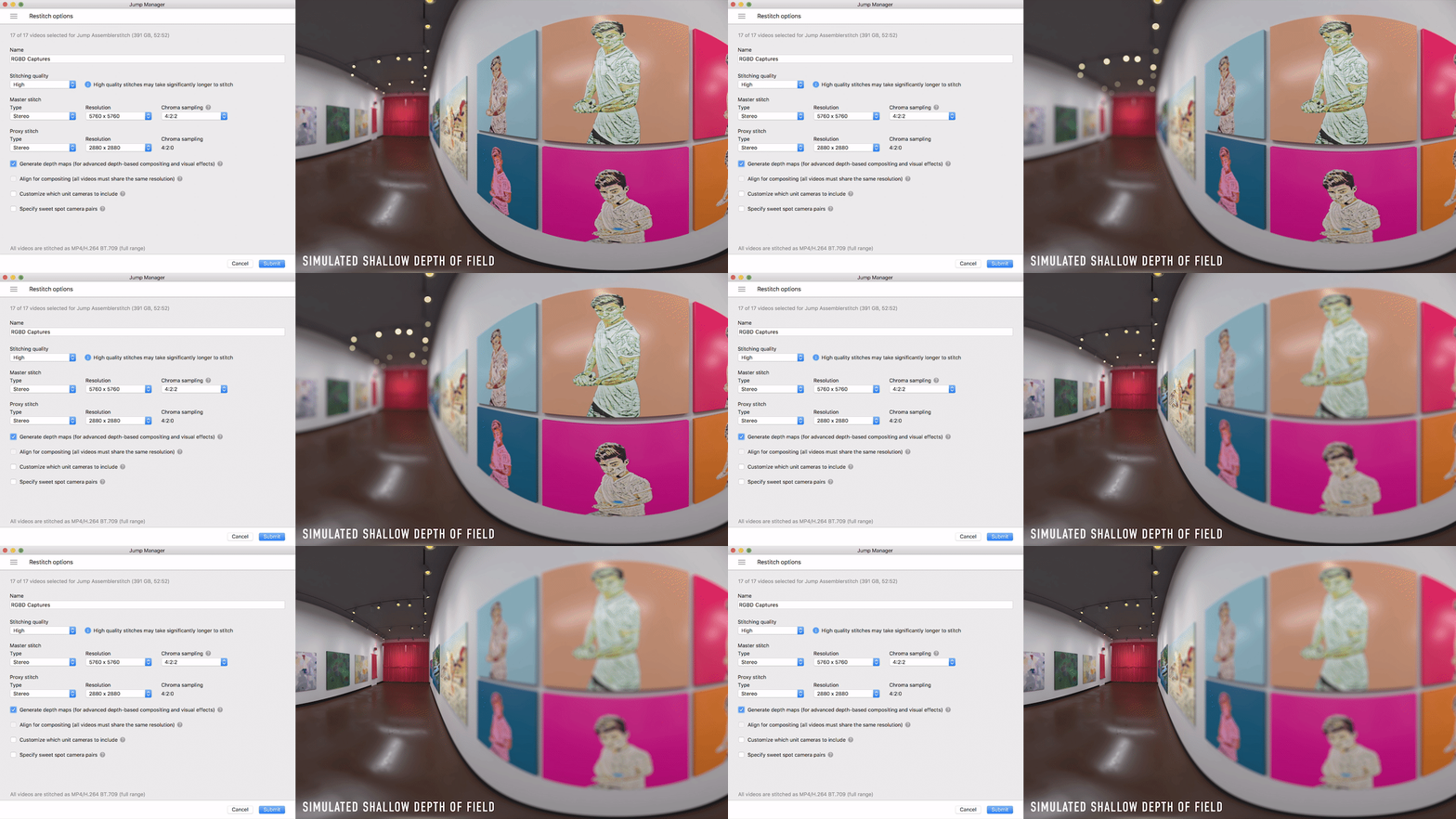
So how does this feature work? In addition to producing higher quality stitches, it lets creators generate razor-sharp depth maps that estimate the distance (or depth) of every pixel in the scene. This enables the use of editing software like Adobe Premiere or After Effects to extract elements or even composite a new scene in the background, all without a physical screen or meticulous manual rotoscoping. And in the latest release of After Effects, our partners at Adobe have made it even easier to leverage Jump's depth maps in post-production.
Generating depth maps in Jump Manager gives you more flexibility in post-production
In addition to using depth maps, SoKrispyMedia used Jump’s high-quality stitches to realistically light computer generated (CG) objects with Image Based Lighting. Instead of having to capture separate light probes, creators can get the same effect with Jump’s high bit-depth 360° stitches. This saves valuable time on set and gives creators the ability to seamlessly integrate CG into live action footage with accurate lighting and reflections.
Side by side still of CG object’s from Video Game Vehicle with and without image based lighting
SoKrispyMedia also utilized a third, software-based post-production tool to enhance their Jump footage. Using a technique detailed on the Google AI blog called “style transfer," they applied artificial intelligence to their footage to transform the look of each character into the style of the painting they’ve jumped into.
Another scene From “Do Not Touch”
Taken together, these software-based features—high-quality stitching, Image Based Lighting and style transfer—provide creators with new ways to share their vision with the world. As SoKrispyMedia’s Director and VFX supervisor Sam Wickert explains, “The most important aspect of these projects is to make VR content that is really worth watching in a headset, and these tools let us do that.” For audiences, this means we can look forward to traveling to all sorts of new destinations in the virtual world … from a video game environment to a museum where you actually jump into the paintings to wherever creators take us next.
“So you think you know every country in the world?” my late friend and drumming partner Richard Feynman said with a twinkle in his eye, back in 1977.“Well, then, whatever happened to Tannu Tuva?”
I replied, “Surely you’re joking, Mr. Feynman—there is no such country!”
But there was: Feynman remembered Tuva as a purple splotch on the map just outside of Outer Mongolia. In the 1930s Tuva issued dozens of marvelous triangular- and diamond-shaped stamps that he collected as a boy. Then the country mysteriously disappeared.
His question turned into a quest—to learn everything we could about Tuva, and to get there ourselves. On the occasion of Google's 20th anniversary this month, I've been thinking about how different our search was then compared to today.
Back then our main source of information was libraries—local, university, even the Library of Congress. Much of the information was in Russian (Tuva had been absorbed into Stalin’s Soviet Union during World War II), so we recruited a linguistic wizard named Glen Cowan to help. (Today you can use Google Translate.) We scoured card catalogs, microfilm reels, cross-library listings—and books that literally needed the dust blown off—in hopes of finding a useful nugget of information. Each nugget, rare and unexpected, delivered a small delight of discovery, and kept our quest alive.
Search for “Tuva” today on Google and you’ll be showered with so many nuggets that you can’t possibly treasure them all.
Back then it took us months to find a single grainy black-and-white photograph of Tuva; search for “images Tuva” on Google today and you’ll find a hundred color photographs in a second.
Back then it took us a year to find a single hand-drawn map of Tuva’s exotically spelled capital; today, you can instantly see a detailed street map of Kyzyl based on satellite imagery, with current traffic conditions.
Because information about Tuva was so difficult to find in the pre-Internet era, our quest was full of twists—much like a Feynman diagram (go ahead, search!). One twist took us to Moscow, where Cowan and I discovered and then brought the largest archaeological and ethnographic exposition ever from the Soviet Union to the United States. It included spectacular items from Tuva, of course. We thought the Nomads exhibition would provide us the key to finally setting foot in Kyzyl; it actually was the key for a dozen Soviet academicians to visit the mysterious Disneyland. No matter: we learned the meaning of the Taoist saying, “The reward is in the journey.”
Undaunted, we spread our enthusiasm by sending out Xeroxed newsletters to our friends, encouraging them to pass them on and send back SASEs (self-addressed stamped envelopes) for future newsletters. We also set up a “Friends of Tuva hotline” (221-TUVA) to spread the latest information about the singing cowboys from Tuva riding in the 1993 Pasadena Tournament of Roses Parade. Each Tuvan cowboy could sing two notes simultaneously, something we could scarcely imagine when we read about it in books; today, YouTube has dozens of “Tuvan throatsinging” music videos, and the “Friends of Tuva” newsletters are online.
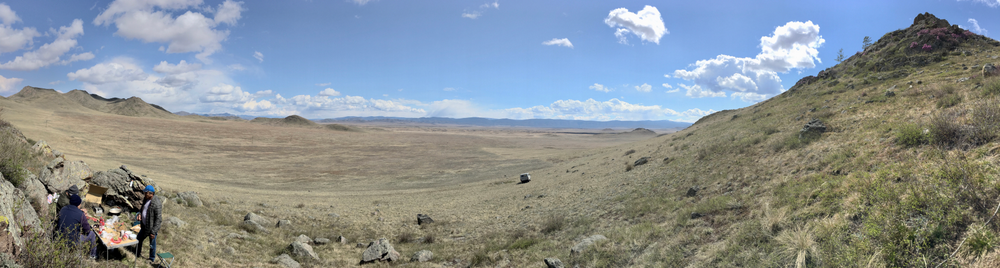
Sadly, Feynman died in 1988, just weeks before receiving the coveted formal invitation that would allow us to set foot in Tuva at last. But his memory lives on, here and in the land of his dreams. Today, you can find an article online about “Feynman Rock” in Tuva, carved to commemorate the centenary of Feynman’s birth in May this year. At a related event in Kyzyl, Cowan gave a talk in Russian about the work that won Feynman the Nobel Prize, while a simultaneous commemoration live-streamed into Kyzyl from Caltech.
The view from Feynman Rock in Tuva
Today I embark on dozens of quirky diversions every week, usually ending up happily lost in the world of Wikipedia (to which I contribute a dollar a day for my habit). But these easy jaunts seem more like sugar highs than the satisfying meal that Tuva provided, so in an effort to recapture that spirit of adventure, I’ve begun to frequent my local library and read good old-fashioned books again.
Nevertheless, I'm thankful for the embarrassment of riches and fools gold that is today’s Internet. And on Google's 20th anniversary, I offer up a fervent hope: let us never stop pursuing the mysteries that surround us—wondrous mysteries that await sustained, serendipitous, and joyful investigation. Quests can still begin with an intriguing question; adventures still await the curious mind.
Twenty years ago, Google started with an ambitious goal to organize the world’s information and make it universally accessible and useful. At the heart, we want to build technology that helps as many people as possible, regardless of who you are or where you are in the world. As we celebrate our birthday this month, we’re reflecting on some of the progress we’ve made toward that end. The work is never done, but here are 20 highlights from the past two decades:
Finding answers … and making connections
1. Billions of people have used Google Search to find answers to (literally) trillions of questions every year—from “how to help my community” to “how to find home” to all the many small questions in between. With job search, we’ve helped connect 100 million people to job opportunities in 92 countries.
2. Google Maps has helped people find their way with driving directions in 240+ countries and territories, spanning 40 million miles of road—that’s 83+ trips to the moon and back. And by connecting people to 150 million places around the world, Maps helps communities and businesses grow. Most moving are the times when Maps has helped people find a sense of place in the world—from Rio’s favelas to one’s own memories.
Saroo Brierley: Homeward Bound
Saroo Brierley searched for his family for years before finding his way back home with the help of Google Earth.
3. People can now talk to their Google Assistant in more than 20 languages, and in some cases it can even keep up if you’re bilingual. You can ask about everything from fantasy football advice to help finding a parking spot, and do everything from meditate to order a coffee. In the car, the Assistant has helped people reach their destination on tens of millions of commutes, and has sent tens of millions of messages, helping people stay in touch while keeping their eyes on the road.
4. Translate helps over half a billion people ask for help, make new friends, and say "thank you" across 100+ languages. More than 143 billion words are translated every day—that’s more than 161,000 times the number of the complete works of Shakespeare.
From Syria to Canada
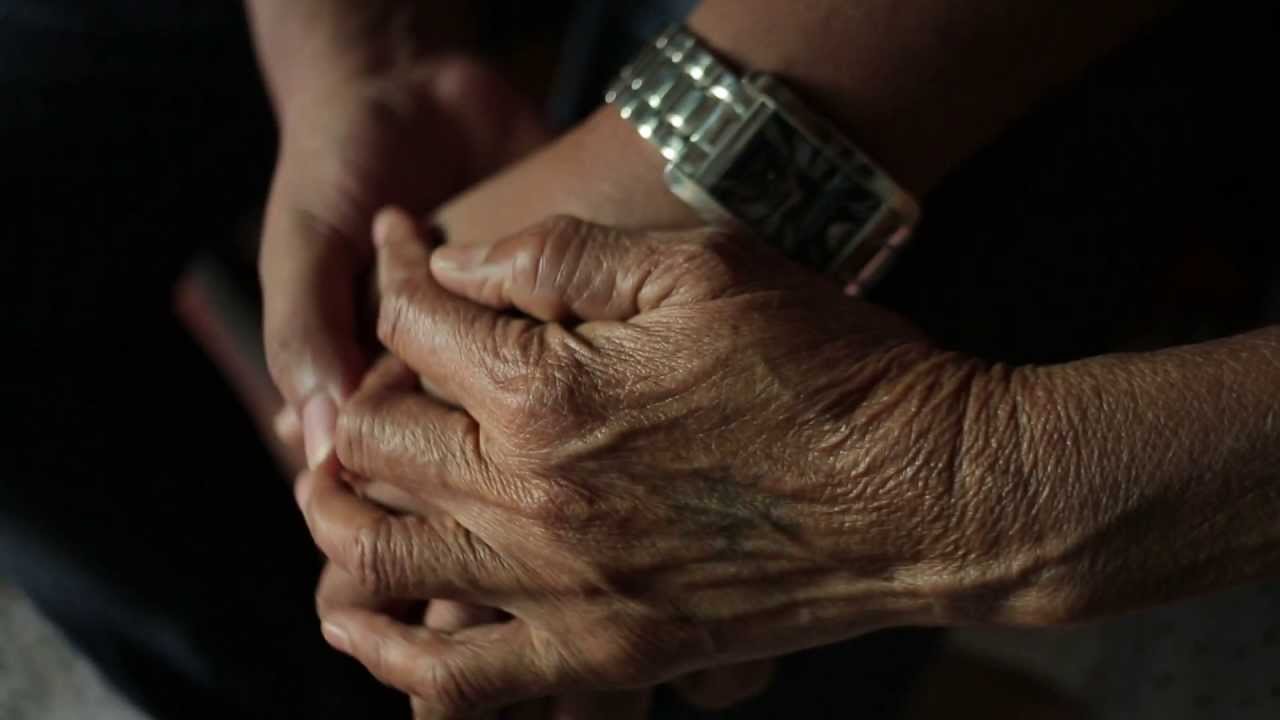
Emad and his family left Syria for a safer life in Canada. There, they had to grow accustomed to a new home, country—and language.
Saving valuable time (and space!)
5. More than 500 million people use Google Photos every month, backing up more than 1.2 billion photos and videos per day. Photos has also freed up over 410 petabytes worth of space—that’s like more than 25 million 16GB devices—plus peace of mind knowing you'll always have room to capture more memories.
6. With the typing time reduced by Autocomplete in Search, we estimate people worldwide collectively save over 200 years of typing time per day!
7. Gmail’s Smart Compose, a new machine learning-powered experience that helps you write email faster, saves people from typing over 1 billion characters a week (to put that in perspective, that’s the equivalent of nearly 4 million tweets).
Helping you stay safe online
8. One billion people visit the Google Account each year to access settings to safeguard their data and privacy.
9. Safe Browsing protects more than 3 billion devices from malware and phishing schemes, helping you browse the web with confidence.
10. And Gmail blocks nearly 10 million spam and malicious emails every minute, helping you keep your email and data safe.
Giving people tools and platforms to grow
11. Each year for the past five years, our search and advertising tools have helped provide more than $100 billion in economic activity to businesses, publishers and nonprofits across the United States. And we’re inspired by the stories of local and small businesses, from John’s Crazy Socks to American Hats, who are using the web to grow.
12. Google Play has helped developers grow app businesses and reach users in 190+ countries and across more than 2 billion Android devices. From an app that helps blind people see to a game that creates art, these creators are doing amazing things on our open platforms.
Sara always had a passion for technology. With a Developer Scholarship from Google, she's pursuing her dream of becoming a web developer.
Expanding access to learning opportunities
14. More than 25 million students worldwide are using Chromebooks in schools to share ideas, create projects, go on virtual field trips, and learn from each other and their teachers.
15. Art lovers and history buffs have marveled at artifacts from 1,500+ museums across 70 countries in Google Arts & Culture. From Abramovic to Zhengming, that’s thousands of artworks and 6 million photos, videos, manuscripts and other documents at your fingertips. And people have met more than 78 million selfie matches from 650+ institutions with Art Selfie.
16. People can access local versions of YouTube in 91 countries around the world across 80 languages—covering 95 percent of all internet traffic. And every day, people watch learning-related content over a billion times on YouTube.
An Eye Fit for Liberty
When his daughter needed a prosthetic eye, a father refused to settle for less.
Making an impact on a global scale
17. To help people in times of need, we’ve activated SOS Alerts to provide better access to emergency information in more than 200 crisis situations, and people have viewed Public Alerts—for things like storm warnings or hurricane evacuations—more than 1.5 billion times.
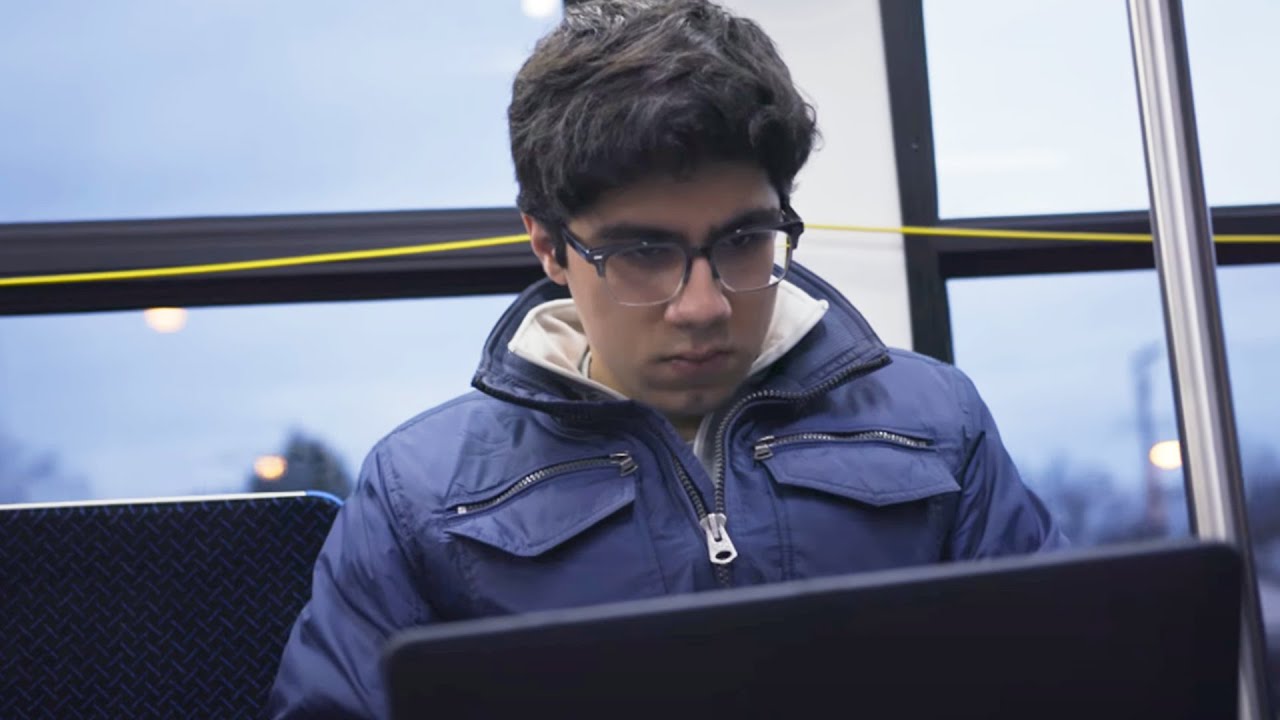
When Abu was 15, he discovered the potential of machine learning. Now what he’s building could help doctors and patients all over the world.
Google’s name is based on a number—a one with 100 zeroes after it. When we went public in 2004, the offering contained a math joke about the irrational number "e." Oh, and we call our campus headquarters the “Googleplex,” which, if it were spelled differently, would be a one followed by a googol of zeroes. You could say we’re numbers people.
But these numbers are different. They represent something incredibly meaningful—the billions of people who have posed a question, sent an email, opened a new tab, dragged a pin on a map, asked a big question. Billions of people who have found answers, gotten things done or started on a new adventure. Billions of people whose lives have gotten, just possibly, a little bit better or brighter thanks to something that we built.
Everything we’ve done for the past 20 years has been built with you in mind, and we’re incredibly grateful for the opportunity you’ve given us to be a part of your lives. And two decades in, we’re even more dedicated to building products and services that make a difference for you.
I knew that chalkboard globes were a thing, but one excellent use for them did not occur to me: drawing fantasy maps on them.
This is precisely what one Reddit user has done with the map from Steven Erikson’s Malazan Book of the Fallen. Now there is no official overall world map for the Malazan novels: if I understand things correctly, fans have had to reverse-engineer it from the large-scale maps and descriptions in the novels. In any event, putting a fantasy map on a globe is an achievement in and of itself, regardless of source or medium, since most fantasy worlds are drawn as flat maps, and not all of them take a round world into account. [Tor.com]
According to most current models of climate change life in the year 2100 is going to resemble the most dystopian visions of the future cooked up by writers of science fiction. We can look forward to a world which suffers from extreme heat, rising seas and practically unbreathable air.
For example, MIT recently modeled how climate change could impact on the future of air quality in the USA. The



















 This is precisely what one Reddit user has done with the map from Steven Erikson’s Malazan Book of the Fallen. Now there is no official overall world map for the Malazan novels: if I understand things correctly, fans have had to reverse-engineer it from the large-scale maps and descriptions in the novels. In any event, putting a fantasy map on a globe is an achievement in and of itself, regardless of source or medium, since most fantasy worlds are drawn as flat maps, and not all of them take a round world into account. [Tor.com]
