Shared posts

06 Jan 17:53

Dad’s Malibu Super Sport – Postcard #65

by gravellybeach@gmail.com (Dave Thorvald Olson)

Dad's Malibu Super Sport – Postcard #65

When I was growing up, Dad often spoke of his Chevy Malibu SS – his favourite car.  So, while on his death bed, I asked him to tell the story. He speaks about acquiring the vehicle, the budget, the deal, the financing terms and oh, also about the car and how he enjoyed having a reliable and cool vehicle as a young married man creating a life, after growing up poor in Regina, Saskatchewan, then heading off to BYU in Utah. The story is interrupted by a nurse bringing lunch and news. He died 10 days later.

Indulge me by listening to: Dad’s Malibu Super Sport – Postcard #65 (78MB, 12:08, ,mp3, stereo)

Subscribe

Grab the Postcard from Gravelly Beach podcast RSS feed and/or subscribe via: iTunesGoogle PlayTunein – Reviews rewarded with postal postcards #bribe

Follow along via Twitter @uncleweed & @DaveOstories

Gear

I use (among other things) Koss SterophonesM-Audio MicroTrack IIM-Audio Solo audio interfaceGriffin iMic and Sony Microphone – in case you were wondering.

06 Jan 17:52

Can Mark Zuckerberg fix Facebook?

by Josh Bernoff

Yesterday Mark Zuckerberg said his personal challenge for 2018 was to fix Facebook. This is a good sign, but we need to hold him accountable. Zuckerberg’s brief statement (432 words, posted on Facebook of course) is direct and personal compared to most CEO communications. Let’s take a look at what he’s saying, how he’s saying … Continued

The post Can Mark Zuckerberg fix Facebook? appeared first on without bullshit.

06 Jan 17:52

Twitter Favorites: [tinysubversions] The existence of hilarious fake stuff doesn't teach skepticism or critical media consumption. It confuses or mislea… https://t.co/NMni2w3W2Q

Darius Kazemi, 135.295 @tinysubversions
The existence of hilarious fake stuff doesn't teach skepticism or critical media consumption. It confuses or mislea… twitter.com/i/web/status/9…
06 Jan 17:52

How The London Underground Changed Society

by Real Engineering
mkalus shared this story from Real Engineering's YouTube Videos.

From: Real Engineering
Duration: 09:02

The first 500 people to use this link will get a 2 month free trial of skillshare: http://skl.sh/realengineering6

Listen to our new podcast at:
Showmakers YouTube channel at: https://goo.gl/Ks1WMp

Itunes: https://itun.es/us/YGA_ib.c
RSS and Libsyn Audio is available on our site: https://www.showmakers.fm/

Get your Real Engineering shirts at: https://store.dftba.com/collections/real-engineering

Editing Laptop: http://amzn.to/2tipgoI
Camera: http://amzn.to/2ucfWEa
Microphone: http://amzn.to/2uCF8pS

Patreon:
https://www.patreon.com/user?u=2825050&ty=h
Facebook:
http://facebook.com/realengineering1
Instagram:
https://www.instagram.com/brianjamesmcmanus
Twitter:
https://twitter.com/Fiosracht
Website:
https://www.RealEngineering.net

My Patreon Expense Report:
https://goo.gl/ZB7kvK

Thank you to my patreon supporters: Adam Flohr, darth patron, Zoltan Gramantik, Henning Basma, Karl Andersson, Mark Govea, Mershal Alshammari, Hank Green, Tony Kuchta, Jason A. Diegmueller, Chris Plays Games, William Leu, Frejden Jarrett, Vincent Mooney, Ian Dundore, John & Becki Johnston. Nevin Spoljaric

Once again thank you to Maeson for his amazing music. Check out his soundcloud here: https://soundcloud.com/maeson-1/tracks

06 Jan 17:52

Twitter Favorites: [MrSteveTweedale] Great piece by @David_Moscrop. Political issues usually have an important technical aspect, but political decisions… https://t.co/4dYyAI7sOG

Stephen Tweedale @MrSteveTweedale
Great piece by @David_Moscrop. Political issues usually have an important technical aspect, but political decisions… twitter.com/i/web/status/9…
05 Jan 23:35

Twitter Favorites: [AndreaWoo] @sillygwailo I think you mean the Nasty Market :)

Andrea Woo | 鄔瑞楓 @AndreaWoo
@sillygwailo I think you mean the Nasty Market :)
05 Jan 22:53

Gefährliche Fallen für Radfahrer

by noreply@blogger.com (Christine Lehmann)
mkalus shared this story from Radfahren in Stuttgart.

In Heidelberg ist auf abschüssiger Strecke ein Radfahrer tödlich verunglückt, weil sich auf der Fahrbahn sogenannte Kölner Teller befanden, die Autos ausbremsen sollen.

Das berichten die Rhein-Neckar-Zeitung und die Stuttgarter Nachrichten uns stellen die Frage: "Wird nun gegen die Stadt wegen fahrlässiger Tötung ermittelt?" Weil Autofahrer sich nicht an die Geschwindigkeitsbegrenzung von 20 km/h hielten, wollte die Stadt die Sicherheit erhöhen. Leider hat man wieder einmal nicht an Radfahrer gedacht, für die die Schwellen gefährlich werden können. Ein Radfahrer stürzte, prallte gegen eine Hauswand und starb eine Woche später an seinen Kopfverletzungen. Kurz darauf rutschte ein Radler auf den Noppen weg, stürzte und zog sich zum Glück nur Prellungen zu. Die Kölner Teller sind bei Nacht und Regen schwer zu erkennen.

Wie sich der rasenden Autofahrer erwehren? Städte pflanzen dann gern Hindernisse auf die Fahrbahn. Bei uns sind es Berliner Kissen in den Bolzstraße. In Heidelberg waren es die kreisrunden Silberteller, die man in Stuttgart auf der Autoeinfahrt in die Tiefgarage des Dorotheequuartiers über den Radweg Holzstraße hinweg besichtigen kann (siehe Foto ganz oben). Über die hinweg fahren aber definitiv nur Autos. In Heidelberg lagen sie doppelreihig auf einer abschüssigen Straße. Bei Tag gut zu erkennen, bei Nacht und Nässe nicht.

Hindernisse auf Fahrbahnen bringen Autos und Autofahrer nicht in Gefahr, Radfahrende aber schon. Denn sie rollen auf nur zwei Rädern. Hindernisse sind sehr häufig und vielfältig auf allen Straßen, wo man Autofahrern signalisieren will, dass sie nicht durchbrettern dürfen, etwa in der Tübinger Straße zur Torstraße hin, oder an vielen Einfahrten in Wohnviertel, etwa ins Lehenviertel oder an der Böblinger Straße. Ich selber habe an den besonders häufigen 3-cm-Bordsteinen schon Radfahrer stürzen sehen, wenn sie zu schräg drauf gefahren sind. Sogar erfahrenen Radlern passiert das bei Ausweichmanövern. In Stuttgart greift schon lange eine Verbordsteinung um sich, die den Radverkehr unbequem macht.

Ein Ausweg wären Flachbordsteine mit so genannter Sinuskurve. Sie sind nach unten konkav geschwungen, statt konvex nach oben gewölbt. Sehr gut sind übrigens auch abgeschrägte Bordsteine, sie dürfen dann sogar recht hoch sein. Die kommt man als Radler unfallfrei und sanft rauf und runter. Man kann sie überall dort einsetzen, wo Radler einen hohen Bordstein hoch sollen. Sie sind viel besser als aufgeschütteter Asphalt. So ein abgeschrägter Bordstein befindet sich an der König-Karls-Brücke beim Abzweig zur Rampe auf den Wasen hinunter, wenn auch leider immer noch mit leichtem Hopser, aber durchaus gut zu befahren.

Das Argument gegen Sinus-Bordsteine, das ich gehört habe, ist, Blinde könnten diese Bordsteine mit dem Stock nicht mehr ertasten. Ob das wirklich so ist, käme auf einen Versuch an. Und: Diese 3-cm-Borsteine verlaufen ja fast immer quer über die Fahrbahn, und Fahrbahnen sind eigentlich nicht der Weg, den Blinde nehmen. Für sie gibt es vielerorts bereits Leitsteine im Boden, die übrigens für Radfahrende auch nicht ohne sind. Doch Radfahrer haben auf Gehwegen ja auch nichts zu suchen.


05 Jan 22:53

stood here for 30 mins watching the light change, in awe of the world

by Emily Chang

stood here for 30 mins watching the light change, in awe of the world

Photo Caption: stood here for 30 mins watching the light change, in awe of the world

Photo taken at: Waikiki Beach

Instagram filter used: Normal

View in Instagram ⇒

05 Jan 22:53

Waikiki at its finest! A tiny wave that took me from the way outside 70 yards into the inside of the inside lol

by Emily Chang

Waikiki at its finest! A tiny wave that took me from the way outside 70 yards into the inside of the inside lol

Photo Caption: Waikiki at its finest! A tiny wave that took me from the way outside 70 yards into the inside of the inside lol

Photo taken at: Waikiki, Hawaii

Instagram filter used: Normal

View in Instagram ⇒

05 Jan 22:53

Box breathing box

by Tom MacWright

I built a box breathing box.

Box breathing is a technique for keeping track of and controlling breath: four seconds inhaling, four holding, four exhaling, four holding. I read about the trick a year or two ago, and rely on it to get back to normal when I notice I’m holding my breath. I hold my breath when I’m nervous.

You can do it by counting to four, but it’s nice to have an external guide so that you can just concentrate on breathing. There are guides already, like iPhone apps and websites. I wanted something else.

I wanted something that didn’t receive notifications or show me content, a specific object for this task.1 So I built this device from scratch.

The parts for the box breathing box, neatly arranged

The electronics came in one $50 order from Adafruit.

The microcontroller is overkill: a 32u4 Basic Proto Feather would have run more efficiently.

I spent much more time working through newbie mistakes and setting up software than I did writing code. There’s little code involved.

I wanted the object to be excellent. Tactile. Soft but stark. With access to my dad’s workshop and his advice, and with a craft box donated by my mom, I built an enclosure from wood and plexiglass. These images, too, were taken in his studio. Many thanks for help on this project.

Three-quarters view of the box breathing box with the top off

The enclosure is finished with many coats of a Minwax wipe-on polyurethane. The plexiglass top is lightly sanded to eliminate any shine.

Top-down view of the box breathing box

It’s essential that the hardware stays in place, so we constructed wood shims for the sides and near the toggle switch.

The top is drilled out for the SPDT toggle switch, and the bottom has a Micro-B USB port for charging and programming. That’s one of my favorite features of the Adafruit Feather devices - a built-in battery charging circuit.

Someday I’d like to build a simpler version, possibly with an analog circuit.

It’s a good object, and building it was lovely. This is a box breathing box.

View of the box breathing box in the hold-inhaled position

05 Jan 22:53

🤴🍺 #🇬🇧 (at Marylebone London)


🤴🍺 #🇬🇧 (at Marylebone London)

05 Jan 22:53

Senator Lynn Beyak removed from Tory caucus over 'racist' post on website

05 Jan 22:52

What's Your Cut Off For Vintage?

by noreply@blogger.com (VeloOrange)
By Scott


As another year begins, we're back in the office and working on projects, both new ones and ones that have followed us into the new year. One of the new projects for 2018 is building up a vintage bike and showing the process through the blog. Igor's been scouring ebay and has found a worthy candidate in a French frameset from the late 50s. But in starting down this road/path/trail, one thing that came to our mind: what is vintage and how is that defined vs an antique?


Webster's defines vintage as "of old, recognized and enduring interest, importance or quality. Of the best and most characteristic."  We've had folks call us about their vintage bike - a 1935 Schwinn. Other calls have been from folks asking about part for a "vintage" bike they own, a 2001 LeMond. So perhaps the date is in the eye of the beholder.


The L'Eroica folks currently use bikes from 1987 and before as the cut off for their events. They feel bikes of that era and earlier have a "vintage look and feel". They do allow aero brake levers, admitting that they started to appear in the mid 80's, but feel that they changed the look of traditional racing bikes.


Events like L'Eroica and French Fender Day provide a focal point for people who ride vintage bikes to meet up with other folks who also view these bikes as something to ride and enjoy.

In terms of vintage vs antique, Igor mentions that the difference was that he would have no problem using something everyday that was vintage, but felt that an antique should only be used sparingly to allow people in the future to experience it tangibly rather than seeing it in print or photos.

I think vintage is something 25 years and older. So in bike terms, that puts us around 1993 or so.  For me, that's a perfect time in my life. I was still working in bike shop then, so I have a tactile connection to that time frame and an appreciation for the style of the time.

Is vintage a perception? Is it related to one's own time frame of life? Where does your distinction between vintage and antique come into play?
05 Jan 22:52

Five-word movie review: “About Time”

by sheppy

Charming and lovely. Beautifully acted.

05 Jan 22:52

New York City installing 1,500 Bollards to protect Pedestrians

by Sandy James Planner

New York City mayor Bill de Blasio, New York City Department of Transportation Commissioner Polly Trottenberg, NYPD Commissioner James O'Neill and U.S. Congressman Adriano Espaillat (D-NY) stand near additional bollards in Times Square, New York City

New York City will be installing 1,500 bollards on city streets as reported by the New York Times. While these bollards have previously been installed around Times Square in 2016, they have previously only been installed for diplomatic buildings and some private enterprises.

In May 2017 an individual high on PCP used a rental truck to drive down a bike path on the city’s west side. Eight people were killed. The 50 million dollars spent on securing undisclosed pedestrian locations will include metal bollards and also large planters which will be placed at vulnerable locations. Concrete cubes and barriers previously installed will be replaced with items that are less cumbersome to walk around and that are more aesthetic.

New York City’s mayor de Blasio stated that the bollards were “necessary to immediately secure those areas in light of these new trends we’ve seen. But we knew we needed long-term solutions, we needed permanent barriers. People have to be able to get around, but they have to be safe at the same time.”

Discussion are also ongoing to further limit car access to the Times Square area and also re-evaluate whether vehicular traffic should be further restricted in other popular pedestrian locations.

bollards-gty-jpo-180102_3x2_992


05 Jan 22:52

Act Last, Read the Room, and Taste the Soup

by rands

The quiet is my favorite attribute of a holiday break. My various Slacks are quiet, the house is quiet, and while it takes three days of quiet, eventually my head is quiet.

Quiet creates reflection. I replay the critical parts of recent life and rather than living them, I observe them… at a distance. This often allows me to find the lessons rather than react to the situation.

This holiday break I found three lessons and they are lessons I wish I knew a long time ago:

1. Act last. In poker, a full table is ten players, and the betting starts to the left of the button which is a round plastic thing that sits in front of one player and rotates clockwise with each subsequent hand. The button, the last player to bet, is the prime position because you get to see how every other player at the table is indicating they are going to play this hand. You have the most information for which to make a betting decision.

Oddly, at work, you will find yourself in precisely the same situation. You’ll be sitting in a meeting where folks are going around the table and giving their opinion about this important topic and for a great many situations when it’s your turn to offer your opinion; the correct move is to pass.

Information builds context and context is the circumstance that forms the setting for an idea so that it can be understood. The more folks go around the table and weigh in on what they think about the idea, the more context you have, so the better you can shape your opinion before you share it.

Extroverted humans love to own the energy of a live conversation which means they’ll likely play their cards right out of the gate. Unlike poker, this is often the right move to land a new idea. It’s called “first mover advantage,” and for the human who wants to define the narrative by landing their compelling idea first, it’s solid opening play. Thing is… acting early might set tone, but it doesn’t make an idea sound. An idea doesn’t get better with agreement; it gets better with debate. It gets better when a diverse set of human have a chance to stare at it and share their unique, informed perspective.

So, the question is, “When to act first or act last?” It’s a fair question which is why you need to…

2. Read the room. My opening move in any presentation is to read the room. The slippery question I am answering for myself is, “What mood is this particular set of humans in?” Impossible to answer, right? What is the aggregate happiness or sadness of a group of 500 humans? How are they feeling? And why does it matter?

The reason you care about the ambient mood of a group of humans is you have business with the folks. You have a talk to deliver; you have 1:1 to complete, or you have an urgent topic to discuss at a cross-functional meeting. Their collective mood is critical signal on your approach path for getting your work done, and the sooner you have tested the mood, the sooner you have your approach vector.

My opening moves for reading the room:

For a talk, I almost always open with an audience participation exercise. Raise your hands. How many extroverts? How many introverts? Why do care about the split of perceived personality types? What I care about is how many folks willingly raise their hand. 500 people and only a 100 raise their hands to identify as extrovert or introvert? Ok, this particular crowd has it’s guard up. No clue why, but it means they are holding me at arm’s reach so I will do extra work to connect by explaining my background and my goals for the talk to make myself familiar.

For a 1:1, I do what I wrote about here. I ask “How are you?” As I wrote, I am carefully listening to your answer:

What’s the first thing they say? Do they deflect with humor? Is it the standard off-the-cuff answer? Or is it different? How is it different? What words did they choose and how quickly are they saying them? How long did they wait to answer? Did they even answer the question? Do you understand the answer isn’t the point, either? The content is merely a delivery vehicle for the mood, and the mood sets your agenda.

Finally, for a meeting, and to make it harder, let’s say it’s a meeting I am not running, but have a role as a participant. Not being able to land the first question and set tone makes the initial read harder, but all the signal is still in the room. Who is running the meeting? How do they open it? Who perks up? Who keeps their nose buried in their phone? As topic changes, how does the demeanor of the different meeting denizens change? What is every single thing I know about that them and how might that context inform their changes of mood depending on topic?1

Reading the room is the specialty of introverts because we are comforted by the act of gathering of context. This context gives us the impression we have a map for how this particular meeting might go, but where introverts can fail is when all we do is listen, all we do is build more context, and we don’t…

3. Taste the Soup. What do we hate about micromanagers? I’ll tell you what I hate. I hate the leaders who believe that prescribing every single action without room for improvisation, iteration, or feedback is anything but demeaning and demoralizing. If I screwed up, if I failed on something critical because I failed to listen to your guidance then sure… dictator it up. Until we arrive at that failure case, I don’t need to be told what to do; I need you to taste the soup.

In your career, you’ve had a lot of soup. You’ve had tomato, chicken noodle, potato leek, and countless others. More importantly, you’ve had different variations of each soup. Big huge noodle chicken noodle. Some amazing type of cream on that tomato soup. This soup journey has taught you a lot about soup. Now, when presented with a new bowl of soup, the moment that counts is the first taste. You taste a bit and wonder, “What is going on with this soup?”

In a meeting where an individual or team is presenting a complex idea or project, my job as the leader is soup tasting. It’s sampling critical parts of the idea to get a sense of how this soup has been or will be made. Who are the critical people? What are the critical parts? Which decisions matter? I don’t know. I do believe that a pre-requisite for leadership is that you have experience. You’ve had trials which have resulted in both impressive successes and majestic failures. These aggregate lessons define your metaphoric soup tasting ability, and when your team brings you a topic to review, it is this experience you apply to ask the critical soup questions.

Leaders who default to micromanagement teach you nothing about the craft of building. Their tell-assertive style creates an unsafe environment where some of the best parts of being human, our inspiration and our creativity, cannot exist. Tasting soup, asking small, but critical questions based on legitimate experience, creates an environment of helpful and instructive curiosity. Why do you choose this design? What is this metric going to tell us? What do you think the user is thinking at this moment?

The opposite of quiet is noisy, and business is noisy. It’s full of humans acting first, ignoring the room, and tasting none of the soup… and being annoying successful with each of these acts. Like all advice you ever received, mine is situationally useful, but based on what I value as a leader.

Let others share their thoughts. You never know when a great idea will appear. Understand that as a leader, your team is going to be less likely to contradict your idea which is another good reason to act last.

Understand that everyone is busy having their life and they are often bringing that life to the conference, the 1:1, or the meeting. Their life might not always cleanly fit neatly into business and your job as a leader to read the room to understand what they need.

Demonstrate respect to the team by asking great questions. Be curious. Your experience has taught your lessons, and your questions often share lessons better than your lectures. Plus, you never know what kind of soup you’ll discover.

And have a great new year.


  1. Exhausting right? Now you know why it takes three full days to clear my head. 
05 Jan 22:52

Twitter Favorites: [tinysubversions] How did I never before notice this chubby cat sculpture in downtown Portland?? (5th and Morrison) https://t.co/T5vwqYS4qP

Darius Kazemi @tinysubversions
How did I never before notice this chubby cat sculpture in downtown Portland?? (5th and Morrison) pic.twitter.com/T5vwqYS4qP
05 Jan 22:51

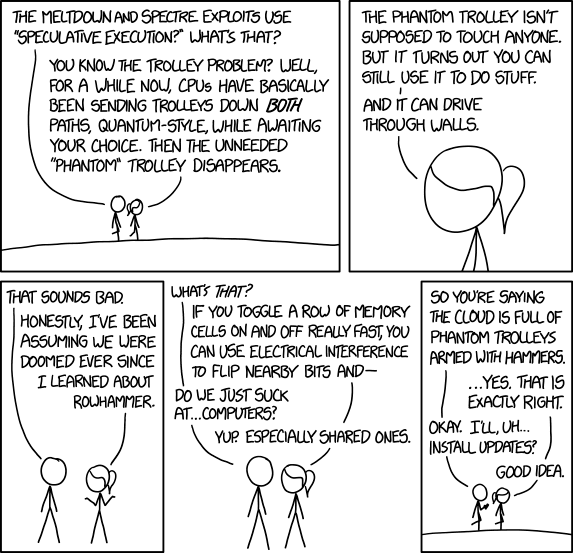
Meltdown and Spectre

mkalus shared this story from xkcd.com.

New zero-day vulnerability: In addition to rowhammer, it turns out lots of servers are vulnerable to regular hammers, too.
05 Jan 22:45

Testing podcast hosting – hello, world!

by D'Arcy Norman

A test podcast episode, chock full of interesting hello-worldly goodness. Likely, to self destruct once I see how this PodLove plugin works… Looks like the “episode” content type behaves nicely on my site, bypassing the “ephemerator” plugin, and presenting a handy web player. Nice.

05 Jan 22:45

Real World

RealWorld example apps is a great idea:

See how the exact same Medium.com clone (called Conduit) is built using any of our supported frontends and backends. Yes, you can mix and match them, because they all adhere to the same API spec

And it looks like porting the app over to Vanilla JS is already underway.

05 Jan 22:44

Own your content

2018: Some Hope

Great post from Brent Simmons on getting off the Twitter/Facebook train.

A little Apple-centric, but you get the idea.

05 Jan 20:44

Instagram, a Gastown Parking Lot, and Christopher Cheung @lotspotting

by Sandy James Planner

582x388xlotspotting-puppy-ferrari-pagespeed-ic-vuzxplqxde

Christopher Cheung has written a delightfully fun piece in the Tyee about his foray into the instagram world of people photographing~well, themselves. His office window is smack adjacent to a popular instagram location on the top of a Gastown parkade. These people all came to the top open deck of the parkade to photograph not the area, the view, but themselves. And that is where Christopher’s story begins.

“All visitors have a mobile phone or DSLR in hand. They aren’t there to photograph buildings; they are there to photograph themselves in front of buildings, dressed in a diversity of styles: preppy, street and vintage throwbacks. Most of it is for Instagram. The app has 800 million monthly users (and counting) sharing images from their lives, sharing creative content and connecting over hobbies. Celebrities, small businesses and global companies use it too. Aside from simple portrait photographers, there are other surprises. I’ve seen skateboarders record tricks on video. I’ve seen TV crews shoot fight scenes. I’ve seen teens set off a bomb of blue smoke for dramatic effect. And, strangest of all, I once saw four guys — all in black, puffy jackets — place a puppy in front of a Ferrari for photos.”

Since most of us would doubt that four duffle coated men would put a small white dog in front of a Ferrari and photograph it on the roofdeck of this rather derelict rooftop parking lot, Christopher provides the photo. Surprisingly even though his office window overlooks the parkade he is largely ignored by the instagrammers. It seems, just like in real life, when someone is in pursuit of a great photo of themselves outside distractions are superfluous. Even taking photos of the instagrammers taking photos was mostly ignored.
“I don’t know why I didn’t think to document these visitors earlier — especially the ones who set off the blue smoke bomb. But from then on, I was determined to capture all who came up to the rooftop to visit.”

And of course Christopher placed his photos of people taking photos on instagram at @lotspotting. He also has a fullsome discussion on the use of instagram in rediscovering these lost corners of the city, and revisits the magic of Vancouver photographer Fred Herzog in the candidness and reality lacking in the instagram staged photos.

“Urban windows are a curious thing. They are part of the voyeurism that is life in a city. Looking through them from the street or looking through one at the street stirs both isolation and intimacy. American artist Edward Hopper captures one such window in Nighthawks, which has become an iconic image of urban loneliness. The painting shows four figures in a downtown diner late at night. They are appear to be strangers, but are sharing a moment together. The perspective is from the outside looking in. Instagram isn’t so different from urban windows.”


851x567xlotspotting-couple-pagespeed-ic-pvxdclx6bbPhotos~Christopher Cheung


05 Jan 20:44

What’s behind the Intel design flaw forcing numerous patches?

files/images/intel-48-core-larrabee-probably-640x427.jpg

Peter Bright, Ars Technica, Jan 08, 2018


Icon

This is probably the best technical description of the newly-discovered security problem in Intel chips ('newly discovered' in this case meaning 'discovered in November'). The problem has to do with the "speculative execution" of code by the chips (for example, in an expression "If A then B", the expression B will be evaluated only if the expression A is true, but the chip might begin executing B even before it knows that A is true, storing the data in a cache, just in case). Meanwhile, how did Intel's CEO respond to the news? By selling stock before it leaked to the public. Meanwhile the patches to fix the flaw are expected to slow computers by as much as 30%. More individual users won't feel the impact so much but cloud server farms are expected to be impacted

[Link] [Comment]
05 Jan 20:43

Why Raspberry Pi isn’t vulnerable to Spectre or Meltdown

by Eben Upton

Over the last couple of days, there has been a lot of discussion about a pair of security vulnerabilities nicknamed Spectre and Meltdown. These affect all modern Intel processors, and (in the case of Spectre) many AMD processors and ARM cores. Spectre allows an attacker to bypass software checks to read data from arbitrary locations in the current address space; Meltdown allows an attacker to read data from arbitrary locations in the operating system kernel’s address space (which should normally be inaccessible to user programs).

Both vulnerabilities exploit performance features (caching and speculative execution) common to many modern processors to leak data via a so-called side-channel attack. Happily, the Raspberry Pi isn’t susceptible to these vulnerabilities, because of the particular ARM cores that we use.

To help us understand why, here’s a little primer on some concepts in modern processor design. We’ll illustrate these concepts using simple programs in Python syntax like this one:

t = a+b
u = c+d
v = e+f
w = v+g
x = h+i
y = j+k

While the processor in your computer doesn’t execute Python directly, the statements here are simple enough that they roughly correspond to a single machine instruction. We’re going to gloss over some details (notably pipelining and register renaming) which are very important to processor designers, but which aren’t necessary to understand how Spectre and Meltdown work.

For a comprehensive description of processor design, and other aspects of modern computer architecture, you can’t do better than Hennessy and Patterson’s classic Computer Architecture: A Quantitative Approach.

What is a scalar processor?

The simplest sort of modern processor executes one instruction per cycle; we call this a scalar processor. Our example above will execute in six cycles on a scalar processor.

Examples of scalar processors include the Intel 486 and the ARM1176 core used in Raspberry Pi 1 and Raspberry Pi Zero.

What is a superscalar processor?

The obvious way to make a scalar processor (or indeed any processor) run faster is to increase its clock speed. However, we soon reach limits of how fast the logic gates inside the processor can be made to run; processor designers therefore began to look for ways to do several things at once.

An in-order superscalar processor examines the incoming stream of instructions and tries to execute more than one at once, in one of several pipelines (pipes for short), subject to dependencies between the instructions. Dependencies are important: you might think that a two-way superscalar processor could just pair up (or dual-issue) the six instructions in our example like this:

t, u = a+b, c+d
v, w = e+f, v+g
x, y = h+i, j+k

But this doesn’t make sense: we have to compute v before we can compute w, so the third and fourth instructions can’t be executed at the same time. Our two-way superscalar processor won’t actually be able to find anything to pair with the third instruction, so our example will execute in four cycles:

t, u = a+b, c+d
v    = e+f                   # second pipe does nothing here
w, x = v+g, h+i
y    = j+k

Examples of superscalar processors include the Intel Pentium, and the ARM Cortex-A7 and Cortex-A53 cores used in Raspberry Pi 2 and Raspberry Pi 3 respectively. Raspberry Pi 3 has only a 33% higher clock speed than Raspberry Pi 2, but has roughly double the performance: the extra performance is partly a result of Cortex-A53’s ability to dual-issue a broader range of instructions than Cortex-A7.

What is an out-of-order processor?

Going back to our example, we can see that, although we have a dependency between v and w, we have other independent instructions later in the program that we could potentially have used to fill the empty pipe during the second cycle. An out-of-order superscalar processor has the ability to shuffle the order of incoming instructions (again subject to dependencies) in order to keep its pipes busy.

An out-of-order processor might effectively swap the definitions of w and x in our example like this:

t = a+b
u = c+d
v = e+f
x = h+i
w = v+g
y = j+k

allowing it to execute in three cycles:

t, u = a+b, c+d
v, x = e+f, h+i
w, y = v+g, j+k

Examples of out-of-order processors include the Intel Pentium 2 (and most subsequent Intel and AMD x86 processors with the exception of some Atom and Quark devices), and many recent ARM cores, including Cortex-A9, -A15, -A17, and -A57.

What is branch prediction?

Our example above is a straight-line piece of code. Real programs aren’t like this of course: they also contain both forward branches (used to implement conditional operations like if statements), and backward branches (used to implement loops). A branch may be unconditional (always taken), or conditional (taken or not, depending on a computed value); it may be direct (explicitly specifying a target address) or indirect (taking its target address from a register, memory location or the processor stack).

While fetching instructions, a processor may encounter a conditional branch which depends on a value which has yet to be computed. To avoid a stall, it must guess which instruction to fetch next: the next one in memory order (corresponding to an untaken branch), or the one at the branch target (corresponding to a taken branch). A branch predictor helps the processor make an intelligent guess about whether a branch will be taken or not. It does this by gathering statistics about how often particular branches have been taken in the past.

Modern branch predictors are extremely sophisticated, and can generate very accurate predictions. Raspberry Pi 3’s extra performance is partly a result of improvements in branch prediction between Cortex-A7 and Cortex-A53. However, by executing a crafted series of branches, an attacker can mis-train a branch predictor to make poor predictions.

What is speculation?

Reordering sequential instructions is a powerful way to recover more instruction-level parallelism, but as processors become wider (able to triple- or quadruple-issue instructions) it becomes harder to keep all those pipes busy. Modern processors have therefore grown the ability to speculate. Speculative execution lets us issue instructions which might turn out not to be required (because they may be branched over): this keeps a pipe busy (use it or lose it!), and if it turns out that the instruction isn’t executed, we can just throw the result away.

Speculatively executing unnecessary instructions (and the infrastructure required to support speculation and reordering) consumes extra energy, but in many cases this is considered a worthwhile trade-off to obtain extra single-threaded performance. The branch predictor is used to choose the most likely path through the program, maximising the chance that the speculation will pay off.

To demonstrate the benefits of speculation, let’s look at another example:

t = a+b
u = t+c
v = u+d
if v:
   w = e+f
   x = w+g
   y = x+h

Now we have dependencies from t to u to v, and from w to x to y, so a two-way out-of-order processor without speculation won’t ever be able to fill its second pipe. It spends three cycles computing t, u, and v, after which it knows whether the body of the if statement will execute, in which case it then spends three cycles computing w, x, and y. Assuming the if (implemented by a branch instruction) takes one cycle, our example takes either four cycles (if v turns out to be zero) or seven cycles (if v is non-zero).

If the branch predictor indicates that the body of the if statement is likely to execute, speculation effectively shuffles the program like this:

t = a+b
u = t+c
v = u+d
w_ = e+f
x_ = w_+g
y_ = x_+h
if v:
   w, x, y = w_, x_, y_

So we now have additional instruction level parallelism to keep our pipes busy:

t, w_ = a+b, e+f
u, x_ = t+c, w_+g
v, y_ = u+d, x_+h
if v:
   w, x, y = w_, x_, y_

Cycle counting becomes less well defined in speculative out-of-order processors, but the branch and conditional update of w, x, and y are (approximately) free, so our example executes in (approximately) three cycles.

What is a cache?

In the good old days*, the speed of processors was well matched with the speed of memory access. My BBC Micro, with its 2MHz 6502, could execute an instruction roughly every 2µs (microseconds), and had a memory cycle time of 0.25µs. Over the ensuing 35 years, processors have become very much faster, but memory only modestly so: a single Cortex-A53 in a Raspberry Pi 3 can execute an instruction roughly every 0.5ns (nanoseconds), but can take up to 100ns to access main memory.

At first glance, this sounds like a disaster: every time we access memory, we’ll end up waiting for 100ns to get the result back. In this case, this example:

a = mem[0]
b = mem[1]

would take 200ns.

However, in practice, programs tend to access memory in relatively predictable ways, exhibiting both temporal locality (if I access a location, I’m likely to access it again soon) and spatial locality (if I access a location, I’m likely to access a nearby location soon). Caching takes advantage of these properties to reduce the average cost of access to memory.

A cache is a small on-chip memory, close to the processor, which stores copies of the contents of recently used locations (and their neighbours), so that they are quickly available on subsequent accesses. With caching, the example above will execute in a little over 100ns:

a = mem[0]    # 100ns delay, copies mem[0:15] into cache
b = mem[1]    # mem[1] is in the cache

From the point of view of Spectre and Meltdown, the important point is that if you can time how long a memory access takes, you can determine whether the address you accessed was in the cache (short time) or not (long time).

What is a side channel?

From Wikipedia:

“… a side-channel attack is any attack based on information gained from the physical implementation of a cryptosystem, rather than brute force or theoretical weaknesses in the algorithms (compare cryptanalysis). For example, timing information, power consumption, electromagnetic leaks or even sound can provide an extra source of information, which can be exploited to break the system.”

Spectre and Meltdown are side-channel attacks which deduce the contents of a memory location which should not normally be accessible by using timing to observe whether another, accessible, location is present in the cache.

Putting it all together

Now let’s look at how speculation and caching combine to permit a Meltdown-like attack on our processor. Consider the following example, which is a user program that sometimes reads from an illegal (kernel) address, resulting in a fault (crash):

t = a+b
u = t+c
v = u+d
if v:
   w = kern_mem[address]   # if we get here, fault
   x = w&0x100
   y = user_mem[x]

Now, provided we can train the branch predictor to believe that v is likely to be non-zero, our out-of-order two-way superscalar processor shuffles the program like this:

t, w_ = a+b, kern_mem[address]
u, x_ = t+c, w_&0x100
v, y_ = u+d, user_mem[x_]

if v:
   # fault
   w, x, y = w_, x_, y_      # we never get here

Even though the processor always speculatively reads from the kernel address, it must defer the resulting fault until it knows that v was non-zero. On the face of it, this feels safe because either:

  • v is zero, so the result of the illegal read isn’t committed to w
  • v is non-zero, but the fault occurs before the read is committed to w

However, suppose we flush our cache before executing the code, and arrange a, b, c, and d so that v is actually zero. Now, the speculative read in the third cycle:

v, y_ = u+d, user_mem[x_]

will access either userland address 0x000 or address 0x100 depending on the eighth bit of the result of the illegal read, loading that address and its neighbours into the cache. Because v is zero, the results of the speculative instructions will be discarded, and execution will continue. If we time a subsequent access to one of those addresses, we can determine which address is in the cache. Congratulations: you’ve just read a single bit from the kernel’s address space!

The real Meltdown exploit is substantially more complex than this (notably, to avoid having to mis-train the branch predictor, the authors prefer to execute the illegal read unconditionally and handle the resulting exception), but the principle is the same. Spectre uses a similar approach to subvert software array bounds checks.

Conclusion

Modern processors go to great lengths to preserve the abstraction that they are in-order scalar machines that access memory directly, while in fact using a host of techniques including caching, instruction reordering, and speculation to deliver much higher performance than a simple processor could hope to achieve. Meltdown and Spectre are examples of what happens when we reason about security in the context of that abstraction, and then encounter minor discrepancies between the abstraction and reality.

The lack of speculation in the ARM1176, Cortex-A7, and Cortex-A53 cores used in Raspberry Pi render us immune to attacks of the sort.

* days may not be that old, or that good

The post Why Raspberry Pi isn’t vulnerable to Spectre or Meltdown appeared first on Raspberry Pi.

05 Jan 20:43

Some simple email filters to help eliminate email overload

On this blog I’ve mused about the problems with snail mail: anyone with knowledge of your address gets a lifetime ability to cause mail and packages to show up at your house, as many times as they want. Email has the same problem with virtual message delivery. The result is that our inboxes, both physical and virtual, are filled mostly with content whose delivery we never actually authorized. They are mostly noise, and we spend lots of time just processing that noise because there is some amount of signal that we do want to be aware of and respond to with higher fidelity.

What if it were different? What if every email in your inbox was either a reply to a message you’ve sent, or was sent by a person you’ve explicitly authorized to send you a message? And what if every other message sent to your email skipped your inbox and was assigned to a low priority bin that you could look at more infrequently? But wait, there’s more! Imagine if you had, at any time, the ability to revoke the ability of anyone to sent messages direct to your inbox, without needing to create a new email account.

This is all possible with a few simple email filters. Here’s what I did for a new email address I set up recently:

  • All emails sent to my email address paul@example.com are automatically archived.
  • All emails sent to paul+q84@example.com are tagged with the label “Main” (and also archived). The +q84 suffix is randomly chosen. Call this your “trusted” email address.
  • All emails containing the (randomly chosen) reply authorization key zY83jd91 are tagged with the label “Replies” (and also archived).
  • All sent emails have a signature block containing the reply authorization key (and perhaps a “what’s this” link to this post).

The workflow is now to check the “Main” label and the “Replies” label. Your inbox is always empty.

Here’s how it works: emails that are a reply to an email you’ve sent will contain your signature block and hence the reply authorization key, so they’ll be tagged with the “Replies” label that you check regularly. Emails sent to your main address get automatically archived, so you don’t see them unless you specifically search for them or you are searching for all unread messages (tip: set up a regular calendar appointment to check unread messages for anything important). You can treat these messages a bit like your Twitter feed… a river of mostly noise that you might want to scan occasionally for anything important or interesting. And emails sent to your “trusted” email address get delivered to your “Main” label. Only give the trusted email out to people you… trust.

You can now freely give away your paul@example.com email address - anything sent there which doesn’t have your reply authorization key is not an email you’ve asked to receive.

Some variations:

  • On the +q84 randomly chosen suffix: you can introduce multiple suffixes which are assigned to different labels that you check at different frequencies. You can also “retire” an old suffix at any time. Make up a new suffix, say +g203, update your filter, and then selectively notify anyone who you want to have priority access to your main inbox. It’s like getting a fresh email address without losing your history!
  • If you aren’t quite so geeky and want to make it less obvious, you can just build the “Replies” label based on any unique string that appears in your email signature.
  • Finally, you can also introduce multiple reply authorization keys and filter them differently, though this is a bit less convenient as you can’t just use the built-in email signature mechanism to make sure they are included in the email body - you’ll have to start pasting them in manually. On the other hand, with some keyboard shortcuts or snippet-expansion in your email editor, maybe it isn’t so bad.

Let me know in the comments if you decide to adopt some variation of this and how it goes!

05 Jan 20:42

SotD: Cannonball

Music comes in lots of flavors, most of which I’d hate to have to live without, but the ones closest to my heart involve well-played electric guitars, female voices, and raw rock energy. The Breeders’ Cannonball has all three ingredients.

Unlike many of the daysongs, this one has no personal back-story at all; Until I started writing this I had no idea who The Breeders are/were, I just liked this tune a whole lot when it came on the twentieth-century radio, and still do. Hm, it turns out they have roots in the Pixies and Throwing Muses and have been on-and-off over the years but are apparently still on.

Anyhow, it’s got a good tune and a nice guitar riff, lots of energy, I’d like to dance to it sometime.

This is part of the Song of the Day series (background).

Links

Amazon, no iTunes, Spotify, live video - (but the recorded version is better).

05 Jan 20:42

Apple confirms all Macs and iOS devices are affected by CPU vulnerabilities

by Sameer Chhabra
Apple

It was already widely suspected that almost every single Intel, AMD and ARM device released within the past few years could be exploited by devastating CPU vulnerabilities, and Apple has now confirmed that its devices are also at risk.

In a January 4th, 2018 statement, the Cupertino computing giant confirmed that all Mac and iOS devices are affected by the Meltdown and Spectre CPU security risks, “but there are no known exploits impacting customers at this time.”

While the Apple Watch’s instruction set architecture is ARM-based, its S-series chips are manufactured by Apple. As a result, Apple’s smartwatch is not affected by Meltdown.

Apple plans on releasing an update to protect Safari against Spectre “in the coming days.”

Additionally, the company said it has released updates to patch iOS 11.2, macOS 10.13.2 and tvOS 11.2 to protect against Meltdown.

The Meltdown and Spectre vulnerabilities were officially revealed a few days ago, and are issues that take advantage of a CPU feature known as ‘speculative execution.’

Speculative execution allows modern CPUs to perform multiple tasks at once by operating on those tasks in different orders than they were inputted. It effectively means that the CPU can act by predicting which path of actions to take before those actions are taken.

The Meltdown and Spectre exploits take advantage of speculative execution by accessing ‘privileged’ memory from a less-privileged source.

In its statement, Apple said that Meltdown “has the most potential to be exploited.”

In contrast, the two Spectre exploits “revealed that while they are extremely difficult to exploit…they can be potentially exploited in JavaScript running in a web browser.”

The post Apple confirms all Macs and iOS devices are affected by CPU vulnerabilities appeared first on MobileSyrup.

05 Jan 20:42

Toronto-based Ecobee wants to be the Apple of smart thermostats

by Patrick O'Rourke

“When we think about who we compete with, we compete with Apple,” said Stuart Lombard, founder and CEO of Toronto-based Ecobee.”It’s not because Apple makes thermostats — but when a customer puts a product in their home, they’re not comparing to Honeywell. They’re comparing it to the iPhone.”

Founded back in 2007 by Lombard because of his own frustrations with the smart thermostat market at the time, Ecobee has since gone on to release a variety of thermostats over the years, with the Ecobee3 and more recently, the Ecobee4, being the company’s most well-known devices.

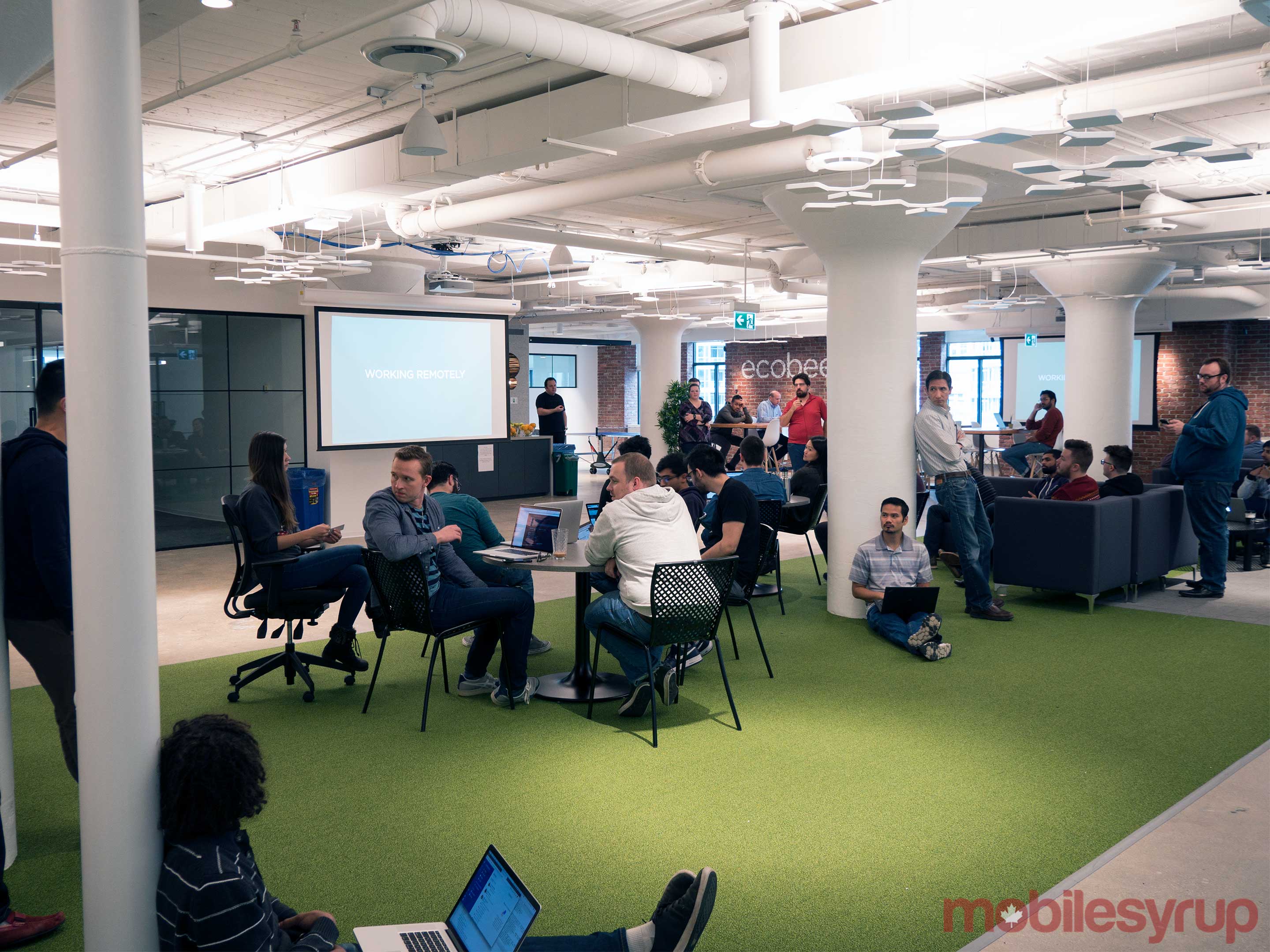
ecobee front office

“When we think about making a product that’s as good as an iPhone, that’s incredibly hard just to start with,” said Lombard, when speaking about the development of the Ecobee4, which only recently made its way to Canada alongside the official Canadian release of Amazon’s Alexa voice-activated assistant.

Lombard says that the Amazon Alexa and Google Assistant-powered Ecobee4, the company’s latest and highest-end smart thermostat, was a significant undertaking for the company from a technical perspective, especially as one of the first devices to feature built-in Alexa voice integration.

“When we think about who we compete with, we compete with Apple”

“Voice is nuanced and is part art and part science. We tested 20,000 utterances in different noise environments,” said Lombard, mentioning that the company’s new Toronto headquarters features an audio lab that allowed its engineers to test the performance of the Ecobee4’s far-field mics in a variety of audio conditions.

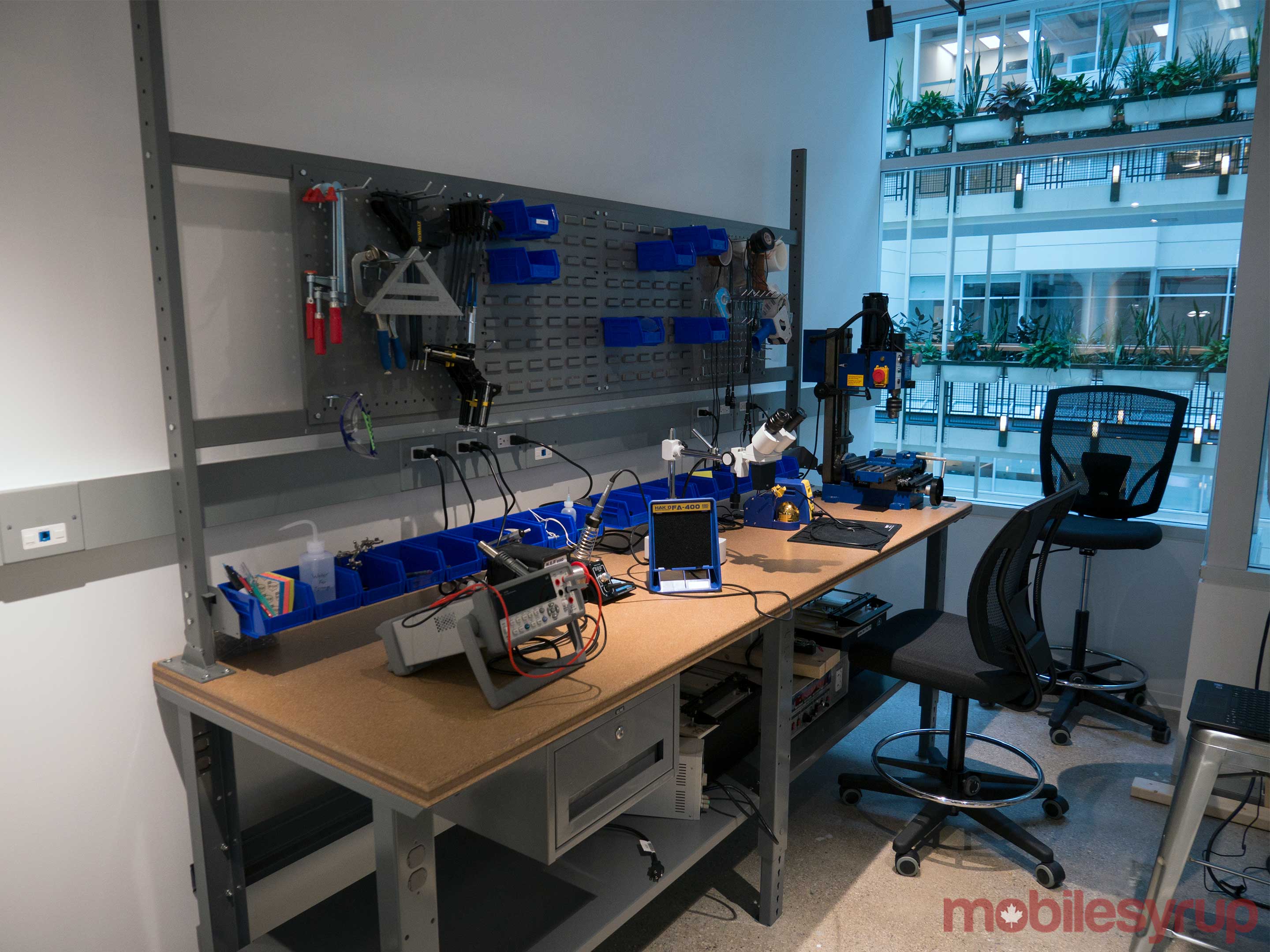
The company’s office also includes several 3D printers, which lets Ecobee’s engineers rapidly iterate on design concepts.

Anyone who has tested early attempts at voice recognition, let alone far-field voice — for example, Ford’s in-car Sync infotainment platform, or even Microsoft’s ill-fated Xbox One accessory, the Kinect 2.0 — knows how frustrating voice commands can be when a device doesn’t hear them consistently and under all circumstances.

Ecobee office

While adding various microphones and far-field voice control to a smart thermostat may seem like a simple process, especially when the digital assistant that powers the device already exists, Lombard says that there was significantly more to the Ecobee4’s development process than simply sticking an Amazon Echo Dot to the wall.

For a device to analyze a user’s voice from a vertical position, rather than horizontally like with the Echo Dot’s mic array, an entirely different set of tests and adjustments are required, especially when the Ecobee4 also needs to act as what Lombard describes as the “perfect thermostat.”

Of course, like most smart home devices, Ecobee doesn’t exist in a non-competitive vacuum, with Google’s Nest being the company’s main opponent in the smart home thermostat arena.

Going up against Google, a massive tech giant with seemingly infinite funds, is no easy task, especially for a Canadian company that has opted to stay in the country as it continues to scale up its operations, rather than make the decision to move Ecobee’s headquarters to California.

“First of all, it’s home, so that’s always a bonus. But I think there’s a lot of great talent in Toronto, and I think the Toronto tech ecosystem has improved significantly over the last 10 years. So when you look at the talent — and not just at Ecobee — but generally in the Toronto market, it’s significantly better,” said Lombard.

“There are natural benefits like costs being lower, as well as access to government programs like scientific research and development credits, which have been a big help for us,” continued Ecobee’s founder, listing the more obvious reasons for continuing to build the company in Canada.

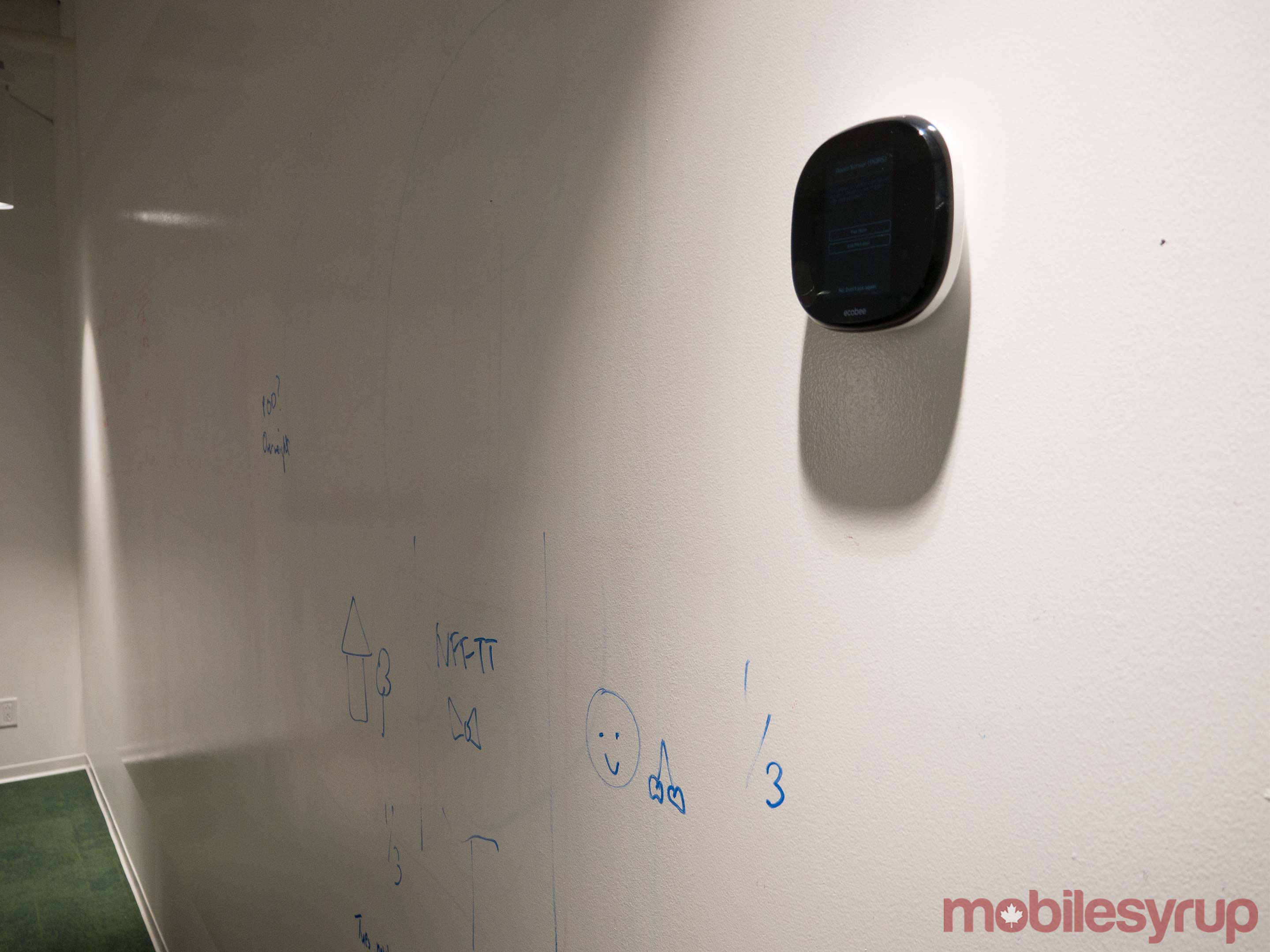
Ecobee drawable walls

Lombard says that one of the ways Ecobee separates itself from Nest is that the company recognizes customers fall into a variety of different ecosystems when it comes to the current disparate nature of smart home devices, emphasizing that customers want choice.

“Nest [Google] is really trying to build this ‘Works with Nest’ platform and get people into their ecosystem. Our strategy is really, how do we become the dominant player in the ecosystems customers are already part of. How do we become the dominant player in the Amazon ecosystem… the Apple ecosystem, the same with Samsung,” said Lombard.

Given Ecobee directly competes with Nest devices, it’s strange for the company to also support Google Assistant, along with Amazon’s Alexa. Lombard says that this decision is key to ensuring Ecobee’s customer have what he calls “adequate choice.”

Ecobee engineering space

“It’s obviously an important ecosystem for our customers so we need to be there as well,” said Lombard when asked why the Ecobee supports one of its competitor’s voice-activated assistants.

Beyond this differentiating factor, Stuart emphasizes that the Ecobee’s various room sensors, which allow the device to detect temperature in the home from multiple locations, is also a key differentiator for the company in the competitive smart home thermostat market.

“So when you look at the talent — and not just at Ecobee — but generally in the Toronto market, it’s significantly better”

In late 2017, Ecobee opened a new headquarters in Toronto, Ontario, in the city’s Queens Quay West harbourfront area. The 37,000-square foot facility houses 200 employees, including the company’s hardware and software engineers, architects, data scientists and designers. According to Lombard, the company has hired over 100 new employees over the course of 2017.

Ecobee office meeting room sign

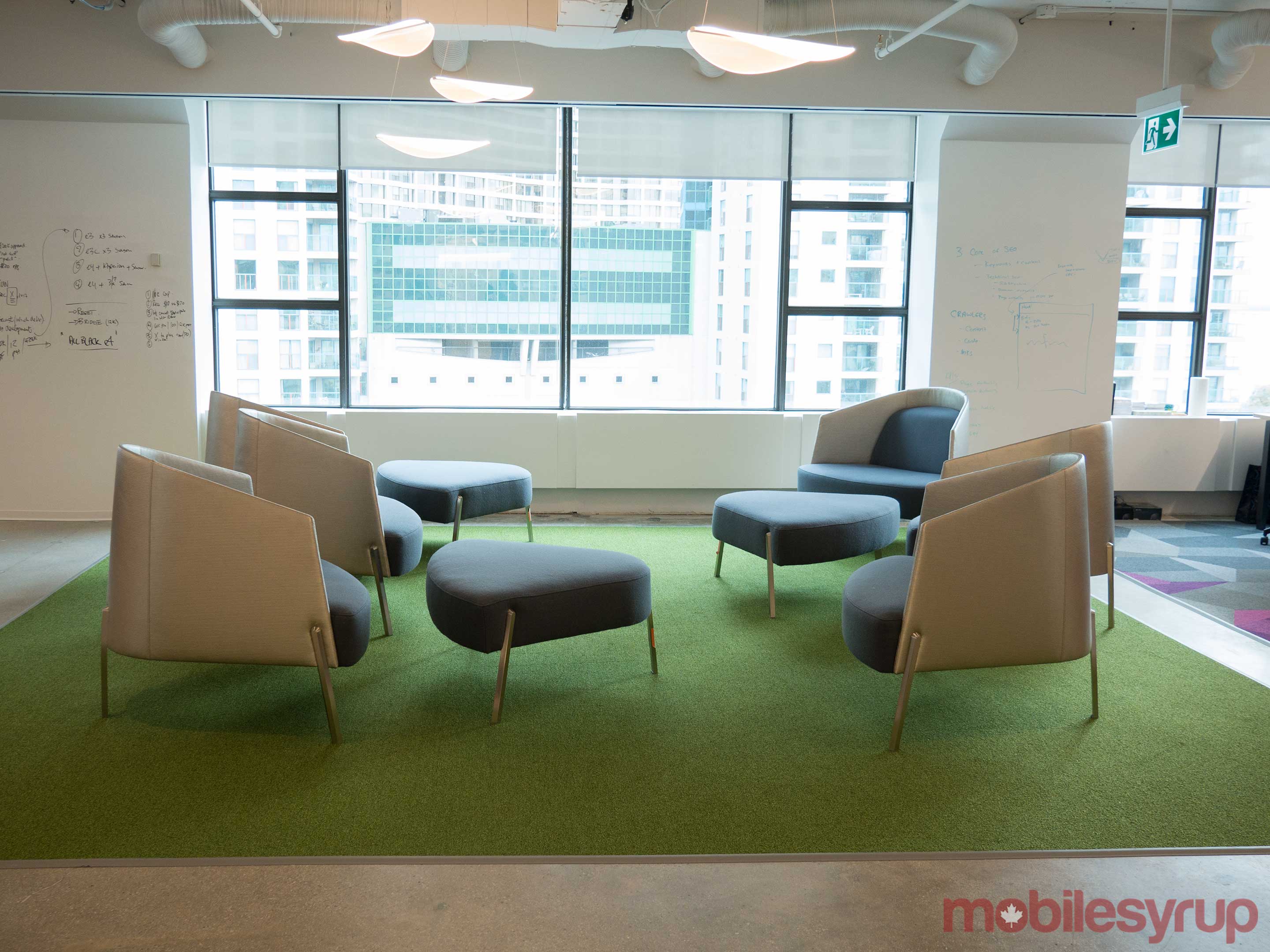
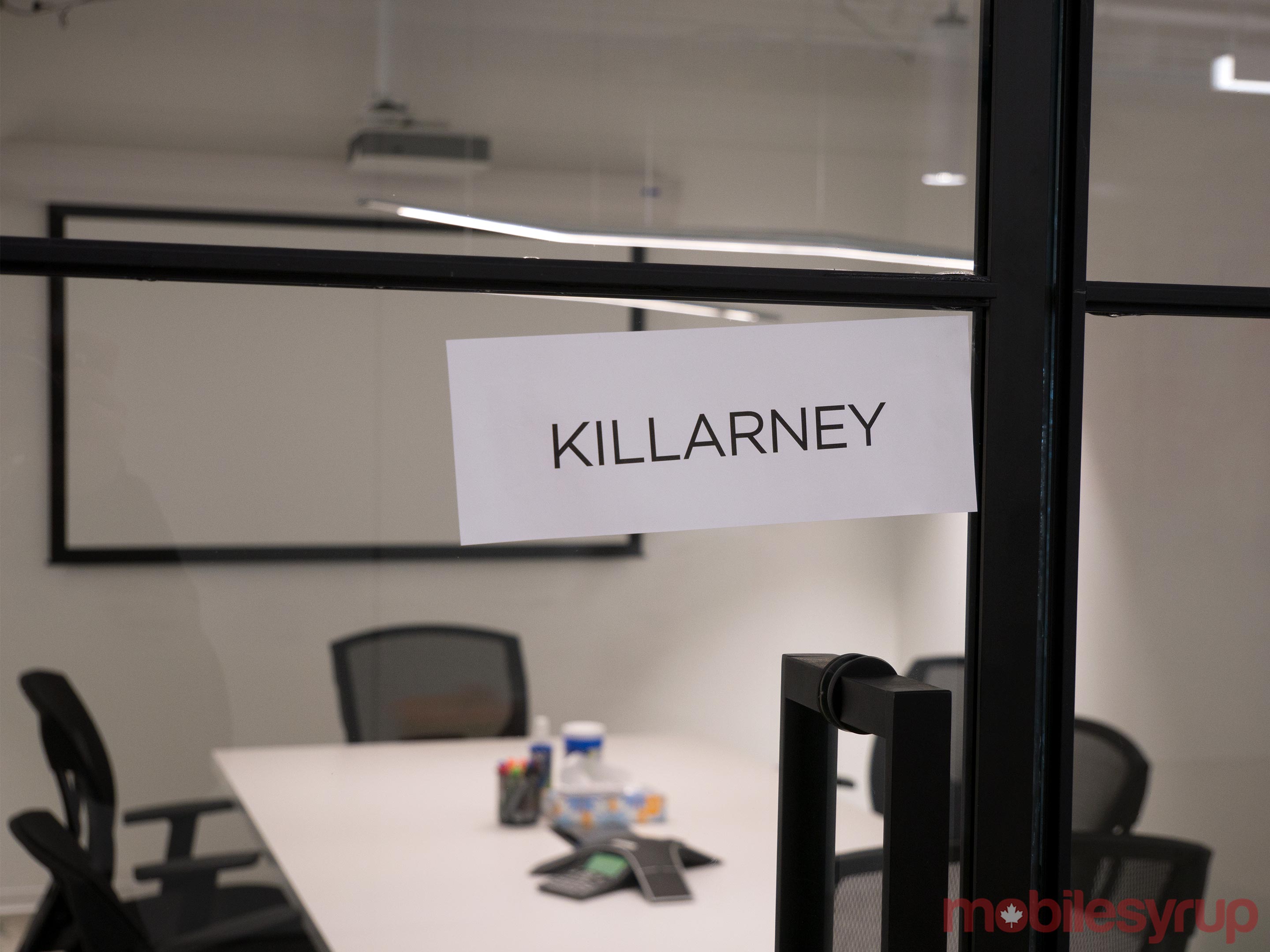
Each of the office’s meeting rooms are named after one of Canada’s iconic national parks, with the entire workplace also being rife with greenery and grass carpeting.

Perhaps most importantly, all of the office’s walls can be sketched on — though of course, etchings aren’t permanent and can be wiped away like a white board.

Looking to the future, Lombard says that Ecobee is still preparing to release a smart light switch that features far-field voice recognition and Wi-Fi connectivity, but that is still wired like a standard light switch. Ecobee’s Switch+ is set to be released at some point in the second quarter of 2018.

Ecobee Office library

“When you think about your smartphone, before you had a smartphone, you had a phone and it was a phone with a crappy camera. You might have had an iPod music player; you might have had a GPS in your car; you probably carried a digital camera; and you might have had a video camera,” said Lombard.

“Now, that’s all in one device. I think you’re going to see that consolidation happen in the smart home too.”

The post Toronto-based Ecobee wants to be the Apple of smart thermostats appeared first on MobileSyrup.

05 Jan 20:41

LG unveils 4K projector that can play 150-inch HDR10 video

by Dean Daley
LG 4K projector

Ahead of the 2018 Consumer Electronic Show, LG has revealed its first 4K UHD home projector, dubbed the ‘HU80KA.’

According to LG, the company’s 4K projector is half of the size of competitors’ offerings. The HU80KA is capable of playing an 150-inch image at 2,500 lumens, making it LG’s brightest projector that also supports HDR10. The HU80KA also features a mirrorless I-shaped engine that allows it to be placed on the floor, mounted to the wall or even hung from a ceiling, and a mirror reflector that can be used as lens cover.

Though the projector features two 7-watt speakers, the HU80KA includes the option to add a soundbar through optical, HDMI or Bluetooth. The projector can also play media from a USB drive, and lets the user connect an external keyboard and mouse.

The projector also runs the same webOS operating system as LG’s other televisions, giving the HU80KA projector access to a variety of apps.

“At this year’s CES event, we are excited to bring value to consumers with our first 4K UHD projector, which delivers the highest resolution we’ve ever offered in a compact size,” said Chang Ik-hwan, head of LG’s IT business division, in a statement sent to MobileSyrup.

The HU80KA and the MiniBeam Projector among other projectors will be on display at LG’s CES booth. Right now, however, it’s unclear exactly how much the projector is set to cost.

The post LG unveils 4K projector that can play 150-inch HDR10 video appeared first on MobileSyrup.

05 Jan 20:15

Meltdown – The Technical Lunchtime Pitch

by Martin

Over the past two days the Internet has been full of news stories about Meltdown and Spectre and how horribly and devastating these issues are. Chipset vendors scramble to update their microcode, operating systems get patched and even web browsers get an update. What I found missing in pretty much all articles, however, was how these attacks that can extract data from the kernel and other threads, actually work. So I resorted to reading the lengthy but very informative whitepapers on Meltdown and Spectre and since I haven’t found a good source that gives an abbreviated and easier to understand version I will attempt to do so myself. I was tempted to call this post the ‘Technical Elevator Pitch’ but quite frankly the elevator would have to stop for a little while to be able to finish the story. But I think it can be told over lunchtime…

Note: To make this brief I have made a number of simplifications in the description. Despite the simplifications, however, I think my text still covers the main points that are essential if you want to understand how the exploits work. For the full story, go and read the research papers.

The Problem With Meltdown and Why It’s Really Really Bad

O.k. so here we go: The basic problem with Meltdown is that secret data can be extracted from the kernel or other running programs from a normal user level program that doesn’t require any special privileges such as root. In the case of Meltdown, extracting secret information does not need to exploit a software bug anywhere in the system! Instead the Meltdown attack leverages the effects of hardware level and operating system software optimizations that allow unprivileged code to access any (!) memory address in the system and retrieve its content.

How Does This Work?

And here is how the magic above, that shouldn’t be possible at all, actually works in practice:

Virtual Memory

In the distant past, all memory in a computer was accessible to all programs (referred to as tasks from now on). It was fast and quick but had the disadvantage that a task could read data of other tasks and, even worse, accidentally or maliciously change data that doesn’t belong to it. This is why all modern processors and operating system kernels that are built for multitasking use a concept known as virtual memory. Instead of allowing a task to write to the physical memory directly, each task running on the system gets its own virtual memory space and each task uses the same virtual addresses. The CPU has a Memory Management Unit (MMU) that uses a separate lookup table, referred to as a page table, for each task and translates the virtual memory addresses used by a task into physical addresses. Example: Let’s say there is task A (web browser) and task B (word processor) and both have data at virtual memory address 50.000. When task A addresses this memory location the CPU translates this virtual address to physical address to, e.g., 27.948 by using the page table of task A for this task. When the kernel stops task A and allows task B to run the operating system loads the page table of task B into the memory management unit of the CPU. When task B then accesses its virtual memory address 50.000 the other page table will translate this to another memory address, e.g. 73.299. In other words by changing the page tables when switching from task A to task B, the two tasks access the same virtual address but end up on totally different physical memory addresses. In addition, the operating system kernel ensures that the page table of task A does not contain any references that would point to physical memory of task B. And voila, there is no way that task A could read or write any physical memory of task B.

But Meltdown can!

The Kernel and Its Address Space

One performance problem with having per task page tables that translate virtual memory addresses into physical memory addresses is that whenever a task switch occurs the kernel has to swap the page tables which requires some time. The kernel also has its own virtual memory space so when a task requests operations from the kernel (such as for example opening a file) a page table swap would be required every time a task calls code in the kernel. As this happens quite often this is somewhat inefficient. It was thus decided to map the kernel memory into the virtual memory map of each task. This way the page table does not have to be swapped when a user task jumps into the kernel and when the kernel jumps back to user code.

In addition to mapping kernel memory into the virtual address space of a task, kernel memory gets marked in the page table as only accessible when the processor executes kernel code. This way the user program can’t read or write kernel memory despite it being mapped into the tasks virtual memory. It’s there but it can’t be accessed. And voila, there is no way that a user level program could read or write any kernel memory.

But Meltdown can!

One additional performance enhancement that Meltdown exploits is that the kernel must sometimes not only access its own memory but also the memory of user tasks. That’s why all physical memory is also mapped into the kernel’s virtual memory space that is (as described just above) mapped into each virtual memory space of each task. A task can’t access the kernel space as described above so it also can’t access the memory from other tasks that way. And voila, there is no way that task A could read or write any data from task B.

But Meltdown can!

Out of Order Execution

In theory, and as sanity would dictate, a process executes one machine code instruction after another in strict order. Unfortunately this is quite inefficient as sometimes a machine code instruction takes a very long time to complete. For example, getting a byte out of memory can take hundreds of processor cycles because access to main memory is very slow. During these cycles the processor would be dormant. As this is very inefficient, modern processors can execute machine code instructions out of order. If the instructions that come after an instruction that currently waits for data from main memory are independent of that instruction (i.e. they work with different data that is already in the processor) then the processor executes them and doesn’t wait for the previous instruction to finish.

Speculative Execution and Branch Prediction

Another performance optimization concerns program branches. Depending on a comparison, different code paths are taken. As the processor does not know the outcome of a comparison and subsequent branch straight away it would have to wait until the decision is made. As this can take quite some time (e.g. due to lots of cycles lost because data has to be fetched from memory), modern processors go ahead and execute both possible branches that could be executed after an ‘if condition’ and store the results in temporary registers. Once the processor knows which branch it should really take it copies these results from the temporary registers to the real registers and silently discards the results from the branch that was not taken. From a high level point of view it looks like this branch was never taken, nothing (i.e. no CPU registers, no memory, etc.) was changed because of running down this path. Well, almost nothing, as will become apparent shortly…

Memory Cache

And yet another optimization of modern computers is that they introduce memory caches between the CPU and the main memory. This is done because, as described above, the memory bus is very slow compared to the CPU and hence it takes a long time to fetch data from memory. Memory caches are much smaller than main memory but are much much faster. As programs usually don’t work on all of memory but only on a small part, most data that is used by a task is not only in main memory but also copied into the cache when it is first requested. This speeds-up processing enormously because the processor has to wait much less for data if it is in the cache if it is access again just a short while later than if it was only to be found in main memory. Note that the cache is transparent to the machine instruction that loads a value from memory, i.e. the machine instruction is just executed a bit faster.

Bringing it All Together

Congratulations if you made it down to here because now all things are in place to understand how Meltdown works:

The Meltdown Code runs in a normal user program and has an ‘if’ condition that can go two ways: In the branch that is NEVER taken by the program, because the program sets the condition to be NEVER fulfilled, a memory address in kernel memory space is read from. Remember that the kernel memory space is mapped into the virtual memory space of the task. If this code was ever executed, the CPU would trap and the operating system would stop and end the task immediately due to an unauthorized memory access. But this will not happen because the condition was NEVER fulfilled and thus the instruction to read the memory in the kernel address space is never executed.

Never Say Never!

O.k., now remember the saying that one should never say never? From a logical point of view the instruction to read kernel space memory never gets executed. But remember the speculative execution optimization above? Because of this the instructions to read kernel space DO get executed because the processor executes the code from both branches of the ‘if condition’. At this point the execution is still speculative and so accessing the kernel memory does not raise the CPU trap to kill the program and the instruction goes ahead and reads kernel memory (or memory from another tasked mapped into kernel space) from a user space program. No harm done, one might think because all results are discarded once the processor knows that the branch was not taken after all, because all results are discarded and the user program never sees any of it. But the important point is that despite of everything, kernel memory was accessed from the user task. I repeat this because this is the first step of the exploit.

The Side Channel

Now the next step of the Meltdown exploit is to figure out a way of how the code that was speculatively executed (but never should have) can transmit information to some place where it can be picked up by other code, e.g. by the code that runs in the other branch of the if condition. The speculatively executed code has to do that before its speculative execution is stopped and its information in the temporary registers is discarded. What the code needs is a ‘side channel’, i.e. it has to exploit an effect of the optimizations described above.

Note again, because this is important, that the optimizations discussed above are transparent to machine code instructions. The programmer’s machine code is the same for loading a data byte from memory independent of whether the data byte is only in main memory or already in the memory cache of the processor. The only difference is the time it takes for the instruction to be executed, i.e. the number of processor cycles it takes.

So let’s go back to the speculatively executed code that makes an illegal memory access to kernel memory.  Let’s say this 8-bit memory cell contains the value 5 (it can hold values from 0 to 255). In the next step the speculatively executed code would then READ memory address number 5, i.e. it translates the value contained in the original memory cell into a memory address. Notice that I wrote READ in upper case because this is important. The code doesn’t care what the content of memory cell 5 is and it also doesn’t write anything into it, it just loads the content from memory address 5 into a CPU register.  A side effect of this is that the content of memory address 5 would now be in the cache while all other memory address from 0 to 255 would NOT be in the cache (because they have not been read before). It’s important for what follows next that memory addresses 0 to 255 are part of the virtual address space of the user space task, i.e. normal user space task can access this memory without raising a trap!

At some later point the speculative code is interrupted because the CPU has figured out it was not the right branch and all actions are silently discarded. HOWEVER, and that’s the crucial point, memory address 5 remains in the memory cache. No harm done, one would think…

But this is not quite so because in another place of the task, Meltdown runs through a loop with 256 iterations that does the following:

  • Read memory address 0, 1, 2, 3, 4, 5, 6…. The content of the memory address is NOT important, the code does NOTHING with it!
  • Get the number of clock cycles it has taken to read each memory address. (There is a register in the CPU that can be read that gives this value away)

The result is that for example, it takes 1000 cycles for each memory read instruction to finish because the content of each memory address has to be fetched from the slow system memory. But wait, that’s not quite true, the content of memory address 5 was already in the cache (due to the actions of the speculatively executed code…) and thus it took only 200 cycles for this memory address to be read. And voilà the code knows that the kernel (or memory address it is not allowed to read contains the value 5! And that is the SIDE CHANNEL! You can’t get at the value directly but you use the memory access timing difference produced for one of the 256 possible values created by the speculatively and discarded code to figure out the value!

Bummer!

How Can Meltdown Be Fixed?

So how can this be fixed without changing the hardware? There seem to be several ways to do it: One way is to modify the operating system kernel to no longer map the kernel memory space to the virtual memory space of each task. Whenever the kernel is entered and left, page tables have to be copied but there is no way anymore for a speculatively executed piece of code to access memory of the kernel or of another task – there is simply no translation in the virtual to physical memory translation table.

Another way to prevent this problem is to deny speculatively executed code in user space access to memory which can only be accessed by kernel code. The way I understand the issue is that Intel processors are vulnerable to this attack because they don’t do this and only catch the issue after the fact. No harm done apart from the value now being in the cache and thus accessible faster. As AMD and ARM processors do not seem to be affected by Meltdown (but by Spectre, see below) they might halt execution of the speculative path before the illegal memory address is accessed and thus put into the cache. But that is just a guess on my part.

How Can Spectre Be Fixed?

If you have made it this far you are now ready to go and read the papers on Meltdown (which I have described here) and also about Spectre to which I have linked above. To make an even longer story short, Spectre is a more generalized version of Meltdown and also measures memory access timing differences after some speculative code execution of other tasks or the kernel (which it has not planted like Meltdown). This way, Spectre could overcome even the removal of the kernel memory space from virtual memory space of the user tasks.

Bummer!…

The crucial thing for Meltdown and Spectre to work is that the code needs to be able to measure time (clock cycles) very precisely to detect if something is in cache memory or not. It turns out that even Javascript in today’s web browsers have access to timing functions that return values that are precise enough for this. And this is why web browsers are getting software updates. What Mozilla’s patch does, for example, is to reduce the precision of the timer values returned (i.e. make them more coarse). An ugly hack but better than enabling any web page with Javascript inside to read your secret data… Note: The way I understand the Spectre and Meltdown papers is that the Javascript exploit can only get at private data in the web browser task but not to private data in other tasks or the kernel. But that’s already bad enough because the browser stores a lot of data in its virtual memory no Javascript program should ever see (think passwords for example…)

Only Theory?

And if you think this is all very theoretical…. Think again and take into account that there is probably a reason why everybody from CPU vendors to kernel hackers to web browser developers are scrambling to put ugly and performance degrading fixes into place at warp speed. Welcome to the real world!