Shared posts

30 Apr 02:44

Examining POTUS Executive Orders

by hrbrmstr

This week’s edition of Data is Plural had two really fun data sets. One is serious fun (the first comprehensive data set on U.S. evictions, and the other I knew about but had forgotten: The Federal Register Executive Order (EO) data set(s).

The EO data is also comprehensive as the summary JSON (or CSV) files have links to more metadata and even more links to the full-text in various formats.

What follows is a quick post to help bootstrap folks who may want to do some tidy text mining on this data. We’ll look at EOs-per-year (per-POTUS) and also take a look at the “top 5 ‘first words'” in the titles of the EOS (also by POTUS).

Ingesting the Data

The EO main page has a list of EO JSON files by POTUS. We’re going to scrape this so we can classify the EOs by POTUS (we could also just use the Federal Register API since @thosjleeper wrote a spiffy package to access it):

library(rvest)
library(stringi)
library(pluralize) # devtools::install_github("hrbrmstr/pluralize")
library(hrbrthemes)
library(tidyverse)

#' Retrieve the Federal Register main EO page so we can get the links for each POTUS
pg <- read_html("https://www.federalregister.gov/executive-orders") 

#' Find the POTUS EO data nodes, excluding the one for "All"
html_nodes(pg, "ul.bulk-files") %>% 
  html_nodes(xpath = ".//li[span[a[contains(@href, 'json')]] and 
                            not(span[contains(., 'All')])]") -> potus_nodes

#' Turn the POTUS info into a data frame with the POTUS name and EO JSON link,
#' then retrieve the JSON file and make a data frame of individual data elements
data_frame(
  potus = html_nodes(potus_nodes, "span:nth-of-type(1)") %>% html_text(),
  eo_link = html_nodes(potus_nodes, "a[href *= 'json']") %>% 
    html_attr("href") %>% 
    sprintf("https://www.federalregister.gov%s", .)
) %>% 
  mutate(eo = map(eo_link, jsonlite::fromJSON)) %>% 
  mutate(eo = map(eo, "results")) %>% 
  unnest() -> eo_df

glimpse(eo_df)
## Observations: 887
## Variables: 16
## $ potus                  <chr> "Donald Trump", "Donald Trump", "Donald Trump", "Donald Trump", "Donald Trump", "D...
## $ eo_link                <chr> "https://www.federalregister.gov/documents/search.json?conditions%5Bcorrection%5D=...
## $ citation               <chr> "82 FR 8351", "82 FR 8657", "82 FR 8793", "82 FR 8799", "82 FR 8977", "82 FR 9333"...
## $ document_number        <chr> "2017-01799", "2017-02029", "2017-02095", "2017-02102", "2017-02281", "2017-02450"...
## $ end_page               <int> 8352, 8658, 8797, 8803, 8982, 9338, 9341, 9966, 10693, 10696, 10698, 10700, 12287,...
## $ executive_order_notes  <chr> NA, "See: EO 13807, August 15, 2017", NA, NA, "See: EO 13780, March 6, 2017", "Sup...
## $ executive_order_number <int> 13765, 13766, 13767, 13768, 13769, 13770, 13771, 13772, 13773, 13774, 13775, 13776...
## $ html_url               <chr> "https://www.federalregister.gov/documents/2017/01/24/2017-01799/minimizing-the-ec...
## $ pdf_url                <chr> "https://www.gpo.gov/fdsys/pkg/FR-2017-01-24/pdf/2017-01799.pdf", "https://www.gpo...
## $ publication_date       <chr> "2017-01-24", "2017-01-30", "2017-01-30", "2017-01-30", "2017-02-01", "2017-02-03"...
## $ signing_date           <chr> "2017-01-20", "2017-01-24", "2017-01-25", "2017-01-25", "2017-01-27", "2017-01-28"...
## $ start_page             <int> 8351, 8657, 8793, 8799, 8977, 9333, 9339, 9965, 10691, 10695, 10697, 10699, 12285,...
## $ title                  <chr> "Minimizing the Economic Burden of the Patient Protection and Affordable Care Act ...
## $ full_text_xml_url      <chr> "https://www.federalregister.gov/documents/full_text/xml/2017/01/24/2017-01799.xml...
## $ body_html_url          <chr> "https://www.federalregister.gov/documents/full_text/html/2017/01/24/2017-01799.ht...
## $ json_url               <chr> "https://www.federalregister.gov/api/v1/documents/2017-01799.json", "https://www.f...

EOs By Year

To see how many EOs were signed per-year, per-POTUS, we’ll convert the signing_date into a year (and return it back to a Date object so we get spiffier plot labels), factor order the POTUS names and mark the start of each POTUS term. I’m not usually a fan of stacked bar charts, but since there will only be — at most — two segments, I think they work well and it also shows just how many EOs are established in year one of a POTUS term:

mutate(eo_df, year = lubridate::year(signing_date)) %>% 
  mutate(year = as.Date(sprintf("%s-01-01", year))) %>% 
  count(year, potus) %>%
  mutate(
    potus = factor(
      potus, 
      levels = c("Donald Trump", "Barack Obama", "George W. Bush", "William J. Clinton")
    )
  ) %>%
  ggplot(aes(year, n, group=potus)) +
  geom_col(position = "stack", aes(fill = potus)) +
  scale_x_date(
    name = NULL,
    expand = c(0,0),
    breaks = as.Date(c("1993-01-01", "2001-01-01", "2009-01-01", "2017-01-01")),
    date_labels = "%Y",
    limits = as.Date(c("1992-01-01", "2020-12-31"))
  ) +
  scale_y_comma(name = "# EOs") +
  scale_fill_ipsum(name = NULL) +
  guides(fill = guide_legend(reverse=TRUE)) +
  labs(
    title = "Number of Executive Orders Signed Per-Year, Per-POTUS",
    subtitle = "1993-Present",
    caption = "Source: Federal Register <https://www.federalregister.gov/executive-orders>"
  ) +
  theme_ipsum_rc(grid = "Y") +
  theme(legend.position = "bottom")

Favourite First (Title) Words

I’ll let some eager tidy text miners go-to-town on the full text links and just focus on one aspect of the EO titles: the “first” words. These are generally words like “Amending”, “Establishing”, “Promoting”, etc. to give citizens a quick idea of what’s the order is supposed to be doing. We’ll remove common words, turn plurals into singulars and also get rid of years/dates to make the data a bit more useful and focus on the “top 5” first words used by each POTUS (and show all the first words across each POTUS). I’m using raw counts here (since this is a quick post) but another view normalized by percent of all POTUS EOs might prove more interesting/valuable:

mutate(titles_df, first_word = singularize(first_word)) %>% 
  count(potus, first_word, sort=TRUE) %>% 
  filter(!stri_detect_regex(first_word, "President|Federal|National")) %>%
  mutate(first_word = stri_replace_all_fixed(first_word, "Establishment", "Establishing")) %>% 
  mutate(first_word = stri_replace_all_fixed(first_word, "Amendment", "Amending")) -> first_words

group_by(first_words, potus) %>% 
    top_n(5) %>%  
    ungroup() %>% 
    distinct(first_word) %>% 
    pull(first_word) -> all_first_words

filter(first_words, first_word %in% all_first_words) %>% 
  mutate(
    potus = factor(
      potus, 
      levels = c("Donald Trump", "Barack Obama", "George W. Bush", "William J. Clinton")
    )
  ) %>% 
  mutate(
    first_word = factor(
      first_word, 
      levels = rev(sort(unique(first_word)))
    )
  ) -> first_df

ggplot(first_df, aes(n, first_word)) +
  geom_segment(aes(xend=0, yend=first_word, color=potus), size=4) +
  scale_x_comma(limits=c(0,40)) +
  scale_y_discrete(limits = sort(unique(first_df$first_word))) +
  facet_wrap(~potus, scales = "free", ncol = 2) +
  labs(
    x = "# EOs",
    y = NULL,
    title = "Top 5 Executive Order 'First Words' by POTUS",
    subtitle = "1993-Present",
    caption = "Source: Federal Register <https://www.federalregister.gov/executive-orders>"
  ) +
  theme_ipsum_rc(grid="X", strip_text_face = "bold") +
  theme(panel.spacing.x = unit(5, "lines")) +
  theme(legend.position="none")

FWIW I expected more “Revocation”/”Removing” from the current tangerine-in-chief, but there’s plenty “Enforcing” and “Blocking” to make up for it (being the “tough guy” that he likes to pretend he is).

FIN

There’s way more that can be done with this data set and hopefully folks will take it for a spin and come up with their own interesting views. If you do, drop a note in the comments with a link to your creation(s)!

The code blocks are all combined into this gist.

30 Apr 02:43

A Couple of Climbing Links

A lot of my friends have been taking up climbing recently, which I think is pretty awesome. It's a great sport that can get you outside in good weather, and even if you only ever do it at a local gym it's still a wonderful opportunity to push yourself physically as well as mentally. It also creates an opportunity for more folks to belay me (I can be selfish about this, right?).

Two Nineteen Forty Four, a short video about Brad Gobright and Jim Reynolds breaking the speed recorde on El Capitan's Nose. If you ever wondered what exactly OS X 10.11 got it's name from, this is it.

Climbing Daily is a nice video to watch when you've got 5-10 minutes that you don't otherwise know what to do with. If you're new to climbing, it's a great little resource to keep up on recent climbing news. If you're not into climbing at all, you're going to be completely lost, sorry.

What has two arms, one leg, and climbs like a mofo? Craig Demartino. This is a great episode from a great climbing podcast, The Enormocast. If you're new to climbing, you should listen to this episode for a couple of reasons:

Firstly, because it'll teach you the importance of clear communication with your climbing partner. Just yelling "OK" isn't good enough, even for veteran climbers. A rhythmic routine, comfort, and complacency can be deadly. A healthy dose of fear and paranoia can save your life (and maybe someone else's too).

The second reason is to experience a relatively graphic description about what can happen when things go wrong.

And lastly, because it's a great story about someone overcoming serious difficulties and pushing themselves beyond what seemed possible. And really, that's what climbing is all about.

30 Apr 02:43

All The Things I Thought I Knew

by Dave Pollard


Image from wikipedia.

This is a work of fiction.

“Who could we get who’s as good as David Foster Wallace?”

My daughter Sevi had been selected to find a “commencement address” speaker for their local high school, which was interesting, considering that she had never attended it — she had been unschooled, and although she could have breezed through the equivalency exams she was still young and in no hurry to do so. But she knew many of the top students there, and had agreed to see who she could find, especially if it was someone who was also unschooled.

She’d done her homework on the project, and was looking for someone who could deliver something like David Foster Wallace’s masterpiece — but someone who was still alive. She even asked me if I was up for the job.

I told her that was a tall order, that David’s speech set an impossible standard, and that in any case I no longer gave any advice, and advice on what to do with the rest of their lives was what they would be looking for. She frowned and told me I was always giving her advice. I promised not to do so in the future as long as she didn’t ask me to give a commencement address. I thought high schools had valedictorians, but apparently with the disappearance of precise grades, they were starting to substitute commencement speeches instead.

“So why don’t you give advice any more?”, she asked me.

“Because I don’t know anything. I thought I did once, but I was mistaken.”

“You were a big success in business, so you must know something“, she replied. “Tell them how they can succeed.”

“My apparent success in business had nothing to do with me. What this apparent creature allegedly did in the past, and will do in the future, has nothing to do with ‘me’. It is the only thing that creature could have done, given the circumstances of the moment and the creature’s enculturated and biological conditioning.”

Sevi rolled her eyes at me. “Here we go with the non-duality stuff again. Could you please not refer to yourself in the third person? That privilege is reserved for old queens.” She did a Queen Victoria imitation, saying with a mock-British accent “The Queen advises caution, sir. We are not amused.” I laughed.

“There is no me, just as there is no one and no thing and no time, just what is apparently happening, so using the first person is just perpetuating a false but accepted illusion. I prefer gerunding“, I said. “Gerunds are western languages’ way of re-presenting something mistakenly thought of as a thing, a noun, as a verb instead, as a process. It’s the best invention of English grammar. Gerunds even take adverbs as modifiers, instead of adjectives. So I could say, for example, ‘We are wickedly plotting to sabotage the commencement address.’ There is no ‘we’ and no ‘commencement address’ and no ‘plot’ but there seems to be plotting happening.” I paused and then with an exaggerated smile added “I could talk about gerunds at the commencement address.”

You are wickedly plotting to sabotage the commencement, not ‘we'”, Sevi replied. She added “And I caught you saying ‘I’ which is not at all gerundive, or non-dual. And there will be no talk of gerunds at the commencement address.” She laughed, while still trying to look serious.

“Some reprimanding going on here, it would appear”, I replied.

“I’m going to whack you every time you use a gerund. If you don’t want to make the address, who do you think would make a good one? I’d like to ask Arundhati Roy if she’d record one and they could play it at their graduation. Better ideas?”

“That would be fun. I would ask anyone who acknowledges that they aren’t real, and that they know nothing.” When she reached out to slap me, I added: “In this case, despite its ending, nothing is not a gerund. Although perhaps it should be.”

“That’s not helpful, Dad”, she replied.

“I suppose telling the eager graduates that they have no free will and no responsibility and can take no credit for their successes, nor blame for their failures, wouldn’t be setting the tone they’re looking for. But it’s the truth. ‘We’ make no decisions to do or not do anything, we merely rationalize what these creatures we appear to inhabit do as if they were ‘our’ decisions, ‘our’ choices. When there is no ‘us’ to make them.”

“Not buying it Dad. You keep quoting Daniel Quinn advising his readers not to waste time talking to people who aren’t ready to listen. They’re not ready to listen to your ‘radical non-duality’ message. I’m not ready to listen to it. Talk to us again when there’s been a glimpse of the veracity of what you believe. Until then, meet us where we are, and stop wasting everyone’s time.”

She was right, or course. Way smarter than I’ll ever be. What do you talk about when you discover that everything you thought you knew was wrong, and what you believe instead is so preposterous that people think you’re kidding, or having some kind of spiritual or life-passage crisis? I sighed. I didn’t have any idea what to say, but I knew this creature that I seem to inhabit was going to say something anyway. So I tried to shut up and listen to it. It said:

“We think we know ourselves, but we don’t. We base our entire existence on the belief that we acquire knowledge that enables us to make better decisions that will improve our lives, our capacities, and make the world a better place. But we don’t know ourselves at all. Why do we cheat on our diets, or on our spouses? Why do we procrastinate when we ‘know’ something needs to be done? Why do we get depressed when it serves us no useful purpose? Why do we fall in love with people who are often entirely wrong for us, and overlook people for whom we might be ideally suited? We haven’t the faintest idea. That’s because ‘we’ aren’t doing any of this. We are not in charge, not in control. ‘We’ don’t exist, except as a figment of our brain’s furious patterning to try to make sense of things”.

The creature continued: “And we think we know other people as well, what they are thinking or feeling. We don’t. They may try to clue us in, but they don’t know either. When couples split, they often say that they don’t even recognize the person who they are (often bitterly) separating from. The truth is, nobody knows anything. Even worse, there is no one to know anything.”

“Are you done?”, Sevi replied. I nodded. “You know”, she said, “I’m not entirely unsympathetic with your non-duality riff. So maybe we don’t, or can’t, ‘know’ anything or anyone, including ourselves. And maybe we’re not in control of ourselves at all. And maybe our selves are just a construct, a fictive ‘invention of the brain looking inward’. And maybe nothing has any meaning or purpose. Bring this back to a room full of students who are bewildered and scared and aimless, looking for some insight, some direction, something they can actually use. They have no expectations, except some boring speech that at best will be short and have a couple of good jokes. What do we give them?”

I just beamed at her. “God you’re smart. I am so blessed to have someone so brilliant and astonishing and together in my life.”

She raised one eyebrow at me again, in a half-smile, half-scowl. “Thank you but you’re mistaken and that doesn’t answer the question.”

I sighed. I thought for a moment and then said. “Anything we could say to them would be a lie. It would be suggesting they could and should do something they can’t choose to do or not do. We could be honest and tell them upfront that what we were about to say was a lie, because we can’t be other than who we are. And then we could tell them that if it were possible to actually control what we think and do, it might be useful to become more self-aware. That’s different from knowing. Self-awareness is, well, mostly about just paying attention to what’s happening, inside and outside us, and catching oneself making judgements about it, making up stories about it, attaching meaning to it, deciding what ‘should’ and could be done as a result of it, and so on. Self-awareness might even be considered a modest, undirected form of meditation. No expectations, no judgements, no analysis. Just looking at something or someone and realizing that there are no boundaries between it and everything else, that it’s all just waves and particles (or waving and particling). Just accepting, being a part. Not acknowledging, because that’s ‘making sense’, ‘knowledge’ stuff again. Just sitting with what apparently is, and doing our best to quiet our thoughts and feelings. Doesn’t have to be sitting in a posture, or silent, or eyes-closed. Just trying to see, and see through, what it is that we usually see as our ‘self’.” I took a deep breath and continued:

“And then when you come back into your self and have to deal with the apparent stuff in the ‘real’ world, it’s about listening, silencing the chatter that judges and makes meaning about what is being heard and noticed, just being with the apparent other creatures in these apparent places — not distancing or dissociating but rather stopping reacting and assessing and thinking. Doing the David Foster Wallace being-aware thing of “experiencing a crowded, loud, slow, consumer hell-type situation as not only meaningful but sacred, on fire with the same force that lit the stars — compassion, love, the sub-surface unity of all things.”

I was nearly done, and on the edge of tears, wondering if speaking these words to my wonderful daughter was perhaps a terrible disservice: “Of course no one can intentionally choose to become more self-aware. It’s either something the character we presume to inhabit is inherently inclined or has been conditioned  to think of as useful to do, or it’s not. If the listener to your commencement speech is so inclined, maybe they will, in time, depending on their inherent nature and conditioning and the circumstances that arise, do more noticing and less thinking. And they in turn may inspire others to do likewise, so that a tiny shift in enculturated conditioning multiplies outward and more people start noticing more and thinking about it less — both noticing inwards as self-awareness and noticing outwards as awareness of what is without attaching meaning or volition to it. I think that would be good. I like the word ‘awareness’; it comes from the same root as ‘wary’, and encourages us to be critical thinkers and critical perceivers, to challenge everything. That is the best that I think a commencement address could do, although it wouldn’t be what the audience would prefer, which is to be lied to, to be made to feel better about themselves and their capacities for a little while, by telling them how wonderful they are and how amazing the future could be if only they work hard with the right intention and all that crap. With a few clever jokes mixed in.”

Sevi was thinking hard. “So this speech that promises to give no advice is telling them to challenge everything, to hone their skills at noticing and self-awareness. Is that what you mean by having to lie to them?”

“Basically, yes. You could leave out the non-duality stuff and just talk about the importance of noticing and self-awareness and challenging everything, with some lovely David Foster Wallace type fer’instances, and some examples that relate to what they are most bewildered and scared and aimless about, and with a few clever jokes mixed in, and you’d have yourself a pretty passable speech, I think.”

“So will you give it?”

“Not me”, I replied. “They want someone they look up to, or at least that they can relate to. Someone younger. Someone with more empathy than me. Someone cute and funny.”

Sevi gave me an exasperated look. “I look up to you. I relate to you. You’re more empathetic than most fathers. And…” (she wrinkled her nose and smiled as she considered how to complete the sentence) “… you can be funny, when you want to be.”

I just looked at her and shook my head. I was not going to get out of this without identifying someone who could deliver this message more persuasively than I could, or otherwise discouraging her from letting me loose on these poor unsuspecting souls. I smiled back at her.

“I could tell them about bats“, I volunteered. “Did you know a bat’s DNA is closer to ours than it is to either a bird’s or a mouse’s? That they can fly up to 60 miles per hour and because of their flexible wings have flight agility eight times more precise than birds’? And that one species has a wingspan of six feet and another weighs less than a penny? And that there are 1200 staggeringly different species? And…”

Sevi crossed her arms and interrupted me, in an irritated tone. “You are not talking to the graduating class about bats… That’s what you have a blog for.”

Touché. We sat quietly for a moment, thinking. Finally, I said:

“Tell you what. You identify a woman — the world has heard enough speeches by white guys — who appreciates the importance of attention and noticing and self-awareness and challenging everything, and, if she wants, I’ll help her write or edit the speech.”

Sevi sighed. “Hmmm… fair, but could be awkward. Selecting someone and then telling them what you want their message to be. I’ll think about it. Thanks. You know — you know a lot more than you think you do.”

“Nope”, I said, shaking my head. “I don’t know anything. But thanks to smart people like you asking great questions, I may be somehow becoming less stupid. Thanks for helping me pay attention. And for helping me challenge everything.”

“Can’t help it”, she replied with a smile, heading out the door, and then, with a snicker, added: “‘This is the only thing the creature that I presume to inhabit can do, given its inherent nature and enculturated conditioning, and the circumstances of the moment.'”

And then, to prove she’d really done her homework, she stuck her head back through the door and quoted DFW, perfectly: “‘I’d tell you all you want and more, if the sounds I made could be what you hear’”.

30 Apr 02:43

“Jüdische Menschen nicht sicher”

by Andrea

Deutsche Welle: Weil sie die Kippa trugen: Antisemitischer Angriff in Berlin. “Der Vorfall sorgt für Fassungslosigkeit: In Berlin wurden zwei Männer angegriffen, weil sie Kippas trugen. Einer der Angegriffenen filmte die Attacke. Dabei sei er gar kein Jude, sagte er der Deutschen Welle.”

30 Apr 02:42

Apple Found a Wall Street Narrative

by Neil Cybart

After months of iPhone sales estimates being slashed by analysts, expectations have been reset. The iPhone mega upgrade cycle of 2018 that so many were calling for is not going to happen. One assumes such a reset would have been accompanied by a significant decline in Apple's stock price. Instead, Apple shares have outperformed the market and continue to trade near all-time highs. The resiliency in Apple's stock price reflects the company finally finding a narrative on Wall Street, and it's not centered on the iPhone. Apple has become a capital allocation story. 

Narratives

Narratives matter on Wall Street. A compelling and easy to understand narrative allows companies to navigate rough waters such as a disappointing earnings report. Amazon and Netflix currently possess some of the strongest narratives on Wall Street. Amazon is all about coming up with the best retail experience for customers. Wall Street is OK with Amazon funneling a good portion of its operating cash flow back into the business with the intention of becoming a better retailer. Netflix is focused on delivering a superb entertainment experience in which subscriber dollars are used to fund additional video content. Profits are not as important as subscriber growth

Apple has long struggled with Wall Street narratives. A good argument can be made that Apple has never had a true Wall Street narrative. Instead, the company was judged merely by unit sales growth of whatever its best-selling product was at the time. This posed a challenge as unit sales growth will inevitably slow. In addition, a narrative revolving around unit sales growth ignores attributes that make Apple's business model unique. Apple is viewed merely as a hardware company. 

In early 2016, Apple management began disclosing new data points in an attempt to find a Wall Street narrative and in the process, get investors to think about the company differently.

  • Installed base related purchases. Instead of relying on the Services line item to denote the amount of revenue driven by Apple's installed base, management disclosed the amount of installed base related purchases. The much-higher total included revenue retained by third-party app developers and digital content owners.  
  • Number of paid subscriptions. In an effort to demonstrate Apple's ability to monetize the iOS base beyond hardware sales, management began disclosing the number of paid subscriptions across Apple's various services. The data point also reinforced the idea of Apple possessing a stream of consistent revenue. 
  • Number of devices in use. Apple disclosed the total number of devices in use to highlight the strength of its ecosystem.

While a narrative revolving around services or ecosystem strength seems attractive for Apple, the stories contain major holes. A significant portion of Apple's Services revenue is tied to growth in the iPhone installed base. According to my estimates, Apple has grown the iPhone installed base by more than 100 million users per year since 2013. Once this new user growth slows, which has already begun to occur, Apple's Services revenue growth will likely face a headwind. 

A narrative involving the Apple ecosystem and the number of devices in use addresses some of the downsides found with a services narrative. Even in an environment of slowing product sales, the number of active devices in use could still increase. However, an ecosystem narrative lends itself to Apple being judged by growth rates in terms of the number of devices in the wild. Both narratives lack sustainability. In addition, neither is able to capture the attributes that make Apple unique. 

Stock Price Outperformance

Evidence is building that Wall Street has begun looking at Apple differently. As shown in Exhibit 1, Apple's stock price began to outperform the market in 2017. Apple shares were up 48% in 2017, more than double that of the S&P 500. Apple has continued to outperform the broader market in 2018 despite a sharp increase in market volatility.

Exhibit 1: AAPL vs. S&P 500

Screen Shot 2018-04-18 at 1.54.24 PM.png

Many look at Apple's recent stock price outperformance as a sign that Apple management's efforts to weave a new narrative are working. Wall Street must be paying more attention to Apple Services or the broader Apple ecosystem. In addition, lofty iPhone sales expectations leading up to the iPhone X launch were repeatedly cited in the press as driving Apple's stock price increase in 2017. None of these explanations for Apple's stock outperformance sit well with me. Instead, there's likely something else at play. 

A New Narrative

In July 2017, two months before the iPhone 8, 8 Plus, and X were announced, I published "Wall Street Has Begun to Think About Apple In a New Way" with the following thesis: 

"The iPhone no longer has the same kind of influence over Apple shares as it once did. Instead, Apple has turned into a balance sheet optimization story on Wall Street. Apple's growing net cash balance (now standing at an all-time high of $158 billion) has taken the place of iPhone unit sales growth as the most influential variable impacting Apple shares."

With no new evidence disproving my theory, it is time to expand on my thinking. Apple has found a narrative revolving around capital allocation. Instead of iPhone sales or Apple Services revenue gaining importance, Apple's balance sheet strategy is driving the company's new Wall Street narrative. 

There are three core tenets to Apple's capital allocation narrative:

  1. Superb cash flow generation. Apple's business model predisposes the company to superior cash flow generation. Apple is able to monetize premium experiences more effectively and efficiently than anyone else. Instead of chasing scale, Apple sells tools that management think people will want and are willing to pay for. Scale ends up being merely a byproduct of a successful strategy. Apple is generating more than $60 billion of operating cash flow per year. 
  2. Capital efficiency. Apple's business model is remarkably efficient in terms of the amount of capital required to generate these cash flows. Instead of owning a complex web of factories, Apple has built a network of third-party suppliers and assemblers that are second to none. In addition, the company remains focused when it comes to funding capital expenditures for organic growth. As a result of these actions, Apple reports more free cash flow than Alphabet, Facebook, and Amazon combined
  3. Returning excess capital to shareholders. Given such strong free cash flow generation, Apple is kicking off more cash than management needs to fund growth opportunities. Instead of sitting on the excess cash or spending the cash on unattractive projects, management has shown the willingness to return excess cash to shareholders via share repurchases and quarterly cash dividends. 

Apple is a capital utilization machine spitting out more than $50 billion of free cash flow every year, nearly all of which will be used to fund the company's capital return program. This capital allocation narrative is not driven by any one product. Weaker iPhone sales won't derail the narrative. In addition, new revenue streams such as Apple Watch, AirPods, or growth in Apple Services don't represent holes in the narrative. Apple's new narrative is all about management's unique philosophy regarding how shareholder capital is used to generate future cash flows. Stronger product sales will lead to additional cash flows and consequently more cash for buyback and cash dividends. The opposite will be true as well with weaker product sales leading to a reduction in cash flow and less cash for share repurchases and cash dividends.

At its core, Apple's capital allocation narrative describes the company as a design-led organization tasked with developing tools for people. Apple doesn't develop products to drive revenue. Instead, many ideas are passed over to focus on a few really great ideas. Maintaining a focused product line and working closely with contract manufacturers on new processes to build products are key attributes of Apple's design culture. A narrative involving Apple's capital strategy rather than any story based on one particular product like iPhone or iPad ends up doing a better job of describing the company's design story.

Implications

There are a number of implications found with Apple possessing a capital allocation narrative on Wall Street. 

  1. Quarterly iPhone sales won't matter as much. While there will continue to be value in monitoring iPhone sales trends, Wall Street will increasingly not care about the quarterly gyrations in iPhone unit sales growth. This is my theory for why negative iPhone reports have simply been tossed aside by the market. 
  2. The level of free cash flow will gain influence. The emphasis won't be on any one particular product but rather on the collective result of new products such as Apple Watch, AirPods, HomePod, and new services contributing to Apple's overall cash flow picture. It is certainly possible that wearables and Services revenue growth will offset any weakness in the iPhone business. 
  3. Apple's capital return program will continue to matter. New disclosures related to Apple's share buyback and cash dividends have the potential to move the share price higher or lower depending on how new revelations compare to expectations. 
  4. New initiatives may be judged more strictly. Traditionally, Wall Street hasn't cared much about new Apple products and initiatives since they were financial rounding errors next to iPhone. However, with a capital allocation narrative, increased attention may be given to new strategies that have the potential to change Apple's thought process regarding capital and the balance sheet. 

Apple's capital allocation narrative has also led to changes in the way the market is valuing Apple shares. As shown in Exhibit 2, Apple's stock price is up more than the percentage increase in market cap. This is likely due to two factors: The market is valuing Apple's future cash flows at a higher multiple, and Apple's cash on the balance sheet is being priced differently since the share buyback program was launched. Both developments are likely a result of Apple's capital allocation strategy taking hold. 

Exhibit 2: AAPL vs. Apple Market Cap vs. Apple Enterprise Value

Screen Shot 2018-04-18 at 1.34.54 PM.png

Nearly all of the increase in Apple's enterprise value over the past five years has come from the market attaching a higher valuation to Apple's future cash flows (i.e. a higher market capitalization). Apple shares are currently trading at a 13.5x forward price to earnings multiple. Two years ago, this multiple was closer to 10.5x. Apple has experienced a nearly 30% increase in valuation multiple.

As shown in Exhibit 3, Apple's market capitalization and enterprise value are up by approximately $330 billion since the beginning of 2016. These are significant moves that are indicative of a major shakeup in Apple's shareholder base and the market's view of the company. Investors are focused on Apple's ability to generate significant free cash flows and then return excess cash to shareholders via share repurchases and cash dividends.

Exhibit 3: Apple Market Cap vs. Apple Enterprise Value

Screen Shot 2018-04-18 at 1.51.07 PM.png

Offsetting Pessimism

Despite the sharp increase in share price and valuation, Apple shares are still trading at a 20% discount to the S&P 500 when comparing forward price-to-earnings multiples. Some of this valuation discount may be due to Apple's capital allocation narrative not being as simple as other stories on Wall Street. However, the more likely reason is that the narrative is polarizing. Not every investor or market participant is behind Apple's story. Some investors may not have confidence in Apple's ability to continue generating robust levels of free cash flow. Various theories involving greater competition or Apple's inability to innovate can lead to more pessimistic cash flow projections. This is where the impact from Apple's share repurchase program enters the discussion. 

Apple has likely seen massive turnover in its investor base since launching its share buyback program. Over the past four years, Apple has used share repurchases to reduce the number of shares outstanding by 23%. Stories are everything on Wall Street, and Apple is using its share repurchase program to buy back shares from existing shareholders not buying into Apple's capital allocation story. Apple has been the largest buyer of Apple stock in recent years thanks to the share buyback. There is no question that this dynamic has likely played some role in Apple's stock price outperformance. 

Receive my analysis and perspective on Apple throughout the week via exclusive daily updates. To sign up, visit the subscription page

30 Apr 02:42

Firefox Performance Update #6

by Mike

Hi there folks, just another Firefox Performance update coming at you here.

These updates are going to shift format slightly. I’m going to start by highlighting the status of some of the projects the Firefox Performance Team (the front-end team working to make Firefox snappy AF), and then go into the grab-bag list of improvements that we’ve seen landing in the tree.

But first a word from our sponsor: arewesmoothyet.com!

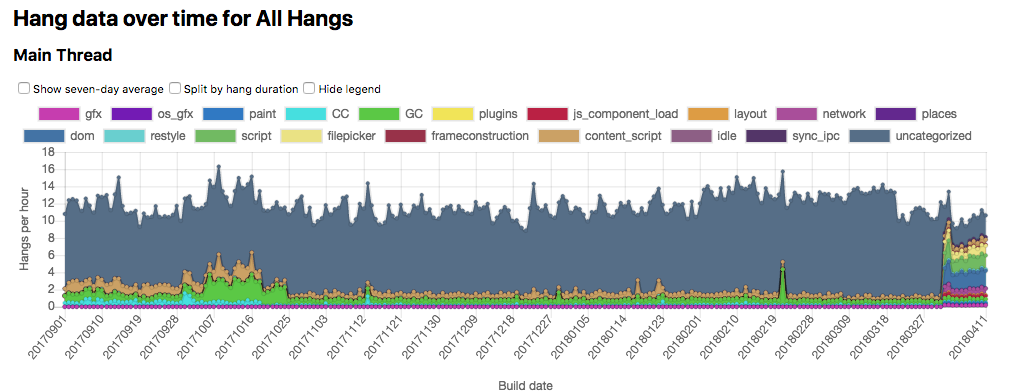
This performance update is brought to you by arewesmoothyet.com! On Nightly versions of Firefox, a component called BackgroundHangReporter (or “BHR”) notices anytime the main-threads hang too long, and then collect a stack to send via Telemetry. We’ve been doing this for years, but we’ve never really had a great way of visualizing or making use of the data1. Enter arewesmoothyet.com by Doug Thayer! Initially a fork of perf.html, awsy.com lets us see graphs of hangs on Nightly broken down by category2, and then also lets us explore the individual stacks that have come in using a perf.html-like interface! (You might need to be patient on that last link – it’s a lot of data to download).

Hot damn! Note the finer-grain categories showing up on April 1st.

Early first blank paint (lead by Florian Quèze)

This is a start-up perceived performance project where early in the executable life-cycle, long before we’ve figured out how to layout and paint the browser UI, we show a white “blank” area on screen that is overtaken with the UI once it’s ready. The idea here is to avoid having the user stare at nothing after clicking on the Firefox icon. We’ll also naturally be working to reduce the amount of time that the blank window appears for users, but our research shows users feel like the browser starts-up faster when we show something rather than nothing. Even if that nothing is… well, mostly nothing. Florian recently landed a Telemetry probe for this feature, made it so that we can avoid initting the GPU process for the blank window, and is in the midst of fixing an issue where the blank window appears for too long. We’re hoping to have this ready to ship enabled on some platforms (ideally Linux and Windows) in Firefox 61.

Faster content process start-up time (lead by Felipe Gomes)

Explorations are just beginning here. Felipe has been examining the scripts that are running for each tab on creation, and has a few ideas on how to both reduce their parsing overhead, as well as making them lazier to load. This project is mostly at the research stage. Expect concrete details on sub-projects and linked bugs soon!

Get ContentPrefService init off of the main thread (lead by Doug Thayer)

This is so, so close to being done. The patch is written and reviewed, but landing it is being stymied by a hard-to-reproduce locally but super-easy-to-reproduce-in-automation shutdown leak during test runs. Unfortunately, the last 10% sometimes takes 90% of the effort, and this looks like one of those cases.

Blocklist improvements (lead by Gijs Kruitbosch)

Gijs is continuing to make our blocklist asynchronous. Recently, he made the getAddonBlocklistEntry method of the API asynchronous, which is a big-deal for start-up, since it means we drop another place where the front-end has to wait for the blocklist to be ready! The getAddonBlocklistState method is next on the list.

As a fun exercise, you can follow the “true” value for the BLOCKLIST_SYNC_FILE_LOAD probe via this graph, and watch while Gijs buries it into the ground.

LRU cache for tab layers (lead by Doug Thayer)

Doug Thayer is following up on some research done a few years ago that suggests that we can make ~95% of our user’s tab switches feel instantaneous by implementing an LRU cache for the painted layers. This is a classic space-time trade-off, as the cache will necessarily consume memory in order to hold onto the layers. Research is currently underway here to see how we can continue to improve our tab switching performance without losing out on the memory advantage that we tend to have over other browsers.

Tab warming (lead by Mike Conley)

Tab warming has been enabled on Nightly for a few weeks, and besides one rather serious glitch that we’ve fixed, we’ve been pretty pleased with the result! There’s one issue on macOS that’s been mulled over, but at this point I’m starting to lean towards getting this shipped on at least Windows for the Firefox 61 release.

Firefox’s Most Wanted: Performance Wins (lead by YOU!)

Before we go into the grab-bag list of performance-related fixes – have you seen any patches landing that should positively impact Firefox’s performance? Let me know about it so I can include it in the list, and give appropriate shout-outs to all of the great work going on! That link again!

Grab-bag time

And now, without further ado, a list of performance work that took place in the tree:

(🌟 indicates a volunteer contributor)

Thanks to all of you! Keep it coming!


  1. Pro-tip: if you’re collecting data, consider figuring out how you want to visualize it first, and then make sure that visualization work actually happens. 

  2. since April 1st, these categories have gotten a lot finer-grain 

30 Apr 02:42

Creating Simple Interactive Forms Using Python + Markdown Using ScriptedForms + Jupyter

by Tony Hirst

Just… wow…

Every time I miss attending the OER conf (which is most years, which is stupid because all the best peeps are there) I try to assuage my guilt by tinkering with some OpenLearn stuff.

This year, I revisted my OpenLearn XML scraper – first sketch notebook here – scraping the figure data into a SQLite db that I then popped onto Heroku as a datasette (a single command line command – datasette publish heroku openlearn.sqlite posts the sqlite database to Heroku as a running app, so thanks to Simon Willison, it’s not hard, right?).

That’s okay as far as it goes – there are some notes in the notebook about more nuggets that can be pulled from the OpenLearn OU-XML – but it falls short of giving a demo gallery of images.

The latest version of datasette supports plugins, as well as the original templating, which means I should be able to put together a simple gallery viewer, allowing figure caption / description data to be searched then showing the results with the corresponding images alongside. But there’s still learning for me to be done there (I still don’t grok jinja templates) and I wanted a quick win…

Tinkering with Simon Biggs’ ScriptedForms Jupyter hack has been on my to do list for a bit, and with its markdown + python interactive app scripting, it looked like it contained the promise of a quick win. And it did…

For example, here’s a markdown script in a file openlearnq.md:

# OpenLearn Images

<section-start>
```python

from IPython.display import Image

import pandas
import sqlite3
conn = sqlite3.connect('openlearn.sqlite')
```
</section-start>


<section-live>
<variable-string>image_text</variable-string>
```python
q="SELECT * FROM xmlfigures WHERE caption LIKE '%{q}%' LIMIT 10".format(q=image_text)
pd.read_sql(q, conn)
```
</section-live>

and here’s the running app (launched from the command line as scriptedforms openlearnq.md).

I have a github repo here to try to run this via Binderhub: Binder

PS as to setting up the github repo, it was done without git: the repo was created online,  the binder/ dir files (cribbed from SimonBiggs/scriptedforms-examples) were created and edited onlin evia the Github web UI, the openlearn-example.md and openlearn.sqlite files were automatically uploaded once I’d dragged from my desktop onto the repo web page, leaving it to me to just commit them (which I forgot the first time!). See also: Easy Web Publishing With Github

PPS I’m also wondering if it would be possibly to run datasette in the same Binder container and then query the sqlite db via the datasette API service?

30 Apr 02:41

Continually becoming…

by Bryan Mathers
Continually becoming...

My sketchnote from Catherine Cronin’s talk at #OER18.

I was reflecting to another attendee afterwards that I find some talks lend themselves more towards a sketchnote than others. Someone who knows what they are talking about, and cares deeply about it, is a must. But another key ingredient for me are the speaker’s homemade philosophies sprinkled through their talk – and it’s often this mix that I find paints a picture worth drawing.

The post Continually becoming… appeared first on Visual Thinkery.

30 Apr 02:41

Pearson Embedded a 'Social-Psychological' Experiment in Students' Educational Software

files/images/ocx2jjsztbnog0nfwoqr.png

Sidney Fussell, Gizmodo, Apr 22, 2018


Icon

According to this article, "Pearson is drawing criticism after using its software to experiment on over 9,000 math and computer science students across the country." The experiment was disclosed in a paper presented on Tuesday (not Wednesday, as was incorrectly reported by Gizmodo). "Some students received 'growth-mindset messages,' while others received 'anchoring of effect' messages. (A third control group received no messaging at all.)" According to the paper's abstract, " Results indicate increased persistence in the growth mindset condition, and a decrease in persistence for the anchoring condition, relative to control." The suggestion here is that the students did not know they were the subjects of an experiment, which would be a violation of research ethics. (This was first reported in EdWeek, but thei link currently is failing due of an invalid SSL certificate. It was presented at an AERA conference, but you really have to dig to view the listing for the paper delivered by Daniel M. Belenky, Yun Jin Rho, Mikolaj Bogucki and Malgorzata Schmidt).

Web: [Direct Link] [This Post]
30 Apr 02:41

Why collaboration is a bad idea for developing personalized learning teachers

files/images/focuswork-1-1024x683.png

Thomas Arnett, Christensen Institute, Apr 22, 2018


Icon

According to Thomas Arnett, "the 'collective action' approach will likely flounder at creating the pipeline of excellent personalized learning teachers that the field needs." This is because "when new innovations are still stretching to meet our expectations, the best strategy for pushing a product’s performance forward is for a single entity to control all the interdependent pieces of the solution." He draws a parallel between the development of teachers and the development of touchscreens. It's hard to imagine a more tone-deaf analogy, save perhaps the reference to training for a particular charter school network in New York City. Teachers are not "a product" and personalization may yet be something that resembles art more than it does manufacturing.

Web: [Direct Link] [This Post]
30 Apr 02:41

Gore Avenue and East Cordova Street

by ChangingCity

This 1889 Archives picture is titled “Mrs. Sullivan’s house – N.W. corner of Gore Avenue and Oppenheimer (E. Cordova) Street”. It’s not entirely accurate; the house was not actually Josephine Sullivan’s, but the newly completed home of her son, Arthur, although she did live here. In the 1891 census Arthur W Sullivan was living here, aged 31, listed as a general merchant. He had been born in BC, and his wife, Annie, was born in New Brunswick. Their infant son, also called Arthur, was obviously living with them, as was Charles, Arthur’s younger brother, Josephine, their 71-year-old mother and Lillian Wood, their domestic servant. The 1891 street directory identified both Arthur and Charles as musicians, rather than merchants. Annie and Arthur had been married in 1887. In 1895 Charles Sullivan, born in New Westminster, married Amy Lilian Wood of Wasbro, England.

Josephine was born in the US, and her late husband, Philip, in the West Indies, and they were both among the earliest black residents in the Lower Mainland. (In a 1934 interview W R Lord said neither were negro; both were ‘mulatto’, and Isaac Johns said she was part French, named Josephine Bassette). Philip and Josephine arrived in BC in 1859. Although some records suggest they came from San Francisco, her obituary shows her arriving via Panama, crossing the isthmus on mules, suggesting an eastern origin. Their son Arthur was baptized in New Westminster in 1860.

Accounts suggest the family settled on Water Street, with the first Methodist services being held in the family kitchen. Initially Philip may have been a cook in gold mining camps in the Cariboo, but by 1870 he was a steward at Moody’s Mill (on the North Shore), and Josephine apparently helped her husband to prepare the meals. Philip was also musically talented – he played the organ at the Methodist church. Josephine may have had a restaurant on Water Street in 1875, although we haven’t found any contemporary records that confirm this; similarly we can’t find anything to confirm Alan Morley’s statement that they ran the Gold Hotel on Water Street for a while, which may be connected to the fact that the Sullivan two-storey store run by Arthur was next door to the hotel. Interviews with Major Matthews suggest that the store and restaurant were separate premises, and Josephine may have run the restaurant while her husband worked on the North Shore at the mill.

Because BC joined Canada in 1871, just after the census was conducted that year, there are no records until the 1881 census when the whole family were shown living on the North Shore. Philip’s origin in the census record was altered from ‘West Indies’ to ‘Irish’, suggesting where his father (and his surname) may have come from. Philip was aged 64, his son John, also a steward, was 40, while Arthur was 21 and Charlie 17. There were at least two other children who had left home by the time that census was taken. A year later Arthur had a store in Granville, but Philip was still shown living in Moodyville.

Philip died in 1886 and by 1889 Josephine had joined Arthur, across the inlet in Vancouver, where he had established a general store when the town was still called Granville, in 1882. Charlie Sullivan was working as a clerk in his brother’s store in 1884. In 1889 the Daily World recorded that the house that the Sullivan family had occupied on Cordova Street had been moved to Water Street. The same year Sullivan’s Hall appeared on Cordova, half way between Abbott and Carrall, presumably occupying the location of the former house. Major Matthews recorded in his historical Archives notes an interview that said Philip Sullivan had cleared the land himself, and the family probably lived there before the fire, and rebuilt the house that was later moved, after the fire. It was a ‘squatted’ site on Cordova, and built around 1879. On the day of the fire Arthur Sullivan had sailed to the Mission on the north shore in his sailboat, and so escaped the blaze. At the time Josephine was staying in Joe Manion’s hotel, but escaped the flames. Sullivan’s Hall was used for musical performances, union meetings and other civic and entertainment purposes. It was briefly used as a courthouse with Judge Begbie presiding.

In 1889 Arthur was the subject of a sensational court case when he, and a Dr Langis were accused of procuring and carrying out an abortion. This was the first time in British Columbia history that the charge had been laid, and both men were found not guilty by the jury. When the trial commenced, and some of the preselected jurymen failed to show up, there was a rush to the doors by the crowd waiting to watch the trial – but enough failed to get out fast enough to avoid being immediately pressed into jury service.  A married woman, Mrs. Amanda Hogg, was the woman involved, but her testimony at trial (reported in great detail over many days and pages of the newspapers), was inconsistent and unreliable. There seems to be some doubt about whether Arthur had a dalliance with the lady in question (who he had met in the Methodist church choir), and there was confusion about whether there was an abortion or a miscarriage as a result of a fall, and the description of the dead child implied that it was unlikely to have been fathered by Arthur (identified as Negro in the 1901 census, and spoken of negatively in that connection by Mrs Hogg’s husband, James). Mrs. Hogg’s attempt to obtain $2,000 from Mr. Sullivan probably didn’t help her cause.

It appears that the case didn’t adversely impact Arthur’s standing as the town’s leading musician and ‘most popular master of ceremonies’. He and his brother and their families continued to live on East Cordova Street, and were said to own several other properties. James Hogg seems to have stayed living only a block away for at least a couple of years, but Amanda Hogg, not surprisingly, seems to have left town. Josephine Sullivan died in 1893, and in 1901, Arthur, Annie and Arthur junior lived in the same house as Charles and Amy; the house in the picture. Arthur still had his store, and Charles Sullivan apparently made his living as a musician, playing the piano and later being described as ‘just a barroom thumper’. He drowned while getting on board his rowboat at Andy Linton’s boat house at the foot of Carrall Street in 1906. His widow, Amy, moved to the West End, and that year Arthur moved to the north shore. Although he disappears from the street directory, his son, Arthur G Sullivan continued to be listed, and his father, Arthur was living in North Vancouver, a widower aged 61 when he died in 1921.

Once it was demolished, the site of his home was used as a parking lot for the adjacent court building for many years, and in 1983 was redeveloped as a remand centre with a jail block designed by Richard Henriquez. The cells were taken out of commission in 2002, and in 2011 Henriquez Partners designed the conversion of the building to non-market housing, adding windows to replace the widowless cell pods.

Image source: City of Vancouver Archives Bu P73

18 Apr 18:07

The Future of College Looks Like the Future of Retail

files/images/lead_960_540.jpg

The Atlantic, Jeffrey Selingo, Apr 21, 2018


Icon

The suggestion here is that "similar to e-commerce firms, online-degree programs are beginning to incorporate elements of an older-school, brick-and-mortar model." I would comment that the e-commerce physical storefront is a novelty, not a trend, but let's continue. "Richard DeMillo, the executive director of the Center for 21st Century Universities at the Georgia Institute of Technology...  wouldn’t be surprised if universities start fusing the best of the online experience with the best of the physical experience, possibly like 2U is trying to do with WeWork. 'Think of it as the storefront for the university,' DeMillo said." This may mean transforming their existing physical presence, but the trend in education is not toward converting online to in-person. And as you rad through the article it becomes that this is more of a hope being expressed rather than an actual thing.

Web: [Direct Link] [This Post]
18 Apr 18:06

After-school Code Club – Lifelong Kindergarten?

files/images/code-club-768x521.jpg

Angela Brown, AACE Review, Apr 21, 2018


Icon

It's funny how the after-school activities seem more educationally relevant than classes, when when they're not relevant at all. That's why this description of an after-school coding club appeals to me. Drawing on Mitch Resnick's book Lifelong Kindergarten as a guide, Angela Brown describes how her coding sessions sometimes stay on topic and sometimes stray far from the original idea. And I really like this: "How do we know if our Code Club is successful? I hope we never know. Resnick suggests instead of trying to measure learning, to document it. This made me think of approaches like floor-books in kindergartens." Yeah.

Web: [Direct Link] [This Post]
18 Apr 18:06

Drafts 5: The MacStories Review

by Tim Nahumck

There are few apps I've ever used which made a lasting impact on my daily workflow. But for years now, the singular app that's been the foundation of my iOS use has been Drafts. The app has lived in my dock since I first picked it up, it's the single most important app I use on the platform, and it's the only paid app I mandate to anyone looking for must-have apps on iOS.

Drafts is the bedrock app from which I build all my productivity. It’s the single point of text entry that shares to any app, whether through the share sheet, a simple action, or a custom and complex action. Any time I have an idea, I put it in Drafts. Tasks to add to my task manager? I do that from Drafts. Something I want to write about on my blog? That idea starts in Drafts too. It's the focal point for everything I do.

But times change. Apps age. New features are added in the OS that need to be integrated, which cause some developers to pull the plug. So today, I'm saying goodbye to Drafts 4. And it's getting replaced by the only app that could possibly replace it: Drafts 5.

Table of Contents

Read the review offline

eBook Version

Our Drafts 5 review is also available in eBook format exclusively for Club MacStories members. The eBook is compatible with modern EPUB readers (including iBooks) and includes support for offline video embeds and inline footnotes.

The eBook version is available for free to our existing Club MacStories members, and it can be downloaded in the members-only Downloads area here.

Club MacStories offers access to weekly MacStories extras – including workflows, app recommendations, and interviews – and it starts at $5/month. New members gain access to the complete archive of over 150 newsletters and dozens of advanced workflows delivered since September 2015.

You can start your subscription below and read more about Club MacStories here.

What Is Drafts?

This is the single biggest question I get asked whenever I mention the app. At its core, Drafts remains the app it has always been: a place where text starts. It is the quintessential app for trusted capture of text. There are other writing/note-taking apps out there that are great in their own right. Some are more suited for long writing and research, while others are good for simple note-taking. But none of them replicate the functionality that Drafts carries on iOS, where integrations built into the app provide powerful, customized actions. This is where the strength of Drafts really shines: it can be the central hub from which everything flows.

Drafts is truly an impressive balance between simplicity and power. It starts as a blank page and a keyboard: all you need to do is type. If you're on the go or need your hands free, activate dictation on your device - iPhone, iPad, or Apple Watch - and just start talking. Once you've captured your text, you can send it elsewhere via actions. Early on this was done through x-callback-url schemes, but the system was previously expanded to include actions that allow further integration across the platform.1

Perhaps Federico, speaking on AppStories about the previous version of Drafts, said it best:

The interesting thing about Drafts is that it can be the simplest note-taking app on the planet, but it can also be the most complex one, once you unlock the power of all its actions, the integrations, the URL scheme...you can build this super-complex and powerful typing experience that is connected to dozens of other apps through actions and automation.

For all that Drafts can be, it starts off as just a simple editor: a place to create new drafts with the keyboard.2 This simple interface doesn't overwhelm you with options, it just facilitates the quick capture of your thoughts so you can move on to what you were doing. When you're ready to take action on a draft, a simple swipe gives you access to actions and automation that turn this simple editor into one of the most complex apps in the iOS ecosystem.

What I continue to find amazing about Drafts is the chameleon-like nature that it has with its user base: some may use it as a simple note-taking app, while others employ it at the core of their device usage. For me, it takes center stage for everything I do on the platform. Aside from taking and processing pictures, nearly everything happens through Drafts. It's still the simple note-taking app it always has been, but with new features come new methods of making custom, complex interfaces that connect to multiple apps, providing the possibility of replacing multiple apps you use today.

I imagined what this update would be like almost two years ago. Although it may seem like a long time, I never expected to get all of the options, capability, and power that Drafts offers with this new version. I completely understand the time it takes to develop complex app like this, and I couldn’t be happier with what has been released. Let's dive into Drafts, how it has changed, and the new ways you'll want to use it going forward.

A New Look

The editor is where you make changes to your drafts, and Drafts has added a litany of settings to customize the appearance of the editor and improve the writing interface. The appearance settings are located in the bottom toolbar, denoted by the Aa icon. Inside this menu are theme preferences, icon preference, syntax highlighting, and editor customizations.

Drafts has many customizations for the editor.

Drafts has many customizations for the editor.

Themes are user-selectable, with the option to use a light theme, dark theme, or automatically change between the two based on the lighting conditions – perfect for the iPad Pro with True Tone display. You can also select which theme you’d like to use in the light and dark setting: they are individually selectable, giving you the choice to have a darker theme for both. To change the theme, simply tap under the 'Light' and 'Dark' indicators in the menu, which presents a menu selection for the available themes. At launch, the available themes are Light, Sepia, Solarized, Dark, Gray, and Solarized Dark. There are also multiple icon choices, accessible by tapping the icon in the menu. For those who have the iPhone X, there is a pure black icon that I'm sure many will want to use.

There are now more glyphs included with Drafts than ever. Not only does this make the visual cue the same between the action and draft drawers, but it also makes the entire editing experience feel more modern thanks to the use of good iconography.

Glyphs give a modern feel to the UI.

Glyphs give a modern feel to the UI.

The information button (ⓘ) at the top of the draft displays the title of the draft, along with the action log, version history, and location of creation/modification. In the version history, you're provided options to restore or copy the older version. During the course of writing this review, there have been several times I've wanted to recall something I previously wrote, and having the version history saved has been a godsend. The action log provides several types of usable information: you'll see every action run on a draft, along with the actions that have failed and a reason for the failure – this is especially handy when running newly created actions.

The bottom left of the editor window also includes some useful functions. There are up/down arrows to navigate your drafts in the list with a tap. Link mode can be toggled on and off – this turns your entered links into active hyperlinks. Arrange mode rounds out the bottom toolbar, and has two options now: line and block. Line mode is self-explanatory; block mode moves entire chunks of text around. Block arrange mode was extremely useful while writing this review for when I would want to move entire sections around. Arrange mode options are also available via the contextual menu, which helps when you need to select only a portion of text and arrange within that selected text. This is a valuable tool when moving around lines of code or when you have a large text document and only want to arrange small parts.

Focus Mode

New in Drafts 5 is Focus mode, which is activated by tapping on the eye icon in the bottom toolbar of the editor. The primary function of this is to stop automatic draft creation, enabling a specific draft to remain in the forefront. Unlike the setting that determines timed auto-creation of new drafts, Focus mode requires user interaction to be disabled. I like this choice, as it requires the user to specify their intent of entering and exiting the mode, choosing whether or not they want to focus on a singular thought or process.

One of the ancillary benefits of this mode is how it can aid in the processing of drafts: instead of a new draft being created upon the successful execution of an action, it returns you to your previous draft. For most of my meetings at work, I'll use the iPad and take notes in Drafts. If I switch to Safari – or search in Drafts using Safari View Controller – to look up something for research, returning to Drafts while remaining in the current draft is perfect. I can also create a new draft if I have a task that needs to be completed, send the draft with a note to Todoist, and return to what I was previously working on.

With Focus mode, I am no longer burdened with having to keep a thought in my head while working on something else. It's almost like I'm meditating: I can focus on the present, have an intrusive thought that is acknowledged, then process it and continue in the present.

Syntax Highlighting

After a while of using Ulysses, I've grown to really enjoy the ability to use syntax highlighting. My eye likes the difference between elements, and this was the biggest reason for me using something like Ulysses over Drafts as I did previously. But that all changes now that Drafts has a better foundation for syntax highlighting.

In this initial release, there are five language types available for syntax highlighting:

  • Plain Text
  • Markdown
  • TaskPaper
  • JavaScript
  • Simple List

Each of these have their own unique syntax highlighting that follows the normal conventions and brings clarity to the task. Using the Markdown syntax highlighting, you'll visually see where links are being used. You can even write long pieces entirely in Drafts: this entire review was written using Drafts 5, and my eyes felt comfortable the entire time. All of the MultiMarkdown elements are highlighted in one way or another, and it makes for a huge visual improvement in the app:

Drafts 5 (left) vs Drafts 4 (right).

Drafts 5 (left) vs Drafts 4 (right).

There are options for the current and default syntaxes. Not only does this provide flexibility to drastically change the syntax language for each type, but each individual draft is able to have a unique syntax flavor – fonts, font size, line height, paragraph spacing, and margin can all be changed on a per-draft basis. There are also toggle settings to add paragraph numbers, use spell check, use smart quotes and dashes, and more. And because these options exist, it enables each draft to become its own type of document.

These custom settings make the editor more visually useful and appealing. The additions of TaskPaper and JavaScript highlighting bring some added possibilities to Drafts in new ways, as I'll get into more later. In the future, I'm hoping that more syntax languages are supported, and that there will be a nice way to change the colors of the syntaxes to permit more customization. Having the ability to add a custom notation or highlight for text would also be a welcome addition.

With the inclusion of syntax highlighting and the visual change it provides, I can now replace Ulysses in my writing workflow. I appreciate how visually appealing Ulysses' interface is, but at this point Typewriter Mode is the only feature I miss from it, and I hope to see something similar come to Drafts in the future. I could continue to use Ulysses for writing, but I don't need the overhead of having two apps that can do similar functions, especially when one has more extension across other apps.

Capture Anything, Anywhere

Drafts' single biggest feature and benefit is capture: you simply open the app to a blank draft and start typing. Aside from opening the app on the Home screen, there are other methods to capture your text. Ever since the adoption of widgets, Drafts has supported using one in either the Today view or with 3D Touch on the Home screen of the iPhone. This is a simple way to launch the app right to the editing screen in a variety of ways: starting a new draft, inserting the clipboard text, searching the drafts drawer, or dictation – my personal favorite. Drafts also has an additional widget which provides the most recent drafts if you want to open the app to a specific draft you were working on.

All drafts are stored within the app, synced with iCloud using CloudKit. The syncing engine also includes non-draft items like tags and most of the settings throughout the app; this makes setting up a new device a breeze.

Siri

Siri integration, introduced in iOS 11, is also available. You can say things like "Using Drafts, create a note… " or "Create a note in Drafts…", then speak the text of your draft. This is great when you're unable to interact with your devices by touch, and also for those who need the accessibility that Siri can provide.3 Spotlight search is still there, but with it not being tied to Siri, it doesn't allow for searching unless your hands are free; note search is a missing Siri intent I would like to see added in the future.

I personally use the Type to Siri accessibility feature for note creation, particularly when using my iPad Pro with Smart Keyboard – voice input simply isn't as accurate. I'm able to capture a note no matter what I'm doing, whether checking Twitter or editing a podcast in Ferrite. I don't have to back out of what I'm doing to get a thought out.

Share Extension

In Drafts 5 the share extension has been updated – it now features your chosen theme and options for syntax highlighting and tags, while keeping the previous append/prepend functionality. As was true before, appending and prepending brings up the selection interface so you can select just the right draft – helpful for when you're writing a post and need to gather links, or when creating a link post itself. Also worth noting: if you use TextExpander snippets, those now work directly inside the share extension.

Apple Watch

Capturing your thoughts on the go with a tiny wrist computer is easy with the Drafts Watch app – new drafts can be entered using dictation or scribble. The Watch app is not a full-fledged editor, but it still gives you access to add/remove tags, append/prepend to a specific draft, or flag, archive, or delete a draft right on the Watch.

Using the Drafts complication, the Watch app is opened in auto-capture mode, meaning it will turn on dictation so you can immediately speak your thoughts.4 Once completed, it will sync with your iPhone, then to iCloud. If your phone isn't with you, it saves on-device until it's able to sync with your iPhone.

The Apple Watch app has been expanded to include more options.

The Apple Watch app has been expanded to include more options.

Imagine you have your Series 3 Watch and AirPods on a run. While you’re out there completing your rings, you get an idea. No longer do you have to rely on remembering it when you get home – you'll simply capture it on the Watch and continue on your journey; when you’re back to your phone, the idea will be there waiting, ready for you to process it in the editor.

URL Schemes

Drafts continues to support an extensive URL scheme to get your text into the app, as well as methods of linking back to single or groups of drafts. You can use these in conjunction with other apps to create automation. All of the same URL schemes are available from the previous version, making migration easier than ever.

One item to note is that some of the URL schemes are supported only in the pro version of the app: most notably, /dictate, and /arrange options will not be available on the free tier, and the same applies to use of the action parameter on incoming URLs. These URL components and schemes are more on the advanced level, and allow automation to and from other apps using Drafts as a service for text through other apps like Workflow. As the app evolves, there could be other URL schemes that are developed and may fall into the same category.

Migration Tools

Drafts 5 comes with migration tools to port your drafts and most of your actions; this does require the latest Drafts 4 version as well. At startup, the app will ask you if you want to migrate your drafts and actions over from Drafts 4 to Drafts 5. If you choose not to migrate them at that time, you can find the migration tools in the Settings menu, located in the bottom toolbar of the editor.

For the actions, you are able to migrate them individually from Drafts 4. This is useful if you want to clean up your actions as you move over. Actions migrate over as a new action with all of the steps, or you can migrate them using a CallbackURL action step. Some actions may require additional tweaking after you've migrated them, but the migration tools will do a lot of the heavy lifting for you and change your scripts and URLs to the new syntax.


Drafts makes capturing your thoughts easy from anywhere on your devices. It is one of the very few apps that provides multiple ways of capture, available anywhere on iOS. Aside from sending an email to the app, you are able capture text into Drafts in any manner which iOS permits.

Managing and Organizing Your Drafts

When you've started to amass more than a single draft, you will view and manage them in the drafts drawer. The drawer is accessed with a swipe left to right on the editor. Inside the drawer, if you want to take action on a specific draft, a swipe right to left will bring up options to flag, archive, or trash it. At the bottom of the drafts drawer, there are buttons to create a new draft, enter selection mode, and view operations. If you want to quickly select all drafts in view, tap and hold the select button.

A new feature in Drafts 5 is the ability to pin the draft drawer to the side of the screen. This gives you a two-pane view of the app, with your drafts still visible as you type in the editor. It also makes editing multiple drafts more fluid. I've been using Drafts primarily in this mode for everything I do. While this is mainly an iPad-first feature, I do have good news for those Plus club members who use their iPhone in an iPad-like way: you can pin the drawer in landscape mode too.

Access the drawer with a swipe or the external keyboard shortcut ⌘1, then pin the drawer with the indicator.

Access the drawer with a swipe or the external keyboard shortcut ⌘1, then pin the drawer with the indicator.

There are additional list options, found in the top menu (the '•••' icon) of the draft drawer: you now have options to toggle on/off the body preview, tags, and last action run for each draft. While I personally only like to show the tags for visual clarity, I appreciate how Drafts gives multiple options to the user.

External shortcuts have been available in Drafts previously, but they have been expanded to gain access to the drafts drawer. The up/down arrows will cycle through your drafts, while the left/right arrows will change folders at the top. When you want to select a draft, tap the enter key to bring it into view. You almost don't need to have your hands leave the keyboard. Almost.

Tags

Custom folder filters have been completely replaced in Drafts 5 by tags. Tags facilitate user customization and organization for their drafts, and filtering allows you to organize tabs to view drafts exactly how you want them; you can optionally use an action to update tags as well. As you type a tag, any similar tags will temporarily appear in the extended keyboard row so you can see the available choices and minimize the number of them you have.

Tap the tag icon in the top toolbar to add a tag.

Tap the tag icon in the top toolbar to add a tag.

The beautiful thing about tags is that they are not part of a draft's text itself. Since they don't get in the way of the actual text, they can be put to good use by providing context to your content without actually adding extra content. Tags are able to be any number of things: topics, categories, descriptors, authors, etc. They can be very powerful for what you want them to become. Not only are they useful within the app to organize your various drafts, but by using them with actions and scripting, tags can be used as elements that are able to be passed to other apps.

For example, if you do a podcast, you could have a tag of ad_read which highlights the various ad reads you have on the show. If you capture quotes from somewhere, you can tag the quote with quote or quote:author-name. If you want to have multiple edit states, you could have draft or reviewed or final to compare the different files as you progress in your writing. During the writing of this review, I used several tags so I could quickly filter my writing. This also enabled me to work within my review as a project: by creating and filtering on that tag, I could quickly move through the drafts, modifying each as I went.

An additional swipe on the draft drawer provides access to the tag drawer, or use ⌘T to access with an external keyboard.

An additional swipe on the draft drawer provides access to the tag drawer, or use ⌘T to access with an external keyboard.

In the tag drawer – accessed by swiping right on the draft drawer – you will see all of the tags you’ve used in the app. To start a filter, select a single tag or multiple tags to add, or choose to omit specific tags; you can also use a combination of selected and omitted tags. This filtering applies across the folders of the draft drawer. A nice addition to tagging not present in the app is an or function, which would expand the filtering to get drafts that are tagged with red or blue instead of red and blue as it is today, giving better functionality to the feature.

You can also use the search bar at the top of the draft drawer to further refine your draft search using text. The use of tags and text filtering really starts to set up interesting possibilities for how you view your Drafts. And if you select the ••• button at the top of the draft drawer once you've filtered, you'll see perhaps the best thing to happen in Drafts 5: Workspaces.

Workspaces

Workspaces are a new addition to Drafts, and are part of the Pro subscription only. When you make a workspace, you are essentially creating a saved view of your drafts. This brings a whole new paradigm with using the app. Workspaces use text and tag filters, providing saved spaces to view your drafts.

The easiest way to create a workspace is to look at your draft and filter based on tags or text. From there, hit the ••• button at the top of the drawer, and select "Save Current"; you can also always select a "New" one to get started. The reason I choose the former is so I can get my view set the way I like it, then save it for later use. Once saved, editing or deleting a workspace is a simple right to left swipe on the name in the Workspaces menu.

You can customize each workspace in the menu.

You can customize each workspace in the menu.

In the edit screen, you can change the sort order of the drafts for each folder, show different items in the preview, and customize the glyph and color of each workspace. Within the Workspaces menu, you'll also see the option to activate and view quick access tabs. Utilizing it gives you access to any of your workspaces with a simple tap. This is perfect for one-handed use on the iPhone, or for quickly switching without moving your hands far off a keyboard on the iPad. You can also choose view options: glyph + text, text-only, or glyph-only. I absolutely love the way glyph-only looks, and plan to use that going forward.

The Workspace Today widget is something I want to have everywhere on my devices.

The Workspace Today widget is something I want to have everywhere on my devices.

You also gain a new widget in your Today view with workspaces. Not only does it give you quick access to them, but on the side it also provides the standard widget elements. I love this widget and its implementation, though I wish I had the option to use it as the 3D Touch widget – sadly, 3D Touch widgets are restricted to compact mode, meaning this wouldn't be very practical.

Now that I have the Workspaces feature, I want to use it everywhere: the Today view, the Home screen, and the Watch – I want quick access everywhere to open the app in the way I want to see it.

Launcher apps like Launch Center Pro and Launcher can also take advantage of the new /workspace URL scheme. This scheme lets you take your created workspaces and make a direct path to open to a specific workspace. You could even add this to a simple workflow which would open the specified workspace, right from the Workflow widget. I have a few tasks where the URL to a specific Workspace is included, so as I'm going through a weekly review, I can quickly access the workspace that contains my review items. Providing this level of quick access via a URL scheme is a pro-level feature that can elevate your productivity through automation.

The idea of workspaces is an ingenious way of interacting with your drafts. You can separate your drafts out into categories or individual projects and narrow the focus of what you're doing with the app. Capturing all of your thoughts, ideas, and tasks is wonderful, but placing them in discrete containers for viewing and processing boosts the potential for productivity. I don't have to think of what drafts I want to see and filter using the tag drawer – I now have custom-built, preset views that I return to on a regular basis. By setting up workspaces, you no longer have to spend a ton of time searching for what you need. You can display exactly the focus of what's on your mind, and just start capturing your thoughts or acting upon them.

Drafts can pile up. When I was attempting to write this review in Drafts with all of the included sections and scripts, the drafts drawer became too much to look through. But with a workspace, I was able to omit the review and any scripts with the use of tags (using the syntax of !tag), and my day-to-day usage became much more clear. I can also keep adding tags to omit so I can move more project-oriented groups off my general list.

Think of workspaces as areas of your life.

Think of workspaces as areas of your life: each one provides a focused view of your drafts without having the clutter of the other areas in your face to distract you. This "General" workspace I've described is just one example of how the feature can be used to provide clarity, and I'll have more to share later in the review. Workspaces are just one part of the larger picture, and explaining their usefulness and power would be understated if I went into depth here.

But I will say this for now: Workspaces, built on tagging, is my favorite new feature of Drafts 5. It has single-handedly changed the way I use the app. Workspaces grant me the ability to do things that I never could have done with the previous version, let alone the free tier of Drafts 5. All of the changes in the draft drawer bring new capability and functionality to Drafts. It's going to change the way you use the app in the future when you start pairing it with the power of Drafts: Actions.

Taking Action

Actions are the core of what makes Drafts so important to your workflow. Each action will contain one or more steps, sending text where you want it to go. They range from being simple actions to insert text, to complex script actions with multiple action steps to process a draft in a variety of ways.

Actions in Drafts 5 will, for the most part, still function in the same way they always have. Actions are compiled in single or multiple steps using template tags to process them like [[draft]] or [[title]]. Each one of these template tags lets you pull in information that can be passed along to other steps or other applications. There is a range of action steps to choose from: social to system to advanced and more. They may be used singularly or in combination with other steps to create more complex actions that do more for you. A few of them have further customizations, which can be found in the app's documentation. It would be impossible to cover them all in detail here; however, what I will cover are some of the changes that have improved actions.

Support for running workflows in Workflow, as well as support for x-callback-URLs via a new Callback URL action step, have been improved by adding the returned parameter to be used upon return to Drafts. One of my most used actions uses Blink to get the URL of an app or song; in the previous version of Drafts, this was done through a more complicated URL scheme. It has now been simplified in the Callback URL step, only needing the base URL to be included and letting Drafts handle all of the parameters.

Drafts is able to handle multiple web accounts/services like Dropbox or Twitter via OAuth authentication. OAuth is an authentication protocol that approves one application interacting with another on your behalf without giving away your password. Within the action steps that permit such choices, there is an identifier field to input a separate authentication. Have both a personal and business Dropbox account? Now you can use them within the same app instead of using a workaround. I use this integration for when I handle my personal and podcast Twitter accounts. Even services like WordPress, or other blogging platforms like Micro.blog, can use this method as well once properly configured.

Action Directory

When you’re new to Drafts, it’s a great idea to start by getting some actions and action groups you might find useful from the Action Directory. After you find one(s) you like, you can install them directly onto your device by tapping the link. To access the directory within Drafts, you can tap the + icon located in the bottom right of the action drawer.

The action directory has been completely reimagined with this new version. Within each action is the option to share to the action directory. This takes you to a separate screen where you'll enter information about the action and see an option to share it to the directory publicly or unlisted; unlisted keeps it away from public view, but still permits you to share the action via links. Additionally, as you make changes to each action, you can now update the listed action via a button. This means you don’t have to upload a new version or duplicate your action, nor do you have to change links once you’ve created and shared an action, making updates a cinch.
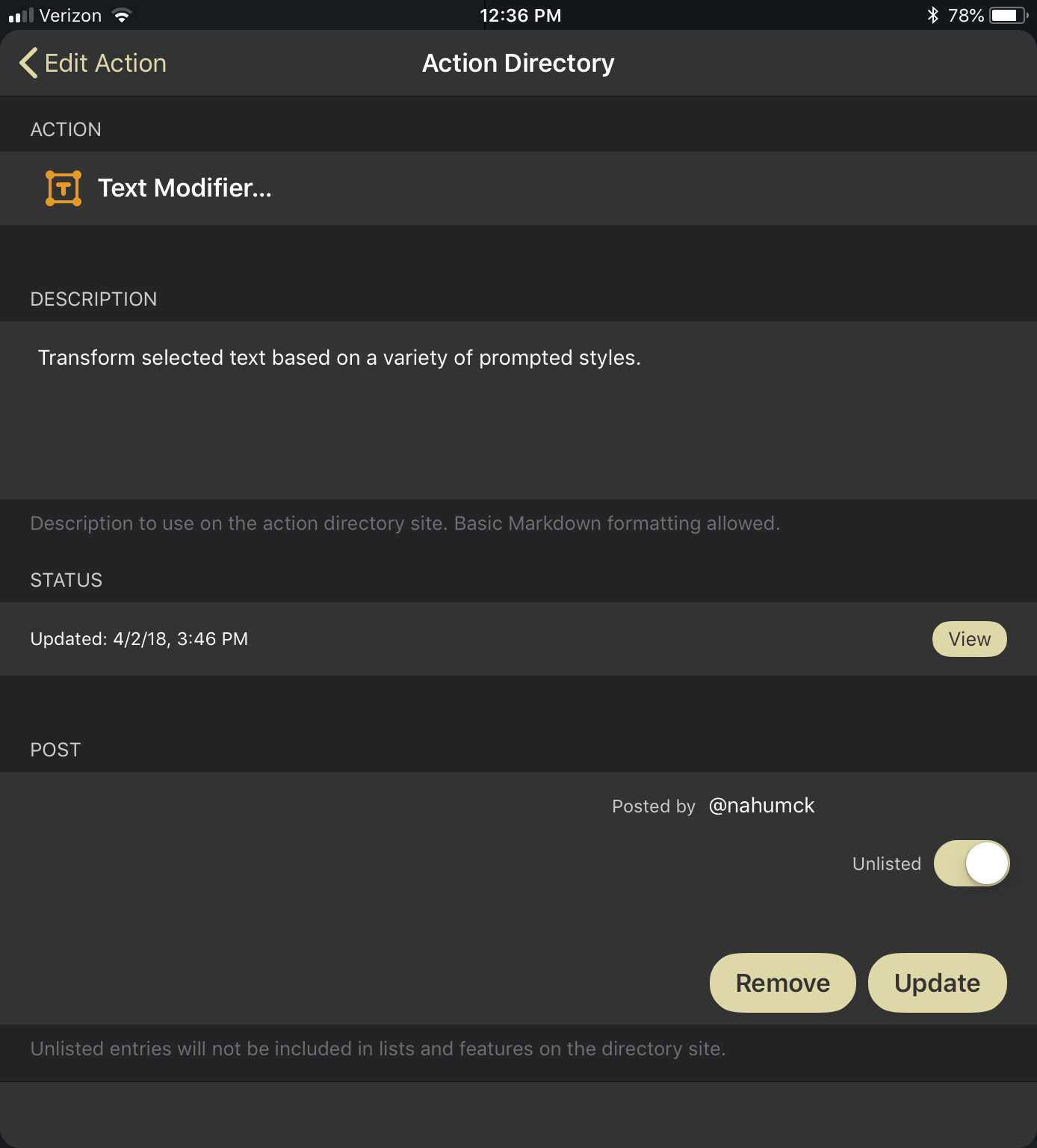
You can now share and update actions to the directory without creating an account.

You can now share and update actions to the directory without creating an account.

The best part about this: you don’t need to create an account to sign in. Drafts doesn’t ask you for an account or your personal data, it just stores a secret token in iCloud as part of the backup. I really like the new method of sharing actions to the directory; there’s zero on-boarding required to share actions on the web or with others, and my personal data remains private. I wish more apps would be this user-conscious.

Drag and Drop with Actions

Thanks to the foundational changes in iOS 11 centered around drag and drop, Drafts now has the ability to activate an action on a text element coming from another app. Simply drag with your finger onto an action, and the action is highlighted. Whether it comes from Safari, Files, the drafts list, or anywhere else, simply drop your text to start the action. And unless the code in your action explicitly calls for a new draft to be created, that text won't be saved into Drafts, it will just be acted upon.

You can also drag drafts or actions out to save them as files into Files or other apps. Drafts will use the title line as the file and defaults to a .txt extension. Actions don’t receive a name, and are saved in a Drafts-specific format. You can rename the file with the action name, but I would prefer to see it done automatically; I would also prefer that the drafts be automatically saved with an extension based on their syntax: .md for Markdown, .js for JavaScript, etc.

Drag and drop is fully supported within Drafts on both the iPad and iPhone, though the iPhone often takes some two-handed use to make it work. Dragging a draft in the drawer, you can either drop it in the draft drawer to create a copy or drop it on an action in the action drawer. This works for one or more files: if you drop multiple files on an action, it will queue the action for each of the provided drafts, snippets, or files.

Action Groups

An action group contains the various sets of actions that you have created or installed. You can make a single action group, or you can make multiple to separate the sets into useful, independent sets. While you can only have one shown at a time on the side, a simple right to left swipe enables access to the Groups tab to select and manage your groups. When using an external keyboard, similar to the action drawer, you can use a ⌘0 shortcut to access the drawer, navigate the groups with the left/right arrows, and navigate the actions using the up/down arrows; to select an action to run on a draft, simply press return and your action will run. And just like the drafts drawer, there is a quick access area at the bottom where you can access your groups quickly, along with the different show modes.

You can also search for an action to run, which will search across all your action groups. This is extremely useful for when you've created multiple action groups and can't remember where an action is quickly. You can move or copy actions to other groups, but you can’t assign the same action across multiple groups as you could in the previous version. I would love to see this functionality get added back somehow, but for now, I’ve added a workaround: by duplicating the action, and using an Include Action action step and providing the name of the action, I can replicate the functionality of the action. I also added a symbol at the beginning of the action () to denote a duplicate, which I grabbed from the app Symbols. Everything works just the way it did before, and I only need to edit in one action to change them all. It’s not as refined as I’d like it to be, but I can use this workaround for now.5 I would love to see this feature of Drafts 4 make its way to Drafts 5 at some point.

To move actions up and down within groups, you can drag the actions around by touch; if you want to have further controls, there's a menu for managing them. Within that menu are options to reorganize the group, customize the glyph and color, and share entire groups to the directory without having to share an individual action. It makes sharing setups and new ideas a breeze.

Extended Row

A big change in Drafts 5: there are no more dedicated keys. Previously if you wanted to run an action on a draft using a key, you had to create the action then create a completely separate key. This is no longer the case. Instead, action groups can now be turned into extended keyboard rows, and any action can be a key. If you have multiple action groups, you can now select them from the menu indicator to the left of the extended row; additionally, you can show or hide keyboard rows as you need. To quickly move through your extended rows, use the swipe up/down shortcut on the extended row area – perfect for one-handed use on the iPhone.

Now that actions are being used as keys, the key can be represented in the row in one of three ways: the glyph, a text/emoji label, or both the glyph and text. I have been extremely pleased with using glyphs as the icons in most cases. The only drawback I have seen in the extended row is the lack of a visual divider: I would really like to see a divider included in the extended row, providing separation between actions as needed. I have a divider action that I made which does nothing more than provide a space, but I would prefer if it didn't look like a button to press, similar to the style of the glyph at the start of the row. This was present in Drafts 4, and something that I hope makes its way back to Drafts 5.

The extended row menu provides access to switch your groups and use the built-in commands.

The extended row menu provides access to switch your groups and use the built-in commands.

Also included in the extended row is a menu, found by tapping the first icon in the extended row, which is the icon you designate for your action group. Within the menu is arrange mode, included here also to let the user activate the feature without having to dismiss the keyboard. The menu also contains a new feature to Drafts 5: find and replace. This is a proper find and replace that had previously been a pain to use in Drafts 4 via an action. Find and replace uses regex (for those that dabble) to find matching phrases as well as words.

Drafts has a proper find and replace, complete with regex. Finally.

Drafts has a proper find and replace, complete with regex. Finally.

All of these visual and navigational changes are improvements over the previous version of the app. It took me a short time to commit these changes to muscle memory, and they have now become second nature. While some of these fundamental changes are different and might even appear on the surface to be slight regressions, I promise you that they do serve a bigger purpose for the way you will use Drafts in the future.

I now have access to more of the capabilities I've set up in Drafts. It helps keep my iPhone from being too cluttered while simultaneously giving me more at my fingertips. On my iPad, I have more functionality than I did previously when using the software keyboard, which gives me more freedom for how and where I use my device. And when I use an external keyboard, it's an absolute powerhouse with the use of keyboard shortcuts.

Actions are great tools for transforming or manipulating your text. Many of the actions created with action steps are fantastic. But when you look at the incredible improvements to scripting, you will see just how much it will enhance and transform your actions.

The Power of Scripting

As you get into all of the new features and improvements Drafts has to offer, you’ll come to a realization: a tremendous amount of power and utility is achieved via scripting. While scripting was available previously, Drafts 5 includes scripting capabilities that open up an entire world of actions not previously possible.

Scripting in Drafts follows the JavaScriptCore framework provided by Apple. There are many resources available to help you learn JavaScript.6 I’m not a programmer, and I certainly won’t be covering a programming how-to in this review, but what I can say is that with a little time and effort, learning JavaScript will lead to a more powerful experience with Drafts. At first it might feel overwhelming, but I promise you this: the more you learn from other people via the action directory and other posts, the better start you'll have along the way. If you’re going to get into the scripting power of Drafts, I highly suggest reading and studying the documentation.

There will be a learning curve for both new and existing users of Drafts. System changes require your existing Drafts 4 scripts to be modified to work with Drafts 5, but fortunately, that's where the migration tools I previously mentioned come in handy.

The script context is now maintained through the full action: if you set a global variable in the first script step, whether it is a var or a const, it can be used in any subsequent script step in the same action without having to create it again. Thanks to the inclusion of Date.js, working with dates and times has been made easier; it is more akin to natural language parsing, but it doesn’t function the exact same way. If you’re clever with coding, however, it would be possible to develop something similar to what other apps like Fantastical or Due provide.

There are a breadth of new script objects at your disposal. The action types have been thoughtfully placed within groups, providing a bit of clarity on what they do. For example, with the App, Editor, and Draft script objects you are able to work inside Drafts itself to accomplish various things; each object contains commands that manipulate your draft(s) when called in the script.

There are a bunch of new script objects as well. There are so many objects now (25 in total at the time of this review) that can be used in various ways I couldn’t possibly - or more importantly, concisely - put into a single review. There have been some amazing actions created already that are available in the directory. While I am anxious to see some of the amazing things the Drafts 5 user community comes up with in the future, I want to cover several of these new objects to show you how they can lead to vastly improved capability.

Prompts

Prompt scripting provides distinct advantages over the basic prompt step. It is no longer just for text field and button choices, but a wide variety of useful methods that transform your actions.

These improvements are helpful in creating a single action that accomplishes multiple things at once. I found myself creating multiple actions like this in Drafts because it saves space in the extended row while maintaining or improving the functionality of the action. Whether it be a Clipboard or a Text Modifier action which group related items, or a journaling action which runs everything related to your text journal, you are able to combine these functions using prompt scripting.

In those two examples, it was possible with Drafts 4 to create them: you needed to create each action and an action set: this method ran a prompt of action names, then ran the selected action via a URL step. This is no longer needed in Drafts 5. The addition of the prompt scripting allows you to create the action set within a single step.

A benefit to using scripted prompts is the ability to combine it with other script elements to select different parts of your draft via a search for text elements. One thing I have always wanted to do with some of my longer writing is quickly move between sections in a Markdown-formatted document. Thanks to JavaScript, used in conjunction with the prompt object, I now have an action that is capable of taking all of the headings and presenting them as buttons to use in search of items. Once I select a specific button, the cursor is moved to the end of that heading. This isn't like the folding headings of Editorial, but it replicates the quick navigation to each section, and has been paramount in my review process.

There are multiple changes to the way Drafts handles text input in prompts: it supports a single text field or text view – perfect for longer text entries – in a prompt. You now have some options when considering how to use a text field: the use of autocorrect or capitalization, placeholder text to show what you need to enter into the step, or the useful option of choosing which keyboard you use to input the text. There are a a plethora of options to choose from: default, numberPad, phonePad, email and URL, and more. This opens up new possibilities with the input of text.

You can also utilize multiple text fields in a single prompt. For example, I create a "Piques of the Week" post every so often on my site. I would do this before via two actions: an action to search my site to get the volume number, and another to prompt me for each item that I would want to write about (up to three); it would give me a single prompt for each item as I went. But now I've created a single script action that opens up a pre-populated search in Safari View Controller and, upon closing, will open up a single prompt to put in the number using the number pad and up to three items all at the same time. I don't have to have multiple steps in succession, it is all done in a unified prompt.
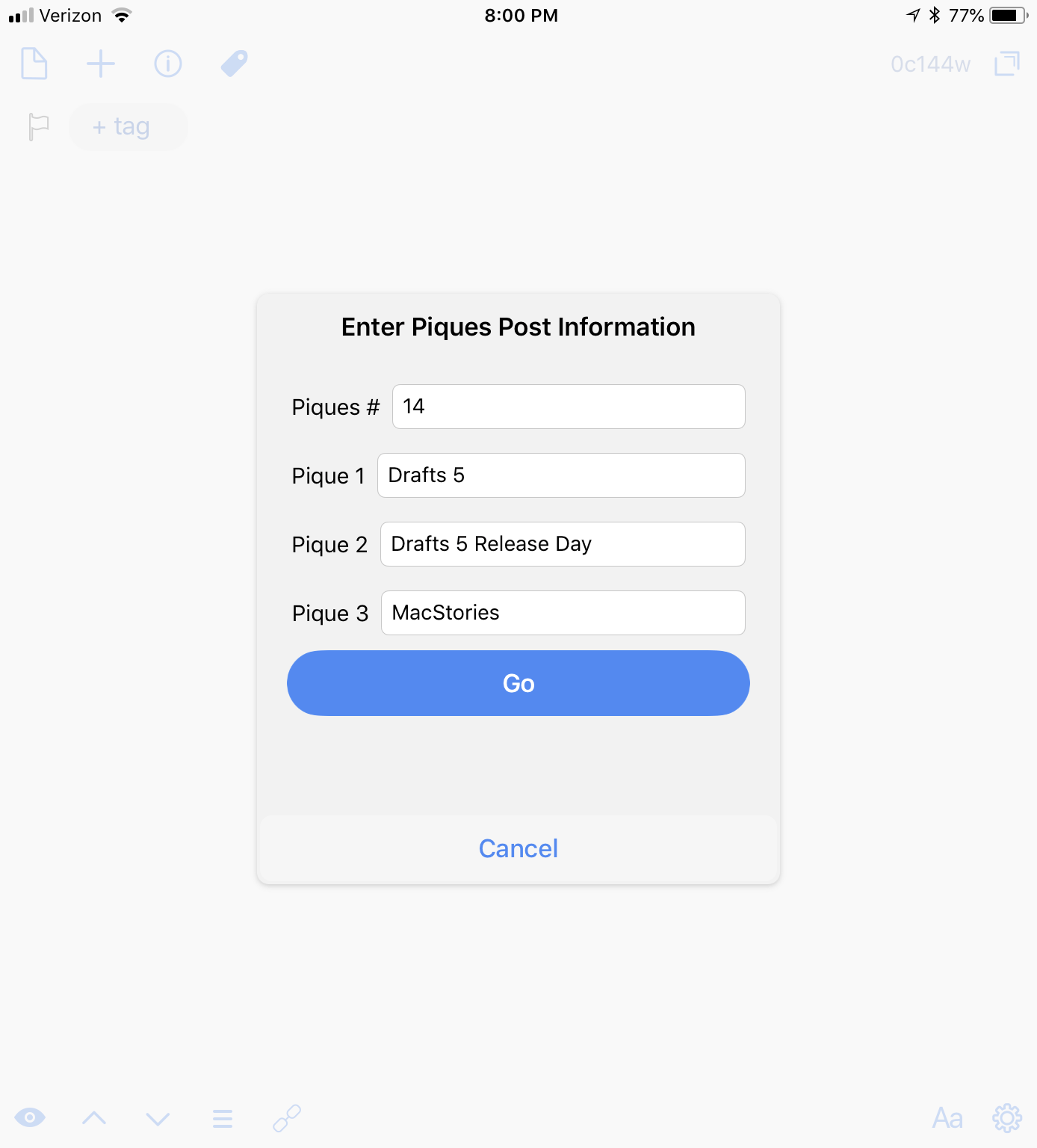
My Piques of the Week posts are as easy as a few taps.

My Piques of the Week posts are as easy as a few taps.

There are also new prompt elements at your disposal. A prompt not only contains buttons and text but is able to have other items: checkboxes to select pre-defined elements, binary toggle switches to turn items on and off, and – my personal favorite – a date/time picker. Rather than have a field to put in your own date format, you can use a system-like date picker to select a date and use some code to change the date into the proper format. I previously would type a task with date entry and send it over to Things; I made a single prompt that creates a task, a note, defines the area, and sets a due date. Another benefit of this method is that I don't have to create a draft to make a task: I can use the prompt information to populate an action, and go about what I was working on before without adding more items in the drafts list.

Custom prompts for creating single tasks without interruption to your text has been phenomenal.

Custom prompts for creating single tasks without interruption to your text has been phenomenal.

Prompts have been greatly elevated in Drafts 5 thanks to scripting. They are able to become more than just the simple, singular steps in your workflow. They are complex points of entry as you go about capturing, editing, or sending your text.

APIs

Drafts can now be integrated with many APIs in various ways. The first method is web APIs through the use of HTTP calls: this means you can use GET, POST, REST, and other web methods to send and receive information. While I'm not going to delve into an area where my own knowledge is limited, I can give a great example of where using the web API for a specific service is a better choice than other methods.

In my split task management system, I use Todoist for work.7 Previously, I'd need to either use the URL scheme or email things to Todoist in the background using Drafts. But thanks to the ability to make web API calls in Drafts 5, I can now create new tasks via Todoist's quick add feature of the API.

Using the API is more powerful than a URL scheme because it parses the dates appropriately. It's also faster because it doesn't do the back-and-forth dance that happens with URL automation. I am able to assign priority, projects, and so on, and thanks to the work of Dave Nicholls, I'm able to use the action he created which captures tasks with due dates, notes, and a reminder time. I've tailored this in a few ways for work: I can send a single draft over with the title line as a task, and the body as a note; I can also send multiple lines over as tasks. With the exception of turning an email into a task,8 all of my tasks are first entered into Drafts then sent over.

There are countless other APIs to integrate with on the web. You could import the weather from the Dark Sky API, track your time using Toggl, or even post to GitHub. I look forward to seeing what the community comes up with going forward.

App Integrations

Things 3.4 for iPhone and iPad added URL scheme support for deep automation possibilities. It was quickly transformed into a new script object to take advantage of the URL scheme in an API-like way.

The popularity of the app and the intriguing possibilities with automation led to the creation of a bunch of posts, actions, and workflows. Federico created an initial concept of what he wanted to create in Drafts. Others, like Tyler Eich and Peter Davison-Reiber, created awesome scripts to move everything from tasks to entire projects over to Things: Tyler created an action that uses a unique, Markdown-like format to parse the draft and send over tasks; Peter created his Things Parser for Drafts 5, which is an action that uses a similar format, and also combines it with Chrono.js, a JavaScript date parser. I'm not going to go through this in detail, but it really showcases how to use these script objects in powerful ways.

Going forward, other apps – perhaps OmniFocus 3 or a new version of 2Do – could leverage this approach to provide scripting objects in Drafts to implement the automation through JavaScript. Apps should embrace automation and provide good support to facilitate incorporation into other apps. And if it is done as intelligently as Things, any app could be quickly integrated in Drafts.

Callback URL Scripts

This is akin to the Callback URL action step, however, it provides more granular controls. You can add each of the parameters in a callback step without having to remember to URL encode anything.

One of the major actions I use in Drafts is Fantastical Quick Events, which takes a draft and processes each calendar event line-by-line. In Drafts 4, the action was comprised of a single URL action step that would create a single draft for every entry over the course of the action: and when these calendars cover 20-30 days, it creates a lot of extra items. In Drafts 5, it's accomplished in a single script step, and there are no extra drafts created.

Automation Possibilities

When you look at what you can combine via scripting, it starts to open up automation possibilities in areas like notes, tasks, and more.

One of my main use cases for Drafts is taking meeting notes for work. I'll use a pre-formatted meeting note to write things down, and when I'm done, I'll add a few different bits of syntax to different lines: if I want to send a task to my work system (which uses Todoist), I'll type TTodoist: on that line; if I want to send a task to my personal system, I'll type TThings:. I just need a syntax that would not be common for me to write, and is something fairly easy to change if I alter my task management system.9 Instead of copying or reorganizing my notes, I can rely on scripting in conjunction with various objects to save all of this for me.

I created an action to process my meeting minutes, which contains a single script that does the following three things:

  1. I'll scan line-by-line for items to send to Things or Todoist, routing each of them to their appropriate apps.
  2. I'll strip out the unique syntaxes I've used above out of the meeting note.
  3. I'll save the contents of the entire draft to either iCloud Drive or Dropbox using the FileManager and Dropbox scripting objects.

At first, this may not seem like a lot. But it mixes several different apps via multiple action methods: a web API, a built-in file management object, and a custom app integration. Utilizing the power of scripting, you're able to integrate to and from multiple sources with Drafts.

Putting together all of the action elements, including scripting, yields powerful and promising results. Add that to the way I'm now using Action Groups and Workspaces, and it becomes clear how transformative Drafts 5 has been to the way I work.

Drafts as a Modular Interface

Now that you have an overview of the changes in Drafts 5, taking full advantage of those changes will require a fundamental shift in how you set up Drafts. Sure, you could make the app imitate your Drafts 4 setup today – but you'd be missing out. When you couple the separate views of Workspaces with the power of actions - especially when accessed from the extended row – it starts growing clear that you'll have a lot to gain from changing how you use Drafts.

People use Drafts for different things: small snippets of text that go elsewhere, a place to keep simple lists, a place to create messages or emails, or a long list of other, more complex things like a journal, blogging platform, or text editor. Over time, Drafts grows with the user and encompasses multiple facets of an individual’s workflow. So the lens in which you view Drafts - the editor interface and the extended row - needs to change with what you are doing.

This idea of coupling Workspaces and the extended row's Action Groups together leads to the idea of what I'm calling modules. Each customized module is modified to what you need to do in each type of environment: whether it be action scripting, GTD, or journaling, you're only a couple taps or swipes away from being in a whole new environment that can behave differently for the task at hand. This creates a separation of functionality optimized for the use case of the moment. If I'm writing, whether that's for my journal, my website, or even this review, there is a specific way I want to view my drafts and there are critical actions I want to have at my disposal.

With the draft drawer pinned and my workspace selected, I have access to my actions directly from the keyboard row. If I move from a draft of writing to a draft of tasks, I can quickly swipe on the extended row to change actions. And this brings up a subtle, but transformative thought: the keys aren't really gone, they have simply transformed. They become useful, powerful, and integral to the environment in which I'm working. In the course of spending more time with Drafts 5, I’m actually using the action drawer less and less; instead, I’m running actions from the extended row, without having to open up another pane.

Modules are going to be a major idea going forward with how I approach my use of Drafts.

However, this doesn’t mean that I have to be locked into a single action group either. I can have one set of actions in the extended row, and a completely different set of actions in the action drawer. This duality enables me to distinguish what I’m doing. For example, I might have a thought that I want to share, whether on my blog, a tweet, a message, etc. I will use a "writing" action group in the extended row that contains actions I employ for writing, and couple that with a "social" action group in the action drawer to send the text elsewhere. If I end up writing a lot, I can post it; if it’s short, maybe I’ll tweet it. Having all relevant actions a swipe or tap away is nothing short of magical. Modules are going to be a major idea going forward with how I approach my use of Drafts.

Here are a few ideas I've developed so far that highlight the utility of modules.

Action Scripting

Drafts contains a full JavaScript editor in the Script action step. Additionally, you can import or export a script via iCloud Drive or any other app that integrates with iOS 11's Files app. An additional way to create and edit scripts is to write them directly in the editor using the JavaScript syntax highlighting, then copy/paste them into a script step.

While I was moving and creating actions in Drafts 5, I started off using that last method. I have a separate workspace for my scripts, and I developed an action scripting group to use in the extended row. I don't need to open a separate app to code for Drafts, because I'm able to use the same app in a different module.

Using a module for action scripting helps the coding process of creating actions.

Using a module for action scripting helps the coding process of creating actions.

Thanks to JavaScript syntax highlighting, I was able to create an action that starts a document with this highlighting already applied; it also adds a script tag at the same time. I then thought of other useful actions to add: inserting a prompt step, inserting an 'if' or 'else' statement, and some other coding elements as well. I also added indent and outdent so I could move within the code a bit easier. Now, whenever I need to script something in Drafts, I can tap an action to create a new document, and I'm off to coding. When I'm done with my scripts, I use the Save Scripts action within the group, which saves all of the drafts with the script tag to iCloud Drive.

Writing

I’ve said it before: Drafts is more than capable of being used as a main text editor. Although this could be done in some form in the previous version, the changes to syntax highlighting – primarily Markdown – enhance the differentiation in the various text elements a user wants or needs to stand out.

For this review, I really wanted to use Drafts as my sole writing instrument. I tried very hard to make it work, but at the end of the day, it really couldn’t be done in the way I needed. I wrote this in multiple stages – requiring notations, notes, highlights, etc. – and Drafts isn’t built for that purpose. Drafts became too unwieldy for my use case.

That is, until Workspaces came along. When the feature was rolled out and the ability to omit specific tags was added, I quickly moved the entire review back into Drafts. I created a workspace that filtered by the tag I created for the review (d5review), and sorted by text. As I developed the sections, I would number each one: this way, I could view the drafts in the order that I want them. I would love to see a manual sort option come to workspaces for this type of thing, but for now, this will do.

My Drafts 5 review module, which worked perfectly.

My Drafts 5 review module, which worked perfectly.

As I was writing the review, I could simply tap on the new icon (+) in the draft drawer and start a new draft with the d5review tag already applied. This saved quite a bit of time, especially since I kept the draft drawer pinned. If I ever needed to write something else down, I could simply tap the new icon in the editor and it would create a regular draft. Having the workspace environment flexible enough to focus on my writing while still allowing me to capture other thoughts has been invaluable.

With this 'D5 Review' workspace, I'm able to use my writing or general action groups, along with my external keyboard shortcuts, to write and include other elements like images via Workflow. I developed a tagging structure and some visual elements to help me along the way. After the review is finished, I'll save all of the text as a document and create a new 'Writing' workspace so that I can clean up my views.

With Drafts 5's drag and drop implementation, I'm able to take this writing workspace even further. For the review, I was able to drag all of my sections over to a single action, and have the action run on all the drafts. I saved copies of each section as Markdown files in a specified directory; in addition, I saved to both iCloud Drive and Dropbox with the same action, using the proper formats and conventions I needed. This made the reviewing and editing process completely smooth.

Drafts can also be a great blogging tool. Even though I’m not a programmer, it is possible now to create a single script action which posts to WordPress. It could be combined with other script elements to save the file in iCloud Drive or Dropbox, and send out a link to the published post via Twitter in the same script as well. If you know how to code, you can make all of this happen. People have made some of it happen already, though I’d really like to be able to use OAuth to make it happen with Drafts. Or better yet: I’d love to see Drafts natively support posting via WordPress, as with other apps, or in a nice script object. Perhaps in the future we'll see this happen, but until then, I'll continue to publish via Workflow.

What my writing module demonstrates is the newly improved ability to work on a longer writing project. While apps like Ulysses and Scrivener are also available for long-form writing and research, Drafts is now able to work for me for anything that I write. I like that my idea can start and finish in Drafts – with the new features that have been added, I'm eliminating the mental overhead of where my writing needs to live.

Journaling

Just like a text editor, Drafts is amazing for journaling. I’ve been using it that way for a while now as a cathartic tool to share my own thoughts and feelings in a non-public way.10 While my approach is much the same as I had previously, the setup that a module provides is completely different.

I created a journal action group which contains multiple actions that aid in the creation of my text journal. I have an action that starts a pre-formatted journal for me and adds a journal tag. I use the 'General' workspace I've created to house journal entries for now: I could use a different one in the future, but as I’m only keeping one per day and then sending it to DEVONthink, I don’t need to have something separate. But it feels like a journal setup when I switch to the extended row for my actions.

Journaling with Drafts, Workflow, and DEVONthink gives me a great journal.

Journaling with Drafts, Workflow, and DEVONthink gives me a great journal.

I also have a time/date entry to quickly add multiple timestamps throughout the day. And of course, there are several Markdown items for links, images, and quotes, along with a divider action for separating my daily journal into sections. Thanks to the prompt and callback scripting objects, I have a single action to runs multiple Workflow-based workflows, which help me insert other items for my journal like images, weather, music, etc. It's a well-rounded set of tools which enable a quick reach for what I need at my fingertips so I can focus on writing more than searching.

Could I use a journaling app like Day One? Certainly. The features of the app are great, the interface is nice, and it's a well done app. But I don't need to go to a fancy app to journal when I can stick with what I already use on a daily basis, cutting down on the number of subscriptions I'm paying for.

GTD

Drafts has been a central place of trusted capture for years, functioning as the focal point for anything I need to get done. It’s a core way in which I use it, and that’s only going to grow with Drafts 5.

One of my single biggest use cases of capture is small lists. When I've had a long week and am getting ready for the weekend, I'm always looking to plan what I need to accomplish during that time off. I'll pull out my task manager to take a look at what's there, but I'll also just dump a bunch of things into a plain text list in Drafts, which includes nesting subtasks or notes inside those items. When I know what the task name is, I'll simply add a checkbox using an action that inserts a - [ ] for each line; this serves as a visual indicator and is also now a functional checkbox, marked complete by tapping in between the brackets. This small change, coupled with the way text is visually wrapped based on indentation, has a profound effect for me: in a way, the app been made into a simple task manager all on its own.

Now that Drafts has TaskPaper syntax highlighting, you could even use it to create templates that share to OmniFocus or 2Do. You can create actions to add contexts or due/start dates, and any other item you might use to build complex templates. Then, via a single action, it's sent to your task system; if you develop the template and copy it into a clipboard step, a single action gets you a whole project formatted right within the app.

Calendar entries can be created in Drafts using the scripting object. Taking a similar parsing approach to Fantastical's syntax, one could create an action that will take each line of the draft and create calendar events.11 Because it wouldn't have to do the back and forth dance that an app like Fantastical has to, it would run quickly. In the future, I'd love to see the calendar script object expanded to include the importing of calendar entries to provide greater extensibility of Drafts.

Setting this up as a workspace, I created a filter tag gtd; every time I create a draft that is related to tasks or calendars, I quickly tag it and move on. When I need to view my task or calendar items, I simply select the GTD workspace. This takes all of the drafts which are tagged, and sorts on created date in ascending order so I can see the the oldest drafts first. This ensures that I don't miss a single task or event that I need to process.

I also have an action group for GTD. This contains my actions for sending items over to GoodTask/Things/Todoist12 or a grocery Reminders list, and some convenient keys for applying tags, Markdown formatting for lists & tasks, as well as a few others. There were times during this review that I wanted to keep the writing/editing going on specific sections, so I created a Remind Me of Things action to replicate Siri's "Remind me of this…" feature: it takes the title of the draft as the task, prompts me for a reminder date, then sends over a task to Things with the permalink to the draft in the note.

Actions in the module help remind me of specific drafts.

Actions in the module help remind me of specific drafts.

The GTD module I have set up is one that will definitely change over time, especially as I modify my task management system. The inclusion of Reminders and Calendar integrations is a start; the more ways that Drafts gets integrated, the more power I'll have to get things done within this system. As I start to expand on this idea, I might even look to include the gtd tag as the notification badge count, so that I know how many items I have left to act upon.

But what about extending that further? What if I could receive a Drafts notification about a task like I would with any other task manager? What about storing notes, files, and other items that other task managers provide? What if I could take these ideas and incorporate them? This is where it starts to get interesting; it has already started to change the way I look at my task management. The concept is beginning to take shape with Drafts' existing features, but there are a few features related to calendars and contacts that need to be implemented via script objects before I can create the solution I have in mind. I'll share that one with you when it's ready.

A Quick Note on Pricing

There's a very generous free tier to Drafts. You can do a lot with it: create, edit, and act on your drafts. But the limitations of the free tier, namely the creating and editing of actions, are really worth the Pro subscription. You can choose between a monthly or yearly subscription (the latter of which includes a 7-day free trial): the monthly is $1.99, while the yearly is $19.99.13

Why the subscription? The subscription model pays for the work already put into Drafts 5, and supports the app's future development. Adding additional features that integrate to other apps, creating customizable syntax highlighting, and even something many people have wanted for years – Drafts for Mac – can all be made possible by supporting the developer and his fantastic work. And there is plenty more that can be done in the way of integrations as the app moves forward.

Now that Drafts is free to try, you can easily test out ways to integrate the app with your life. With the modular interfaces you can make with Workspaces and Actions, and ideas that could lead you to replace apps with Drafts, I've shown you only a glimpse of the power and flexibility that Drafts 5 has to offer.

The more I look at the future of Drafts and the possibilities that can be added and developed over time, the more excited I get. For most other apps, they serve a singular purpose, and they serve it well. But with the agile, flexible nature of Drafts, it can become so much more, which makes it a better value for your money. With a little time and effort, you can make Drafts into whatever you want it to be.


Actions and Groups

Here are the Actions and Action Groups that were a part of this review:

Actions

Action Groups


Wrap-Up

I love the direction Drafts is taking. Leveraging the groundwork of the previous versions, Drafts 5 breaks that foundation down and builds it back up to be something even better. It has taken another large leap while keeping true to its "capture and action" roots.

The feature set that has been created for Drafts 5 gives new life and intriguing possibilities going forward. With tags, I organize my drafts like I would files on a traditional personal computer and use Workspaces to create different projects I might be working on. With actions and the powerful new scripting features, I save or act upon those drafts to expand the capability of the app.

Drafts has done a fantastic job with the implementation of new features, but there are some missing features I would have appreciated in this release. While the app aims to be a text-focused application, support for images and files through drag and drop would be a welcome addition. Dragging an image from Safari into a Markdown-formatted draft, for example, could provide a formatted link to that image from its web location. Dragging a file from Dropbox could provide an option for insertion of the text or a link back to the file provider. These features would allow Drafts to utilize more data than just text, while keeping the text-based nature it strives to maintain.

Pushing modules further, I would love to see Workspaces get improved by allowing a pre-defined action group. That way when switching Workspaces, the user can automatically have all necessary tools at their disposal right away, thus speeding up capture.

Drafts becomes the ultimate productivity tool.

When you combine Workspaces and Action Groups to create powerful modules to work within, adding syntax highlighting elements and using focus mode to concentrate on your text, Drafts becomes the ultimate productivity tool. I write, journal, program, manage and create task and calendar entries – and so much more – all within a single app simply by changing my modular environment. I don't need to have a ton of different apps for these different tasks, which saves me money spent on subscriptions. It also eliminates the mental friction of where I need to begin – all my text starts in Drafts.

Drafts morphs to be whatever I need with a tap or swipe. I use it day in and day out to do real work from my iPad and even my iPhone; it is a model example of what a productivity app can be on iOS.

One unique element of Drafts is how versatile it will be to each individual user. Some may use it as a simple text capture app, while others use it for almost everything they do on iOS. Both extremes, along with everything in the middle, are what makes this app amazing. The app can be completely adaptable to the user, much in the way that task managers are used in unique ways from person to person. And Drafts comes with a strong community of other users – highly capable, supportive, and helpful people to assist you.

The current state of Drafts reminds me of the way apps like Workflow and Pythonista worked their way to maturity in the world of productivity apps on iOS: each started out with small pieces and iterated over time, becoming better with each release. The new version of Drafts builds on an already strong foundation, while providing new functionality and room for future enhancements.

As I look toward the future and the features that will be added over time, what other creative ways will I be able to use this simple text editor? What other apps could I replace with some script object additions, giving me more power in Drafts? I'm not sure, but I'm excited to find out. One thing is certain: Drafts, for me, has become the most versatile app on iOS.


  1. If you are completely new to Drafts, I highly recommend reading the Drafts 4 review as well. It will go through some of the things I might mention in this review and give you some further background on the app. There is also the documentation found on the Drafts website↩︎
  2. Drafts drafts. Workflow workflows. Tomato tomato. ↩︎
  3. When Siri works. ↩︎
  4. This is an optional setting, and can be changed in the Watch app on the iPhone. ↩︎
  5. And because I’m feeling so generous right now, here’s a massive key action group that I have created, which has duplicate actions with the prefix I mentioned already created. If you read the footnotes of long reviews, you’re welcome. ↩︎
  6. For Lynda.com, you should check with your local library. Some libraries offer free access to Lynda.com, which saves you some money per month. Turns Out™, libraries are still wonderful things. ↩︎
  7. This is due to the fact that I’m forced to use a PC at work. But it works really well. And I can connect to it in a number of ways, which is great for me. ↩︎
  8. This is a big use case for me with Todoist. Thankfully, there is a fantastic Outlook extension that can be installed. ↩︎
  9. Which never happens… ↩︎
  10. I like some of my thoughts and feelings to remain private, and don’t need a big company to keep – or mismanage – my personal data. ↩︎
  11. I’m not savvy enough to create this. I’m not an expert programmer, so I’m hoping someone who is ends up creating an awesome one inside of Drafts. For now, I’ll use Fantastical. But someone please give me a reason to reduce my app count. ↩︎
  12. My task management stuff is a bit of a mess right now. ↩︎
  13. Prices are USD. See the App Store price in your country, as the price may vary. ↩︎

Support MacStories Directly

Club MacStories offers exclusive access to extra MacStories content, delivered every week; it's also a way to support us directly.

Club MacStories will help you discover the best apps for your devices and get the most out of your iPhone, iPad, and Mac. Plus, it's made in Italy.

Join Now
18 Apr 18:04

Google Chrome update mutes autoplay videos by default

by Brad Bennett
Google Chrome

The latest version of Google’s Chrome browser mutes autoplay videos by default and improves web security. This feature was originally promised in the last Chrome update, but has now made its way to Chrome 66 instead.

There are also a few security updates included in the new build as well like ‘Site Isolation,’ which helps reduce the risk of spectre attacks. There are 62 other security fixes that can be viewed on Google’s Chrome release website.

The new version of Chrome is available on iOS, Android, Mac, Linux and Windows. So far I’ve found that Chrome 66 can be downloaded on iOS and manually on a PC from the Chrome download page.

Some users might start getting the update in Chrome’s built-in updater, but this doesn’t seem to be happening for everyone right away.

There are also a few new options surrounding development for Chrome such as new CSS type models and canvas contexts, but all those new features can be checked out in a Chrome Developers YouTube video.

Source: Google Via: VentureBeat

The post Google Chrome update mutes autoplay videos by default appeared first on MobileSyrup.

18 Apr 18:04

Virtual Reality at the Intersection of Art & Technology

by Dan Brown


“If someone can imagine a world…they can create an experience.”
– Reggie Watts


This is the second video in our four part series around creators, virtual reality, and the open web. As we laid out in the opening post of this series, virtual reality is more than a technology, and it is far more than mere eye-candy. VR is an immensely powerful tool that is honed and developed every day. In the hands of a creator, that tool has the potential to transport audiences into new worlds and provide new perspectives.

It’s one thing to read about the crisis in Sudan, but being transported inside that crisis is deeply affecting in a way we haven’t seen before.

The hard truth is that all the technological capabilities in the world won’t matter if creators don’t have the proper tools to shape that technology into experiences. To make a true impact, technology and art can’t live parallel lives. They must intersect. Bringing together those worlds was the thrust for our VR the People panel at the Sundance Festival.

“You’re gonna end up finding someone who’s a 16-year-old in the basement with an open-source VR headset and some crappy computer and they download free software so they can build [an experience].”
– Brooks Brown, Global Director of Virtual Reality, Starbreeze Studios


That quote above is exactly why Mozilla spent years working to build WebVR, and why we held our panel at Sundance. It’s why we are writing these posts. We’re hoping they reach someone out there – anyone, anywhere – who has a world in their head and a story to tell. We’re hoping they pick up the tools our engineers built and use them in ways that inspire and force those same engineers to build new tools that keep pace with the evolving creative force.

So go ahead, check out our resources and tools at https://mixedreality.mozilla.org/. We promise you won’t be creating alone. You bring the art, we’ll bring the technology, and together we can make something special.

Read more on VR the People

18 Apr 18:04

Rethinking iOS Notifications

by John Voorhees

Dieter Bohn at The Verge has some fantastic observations about notifications on Android and iOS, concluding that the iPhone’s notification system needs to be reworked. Bohn believes both OSes offer too many ways to tweak notifications, but he sees a broader issue with iOS in particular:

On both of those platforms, the question isn’t (or isn’t just) whether or not there are too many options. It’s whether or not the end state of those options are any good. The difference, I’ve found, is that Android has a way of doing things that make notifications more “humane” than what’s possible on the iPhone.

In his video and accompanying article, Bohn points to a handful of critical areas where Android does a better job with notifications than iOS:

  • Notifications can be set to appear silently in Android’s notification tray and on the lock screen.
  • Text messages and other notifications from actual people are prioritized.
  • Similar notifications are grouped so they’re only a couple of lines long and can be dismissed together.
  • Users can jump to an app’s notification settings from the notification itself.

Of those features, I agree with Bohn that adding the ability to jump directly to an app’s notification settings from the notification itself would go a long way on iOS. As Federico and I discussed recently on AppStories, periodically evaluating and adjusting notifications is essential to avoiding notification overload on iOS, but it’s also something that becomes a project because it requires a lot of hunting and tapping. With a system like Android’s, I can imagine making fine-tuned adjustments to notifications more frequently because doing so would be less likely to disrupt what I was doing when I’m interrupted.

→ Source: theverge.com

18 Apr 18:04

Dropbox iOS App Receives Drag and Drop Support, Fullscreen iPad Navigation

by Ryan Christoffel

The latest version of Dropbox for iOS includes some nice improvements, the most noteworthy of which is drag and drop support.

Now if you need to add files to your Dropbox from another app, you can just pick them up and drop them right into the Dropbox app in exactly the folder you want. Equally exciting to me personally is that you can also use drag and drop for file management inside the app – just tap and hold on a file or folder and it will lift from its place, letting you drag it around and move it to other locations inside the app. I've always felt Dropbox's method of moving files required too many taps, so drag and drop is a perfect solution for that. Also, I'm happy to report that file moving via drag and drop works on both iPad and iPhone.

Drag and drop capabilities have technically been available already for Dropbox users via managing your documents in Apple's Files app, but if you need or simply prefer to use Dropbox's own app, these are great features to have.

Another change in today's update is that on the iPad, you can now close the file previewing pane to get a fullscreen browsing experience with your files – just hit the X in the upper left portion of the preview pane to get fullscreen navigation. I find that this feature is especially helpful when you're using the grid view for files, but it could also be of benefit in list view if you have a lot of long file names that will no longer be truncated.

The app's release notes also state that there is improved previewing and new text editing abilities for more than 120 file extensions, but the specifics of those extensions are unknown. I was hoping one of them would be Markdown (.md) files, but unfortunately those still can't be edited in-app.

Despite the fact that Dropbox users can now do most document management inside the Files app, Dropbox continues to improve its app and make it a solid option for those who prefer not to use Files.


Support MacStories Directly

Club MacStories offers exclusive access to extra MacStories content, delivered every week; it's also a way to support us directly.

Club MacStories will help you discover the best apps for your devices and get the most out of your iPhone, iPad, and Mac. Plus, it's made in Italy.

Join Now
18 Apr 18:04

Work Futures Daily — Smells Like Teen Spirit

by Stowe Boyd

I’m worst at what I do best, and for this gift I feel blessed

2018–04–09 Beacon NY — Young people seem to be bearing the brunt of the changing nature of work, as I explore in the sections below. European success with apprenticeships has not led to widespread US adoption, and other factors — low pay, and competition with older workers — mean that increasing number of young people have less work experience than ever when they graduate from high school or college.

Sign up here for notifications of free posts.. I’ll get you to subscribe eventually, I bet.

On Automation and Teen Jobs

Maybe it’s no surprise, but teen workers may be the most threatened by automation, says Tristan Greene:

The automation revolution is here and millions of human workers could be replaced by machines over the next decade. Most of us will adapt or find new positions, say the experts. But new research indicates the most vulnerable segment of the human workforce might be entry-level workers, such as teens seeking summer jobs. Flipping burgers might not be an option for the kids of tomorrow.
The Organization for Economic Cooperation and Development (OECD) recently conducted a study to determine what effect automation will have on the global human workforce. Rather than examine jobs by title, the researchers chose to compare them by particular skills, resulting in a more accurate analysis of vulnerability to automation.
Researchers Ljubica Nedelkoska and Glenda Quintini, who conducted the study, found that the youth workforce was particularly vulnerable to being entirely replaced by machines:
A striking novel finding is that the risk of automation is the highest among teenage jobs. The relationship between automation and age is U-shaped, but the peak in automatability among youth jobs is far more pronounced than the peak among senior workers. In this sense, automation is much more likely to result in youth unemployment, than in early retirements.

On Apprenticeships

Apprenticeships are commonplace in Europe, but have been less prevalent in the US, as reported by Caroline Preston:

While apprenticeships — which combine paid work with on-the-job and classroom training — are widespread in Europe, in the United States they’ve typically been limited to blue-collar trades. But in the past three years home-grown apprenticeships have received a boost: The Obama administration and Congress allocated some $265 million to expand the training programs. Zurich Insurance staff worked with Department of Labor and Harper College officials on a new insurance apprenticeship template, which other companies, including Aon and Hartford Mutual Insurance, have used to create similar programs.
President Donald Trump has talked about expanding apprenticeships and set up a Task Force on Apprenticeship Expansion last fall. But new money has been slow to go out the door. The task force, which includes some relative novices to the topic, including the actor who played Cliff on “Cheers,” has yet to issue any recommendations.

These programs offer a means for high school graduates to get a two-year college degree while working, and to learn a range of valuable work skills at the same time. The employers have a built in mechanism to retain those workers, and determine which might be best suited for a long-term role at the company. And the colleges involved have a new way to reposition themselves in the changing economics of education.

Whether the Trump administration can get this new era of apprenticeships off the ground remains to be seen. Considering the chaos in Washington, I think we’ll have to look to industry to take the lead for their own purposes.

On ‘Advantage Blindness’

The first downside of workplace bias is the impact on those who are held back by the preconceptions of those in a position to help or harm them. The second downside is that those who are in positions of authority do not perceive that they benefitted from privilege when they were starting out, or at every turning point in their careers.

Ben Fuchs, Megan Reitz, and John Higgins find that senior leaders are ‘uncomfortable’ with the idea: advantage blindness, as the authors couch it. And they can fall into three unhelpful reactions:

  1. Denying the playing field is unlevel.
  2. Focusing on their own disadvantages.
  3. Claiming inequality is justified by the innate superiority of some groups over others.

All three of these seem like variants on the statement ‘But the world of business is a meritocracy, I made it because of pluck not luck, and anyone can make it if they work hard, just like I did.’ That is exactly the wrong place to start a discussion about the systemic bias in the workplace faced by the non-white, non-male, non-heterosexual majority.

On The State of the American Workforce

I was reading Gallup’s 2017 State of the American Workforce report, and I was struck with two discordant themes:

  1. Almost all the data that forms the basis of the report is negative, like the now famous and seemingly never-ending finding that only a third (or less) or workers are engaged at work. This is a condemnation of the entire economic and societal system we call work.
  2. Gallup seems to be aggressively advocating their own services to remedy various factors contributing to employee disengagement. But it begs the question: just because Gallup has amassed data about the problems of American business, that doesn’t mean they know how to transform companies to overcome those problems.

No, offense to Gallup, but most of the recommendations don’t sound transformational, but more like different ornaments on the Christmas Tree. For example, Gallup seems to take as a given a very conventional management structure, with senior and middle management directing the work of subordinates. Even the opening letter from the Chairman, Jim Clifton, starts with that as a given:

If you have 25,000 employees, then you likely have about 2,500 managers and leaders at various levels. Transform them all. Gallup has all the new tools for the right conversations — how to coach, building strengths-based workplaces, pulse polls. Everything is ready to go, tested and validated.

I have a hunch that a study of companies that are not so hierarchical, so slow-and-tight, might reveal higher levels of engagement.

Actually published at stoweboyd.com and workfutures.substack.com

18 Apr 15:22

SotD: Sharp Dressed Man

This series has been getting kind of refined and intellectual in recent days, so we’re going to fix that right now. I don’t think I’ve ever heard a ZZ Top song I didn’t like, and Billy Gibbons’ guitar sound is unequaled in its grit and its steel-spined groove. You also have to love the performances; the guys clearly don’t take themselves too seriously (I once described their moves as “a back-beat pavane”). Sharp Dressed Man is pure fun.

ZZ Top

Now, let’s get past one big issue. Bill Gibbons has a really dirty mind, and enjoys sharing it. I mean, songs like Lagrange and Tube-snake Boogie aren’t exactly subtle, and you might try to spin a story about how they’re a metaphor or something, then he comes down to the front of the stage, growls “Know what I’m talkin’ about?” and flashes a leer half the size of Texas. If you have issues with oversimplified heteronormative expressions of sexual urges, this music is not for you.

And there’s that line Every girl crazy ’bout a sharp-dressed man. He’s not in tune with the tenor of our times, but he’s also not entirely wrong. You could rephrase it something like “A significant proportion of women who are interested in men are more apt to be interested in a man who is at least making an effort to be well-groomed.” And you could pretty safely generalize, to say something about a small effort at style improving the general appreciation of you as a person. And it’s not as if Billy’s setting the bar very high; he starts out “Clean shirt, new shoes…” — how hard can that be? But I look around my co-workers (mostly male) and often despair.

This is entry 108 in the Song of the Day series (background).

Links

Spotify playlist. This tune on Amazon, iTunes, Spotify. There’s no shortage of live video; I like this one.

18 Apr 15:22

Back to the internet

by russell davies

ustwo

As from today(ish) I am now Strategy Director at ustwo. It's exciting. BETC was a lovely place but right now I'm keen to get back more into the sort of digital work I was doing at GDS. And ustwo is a great place to do that. They're lovely people too.

The ritual updating of LinkedIn will happen this evening. Then I can see how long it takes the spam to find me.

18 Apr 15:22

How to Blog

by Stephen Rees

I am not going to claim any special wisdom here.

However, someone called Garret P Vreeland ran a blog for twelve years and summarised what he had learned in this blog post which one of my twitter contacts decided to post there.

I am not going to suggest that his experience is the same as mine. For one thing I am still a hunt and peck typist and my technical knowledge of things computery is patchy and self taught. I have never earned a living through that – but I have been sitting at a keyboard for many years now. But I think he hits more than a few nails on the head. Just as for instances:-

Read blogs and doubt, for God’s sake. We are largely editorialists without the pedigrees you find at the major news outlets. The news media considers us vultures picking meat from the bones of intrepid journalists who collect the information first-hand. It’s a cute metaphor, but it points up something vitally important. We’re making judgments second, third, fourth-hand from the actual originators. Read us, yes. Then go on and test our statements as hypotheses, not declarations of fact.

The last risk I’d like to mention is that of social isolation. I see both social media aficionados and new webloggers falling into this trap. Your most compelling experiences will happen away from the computer or smartphone. As Groucho said, “I love my cigar, but I put it down once in a while.” I call it my “Marxist rule”. The internet will always be there when you come back. Never, ever trade interacting via computer for having a great time away from the internet.

Monetization. Cha-ching, cha-ching. Not everything needs to be, or should be, monetized. Virtually all ‘blog’ related articles nowadays are focused on turning your weblog into a money generating device right from the get-go. None of the folks I know got into weblogging for the money – we did it because we loved the form, the community.

I hope that is enough to whet your appetite. One thing I disagree with is his determination of font size. Maybe that is because I use wordpress.com which takes care of how this thing looks on different screens. I also use the command and + keys together to make html formatted page types larger when I am reading them. This also works for a lot of the email I see too. There is also a gesture that can be made on the touchpad, which I seem to make involuntarily when trying to do something else. Chrome has a command in the View menu to correct that too.

Enough from me on this: go read him.

18 Apr 14:38

Hover and Your Privacy

by James Koole

Perhaps you’ve heard about the new General Data Protection Regulation (GDPR) that is set to start being enforced on May 25, 2018. This new set of regulations around data protection has defined new standards for how companies need to think about and protect the data that their customers have entrusted them with, and also the data that the companies themselves may have collected about their customers.

Hover has been preparing for GDPR for many months now the bulk of our work around GDPR compliance is done. While we’ve started to release some of the new features and systems, not everything you read about here is in place just yet. We’ll be rolling things out over the next few weeks to assess the impact that some of these changes will have and make adjustments as required.

We ALL deserve privacy protections

It’s been our longstanding belief that privacy shouldn’t be a paid feature or something that was only available to some of our customers. That’s why we’ve always included WHOIS privacy for no additional cost for any TLD that allows it.

With that in mind, we made the decision very early on that we would extend these new privacy protections to all of our customers and not just those in the EU. It just makes sense to provide equal protections to all customers regardless of where they happen to live.

Hover already had very good policies and processes in place to protect the data of our customers, but we took the opportunity to review pretty much everything we do. We recognized that we could do an even better job to further strengthen things in some areas.

Data minimization

We looked at our databases and, for each data element we store, we made a determination whether it was personally identifiable and also whether we really needed to collect it. As a result, we identified a number of pieces of personal information that we thought we could do without.

Earlier this year, we made it possible for you to delete your billing information, secondary email address and default WHOIS contact. We also delete that information automatically when an account is deemed inactive to ensure that we’re not storing information we don’t need in the event someone is no longer a customer.

Data protection

Ensuring we are protecting your personal data was a big part of our efforts and we’re proud of what we’ve built. Domain registrars have a fair bit of information about their customers just because of how domain registrations work and while we have an obligation to collect data on behalf of the registries for the domains you register, we also have an obligation to you to be exceptional stewards of that data.

We looked at how the Hover Administration area worked and realized that we could tighten up the display of customer personal information a bit more.

We already have a policy and system in place that required a ticket number, reason and an emailed PIN verification from a customer before we would do anything at their request in their account.

Going forward, we’ll collect very specific consent from you for whatever access you wish to allow, and without it the support agent simply won’t be able to view your personal information or access your account.

Our Support staff and others employees of Hover with Admin accounts will no longer be able to see personal data (name, email address, billing information) about any of our customers without the specific, time-limited consent of that specific customer which can be revoked at any time and lasts for seven days.

Before a support agent can sign into a customer account or a mailbox purchased from Hover to offer support, we’ll require the same specific, time-limited consent of that customer. If you have an active consent agreement, you’ll be able to view the specifics in your Hover account and revoke our access prior to the expiry, if we’re done helping you out.

As you might expect, there are overrides to these consent requirements for certain members of our team to handle things like fraud investigations or to deal with any cases where the account owner is unable to provide consent through the email consent system.

The ability to override consent is very tightly controlled and only available to those staff members who have a demonstrated need to have it. Additionally, those actions require a specific reason to be provided by that staff member each and every time they use the function.

All overrides are added to an audit log so we can monitor and ensure that the only time anyone from Hover is viewing your information or accessing your account is when you’ve allowed it or when an authorized and trusted employee has a very good reason to do it without asking you first.

We ask for your help and patience!

These new data protection measures have the potential to be most impacting to our ability to provide effective support. They add some complexity to support interactions as we’ll need to deal with collecting consent from you before we start to help you out.

We’re gradually rolling out these changes over the next few weeks and we ask for your patience and assistance as we figure out what the specific impacts will be on our ability to provide our usual high level of customer support.

We think that the data protection these measures provide are worth that extra effort for both for us and especially for you. Please help us out by being active participants in these new processes.

Consent to share data with third-parties

Like many businesses, we use third-party services to help us provide a great experience to our customers. These include great companies and services like Braintree (payments), Zendesk (customer support portal and ticketing), Mailchimp (email marketing), Mandrill (transactional emails) and Tucows/OpenSRS/Enom (domain registrations and also our parent company).

Some of the data we collect and also share with these companies is deemed “required” (like billing information) while other data is “optional” (like your phone number for us to send two factor auth SMS messages).

For required data that we need to collect and share to do business with you we’ll clearly tell you what we collect, why and who we may share it with and for what reason.

Soon you’ll see an updated Terms of Service and clear consent declarations about what that data is, why we need it and who it might be shared with during the account creation process. We’ll pull out and highlight important sections to ensure you know exactly who we share your data with and why.

Over the next few weeks, we’ll begin displaying this information on the new Privacy tab in the Account Settings area of your account that we’ve started rolling out to all customers this week.

For optional data we’ll make sure you know what’s happening and help you make an informed choice.

An example of this would be if you decide to subscribe to our mailing list which involves sending your email address to Mailchimp (our marketing email provider). You deserve to know who we are sending your data to, exactly what is sent, and why. In all cases, we start from a non-consenting state and require that you indicate positively that you understand and consent to the optional sharing.

If you’ve made a decision to share optional data, you’ll be able to review those choices and see a list of exactly what data is shared with whom and why on your Privacy page. Naturally, you can change your mind at any time and we’ll make sure you know how to do that and also ensure that your data is removed from any third-party as quickly as possible.

Stay in touch and stay informed

The bulk of the work is done and currently being rolled out to all customers. But we still have some finishing work to do leading up to the May 25, 2018 date where enforcement of GDPR takes effect. Areas like the new Privacy page will start with some data, and additional information will be added over the next few weeks.

We’ll provide further updates via the Hover blog and our newsletter and of course we’re interested to hear from you if there are any concerns or comments.

18 Apr 14:30

From Semi Freddo to Full Cold Turkey with FB

by Ton Zijlstra

I’ve disengaged from Facebook (FB) last October, mostly because I wanted to create more space for paying attention, and for active, not merely responsive, reflection and writing, and realised that the balance between the beneficial and destructive aspects of FB had tilted too much to the destructive side.

My intention was to keep my FB account, as it serves as a primary channel to some professional contacts and groups. Also FB Messenger is the primary channel for some. However I wanted to get rid of my FB history, all the likes, birthday wishes etc. Deleting material is possible but the implementation of it is completely impractical: every element needs to be deleted separately. Every like needs to be unliked, every comment deleted, every posting on your own wall or someone else’s wall not just deleted but also the deletion confirmed as well. There’s no bulk deletion option. I tried to use a Chrome plugin that promised to go through the activity log and ‘click’ all those separate delete buttons, but it didn’t work. The result is that deleting your data from Facebook means deleting every single thing you ever wrote or clicked. Which can easily take 30 to 45 mins to just do for a single month worth of likes and comments. Now aggregate that over the number of years you actively used FB (about 5 years in my case, after 7 years of passive usage).

The only viable path to delete your FB data therefore is currently to delete the account entirely. I wonder if it will be different after May, when the GDPR is fully enforced.

Not that deletion of your account is easy either. You don’t have full control over deletion. The link to do so is not available in your settings interface, but only through the help pages, and it is presented as submitting a request. After you confirm deletion, you receive an e-mail that deletion of your data will commence after 14 days. Logging back in in that period stops the clock. I suspect this will no longer be enough when the GDPR enters into force, but it is what it currently is.

Being away from FB for a longer time, with the account deactivated, had the effect that when I did log back in (to attempt to delete more of my FB history), the FB timeline felt very bland. Much like how watching tv was once not to be missed, and then it wasn’t missed at all. This made me realise that saying FB was the primary channel for some contacts which I wouldn’t want to throw away, might actually be a cop-out, the last stand of FOMO. So FB, by making it hard to delete data while keeping the account, made it easy to decide to delete my account altogether.

Once the data has been deleted (which can take up to 90 days according to FB after the 14 day grace period), I might create a new account, with which to pursue the benefits of FB, but avoid the destructive side and with 12 years of Facebook history wiped. Be seeing you!


FB’s mail confirming they’ll delete my account by the end of April.

18 Apr 14:28

The Printer We Need

by Anil Dash
The Printer We Need

Printers: They don’t work. Here’s my wishlist for one that might.

I am really enjoying my work at Fog Creek Software, so I don’t have time to start a company right now, but I do have an idea for a great little product and I hope you’ll make it happen.

If you’ve followed my work for any time, you know I’m fond of pointing out that printers don’t work. This is because printers don’t work. But what if they did?


PC Load Letter

Printers are, generally, the worst. Manufacturers make terrible unreliable products, sell them at an unsustainable price, and then try to prop up their business model by being extortionate about proprietary consumables like inkjet ink. And their user interfaces and software drivers are absolutely abysmal.

Perhaps worst of all, they’re solving the wrong problem. We’re not trying to print picture-perfect photos for framing, or hundred-page manuscripts. Normal people who are tech-savvy really only use their printers for functional documents like receipts or boarding passes or tax records, and even those are only needed every once in a while. Contrary to what the printer manufacturers seem to think, most don’t even need color printing.

So that’s the first part of the answer — a black-and-white printer that’s fast, reliable and doesn’t have huge recurring costs like ink that costs a ton up front and then dries up from disuse. Fortunately, there’s a category that already meets exactly these needs: laser printers. We want a simple laser printer.


Next we want this printers to be as dumb as possible. There should be the fewest amount of moving parts feasible, using as many older, mature technologies as possible, and almost all of the brains should come from the devices that are printing. The only thing on the printer should be a power button and the port where you plug in the single USB cable that provides power to the device.

And yep, that means no paper tray or paper feeding mechanism. It’s easy to throw in the few sheets of paper that are needed for a small print job, and those sheets could ideally go straight through the machine on simple rollers, so there’s nothing to jam up. This is a device for people to use in their homes from time to time, not a high-output office machine that needs to print 100-page contracts.

The Printer We Need
Some existing printers have mostly gotten the form-factor right, they just screw up the rest of the experience.


Prints and the Revolution

Finally, this thing should be a little bit expensive. Not inordinately pricey, but just enough that its manufacturer wouldn’t be desperately trying to claw their way to profitability through the sale of proprietary printer cartridges. Make a little bit of money on the sale of the hardware.

And let us pay a monthly fee — not too high, less than we pay for Netflix — and have the thing just automatically send toner refills when we need them. Printers know when they’re low on toner, and nobody wants to keep extra cartridges lying around, so just detect when it’s close to being out of toner and send more. You could maybe even send paper when it’s needed, though that’s optional.

The toner should arrive in simple packaging, maybe a simple bag or pouch with the toner in it and a little funnel spout on the side to pour it into the printer’s toner storage without having to replace a big plastic cartridge. Key thing here is the toner packaging shouldn’t be so environmentally wasteful, and shipping of just-in-time refills could go through regular mail from an ordinary fulfillment center.


The Problems

Of course, things won’t be quite this simple. People have tried a lot of these different ideas before. You’d have to get a lot of little details right to pull it off.

Right now, most of the hardware one would use to build such a printer is technology that’s being made by the old-line printer companies that you’d be competing with. It’d be hard to source the mechanisms you need without incurring the ire or competition of the big players.

It would also be hard to explain this story — the people who insist they need color to print out photos would be very vocal, even though their needs are the ones the market has been (over-)serving for decades.

The mechanical design of the device would have to be excellent. To have a premium price and to clearly communicate that this is a new sort of printer, you would basically have to evoke Apple’s aesthetics and come close to their level of fit and finish in a mass-produced device. That’s hard to do on the first time out.

And though you could get started with crowdfunding and direct fulfillment, building the business to scale would probably require creating a distribution channel through classic retailers like the office supply stores. That would be much harder for a product that doesn’t promise any of the after-market consumables sales of other printers. You might have to stay online-only and trust that you could reach sufficient scale.

Let me know when I can order one.


Despite all the challenges (and I’m admittedly hand-waving away many others), I’m absolutely confident that there’s a market for, well, a printer that actually works. The success of upstarts like Eero in the wifi world provide very good models of how vastly better user experiences and designs can energize even relatively mature categories.

Okay, that’s it. Let me know when your Kickstarter launches and I’ll link it up!

18 Apr 14:28

A good reason to not live in San Francisco: the ground will...


A good reason to not live in San Francisco: the ground will liquify in an earthquake, and a big one is coming.

18 Apr 14:28

Yes, come back in 9999 to pay your taxes.


Yes, come back in 9999 to pay your taxes.

18 Apr 14:24

Things 3.5 Brings UI Refinements, Tagging and Automation Improvements, Clipboard Integration

by Federico Viticci

It's been a busy 2018 so far for Cultured Code, makers of Things for Mac and iOS. Earlier this year, the company shipped Things 3.4, which, thanks to app integrations and a toolkit for third-party developers, propelled the task manager into the elite of automation-capable apps on iOS. It doesn't happen very often that a task manager becomes so flexible it lets you build your own natural language interpreter; Things 3.4 made it possible without having to be a programmer by trade.

Today, Cultured Code is launching Things 3.5, a mid-cycle update that refines several aspects of the app and prepares its foundation for other major upgrades down the road. There isn't a single all-encompassing change in Things 3.5 – nor is this version going to convince users to switch to Things like, say, version 3.4 or 3.0 might have. However, Things 3.5 is a collection of smaller yet welcome improvements that are worth outlining because they all contribute to making Things more powerful, intuitive, and consistent with its macOS counterpart.

Tagging

As I outlined in my coverage of Things' automation features, I'm a heavy user of tags because they let me quickly filter views in the app by different areas of my life. For instance, I use launchers to filter my Writing and Admin tasks, which helps me stay on top of different aspects of my business.

Things 3.5 brings some much needed additions to the iOS app's tagging system. The tag window is now searchable: if you're tagging a task and can't find the tag you're looking for, you can pull down to reveal a search field. You can type into the field to search for existing tags as well as create a new one for the currently selected task.

The new tagging screen in Things 3.5.

The new tagging screen in Things 3.5.

Speaking of tags and search, if you search for tags across the entire app, Things will now show you tags nested under the tag you're searching for, too. If you use tags as a system to "process" your tasks and organize them, Things 3.5 brings back the ability to filter tasks by "No Tag". This option surfaces all tasks that haven't been tagged in one list, so you can act on them right away and file them under the tags they belong to.

It took me a while to be sold on the idea of tags when I moved to Things last year (I was never a fan of contexts in OmniFocus and the implementation of labels in Todoist never quite clicked for me), but I'm glad I took a disciplined approach to tagging my tasks in Things. The app makes it easy to filter different screens by tags, which are deeply embedded with the UI rather than feeling like superfluous layers of metadata. Today's improvements are solid refinements to the tagging flow on iOS.

Text Integrations

If you use a note-taking app (like the excellent Drafts 5, for example) or any other type of list to plan your tasks before adding them to Things, or if you just want a quick way to turn lines of text into multiple todos, you'll be happy to know that Things 3.5 adds the ability to paste text and convert lines to tasks.

This sounds like the most obvious feature to have in a task manager, yet so many of them don't integrate with the clipboard as a simple mechanism of importing tasks from other apps. Here's how it works in Things 3.5: once you've copied one or multiple lines of text anywhere on iOS, you can open Things, look for the 'Paste' button under the ⌄ menu in the top right, and hit it to add what's on your clipboard as tasks in the app's current view. As soon as a task is added, it'll be highlighted and you'll feel a subtle haptic tap on compatible iPhone models.

Pasting lines of text in Things 3.5, where they are converted to tasks.

Pasting lines of text in Things 3.5, where they are converted to tasks.

The disarming simplicity of this tweak is most effective, in my opinion, for those scenarios when someone sends you a list of things to do and you don't want to manually convert them one by one to tasks. I run into this with my girlfriend and checklists in the Notes app on a regular basis; Things now offers me a more convenient way to save those lines of text as todos with one tap. Even better, the feature is also supported for an individual task: if you tap the '+' button to create a new task and paste lines of text into its blank title field, the first line of text will become the task's name, and subsequent ones will be added to the note field.

In the future, I'd like Things to gain proper support for importing structured plain text in Markdown or TaskPaper notations and go beyond the mere conversion of lines to tasks. Perhaps there could be ways to turn Markdown sections into headers in a Things project, or maybe the app could differentiate between adding lines of text to the note field and adding checklist items to a task when pasting text. I also look forward to being able to copy tasks from Things and paste them as text into other text editors.1 The document-like nature of Things projects seems well suited for this kind of deeper text integration, and I hope Cultured Code is considering it.

Automation: Update Tasks and Projects

One of the features I requested in my original coverage of Things' URL scheme automation has been added in version 3.5: in addition to creating items (both projects and tasks) via URL commands, you can now update existing tasks and projects to alter some of their attributes.

As explained by Cultured Code in the app's documentation, the new update command of the URL scheme requires an authentication token as an extra security measure. The token (which you can find in Settings ⇾ General ⇾ Things URLs inside the Things app) prevents other apps or webpages from accidentally launching Things and modifying data without your explicit consent. The only way to obtain the token is to visit the app's settings, manually copy it, and use it in the correct field of the URL command. Requiring an additional authentication token for commands that update or delete user data has become common practice among developers of URL scheme-enabled apps; it's good to see Cultured Code employing the same technique.

I'm happy with the work Cultured Code has put into building the update command for Things 3.5. Every attribute of a task or project can be changed via a URL scheme that references the original item through an ID (previously explained here). You can change a task's title, date, and deadline. You can append or prepend notes or checklist items. You can change the list a task belongs to or mark it as a complete. Everything a task in Things supports can be updated via automation. The same is true for projects: you can add tasks, set notes, change the area and deadline, or even duplicate a project before updating it. The set of attributes and actions supported by Things when updating items is comprehensive and easy to approach if you're already familiar with the app's URL scheme.

In Club MacStories' Weekly newsletter later this week, I'm going to share a workflow to add checklist items to existing tasks, which are fetched from a database of task IDs stored in iCloud Drive. As I will detail in the Workflow Corner section of the newsletter, the workflow will support adding checklists both via manual input as well as from other apps such as Safari.

For today's story, I put together a workflow based on the same system but which simply appends notes to an existing task in the app. After asking to pick a task from a list of Things IDs2, the workflow brings up an Ask for Input action where you can type text that will be added to the note field of the chosen task.

Typing a note in Workflow...

Typing a note in Workflow...

...which is added to a task in Things.

...which is added to a task in Things.

I'm glad that Cultured Code is taking iOS automation seriously and listening to how users want to save time when managing tasks and projects. The addition of the update command is a step in the right direction to let pro users further integrate Things in their workflows. I hope that Cultured Code will consider a way to return a list of tasks contained in a specific view (like a project, a tag, or the Today screen) as the next big feature for Things automation.3

Other Improvements

Here are some of my favorite improvements among other changes in Things 3.5:

Areas can be collapsed in the sidebar. If you find the app's sidebar to be too crowded, or if you just want to focus on specific areas from time to time, you can collapse areas to hide projects contained in them and enjoy a cleaner sidebar.

A nicer widget. Things' widget has been updated with support for reminder and checklist icons, a moon glyph for This Evening items, and progress pies for projects. It looks cleaner.

Links are supported everywhere. Things 3.5 makes links tappable everywhere: in the title of a task, inside notes, and even within individual checklist items. I'm happy about this change because I save all kinds of links every day and I was always annoyed when Things forced me to manually copy and paste them into Safari's address bar.

Links in titles (left), redesigned settings, and the Today view grouped by list.

Links in titles (left), redesigned settings, and the Today view grouped by list.

Redesigned settings. The app's settings screen has been redesigned for clarity and easier navigation in the General section. The ability to group items in the Today view by list, previously a hidden setting accessible with a secret gesture, is now an option in Settings ⇾ General ⇾ Today (for the record, I prefer to manually sort my tasks in the Today and This Evening sections).


Major Things updates keep coming at a good clip. I'm glad I started using the app last year because I can now appreciate the work Cultured Code is putting into engaging with the community. Things 3.5 polishes important aspects of the app such as tagging and clipboard integration, and it continues to expand the range of actions supported by automation and third-party apps. With the "spit and polish" release done, I'm excited to see what Cultured Code will tackle next.

Things 3.5 is available on the App Store for iPhone, iPad, and Mac.


  1. The Mac version of Things was also updated today and it supports pasting items in other sections of the app and exporting them as plain text to other Mac apps. I think this feature should also be ported to the iOS version. ↩︎
  2. I'm using a Dictionary step to assemble a list of tasks and their IDs in Workflow; the method I will detail in MacStories Weekly uses a plain text file stored in iCloud Drive. ↩︎
  3. DEVONthink To Go added this feature in version 2.5 a while back. ↩︎

Support MacStories Directly

Club MacStories offers exclusive access to extra MacStories content, delivered every week; it's also a way to support us directly.

Club MacStories will help you discover the best apps for your devices and get the most out of your iPhone, iPad, and Mac. Plus, it's made in Italy.

Join Now
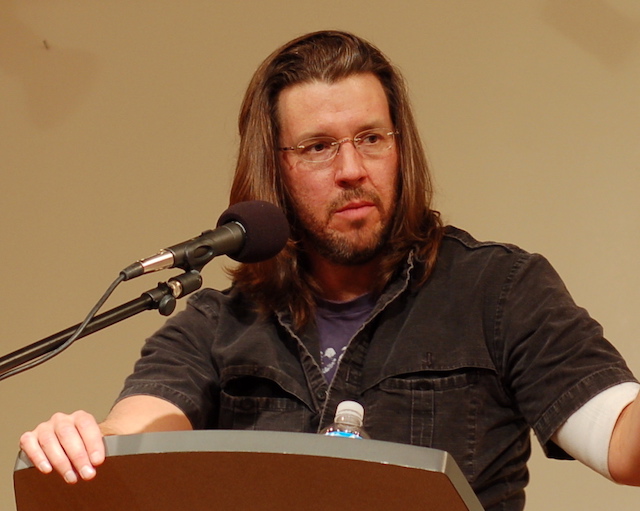
18 Apr 14:24

Google opens new Kitchener-Waterloo community space

by Jessica Galang
google

Google made several announcements today supporting the growth of STEM talent at its new Kitchener-Waterloo community space.

The new 3,932 square foot Google Waterloo Community Space will offer local nonprofits and organizations working in STEM education and diversity free access to host programming and events. The tech giant is also making its own investments supporting existing programs, including:

  • A $1.5 million re-investment in Actua to continue its Codemakers program, which offers year-round computer science workshops for kids. Google has donated $3 million to the organization to date.
  • A $200,000 Google.org grant to Engineering Science Quest, through the University of Waterloo’s Engineering Outreach Program, to create an experiential learning program in the community space. The goal is to help local youth build computational thinking and digital skills, and provide parents and teachers access to information and resources.
  • $400,000 to the University of Waterloo to develop a new leadership centre for Women in Computer Science.

“We are incredibly grateful for Google’s significant re-investment in Actua’s coding and digital skills programming for youth across Canada,” said Jennifer Flanagan, president and CEO of Actua. “This support will help provide hundreds of thousands of youth with the critical knowledge and skills they need to become Canada’s future innovators.”

The company also announced that it would bring its Technovation Challenge, a global tech entrepreneurship competition for girls ages 10 to 18, to Waterloo for the first time.

“We’re thrilled Google is opening a new Community Space next to its Kitchener-Waterloo office and investing $2.1 million in funding for local STEM non-profits and schools,” said Kitchener Mayor Berry Vrbanovic. “This is fantastic news for our city — Google’s support will help us drive innovation and growth and find future tech leaders right here in the community.”

“The University of Waterloo is committed to diversity, equity and inclusion and is proud to be a world leader in experiential learning,” said Feridun Hamdullahpur, president and vice-chancellor at Waterloo. “Google’s investments help to encourage digital literacy across diverse age groups and to address gender equity in the technology sector.”

This article was originally published on BetaKit.

Source: Google Canada Via: Twitter

The post Google opens new Kitchener-Waterloo community space appeared first on MobileSyrup.

18 Apr 14:24

"It is paradoxical: people in the age of science and technology live in the conviction that they can..."

“It is paradoxical: people in the age of science and technology live in the conviction that...