Rolandt
Shared posts
The Story Doesn’t Match the Vision
Apple's $500 Billion Year on Wall Street
Since the start of 2019, Apple’s market capitalization has increased by $500 billion or roughly the equivalent of Facebook’s market cap. For the first time with Tim Cook as CEO, Apple shares are trading at a premium to the overall market. Something has clearly changed when it comes to the way Wall Street is treating AAPL. However, the items that analysts, pundits, and the media positioned as catalysts for this dramatic change (Apple Services, iPhone sales rebound, 5G, improving U.S. / China trade sentiment) likely have little to nothing to do with Apple’s share price outperformance in 2019. Instead, changing behavior as it relates to passive versus active investing may be creating a type of perfect storm for AAPL shares.
Outperformance
It’s difficult to put a $500 billion market capitalization increase in context. Here are a few attempts:
Disney ($262B), Netflix ($146B), and three Spotifys ($78B) combined.
AT&T ($282B), Comcast ($196B), and a Spotify ($26B) combined.
Nearly two ExxonMobils ($588B).
Three Boeings ($558B).
Six Goldman Sachs ($498B).
Sixteen percent of the entire energy sector.
The market caps of the bottom 12% of the companies in the S&P 500 (60 companies in total).
When looking back over the past ten years of stock price performance, 2019 is on track to be the best one for Apple this decade (barring a stock market implosion in the next two weeks). Apple shares are up a whooping 77% in 2019. Comparing the S&P 500’s performance with that of AAPL, we reach Apple’s outperformance / underperformance relative to the broader market:
2010: 40%
2011: 26%
2012: 19%
2013: -22%
2014: 29%
2015: -2%
2016: 3%
2017: 29%
2018: 1%
2019: 50%
Apple shares have outperformed the market by 50% in 2019. For a company of Apple’s size, such outperformance is noteworthy.
Valuation
On a forward P/E multiple basis, Apple shares now trade at a 20% premium to the S&P 500. My preferred valuation metric for Apple is free cash flow yield, or the amount of free cash flow relative to enterprise value. Free cash flow is the amount of cash left over after management has paid all of the bills and maintained / funded capital investments. Enterprise value is market capitalization minus net cash (debt - cash).
In FY2019, Apple reported $58 billion of free cash flow. Apple is a free cash flow machine given its capex light business model. (More information on Apple’s free cash flow advantage is found in the Above Avalon daily update from March 13th available here.) While Apple’s free cash flow will fluctuate given the various moving parts, the combination of a stabilizing iPhone business and no major change in capex spending supports the idea of similar levels of free cash flow over the next 12 to 24 months. Accordingly, we can use $60 billion of free cash flow and Apple’s current enterprise value of $1.1 trillion. Apple is currently trading at a 5.2% free cash flow yield. The higher the yield, the lower the stock valuation.
One way of interpreting a 5.2% free cash flow yield is to compare it to other instruments such as government bonds and high-yield corporates. With those yields closer to 2.5%, a 5.2% yield suggests that Apple is still fairly attractive from a free cash flow yield basis. However, the days of Apple trading like a steel mill with just a few years left of operations are in the rear-view mirror. As recently as 2016, Apple was trading at a 17% free cash flow yield. For discussion purposes, AAPL would need to trade at $100 per share for free cash flow yield to once again be at a 17% yield.
What’s Driving AAPL?
Longtime Above Avalon readers and listeners will be familiar with my consistent stance on how to determine what is behind a stock price’s move. Unless every market participant is interviewed, we are unable to know the exact reason why a stock price behaves the way it does. Given the sheer difficulty found with such an exercise, the task of determining specific reasons behind a stock price move is ultimately a fool’s errand. The activity is nothing more than an attempt to add manufactured clarity to what is ultimately a lot of unknown. It is humans’ discomfort with the unknown that plays a role in the financial press’ never-ending quest to come up with exact reasons behind stock price moves.
When it comes to Apple, the list of “reasons” that analysts and reporters claim are behind the stock’s 77% move in 2019 continues to grow:
A stabilizing iPhone business.
Stronger services growth.
Apple management successfully navigating a tumultuous geopolitical landscape in both the U.S. and China.
Wearables momentum.
Continued ecosystem momentum with ongoing growth in terms of new users and the number of devices.
There is a rather glaring problem found with the preceding list of factors: None are significant enough on their own to justify a $500 billion increase in market capitalization.
Using a conservative measure as to what the iPhone business was previously valued at, Apple’s market cap increase would represent the iPhone business seeing its valuation double in just 11 months. That is unrealistic for a mature business like the iPhone. Expectations would have had to move from Wall Street thinking the iPhone was dead with just a few years of sales remaining (which was never the case) to the business demonstrating some kind of free cash flow bonanza (also not the case).
As for the idea that Services is somehow behind Apple’s spectacular rise, I’m skeptical. The problem with that theory is that there continues to be a lack of consensus as to what that narrative may even be. Apple isn’t becoming a services company, and there remains quite a bit of hesitation around that idea in terms of buy-side investors.
My suspicion is that Apple’s stock price run isn’t driven by any single business-related item. The move is simply too large. Instead, a $500 billion market capitalization increase points to a wide variety of investors wanting greater Apple exposure. This increased interest results in higher stock prices since a stock price is nothing more than the spot where demand for shares equals the supply of those shares.
Why do these investors want more Apple exposure? Instead of looking at Apple’s business for potential answers, we have to look at the multifaceted dynamic found with passive versus active investing.
Passive investing (index funds) are on the rise as investors are becoming increasingly disenchanted with mutual funds and active funds charging for underperforming the market. As more funds are poured into passive investment vehicles, all of the Wall Street giants (Apple, Microsoft, Amazon, Alphabet) benefit. By accounting for 4% of the S&P 500, 4% of every dollar put in an S&P 500 index fund is allocated to Apple. While this mechanism doesn’t necessarily lead to Apple’s share of the overall market increasing over time, it can lead to sustained demand for shares regardless of business fundamentals. This is key as active investors, and their constantly swinging perspectives on stocks, lose power to sway stock prices. While passive investing on its own doesn’t explain a $500 billion increase in Apple market cap in 2019, it likely is a contributing factor to what may be happening.
In a scenario where active investors (hedge funds, mutual funds, pension funds, etc.) were running with historically low exposure to Apple for whatever reason, a scenario in which Apple began to materially outperform the market would place pressure on these active investors given how they are often graded against a market benchmark. Given how Apple represents 4.3% of the overall S&P 500, a 77% move in the stock will likely make or break an active investor’s year depending on whether or not they own the stock.
The most likely explanation for Apple’s run up - however simplistic it may sound - is that active investors have been desperately trying to increase their exposure. The stronger demand for shares leads to higher stock prices in order for demand to match supply.
A crucial piece of evidence for my theory is found with Microsoft. The company is up 52% in 2019 with market cap gains of approximately $400 billion. We know Microsoft shares aren’t up that much because of iPhone sales. Instead, Microsoft is likely experiencing the same situation as Apple. Having shares of the two largest companies go up by 77% and 52% respectively means that active investors need to be overly exposed to these companies or risk underperforming benchmarks. For those active investors late to the party, the need for exposure only intensifies. Some may call this situation FOMO (fear of missing out). Others may call this forced buying - the opposite of forced selling.
Warren Buffett
Warren Buffett ends up being a symbol of this development. Back in 2016, Buffett began building his Apple stake after one of his portfolio managers introduced him to the idea. Buffett has been uncharacteristically quiet about his Apple investment. However, the past few Berkshire annual reports provide enough clues to suggest he is ultimately attracted by Apple’s robust free cash flow and balance sheet strategy in which free cash flow is poured into share buyback and dividends. Buffett took advantage of active investors shunning Apple to increase his own exposure. Buffett’s Apple stake is now worth $70 billion, marking an unrealized profit of approximately $34 billion (not including dividends).
During the period when Buffett was acquiring his Apple stake, the two largest Apple buyers in the market were Apple (via stock buyback) and Buffett. In some quarters, the buying from Apple and Buffett alone totaled as much as 10% of shares traded. That is astounding. As Apple and Buffett were buying shares, many other market observers remained on the sidelines for likely a variety of reasons (unease surrounding Apple’s business model, Apple’s exposure to China, and the list goes on).
What Next?
As for how this situation will end, no one knows. If someone proclaims to know, caution is needed. We can have much more confidence in saying that valuations will matter, eventually. It is also safe to assume that passive investment momentum will continue, which will likely only exacerbate current trends (both to the upside and downside).
Listen to the corresponding Above Avalon podcast episode for this article here.
Receive my analysis and perspective on Apple throughout the week via exclusive daily updates (2-3 stories per day, 10-12 stories per week). Available to Above Avalon members. To sign up and for more information on membership, visit the membership page.
Too hot for humans? First Nations people fear becoming Australia's first climate refugees | Australia news
mkalus
shared this story
from  The Guardian. The Guardian.
|
Josie Douglas sits on a verandah overlooking a ridge of red rocks and earth, scrubby with saltbush and spinifex near the centre of Alice Springs. It’s late afternoon and only 31C – a reprieve from a run of days in the high 30s and 40s.
But Douglas knows that from now on it will only get hotter.
Last summer was the hottest on record, and the driest in 27 years in central Australia. Five per cent of the town’s street trees died. A heat monitoring study showed that on some unshaded streets the surface temperature was between 61C and 68C.
“We can’t keep going on the way we’re going,” says Douglas, who is manager of policy and research at the Central Land Council.
“Central Australian Aboriginal people are very resilient. They have evolved to cope with the harsh and variable desert climate, but there are limits.
“Without action to stop climate change, people will be forced to leave their country and leave behind much of what makes them Aboriginal. Climate change is a clear and present threat to the survival of our people and their culture.”
Across central Australia, people are bracing themselves for another scorching summer of drought.
At least nine remote communities and outstations are running out of water. A further 12 have reported poor quality drinking water as aquifers run low and the remaining supply is saline.
Temperature records have already been broken. In the year to July 2019, Alice Springs had 129 days over 35C, and 55 days over 40C.
It wasn’t meant to be like this – at least, not yet. The national science agency, the CSIRO, predictedthat these temperatures would not arrive until 2030.
As the Northern Territory’s environment minister, Eva Lawler, said last September: “If we don’t do anything, the NT will become unliveable.”
The problem is where to start.
In Alice Springs opinion is divided among local politicians about the impact climate change is having on life in the desert.
Sitting on the grassy lawn outside the council, Jimmy Cocking of the Arid Lands Environment Centre talks openly about climate refugees: those who have already come into town, and those who will have to come in the near future.
“We’re going to end up with a whole bunch of internally displaced people within the Northern Territory in remote Australia, if we’re not planning for that,” he says.
“If regional centres like Alice Springs and others aren’t planning to be able to deal with the influx of climate refugees internally within our region, we’re going to be left flatfooted and unable to deal with any of the challenges and social consequences that will come from that.”
Cocking is on the town council and has sought to pass motions to declare a climate emergency. But the mayor, Damien Ryan, is reluctant to sound the climate alarm.
“In local government speak, when you have an emergency, you close it down,” Ryan says.
“I have not had any of the people who talk about an emergency say what is the next step. So you declare an emergency, what do you do then the next day? That’s never been made clear to me.”
At its October meeting, the council did not agree on the word “emergency” but voted unanimously to say there was an “escalating urgency for climate action”.
Douglas and the CLC say Aboriginal communities are doing what they can.
“People are already mitigating climate change through traditional burning and they are investing their income from land use agreements to install solar power, plant bush tucker gardens in communities and operate swimming pools, but all that counts for little in the face of the lack of climate leadership from the government,” she says.
‘You see people hosing their brick houses’
The NT government says it has allocated $15m to “revitalising” the Alice Springs city centre. Some of those funds will go towards shade and landscaping to help cool the streets, and to public water stations. Ryan says the council is encouraging local schools to plant more trees.
The Territory government says it has a climate change response strategy and is working with other governments and the Bureau of Meteorology to “develop national guidelines for the development of a warning system for extreme heat events”.
In the meantime, Douglas says, people are living in houses that are “unbearable”.
“During our summers you can sometimes see people in communities hosing the outside of their Besser brick walls with garden hoses to keep cool despite the water shortages – that’s how desperate they are.”
About 3ookm north-west of Alice Springs is Yuendumu, the largest remote community in central Australia. Its 900 or so residents are facing summer without a reliable supply of adequate drinking water.
The NT government has stopped building new housing because there isn’t enough water in the dwindling aquifer to accommodate more people.
Yuendumu is not alone.
The Central Land Council’s chief executive, Joe Martin-Jard, says that at every regional meeting, water security is top of the agenda.
“Between Alice Springs and Mount Isa, there’s probably only one major community with a decent water supply,” Martin-Jard says. “We’re not getting the rain we used to, to recharge the aquifers. So as water is drawn out of the aquifers it becomes more saline and less potable [drinkable].
“It’s a really horrible dilemma.”
The NT’s Power and Water Corporation, which is responsible for essential services in 72 remote communities and outstations, says most communities in the arid region are “faced with some level of water stress” and emergency planning is under way, but there are “rarely any simple solutions”.
“The difficult reality is that many communities originally developed historically in locations where there was never any secure, reliable, high quality water resources in close proximity,” a spokesperson said. “As those communities have grown … and expectations of improved levels of service have appropriately increased, the challenges also continue to increase.”
Power and Water says more drilling programs are planned but “finding new water sources is very challenging and often these drilling programs have moderate prospects for success”.
“Without large or extended rainfall … the water security risks will progressively increase in some centres, with an increased likelihood that source supply capacity at some could fail.”
At least 12 communities have reported poor quality drinking water. At Laramba, Willowra and Wilora, nitrates and uranium are at levels exceeding health guidelines. NT Power and Water says it is “investigating alternative technology options”. It has already installed treatment plants at Kintore, Ali Curung and Yuelamu to reduce high levels of nitrates, uranium and fluoride.
‘Air conditioning is essential in the desert’
In Alice Springs’ 18 town camps, where people from out bush often end up, houses are commonly built from Besser bricks – hollow concrete blocks which are cheap, but which trap the heat. There’s a lack of tree cover or other kinds of shade. Houses bake in the sun and, while the majority have solar panels, they often have only an evaporative air conditioning unit, known locally as a “swampy”, to cool the house.
A “swampy” uses a lot of water and can struggle on hot days, especially when there are a lot of people sharing a house, which is common in town camps with big families and fluctuating populations.
“Air conditioning is an essential item in the desert, not a luxury,” the CLC’s Josie Douglas says, “but it does not come standard.” When remote community and town camp tenants are offered housing, there is “a hole where the aircon unit should be and they are told to buy it themselves”.
“Many can only afford to ‘close the gap’ with a piece of wood, or run expensive reverse-cycle aircon very sparingly,” she says. “Some places don’t have enough water to use a cheaper swampy.”
Houses that don’t cool down overnight create big health and social problems.
“People resort to sleeping outside, or cramming everybody into the coolest room of the house, with all the well-known consequences for the spread of diseases that whitefellas only know from medical textbooks.
“It’s also common for people to sleep in shifts, with young people roaming the streets at night where they get into trouble, and sleeping during the day when they should be at school.”
This is at odds with the NT government’s view of the quality of town camp and remote community housing. A government spokesperson tells Guardian Australia that homes are designed with weather conditions and regional climate in mind, and they include external shading, natural ventilation and insulation.
“Investment into housing in town camps has included the installation of louvres, sunscreens, verandas and insulation,” the spokesperson said. “The Department of Housing and Community Development has also upgraded some key community infrastructure including improved shading and the installation of fans.”
Douglas is calling on the government to “stop building concrete hotboxes”.
“More than a decade ago, the government and the CLC were partners [in research] that came up with really solid recommendations about how to make desert houses more energy-efficient and communities more resilient.
“Some measures, such as making sure houses are built with the right orientation … and have passive cooling and a white roof, cost almost nothing. We would like to know how many of these expensive research findings have been implemented in our region.”
Shirleen Campbell is a Warlpiri and Arrernte woman who grew up at Hoppy’s Camp, or Lhenpe Artnwe. She told the Alice Springs climate rally in October that town campers were very worried about climate change.
“This is our place,” she said. “If it gets too hot, if we suffer through endless droughts or we spoil our water, then we don’t have another place to go.
“We want houses that are right for this place and right for our people. We want to invest in renewable energy, like solar.”
Campbell is a co-coordinator of the women’s family safety group at Tangentyere council, which delivers services to and advocates on behalf of town camp residents.
“Most of all we want people to treat this place as a legacy to be handed down to our children and grandchildren. It is not a speculative commodity and it is not something to be sold or exported.
“We have been here for a long time and want to look after this place for those that come after.”
Keeping cool in the library
There are few public places in Alice Springs to cool off. The Yeperenye shopping centre has security guards at the doors and, according to Douglas and Campbell, Aboriginal people are regularly moved on.
The library is a popular, free cool space. There’s a widescreen TV rigged up with headphones, showing movies. Westerns are popular, as are replays of AFL grand finals. The Saltbush room down the hall is a haven for older folk, while little mobs of kids hang out among the young adult stacks or cluster around the phone-charging station.
“We found there’s a gap in after-school care services from about 2.30 to 4.30, the hottest time of the day,” says the head librarian, Clare Fisher. “The kids can come to the library, cool off, have fruit and sandwiches.”
“Libraries are for connection and relaxation as well as knowledge. We make everyone welcome – but we explain how to use the library and how to behave as well. We very much believe in come and be who you are.”
Thirsty and dying animals culled
In January footage of dead and dying horses in a dry creek bed at Ltyentye Apurte, 80km south-east of Alice Springs, flashed around the world.
The Ltyentye Apurte rangers had the unenviable task of dragging more than 100 dead horses from the creek bed and disposing of their bodies.
In June the CLC conducted an emergency cull of more than 1,400 feral horses, donkeys, camels and cattle from a waterhole near Lajamanu. The animals were thirsty and dying, congregating around the last remaining springs and water sites.
The CLC has eradicated 6,279 feral animals in preparation for summer. Traditional owners don’t usually support animal culls, the CLC says, but there were no alternatives, with so many animals dying or in poor condition.
Feral animals damage community infrastructure and housing. Thirsty camels, for example, will attack air conditioning units because they smell water, and lay waste to water tanks, bores, fences, pipes and taps.
How hot is too hot? Heat, health and housing hotboxes
In town, Tangentyere council wants to measure exactly how well houses are functioning.
Tangentyere’s social policy and research manager, Michael Klerk, is in discussions with the CSIRO to install temperature data loggers in people’s houses, to build a case for improvements that are taken for granted elsewhere: solar power, insulation, better air conditioning, wide awnings, more shade.
“Last summer – which was a very hot summer, soon to be repeated – a lot of anecdotal feedback was that people’s evaporative air conditioners weren’t cooling the houses sufficiently,” Klerk says.
“This probably reflects the reality that evaporative air conditioners are not good at cooling houses when the external temperatures are in the mid-40s.
“You might drop the temperature of a house to mid-30s, but that’s not an optimal internal ambient temperature for comfort or for health.”
Most people living in town camps and remote communities, and some in suburban public housing, have pre-paid electricity meters.
Residents are issued a power card, which they top up with their welfare payments or income. Once the credit is spent, they have to top it up again, or go without electricity. Klerk says that happened a lot in the last quarter of 2018.
In Alice Springs, 420 of 570 households with prepaid electricity meters had at least one self-disconnection, which lasted, on average, 7.5 hours. Of the 570 Alice Springs meters, 285 are in town camp dwellings.
In effect, more than half the town campers ran out of money to pay for electricity.
“When the power goes off, it is bad for our health, the food gets spoiled, we can’t wash our clothes and we can’t wash our kids,” Shirleen Campbell told the rally.
“In summer, when our houses are hot or when we don’t have electricity, our people look for comfort in air-conditioned public places. We are not always welcome in these places and sometimes there are problems. We are thankful for places like the library and the pool.”
Klerk says low-income residents shouldn’t have to go broke trying to keep their houses cool. “It’s not acceptable that people’s houses are making them sick, and something really needs to be done about it. It shouldn’t all be passed on to the consumer.
“If it’s the case of people having to spend more money to keep the houses at a temperature that delivers health outcomes, then we have to rethink the levels of income support that are available to people, particularly in these regions where it’s so hot.”
Predictions by the Central Australian Aboriginal Congress for the health impacts of heat are dire. In its submission to the NT government’s climate change policy discussion paper, it outlined some of them: “Increased sickness and mortality due to heat stress, increased food insecurity and malnutrition, increased risk from infectious disease, poorer mental health and an increased potential for social conflict.”
‘The antidote to despair is action’
The Pintupi-Luritja artist Irene Nangala was among the first to return to her home country at Kintore in the western desert, near the border with Western Australia, in the early 1980s.
Until then, Pintupi people had been living a long way from home at the mission at Papunya, and they were homesick.
Nangala helped set up the Kintore school. It was a “windbreak school” at first, she says: just a tarp to keep the sun and the rain water out.
“Then we got a few teachers. It was hard work. We’ve got a proper good school now, proper shop. Nice clinic and aged care, child care.”
Nangala says she doesn’t have an air-conditioner. On hot days the family puts blankets on the windows. Other elders whose aircon units break down have to wait for a repairer to come from Alice Springs, more than 10 hours’ drive away.
“It’s really hot in Kintore. We can’t go and sit outside. We have to go at night to sit down with the families.”
Nevertheless, Nangala says she does not want to leave.
“We built up Kintore,’ she says. “People are really enjoying going back to their grandfather’s land. That’s the right thing to do. And it’s good for them to go back, the old people, good for the heart and the spirit.
“When they went first, they cried, they missed that place for a long time.”
Nangala says people don’t want to come into town, where life might be worse.
“Climate change is true,” Nangala says. “They [politicians] got the map and weather things, they should see the temperature what is happening around Australia, it’s so hot.”
Jimmy Cocking says: “We are walking blindly into the new climate reality. We’ve moved beyond hope, and we can’t be running on hope alone.
“The only thing that is going to get us over the line is action. And the antidote to despair is action.
“So there’s a lot of things that we need to be looking to change so that we aren’t going to be putting people’s lives at risk.”
As the climate crisis escalates...
… the Guardian will not stay quiet. This is our pledge: we will continue to give global heating, wildlife extinction and pollution the urgent attention and prominence they demand. The Guardian recognises the climate emergency as the defining issue of our times.
You've read 43 articles in the last two months. We chose a different approach: to keep Guardian journalism open for all. We don't have a paywall because we believe everyone deserves access to factual information, regardless of where they live or what they can afford to pay.
Our editorial independence means we are free to investigate and challenge inaction by those in power. We will inform our readers about threats to the environment based on scientific facts, not driven by commercial or political interests. And we have made several important changes to our style guide to ensure the language we use accurately reflects the environmental catastrophe.
The Guardian believes that the problems we face on the climate crisis are systemic and that fundamental societal change is needed. We will keep reporting on the efforts of individuals and communities around the world who are fearlessly taking a stand for future generations and the preservation of human life on earth. We want their stories to inspire hope. We will also report back on our own progress as an organisation, as we take important steps to address our impact on the environment.
We hope you will consider supporting us today. We need your support to keep delivering quality journalism that’s open and independent. Every reader contribution, however big or small, is so valuable. Support The Guardian from as little as CA$1 – and it only takes a minute. Thank you.
Hyperloop price tag jumps from 6 BILLION to 25 BILLION!
mkalus
shared this story
from  VoiceOfThunder's YouTube Videos: VoiceOfThunder's YouTube Videos:
|
|
| Can someone take Musk’s internet access away please? |
support this channel directly
https://www.patreon.com/VoiceOfThunder
or visit my store:
https://www.amazon.com/shop/thunderf00t
my main channel:

Community Development Decisions
We typically have three options for technical development of client projects.
The first is hiring an implementation partner. These are firms with considerable experience doing precisely this kind of work. They can guide you through developing use cases, developing the technology, and testing.
The second is finding a consultant (or consultants). These are usually self-employed freelancers with expertise in the technology. They overlap often with the above.
The third is to do it in-house. Your internal development team takes on the project and delivers the results.
When we guide clients through these decisions, we usually consider six factors.
These are (in rough order of priority):
1) Policies. If your company has policies against outside help, is unable to give access to community technology, or simply refuses to work with companies based outside of the home country, the decision is often made for you.
2) Capabilities. If you haven’t done much development on the platform you’re using, you’re going to need outside help. Remember too you will also need to maintain the platform. So any code written externally will need to be clean for in-house developers or future partners to work with.
3) Experience. This could better be described as ‘risk tolerance’. Implementation partners like 7Summits or Paladin can guide you through the entire process, develop the user cases, specifications, and avoid the common landmines. But this comes at a price. However, almost every company I know which did an internal development made mistakes which they would have avoided with more experience.
4) Cost. If you’re on a budget, you either need a cheaper implementation partner (i.e. Grazitti), to do the project in-house (this has costs too), or find a solo consultant who can take a very precise specification and develop as required. If your budget is below $100k, you typically need to find a consultant you can truly trust.
5) Speed. If you need this project done fast you typically need outside help who can begin immediately. However, be aware that in larger organisations it can take weeks, even months, to onboard a new vendor. Check this before using outside help if you’re on a tight schedule. The problem with internal development, however, is getting engineering resources. You might be waiting for weeks, even months, for your project to become a priority.
6) Time. Development projects require about 3x more of your time than you imagine. A terrific project manager will help cajole everyone to deliver on their tasks. But the larger the project, the more of your time it will take. Larger implementation firms often supply their own project managers which can save time.
Selecting the right approach to developing your community experience (or doing future development) is one of the most critical decisions you will make. Select the wrong person(s) and you will spend years trying to fix their mistakes.
Compress your JSON with automatic type extraction
JSON is horribly inefficient data format for data exchange between a web server and a browser. For one, it converts everything to text. The value 3.141592653589793 takes only 8 bytes of memory, but JSON.stringify() expands it to 17. A second problem is its excessive use of quotes, which add two bytes to every string. Thirdly, it has no standard format for using a schema. When multiple objects are serialized in the same message, the key names for each property must be repeated, even though they are the same for each object.
JSON used to have an advantage because it could be directly parsed by a javascript engine, but even that advantage is gone because of security and interoperability concerns. About the only thing JSON going for it is that it is usually more compact than the alternative, XML, and it is well supported by many web programming languages.
Compression of JSON data is useful when large data structures must be transmitted from the web browser to the server. In that direction, it is not possible to use gzip compression, because it is not possible for the browser to know in advance whether the server supports gzip. The browser must be conservative, because the server may have changed abilities between requests.
Today, let's tackle the most pressing problem: the need to constantly repeat key names over and over. I will present a Javascript library for compressing JSON strings by automatically deriving a schema from multiple objects. The library can be used as a drop in replacement for the methods JSON.stringify() and JSON.parse(), except that it lacks support for a reviver function. In combination with Rison, the savings could be significant.
Suppose you have to transmit several thousand points and rectangles. JSON might encode them like this (without the comments):
[
    { // This is a point
        "x": 100,
        "y": 100
    },

    { // This is a rectangle
        "x": 100,
        "y": 100,
        "width": 200,
        "height": 150
    },

    {}, // an empty object

    ... // thousands more
]
A lot of the space is taken up by repeating the key names "x", "y", "width", and "height". They only need to be stored once for each object type:
{
    "templates": [ ["x", "y"], ["x", "y", "width", "height"] ],
    "values": [
        { "type": 1, "values": [ 100, 100 ] }, { "type": 2, "values": [100, 100, 200, 150 ] }, {} ]
}
Each object in the original input is transformed. Instead of listing the keys, the "type" field refers to a list of keys in the schema array. (The type is 1-based, instead of zero based, and I will explain why later). But we are still repeating "x", and "y". The rectangle shared these properties with the point type, and there is no need to repeat them in the schema:
{
    "templates": [ [0, "x", "y"], [1, "width", "height"] ],
    "values": [
        { "type": 1, "values": [ 100, 100 ] }, { "type": 2, "values": [100, 100, 200, 150 ] }, {} ]
}
We prefix each key list in the schema with a number. This number is the one-based index of a prior schema which is prepended to it to form the combined list. Zero means the empty object, which is why we use one-based indicies.
But we can still go a little further. Instead of having a separate "type" field in each object, we stick the type as the first element of the values array.
{
    "templates": [ [0, "x", "y"], [1, "width", "height"] ],
    "values": [
        { "values": [ 1,  100, 100 ] }, { "values": [2, 100, 100, 200, 150 ] }, {} ]
}
Finally, since we are trying to save space, we rename our properties, and stick in a format code so we can detect that compresed json is used.
{
    "f": "cjson",
    "t": [ [0, "x", "y"], [1, "width", "height"] ],
    "v": [ { "": [1,  100, 100 ] }, { "": [2, 100, 100, 200, 150 ] }, {} ]
}
Automatic type extraction
The hard part is finding the objects which share sets of keys. It sounds a lot like the Set Cover problem, and if so, an optimal solution is NP-complete. Instead, we will approximate the solution using a tree structure. While we are building the value array, when we encounter an object, we add all of its keys to the tree in the order that we encounter them.

At the end of the process, we can traverse the nodes of the tree and create the templates. Nodes which represent the end of a key list (shown in gray) must have entry in the key list. Although not illustrated here, nodes with multiple children are also points where the the child object types inherit from a common parent, so they also get an entry.
The astute reader will realize that the final schema depends on the order that we inserted the keys into the tree. For example, if, when we encountered the rectangle, we inserted the keys "width" and "height" before "x", and "y", the algorithm would not find any common entries.
It is possible to gain more efficient packing by using a greedy algorithm. In the greedy algorithm, before we begin, an initial pass through all the objects would be made to build a list of unique object types. Then when it comes time to insert keys into the tree, they are first sorted so that the ones which occur in the most unique types are inserted first. However, this method adds a lot of extra processing and I feel the gains would not be worthwhile.
Real world savings
Here is an actual document from my web site, Zwibbler.com. Click on "Transform" to see how CJSON compresses it vs. JSON.
{"type":"Node","matrix":{"m11":1,"m12":0,"m21":0,"m22":1,"dx":0,"dy":0},"children":[{"type":"TextNode","matrix":{"m11":1,"m12":0,"m21":0,"m22":1,"dx":30,"dy":415},"children":[],"fillStyle":"#0089ff","text":"Created with Zwibbler.com","fontName":"Arial","fontSize":12},{"type":"TextNode","matrix":{"m11":1,"m12":0,"m21":0,"m22":1,"dx":467,"dy":23},"children":[],"fillStyle":"#000000","text":"is processed","fontName":"FG Virgil","fontSize":20},{"type":"TextNode","matrix":{"m11":1,"m12":0,"m21":0,"m22":1,"dx":419,"dy":1},"children":[],"fillStyle":"#000000","text":"After the empty object","fontName":"FG Virgil","fontSize":20},{"type":"TextNode","matrix":{"m11":1,"m12":0,"m21":0,"m22":1,"dx":248,"dy":24},"children":[],"fillStyle":"#000000","text":"is processed","fontName":"FG Virgil","fontSize":20},{"type":"TextNode","matrix":{"m11":1,"m12":0,"m21":0,"m22":1,"dx":243,"dy":1},"children":[],"fillStyle":"#000000","text":"After a Rect","fontName":"FG Virgil","fontSize":20},{"type":"TextNode","matrix":{"m11":1,"m12":0,"m21":0,"m22":1,"dx":30,"dy":28},"children":[],"fillStyle":"#000000","text":"is processed","fontName":"FG Virgil","fontSize":20},{"type":"TextNode","matrix":{"m11":1,"m12":0,"m21":0,"m22":1,"dx":25,"dy":5},"children":[],"fillStyle":"#000000","text":"After a Point","fontName":"FG Virgil","fontSize":20},{"type":"TextNode","matrix":{"m11":1,"m12":0,"m21":0,"m22":1,"dx":33,"dy":358},"children":[],"fillStyle":"#000000","text":"object.","fontName":"FG Virgil","fontSize":15},{"type":"TextNode","matrix":{"m11":1,"m12":0,"m21":0,"m22":1,"dx":32,"dy":341},"children":[],"fillStyle":"#000000","text":"the path to a completed","fontName":"FG Virgil","fontSize":15},{"type":"TextNode","matrix":{"m11":1,"m12":0,"m21":0,"m22":1,"dx":32,"dy":323},"children":[],"fillStyle":"#000000","text":"Gray nodes represent","fontName":"FG Virgil","fontSize":15},{"type":"TextNode","matrix":{"m11":1,"m12":0,"m21":0,"m22":1,"dx":504,"dy":375},"children":[],"fillStyle":"#000000","text":"height","fontName":"FG Virgil","fontSize":20},{"type":"TextNode","matrix":{"m11":1,"m12":0,"m21":0,"m22":1,"dx":487,"dy":295},"children":[],"fillStyle":"#000000","text":"width","fontName":"FG Virgil","fontSize":20},{"type":"ArrowNode","matrix":{"m11":1,"m12":0,"m21":0,"m22":1,"dx":0,"dy":0},"children":[],"arrowSize":10,"path":{"type":"PathNode","matrix":{"m11":1,"m12":0,"m21":0,"m22":1,"dx":296,"dy":-5},"children":[],"strokeStyle":"#000000","fillStyle":"#ffffff","lineWidth":2,"smoothness":0.3,"sloppiness":0.5,"startX":246,"startY":273,"closed":false,"segments":[{"type":2,"x":231,"y":296}],"shadow":false}},{"type":"ArrowNode","matrix":{"m11":1,"m12":0,"m21":0,"m22":1,"dx":0,"dy":0},"children":[],"arrowSize":10,"path":{"type":"PathNode","matrix":{"m11":-1.0052223548588493,"m12":0,"m21":0,"m22":0.9694181823431851,"dx":616.8428551273748,"dy":154.213227992421},"children":[],"strokeStyle":"#000000","fillStyle":"#ffffff","lineWidth":2,"smoothness":0.3,"sloppiness":0.5,"startX":103,"startY":192,"closed":false,"segments":[{"type":2,"x":89,"y":225}],"shadow":false}},{"type":"PathNode","matrix":{"m11":-0.6630394213564543,"m12":0,"m21":0,"m22":0.5236476835782672,"dx":565.5201948628471,"dy":371.5686591257294},"children":[],"strokeStyle":"#000000","fillStyle":"#e1e1e1","lineWidth":4,"smoothness":0.3,"sloppiness":0.5,"startX":50,"startY":0,"closed":true,"segments":[{"type":3,"x":100,"y":50,"x1":100,"y1":0,"r":[-0.3779207859188318,0.07996635790914297,-0.47163885831832886,-0.07100312784314156]},{"type":3,"x":50,"y":100,"x1":100,"y1":100,"r":[0.24857700895518064,0.030472169630229473,0.49844827968627214,0.13260168116539717]},{"type":3,"x":0,"y":50,"x1":0,"y1":100,"r":[0.1751830680295825,-0.18606301862746477,-0.4092112798243761,-0.4790717279538512]},{"type":3,"x":50,"y":0,"x1":0,"y1":0,"r":[0.37117584701627493,0.3612578883767128,0.0462839687243104,-0.1564063960686326]}],"shadow":false},{"type":"PathNode","matrix":{"m11":-1.475090930376591,"m12":0,"m21":0,"m22":1.2306765694828008,"dx":700.1381032855618,"dy":133.20628077515605},"children":[],"strokeStyle":"#000000","fillStyle":"#ffffff","lineWidth":2,"smoothness":0.3,"sloppiness":0.5,"startX":126.25,"startY":127.50445838342671,"closed":true,"segments":[{"type":3,"x":146.01190476190476,"y":147.5936260519611,"x1":146.01190476190476,"y1":127.50445838342671,"r":[-0.1750196823850274,-0.05804965365678072,-0.3536788672208786,0.053223272785544395]},{"type":3,"x":126.25,"y":167.6827937204955,"x1":146.01190476190476,"y1":167.6827937204955,"r":[-0.32906053867191076,-0.11536165233701468,0.35579121299088,0.38731588050723076]},{"type":3,"x":108,"y":147,"x1":106.48809523809524,"y1":167.6827937204955,"r":[0.08825046103447676,0.011088204570114613,0.43411328736692667,-0.1330692209303379]},{"type":3,"x":126.25,"y":127.50445838342671,"x1":106.48809523809524,"y1":127.50445838342671,"r":[0.42778260353952646,0.24726040940731764,0.3631806019693613,0.05325550492852926]}],"shadow":false},{"type":"TextNode","matrix":{"m11":1,"m12":0,"m21":0,"m22":1,"dx":543,"dy":225},"children":[],"fillStyle":"#000000","text":"Y","fontName":"FG Virgil","fontSize":20},{"type":"TextNode","matrix":{"m11":1,"m12":0,"m21":0,"m22":1,"dx":559,"dy":144},"children":[],"fillStyle":"#000000","text":"x","fontName":"FG Virgil","fontSize":20},{"type":"ArrowNode","matrix":{"m11":1,"m12":0,"m21":0,"m22":1,"dx":0,"dy":0},"children":[],"arrowSize":10,"path":{"type":"PathNode","matrix":{"m11":1,"m12":0,"m21":0,"m22":1,"dx":464,"dy":-3},"children":[],"strokeStyle":"#000000","fillStyle":"#ffffff","lineWidth":2,"smoothness":0.3,"sloppiness":0.5,"startX":103,"startY":192,"closed":false,"segments":[{"type":2,"x":89,"y":225}],"shadow":false}},{"type":"PathNode","matrix":{"m11":0.4841400176012311,"m12":0,"m21":0,"m22":0.48095238095238096,"dx":526.2705783334583,"dy":222.70238095238096},"children":[],"strokeStyle":"#000000","fillStyle":"#e1e1e1","lineWidth":4,"smoothness":0.3,"sloppiness":0.5,"startX":50,"startY":0,"closed":true,"segments":[{"type":3,"x":100,"y":50,"x1":100,"y1":0,"r":[-0.3779207859188318,0.07996635790914297,-0.47163885831832886,-0.07100312784314156]},{"type":3,"x":50,"y":100,"x1":100,"y1":100,"r":[0.24857700895518064,0.030472169630229473,0.49844827968627214,0.13260168116539717]},{"type":3,"x":0,"y":50,"x1":0,"y1":100,"r":[0.1751830680295825,-0.18606301862746477,-0.4092112798243761,-0.4790717279538512]},{"type":3,"x":50,"y":0,"x1":0,"y1":0,"r":[0.37117584701627493,0.3612578883767128,0.0462839687243104,-0.1564063960686326]}],"shadow":false},{"type":"ArrowNode","matrix":{"m11":1,"m12":0,"m21":0,"m22":1,"dx":0,"dy":0},"children":[],"arrowSize":10,"path":{"type":"PathNode","matrix":{"m11":1,"m12":0,"m21":0,"m22":1,"dx":464,"dy":-3},"children":[],"strokeStyle":"#000000","fillStyle":"#ffffff","lineWidth":2,"smoothness":0.3,"sloppiness":0.5,"startX":76,"startY":111,"closed":false,"segments":[{"type":2,"x":92,"y":143}],"shadow":false}},{"type":"PathNode","matrix":{"m11":1.3368391918073623,"m12":0,"m21":0,"m22":1.3058369941348298,"dx":397.4634652643233,"dy":-29.230987805439646},"children":[],"strokeStyle":"#000000","fillStyle":"#ffffff","lineWidth":2,"smoothness":0.3,"sloppiness":0.5,"startX":126.25,"startY":127.50445838342671,"closed":true,"segments":[{"type":3,"x":146.01190476190476,"y":147.5936260519611,"x1":146.01190476190476,"y1":127.50445838342671,"r":[-0.1750196823850274,-0.05804965365678072,-0.3536788672208786,0.053223272785544395]},{"type":3,"x":126.25,"y":167.6827937204955,"x1":146.01190476190476,"y1":167.6827937204955,"r":[-0.32906053867191076,-0.11536165233701468,0.35579121299088,0.38731588050723076]},{"type":3,"x":108,"y":147,"x1":106.48809523809524,"y1":167.6827937204955,"r":[0.08825046103447676,0.011088204570114613,0.43411328736692667,-0.1330692209303379]},{"type":3,"x":126.25,"y":127.50445838342671,"x1":106.48809523809524,"y1":127.50445838342671,"r":[0.42778260353952646,0.24726040940731764,0.3631806019693613,0.05325550492852926]}],"shadow":false},{"type":"PathNode","matrix":{"m11":0.4841400176012311,"m12":0,"m21":0,"m22":0.48095238095238096,"dx":505.2705783334583,"dy":61.70238095238095},"children":[],"strokeStyle":"#000000","fillStyle":"#e1e1e1","lineWidth":4,"smoothness":0.3,"sloppiness":0.5,"startX":50,"startY":0,"closed":true,"segments":[{"type":3,"x":100,"y":50,"x1":100,"y1":0,"r":[-0.3779207859188318,0.07996635790914297,-0.47163885831832886,-0.07100312784314156]},{"type":3,"x":50,"y":100,"x1":100,"y1":100,"r":[0.24857700895518064,0.030472169630229473,0.49844827968627214,0.13260168116539717]},{"type":3,"x":0,"y":50,"x1":0,"y1":100,"r":[0.1751830680295825,-0.18606301862746477,-0.4092112798243761,-0.4790717279538512]},{"type":3,"x":50,"y":0,"x1":0,"y1":0,"r":[0.37117584701627493,0.3612578883767128,0.0462839687243104,-0.1564063960686326]}],"shadow":false},{"type":"TextNode","matrix":{"m11":1,"m12":0,"m21":0,"m22":1,"dx":290,"dy":373},"children":[],"fillStyle":"#000000","text":"height","fontName":"FG Virgil","fontSize":20},{"type":"TextNode","matrix":{"m11":1,"m12":0,"m21":0,"m22":1,"dx":273,"dy":293},"children":[],"fillStyle":"#000000","text":"width","fontName":"FG Virgil","fontSize":20},{"type":"ArrowNode","matrix":{"m11":1,"m12":0,"m21":0,"m22":1,"dx":0,"dy":0},"children":[],"arrowSize":10,"path":{"type":"PathNode","matrix":{"m11":1,"m12":0,"m21":0,"m22":1,"dx":82,"dy":-7},"children":[],"strokeStyle":"#000000","fillStyle":"#ffffff","lineWidth":2,"smoothness":0.3,"sloppiness":0.5,"startX":246,"startY":273,"closed":false,"segments":[{"type":2,"x":231,"y":296}],"shadow":false}},{"type":"ArrowNode","matrix":{"m11":1,"m12":0,"m21":0,"m22":1,"dx":0,"dy":0},"children":[],"arrowSize":10,"path":{"type":"PathNode","matrix":{"m11":-1.0052223548588493,"m12":0,"m21":0,"m22":0.9694181823431851,"dx":402.8428551273748,"dy":152.213227992421},"children":[],"strokeStyle":"#000000","fillStyle":"#ffffff","lineWidth":2,"smoothness":0.3,"sloppiness":0.5,"startX":103,"startY":192,"closed":false,"segments":[{"type":2,"x":89,"y":225}],"shadow":false}},{"type":"PathNode","matrix":{"m11":-0.6630394213564543,"m12":0,"m21":0,"m22":0.5236476835782672,"dx":351.52019486284706,"dy":369.5686591257294},"children":[],"strokeStyle":"#000000","fillStyle":"#e1e1e1","lineWidth":4,"smoothness":0.3,"sloppiness":0.5,"startX":50,"startY":0,"closed":true,"segments":[{"type":3,"x":100,"y":50,"x1":100,"y1":0,"r":[-0.3779207859188318,0.07996635790914297,-0.47163885831832886,-0.07100312784314156]},{"type":3,"x":50,"y":100,"x1":100,"y1":100,"r":[0.24857700895518064,0.030472169630229473,0.49844827968627214,0.13260168116539717]},{"type":3,"x":0,"y":50,"x1":0,"y1":100,"r":[0.1751830680295825,-0.18606301862746477,-0.4092112798243761,-0.4790717279538512]},{"type":3,"x":50,"y":0,"x1":0,"y1":0,"r":[0.37117584701627493,0.3612578883767128,0.0462839687243104,-0.1564063960686326]}],"shadow":false},{"type":"PathNode","matrix":{"m11":-1.4512941300747246,"m12":0,"m21":0,"m22":1.2306765694828008,"dx":483.6192163567064,"dy":131.20628077515607},"children":[],"strokeStyle":"#000000","fillStyle":"#ffffff","lineWidth":2,"smoothness":0.3,"sloppiness":0.5,"startX":126.25,"startY":127.50445838342671,"closed":true,"segments":[{"type":3,"x":146.01190476190476,"y":147.5936260519611,"x1":146.01190476190476,"y1":127.50445838342671,"r":[-0.1750196823850274,-0.05804965365678072,-0.3536788672208786,0.053223272785544395]},{"type":3,"x":126.25,"y":167.6827937204955,"x1":146.01190476190476,"y1":167.6827937204955,"r":[-0.32906053867191076,-0.11536165233701468,0.35579121299088,0.38731588050723076]},{"type":3,"x":108,"y":147,"x1":106.48809523809524,"y1":167.6827937204955,"r":[0.08825046103447676,0.011088204570114613,0.43411328736692667,-0.1330692209303379]},{"type":3,"x":126.25,"y":127.50445838342671,"x1":106.48809523809524,"y1":127.50445838342671,"r":[0.42778260353952646,0.24726040940731764,0.3631806019693613,0.05325550492852926]}],"shadow":false},{"type":"TextNode","matrix":{"m11":1,"m12":0,"m21":0,"m22":1,"dx":329,"dy":223},"children":[],"fillStyle":"#000000","text":"Y","fontName":"FG Virgil","fontSize":20},{"type":"TextNode","matrix":{"m11":1,"m12":0,"m21":0,"m22":1,"dx":345,"dy":142},"children":[],"fillStyle":"#000000","text":"x","fontName":"FG Virgil","fontSize":20},{"type":"ArrowNode","matrix":{"m11":1,"m12":0,"m21":0,"m22":1,"dx":0,"dy":0},"children":[],"arrowSize":10,"path":{"type":"PathNode","matrix":{"m11":1,"m12":0,"m21":0,"m22":1,"dx":250,"dy":-5},"children":[],"strokeStyle":"#000000","fillStyle":"#ffffff","lineWidth":2,"smoothness":0.3,"sloppiness":0.5,"startX":103,"startY":192,"closed":false,"segments":[{"type":2,"x":89,"y":225}],"shadow":false}},{"type":"PathNode","matrix":{"m11":0.4841400176012311,"m12":0,"m21":0,"m22":0.48095238095238096,"dx":312.2705783334583,"dy":220.70238095238096},"children":[],"strokeStyle":"#000000","fillStyle":"#e1e1e1","lineWidth":4,"smoothness":0.3,"sloppiness":0.5,"startX":50,"startY":0,"closed":true,"segments":[{"type":3,"x":100,"y":50,"x1":100,"y1":0,"r":[-0.3779207859188318,0.07996635790914297,-0.47163885831832886,-0.07100312784314156]},{"type":3,"x":50,"y":100,"x1":100,"y1":100,"r":[0.24857700895518064,0.030472169630229473,0.49844827968627214,0.13260168116539717]},{"type":3,"x":0,"y":50,"x1":0,"y1":100,"r":[0.1751830680295825,-0.18606301862746477,-0.4092112798243761,-0.4790717279538512]},{"type":3,"x":50,"y":0,"x1":0,"y1":0,"r":[0.37117584701627493,0.3612578883767128,0.0462839687243104,-0.1564063960686326]}],"shadow":false},{"type":"ArrowNode","matrix":{"m11":1,"m12":0,"m21":0,"m22":1,"dx":0,"dy":0},"children":[],"arrowSize":10,"path":{"type":"PathNode","matrix":{"m11":1,"m12":0,"m21":0,"m22":1,"dx":250,"dy":-5},"children":[],"strokeStyle":"#000000","fillStyle":"#ffffff","lineWidth":2,"smoothness":0.3,"sloppiness":0.5,"startX":76,"startY":111,"closed":false,"segments":[{"type":2,"x":92,"y":143}],"shadow":false}},{"type":"PathNode","matrix":{"m11":1.3368391918073623,"m12":0,"m21":0,"m22":1.3058369941348298,"dx":183.46346526432328,"dy":-31.230987805439646},"children":[],"strokeStyle":"#000000","fillStyle":"#ffffff","lineWidth":2,"smoothness":0.3,"sloppiness":0.5,"startX":126.25,"startY":127.50445838342671,"closed":true,"segments":[{"type":3,"x":146.01190476190476,"y":147.5936260519611,"x1":146.01190476190476,"y1":127.50445838342671,"r":[-0.1750196823850274,-0.05804965365678072,-0.3536788672208786,0.053223272785544395]},{"type":3,"x":126.25,"y":167.6827937204955,"x1":146.01190476190476,"y1":167.6827937204955,"r":[-0.32906053867191076,-0.11536165233701468,0.35579121299088,0.38731588050723076]},{"type":3,"x":108,"y":147,"x1":106.48809523809524,"y1":167.6827937204955,"r":[0.08825046103447676,0.011088204570114613,0.43411328736692667,-0.1330692209303379]},{"type":3,"x":126.25,"y":127.50445838342671,"x1":106.48809523809524,"y1":127.50445838342671,"r":[0.42778260353952646,0.24726040940731764,0.3631806019693613,0.05325550492852926]}],"shadow":false},{"type":"PathNode","matrix":{"m11":0.4841400176012311,"m12":0,"m21":0,"m22":0.48095238095238096,"dx":291.2705783334583,"dy":59.70238095238095},"children":[],"strokeStyle":"#000000","fillStyle":"#ffffff","lineWidth":2,"smoothness":0.3,"sloppiness":0.5,"startX":50,"startY":0,"closed":true,"segments":[{"type":3,"x":100,"y":50,"x1":100,"y1":0,"r":[-0.3779207859188318,0.07996635790914297,-0.47163885831832886,-0.07100312784314156]},{"type":3,"x":50,"y":100,"x1":100,"y1":100,"r":[0.24857700895518064,0.030472169630229473,0.49844827968627214,0.13260168116539717]},{"type":3,"x":0,"y":50,"x1":0,"y1":100,"r":[0.1751830680295825,-0.18606301862746477,-0.4092112798243761,-0.4790717279538512]},{"type":3,"x":50,"y":0,"x1":0,"y1":0,"r":[0.37117584701627493,0.3612578883767128,0.0462839687243104,-0.1564063960686326]}],"shadow":false},{"type":"TextNode","matrix":{"m11":1,"m12":0,"m21":0,"m22":1,"dx":96,"dy":228},"children":[],"fillStyle":"#000000","text":"Y","fontName":"FG Virgil","fontSize":20},{"type":"TextNode","matrix":{"m11":1,"m12":0,"m21":0,"m22":1,"dx":112,"dy":147},"children":[],"fillStyle":"#000000","text":"x","fontName":"FG Virgil","fontSize":20},{"type":"ArrowNode","matrix":{"m11":1,"m12":0,"m21":0,"m22":1,"dx":0,"dy":0},"children":[],"arrowSize":10,"path":{"type":"PathNode","matrix":{"m11":1,"m12":0,"m21":0,"m22":1,"dx":17,"dy":0},"children":[],"strokeStyle":"#000000","fillStyle":"#ffffff","lineWidth":2,"smoothness":0.3,"sloppiness":0.5,"startX":103,"startY":192,"closed":false,"segments":[{"type":2,"x":89,"y":225}],"shadow":false}},{"type":"PathNode","matrix":{"m11":0.4841400176012311,"m12":0,"m21":0,"m22":0.48095238095238096,"dx":79.27057833345825,"dy":225.70238095238096},"children":[],"strokeStyle":"#000000","fillStyle":"#e1e1e1","lineWidth":4,"smoothness":0.3,"sloppiness":0.5,"startX":50,"startY":0,"closed":true,"segments":[{"type":3,"x":100,"y":50,"x1":100,"y1":0,"r":[-0.3779207859188318,0.07996635790914297,-0.47163885831832886,-0.07100312784314156]},{"type":3,"x":50,"y":100,"x1":100,"y1":100,"r":[0.24857700895518064,0.030472169630229473,0.49844827968627214,0.13260168116539717]},{"type":3,"x":0,"y":50,"x1":0,"y1":100,"r":[0.1751830680295825,-0.18606301862746477,-0.4092112798243761,-0.4790717279538512]},{"type":3,"x":50,"y":0,"x1":0,"y1":0,"r":[0.37117584701627493,0.3612578883767128,0.0462839687243104,-0.1564063960686326]}],"shadow":false},{"type":"ArrowNode","matrix":{"m11":1,"m12":0,"m21":0,"m22":1,"dx":0,"dy":0},"children":[],"arrowSize":10,"path":{"type":"PathNode","matrix":{"m11":1,"m12":0,"m21":0,"m22":1,"dx":17,"dy":0},"children":[],"strokeStyle":"#000000","fillStyle":"#ffffff","lineWidth":2,"smoothness":0.3,"sloppiness":0.5,"startX":76,"startY":111,"closed":false,"segments":[{"type":2,"x":92,"y":143}],"shadow":false}},{"type":"PathNode","matrix":{"m11":1.3368391918073623,"m12":0,"m21":0,"m22":1.3058369941348298,"dx":-49.536534735676724,"dy":-26.230987805439646},"children":[],"strokeStyle":"#000000","fillStyle":"#ffffff","lineWidth":2,"smoothness":0.3,"sloppiness":0.5,"startX":126.25,"startY":127.50445838342671,"closed":true,"segments":[{"type":3,"x":146.01190476190476,"y":147.5936260519611,"x1":146.01190476190476,"y1":127.50445838342671,"r":[-0.1750196823850274,-0.05804965365678072,-0.3536788672208786,0.053223272785544395]},{"type":3,"x":126.25,"y":167.6827937204955,"x1":146.01190476190476,"y1":167.6827937204955,"r":[-0.32906053867191076,-0.11536165233701468,0.35579121299088,0.38731588050723076]},{"type":3,"x":108,"y":147,"x1":106.48809523809524,"y1":167.6827937204955,"r":[0.08825046103447676,0.011088204570114613,0.43411328736692667,-0.1330692209303379]},{"type":3,"x":126.25,"y":127.50445838342671,"x1":106.48809523809524,"y1":127.50445838342671,"r":[0.42778260353952646,0.24726040940731764,0.3631806019693613,0.05325550492852926]}],"shadow":false},{"type":"PathNode","matrix":{"m11":0.4841400176012311,"m12":0,"m21":0,"m22":0.48095238095238096,"dx":58.270578333458246,"dy":64.70238095238095},"children":[],"strokeStyle":"#000000","fillStyle":"#ffffff","lineWidth":2,"smoothness":0.3,"sloppiness":0.5,"startX":50,"startY":0,"closed":true,"segments":[{"type":3,"x":100,"y":50,"x1":100,"y1":0,"r":[-0.3779207859188318,0.07996635790914297,-0.47163885831832886,-0.07100312784314156]},{"type":3,"x":50,"y":100,"x1":100,"y1":100,"r":[0.24857700895518064,0.030472169630229473,0.49844827968627214,0.13260168116539717]},{"type":3,"x":0,"y":50,"x1":0,"y1":100,"r":[0.1751830680295825,-0.18606301862746477,-0.4092112798243761,-0.4790717279538512]},{"type":3,"x":50,"y":0,"x1":0,"y1":0,"r":[0.37117584701627493,0.3612578883767128,0.0462839687243104,-0.1564063960686326]}],"shadow":false}]}
Download
Download the CJSON code here.Further reading
- Zwibbler: A simple drawing program using Javascript and Canvas
- Type Inference in a Dynamically Typed Language: an implementation of the Cartesian Product algorithm
- Game Theory, Salary Negotiation, and Programmers
- How IE <canvas> tag emulation works
- Zwibbler: A simple drawing program using Javascript and Canvas
- I found Security Vulnerability in your web application
- qb.js: An implementation of QBASIC in Javascript
- A Ralph Loop for Reading: Beating GPT 5.2 with a 4k Context Window (and 4 GPUs)
- The simple and obvious way to walk through a graph
Finding awesome developers in programming interviews
In a job interview, I once asked a very experienced embedded software developer to write a program that reverses a string and prints it on the screen. He struggled with this basic task. This man was awesome. Give him a bucket of spare parts, and he could build a robot and program it to navigate around the room. He had worked on satellites that are now in actual orbit. He could have coded circles around me. But the one thing that he had never, ever needed to do was: display something on the screen.
Some people have a knack for asking the right questions to spot awesome developers in a job interview. Other interviewers dread it, come in with their tail between their legs, ask a few questions from the Internet and just go along with the group decision. But interviewing is an essential skill for most developers. A bad hire has terrible long term consequences, because eventually a sub-par employee may bring others into the organization. On the other hand, unfairly excluding an awesome candidate also hurts.
A programming interview includes at least three parts. In part I, we prove any assumptions we have after reading the resume. In part II, we get a sense for how much true experience the candidate has. Finally, we test this experience using a few spot checks and a coding question.
Part I: Testing assumptions from the resume
Once I was intervewing a candidate along with a fellow co-worker. When it was done, I thought the candidate had done okay, but not brilliantly. My co-worker, on the other hand, seemed angry. "He lied about technology X. He obviously has not worked with it. Definately a no-hire." Technology X was not even important to us. "If he lied about that," my co-worker went on, "I don't trust anything else on the resume."Candidates should use the resume to portray themselves in a positive light. (See The Completely Honest Resume). However, there is a line where this positive portrayal becomes misrepresentation. In the example above, I wasn't as concerned as my colleague, because I already assume that everything on the resume is false until proven otherwise. If the resume says, "expert in technology X", then I will assume that the candidate merely knows the name of technology X. If the resume says, "Worked in a group that created a multi-threaded stock trading platform," then I will assume that the candidate merely chose the colours for the background. I used to be less strict until I met the guy with 10 years of experience who couldn't write code. If someone says that they wrote the text formatter in OpenOffice, or has a Ph.D, it is easy to make assumptions about their skills. Assume nothing. All must be tested.
For each relevant item on the resume, I first try to get a sense of what the candidate actually did. Then, I get him or her to prove it by talking about it.
- Created a real-time operating system as a course project.
How large a group did you work in? A group of 15? Oh, okay then, what specific part did you work on? The message queue? Great! Can you describe what happens when a high priority task sends a message to a low priority task? - Developed from scratch an audio transfer protocol for wireless security systems.
How large was your team? Just you? Wow, how did you test it? Why didn’t you use RTP? - Fixed bugs in the XYZEngine.
Can you describe a bug that you found particularly challenging, and how you fixed it?
Part II: Finding true experience
Having more experience is a good indication of awesomeness. Experienced developers have made mistakes. They know when, and when not to apply design patterns. They have a sixth sense about what part of requirements will probably change, and what part will probably stay the same. They know when to be lazy and when to be pedantic. It is true experience which makes the gap between awesome and mediocre programmers so wide.

But not all experience is the same. It is certainly possible for someone to gain solid skills in a couple of years, simply by working on lots of different things, writing and rewriting countless lines of code, and making many mistakes. On the other hand, it is also possible for someone to spend a decade writing one-line changes to a single project, without learning anything new.

Finding hidden time
There are lots of great developers who started coding when they were in their second year of university. By the time they get out of school, they will have had a few years of experience. On the other hand, some awesome developers started learning their art at an early age. I know several people who wrote some non-trivial programs in their teens or earlier. This information is nowhere to be found on their resume, and must be coaxed out during an interview.- Why did you get into the software development field?
- What's the first programming language that you ever learned?
Density of Experience
Many awesome programmers do all of their coding at work. These are great, well, rounded individuals that you should definitely hire. However, doing personal programming projects outside of work or class is a pretty good indicator of awesomeness. A candidate with personal programming time simply has more flight time under his or her belt, and will be better for it. No personal projects? These other indicators will also count for some points:
- Working on smaller teams or groups.
- Working on a wide variety of projects
- Detailed knowledge of several layers of abstraction on a large project
- Being the main contributor in a group project
Part III: Verifying experience
After gaining a sense of the candidate's true level of experience, it is important to verify that experience testing their programming abilities. A few minutes of time is completely inadequate for a true test, but that's all that's available. We can get an idea of the breadth and depth of knowledge of the candidate by asking questions about different areas of software development. Of course your perception of the candidate's skills will be biased by your own experiences. You cannot judge the correctness of answers in topics that are unfamiliar to you. That's why there are several interviewers.
The specific topics depend on the job requirements. Nevertheless, some example areas are:
- data structures and algorithms
- multithreading
- bit manipulation
- memory allocation
- objects and inheritance, design patterns
- recursion
- compilation and how computers run programs
Each area that I choose has a selection of basic questions (“What’s a semaphore?â€). These are so basic that if the candidate has done any work at all in the area he or she would be able to answer. Each area also has some more detailed follow-up questions. The way in which a candidate answers can prove or disprove awesomeness. For example something is amiss if you ask a seasoned embedded programmer to convert 0x4c to binary, and they start by writing down 4 x 16 + 12.
The Coding Question
Usually, after all of the above, I have a very good idea whether the candidate will pass or fail, but the coding question removes all doubt. It is so important, that even phone interviews are not exempt. To be useful, a coding question requires careful thought and planning before the interview. Asked the wrong way, the response will be useless.
First, one must choose a question based on what the candidate has had experience with. You may have a clever problem that becomes easy if you think of converting everything to intersecting 3D planes. Save it for the lunch hour with your colleagues. If the job does not involved 3D graphics, candidates would be unfairly excluded.
The question must be precisely worded. "Write a function to shuffle a deck of cards" is woefully ambiguous. Provide the function header and avoid misunderstandings, which are all too common. If you are not careful, the candidate will answer a harder or easier problem than the one you asked. The harder one is nice, unless it causes him or her to freeze up. The easier one provides no information. To prevent a huge waste of time, ask for a verbal outline of the solution after a few minutes, to check if the candidate is on the right track.
The influence of the order of questions
The order in which you ask questions can profoundly influence the thought processes of the candidate. For example, I used to ask question about hash tables when I thought the candidate knew about them. Later on in the interview, I would ask a coding question that had nothing to do with hash tables. Candidates would invariably decide to use a hash table in their implementation, with the keys being unique, consecutive integers starting at 0. If I avoided talking about hash tables, the candidates would instead choose to use an array.
Candidates are also strongly influenced by you in their choice of language. For example, if you say the job primarily involves Java, every candidate will swear that, by golly, Java is his best and favourite language to work in. He will choose to use it for all coding questions, realizing too late that he can't remember how to declare variables in the language he is "best" at.
Avoid language bias
It's terribly easy to be biased toward a specific programming language that you use at your company. By fixating on a particular tool, you throw away a lot of awesome developers. Do not try to determine if the candidate awesome at programming in C or Java or whatever. Instead, you should be trying to find out if the candidate awesome at programming in the language that he or she knows best.
Going further
The guidelines above do not address everything. They focus on experience, and they might miss awesome developers that have little experience, but a lot of innate ability. In particular, interviewers may want to test problem solving ability using puzzles that don't require any coding.
The interviewing technique that I have described here is based on proving a hypothesis, probability, and gut instinct. The hypothesis is that the candidate is an awesome developer. What traits does an awesome developer have? You cannot directly measure those traits, so you have to instead ask: What is the probability that the candidate has those traits given that he or she can answer a particular question quickly? It is not possible to assess a candidate within an interview with 100% success, but by asking thoughtful questions, you can come close.
Further Reading
Microbrowsers are Everywhere
Colin Bendell introduces a new-to-me term, "microbrowsers", to describe the user-agents which hit websites to generate unfurled link previews in messenger apps. Twitter and Facebook first popularized them, but today you're likely getting far more preview-generating traffic from chat clients such as iMessage, WhatsApp and Slack (which won't execute script and ignore cookies, and hence won't show up in Google Analytics). Lots of great tips here - one example: if you provide three og:image meta tags iMessage will render them as a collage.
Via Hacker News
Operation Elop :: The final years of Nokia's mobile phones
Ich habe mir grad gestern vorgenommen, über die Weihnachten das nochmal in Ruhe zu lesen. Habe es damals im Eilzugstempo quer gelesen:https://t.co/IoDAppDFI2Das werde ich verschlingen. Caveat: Harri Kiljander gehört zu den Leuten, die Symbian verbrochen haben. Die haben die Plattform in Brand gesetzt, nicht Elop.— Rafael Zeier Pro (@RafaelZeier) December 18, 2019
Twitter Favorites: [pkbwood] Why even have crosswalks when Toronto drivers are allowed to ignore them? https://t.co/d0LQEfACEW

Why even have crosswalks when Toronto drivers are allowed to ignore them? thestar.com/opinion/star-c…
An analysis of Trump’s deranged impeachment letter to Nancy Pelosi
Donald Trump sent a 2700-word letter to House Speaker Nancy Pelosi on the eve of the vote on his impeachment. It’s a rambling, shambling mess filled with feints, irrelevant claims, and counterattacks. I’ll get into why it exists, what it’s trying to do, and whether it succeeds in that goal. I really didn’t want to … Continued
The post An analysis of Trump’s deranged impeachment letter to Nancy Pelosi appeared first on without bullshit.
Ontario's dream of a bullet train may have died a quiet death | CBC News
| mkalus shared this story . |
There are few political incentives for the PC government to make the $11B project happen
Paul Langan thinks Ontario's dream of a bullet train has already died a quiet death.
The President of High Speed Rail Canada, an organization dedicated to passenger rail advocacy and the promotion of high speed rail in Canada, thinks the dream was euthanized by the Ontario government in April. That's when the Progressive Conservatives announced they would hit the 'pause' button on bankrolling the $11 billion project.
"I don't see that pause button going to a move forward button," he said. "They're just going to shelve it."
After Monday's sudden and tumultuous backtrack on paying for Hamilton's LRT by Ontario's Progressive Conservative government, many transit experts think a bullet train from Toronto to Windsor is now unlikely to happen
When high speed rail was first proposed by under the previous Liberal government, it offered people from Windsor to Guelph the dazzling prospect of being comfortably whisked to Toronto in half the travel time. It meant they could have a big city job without having to pay the average million dollar price for a big city home.
'They don't want to upset that rural vote'
"Communities have to connect to each to each other to grow and be successful and have jobs," Langan said. "It benefits everybody."
However, people living on farms and in the small towns of Ontario's heartland didn't see it that way. For them, a bullet train offered nothing but pain.
Most notably for farmers, who saw the new line cut across a swath of prime farm land, which cost them not just fertile growing space, but access to fields and markets. That`s something Premier Doug Ford himself called "wrong."
It's why Langan believes Ford, who rode a wave of rural anger into the Premier's office during the last election, won't risk turning that anger into a liability.
"Basically they don't want to upset that rural vote," Langan said.
If the dream is truly dead, it's by no means the first time. By Langan's count, the idea has been studied in Ontario 22 times in the last 50 years.
And if the province's response is any indication, it seems Ontario is no closer to a bullet train than it was a half century ago.
'All signs point to this not happening'
When asked whether the prospect of high speed rail had been permanently abandoned, an official with the Ontario Ministry of Transportation, who responded by email, didn't even answer the question.
The official wrote that the MTO is "looking at a range of options" and that a transportation plan, specifically for southwestern Ontario, would be available in "due course."
"I think all the signs point to this not happening," said Ryan Katz-Rosene, a professor of political science at the University of Ottawa who studied the political and economic barriers to building high speed rail in Canada through the lens of the environment and society.
Through his research he's discovered that there is a compelling economic case for building a high speed rail link between Windsor, London, Kitchener and Toronto, but the case for not building one is just as compelling.
Ontario could improve what it already has
Katz-Rosene argues that Ontario could get just as much value, if not more, out of improving the current integration of Ontario's often antiquated and sometimes dysfunctional transportation network.
"The ability to switch from TTC in Toronto through to ViaRail though to Go Transit, that's the kind of cooperation that's necessary to integrate these systems so that it functions as a smooth system."
"Right now we don't have that. We have multiple systems and competing interests," he said. "We have no coherent transport policy that aims to address the problems."
Even if Ontario spends the $11 billion on a gleaming new high speed rail line, there's no guarantee people would actually get out of their cars.
'People in Canada love their cars'
"People in Canada love their cars. They love travelling in their vehicles and the autonomy that provides. We have an airline sector that's very competitive and doesn't want to give up those short haul flights," he said. "My worry is we end up building this new fancy project only to find that it adds to our emission profile."
Instead of bickering over things like carbon taxes, Katz-Rosene argues the federal and provincial governments could get more done if they showed actual leadership, by working cooperatively on transportation issues for the public good.
He said the federal government under then-prime minister Stephen Harper missed a huge opportunity for this type of change in 2008, when it used its financial might to bail out Canada's auto giants to the tune of billions of dollars.
"That was a real opportunity to really change what they were manufacturing and producing," Katz-Rosene said, noting that despite almost losing their shirts, auto manufacturers industry kept creating the gas-guzzling SUVs that Canadians buy with gusto, even the detriment of the planet.
If governments want to tackle climate change while at the same time getting people from point A to B quickly and cheaply, Katz-Rosene said they should focus on alternatives that already exist.
"That existing infrastructure already includes rail. It requires really creative thinking to make it a win-win-win situation," he said, noting that Ontario is one of the few jurisdictions in the developed world that still uses inter-city rail that isn't electric.
"It's astonishing. We're still using diesel for powering trains."
Introducing Joel Johnson / JR (Rina’s Maternity cover)
Hello everyone,
Please say hi to Joel Johnson who’s going to cover Rina Tambo Jensen while she’s away for her parental leave for the next 6 months. JR has an extensive background in starting and setting up support teams across different companies. We’re so excited to have him on our team.
Here is a short introduction from JR:
Hello Everyone! My Name is JoelRodney Johnson and I go by JR. I am from Dallas, Texas and have lived most of my life there. I spent several years in San Fransisco where I got started in Support and started a career in Tech. My guilty pleasure is reading Sci-Fi/Fantasy novels and if you were to take a look at my audible account you might be surprised at the amount of books I have in my library. I am so happy to be joining the Mozilla team as the Product Support Manager overseeing customer service for Mozilla products. I look forward to an exciting future here in Support.
Please join us to welcome him!
MacStories Selects 2019: Recognizing the Best Apps of the Year

John: The process of picking the MacStories Selects awards is simple. During the past year as we used and reviewed hundreds of apps, Federico, Ryan, and I kept a shared note in Apple Notes with a list of the apps that struck us as potential candidates for one of our 2019 awards. Not long ago, each of us revisited that list and refined it. Then, we convened in the MacStories Slack and hashed out the winners and runners up.
Today, we are pleased to announce the winners of the second annual MacStories Selects awards. As we explained when we introduced the inaugural Selects awards, we expected that we would expand and evolve them in 2019, which is precisely what we’ve done.
Supported By
SaneBox

SaneBox: Bring sanity back to your inbox by prioritizing what’s important, removing spam/junk, grouping newsletters together, and automating tedious tasks. Sign up today and save $25 on any subscription!
This year, the Selects Awards feature four new awards:
- Best New Feature
- Best Watch App
- Best Mac App
- Readers’ Choice Award
Best New Feature recognizes a new app feature that stands out for its impact. We also added an award for the Best New Watch app; in a year that saw Watch apps gain independence from the iPhone, this is an award that felt like an obvious and natural addition to Selects. With Apple’s renewed focus on Mac hardware and apps, we also wanted to recognize the 2019 Mac app that we feel represents the best that macOS has to offer.
Finally, for 2019 we are debuting a Readers’ Choice award selected by members of Club MacStories. All of our readers care about the apps they use, or they wouldn’t be reading MacStories in the first place. However, Club members’ interest and dedication to discovering and using the very best apps available rises to an entirely different level, so we felt it would be fitting to tap into their refined tastes with this special award.
When we looked back on our 2018 Selects picks, we couldn’t help but feel that something was missing. The awards were well-received by readers and developers alike, but they lacked a sense of permanence and concreteness found in other awards ceremonies. So, we’re very pleased and excited to announce that this year, we have commissioned custom, hand-made awards that we will be sending to each Selects award recipient later this week. From New Zealand to Texas and many points in between, each of the eight MacStories Selects awards will be in the hands of winners soon.

Congratulations from the entire MacStories team to the winners and runners up this year. Every one of these apps represents the best the App Stores have to offer. Thanks too to the developers of all the apps we use and love; your hard work doesn’t go unseen. 2019 has been a fantastic year for apps, and we can’t wait to see what you come up with in 2020. Also, thanks to the Club MacStories members who participated in the Readers’ Choice award voting. The Club is an important part of MacStories, so it was great to find a way to involve its members.
With that, let’s get on with the 2019 MacStories Selects awards.
[table_of_contents]
Readers’ Choice Award

Drafts
John: Drafts is the perfect pick for our first Readers’ Choice award because it encapsulates so many of the qualities in apps that we value at MacStories. At its core, though, Drafts succeeds thanks to a careful balance of flexibility and power that allows users to mold it to their individual needs.
For some users, Drafts is a simple scratchpad and doesn’t need to do much more than serve as a temporary location for parking text. For others, the app can be a blogging platform, journal, task manager, or something entirely different. That’s made possible by a sophisticated set of features that has evolved steadily since the app debuted in 2012. Yet through all those updates and despite the app’s wide array of use cases, Drafts has remained true to its core mission of being “where text starts.”

In his review of Drafts 1.0, Federico explained the essence of the app:
Drafts is a frictionless way to capture and save ideas that also happens to be integrated with system functions and applications you may be already using to elaborate on those ideas.
That is even more true today than ever before. In fact, Drafts has become one of the premier choices for users who want to automate text-based tasks.

Drafts 1.0 from Federico’s review.
Getting text in and out of Drafts has always been fast and dead simple. The app incorporates a versatile share extension, dictation via an iOS or iPadOS device or the Apple Watch, and even an iMessage app. Coupled with user and community-created actions, workspaces, and JavaScript and Shortcuts support, Drafts powerfully leverages the functionality of other apps. It’s an approach that transforms the app into the glue that holds disparate apps together in custom workflows, extending Drafts far beyond its built-in feature set.
Of course, Drafts is also notable for the regular updates it receives and its use of the latest Apple frameworks and APIs. For example, in iOS and iPadOS 13, that has meant the addition of multiwindowing support, shortcut action parameters, and a whole lot more.
It may sound funny, but I’ve found that the addition of Drafts for the Mac has enhanced the iOS and iPadOS versions too. Even before the recent addition of actions to the Mac, simply having my drafts everywhere I work has made me more likely than ever before to use the app.
Finally, it’s particularly fitting that Drafts is our first Readers’ Choice winner because few apps have such a strong community of users behind it. The active forums and user contributions to the Action Directory, along with Greg Pierce’s excellent Drafts Guide, all make it easy to learn even the app’s most advanced features from its most dedicated users.
- Drafts website
- Drafts on the App Store
- The MacStories review of Drafts 15
- The MacStories review of Drafts 5
Readers’ Choice Award: Runner-Up
Apollo

John: Apollo became a favorite of MacStories readers almost immediately after its launch. Developer Christian Selig, whom we interviewed in one of our earliest AppStories episodes, has not only created a Reddit client that surpasses the official Reddit app, but he’s also built a large community around the app whose feedback has helped guide its development.
One of the greatest strengths of Apollo is its design. The app looks great and features an ever-growing set of custom icons. However, it’s also designed to simplify navigation with one of my favorite features, the Jump Bar. The Jump Bar allows users to tap the title of a subreddit to quickly search for another or pick from a list of personal favorites.
Similar to Drafts, Apollo is also highly customizable. In addition to the custom icons, the app includes a wide variety of appearance options that can be tweaked. However, the app’s customization goes well beyond its looks. My favorite example is swipe gestures: with options for long and short swipes left and right across multiple sections of the app, it’s possible to tailor Apollo to comfortably fit the way you browse Reddit, which makes it a fantastic Readers’ Choice runner-up.
Readers’ Choice Award: Runner-Up
Things

Ryan: A second runner-up for our Readers’ Choice Award is Things, making it the third-party task manager most favored by our readers, and for good reason. Following version 3’s long-awaited, and ultimately satisfying 2017 launch, the team at Cultured Code has worked tirelessly to make the app better. Earlier this week marked the eleventh major update for the app in the last two years, a development pace unmatched among Things’ competition.
On the spectrum of digital task managers, Things sits nicely in the middle between simple and complex. The app’s beautiful, clean design makes it feel particularly accessible, and features like the Magic Plus Button and This Evening section effectively streamline some standard task manager concepts. The app is no lightweight in power user features, however, with section headings in projects, full UI navigation from an iPad’s keyboard, checklists inside tasks, tags, start dates, notes, deadlines, calendar integration, and more.
Things has a prestigious track record, having been one of the premier task managers on Apple platforms for over a decade now. I’ve used the app for a good chunk of that decade, and I’m not sure that there’s ever been as good a time as now to be a Things user. The readers have spoken, and they have my whole-hearted agreement.
- Things website
- Things for iPhone on the App Store
- Things for iPad on the App Store
- Things for Mac on the App Store
- The MacStories review
Best New App

Timery
Federico: Few web services have had a profound impact on the MacStories team’s workflow as Toggl did. Since we started using the popular time tracking service years ago, we’ve been able to gain a better understanding of our schedules and the time we spend working on the (several) projects that readers see on MacStories, Club MacStories, and our podcasts. The only problem: Toggl’s native app for iPhone and iPad leaves much to be desired, and even though it’s gotten better over the years, it still lacks essential integrations with the modern iOS and iPadOS platforms.

Timery provides a full-featured alternative to the Toggl app on iOS.
Enter Timery. Created by indie developer Joe Hribar, Timery is a full-featured Toggl client for iPhone and iPad that aims to provide a desktop-class time tracking experience for Toggl users, whether they’re using the service for free or paying for a premium subscription.

What sets Timery apart from other time tracking utilities is the unique combination of developer Hribar’s understanding of the needs of Toggl users and his embrace of modern iOS and iPadOS technologies. Timery isn’t just a more customizable Toggl client with advanced features such as saved timers, quick editing for time entries, tag and project management, and a fantastic chronological feed of your timers; it’s also an exemplary iOS and iPadOS citizen that showcases what great iOS and iPad apps should offer in 2019. Timery comes with a powerful widget that lets you start and stop timers with one tap; you can customize its icon, choosing from a variety of alternative looks; dark mode is natively supported in iOS and iPadOS 13; and, more importantly, the app now integrates with Shortcuts thanks to parameters.

Timery has excellent integration with Shortcuts.
By taking advantage of Timery’s native actions in the Shortcuts app, I was able to stop using my own custom shortcuts based on the Toggl web API and switch to single-action commands that let me start and stop my favorite timers in just two seconds. And if that wasn’t enough, Timery has been updated just this week with even more shortcuts, including one to extract the details of the total time you’ve logged on a specific project in the last week.
Working for MacStories, we come across hundreds of new apps on a monthly basis. Some of them are productivity-oriented apps, which is one of the areas of focus of the site. We review the apps that catch our attention more than others, but it’s not often that a new app manages to go beyond mere professional intrigue and actually change the way we get work done. Timery is one such app: its clear focus on providing a superior time tracking experience based on the Toggl web service, combined with a superb implementation of modern iOS and iPadOS technologies, have made it a staple of our Home screens and our favorite app debut of 2019.
Best New App: Runner-Up
Toolbox Pro

With Toolbox Pro, you can create rich menus that go beyond what’s offered by default in Shortcuts.
Federico: Alex Hay’s Toolbox Pro is based on an ingenious premise: thanks to parameters in iOS and iPadOS 13, it’s effectively become possible for third-party developers to create actions that add missing functionality to Apple’s Shortcuts app in a way that feels native and is just as fast and secure as default, Apple-designed actions. I had a feeling that this sort of utility could become a reality when I reviewed the updated Shortcuts app in September, but I had no idea that something as powerful, versatile, and clever as Toolbox Pro could come out just a couple months later.
Toolbox Pro is a new kind of meta-app whose sole purpose is to provide actions that extend Shortcuts. As I detailed in my review – where I shared plenty of downloadable examples – Toolbox Pro is a container of actions that you can use in custom shortcuts you create in Apple’s Shortcuts app for iPhone and iPad. Actions provided by Toolbox Pro offer a solution to some of Shortcuts’ longstanding limitations (there are actions to create global variables, filter lists, create images from text, and much more), but they also introduce entirely new functionalities such as searching the Apple Music catalog, creating rich menus, or leveraging machine learning to analyze the contents of photos and pass results back to Shortcuts.
Toolbox Pro serves as an example of the flexibility granted by parameters, which allow third-party apps to be as integrated with Shortcuts as Apple’s own actions for, say, Reminders or Mail. Hay’s app – which is being regularly updated with new features – has helped reimagine what Shortcuts power users can build in the app with native enhancements that do not sacrifice any of the visual affordances of Shortcuts. Toolbox Pro may be designed for a niche market, but it’s also the perfect demonstration of how iOS and iPadOS developers can still come up with fresh, exciting ideas. For this reason, and thanks to its sheer utility, Toolbox Pro deserves a mention among the best new apps of 2019.
Best New App: Runner-Up
Jayson

Jayson lets you browse JSON content with column view and supports the latest context menus in iOS and iPadOS 13.
Federico: Developer Simon Støvring is no stranger to fresh, interesting ideas, but with Jayson, a utility to preview and browse the contents of JSON files, he built something I didn’t even know I needed until I tried it.
Jayson is a powerful JSON viewer for iPhone, iPad, and Mac (thanks to Mac Catalyst) that allows you to navigate the structure of JSON documents with a file manager-inspired UI. Even though viewing JSON as syntax-highlighted text is an option, Jayson shines when you use its visual navigation mode, which breaks down JSON elements such as dictionaries and arrays and lets you page through them as if you were using column view in the Files app. You can open different sections of the same JSON document in tabs or in-app splits, edit values, and share a specific portion of a document with other apps.
We like Jayson because, unlike other developer utilities that only prioritize power and legacy features at the expense of good design and modern features, Jayson is an elegant app that taps into nearly every aspect of the modern app experience on Apple platforms. Dark mode, custom app icons, and iPad multiwindow are natively supported; there’s a vast selection of keyboard shortcuts to navigate documents on iPad; on both iPhone and iPad, you can long-press on any item to reveal a context menu with a collection of useful actions; Jayson uses the Files document browser as its root view, meaning that any JSON document from any file provider can be opened and edited in-place without creating a duplicate copy. Impressively, Jayson also offers shortcuts to load JSON content into the app and – a genius addition – preview JSON inside a rich notification that lets you navigate the document’s structure from the notification banner itself.
Jayson may be a developer utility, but, like the other apps in this category, it also proves how there’s never been a better time to build a productivity app for iPhone and iPad, and it’s among our favorite new apps of 2019.
Best App Update

LookUp 6
Ryan: When you follow apps closely, you learn before long that at different times of year, apps usually receive different kinds of updates. The second half of the year is when every app works to adopt the new OS technologies Apple unveiled at WWDC; starting in June, developers are hard at work ensuring their apps will be ready on day one to implement features like dark mode or multiwindow, and there’s little or no time available to work on any other types of features. But earlier in the year, developers have more opportunities to think creatively about their apps’ feature roadmaps, usually resulting in updates from January-May that emphasize unique new functionality. LookUp 6, however, which debuted this September, defies that standard pattern by offering both system-level features and its own evolutionary changes in a single update. After surveying the whole year’s worth of app activity, it’s hard to find another update quite like it.

LookUp 6 adopted system functionality like dark mode alongside new features like quizzes.
LookUp is an elegant dictionary app that has always been at the forefront of adopting the latest system features on iOS. When the iPhone X first debuted, for example, with its TrueDepth camera system, LookUp used facial recognition to enable a ‘Smile to Like’ feature, where smiling while viewing a word would add it to your ‘Liked’ collection. It might sound like a gimmick, but in use it’s actually a delightful addition, especially when aided by a tap of haptic feedback.
The app’s strong history with OS updates made it no surprise when LookUp 6 introduced significant iOS 13 features on launch day. Dark mode, shortcuts with parameters, and even iPad multiwindow were all added in a single update. But that wasn’t all: alongside these major additions, LookUp also introduced a skillfully-designed new quiz mode, the ability to navigate the entire iPad app interface via a connected keyboard, translation features, and more.

It’s hard to take an already mature app and make it significantly better; sometimes attempts to do that only create feature bloat and overcomplicate what was great in the first place. LookUp 6 added so much new without detracting from the app’s core purpose in the slightest; instead, it moved from strength to strength with this update, and became well-deserving of being named 2019’s Best App Update.
Best App Update: Runner-Up
Reeder 4
Federico: After a long hiatus, Silvio Rizzi’s classic RSS reader for iPhone and iPad came back earlier this year with a major 4.0 update that rejuvenated the app with a modern foundation, ready for the post-Google Reader era. As is the case with other great RSS apps for iOS and iPadOS, Reeder 4 integrates with the most popular RSS services around today, from Feedly and Feedbin to Inoreader and self-hosted options like FreshRSS. But there’s more to Reeder 4 that makes it special and a runner-up for the best app update of 2019.
In its transition to a modernized codebase that Rizzi is now sharing across three platforms (although Reeder for Mac isn’t written in Mac Catalyst, it shares the same underlying engine of the iOS app), Reeder didn’t lose the finesse and elegance that made the original version a standout hit for several years. Reeder 4 is as smooth as ever, with fluid gestures that let you navigate between sources of articles and web views powered by Safari View Controller. Reeder is the fastest, most pleasant and, dare I say, classy RSS reader you can find on the App Store today. While navigating hundreds of unread stories can often be an exercise in frustration and a chore in and of itself, Reeder’s responsive interface makes it effortless and fun.

Reeder 4 is an elegant RSS reader with excellent Shortcuts integration.
In addition to this, Reeder 4 can be used as a standalone read-later app to save any article from the web that you can’t read right away: the app can sync with Instapaper and Pocket, but the new Reeder-specific, iCloud-based Read Later account is, in my opinion, a preferable option: it’s powered by CloudKit so it’s private by default and syncs quickly, and in the background, with all your devices; even better, the new Read Later account comes with advanced actions for the Shortcuts app (based on parameters) that let you save articles, find articles in your queue, and even extract the HTML contents of full articles saved in Reeder for later.
Rizzi’s most impressive achievement with Reeder 4 is the following: in blending the app’s tradition with new functionalities for Apple’s modern ecosystem, Rizzi has thoughtfully straddled the line between familiar and innovative, crafting an RSS and read-later experience that’s polished, fun to use, and well integrated with modern iOS and iPadOS frameworks. For these reasons, Reeder 4 is more than a comeback to appease nostalgic users – it sets a new standard for its category.
Best App Update: Runner-Up
Scriptable 1.4
Federico: Scriptable was already a remarkable example of how to integrate a productivity app with native iOS frameworks before version 1.4, but with the app’s iOS 13 update, developer Simon Støvring took his JavaScript IDE to the next level.
The headline feature of Scriptable 1.4 is the ability to run scripts from the Shortcuts app without launching Scriptable at all. Thanks to parameters and Scriptable’s new actions, you can now pass one or multiple inputs to a script, which will execute in the background without stopping a shortcut’s execution flow and return data to the shortcut too.

Running scripts from Shortcuts thanks to parameters.
This feature alone has vastly increased the utility of Scriptable since the app can now provide “native” enhancements for Shortcuts, but there’s more. Scriptable 1.4 added support for system dark mode, the ability to reposition the editor’s panels on iPad, deeper integration with Files and Reminders, and quick actions for the iPad’s Home screen.
Although not as dramatic an upgrade as LookUp 6 or Reeder’s relaunch, version 1.4 of Scriptable has expanded the scope of Støvring’s app considerably, and it’s among the best app updates of 2019.
Best App Feature

Overcast Clip Sharing
Ryan: Podcasts have long had a sharing problem. If you hear a great podcast and want to recommend it, you can always share a link to the full show, but the chances it will be listened to are low – especially if you’re sharing to social media rather than making a direct recommendation to a friend. Overcast, the popular podcast client from Marco Arment, has historically offered a partial solution by enabling users to share time-stamped links to different parts of a show; anyone who sees the link can access the shared episode right in Overcast’s web player, and starting at the exact point the sharer intended. Time-stamped links work well, but they still aren’t the most ideal solution for social platforms.
In mid-2017 Anchor debuted a social-friendly method of creating video clips from podcasts, but the feature didn’t quite catch on. In 2019, Overcast employed a similar approach, but with a couple key differences, and this time it stuck.

Creating a video clip in Overcast.
Overcast’s clip sharing feature, like Anchor, enabled easy-to-make video clips of podcasts that were perfect for sharing on social platforms like Twitter and Instagram. Unlike Anchor’s feature, however, any podcast listener could create and share these clips for any available podcast. Anchor put video creation tools only in the hands of podcast creators, while Overcast democratized those tools by giving them to users. And Anchor’s clips could only be created for Anchor podcasts, which was a very limited selection of shows in a closed system; Overcast, on the other hand, hosts the full array of podcasts you’d find on any open platform such as Apple Podcasts, so clips could be made from any of your favorite shows.
Because of Overcast’s clip sharing feature, 2019 became the year that podcasting’s social hang up was finally overcome – at least among the kind of people who use third-party podcast clients. Overcast-generated podcast clips have been all over my Twitter feed since the feature first launched in April, making podcasts more social-friendly than they’ve ever been.
Best New Feature: Runner-Up
Scriptable’s File Bookmarks
Federico: The year 2020 is nearly upon us, and in the context of MacStories, that’s notable for a couple reasons: first, a change of decade is always a good opportunity to reassess the state of technology and where our favorite computing devices may go next; second, the iPad is going to turn 10 next year. Despite the tablet’s relative state of maturity, however, one of the key components of its suite of productivity apps – Files – still leaves much to be desired, which a plethora of missing functionalities compared to the Mac’s more powerful and integrated Finder.
Earlier this year, indie developer Simon Støvring set out to fix one of Files’ longstanding limitations by taking advantage of an existing, native API that Apple itself isn’t using in any of their apps: file bookmarks.
With file bookmarks in his JavaScript app for iPhone and iPad, the excellent Scriptable, Støvring was able to reimagine how power users can gain quick, persistent access to any file or folder they frequently open in the Files app. Here’s the gist of it: in Scriptable, you can create bookmarks to files or folders located in the Files app regardless of the app or file provider they belong to; then, using JavaScript, you can retrieve any previously bookmarked file (even if it’s stored outside of Scriptable’s own document container) as well as list the entire contents of a folder.
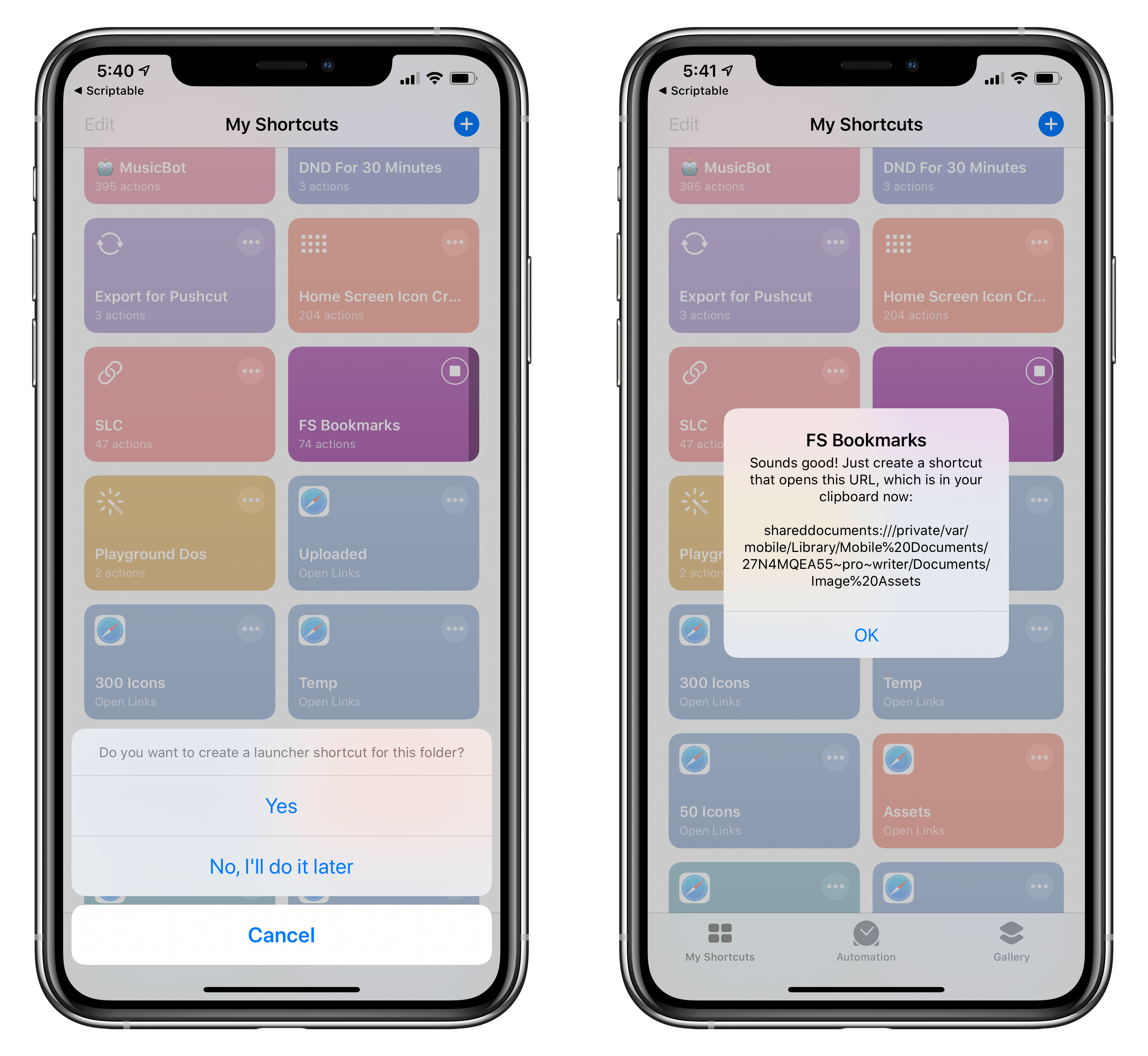
Creating a folder bookmark with Shortcuts and Scriptable.
Used inside Scriptable itself, file bookmarks have allowed me to speed up common file management operations on my iPad, such as tagging images, uploading them to a server, then moving the originals to another Files folder. But it’s when combined with Shortcuts that file bookmarks prove the quality and ingenuity of Støvring’s idea: with the ability to run scripts and create bookmarks inside Shortcuts, it’s now possible to automate the process of creating “bookmark shortcuts” end-to-end. I based my FS Bookmarks shortcut, which lets you create direct Home screen launchers for files and folders, around these two technologies, and it’s been a solid workaround to compensate for the lack of a native alternative in the Files app.
In an ideal scenario, we shouldn’t have to rely on file bookmarks in Scriptable to get fast access to frequently used files and folders. But given the current state of affairs in the Files app, Støvring’s feature is our best shot at creating Files-based launchers, and it deserves a mention among the most useful, creative new app features of 2019.
Best New Feature: Runner-Up
GoodNotes Edit in Multiple Windows

Ryan: Despite the lack of new Pro hardware, 2019 was a big year for the iPad. The debut of iPadOS brought a lot of fascinating and powerful new technologies for developers to take advantage of, one of which was multiwindow. I’ve been delighted to see how many third-party developers have quickly implemented multiwindow into their apps, but GoodNotes might offer the most compelling implementation of all.
GoodNotes does all the right things with multiwindow: following the recommendation of Apple at WWDC, practically anything that can be dragged away inside the app can become a new window. You can drag notebooks, PDFs, images, and more from your Documents or Favorites libraries to create new windows with them. You can also long-press a file to see an ‘Open in New Window’ option in the context menu; even tabs can be converted to windows. Everything available in the best of Apple’s own multiwindow implementations is present in GoodNotes, and then some.
What makes GoodNotes’ multiwindow feature further stand above the rest is that it enables working in the same document in multiple windows simultaneously, something I’ve not seen anywhere else but Ulysses. It’s especially useful in GoodNotes because, with longer documents, you’re able to view different parts of the document at once and make any notes or annotations you need to. Not every app needs multiwindow support within duplicate documents, but in GoodNotes it’s undoubtedly a strength, and Apple’s own iWork suite could stand to borrow the approach.
Best Watch App

HomeRun
Ryan: It’s taken a few years, but Apple Watch apps are finally, slowly, starting to hit a sort of stride. Watch apps may not be the do-it-all Swiss Army Knife powerhouses they were originally billed as, but after lots of iteration in software and developer tools, developers like Aaron Pearce can now create app experiences that best implement the strengths of the Watch while mitigating the device’s shortcomings.
Pearce’s HomeRun debuted near the end of 2018 as a tool for more quickly running HomeKit scenes from your wrist. Apple’s own Home app exists on the Watch as a way to run scenes, but where Home can only fit two scene or device triggers on-screen at once, HomeRun enables up to 12. Not only that, but you can run scenes directly from your watch face using HomeRun’s complications. If you own a Watch and have more than a couple HomeKit devices, HomeRun has been well worth the price of admission from the start.

Scenes can be customized with a variety of designs.
It was in 2019, however, that HomeRun really grew into the kind of flexible tool that merits its Best Watch App award. Over the course of the year, the app doubled down on offering timely, informative functionality through complications and the Watch’s Siri face. It started with version 1.1, which enabled creating custom icons for different complications, such that your complication for running a ‘Good night’ scene, for example, could feature a glyph with a bed, or snoozing Zs. HomeRun had always let you run specific scenes just by tapping its complication, but that functionality became far more intuitive when you could set a custom color and glyph for each scene complication.
HomeRun 1.2 is the update that stands out to me as especially impressive, and a true innovation on the Watch platform. A new Daily Routines feature enabled creating custom parameters (based on time or context) for HomeRun to surface different scene actions through complications or the Siri watch face. With complications, you could set a schedule that determined which HomeRun complications appeared on your watch face at different times of day. So, for example, after setting everything up you could see a ‘Good morning’ complication first thing in the morning, then around 8:00 AM that complication could be automatically changed to display and trigger your ‘I’m leaving’ scene, and at 5:00 PM it would change to your ‘I’m home’ scene, at 7:00 PM your ‘TV time’ scene, and finally at 10:00 PM your ‘Good night’ scene. All of this is entirely customizable in the app: you can set which times during the day to change HomeRun’s complication, which icons are displayed at each time slot, and which HomeKit scene is triggered when you tap that complication.

Configuring HomeRun in its iOS companion app.
Similarly, Daily Routines for the Siri watch face enable surfacing different scene triggers as Siri face cards based upon certain contexts throughout the day. Rather than being tied to specific times, the Siri face system utilizes six different contexts that Siri on the Watch is aware of: Morning, Evening, Home, Work, School, and Gym. Each of these six contexts can have a different scene associated with it, so that you always have the appropriate contextual scene on your wrist.
Daily Routines is a powerful concept that I hope more Watch developers learn from. It can take a single complication on your watch face, or the system of cards on the Siri face, and let you control the information or action that’s accessible from that space at any given time of day, in any given situation. The smartest Watch apps are context-sensitive, and HomeRun leads the pack in that regard.
Best Watch App: Runner-Up
WaterMinder

Ryan: WaterMinder is a natural fit for the Apple Watch in several respects: it’s health-related, like many of the Watch’s most important apps, and it serves two very simple purposes, helping you log water intake and track that intake. With its health focus and simplicity, in many respects it’s a quintessential Watch app.
One of WaterMinder’s core strengths is that it’s highly configurable. Setup of the app takes place inside its iOS companion, where from the Settings tab you’ll see two Watch-related menus: Apple Watch and Complications. The former presents a couple layout options for configuring the Watch app, as well as some optional screens you can enable. The default layout for the app displays your intake progress at the top, with several buttons to quickly log what you drank underneath. This is my preferred layout, because everything fits in a single view. However, you can also choose another option which features a larger visualization of your intake, such that the buttons for logging just require a little scrolling to get to. The standard setup in either case keeps the entire UI to a single screen, but you can optionally enable additional pages that house your history and/or achievements.
Beyond customizing the main UI itself, WaterMinder also has some of the most customizable complications I’ve ever seen with a Watch app, right in the same class as the excellent CARROT Weather. From the iOS app, every complication across various watchOS faces can be customized both in the info it displays, and the colors and other display details too. The app’s functionality is limited by design, but WaterMinder deserves recognition for all the tools it provides to tailor every detail to your exact needs.
Best Watch App: Runner-Up
Chirp

Ryan: Chirp is a remarkably full-featured Twitter client for the Watch. You may want less Twitter in your life, in which case the wrist is the last place you need your timeline, but for those who do want always-on Twitter access, including when they may be away from their iPhone, Chirp is easily the best option. Particularly following its Swift UI-powered 2.0 debut earlier this month, the app pushes the technical limits of what a Watch app is capable of.
Where some Watch apps specialize in keeping things limited, offering only select functionality that’s optimized for the wrist, Chirp takes the opposite position in being as feature-rich a Watch app as I’ve ever seen. Both approaches certainly have advantages and disadvantages, but I think for the type of user who would want a Twitter app on their wrist in the first place, developer Will Bishop absolutely chose the right approach in leaving no feature stone unturned.
Chirp includes access to your timeline, mentions, DMs, trending tweets, lists, likes, profile, and search; it enables composing tweets with the surprisingly effective FlickType keyboard; you can view a grid of up to four photos at once in your timeline, and also play videos and GIFs, and read linked web articles, all while browsing on your wrist; you can also tweak all of the app’s many settings right from the Watch app. Nearly anything you can do in a Twitter client for iOS can be done in Chirp, and that’s massively impressive.
Best Mac App

Reeder 4
John: Reeder 4 marked the comeback of the beloved RSS client that hadn’t seen significant updates for quite some time. That’s because developer Silvio Rizzi was rebuilding the app from the ground up. With version 4, Rizzi has built a foundation for the future of Reeder and implemented some important new features that distinguish it from its peers.
Few apps have been covered on MacStories more than Reeder for iOS and the Mac. On the Mac, our coverage started in 2010 with a preview story by Federico about the upcoming 1.0 version of the app. Reeder has changed a lot since its launch about nine years ago, but what hasn’t changed is its attention to design.

Reeder strikes a careful balance between customization and feature creep. I’ve used many RSS clients that throw in a setting to satisfy every possible tweak a user might want to make. The trouble with that approach is that settings become confusing and intimidating to adjust. There are still a lot of ways to customize Reeder to your reading style, but the difference is that the app presents them in a coherent, comprehensible fashion that doesn’t try to be everything to everybody.
A good example is the font selection for Reeder 4. Instead of allowing you to set the font to any of the hundreds installed on most Macs, Reeder has eight, and they’re all good choices. There are also settings to pick among several themes, adjust font size and line spacing, and much more. Just as refreshing as the limited, tasteful options for changing Reeder’s appearance is the fact that the app sets sensible defaults that I’ve hardly tweaked at all since the app’s release.
Reeder’s appeal is more than just skin-deep, though. The app does an excellent job with the fundamentals too. Sync is fast, and Reader View, which displays full-text versions of truncated feeds, is extremely reliable. Reeder lets you access RSS in several different ways, including locally, via a web service, and self-hosted. The app also supports read-later services Pocket and Instapaper.
Reeder has its own read-later service too, which is unique among RSS clients. Probably no single feature has transformed the way I collect articles to read, whether for work or pleasure, than Reeder’s share extension. On the Mac, that means that I can right click any link or use the Mac’s share sheet to save the article for reading later. What’s impressive is how accurate the app is at properly parsing articles and including the headline, text, and images without any advertising cruft. Combined with the same feature on iOS and iPadOS, I’ve replaced a patchwork system of different RSS readers on different platforms, Safari’s Reading List, and a dedicated read-later service to one RSS reader that works across all of Apple’s major platforms, which has been a delight.
Other touches I appreciate on the Mac include the generous use of keyboard shortcuts, swipe gestures, and third-party app integrations. Perhaps the best part of the keyboard shortcuts is that they can be modified, which is critical if you are coming from an RSS client with a different keyboard shortcut setup and you don’t want to relearn commands that have been firmly ingrained in your muscle memory. Swipe gestures are a powerful tool for acting on stories in the moment as you’re viewing them. Whether that means sharing with someone else, or sending the data to another app for processing later, gestures allow you to scan through and act on hundreds of articles quickly.
RSS has been on something of a roller coaster ride ever since Google shut down its Reader product. Periodically RSS is declared dead, but it’s far too useful to go away. As many people have become disenchanted with social media, they’ve revisited RSS, especially since it delivers only what you choose to receive by subscribing to feeds. It’s an old technology, but it’s also a reliable one that is far more efficient than trying to pluck interesting stories from your Twitter timeline. With Reeder 4, developer Silvio Rizzi has built an app that makes reading a delight, which is why it’s our Best Mac App selection for the 2019 MacStories Selects awards.
Best Game

Dead Cells
John: Picking the MacStories Selects Best Game wasn’t easy this year. 2019 has been one of the best years in recent memory for games on Apple’s platforms. On top of a long list of excellent game releases, Apple debuted Apple Arcade, its game subscription service that’s packed with stellar titles.
Looking back on the year though, there’s one game that stood out from the pack: Dead Cells. The game is a dungeon-crawler, in which you battle your way past enemies, exploring and collecting items. If you die, you have to start over, but you don’t lose everything you’ve collected. The game is hard, but not frustrating, encouraging players to keep trying to advance just a little further than their last try. All of this, along with fantastic pixelated artwork and an excellent soundtrack, have made Dead Cells the iOS game I’ve returned to over and over since its debut in August.

The game appeared on consoles and PC about one year before its iOS debut, but it’s the attention to detail on iOS that really makes it our pick for 2019’s best game. Too often, games ported from other platforms don’t take advantage of hardware and OS features that are unique to Apple’s devices. This, however, is where Dead Cells really shines.
Dead Cells supports game controllers, which is a fantastic way to play on a big-screen iPad. One of the most unique features, though, is Auto-Hit mode, which simplifies the interaction with onscreen controls, eliminating the need to use the weaponry buttons when attacking enemies. Combat is a big part of Dead Cells, but the onscreen controls can be tricky to master, especially on a smaller iPhone screen. With Auto-Hit turned on, Dead Cells is still fun and engaging, but more focused on the exploration and item collecting aspects of the game. Although it’s not my favorite way to play Dead Cells, I appreciate that I have a way to enjoy the game even when all I have with me is my iPhone. Finally, unlike many other iOS and iPadOS games, Dead Cells’ developers have taken the time to create an Apple TV version, which is a lot of fun.
Far too few developers take the time to tailor their games to iOS and iPadOS, instead porting games from one platform to another with little or no consideration for a platform’s unique characteristics. Dead Cells shows what can be accomplished by carefully crafting a game to each device it runs on, which is why it’s our 2019 MacStories Selects Best Game of 2019.
Best Game: Runner-Up
Grindstone

John: Grindstone is an Apple Arcade title from Capybara Games, who many will remember for its excellent collaboration with musician Jim Guthrie on Superbrothers: Sword & Sworcery EP. A color matching puzzle game with turn-based tactical elements, Grindstone was one of Arcade’s launch titles.
Puzzle games, especially ones that revolve around matching items on a grid, are a tried and true genre on iOS and iPadOS, which makes building new and interesting riffs on them difficult. Despite that, Grindstone succeeds with a careful balance between the desire to complete as many objectives per level as possible, and preserving your health, which isn’t replenished from level to level.
I love Grindstone’s colorful animation, sound effects, and soundtrack. They’re icing on the cake to one of the freshest, most addictive puzzle games to come along on iOS and iPadOS in a long time. If you missed it in the flurry of early Arcade releases, be sure to set aside some time to play it now. You won’t be disappointed.
Best Game: Runner-Up
Sayonara Wild Hearts

John: Sayonara Wild Hearts is one of Apple Arcade’s most-promoted titles and one of its best. It’s also precisely the sort of unique game that might have gotten lost in the fray if it had been released outside of Arcade. Moreover, it shows that iOS and iPadOS have the potential to compete head-to-head with systems like the Nintendo Switch on indie games. Sayonara Wild Hearts isn’t the first game to be released almost simultaneously on both systems, and I doubt it will be the last.
On iOS and iPadOS, Sayonara Wild Hearts holds its own against other systems with innovative rhythm-based gameplay, stylish artwork, and a compelling storyline. The object of the game is to collect hearts and defeat periodic enemies as you’re propelled forward automatically through a variety of environments on a skateboard, motorcycle, and while flying. There’s a fantastic pop-inspired soundtrack that will stick with you long after you finish playing the game too.
If you haven’t tried it yet, Sayonara Wild Hearts is one of the best games available on iOS and iPadOS, period.
App of the Year

iA Writer
Federico: The App of the Year award recognizes an outstanding app that sports a unique blend of factors: great design based on Apple’s human interface conventions which also exudes its own personality; an intuitive user experience designed for multitouch and external keyboards; integration with modern iOS and iPadOS frameworks and support for the latest OSes; best-of-class functionality supported by a fair business model that’s clearly explained to customers. Furthermore, our App of the Year needs to be the kind of product that has directly, and substantially, influenced and impressed the MacStories team over the past 12 months. And in 2019, that app is iA Writer, the powerful Markdown text editor by iA available on the iPhone, iPad, and Mac.

iA Writer’s syntax highlighting mode.
iA Writer has been around for several years now, offering an elegant Markdown writing and editing experience enhanced by popular features such as syntax highlighting for parts of speech and focus mode. From our perspective, however, iA Writer has gone through a fascinating reinvention phase over the last two years: I caught wind of iA Writer’s refreshed approach to document management and app integrations in late 2018, when I detailed how, thanks to external library locations, the app could use any other Files-based app’s document container as a bookmarked folder in its library. It was thanks to external library locations that iA Writer became my go-to text editor on all platforms: I wrote about my setup in detail earlier this year, explaining why and how I was using iA Writer alongside Files, Scriptable, and Working Copy for all my writing at MacStories.
Beyond its support for open-in-place and the Files app, iA Writer is, quite simply, a case study on how to build a desktop-class iOS/iPadOS app in 2019 that understands the traits of each platform while offering an opinionated, sophisticated design at the same time. iA designed custom monospaced typefaces for the app’s text editor, which have a very distinctive look and are instantly recognizable; however, when it comes to previewing Markdown documents, you can create your own custom preview templates using standard HTML and CSS, which gives you the freedom to preview drafts with any kind of theme you’d like. I’ve taken advantage of this option to create two MacStories templates that allow me to preview stories as they’d look on the site, which has saved me a considerable amount of time this year. Another example: unlike other text editors, iA Writer uses a standard flavor of John Gruber’s Markdown syntax; at the same time, iA Writer is the only text editor I’ve found that supports Content Blocks, a remarkably clever feature that lets you embed any kind of content within a document – and compile it at export – with a simple URL-like syntax.

On top of all this, iA Writer offers dozens of features and smaller touches that helped it stand out from everything else this year. The app supports dark mode, iPad multiwindow, and context menus in iOS and iPadOS 13; there’s a Quick Search panel (which can be activated with a keyboard shortcut) that lets you search across hundreds of documents with incredible performance; you can create smart folders – just like on a Mac – by choosing from multiple filtering criteria for your documents; Content Blocks let you preview images embedded in Markdown documents as local files without uploading them to a web server first.
Whether you’re a novelist, blogger, academic, or simply someone who’s looking for a great text editor, iA Writer represents the very best developers can create for Apple’s platforms in 2019 – a rare combination of thoughtful design, performance, customization, and native integrations with the system. iA Writer was the app behind my two biggest stories of the year – Beyond the Tablet and the iOS and iPadOS 13 Review – and it’s become an essential productivity tool for the MacStories team. For all these reasons, iA Writer is our App of the Year 2019.
App of the Year: Runner-Up
MusicHarbor
Federico: Created by indie developer Marcos Antonio Tanaka, MusicHarbor is the missing utility to keep track of new releases in Apple Music. The app didn’t come out in 2019, but received a series of notable updates over the past 12 months that convinced me to try the app again, and I was impressed.
MusicHarbor works by scanning your music library to find which artists you’d like to check out new releases for. Once you’ve built a collection of artists you want to follow, the app will assemble a feed of new releases in the main Releases section, which is refreshed every time you open the app. Each music release, whether it’s a single or album, can be played inside MusicHarbor thanks to its adoption of the MusicKit framework, but you can also view it in the Music app, save it to your library, or add it to a playlist.

MusicHarbor’s latest update lets you keep track of music videos too.
What makes MusicHarbor special – and, ultimately, the reason why we all use the app here at MacStories – is just how much developer Tanaka understands what someone who wants to know about new music releases is looking for. The layout of the main Releases page can be customized to the level of information density you desire; upcoming music releases can be saved as events into a calendar; you can filter releases by type, excluding items such as remixes or EPs; and in a recent update, the app added support for music videos, so you can browse a chronological feed of videos from artists you follow that will open in Apple Music – another feature that Apple’s own app is sorely missing.
MusicHarbor is a terrific companion to Apple Music, and it’s helped us discover new music we love in a way that wouldn’t have been possible with Apple’s Music app alone. If you care about new music releases and staying on top of your favorite artists, you need MusicHarbor, which sits among the very best apps we’ve tried this year.
Support MacStories Directly
Club MacStories offers exclusive access to extra MacStories content, delivered every week; it’s also a way to support us directly.
Club MacStories will help you discover the best apps for your devices and get the most out of your iPhone, iPad, and Mac. Plus, it’s made in Italy.
Join NowGeneral Election 2019: the aftermath
mkalus
shared this story
from  The Brexit Blog. The Brexit Blog.
|
In my previous post, the morning after the election, I discussed what the result is likely to mean for what follows with Brexit. Even in the short time since then we have seen the beginning of the contours of what was said there developing. In particular, as Tony Connelly’s assessment of the election implications spells out, the practicalities for the construction of the Irish Sea border will now have to be worked out. Agreed to by Boris Johnson in his almost indecent haste to get a deal done, possibly without even understanding what he had agreed to, it now has to be turned into a reality, with all the economic and political consequences that will bring.
We also see the beginnings of the row over transition period extension, with reports that the EU (rather than the UK) may propose such an extension, perhaps via a sequencing process in which some sectors are dealt with first and others deferred to an extended period. On the other hand, Michael Gove has repeated the promise that all the future terms negotiations will be completed by the end of December 2020. The only way I can see that coming true would be if, first, the UK effectively accepted whatever terms the EU propose or, second, if the deal done was so limited in scope as to be highly damaging to the UK.
But these and other issues will be the stuff of the future. This post is going to finish off the series concerned with the analysis of the General Election itself, by considering some of the causes of the result. Clearly there is already a mass of commentary about that, but here the focus will be mainly on the Brexit-related aspects.
What just happened?
The first thing that happened is that the Tory Party made a good fist of Brexit, in an electoral sense. The ‘Get Brexit Done’ theme was, as pointed out elsewhere, deeply dishonest and will set up many problems for the future. But, as a slogan, it had undeniable political cut through. They were also lucky in that Farage lost his nerve and did not stand in Tory-held seats. Yet, in another way, by standing in Labour held seats he deprived the Tories of an even bigger win and saved several Labour seats where the BXP vote was larger than the Labour majority. One side-effect of the campaign is that it should now see the end of Farage as a political figure, if only because the Tories have no embraced ‘Faragism’.
Even in the face of this, it is surprising that the LibDems did not manage to make some gains, even allowing for their longstanding disadvantage in the first-past-the-post system. When, before the election, they announced their ‘revoke Article 50’ policy I received a lot of criticism from some for writing that this was a mistake of both principle and tactics that would dog them if and when an election came. But on that it is pretty clear that I was right. In particular, it made it far less likely that they would attract the votes of Conservative remainers, and its partial abandonment late in the campaign was, simply, too late.
On the other hand, the criticism of the LibDems and Labour, made by Anna Soubry and many others, for having facilitated the election in the first place is probably unfair. It’s a difficult judgment, and we’ll never know if it was the right one, but I thought then and still think that – once the Withdrawal Agreement Bill had passed its second reading - the alternative would have been that it would eventually have passed and Brexit would happen. And there was no sign of a parliamentary majority for another referendum. In those circumstances, an election was the last hope but, clearly, it proved a false one.
Labour's disaster
As for Labour, they deserve some though not all of the criticism they are receiving. It is nonsense to claim as many, such as Len McCluskey, are that they would have done better, still less won, had they embraced Brexit and not had a confirmatory referendum policy. That claim ignores the fact that had they done so they would have lost support amongst the majority of its 2017 voters, who were pro-remain.
It also wrongly assumes that it would have been appealing to Labour leave voters. For it is very clear that, irrespective of Brexit policy, those were exactly the kind of Labour voters who were repelled by Jeremy Corbyn – seeing him not necessarily as ‘too left-wing’, but as unpatriotic and just plain alien. It doesn’t matter whether that perception is fair or not, or whether it was trumped up by the media or not. Whatever its cause, it was the case, and it would have been the case whatever Labour’s Brexit policy had been. The polling evidence is clear that Corbyn rather than Brexit was the main problem amongst those who ceased to support Labour.
What is certainly the case – and has been highlighted on this blog many times over the last three years - is that Labour’s entire positioning on Brexit since 2016 has been a disaster of oscillation, ambiguity, and shifts that came too late or with too little clarity. From Corbyn’s early call for an immediate trigger to Article 50, through to his belated acceptance of a confirmatory referendum, to his dithering over what side he’d be on in such a referendum to his, in my view reasonable but far too belatedly adopted, ‘neutrality’ stance, it has always been grudging, shifty and unconvincing.
Moreover, Labour were wrong to vote to trigger Article 50 – thereby being forever open to the accusation of having supported Brexit in principle – wrong to eschew single market membership as a compromise form of Brexit, if Brexit was to be done, and wrong to wait so long before endorsing another referendum. By the time they got to this election, they were still talking in the meaningless terms of single market access (or variants of that) which had been so misleading during the Referendum itself. Their ultimate ‘renegotiate and then refer to the people’ position made the best of a bad job given what had gone before, but it was too late to atone for what had gone before.
Much of the blame for all this can be laid at Corbyn’s – or his inner team’s – door. He never showed much interest in or understanding of Brexit, which would be bad enough given that it is the dominant issue of the day. But, worse, he did not seem to understand that delivering on his preferred terrain of anti-austerity policies could not be separated from Brexit itself.
In fact, polling evidence suggests that the actual policy platform was not unpopular with those former Labour voters who abandoned Labour. Things like rail nationalisation, for example, are vote winners. In that sense, despite being widely mocked for it, Corbyn’s claim about having ‘won the argument’ is not entirely risible. And it should be of some comfort to the Left were it not for the diversion of the personality cult around Corbyn as the person to deliver it: singing ‘oh, Jeremy Corbyn’ was never a substitute for serious politics.
Deeper roots
However, asking what happened in this election is, in a way, the wrong question, in that some of what happened has been building for years, if not decades. There’s always been a tension between working-class and middle-class Labour, between nationalists and internationalists, and between class-based and identity-based politics. In particular, the decline of Labour’s traditional vote reflects the long-term decline of the regional, industrial, unionised working-class. Similarly, the tension between the remnants of that and the middle-class, public sector worker and London-centred parts of its base has been going since at least the New Labour years.
But Brexit and its aftermath have inflected, sharpened and perhaps finally cemented these divisions. Immediately after the Referendum I wrote an academic analysis in the Socio-Economic Review of how it had clarified a new politics of ‘cosmopolitans and locals’. Many others have made a similar diagnosis, even if using different terminology (e.g. ‘nativists and globalists’) to make essentially the same point. I speculated that in due course the two party structure of UK (or, at least, English) politics would come to reflect that.
Arguably, that has come half-true in this election, with the Tory Party having emerged as the ‘local’, or English nationalist, party. If so, and assuming that there will be no change to the first-past-the post-system, then what now needs to happen is the construction of the other, ‘cosmopolitan’ party – reflecting the cleavages of age, education, social liberalism that are already in play. Tactical voting is not, as we have just seen, going to be the answer. That implies not the reconstruction of the Labour Party but the wholesale merger of Labour and LibDems with, in the process, a redefinition of each of them.
A new party?
This would not be the ‘remain party’. Painful as it is for remainers to accept, remain is now a dead cause. Pointing to the fact that 52% of voters backed ‘remain parties’ in the election is as much of a dead end as the ‘only 37% of the electorate voted to leave’ rabbit hole. In the medium to long-run it might become a ‘rejoin party’, but for the time being it would be pushing for the least damaging Brexit deal, developing a wider policy programme within the confines of the fact of Brexit, and opposing what is already emerging as the populist agenda of the new government.
Nor would it be a ‘centrist party’, because the very notion of centrism is predicated on a politics that has now disappeared. It would be on one wing of this new local-cosmopolitan landscape. One reason to think it could emerge is that it is already clear that the ‘Local Party’, despite Johnson’s talk of “healing divisions”, is going to humiliatingly grind its victory into the faces of what that horny-handed son of the soil Dominic Cummings (Durham School and First Class degree from Oxford) sneeringly calls “educated remainer types”.
It’s a strange, Pol Pot-like, move for the Tories to turn on the educated in this way but it reflects the peculiar mix of Maoist and Silicon Valley disruptor thinking which has now captured that party. It's no longer the party of business and the professions. It's not even the party of 'grammar school aspiration' in the way it was under Heath or even Thatcher. Rather, it's a bizarre melange of public school entitlement and the resentment of those with no post-compulsory schooling. This new positioning can only have the effect of cementing the new divide, since the more it asserts a new ‘them’, the more it creates a new ‘us’.
However, calls for a Liberal-Labour rapprochement are almost as old as the Labour Party itself and so it’s probably unlikely to happen now. Even so if, as many now think, the break-up of the United Kingdom is not very far away, and if, as is at least possible, Labour suffer another crushing defeat in 2024 then it’s perhaps not impossible in the not too distant future. It would be a vehicle for, as Timothy Garton Ash wrote this weekend, a ‘European England’ that might still eventually emerge from the wreck of Brexit.
The future of this blog
Coming to the more immediate future, and to less weighty matters, several people have asked me if this blog will continue now that Brexit is a certainty (and been kind enough to suggest that they hope it will). The answer to that is ‘yes’, for two reasons.
On the left, the Brexit Withdrawal Agreement that took over two years to negotiate. On the right, CETA. Johnson thinks he can negotiate ‘CETA plus’ by November. pic.twitter.com/TbCqHDBvd2
mkalus
shared this story
from  ottocrat on Twitter. ottocrat on Twitter.
|
On the left, the Brexit Withdrawal Agreement that took over two years to negotiate. On the right, CETA. Johnson thinks he can negotiate ‘CETA plus’ by November. pic.twitter.com/TbCqHDBvd2


212 likes, 134 retweets
Word bugs in software documentation and how to fix them

I’ve been an editor longer than I’ve been a developer, so this topic for me is a real root issue. 🥁 When I see a great project with poorly-written docs, it hits close to /home. Okay, okay, I’m done.
I help the Open Web Application Security Project (OWASP) with their Web Security Testing Guide (WSTG). I was recently tasked with writing a style guide and article template that show how to write technical instruction for testing software applications.
I thought parts of the guide would benefit more people than just OWASP’s contributors, so I’m sharing some here.
Many of the projects I participate in are open source. This is a wonderful way for people to share solutions and to build on each others’ ideas. Unfortunately, it’s also a great way for misused and non-existent words to catch on. Here’s an excerpt of the guide with some mistakes I’ve noticed and how you can fix them in your technical documents.
Use Correct Words
The following are frequently misused words and how to correct them.
and/or
While sometimes used in legal documents, and/or leads to ambiguity and confusion in technical writing. Instead, use or, which in the English language includes and. For example:
Bad: “The code will output an error number and/or description.”
Good: “The code will output an error number or description.”
The latter sentence does not exclude the possibility of having both an error number and description.
If you need to specify all possible outcomes, use a list:
“The code will output an error number, or a description, or both.”
frontend, backend
While it’s true that the English language evolves over time, these are not yet words.
When referring to nouns, use front end and back end. For example:
Security is equally important on the front end as it is on the back end.
As a descriptive adverb, use the hyphenated front-end and back-end.
Both front-end developers and back-end developers are responsible for application security.
whitebox, blackbox, greybox
These are not words.
As nouns, use white box, black box, and grey box. These nouns rarely appear in connection with cybersecurity.
My cat enjoys jumping into that grey box.
As adverbs, use the hyphenated white-box, black-box, and grey-box. Do not use capitalization unless the words are in a title.
While white-box testing involves knowledge of source code, black-box testing does not. A grey-box test is somewhere in-between.
ie, eg
These are letters.
The abbreviation i.e. refers to the Latin id est, which means “in other words.” The abbreviation e.g. is for exempli gratia, translating to “for example.” To use these in a sentence:
Write using proper English, i.e. correct spelling and grammar. Use common words over uncommon ones, e.g. “learn” instead of “glean.”
etc
These are also letters.
The Latin phrase et cetera translates to “and the rest.” It is abbreviated etc. and typically placed at the end of a list that seems redundant to complete:
WSTG authors like rainbow colors, such as red, yellow, green, etc.
In technical writing, the use of etc. is problematic. It assumes the reader knows what you’re talking about, and they may not. Violet is one of the colors of the rainbow, but the example above does not explicitly tell you if violet is a color that WSTG authors like.
It is better to be explicit and thorough than to make assumptions of the reader. Only use etc. to avoid completing a list that was given in full earlier in the document.
… (ellipsis)
The ellipsis punctuation mark can indicate that words have been left out of a quote:
Linus Torvalds once said, “Once you realize that documentation should be laughed at… THEN, and only then, have you reached the level where you can safely read it and try to use it to actually implement a driver.”
As long as the omission does not change the meaning of the quote, this is acceptable usage of ellipsis in the WSTG.
All other uses of ellipsis, such as to indicate an unfinished thought, are not.
ex
While this is a word, it is likely not the word you are looking for. The word ex has particular meaning in the fields of finance and commerce, and may refer to a person if you are discussing your past relationships. None of these topics should appear in the WSTG.
The abbreviation ex. may be used to mean “example” by lazy writers. Please don’t be lazy, and write example instead.
Go forth and write docs
If these reminders are helpful, please share them freely and use them when writing your own READMEs and documentation! If there’s some I’ve missed, I’d love to know.
And if you’re here for the comments…

There are none on my blog. You can still @ me.
If you’d like to help contribute to the OWASP WSTG, please read the contribution guide. See the full style guide here.
Above Avalon Podcast Episode 160: Let's Talk "Apple Tax"
Apple’s ability to grab monopoly-like share of industry profits isn’t a result of there being an Apple Tax. Rather, it's a byproduct of Apple following a design-led product strategy that ultimately marginalizes industries. In episode 160, Neil discusses the theory behind the “Apple Tax,” Apple’s pricing strategy, and why the days of there being an Apple Tax ended years ago. Additional topics include Apple gross margin trends, two major implications associated with Apple’s pricing strategy, and a few narrative violations found with Apple’s revenue and gross profit optimization playbook.
To listen to episode 160, go here.
The complete Above Avalon podcast episode archive is available here.
Fil-Am journalist Leezel Tanglao named 2020 Women inPower fellow — - Asian Journal News
Important Update | SHARE NOW Canada
| mkalus shared this story . |
To Our Customers,
SHARE NOW, in conjunction with its shareholders at Daimler AG and The BMW Group, has decided to exit the North American market and cease operations in London, Brussels and Florence, effective February 29, 2020.
The decision to close North America was made based on two extremely complicated realities. The first being the volatile state of the global mobility landscape, and the second being the rising infrastructure complexities facing North American transportation today - such as a rapidly evolving competitive mobility landscape, the lack of necessary infrastructure to support new technology (including electric vehicle car share) and rising operating costs.
Further, despite our best efforts and investments in Brussels, London and Florence over the years, we are unable to continue operations in a manner that’s sustainable for our business due to low adoption rates.
Moving forward, SHARE NOW will focus on the remaining 18 European cities. We, along with our shareholders, believe these markets show the clearest potential for profitable growth and mobility innovation.
We want to extend a heartfelt thank you to every employee, member, business partner and city stakeholder who have supported us throughout the years in these markets. We deeply regret the inconvenience this decision causes.
Sincerely,
SHARE NOW
Toolbox Pro for Shortcuts

An interesting concept: an app whose sole purpose is to provide new functionality to Shortcuts, using almost entirely on-device processing (which is great, especially the ML bits).
I expect portions of it to be duly Sherlocked in time, but it seems like a great approach in general (and one I hope other scripting apps like Pythonista embrace fully).
On the far side of the on-device/on-cloud spectrum, I don’t use Zapier, IFTTT or Flow much, but I have to wonder why none of them have considered going down this route and integrating cloud workflows with on-device scripting in a deeper way.
Project Connected Home

Well, this is a (very welcome) surprise. Of course, like every other early adopter/tinkerer out there, I’ve already got a working solution (courtesy of zigbee2mqtt, if you haven’t been keeping track), and I’m curious as to how “open source” everything will really be and how fast things will actually move considering that so far each and every one of them tried to build entirely separate ecosystems (and largely made a hash of it, too), but I’m quite looking forward to this actually working out for consumers.
Update: Apple has just open-sourced the HomeKit Accessory Development Kit, and, not to be left behind, Silicon Labs is opening the Z-Wave standard in 2020. This is going to get really interesting.
Introducing MusicBot: The All-in-One Apple Music Assistant, Powered by Shortcuts

For the past several months, I’ve been working on a shortcut designed to be the ultimate assistant for Apple Music. Called MusicBot, the shortcut encompasses dozens of different features and aims to be an all-in-one assistant that helps you listen to music more quickly, generate intelligent mixes based on your tastes, rediscover music from your library, control playback on AirPlay 2 speakers, and much more. I poured hundreds of hours of work into MusicBot, which has gained a permanent spot on my Home screen. Best of all, MusicBot is available to everyone for free.
I’m a happy Apple Music subscriber, and I love the direction Apple has taken with the service: fewer exclusive deals, more human curation, artist spotlights, and playlists updated daily. However, I believe the Music app for iPhone and iPad leaves much to be desired in terms of navigation and fast access to your favorite music. While Music gets the job done as a gateway to a streaming catalog, I find its interactions somewhat slow when it comes to playing my favorite playlists on shuffle or getting to albums I frequently listen to. Some of Music’s most interesting mixes are only available by asking Siri; additionally, getting to certain sections of the app or tweaking specific settings often takes far too many taps for my taste.
I created MusicBot for two reasons: I wanted to speed up common interactions with the Music app by using custom actions in the Shortcuts app; and I also wanted to build a series of “utilities” for Apple Music that could be bundled in a single, all-in-one shortcut instead of dozens of smaller, standalone ones.
The result is, by far, the most complex shortcut I’ve ever ever created (MusicBot spans 750+ actions in the Shortcuts app), but that’s not the point. MusicBot matters to me because, as I’ve shared before, music plays an essential role in my life, and MusicBot lets me enjoy my music more. This is why I spent so much time working on MusicBot, and why I wanted to share it publicly with everyone for free: I genuinely believe MusicBot offers useful enhancements for the Apple Music experience on iOS and iPadOS, providing tools that can help you rediscover lost gems in your library or find your next music obsession.
Let’s dive in.
MusicBot’s Core Features
At a high level, MusicBot is a list of commands for the Music app, each represented by a different emoji. MusicBot can play audio using the Music app in the background, and it works by scanning your music library on-device, privately and securely. You can download it below and find it in the MacStories Shortcuts Archive.

MusicBot in action.

MusicBot
MusicBot is the all-in-one Apple Music assistant, powered by Shortcuts. Entirely customizable and designed for Apple Music, MusicBot speeds up access to your favorite music and comes with dozens of features to help you play albums, browse songs, check out new releases, and even listen to Beats 1 radio or ambient sounds by Apple Music. Additionally, MusicBot lets you create your own collection of favorite albums and new music releases, comes with AirPlay 2 support, and provides you with Smart Mixes – intelligent playlists to discover songs you love from your Music library.
When you launch MusicBot – ideally from the Home screen – you’ll be presented with the following options:
- Audio Utilities & Queue
- Pause
- Pause Speakers
- Smart Mixes
- New Releases
- Favorite Albums
- Genres
- Current Artist or Song
- Apple Mixes
- Shuffle Playlist (up to three favorite playlists)
- Pick a Playlist
- Search Library
- Add to Playlist
- Upcoming Releases
- Beats 1
- Ambient Sounds
In addition, MusicBot can be used as a share sheet extension from the Music app. When you share a song or album from Apple Music to MusicBot via the share sheet, you’ll see options to save an album as a favorite, add the shared item to a new releases database, or copy links for multiple streaming services for the selected item, so you can share it with friends who don’t subscribe to Apple Music.

MusicBot running in extension mode after passing an album from the share sheet in Music.
All of the features of MusicBot’s main list come with additional sub-menus that group related functionalities and let you fine-tune your Apple Music experience. In this article, I’m going to break down the purpose of each command, so you can gain a better understanding of MusicBot and, if you want, even customize the shortcut to your needs and preferences.
[table_of_contents]
Setup and Things to Know
I tried to keep MusicBot as straightforward as possible, but there is an initial configuration process worth mentioning, as well as other design decisions and Shortcuts limitations I have to point out.
Import Questions
When you first install MusicBot, you’ll be asked to go through six import questions inside the Shortcuts app to get the shortcut up and running.
The first three questions are related to a core MusicBot feature – the ability to quickly shuffle up to three of your favorite playlists with one tap. In order for MusicBot to know what your three favorite playlists are, you’ll have to enter their exact names during the setup process. In my case, I entered Family, My Workout, and Best of 2019 since those are playlists I like to shuffle on a daily basis.

MusicBot’s setup process.
You don’t have to enter three playlist names: if you only want to add one or two, that’s also fine – MusicBot will only create as many shuffle buttons as necessary depending on what you enter. If you leave playlist names empty, however, you’ll have to remove empty buttons from MusicBot’s main menu later.
The fourth import question allows you to enter the name of the system calendar where you save release dates for upcoming albums as events. If you’ve read my story about keeping track of music releases with MusicHarbor, you know that’s something I like to do; I wanted MusicBot to be able to parse events in my Music Releases calendar and present them in a list. You can leave this field empty if you don’t want to use this feature, but if you care about new music releases, I highly recommend checking out the free MusicHarbor app and setting up a separate calendar where you can store upcoming music releases.
In the fifth import question, you’ll be asked to enter a number that indicates a timeframe to be considered “recent” in terms of months. By default, you don’t have to enter anything as the default value is “3 months”, which is used throughout MusicBot in multiple actions that deal with “recently played” or “recently added”. If you want to extend or decrease the threshold of what should considered “recent” by MusicBot, just enter a different number.
Lastly, the final question asks to specify the spelling of Apple’s Favorites Mix playlist: American users should enter Favorites; British users should enter Favourites. MusicBot has been designed to work in English, and this is the only regional difference between different flavors of English I found that had to be manually configured at setup. Using MusicBot in another language altogether is possible, but you’ll have to manually update several actions throughout the shortcut to do so.
Once you’ve gone through these six questions, MusicBot will be ready to use. Of course, you can always update your answers without having to reinstall MusicBot from scratch: at the very top of the shortcut, you’ll find six ‘Text’ actions that contain the answers you entered at setup.

You can also configure the initial setup variables inside the shortcut.
If you ever want to modify the behavior of MusicBot to use, say, a different playlist or calendar, just modify the contents of those ‘Text’ actions and you’ll be good to go again.
Authorizations
In using MusicBot, you’ll be asked to authorize the shortcut to access your Apple Music library, iCloud Drive, notifications, or the Internet at different times. These are native permission prompts that are part of Apple’s more secure Shortcuts framework in iOS 13, and they allow MusicBot to work as advertised.
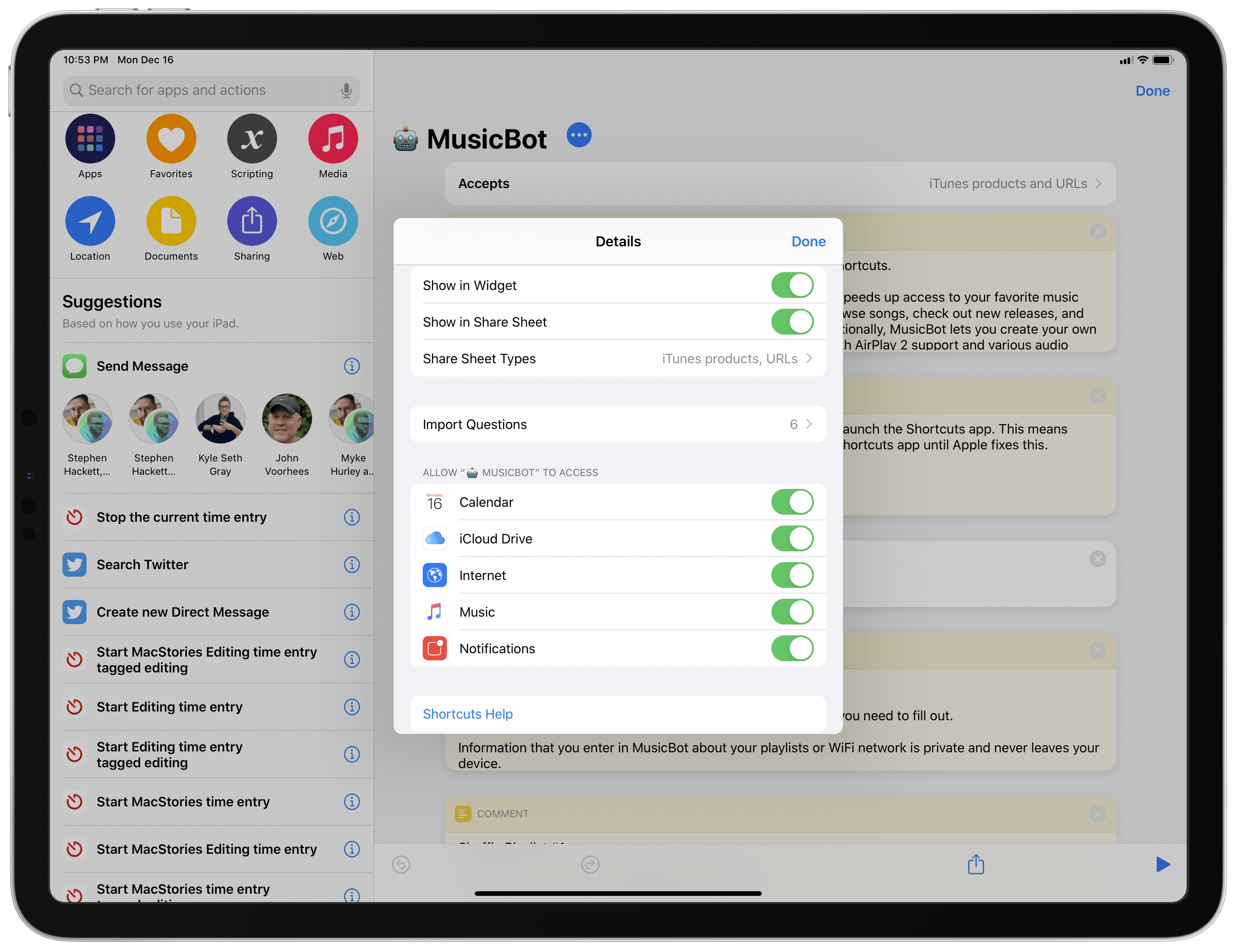
MusicBot’s list of authorizations.
Specifically, MusicBot needs to create two text files in iCloud Drive to create a database of your favorite albums and new music releases, while an Internet connection is required to download album artwork, use the Odesli service (formerly Songlink) to share streaming links, or fetch other data from the Apple Music service. Local notifications are only used to confirm when MusicBot has started playing or queued music on your behalf.
Other Things to Know
MusicBot has been designed to work with Apple Music. However, due to limitations of the Shortcuts app in iOS 13, it can only find and play music that you’ve also added to your library from the Music app. If MusicBot cannot find any music or play any of the default Apple mixes, it’s likely because you haven’t added that music to your library.
Lastly: do not change the name of the MusicBot shortcut after installing it. One of the key features of MusicBot is the ability to navigate back from a sub-menu and show the main list of actions again; to do this, MusicBot essentially runs itself over and over again, and it does so by looking for a shortcut with a specific name. If you change the name of the MusicBot shortcut, dozens of key features will stop working and you’ll have to re-install MusicBot. To prevent this, don’t change anything about MusicBot’s name (including its robot emoji) inside the Shortcuts app, and you’ll be fine.
When adding MusicBot to the Home screen, however, you can change its icon label to whatever you want, and that won’t affect the shortcut’s performance.
Now, let’s take a look at the MusicBot shortcut itself and allow me to explain what it can do for you.
Audio Utilities and AirPlay 2 Integration

MusicBot’s audio utilities.
The first option at the top of MusicBot’s list of commands is the Audio Utilities & Queue page. Tapping this opens a menu with the following options:
- Clear Up Next: Clear your Up Next queue in the Music app with one tap.
- Set Volume: This action lets you change the volume of the currently active playback device, whether it’s an iPhone, iPad, or AirPlay 2 speaker. It also displays the current volume level.
- Set Playback Device: With this action, you can set the playback destination device to AirPods, Bluetooth headphones, Apple TVs, HomePods, or AirPlay 2 speakers found on your local WiFi network. The list of accessories displayed in this list changes depending on what’s available.
- Hand Off to Speaker: Use Handoff to instantly pass audio from your iPhone or iPad to an AirPlay 2-enabled speaker.
- Manage Releases and Favorites: Manage your databases of favorite albums and new music releases. I’ll talk about these in a bit, but this option is what you have to use if you want to clean up those collections and remove items from them.
There isn’t much else to explain about MusicBot’s audio utilities. I use this page multiple times throughout the day to adjust my iPhone’s volume level and hand off audio to one of my HomePods (Shortcuts’ AirPlay 2 actions are great). There is one limitation worth remembering, though: at the moment, Shortcuts cannot set multiple AirPlay 2 speakers as playback destination devices at the same time. This can be done in Control Center, but it’s not supported in Shortcuts yet.
There are two options following Audio Utilities in MusicBot’s main list of commands that are somewhat related to AirPlay 2 as well – Pause and Pause Speakers. The first action is a quick toggle to pause audio playback on your current device, and there’s nothing you need to configure there. The Pause Speakers command, however, is a list of ‘Pause’ actions that attempts to pause playback on every AirPlay 2 speaker around the house at once.

These are the Pause actions you need to configure to pause all speakers at once.
By default, the Pause Speakers block contains three ‘Pause’ actions that I created to pause all my HomePods with one tap. To make this work for you, you’ll want to find the section of MusicBot shown in the screenshot above, then add or remove ‘Pause’ actions according to your AirPlay 2 setup at home, using one ‘Pause’ action for each speaker you may want to pause audio playback on.
Smart Mixes

Smart mixes in MusicBot.
Smart mixes are one of the key functionalities of MusicBot; I may be biased, but they’ve also become some of my favorite ways to rediscover interesting music from my library without much effort, letting MusicBot do the heavy lifting for me.
MusicBot supports seven types of smart mixes, which are quickly generated every time you run the shortcut:
- Genius Mix
- Songs: Recently Played
- Albums: Recently Played
- Recently Added
- Top of the Year
- Songs by Decade
- Rediscover Lost Songs
The names are pretty self-explanatory: all of these mixes are made possible by Shortcuts’ integration with your Music library, and each uses different filtering criteria to find a different set of songs in your library. There’s a lot going on behind the scenes in terms of how MusicBot can scan your music library and find what it needs for each smart mix, but you don’t need to know any of it. Just run MusicBot, pick a smart mix, and start listening.
There are a few details about the general experience of smart mixes I want to point out. The main smart mix, Genius Mix, is my attempt to replicate iTunes’ old Genius feature with a dynamic playlist that should only contain songs you’re going to love. The mix is randomized every time it runs, so the songs MusicBot picks for the Genius mix will always be different. I use this mix a lot, especially when I want to listen to music I know I’m going to like without having to think too much about it.
In a similar way, the Songs by Decade and Rediscover Lost Songs mixes are also randomized every time MusicBot runs. As the names imply, the first mix presents you with a list of decades to choose from, and your selection will create a random mix of songs released within that decade that are played on shuffle; the Lost Songs mix is a way to rediscover songs from your library that you haven’t played enough or listened to in a while.

For certain smart mixes, you can pick which songs to play directly from MusicBot.
The other smart mixes – the ones that do not say “(Shuffled)” – present you with a list of songs in a fixed order since they’re date-based. For instance, if you choose Top of the Year, you’ll be shown your most played songs of the year; pick the ones you want to listen to, hit ‘Done’, then choose how you want MusicBot to play them. Whenever a list of songs comes up in MusicBot, you’ll always find an option to ‘Go Back’ (indicated with an emoji); tapping it will let you cancel your selection and go back to MusicBot’s main list of commands.
Playback options are another unique MusicBot feature that makes the shortcut stand out from other Music-based shortcuts I’ve shared in the past. Every time you pick a mix, playlist, or list of songs in MusicBot, you can choose between five different playback modes:
- Play Now
- Shuffle
- Play Next
- Play Later
- Play with Reverse Order
The playback mode you select will apply to all songs MusicBot passes to the Playback Options menu; additionally, once you’ve chosen a playback mode, MusicBot will show a local notification that confirms music playback has started.

MusicBot’s playback modes and local notifications.
I’m very happy with how playback options work in MusicBot, and I’m especially fond of Play with Reverse Order. With this option, instead of playing albums or playlists from top to bottom, MusicBot will play songs contained inside them starting with the last one, going back to the first one in the list. This option is ideal if you want to listen to a playlist starting from the latest songs you’ve added to it, so you don’t have to hear the same songs at the beginning of a playlist every time you hit Play.
Favorite Albums and New Releases
In addition to finding music in your library, MusicBot lets you build your own collection of favorite albums and new music releases. These two databases are stored as text files in iCloud Drive, but they’re presented as nice, rich lists in MusicBot featuring artist names and album artwork.

MusicBot can help you build your own collections of favorite albums and new music releases.
To get started creating your own personal collection of favorites and new music releases, all you have to do is share a song or album from the Music app to MusicBot via the share sheet. After selecting the MusicBot action from the share sheet, MusicBot will launch in the Shortcuts app and you’ll be shown five options, two of which are exclusive to MusicBot Pro, coming later this week for Club MacStories members.
The share sheet options for the MusicBot extension are:
- Save Favorite Album
- Save New Music Release
- Share Streaming Links
- Album Release Date (Pro-only)
- Save Playlist (Pro-only)
To save a new favorite album or add a single/album as a new music release, you have to pick one of the first two options. The first time you do this, you’ll be asked to grant MusicBot access to iCloud Drive; MusicBot needs iCloud Drive access to create two text files that will serve as the database (in JSON format) for your favorite albums and new music releases you want to check out. Once you’ve authorized MusicBot to access iCloud Drive, there’s nothing else to worry about: just pass albums or singles from the Music app to MusicBot via the share sheet, wait a few seconds, and MusicBot will confirm with an alert that the item has been saved successfully.

How to save a new favorite album from Apple Music into MusicBot.
To check out your favorite albums and new releases, you can run the respective commands in MusicBot’s main list of actions; both will open a rich list of items, which is searchable by name and sorted by modification date (the latest items you’ve added to each database are displayed at the bottom of the list). Both lists use the same underlying design, but they behave in slightly different ways: selecting a favorite album brings up MusicBot’s playback options and lets you start playback right away as the shortcut assumes the album is already saved in your library and ready for playback; since new music releases may not be saved in your library yet, tapping one will open the page for the selected single or album in the Music app.

Tapping a new music release in MusicBot opens it in the Music app.
To remove items from your Favorite Albums or New Releases collections, you need to run the ‘Manage Releases and Favorites’ action under Audio Utilities & Queue. From this menu, you can choose which collection you want to manage, then select an item to remove it from the database.

You can also remove items from your favorite albums and new music releases using MusicBot.
The ability to instantly play my favorite albums and keep track of new music releases with a personalized collection constitutes the majority of my MusicBot usage these days. I use both options several times each day, and I’m very happy with how they’ve turned out.
Sharing Links to Streaming Services
Another feature available as part of MusicBot’s share sheet support is integration with the Odesli API (formerly Songlink). For those not aware of it, Odesli is a free web service that lets you generate multiple streaming links for the same song or album. It’s a great way to share music with friends who may not be using the same streaming service as you; with Odesli, you can turn an Apple Music link into a collection of links for other services including Spotify, YouTube, Tidal, and Amazon Music. The Odesli API takes care of this conversion between platforms and you don’t need to perform any additional searches.
In MusicBot, Odesli integration works by turning the Apple Music link of a song or album you passed via the share sheet into a collection of links for services of your choice. After sharing an item from the Music app to MusicBot, pick which services you’d like to obtain a link for, wait a couple seconds, then choose how you want to share them using the share sheet.

MusicBot can create links for multiple music streaming services at once.
If you use Apple Music and want to share something you like with friends or family members who use a different streaming service, this option is for you. I’ve been using it to share music I like with MacStories readers, who seem to appreciate the inclusion of Spotify and YouTube links in addition to Apple Music.
Playlist Actions
MusicBot comes with a variety of playlist-related commands designed to speed up how you can find and play your favorite playlists.
First, as I mentioned above, by default MusicBot offers toggles to play three of your favorite playlists on shuffle. Tapping one of the Shuffle [Playlist] buttons starts the specific playlist on shuffle right away with no additional confirmation necessary. This is what I use when I want to shuffle the playlist my girlfriend and I share or when I’m starting a workout.

MusicBot’s main list of commands. By default, there are three actions to quickly shuffle your favorite playlists.
In the Apple Mixes section, you’ll find a list of the intelligent playlists that Apple Music updates on a weekly basis: Favorites Mix, New Music Mix, Chill Mix, Friends Mix, and Replay. Assuming you’ve saved these playlists to your library, MusicBot will be able to play them using your favorite playback mode. You can even choose to pick individual songs from an Apple mix or play the entire playlist on shuffle without choosing a playback mode first.

The options available for playing Apple’s weekly mixes in MusicBot.
Want to pick another playlist from your library? Just select the Pick a Playlist command from MusicBot’s main list, tap on the Playlist parameter to choose one of your existing playlists, then tap ‘Done’ to choose a playback mode and start listening.

You can also pick any playlist in MusicBot.
How about adding the song currently playing in the Music app to one of your playlists? Once again, not a problem for MusicBot: select Add to Playlist, pick a destination playlist using the native Music picker, and the song will be added to the selected playlist without having to open the Music app at all.
Browsing by Genre or Artist
For those times when you’re not exactly sure what you want to listen to, MusicBot comes with exploration tools that should help you find interesting music in just a few taps.
Using the Genres action, you can get a list of your most played music genres in the last three months. After selecting a genre, you can choose to play search results found by MusicBot with your favorite playback mode or, alternatively, manually pick the songs belonging to the selected genre you want to listen to. Results are sorted by most played; as you can see, I’ve been really into the new Jimmy Eat World album myself when it comes to Alternative tracks.

Browsing by genre in MusicBot.
If you’re listening to a song and realize you’d like to see more from the current artist or album the song is from, you can choose the Current Artist or Song command to be presented with a variety of helpful filters. You can check out the top songs from the current song’s artist or songs from that artist you’ve recently played; you can shuffle all songs from the current artist with one tap, or you can ask MusicBot to assemble a list of other songs from the same album.

MusicBot’s options to view related album and artist information based on what you’re listening to.
These actions go well with MusicBot’s many shuffling modes: if a song comes up and you’re interested in exploring more from that artist or album, select this category and you’ll have some fun options at your disposal.
Beats 1, Ambient Sounds, Upcoming Releases, and More
To round out MusicBot’s integration with Apple Music, I wanted to support a few extra features that are either part of Apple’s service or offer actions for the Shortcuts app.
You can search the entire contents of your Music library using MusicBot. Type anything you want in a search field, choose whether you want to search by artist or song, and a list of results will come up. This is useful if you’re looking for a specific song by name or want to see the latest songs you’ve added to your library for a specific artist.

You can search your music library from MusicBot.
If you use MusicHarbor to keep track of upcoming music releases, you can leverage MusicBot’s Upcoming Releases action to display a list of upcoming albums as fetched from one of your calendars. Assuming that calendar events you create for upcoming albums carry the album’s Apple Music URL in their ‘Notes’ field, MusicBot will be able to open that album’s page in the Music app so you can start listening to any singles that may have already been released. For more details on how I manage and keep track of music releases, you can read my story here.

MusicBot can show you upcoming music releases previously saved as calendar events.
MusicBot offers a list of popular Beats 1 radio stations for you to choose from and open in the Music app. The list includes the Beats 1 Live station, plus pages for Zane Lowe (including his new New Music Daily channel), Ebro Darden, Julie Adenuga, and Matt Wilkinson.

Beats 1 and ambient sounds in MusicBot.
Finally, I’ve compiled a list of Apple Music’s ambient sounds, which debuted on HomePod but can also be browsed as playlists curated by Apple in the Music app. Sounds include nature, rain, ocean, and white noise, and they will launch the appropriate playlist in the Music app.
MusicBot’s Custom Icon
The best way to run MusicBot is to add it to the Home screen of your iPhone or iPad, and I wanted to make sure that MusicBot’s unique purpose could be reflected by its Home screen icon as well. For this reason, I’m happy to announce that MusicBot comes with a special Home screen icon designed by the amazingly talented Michael Flarup. Here’s what it looks like:

MusicBot, designed by Michael Flarup.
I’m thrilled with how this icon came out: Michael did an outstanding job conveying the feeling I had in mind for MusicBot – “a robot that you can tap on the Home screen” – and he added some delightful touches such as the visor, which uses an audio waveform instead of eyes and is based on the colors of the Apple Music logo.
You can download MusicBot’s custom Home screen icon here.
In the .zip file linked above, you’ll find multiple sizes of icons for different iPhone and iPad models, organized in folders (more details on icon sizes in Apple’s document here). Make sure you save and expand the .zip file in Apple’s Files app, then do this:
- Tap the ellipsis button next to MusicBot’s name at the top of the shortcut;
- Choose ‘Add to Home Screen’;
- Tap the icon in the bottom left;
- Select ‘Choose File’ and pick the custom icon from the Files app;
- Tap ‘Add’ to save MusicBot with a custom icon to your Home screen.

How to add a custom icon to MusicBot when saving it to the Home screen.
I love MusicBot’s identity, but if you’re looking for a more subtle appearance, I’ve got you covered as well. There are plenty of music-related options in MacStories Shortcuts Icons, including a fun robot one that’s a good fit for MusicBot.
Coming Later This Week: MusicBot Pro
Coming later this week exclusively for Club MacStories members, MusicBot Pro is an advanced version of MusicBot with more features and deeper Apple Music integration than the standard shortcut.
With MusicBot Pro, you’ll gain access to the following features:
- Love or dislike any song currently playing in the Music app, even if it hasn’t been added to your library, without having to open the Music app;
- Save playlists by Apple Music or other Apple Music curators to your Favorites or New Releases collections;
- Get the release date for any song or album, regardless of whether it came out years ago or is coming out in the future;
- Go beyond your local music library and search the entire Apple Music catalog for artists, songs, or playlists;
- Play any song from the Apple Music catalog without adding it to your library first;
- Add any song, album, or playlist from the Apple Music catalog to your library.

A preview of some of MusicBot Pro’s additional capabilities.
MusicBot Pro’s more advanced Apple Music integrations are powered by Toolbox Pro, which is available separately on the App Store and has to be installed for MusicBot Pro to work.
Furthermore, Club MacStories members will gain access to two additional MusicBot icons designed by Michael Flarup – one in dark, the other in gold. You can take a look at these two fantastic alternative looks for MusicBot below:

The MusicBot icon family. The dark and gold icons are exclusive to Club MacStories members.
MusicBot Pro will be shared with Club MacStories members later this week in Issue 205 of the MacStories Weekly newsletter. You can read more about Club MacStories here and sign up using the buttons below.
Wrap-Up and Download
I’ve spent the past several months working on MusicBot and trying to make it as comprehensive as possible for all music fans. While MusicBot is a complex shortcut based on hundreds of actions, you don’t have to be a Shortcuts expert to use it: in fact, I created MusicBot to require as little Shortcuts knowledge as possible, and I tried my best to design its actions, messages, and notifications so they could be understood by all kinds of iPhone and iPad users. At the same time, because it’s a shortcut, MusicBot can be customized to fit your needs and preferences – the decision is entirely up to you.
I hope you’ll enjoy MusicBot and that it’ll help you rediscover, manage, and simplify access to the music you love. You can download MusicBot below and find it in the MacStories Shortcuts Archive.
MusicBot
MusicBot is the all-in-one Apple Music assistant, powered by Shortcuts. Entirely customizable and designed for Apple Music, MusicBot speeds up access to your favorite music and comes with dozens of features to help you play albums, browse songs, check out new releases, and even listen to Beats 1 radio or ambient sounds by Apple Music. Additionally, MusicBot lets you create your own collection of favorite albums and new music releases, comes with AirPlay 2 support, and provides you with Smart Mixes – intelligent playlists to discover songs you love from your Music library.
Support MacStories Directly
Club MacStories offers exclusive access to extra MacStories content, delivered every week; it’s also a way to support us directly.
Club MacStories will help you discover the best apps for your devices and get the most out of your iPhone, iPad, and Mac. Plus, it’s made in Italy.
Join NowHacktoberFest – done; Why care?
I still remember the good ol’ times where I almost convince an entire company to allow their > 500 employees to contribute to an opensource or a free software project at least 1 hour a month. The journey was hard. I prepared a strategy and facilitated the discussion, and spend numerous hours taking to smart […]
The post HacktoberFest – done; Why care? appeared first on Bogomil Shopov.
All about the new ML Super Resolution feature in Pixelmator Pro
It’s no secret that we’re pretty big fans of machine learning and we love thinking of new and exciting ways to use it in Pixelmator Pro. Our latest ML-powered feature is called ML Super Resolution, released in today’s update, and it makes it possible to increase the resolution of images while keeping them stunningly sharp and detailed. Yes, zooming and enhancing images like they do in all those cheesy police dramas is now a reality!

Let’s see some examples
Before we get into the nitty-gritty technical stuff, let’s get right to the point and take a look at some examples of what ML Super Resolution can do. Until now, if you had opened up the Image menu and chosen Image Size, you would’ve found three image scaling algorithms — Bilinear, Lanczos (lan-tsosh, for anyone curious), and Nearest Neighbor, so we’ll compare our new algorithm to those three.
Note that the images below are zoomed in to 200% to make the changes easier to see, but you can zoom out to 100% by clicking the magnifying glass button.


Bilinear


Lanczos


Nearest Neighbor


ML Super Resolution
200%


Bilinear


Lanczos


Nearest Neighbor


ML Super Resolution
200%


Bilinear


Lanczos


Nearest Neighbor


ML Super Resolution
200%
Pretty incredible, right? Until now, if an image was too small to be used at its original resolution, either on the web or in print, there was no way to scale it up without introducing visible image defects like pixelation, blurriness, or ringing artifacts. Now, with ML Super Resolution, scaling up an image to three times its original resolution is no problem at all.
How does it all work?
As computers get ever more powerful, the additional power opens up new possibilities. One of the uses of machine learning, on a very fundamental level, is to make predictions about things. In this case, we gathered a set of images, scaled them down, and then ‘taught’ the algorithm to go from the scaled-down version to the original resolution, high-quality image, predicting the values of each new pixel. The algorithm can’t recreate detail that is too small to be visible but it can make amazing predictions about edges, shapes, contours, and patterns that traditional algorithms simply cannot.
Traditional approaches
Traditional approaches use (relatively) simple mathematics to interpolate the values of pixels when scaling images.

Nearest Neighbor
When adding new pixels, the most basic algorithm, Nearest Neighbor, simply takes the color of the closest neighboring pixel. This results in the classic blocky appearance because the previously imperceptibly small pixels are now big enough to be seen.

Bilinear
The Bilinear algorithm is a little more advanced. A texture map of the image is created according to an algorithm and the values of the 4 closest texels (texture elements) are used when recreating each pixel in the new image. The goal of this approach is to make the transition between pixels much smoother. However, when upscaling quite significantly (or upscaling small images) this algorithm creates the familiar blurry appearance.

Lanczos
Lanczos is yet more advanced, using a complicated mathematical formula to interpolate (another word for predict) the value of any newly created pixels while keeping edges as sharp as possible. Its main disadvantage is that, in its attempts to retain sharpness, the algorithm can sometimes create ringing artifacts. So, ultimately, it’s useful in certain specialized situations, but not much more.
The machine learning way
So, how does the machine learning approach work? Put simply, it takes into account the actual content of every image, attempting to recognize edges, patterns, and textures, recreating detail based on our dataset and extensive training. When upscaling, it can make much better predictions because a red pixel next to a blue pixel can be a completely different type of texture or edge in different images even though, to the primitive approaches, they’re always the same.
The ML Super Resolution convolutional neural network
To create the ML Super Resolution feature, we used a convolutional neural network. This type of deep neural network reduces raster images and their complex inter-pixel dependencies into a form that is easier to process (i.e. requires less computation) without losing important features (edges, patterns, colors, textures, gradients, and so on). The ML Super Resolution network includes 29 convolutional layers which scan the image and create an over-100-channel-deep version of it that contains a range of identified features. This is then upscaled, post-processed and turned back into a raster image. Below is a simplified representation of the neural network.

First, the input image is passed through a high pass filter for basic edge detection. Then, the first convolutional layer reduces the size of these features and pools the data. In the Descriptor Fusion block, the image is scanned to find any JPEG compression blocks within it and this is fused with the other features identified so far.
The next convolutional layers and residual blocks are where the magic happens — these detect the features (edges, patterns, colors, textures, gradients, and so on) in the image, building them up into a complex representation that is over 100 channels deep. In a convolutional neural network, more layers mean better accuracy but with a large enough number of layers, a network becomes near-impossible to train. Residual blocks are designed to increase the complexity and accuracy of networks without making them impossible to train.
Finally, all the features identified by the neural network are enlarged in the Enlarge block. After this, the two residual blocks and the final convolutional layer post-process the data and turn the features back into an image. It’s also important to note that all this happens on-device and the entire trained machine learning model is included inside the Pixelmator Pro app package.
Dealing with noise and artifacts
Small images often contain compression artifacts and noise. If we want our upscaled images to be usable, artifacts and noise shouldn’t be scaled up together with the actual contents of the image. In fact, if possible, they should be removed altogether. And, as mentioned above, ML Super Resolution is designed to do just that, borrowing some of the technologies we developed for ML Denoise to remove both camera noise and JPEG compression artifacts. By the way, in this update, ML Denoise has also been improved, bringing noise removal that is between 2 to 4 times better than before.


Nearest Neighbor


ML Super Resolution
200%
Processing power required
Naturally, the machine learning way requires a lot more processing power than the primitive approaches — between 8 to 62 thousand times more, in fact.
* When upscaling 1 pixel by 300%, creating 9 pixels.
Making this available in an app like Pixelmator Pro has only become possible in the last couple of years — even on Mac computers from 5 or so years ago, ML Super Resolution can take minutes to process a single image due to slower performance and less available memory. On the latest hardware, however, images are processing in a few seconds, and even faster on iMac Pro, Mac Pro, or any Mac with multiple GPUs thanks to our use of Core ML 3 and its multi-GPU support. For the same reasons, the performance of ML Super Resolution is also significantly improved when using an eGPU.
1. For this test, a 300,000 pixel image was upscaled to three times its original size.
2. Tested using an AMD Radeon RX 5700 XT eGPU.
3. External GPUs require a Thunderbolt 3-equipped Mac.
Using the 2012 MacBook Pro as a baseline, the latest devices are up to 200x faster!
We’re incredibly excited about ML Super Resolution and we honestly hope you’re going to love it too. If you’d like to, you can download all the images in this blog post using the link below and test everything in today’s update out for yourself.
Pixelmator Pro 1.5.4 is now available from the Mac App Store, so head on down there and make sure you’re up to date. The trial version has also been updated so if you don’t yet have a copy, you’re welcome to try it out. That’s it for now, but we hope to surprise you with one more cool new feature before the year is up — stay tuned!
Note
ML Super Resolution requires macOS Mojave or later.
LifeLabs discloses cyberattack potentially impacting 15 million customers

LifeLabs has disclosed that it has faced a cyberattack that could have potentially impacted the information of 15 million customers.
It has stated that the information of the 15 million customers was on computer systems that were potentially accessed in the breach that took place in late October. The company paid a ransom to secure the data.
The majority of impacted customers are located in British Columbia and Ontario. Investigations have revealed that there are around 85,000 impacted customers from 2016 or earlier located in Ontario. LifeLabs says it is working to notify these customers directly.
The information that could have been accessed includes names, addresses, emails, logins, passwords, dates of birth, health card numbers and lab test results.
LifeLabs says it has already notified the privacy commissioner and is investigating the matter. It has also notified its government partners.
The company says it has fixed the system issues relation the criminal activity and has placed additional safeguards to protect customers’ information.
LifeLabs says that any customer who is concerned about the breach can receive one free year of protection that includes dark web monitoring and identity theft insurance. More information about this can be found here.
Source: LifeLabs
The post LifeLabs discloses cyberattack potentially impacting 15 million customers appeared first on MobileSyrup.
Contractor for Pedestrian Crossing Construction Goes His Own Way


In this Strange But True tale from Tsawwassen, this image was sent in of a brand new crosswalk installation on 53A Street. But take a look at this truck which on Friday the 13th was parked right on the sidewalk at 8:15 a.m, blocking the access used by kids on their way to school.
And who was in the truck? It was the contractor, Crown Contracting, (their website says they build “bright, safer streets”) which had won the bid to construct the crosswalk in the first place. The driver left the vehicle blocking the sidewalk while he read through his cell phone , despite the fact there is lots of parking on the street.
Perhaps the City of Delta should have a policy requiring their contractors improving intersections for pedestrians to keep their trucks on the road surface, and set the right standard. Build it into the contracts.

“[T]he evidence pointing to the harms of e-cigarettes is starting to pile up”
NPR: New Study Offers First Evidence Of Vaping’s Long-Term Risks. “The study finds that e-cigarettes are linked to increased risk of chronic lung diseases including emphysema, chronic bronchitis and COPD, as well as weakened immune defenses.”
NPR: Vaping Nicotine Linked To Increased Risk Of Chronic Lung Disease. “The extreme cases of lung injury caused by vaping have raised awareness of the potential harms of electronic cigarettes. […] Many of these acute illnesses are linked to black market THC products, but a growing body of evidence points to the risks associated with vaping nicotine.”
See also this podcast:
CBC Podcast White Coat, Black Art: ‘It was terrifying’: Teen who collapsed after vaping nicotine is now warning her peers. “Vaping-related severe lung illnesses tracked, but not lower-level incidents, including nicotine poisoning.”
“Dr. Hassan Nemeh […] has seen the worst of those dangers up close. In September, he performed what may be the first double-lung transplant on a person whose lungs had been severely damaged by vaping. The patient was 17 years old.”
West Pacific: Everyone is Brown
In Vancouver, Everyone is Brown, including Whites and Asians.

Librem 5 Price Increase
Summary: Librem 5 will increase to $749 on January 1, 2020 and once Evergreen ships, will arrive at its final $799 price to reflect the actual final costs of the hardware, instead of being based off estimates.
Early Bird Gets the Worm
Purism has launched a number of successful crowdfunding campaigns over the years, with the Librem 5 campaign as its most successful. One way that we reward early backers for their patience is by providing an introductory “early bird” price. When you are creating a new phone from scratch, in the early phases prices are incredibly rough estimates. After all, a number of factors from volume to time to suppliers all play a part in price and it’s difficult if not impossible to know all of your final costs years in advance. So you pick an estimate on the low side to reward early backers, understanding that eventually you will have to increase to your final price.
As we mention in our Breaking Ground post, we couldn’t achieve our goals with an inexpensive, off-the-shelf phone and instead had to design the Librem 5 from scratch:
What made and makes the hardware design expensive are several things. First of all the lack of reference design. Most other phones (especially Android phones) are based more or less on reference designs of the chipset, (i.e. from the CPU manufacturers). If you go with a, say, MTK-based design, then the hardware design is more like going shopping…
We did not have this luxury. We had to design the hardware from scratch and we also have to develop many drivers ourselves–everything that is not yet available as free software in upstream mainline Linux kernels.
In early 2019 as we started to get better estimates for our costs, we realized we’d need to increase the price to at least $699–at the time what we thought would be the final price. Fast forward a couple of months and those estimates turned out to be optimistic. Once we knew our final costs for the mass-produced Librem 5 Evergreen batch we realized we’d need to increase the final price to $799.
We are going to do the price increase in stages. The Librem 5 will stay at its current $699 price until the end of 2019. Starting on January 1, 2020 it will increase to $749 where it will stay until we start shipping Evergreen. At that point it will increase to its final $799 price.
Solving the Problem of Disposable Technology
With the Librem 5, we aren’t building yet another disposable smartphone you will throw away after 2 or 3 years when it stops getting updates. We are building a mobile platform with longevity as part of its design and updates for the life of the device:
When you look at the longevity designed into the Librem 5, there’s just no comparison with existing disposable smartphones on the market with a 3-year expiration date. Whether it’s a $1100 flagship phone, a $500 unlocked mid-range phone, or a free low-end smartphone that’s subsidized by selling your data, the sticker price only tells part of the story. Whether it’s OS and app updates that slow down your phone, security updates that stop after a few years, batteries that fail, networks that upgrade, or storage that fills up, you’ll be paying that same price in a few years, and a few years after that. You don’t own a modern smartphone, you rent it.
The Librem 5 is part of a long-term vision to change the exploitative and toxic tech world we all live in. The world needs a mobile computer that doesn’t spy on you, protects your privacy, lets you own your hardware and your data, gives you the freedom to use it however you wish, and doesn’t try to lock you in or force you to upgrade every few years. With the Librem 5 we have built a mobile platform that’s made to last.
Discover the Librem 5
Purism believes building the Librem 5 is just one step on the road to launching a digital rights movement, where we-the-people stand up for our digital rights, and where we place the control of your data and your family’s data back where it belongs: in your own hands.

The post Librem 5 Price Increase appeared first on Purism.