Shared posts

24 Dec 06:05

The First Use of the Term "Programming Language"?

by Eugene Wallingford

Yesterday, Crista Lopes asked a history question on Twitter:

Hey, CS History Twitter: I just read Iverson's preface of his 1962 book carefully, and suddenly this occurred to me: did he coin the term "programming language"? Was that the first time a programming language was called "programming language"?

In a follow-up, she noted that McCarthy's CACM paper on LISP from roughly the same time called Lisp a 'programming system'", not a programming language.

I had a vague recollection from my grad school days that Newell and Simon might have used the term. I looked up IPL, the Information Processing Language they created in the mid-1950s with Shaw. IPL pioneered the notion of list processing, though at the level of assembly language. I first learned of it while devouring Newell and Simon's early work on AI and reading every thing I could find about programs such as the General Problem Solver and Logic Theorist.

That wikipedia page has a link to this unexpected cache of documents on IPL from Newell, Simon, and Shaw's days at Rand. The oldest of these is a January 1957 paper, Programming the Logic Theory Machine, by Newell and Shaw that was presented at the Western Joint Computer Conference (WJCC) the next month. It details their efforts to build computer systems to perform symbolic reasoning, as well as the language they used to code their programs.

There it is on Page 5: a section titled "Requirements for the Programming Language". They even define what they mean by programming language:

We can transform these statements about the general nature of the program of LT into a set of requirements for a programming language. By a programming language we mean a set of symbols and conventions that allows a programmer to specify to the computer what processes he wants carried out.

Other than the gendered language, that definition works pretty well even today.

The fact that Newell and Shaw defined "programming language" in this paper indicates that the term probably was not in widespread use at the time. The WJCC was a major computing conference of the day. The researchers and engineers who attended it would likely be familiar with common jargon of the industry.

Reading papers about IPL is an education across a range of ideas in computing. Researchers at the dawn of computing had to contend with -- and invent -- concepts at multiple levels of abstraction and figure out how to implement the on machines with limited size and speed. What a treat these papers are.

I love to read original papers from the beginning of our discipline, and I love to learn about the history of words. A few of my students do, too. One student stopped in after the last day of my compilers course this semester to thank me for telling stories about the history of compilers occasionally. Next semester, I teach our Programming Languages and Paradigms course again, and this little story might add a touch of color to our first days together.

All this said, I am neither a historian of computer science nor a lexicographer. If you know of an earlier occurrence of the term "programming language" than Newell and Shaw's from January 1957, I would love to hear from you by email or on Twitter.

24 Dec 06:04

More obscene than the Chandelier

by Gordon Price

Surely an offense to the homeless who seek shelter in the parks or, especially, the golf courses that serve only a handful of the elite.  And they’re annuals!  Every year, another wasteful, expensive insult.*


*To quote Chris Keam from below: “The problem with irony is that it now has about as much power as swearing on TV. Overdone and out of gas. Sincerity is the new cool attitude to have. I thought we all knew this by now, but what do I know?”


24 Dec 06:03

Stephen Coyle on the Reduced Bluetooth Latency of AirPods Pro

by John Voorhees

Stephen Coyle has followed up on previous tests he conducted on Bluetooth latency of AirPods. This time, he tested the AirPods Pro using the iOS system keyboard, his rhythm game Tapt, and a shotgun microphone, to measure the delay between triggering a sound on an iPad Pro and playback through the Apple’s wireless earphones and other Bluetooth headphones.

As Coyle explains, latency affects certain use cases, such as user-triggered UI sounds like the keyboard, accessibility features like VoiceOver, and game sound effects, more than others. While delayed keyboard clicks may merely be annoying, delayed VoiceOver responses are a serious usability issue for people who depend on the feature.

What Coyle discovered was that the the latency of the AirPods Pro is substantially less than the original model of AirPods. As Coyle puts it:

If it’s possible for the trend line to continue in the same direction, the next generation or two of AirPods will be very exciting. Not being a VoiceOver user, I’m unsure how much AirPods Pro improve its user experience in real terms, but I think this general trend can only be for the good. Similarly, for mobile gaming and general user experience, this trend means that what is, in my opinion, the primary downside of Bluetooth earphones may be gradually disappearing.

I found Coyle’s comment on using AirPods Pro to make and edit music intriguing too:

Their status as the lowest latency Bluetooth earphones notwithstanding, the AirPods Pro make for a deeply unsettling experience when using them as monitors to play piano in Logic Pro; there’s still far too much delay to make for a comfortable experience (and I’m not alone in thinking similar). They are, however, just about usable when editing music or video, and shaving a few dozen more milliseconds off this each generation would fast make them a preferable option over wired earphones.

As someone who edits podcast audio regularly, I’ve never considered using AirPods Pro because I’ve assumed that the latency would be a roadblock. What Coyle’s test show is that it’s time to rethink old assumptions whether it’s the role of AirPods Pro in accessibility features like VoiceOver, audio production, or gaming. As Apple reduces the latency of its wireless earphones, the use cases for them will only expand further, which is exciting.

→ Source: stephencoyle.net

24 Dec 06:03

Reducing Treeherder’s time to-deploy

by Armen Zambrano

Reducing Treeherder’s time-to-deploy

Up until September we had been using code merges from the master branch to the production one to cause production deployments.

A merge to production would trigger few automatic steps:

  1. The code would get tested in the Travis CI (10 minutes or more)
  2. Upon success the code would be built by Heroku (few minutes)
  3. Upon success a Heroku release would happen (less than a minute)
What steps happen before new code is deployed

If a regression was to be found on production we would either `git revert` a change out of all merged changes OR use Heroku’s rollback feature to the last known working state (without using Git).

Using `git revert` to get us back into a good state would be very slow since it would take 15–20 minutes to run through Travis, a Heroku build and a Heroku release.

On the other hand, Heroku’s rollback feature would be an immediate step as it would skip steps 1 and 2. Rolling back is possible because a previous build of a commit would still be available and only the release step would be needed .

The procedural change I proposed was to use Heroku’s promotion feature (similar to Heroku’s rollback feature). This would reuse a build from the staging app with the production app. The promotion process is a one-click button event that only executes the release step since steps 1 & 2 had already run on the staging app. Promotions would take less than a minute to be live.

This shows how a Heroku build on stage is reused for production.

This change made day to day deployments a less involved process since all deployments would take less that a minute. I’ve been quite satisfied with the change since a deployment requires less waiting around to validate a deployment.

24 Dec 06:03

Tesla’s Trans-Canada Highway Supercharger route is now live

by Brad Bennett

Tesla owners can now drive from one Canadian coast to the other with the launch of the automakers Trans-Canada Highway Supercharger network.

The electric vehicle company has been working on building this network for over a year and many of these stations are modern V3 chargers. These chargers can add about 125km of range in five minutes, making them much faster than the company’s older models.

According to Electrekthese stations are marked open in Tesla’s in-car Supercharger finder, but the company’s website has yet to update and reflect this change.

The third-party website, supercharge.info, also shows a vast majority of the chargers ready. Beyond the Trans Canada chargers, the site also shows tons of chargers under construction which means that throughout 2020 even more chargers will begin to pop up inside of Canada.

Source: Electrek, supercharge.info

The post Tesla’s Trans-Canada Highway Supercharger route is now live appeared first on MobileSyrup.

24 Dec 06:03

Working together

by Chris Corrigan

One of the core practices in the world of participatory leadership is working closely with others, and staying in relationship. I’ve sometimes said that my business model is friendship, and that feels truer than ever as I move into my fifties and find myself practicing more and more accompaniment and mentorship in my life and work. It has been an important metric for me to have more collaborators than clients in a given year. It is a further metric that I count many of my clients as collaborators and friends.

And so here is a list of the amazing people I have had a chance to work with in 2019. Read this like the acknowledgement pages in a book, full of gratitude and celebration.

First Caitlin Frost, my partner in life, love, and business. We are working more and more together as our children move into their adult years and we’re discovering lots of gifts in how our joint practice is growing. More to come next year, including a deep offering on complexity, sharing basically everything we know.

A year ago I declared 2019 my personal year of learning about evaluation and I got to do that alongside many close colleagues from the evaluation world. Thanks to Carolyn Camman, Trilby Smith, Jara Dean Coffey, Meaghan Sutton, Rita Fierro and Dominica McBride for guiding me on this journey.

The Art of Hosting is core to my practice and I spend a lot of time teaching the practice and stewarding the community. This year I was on teams in New Brunswick, Manitoulin Island, Chiba, Japan, Whitehorse, Yukon, Washington State, Texas, Bowen Island, BC and Tseshaat, BC. I worked with amazing folks on those teams: Samantha Slade, Amanda Hache, Lewis Muirhead, Jason Doiron, Julie Feltham, Joanna Brown, Shawni Beaulieu, Rose Moss, Kim Haxton, Kelly Poirier, Dawn Foxcroft, Teresa Posakony, Kris Archie, Amanda Fenton, and Tenneson Woolf.

The Japan crew gets a special call out, for hosting us for a month in Japan over five workshops, including two Art of Hostings, a complexity workshop, a dialogic OD workshop and a limiting beliefs workshop. We had an amazing time in Japan and were hosted by the hardest working group of people I’ve ever met. Thanks to Yurie Makihara, Aiko Kakehashi, Kumiko Kigawa, Kiyoichiro Sorimachi, Cheiko Azuma, Maiko Iseda, Kayo Fujiwara, So Yoshida, Kazu Nakamura and Mokoto Nagaishi. That’s “the band” who rocked and rolled across Chiba, Tokyo, Nagoya and Hokkaido and I know there were many more in support of our work together.

There were others that made it possible for me to offer workshops in Europe and online. My partners here are the women at Bring on the Zoo in the Netherlands: Lily Martens, Helen Kuyper, and Caroline Rennie and my dear friends at Beehive Productions, Amy Lenzo and Rowen Simonsen.

There are folks in my life who make things easier by drawing and laying out materials in sessions or in preparation. Graphic recorders Sam Bradd, Avril Orloff, Tiare Jung, Lisa Arora and Corinna Keeling are indispensable to our work, Marshall Watson and Anna Namshirin did some top rate design work for us this year, and Peter Czimmerman made a beautiful text to cloud conference tool.

This year we redesigned the Leadership 2020 program for the Federation of Community and Social Services of BC which meant getting another chance to work with our team of Caitlin, Kelly Poirier, and Annemarie Travers with guests like Wedlidi Speck, Bradley Dick, Ecko Aleck and Jennifer Charlesworth.

I want to extend some deep acknowledgements out to my learning partners, folks that I continue to have important conversations with over the years even though we aren’t necessarily working on things together. Shout outs to Bronagh Gallagher, Bhav Patel, Jenn Meilleur, Olive Dempsey, Lieven Calwaert, Sonja Blignault, Mark O’Sullivan, Ray McNeil and the Art of Hosting community of practice who continue to push my practice and help me grow. They join my own mentors Harrison Owen, Toke Møller, Monica Nissen, Dave Snowden and Glenda Eoyang in guiding my work

And finally, I’d like to acknowledge some of my clients, who have become or continue to be good friends over this year because we have been in some big work together. Khelsílem, Kris Archie, Rebecca Ataya, Phil Cass, Daniella Gunn-Deorge, Claudine Matlo, Mike Mearns, Siân Lewis, Jennifer Charlesworth, Trilby Smith, Kazu Nakamura, Lidia Kemeny, Meseret Taye, Barry Seymour, Ella Barrett, and Mary Letson are the best clients I could ever hope to work with. It is always an honour to serve the work they are doing – some of it super hard, and all of it deeply impactful for the people in their lives.

I’m humbled by this group of folks from all over. They represent an immense capacity for bringing good things to fruition in the world. They are brilliant, kind, funny, and generous and I count myself blessed to have them all in my life.

I’m Heading into a reflective few weeks now, and I may possibly spin out some blog posts as we go. Thank you for being along with me on the journey this year, commenting on what you read here and pointing me in interesting directions. I look forward to what emerges in 2020 and where our paths may intersect along the way.

24 Dec 06:02

The Climate refugees have arrived

by Gordon Price

In Building a Resilient Tomorrow, Alice Hill and Leonardo Martinez-Diaz have put together a superb primer on responding to the impacts of climate change. …

Particularly gripping is chapter 9, which focuses on relocating people in harm’s way. For years, the issue of displacement and relocation was something of a taboo subject in international climate debates, both because it is so sensitive and because solutions are not readily apparent. …

“Of all the hard lessons in this book, managing climate migration may be the hardest,” they argue …  “[t]he earlier we start, the easier, and less costly, and less traumatic building resilience will be.”

They don’t need to use the future tense anymore.

From the New York Times – Among the World’s Most Dire Places: This California Homeless Camp


23 Dec 16:20

The Best Wirecutter Comments of 2019

by Janet Towle
The Best Wirecutter Comments of 2019

As 2019 comes to a close, we want to express our gratitude for our wonderful community of readers. From asking in-depth questions about our methods to providing feedback on the long-term performance of our recommendations in your homes, you’ve shared your thoughts with us—and your suggestions, queries, and critiques help us make Wirecutter better every day. We couldn’t possibly include all of our favorites (especially since many of you tend to be as loquacious as we are), but here are just a few of the many excellent comments Wirecutter readers wrote this year.

23 Dec 16:20

"The one duty we owe to history is to rewrite it."

“The one duty we owe to history is to rewrite it.” - Oscar Wilde
23 Dec 16:19

2019 blog review

Martin Weller, The Ed Techie, Dec 20, 2019
Icon

I'm generally pretty comfortable with Martin Weller's writing, whether in blog or journal article form. But this bit rubs me the wrong way: "working in academia, blogging performs a different function for me – I write research papers and books which is the place for the carefully argued work. My blog felt like an antidote to that in a way – a place to put out half baked ideas and quick posts that are knocked off in-between other things." My first (very unfair) thought was, "well, that's a bit snobbish."

For my own part, I don't care where I publish - I've written more publications this year because my employer, after years of not caring and even discouraging publication, is now counting them as team research deliverables. But my best bits might be found anywhere. The other bit is that I don't think of my ideas as half or fully baked. The idea is what it is, and the crust that forms around it is more often than not some sort of rationalization after the fact. Each to their own, I guess, but in a career where I've read hundreds of thousands of articles (and highlighted 30,000 of them in this newsletter) I would never assume that the best and most fully-formed ideas are found in academic articles or in books - and that this is a prejudice that academia would do well to correct sooner rtaher than later,

Web: [Direct Link] [This Post]
23 Dec 16:19

The Best Tripod for iPhones and Other Smartphones

by Erin Lodi and Signe Brewster
The Best Tripod for iPhones and Other Smartphones

If you’ve ever compared who has the longest arms to take a group selfie or struggled to keep your smartphone stable while shooting video, a tripod and mount made specifically for phones might make your life easier. We recommend using the Joby GorillaPod 1K Kit and the Square Jellyfish Metal Spring Tripod Mount together as the best smartphone tripod and mount, after testing dozens of options along the trails of the Pacific Northwest, in the urban forests of Minnesota, and on the streets of Seattle.

23 Dec 16:18

New WebKit Features in Safari 13

This year’s releases of Safari 13 for macOS Catalina, iPadOS, iOS 13, and watchOS 6 include a tremendous number of WebKit improvements for the web across Apple’s platforms. Of particular note is the number of features that enhance website compatibility to bring a true desktop-class web browsing experience to Safari on iPadOS. This release is also packed with updates for improved privacy, performance, and a host of new tools for web developers.

Here’s a quick look at the new WebKit enhancements available with these releases.

Desktop-class Browsing on iPad

WebKit provides the heart of this new experience with deep, fundamental changes that deliver a great desktop website experience on a touch device. With the exception of iPad mini, Safari on iPad will now send a user-agent string that is identical to Safari on macOS. Beyond just a user-agent change, WebKit added new support for web standards to provide the needed compatibility and quality. That included adding new support for Pointer Events, the Visual Viewport API, and programmatic paste. You can read more details about support for those standards in the sections below. In addition, WebKit added Media Source Extensions support in Safari on iPadOS to improve compatibility with the desktop-variants of streaming video websites.

Beyond foundational new web standards support in WebKit, there are many other refinements for the desktop browsing experience on iPad. Page scaling behaviors have been fine-tuned to prevent horizontal scrolling on wide webpages with responsive design viewport tags. When a webpage is scaled down to fit entirely within the viewport, WebKit will increase the font size of content to ensure text is comfortably legible. WebKit added support for automatic Fast Tap on links and buttons to help make navigating web content feel more responsive. Improved hardware keyboard support adds the ability to scroll with the arrow keys and perform focus navigation. Find on page now works like Safari on desktop, highlighting all of the matching terms on the page with a special highlight for the current selection. The behavior of editing callout menus for text selections was polished to avoid overlapping in page controls provided by many document editing web applications. Last but not least, Safari includes support for background downloads, as well as background file uploads.

This new experience on iPad means significant changes for web developers to consider for their web technology projects. Safari on iPad is a chameleon; it can respond to servers as either a desktop device or a mobile device under different circumstances. Most of the time, Safari on iPad presents a macOS user-agent when loading a webpage. If Safari is moved into a one-third size when multitasking the desktop site will be scaled to fit the one-third size without reloading and losing your place. But loading or reloading a webpage while Safari is in one-third size will provide an iOS user-agent since the mobile layout is better suited to the smaller viewport.

Now more than ever before, web developers need to take great care in providing a single responsive web design that uses feature detection instead of relying on separate desktop and mobile sites dependent on the user-agent. Developers should be sure to test their desktop website experience on an iPad to ensure it works well for users.

Pointer Events

WebKit added support for Pointer Events to provide DOM events for generic, hardware-agnostic pointer input such as those generated by a mouse, touch, or stylus. It adds a layer of abstraction that makes it easier for web developers to handle a variety of input devices. Similar to mouse events, pointer events include coordinates, a target element, button states, but they also supports additional properties related to other forms of input, such as pressure, tilt, and more.

See the Pointer Events specification for more information.

Visual Viewport API

WebKit added support for the Visual Viewport API, that allows webpages to detect the part of the page that is visible to the user, taking zooming and the onscreen keyboard into account. Developers can use this API to move content out of the way of the onscreen keyboard. This is useful for a floating overlay, a custom completion list popup, or a custom-drawn caret in a custom editing area.

See the Visual Viewport API specifications for more information.

Programmatic Paste

WebKit also brings new support for programmatic paste in Safari for iOS and iPadOS with document.execCommand('paste'). When a page triggers programmatic paste within scope of a user gesture, a callout bar with the option to paste is provided. When the call out is tapped it will grant access to the clipboard and proceed with the paste. For paste operations where the contents of the clipboard share the same origin as the page triggering the programmatic paste, WebKit allows the paste immediately with no callout bar.

Learn more in the Document.execCommand() reference on MDN.

Accelerated Scrolling on iOS and iPadOS

Accelerated scrolling the main frame has always been available with WebKit on iOS. In addition, developers could use a CSS property called -webkit-overflow-scrolling to opt-in to fast scrolling for overflow scroll. None of that is necessary with iPadOS and iOS 13. Subframes are no longer extended to the size of their contents and are now scrollable, and overflow: scroll; and iframe always get accelerated scrolling. Fast scrolling emulation libraries are no longer needed and -webkit-overflow-scrolling: touch; is a no-op on iPad. On iPhone, it still has the side-effect of creating a CSS stacking context on scrollable elements. Developers will want to test their content to see how hardware accelerated scrolling everywhere affects it and remove unnecessary workarounds.

Performance Improvements

This release brings performance improvements that reduced the initial rendering time for webpages on iOS, and reduced load time up to 50% for webpages on watchOS. Reduced memory use by JavaScript in Safari, web views, and non-web clients that use JSContext. WebKit also achieved better graphics rendering performance showing up to a 10% improvement in the MotionMark graphics performance benchmark score.

Intelligent Tracking Prevention

The latest update to Intelligent Tracking Prevention enhances prevention of cross-site tracking through the abuse of link-decoration. The updates in ITP 2.3 as part of this release of Safari add new countermeasures. In addition to the 24-hour cookie expiry from ITP 2.2, non-cookie website data like LocalStorage will be marked for deletion if the page is navigated to from a classified domain to a landing URL with a query string or fragment identifier. Deletion happens after seven days of Safari use without user interaction on the website. Beyond link decoration, Intelligent Tracking Prevention will also downgrade document.referrer to the referrer’s eTLD+1 if the referrer has link decoration when the user was navigated from a classified domain.

For details on Intelligent Tracking Prevention updates, see the “Intelligent Tracking Prevention 2.3” blog post and our collection of other privacy related blog posts.

FIDO2-compliant USB Security Keys

Safari 13 on macOS has support for FIDO2-compliant USB security keys through the Web Authentication standard. Security keys can hold device bounded public key credentials that are associated with specific internet accounts. This allows users to add an additional layer of protection to their accounts by utilizing security keys as a second factor to authenticate. Not just that, but Web Authentication also prevents phishing. Since user agents are arbitrating the entire authentication process and the public key credentials can never leave their bounded security keys, it’s impossible for phishing sites to get users’ targeted credentials.

More Privacy and Security Improvements

Building on the strength of privacy and security in WebKit, users will have additional protections with sandbox hardening on iOS and macOS, and navigation protection from third-party iframes.

Developers will now need to call DeviceMotionEvent.requestPermission() or DeviceOrientationEvent.requestPermission() to prompt the user for permission before getting access to the events, on in Safari or Safari View Controller on iOS and iPadOS.

Apple Pay in WKWebView

In iOS 13, webpages loaded in WKWebView can now accept Apple Pay. In order to protect the security of Apple Pay transactions in WKWebView, Apple Pay cannot be used alongside of script injection APIs such as WKUserScript or evaluateJavaScript(_:completionHandler:).

If these APIs are invoked before a webpage uses Apple Pay, Apple Pay will be disabled. If a webpage uses Apple Pay before evaluateJavaScript(_:completionHandler:) is invoked, the completion handler will be called with a non-nil NSError. These restrictions are reset every time the top frame is navigated.

Media Improvements

Media improvements in WebKit improve both compatibility and capability for developers. Support for the decodingInfo() method of the Media Capabilities API allows developers to check for supported codecs, efficiently supported codecs, and optional codec features including new alpha transparency. WebKit now supports transparency in video with an alpha channel that works for all supported video formats.

In Safari on macOS, WebKit added the ability for users to share their screen with others natively, using web technologies, without the need for any plug-ins. SFSafariViewController gained WebRTC support for the navigator.mediaDevices property of the Media and Streams API.

Dark Mode for iOS and iPadOS

Last year WebKit added dark mode for the web to Safari on macOS Mojave. This year, WebKit brings the same support to style web content that matches the system appearance in Safari on iOS and iPadOS.

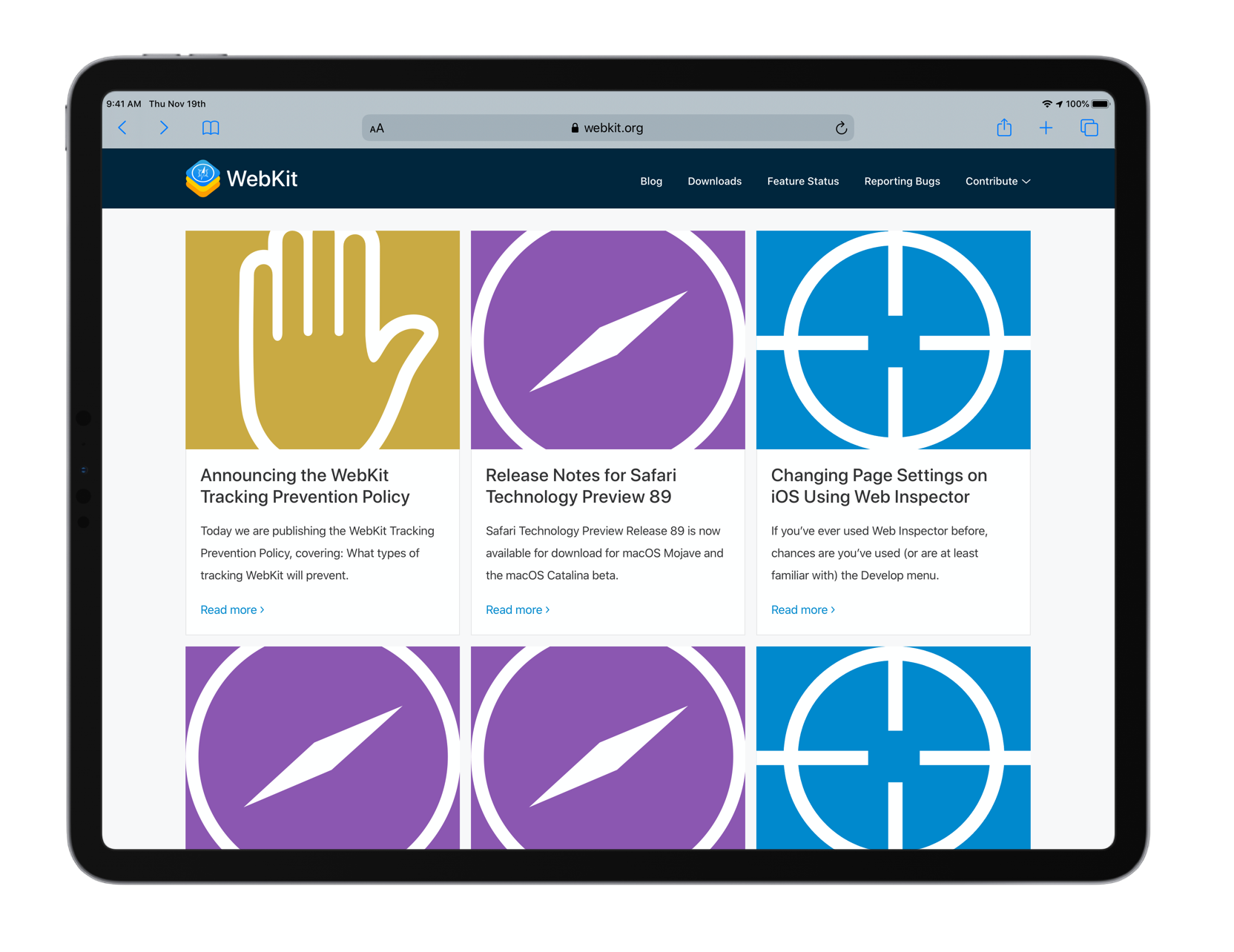
WebKit.org blog posts page shown in light modeWebKit.org blog posts page shown in dark mode

Learn how it works and how to add support to your web content in the blog posts on “Dark Mode Support in WebKit” and “Dark Mode in Web Inspector”.

Improved Home Screen Web Apps on iOS and iPadOS

Support for websites saved to the home screen have been polished to work more like native apps. The changes focused on better multitasking support, improved login flow to work in-line without switching to Safari, support for Apple Pay, and improved reliability for remote Web Inspector.

Safari WebDriver for iOS

Support for Safari WebDriver on iOS 13. Control via WebDriver is exposed to developers via the /usr/bin/safaridriver executable, which hosts a driver that handles REST API requests sent by WebDriver test clients. In order to run WebDriver tests on an iOS device, it must be plugged into a macOS host that has a new enough version of safaridriver. Support for hosting iOS-based WebDriver sessions is available in safaridriver included with Safari 13 and later. Older versions of safaridriver do not support iOS WebDriver sessions.

If you’ve never used safaridriver on macOS before, you’ll first need to run safaridriver --enable and authenticate as an administrator. Then, you’ll need to enable Remote Automation on every device that you intend to use for WebDriver. To do this, toggle the setting in the Settings app under Safari → Advanced → Remote Automation.

With the introduction of native WebDriver support in Safari on iOS 13, it’s now possible to run the same automated tests of desktop-oriented web content on desktop and mobile devices equally. Safari’s support comes with new, exclusive safeguards to simultaneously protect user security and privacy and also help you write more stable and consistent tests. You can try out Safari’s WebDriver support today by installing a beta of macOS Catalina and iOS 13.

You can learn more about iOS support for Safari WebDriver by reading the “WebDriver is Coming to Safari in iOS 13”.

Web Inspector Improvements

Web Inspector adds tools that bring new insights to web content during development. This release also includes many tooling refinements with more capabilities and a better debugging experience. Among the changes, Web Inspector has improved performance for debugging large, complex websites.

A new CPU Usage Timeline is available in the Timelines Tab that provides developers with insight into power efficiency through CPU usage. This helps developers analyze and improve the power efficiency of their web content. The Timelines Tab has also been updated to support importing and exporting of recorded timeline data using a JSON file format. The portability of timeline data makes it possible to share recordings with other developers, or use the data in custom tools.

Read more in the “CPU Timeline in Web Inspector” blog post. For more tips on developing power efficient web content, you can also read the “How Web Content Can Affect Power Usage” blog post.

This release introduces a new Audit Tab to run tests against web content with results that can be easily imported and exported. The Audit Tab includes a built-in accessibility audit for web content and allows developers to create their own audits for custom checks throughout the web content development process.

You can read more in the blog posts for “Audits in Web Inspector” and “Creating Web Inspector Audits” .

When an iOS or iPadOS device with Web Inspector enabled in Safari’s Advanced Settings is connected to a macOS device running Safari, Web Inspector will offer a new Device Settings menu. The Device Settings menu allows overriding developer-related Safari settings such as the User-Agent string when Web Inspector is connected to the device.

Read more about this in the “Changing Page Settings on iOS Using Web Inspector” blog post.

The Elements Tab includes a new Changes sidebar to keep track of CSS changes made in the Styles sidebar, making it easier to capture all of the changes made and re-incorporate them into production code. In the Network Tab, certificates and TLS settings are now available to review in the Security pane of the resources view.

Feedback

These improvements are available to users running watchOS 6, iOS 13, iPadOS, macOS Catalina, macOS Mojave 10.14.6 and macOS High Sierra 10.13.6. These features were also available to web developers with Safari Technology Preview releases. Changes in this release of Safari were included in the following Safari Technology Preview releases: 77, 78, 79, 80, 81, 82, 83, 84, 85, 86, 87, 88, 89. Download the latest Safari Technology Preview release to stay on the forefront of future web features. You can also use the WebKit Feature Status page to watch for changes to your favorite web platform features.

We love hearing from you. Send a tweet to @webkit or @jonathandavis to share your thoughts on this release, and any features you were hoping for that didn’t make it. If you run into any issues, we welcome your bug reports for Safari, or WebKit bugs for web content issues.

23 Dec 16:18

A Day At The Museum

by Ton Zijlstra
20191220_114659

A beautiful day in Groningen. At the Groninger Museum we first saw Mondo Mendini, an exhibit about and by Alessandro Mendini. He designed the Groninger Museum’s building which opened 25 years ago. This exhibit celebrates that by giving Mendini free reign in putting it together. Mendini died shortly afterwards aged 87.

Then we moved to the Presence exhibit by Daan Roosegaarde, which was loads of fun for Y as well as us playing with light effects across multiple rooms.

After lunch we visited the new Forum building in the center of Groningen, and saw the AI: More Than Human traveling exhibit. Content wise rather disappointing. It’s very hard to build a captivating narrative around exhibits dealing with the digital, and this one was no exception. Y loved petting the Aibo robot though, and happily chatted with one of the staff about how ‘my two cats’ have teeth and could bite her finger but this little dog robot didn’t.

More photos

23 Dec 16:04

Five-word movie review: “Star Wars Episode IX: The Rise of Skywalker”

by sheppy

Whoa. Whoa. What?!? Whoa! Awesome!!

23 Dec 16:02

Borg Backup

by Martin

Borg logoGenerally, I’m pretty happy with the backup strategy I have for my devices and my servers. I have several geo-redundant copies of my data and rotate backups frequently. I even use SSDs to clone my notebook installation and data so I can hit the ground running should the worst happen. But there is always more one can do. Things my backup strategy did not address very well so far, however, was accidental deletion of data only noticed days or weeks later or protecting against encryption trojans that could alter data that would then replicate into at least the latest backup if not caught in time.

An approach to protect myself against such scenarios would be incremental backups so I could go back to any state over weeks or months. Perhaps Borg Backup for Linux, of which I heard in Lightning talks during the past two Chaos Communication Congresses could complement my backup strategy!? So when I finally gave this open source package a try recently, it totally blew me away!

Borg Backup is a shell based incremental backup solution that works both locally and via SSH tunnels over the network. The introduction screencasts and documentation on their website are excellent so I won’t go into the details here. Instead, I thought I’d write a bit about my experiences and how I found the software to work for me in practice.

First Steps

For a start, I used Borg to store incremental backups of a 30 GB Nextcloud instance over the local network. Throughput over Ethernet was about 80 MB/s, so it took a while. Once done, all subsequent differential backups take just half a minute to complete. Differential backups work with stripes so renaming or changing a part of a file doesn’t transfer the complete file. Nothing has to be transferred in the first case apart from the changed filename and for partially changed files, only the modified parts are transferred.

Diffs and Mounting Backups

I particularly like the ‘diff’ option to show the difference between any two snapshots. What’s even better is the possibility to mount any backup into the file system so one can, for example, use rsync to find the differences between the current original and any snapshot previously made. This way it is also possible to restore files or revert back to any snapshot state. Mounting a Borg snapshot even over the network is fast and feels just like a real filesystem without any noticeable delay beyond that of a rotating hard disk. Brilliant! I played around quite a bit, restored files and compared checksums and couldn’t break things at any point.

Going for Terabyte Backups

Then I grew more adventurous and used Borg Backup locally with around 1 TB of data. The first backup took a few hours to complete. Due to compression and ciphering I suppose, data was written to a USB3 hard disk at a rate of about 70-80 MB/s. That’s far away from the 180 MB/s the drive is capable of in practice, but still all right for my purposes. Once the initial backup was done, subsequent snapshots just take a couple of minutes to complete. Restoring data from a backup runs at around 60-70 MB/s from the USB3 hard disk to an SSD and it doesn’t really seem to matter where files are located in a backup.

Securing a Central Backup Server

A final feature I would like to mention here is that Borg and the SSH daemon on a remote storage server can be configured to only allow adding snapshots and to limit all actions to one directory path. All other SSH and Borg features are then disabled. This way, a compromised Borg client machine can’t delete any backups or do other malice on the remote central backup server.

The guys developing Borg have really thought this through! Two thumbs up!

23 Dec 15:55

qb.js: An implementation of QBASIC in Javascript

by Steve Hanov
If your browser supports the proposed CANVAS tag, you will see a screen below containing a BASIC program. This only implements enough of the language to run NIBBLES.BAS

Many programmers seldom think about how their compiler or scripting language is implemented. To them, it is a tool, and the less it gets in the way, the better. However, for a craftsman, knowing how your tools work can help you do a better job. It helps to think on several levels at once. Take this code, for example:

function createDummyString( length )
{
    var result = "";
    for ( var i = 0; i < length; i++ ) {
        result = result + " "; 
    }

    return result;
}

In some languages, strings are immutable, so result could be repeatedly created, copied, and destroyed millions of times in this one function call.

Those who are familiar with compilers have the ability to think on another level. For them, visible about 10 cm behind the computer screen is a whole other level of code, which contains how the programming language might be implemented. Beyond that, further in the distance, lies assembly language, with its precarious branch prediction, happy cache hits, and misrable misses.

Here is an implementation of QBASIC in Javascript. In this next series of blog entries, we will explore its inner workings, covering all parts of the compilation process.

What works

Only text mode is supported. The most common commands (enough to run nibbles) are implemented. These include:

  • Subs and functions
  • Arrays
  • User types
  • Shared variables
  • Loops
  • Input from screen

What doesn't work

  • Graphics modes are not supported
  • No statements are allowed on the same line as IF/THEN
  • Line numbers are not supported
  • Only the built-in functions used by NIBBLES.BAS are implemented
  • All subroutines and functions must be declared using DECLARE

This is far from being done. In the comments, AC0KG points out that P=1-1 doesn't work.

In short, it would need another 50 or 100 hours of work and there is no reason to do this.

The parser is slow because we are using a simple Earley parser. (EarleyParser.js). Update in 2014: If I ever do this again I would use a "Packrat" parser.

License

License is GPL v3.

Overview of the system

The compiler takes your BASIC program and converts it into a list of user data types, data from DATA statements, and bytecode statements. Here's pretty picture of the previous sentence:

If you just look at the Javascript source it will be confusing to figure out what goes where. So here is a map of all the important "classes" of the system:

Console

(Source) A canvas that represents the screen and captures keyboard input

Virtual machine

(Source) The virtual machine executes bytecode. The bytecode instructions may manipulate the stack, jump to a new address, or use the console functions. They may also execute system functions (such as LEFT$) or system subroutines (such as CLS).

Types

(Source) Each type (single, double, integer, long, array, user) has functions to create an initial value, or to copy a value into a variable. Upon a copy, for instance, the integer type performs rounding and truncates the value to 16 bits.

Codegenerator

(Source) The code generator visits each node of the abstract syntax tree abd generates bytecode for it. It uses the type information added by the TypeChecker as an aid.

TypeChecker

(Source) The TypeChecker's job is to catch any errors before we try compiling. Without it, you could write a program that tries to multiply an array by the string "George". Then the virtual machine would say "WTF?!" and crash. It fills in the type for any expression in the syntax tree.

GlrParser

(Source) The GlrParser is an implementation of Tomita's GLR parser. It uses a RuleSet to parse the program into an abstract syntax tree.

Unfortunately, there is a problem with my implementation of the GLR parser. I think I know how to solve it, but at the moment, the system uses the very slow, but concise Earley parser, in EarleyParser.js EarleyParser.js.

Tokenizer

(Source) If you try to use javascript's built in Regex object for splitting text into tokens, you will soon pull your hair out and run screaming through the halls. Instead, the tokenizer implements a simple Thompson NFA with lazy evaluation. In some cases, this technique is faster than Javascript's own RegEx functions!

Ruleset

(Source) The ruleset contains grammar rules. In addition, it can remove redundant rules, and compute the FIRST and FOLLOW sets.

Ruleparser

(Source) The RuleParser is implemented on top of the RuleSet. It uses the parser to parse rules, and transforms them to add goodies like comma separated lists, kleene star, and alternation operators. But it's main purpose is to allow me to say, "My parser uses itself to parse its own rules!"

QBasic

(Source) Finally, qbasic.js contains all of the grammar rules and Abstract Syntax Tree nodes for BASIC programs.

Virtual machine

The most straightforward way of creating a basic compiler in javascript is to directly translate the basic into javascript functions. But this approach will not work for two reasons. First, there is "goto" which, although it is a reserved word, is not yet in Javascript. (Obviously, ECMAScript community finds "with", prototype inheritance, and the rules of the 'this' keyword to be far less confusing than allowing "goto"). It is possible to automatically move statements around to eliminate GOTO, but you don't want to go there.

The other problem is that browsers tend to freeze until javascript programs finish running. To avoid freezing the browser until the program ends, we break the program into small chunks, and execute a few of those chunks every so often using a javascript timer. This gives the appearance of a running program and doesn't freeze the browser.

Bytecode solves both of those problems. By breaking the program into bytecode instructions, we can implement goto by just changing which instruction we are going to execute next. We can also suspend execution any time to allow the user to interact with the browser.

The virtual machine executes programs, which consist of types, an array of instructions, and a set of variable names which are shared. It has some data:

  • pc, the program counter (the index of the next instruction to execute)
  • a stack of frames. A frame maps variable names to their values. Each time a function is called, the frame is added to the stack. Each time it returns, the frame is removed, thus destroying all local variables.
  • an execution stack. The instructions can manipulate this stack. Two types of things can be pushed onto the stack: either a value (which is.a javascript string, number, or null), or a reference to a value (which can be the ScalarVariable or ArrayVariable objects).

Executing Instructions

Javascript excels at looking up things in objects and mapping strings to functions. This makes the virtual machine instruction lookup very efficient.

All of the information about each instruction is stored in a single object, called "Instructions". That means we can run dispatch instructions very simply, leaving the heavy work of figuring out where the code is to the javascript runtime:

while( this.pc < this.instructions.length ) {
    var next = this.instructions[this.pc++];
    next.instr.execute( this, instr.arg );
}

Each instruction can manipulate the stack, set variables, or change the pc to jump to another location.

Example

Here's some basic code:

A = 1
B = 2
PRINT A + B

And here's the bytecode produced to run the above statements:

   ' L1 A = 1
[0] pushconst 1
[1] pushref A
[2] assign
   ' L2 B = 2
[3] pushconst 2
[4] pushref B
[5] assign
   ' L3 PRINT A + B
[6] pushvalue A
[7] pushvalue B
[8] +
[9] syscall print
[10] pushconst 'n'
[11] syscall print
[12] ret
[13] end

PUSHCONST 1 pushes a number 1 onto the stack. PUSHREF A is a bit complicated, though. It pushes a reference to variable A onto the stack. Since there was no prior value of A, it has to create one with the default type of SINGLE and adds the mapping from the name "A" to that variable. After all that housekeepint, it does the push. The state of the virtual machine looks like this:

The ASSIGN instruction expects a reference and a constant on the stack. It removes them, and assigns the reference to the variable. Here's the actual javascript implementation of the instruction:

    ASSIGN: {
        name: "assign",
        numArgs: 0,
        execute: function( vm, arg )
        {
            // Copy the value into the variable reference.
            // Stack: left hand side: variable reference
            // right hand side: value to assign.

            var lhs = vm.stack.pop();
            var rhs = vm.stack.pop();

            lhs.value = lhs.type.copy( rhs );
        }

Let's look at instructions 6 to 8. We've seen PUSHREF, and PUSHCONST, now what's PUSHVALUE? This instructions the variable name and pushes its current value on the stack. After instruction 7, the state of the virtual machine is this:

All of the instructions are pretty simple to implement. Here's how the "+" instruction works. Thanks to Javascript, it works for both strings and numbers.

    "+": {
        name: "+",
        numArgs: 0,
        execute: function( vm, arg )
        {
            var rhs = vm.stack.pop();
            var lhs = vm.stack.pop();
            vm.stack.push( lhs + rhs );
        }
    },

Finally, we call the "print" system function, which just pops the result off the stack and displays it on the screen.

Here are the other instructions:

ASSIGN

Pop two things off the stack, and assign the value to the reference.

MEMBER_VALUE

Pop the reference to the user defined structure, and push the value of the named member.

MEMBER_DEREF

Like MEMBER_VALUE, but pushes a reference to the named mamber.

ARRAY_DEREF

Pop the array indices, and push a reference to the given location of the array.

PUSHCONST

Push the literal value onto the stack.

RET

destroy the current variable map, and restore the previous one, jumping to the previous value of PC.

GOSUB

Like call, but instead of using a new variable map, copy the current one.

CALL

Create a new, empty variable map, store PC in it, and jump to the given location.

JMP

Immediately jump to the given location.

BNZ

pop the top of the stack and jump to the given location if it is non-zero

MOD, /, *, +, -, AND, OR, NOT, <>, >=, <=, <, >, =

Pop one or two arguments off the top of the stack, perform the given operation, and push the result onto the stack.

BZ

Pop the top of the stack and jump to the given location if it is zero.

END

Halt the VM.

NEW

Create a new unnamed instance of the variable of the specified type, and push it onto the stack.

PUSHTYPE

Push the named type onto the stack

PUSHVALUE

Push the value of the given variable onto the stack.

PUSHREF

Push a reference to the given variable onto the stack.

POP

Pop the stack and discard

POPVAL

Set the given variable's value to be the value at the top of the stack.

RESTORE

Set data index to the given value

COPYTOP

duplicate the top of the stack.

FORLOOP

Using counter, step, and end value on the stack, determine if the for loop should continue. If not, jump to the given location.

SYSCALL

Call the given system function or subroutine (eg, LOCATE or CLS or LEFT$)

Console

The console performs these functions:

  • Printing to the screen
  • Converting QBASIC's colour codes to HTML colours
  • Keeping track of cursor position
  • Blinking the cursor
  • Allowing line oriented user input
  • Keeping a keyboard buffer for INKEY$, and converting DOM keycodes to qbasic keyboard codes.

The console uses an HTML Canvas object for display. It has an image of every character in the IBM character set. When you want to print something, it first draws a solid rectangle of the background colour at that position. Then it copies the character's image, leaving alone any transparent pixels.

In input mode, anything the user types is displayed on the screen and copied to a buffer. When you hit enter, input mode ends, and a completion function is called to restart the virtual machine and process the input.

While not in input mode, and you hit a key, it is converted into a QBASIC character code and added to the keyboard buffer. This buffer is used for the INKEY$ function.

Until next time

We've covered the runtime system of our virtual computer. We've left out how to handle arrays and function calls. For those features, you'll have to look up how the ARRAY_DEREF and CALL instructions are implemented, in virtualmachine.js.

Further reading...

23 Dec 15:55

Twitter Favorites: [manisha72617183] IoT security is like a giant train: Train is not safe. Train is leaving and there's nothing we can do to stop it… https://t.co/kcksuNHPjz

Manisha Agarwal @manisha72617183
IoT security is like a giant train: Train is not safe. Train is leaving and there's nothing we can do to stop it… twitter.com/i/web/status/1…
23 Dec 15:55

Week Notes 19#51

by Ton Zijlstra

This was the final work week for me this year. I spent most of it working from home, even though it was a busy week finishing up all kinds of loose ends. It was a bit of a restless week, and although I had lots to write about I didn’t write much at all (I did dream of blogging lots of postings though). Things that happened this week:

  • Had the tires changed for winter, as we’ll be heading to the Alps twice this winter
  • Had a meeting to coordinate awareness raising on how to set indicators and do measurement effectively and ethically within a provincial organisation
  • Finalised a role description of an ‘open data coordinator’ and process design for regular expansion of open data publication
  • Hired a new employee, and did some onboarding things like ordering a laptop, and sharing some reading material for her start in January
  • Had a confcall on our European High Value Data research project, and wrote a section of the inception report for it
  • Did company admin and invoicing
  • Had a short board meeting of the Open State Foundation to discuss and agree the 2020 budget with the director
  • Sent out our company’s Christmas greetings and presents to our clients. We do Kiva gift cards for micro credits every year, as it’s a gift you can only accept by giving it away again. Just like open data only creates value if you share it freely first
  • Spent a lovely day at the Groninger Museum with E and Y, which also gave me some new ideas

I am not working the coming two weeks more or less. Though I have one thing to do still next week: clear my desk at home, which is currently inundated in unfiled letters and documents. And of course there’s the annual ‘Tadaa’ list to write before the year is out (the 10th edition already). But mostly we’ll be spending time with family and friends in the coming 14 days.

And I need to come up with a new ‘scheme’ for choosing pictures with these Week Notes postings. It was numbers this year. Maybe I’ll do shots from the 52 biggest cities in the world, or images of 52 latitudes or longitudes or something. In any case it will be something to use more openly licensed photos.

51Image “51, slum wall near Dadar Station” by Meena Kadri, license CC BY ND


This is a RSS only posting for regular readers. Not secret, just unlisted. Comments / webmention / pingback all ok.
Read more about RSS Club
23 Dec 15:55

"A person who is growing a garden, if he is growing it organically, is improving a piece of the..."

“A person who is growing a garden, if he is growing it organically, is improving a piece of...
23 Dec 15:54

Apple opens bug bounty program to all, nearly $2 million CAD max payout

by Jonathan Lamont
Apple

Apple has officially opened its bug bounty program to everyone, offering up cash rewards to researchers who discover and report bugs, vulnerabilities and other issues.

Previously, the initiative was invite-only, which attracted criticism as it incentivized people not invited to the program to sell vulnerability details to companies or governments who would exploit them. Further, the company increased payouts after complaints about low rewards.

Apple now has a ‘Security Bounty’ website that details eligibility for bug bounty submissions. To be eligible for an Apple Security Bounty, the vulnerability must be on “the latest publicly available versions of iOS, iPadOS, macOS, tvOS or watchOS with a standard configuration and, where relevant, on the latest publicly available hardware.”

The Cupertino, California-based company says that the rules are in place to protect customers until an update is available and allow Apple to quickly verify reports and create updates.

The site notes that researchers must:

  • Be the first party to report the issue to Apple Product Security.
  • Provide a clear report, which includes a working exploit.
  • Not disclose the issue publicly before Apple releases the security advisory for the report. (Generally, the advisory is released along with the associated update to resolve the issue).

Further, Apple says that issues unknown to the company that are unique to designated developer betas and public betas can result in a 50 percent bonus payment:

  • Security issues introduced in certain designated developer beta or public beta releases, as noted on this page when available. Not all developer or public betas are eligible for this additional bonus.
  • Regressions of previously resolved issues, including those with published advisories, that have been reintroduced in a developer beta or public beta release, as noted on this page when available.

Payouts for different bug bounties

Finally, Apple published a list of the maximum payouts, which ranges from $100,000 to $1 million USD (between $131,680 and $1.32 million CAD). With the 50 percent bonus, the maximum payout is $1.5 million USD (about $1.98 million CAD). On top of that, Apple will pay the same amount to a charity as well.

  • iCloud
    • Unauthorized access to iCloud account data on Apple Servers – $100,000
  • Device attack via physical access
    • Lock screen bypass – $100,000
    • User data extraction – $250,000
  • Device attack via user-installed app
    • Unauthorized access to sensitive data – $100,000
    • Kernel code execution – $150,000
    • CPU side channel attack – $250,000
  • Network attack with user interaction
    • One-click unauthorized access to sensitive data – $150,000
    • One-click kernel code execution – $250,000
  • Network attack without user interaction
    • Zero-click radio to kernel with physical proximity – $250,000
    • Zero-click unauthorized access to sensitive data – $500,000
    • Zero-click kernel code execution with persistence and kernel PAC bypass – $1,000,000

All the above prices are in USD. If researchers don’t include a working exploit, they can only receive up to 50 percent of the maximum payout amount, while reports lacking information Apple’s needs to recreate the issue may not be accepted at all.

You can learn more about the bug bounty here.

Source: Apple Via: 9to5Mac

The post Apple opens bug bounty program to all, nearly $2 million CAD max payout appeared first on MobileSyrup.

23 Dec 15:53

Apple’s official Twitter support page seemingly shows notchless iPhone

by Bradly Shankar

The wallpaper for Apple’s official Twitter support page (@AppleSupport) seems to point to an upcoming iPhone without a notch.

Video producer Marques Brownlee first brought attention to the Apple account’s banner, which shows two women holding different iPhones in front of a fireplace. The woman on the right has a phone which sports a white notch, but the other woman is holding a phone that doesn’t appear to have a notch at all.

This is notable since no iPhone has been completely notchless to date. This would also corroborate reports from July that at least one of Apple’s 2020 iPhones will indeed do away with a notch.

Naturally, some Twitter users replied to Brownlee by expressing doubt that the image is legitimate. Instead, people said the notch-free phone was the work of either Photoshop or just a glare in the photo.


Meanwhile, other Twitter users were more convinced by the image.

In any case, the Apple Support banner has gotten users to further speculate about the next iPhone. For now, other rumours have suggested that the 2020 models will all feature OLED displays, 5G connectivity and come packed with AirPods.

What do you think of the apparent notchless iPhone? Let us know in the comments.

The post Apple’s official Twitter support page seemingly shows notchless iPhone appeared first on MobileSyrup.

23 Dec 15:53

Apple may sell 85 million AirPods in 2020, generating $15 billion in revenue: analyst

by Bradly Shankar
AirPods

Apple’s AirPods business is expected to grow significantly over the next year.

Speaking to CNBC, analyst Toni Sacconaghi from the Bernstein research firm estimates that Apple could sell as many as 85 million AirPods in 2020.

This would generate about $15 billion USD ($19.7 billion CAD) in revenue — a marked increased over the $6 billion ($7.9 billion CAD) earned this year, which was already double the amount from 2018.

Should this growth continue into 2021, AirPods would become Apple’s “third-largest business” overall.

AirPod adoption rate will no doubt further increase should rumours that 2020 iPhone models will include the headphones prove to be true.

In the meantime, Canadians can snag the AirPods Pro at certain Apple Stores now that stock has been replenished.

Source: CNBC

The post Apple may sell 85 million AirPods in 2020, generating $15 billion in revenue: analyst appeared first on MobileSyrup.

23 Dec 15:51

Trump nominates Fil-Am attorney to 9th Circuit Court of Appeals for second time - Asian Journal News

23 Dec 15:49

You don't need a project/solution to use the VC++ debugger

by Steve Hanov

You learn a lot of things on the job as a programmer. Years ago, at my first coop position, I was a little confused when my boss went to Visual C++, and tried to open the .EXE file as a project. What a dolt! I thought. That's not going to work.

Luckily I kept my mouth shut. You don't need to create projects or solution files to use Visual C++ as a debugger. Just open up the EXE file and run it. If it has debugging information, you can also manually open up the source files and create break points and everything.

23 Dec 15:49

Office Art, or the Obligation to Re-Use

by Ton Zijlstra

I feel we have an obligation to re-use. The best way to keep things from humanity’s pool of cultural artefacts and knowledge available is by re-using and remixing them.

Most of my work is in ensuring more material becomes available for everyone to use. Such as open government data to enable socio-economic impact, with my company, or to allow for more democratic control in my role as chairman of the Open State Foundation. Such as creative output, in the form of images, text and music, in my role as board member of Open Nederland, the member organisation of the Dutch Creative Commons Chapter.

There already is a plethora of material available under open licenses. And while my work is all about adding to that pile and encouraging others to make good use of that, I find that personally I could be more active to re-use the cornucopia of human cultural expression and knowledge that is out there. In this blog I often re-use Creative Commons licensed images from others, and started adding images to my weekly reviews with that specific intent. But I could be much more aware of the opportunities re-usable cultural artefacts allow.

Last May, Elmine’s birthday gift to me was a set of 5 A3 sized photo frames, to fill up the mostly empty white walls of my home office. For months I didn’t get to actually selecting images to put in those frames. Browsed through the 25k of images I have on Flickr myself but couldn’t choose. Then I started playing with some existing images in the public domain or released with an open license, developed some ideas, but still couldn’t choose. Elmine broke the deadlock last week when she suggested to treat them as temporary objects. It isn’t about choosing the perfect images for my walls, it’s about choosing a few good-enough ones that speak to me at this moment in time. Our A3 printer will patiently spit out new images if I so choose.

So yesterday I decided on 5 images. Today Elmine helped me prepare the images for printing, as she has all the right software tools for it, and I don’t. And now they’re on the wall, joining two images already there.

Here are the images and their background as open cultural artefacts.

20191223_142116

The eastern wall presents three images. The leftmost one was already there, a photo of me drinking coffee in Lucca, Tuscany in the summer of 2015. A month of healing with the two of us in a year of personal losses. Elmine took this picture and she publishes most of her pictures with a Creative Commons license that allows non-commercial re-use. In general Flickr is a resource to find great images with an open license.

In the middle is the most famous footprint not on this earth. It’s the imprint of Buzz Aldrin’s boot on the moon surface, taken during Apollo 11 in July 1969. NASA has published and is publishing a wide range of images of all their missions, all freely re-usable. This includes the set of Apollo 11 images, with this footprint. I selected this because it shows how even the most amazing human endeavour ultimately is a sequence of single steps.

On the right is a remix of two images. The first image shows our city’s water-gate, Koppelpoort (1425) around 1640. The image is an illustration made by A. Rademaker for a book dated 1727-1733. The Amsterdam Rijksmuseum is putting tremendous effort in digitising all the artefacts in their collection at high resolution and making those images available for free re-use. They also organise design competitions to stimulate people to come up with novel forms of re-use of the art works in their collection. As an overlay I added the iconic primary colored planes of a Mondriaan painting. Piet Mondriaan was born in our city, where his childhood home is now a museum of his work. As Mondriaan died in 1944, his work entered the public domain in 2015 and is freely re-usable. The image thus combines the medieval and modern history of Amersfoort.

Those primary colors are continued in the images on the southern wall of my office, the one my desk is facing.

20191223_141622

On the left is an adapted page of Lego’s US patent. Patents are public documents (you get commercial protection for your invention in exchange for publishing how it works and thus adding to the world’s pool of knowledge). Patent offices publish patents and Google makes them searchable. So you can search for your favourite invention, whether it’s a Lego brick, a moonlander, a pepper grinder or Apple’s original iPod interface, and take a page from the patent to hang on your wall. Elmine added primary colors to the bricks in the patent illustration on my request.

In the middle is the photo I took last week visiting the Groninger Museum, with both E and Y in front of a giant head in primary colors, in the Alessandro Mendini exhibit. The image is available under a Creative Commons license (for non-commercial and equally shared re-use).

The rightmost photo was already there, a beautiful gift from Cees Elzenga, a photographer and photo journalist, who was our neighbour in Enschede. It is a photo in the rain, at night, near Brandenburger Tor in Berlin, and it strongly evokes the gloom I encountered visiting the still divided city in the second half of the ’80s. This is the one image on the wall that is not openly licensed.

One image is still missing, as I loaned one of the photo frames Elmine gave me to Y temporarily, until her own pin-board arrives in a few days. She uses it for two photos her grandmother sent her, after visiting the Unseen photo exhibit in Amsterdam with her. When it returns I will use the final frame for another NASA image, that of an ‘earth rise’ on the moon, similar to what I use as a background image on my Mastodon (and Twitter) profile page.

As my friend Peter says, we have an obligation to explain. So others may follow in our footsteps of tinkering and creating.

I feel we also have an obligation to re-use. The best way to keep things from humanity’s pool of cultural artefacts and knowledge available is by re-using and remixing them. What gets used keeps meaning and value, will not be forgotten. My office walls now make a tiny contribution to that.

23 Dec 15:48

This is Dustin. He thought you looked like you needed a kiss. Thankfully he was here to provide it. 14/10 thank you, Dustin #RoyalCaninPuppies pic.twitter.com/BLg2twSK8Q

by dog_rates
mkalus shared this story from dog_rates on Twitter.

This is Dustin. He thought you looked like you needed a kiss. Thankfully he was here to provide it. 14/10 thank you, Dustin #RoyalCaninPuppies pic.twitter.com/BLg2twSK8Q


6436 likes, 672 retweets
23 Dec 15:47

Uh-oh: Advanced driver assistance systems are making us all bad drivers

mkalus shared this story from Latest topics for ZDNet in Mobility.

x
player version 0.42.297
playback state -1

Learn More

Startling report says advanced driver assist leads to distracted driversGreg Nichols explains to Karen Roby that we may be innovating ourselves out of good driving habits. Read more: <a href="https://zd.net/2Z3ug1a" rel="nofollow">https://zd.net/2Z3ug1a</a>

Advanced driver assistance systems are becoming on the norm even on midlevel cars. For safety advocates that seems like good news: Systems designed to prevent crashes should, after all, result in fewer crashes.

But what if that thinking is flawed? A new report from AAA suggests that might be the case and that our increasing use of driver assistance systems may actually be resulting in higher rates of distracted driving.

"This study drives home that engaged drivers are the key to staying safe," says Stefan Heck, CEO of Nauto, which makes driver monitoring technology. "Current ADAS only look at what's in front of the vehicle and we know 94% of collisions involve human error which you can only detect by understanding what the driver is doing. Distracted driving is surging as the next major health epidemic, the top cause of fatal and injury collisions. It's imperative that automakers embed technology that doesn't lull drivers into a false sense of security--and instead keeps them focused on the road no matter what."

The point of advanced driver assistance systems, of course, is to increase traffic safety and driving comfort. But it's important to remember that this is automation at an intermediate level, not full automation. What that means is there's still a huge safety burden on the driver to maintain control of the vehicle and situational awareness. 

The AAA report set out to determine whether these advanced safety systems actually resulted in drivers allowing themselves to become distracted at a higher rate. AAA teamed up with the Virginia Tech Transportation Institute, which used data from two previous driving studies.

And the results aren't great.

Data from one of these studies indicates that the simultaneous use of advanced driver assistance systems was associated with a 50% increase in the odds of engaging in any form of secondary task and an 80% increase in the odds of engaging in visual and/or manual secondary tasks, compared to the same drivers who were not using the automated system. 

In the other study, speeding related errors were present 19% of the time when driver assistance systems were in use, a higher rate than when driver assistance was available but turned off.

In the same study, drowsy driving was present more often when driver assistance systems were active (5.4% of the time versus 3.4% when no system was active), indicating a possible detrimental effect of automation use associated with driver alertness.

There was some variance in the data. Remember the AAA report looked at two datasets, and at times the results were at odds with one another, with one dataset suggesting a stronger or weaker correlation between use of driver assistance systems and distracted driving.

But that variance is also meaningful. One of the datasets, for example, was collected when these semi-autonomous systems were still quite novel in cars, meaning most of the study group hadn't had much previous exposure. Distracted driving among this group was typically lower when the autonomous systems were in use. 

So why, then, did the other data set indicate that distracted driving increased with the use of these safety systems? The answer may lie in the exposure of the test group to the technology. In the second data set, the test group was more familiar with lane assist and other driver assistance technologies. Because the systems were no longer novel, attention seemed to wane more.

The implication is that over time, these safety systems really can erode our attention. And that's dangerous, because it could indicate both that we're becoming less conscientious behind the wheel and that technologies meant to keep us safe will actually have diminishing returns over time.

The takeaway? No matter how smart your car is, it pays to pay attention.

23 Dec 15:44

The Guardian’s nifty old-article trick is a reminder of how news organizations can use metadata to limit misinformation

The Guardian’s nifty old-article trick is a reminder of how news organizations can use metadata to limit misinformation

The Guardian displays prominent banners on news stories from more than a year ago warning that it is an older article to help prevent accidental or intentional spread of misinformation using their content as ammunition. Impressively they also display the year prominently on the card images they serve as social media previews fir older articles.

Via @chronotope

23 Dec 15:44

What’s unique about CS education compared to other DBERs?

by Mark Guzdial

I was recently asked by an NSF program officer to answer the questions, “What makes CS education different than other discipline-based education research (DBER, like math ed, physics ed, or engineering ed)? What research questions might we ask (that we might not currently be asking) to improve practice in CS education?” If I’m going to write a long-form email reply, I might as well make it a blog post. I’m using the specific term, computer science education, not my preferred and more general computing education because the question was framed specifically about CS programs, not necessarily about information technology, information systems, cybersecurity, or other computing programs.

Computer science education research has a quadruple-whammy right now that isn’t facing any other DBER that I know:

  • ONE: We know less about how to do CS education well than we know about math, physics, science, or engineering education. A point I made in my SIGCSE keynote is that ASEE is 126 years old, NCTM started in 1920, and AAPT in 1950. CSTA started in 2004. With Ben duBoulay, I wrote the history chapter for the new Handbook of Computing Education Research. The field only dates back to 1967. Because CS is so new, there are few mechanisms to track progress at a systemic level. Most US states don’t gather data on CS like they do reading, science, mathematics, and other school subjects. We have less knowledge of how to teach and what’s going on because we’ve been at it for a shorter time.
  • TWO: Below are two slides that I built but decided to edit out of my SIGCSE keynote talk. These are about the relative sizes of CS Ed and other DBER conferences. CS departments are desperately seeking more faculty (see the latest job ads analysis here). We have fewer practitioners and researchers than these other fields.


  • THREE: Perhaps a natural consequence of the first two: CS teachers know less of what we do know about evidence-based methods than STEM teachers in other fields. Charles Henderson showed that the vast majority of physics teachers in the US know about evidence-based teaching methods (over 80%) and try to use them (over 60%). Christopher Hovey presented evidence that it’s a small percentage for CS teachers (closer to 10%, see paper here). This might be expected given that we’re new (e.g., haven’t had the time to develop dissemination mechanisms that actually reach teachers) and there are relatively few teachers (compared to other disciplines) so it’s a smaller target to reach.
  • FOUR: We are facing enormous economic demand for computer science. Undergraduate University CS enrollments are skyrocketing in the US. There’s a great story and infographic from UNC this last week on their enrollment demands.

The result is that we’re providing CS education to many students with few resources (teachers) and without a whole lot of data or use of evidence-based methods. From a research perspective, it’s also interesting that lots of students are resisting CS education — which is pretty common across STEM education. Students complain about algebra, calculus, physics, chemistry, and so on. The interesting twist is that students resisting CS ed are also then resisting the economic benefits, which makes it a bit more intriguing to study. The incentives are there, but many students still find the costs greater than the benefits.

Some of the research questions that I find interesting which are unique to CS education research:

  • Why isn’t the enrollment boom extending to high schools?. Undergraduate education is exploding, but over 90% of US high school students are avoiding computer science, even when it’s being offered (which Miranda Parker explored in her dissertation). These are much lower numbers than in other STEM fields. (See blog post here about the low CS numbers in high schools, and this blog post comparing CS to other STEM fields.) We need ethnographic work and design work, to understand what’s going on and to document what might influence students to find CS more attractive.
  • What would computing education look like for the other 90%? If we wanted to invent computing education that would reach the rest of US high school students, what would it look like? I suspect that the answer is going to be mostly about integrating CS into other-than-CS classes (like Bootstrap, STEM-CT, and Project GUTS). It’s an issue both of engaging students and getting teachers to adopt. I’m working on task-specific programming with teachers informing the design (see post here), to create programming that they’ll actually adopt and integrate into their non-CS classes. Katie Cunningham is working on inventing CS education that is focused on user needs rather than programming language demands. This is an area where we need a lot of design studies to explore a wide range of possibilities.
  • What’s going on in community college CS? I know of studies of CS education at the high school level, the four year college, and the university level. I know of few studies at the community college level. How do they manage the economic imperative of CS education with preparing the students to go on to university? How do they motivate students to complete degrees if students just want to get a good job?
  • What’s going on in undergraduate CS classes, especially during the enrollment boom? One of Lecia Barker’s greatest hits was her definition of the “defensive climate,” how students in CS are more about competing than collaborating, and even questions in class are more about showing-off than gaining knowledge. We published a paper that drew on defensive climate research at ITICSE last year (see blog post) — and that was one of the few papers published on the subject since Lecia’s ground-breaking work in 2002-2004. As I search in Google Scholar, I see a couple papers from Colleen Lewis (2011 and 2013), but other than those, there are very few papers testing or extending these notions over the last 15 years. Is “defensive climate” still an issue? I bet it is. How do we test for it? How do we address it? Is there a difference in climate between liberal arts and engineering based CS? How does the climate impact diversity? We have few studies of what’s going on in CS classes under these extreme conditions these days.
  • How do we improve teaching quality in CS education? CS education has an issue like Engineering, but unlike science and math. I bet few calculus teachers are seriously swayed by, “How do professional mathematicians use calculus?” But in CS Ed, we’re always swayed by that economic benefit — many CS teachers worry about preparing students for current jobs, for current tools and languages. That focus on industry may inhibit a focus on pedagogy, but that’s a hypothesis to be explored. How do we teach CS teachers to know and use better teaching methods? What influences adoption of new teaching methods? This is particularly an important question in post-secondary where we have such extreme enrollment pressure. When I talk to CS teachers about new methods, the most common response is, “Sure, but when could I learn to do that?!?”
  • What influences access to CS education?. When I teach my class on CS education research, I ask my students to identify open research questions. Last semester (see blog post here), a lot of their questions were about access to CS classes, which is complicated by the unique issues of CS education: How do parents’ education level/career influence student choices in CS, e.g. ,to take a CS class, to get a CS degree, to seek a CS job, etc.? Do students with learning disabilities (e.g., dyslexia) view code differently, and does that influence their participation in CS? Could we use fMRI or eye tracking to measure this? Why don’t more lower-income students go into CS, especially since it has such a large economic benefit? What percentage of current CS students are lower-income? How many lower-income students have the opportunity to learn CS and don’t take it?

With this post, I’m taking a break from the blog, both for the holidays and to deal with some intense proposal writing. It’s been an exciting year. I’m going to end with a picture from the recent Georgia Tech PhD graduation ceremony. Not only did I get to hood Dr. Miranda Parker, but Barbara and I watched our son, Dr. Matthew Guzdial, get his doctoral hood. It’s a nice bright spot to close out the year. I wish you a happy holiday season and a successful 2020.

23 Dec 15:38

Old and busted: Software wird nach Auslieferung geflickt.New ...

mkalus shared this story from Fefes Blog.

Old and busted: Software wird nach Auslieferung geflickt.

New hotness: Kinofilm wird nach Anlaufen geflickt!

Die Musicalverfilmung "Cats" soll kurz nachdem sie in die Kinos der USA und Großbritanniens gekommen ist, ein Update erhalten, das "einige verbesserte visuelle Effekte" enthält. Das berichtet The Hollywood Reporter und erklärt, so etwas habe es bei einem bereits veröffentlichten Film noch nie gegeben.
Mal unter uns: Wenn das Publikum deinen Film Scheiße findet, dann liegt das normalerweise nicht daran, dass nicht genug "visuellen Effekte" drin waren. Eher im Gegenteil. Nehmt nur Star Wars. Je mehr Effekte die einbauen, desto schlechter sind die Filme.