Shared posts
How Canada can be a global leader in blockchain technology
Your Site Could Have Been Blacklisted and You Don’t Even Know It
Every week Google blacklists over 70,000 websites because they’ve been hacked and the hackers are using the website to send out malware, or they’re using the site to send out phishing attacks! Yup, over 70,000 every week!
Is your site one of the hundreds or thousands that have been hacked and are part of a hackers playground that they are using to send out malicious attacks? Before you answer “no, not my site”, ask yourself how you would know if it was!
Reports suggest that most website owners are completely unaware that their sites have been infiltrated.
How Hacks Happen
Because WordPress is the biggest platform for websites, we’re going to look at this issue of security through the lens of a WP website.
There are basically 4 ways that a hack can happen:
- Your hosting platform is vulnerable
- There is a security issue in the theme of your site
- There is a security issue with a plugin used in your site
- You’re using a weak username/password strategy for your site’s users
Hosting Platform
A vast majority of websites are hosted in a Keeper Security, makers of Keeper password manager, the 10 most common passwords in 2016 were:
- 123456
- 123456789
- qwerty
- 12345678
- 111111
- 1234567890
- 1234567
- password
- 123123
- 987654321
Come On! No wonder people are getting hacked! Let’s at least make the hackers work to get inside the site.
Don’t Kid Yourself
One of the biggest reasons that a site gets hacked is because nobody thinks that their site will get hacked!
Most of the site’s on the web don’t store credit card information or sensitive data so, consequently, these website owners feel that they won’t be a target of a hack because there isn’t anything that they think is valuable on their site.
But, as I stated earlier, your site may not have anything valuable, but just by being connected to the Internet, your site becomes very valuable in spam and phishing attacks.
Or, consider this. Do you have people signing up for a newsletter, on your site? When they enter their name and email address, are you storing that information within a database on your site? Yup, that could be valuable information to a hacker
Consiquences Of Being Hacked
What about your business? If your site is identified as sending out spam, do you know what to do? Do you know what will happen?
If your hosting company discovers the hack first, your site will be taken offline by your hosting company. And, that’s just the first step. Once your site is taken offline the real work will begin:
- Repair and Cleanup: The damage that was done by the hacker is going to have to be fixed. Chances are really high that they will have installed, at the least, some files in your site, or at the most, they will have altered the core structure of your site. All of this has to get repaired, or if it’s too bad, your site may have to be rebuilt.
- Decreases In Traffic: If Google discovers the hack before your hosting company, you will most likely see dramatically decreased traffic counts. This will primarily be due to your site decreasing rank on search engines. That’s right, there is evidence to suggest that Google will decrease your site’s ranking if it gets hacked. And, according to a recent survey, 45% of website owners that reported being hacked said they never got their old traffic levels back after fixing the hack.
- Trust: One of the most important elements of online marketing is having the user trust your site. Having a site that has been hacked, especially if you’re selling products on your site, is going to create a really big hurdle to get over when it comes to trust!.
Your website’s security is more important than the attention that many businesses give it. If your site gets hacked, there could be a lot of harm done to your business for a very long time. It’s always best to be proactive and get your site’s security on your radar. Put together a process for reviewing your site’s security on a regular basis, and with some luck and a new focus you’ll be able to eliminate this from worry.
If you’re curious about whether or not Google has identified your site as having malicious code in it, here is a link to their scanner. All you have to do is enter the URL for your website, and you’ll receive a report as to whether or not Google has found malicious code on your site.
From Cloud Communications to PR Pitches, Crafting a Clear Message is Key
Cloud companies have long struggled to clearly explain exactly what it is that they do. While tech experts may understand their jargon, the rest of the public often sees it as nonsense.
Because of this, cloud companies have recently been placing increased importance on developing accessible, user-friendly messages. To that end, cloud startups and industry leaders alike are hiring editorial experts to help clarify their messaging and make it easier for the lay-person to understand. In her most recent LinkedIn Pulse piece, March VP Meredith Eaton explores why these editorial hires are such smart moves.
Think about Quentin Hardy, for example. Hardy recently left a sought-after gig as deputy tech editor for The New York Times to head a new Editorial Division at Google Cloud. He announced the news on Twitter, to an enthusiastic response from his followers. One user exclaimed, “[I’m] very glad somebody will be explaining this stuff in a way that makes sense to the rest of us.”
Some personal news: I'm leaving The New York Times to be the head of Editorial at Google Cloud.
— Quentin Hardy (@qhardy) January 23, 2017
I hope to help people understand how the growth of computer intelligence to every point on the planet remakes business, economics, & more.
— Quentin Hardy (@qhardy) January 23, 2017
Telling your story well is a major component of your PR strategy. Whether you’re a cloud company or not, it’s essential that potential customers – and journalists – understand your message. Reporters admittedly appreciate it when you reach out to them with simple, pointed stories, rather than overly wrought pitches.
Boston Business Journal reporter Jessica Bartlett sat down with Manny Veiga and Hacks and Flacks for a discussion about media outreach and reporting. She echoed the theme of simplicity, explaining that the best pitches are straightforward, with a thought-provoking angle. “If you lead with the complexity, you’ve already lost me,” Bartlett says. “I want to know why it’s interesting, and then we can get into the complexity later.”
The bottom-line: Keep messages simple, and don’t over-pitch.
 In The Evolution of PR, Content Marketing and Blogging, we cover:
- The ongoing changes in the world of PR
- The principles of content marketing for tech companies
- Important blogging strategies
- How to use press releases for more than just brand-building
20 Advanced Google Calendar Hacks Every Salesperson Should Know [Infographic]

It’s incredibly easy to get up and running with Google Calendar. However, if you stick to the basics, you’re missing out on some powerful time-saving features.
To help you become more efficient, we’ve compiled a list of Google Calendar tips and tricks. Read on for the written version, or skip to the infographic we created with 24Slides.
1) Make it easy to differentiate your calendars.
Press the downward arrow next to the title of a calendar to choose a color from one of Google Calendar’s 24 pre-set options, or create your own custom color.

2) Use different colors for various categories of events.
For example, you could make your prospecting meetings green and your demos yellow. Open an event from your main calendar, and click the downward arrow next to its name. You’ll see the option to “change the event color.” You can also pick a color on the event’s individual page under the “Event color” section.

3) Create time blocks.
Are you always unavailable during particular times? There’s a Labs feature that lets you specify when you’re busy and will reject any invitation you receive in those time blocks. Enable this feature by clicking the gear button, choosing “Labs,” and choosing “Enable” under “Automatically declining events.” Psst: This is even easier to do if you use the Meetings tool. It’ll only show people when you’re free.

4) Get an overview of your upcoming meetings.
To get an overview of everything coming down the pike, choose the “Agenda” view. You’ll see a list version of your upcoming obligations.

5) Quickly add an event.
Click the downward arrow next to the “Create” button on the left and type a short description like, “Call with Jorge tomorrow 10 a.m.” The event will automatically be added to your calendar.

6) Get travel alerts.
If you’re frequently on the go, the mobile app’s travel alerts will come in handy. Whenever you have an in-person obligation, add its location to the “Where” field on the event page. The iOS and Android apps track estimated travel time based on traffic and will send you a notification when it’s time to leave.
7) Get a briefing of your upcoming calls and meetings delivered to your inbox every morning.
Click “Settings,” then choose the “Calendars” tab. Pick the calendar you’d like the agenda for (we recommend your work one), then choose “Edit notifications.” Scroll to “daily agenda” and check the box labeled “Email.” Google will email you a briefing at 5 a.m. your time every day.

8) Turn on "Offline" mode.
It’s inconvenient to lose access to your schedule while you’re in a no-wifi zone. Stay in the loop by turning on the “Offline” option, which lets you view and make changes to the most recent version of your calendar even when your computer isn’t connected to the internet. Click the “Settings” gear icon, choose “Offline,” and then download the extension from the Chrome web store. (This feature isn’t available for other web browsers.)

9) Focus on important events.
Stay focused on the present and future with event dimming. Go to “Settings” and choose to dim past events, recurring future ones, or both. This visual emphasis makes it easier to distinguish upcoming events from old ones in a quick glance.

10) Create events while searching the web.
You can create an event from Google’s Search bar if you’re using Chrome and logged into your Google account. Type a short description, like “dentist appointment at 4 p.m.”, press enter, and the option to create a corresponding event will appear (along with your search results). This feature even works for searches in your address bar -- making it even easier and quicker to add events to your calendar.
11) Schedule time for your goals.
Google Calendar’s iOS and Android Apps come with “Goals,” a feature that lets you set specific objectives such as “meditate every morning for one hour” or “review call notes each afternoon for 30 minutes.” The app automatically slots these sessions wherever you’ve got space in your calendar. If you’re invited to an event when a goal session is supposed to be taking place, that session will automatically be rescheduled.
12) Keep track of time zones.
Figuring out what time it is in different time zones can be tricky. However, if you don’t use the Meetings app to help prospects book time on your calendar, you might accidentally request someone’s attendance while they’re likely to be sleeping or otherwise busy. The world clock module gives you a snapshot of time around the world. Turn it on by going to the “Labs” tab under setting, scrolling down to “World clock,” and clicking “enable.”

13) Use keyboard shortcuts.
Keyboard shortcuts help you do everything faster. Once you’ve enabled this feature in the “Settings” tab, press the ? key to see the available shortcuts.

Typing “c” creates a new event, while typing “e” while you hover over an existing event takes you to the event’s page.

14) Find events quickly.
Want to find an event? Don’t waste your time or energy paging through your calendar. Instead, press “/” or use the search bar at the top. Then enter a description of the event. You can be as specific (“Meeting with Cathy 8/11/16 Sinclair Hotel”) or general (“Cathy August hotel”) as you’d like.
15) Never forget meetings.
Ensure you never let a meeting or call slip your mind by turning on “Next Meeting.” This feature -- which is available in the “Labs” section -- gives you a running countdown until your next scheduled event.

16) Connect your calendar to Slack.
Many professionals live in Slack these days, which is why Zapier’s Digest recipe is so handy. This shortcut sends your daily agenda to you in a Slack direct message. It’s especially useful if you’re trying to cut down on the number of emails you get.
17) Transfer event ownership.
Maybe your sales manager needs to take over one of your calls, or you organized a prospecting workshop you can longer run. Change ownership of your event (in other words, give someone else admin power) by selecting the event, opening the “More Actions” dropdown menu, and clicking “Change Owner.”

18) Mass-email meeting attendees.
Reach every attendee at the same time with the “Email guests” option. Open the event and choose “Email guests” above the names of the people going.

19) Copy an event to a different calendar.
When one event applies to two-plus calendars, create it on one calendar, then choose “More Actions” and “Copy to [name of your desired calendar].”

20) Hide non-work hours.
You never have meetings at 2 a.m. or 11 p.m., so why do those hours take up precious space on your professional calendar? Enable the “Hide morning and night” mode (found in Labs) to remove those time periods from your calendar view. You can modify the exact start and end dates.

.jpg?t=1491387982325&width=730&height=3510&name=HubSpot24Slides-February2017%20(1).jpg)


Google's 4K digital whiteboard will retail for $5,000 in May
 Google announced pricing and availability for its upcoming 4k digital whiteboard, dubbed the Jamboard, during its Next cloud computing conference in San Francisco on Thursday. The company first unveiled the device back in October and expects it to re...
Bottled water just surpassed a major milestone — thanks to the 'marketing trick of the century' ($KO, $PEP)

For the first time ever, Americans drank more bottled water than soda in 2016.
After a decades-long growth streak, bottled water sales by volume surpassed sales of soft drinks last year. Total bottled water volume grew nearly 9% in 2016, reaching 12.8 billion gallons, according to research and consulting firm Beverage Marketing Corporation.
That's 39 gallons of bottled water per person, compared to 38.5 gallons of soda. According to Beverage Marketing, per capita soda consumption regularly exceeded 50 gallons in the late 1990s and early 2000s.
The reversal of fortunes has been traced to Americans' changing tastes and growing concern about sugary beverages.
"Bottled water effectively reshaped the beverage marketplace," Michael C. Bellas, Beverage Marketing's chairman and CEO, said in a statement. "When Perrier first entered the country in the 1970s, few would have predicted the heights to which bottled water would eventually climb. Where once it would have been unimaginable to see Americans walking down the street carrying plastic bottles of water, or driving around with them in their cars’ cup holders, now that’s the norm."
However, some critics question if the apparently healthy adjustment is as positive as it seems.

"Bottled water is the marketing trick of the century," John Jewell wrote in The Week in 2014.
Companies selling bottled water, he argues, have managed to convince people that buying water is a healthier choice than sugary soda.
But the truth is, the comparison is a case of false equivalence. Bottled water isn’t simply an alternative to soda — it’s an alternative to tap water, which is free and much more eco-friendly. By buying bottled water, consumers aim to establish themselves as savvy and health-conscious, even though they could simply drink a glass of tap water that is 2,000 times less expensive.
While bottled water is often marketed as the better, safer option, companies do not have to share the same basic information that all tapped water suppliers do. In a 2008 study, the Environmental Working Group found 38 pollutants in 10 brands of bottled water. Two of the 10 brands tested were chemically indistinguishably from local tap water.
However, bottled waters sales will likely only continue to grow in the coming years. PepsiCo and Coca-Cola are seriously investing in bottled water brands. Pepsi even bought a 30-second Super Bowl ad to debut the company's new premium bottled water brand, "LIFEWTR."
Right now bottled water is bigger than soda — and beverage giants aren't going to miss out on sales.
Are You Commoditizing Your Customers?
Everyone understands the challenges of selling commoditized products. They are perceived as undifferentiated. In the customers’ and markets’ eyes, there is no difference between these products, regardless the supplier.
To win with commoditized products, we have to find some way to differentiate ourselves. Too often, we differentiate through pricing. Adept sellers broaden the purchase considerations, differentiating on non-product attributes that are important to customers.
But as sellers, none of us want to be “commoditized,” it makes things so much more difficult.
Pause for a moment and consider, “In our marketing and sales efforts, are we commoditizing the customer?”
Those “Dear occupant or current resident…” emails, each of us is inundated with, applies “commodity” thinking to our customers. We are treating each one of them the same, using the same approach, papering the world with endless streams of irrelevant messages.
Minimal personalization, saying “Dear Dave,” but sending a message that is irrelevant to my likely concerns is just as bad. In my case, while I deeply respect companies like Microsoft, Google, General Electric, what they do is very far away from what I care about in running my business.
Or those scripted SDR calls, focused on what they are interested in, not me and my business. The moment I interrupt, describing what I care about, they struggle to ignore it and get back to their scripts.
Or the standard demos that don’t touch anything that I care about.
Or the incessant product pitches.
Or the “one size/one approach fits all” techniques.
And there’s more……..
All these commoditize the customer. They treat each customer the same, failing to recognize that everyone is different. Each company has different cultures, strategies, priorities. Their problems and opportunities vary. Within those organizations, each decisionmaker is different. They have differing personal and business wants/goals/needs.
When we de-commoditize our approaches to our customers, both organizations and individuals, we differentiate our marketing and selling. We set ourselves apart in the minds of our customers, engaging them deeply in conversations about the issues most critical to them–and how we help them achieve their goals and dreams.
Commoditization sucks. Being perceived as a commodity — either as a seller or buyer is not a path to success.
Think about your marketing and sales strategies. Are you commoditizing your customers? Are you letting yourself be commoditized?
It’s 10 AM. Do You Know What Your Sales Reps Are Doing?

Sales executives with even moderately large, distributed sales forces rely on data to help them understand which activities and behaviors lead to the best outcomes. Yet much of the data from sources such as CRM reporting tools and time studies is self-reported, and thus inherently flawed. That leaves executives in the dark about what is actually occurring on the front lines, or whether those activities advance or impede progress toward desired outcomes.
Using new software to analyze the digital exhaust of calendar and email metadata provides a practical way to build an accurate profile of how frontline sales representatives and managers spend their time, who they interact with externally and internally, and what effect this has on sales performance. By seeing exactly where and how people spend their time — rather than relying on recollections, anecdotes, or assumptions — executives have a solid basis for taking actions that will raise productivity. This view, combined with traditional sources such as quota attainment data, territory and account plans, and qualitative observations from ride-alongs and coaching sessions, allows executives to confidently identify which activities and behaviors matter most for sales performance.
We have worked with several companies in B2B industries to use Microsoft Workplace Analytics as part of a broader effort to improve sales effectiveness. We’ll focus on how the software helps to clarify three situations: design of the sales coverage model, alignment of sales resources to market opportunity, and identification and widespread adoption of the behaviors with the strongest positive influence on sales performance.
Refining Sales Team Structure and Roles
At the highest level, Workplace Analytics can provide a factual foundation for decisions on sales structure and roles. Consider the case of a company selling basic supplies to businesses. The company had experienced lackluster sales growth, especially outside of its core product category. So it decided to examine how the sales group, which consisted 85% of field reps and 15% of inside reps, spends its time.
From customer surveys, the supplier learned that 60% of customers prefer to interact with sales reps by email, 30% by phone, and fewer than 10% by in-person meetings. Field reps had naturally sensed customers’ preferences for email, yet data from Workplace Analytics revealed that the bulk of their time was consumed on purely internal communications. They spent less than one-fifth of their time communicating with customers at all. This raised the question: What was the point of having a large field force? Based on the new time data, the company shifted to a predominantly inside sales model. Because compensation for an inside rep is roughly 55% of what a field rep receives, and an inside rep can cover more accounts, the company saved $40 million per year while increasing coverage and time spent with customers.
Aligning Sales Priorities and Incentives
Sales leaders would dearly like to know whether their deployment of sales capacity aligns with the most attractive opportunities in the market. An enterprise software company confronted this issue after it shifted its strategy to focus on cross-selling in larger, Tier 1 and 2 accounts — those with the most potential spending across the company’s product portfolio. Months later, the company discovered that account managers were still spending only one-third of their time meeting with customers, despite self-reporting a higher share of time. Worse, they were spending 40% of that customer time with accounts at Tier 3 and below.
With this new evidence in hand, sales leaders at the software company were able to make the case for dramatic changes, including reassigning about 30 account managers and 20 specialists, and adjusting the compensation scheme to pay certain reps only for sales to high-priority accounts.
Identifying What Top Performers Do Differently
Besides wrestling with structure and alignment issues, sales leaders have always sought to understand why some of their reps consistently attain or exceed their goals and others do not. They also struggle with how to get more reps to perform at top levels. Are sales stars born to the breed, or do they engage in specific, teachable behaviors that correlate with success? We believe the latter is true, and that sales leaders can use hard data to identify which behaviors matter most.
One business-to-business supplier dealt with similar questions by combining metrics from Workplace Analytics with other sources that measured factors that, we hypothesized, might improve sales performance, such as cross-selling new product categories. Using statistical techniques, we determined which factors explained the difference between the best performers and average ones. We also conducted traditional qualitative research, such as interviews and ride-alongs, to shed light on the root causes.
We learned that top performers did a few things differently. Some were intuitive, such as spending an average of four more hours per week than other reps communicating with customers, or being 25% more likely to cross-sell other product categories. But some behavior was surprising. Top performers were:
- Three times as likely to interact with multiple groups inside the company. They worked with sales specialists but also people who could bring expertise to bear on, or expedite, the handling of a customer issue, such as staff in finance, legal, pricing, or marketing. The size of a rep’s internal network consistently predicted sales success.
- Twice as likely to collaborate frequently with peer generalist reps, even though the structure of the sales force made it unlikely that peers would ever work together on a deal.
- 50% more likely to have weekly pipeline reviews with their direct managers.
Given that software tools typically provide indicative metrics rather than the full scope of underlying behavior, combining quantitative insights with qualitative observations helps executives understand the root causes of performance differences. After reviewing both sets of information, the company learned:
- The most successful reps came better prepared to their meetings with customers. Rather than showing up to a quarterly review to discuss how much the customer wanted to order, they prepared by assessing the potential needs of the customer, pulling in experts on other products that might be pitched. That allowed them to have richer conversations with customers, in which they could credibly cross-sell new product lines.
- Top sellers sought out opportunities for coaching and mentorship, whether through formal training or from their direct manager and their peers. That’s why “peer time” became a predictor of sales success.
- Best sellers often worked on teams where the frontline manager took advantage of weekly reviews to coach reps on how to advance opportunities, rather than to simply inspect their plans.
We do not believe that software will ever spit out algorithms that robotically build supersellers for any market. The data becomes most powerful when blended with other data sets and qualitative information.
Moreover, insights derived from analytics will sit on the shelf if they aren’t used to coach and reinforce reps’ habits. Getting average performers to change their behaviors requires showing them why the change benefits both them and the company, training them in the different behaviors, providing them with the right tools, and urging supervisors to coach them. To assemble an effective account plan, for instance, a rep might need training in additional products, as well as easy access to a heuristic model that can help calculate the customer’s wallet size. The rep’s manager could reinforce the plan by periodically referring back to it in coaching sessions.
The revelation of how sales people actually spend their time paves the way for management based on facts, not myths. It makes clearer what combination of coverage, alignment, and behaviors generates the best outcomes. And it gives frontline managers a specific agenda for coaching and training, all in the service of inspiring greater productivity for the entire sales team.
The State of Corporate Training: See How Your Company Stacks Up

Companies that prioritize training and development have a clear competitive advantage. Research from the Corporate Leadership Council shows they outperform their competitors by 19 percent. They also have higher employee engagement, less turnover and increased revenue compared with companies that don’t invest in their people.
But training and development initiatives are often the last initiatives to be approved and the first to be cut when organizations are looking to cut back. It can be difficult to prove these activities have a measurable impact on revenue. If you need help making the business case for leadership development or want a better grasp on what your competition is doing, these recent corporate training statistics are a great place to start.
1. 87% of Millennials See Career Development As a Priority
In Gallup’s latest report, How Millennials Want to Work and Live, 87 percent of millennials said professional development opportunities were important to them in a job, and 59 percent said they were “very important.”
The takeaway: If your organization is trying to attract and retain talented young professionals, it’s in your best interest to make this a priority.
2. Fewer Than Half of Millennials Learned Something New On the Job Last Month
While millennials place a high value on professional development, the majority of them aren’t getting it at their workplace. In the same report, only 39 percent said they had learned something new on the job in the last month.
The takeaway: For various reasons, millennials feel like their development needs are being ignored in the workplace. Traditional methods of training may not be enough to engage them. It may be time to rethink your company’s strategy for training and developing Millennials.
3. Aspiring Managers Get Less Than 30 Minutes of Training Per Year
Research from the U.S. Bureau of Labor Statistics found employers with fewer than 100 employees provided just 12 minutes of manager training over each six-month period—less than half an hour per year! Among larger companies, the state of training and development was even more bleak: Employees received just half that amount, or six minutes over six months.
The takeaway: Training should be aligned with your company’s strategic objectives and written into management’s annual and quarterly goals so it isn’t overlooked.
4. Only 12% of Learners Used What They Learned On the Job
In a September 2015 report by 24 x 7 Learning, only 12 percent of learners said they actually applied the skills they learned in training to improve their job performance. The takeaway: This statistic illustrates a glaring problem within the training and development industry: Training is not translating well into real-world application. This is likely because training professionals aren’t taking the time to map learning objectives to the needs of their organization. Any training and development initiative should start with a conversation about employee competencies—those characteristics that are most closely linked with success within a particular position at the organization.
5. Organizations Spent $700 Per Employee On Training
Companies are spending less on training than they have in the past. On average, companies spent $702 per learner in 2015 compared to $976 the previous year. At least part of this can be attributed to the fact that different methods of learning, such as self-guided e-learning programs, make training more cost-effective.
The takeaway: Now is the time to invest in online tools to make training more cost-effective if you haven’t already done so.
Tying It All Together
These statistics paint a picture of a corporate training landscape that is constantly evolving. Training professionals need to be sure they have both the strategy and technology in place to ensure they are maximizing their investment in training while constantly looking for ways to make it more flexible and affordable.
Want more tips on how to train more efficiently and cost-effectively? Check out our newest resource, How to Grow Leaders In Minutes A Day: Training Smarter, Not Harder.

Finding the Advantage in Regulation
In my New York Times bestselling book, Flash Foresight, I shared a proven methodology I have developed and refined over the decades for separating Hard Trends, those future facts that will happen, from Soft Trends, those assumptions about the future that might happen. By learning how to accurately anticipate much of the future before it happens, you can accelerate innovation and competitive advantage.
One of the categories of Hard Trends—government regulations—might surprise you. Whenever a new law is passed, there are both predictable opportunities and consequences. In addition, many new regulations have a form of funding, either in money or tax incentives, to encourage the underlying change the regulation is seeking.
Thanks to the increasing speed of transformational changes driven by exponential technologies, new legislation and regulation will be needed. No matter what any politician of any philosophical persuasion might
argue, we’re going to have more government regulation in the future, not less. This is true for every country, no matter the location, history or prevailing political climate.
Many organizations might react to that news with howls of frustration. That’s because whenever we hear about a new regulation, we look for the things we don’t like about it, and the list is always very long. But for an Anticipatory Organization, it’s far more constructive to approach the new regulation with a proactive attitude as well as an eye toward any game-changing opportunities that may result.
Regulation—Part of Our Past and Our Future
Using the United States as just one example, there was understandably little regulation in place after the founding of the republic. Over time, however, that began to change. For instance, between 1865 and 1900 Congress began to introduce independent regulatory commissions such as the Interstate Commerce Commission. This was founded in response to charges that farmers and merchants were being forced to pay exorbitant railroad rates to ship their products to market.
That trend has done anything but slow down. In 2015, according to one source, the Federal Register reported more than 3,000 final rules and regulations, with thousands more proposed.
It’s true that you can’t predict all of the new regulations a new administration will try to pass, but it is amazing how much you can accurately predict regardless of what party has the majority of votes. For example, will we have increasing regulation concerning cybersecurity? Will we see increasing regulations around rapidly growing technologies such as autonomous vehicles and drones? You know the answer is yes.
Complain—or Anticipate
In speaking to audiences throughout the world, I often make the following statement: “There will be more government regulations in the future. If anyone disagrees, raise your hand.”
No one ever does.
Given that reality, it’s valuable to consider your attitude toward the Hard Trend of growing government regulation. Even though it’s certain to happen, there’s a good chance you may not like it. You may see more government oversight as nothing more than greater constraint, loss of control and less autonomy.
However, this also underscores another element of my Anticipatory Model and Learning System—the powerful value of using Hard Trend certainties that will let you have the choice of being the disruptor rather than the disrupted. Putting that into the context of government legislation and regulation, on the one hand you can choose to sit back and simply wait to react to whatever new rules are put into place or how they will unfold over time. And as I have stressed for many years, trying to react, no matter how agile you are, will not let you jump ahead with the confidence Hard Trends provide.
The first step, if you don’t already have this in place, is to monitor new legislation and regulation, looking for new opportunities. That way, you can prepare to use any new regulations to your advantage, not just react to them as best as possible.
Here’s an example of a regulatory Hard Trend. The United States Department of Agriculture approved regulations in 2013 that allowed U.S. chicken producers to ship chicken to China for processing. What the Department of Agriculture did not do was pre-solve predictable problems first, another principle of the Anticipatory Model. In this case, the chickens processed in China could then return to the U.S. for retail sales with no labeling requirements.
When you considered the future implications of this regulation, it was easy to have concerns as to the quality and purity of the chickens that would eventually land on consumers’ plates. To that end, I wrote a column in the Huffington Post raising my own worries about the potential health implications.
But rather than merely accepting the situation as a done deal, this example of a Hard Trend government regulation does open up some significant opportunities. For instance, if your organization is in the food industry, wouldn’t it be prudent to market the safety and purity of your own protein-based products, whether domestically raised and processed poultry or another alternative such as meat and fish? If you produce equipment related to food safety, could it be marketed to food producers as a tool for better food processing and, in turn, offer a higher-quality product than suspect competitors from overseas? Further, could you have seen the potential impact of this new regulation coming, thus preparing to act either to pre-solve the problem or to use it to your advantage in some other way?
The bottom line is that government legislation and regulation provides hidden opportunities that become visible when you have an anticipatory mind-set versus a reactionary mind-set. By anticipating both problems and opportunities from new government guidelines—and from there, identifying ways to leverage those new rules—you can be a government regulation disruptor rather than just the disrupted.
6 Key Tips on Optimizing User Experience in Today’s Digitized World
Why User Experience Matters
Marketers today are faced with the challenge of being able to meet consumers’ demanding needs in a highly digitized world where technology is penetrating almost every aspect of our lives. Brands are forced to accept and adopt technology into their marketing mix if they want to stay afloat in the competitive marketing landscape.
One of the best ways in satisfying consumers’ needs is by heavily focusing on creating an enjoyable and valuable user experience (UX). Superior UX effectively drives lead generation, SEO and other essential points of measurement.
Delivering an optimal user experience entails more than just a well-built site design. With the development of new marketing technologies, marketers and brands have a pool of resources they can employ to enhance UX. Here are a user experience agency’s basic tips brands should take note of when strategically developing optimal UX.
Web design
You know what they say, first impressions are the most important. You may be driving an immense amount of traffic to your sites, but what’s the point if your visitors aren’t impressed and decide to leave?
Reduce your bounce rate by optimizing landing pages. This involves implementing easy to navigate pages and quick loading time; 53% of site visits on mobile are abandoned if pages take more than 3 seconds to load. People don’t have the patience nor the willingness to wait for a slow page to load. Your visitors won’t hesitate to leave and seek information from another source or a competitor.
Be consistent throughout your whole site and don’t drown your pages with unnecessary content. Keep it simple and easily accessible. Using just enough white space in the layout of your pages will help direct your viewers to focus on what’s really important, like your call-to-action.
Your company’s website is your digital home base that delivers immense value when built correctly, so it’s important to make sure it’s done right.
Optimize your call-to-action
Don’t overlook the impact a call-to-action (CTA) has on conversion rate. This is the most effective and direct way to prompt a user to take an action.
Details are important when designing a compelling CTA so pay attention! The use of certain colors and text font all factor in the success of your CTA so make sure your CTA is obvious and distinct to catch the user’s eye. CTAs drive conversion more efficiently as they directly guide users toward what you want them to do.
Understand your customer
It’s essential you understand who your customer is, what they’re looking for, and how they’re getting it. Tools like Google Analytics help provide insights into your customers that you can convert into useful information.
Use customer data to better understand the customer journey and which parts are successfully being resolved by your site.
While good site optimization across all devices and thought-out web design are essential in enhancing user experience, it’s important to not lose focus on your customers. Your company’s strategies and objectives should be built with your consumer and end user in mind. Elevate your user experience by understanding the customer journey!
Cross-channel marketing
It’s imperative your brand optimizes your site for cross-channel capabilities, especially for mobile. With Google’s mobile-first index, being mobile-ready is no longer an option for brands if they want to stay afloat in the digital world.
Adopting an omni-channel perspective to create a seamless experience across all channels is crucial. By doing so, you ensure the customer experience is as effortless as possible, in turn driving the rate of customer return and ultimately conversion.
Simplify your forms for mobile. Mobile users look for conveniency and if they’re asked to spend 5 minutes of their time to fill out a form, they’re out. More than 50% of search comes from mobile and if your site isn’t optimized across all channels and devices, your risk hindering your SEO and ranking results.
Content, content, content!
Adopt new and innovative ways to create engaging and unique content. This is essentially the building blocks of your digital presence and what sets your brand apart from the competition.
Integrate engaging content like video into your marketing mix. Video is known to increase conversion by 80% and is the most effective form of visual content.
With your website being your digital homebase, it’s important to make it more than just a web storefront. To create effective on-page optimization, your site’s content needs to focus on user intent and relevant topics. Remember, content is king when it serves the user best.
Creating quality content on your site that is aligned with your users’ needs will help boost your Google search rankings.
Valuable content rules over all and is the most prominent factor of creating a satisfying user experience. Alongside optimal loading time, if your visitors aren’t satisfied with your site’s content, they won’t hesitate to bounce.
Provide support
Optimizing the user experience from start to finish will bring rewarding results. Being there for your consumers from the beginning to the end of their customer journey and beyond is fundamental.
Intervene at all pain points your customer may encounter in the customer journey. Providing help and support during and after their journey is over lets your customers know that you care.
Takeaway
Delivering an excellent UX is no longer an option. Brands have to understand their consumers’ needs and assess how to best give it to them to stay ahead of the competition.
Note: This in-depth guide by MarketPro provides a helpful checklist in evaluating the successes of your marketing performance in 20 minutes or less. Download free.
Create an enjoyable browsing experience your users will come back to by focusing on their needs and how they get them. Your website can have quick loading time and be visually appealing but without substance and value, it means nothing. Without doing so, you will miss out on great opportunities, ultimately sabotaging your brand’s bottom-line.
With good site optimization being imperative in the digital landscape, it’s important brands enlist the help of an experienced user experience agency to help establish an overall coherent look and feel of their digital brand image.
How to Hire a Virtual Assistant and Ditch the Work You Hate

Your current team can’t handle any extra work. You’ve exhausted your process automation opportunities. You’ve got no choice but to bring in a fresh face.
You could hire a specialist, but they can be expensive and limited in the work you can hand off. You need to hire a virtual assistant.

Virtual assistants are fantastic low-cost solutions for taking care of the work you can’t automate. By handing off your easier tasks you can focus on what matters, like the direction of your website or the next feature for your app.
There are also pitfalls to hiring a virtual assistant. They could be a bad fit for your company or unable to carry out your tasks. Plus, if you hire a virtual assistant too early or for the wrong tasks, you can heavily damage your business’ processes and general structure.
That’s why we here at Process Street have created this post on how to assess, hire, and onboard a virtual assistant. We used these methods to find and hire our current assistants, who help us keep on top of our content promotion and social media management, saving us countless hours each week.
Stick around to learn how to:
- Decide on which tasks to delegate
- Know if you should hire a virtual assistant at all
- Choose and use your hiring method
- Onboard them for success
Make a list of tasks to outsource
Before even starting to hire a virtual assistant you need to make a task list to see what you can delegate. Chris Ducker (CEO of Virtual Staff Finder) uses a brilliant technique of sorting tasks into three columns to help him decide what to delegate.

Whether you create a process, document or scrawl on paper, separate out:
- The tasks that you hate doing
- The tasks you struggle to do (you don’t have the experience or knowledge)
- The tasks that you, as a business owner, know you shouldn’t be doing
These are all options to hand down to a virtual assistant, as each is a drain on your resources which could be better spent doing something else.
The tasks that you hate doing will probably take more time and be a lower quality than if you were to hand it off. It’s also only sensible to get someone more experienced than you to do the tasks you can’t (eg, video editing). However, the final column is the hardest (and most vital) to get right.

You may well enjoy some of the tasks that you know you shouldn’t be doing – it’s only natural to be more invested in some areas than others. However, your task as a manager, CEO, and high authority figure in general is to do what’s best for your product and customers. You can’t scale if you’re clinging on to a time-consuming task which someone else could do just as well or better.
Decide if you should hire a virtual assistant
Once you have your task list you can weigh up the pros and cons of hiring an extra pair of hands, along with the relative savings you’ll make.
First, consider the value of the tasks in your “to outsource” list. Think about them in terms of importance, specialist nature, and the resources involved. For example, it’s important to have your accounts and finances in order, but bookkeeping takes too much time to do yourself and doesn’t require a lot of specialist knowledge. This makes it prime for giving to a virtual assistant.

Estimate how long it will take to train a VA up to the standard or style you want. Assess any risks to sensitive data. Price up how much you currently spend on each task (resources, time, and labor costs) to get an idea of your budget, and how much you can save by hiring a cheaper worker.
Finally, think about any time zone differences between you and who you’ll need to employ. If you’re running around New York all day and need someone to help organize your meetings, it’s best to hire within the same time zone (if not in the same city). This, in turn, will affect the pay grade of your VA and therefore how viable the whole thing is.
To summarize, weigh up:
- How specialized your tasks are
- How important they are
- How much you’re currently spending on those tasks
- Any time zone or location limitations
- How much you can save by hiring a cheap VA
- Security risks
- Training and onboarding time
While it might not be the magic pill many thought it to be after reading the 4-Hour Work Week, knowing the above will show you the relative benefits of hiring a virtual assistant and help you come to a decision.

If you’re still not sure, remember that hiring someone part-time is more than possible, and is a great way to test the waters. This lets you both to see if an assistant is right for you and for whether a candidate is a good fit for your company.
Choose your method of hiring
Once you decide to hire a virtual assistant you need to choose how you’re going to go about it.
You can:
- Do it yourself
- Use a recruiter
- Use a VA service
Doing it yourself will save you a little money, but also limit the scope of your job posting and involve more work on your end. In the long run the saving isn’t usually worthwhile (or all that significant), but, if you’re on a shoestring budget and have the time, doing it yourself by posting on sites like Upwork and AngelList should land a couple of qualified candidates.
Meanwhile, recruiters like Virtual Staff Finder can be employed to do some of the heavy lifting for you. These will scout out candidates (usually doing preliminary checks to meet your requirements) before passing them on. This is the best of both worlds, giving you full control over the individual you hire, but removing the initial work searching for candidates.

Finally, VA services like Tiger and Zirtual are pretty much your “time is more precious than money” option. You pay the company, who provide a virtual assistant for you to work with, who is usually employed by them. Essentially, you’re outsourcing your tasks to one of their workers.
Run through your hiring process
You’ve decided how you’re going to hire your virtual assistant and what tasks they’ll work on, so now it’s time to run through your hiring process and get them on board.
This section will vary depending on your requirements and method, but make sure that you stick to a documented hiring process so that every candidate is assessed to the same level. This also makes your applicants easier to track, as you can follow their progress or (as we do) get them to work through a process of their own.
As a rough guide, you’ll want a set method for:
- Creating a job description
- Performing a background check
- Screening candidates efficiently
- Hiring the candidate
- Onboarding them
Again, the key here is having a consistent approach to every candidate. If you use a VA service then some of the preliminary checks (meeting your requirements, etc) will have been taken care of, but every candidate needs to have the same measures in place to judge their suitability.
At its simplest, your hiring process could be no more than “write job description, post description to sites/agency/VA service, vet candidates, hire most suited”. Still, don’t forget that you’re not just marking them on ability – being a cultural fit for your company is also important.
There’s little more demotivating than working with clashing personalities, so remember to assess the candidates as to how they will fit in, and whether they could add anything to your culture. Admittedly, this isn’t as important as with full-time employees (a VA working 10 hours a week will cause fewer problems than a permanent teammate), but it’s worth considering.
Onboard them thoroughly
Onboarding is crucial when hiring a virtual assistant, no matter how benign the task you’re handing off. An effective onboarding process will help to train them faster, increase their productivity, strengthen their ties to your team and culture, and all-around up reliability and performance.
Like with your hiring process, the key to onboarding effectively is to document your processes, giving a consistent, monitored approach while letting you eliminate problems in your workflow. In general, however, there are three key points to remember when onboarding your new virtual assistant.
Centralize your information
It’s common sense that, in order to do the tasks you’ve assigned, the new VA needs to have access to the relevant resources. Hence why you need to check that any and all relevant information is available to them with time to spare.

Do they need to go through a HTML course or handbook before starting? Make sure they’re sent the login details or file. Give them permission to anything they will need to access before they need to use it. In general, do everything you can to let them crack on and do their job come their first day.
One of the best ways to do this is to apply the same policy to your current team – get everyone to save their work on a shared cloud storage platform so that, should anything from a collaboration opportunity to an emergency arise, everyone can access everything they need to.
Document your processes
I’ve mentioned this a couple of times already, but the best way to make sure that everyone knows what to do, how to do it, and track their progress is to document your processes. This limits the chance for human error (steps can’t be forgotten), helps to onboard employees with new tasks (instructions are in front of them), and increases accountability, since everyone can see what they need to be working on.
Whether you use Process Street to manage your processes or a physical booklet, make sure that you have them documented somewhere to refer back to.
Encourage an inclusive culture
It’s all too easy for a virtual assistant to become alienated to your company, limiting their motivation and potentially their productivity as a result. Hence why you need to make sure that they are introduced to and included in your company culture.
If your team has any quirks or regular events (our marketing team posts random gifs each morning), introduce the virtual assistant to them and – without being forcing it – encourage them to join in. Announce their hire to your team to encourage a warm welcome and get conversations started with your existing employees.
This might seem sentimental (“why make the effort for a 5-hour-per-week VA?”), but it has very real benefits when it comes to collaboration. Having an inclusive culture will make them more comfortable with reaching out to your team should they need help on something – they’ll be familiar with the humans behind your Slack names, making the thought of messaging them far less daunting.

Streamline your workload and focus on what matters
Virtual assistants are a brilliant way to save money by handing off work which you neither have to do nor can automate. However, it’s important to remember that you’re employing a person and not a cost-cutting robot.
Onboarding doesn’t end after the first day, week or even month of employment. You should always be checking to make sure that your VA has everything they need to efficiently do the tasks you’ve assigned them, and that they are as much a part of your team as your full-time staff.
Follow the steps outlined above, however, and you’ll be well on your way to a thriving relationship with your VAs.
Have any tips for hiring or integrating VAs? I’d love to hear from you in the comments below.
Your Clients are Your Content Engine
Great content communicates volumes about your value, but getting to great content is often a challenge for marketers. Lack of resources, overabundance of internal experts clamoring to be heard, and a noisy marketplace full of urgent ideas all conspire to make it difficult to create a focused, effective content agenda.
So where to turn to cut through the clutter? The best answer is: your clients. If you take the time to solicit their input and involvement, your clients can be a powerful content engine, helping you craft a content agenda and uncover the stories that matter, while you navigate through the internal commotion and get the attention you need to deliver content that sells.
In the course of our work helping marketers connect to executives—especially those in b2b and services environments—we see that the underlying principle of client collaboration applies very well in the area of content marketing. Here are a few things to consider to leverage your client relationships and involve clients in telling stories about success and value can help you make inroads in your content marketing struggle.
Client co-creation in content marketing
Co-creating content is about working directly with your clients to determine topic priorities, conduct research, analyze findings and implications, extract best practices and actions, and create and share stories of success. This can be as simple as interviewing clients for sidebar caselets in a white paper, or as in depth as conducting qualitative or quantitative research with clients on business issues to create a position on a market you care about—and anything in between.
Why co-creation?
Co-creating content with clients brings you five important ingredients for content marketing success:
- Credibility – Extracting ideas, solutions and best practices from your clients provides one of the most critical ingredients for successful content—peer insights. Executives value their peers’ experiences and perspectives above many other sources.
- Relevance – Input from executive leaders can get you on the right path to credibility, but working with your clients allows you to single out the highest priority issues and topics that they care about, making your content relevant and targeted to your most important audience.
- Authenticity – Storytelling sells as a way to move behind tech speak and features and functions. Authentic stories—those told by peers in the same situation—bring the value to life for executives reading your content.
- Efficiency – Co-creation helps sift through the myriad of topics and ideas within your own organization—across practices, business units, and internal experts—to focus time and resources on those your clients care about and where they see you adding the most value. Your clients can help you efficiently and effectively develop and drive a content agenda to keep you on target and waste less time on ideas that don’t matter.
- Evangelism – The ultimate test of the value of your content is whether your clients want to engage with and share what you produce, whether inside their organizations or with peers in the industry. The more your clients are involved in creating the insights, the more likely they are to claim ownership and share the piece.
So what are you waiting for? Grab a couple of your most strategic, interesting and committed clients and start working on your content.
What B2B Can Learn from B2C
 In recent years, digital engagement has blurred the lines between individuals’ personal and professional online presence. Following this convergence of the public and the private sphere, B2B marketers must adapt to the changing ways their target customers interact in the online world. B2B PR pros would be well-advised to adopt these three best practices from their B2C counterparts that reflect the changing ways businesses make their purchasing decisions:
1. Harness the power of influencers
Influencer marketing has gained a firm foothold among B2C marketers. Now more than ever, consumers look to the opinions of industry experts before making a purchase. When it’s done well, the tactic yields powerful results: a recent study by NCS and Tapinfluence showed that influencer marketing earns eleven times the ROI of all other digital campaigns. “We know the B2B buyer journey has significantly changed, and buyers are reaching out to their social networks for consultations,” said Kim Babcock, director of customer engagement at TrapIt. “They look to industry leaders and trusted advisors on social media before making decisions.” B2B marketers can capitalize on this trend by becoming subject matter experts in their industry. Trade publications, industry associations, pundits, analysts, and other trusted voices have become the B2B equivalent of celebrity endorsements and mommy blogger reviews. Remember that credibility is key: purchase decisions are driven by the perceived authority of each information source.
2. Make data-driven decisions
According to a 2016 Hubspot study, 43% of marketers say their biggest challenge for 2017 is demonstrating the ROI of their marketing activities. B2C marketers have long enjoyed larger marketing budgets than their B2B peers, which means sophisticated data analysis has been limited to major consumer brands and agencies. However, the emergence of martech tools and compelling data visualization platforms means companies no longer need an in-house data scientist. For B2B companies with smaller budgets, a service like Klipfolio can aggregate analytics from several common tools like Mailchimp, Google Analytics, and Moz, to build real-time dashboards that require no data manipulation. For those with little to no budget, a powerful combination of time and determination can yield similar insights. Overall, the availability of data analytics tools means B2B companies well versed in marketing and content automation applications can now make better informed decisions on how to effectively track their marketing spend.
3. Prioritize the customer experience
The experience of a customer who frequents a B2C brand has always been a determining factor in the credibility of the brand and its success at large. With the dawn of social media in the last decade – giving a mass of customers a voice instantly – the experience of the customer became more important than ever. Tesco chairman Sir Richard Broadbent said, “The company that provides the best relationship with the customer will win — not through product, but through the best experience.” This viewpoint comes into focus for B2B marketers with the increase of subscription-based products and services. In a business model with high churn, B2B companies must satisfy their customers or quickly lose them. But this threat also represents a great opportunity: Happy customers become a company’s best advocate, which makes assuring customer success a great revenue model.
By borrowing from conventional B2C wisdom, B2B marketers can take advantage of shifts in the marketplace to more effectively engage their target audience. Brand credibility is the uniting force behind each of these three guidelines: whether you’re selling to a consumer or a company, authenticity is key.
This post originally appeared on The Connector blog and was reprinted with permission.
Use Professionals to Sell Your Business: Here’s Why
Selling your company is never easy, anyone who says otherwise is full of it. I’ve sold 3 of my own companies and been involved in selling 100’s of franchises and other businesses.

Selling a company is an extremely complicated and strenuous process.
As a business owner running the day to day operations of your business is hard enough, when you add in the outside pressure from potential buyers asking for due diligence request upon due diligence request the whole process can be overwhelming. Sophisticated business investors know this process is overwhelming too sellers and will typically try and “wear down” the seller through excessive data requests to get a lower price.
Having three totally different experiences with the sale of my businesses I can say it absolutely helps to have a professional on your side.
When I sold my first company, I frankly had no idea what I was doing. I was calling competitors myself, asking if they wanted to buy my company I didn’t understand how valuations worked or even what a valuation was. This lead me to getting less then I should have, but at the end of the day the deal worked out and moved me into a more profitable business.
When I sold my second company, we were doing around $3.5mm a year in revenue we had around 30 employees, it was a bigger company then my first and I was actively involved. Having learned from my first sale I decided it would be prudent to hire a broker. I shopped around for about a week and went with a smaller local business broker. The experience of selling this business was grueling, I was meeting with buyers almost nightly after full days at the office, meeting with potential buyers on the weekends. I was out right drained, and ended up again taking a lower offer then we should have.
Going into the sale of my 3rd company I recognized the importance of having a quality M&A firm representing us. I did my due diligence and hired a respected firm that charged more than a lot of the smaller brokers were charging, but at the end of the day I believe we got more then what we would have had we gone the cheaper route.
What made the 3rd company better than the others?
Qualifying Buyers
This may not sound like a huge deal, but it’s one of the most important aspects of hiring the right M&A firm.
When selling my 3rd business I wasn’t wasting anytime meeting or talking to unqualified buyers. There are a ton of tire kickers out there looking at businesses. If you’re going to hire a broker, they should be weeding through the tire kickers and only arranging meetings for you with seriously interested financially qualified buyers.
Place Your Company in its Best Light
A broker knows what steps you must take to make your business most attractive to potential buyers. A professional team can tell you when, where, and how to list your business for the best chances of selling at your desired price point. Positioning yourself well is vital to the overall success of the sale. A professional understands how to position your company for acquisition. This will likely include tasks such as:
- Cleaning up your financial books
- Organizing documentation of company policies and procedures
- Hiring lawyers and accountants to get your affairs in order
- Investing in systems to track your key metrics
- Assessing your company’s performance within the last few years
- Finding the right niche market
- Making your business transparent to potential buyers
Just as you want to get the best deal for the business you’ve worked hard to grow, your buyers want to feel that they are making a smart, suitable investment. Doing everything in your power to put your company in ideal shape prior to entering the market is the best way to enlist buyer bids. A professional team of brokers can breakdown the list of things to do during preparation to put your business in a prime position to sell. Brokers have in-depth knowledge of the temperature of the current market and know exactly when to list your business for optimal buyer interest.
Make Preparation a Breeze
They reviewed our financials, put together a professional presentation andgot us ready for due diligence.
One of the most important aspects of selling your business is preparation. As soon as you decide that selling is the right move, start planning. It’s never too early to begin. Preparation can help you avoid poor performance in your final years in business – something that can ultimately bring down the value of your company. Your liquidity event should be years in the making, with careful consideration for particular elements of your company’s brand and operations. These considerations include: how you can make your business more attractive to buyers, whether your financial statements are up to date, and what your exit strategy looks like.
During your preparations, learn how to value your business, as this is a complex task that takes ample time and attention. Understanding this process early can help you grasp how much your company is currently worth. Valuation includes looking at your hard assets, your debts, cash flow, comparable companies, and more. The value of your company may change between now and when you actually enter the market. Your projections need to be as accurate as possible. Working with a professional can make the prep process simple, effective, and rewarding in the future.
Sell for the Right Amount
You probably have an idea of what you’d like to get for your company, but you may not know exactly what your company is worth to others or how state and federal laws may impact your sale. A broker is your connection to the trends, fluctuations, and updated legal specs regarding today’s marketplace.
Selling your company through a professional gives you valuable insights into the state of the market, the probability of selling, and the prices businesses in your position are going for. A broker can help you develop accurate expectations of the price of your company from a leveraged vantage point, and give you a better chance of selling at a desirable amount. Remember, an informed seller is a successful seller.
Selling your business is a momentous event that deserves proper planning and attention to detail. You should hire a professional team to handle the array of tasks you will have in hand. From financial planning and accounting to the legalities of a business sale transaction, there are many issues you will need to consider. Don’t let years of hard work go to waste. Give your company the chance it deserves on the marketplace by trusting a professional.
How to Plan Video Content for the Consideration Stage of your Buyer’s Journey
Your buyers want to be guided towards the path of least resistance
Let me ask you a question.
Do you know what part you play in your Buyer’s Journey?
Let’s take the “Journey” part literally: are you the road, the final destination, the map or the signs? Let me tell you what you are: you’re the guide. You’re the one who chooses the road, and you need to make sure that all the things that your travelers may need are there at the moment they need them.
Planning great content, and making it work, is just like that. Besides being interesting and of high quality, your content needs to be timed just right to generate the most impact. It must be in the correct place, at the correct time.
In your Buyer’s Journey, you have a clear goal: to point your prospects in the right direction. You can do this by knowing beforehand every step that you want them to make, and planning it all so well that they’ll always find the right content at the right time.
There are three stages of the journey, Awareness, Consideration and Decision. Today, let’s focus on how to plan great video content for the middle one: The Consideration stage.
During the Consideration stage, your searcher is now a visitor of your website, they know which problem they have and they’ve begun to research a solution.
How can you convince this visitor that you’re the best possible solution for their problems?
Show them. Show your prospects how your product can help them reach their goals, and how your offer is different and better than the competition.
This must be done in an effective, engaging way, and you know, of course, that the best way to deliver a powerful message is through video.
Planning your video marketing strategy
Your prospects are in the Consideration stage, which means that they’re now willing and starting to consider your company and products.
You want to take them smoothly into the Decision stage. And this is done by using your video content to grab (and retain!) your customer’s attention. Expand the information they already have about you and let them get to the conclusion that your product is the one they’re looking for.
But in order to give them the right information about your product, you need to have some knowledge about your customers, and tailor your video content to their needs.
Luckily, thanks to the first stage of the journey, you already have some information about them! At the very least, you know what their problems are, and what they’re looking for.
Asking about your personas
It’s time to get to your buyer’s personas and ask questions that will enrich your customer’s information, sorting out what you need to plan for the appropriate video content:
Ask some key questions, like:
- What does your customer want?
- What problems do they face every day?
- What do they think is cool?
- Who influences them?
Answer these questions and you’ll have a detailed picture of your personas. Plan their journey, use this information to enrich your video content, and if there’s a gap in one of your personas’ buying journey, fill it!
Remember to keep your content creative. Tailor it to your prospect’s needs, be useful and fun.
How long can your videos be?
At the beginning of the Buyer’s Journey, the best thing that you can do is to keep your videos short and sweet. But when your prospects move forward to the following stages, your video content can get longer.
Also, you’ll see that the video completion rate should lean more to 100%, as they keep getting closer and closer to their buying decision.
In the Consideration stage, videos can be a little longer and richer in information, but don’t make them too long. Aim for 2-3 minutes of video, because if you expand them too much, you’ll be risking losing your prospect’s attention.
What kind of videos can be used?
Product Videos
In the world of corporate video, Product Videos are a staple, but they’re so for a reason: they’re effective.
When convincing your viewers of the benefits of your product or service, nothing works better than showing it in practice.
Company Culture Videos
Company Culture Videos help you connect with your viewers on an emotional level.
Let the personality of your brand shine: Show short interviews with your employees, team-building days, birthday parties, bloopers, and everything in between. Just be creative!
Take a look at this fun one from HubSpot:
Explainer videos are great for grabbing and retaining your prospect’s attention: You can highlight a problem, followed by its solution, explain how it works, and add a call to action, all in 2 minutes or less! They’re dynamic and informative, and also very entertaining.
Pro Tip: For an added layer of interest and dynamism, use an animated explainer video! Animated videos generate empathy between your leads and your brand, which sets up a strong connection.
This a great example for using animated video, in the form of a Whiteboard Explainer Video:
CarePredict, by Yum Yum Videos.
Distributing your video content
Showcase it on your homepage
The first channel you should be thinking about is your own website, after all, your prospects are probably going to end up there when they get to this stage! Make sure that your video is the very first thing that they see.
Remember, most viewers don’t scroll down on websites, so your video must be visible when they enter the site. Always place it above the fold.
Make it easy for them to find and play your video.
Share through social media
Social media is one of the most important ways to promote your video: it’s simple and effective. Now that you know your prospects and that you have analyzed their goals, go where they are. Use social media to your advantage.
Of course, there are networks that are made specifically for video, like YouTube or Vimeo, (YouTube alone is the 2nd largest search engine and 3rd largest social network on Earth!) but that doesn’t mean that you should limit your options to only these 2. Just learn which networks your prospects are using.
Pro Tip: Remember, your content should fit with the spirit of each network. Facebook is great for sharing content, Snapchat is all about getting attention, Twitter helps you connect with your potential customers… and so on.
Use Email Marketing
In order to build a deeper relationship with your subscribers/potential customers, introduce them to your product or service with targeted video content. Don’t be too salesy and always provide educational content that is valuable to your prospects.
You should be including video in your newsletter because email newsletters with video get 50% to 80% more clicks. So, definitely use this to your advantage.
Always keep in mind that choosing the right content according to your target audience can make the difference between a lead, a prospect and a buyer.
 Thanks to Carmen Alicia Coto for sharing their advice and opinions in this post. Content Collaborator at Yum Yum Videos. Graphic Designer. Constantly learning, passionate about languages and the Internet. In my free time, I read and google
Trending This Week: The Secret Behind Higher Win Rates

Exceeding quota is always top of mind for sales pros and their managers. Achieving higher win rates is one sure way to achieve that goal. Your Sales Enablement team can help here, says Eric Estrella, Client Success Manager at Sales Benchmark Index (SBI), in a post accompanying the company’s 10th annual workbook, How to Make Your Number in 2017.
The workbook’s main theme is covering the ins and outs of what SBI calls the “Revenue Growth Methodology.” While this 406-page report is chock-full of insights and advice, it also includes an entire section dedicated to sales enablement. According to SBI, the Sales Enablement role is meant to onboard new sales hires and drive up revenue per sales rep.
How Sales Enablement Can Boost Win Rates
And in Estrella’s opinion, Sales Enablement can and should own something that is the secret behind higher win rates: conducting win/loss interviews. The key is to go about these interviews in a methodical way. When conducted well, these interviews should surface insights including:
- Buying process decision criteria
- Who is involved in the decision making
- How and why competitors beat you out
- Gaps in your sales process and content
- Your market differentiators, or lack thereof
Unfortunately, according to Estrella, too many fail in this regard for one or more of the following reasons:
- Not asking the right questions
- Not defining the right objectives
- Interviewers lack insight into the selling process
- Interviews focus on products rather than the buyer and buying process
How to Interview Effectively
A post on the OpenView Venture Partners’ blog provides step-by-step guidance for nailing these interviews. Authored by Sue Duris, Director of Marketing and Customer Experience at M4 Communications, the post breaks the process into three parts:
- Pre-interview: This is when Sales Enablement prepares for and arranges the interview
- Interview: Duris offers 15 questions for consideration
- Post-interview: Sales Enablement should aggregate and analyze the interview results to draw conclusions that can help drive better sales strategies and approaches
In a follow-up post, Duris covers the details of this phase, including analyzing results, creating a report, and holding a debriefing meeting.
Keep pace with sales trends and insights that can increase your win rates. Subscribe to the LinkedIn Sales Solutions blog.



Where Do SDRs Fit Within a B2B Organization
Where does the Sales Development Representative (SDR) role fit best within a B2B organization?
And, where is the dividing line between sales and marketing?
These are the two key questions to ask when defining the sales development role. Why? Because the answer can vary greatly based on how the organization handles demand management – and whether the SDRs should reside in the sales or marketing group.
The impact of a SaaS-driven sales model over the past 15 years has created some challenges concerning how sales and marketing work together. There are numerous books, posts and articles being written about SaaS sales (not to mention conferences and consultants), but there is no definitive answer as to the optimal sales process and organizational structure. As a direct result, aligning sales and marketing can be challenging.
In short, I believe the sales development function can belong in marketing just as well as in sales — and there are many examples to prove either side of this argument. However, about 65% of the time the SDR function reports into sales. Assuming that there is an SDR Manager, this alignment is usually successful. But, if there are only one or two SDRs and they report directly to the VP Sales, this could be a disaster.
If an organization’s VP of Marketing has a background in product marketing, field marketing or has actually sold, there is a good chance that the SDR function would be successful in marketing. SDRs are an integral component of the customer acquisition process as they should be promoting and following up on each integrated campaign. In addition, the materials marketing delivers (messaging, content, website, campaigns and events) should be leveraged by the SDRs in their daily activities. And, most importantly, if SDRs are part of the marketing organization it forces marketing to be focused on qualified sales opportunities (and to have accountability to that point) as opposed to simply generating MQLs.
The success of an SDR is always all about activity: phone calls, emails, research and follow-up. And anytime there is a high level of activity, there is a requirement for process, systems, reporting and management. Ideally, for every 5-7 SDRs there is an SDR Manager.
The following checklist of questions can help determine whether the Sales Development function should be part of the sales or marketing team:
- Is marketing aligned with the sales process? Do they use the same terminology?
- Is marketing focused on generating marketing qualified leads or qualified sales opportunities?
- Does marketing have a demand generation team and does that team integrate campaigns with the sales team?
- Does the demand generation and sales development team meet weekly?
- Do the demand generation and SDR teams proactively plan a manageable and consistent lead flow or is it a lump sum drop of leads a couple of times a month?
- Is there specific messaging and digital assets that support both email and calls?
- Does the marketing function include a demand creation, product marketing and field management function?
- Do the SDRs have a dedicated system to track inbound and outbound phone calls and emails?
- What portion of the SDRs’ compensation is base and what portion is bonus?
- Are there spot bonuses for SDRs based on number of meetings or attendees confirmed to attend events?
- Is there an inside sales function and is the plan to develop SDRs into ISRs?
- What is the ratio of SDRs to ISRs or FSRs?
- What percentage of meetings is marketing expected to source for SDRs?
- What percentage of SDR activity is outbound versus inbound?
- Is there a marketing automation function that includes a SFA admin?
Summing It All Up
If the SDR function is part of the marketing function, marketing MUST be part of the sales process and share the same goal or revenue (or at least qualified sales opportunities) — and not tasked with generating MQLs.
Personally, I’ve always found it more rewarding (and fun) to work with sales people and to help sell through demand creation, demand management, product marketing, field marketing and sales enablement. As a result, I like to build a marketing organization that includes a very strong demand generation team and an equally strong demand management team (Sales Development Reps). This is dependent on a strong working relationship with the sales team and a dedication to driving meetings that convert to qualified sales opportunities.
<< INSTANTLY DOWNLOAD a Sales & Marketing Quick Reference Card Now >>
Maximizing the “Uncontrollable” in the B2B Customer’s Journey

For many business-to-business (B2B) companies, relationships with customers are ongoing, which gives these companies the opportunity to improve on relationships over time. Typically, these companies first take the information they obtain from customer journey mapping to make internal improvements to their own processes with an eye toward making the customer experience better.
In addition to the experience that a company creates for its customers, journey mapping also uncovers dynamics that customers go through within their own companies during their journey. Within the B2B space, there are many things your company can do to improve the customer experience drawing on customers’ internal dynamics. Doing so can be extremely powerful in cementing a client relationship. The ability to do this will provide a means for your company to differentiate itself from competitors who struggle to use this type of information.
What We Often Learn About the Customer’s Internal Struggles
MaritzCX’s experience in customer journey mapping indicates that the following dynamics within B2B customers’ own companies tend to be the most likely to make their journeys more difficult:
- Unclear communication with end users: End users can be in a variety of departments, e.g., production, research and development. Sometimes end users do a poor job of communicating what they want, and thus the person charged with making an order can be hindered by miscommunications. This leads to wasted time and frustration on the part of the customer.
- Dealing with angry end users when something is wrong with an order: Sometimes a company shipping an order or fulfilling a service will get it wrong. This can create internal chaos for the customer and his end user. The customer will expend more time and energy, and the end user may well unload his or her frustrations on the ordering individual.
- Dealing with accounting and purchasing departments: The individual charged with ordering typically has to deal with accounting and purchasing departments that have very specific requirements about how things must be done. This can result in the ordering individual having to work with a vendor to make adjustments to their typical protocols to satisfy his or her accounting and/or purchasing departments. This can be very challenging because of the extensive communication it sometimes takes to get things right.
- Leaving the ordering individual out of communications with the company from which they are ordering: When someone within the customer’s organization reaches out to the company from which the ordering is taking place and leaves the purchaser out of the loop, this too can result in internal problems, including the ordering individual repeating tasks already done, contributing to even more confusion, and feeling usurped.
Using Internal Customer Challenges to Improve the Customer Experience
Most companies have had to deal with customers who had the kinds of internal challenges just described. Though you cannot ever eliminate all these situations, we believe that a B2B company can work with its customers to better understand these challenges, and help them in managing the internal difficulties they encounter. Doing so will not only provide your customer with a better experience, but provides you with the opportunity to develop a stronger relationship as you help them to work through their problems.
MaritzCX’s experience with customer journey mapping has led us to recommend the following strategies for aiding B2B companies in better understanding and helping their customers to deal with difficult internal dynamics.
- Proactively ask your customers what their biggest internal challenges are. By asking this question, you are indicating you have empathy for and understand the challenges your clients face. This is how the sales force can begin to form stronger relationships with customers. The more the salesperson knows, the more potential problems can be averted. If a customer has an end user who is not providing clear direction, proactively deal with this ahead of time by helping your customer to clarify matters with their end users. If you know your customer has an anxious end user, don’t be afraid to communicate frequently to ease the situation. In short, find out what the problems are and help your customer to find a solution.
- Learn about your customers’ accounting and purchasing departments’ needs and the formats in which they use. You can then work with your own accounting department to produce documents that will line up perfectly with your customers’ purchasing and accounting needs. This will make both the salesperson and customer’s lives much easier because everyone will save time in the long run. Your customers will particularly appreciate it.
- Close the loop with customers that have been left out. Further, if a salesperson becomes aware that both they and their customer are being left out of the loop, the salesperson needs to communicate that. The salesperson should encourage anyone within his own company to let him or her know that someone from a client organization has reached out to them.
A Prime Differentiator
Learning about the internal dynamics that get in the way of customers having an easy and pleasant customer journey puts the company in the best position possible.
When an organization completes a journey mapping exercise, it should not draw the conclusion that it will not be able to use the information on the customer’s internal challenges during the customer journey. Far from it. In fact, the organization can use this type of information as a tool with which to build solid relationships with the customers.
The ability to help your B2B customers with their own internal problems in the customer journey can also work as a prime differentiator between you and your competition. Many companies make the faulty assumption that they can exercise virtually no influence over their customers’ internal dynamics. By failing to recognize that they can accomplish much in this area, they allow companies that use this type of information to thrive and often become industry leaders.
How to Coach Your Salespeople to Their Skill Level
As a sales manager, sales coaching is one of the most effective activities you can engage in. Sales managers have started spending a great deal more time coaching as research shows that it provides the highest return for each minute invested.
Unfortunately, most sales managers simply create a one size fits all strategy for coaching. This is ineffective since coaching rarely has any effect if it isn’t targeted properly. Most managers spend their time with the very best and the very worst reps — and very little time in-between. If you want to be effective, not only do you have to provide coaching to all of your reps, you need to understand the nuances of coaching reps to their skill level.
Below, you’ll find general guidelines on how to coach salespeople of various skill levels. Keep in mind that not every person is the same, and even two people of the same skill level might require a slightly different coaching regiment.
Skill level: Brand new hires
Coaching a new sales rep is similar to rolling a pair of dice — you can only guess at the results you’re going to get. Since you’re not sure what your salesperson’s strengths, weaknesses, and skill level are yet, it’s important to spend as much time in front of them as you possibly can.
It’s also important to be extremely hands-on with your new hires since this is when habits are going to form. Bad habits are extremely hard to break, so you want to make sure to nip them in the bud. Keep new sales folk on strict schedules, such as instituting mandatory cold calling during busy hours. Once they start pulling their weight you can pull the reigns back and allow them a bit more freedom with their day.
Skill level: The strugglers
When you’re trying to lead somebody who’s struggling with their sales career, the key is finding out exactly what’s holding them back from success. You’ll want to pull them aside and see what they believe is the most difficult part of their job, and what they believe their own weaknesses are. You might be surprised to find out that they’re struggling with something you thought they were quite competent in.
Once you’ve identified their key opportunities for success, you need to draw up an improvement plan and tackle them one at a time. If you try to handle too much at once, they could get overwhelmed and mentally check out. It’s much better to take it slow and focus on incremental, constant improvement.
Another good technique is finding a high performer to pair them with. Try to find somebody that they have a good rapport or a natural chemistry with so that they’ll feel comfortable picking their brain and learning from them as they go.
Skill level: Your all-star team
If your sales team is like most business teams, the majority of your output comes from a small percentage of high performers. For example, a survey conducted by Personnel Psychology found that the top five percent of employees generated almost a quarter of their company’s total output. Because of this, it’s critical to coach your top performers properly.
One of the hardest things a sales leader has to do is recognizing when it’s time to let your team do its own thing. For high performers, this is especially true. They’re already succeeding through their own innate ability and drive, so avoid tinkering too much with a winning formula. Instead, give them the freedom to do their job as they see fit. Remove any obstacles to success that you can. If for whatever reason performance begins to slip, you can always recalibrate.
Perhaps most importantly, you want to involve them in the overall sales process as much as possible. They’re selling for you every single day, so they know what’s working and what isn’t. You’ll often get some of your best ideas simply by listening closely to your best employees.
Skill level: Somewhere in the middle
An average salesperson can be a bit more difficult to coach, especially when you’re not sure if you should be more hands-on or more hands-off. You simply need to keep this in mind — an average salesperson is an all-star with something holding them back. Your job, then, is to review their performance, talk to them, or do whatever you can to unlock their full potential. Once you’ve identified one or two key weaknesses, work on them individually the same way you would with a weaker performer.
Coaching a diverse sales team is difficult, but if you don’t have your pipeline full of interested leads all your effort is going to be fruitless. Make sure to take the time to tailor your efforts to each salesperson’s own strengths and weaknesses, and you’ll see improvements across the board.
6 Phrases Sales Managers Use That Always Backfire

When I became a sales manager, I went from focusing on the words I used with prospects to the ones I used with my salespeople.
Some phrases are incredibly demotivating -- and sales managers don’t even realize it.
To help your team hit its goals, you need to eliminate these six no-good phrases from your repertoire. They’ll get a reaction from your salespeople, but not the type you’re hoping for.
1. “Low-hanging fruit”
This term drive salespeople up the wall -- and for good reason. If you say a prospect, opportunity type, or sale is “low-hanging fruit,” “a lay-up,” or “a bunny,” you’re implying that anyone could do the job. The reality is, even sales-ready leads require skill, energy, and time to close.
Managers who use this team therefore seem ignorant, out-of-touch, or unappreciative of the work their reps do.
What if you want to promote selling a certain product or buyer persona? Use factual lines instead, such as, “We’re seeing strong demand for the new lower-priced offering,” or “The sales process should be relatively efficient with X type of prospect.”
These statements give your salespeople a reason to pursue those sales without devaluing their process or abilities.
2. “I need a little extra this month.”
Nothing is less effective than hearing a manager say she “needs a little extra” or that her reps “should really step it up this month” multiple months in a row.
After all, they know that whether or not they hustle in February, she’ll be asking them to pull it out again in March … and April … and May.
I recommend using this line no more than twice per year. If you’re repeating it because your team is continually missing quota, either your quota is too high or there’s an issue with your sales process.
3. “It’s out of my hands.”
Don’t play the “get out of jail free” card. With this line, you’re effectively saying: “I’m powerless.”
Not only is this discouraging to your rep, but it also undermines your professional credibility. They’ll automatically respect you less.
In addition, it’s a manager’s responsibility to help their salespeople solve problems -- and this line is the opposite of helpful.
You might not have direct control over a decision, but you need to figure out who does, find that person, and discuss the decision with them.
Rather than saying, “This is out of my hands,” tell your salesperson the steps you’re going to take. Give a rough timeline and the most likely result as well to manage their expectations.
For example, “I hear that you’re frustrated about the way those deals were counted. I’m not hopeful we can reverse it, but let’s bring this to resolution. I’m going to schedule a meeting with Dakota sometime next week and will follow up with you after.”
4. “This doesn’t apply to [rep].”
Want to make the entire sales team feel hostile toward your top-performing salespeople? Give public exemptions. Announcing something like, “We’re having a prospecting workshop tomorrow morning everyone must attend -- except for Carole and Hiran” destroys team spirit and aggravates the reps not getting special treatment.
Carole and Hiran won’t be happy either, because you’re giving their peers a reason to resent them.
It’s fine to tell specific salespeople a policy or event doesn’t apply to them, but do it behind closed doors -- and make sure it’s necessary.
5. “I know, the new comp plan is unfair.”
Sales managers should understand sometimes there are easy messages to deliver, and sometimes there are hard ones.
However, even if you disagree with an initiative, it doesn’t help anyone to take your salespeople’s side against your company’s leadership. You’ll encourage dissatisfaction among your reps without giving them any means of reducing it. If you can’t influence a decision, they definitely won’t be able to. Furthermore, you’ll make them doubt the company’s mission and purpose -- which hurts their ability to sell.
Learn to position changes or decisions so they’re in the company’s best interest, the team’s best interest, down to the individual rep’s best interest.
6. “Honestly”
I tell salespeople never to say “Honestly” or “I’ll be honest with you” to their prospects, and I give the same directions to sales managers.
These phrases cast a shadow on everything else you’ve said. If you’re straightforward 100% of the time, there’s no need to call attention to one part of the conversation.
Instead, deliver your message and then pause. You’ll make your reps sit up and pay attention, giving you the same impact as saying “Honestly” without harming your trustworthiness.
Sales managers, are there any terms or phrases you've stopped using with your sales team? Let me know in the comments.


A CEO and former Googler explains 3 steps for crafting the perfect cold email

WayUp CEO Liz Wessel is a big fan of emailing people you don't know.
She even asks employees at her startup, which helps college students and recent grads land jobs, to cold email their idols.
"First of all, do it," she told Business Insider in a recent Facebook Live interview. "Don't question yourself. Worse case, they don't respond, and then who cares? Seriously, who cares? Cold email for sure."
Whether you're reaching out for advice, with a question, or with a compliment, Wessel went on to share her top tips for crafting the perfect email to send to a stranger you admire:
1. Have a catchy subject line
"It shouldn't be generic," Wessel said. "For people who cold email me, when it's 'College student really interested in learning more about you,' that's pretty generic. There's a million college students who are out there — actually, there's 22.5 million college students who are out there — and so that's not super specific."
So, how can you hone your pitch? The answer's simple. Do your homework. Wessel, an alum of both the University of Pennsylvania and the Flying Dolphins swim team, gave Business Insider a few personal examples.
"'Former Flying Dolphins swimmer-turned-Penn-student-Model-Congress-lover wants to talk to you' — something that shows that they did their research," she said. "Someone who's interested in starting a company: 'Aspiring female entrepreneur interested in starting a company in the ad tech space or the HR tech space.' I think those things are going to catch your eye. So subject line matters, because otherwise you're not even going to get your email read."
2. Keep it short and sweet
"Once you get into the email, make it short, crisp, and say exactly what you want," Wessel told Business Insider. She gave an example:
Hi [your idol's name],
My name is [blank]. I'm really interested in meeting with you because of [x,y and z]. Do you have 15 minutes to hop on a phone call?
"I think that's going to be really impactful and get you exactly what you want," she said.
3. Don't be afraid to add some humor
"In the P.S. line, feel free to make a funny comment or something to make them smile and help you stand out," Wessel said.
So, with those tips in mind, get out there and email your industry idols. What've you got to lose?
Watch the full Facebook Live:
SEE ALSO: A 26-year-old explains why she told Google before accepting a job that she'd quit after 2 years
Join the conversation about this story »
NOW WATCH: Bethenny Frankel says Ellen DeGeneres gave her the best life advice
Rethinking return on education investment
 A new generation of tech-enabled startups are beginning to reimagine how students finance their education. Higher ed’s transformation is fueling a convergence of fintech and edtech that aims to blur the line between learning and earning — and will force students, colleges and financial institutions to think differently about return on education investment. Read More
How To Get Warm, Inbound Sales Leads on LinkedIn
LinkedIn’s overhaul of a key site feature makes it easier to engage with warm, inbound leads on the network.
As the wave of new LinkedIn features hits your desktop, take note of the platform’s revamped “Notifications” tab, which is a key site feature that is going to make winning new business on the platform much easier.
Behind the profiles of LinkedIn’s nearly 500 million users are real professionals, including your ideal clients. And when it comes to selling on LinkedIn, or anywhere online for that matter, your ability to scale up warm, inbound leads is one reason social media marketing is so powerful.
Creating Relationships Through Content
In today’s online marketplace, content is currency. Creating great content and then sharing it online is how you “purchase” the time, attention and interest of potential customers.
When you help others to solve a pressing problem or reach a specific goal via your status updates, long-form posts, and other content, it allows you demonstrate your expertise in your field, and opens the door to 1-on-1, personalized conversations with people who like and engage with your content.
This marketing strategy removes the “cold call,” and instead gives you a “warm” approach to interacting with prospects on LinkedIn.
In fact, people on the platform are excited to hear from you because they’ve already been “warmed up” by your helpful content.
Growing Relationships Using Notifications
Notifications on LinkedIn allow you to immediately see what content of yours other professionals are liking, sharing and commenting on.
LinkedIn has also added “ice breakers” that will help you with the right words to spark conversations when messaging your connections, and the platform’s new desktop design can also sync with your calendar to help you better manage your business relationships and set up meetings.
Here’s a video from LinkedIn that shows the top tips for the new Desktop redesign, including where to find the Notifications feature.
VIDEO:
Taking the Next Step
Using this data gives you the context to take the next step and begin those 1-on-1 conversations that will build business relationships that lead to sales.
For example, when you see a notification that someone liked your blog post, you can spark a personal, 1-on-1 conversation via a personalized LinkedIn invite or LinkedIn message with them around the content they engaged with (there’s your context) — and you can do it in real time.
What Influences the Price of a Bottle of Wine

Wine has a huge gap between the highest and lowest prices, even at less expensive stores like Trader Joe’s or Costco. If you’re not a wine enthusiast, you might be wondering why there’s such a big gap. Here’s what really determines how much a bottle of wine costs.
Sales Tools that Actually Matter: Building your Playbook
Creating sales tools doesn’t need to be a complex process, but it should be streamlined. Whether you have 5 reps or 15,000 reps, alignment is key to your success.
To reach quotas, marketing targets, and pipeline goals, each member of the team must be able to represent your brand and solution from Day 1. Companies use our templates to target the right deals and use the best messaging to:
- Increase close rate and win rate
- Reduce ramp time for new reps
- Reduce time managers spend onboarding new team members
- Increase collaboration between sales and marketing
Many small companies struggle to create tools for salespeople because everyone is focused on closing deals, promoting the brand, and demand generation. Don’t make your sales team wait for what they need or spend their time reinventing the wheel by creating content other reps have already built. Increase rep productivity by putting the information they need at their fingertips.
Creating sales tools doesn’t need to be held up by lack of design or headcount dedicated to sales tools. Gather information from the sellers themselves and make sure that it is shared across the team and continues to help in future cycles.
We’ve taken the methodology we’ve used with companies that have anywhere from 10 to over 10,000 customers and created free sales playbook guides that you can use to document your sales process, create buyer personas, discovery guides, demo scripts, competitive intelligence, proof of concept guides, sample proposals, and business case templates.
Here are the steps we take to launch a sales playbook from scratch:
1. Determine who should create & approve content
This should be a partnership between sales and either product marketing, sales enablement, or another trusted person who can get things done in the organization has empowered to create resources.
Create a committee of people who will fill the following roles:
- Subject matter experts who will provide inputs and examples of existing content
- Project manager who will manage the timeline
- Content reviews and final approver (might vary by content type)
- Content architect who will lead discovery of what is needed by the reviewers and approvers, gather content from subject matter experts, and edit the content into the final format
2. Prioritize content creation by figuring out what content is most needed
The content architect will speak with sales leadership, managers, and individual contributors about the key challenges sales is facing. Look at the stages of your sales cycle and determine what guidance a rep needs to do his or her job at each stage. Analyze deal data that exists to determine where in the sales cycle reps are getting stuck and why deals are being lost or going cold. You’ll probably hear some trends during your conversations and analysis. When we go through this process with customers, we often hear the following:
- Chasing deals that are a bad fit → We prioritize creating a selling guide
- Not enough pipeline generated → We prioritize creating prospecting tools including territory plan templates, email templates, and buyer personas
- Low win rates against competition → We prioritize creating competitive playbooks
- Deals that are stuck and taking too long to close or pushing out → We prioritize creating evaluation plan tools reps can use to with customers
3. Start creating content!
Inventory what already exists
Once you have prioritized the content that you need, identify your subject matter experts. Likely, salespeople have taken it upon themselves to create content to help themselves and their team — it’s in email, decks, and shared via word-of-mouth. Don’t recreate the wheel! Figure out what is out there and how it needs to be updated to be rolled out to the broader team. The more you can leverage existing content, the more buy-in you will get from the sales team. These are great inputs for what the sales team needs. You will probably find some inconsistencies and some inaccuracies. This is normal and part of moving from an oral culture, where everything is shared by word of mouth, to a recorded culture, where you write down specific recommendations.
Next, gather insights from subject matter experts on past deals, wins and losses, and again, you will see trends emerge. Get specifics on what worked and what didn’t. For example, with qualification and discovery:
- What contracting emails do they send to attendees before and after meetings?
- How do they structure qualification and discovery?
- How do you kick off the call?
- What questions do they ask with different buyers/stakeholders (or for different solutions)?
- In what order?
- How do the answers impact what you ask next?
- What questions do they ask to uncover who a competitor might be?
Besides the obvious “what other options are you looking at?” the best reps ask questions whose answers signal which competitor might be in the deal.
For example: Your competitor is great at search engine optimization and
You ask: How important is search engine optimization? How are you handling it today? And they are very focused on that functionality, assume that competitor will be in the deal and plan to deposition against them.
- What metrics do they capture?
- How do they divide internal roles between people on the call?
- How do they ensure they have the right people on the call from the customer side?
- What do you ask to drive towards a customized demonstration and business case?
- How do you use the information you gather to build your presentation/demonstration?
- What do you use in the business case?
- How do you summarize during the call?
- How do you set up next steps?
Make sure you get feedback from multiple reps in multiple business segments and geographies to see what trends and best practices emerge.
4. Ok, so what is this content supposed to look like?
We found it is most helpful to create tactical content that maps to the sales process, as well as providing a very prescriptive approach. For example, for competition, we outline the questions to ask in discovery to uncover competitors and then how to tie that to elements to highlight during a demo to set competitive traps.
We know from experience that reps will deviate from what we prescribe, but we can outline what has been most successful, so reps who are new have a clear understanding of what makes a strong pitch. For each of the guides we created, we have an example of what the content can look like.
5. Review the Content
Once content has been created, you should have a plan for the sales leadership to validate and sign-off on what is created.
- Include leaders of each sales team. This can be the manager or top performer(s) that the manager appoints.
- The head of sales should review all of the content before it is launched. Ideally, he or she should review a draft of each asset, if time allows.
- It is also great to have a representative from product marketing to help. Although they may not have bandwidth to produce the content, it is ideal to engage them in the review process so that they also have ownership and can provide additional insight that aligns the assets with the overall marketing strategy.
When the sign-off process is in place, it is create a roll-out plan. Gain agreement on the review process and signoff before you start creating content so that you agree with the executive sponsors (the sales leadership in this case) at the outset of the project.
6. Roll it out!
Create a timeline to launch (typically 6-8 weeks from identification of need to launch), have executive sponsors tease the reps with the fact that the playbook asset is coming, that they may be asked for input, and when they can expect to start using it. During a monthly recap call or regular training call, introduce it, pair it with an exercise to practice using it, and then send it out to the whole team.
Where should this content live?
This content should live where your reps do. Within our customer base, some clients use sales playbook tools like Veelo, Seesmic or Qvidian, many of which are built into Salesforce.com. Playbook tools are great because they can present the information to the reps based on the type of opportunity, the location in the sales cycle, and the relevant competition.
Others use simple content management tools like Atlassian’s Confluence or Google Sites to cut down on cost. Overall, our recommendation is that you put the information where your team is — if they live in Salesforce, put it in Salesforce (or in a tool that integrates); if they live in different internal tool, put it there.
7. Measure results, gather feedback and revise
The best sales playbooks are continually evolving as the market landscape and your product change over time. See the impact your content is having on sales cycle length, win rates, close rates, and new-hire ramp time, and identify places where you still need help. Get reps to share what they like and don’t like about what you created through a survey and casual feedback requests. Replicate what’s working and revise what could be better. Set a schedule to regularly refresh all of the content so it doesn’t go stale and reps continue to rely on it as a go-to source for information.
Happy selling!
The post Sales Tools that Actually Matter: Building your Playbook appeared first on Sales Hacker.
The Popular Car Models Owners are Most Likely Give Up After a Year

Most of us don’t buy new cars just to replace them every year. In fact, only 1.5% of new car buyers replace them within the first year of ownership. That’s according to a new study from iSeeCars.com, who also found that for some vehicles, that percentage is significantly higher.
The Secret to Driving Revenue With Sales Activity Management
As a sales manager, your team’s daily activities are your most powerful performance indicators. Tracking metrics like sales calls, VP-level meetings, and qualified opportunities gives you the insight needed to drive consistent results.
Effective sales activity management helps you make data-driven adjustments to your sales strategy, set clear goals for your team, and directly influence revenue and business outcomes.
In this post, I’ll go over tips for how to manage sales activity (with insight from experts) and recommend software that can help along the way.
Table of Contents
- What is sales activity management?
- Reasons to Track Sales Activity
- 3 Steps to Implementing Sales Activity Management
- Top 10 Sales Tracking Software
While your reps focus on making calls, scheduling demos, and talking to stakeholders, you’re responsible for determining which activities actually move the needle. Effective sales activity management uses key sales metrics to guide the creation of repeatable processes and clear goals that enable you to predict and improve revenue outcomes.
Nikita Sherbina, Co-Founder & CEO of AIScreen, emphasizes that it’s not just about tracking numbers: “The key to turning [sales] metrics into actionable strategies is to focus on the quality of activity, not just the quantity.”
Sherbina says that this process worked for him when he identified a rep who was putting in the work but not closing many deals. He dug into their process, found areas for improvement, and set up a coaching plan: “The shift from just tracking activity to analyzing the effectiveness of that activity made a huge difference. Since implementing this, we’ve seen a 20% increase in conversion rates across the team.”
Reasons to Track Sales Activity
1. Increased Revenue
Sales activities directly impact your bottom line (revenue). As a sales manager, identifying key daily behaviors, tracking them, and helping reps optimize their processes helps you create a framework for consistent revenue growth.
When your reps know exactly what activities drive success and how they can master them, they’ll close more deals.
Even minor, targeted adjustments based on activity can yield revenue gains: “I once worked with a team struggling to hit quotas. By analyzing their call-to-close ratio, we identified that increasing follow-ups by just 15% lead to a 20% improvement in conversions” says Brandon Leibowitz, Owner of SEO Optimizers.
2. Streamlined Processes
Sales activity management helps you eliminate wasted effort and focus your team on what works. You can pinpoint which activities consistently lead to wins, create clear and repeatable processes that scale, and streamline best practices across your team.
Harmanjit Singh, Founder and CEO of Website Design Brampton, says that looking at top performers is a great way to determine what should be part of your streamlined processes. He calls this creating success patterns: “We discovered our top closers weren‘t necessarily making more calls, but were spending more time researching prospects before reaching out, resulting in more meaningful conversations. We turned this insight into a pre-call research template that boosted our team’s conversion rates by 30%.”
Singh adds, “The key is turning [sales] metrics into stories that reveal what works, then systematizing those successful approaches.”
3. Boost Team Morale
Managing sales activity also boosts team morale and helps reps feel empowered by providing clear direction and allowing them to focus on activities they can directly control.
Joseph Passalacqua, Owner & CEO of Maid Sailors, recommends “[Breaking] large quotas into smaller daily achievements to maintain forward motion.” You empower reps by connecting their daily work to meaningful outcomes, and day-to-day morale becomes more manageable when reps know exactly what to focus on for success. Plus, they get an additional motivational boost as deals start flowing in.
Activity-based contests can even create a sense of healthy competition to energize your team while driving behaviors that lead to sales.
4. Increased Visibility and Reporting
Sales activity management magnifies visibility into overall team (and individual) performance, provides early warning signs when metrics lag, and clearly indicates where coaching is needed.
For example, if you missed a revenue target, activity management would help you identify where the issue arose and implement targeted corrections rather than just a general “we need to do better!” pep talk.
It also gives you cleaner reporting to show higher-ups precisely how your efforts translate to revenue growth.
In other words, getting the business results you want hinges on managing the activities that precede them. Now we’ll go over an easily replicable process for sales activity management.
3 Steps to Implementing Sales Activity Management
1. Determine key selling activities.
To determine your key selling activities, I recommend you:
- Lay out the structure of your sales organization. Define the sales activities that lead to won deals and note each selling role and where it fits into the sales process. For example, do your sales development reps generate leads and then distribute those leads to account executives? Or are your field sales reps handling deals from start to finish with their assigned territories?
- Define the critical activities for each role. For SDRs, you might have them focused on meetings scheduled and sales accepted opportunities. On the other hand, for a field sales rep, those activities might be opportunities discovered, VP-level conversations, face-to-face meetings, and proposals sent.
- Gather input from your team. Interview your sales managers and reps for their perspectives on key activities. You can ask top performers about their daily activities to uncover what’s helping them succeed.
Use all of the information you’ve gathered to analyze best practices, define the core sales activities that drive the most success, develop techniques and strategies for mastering them, and share that information with your team.
Ryan Moore, Founder & CEO of Pheasant Energy, emphasizes the importance of looking beyond sheer volume when determining key activities. “In the energy sector, where sales cycles are long, and deals are complex, focusing solely on activity volume like call counts is shortsighted. Instead, I've learned that metrics like qualified meetings, site visits, and offers made are the true leading indicators that eventually drive revenue.”
His tip applies, regardless of industry: identify the meaningful activities that genuinely move deals forward, and emphasize their importance.
2. Reverse-engineer your sales process.
“Sales activity metrics are only valuable if they translate into smarter actions. The real differentiator isn’t just tracking calls or deals closed…Sales is a numbers game, but smart sales is about playing the right numbers,” says Anupa Rongala, CEO of Invensis Technologies.
How does that translate? To me, it means using your historical sales activity data to reverse engineer your sales process and pinpoint the activities required to meet your goals.
Here’s an example of how to do this, starting with your highest-level goal: Revenue.
Let’s say your annual target is $70 million in bookings, and your average deal size is $35,000.
$70 million (revenue needed) ÷ $35,000 (average deal size) = 2,000 deals
If you have a 25% proposal-to-deal conversion rate, your salespeople will need to send out 8,000 proposals. That, in turn, requires 2,000 meetings. For those meetings to occur, your reps must have 128,000 conversations.
Now break down the activity metrics by timeframe:
- 2,000 deals ÷ year = 167 deals per month
- 8,000 proposals ÷ year = 667 proposals per month
- 32,000 meetings ÷ year = 640 meetings per week
- 64,000 calls ÷ year = 256 calls per day
Assign a corresponding number of activities to each salesperson. Let’s assume you have 100 reps on your team.
- 167 deals per month ÷ 100 reps = 2 deals per month
- 667 proposals per month ÷ 100 reps = 7 proposals per month
- 640 meetings per week ÷ 100 reps = 7 meetings per week
- 256 conversations per day ÷ 100 reps = 3 calls per day
3. Monitor metrics and course-correct performance.
Proactively manage sales activity metrics by monitoring them daily and reviewing them in one-on-ones and team meetings. I suggest using a sales activity management system (I recommend a few options later on) because it automates tracking, calculates pacing, and gives you an overview (sometimes in real-time) of sales activities and what reps are accomplishing.
You can also use the data from your activity tracking tool to find bottlenecks in your pipelines. For example, if reps send the right number of proposals but don’t win deals, you might want to host training on writing high-impact proposals.
When Shankar Subba identifies a problem area, he takes a step-by-step approach: “If discovery calls aren’t converting, I listen to recordings to spot where the pitch needs improvement. If proposals keep getting rejected, I adjust how we present value to make it clearer and more persuasive. When close rates drop, I don’t just tell my team to make more calls; I work with them to refine their approach so every conversion moves the deal forward.”
Top 10 Sales Tracking Software
I’ll get right to the point: manually tracking your team’s sales activities can be a monumental task, and I wouldn’t recommend it. Instead, use an automated tool that logs sales activities as they happen to help you track, analyze, and optimize your team’s performance.
Here are my favorite software picks for sales activity management.
1.HubSpot
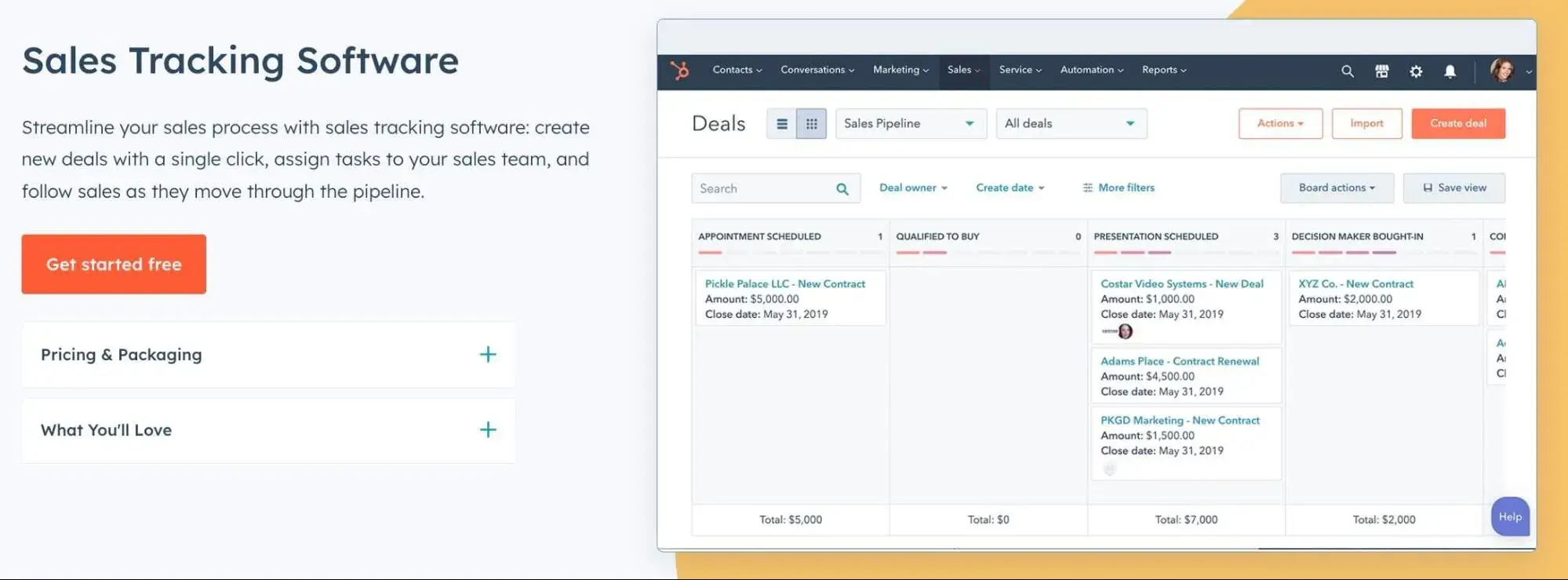
Why I like it for sales activity management: HubSpot’s Sales Tracking Software gives you complete visibility into your pipeline to help you understand performance, and custom reports make tracking rep activity straightforward.
Key Features
- Reporting dashboard gives visibility into rep activities and tasks
- Easily measure team performance against goals
- Pipeline performance reports to quickly identify bottlenecks within your cycle so you can implement further coaching
Free Trial: Free forever tools (max two users)
Price: Paid plans start at $20/mo/seat billed monthly or $15/mo/seat billed annually
2.Pipedrive
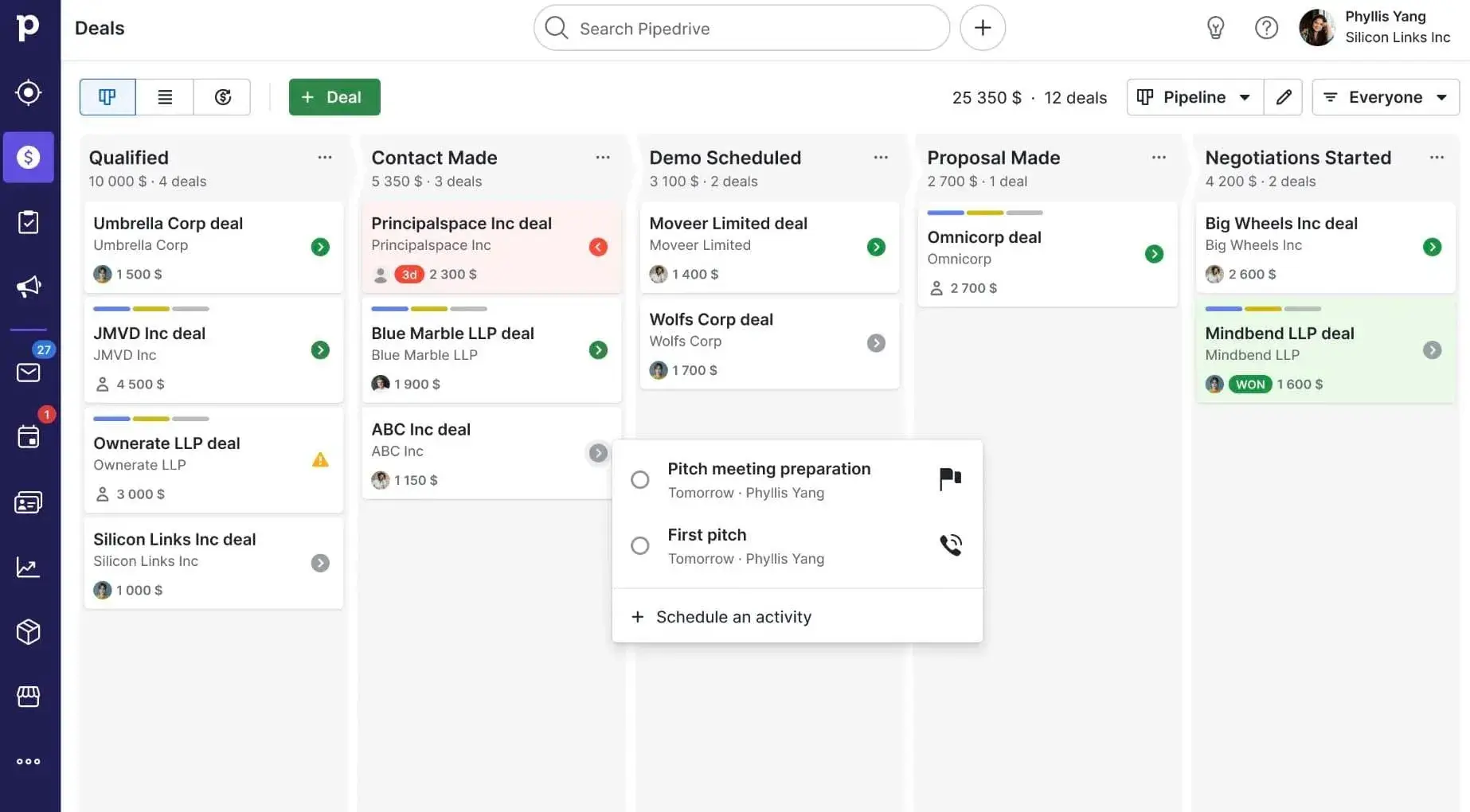
Why I like it for sales activity management: Pipedrive’s Sales Dashboard gives you insight into rep performance, making it easy to analyze critical activities and identify wins in a no-frills pipeline management dashboard.
Key Features
- Dashboard to track team activities (calls made, emails sent, etc.) in real-time
- Customize reports to the key activity metrics that matter most for your reporting (i.e., new deals, number of activities completed)
- Measure activities against goals to quickly identify coaching opportunities
Free Trial: Yes
Price: Paid plans start at $24/mo/seat billed monthly or $14/mo/seat billed annually
3.Salesforce

Why I like it for sales activity management: Salesforce’s robust customization options let you create a reporting and activity tracking dashboard that aligns with your team's needs.
Key Features
- Advance customization options make tracking pipeline activities that matter most for your goals easy
- Show reps key insights deal insights to help them plan accordingly and move the process forward
- Weekly pipeline change signals help you spot risks early to provide coaching
Free Trial: Yes
Price: Plans with tracking and management capabilities start at $100/mo/user billed annually
4.Monday.com
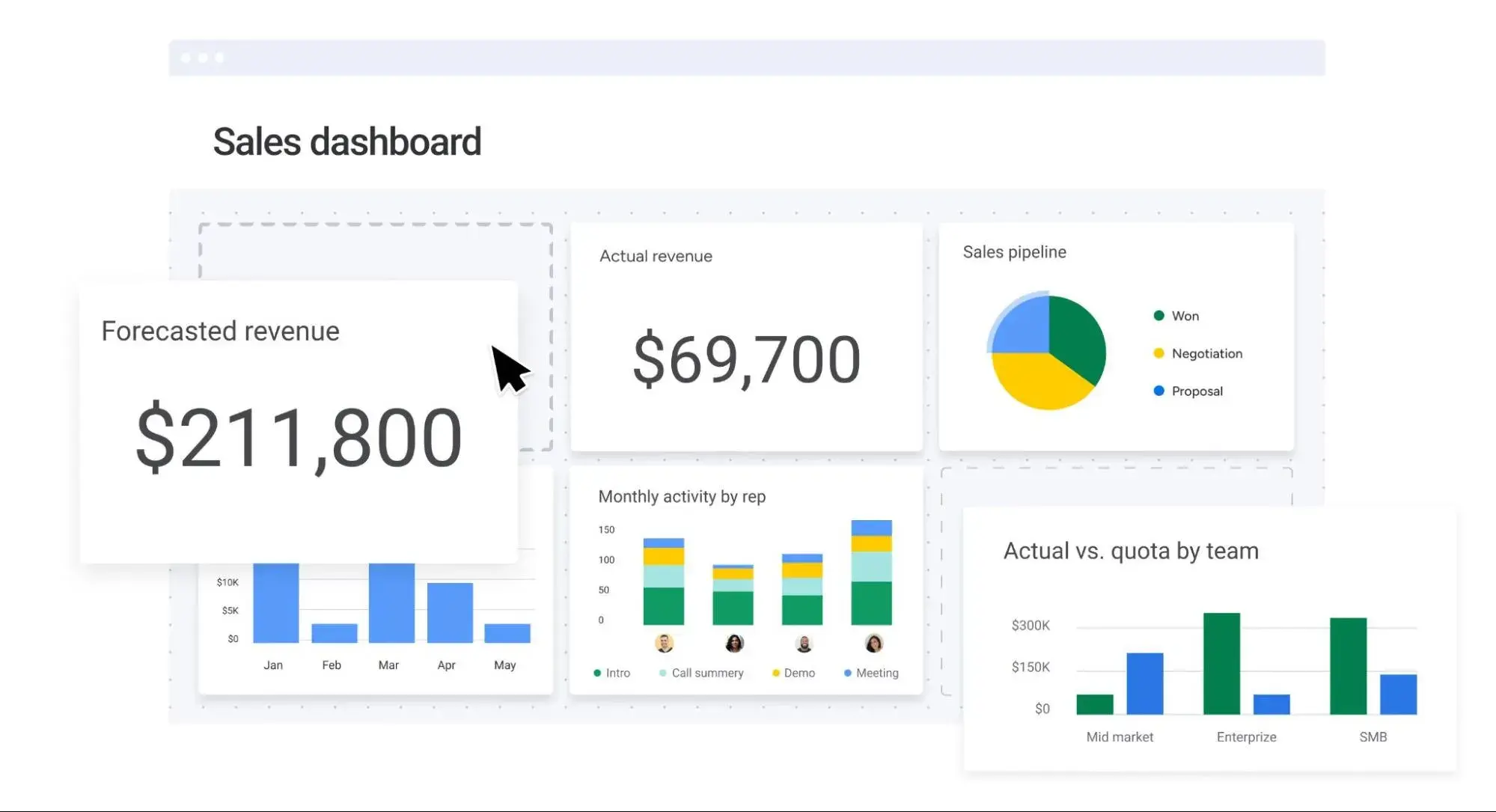
Why I like it for sales activity management: Monday.com’s intuitive and customizable CRM makes it easy to track sales activities to stay on top of performance; no technical expertise required to set up or maintain.
Key Features
- Activity and performance tracking dashboard updates activities and deal progress in real-time
- Visual progress indicators make it easy to spot potential issues and provide guidance to reps before deals are impacted
- Team goal monitoring can help you set healthy competition among reps
Free Trial: Free forever plan (max two seats)
Price: Paid plans starting at three seats max start at $12/mo/seat billed annually
5.Nutshell

Why I like it for sales activity management: Nutshell comes loaded with valuable sales reporting features for intuitive activity management and no steep learning curve.
Key Features
- Built-in reports help you see how reps spend their days
- Activity outcome reports show what actions have the most impact on won leads and closed deals
- Performance trend visualizations and loss reports help you spot what works and keep reps on track
Free Trial: Yes
Price: Paid plans with activity tracking begin at $32/mo/user per billed monthly or $25/mo/user(billed monthly
6.Copper
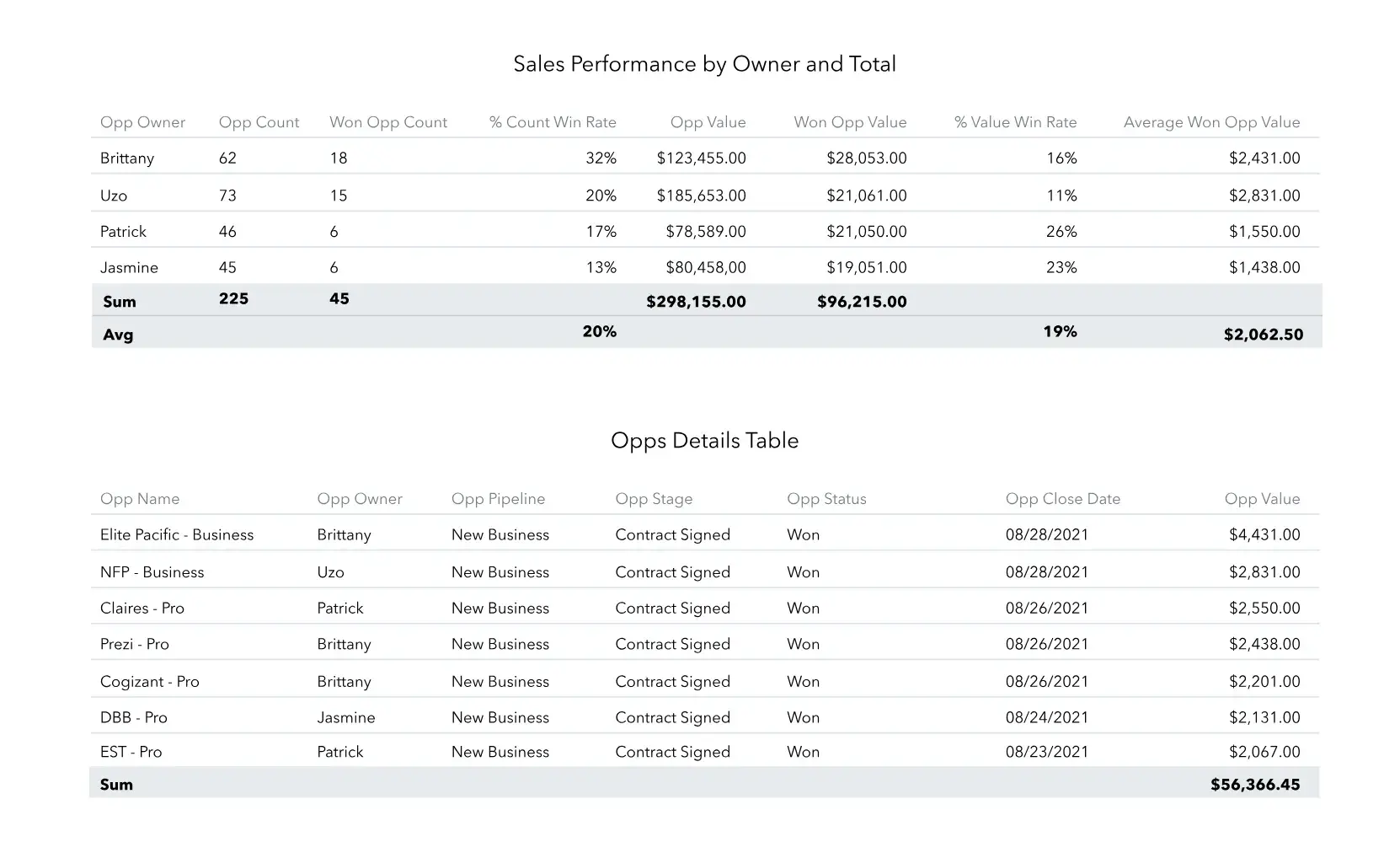
Why I like it for sales activity management: Copper, a CRM designed for Google Workspace users, automatically captures lead data and sales activities and synthesizes them into easily digestible dashboards for monitoring performance.
Key Features
- Real-time activity feed gives insight into what’s going on with all contacts and accounts
- Customized reporting tools allow you to build a visual of your pipeline to see how deals progress
- Sales activity-based leaderboard can help you spark healthy and motivational competition among your team
Free Trial: Yes
Price: Paid plans start at $12/mo/seat billed monthly or $9/mo/seat billed annually
7.Close
Why I like it for sales activity management: Close automatically logs sales activities and turns them into easy-to-read reports to help you focus on encouraging behaviors that move the needle.
Key Features
- Activity overview report gives you a holistic view of team or individual rep progress
- Opportunity funnel reporting to track sales velocity and quickly identify coaching opportunities
- Sales leaderboard to inspire and motivate reps
Free Trial: Yes
Price: Paid plans start at $29/mo/seat billed monthly or $19/mo/seat billed annually
8.Ambition
Why I like it for sales activity management: Ambition is poised towards sales management, with powerful tools for tracking, coaching, and gamifying sales activities.
Key Features
- Real-time activity and performance visibility show team progress-to-goals
- Create activity scorecards to help reps understand target metrics and link them to monthly objectives
- Leaderboards, competition, and performance recognition to gamify and inspire your team
Free Trial: Demo available
Price: Contact for pricing
9.Freshsales (by Freshworks)
Why I like it for sales activity management: Freshsales is an easy-to-use CRM for tracking sales activity and managing contacts and deals to keep your team on track.
Key Features
- Custom reporting to track sales activities and pinpoint what brings in conversions
- Multi-channel activity tracking to monitor activities in a unified dashboard
- Platform intelligence analyzes activities, historical data, and offers recommendations to help you accelerate the sales cycle
Free Trial: Yes
Price: Paid plans start at $11/mo/user billed monthly or $9/mo/user billed annually
10.Agile CRM
Why I like it for sales activity management: Agile CRM offers powerful reporting features to manage rep activity across channels (social media, email, etc.) and gamification options to encourage reps to reach activity-related goals.
Key Features
- Reports that give a view of pipeline health and how reps are performing against activity goals
- Pipeline management tracking to monitor stages and deal milestones to keep the sales process on track
- Gamification options for team motivation
Free Trial: Free forever plan (max ten users)
Price: Paid plans start at $14.99/mo/user billed monthly or $9.99/mo/user billed annually
Managing Sales Activities
Sales activity management can help you identify best practices and amplify what works across your team. Start by using software to keep track of crucial metrics. From there, you can turn what’s working into scalable processes.
info found here at bottom https://www.pipedrive.com/en/features/sales-dashboard
Editor's note: This post was originally published in March 2025 and has been updated for comprehensiveness.

A Look At The Most Consistent Content Used To Drive Sales
You have several formats to choose from when building your content marketing strategy, including blogs, whitepapers, case studies, eBooks, and videos.
Wouldn’t it be nice, though, if you had some insight as to the best types of content that help to drive sales?
Thanks to recent data, you do.
The DemandGen 2016 Content Preferences Survey polled 208 buyers of B2B products and services about their use of content in making purchasing decisions.
- 32% offer business services/consulting
- 29% serve the technology/software industry
- 59% of respondents were from companies with annual revenue upwards of $10 million
- 34% of the respondents hold C-level or VP-level positions.
The following is a look at some vital stats and clues as to the types of content that produce sales leads in B2B and suggestions on how to use them in your strategy.
Most Valuable Content
Let’s start with a look at the most consistent content used in decision-making in the last 12 months according to the recent Demand Gen Content Preferences Survey Report.
In line with other recent studies emphasising reliance on peer input, B2B decision-makers ranked third-party/analyst reports as most valuable, with 77 percent citing their value.
Buyers want to hear from independent voices in your industry.
At 72 percent, case studies were cited second-most often as a valuable decision-making tool over the last 12 months. This speaks to prospect interest in hearing about experiences of satisfied clients.
Whitepapers were cited by 69 percent of respondents. This fact shows the desire of B2B buyers to get quality, in-depth, but concise content that offers information directly related to their problems.
Other commonly noted content formats valued by B2B decision makers include:
- Webinars (62 percent),
- eBooks (54 percent),
- Video/motion graphics (45 percent),
- Interactive presentations (43 percent) and
- Infographics (39 percent)
In addition to the most-often cited formats, the diversity of types reported illustrates the overall desire for accurate, interactive and visually appealing content.

Impact on Decisions
It is one thing for a B2B buyer to say that he “values” content; it is another to say that particular content formats drive decisions and generate sales leads.
Here’s a look at content formats buyers reported as being most useful in B2B decision-making.
Whitepapers received the highest reports at 82 percent.
Offering blog readers access to a whitepaper download with more thorough content is significant in earning sales leads.
Webinars were second at 78 percent. B2B buyers want to learn, and webinars offer engaging learning experiences.
In line with data on valuable content, case studies were third-most impactful at 73 percent.
Other content formats most useful in B2B decision-making included
- eBooks (67 percent),
- Infographics (66 percent),
- Blog posts (66 percent),
- Third-party/analyst reports (62 percent),
- Video/motion graphics (47 percent) and
- Interactive presentations (36 percent).
Additional Insights
Two other major content format notes were identified within the Demand Gen Report.
First, as the data suggests, buyers want more independent or third-party input on solutions.
Second, even though they continue to rely on content for research and decision-making, B2B buyers have become overwhelmed by the volume of content available.
Therefore, it is imperative that you offer high-quality, concise and visually-stimulating resources.
Conclusion: Give Your Buyers What They Want
In order to drive sales in B2B, give your buyers what they want.
The evidence from this Demand Gen Report is clear. Buyers want diverse content but are most affected by formats that educate, integrate third-party perspective and offer visual elements.
You can download the full Demand Gen Content Preferences Survey Report here (full PDF).
The #1 Question You Have About LinkedIn … Answered
Recent improvements to its user platform make it even easier to engage with potential clients and customers on LinkedIn.
The #1 question I get asked about LinkedIn on a daily basis is this: “Do I need a Premium subscription?”
The short answer is “Yes!”
The longer answer is the topic of this post.
LinkedIn recently announced that, along with several new features and a revamped desktop design, the platform has enhanced its Premium (or paid) member subscriptions as well.
“As of last week, we’ve also unveiled an enriched Who’s Viewed My Profile experience, which surfaces data on the particular companies whose employees are viewing your profile,” LinkedIn noted. “This proprietary information can be valuable to any professional, from the small business owner gathering relevant information on key competitors and market trends, to the investment professional trying to uncover the next ‘hot’ company.”
Given that my focus is helping others discover how to use LinkedIn to land new business, let’s take a look at why you’ll want to invest in a Business Premium or Sales Navigator-level subscription.
Premium Prospecting
Most people don’t realize it, but LinkedIn is one of the world’s largest search engines. Every single piece of content published and shared on the site gets indexed, sorted and categorized based on keywords, hashtags and more.
In reality, LinkedIn has become like a B2B or professional version of Google. LinkedIn’s “Search” bar lets you find anything from blog posts, long-form articles, online training courses and (of course) professionals based on the keywords or topics you’re interested in.
And, with nearly 500 million professionals in 200 countries, and with 2 new members joining the network each second, that’s a lot of data (and potential customers) at your fingertips.
When you pay for a Premium LinkedIn Subscription, you get access to advanced search filters as well as additional data on your prospects. That means you can instantly sift through half a billion profiles to find the exact people who are the ideal clients or customers you want to sell to.
Even better, the treasure trove of data LinkedIn shares on each member allows you to personalize your engagement, making it easy to implement a 1-on-1, personalized marketing approach.
Inbound Insights
Another advantage of having a paid LinkedIn profile is the critical data you can utilize on who is engaged/interested in your profile and/or the content you’re sharing on the platform.
LinkedIn’s Premium memberships allow you to see everyone who has viewed your profile, thus you have the ability to discover, in real-time, who your “warm” leads are, and then (again, in real-time) engage with them by inviting them to connect or messaging them.
And, because LinkedIn’s advanced filters let you see where a person lives, works, went to school, and so on, you can quickly and easily personalize your interaction with a quick icebreaker or two as well.
In addition, if someone is engaging with content you’ve created and shared on LinkedIn, you can use that content as context for your conversation.
Here’s an example of how easy it can be. Take the script below and use it to connect with someone who has recently viewed your profile:
“Hi (Name) – I noticed you recently had a look at my profile here on LinkedIn. Would love to get connected and hear how you came across my info here on the network. Cheers! – (Your Name)”
The reason this is such a good script to use is that you’ll get some valuable insight into how people are finding out about you on LinkedIn, along with why they are looking at your profile.
By asking a question in your invite to connect, you’re sparking a conversation and opening the door to a personalized, 1-on-1 relationship.
Premium Personalization
The name of the game with lead generation on LinkedIn is having context for your conversations, along with a 1-on-1, personalized approach. Finally, you must bring value to the other person first before you ask for anything in return.
That’s why LinkedIn Premium is so valuable – it gives you the extra insight and deeper data on who is interested in you and your content.
So, to answer the question I started this post with, yes, you should purchase a premium LinkedIn account, and then use that data to drive in new, targeted sales leads as a result!