Shared posts

24 May 18:56

10 Best Quote Software for Sales

by mhart@hubspot.com (Meredith Hart)

You've finally done it — you're entering the final stages of the deal you've been trying to close for weeks. The time has come to create a quote for your customer, with the help of sales quote software.

Get Started with HubSpot's Quote Software for Free

Sales quote software like HubSpot's makes it easier to create a quote and send a proposal to your potential customer. These tools may also have reporting functionality, proposal engagement notifications, and integrations so you can sync with your other tools, such as your CRM.

Ready to see which sales quote software options are the best? Let's take a look at 10 options.

Best Quote Software

1. HubSpot Quote Softwarequote software: HubSpotGet started with HubSpot's Quote Software for Free
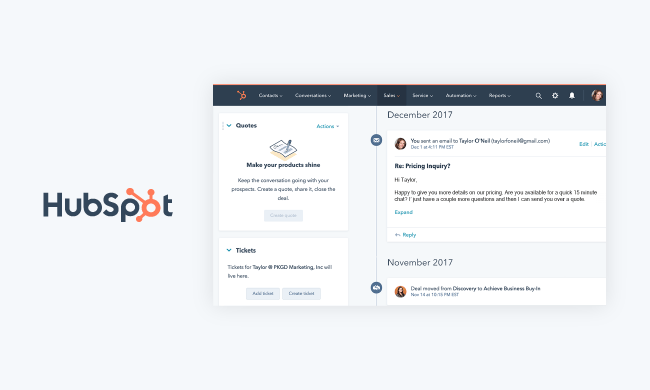
With HubSpot Sales Quotes, you can streamline the quote-to-cash process with integrated electronic signatures and payment. Close deals quickly by creating polished, on-brand, and customized quotes in seconds.

HubSpot offers built-in payment options and electronic signatures to eliminate back-and-forth between reps and customers. Reps can also use the Stripe integration to get paid right from their quote. This tool is part of HubSpot's Sales CRM, called Sales Hub, which includes other useful tools such as email templates and tracking, sales automation, meetings, calling, predictive lead scoring, and reporting.

Pro Tip: Use HubSpot's Quote Software to create and send sales quotes as well as collect electronic signatures and payments from the same place you manage your deals and contacts.

Features

  • Built-in payment options
  • Electronic signatures
  • Stripe integration

Pricing

Free plan or paid plans ranging in price from $40/ mo/ two users to $1,200/ mo/ 10 users.

2. Proposify
quote software: proposify

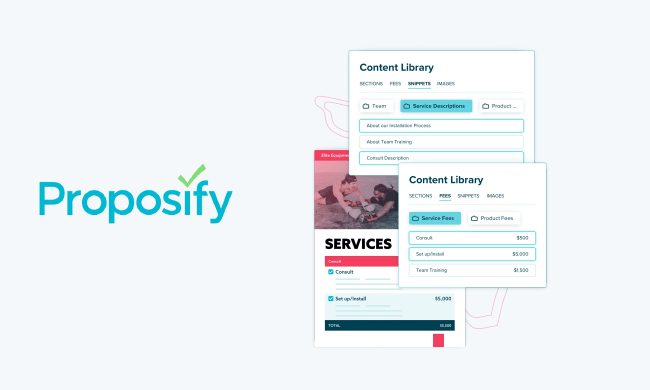
Proposify is an interactive quoting tool that automates the sales proposal process. To save time, create templates for your proposals and quotes so they're on-hand in the future and ready to be customized. You'll be notified the moment a recipient opens, reads, signs, and interacts with a proposal so you can time your follow-ups accordingly.

Use the tool's live chat to respond to any questions a prospect or customer has while reviewing your proposal in real-time. There are also interactive pricing and eSignature features so customers can select their desired plan without having to go through you.

Create and send proposals without ever leaving your CRM thanks to Proposify's many integrations with systems like HubSpot and Salesforce. The system also integrates with accounting tools, like Quickbooks, so you can seamlessly track, organize, and save payment invoices and more.

Features

  • Live chat
  • Interactive pricing
  • Integration with HubSpot

Pricing

Plans ranging in price from $19/ mo/ user to $49/ mo/ user.

3. Responsive
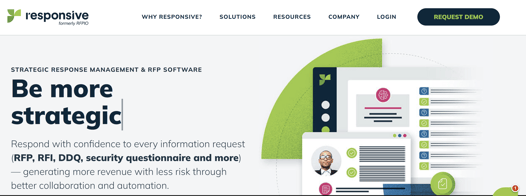
screenshot of responsive.ioImage Source

Responsive makes the process of creating and collaborating on quotes, proposals, and questionnaires simple. The tool has a recommendation engine that uses AI to auto-suggest content for your proposals and quotes.

The tool has task automation features to speed up the process of designing your sales documents as well as engagement notifications so you know when someone is interacting with your documents. Responsive also offers a number of integrations with CRMs (including HubSpot) and other tools to make response management across your entire team easy.

Features

  • AI-powered recommendation engine
  • Task automation
  • Integration with HubSpot

Pricing

Pricing is available upon request.

4. ClientPoint
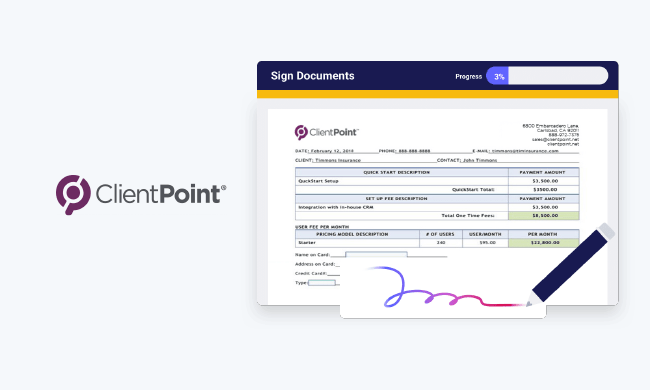
quote software: clientpoint

ClientPoint allows you to generate proposals and track them with ease. A content library and a document-generation engine exist to save you time while designing documents. Then, receive real-time notifications about recipient engagement on your quotes when they're opened, read, signed, and returned to you.

Integrate with your sales software and CRM, including HubSpot, to access your quotes and related data via your CRM. ClientPoint also allows you to include videos, testimonials, custom messages, images, and other content in your quotes to increase the chances of conversion.

Features

  • Document-generation engine
  • Real-time notifications
  • Integration with HubSpot

Price

Pricing is available upon request.

5.  FastSpring
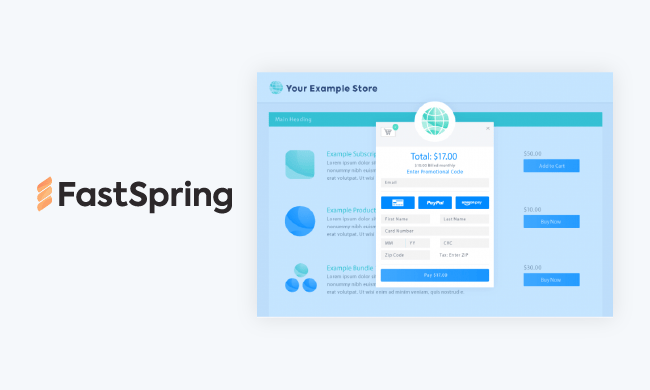
quote software: fastspring

FastSpring’s Interactive Quotes (IQ) is a powerful tool used to build dynamic, interactive quotes that simplify pricing conversations with your prospects and in turn accelerate the sales process. Unlike traditional proposals, spreadsheets, and slide decks; IQ connects your pricing, quoting, e-signatures, and payments all in one place. 

IQ is also equipped with real-time analytics and notifications that keep you informed as your prospects interact with your quotes – including visits, price changes, tier selection, feature expansion, and more. You can also seamlessly track your Quotes within your CRM thanks to our integration with HubSpot. We also have a Drift integration so that your prospects can chat with your team if they have any questions about their Quotes. 

Features

  • Interactive quotes
  • Real-time analytics
  • HubSpot integration

Pricing

Free plan or paid plans starting at $65/mo/user. Enterprise pricing is available upon request.

6. Loopio
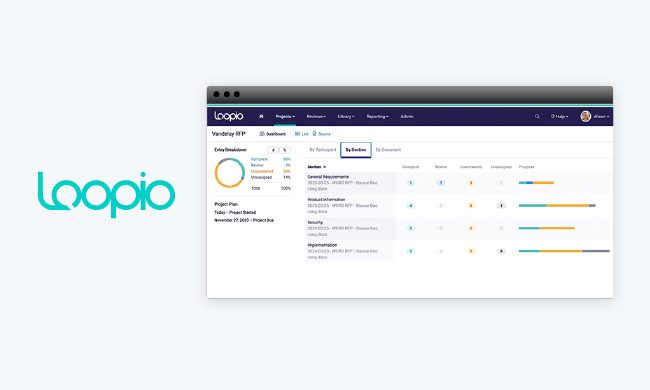
quote software: loopio

Loopio helps you create and manage sales proposals, RFPs (requests for proposals), questionnaires, and other sales documents that are cloud-based, personalized, and on-brand. To save you time, create templates out of the documents that you create so you're able to repurpose them in the future.

The tool's easy-to-use interface allows sales reps to design and brand their own documents without the help of a marketer or designer. Loopio auto-populates sales proposals, quotes, and other documents with only your team's most-recent and approved content and information to ensure accuracy.

Features

  • Templates creation
  • Design and brand documents
  • Auto-populates documents

Pricing

Pricing is available upon request.

7. Qwilr
quote software: qwilr

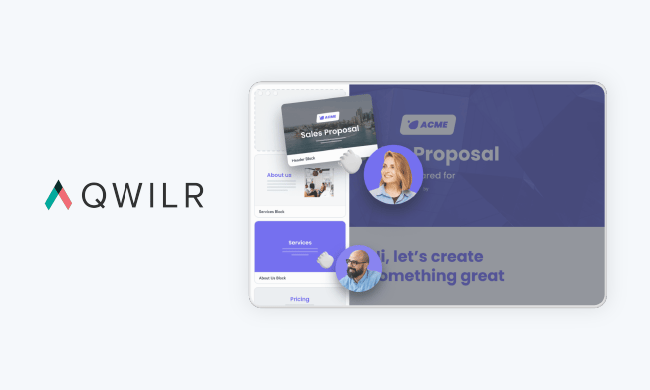
Qwilr helps you create interactive, responsive, and beautiful quotes, proposals, and client updates for your prospects and customers. You can improve the UX of all of your documents by making them more engaging by embedding content such as videos, Google Maps, and calendars. This is easy with Qwilr's pre-built templates as well as its modular document builder.

There's interactive pricing so your recipients can choose the plan that works best for them — they just open the document on any device via the link you send them, select an option, sign, pay, and then return the document to you.

Qwilr also has reporting and analytics so you know who's interacting with your documents, when they're doing so, and which aspects of the documents they're interacting with the most. Lastly, integrate with your CRM (such as HubSpot) so you can create, share, and accept sales quotes and other documents without leaving your CRM.

Features

  • Templates
  • Interactive pricing
  • Reporting and analytics

Price

Plans ranging in price from $75/ mo/ three users to $490/ mo/ 10 users.

8. GetAccept
quote software: get accept

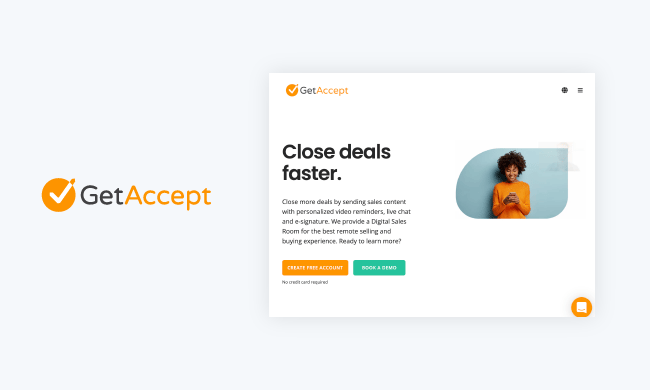
GetAccept is an all-in-one sales enablement and contract management software that allows you to create and share personalized contracts and proposals and obtain eSignatures. GetAccept integrates with CRMs (including HubSpot) and other business tools so you can personalize, create, share, and view contracts, quotes, and proposals without ever leaving the applications you use most.

Create custom recipient workflows to automate actions and follow-ups to increase customer engagement (and ultimately, chances of a deal). The tool also allows you to send personalized videos along with proposals and quotes as well as add live chat, reviews, images, and demos to help you nurture prospects.

Features

  • Custom recipient workflows
  • Send personalized videos
  • CRM integration, including HubSpot

Pricing

Plans ranging in price from $25/ mo / user to $60/ mo / user.

9. Better Proposals
quote software: better proposals

With Better Proposals, you can create high-quality sales proposals and quotes in minutes — the tool's automatic designer and over 160 pre-built templates make this process quick and easy. Once your proposal is complete, send it directly to your recipient via a secure link — the recipient can then sign it, pay your fee, and send it back to you.

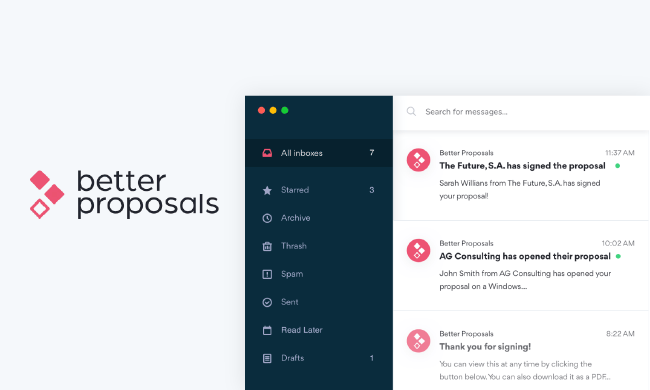
Smart follow-ups notify you whenever a recipient opens your proposals so a rep can nurture them in a timely manner. And speaking of nurturing, Better Proposals also has reporting and tracking so you can keep an eye on where each proposal is in the sale process. This makes it easier to track what needs to be sent out, which prospects and customers should be receiving communication, and more.

Features

  • 160 templates
  • Automatic designer
  • Reporting and tracking

Pricing

Plans ranging in price from $19/ mo/ user to $49/ mo/ user.

10. PandaDoc
quote software: panda doc

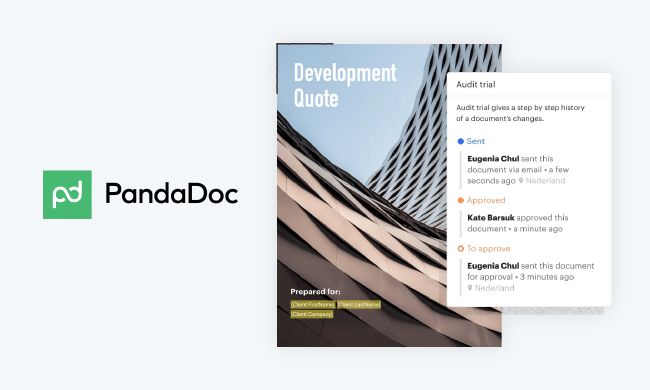
PandaDoc's Quoting Software automates the process of creating and personalizing quotes by using contact data directly from your CRM (PandaDoc integrates with a number of CRMs including HubSpot, Salesforce, and Pipedrive). The tool has an interactive pricing table so recipients can select from multiple pricing/ product options, update quantities to meet their needs, and speak directly to you if needed. Quote recipients can access, sign, and send back the quote via any device.

Additionally, PandaDoc provides engagement and usage reports so you know the moment a recipient opens, reads, and signs a quote. This way, you can ensure your follow-ups come at the appropriate time.

Features

  • Integration with CRMs, including HubSpot
  • Interactive pricing table
  • Engagement and usage reports

Pricing

Free or paid plans ranging in price from $25/ mo/ user to $59/ mo/ user (or contact for enterprise quote).

Grow Better With Sales Quote Software

Sales quote software not only speeds up the process of creating branded and beautiful proposals, but it also helps you increase conversions, saves you time, increases time-wide efficiency, and improves the customer experience. So, find the right tool for you and get started using sales quote software.

Editor's note: This post was originally published in May 2019 and has been updated for comprehensiveness.
quote software

{{slideInCta('a99877f9-85e0-43d8-aa72-3b7b3dc5ff65')}

24 May 18:56

The One Word That Hinders Team Alignment

by Alisa Cohn

Editor’s Note: This article first appeared on Inc. here.

Picture this: you’re in a meeting with the executive team, and someone says, “It’s our most important problem.” Everyone around the table nods.

As an executive coach, I know this is my moment to step in. I stop the action. “What do you think ‘it’ is?” I ask everyone around the room. “What is the ‘it’ that is our most important problem?”

Invariably when I ask seven people this question, I get seven different answers. “It” is our inability to get enterprise sales. “It” is our need to fix our sales process.” “It” is the need to work better together as a team.

One of the main jobs of startup CEOs is to make sure everyone has the same picture in their heads of what success looks like. You need to make sure that next steps are clear to everyone so that they can work tougher as an integrated team.

And you need to know that while you’re off raising money or converting a $1 million deal into a $5 million deal with your biggest customer, your team is doing what you expect of them, even when you’re not there. Being specific drives clarity. Being vague– or letting others be vague– doesn’t.

Here are two simple tools you can use to drive clarity.

1. Ask clarifying questions.

At the end of any meeting, check in with the team. “What do you think we decided?” is a great question. So is, “What are our next steps?”

You can also say, “We covered a lot of ground. Can someone summarize what we decided and what next steps are?” That invites someone from the team to articulate what expectations are. If there is confusion you can deal with it immediately.

Claire, a startup founder and CEO that I was working with was frustrated at the pace of progress on the most important project the company was working on. Her VP of Marketing was designing their new website, and he needed and actively sought a lot of buy-in from the team. That’s good. However, when we talked it through, Claire realized that she regularly attended his meetings and she herself didn’t always know what the next steps were.

So she asked her VP of Marketing to ask at the end of his next meeting, “What do you see as our next steps?” After he did this, the entire team realized that some of them thought that the meetings were for their information only; no next steps at all. The VP of Marketing, on the other hand, had specific tasks for them to do, but one way or the other these were not coming out. After this pivotal meeting, they all got on the same page and the website was completed and launched very efficiently.

2. Be more specific yourself

Being vague is easy. Getting specific takes more work. I find that leaders are often unclear in their communication because they are unclear in their thoughts. Solve this by taking time to reflect before every meeting and one-on-one on the most important message you want to get across.

Richard, the CEO of a biotech startup I worked with, did this in response to direct feedback from one of his vice presidents. “I never know if he is giving me something to think about or asking me to do something,” the Vice President said to me when I conducted 360-feedback. When I asked Richard about it, he said that sometimes even he didn’t know what he wanted!

Startups move fast, and he has a lot on his mind. When he says something, sometimes he’s just brainstorming, sometimes he’s offering a different perspective and sometimes he’s directing his team to do something.

After we realized this, I asked him to reflect before each interaction. Did he want to ask his employee to consider something, or did he want her to do something? Once he knew the answer to that, confusion disappeared.

As a leader, your communication matters a lot. It is one of the key building blocks that will help your startup be successful. Make sure you are clear and that everyone around you is clear.

The post The One Word That Hinders Team Alignment appeared first on OpenView.

24 May 18:55

5 Tips for Increasing Average Order Value

by Anastasia Sviridenko

One statistic that all business owners should know is that 40% of shoppers admit to spending more than they budgeted. What that means to you as an online retailer is that you need to find a way to make sure you are presenting shoppers with options to buy things in the digital checkout line.

Think about it from a brick and mortar perspective. How many times have you been waiting in line to check out at a clothing/grocery/beauty supply store and picked up a pair of sunglasses/candy bar/lip gloss to throw into your cart at the last minute?

I’m sure it happens all the time. That’s why brick and mortar stores place last-minute, inexpensive items at the register. That’s why McDonald’s displays its amazing apple pies within sight of the customer.

But your eCommerce customers don’t wait in line at a real-life register. They don’t stand impatiently with a real-life shopping cart as the preschool monster behind them rams the cart into their heels over and over again.

How can you encourage the same kind of add-on sale through your eCommerce website? Since you can’t arrive at your customers’ front doors with an array of products for them to choose from, you have to get a little creative.

Here are ways to increase the average order value of your customers’ carts.

1. Offer a Bundle Deal

bundle offer in checkout example

Encourage the sale of multiple items on your website by using a bundle deal.

Amazon is the master of bundles. The online retail giant always shows “Customers often bought these items together” along the bottom of the screen to entice shoppers to add items to their purchase. One study showed that suggestions from the website made up to 35% of Amazon’s sales. Some of those suggestions are bundled products.

Bundling is beneficial to customers for several reasons. It simplifies the sale of the product by lumping all needed items into one purchase. Customers feel as if they are receiving a discount because the price of the multiple items added together would be more than purchasing the same products in a bundle.

2. Offer Discounts with a Minimum Sale

iscounts with a Minimum Sale

Almost every large eCommerce site offers a discount or free shipping with a minimum sale. Marketing professionals hope that customers will add to their shopping carts to get to that specific amount.

These marketers also hope that their customers aren’t particularly good with math, or else the customers would see that adding on an unneeded item to receive a discount isn’t always advantageous.

This strategy works. According to HubSpot, 24% of online shoppers are willing to spend more to qualify for free shipping. Reminding customers of this promotion when they add an item to their carts is especially helpful.

How do you set the minimum order? One strategy is to calculate the average order value over the last few months and then offer a discount or free shipping on all orders 10-20% over your average order.

The strategy works for outdoor hiking company REI. They offer free shipping when you spend $50 or more. And, a survey of digital shoppers proves the strategy causes them to fill up their cart. The numbers say that 48% of online shoppers have added items to a cart to qualify for free shipping.

3. Offer Gift Cards for Specific Purchases

Another strategy that you may want to try is to offer your customers gift cards to be used on their next purchase.

This strategy should be carefully considered before trying it out in your industry. For example, if your eCommerce website offers items that cost $25 or more, you may consider offering a $5 gift card with the purchase. Of course, make sure the customer is not able to use the gift card on their current purchase; instead, they need to revisit your store to utilize their discount.

This strategy only works if you do not have items that cost $5 or less on your website, so shoppers have to use the gift card to buy something larger or pair it with something else.

If the customer uses the $5 discount for a future purchase, you win because you have received two orders from one customer and it only cost you $5. With two sales, you may have also earned a customer for life.

If the customer doesn’t use the $5 discount, you still win because he or she purchased at least one item at full price.

Offering gift cards with purchase works for gaining return customers. Target has been using this strategy for years in their weekly ads. Customers can purchase four containers of shampoo or conditioner, and they will receive a $5 gift card to be used on their next purchase. Target knows that 65% of gift card holders spend an extra 38% beyond the value of the card.

This post-sale strategy can be incorporated with several other techniques, such as asking for a customer review and thanking the customer for his or her order.

4. Encourage Customers to Purchase More Expensive Products

The ‘Good, Better, Best’ pricing strategy has been used for years in some industries. Cars are sold at varying levels. Cable TV providers have basic packages and premium packages. Even the top level at a car wash promises to clean your car’s dirty undercarriage.

As this sales strategy has spread to other industries, company leaders have been amazed to see up to 40% of customers deciding on the top-tier option.

According to the Harvard Business Review, Six Flags began offering different tiers of day passes to their amusement parks. For years, the ticket price was the same for every customer. They decided to provide a more expensive pass that allows customers to spend more money to reduce their wait time on favorite rides by up to 50%. Another tier was then added to reduce the wait time by up to 90%. The CFO said he was amazed that people would pay for the platinum ticket option.

upselling exmaple

5. Text Customers to Remind them to Return to Their Carts

How do you encourage your customer to click that final “buy now” button on your website? You can send an email, but emails may go into spam folders or get immediately deleted. You could try calling customers, but who answers their phones anymore?

Try sending your customers a text message that it is time to check out from your website. Considering that 95% of people check their text messages within 3 minutes, this is a good indicator that your customer received the reminder about their cart.

HMS Commerce, a company that helps online retailers set up and manage their stores, reported that some of their clients have actually seen cart recovery rates hit 55% and clients earn up to $20,000 in additional sales per month as a result of text message reminders.

People still look at their texts. And, sending reminders to customers to return to their carts will increase your average order value. Implementing these reminders is very simple, too. Platforms like TextMagic, an all-in-one mass text messaging service, can provide you with the tools you need to streamline the process of sending cart alerts to customers.

Conclusion

Average order value is not a new concept. Think about the phrase everyone has heard: “Would you like fries with that?”

But when you remove the human and operate in a digital environment, you need to find ways to compensate for the missing person behind the checkout desk. Luckily, there are some great strategies and examples you can try to model.

And, like everything else in business, if all else fails, Google it to find a new answer.

24 May 18:36

Sales Insights, Fast!

by Steve Kearns
LinkedIn Sales Insights

Sales without insights is like a car without gas. Sure, you can get behind the wheel, but in order for you to go anywhere, you’ll need to have fuel to help propel you forward.

That’s how we view the power of data and insights in the sales process. You can have loads of sales activity, but little sales productivity if you don’t back your claims with the data your customers want to know.

The same goes for transforming your sales process and hiring -- if you’re not using industry trends (and buyer trends) to inform your strategy, you run the risk of losing the upper hand in the ever-evolving, ever-competitive B2B sales landscape.

Why We’re Insights Obsessed (And Why We Think You Should Be, Too)

As sales leaders, it’s up to you to keep pace with the latest insights so you can ensure that your organization continues to thrive not only for the next quarter, but for the next fiscal year and beyond.  

Of course, we know that’s no small task. But we’re here to help.

That’s why we set out to take some of our most valuable sales insights and make them even easier to understand, learn from and share.

Each week, we’ll be sharing new insights about how the sales profession is evolving, what effective reps are doing to close business in the digital age and more across LinkedIn and Twitter. It’s simple, snackable, social and created with sales leaders in mind.

Let’s dive in for a sneak peek into what’s in our pipeline:

Who Your Sellers Are [Hint: A Lot of Millennials]

Our Insight:

Why This Matters:

The millennials are coming! And they’re here to stay. They’re not only your buyers, but your sellers as well. Why is this important? Because millennials (ages 21-38) tend to be early adopters of new strategies and technologies. While sales professionals across generations plan to spend more time this year using sales technology than last year, millennials were the highest at 62 percent, compared to 56 percent of both Generation X and Baby Boomers. Millennials are also more likely to bring together different tools as part of their modern sales technology stack. Learn more here.

How They Sell [Hint: With Technology]

Our Insight:

Why This Matters:

Technology is helping sales professionals extend their impact by automating administrative tasks and gathering intelligence about prospects. It’s no wonder that since 2016, planned investment in sales technology has grown by 53 percent. Learn more here.

How To Retain Them [Hint: Train to Retain]

Our Insight:

Why This Matters:

It’s no secret that a strong sales team is crucial to the success of most companies. In the aggregate, companies spend billions to ensure their sales teams are the best they can be. Businesses spend $800 billion annually on incentives to retain their best salespeople. Additionally, companies spend $15 billion on training their sales staff. Learn more here.

Our Insight:

Why This Matters:

51% of decision makers rank trust as the No. 1 attribute they want in a salesperson. In this same vein, virtually 100% of sales professionals say trust if “very important” or “important” to winning new business. And 88% of decision makers say sales pros are a “trusted partner.” The right training can help ensure that all of your reps embody this “trusted partner” persona. Learn more here.

Bringing It All Home

At LinkedIn, we’re committed not only to providing you with a best-in-class B2B sales tool, but to giving you the insights you need to succeed with your sales goals as well. Follow us on LinkedIn to stay connected.

24 May 18:35

6 Myths About Sales Engagement Technology

by Laura Hall

Companies are spending more than ever before on technology, but fewer reps are hitting quota (Forbes tells us only 53% of reps hit quota, for example). This is the worst nightmare of anyone managing a sales tech stack.

However, forward-thinking, innovative sales organization are continuing to thrive. How? They’ve adapted. They dispelled the myths about Sales Engagement technology and are using it to execute on strategies that are customer-focused and authentic.

Are you falling prey to myths about Sales Engagement? You don’t have to! Here are some of the most common myths about Sales Engagement that organizations that choose to stick to the status quo fall for.

unicorn businessman

Myth 1: Lack of budget

Sales engagement technology pays for itself. In February 2019, we commissioned a study conducted by Forrester Consulting on behalf of SalesLoft to find out just how much ROI companies using our platform can enjoy. The results surprised even us!

According to The Total Economic Impact™ Of SalesLoft, companies using our Sales Engagement platform can show a 329% return on investment over a span of three years. I’ll say it again for the people in the back. 329%. Can you imagine what that would mean to your organization?

Myth 2: Too many items in the sales tech stack already

We get it. There is a LOT to wade through in any tech stack. It can become so overwhelming that we will do almost anything to avoid having to add even one thing to the mix. But what if that one more thing can make all the things easier to navigate?

The same study found that Sales Engagement technology can actually eliminate other tools in the sales tech stack. In doing so, it saves both money and time. With SalesLoft, teams set and execute their sales process all within a single pane of glass on the platform. Check out our 50+ integrations like Salesforce, LinkedIn Sales Navigator, Slack, Zoom, Crystal, and more!

Myth 3: We already have a CRM

Yes, it’s true. Everybody and their brother has a CRM. That means that the majority of Sales Engagement customers also have a CRM. We have a CRM. The SalesLoft platform actually helps sales organizations (including our own) get more value from the CRM.
Robust integrations within our user-friendly platform mean more activity logging by salespeople. That enables high-quality reporting from within your existing CRM. And it means a much happier Sales Ops and Leadership team. 😉

Sales engagement technology to log activities

Myth 4: Too busy growing or retaining sales team

If you’re busy growing and holding onto your reps, you’re definitely going to want a Sales Engagement solution. The aforementioned Forrester study demonstrated that SalesLoft increases rep retention by 50%. In addition to helping onboarding and training needs, SalesLoft also enables coaching at scale. This translates to your managers being better coaches and your salespeople being better sellers.
Don’t take out word for it though. Since implementing SalesLoft a year ago, Georgia Tech Athletics has had ZERO turnover in their sales department. Sales Manager Charles O’Donnell told us that “reps are consistent and happy which has a profound effect on our Customer Service.”

Myth 5: The team is hitting their number

That’s amazing! You must be leading a stellar team of people. Just imagine what you could do with the same number of salespeople and a Sales Engagement solution. More is more. Especially in sales.

You didn’t get where you are today by stagnating. In order to sustain your growth, you need to keep evolving. SalesLoft can give you what you need to continue leveling up and achieving more.
custom sales performance reports

Myth 6: We have marketing automation

By now you may have already guessed what we’re going to say. We have marketing automation too! Can you imagine not having it? You’d never be able to keep up with your competitors. In a few years, you’ll feel the same way about Sales Engagement technology.

Marketing automation sits at the top-most part of the funnel. Sales engagement is what comes next. Use it for the second part of the buyer’s journey, and beyond.

What’s Next?

Let go of the status quo. Refuse to stagnate. We can help. Take the next step in optimizing your customers’ experiences across their journey. Give your sales team more time in their day and win more. Watch your sales ops team be ecstatic when every activity is logged. Look like a hero when you can bring your leadership team even greater results.

Sales engagement with SalesLoft helps the world’s best sales organizations deliver value and create trust by connecting with their customers in an authentic, human way, at scale. Learn more about how we do this in our Sales Engagement Buyer’s Guide.

Sales Engagement Buyer's Guide

24 May 18:35

Bringing tech efficiencies to the agribusiness market, Silo harvests $3 million

by Jonathan Shieber

Roughly $165 billion worth of wholesale produce is bought and sold every year in the U.S. And while that number is expected to go up to $1 trillion by 2025, the business of agribusiness remains unaffected by technology advancements that have reshaped almost every other industry.

Now Silo, a company that recently raised $3 million from investors led by Garry Tan and Alexis Ohanian’s Initialized Capital and including Semil Shah from Haystack Ventures, angel investors Kevin Mahaffey and Matt Brezina and The Penny Newman Grain Company, an international grain and feed marketplace, is looking to change that. 

Silo’s chief executive, Ashton Braun, spent years working in commodities marketplaces as a coffee trader in Singapore and moved to California after business school. As part of the founding team at Kite with Adam Smith, Braun worked on getting off the ground Kite’s software to automate computer programming, but he’d never let go of creating a tool that could help farmers and buyers better communicate and respond to demand signals, Braun says.

“I was a super young, green, bright-eyed potential entrepreneur,” says Braun. Eventually, Braun took the opportunity to develop the software that had been on his mind for four-and-a-half years.*

He’d seen the technology work in another industry closer to home. Growing up in Boston, Braun had seen how technology was used to update the fishing industry, giving ships a knowledge of potential buyers of their catch while they were still out in ocean waters.

“When you’re moving a product that’s worth tens of thousands of dollars and has a shelf life of a few days there’s literally no room for error and there’s a lot you need to do,” says Braun. It’s a principle that applies not only to seafood but to the hundreds of millions of dollars of produce and meat that comes from farms in places like California. “What we want to do is we want communication and data to live in the right places at the right time.”

Braun says there’s limited data coming in to farmers to let them know what demand for certain produce looks like, so they’re making guesses that have real financial outcomes with very little data.

Silo’s software vets and supports buyers and suppliers to give farmers a window into demand and potential buyers a view into available supply and quality.

“What Silo is building has the potential to make marketing and distribution of agriculture incredibly more efficient, which is a win both for the suppliers and buyers. We’re excited to support and assist this team as they work to move agriculture forward,” said Eric Woersching, general partner at Initialized Capital, in a statement.

Silo is using the new financing to make a hiring push and develop new products and services to support liquidity in its perishable goods marketplace.

While an earlier generation of agribusiness software focused on increasing productivity on farms, a new crop of companies is targeting the business of farming itself. Companies like AgriChain and GrainChain also offer supply chain management software for farming, and WorldCover is creating insurance products for small farmowners in emerging markets.

The penetration of technology through near ubiquitous mobile devices, coupled with sensing technologies and machine learning-enhanced predictive software, is transforming one of the world’s oldest industries.

“I’ve come across quite a few marketplace platforms attempting to serve different segments of the agriculture supply chain, and none of which have come close to impressing me to the degree Silo has in their tech-forward approach to reducing the friction that comes with managing all aspects of the supply chain on their platform. Silo’s deployment of machine learning streamlines the process, requiring little to no change in their users’ workflow, and removes many barriers of their platform reaching critical mass,” said Matthew Nicoletti, commodity trader at The Penny Newman Grain Company.  

*An earlier version of this story referenced Kite’s sale to Microsoft . The company remains independent.

24 May 18:35

Introducing the New Face of Sales Navigator

by Doug Camplejohn
LinkedIn Sales Navigator

One of the biggest challenges that every salesperson faces is where to spend their time to maximize impact. They can prospect for new leads, nurture existing ones, or move deals along.  Even then, it’s hard to stay on top of everything that needs to get done.

LinkedIn Sales Navigator has helped countless sales professionals understand the next best steps to take and help deepen customer relationships, which has resulted in larger deal sizes and higher win rates. We’re delivering the tools that sales pros need, such as our popular integration with Microsoft Dynamics 365, to drive more personalized and meaningful engagement with buyers. Advancements like this are why the number of pros using Sales Navigator is at a two-year high.

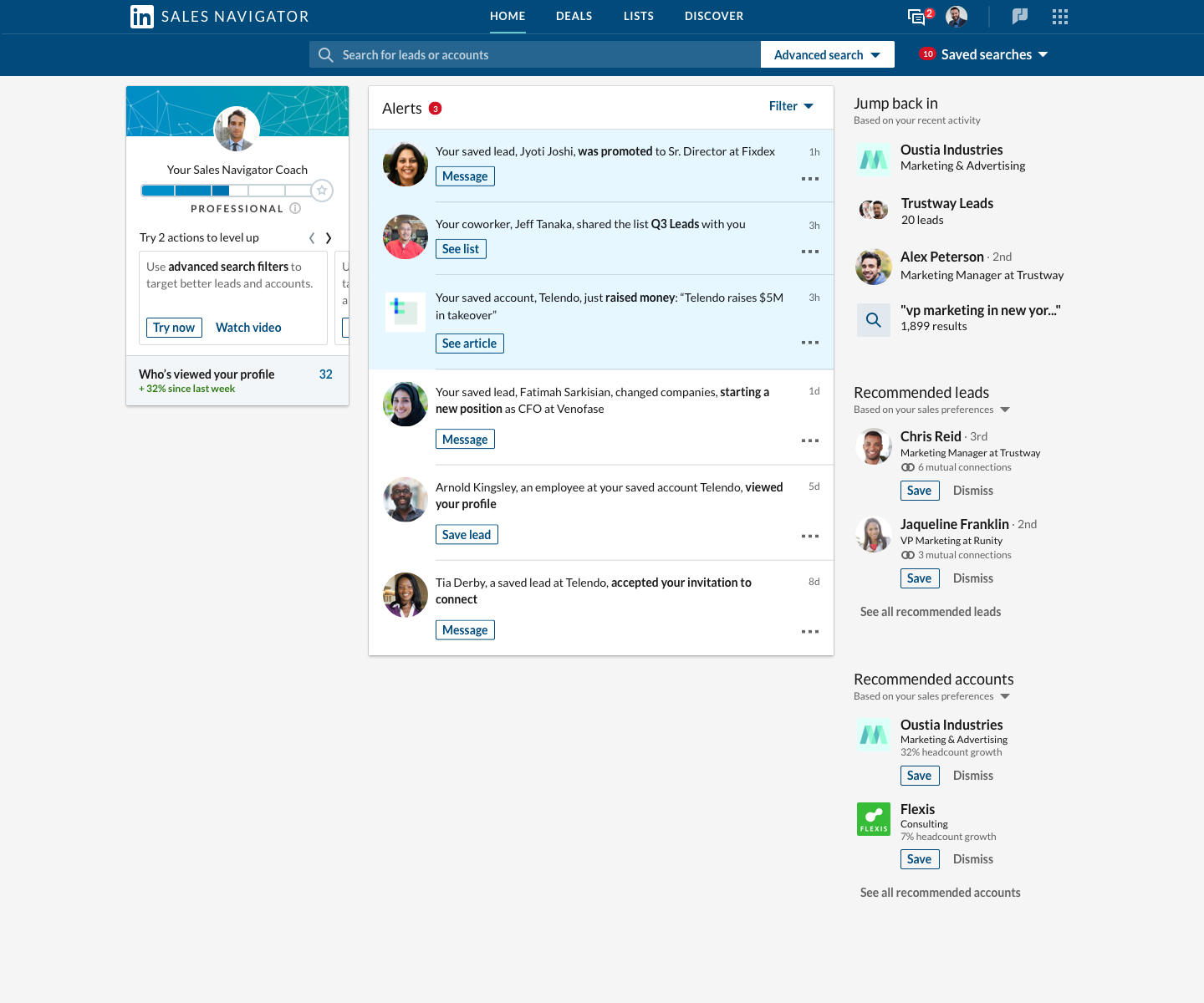
Today, we’re taking a big step forward, and announcing a newly redesigned homepage for Sales Navigator centered around Alerts, making it easier for teams to identify company changes, find relevant prospects and prioritize the best next steps to take. We’ve also made a number of improvements to messaging, lists, search and CRM integration to help sales professionals spend less time researching leads and prospects, and more time selling and maintaining relationships.

So let’s dive in.

Home Page Alerts — Never miss an important change

According to our latest State of Sales report, salespeople spend only 38% of their time selling. We transformed the homepage** from a Newsfeed to an Alert-based experience to more easily surface relevant and actionable insights, so you can spend less time researching and more time selling and maintaining relationships. 

While it looks different, all the most used features of the Newsfeed remain, as you can see in this new video. You’ll continue to see the alert types that you’ve come to expect from Sales Navigator, including   

  • A lead started a position at a new company
  • A lead had a position/job change (within the same company)
  • A lead viewed your profile
  • Someone at a saved account has viewed your profile
  • A lead accepted your connection request
  • A lead was mentioned in the news*
  • An account was mentioned in the news
  • A lead shared an update/article/photo/published an article
  • A lead has engaged with posts from your company

We’ve also added new Alerts:

  • An account has had a funding event
  • A colleague shared a custom list
  • Pending actions in Sales Navigator Coach

Sales Navigator Coach — Everyone can be a power user

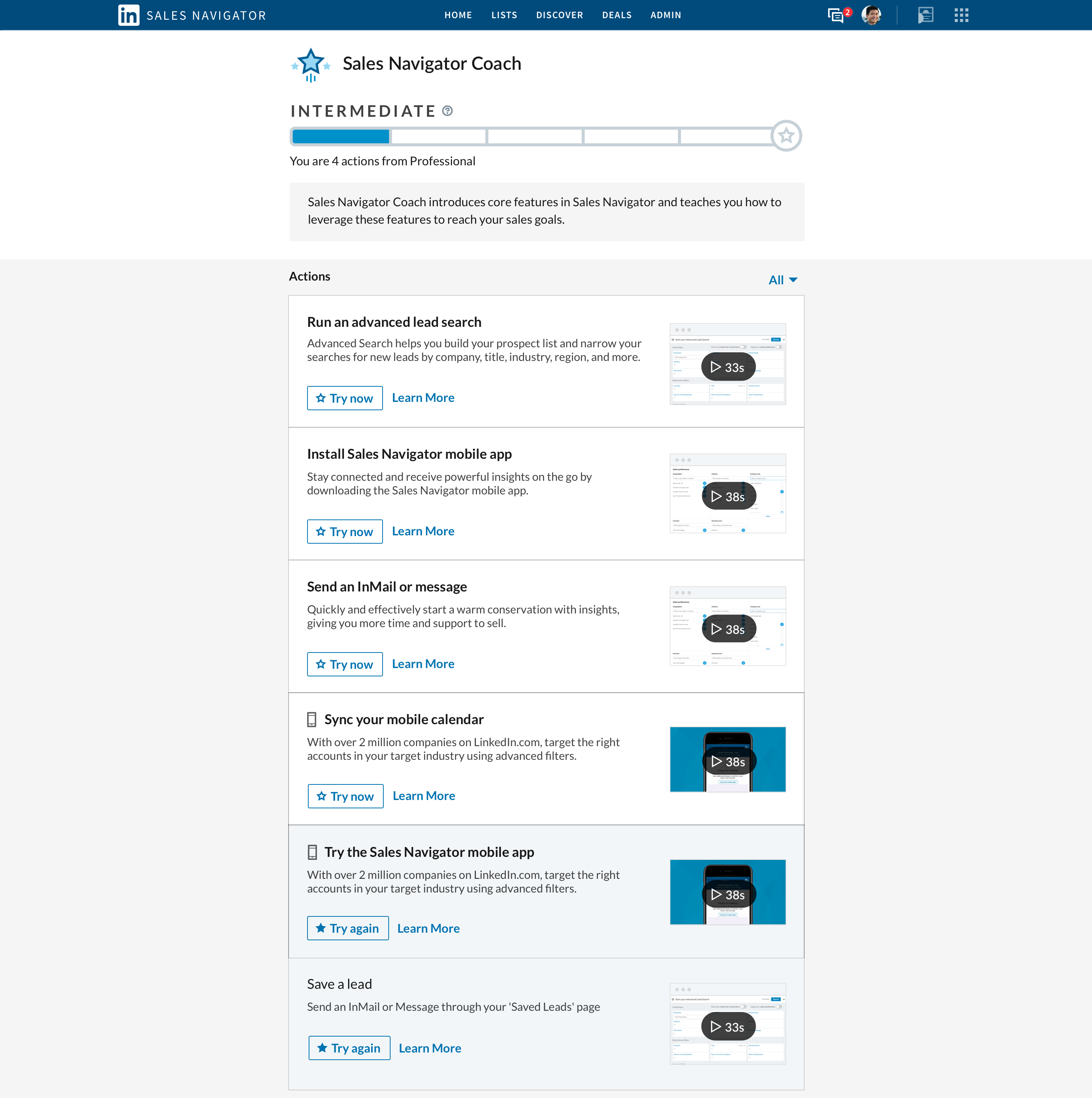
Last quarter, we introduced Sales Navigator Coach, informative 30-45 second how-to videos designed to help you make the most of Sales Navigator.  Coach explains new features and workflows, and then lets you try them out, or easily jump to a Customer Hub article to learn more.

Now we’ve brought Coach to the homepage. We also added an “expertise” meter that shows your level of Sales Navigator mastery and the features we recommend you try out next.

This is just the beginning for Sales Navigator Coach, and we can’t wait to bring more personalized education to all our Sales Navigator customers. We’re also excited to bring Sales Navigator Coach to usage reporting later this year.

Communication Improvements — Messaging and Connecting just got easier

Reaching out to your clients and prospects is one of the most important steps in the sales process and we’re introducing new workflow enhancements to make those reach-outs more efficient than ever.  

Now, whenever you message someone anywhere in Sales Navigator, you’ll see the conversation history you had with that person. In the Inbox, you’ll see improved filtering, more visibly surfaced message Icebreaker suggestions and clear InMail credit status.

And when sending a connection request from Sales Navigator, you’ll get a confirmation in Sales Navigator instead of LinkedIn.com, so you can keep the conversation going from one place.

Keyword Search — Speed counts

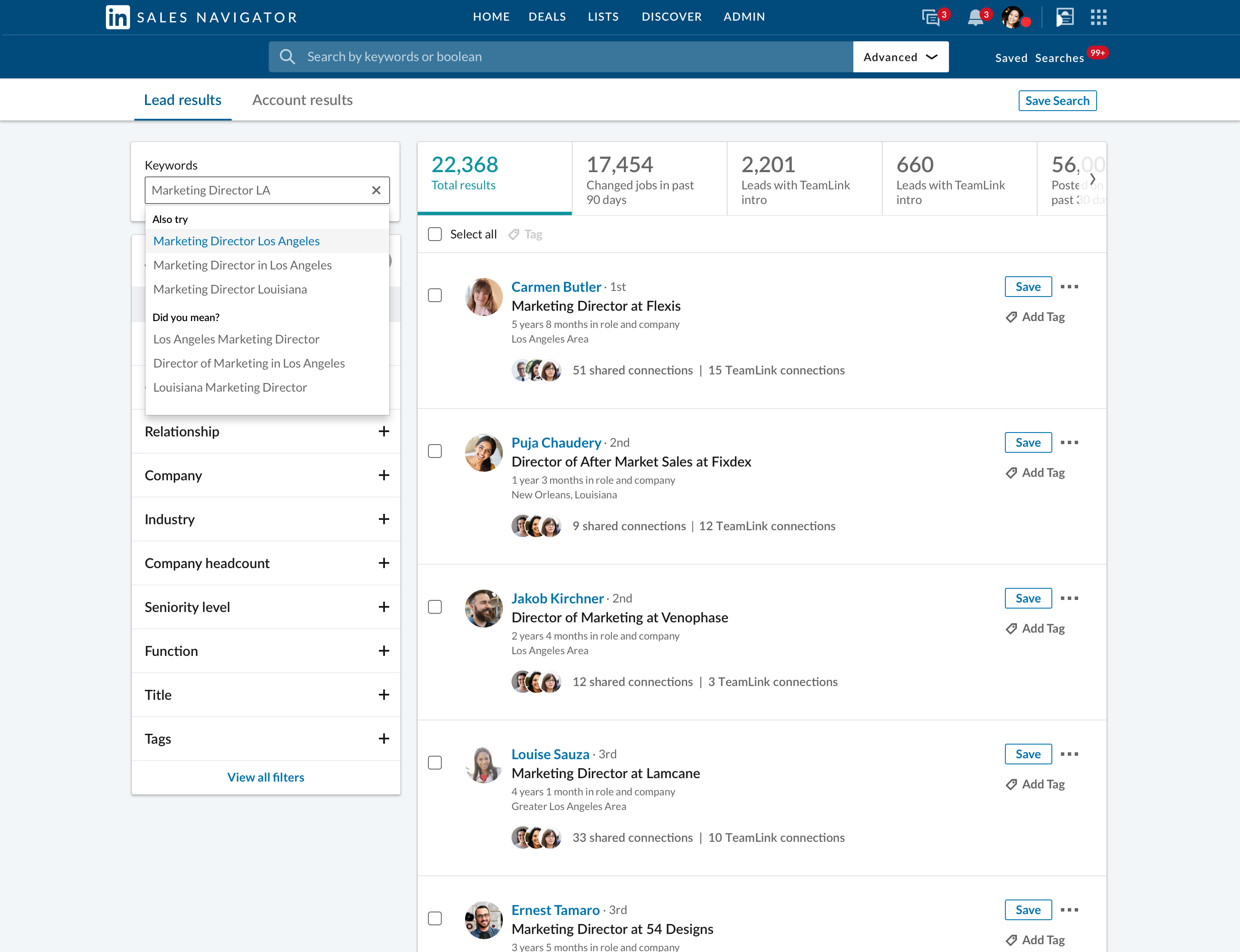
Search is the most widely used feature of Sales Navigator and one we’re constantly working on to improve. Most of our users start with a keyword search, and this quarter we’re making that experience even better.

With this release, we’re improving the speed of keyword search and adding a new Guided Search experience, which interprets what you’re trying to type and provides auto-complete suggestions to help you quickly expand or narrow your search query.

Lists Enhancements — Tastes great, fewer clicks

We launched custom lists last year, and the adoption has been overwhelmingly positive. Custom Lists are a great way to organize your workflow and collaborate with your team. To date, nearly 1 million lead and account lists have been created, and more than half the leads saved to Sales Navigator these days are being saved to a Custom List.

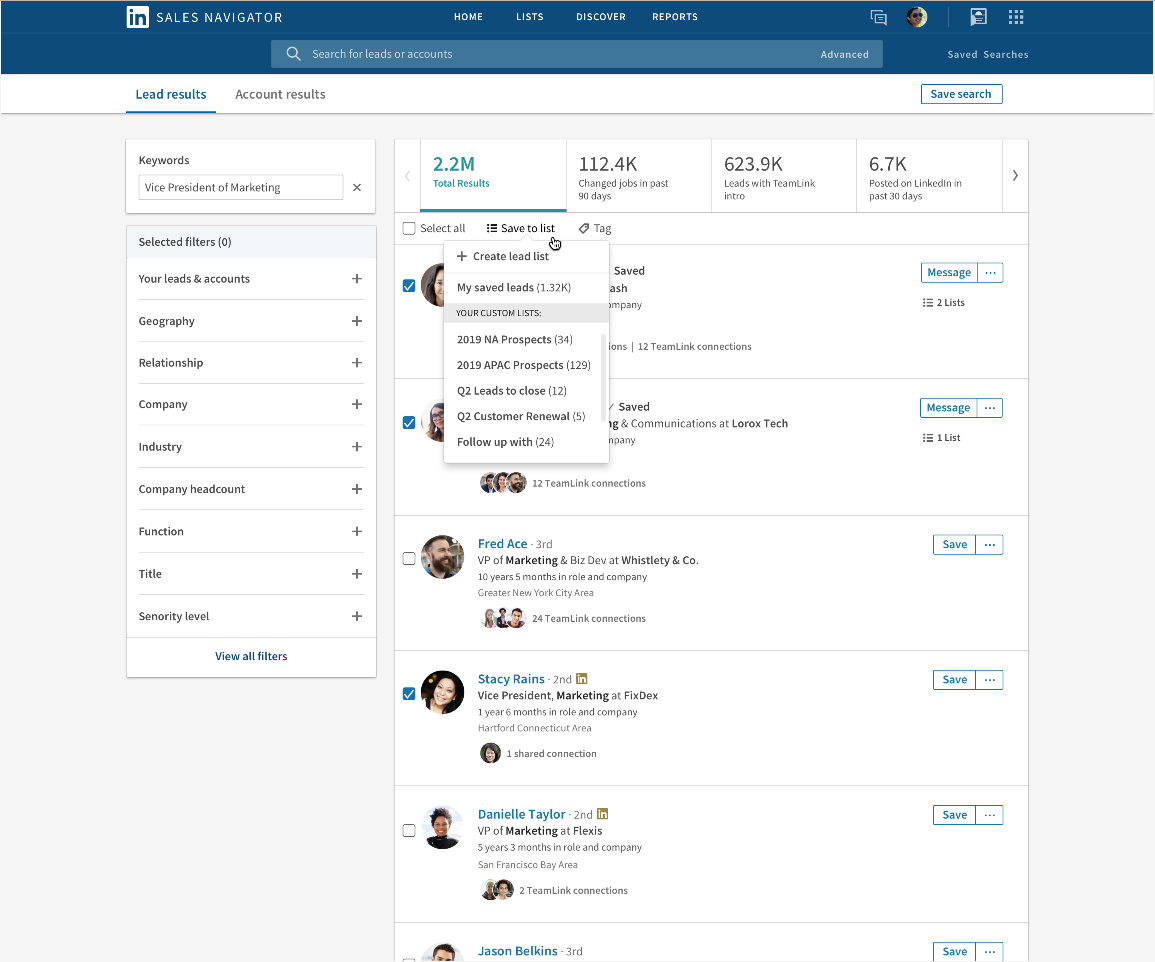
With all this usage, we received a lot of great feedback and are adding two features you asked for: bulk-add/remove, and match a lead to an account.

  • Bulk-add and bulk-remove: You can now bulk-save into your custom lists from the search results page, and bulk save your leads/accounts to a custom list from your My Saved Leads and My Saved Accounts pages. You can also bulk un-save saved leads and accounts, to remove them from all of your lists.
  • Match lead to account: Not all leads have accounts matched to them. This enhancement allows you to manually match a saved lead to any company on LinkedIn, so you can get alerts not only on the lead but also the company.

CRM Enhancements — Sales Navigator and Dynamics 365 for Sales take a big leap forward

Sales Navigator and CRM are a powerful pairing that work great together, and our integration with Microsoft’s Dynamics 365 for Sales has helped sales pros increase win rates and close deals faster.

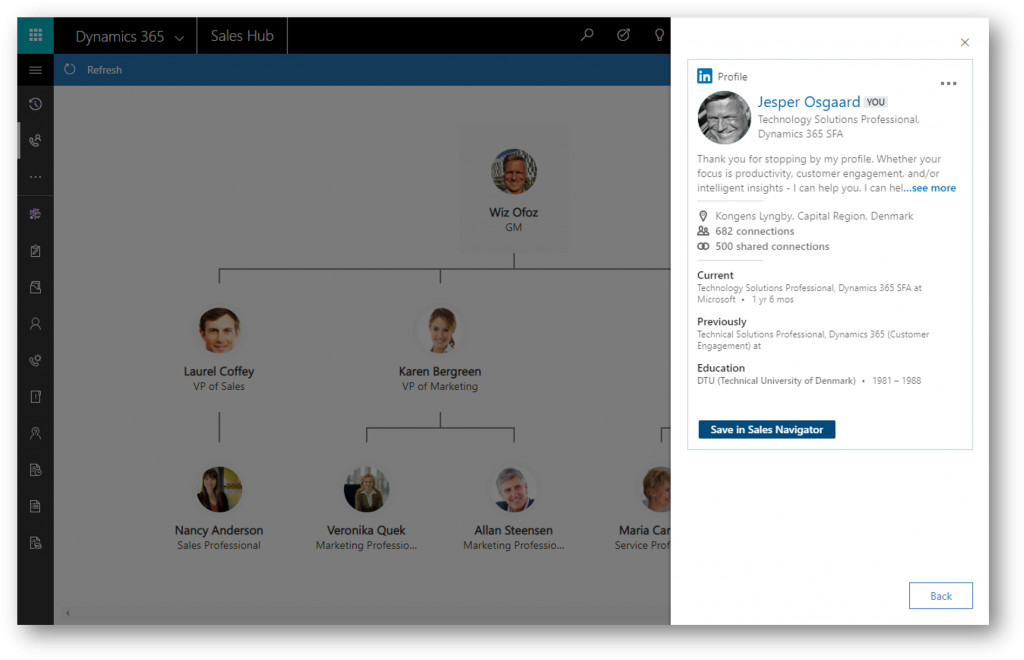
Today, we’re introducing a live org chart integration with Microsoft Dynamics 365. This new experience lets you build an org chart of any account you have saved in Dynamics 365 for Sales. Through the Sales Navigator SNAP integration, the chart automatically displays LinkedIn member profile photos and gives you access to additional profile information to help you get a quick picture of the key people in that account.

Sales Navigator Application Platform (SNAP) — Bringing Lucidchart to the family

The Sales Navigator Application Platform (SNAP) ecosystem continues to grow because it brings the best of Sales Navigator into the most popular applications you rely on to close deals.

This quarter, we’re proud to introduce Lucidchart Sales Solution, which has integrated LinkedIn Sales Navigator into their visual org chart and account planning solution for Salesforce so sales reps can get recommendations for leads, and InMail prospects — all within the context of their Lucidchart account maps.

For more information on all the new features in this QPR, take a look at this video or visit our product updates page.

*mentions on EU leads not available

**The new homepage experience will be rolling out over the next few months, while you can expect the other features to roll out over the next few weeks.


24 May 18:35

Forget the Funnel: Join the Buyer's Journey With Lifecycle Marketing Instead

Are you still using the sales funnel as your model for marketing? Stop. There's a better, far more accurate way that also aligns with lead nurturing and trust-building via content marketing. It's lifecycle marketing, and here is how it works. Read the full article at MarketingProfs
24 May 18:34

The Ultimate Guide to Prospecting: How Many Touchpoints, When, and What Type

by jeff@mjhoffman.com (Jeff Hoffman)

It's incredibly rare that a prospect responds to a salesperson's first outreach attempt. This means following up … and following up on your follow-ups.

But how many prospecting touchpoints should salespeople make before they call it quits? When's the best time to reach out to a prospect? What's better: phone or email?The "how," "when," and "what" of following up is important to get right if a rep hopes to snag the buyer's attention and make a sale.

Here's a guide to help you optimize your prospecting process and significantly improve your response and connect rates, without changes to the content of your messaging.

How Many Touchpoints Are Necessary?

First, let's define "touchpoint."

To me, a touchpoint refers to a voicemail, email, or live conversation. I don't consider interactions through social media or a call with no voicemail to be touchpoints. Social media is a great tool for finding information, but I wouldn't recommend you use it for cold outreach. More on that later.

When it comes to the number of touchpoints necessary to guarantee prospecting success, there's plenty of evidence that suggests response rates rise with each outreach attempt. And statistically, across a broad spectrum of data, that number is around eight.

So, when you surpass eight touchpoints, the law of diminishing returns comes into play.

What does that mean?

The law of diminishing returns states that if one production factor (e.g., calls or emails) is increased while other factors are held constant, the output (e.g., open and response rates) will eventually decrease. In other words, a tenth touchpoint is not much more effective than an eighth. With this in mind, eight touches is a good benchmark number of touchpoints.

There are two important caveats to this number. First, every industry and buyer persona is different. While eight touches might be the right number for your company, seven or three might be right for another. This is why you must test and observe your response rates over time.

The second caveat is related to the first. In order to see accurate results from touchpoint testing, you must choose a number and stick to it with each and every single prospect you engage.

Most reps vary the number of attempts they make based on the particular buyer, but how will you discover the "magic" number for your territory or situation without consistent data? If you decide to work a lead, you must commit to making a set amount of touchpoints.

Reaching out multiple times won't work unless you vary your messaging. Every time you contact a prospect, provide value in a new way. For instance, you might send a short tip in one email and link to a helpful ebook in the second.

When Should I Make My Attempts?

In my experience, connect rates rise as the day, week, and month advances. According to this maxim, here are the ideal times to reach out:

  • Time: 3 p.m. and later local time (call), five minutes before and after the hour (email)
  • Day of week: Thursday and Friday
  • Date: 28th -- 31st

Most salespeople make their prospecting calls early in the morning and early in the week. However, this is precisely the time when buyers are planning out their workload and prioritizing their tasks -- they don't have time for a sales call.

You'll have better success when the day is winding down, and the prospect has more bandwidth for an unexpected request.

In terms of email, you can write messages at any point in the day, but be careful not to send them until five minutes before or five minutes after the hour. Since you want your email to be no lower than 12 messages from the top, you'll need to send it at the precise moment when the buyer opens their inbox.

Five minutes before and after the hour is the span of time when buyers walk to and from meetings and check their email. Hitting "send" in this 10-minute window dramatically increases your chances of getting a response.

So, how should you distribute your touchpoints? Over the span of a month, most reps skew early. They might reach out two times the first day, once a few days later, once a week later, and then one final time a few weeks after that.

But this pattern communicates to the buyer that your request isn't urgent. To express urgency, I recommend skewing your touchpoints the opposite way. I wait quite a while after making my first attempt to follow up -- anywhere from 12 days to two weeks.

Here's what this schedule might look like:

  • Day 0: First touchpoint
  • Day 14: Second touchpoint
  • Day 21: Third
  • Day 25: Fourth
  • Day 27: Fifth
  • Day 28: Sixth
  • Day 29 (in the morning): Seventh
  • Day 29 (in the afternoon): Eighth

Now the buyer senses that my message is growing in urgency instead of decreasing.

What Types of Messages Should I Use?

Your prospecting message mix should be just that -- a mix. The specific divide between calls and emails should be determined by you and your manager based on what works best in your industry.

That said, in my experience, leaning on the phone slightly more than email generates the best results. For that reason, I recommend following a three calls / two emails split, but three emails / two calls is also acceptable.

What I don't recommend is all emails or no calls, or four calls and one email. Keep it as balanced as possible while playing to the preferences of your buyers.

Can I Use Social Media?

How can you use social media -- and use it well? I get this question a lot. Social media can be a great tool for prospecting if used correctly.

Social media is a great place to find triggers or events you can use to capture your prospect's attention. Since your aim is to get them to read your email, and you'll most likely have to send more than one email before that happens, you have to find varying topics of conversation to catch your prospect's attention.

Reaching out multiple times with the same copy and pasted email won't work, and your prospect will notice. Every time you contact a prospect, provide value in a new way. For instance, you might send a short congratulations about their recent new product launch in one email and comment on a recent blog post from their website in the second.

If you can skew your outreach earlier than later, make at least eight attempts with each and every prospect, and mix up your approach, I guarantee your connect rate will climb. Also remember to keep a close eye on how different times of day, types of message, and numbers of touchpoints affects your success, and fine-tune your strategy accordingly.

Looking for more tips? Check out Your SalesMBA® The Podcast for impactful, tactical, and engaging advice to help you close deals and crush your quota.

24 May 18:34

5 Planning Tips for 2019 Taxes

by Kurt Avarell

This year was the first tax season both accountants and taxpayers saw the effects of the Tax Cuts and Jobs Act in action. Some taxpayers were happy with the changes they saw to their tax returns and some were not. If you fell into the second group, there are a few things you can do this year to plan better for your 2019 taxes. We’ve rounded up five tips from five tax professionals to help get you started.

Do your tax planning early

Steve Rhoden, CPA

“Do your tax planning now rather than later in the year. Many tax saving strategies can be implemented throughout the course of the year. However, very few strategies can be applied after the tax year has closed.”

Many taxpayers don’t think about taxes until right before tax season, but if you want to minimize your tax liability and improve your financial well-being, you should really be thinking about taxes sooner in the year when you still have time to make significant tax planning decisions.

Start a side hustle

Dave Haupt, EA

“Consider starting a side hustle of some kind. Think over the expenses you have through the year and the ability to expense the ones that relate to your business. Speak with a tax professional about possible business ideas.”

Being self-employed comes along with quite a few tax benefits and deductions. For example, you may be able to deduct expenses such as meals, business insurance, vehicle use, travel, etc.

“On top of that, you can pay your kids without withholding Social Security or Medicare Taxes as they work for the business.”

Set up your business as an S-Corp

Gary Gessel, CPA

“Consider setting up an S-Corp to save self-employment tax. My general rule of thumb is over $10k of profits in the business (at a minimum) for it to make economic sense.”

If you already own a business, consider setting it up as an S-Corp. You’ll still owe payroll taxes on your salary, but your profits won’t be taxed as self-employment income, so you won’t owe the 15.3% self-employment tax. Plus, you can write off your salary.

Consider withdrawing from your IRA penalty free

Lance Hackett, CPA

“With the real estate market being so hot, many are looking to purchase a new home. First-time home buyers should keep in mind they can withdraw up to $10,000 from their IRA penalty free to buy a home.”

As an advisory note, Lance adds that the amount taken out of retirement will still act as additional income and could raise your tax bill quite significantly.

Check your withholding

Michael Law, CPA

“Do a withholding checkup to determine if you need any changes now. There is still plenty of time to make up any shortfall of withholding.”

The IRS provides a Withholding Calculator for a quick “paycheck checkup.”

There are more actions you can take than just these five to set yourself up in a good place financially before 2020. For more tax advice, consider reaching out to your tax professional and asking them about tax planning.

24 May 18:34

Exploring the world of email automation from the buyer’s perspective [Infographic]

by Expert commentator

Mapping the buyer’s journey helps businesses stay relevant and personalize the campaigns For most businesses, the buyer’s journey is an important aspect of planning marketing campaigns. Why? Because that’s how you can send a relevant message at the right time …..

The post Exploring the world of email automation from the buyer’s perspective [Infographic] appeared first on Smart Insights.

24 May 18:34

8 Surefire Ways to Shorten the Enterprise Sales Cycle

by Peter Chun

Sales will always be a numbers game. But when you express those numbers as minutes in the day, they suddenly become a more visibly finite resource:

  • Just 1,440 minutes in the day
  • Still, fewer minutes in a workday

Even with a 12-hour work schedule, there are just 720 minutes (or 43,200 seconds) in a given workday. The question is, how many of those minutes are spent managing the close?

Is It Possible to Shorten the Enterprise Sales Cycle?

How most sales reps spend their day may surprise you. According to an InsideSales.com report, nearly two-thirds (64.8%) of the average workday is usually spent on non-revenue-generating activities — leaving only 35.2% of a sales workday for functions directly related to selling.

That’s a shame, because time not spent closing the sale isn’t just wasteful, it’s also dangerous. Mistakes and setbacks abound when we don’t proactively manage the close of an important sale.

That’s especially true in enterprise deals.

Keep reading to learn 8 key tactics to effectively shorten the enterprise sales cycle and manage the close on time.

8 Ways to Shorten the Sales Cycle

  1. Know how to work proactively with account mapping.
  2. Know everyone on the account.
  3. Know when to spend your time on the sale.
  4. Know when to dedicate more resources.
  5. Know when to walk away.
  6. Know when to think like a project manager.
  7. Know when to follow up.
  8. Know how to keep the momentum up.

1. Know How to Work Proactively with Account Mapping

Too often, we take a linear approach to sales acquisition. For example, my reps mainly focused their efforts on account administrators, and as soon as they got a “no,” they would move on to work the next account.

On the surface, this seemed like a logical (even efficient) way to conduct business.

Unfortunately, it was not. Talking to just one or two people for each account was merely scratching the surface. Making it worse, leadership was faced with higher growth goals.

Then Carter, one of our enterprise reps, took a different approach to work his accounts.

Instead of focusing his sales efforts on a company’s admin, he started creating account maps to show the relationships between different people within each organization.

Enterprise-level sales are complex and involve creating consensus among a whole committee of informed buyers. A great account map offers reps a holistic view of a potential client — more so than a CRM with its most valuable information confined to rows of data.

And an account map uncovers insights beyond the typical org chart –– like who has existing relationships at a company or can help make an intro.

2. Know Everyone on the Account at Any Given Time

Throughout the sales cycle, your reps can refer to the account map to show you who they’ve been talking to — and give updates on the status of a sale. Sales leaders can point out key relationships that may have been missed and provide coaching as needed.

At most any sales org, change is the only constant. Reps come and go. Territories are created or realigned. Accounts change hands.

Even with a great CRM, inside information is often lost.

RELATED: You Can’t Sell into the Enterprise Overnight

With account maps, accounts transition seamlessly. New reps can review a map to see a deal’s history and current status instead of blindly jumping in to move a deal forward. Account maps are living documents that reps keep up to date and ready to reference.

They can even be used to review key deals and show the progress you’ve been making with your executive team and stakeholders from other departments across your organization.

3. Know Where to Spend Your Time on the Sale

Depending on the scope of the sale, closing your deal may involve several people within the organization. It’s crucial to understand who the stakeholders are on any given project and know who has the final approval or official sign-off to complete the sale.

Although it may seem unnecessarily complicated on the surface, involving multiple decision makers is a good thing.

RELATED: How to Help Your Sales Development Team Break Into the C-Suite

Deals that involve more than one decision-maker are called multi-threaded sales deals, and here’s how they work…

Your sales conversation may begin with someone in procurement who has control over the budget. But the purchase decisions has company-wide visibility — which means the buyer’s organization will need more oversight and greater input to approve the deal.

That being the case, there will be more decision makers on the buy side, which means you need more than one person on your team to be actively involved in the deal.

4. Know When to Dedicate More Resources to the Sale

Dedicating more resources to closing the deal not only helps ease the burden, it can also be seen as a preventative measure to mitigate loss — especially when there is employee turnover.

After all, it’s not uncommon for people to come and go on both side of the table before the deal is closed.

According to a Bridge Group survey of 342 B2B SaaS companies, the average sales rep turnover rate is now 34%, with involuntary turnover making up nearly two-thirds of that number.

Working with multiple decision makers helps minimizes the risk of losing the sale or starting over when someone leaves the company by keeping the momentum toward closing the deal quickly.

As sales leaders, our job comes down to building incredible partnerships that drive value.

It’s critical to understand your prospective client and what’s important to them. Use your internal resources to move things forward, then go over the sales plan until a final list of action items is determined.

In the end, it takes a team to close a big deal.

RELATED: The Ultimate Guide to Mutual Action Plans (How to Use MAPs to Transform Your Sales Process)

5. Know When to Walk Away for a Better Sales Outcome

Listening is perhaps the most important sales skill.

Sometimes, your customers need time to process. However, if you’ve demonstrated value and negotiated around budgetary constraints and the discussion still comes down to price, take a step back. Avoid going back and forth, putting yourself in the role of an order-taker.

In the end, shortening the sales cycle may result in forgoing the deal altogether. After all, the best sales outcomes are those which provide mutual value to all involved parties.

When the likelihood of a deal closing soon is not imminent, it may be best to remove them from your sales pipeline. By doing so, you will equip yourself to make better use of your time and resources toward those prospects who will close, eventually shortening your sales cycle and growing your business.

6. Know When to Think Like a Project Manager

When it comes to setting expectations, maintaining productivity, and inspiring action, sales reps can learn a lot from project managers. But how — and why — should a project manager’s mindset be applied to the closing of an enterprise-level sales opportunity?

Project managers not only understand the importance of setting deadlines but also how to plan out all the intermediary steps needed to meet those dates in an efficient manner. For them, deadlines are never arbitrary.

Use this same approach with your sales cycle.

At Lucidchart, we make a concerted effort to decide on a go-live date for your sales solution. Then, we work backwards to establish the roadmap to close the deal that will get us there. Once both sides agree on the deliverables of the sale and decide on what’s needed to put the solution in place, prospects will begin to feel a greater sense of urgency to close the deal — getting you that much closer to completing the sales cycle.

7. Know When to Follow up to Minimize Wasted Time

Project management also means scheduling regular follow-ups with everyone who has a responsibility or action item that has an influence on the sale. To minimize wasted time and lost opportunity, reps should be proactive and schedule their next call at the end of the current one.

RELATED: Perfecting The Sales Follow Up: How to Gain Momentum and Win Deals Without Being Annoying

Remember, anyone at any stage in the process or anywhere on the org chart may have the potential to make or break the sale. Be mindful of how you and your team are living up to the expectations you have set with your prospect and key stakeholders.

8. Know How to Keep the Momentum Without Rushing Them

Again, if you know the buyer has a specific go-live date in mind, rely on this information to maintain your sales momentum without applying too much pressure to those key decision makers.

The last three weeks before you get a signature, follow-up can almost be daily.

Some prospects genuinely need more time and consideration to evaluate your sales proposal. Buyers want to be led. But don’t rush their decision process. Viewing the sale through the eyes of a project manager will help you tailor your sales cycle to each opportunity accordingly.

Putting It All Together

As you can see, there are many things to know if you’re striving to shorten your sales cycle and grow your business. When starting your plan, keep the following tactics in mind:

Dos

  • Do work to free up time for your sales reps to pursue more impactful activities.
  • Do provide support to the sales team for tech or other issues related to the sale.
  • Do reallocate resources as needed, including the human capital to close a deal.
  • Do refer to the account map throughout the sales cycle to track your progress.
  • Do what it takes to set the right expectations by thinking like a project manager.
  • Do listen and give prospects enough time, but try to work towards a go-live date.

Don’ts

  • Don’t fear change. Your sales cycle must adapt to meet changing market needs.
  • Don’t forget to see the big picture. Focus on solutions and identify inefficiencies.
  • Don’t let the past dictate the future. Decide what’s working or not and act upon it.
  • Don’t limit decisions to the sales team. Involve others across the org as needed.
  • Don’t be afraid to walk away from a sale when the close is no longer imminent.
  • Don’t waste time. Try to schedule the next call while you end the current one.

When you understand the enterprise sales cycle, you’ll be able to get in front of your customers… read the room… identify who your detractors might be… and realize where to focus your attention to win them over.

Once you’ve reached that point, you’ll know exactly how to shorten the sales cycle –– to the point of dictating the length of the sales cycle to grow your business.

What are you doing to streamline your sales cycle? What’s been your biggest challenge?

The post 8 Surefire Ways to Shorten the Enterprise Sales Cycle appeared first on Sales Hacker.

24 May 18:34

Real Face of Sales: How Rob Thompson has Become an Essential Partner to his Customers in the Medical Wearables Market

by Martina Cianfrocca
Real Faces of Sales

Wearable technology is rapidly changing the medical industry. Huge advances in prosthetics mean patients have more options and flexibility than ever before when it comes to treatment. Rob Thompson is the Sales Director at UNYQ — a company at the forefront of 3D printed prosthetic and orthotics, giving unprecedented levels of personalization and choice for limb amputees. UNYQ also create and sell a life-changing product for those suffering from scoliosis (a sideways curvature of the spine that is most common in late childhood and early teens). We sat down with Rob to discuss his role as a salesperson in the medical wearables space, and the partnerships he has created that help bring such incredible technology to those who really need it.

LinkedIn: What’s been the key to your success as a salesperson in this role?

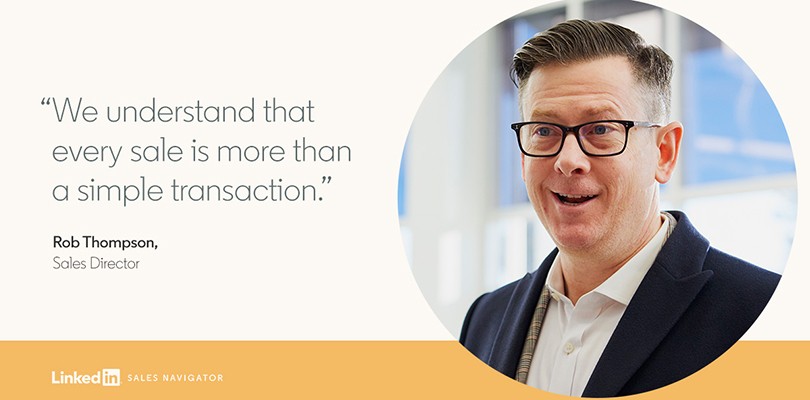
Rob: At UNYQ, we understand that every sale is more than a simple transaction. With every medical wearable we sell, we are changing lives. My number one driver is being able to impact the patient and improve clinical outcomes. From a sales perspective, I would say that relationships have been key to our success. I work with physicians such as Dr. Lonner from Mount Sinai, to understand their and their patients’ challenges and between us we work out the best way to innovate and move forward. It’s a collaborative approach.

LinkedIn: Tell us a bit about your scoliosis brace product and the customer journey at UNYQ.

Rob: Traditionally there has been very little innovation in the spinal bracing industry. We are delivering true mass customization in orthopedic bracing and it’s really a compelling value prop for our customers. Once the patient has a prescription for a brace, our clinical specialist then meets with the patient and collects the intakes required to design the brace. They do a digital scan of the patient, measure the patient, take the xrays and pass on the information to our orthopedic designer who then designs these braces custom to that specific patient. That information then goes to the 3D printer where the brace is printed.

LinkedIn: Your customers include the clinicians, the 3D printers and of course the patients as well. What do you think makes a good salesperson with all these different buyers?

Rob: In my mind, a good salesperson seeks to understand the problems that their customers are facing — and finds a way to solve them. Salespeople have to deal with an increasing number of buyers and decision makers, so taking time to listen and build trusted relationships with customers is absolutely key. Empathy and compassion are other major factors; it’s not just about bottom lines. Good salespeople don’t just sell, we solve problems.

LinkedIn: What do you love most about your job?

Rob: What’s motivating for me is to see patients who have had older braces or technology. Once they actually try on or see our product — to see the look on their face. We take time to listen to patients and work with them to incorporate their personal styles to remove some of the stigma around wearing a brace. We deal with all age groups but specifically adolescents who are more sensitive to the prospect of wearing a brace 16 hours a day.

LinkedIn: How do you plan to continue growing business for UNYQ?

Rob: Our mission is to create the first real and number one consumer brand within the medical wearable market. And it takes more than one person to do that. Connections. Relationships. And actually caring about the outcome is key. And it’s this kind of thinking that will carry us into the future.

Dive deeper into Rob's story by taking a look at the video below.

24 May 18:34

We See Salespeople as Essential Partners to Buyers. So Do Our New Real Faces of Sales.

by Keith Browning
LinkedIn Real Faces of Sales

It’s a challenging yet exciting time to work in sales. With rapid technological changes, a deluge of data at everyone’s fingertips and heightened expectations from buyers — there’s more demand than ever on those in B2B sales roles. Sales cycles have also become increasingly complex, including more decision makers than ever before. In fact, any B2B purchasing decision now involves an average of seven people. That’s a lot of people to influence.

Despite so much change, some things remain the same. Sales, at its heart, is a relationship game. Successful salespeople know that building deep and trusting relationships is really what delivers results. When salespeople know their customers, know their products and focus on providing value beyond the sale, they become essential partners to buyers.

According to our latest State of Sales Report, sales professionals rank ‘trust’ as the No. 1 factor in closing deals – above ROI and price – and 51% of buyers rank trust as the most important factor they desire in a salesperson. It’s the power of these deep and trusting relationships that is the focus of our latest iteration of ‘The Real Faces of Sales’ campaign.

Meet Rob, Sales Director at UNYQ, an industry-leading company that uses 3D printing to create medical wearables. Our new short film focuses on the relationship between Rob, the 3D printing company and the doctor who helped transform a patient’s life.

Watch the video and see how these seemingly ordinary transactions can make a real difference.

A new dawn in sales

Last year we focused on debunking the common misconceptions around sales. This year, we’re celebrating #RealSales and what it means to be a modern salesperson. Real sales is about generating personal bonds with clients. It’s about listening, showing empathy and being compassionate. It focuses on solving problems and providing personalised value. We see salespeople as essential partners to buyers and we want to show it to the world.

Check out our image library here. And to learn more about Real Faces of Sales, visit our microsite

To keep pace with the latest thinking in sales, subscribe to the LinkedIn Sales Blog today.

24 May 18:33

We Asked 10 Sales Influencers about How Sales Technology is Changing the Buying Process

by Sean Callahan
Future of Sales Technology

LinkedIn’s most recent State of Sales Report, a global survey of thousands of salespeople and decision makers, reinforces the idea that sales technology is transforming the sales process.

The U.S. version of the State of Sales Report found that 73 percent of sales professionals are using technology to close more deals. And almost all respondents (97 percent) said that sales tech is either important or very important to closing deals.

Salespeople understand that sales tech can help streamline administrative tasks and gather intelligence about prospects. At the same time, decision makers say that human interactions remain crucial to the sales process, and it’s critical that sales tech enhance personalization.

To gain further insight into the future of sales technology and how it will continue to transform the buying and selling process, we asked sales influencers this question: “How do you anticipate sales tech will change (and change the sales process) over the next five years?”

Here’s what they had to say:

I actually think we’ll see less tech, not more.  Many companies over the past two to three years have confused technology with strategy, and that’s (understandably) not working out too well. I expect we’ll see companies reduce their overall tech stack and increase both usage and ROI from the tools that remain. I also think there’s a sub-category of sales technology that we don’t know about yet that will emerge and become prominent in the next one to two years. — Matt Heinz, President, Heinz Marketing
Artificial Intelligence will mature to deliver on the promise of freeing up sellers' time so they can focus more on creative dialog with prospects. — Kurt Shaver, Vengreso
According to Forrester, we live in a subscription economy, where the economic value of a customer relationship is not monetized up front but rather over time. This means the duration of a relationship has greater economic impact on the company’s health. This framework is impacting all aspects of business even if your business has not historically organized in this way. The trend of advancing sales technology has already started and will only continue. What it will mean is that more mundane or repetitive sales tasks will be automated and/or replaced with AI tools. This means the professionalism of sales must rise to add value to the buyer. — Tracey Wik, President, GrowthPlay
In the next five years, people will be using tech a lot more in their personal lives and leaving their house less and less, so the need to go to where people are online is critical to success. Think less websites and more outposts — plus more beacons from a marketing perspective. For sales, a lot of the process will be automated, similar to the Amazon one-touch buying process. Many times a sales team won’t be needed at the point-of-sale. Sales teams will need to be more focused on retention than acquisition as a result. — Robert Knop, CEO, Assist You Today
The sales tech market continues to explode: Smart Selling Tools’ most recent landscape supergraphic shows that there are  more than 600 vendors offering sales productivity technologies. But if you’re a salesperson, all that really matters when it comes to technology is whether it gives you the ability to better engage your buyers or captures data that will make you more effective as a seller in future interactions. I expect that the sales technology vendors that are best able to convey that their solutions solve one or both of those problems are the ones that will be around in five years, while the others will go by the wayside. — Ed Calnan, Founder-President, Seismic
We are already seeing the start of the change. Today we have tools that are functional, they enable the sales person to do their job with greater efficiency. Mobile phones, email anywhere, CRM. What is coming are tools that automate mundane administrative tasks and detect patterns from data to alert sales what to do and when to do it. We can expect to see a rapid emergence of AI to help automate and provide greater intelligence to a salesperson and sales leadership. For example, watch for rapid adoption of phone call transcription in the next 36 months, automating note talking from a phone call into the CRM, which can alert leadership to key language used by the most successful salespeople and even errors in explanation given to a customer, when compared to a library of good responses. We are starting to also see sentiment analysis for verbal calls, allowing detection of anger building in a customer on a call and alerting an agent’s manager who can then listen or barge in to help on the call. — Ian Moyse, EMEA Sales Director,  Natterbox
Really good sales enablement technology will help sellers use the assets they should be using at the right time for the right buyers. In the past, they’d forget to send that great white paper, case study, or slide. Now, it’ll be served up for them. Tracking buyer activity will become easier. Unless buyers install some kind of software or process to block it, sellers will see when buyers interact with their websites, content, documents, each other, and so on. Because there’ll be more automation, sellers themselves will need to be more valuable. The skills burden on every seller will go way up. They’ll need to be better at seeing buyer value, uncovering buyer value, communicating value, winning major sales, driving account growth, and so on. They’ll need to be more well-rounded and better business people. — Mike Schultz, President, Rain Group
Customers will get deeper into the sales cycle before engaging a company or salesperson. AI will allow for deeper analytics and connections into the "Buyer's Journey," which will shift how buyers engage in the buyer's process. The number of sales tools and platforms will continue to increase, but, through acquisitions the landscape of true practitioners will shrink. Conversations will have a stronger impact on sales tech than giving presentations & demos. — Roderick Jefferson, CEO, Roderick Jefferson & Associates
I think the pace of sales tech innovation and integration will continue to increase — which means that it’s hard to put a pin on where it will end up. Someone five years ago would have been hard-pressed to guess that the landscape will look as it does now! I think automation and AI will continue to provide data and information and make it increasingly easy to target prospects. At the same time, I think we’ll see more defenses pop up as people work to protect their time, attention, and privacy. — David J.P. Fisher, President, RockStar Consulting
We’re living in the fourth industrial revolution where automation with artificial intelligence is changing the world. The best leaders are focused on delivering easy and intuitive customer experience (CX) as their strategy to acquire, retain and grow clients. This means blended models of engagement via web, apps, social, phone and face-to-face. Sellers need to adapt and leverage technology for new levels of efficiency and effectiveness in finding, engaging and winning new customers. Sales technology is increasingly automating tasks and predicting opportunities or risks in the sales and account management process. AI that leverages big data, including social platforms, will increasingly deliver game-changing capabilities via the cloud and mobile apps. Every seller needs go beyond having IQ and EQ to also have TQ (technical quotient) if they are to thrive. — Tony Hughes, Managing Director, RSVPselling

For more insight into how sales tech is transforming the sales process, download the State of Sales Report today.

24 May 17:33

It’s a Rough Time to Be a Startup – Here’s What You Can Do About It

by Kyle Poyar

SaaS is now ubiquitous. Salesforce, which turned 20 in March, surpassed $13 billion in annual revenue this year. Everywhere you look there are dominant SaaS companies with thriving products. That’s certainly true in developer tooling (AWS), sales and support (Salesforce), MarTech (Adobe), commerce (Square), HR tech (Workday) and even vertical markets (Veeva).

This begs the question: how much room is left for emerging startups?

Benchmarking data shows that it’s harder than ever for new SaaS companies to gain initial traction and reach the expansion stage. More and more startups are vying for traction against extremely well capitalized SaaS powerhouses. Not surprisingly, most struggle to break through. The median growth rate of startups with $1-2.5M in ARR fell from 100% to 64% in just the last year.

SaaS companies now report 9 competitors on average, up from just 2 back in 2013. Those on the front lines know that more competition means greater saturation of traditional marketing and sales channels, increasing customer acquisition costs (CAC). In fact, the cost of acquiring a customer has gone up by 65% in the past five years, according to a ProfitWell survey of 800 companies.

It now takes a war chest to be visible everywhere it matters: content, search, social, review sites, analyst reports, podcasts, video, events… I’m exhausted even thinking about it all. Search, once seen as a low cost way of driving demand, has lost its effectiveness as the amount of digital content has exploded. Meanwhile, marketing teams from every competitor fight to rank on the same top keywords, driving costs per click through the roof.

Do we even need to get into outbound prospecting, the hot marketing channel of a decade ago? If the public LinkedIn shaming of hard-working SDRs is any indication, buyers feel increasingly fed up with the onslaught of unsolicited emails and phone calls from dueling software vendors. Tools like Outreach – which recently reached unicorn status – make it exceedingly easy to contact potential prospects across all channels at scale. As every SDR gains access to these types of sales engagement tools, response rates will no doubt continue to dwindle.

Competition not only increases CAC, but it simultaneously decreases customer lifetime value (ouch!). We’re seeing three drivers of lower lifetime value: feature commoditization, less pricing power (price wars), and worsening churn.

Remember when the ability to integrate with another software product was a premium feature, reserved for enterprise-grade packages? Now it’s table stakes. If software users can adopt Zapier to connect 1,500+ apps, what reason do they have to pay you thousands of dollars for that built-in capability?

It’s not just integrations that have gone to $0. Features have lost 70% of their value in just the last five years, according to an analysis of 900,000+ data points from ProfitWell. As the pace of releasing new features has accelerated, it takes less and less time for competitors to copy your latest product innovation. This commoditizes features and exacerbates price wars, eroding pricing power in the market.

We’ve even seen the rapid commoditization of entire product categories. While we’ve come to expect price wars from disruptive startups, these are even coming from dominant SaaS powerhouses looking to protect and expand their moat. HubSpot, for example, launched a 100% free CRM product in 2014. If that weren’t enough, they’ve since added free live chat, shaking up an otherwise rapidly growing product category led by Intercom and Drift.

Tldr: it’s gotten easier to start a SaaS company, but harder to get real traction.

Here’s what you can do about it

You’re not going to win by playing the same game as larger, better funded competitors. What if you didn’t have to play that game?

How people use and buy software is changing, which creates a new go-to-market playbook: product led growth. Product led growth – where the product is front and center in how a company acquires, converts and expands users – offers the potential for disruptive growth by championing the user, not just the buyer.

Today’s SaaS powerhouses scaled with a dated playbook: sales led growth. They pinpoint a budget holder in an organization, often a functional leader at a mid to large company. Their messaging makes it clear that they’re helping a buyer solve an organization-wide pain from the top-down. For example, Concur aims to “simplify travel, expense and invoice management for total visibility and greater control,” directly speaking to the finance exec and not the individual who’s actually booking travel and submitting expense reports. The buying process is therefore quite complex and time consuming. Steps include including discovery calls, demos tailored to the prospect’s use case, solution validation, customized proposals and back-and-forth negotiation.

Power is shifting away from executive buyers and we’re seeing the rise of the individual user. You’ve heard this trend called a number of things, both positive (“consumerization of IT”) and negative (“shadow IT”). Zoom’s S-1 describes it particularly well:

“71% of employees want their companies to provide the same level of technology as they use in their personal lives…Employees are increasingly the primary force for IT modernization at work as they bring the latest technologies from their personal lives to their jobs.” – Zoom S-1

Let’s unpack this phenomenon.

When we look at the typical sales led SaaS company, they’re great at solving organization-wide pains. That regularly comes at the expense of the individual user. Salesforce is a prime example. They are amazing at helping organizations understand the health of their sales pipeline and keeping all their sales data in one central location. Ask yourself: how many sales reps love using Salesforce? I challenge you to find one. If anything, Salesforce creates additional headaches for the reps. They’re constantly worrying about being called out by the ‘CRM police’ and have to spend hours of their time every week just on manual data entry and required CRM updates.

Individual employees no longer have patience for bad (or, let’s face it, even mediocre) user experiences. They feel emboldened to bring their own preferred tooling to work, even if that tooling isn’t sanctioned by the broader organization. Individuals are opting for products that solve their specific pain, offer an amazing user experience and allow them to get started for free. There are usually tens or hundreds of these individual users for every one buyer, meaning that individual users can create a groundswell inside an organization that ultimately leads to an enterprise-wide purchase.

This is how purchases now get made even at large companies with thousands of employees. Brian Halligan, the CEO of HubSpot, explained how this buying process plays out inside his 3,000+ person company during a talk at SaaStr:

“Everything we buy… starts with a little project at the edge of the organization. Some developer’s tinkering with something. A couple of salespeople, a couple of marketers, and then it ends up on the CIOs desk as, ‘Boy, we’re using this stuff. We’ve got to buy it.’ [Software buying has] been turned on its head, and so you need to market and sell to humans and enable those humans to put it to work for you.”

Expensify, the expense reporting app, has cleverly tapped into this new buying process. While competitor Concur sells top-down, solving organization-wide pain points, Expensify does the opposite. Expensify focuses all of their efforts on the individual user, whether that’s in their messaging (“you weren’t born to do expenses”), Super Bowl ad (featuring 2 Chainz) or pricing (freemium model with paid plans starting at only $4.99). By winning the individual user, Expensify is able to assemble an army of happy users inside of an enterprise. These users do the work of selling on Expensify’s behalf. The result: Expensify has signed up enterprises like Xero, Atlassian and GitHub all without quota-carrying sales reps.

A similar strategy has propelled Zoom’s jaw-dropping 118% year-on-year growth (profitable growth, I would add). Zoom genuinely delivers on solving the user’s pain (“I hate video conferencing”) and boasts an NPS score of 70. User happiness is the central element of Zoom’s growth flywheel: happy users invite people to Zoom meetings, more people discover Zoom, invitees create their own Zoom accounts, they invite people to Zoom meetings. They’ve made the process of adopting Zoom as frictionless as possible, allowing people to join or host meetings for free. In fact, 55% of Zoom’s customers that spend $100k+ actually started with a single non-paying user according to the company’s S-1.

The new playbook: product led growth

Zoom and Expensify have mastered product led growth, where the product drives user acquisition, conversion and expansion.

They aren’t alone. There are now hundreds of companies that have adopted product led growth. These companies come from all types of product categories, spanning developer & product (Zapier, Auth0), back office & operations (Stripe, ZipRecruiter), customer engagement (MailChimp, Drift) and productivity & collaboration (Lucidchart, Calendly). It’s clear that product led growth is a global phenomenon as well, since the best products are winning regardless of where the company is headquartered. Current product led growth standouts include companies from Finland (Supermetrics), Egypt (Instabug), Australia (Deputy), Israel (Logz.io), France (Algolia) and more.

While still a new phenomenon, a majority of the SaaS companies that have IPO-ed since 2018 have actually embraced product led growth. This list includes Docusign (DOCU), Dropbox (DBX), Elastic (ESTC), Eventbrite (EB), PagerDuty (PD), Pluralsight (PS), Smartsheet (SMAR), SurveyMonkey (SVMK) and Zoom (ZM). And I’d be remiss to leave out the highly anticipated public debut of Slack, which is arguably the fastest growing enterprise software company we’ve seen to date (potentially second only to Zoom).

Product led businesses are performing well, too. The public companies that have embraced product led growth beat their peers across nearly every SaaS value driver. They’re growing faster, demonstrate better margins and trade at a 50% premium relative to forward revenue. On the back of this success, sales led SaaS companies are now being pushed to adopt product led growth to both reinvigorate their growth and drive greater go-to-market efficiency.

How to adopt product led growth

To get started, first ensure your product is ready for product led growth. This means addressing real user pain (not only buyer pain) and finding the one thing that you do better than anybody else. Users have limited attention spans: it’s critical to deliver value immediately and strip out anything that’s not essential to activation. In-product guides and email cadences are low cost ways of steering users towards activation without engineering work or new customer success headcount.

Your marketing should start to mimic a B2C business. Messaging needs to speak to the end user, not just the executive buyer. Your website design should point prospects down the path of self-service and remove any friction that impedes user sign-up. You have an opportunity to use your product as a marketing channel, enabling virality through referral paths and user review campaigns.

Product led growth may require rethinking your pricing and packaging as well. You should start with free or self-service offerings that deliver value before asking the user to pay. Paywalls should then be in place only after the user has activated. Paid packages must be transparent and easy for customers to understand. While initial paid packages might be inexpensive, make sure that you preserve your opportunity to expand accounts as they grow into enterprise-wide deals.

There is still room for sales in a product led business, but sales should start to look more like customer success. It’s particularly urgent that all customer-facing employees become fluent in the product. Moreover, the sales team should prioritize their time based on an account’s activity in the product, leveraging a product qualified lead (PQL) methodology rather than just marketing qualification.

All of these initiatives require a rock-solid analytics foundation. You’ll want to capture product usage activity across features and user cohorts. Product data should then be connected with other systems of engagement (e.g. CRM or marketing automation). Most importantly, make sure that key employees have self-service access to this data in order to make data-driven decisions.

Remember that product led growth is a journey. It takes sustained resources, focus and executive leadership in order to master it. But it’s not some shiny object: product led growth is your best bet at building a large and enduring software business.

The post It’s a Rough Time to Be a Startup – Here’s What You Can Do About It appeared first on OpenView.

24 May 17:33

How a Finder’s Fee Agreement Can Help Drive Your Business Growth

by Megan Mosley

If you’re looking for a more effective way to build relationships with business partners, generate high-quality business leads, and boost your profits, you might want to consider offering finder’s fees.

Finder’s fees are a type of commission that can range from small, informal gifts to much more significant amounts of money. Regardless of the monetary value of the compensation, a finder’s fee is paid by a company or individual to an unaffiliated “finder” who produces desirable new leads to a business entity – and hopefully generates more revenue by turning those leads into customers.

Finder’s fees hinge on the premise that without the finder interceding on behalf of the company, the resulting sale or business deal would not have happened. This is why you use a finder’s fee, when a simple “thank you” note won’t suffice, a finder’s fee might be the best way to reward the person who introduced you to your new best customer.

While paying finder’s fees is a great way to reward your peers and partners for new business opportunities, it should be done deliberately and systematically so that all the parties involved stay motivated to continue to do business together.

What’s in a finder’s fee agreement?

Should your company decide to offer finder’s fees, it’s best to get all of the important details in writing in a finder’s fee agreement. Once you’ve established and agreed to the ground rules, it will make it easier to proceed.

pasted image 0 18

Ideally, this will prevent any confusion and/or potential disputes by ascertaining and clearly stating the terms and conditions of the arrangement. The finder’s fee contract doesn’t have to be too complicated, but should address at least some of the following questions:

  • Who is the finder and who are they referring?
  • Who pays for the finder’s fee
  • Is the finder’s fee a lump-sum payment or will it be issued in installments over a specified duration?
  • When is the transaction considered to be initiated and when is it considered to be complete?
  • Are you paying for each lead/opportunity, or is the compensation contingent upon a sale or new business deal?
  • If it’s a percentage fee, how much does the finder get?
  • What is the duration of the agreement?

It’s important to carefully consider these aspects in the finder’s fee agreement and to make sure that both parties are meeting the requirements of the agreement.

Here are some finder’s fee examples

Finder’s fee payment arrangements

Finder’s fees are always discretionary and not legally mandated, and with a few exceptions, they are not widely regulated. Even businesses in the same industry might have markedly different practices about paying finder’s fees.

Managing the costs of referral fees

Finder’s fees are not always factored into the price of a product or a service. If your finder’s fee is quite substantial, that could lead you to increase the price of your product/service, and might ultimately dissuade potential customers from buying from you.

pasted image 0 17

Unlike some other operating expenses that can be budgeted for and planned in advance, such as an advertising campaign or a promotional event, a company’s referral business can be irregular and unpredictable.

The turnaround time from a new lead introduction to finalizing a sale can be several months or even years, depending on the nature of the product/industry, especially for complex major account B2B lead generation.

Paying too much for finder’s fees is a possible pitfall of the practice. While the prospect of a large reservoir of new sales leads can be enticing, companies need to be wary of what they are spending on finder’s fees.

If a company is being too generous with its freshly-sourced profits, it is in danger of doing a lot more work or shipping more products for substantially less money. Most businesses would be wise to consider referral incentive programs as a supplement to their in-house sales/marketing departments and not the primary or exclusive driver of new business leads.

Again, there are innumerable variables to ponder, as no two businesses are alike, but paying top dollar for unproven leads will always carry the risk of an uncertain return.

Common conditions of finder’s fee agreements

Eventually, it comes time to close the deal or make the sale, but not all referral business is equal. While it might be great news for your company’s sales team to know that your third-party affiliates or trusted business partners are referring new contacts to your company, not all of those contacts will necessarily yield a game-changing new business deal.

pasted image 0 19

Depending on what services and/or products you sell, it might be more pragmatic for the business to pay out a finder’s fee based upon a percentage of the sales that are generated by the new customers, instead of a flat rate for each new account. Furthermore, if the finder merely furnishes the lead to the company, their fee should be lower than a finder who does the same but also continues to work beyond that on the project/transaction.

It’s also possible that your company could establish a finder’s fee agreement with a third-party affiliate who, instead of agreeing to help achieve any specific sales outcomes or generating a number of new leads, merely agrees to introduce you to their network. Using the right components for your finder’s fee agreement can be valuable depending on the quality of the network and the credibility of the finder who is making the introductions.

Things that can go wrong with a finder’s fee agreement

One of the most immediate risks of a finder’s fee agreement is: what happens if the sales leads turn out to be low-quality or poorly qualified? If the finder stands to get paid regardless of the outcome of their contact placement, an unscrupulous finder might be less than thorough in researching their contacts before introducing them to your company.

This means that you could end up being obligated to pay for a large number of low-quality leads that never convert to sales. This may be an instance of when not to pay a finder’s fee.

If you’re getting low-quality sales leads, or too much “clutter” in the form of high-quantity but poorly qualified leads, it might be time to locate a new finder or adjust the terms of the contract so that you’re not paying for lackluster leads.

Another risk when paying finder’s fees is that a company might fail to stay on good terms with their finder or third-party affiliate, and the business relationship might even end. This could result in a situation where a once-reliable source of new business opportunities starts supplying leads to the company’s competitors instead. Unless there is a specific “non-compete” language in the finder’s fee agreement that prohibits this, your steady flow of new business referrals could screech to an acrimonious halt.

SSM is an example of one of the lead generation companies in the market where instead of a finder’s fee, they get paid hourly for the sales efforts being performed and remove the commission type structure. Finders are just like any other business partner, vendor or supplier: it pays to keep the good ones happy!

In conclusion

If a company can establish a fair and consistent protocol for paying finder’s fees, finder’s fee agreements can be an incredibly valuable way to reach new customers, gain access to new markets, and/or secure new business deals.

After all, if a company has a mutually beneficial relationship with a well-connected community member or social media influencer, that can have a big impact on its bottom line. For any company trying to stay competitive, getting their message/brand/products out to the right people is imperative, but if the price is right, a finder’s fee agreement just might be able to bring the right people to them.

24 May 17:33

How to Use the SOAP Email Sequence

by Ryan Shelley

Your email list is one of your most powerful marketing tools. It’s the only channel where you have direct access to your users. In this video, I’m going to share how you can use your email list to move your leads into customers.

Video Transcript:

Hey, what’s up? And welcome to Hack My Growth. In this episode, we’re going to be talking about an email sequence that helps you take people from interested into paying customers. Are you looking to grow your business but you’re not sure where to start? That’s where we come in. Hey, thanks for checking out this video. If it’s the first time you watched or maybe if you’re watching a while and haven’t yet hit subscribe, please do so now. We would love to have you join our community. We create content each and every week. And make sure you turn on those alerts, that way you know when it’s live.

All right. So today, we’re going to be talking about something called the SOAP Sequence. And this is something that was made famous by a guy named Russell Brunson. Maybe you’ve heard of him. He is the owner of ClickFunnels. A very, very cool entrepreneur and somebody that has spent a lot of time and energy understanding why people do what they do, and building out formulas that, honestly, if you work them, they work.

Now, nothing on this show and nothing on this channel that we talk about is an overnight fix. You have to test things, you have to work on things and you have to build on what you’ve learned in order to make it work. Success doesn’t happen overnight. I don’t care what you think, I don’t care what you’ve seen, it doesn’t. So you need to put these things in the practice if you want to see the results. Now, you’ve probably heard me talking about this a few times. One of the most powerful channels in marketing bar none is email. And the reason why it’s so powerful is, you own that medium. Google could change an algorithm. Facebook has done a lot of changes to their ad platforms and it’s screwed over a lot of businesses. But one thing that people can’t take from you is email. As long as you have an email address and you have a server, you can email your client list.

Now, when people come into the website, sometimes we say, “Hey, sign up for alerts, sign up for blog updates,” things of that nature and we let it set and forget. We hope that those people will take initiative and action to build a relationship with us. But when else in your life has a relationship been built like that?

You shake hands with somebody and then you sit back and wait for them to become your friend. You sit back and wait of them to engage with you. It doesn’t happen, because we are conversational as human beings. We need to be bought into a story and interact with each other if we’re going to take that next step and that’s exactly what the SOAP Sequence does. Now, Russell named it after a soap opera because you’re going to build some drama here and you’re going to build that drama within a story that they can empathize with, that they can connect with.

And what that does is it helps them understand, “I need to do that because that was me, I felt that exact same pain.” It’s done over a five day period. You want to hit them, one, two, three, four, five days in a row and build that relationship with them and a lot of people when it comes to email marketing, they just say, “Hey, I don’t want to do that much.” Now, I’m not saying you have to email them every day for the rest of your relationship. What I’m saying is, early on, you need to establish that relationship. You need to establish a cadence and you need to begin to work with them to help them understand who you are and the value you can provide for them.

Day one sets the stage. This helps them understand who you are and why you do what you do. This is where you begin to tell them a little bit of your story.

For instance, if I was sending you an email, I would say, “Hey, thanks so much for joining us. My name’s Ryan and I’m excited that you’re beginning this journey with me. Over the last 10 years, I’ve been building and growing my agency and I have learned some really cool things along the way … ” And I would tell you about the struggles that I’ve been through and set the scene for where we’re at.

Day two, I set some drama and again with my story, I would go into, when I started, I kind of was coasting but about five years in I had a choice, did I want to grow this agency or did I want to let it exist? And the drama was when I broke off and decided to take this thing on full time, I didn’t have enough customers to support me. Honestly, I didn’t have a lead generation machine going. I jumped ship without a plan, which is not a good idea and I don’t recommend that by the way.

But what that did is it caused me to try some things but I kept trying stuff and you know what? I hit a wall. There was something early that I couldn’t get past and seeing as you noticed, you’re probably listening to this, you’re going, “What was that wall? How did that happen?” And this is part of my story and it begins to build empathy because you as a business owner or as a marketing manager, you’ve probably been there where you’ve hit a wall. “I keep trying something but it doesn’t work and I keep frustrating myself and getting into the same situation over and over again.” And then I say, “Stay tuned for day three. I want to show you how I overcame this.” Now, day three’s where you share with them your epiphany. This is your big idea, this is the one thing that changed everything. Finally, when I found this things were different.

And you’ve maybe bought something from a ClickFunnel or some sort of a funnel saying, “I was struggling with my weight until I had X and now I’m stronger and ever and skinnier than ever. I look great in a bikini.” Except for myself, I don’t look that great in a bikini. But you know what I’m saying here. Day three, you have that big thing, that one thing that changed everything. But there’s more because it wasn’t just one thing that changed. When you started to grow, other things change. That’s where you get the day four and this is where you share the hidden benefits of what you do.

With any great program, any great tool, any great business, they don’t just deliver value, they deliver above and beyond that. They give their customers something more than what they’re selling. Maybe it’s great customer service. Maybe it’s a great life experience. Maybe with the lost weight, they’re also gaining energy.

As you can see, there’s a lot of hidden benefits to the things we provide our customers and uncovering those is a great way to show the value, the extra value, that we have. Now, days one, two, three and four are all setting them up for day five. Maybe they’ve bought your product in between now and then and you’re sharing your story, which is great because you’re going to give them more ammo to share now that they’re becoming a raving fan. But day five is establishing urgency. This is where you say, “Hey, I want to give you X and I’m going to give it to you at X amount.” Maybe you’re discounting a product or maybe you’re running a trial for a limited time or maybe you have a webinar or a program where you only have limited seats and you say, “I want to give this to you but we only have limited seats, limited availability.”

And you bring them into a call to action. You say, “Now’s the time to take an action. If you want to have a success story like the one I just shared with you over the last four days, almost five days. You need to take action.”

This is where we press on the leads. We don’t manipulate them but we’ve exposed some pain, right? We’ve exposed some sort of feeling and emotion that they’ve had and on that fifth email, we say, “Hey, let’s push on that pain a little bit because we all know that sometimes you need a little bit of motivation to change and change is a good thing but it can be hard because we get comfortable in where we’re at.” Now, our job as marketers, as business owners, as sales people, is to leverage pain in order to help them make a decision that’s going to make their lives better. Now, if your product doesn’t do that, please ignore everything I say and don’t sell it to people.

But if your product’s good and you believe in what you do, this is where you create urgency and you leverage that in order to help people engage with you and build a relationship with you and purchase the product or the course or whatever it is that the call to action is so their life is better.

Email is powerful and you can tell your story through email but you have to do it authentically. You have to be yourself. Don’t try just to copy and paste somebody else’s template. That’s not you. But you can use these as markers, these as kind of guideline or a template to help steer in the right direction. If you have any questions on the SOAP Template, on our website we have a free resource that walks you through this and helps make sure that you do this the right way and engage with people but if you’ve got questions about tone, you need somebody to read something over, you have questions about the way you’re writing it, please let us know.

I would love to answer your questions, I’d love to answer you email. Please connect with us, comment below. Let’s continue this conversation because my goal is to really help you put this into practice. All right, thanks again for watching and until next time, Happy Marketing.

24 May 17:33

This Week’s Big Deal: How to Mitigate Stress on the Sales Team

by Alex Rynne

We all know that sales can be a demanding, difficult, and ruthless profession. It can also be highly rewarding and fulfilling, but those acutely challenging times are apt take a toll on us.

Sales managers are accountable for overseeing strategy, processes, and results. But we’re also managing people, and that’s often the most important part of the job. Keeping sales reps happy and engaged is vital to succeeding with those other operational priorities.

Last week, Trellis CRO Jared Shaner published a great article on Forbes, entitled Why It's Time To Start A Conversation Around Mental Health On Your Sales Team. In it, he notes that more than 300 million people around the world suffer from depression, and that rates are especially high for sales professionals.

Chronic stress is toxic. It’s highly correlated with mental health issues and can significantly impact job performance. As Shaner notes, research has found that salespeople who experience high levels of stress tend to be less involved in their jobs and less committed to their organizations.

As a sales leader, you can’t eliminate all stress; it’s simply part of the gig, and to an extent, stress can actually be good. But when it spirals out of control, the negative effects can be substantial.

Here are our tips for managing stress on your sales team.

5 Tips for Managing Sales Team Stress

First things first: If you’re concerned that anyone on your team is facing serious mental health struggles, encourage them to seek professional help. These tips aren’t meant as substitutes for that crucial course of action, but rather as day-to-day recommendations for keeping harmful stressors at bay.

1. Show Humility and Empathy

Create a culture of solidarity and let your team members know that everyone’s in it together. Shaner says he makes a point of openly discussing his own personal struggles, adding that this builds trust and makes his employees feel more comfortable approaching him.

In her recent piece for the Proposify blog on the future of sales management, Lauren d'Entremont points to the example of sales executive Michael Hannon, who was an “introverted kid with a stutter” and now uses this vulnerability as a “starting point for developing empathy” with employees and prospects.

One of the best ways to help a person who’s feeling down is by letting them know they’re not alone.

2. Create Clear Structure

Ambiguity and confusion can be major causes of stress. When one doesn’t know what to do, or whether they’re doing the right thing, they may end up feeling lost. Sales managers can prevent this by defining roles, expectations, and processes in ways that everyone understands. Document these details and meet with your people to make sure everyone is on the same page.

In his writeup for Business 2 Community last week, Josh Bean offered a four-step plan for building your sales management process, which includes guidance for creating a sales process roadmap.   

3. Play Up the Positives

One suggestion in Bean’s article is to “celebrate wins in creative ways.” It’s only natural for people to dwell on missed opportunities and setbacks; managers can counteract this by placing a strong focus on accomplishments and achievements.

4. Get People Moving

Research shows that exercise — even something so simple as getting up and going for a walk — can help alleviate minor levels of stress and anxiety. Build time into reps’ schedules for things like taking a stroll outside, or even just experiencing changes of scenery. If employees don’t feel like they have enough bandwidth for these kinds of breaks, that may be part of the problem.

5. Work Toward Shifting Mindsets

In a recent post at IMPACT, Steve Bookbinder outlines three methods for combating sales stress. One recommendation is working to downplay the prevalent obsession with time management. So often, the feeling we don’t have enough hours in the day can instill feelings of dread. As managers, we might seek to avoid this pitfall by instead emphasizing attention management, defined as “the art of focusing on getting things done for the right reasons, in the right places and at the right moments.” It’s about prioritizing people and projects that matter instead of fretting about how long tasks will take.

“Practicing a more mindful, attention driven approach to your daily activities by eliminating distractions and focusing on why, where, and when you do things will help reduce stress and anxiety,” Bookbinder writes.

Put People First, and Results Will Follow

May is Mental Health Awareness Month. There’s no better time than the present to contemplate steps we can take as managers to ensure our sales reps are happy, comfortable, and fulfilled. Less stress leads to lower turnover and higher productivity. In addition to the suggestions above, it may be worthwhile to hold open, honest discussions with your sales team regarding the ways they feel workplace stress can be diminished.

Whatever approach you take, the most important thing is to be cognizant about the mental states of everyone on your team, and ready to help when you can.

Subscribe to the LinkedIn Sales Blog and never miss out on the latest big deal in B2B sales.

24 May 17:32

Product-Led Companies: Why and How They Work

by Hiten Shah

The term product led growth (PLG) is now well known in SaaS, but some companies still miss out on the full potential of the concept because they think of it more as a pricing model, or maybe even a variation on the bottoms-up growth concept.

Yes, product led growth is related to those things, but there’s much more to it. It’s about a product being the core DNA of your company, so much so that the default mode for solving problems—including growth challenges—is to figure out how to use the product to address whatever issue is at hand.

Related read: The 3 Pillars of Product Led Growth

PLG has far-reaching applications across a wide range of product types—and eventually it’ll spread across all categories. It’s an attractive model for all kinds of businesses because being able to drive growth through product usage is critical if you want to lower your customer acquisition costs and increase customer lifetime value.

These days, the majority of my growth conversations are about PLG. Whether I’m talking with internal teams at my own companies (Crazy Egg, Product Habits, FYI) or consulting with other brands, everyone is excited about the prospect of being able to harness the power of PLG for their own company.

While there’s no one way to do this, you must address a few key things if you’re going to make a run at a PLG approach:

People like free stuff

When I’m thinking about markets to focus on and businesses to build, I’m always looking for opportunities to build a product that’s free. People like free.

Typically, I find that if I can build a free product, I’ll be in the market. If I can’t build a free product, I won’t be in the market.

It’s that simple.

Free fits the way people want to buy—they don’t want to have to pay to get started. I love freemium because I love product, and freemium is the best way for me to get a product into the hands of more people faster. This doesn’t mean that there isn’t a time and place for a sales-led, enterprise go-to-market strategy.

If that’s the kind of product and business you want to build, go for it. I prefer to take advantage of the fastest go-to-market option available, and that tends to be a product-led freemium model.

“Free fits the way people want to buy—they don’t want to have to pay to get started. “

This model not only eliminates a lot of barriers to product use, it has the added benefit of creating an exponentially larger user base. This is obviously an advantage in that it provides more opportunities to ultimately convert free users to paying customers, but having that larger audience also makes it easier and more effective to run various kinds of tests to refine the product and optimize the user experience, thus driving even more adoption.

In a product-led company, who’s responsible for revenue?

People considering a product-led approach to growth often find it difficult to wrap their heads around exactly who in the company is responsible for the revenue and growth numbers.

In a traditional, sales-led model, the responsible party is usually the VP of Sales or the CRO. But in a PLG company, which individuals or functions are responsible really depends on the culture of the company.

There are two basic ways to go: a dedicated growth team or a more “distributed” approach.

With a dedicated growth team, the key is ensuring that the company culture is built to handle having one team responsible for the “ins and outs” of customers, because that’s really what a growth team does—it manages the whole process of customers coming in and customers leaving.

Related read: Building a System for Growth

The company also has to be set up so the growth team can collaborate closely with each piece of the organization, similar to how a team like finance works with every other department. When companies dismantle dedicated growth teams, it’s usually because they were set up ineffectively—in silos instead of in a way that allows them to help all the other teams. The optimal role for a dedicated growth team is helping all other areas of the company be successful.

The other approach is to make everyone in the company responsible for growth. While I have a lot of respect for folks who have built dedicated growth teams, in my opinion everyone in the company should be focused on growth. Everyone should be responsible for revenue.

“Everyone in the company should be focused on growth. Everyone should be responsible for revenue.”

What this looks like will vary from company to company based on which teams have the most say on what ends up getting built and shipped. Usually, the groups with the most influence on product will include product engineering and founders; but sometimes it might be sales or even marketing.

Each member of the team needs to understand how what they’re doing impacts the business—otherwise this model won’t be successful. They need to have hyper clarity about their role and why they’re doing what they’re doing, down to the level of which metric they’re focused on improving.

This really gets traction when a team starts implementing OKRs, or other metrics-based accountability framework, and looking at how individuals can affect specific leading and lagging indicators. For example, at Uber everything bubbles up to the GMV number. Knowing this, Uber measures all activities against that single focus point, aligning everyone around the same ultimate growth goal.

Product-led and sales: Can/should you do both?

Just because you’ve adopted a PLG approach doesn’t mean you have to turn your back on sales altogether. Sometimes it makes sense to put bandwidth toward talking with larger customers pretty early (assuming you have the features and certifications they require).

More typically, a PLG company should start to layer in some sales-oriented individuals and activities when the company not only has the product right, but also has some amount of inbound coming from larger companies.

When the time is right, I strongly recommend having founders do sales for at least the first year. Being on the front lines of sales-based customer conversations will provide them with a deep understanding of how to sell the product–insight they can then share with other salespeople as they come on board.

“When the time is right, I strongly recommend having founders do sales for at least the first year.”

If your company founders have an aversion to sales, you might try having them look at sales as part of customer success. Challenge them to think about the sales process not as trying to sell something, but as trying to solve the customer’s problem. Suggest that they position themselves as a customer champion, someone who will walk them through the conversion process. After all, if customer success is proactively helping people who already pay you money, sales is really about proactively helping prospects who aren’t yet paying you.

Both groups of people need support to move through their journey, and some need a little more handholding than others. Salespeople don’t need to live up to the stereotype. They can put themselves in the role of a partner who is there to help the prospect become a customer so they can get maximum value out of the product.

How is marketing different in a PLG company?

On the marketing side of things, I’ve found that product-led companies lend themselves to a more direct approach that doesn’t require you to spend a lot of time and energy producing a ton of content in order to capture emails.

Instead of relying on the gated content model, I like to cut to the chase by focusing efforts on creating a home page or landing page experience that drives a very high—in the 20%, 30%, 40%-plus range—signup rate. With my companies, we don’t really care about getting someone’s email. We care that they sign up and start using the product as quickly as possible.

This is a very different strategy from capturing contact info and then pursuing prospects via an email-based nurturing campaign. For a product-led company, I recommend skipping all that and figuring out how the product leads to conversion. Learn what kind of product experience gets people to sign up, and then—down the road—what the product needs to do to retain those people, engage them more deeply and potentially upsell them.

The key to all of this is successful onboarding. A good onboarding experience leads to high retention, which leads to paid conversion. To get onboarding working properly, you need to really understand your customers—their needs, pain points and typical behaviors. You can then use that information to create an effective product experience.

“You need to create such a great experience during onboarding that people feel compelled to tell other people about it.”

I have a similar philosophy about word of mouth. People are always looking for ways to crack the code on word of mouth, but it’s not really that complicated. The “secret” is to deliver value.

You need to create such a great experience during onboarding that people feel compelled to tell other people about it. For my company, FYI, this means ensuring that when someone signs up, within two minutes they can connect to the apps they already use and find the document they’re looking for in three clicks or less.

That’s the promise. Our goal is to deliver on it as quickly as possible in order to prove our product’s value to people who sign up.

It’s an absurdly simple concept, but—as with most things in life—simple does not translate into “easy.” In terms of execution, we have to do a lot of things right in order to successfully deliver the value we promise.

That’s part of the beauty of a product-led approach. The byproduct of addressing all your business challenges through the product is that you wind up with a stellar product that customers love.

Editor’s note: This story was first published in June 2019 and was updated in October 2020.

More on becoming product led

The post Product-Led Companies: Why and How They Work appeared first on OpenView.

24 May 17:32

6 Applications to Enable Your Sales Team on a Budget

by Sheena McKinney

By Sachi Enseki-Tom, Intern at Heinz Marketing

If you’re a start-up looking for some fundamental tools to help get your sales engine going, here are 6 applications that can help enable your sales team that won’t break the bank. Each of these applications focus on optimizing your sales process through improving communication and engagement amongst your team and your customers. These applications cover a broad range of tools you can use that we’ve found help increase productivity within a business.

  1. Slack Communication is essential for boosting productivity and collaboration in B2B sales, especially in a team setting. Slack provides team members with a centralized communication platform that is easily accessed from wherever your sales team may be. It enables small teams to stay connected with their leads for free or larger teams to stay connected for as little as $6.67/month.
  2. Zoom Utilizing video conferencing software, like Zoom, enables sales teams to cut down on travel expenses and better spend their time holding meetings, conferences, or webinars online at any time of day. Whether you’re sharing your screen for a presentation, or wanting to conduct a long-distant meeting, Zoom enables teams to connect with leads at their convenience with a freemium option that includes hosting a meeting with up to 1,000 participants, or their Pro package perfect for small teams at the cost of $14.99/month.
  3. MailChimp Anyone looking to create a successful email campaign should use this very cost-effective marketing platform application for email marketing. In just a few seconds, you are able to design and use templates and gain data to measure the effectiveness of your outbound emails. It also has the features to sync customer data, bring your brand to life, and turn your data into insights. With their free service you get all the basic features to help your business grow. If you are looking to expand the available features, their Essential package starts at $9.99/month providing additional support amongst others.
  4. Hunter Hunter allows users to find verified email addresses of your prospects using their name, business, or company website. In a matter of seconds, you are able to connect with the most important prospects for your company starting with the freemium option that includes 50 requests/month or the starter package for $34/month.
  5. LinkedIn Sales Navigator LinkedIn is a business employment-oriented service that offers a network of millions of working individuals all over the world. This tool provided by Linkedin allows users to build custom lists, perform advanced lead searches, and extended LinkedIn access for maximizing all prospecting and lead generation. Starting at $64.99/month, this plan is perfect for working professionals and teams who are looking to expand their network, increase pipeline, and close deals.
  6. SalesForce This CRM platform provides teams with a variety of ways to track clients whether they are part of a larger company or a team of five. Businesses are able to find, win, and retain customers as the platform grows with your team’s success. SalesForce starts at about $25/month for small businesses and allows teams to track and gather data on how long they’ve spent working with their client, create custom reports, track emails and meetings, and more.

We’ve found these applications very cost-effective and can be used to help boost any business’s sales engine. We would love to hear about any other applications you use or would recommend for a start-up business on a budget looking to improve their sales productivity.

The post 6 Applications to Enable Your Sales Team on a Budget appeared first on Heinz Marketing.

24 May 17:32

Demand Generation’s Secret Sauce? Strategic Content.

by kniemisto

When mastered, demand generation can help transform even an underdog brand into a market leader.

But getting there requires patience. The goal of demand generation isn’t overnight success, but a gradual, methodical shift in perception among your audience.

And content is key to this shift. In fact, you could argue the whole reason demand generation exists is due to the rise of content and inbound marketing.

Sure, people have always advertised their wares, but the traditional approach followed a model we’ve come to know as push, or interruption, marketing. Think telemarketing calls, radio ads, or postal campaigns.

But then we all went online, and everything changed.

Quality over quantity

The internet has leveled the playing field for consumers. They’re no longer dependent on marketers telling them how they should spend their money. Instead, social media allows just about anybody to share their thoughts on a good or service.

We live in an era where opinionated YouTubers and impassioned online influencers can make or break a product—in some cases, before it even launches. This means today’s marketers have their work cut out for them, which is why relevant, strategic content created with your prospects in mind is so vital.

By providing this, marketers can successfully drive brand affinity, capture mindshare, and generate the kind of leads that turn onlookers into lifelong, loyal customers.

There’s always a “but”

As many as 87% of enterprise B2B marketers are using content marketing today, yet only 3% say their application of content is “very effective.” Surprisingly, only 35% of organizations have even documented their content marketing strategy.

But why? First, content marketing is still in its infancy. Many organizations are finding their footing with it. And despite the inexorable link between content and demand generation, many companies manage them separately with little collaboration between their teams.

This misalignment can lead to many missed opportunities. Not only will demand generation teams lack visibility into content ideation, planning, and scheduling, but content teams will lack the insight into the buyer’s journey they need to create relevant, timely content.

One solution is to create a strategic content committee made up of key organizational stakeholders. By holding monthly or quarterly meetings, both teams can:

  • Determine a content road map
  • Support company-wide content requests
  • Ensure consistency of message and voice
  • Streamline content creation for scalability
  • Reduce duplicate efforts and resources

This way, both teams can identify which types of content work best and ensure the content they create always has a purpose.

What content works?

To understand what content resonates when, it’s important to first make the distinction between demand generation and demand capture.

The two terms are often used interchangeably, but that leads to confusion about the buyer journey stage as well as misaligned content.

With demand generation, you’re acquiring net new names for your database, nurturing leads, and accelerating their progression to “qualified”—when they can be handed off to sales.

Demand capture does just what its name implies: captures active demand. That means people who are ready to talk about your products and solutions.

And they require different approaches. As you’re drumming up interest among your target audience, demand generation content needs to be clever, creative, funny, unique, eye-catching, and maybe even a little controversial.

This content should rarely be gated, so stick to formats that are shared and consumed, like blog posts, videos, listicles, and infographics.

Demand capture content, on the other hand, can be gated because you’re catering to an audience with active interest. This content can also include lower-funnel pieces—whitepapers, webinars, and solution sheets—that explicitly discuss your products and services.

When people engage with this type of content, it indicates they’re ready to speak with sales.

Mobility comes first

By 2021, the number of global smartphone users is expected to pass 3.8 billion.

And while it’s easy to get caught up in the marketing narrative that only young people expect seamless mobile experiences, it’s safe to say that anyone with a smartphone is familiar with mobile content. In fact, 58% of site visits were made from mobile devices in 2018.

So, what does this mean for your content? At a demand generation level, all content must follow a mobile-first mindset. Think about how it’ll be viewed and shared, and on what devices, and how it’ll appear on various screen sizes. You want it to appeal to as wide an audience as possible, so craft it to fit the most common source of consumption.

Of course, once your prospects are further down the funnel, you can begin rolling out whitepapers and more long-form content best enjoyed at a desktop with a cup of coffee.

But for now, think snackable.

Back to basics

Content is the lifeblood of effective demand generation. So, think smart, think exciting, and think mobile. Master your content strategy and you’ll be in the ideal position to raise awareness, draw in prospects, and take them on a powerful, lifelong customer journey.

The post Demand Generation’s Secret Sauce? Strategic Content. appeared first on Marketo Marketing Blog - Best Practices and Thought Leadership.

24 May 17:32

Introducing the New Face of Sales Navigator

by Doug Camplejohn
LinkedIn Sales Navigator

One of the biggest challenges that every salesperson faces is where to spend their time to maximize impact. They can prospect for new leads, nurture existing ones, or move deals along.  Even then, it’s hard to stay on top of everything that needs to get done.

LinkedIn Sales Navigator has helped countless sales professionals understand the next best steps to take and help deepen customer relationships, which has resulted in larger deal sizes and higher win rates. We’re delivering the tools that sales pros need, such as our popular integration with Microsoft Dynamics 365, to drive more personalized and meaningful engagement with buyers. Advancements like this are why the number of pros using Sales Navigator is at a two-year high.

Today, we’re taking a big step forward, and announcing a newly redesigned homepage for Sales Navigator centered around Alerts, making it easier for teams to identify company changes, find relevant prospects and prioritize the best next steps to take. We’ve also made a number of improvements to messaging, lists, search and CRM integration to help sales professionals spend less time researching leads and prospects, and more time selling and maintaining relationships.

So let’s dive in.

Home Page Alerts — Never miss an important change

According to our latest State of Sales report, salespeople spend only 38% of their time selling. We transformed the homepage** from a Newsfeed to an Alert-based experience to more easily surface relevant and actionable insights, so you can spend less time researching and more time selling and maintaining relationships. 

While it looks different, all the most used features of the Newsfeed remain, as you can see in this new video. You’ll continue to see the alert types that you’ve come to expect from Sales Navigator, including   

  • A lead started a position at a new company
  • A lead had a position/job change (within the same company)
  • A lead viewed your profile
  • Someone at a saved account has viewed your profile
  • A lead accepted your connection request
  • A lead was mentioned in the news*
  • An account was mentioned in the news
  • A lead shared an update/article/photo/published an article
  • A lead has engaged with posts from your company

We’ve also added new Alerts:

  • An account has had a funding event
  • A colleague shared a custom list
  • Pending actions in Sales Navigator Coach

Sales Navigator Coach — Everyone can be a power user

Last quarter, we introduced Sales Navigator Coach, informative 30-45 second how-to videos designed to help you make the most of Sales Navigator.  Coach explains new features and workflows, and then lets you try them out, or easily jump to a Customer Hub article to learn more.

Now we’ve brought Coach to the homepage. We also added an “expertise” meter that shows your level of Sales Navigator mastery and the features we recommend you try out next.

This is just the beginning for Sales Navigator Coach, and we can’t wait to bring more personalized education to all our Sales Navigator customers. We’re also excited to bring Sales Navigator Coach to usage reporting later this year.

Communication Improvements — Messaging and Connecting just got easier

Reaching out to your clients and prospects is one of the most important steps in the sales process and we’re introducing new workflow enhancements to make those reach-outs more efficient than ever.  

Now, whenever you message someone anywhere in Sales Navigator, you’ll see the conversation history you had with that person. In the Inbox, you’ll see improved filtering, more visibly surfaced message Icebreaker suggestions and clear InMail credit status.

And when sending a connection request from Sales Navigator, you’ll get a confirmation in Sales Navigator instead of LinkedIn.com, so you can keep the conversation going from one place.

Keyword Search — Speed counts

Search is the most widely used feature of Sales Navigator and one we’re constantly working on to improve. Most of our users start with a keyword search, and this quarter we’re making that experience even better.

With this release, we’re improving the speed of keyword search and adding a new Guided Search experience, which interprets what you’re trying to type and provides auto-complete suggestions to help you quickly expand or narrow your search query.

Lists Enhancements — Tastes great, fewer clicks

We launched custom lists last year, and the adoption has been overwhelmingly positive. Custom Lists are a great way to organize your workflow and collaborate with your team. To date, nearly 1 million lead and account lists have been created, and more than half the leads saved to Sales Navigator these days are being saved to a Custom List.

With all this usage, we received a lot of great feedback and are adding two features you asked for: bulk-add/remove, and match a lead to an account.

  • Bulk-add and bulk-remove: You can now bulk-save into your custom lists from the search results page, and bulk save your leads/accounts to a custom list from your My Saved Leads and My Saved Accounts pages. You can also bulk un-save saved leads and accounts, to remove them from all of your lists.
  • Match lead to account: Not all leads have accounts matched to them. This enhancement allows you to manually match a saved lead to any company on LinkedIn, so you can get alerts not only on the lead but also the company.

CRM Enhancements — Sales Navigator and Dynamics 365 for Sales take a big leap forward

Sales Navigator and CRM are a powerful pairing that work great together, and our integration with Microsoft’s Dynamics 365 for Sales has helped sales pros increase win rates and close deals faster.

Today, we’re introducing a live org chart integration with Microsoft Dynamics 365. This new experience lets you build an org chart of any account you have saved in Dynamics 365 for Sales. Through the Sales Navigator SNAP integration, the chart automatically displays LinkedIn member profile photos and gives you access to additional profile information to help you get a quick picture of the key people in that account.

Sales Navigator Application Platform (SNAP) — Bringing Lucidchart to the family

The Sales Navigator Application Platform (SNAP) ecosystem continues to grow because it brings the best of Sales Navigator into the most popular applications you rely on to close deals.

This quarter, we’re proud to introduce Lucidchart Sales Solution, which has integrated LinkedIn Sales Navigator into their visual org chart mapping tool for Salesforce so sales reps can get recommendations for leads, and InMail prospects — all within the context of their Lucidchart account maps.

For more information on all the new features in this QPR, take a look at this video or visit our product updates page.

*mentions on EU leads not available

**The new homepage experience will be rolling out over the next few months, while you can expect the other features to roll out over the next few weeks.


24 May 17:31

Ask Your Sales Reps These 6 Questions to Develop Great Inbound Content

by Hannah Vergara

It is important that sales and marketing work together. Organizations with good alignment between sales and marketing teams achieve on average 20 percent revenue growth annually (companies with poor alignment see revenues decline by an average of 4 percent). The closer these two teams work together, the better quality leads the marketing team produces are and the higher the close rate is for sales.

With inbound marketing, a key component of quality lead generation is content. The most effective content is often developed by simply talking with the sales team. We’ve put together a list of six questions to ask your sales reps in order to help you develop lead-generating inbound content.

1. What is your ideal buyer profile?

Writing content to appeal to someone you don’t know is difficult. In order to effectively build a content calendar for lead generation, you need to understand what the ideal buyer profile means to your team. Talking about what this means to each rep might help you generate different content ideas because various reps might have different opinions. This question is especially great for creating content for the awareness stage of the Buyer’s Journey.

2. What are the most common objections that leads have?

In an ideal inbound marketing world, all major objections from a lead would be addressed before they speak with sales. However, this is rarely the case—just ask your sales team! Questions, concerns, and objections are great inbound content ideas. Creating this sort of content also gives your sales team resources to easily send leads when those objections come up.

3. What are the top three things that keep you up at night in terms of your competition?

It’s always best to set yourself apart from the competition. However, if your sales team is often compared to a competitor, it won’t hurt to take a look at what they are doing. For example, if you do a competitive analysis and realize that most of your top competitors are investing in video content, it might be worth the investment. When you see a trend among a handful of competitors, it often means that the content strategy is working.

4. What qualities make a lead “sales qualified” versus “marketing qualified”?

Understanding what an SQL means to your sales team will often enable you to better nurture and engage leads that aren’t quite ready to buy. For instance, somebody who downloads an e-book should be treated very differently from someone who requests a demo.

You might find that your sales reps can provide insight into the topics or formats that work best based on how ready they think a lead would be if they downloaded or read a piece of content. This feedback can also help you make stronger offers and drive higher quality leads.

5. What industry verticals are we converting most?

Understanding what type of industries are converting the highest can help you generate a plethora of content for specific verticals. This will not only assist with niche SEO terms but can also help you drive more leads in the specific industries that your business already does well serving.

6. What type of questions do prospects have as you work through the sales process?

This is a great topic of conversation to help with inbound content. Create a list of questions that sales reps often get from their leads and create content to answer them. This will not only act as a resource for sales but it will also help drive leads that are a good fit. Ideally, if common questions are answered on the website through inbound content, a lead will be better informed when they get to the buying process.

Though it might be easy for sales and marketing to silo themselves and do what they do best, both teams benefit from breaking down barriers and working together. Enjoy coffee or some water cooler talk as you use some of these questions to develop your next marketing campaign.

24 May 17:31

6 Mobile Ecommerce Trends to Drive Sales

by Michael Ugino

The main challenge for any ecommerce business is standing-out and reaching customers, which can be incredibly difficult among the competition. All the more difficult, too, considering all the ways in which the ecommerce customer base is changing.

Standing out in ecommerce now involves recognizing that, nowadays, buyers are more multi-faceted than ever – they care about social values that their favorite brands do (or don’t) espouse. Marketplaces are making lives difficult for small outlets looking to preserve their brand identity. And providing a better standard of customer experience will never not be a challenge to online sellers.

With all that in mind (dizzy yet?), there’s room for hope. With mobile sales estimated to reach $3.56 trillion by 2021, with so many more users to reach, we put together a list of six of the biggest mobile trends in ecommerce that are driving sales at the moment, to show you how to bridge those gaps and drive your sales into the future.

Conscious Ecommerce

Customers are becoming more and more aware of how their buying choices fit into a wider ecosystem. With this extremely welcome social development comes a new level of scrutiny on brands. As customers are becoming wiser to the potential ethical and environmental elements of ecommerce, sellers need to remain aware of the link between consumers’ value systems and what they buy.

Customers have begun to express concerns about the link between ecommerce and packaging waste, for example. Elsewhere, the carbon footprint of ecommerce overall has been called into question – with the number of home deliveries being made having skyrocketed, there are more large trucks on the roads than ever. Traditional retailers have benefitted from taking something of a stand on their values – Walmart’s Sustainable Packaging Playbook to Dove’s Real Beauty Campaign, or Heineken’s Worlds Apart promo – and ecommerce will be the next to be tested on theirs.

Leveraging this particular trend is as easy as directly addressing those concerns about which customers have been vocal. Invest in biodegradable and compostable packaging materials. Consider making alternative arrangements to how you ship deliveries.

More broadly speaking, ground your operations in values that your customers will identify with. “Conscious ecommerce” may be a trend now, but it’s likely to have far-reaching and long-lasting implications on how brands are perceived. ‘Investing’ in your value system has a universal long-term benefit: for your brand, your customers, and the wider environment.

Be Transparent

Practising transparency, tuning your operations to an ethical code and making it obvious, might seem like an unlikely sales driver at first, but as the likes of Buffer have shown, it can be used to great effect.

Transparency is another dimension of a generally conscious approach. A company’s transparency can be measured in any aspect of its operations – and while transparency is good for avoiding a loss of business value, it can also be used to actively build your brand’s visibility and cultivate a positive perception, much like with conscious production.

Battling the stigma of the data collector is key for any ecommerce seller. Owing to the value of raw customer data, some owners of it are tempted to be vague about how they’re willing to use it – it’s a subject of public sensitivity, and exploiting it can backfire spectacularly. Internet advertising company DoubleClick Inc. found out as much when their plans to share confidential customer information with an offline marketing agency were revealed. Their reputation never recovered.

Transparency also extends way beyond the numbers. Everlane, a direct-to-consumer fashion label, has committed to material transparency, by offering a breakdown of the exact production cost of each item. Their stance is so innovative that it compensates for their lack of conventional marketing, and is responsible for their double-to-triple- digit annual growth.

mobile ecommerce trends

Moreover, transparency in your dealings is a surefire way to build brand loyalty. In an age where trust is harder than ever to build, transparency is not just an ethical need, it’s an excellent long-term sales strategy.

Partner with the Marketplace…

To brand or not to brand, that is the question. Choosing between preserving your brand strength by selling only in-store, or following the draw and popularity of the marketplace can be an agonizing conflict for an ecommerce director. The latest solution to the problem is to simply go best of both worlds, and actively partner with marketplaces.

Take a look at the page within the Amazon store dedicated to Levi’s. In Amazon, that most impersonal of marketplaces where the potency of a brand dissolves among all the choices available, note how characteristically Levi-esque the company managed to make this page. Levi brokered a unique collaboration with the world’s preeminent online marketplace – and now benefits from all the aspects of selling on Amazon while retaining the integrity of their brand.

mobile ecommerce trends

It’s a particularly shrewd move that has been seen in ecommerce a few times in the past few years. Levi also collaborated with Lazada on a similar personalised store-within-a-marketplace, while Danone mounted a similar collaboration with Lazada on a series of online stores for South Asia.

Collaborating with a marketplace gives you the chance to catch the eyes of that marketplace’s userbase – if you’re working with Amazon, that’s almost 200 million pairs of eyes – while having the opportunity to tailor the environment to your unique brand sensibilities.

…or Integrate the Market Model Yourself

Bringing your brand to the marketplace can be a sound idea for ecommerce; so can taking a leaf out of the marketplace’s book and ‘Amazonifying’ your own online store.

Retailers are expanding their sights by integrating the marketplace model into their own apps. Instead of partnering or collaborating with the big boys directly, smaller ecommerce outlets are stealing the playbook and adapting their own site. It’s more advised for retailers who already have significant momentum behind them, but the benefits are various:

  • The reduced amount of mediation brings the seller closer to their customers. Unlike if they were selling through a third-party marketplace, the brand owns the relationship. This opens up avenues for boosting customer loyalty, and the direct-to-consumer (D2C) storefront model helps builds trust.
  • Where data rules in ecommerce, a D2C model opens up greater possibilities for gathering key data to improve your customers’ experience of shopping. You can measure product interest and buying habits, and approach advertising in a way that is adapted to your brand.
  • Opening a marketplace storefront is a way of capturing new revenue through commissions on sales.

Again, Walmart leads by example, launching a marketplace feature that immediately doubled their product assortment. Tracks N Teeth combined the marketplace feature with cutting-edge customer experience innovations (result-oriented visual search) for a unique online shopping experience.

mobile ecommerce trends

Getting Progressive

We’ve spoken at length about the benefits of being ‘progressive’ in principled, ethical ways as a business. Another key sales driver in ecommerce is making your apps themselves progressive.

Progressive Web Apps – or PWAs – are web applications that behave like regular web pages during loading, but then are able to offer significant offline capabilities too. For users (and, indeed, developers) of old-model apps with all their faults, the features offered by PWA are a revelation:

  • As the name suggests, they’re progressive. The progressive enhancement with which they’re developed means they work, and work just as well, on any browser.
  • They’re responsive, adapted in design to any device capable of browsing the web.
  • They’re connectivity-independent, allowing users to work offline or on low-quality connections.
  • They’re also safe, discoverable and installable.

The rapid load times and improved capabilities of PWA all point towards a tremendous improvement of customer experience. The ability of PWAs to offer push notifications at any time also opens up new channels of revenue.

You will have to tap your developmental reserves to create a PWA: Manifest, service workers and Web workers are some of the most often used technologies in creating PWA-type capabilities. The benefits, however, are vast in their potential. PWAs offer a significantly cheaper alternative to the native app with increased functionality, are great for SEO, and as companies from PetLove to West Elm have found out, they’ll bolster your conversions too.

They’re low-data consumption, they load like lightning: PWAs are the future of app use, and they should be the future of your company’s in-app ecommerce experience.

Getting Social

It’s no secret that social media is becoming increasingly important to customers’ experiences of ecommerce. Given the role social media is now beginning to play specifically in driving sales, with 55% of shoppers having made a purchase directly through a social media platform, any ecommerce outlet worth its salt will be adapting their strategy accordingly. As private messaging services are also looking as though they’ll soon go transactional, the number of approaches to making those adaptations is large, and expanding.

Metrics and the definition of a customer persona are absolutely vital for successful social media-based advertising; even the basic aspects of social media promo, like your garden-variety Facebook ad, will flop if you’re not optimizing. Always make sure you’ve built up a clear picture of who you want to appeal to before you launch an ad.

mobile ecommerce trends

Greater integration of your own brand with social apps shortens the gap between you and your customer – a buy button can make all the difference, as it has on Snapchat. Meanwhile, some of the social media platforms themselves are looking to meet ecommerce in the middle. You can already make a “shop” through Instagram, but Instagram itself is working on a full-shop app that makes use of its current ecommerce integrations like product profiles, links to merchants and native payments.

Decisions, Decisions

Having so many ways of potentially driving your ecommerce sales can in some ways make the task feel as difficult as if there were only one. There are a vast number of new approaches to getting your brand ahead, as the ecommerce market continues to expand. But as a wise man once said, if you aren’t busy being born, you’re busy dying. Give a few of these new strategies a spin and give new life to your ecommerce business.

24 May 17:31

Inbound Marketing Strategy Session or Snake Oil Sales Pitch?

by Dan Moyle

How to Sift Through the BS of Buzzwords and Marketing Jargon

I’m a fan of the inbound marketing strategy. Heck, I even spun up a website and brand for my personal marketing journey. The Inbound Evangelist has been fun to tinker with, but it’s also become a bit of a burden.

Despite our best intentions, the current marketing landscape has become saturated with buzzwords and industry jargon.

Is it inbound marketing? Content marketing? Digital marketing? Businesses the world over have to now sift through all the terms and ideas, and turn a discerning eye to any agency selling services to help with their modern marketing strategy.

inbound-marketing-strategy-session-or-snake-oil-sales-pitchprogress

The bottom line for businesses from solopreneurs to the Fortune 100 level is this: Does what we do drive revenue? If you have a website, and you should, you want to drive traffic there, convert them to leads and turn those leads into customers. At its very basic level, that’s what marketing and sales need to do.

That Traffic-Lead-Customer (TLC) problem all brands face is what we tackle in marketing. It’s what inbound marketing was meant to help with, in addition to doing without annoying people.

The issue is that, as with anything that gains popularity, opportunists join the bandwagon. Plus as Gary Vaynerchuck is known to say, marketers ruin everything. We had this great idea, and we hammered it into submission. We turned social media into yet another broadcast medium, feeling more like a one-way ad platform at times rather than a holistic experience of social interactions.

But it doesn’t have to be that way. Whether you call it an inbound marketing strategy, content marketing, digital marketing or something else, the key is that we want to build traffic, get more leads and more efficiently convert those leads into customers. And if we can do it all without pissing off most people, we’re doing something right.

Snake Oil or Real Marketing? 5 Things to Look for When Talking Inbound Marketing Strategy

Do they talk about traffic, leads, and customers?

First of all, when you’re exploring any marketing strategy today, your agency, partner or new hire should be exploring how to drive more traffic to your website. Then they should look at how that traffic converts into leads, and eventually customers. If they aren’t looking at all three, you may want to look elsewhere.

It’s not just about more traffic or likes. It has to come down to your bottom line.

Ask questions like:

  • How can I convert website views into actual customers?
  • What tools should I consider for nurturing leads?
  • Where should I put calls to action on my website?

Then, your marketing agency should be offering ideas like:

  • Let’s test your CTAs to increase conversions.
  • Email nurturing is still powerful, when done well.
  • Implementing a video strategy can increase time on website, helping with SEO and driving more traffic and conversions.

If all they focus on is traffic, you’re probably talking with a snake oil salesman.

Do they focus solely on one tool, like a specific social media platform?

You don’t want to work with a one-hit wonder, or a one-trick pony. You want to work with someone who truly understands marketing strategy in the current marketplace. Simply knowing the term inbound marketing doesn’t make you a marketing strategist, any more than standing in a garage makes you a car.

Too often we see situations where a brand has worked with someone because that individual (or agency) deeply understood one specific tool like Instagram or Facebook. Sure, they saw some success, but being too focused has its problems. Would you hire a home builder who only used hammers?

You want someone who understands more than one tool. If you’re focusing everything on one tool like social media, you’ll find yourself in trouble when social media stops working for your brand.

Instead, find a marketing partner who understands multiple platforms like search engine marketing, paid advertising, PR, video strategy and more.

Will they teach you and guide you or keep it all a secret?

Even if you haven’t heard about inbound marketing, you’ll understand that getting people to do business with you and trade their money for your product or service comes down to trust. People do business with those hey get to know, like and trust. Teaching and guiding builds trust.

You’ll want to do this with your prospects, and your marketing agency should do this with you. The bottom line is that you’re working with them because you don’t have the time to do it yourself, so you want them to handle it. But if they aren’t willing to teach, they may not be able to teach.

Sure, that’s not always the case. But in the information age where everything is available in milliseconds, there’s really no secret sauce. There are just agencies and people who are very skilled at things like conversational marketing, content marketing, and other strategies perfect for the modern business.

Those highly skilled marketing partners should be willing to work with you, teach, share data, and empower your brand to grow. Those earn your trust and build long-term relationships.

Do they have success stories to share?

If you want to make sure you’re working with a truly strategic marketer and not just another snake oil salesman, make sure they have proof of success. You can call them testimonials, case studies, customer success stories, or something else entirely. But make sure they have them.

You’ll also want to consider reviews online. Does their Facebook business page have any feedback? What about their Google business listing?

You can even search for terms like “agency name reviews” or “agency name problems.”

Ask your marketer – agency, in-house hire, or consultant – if they can share customer stories with you.

Can they share multiple resources?

The most successful CEOs read. They read a lot. It’s the same for marketing strategists. The more they read, listen, and learn, the more resources they can share. Strategic thinking comes from experience and wisdom.

Look for a marketing partner who can pull information from multiple resources, not just one source. If they’re quoting multiple thought leaders, they’re probably always learning and staying in front of trends.

A marketing agency that stays ahead of trends and brings multiple points-of-view to the table is a powerful resource. If they can be your hub of trusted information, you’ll lead the way in your industry.

However, if the agency or person you’re talking to only has one source of information, shares limited resources, and doesn’t seem to be well-informed, they’re probably selling snake oil from the back of their van on the weekends.

So don’t let the BS pile too high. Whether you’re calling it inbound marketing strategy, modern marketing, getting more leads, or digital strategy, finding the right marketing and branding agency is key. In fact, you may want to find a partner who offers a marketing audit or a tool like a conversion report.

Strategy photo by Startaê Team on Unsplash

24 May 17:31

Beginner’s Guide to Product Qualified Leads (PQLs)

by Wes Bush

Editor’s Note: This article was first published on Product-Led Institute’s blog here

A product qualified lead (PQL) is a lead who has experienced meaningful value using your product through a free trial or freemium model.

As a result, PQLs are more likely to become a customer than other leads. Unlike Marketing Qualified Leads (MQLs) which base buying intent on arbitrary factors like email opens, whitepaper downloads, and webpage visits, PQLs are tied to meaningful value.

When you reach out to a PQL, they should have already experienced meaningful value in your product. This makes the sale easier because there’s no need to sell the user on the value of the product.

If you still need a little more explanation on what a PQL is, I created a short video on the topic below:

Before we dive into how to identify a PQL, I wanted to take a second to list out what PQLs are NOT:

      • PQLs are not people who upgrade their free plan
      • PQLs are not marketing qualified leads
      • Someone who signs up for a free trial does NOT qualify as a PQL

Have companies used these PQL definitions? Absolutely but it’s hurting their business. For example, if your PQL definition is someone signing up for a free trial, your entire team is going to optimize for that outcome. This sounds fine, but nobody cares about helping the new user become successful in the product.

To choose a successful PQL definition, it has to involve helping the user become successful in your product. I’ll share a few great examples with you in a second.

What is the first step in identifying a PQL?

This is where most people give up. One of the biggest challenges is the first step which involves truly understanding how to define a PQL in the first place. That’s not to say the definition of a PQL is hard, but understanding what a PQL is for your business is challenging.

For instance, should a PQL be when someone activates their email, accomplishes a key task once in a product, sends 1,000 messages or adds a coworker to the platform?

There are a million ways you can slice and dice what a PQL is for your business. What matters, however, is that you try to find behaviors that correlate with people upgrading.

For many businesses, this can feel like a bit of a moving goal post as the product continues to evolve. The more products and features you have, the harder it is to pinpoint exactly what behaviors lead people to upgrade. To really nail down the ideal definition of a PQL, you need to know your value metrics.

According to Patrick Campbell (the CEO and co-founder of Price Intelligently), the perfect value metric should align with your customers’ needs, grow with them and be easy to wrap one’s mind around.

Figuring out what your company’s value metrics are could be its own blog post, but for now, I recommend checking out this post from Price Intelligently to learn more about value metrics.

Now that I’ve probably scared you away from thinking through what a product qualified lead could look like for your business, I recommend checking out some great PQL definitions so that you can see how simple they truly can be. The last thing I want you to do is stop reading this blog post because you think PQLs have to be complicated. As you’ll see, PQLs can be extremely simple.

What are some examples of good PQL definitions?

Like the MQL, the way you define a PQL is entirely dependent on how your business operates. No business should have the same product qualified lead definition.

The best definitions of product qualified leads are informed by conversion correlation data, for example, experiencing a product’s aha moment.

As such, a PQL is a moving target. Every business should be constantly refining what their PQL definition is and make sure it helps users experience meaningful value in the product. Here are just a few examples of PQL definitions from well-known brands:

      • For Slack, a PQL is when an account reaches its 2,000 message limit
      • For Facebook, a PQL is once someone adds 7 friends
      • For Drift, a PQL is once someone has 100 conversations on their website

As you can see, each of these PQL definitions is closely tied to what the business offers as a product and if you become a PQL, your likelihood of becoming a paying or returning user increases significantly.

One of the biggest benefits of the PQL is that it is closely tied to experiencing an aha moment in your product. As a result, PQLs close at significantly higher rates than MQLs because users understand the value of your product. It’s not uncommon for PQLs to convert upwards of 20-30% in my experience working with B2B SaaS businesses.

How to identify what a PQL is for your business

Product Qualified Leads can be a competitive advantage for your business. If defined correctly, you can align your marketing and sales team, close a high percentage of free users, and understand what prevents your users from becoming successful in your product.

As prospects utilize your application, they demonstrate buying intent based on product behaviors which can include:

      • Product interest
      • Number of users
      • Features used
      • Spending patterns
      • Usage patterns
      • Velocity – How fast a user or team is adopting your product

If you have a good history of product data at your fingertips, try looking for what behaviors closely correlate with users becoming paying customers. If you have Mixpanel, Amplitude or Heap setup correctly you’ll be able to see what events correlate with upgrading. DataMiner has a great video which walks you through how you can use predictive modeling to identify your PQL definition. If not, I highly recommend getting an analytics expert to set this up for you.

Although this process is time-intensive, you’ll be able to get a good handle on what behaviors are linked with users upgrading.

If you don’t have product data at your disposal, make sure to install a product analytics or product adoption platform to get a better handle on what behaviors link to users upgrading their accounts.

Once you have that in place, I recommend brainstorming a few PQL definitions as a start. Even if it’s just a hypothesis at this point, it will come in handy when you test it in your business.

What is a Minimum Viable PQL?

Let’s say you’re just starting out or are launching a free trial or freemium model and don’t have anything but a guess as to what a PQL is for your business.

Where do you start?

I find that usage patterns are one of the easiest ways to define a PQL if you’re short on time. At first, your PQL could be as simple as a user that logs in 10 times. This at least shows that the user is actively using the product and is coming back for a reason.

Now, the next step is to find out what they’re coming back to do. Like I mentioned before, your PQL is meant to be a moving target. You can start with usage patterns but eventually, you want to get closer to pinning what the leading behaviors of someone who becomes a paying customer are. It’s an art and a science to finding what a PQL is for your business but it’s more important that you start somewhere rather than pulling your hair out trying to find out what the “golden PQL definition” is for your business.

By this point, I’m curious. What is your definition of a product qualified lead for your business?

      • Is it the number of logins?
      • Is it someone who accomplishes a quick win in the product?
      • Is it a user that experiences meaningful value in the product multiple times?

I don’t expect you to have the answer right away, but I’d encourage to ask others on your team what they’d consider a PQL to be and then validate it with product data, if possible.

How to implement PQLs across the organization

Once you have your PQL definition, you need to put the systems in place so that all teams can play an active role in generating more PQLs. This is not a solo sport. In this section, I break down some of the key metrics each team can be responsible for.

Marketing

To keep marketing aligned on driving quality signups, these are the top two metrics that need to be prioritized:

      • Visitor to Sign up – Quantity Metric
      • Sign up to PQL – Quality Metric

When setting up metrics for teams, I always recommend having both a quantity and a quality metric to ensure that each team isn’t sacrificing quality in order to attain the quantity metric. As you can see with marketing’s metrics, they need to prioritize the sign-up to PQL conversion rate to ensure that the signups generated are top quality.

Sales

Sales is in a unique position to help users who have experienced meaningful value in the product decide which plan is right for them and offer additional support.

The quantity metric that sales is responsible for influencing is below:

      • PQL to Customer Rate – Quantity Metric

For the quality metric, there are a lot of different ways you can decide what is best for your business. Here are a couple options I’ve seen work well for B2B SaaS businesses:

      • Length of contract for each user
      • Average LTV per account

Regardless of what quality metric you choose, it’s important that it reflects that we’re upgrading users that become and stay as successful customers.

Product

These metrics will help keep the product team aligned with delivering features and experiences that drive revenue. Having both a quantity and quality metric will ensure that the team is focused on driving the right kind of revenue through features.

      • Sign up to PQL – Quantity Metric
      • PQL to Customer – Quality Metric

Customer Success

Customer Success bridges the gap between helping both users and customers. As such, the team’s key metrics reflect helping users experience a meaningful outcome in the product and expanding accounts through upsells.

      • Sign up to PQL Rate – Quantity Metric
      • MRR Expansion Rate – Quality Metric

Engineering

When it comes to monitoring the success of the free trial for the engineering team, these two metrics are helpful:

      • Sign up to PQL – Quantity Metric
      • PQL to Customer – Quality Metric

When engineers are responsible for key metrics that involve the product they’re building, I often find they can come up with brilliant ways to improve user adoption. If you’re a small organization, you can always start with one engineer who’s responsible for influencing these metrics and then involve more people as your organization grows.

Tying everything together

Unlike the marketing qualified lead which is typically determined by the sales and marketing teams, the product qualified lead requires all teams to work together.

One of the best parts about PQLs is that it aligns teams to focus on helping the user become successful in the product.

If you embrace the PQL model, you’ll have more successful users and more upgrades as a result. If that’s isn’t a win-win scenario I don’t know what is.

The post Beginner’s Guide to Product Qualified Leads (PQLs) appeared first on OpenView.

24 May 17:31

5 Critical Sales Questions You’re Not Asking Your Leads (But Should)

by Laura Morrison

Here are five sales questions that you should start asking your leads so you can drive more sales.

A study published in the Harvard Business Review reveals that after interviewing 200 customers, researchers found that “from the customer’s point of view, the greatest need for improvement is in salespeople’s knowledge of the customer’s business and industry.” It’s not surprising that 71% of B2B customers are not engaged, according to data from Gallup.

Sales professionals can rise above the competition by asking five critical questions.

1 How Does the Decision-Making Process Work?

Selling is time-consuming. An increasingly complex buyer journey has elongated the sales cycle. Therefore, you need to know that you’re talking to someone in a position to make a decision.

Asking about the decision-making process clarifies who you should be speaking with. This question also reveals who the influencers are and how the chain of command is organized.

Understanding the circle of decision-makers is critical given that the number of people involved in a buying decision is increasing. In many cases, you will face five to seven decision makers. Each has personal leanings. Each has a unique understanding of the problem and perception of what constitutes a viable solution.

You need this list because it will take time to address each person. Every decision maker involved represents a mini sales cycle within the larger sales cycle.

This point is illustrated in Richardson’s depiction of the new buyer’s journey.

sales questions

Few sales professionals ask this question because they fear offending the customer. They fear they may insult their contact if that person is outside the orbit of decision makers. This fear is understandable.

Therefore, the sales professional must ask the question in a respectful manner. For example, they could ask their contact “who in the company supports this solution?” Then, sales professionals can ask, “What is the next step in the decision process?” You can also ask your contact if they know how the CEO feels about the solution given that a person at that level will always have influence over the decision.

2 How Does This Compare with Other Solutions You’re Considering?

Competition is always present. Even if there is no clear competitor, there is always the status quo looming over the sale.

Uncertainty keeps the status quo firmly rooted in place. In fact, the Global Economic Policy Uncertainty Index is at its second-highest point since measurement started more than 20 years ago. Businesses are uncertain about the future economy.

sales questions

Therefore, you must get a read of how the solution you’re providing stacks up against the competition, or the status quo. The solution must not only meet the customer’s needs, it must exceed the competitor’s capabilities.

This question is not an opportunity to diminish the competition. It is a way to understand where the customer is in the buying process and what kinds of solutions interest them. This information allows you to draw contrasts between your solution and the competitor’s solution in a tactful manner.

For example, you can ask how well the competitor’s solution handles an aspect of the business challenge that you know is better solved with your solution.

Consider different versions of this question, like, “How well does this address your needs?” Or you can ask, “How far are you in the buying process?” These are relationship questions that help you see where you’re positioned in the race. They reveal your strengths and weaknesses relative to others vying for the customer’s business.

3 How Does This Solution Fit into the Big Picture of the Business?

To understand the customer’s business, you need the ground-level view and the 30,000-foot view. Big-picture questions like this offer the 30,000-foot view.

The more you understand how the solution connects to the overall business, the better you will be able to position it. However, too many sales professionals avoid this question. Some feel it is too intrusive. Others believe it is a request for sensitive strategic information. In truth, the question serves the customer by ensuring that the solution is relevant.

For example, you might think that the customer needs one solution from your offering when, in fact, they need a different one. Knowing this information early is critical. Without this detail from the customer, you risk presenting the wrong solutions, which destabilizes the sale and risks your credibility in future opportunities.

Many buyers are rushed. They may answer the question in one brief sentence offering little detail. It is your job to respond to short answers with more questions. You can follow up with questions like, “What is your vision for the company?” You can ask, “How do you plan to grow the business?” The key is to understand what is driving the company.

If the customer needs a solution, it means they are interested in solving a challenge or increasing their existing capabilities. To know which is the case, you must ask about the big picture.

4 What Would Your Ideal Situation Be?

The question reveals why the customer is pursuing a solution. Understanding the customer’s ultimate goal allows you to not only position the solution in their terms, it also offers opportunities to expand the scope of business.

This “need” question brings you closer to the customer’s thinking. It puts you in their world. This closeness is important because research covering 141 companies across ten industries found that “customer intimacy becomes a more vital performance driver” as solutions become more commodified.

This question is important because customers often discuss needs in terms of solutions. They state what they want and expect. However, they don’t often articulate what precipitated these wants. By asking the customer about their ideal situation, you get a wider view of their needs.

Moreover, this question signals your focus on the long term and devotion to a relationship that is more than transactional. A long-term approach is critical to success. Consider research from McKinsey indicating that companies with a long-term focus “outperform their shorter-term peers on a range of key economic and financial metrics.”

sales questions

Finally, this question helps customers overcome misperceptions of what they need. Richardson’s 2019 Selling Challenges Research Study found that “overcoming buyers’ misperceptions of what they need” was the second-biggest challenge to understanding customer needs.

Often, the customer’s idea of a solution comes before fully realizing the challenge. Asking about their ideal situation helps customers clarify their understanding of the hurdle and helps you shape their thinking.

5 May I Ask How You Arrived at That Expected Price?

You have entered negotiations once the customer asks you about pricing. Often, customers will enter this phase early and ask for pricing upfront before answering any sales questions.

You cannot successfully negotiate without first understanding the customer’s needs and demonstrating your value. Therefore, explain to the customer that you can discuss pricing as soon as you get a few more details. If the customer presses for a “ballpark” figure, remind them that to provide a number, you need a bit more information.

Once you get to specific numbers you can expect resistance. Often, customers will remark that they expect a lower figure. Rather than take a defensive position, ask them how they arrived at that number.

Questions like this help convert demands to needs. Doing so is important because demands can only be satisfied in one way, which is to give in. A need, however, can be met in several ways. By asking how the customer arrived at an expected price, you’re exploring the underlying need.

Asking the comparison question ensures that the customer is making an apples-to-apples comparison. This approach politely reasserts the value of your solution and preserves the financial scope of the sale.

Conclusion

Successful selling hinges on not only asking questions but asking the right questions. The time in front on the customer is short and difficult to earn. You must make the most of this time by getting to the questions that matter.

These questions are a request to peer into the customer’s business. Therefore, be sure to reciprocate by offering transparency. Share information of your own. Doing so will encourage the customer to be more forthcoming in their answers. Additionally, it will build trust.

Research published in The Open Psychology Journal showed that “information alone was found to have a significant impact on the perceptions of ability and integrity.” Put this finding to good use.

Remember, the answers to each of these five questions offer a path to closing the sale. The responses tell you what the customer needs and why they need it. With that information, you’re able to position the solution in a way that speaks to these stated needs and circumstances.

Consider these sales questions your “Big Five” in the sales cycle:

  1. How Does the Decision-Making Process Work?
  2. How Does This Solution Fit into the Big Picture of the Business?
  3. What Would Your Ideal Situation Be?
  4. How Does This Compare with Other Solutions You’re Considering?
  5. May I Ask How You Arrived at That Expected Price?
24 May 17:31

6 Pipeline Reports That Will Help You Optimize the Sales Funnel

by Josh Bean

Top salespeople have a reputation for being adrenaline junkies. After all, what is more high stakes than a 10-minute sales call that could land a million dollar, multi-year deal?

But the reality is that those calls are few and far between, and it takes a lot of work behind the scenes to set them up. It’s the unglamorous time spent nurturing your leads, analyzing pipeline reports, and optimizing your sales funnel that sets a team up for those big wins.

Measurement and success go hand in hand. As the famous management consultant Peter Drucker said, “You can’t manage what you can’t measure.”

The following pipeline reports will help you gain insights into your current performance. Use them to move deals through the funnel quicker and drive more revenue.

Number of opportunities

How many deals are in your pipeline across all stages? This measure includes details like new deals, contracts sent, and deals closed.

number of opportunities

By measuring the number of opportunities and their fluctuations over time, you get a sense of the health of your pipeline. The goal is to increase total opportunities month over month and to proactively head off challenges as they arise.

  • Potential pain point: Your pipeline is shrinking, and you don’t think you have enough incoming deals to meet quota.
  • Solution: Take charge of your pipeline by nurturing the leads that are already in your funnel. Nurtured leads close at a 20% higher rate than non-nurtured leads. Create an outreach cadence so that you are consistently touching base with your leads and making them feel valued.

Deal size

How valuable is your current pipeline? You find out by measuring the sum total dollar amount of all your deals, as well as the average deal size. The latter is a measure of the number deals in your pipeline, divided by the dollar amount each of those deals is worth.

It’s fine if you have to estimate some of the deal values for individual deals because that will help with strategy and forecasting.

Understanding deal size can also help sales leaders spot problems. For instance, if a rep consistently adds deals that are valued at one-quarter of the average deal size, that may mean he or she will waste time chasing prospects who won’t be adding much to the bottom line.

deal size

  • Potential pain point: There are not enough high-value deals in your pipeline.
  • Solution: Align sales and marketing so that you are targeting the right audience segments when buying ads and distributing content. You might not be getting your message in front of your most lucrative prospects.

Win rate

What’s the percentage of the deals in your pipeline that turn into customers over a given period? Calculate this by taking the total number deals won and dividing it by the total number of deals created.

funnel report

A good win rate (also called a close rate) varies by organization and depends on factors such as product, length of the sales cycle, and pricing.

  • Potential pain point: Your win rate dropped from one month to the next.
  • Solution: Your reps could be wasting too much time pursuing poorly qualified leads. Invest more in qualifying, even if it requires more time up front. Doing so could lead to fewer total deals in the pipeline, but the quality will be higher.

Average sales cycle

How long does it take the average deal to close? Typically the cycle starts when a deal is created in your CRM and ends when the deal closes. Understanding the sales cycle provides opportunities to fine-tune your overall strategy.

Imagine you discover that, over a certain period, your sales cycle sped up by two weeks. You can dive into the numbers, figure out what was responsible for the improvement, and implement the learnings team-wide.

average sales cycle formula

  • Potential pain point: Several reps on the team have longer-than-average sales cycles.
  • Solution: Teach your reps how to align with buyer objectives, add value during every prospect interaction, create a sense of urgency, and overcome objections. A sales coaching program could be in order.

Sales velocity

How fast is your company making money? Based on the speed with which deals close and the percentage at which they close, a sales velocity report provides a snapshot of sales team health based on data from the above four metrics.

To calculate sales velocity, multiply together the number of opportunities, average deal size, and win rate for a given period. Then divide that number by your average sales cycle during that period.

Analyzing your overall pipeline development can help you figure out areas to optimize.

pipeline development

  • Potential pain point: Low sales velocity.
  • Solution: Home in on which of the four contributing factors is weakest and then adjust accordingly. For instance, the team might be closing 10 low-value deals for every high-value deal. Test to see whether sales velocity improves by directing more resources toward higher-dollar-value accounts, and iterate your strategy based on the results.

Sales activities

This is a measure of every action taken by a sales rep, including calls made, emails sent, and deals created. The goal is to have high activity across the board.

pipeline activity

  • Potential pain point: Reps send tons of emails but make few phone calls.
  • Solution: Maybe some of your reps believe that cold calling is dead (not true), or maybe they have phone anxiety. There are resources to help them through both issues, and there are tools to help managers review reps’ phone-call performance.

Deals lost (and reason why)

How many deals have been lost? It is painful to lose out on a deal, but it’s also a great learning opportunity. Track every deal you lose, and dig into the reasons it didn’t close so that you can course correct.

deals lost

  • Potential pain point: You discover that you’re losing out on deals over perceived value for the price you charge.
  • Solution: Try to get creative in the ways you show value. For instance, you can raise your prices while simultaneously instructing your reps that they can always discount at least 20% when going for the close so the customer thinks they are getting a great deal. You can also introduce interactive pricing tables so that prospects have the flexibility to figure out a price that works best for them.

Make time for review

Inexperienced sales leaders make the mistake of collecting a lot of data but not setting aside the time to analyze the results and go over their findings.

It can be helpful to set up weekly, monthly, and quarterly check-ins; they help with accountability. Tell your reps the criteria they are being judged on, then use the check-ins to celebrate their wins and provide support in areas they are struggling.

A robust CRM is key to making reviews an efficient and helpful part of a sales process because it provides a bird’s-eye view of all the important metrics.

CRM dashboard

Leverage pipeline reports

If you set out to climb Mount Everest, you can’t just envision the thrill of summiting. That can be your motivation, but you also have to prepare your gear, make a plan, and hire help. Similarly, the adrenaline rush of the big sale is real, but you can’t get there without methodically laying the groundwork.

Use these pipeline reports to create an efficient, repeatable, and customized process that will help you win more deals.

24 May 17:18

This is How to Use Sales Strategy for Success

by Liz Heiman

In May of 2018, Salesforce reported that 57% of sales reps didn’t hit their sales goals. Fortunately, by the end of 2018 things were looking up. Only 46% of sales reps didn’t hit their goals. If, like most companies, nearly 50% of your sales reps missed their quota, don’t despair. There is hope. 

If you want more of your sales reps to hit their revenue goals, the secret is in sales leadership and strategy. Leading with a sales strategy is the most effective way to support your team in hitting their revenue goals.

Leading for Sales Success

Leading your sales team with sales strategy means understanding what is possible in the market, knowing what your team needs from you and how to coach them to success. To lead sales successfully, you need a detailed plan, compelling messaging, appropriate tools and consistent coaching. Here is what a sales team needs from you (their leader) to hit their quota.

1. Clear Vision

When your sales team has a clear understanding of the company vision and how sales fit into that, they will be more confident in the direction you are going and how they can support it. Remember, if you aren’t clear about your vision, no one else can be. 

  • Why do you exist? 
  • Who will your customers be? 
  • What problem do you solve? 
  • How do you solve it? 
  • What makes you special? 
  • How do you want to Grow? 
  • How big will your company be? 
  • How will you be perceived by the world? 

2. Positioning

How do you want your customer to see you in relation to themselves and your competitors? Positioning changes when the market around you changes. Stay on top of it.  When things change, create a new strategy that addresses the market changes and gives your team the knowledge they need to talk about it with customers. 

Where do you fit in the competitive landscape? For example: 

  • Are you a practical solution? 
  • Are you the future? 
  • Are you a socially conscious choice? 
  • Are you the customer-service leader? 

3. Value Proposition

It is not your sales reps’ job to figure out the value proposition. Leadership is better able to determine what problem your customers have, how you solve it, and why your solution is best. If you leave it to your sales team, they will struggle to make something up. Let them focus on selling, and you or your marketing team focus on value propositions.  

Your value proposition is: What problem do you solve, who do you solve it for, how do you solve it, and what makes that a better option for this buyer. 

4. Ideal Customer Profile and Target List

Be strategic about targeting. Letting your sales team decide which companies to target is not strategic. Outline your ideal customer profiles, then give your team a list of targets to pursue.  

Your ideal customer is the kind of company that is the best fit for your product and the way you deliver it. You can define this by size, industry, buying process, current software systems they use, or any number of other things that will determine how easy it will be to sell to them and how effective your solution will be for them. You want to avoid difficult sales and difficult implementations. Focus on the customer that will buy more in the future. 

Make a strategic target list of companies that meet your ideal customer profile that you want your sales reps to pursue or grow. Give each sales rep a manageable list for them to pursue. Let them know that these are the priorities. 

5. A Plan

Look at what you did last year, then determine where to go from there. Take that plan and break it down into a series of clear goals and targets. Make sure your team knows your priorities, so they generate the revenue you want in the way that you need it. 

It is best to break down your sales strategy into manageable pieces. Determine the overall goal and the best way to achieve it. Determine which companies to focus on growing and how much to grow them, even what products to focus on selling them. Think about what sectors or verticals you want to sell to. Determine how much of which products to sell to. Think about each region and each sales rep and determine how much potential there is and what capacity you must meet the goals you are setting. 

6. Lead Generation

Understanding the lead generation process is critical to hitting your goals. How many prospects do you need to have in the top of the funnel to close the number of deals you have at the bottom? What is your lead-to-close ratio? Keep the qualified leads flowing if you want to hit your goals. Coach your team so that the leads keep moving through the funnel. Be sure to continue to prioritize qualified leads that are likely to close. 

Sales reps need qualified leads to close and you need a great plan to get them. Work with marketing to determine the best sources of leads and make sure marketing knows exactly what they are expected to deliver from each activity. For instance, if you are going to a trade show, you need a plan for getting a certain number of qualified leads from the show. 

7. Individual Sales Plans

Every member of your team matters and they each need a plan to hit their goals. Help them create a plan for finding new opportunities, growing existing accounts, leveraging referrals and moving things through the funnel. This is where the coaching comes in, individual and team coaching is critical to a sales team’s success.  

I like to start by understanding not just what my goal is for each sales rep, but what their goal is for themselves. Then help them plot out a plan to reach their goals including how they will spend their time, which accounts to grow, which leads in their funnel to prioritize and help them identify measures of success along the way. 


While there are lots of strategies your salespeople can use to close more deals, your overall sales strategy is the critical piece to positioning your team for success. Learn more about using sales strategy for success by watching this free webinar.

So, what’s next for your organization? A quota-smashing year?   

The post This is How to Use Sales Strategy for Success appeared first on Alice Heiman, LLC.