Shared posts

02 Jun 16:11

Using Gmail for Business? Try These 3 Business Gmail Hacks.

by Deena Anreise

Lost productivity due to email is nothing new.

So many business professionals struggle with regaining control over their inbox (and their inbox habits) that virtual bookshelves are overflowing with research, advice, and tips for combating this very real workplace problem.

Below, you’ll find 3 actionable business Gmail hacks that will help increase your productivity in as little as ten minutes.

1. canned responses

Rather than typing the same content repeatedly, Canned Responses allow you to quickly and conveniently compose an email (or reply to one) with pre-determined content.

What you need to do: Click the Gear icon > Settings > Labs > scroll down to enable Canned Responses (see video below). Hit Save > click Compose > decide what you’d like to enter for the Subject Line and Body Text > click the Drop Down Arrow at the bottom right of the message > choose Canned Responses > scroll over and choose New Canned Response > give your New Canned Response a name > click OK.

Take it for a test drive: Whenever you’d like to use your Canned Response(s) simply click Compose then select your specific Canned Response from the Drop Down Arrow at the bottom right of the message.

2. preview pane

Are you itching to view both a list of emails and the messages on one screen? Gmail for business allows you to choose whether you want this view arranged side by side—vertical split—or on top of each other—horizontal split.

What you need to do: Click the Gear icon > Settings > scroll down to turn on Keyboard Shortcuts (see video below).

Take it for a test drive: Select a message then use your up/down keyboard arrows to select other messages and preview their contents. This allows you to quickly delete (or archive) a message without opening it, if that’s what you choose to do.

3. Keyboard Shortcuts

Keyboard Shortcuts give you instant access to particular functions within a computer program, which translates to instantly enhanced productivity.

What you need to do: Click the Gear icon > Settings > scroll down to turn on Keyboard Shortcuts (see video below). Make sure to hit Save.

Take it for a test drive: Hit “C” to compose a new message, “D” to compose in a new tab, “R” to reply to a message, “J” to go to your next message, “K” to go to the previous message, “U” too go back to your inbox, and “M” to mute those email threads that don’t need your attention or input.

CONCLUSION

Business Gmail hacks are true timesavers, but they still don’t take time-consuming adminstrative work off your plate. Why deal with your own expense reporting, CRM data entry, prospect outreach, email batching, and more when you can delegate those ongoing tasks to a professional for a mere fraction of what it costs for you to accomplish them yourself?

02 Jun 16:08

Why Joe Pulizzi and I disagree on today’s content marketing dynamics

by Mark Schaefer

pulizzi

By Mark Schaefer

In a recent This Old Marketing podcast episode, Robert Rose and Joe Pulizzi of the Content Marketing Institute had a lengthy section disagreeing with two of my conclusions from a recent blog post.

Which is … excellent.

People don’t disagree with each other enough in this field of marketing, so I am incredibly grateful for these gentlemen and their willingness to dissent and start a respectful discussion on relevant topics.

Joe and Robert speak from a perspective of experience and wisdom. However, I disagree with their perspectives on a few issues. I believe the views they expressed on the podcast are historically accurate … but potentially disconnected from the marketing dynamics we face today. Their keen points are worth additional dissection today.

The issues

In a blog post entitled “Does corporate storytelling work? Some mega-brands say no,” I used several high-profile case studies (Coke, Fiskars, Sharpie) to show that even well-funded, ambitious, and successful content marketing programs had crashed and burned.

It’s a short read, and if you didn’t catch this post before, reading it now might help you understand the points I am about to make in defense of my position.

I made several recommendations at the end of the post, and this is where Robert and Joe disagreed with me. Let’s look at these two points and their dissent.

“Think like a marketer”

Let me tell a little story.

One of the greatest marketing successes in my career came when I convinced my company to build specialized trucks to deliver a custom-sized product to our largest customer. This custom product optimized our plant’s manufacturing path, created incredible new efficiencies for our customer, and frankly screwed my biggest competitor. Creating this innovative new product distribution method resulted in a significant, long-term profit windfall for my company.

To accomplish this marketing feat, I did not “think like a publisher” (as our industry so often advises), I thought like a marketer, which involves taking a holistic view of the competitive environment and what it takes to win.

In my original post, I mentioned that there is a danger when marketers only view the world through a content-marketing or social media lens. In the example in my story, and for many businesses in this world, being a “publisher” may not be a top priority.

Joe Pulizzi partially agreed with me, saying that he suspected that the root cause of the content failures featured in my post might be because the companies did not fully know their “why” before embarking on a content strategy.

But then he reiterated that marketers SHOULD think like publishers because “a publisher is somebody who monetizes an audience. That’s what marketing does. It’s the same thing.”

As I demonstrated in my trucking example, “publishing” and “marketing” are not the same thing. Marketing is not just about monetizing an audience through content, in fact it rarely is. Let me demonstrate this: How many brand content channels do you subscribe to, or even consume on a regular basis? My prediction is that you said “less than five.”

But how many products do you buy in a year? Thousands! In reality, an extremely small percentage of all marketers in this world monetize an audience primarily through content. How are marketers getting you to buy those products? It’s not through great storytelling, is it? Perhaps it’s a convenient location, a lower price, a personal relationship, free delivery, a coupon, or even a special truck that brings you a custom product.

pulizzi

I’m not saying content isn’t important. It can be absolutely critical to a company marketing strategy (It is to me and many of my customers). But direct (or indirect) monetization through content is unlikely for the vast majority of businesses. Robert pointed to Red Bull as a content monetization success example, but we need to stop comparing the normal world to extreme case studies like that. It’s like saying, if Elon Musk can create a rocket to Mars, I can do it, too. Elon Musk is a once-in-a-generation entrepreneur. Red Bull is a once in a decade content success story.

Business people do not need to “think like publishers” to be successful. That’s a great catch phrase, but it’s not how the marketing world works for most businesses. Marketing people need to think like marketers, first and foremost, and then figure out if content should be a priority in the mix.

Content in the cloud

On to disagreement number two!

Here is the evolution of corporate content distribution in one sentence: Content moved from paper to websites, websites to apps, and now apps to social media news streams.

It’s hard to argue with this progression. It’s not an opinion, it’s a fact, and this evolution is by far the most powerful trend publishers are fighting right now (one newspaper chain just eliminated their websites and they’re putting ALL their content on Facebook). The content is migrating to the social news feeds because it benefits the powerful social channels and also because people don’t WANT to visit company content websites any more. They want to consume all their content conveniently in one place.

In his new book The Inevitable, futurist and internet pioneer Kevin Kelly describes content as being in an unstoppable state of flow. We can’t contain it, corral it, or try to keep it boxed up on a website. Nor should we want to.

Your car dealership or pizza parlor is not going to outwit Facebook and you’re not going to out-gun Google. We need to submit to these giants and publish our content in those places, in addition to our “home base.” There is no power in content, only in content that moves and we need to do whatever it takes to unleash it — including publishing in the places where people want to see it.

Pulizzi and Rose disagree.

“Do you chase your audience or do you build something that ultimately your audience will rally around?” Rose asks. “I think it’s the latter because ultimately, the value to the business is in the relationship to the audience. If you have an intermediary between you and the audience like Facebook, Google, Twitter, LinkedIn, etc, you do not have a relationship with your audience. You are building someone else’s business, not your own.”

Pulizzi added: “If we try to play by the rules of Facebook and Google to reach an audience then you’re just playing with the devil. You’re going to go to all this effort to build an audience on someone else’s platform and then you’re going to wake up and it’s going to be gone.”

Theoretically, I agree with them — that’s how content works in an ideal world. Maybe it even worked that way in the world of 2014. But we no longer live in an ideal world and it hasn’t worked that way for some time now. As you peer into the future, trying to drag people to your website to view your blog post or video seems increasingly fruitless. So, we need to adapt our strategies to this new world of flow.

Facebook, Google, Apple, Snapchat, and others want our content. Not a link … the content. Should we play by Facebook’s rules? YES! We should! We should publish our content where they want us to publish, and more important, where our customers want it! Rose asks, should we chase our customers? Absolutely we should chase our customers, rather than expecting them to chase us.

I will simply let Joe and Robert themselves confirm my point that we need to publish in the news feeds, or wherever people want to see our content. How did Rose and Pulizzi find my original post? On Facebook. That’s right. I published on “rented land!” They saw my entire post on Facebook. They didn’t go to my website. They didn’t visit my web pages and learn about about my books and speaking career and clever calls to action. They found my article (and even linked to it) on Facebook! And THAT is how the world works today. They didn’t come to my content. My content went to them.

Rose, Pulizzi and I all agree that the key to success is maintaining a direct relationship with the customer (especially with an email list, if possible). That is certainly being challenged by these new dynamics but we’re not going to change the dynamics, we need to change our strategy.

The conversation needs to evolve to be: “How do we maintain a direct customer relationship when people aren’t visiting our site to consume our content?”

On a personal note …

It’s a new era. Yes, publish on your website, but also fearlessly publish wherever people will find it. Unleash your content. Give your content to customers wherever THEY want it, not where YOU want it.

If a content marketing strategy fits for you, your economics aren’t driven by “publishing.” Your economics are driven by transmission — people seeing and sharing the content, and if the best chance of that happening is on Facebook or LinkedIn, do it there and don’t think twice about it.

Does this jeopardize the “inbound” content model we have espoused for six or seven years? Yes, it does, and I hate that. Does it screw up the way I have taught my own marketing classes for the last seven years? Yup. But we have to adapt and adopt, instead of playing the same old tapes on how things used to operate. I’m updating my courses, workshops, and consulting materials every quarter to reflect the realities of this new world.

Content marketing still works, but not in the way it did two or three years ago. We have to run our businesses based on what is, not on what we wish for.

On a personal note, I want to express appreciation for Joe and Robert and the leadership and intelligence they have brought to the field. They have been true friends and supporters for many years. In truth, we’re not that far apart in our views of most things … or even these points. I love the fact that they disagreed with me and I hope this sort of dialogue sets an example that any of us can disagree with each other without being caustic or disrespectful. That’s how we move the world along.

I hope you’ll join all three of us at Content Marketing World in September. Perhaps this dialogue is just beginning.

SXSW 2016 3Mark Schaefer is the chief blogger for this site, executive director of Schaefer Marketing Solutions, and the author of several best-selling digital marketing books. He is an acclaimed keynote speaker, college educator, and business consultant.  The Marketing Companion podcast is among the top business podcasts in the world.  Contact Mark to have him speak to your company event or conference soon.

Book link is an affiliate link.

Cartoon licensed for use from The Marketoonist

The post Why Joe Pulizzi and I disagree on today’s content marketing dynamics appeared first on Schaefer Marketing Solutions: We Help Businesses {grow}.

02 Jun 16:08

9 Terrible Sales Email Subject Lines You’ve Probably Used This Week

by afrost@hubspot.com (Aja Frost)

Touching Base Email Subject Line

  1. “Are you struggling with [challenge]?”
  2. “Any luck with [goal]?”
  3. “[Mutual connection] said we should talk”
  4. “Some ideas on driving recurring revenue”
  5. “Hi [name], [question]?”
  6. “[Prospect's name] -- do you have 10 minutes for a conversation?"
  7. "Hoping to help with X"
  8. "Will persistence pay off?"
  9. "[Pain point] ... does this sound familiar?"

Imagine you’ve spent 10 years writing the next great novel. Your editor loves it and the earlyreviews are great, but once it’s published, no one buys it. Turns out, your cover sucked.

Unless you’re a writer, this situation might sound pretty unfamiliar. But something similar happens to salespeople on a daily basis. They invest time and energy into crafting the right message or personalizing a template, but their prospect never reads a single word. Why? The email’s subject line was awful.

If you want prospects to actually open your messages, it’s crucial to write an effective email subject line. Below are seven subject lines you should avoid and how to make them better.

9 Terrible Sales Email Subject Lines to Stop Using Today

1. “How can [company name] help you?”

Put yourself in your prospect’s shoes. You’re scrolling through your inbox, trying to separate the important messages from the ones you can ignore. When you see this email, are you going to pause so you can ponder all the ways some random company could help you? Probably not.

Try instead: “Are you struggling with [challenge]?”

Naming one of your prospect’s current challenges immediately grabs their attention. Let’s say your subject line is, “Are you struggling with demand forecasting?” Since that issue is actually top-of-mind for the warehouse manager you emailed, she won’t hesitate to click “open.”

2. “Just checking in”

When your prospect doesn’t respond for a while, you might be tempted to send them a message with this subject line. But “checking in,” “touching base,” and “following up” emails are, frankly, the worst. Not only are they completely devoid of value, but they’re the digital equivalent of a fly buzzing in someone’s ear. Don’t be surprised when your prospect swats you away.

Try instead: “Any luck with [goal]?”

This subject line lets you build on your first email without implying the prospect has neglected you. For instance, if you’d previously sent them a PDF on tech recruiting tips, your next email could be titled, “Any luck recruiting engineers?” You’ll put yourself back on their radar while simultaneously adding value.

3. Referral from [mutual connection]

Referrals give you trust, credibility, and influence with prospects before you’ve ever met -- they’re a major advantage. But this subject line (or any other that includes the word “referral”) instantly lessens the impact of an introduction.

That’s because “referral” is a term almost exclusively used by salespeople and marketers. You’ll immediately remind the prospect this is a business interaction, not a normal introduction. Your prospects will see you as the traditional salesperson thinking of their quota, rather than a trusted consultant trying to help them.

Try instead: “[Mutual connection] said we should talk”

This subject line feels more natural. In fact, you’d probably say something similar if you were introducing yourself to a friend of a friend in person. As a result, your prospect is likely to see you in a friendly light.

4. “14 Ways to Drive Recurring Revenue”

It might seem quick and easy to simply copy and paste the title of the PDF, link, or presentation you’re sending into the email’s subject line.

And sure, this approach will save you a couple seconds. On the downside, it’ll also destroy the chance your prospect will open your email.

After all, the average person receives 14 marketing emails per day (and that doesn’t include the newsletters and promotions they actually signed up for). If your email looks like yet another marketing message, they’re almost guaranteed to give it the same treatment -- ignoring it.

Try Instead: “Some ideas on driving recurring revenue”

You want your email to sound like it’s coming from a human, not a robot. With that in mind, write the subject line as though you were discussing the topic with a friend.

5. “Five-second question for you”

If you want your prospects to open your email, use this subject line. Mentioning a question will intrigue them, and promising it’ll be quick will seal the deal.

However, if you want your prospects to respond to your email, opt for a different line. Let’s be real: When’s the last time you ever asked a prospect a question they could answer in five seconds? Probably never. Once people realize responding will take far longer than you’ve promised, they’ll immediately leave. Plus, since you’ve lost credibility, getting them to open the next email will be insanely difficult.

Try instead: “Hi [name], [question]?”

Including your question in the subject line lets the prospect decide upfront how long it’ll take to answer. And they’ll still have a reason to open the message. After all, they’ll be curious to know why you’re asking.

6. “Meeting Request”

To be fair, this subject line doesn’t pull any punches about what the sender wants. But that’s far outweighed by how rude it sounds. Imagine a stranger walked up to you and said, “Give me an hour of your time,” without first explaining why that’ll benefit you. You’d assume they were joking -- or worse, that they have no idea how normal people interact.

You can now see why this subject line fails harder than a belly flop.

Try Instead: “[Prospect's name] -- do you have 10 minutes for a conversation?"

A little respect goes a long way. As HubSpot managing editor Emma Brudner points out, “Putting your ask right in the subject line can set your sales email apart from all the rest.” However, unlike the first subject line, this one asks nicely.

7. “Re: [title of previous email]”

Adding "Re:" to the subject line of the last email you sent the prospect so it looks like you're continuing a conversation, rather than attempting to spark one, isn't just bad karma. It's also an ill-advised way to start the relationship. When the buyer realizes they've been tricked, they'll feel silly -- and to make that feeling go away, they will ignore your email. 

Try instead: "Hoping to help with X"

Positioning yourself as a potential advisor has the opposite effect. Instead of sowing suspicion, you're cultivating trust. Your chances of getting a response will increase dramatically.

8. "Last attempt at contacting you"

You're not a credit card company, and unless you want to increase the likelihood your prospect will send this email straight to trash, think of a different subject line. 

While this is a common shock tactic for reps making a last-ditch effort to grab prospect attention -- it's not generally a successful one. Even if you do get a reply, it will be because you guilted or pushed your prospect into it, and that's not the foundation for a healthy working relationship.

Try instead: "Will persistence pay off?"

When you're sending one last email to a prospect, things tend to be tense. Your prospect is likely dreading another email from you. You're stressed, because you know this is your last chance. So, why not lighten things up with a subject line that pokes fun at your persistence?

9. "[Benefit] with [Product name]"

"This generic thing? I've been using it for years!" That should be the subtext of this subject line. This is generic, doesn't speak to your prospect's unique needs, and is easy to pass over in an inbox. 

Try instead: "[Pain point] ... does this sound familiar?"

Grab their attention with real-life pain points they feel on a daily basis. A subject line like, "Price hikes and poor service ... sound familiar?" jumps out at your prospect and grabs their attention. If you've done your homework, you know they're experiencing this, and need a solution now. 

Choosing a good subject line can feel like a disproportional amount of work for just 40 to 70 characters. But put in the time to avoid a tired and overused subject line -- you’ll be rewarded by a higher open rate and thus, more responses.

HubSpot CRM

02 Jun 16:07

9 Expert Tips For A Successful Sales Call

by Scott Leese

Creating the right call flow is arguably one of the most important keys to successful selling. While the buyer is ultimately in control of the final outcome, a skilled (and prepared) salesperson can exercise a tremendous amount of influence during the sales call. In this article, I will provide 9 of my best sales call tips that are proven to close more deals.

A winning sales call process has 9 steps:

  1. Talk to a decision maker.
  2. Find the pain.
  3. Build value.
  4. Create urgency.
  5. Talk about what you do.
  6. Discuss opportunities
  7. Attempt to close.
  8. Handle objections.
  9. Close or set a follow-up.

Yes, These Sales Call Tips Will Really Help You Close More Deals

There’s lots of bad sales advice floating around the internet, especially on the sales call process. Jacco vanderKooij recently published a phenomenal post on why you should never blindly follow thought leaders, and how to decide who truly has an authoritative voice on a piece of subject matter. 

The Danger of Following Thought Leaders: How Bad Sales Advice Spreads

Reason I mention this is to provide context on my background. I’m a practitioner with over 15 years of experience in sales, and I recently published a book on How to Close Transactional Sales. 

That said, here’s a game plan to help you during your sales calls.

1. Make Sure You’re Talking To The Decision Maker

The first step is to make sure you’re talking to the right person. This will be the person who handles everything having to do with the product or service you’re offering.

Questions to Ask Your Prospect:

  • “Am I talking to the owner?”
  • “Are you the only decision maker?” 

You don’t want to waste your time talking to somebody who’s not critical to the decision-making process.

The great thing about transactional sales is that you rarely have more than one decision maker and usually very few gatekeepers to get past.

Pro Tip for Dealing With Gatekeepers During a Sales Call:

Be friendly and provide a snippet of the pain they are likely experiencing along with some value so they know your call is important.

2. Find Their Pain

prospect pain point sales hacker

This is where the addiction model really starts to take shape. Once you have the right person on the phone, you have to get this person to admit he or she has a problem.

Dig for information about his or her business, background, experience, or comfort level.

Ask questions that drive toward the answer you want, which is “I don’t know how to do that,” or “I’ve never done that before.” Now you’ve found the pain point.


It is not good enough to tell prospects they have a problem. They have to admit it themselves!
Click To Tweet


If the prospect doesn’t admit it, they won’t believe it. When it comes out of their own mouth, then it becomes real. The openness to change only happens when they come to their own realization.

3. Build Value

Once your prospect has admitted their pain point, it’s your job to make them understand why they should care about the problem.

Even when people know they have a problem, they may not truly see the value in doing something about it.

As you educate your prospect, they should begin to want to make a change.

Think about functioning addicts. They might be aware they have a problem but are not yet impelled to do anything about it.

They don’t see the value in making a change yet. That is your job—to make them understand the value.

Actionable Tip For Building Value: Tell Stories in Your Sales Pitch

I have found the best way to get your pitch to resonate is by storytelling.

Talk to them about an experience you’ve had with another client, or a story about your own life that agrees with the concept.

Tell a story that talks about the bad results that happened when the concept wasn’t executed correctly.

Real Life Example: I once saw a guy at a conference wearing a soccer jersey and commented that his team was a rival of mine (I am a Liverpool supporter #ynwa). We got to talking about soccer and I used soccer as an analogy to demonstrate the pain his business was feeling and the value is solving this pain.

4. Create Urgency

create urgency sales hacker

Make your prospect understand that their problem is mission critical. It’s not a paper cut; it’s a severed limb demanding urgent attention.

Illustrate how and why they are losing business every single day by not doing something to fix their problem.

The more specific and personal you can make the story, the better. If you can provide concrete data and dollar amounts, do so.

Talk about what their competitors are doing and how their market share is at risk. Paint a picture that compels them to act sooner rather than later.

Actionable Tip For Creating Urgency: Ask The Right Questions

Ask the right questions that lead them to the realization of how urgent their problem really is (and why it can’t wait).

Questions to Ask Your Prospect:

  • What is the current state of your business?
  • Are you happy with how things are going?
  • Would this concept increase revenue for you?
  • How much more revenue could it deliver?
  • Will that revenue go to your competitors until this is fixed?
  • What is that worth to you?

When it comes from them, it takes the prospect to a different mindset and once they have an open mind now they can be receptive to an immediate solution.

Recommended Read: 9 Sales Qualification Questions To ALWAYS Ask Your Prospect

9 Questions you should Always ask your Prospect

5. Talk About What You Do

Once your prospect admits they have a problem and is compelled to act immediately to resolve it, then and ONLY then have you earned the permission to talk about what your company does. 

This is the part every prospect wants you to talk about right away. Don’t do it! First, get them so interested that they are nearly begging you to talk about what you do.

Now they will pay attention as you explain the product or solution. Keep it simple, and use the script you prepared.

Pro Tip: Do not oversell and avoid getting into the minutiae.

When describing what you do you, you always want to make sure that they understand it clearly. Don’t settle here!

Ask the prospect what they think, and fight for an honest answer.

If they give a closed response such as “OKAY” or “YEAH, IT LOOKS GOOD” – well, that means they’re not fully bought in or don’t understand your value prop.

This would be a good time to relate what you’re talking about in your pitch back to their business. Always make sure you’re painting the picture of the results they should expect as if they were already using your product or service.

6. Discuss Opportunities

create deal opportunities sales hacker

After talking about what you do, it’s time to give a summary. Recap the problem so that prospects understand why it’s important to do something about it and how you can help.

Always go back to how your product will benefit them. Summarize it in a really clear-cut way that presents a compelling story.

Again, make your analogies or examples as real and specific as possible.

Get them to see the outcome in their minds.

Pro Tip: Avoid Failure by Closing The Loop

Failing to discuss the opportunity means failing to close the loop.


Until you walk the prospect full circle thru pain-value-solution-opportunity, you are creating the…
Click To Tweet


7. Attempt To Close The Deal

If, after following all the other steps, you present a compelling story in the right way, the table is set to go into a trial close.

Recommended transition phrase to try:

“There are a couple of different ways we can partner with you.”

Then, in a consultative fashion, carefully walk your prospect through each option.

Ease them into an entry-level price point, so they don’t get spooked. Show them a mid-tier option and then a high-end option.

No one wants to be the big spender, but people don’t want to be the cheapskate either.

Give them your recommendation, then ask what makes the most sense to them. Guide them into the close by steering them into the middle option, which is where most people end up.

8. Deal With Objections (And Rebut Them)

Inevitably, when you go to close the deal, there will be objections. All the doubts, fears, and budget constraints the prospect has are going to rear their heads. 

Be prepared to deal with these objections and provide rebuttals. You’ve got this! You know why? Because you scripted all this out, rehearsed it, and are therefore completely prepared to answer any objections.

Recommended Read: Objection Handling Techniques For Negotiating In Sales: How To Earn Your Worth

Objection Handling Techniques For Negotiating In Sales: How To Earn Your Worth

Walk your prospect through your way of thinking, so the person sees that the objection is not a big deal; it’s something to work through.

You will be in a loop of dealing with objections and rebuttals until you finally get some indication that the flow is going to conclude in one of two desirable ways, described in the next step, or in one disappointing way—with a no.

9. Close the Deal or Set a Follow-Up Appointment

Once you’ve dealt with all the objections, your job is to try to close once again.

If the deal’s not going to close, then close on the next best thing: a proper sales follow-up.

Set a specific day and time to talk again, so the prospect has some time to think about it. Lock down the appointment with a calendar invitation. Invite the prospect to do research and come prepared with any further questions.

Then politely ask, “Next time we talk, all I ask is that we can arrive at a yes or no decision. Does that sound fair to you?” And that’s the best you can do. That’s still a win.

Follow the process and stay on track with the right call flow, and you will find yourself teaching others the “best way to sell.”

If this article was valuable for you, then you’ll definitely learn a lot from my new book on How to Close Transactional Sales. Either way, shoot me your feedback by dropping a comment below!

The post 9 Expert Tips For A Successful Sales Call appeared first on Sales Hacker.

02 Jun 16:06

Questions to Ask About Emerging Trends

by Jessica Day

Emerging Trends

Every technology blog out there will tell you about the rapid pace of change: financial institutions rushing to keep up with new technology, healthcare companies that are learning about new cybersecurity threats, even our government is working to modernize. But how do you track these new trends and what questions are you asking to make sure that these trends are relevant to you?

One of the first activities that innovators have to take on is finding a meaningful problem to solve. After all, solutions come from needs and problems that exist in our environment. But one of the first things that they have to do when identifying a problem is look at existing information. That might be employee feedback, customer feedback or they could start by looking at the emerging trends around them.

Let’s look at just one. The autonomous vehicle trend is going to impact more than the automotive industry. For example, NYC took in 1.9 Billion in funding from parking violations last year. In fact, one researcher said that 23% percent of general revenue to local governments come from charges and fees like parking. What happens in the age of autonomous vehicles where cars can drop off their owners and then return home on their own without incurring any parking violations? How will government prepare for that sizeable drop in revenue?

So if you’re looking at long-term planning, it’s a good idea to look at some emerging trends and think about how they relate to you. So make a list of some emerging trends and start by asking the following ten questions:

  1. Does this address a basic human need?
  2. Is this similar to the need our company serves?
  3. Does this fit somewhere in my value chain?
  4. Are my competitors or partners already addressing this?
  5. Could this improve a process at my company?
  6. How could this change my customer’s behavior?
  7. How could this change my employee’s behavior?
  8. What are the ethical impacts of this trend?
  9. What will make this trend successful?
  10. What will make this trend fail?

To learn more about emerging trends, download IdeaScale’s infographic on the subject.

02 Jun 16:06

The Value of Words

by Callie Oettinger

Numbers are concrete.

Unless they’re being manipulated by a slug, I don’t look at “2” and wonder if it is really “4.”

I know that the absolute value of 2—whether it has a negative sign in front of it or not—is still 2, because numbers are ultimately about distance. Both 2 and -2 take up two spaces on the number line, whether I’m moving forward or backward.

Imagine words being absolute numbers.

The “2” version of your words convey the exact same meaning, whether presented in the positive or negative. One absolute value, void of interpretations.

Below is an example from a recent e-mail, where the words and message exist on different planes.

What was written:

My client likes you book. He’s a big deal in the film industry and I want to give him a signed copy. Can you sign and overnight it to this address xxx xxx xxx?

What was likely meant:

I’m trying to kiss my client’s ass and I need your help.

How it could be translated:

I’m trying to kiss my client’s ass and I want you to bend over backwards to help, even though I’ve never met you, have had no contact with you, and will not offer to pay to send you the book or pay for shipping because you are an author and must have copies that your publisher sends you for free just sitting around your house, and because you’re a recognized author, you must have a ton of extra money and time to deal with my self-serving request.

With words, there’s a lot of wiggle room. They are not absolute. Baggage makes them so.

Every time a new message arrives, the lens through which we view it switches out, like an optometrist’s test kit.

If we’re on the writing end, we have to know that the intended interpretation could be missed.

What to do?

Let’s rework the e-mail above.

What should have been written:

I have a client who admires your work.

I’ve enjoyed working with him and want to do something special to thank him.

I know this is a lot to ask, but would you consider signing a book to him?

If yes, I’d make it as easy as possible for you. I’ll buy a copy of the book and send it to you with a FedEx return label, so all you have to do is call for a pick-up.

Thanks for considering the above,

Best,

What you would have meant:

I have a client I like—and I want to send him a thank you present that I know would make him happy. I know you don’t know me, but I’ll make it as easy as possible if you are able to help.

How it would have been translated:

I’m a nice guy. I have a nice client. I want to do something nice for that nice client. I need your help. If you help, I promise I’ll make it as easy as possible for you.

Get your words as close to their meaning.

Say what you mean and drop everything in between.

PAY SPECIAL ATTENTION:

In the last few months, Steve has received a few e-mails from individuals asking him to review their books, which include links to where Steve can pre-order the books on Amazon.

No offer to send a free book.

No offer to pay for shipping.

Just a request that he spend his time and money on a complete stranger.

If you use extra words to say what you mean, make sure they are dripping in Kindness and Consideration.

02 Jun 16:06

The 10-Part Checklist for Starting a Successful Referral Partnership

by billcates@referralcoach.com (Bill Cates)

referral-partner-checklist-compressor-362953-edited.jpg

Hopefully, you have already realized that a great Referral Partner can be worth a lot more to your business then any one client.

My question for you is, “Do you have a clearly laid out plan -- and are you working that plan -- to meet great Referral Partners on a regular basis?"

I believe you shouldn't let a week go by without some activity to meet new Referral Partners and/or strengthen current Referral Partners. Here is a 10-part checklist to maximize your partnership results.

Referral Partnership Checklist

1) Identify at least five categories of Referral Partners.

Every industry has what BNI founder and the "Father of Modern Marketing" Ivan Misner calls “Contact Spheres.” Identify at least five natural Referral Partner categories. Create a plan for meeting them.

2) Ask clients and other Referral Partners for introductions to more.

You can certainly meet potential Referral Partners at networking events, but your best source will always be your clients and other Referral Partners who can vouch for you and your product.

3) Provide value before trying to get referrals.

Your first goal with a potential Referral Partner is to provide value. Look for ways to contribute to their business with resources, idea, introductions, and thought-provoking questions.

4) Determine the business chemistry.

You’re not going to get along or connect with every potential Referral Partner. Do you generally like this person? Will you enjoy interacting with them? Would you do business with this person? Do you feel comfortable sending people their way?

5) Have a clear, concise way to explain the benefits of your differentiation.

Your Referral Partners will want to know how you, your processes, and your products or services differ or stand out from others who they perceive are in the same business as you. And always, always, always translate how that difference creates one or more concrete benefits for your clients.

6) Make sure you are referable.

One of the most effective ways to become referable in the eyes of a potential Referral Partner is to walk them through your full value proposition. This takes some time, so you both have to be committed to forming a productive referrals partnership. The more they see your process and the many places you deliver value to your clients or customers, the more they will feel comfortable sending people your way.

Hint: Just because you sent your potential Referral Partner one or more referrals, don’t assume that this automatically makes you referable. It doesn’t.

7) Determine your Referral Partner's ideal customer.

If you believe your Referral Partner is looking for a reciprocal referral relationship, be sure to get crystal clear on who makes a good prospect for them -- whom they serve the best. (Note that not every Referral Partner will want or expect reciprocal referrals. Some just want to have a great resource to whom they can recommend others.)

8) Teach your Referral Partner about your ideal customer.

One of the prime reasons why Referral Partners don’t provide great introductions is that they aren’t sure how to recognize someone who is a good prospect for you. Make sure your Referral Partners know how to recognize a great fit.

9) Get clear on how each of you want to be introduced to ideal prospects.

Never assume a Referral Partners knows how you like to be connected with your new prospects. You definitely want more than just word of mouth. You want to be introduced in some way.

10) Agree on how often you will meet.

Productive Referral Partnerships require a certain level of ongoing communication. You both need to remain referable in each other’s eyes. You want to make sure you are meeting each other’s expectations for the relationship. Agree on how often you’d like to meet -- monthly? Quarterly? Semi-annually?

HubSpot Free Sales Training

02 Jun 16:05

8 Writing Lessons from Everybody Writes by Ann Handley

by Ellen Gomes

As a marketer, you write—regardless of your specific role, or which company you work for.

I’m a writer right now, as I write this blog. I’m a writer when I create session descriptions for my presenters at conferences. I’m a writer when I communicate with my sales team. I was a writer when I created the slides for my webinar, 8 Biggest Mistakes Field Marketers Make. You get my point. All marketers are writers in some capacity.

So, when Ann Handley titled her book, Everybody Writes, she was SPOT ON. And I was intrigued. Sometimes it can take a while to motivate yourself to read a professional development book­—so my apologies for being a little late to the game with this report. But, the topic simply does not expire, so I hope you’ll still find value in the top 8 writing lessons I took away from Ann Handley’s Everybody Writes:

1. Writing Can Be Learned

I like to think that I’ve been a decent writer for most of my days. On the flip side, I’ve been drawn to dating those with less aptitude for the craft (to put it nicely). And it warms my heart to hear Ann say that this skill can be honed even without the “original gift.” The difference between good and bad is hard work—and trying extremely hard to improve.


2. Make The Beginning of Your Sentence MATTER

Drop the modifiers and qualifiers. Give your reader exactly what you want to say instead of coloring your sentence with phrases like:

– In my opinion…

– The purpose of this email is…

– I think that…

Be stronger and just say what you mean!

3. Reframe Your Writing Goals

Don’t set an arbitrary time metric for your dedicated writing. Instead, think about your goals around output (words). As Ann put it, “I’d rather produce 500 awesome words than 10,000 terrible ones.” Just like most things in marketing, it’s about quality, not quantity.

4. Don’t Be Lazy: Fact-check!

There is nothing more embarrassing for a writer than to have a simple misspelling of a company name or include a link that points to the wrong destination. Take the time to check that everything you’ve written is exactly how you intended it to be—FACTUAL. Avoid making these obvious mistakes. Like the one time I saw someone misspell their CEO’s name in a tweet…

5. Length Guidelines Exist for Most Content

Wondering how long your various pieces should be? This can vary based on your audience’s preferences but to get started, Ann includes a quick-and-dirty guide for 11 kinds of content:

  • Blogs (1,500 words)
  • Email subject lines (50 or fewer characters)
  • Website text line (12 words)
  • Paragraph (3-4 lines maximum)
  • YouTube video (3-3.5 minutes)
  • Podcast (22 minutes)
  • Title tag (55 characters)
  • Meta description (155 characters)
  • Facebook post (100-140 characters)
  • Tweet (120-130 characters)
  • Domain name (8 characters)

We shall see if I hit the coveted 1,500-word count on this blog!

6. Using “Free” Is Okay Again?

I put a question mark here because I’ll admit, I’m a little skeptical about this one. Ann points to our hesitation, as marketers, to use the word “free” because of the belief that it will 100% trigger a spam filter. But Ann quotes Carolyn Nye, writing in PracticalEcommerce, that Internet Service Providers (ISPs) are now working with more advanced filtering techniques. But Nye cautions against the following (a list that I plan to print and post next to my computer):

  • Too much punctuation or capitalization in the same subject line
    • Examples:
      • Can you believe what we have to offer?!READ THIS:
      • Hot new deal for you!
  • Starting your subject line with $
    • Avoid things like:
      • $50 gift card for speaking with us
      • $100 discount inside
  • False promises in your subject lines

7. Personalization Is Powerful

Leveraging the power of your engagement platform, you can make your emails more personal than ever—with tokens, but also nurture and predictive content. One such reference is using the recipient’s first name in the subject line with an almost 3% lift in open rates.

8. Tools Exist To Help Record Your Thoughts 

You’re not always by a notebook or computer, but that shouldn’t stop you from capturing your great idea when it strikes. And so that’s why I think this lesson is really cool. I would love to blog on my commute to work instead of needing to be at my computer. Or maybe whenever the inspiration arose! I’ve jotted down a few tools to check out based on Ann’s recommendations—Dragon Naturally Speaking, Rev, and Speechpad.

Granted, these are just a few things that I highlighted to myself. There was a lot of other great tips, and practical examples in the text—so be sure to pick up a copy today! Ann is often on the road as well, so maybe you can be lucky enough to get your copy signed 🙂

Anyone else pick up any good tidbits from their reading of this book? Are there any other great books that help you with your writing? Write in the comments below to create our own little virtual book club!

The post 8 Writing Lessons from Everybody Writes by Ann Handley appeared first on Marketo Marketing Blog - Best Practices and Thought Leadership.

02 Jun 16:03

5 Crucial Things to Do in the First 10 Minutes of Every Sales Presentation

by afrost@hubspot.com (Aja Frost)

crucial-things-do-beginning-every-sales-presentation.jpg

If you don’t like the first few episodes of a TV show, do you stick with it until the series finale?

Probably not. It’s unlikely you’ll suddenly start loving it, and there are plenty of other options out there.

Unlike a show, your prospect probably won’t stop the sales presentation if the beginning doesn’t go particularly well. But the first 10 minutes can determine whether the entire meeting is a success or a failure -- which means you need to nail the opening.

Read on to discover the crucial things you should do at the beginning of every presentation.

1) Confirm Your Audience

It’s easy to tell who you’re speaking to when you’re giving an in-person presentation -- after all, they're sitting right in front of you. But when you’re on the phone or sharing your screen, it could be just your prospect on the other end -- or it could be your prospect plus several other stakeholders.

Knowing your audience is essential, since it lets you tailor your message to each person’s specific needs, goals, and involvement in the buying process.

Ideally, your prospect will let you know in advance if other people are attending. But don't count on them to do the legwork for you.

At the beginning of the sales presentation, quickly clarify who you’re talking to by saying,

“Is it just you and me today, [prospect], or do we have others joining us?”

If there are more people on the call than you expected, ask everyone to introduce themselves -- and pay special attention to their titles, since those will help you figure out their role in the deal.

Not sure why someone is attending? After they introduce themselves, say:

"Great to meet you, [name]. So I can make this relevant to you, is there anything in particular you're hoping to learn today?"

If you think there's a stakeholder who should be on the line, but isn't, consider speaking up. Not only will including the right people help you avoid internal obstacles and speed up the deal, but it'll show your prospect that you're experienced and helpful.

Here's a soundbite:

"[Prospect], I'm wondering if the person who handles [project, responsibility, KPI] for you should hop on the call as well. I've found it's helpful for them to [hear about our tools for X, ask questions about Y, share the perspective on Z]. If they're busy right now, I could also send them the call recording."

2) Build Rapport

Next, before you get into the nuts and bolts of the presentation, build some rapport.

Setting a friendly, natural tone from the very beginning is important, as it’ll make the buyer more engaged and interested. Plus, getting them to open up early on means they’re more likely to ask questions during the actual presentation, which could allow you the chance to handle an objection or concern before it derails the deal.

Instead of asking how their day is going or what the weather is like in their town, compliment something about their website or business.

Here are a few lines you might use:

  • "I saw you just launched a new product -- it looks awesome. What was the inspiration behind that?"
  • "I love that you guys offer [X service]. Seems like not many companies in your space do."
  • "I checked out your [reviews, case studies, testimonials]. You're killing it with [common theme]. Any tips I should pass on to my coworkers in [relevant department]?"

3) Set the Agenda

A presentation without an agenda usually feels like a string of unrelated facts rather than a tightly woven narrative.

Setting an agenda gives buyers a clear roadmap of where you are, where you’re going, and where you’ll end up by the end of the meeting. Not only will their level of comprehension skyrocket, but knowing the plan will make them feel more in control. Empowered prospects speak up -- so you'll get better insights into their mindset throughout the meeting.

Try the “Purpose, Benefit, Check” agenda:

  • State the purpose of the meeting: What are the main things you’ll be discussing?
  • Explain the benefit to the prospect: How will having this information help them?
  • Check that you’re in alignment: Ask, “How does that sound to you?” or “Was there something else you’d like to cover as well?"

This approach lets you quickly and easily get everyone on the same page.

4) Say You're Open to Questions

Your demo or presentation should be interactive. Nothing makes prospects stop listening more quickly than when you throw an endless list of facts and numbers at them. Instead of lecturing your audience for 20 or 30 minutes straight, have a conversation with them. Make sure they know you're open to -- in fact, welcome -- questions. As an added benefit, encouraging them to ask questions makes you more likely to hear their objections while you still have time to resolve them.

A few good lines to use, ranging from funny to formal:

  • "Ask any questions that come to mind. Seriously, I like the sound of my own voice as much as anyone else, but this will get boring fast if it's just me talking."
  • "I'd much rather have a discussion than present for a half hour -- although I can do that too -- so please jump in with questions or comments throughout."
  • "Please stop me at any time if you have a question. I'm happy to give you more information or simply explain things a different way if they're not clear."

5) Recap What You Know

Looking for the perfect segue into the actual presentation? In one to three sentences, summarize your prospect’s pain and/or your current understanding of their situation.

Outlining their biggest challenges has a couple benefits. First, it focuses the conversation. Second, it sets you up to discuss your product’s features specifically as they relate to your prospect’s challenges, which will boost their engagement.

Here’s an example:

"During our last conversation, you shared a few things you were frustrated with or hoping to improve -- specifically X, Y, and Z. Does that sound right to you?"

Once the buyer has confirmed your overview, you can smoothly transition into the presentation itself by saying, “Great -- let’s walk through how [product] can help with those challenges.”

Optional: Set an Upfront Contract

Many reps wait until the end of the presentation to discuss next steps. This sequence makes sense: Assuming the presentation goes well, buyers are more interested in moving forward at the end (or at least have a clearer idea of what they'd like to do next).

However, if you find that your expectations for the meeting’s outcome are frequently out-of-sync with your prospects', establishing an agreement at the very beginning may be a good idea.

Dave Mattson, CEO and president of Sandler Training, suggests creating an "upfront contract" by stating your desired outcome right off the bat.

Here’s some sample wording:

“If you feel by the end of the demo that [product] will help you solve [X and Y business challenges], can we agree to [next step]?”

There are only two possible outcomes: the buyer will agree to your suggested next step, or they'll disagree. If it's the former, you know that you're completely aligned on what will happen after this meeting. If it's the latter, you'll have the opportunity to probe into their reservations and expectations -- and find a compromise.

Start off strong by including these elements in the beginning of your sales presentation. Your prospect will be hooked from the start -- making them more likely to stay engaged until the end.

Editor's note: This post was originally published in August 2016 and has been updated for comprehensiveness and freshness.

HubSpot CRM

02 Jun 16:02

2930% Increase in Sales Leads; President Zuckerberg?; 24/7 Techies; Inside Apples New HQ

by Verne Harnish

"...insights for scaleups"

HEADLINES:

2930% Increase in Sales Leads -- and this was for a motorcycle dealer in NYC. Using an AI tool called Albert, Adgorithm's AI-driven marketing platform, Asaf Jacobi's Harley dealership went from selling one or two motorcycles a week during the winter to 15 the first weekend he turned on the tool! By the third month of using the tool, leads increased 2930% and 50% of those were "lookalikes" - mirroring the customers most likely to purchase. Please take two minutes to read the details in this HBR article. This is powerful stuff!

8 Ways Machine Learning Improves Processes -- a significant weakness in scaleups is a lack of effective processes. This results in costly mistakes and wasted time, plus no fun for employees. Machine learning is stepping in to fill the gap. This HBR article outlines the specific processes companies are using machine learning and AI to drive and improve - worth 1 minute to scan down through the list. We'll be hosting more experts in these fields at our ScaleUp Summits (next one Oct 17 - 18, St. Louis).

(President) Mark Zuckerberg's Commencement Address -- I realize this is old news already, but this Boston Globe Opinion piece written by the guy whose book became the famous movie about Mark, is classic. Ben Mezrich wonders if Mark is running for President already with a goal to visit all 50 states in 2017 (his personal goal this year); is he already a cyborg with AI components; will he purchase Uber, Tesla, etc. and assimilate Elon Musk? It's a fun and insightful article with a real possibility that Mark runs sooner than later (thank Trump for clearing the path for business owners to run and win). And for those that missed the speech, Fortune did a nice job highlighting the top 10 quotes from the speech - worth having for your next meeting or cocktail gathering.

If Zuckerberg Ran America Like Facebook -- and yesterday Inc. magazine weighed in. The most interesting part of the article details his "listening tour" of America. And it details how Mark is the consummate politician given all the challenges he faces in dealing with governments around the globe. It's a piece worth reading as it details the skills of a 21st Century leader.

24/7 Techies (Gazelles case study) -- my latest Huffington Post piece highlights Dilendra Wimalasekere's Sri Lanka-based 24/7 Techies. By identifying its core customers in a detailed buyer persona; figuring out what they really want; making the right brand promises to them; and putting a system in place to make sure it keeps those promises, Dilendra's firm is receiving accolades. The product review site TopTenReviews chose 24/7 Techies as the number one company offering the best support for phones and tablets. And its Net Promoter Score is excellent, with 96% of its customers willing to refer the company to others.

24/7 Techies' Brand Promises -- serving mainly US, UK, Canadian, and Australian customers 50 - 70 years old who are non-tech savvy, they guarantee an "outstanding experience" or you don't pay, defined measurably as:

  • Answering a call in less than two minutes
  • Never hurrying customers and answering all their questions
  • Offering clear pricing via a flat fee for unlimited support

They also offer a free diagnostic that allows the company to explain the problem in detail to the customer. And given the service culture Sri Lanka is known for gives Dilendra a leg up on international competitors when it comes to having a pool of talent from which to hire caring people willing to work with older adults (OK, 50 isn't old!). Please take 2 minutes to read the details. Congratulations Dilendra on defining a clear strategy and executing on it. Have you clearly defined your ideal buyer and 3 brand promises?

An Exclusive Look Inside Apple's Mothership -- and for the curious, this Wired article gives some of the first looks inside Apple's amazing new HQ. The attention to every detail is truly impressive with a main design element to blur the line between indoors and outdoors. Jobs understood the importance of connecting with nature as it impacts the quality of work life and creativity. It's a lengthy article so grab your favorite drink this weekend and soak in the ideas.

COACHING:

Have you ever wondered if working with a coach might accelerate your company's growth, exponentially? Do you have what it takes to move the dial from good to great? Click here to watch Gazelles International President Keith Cupp describes the four most important attributes of successful clients. Contact us at info@gicoaches.com for more information.

And if you're interested in becoming a world-class certified Gazelles International coach, please go to gicoaches.com/becomeacoach for more information. If you determine that we're a fit and wish to join our premier organization, we invite you to contact our Dir. of Coach Engagement at Amy@GICoaches.com or 877.217.2253 ext.700.

TECHNOLOGY:

Create Accountability – Drive Execution
Click Here to Watch a video example.

Align is your cloud based business operating system designed to keep you on your path to executing your goals. See, in real time every person in your organization and how they are progressing on their priorities - alongside how they Align to the Company Priorities! Scale Up your Rockefeller Habits implementation with www.alignwithgazelles.com - on your computer, tablet or phone. $5.00 per month gets you started.

Better Book Club -- What's your team reading? Increase your books read per team member. Easy, Proven, and in the Cloud at http://www.BetterBookClub.com.

EXITING: Thinking about selling the business for $40 million or more? Want to get 25% to 200% more than you thought? Request the whitepaper from the Exit Strategies Summit at Harvard from Denise Richmond at (610) 299-6466 or email at drichmond@align5.com

02 Jun 16:02

The Time-Saving Capabilities of Lead Distribution Software

by Matt Goldman

Well managed leads are the best starting point towards your business’s growth; and even minor slips in their handling can easily spell the difference between losing and gaining a new customer. Since its introduction to the sales pipeline, the automated distribution process has completely revolutionized the way leads are coursed from marketing departments to sales agents. The creation of a systematic approach in assigning leads to the right rep ensures in the reduction of human error, ultimately converting opportunities to actual sales.

Whether you admit it or not, everything you do manually takes more time off of your work hours. Tedious methods of marketing teams communicating leads to sales reps via e-mail or telephone tend to slowdown operations; and that isn’t something that will benefit either your organization or your customer. Injecting an analytical way of assigning leads to the appropriate agent has worked wonders for a growing number of companies. As the statistics from a report by VenturaBeat Insight shows “80% of marketing automation users saw their number of leads increase, and 77% saw the numbers of conversions increase.”

People always say that persistence is the key to a sales rep’s success. But a lot of a sales rep’s success is tied to time; as they can only perform so many tasks a day. That’s where the lead distribution software lets its presence be felt. By giving each sales rep a specific number of potential clients to attend to in a day, it regulates the volume of leads which ensures three things: the maximization of your agents’ daily schedules, an initial interaction between your potential client and your rep, and an increase in the chances of your reps landing a sale.

Recently, the playing field has been, yet again, revolutionized by a lead distribution platform that is queue-based. Unlike the previous type of automated lead distribution—list-based, a platform that is basically a digital format of the early pen and paper list of leads marketing teams used to draft—the introduction of this process optimizes every single essence of the word “automation.” Here are some of the features of this new platform:

  • Creates a self-managing business process that is personalized according to your team’s priorities, focus, and efforts.
  • Instantly delivers the “next-best-lead” to the designated agent as it comes up in the system.
  • Automatically presents the next lead as soon as the agent encodes the call result.
  • Provides the organization’s decision makers the ability to create a unified business process that cultivates a productive work ethic in sales teams.

Reliable Lead Time Distribution Software For 2017

All available lead distribution software in the current market ensures the efficient assignment of leads to their respective agents, but what else can that program do to give you a competitive advantage? Listed below are some software and their key features that will help you in converting leads into opportunities:

1. Clickpoint Software

With a simple interface that allows your agent to maneuver through it with ease, Clickpoint Software will be your best bet if you need a lead distribution tool that will smoothly inject itself in your current state of operations. This software’s support team will be readily available from your company’s onboarding phase with their program until your post-implementation stages. Two other features that aid in making your lead management more efficient are: a shared calendar that both sets and tracks your team’s appointments, and can easily be synced to Gmail or Outlook; and a scoreboard that encourages healthy competition between your members.

2. Smartlead

Besides lead management, Smartlead provides you with multiple touchpoints to generate more leads than what you’re currently getting. Optimizing each channel for potential lead generation—partner sites, local searches, social media, and call campaigns—is this software’s guarantee to you and your company. Once you have generated your desired number of leads, it then allows you to leave an indelible impression on your prospects through ways like:

  • EmailPLUS

A feature that provides an integrated report of your lead’s email activity by tracking the links they click to know more about your product.

  • Print and Direct Mail

A personalizing tool that provides your leads with printed collaterals (i.e. brochures, cover letter, or any requested literature) to inform them about what your company offers

  • Channel Marketing Programs

A lead generating instrument that utilizes multiple touchpoints like: voice, electronic and direct mail to grow the volume of your sales ready leads.

  • OrderIt E-Store

A feature that equips your online presence with a digital hub that includes your brochures or your catalogue of products that your leads can download anytime.

3. Salesfusion

Salesfusion is the software that gives importance to your sales team’s efficiency by pushing for the merging of marketing and sales operations. The program also gives marketing a peek into the lead’s decision making process the sales team is readily alerted for when a certain prospect is ready for their purchase. It also can smoothly integrate itself into your existing CRM that will instantly equip your agent’s with full knowledge of the lead they’re dealing with.

4. Infusionsoft

With a focus on empowering your sales team, Infusionsoft ensures that each agent is well guided throughout the pipeline. This software gives automatic alerts to ensure that the team quickly hit revenue goals. It also provides precise forecasts—the needs of each lead and trends that show you which strategies work and which doesn’t—giving you a boost in your confidence towards your sales team’s performance.

The present day lead distribution system is equipped with all the necessary specifications that a company needs for the automation of its lead distribution process. But to stand out from the competition each of the software adds a unique feature. These special features are included to cater to a specific company’s individualistic demands. So, before you introduce an automated distribution process to your company’s pipeline, make sure you analyze your company’s needs.

Here are five guide questions you and your team can ask each other to help you decide which software suits your company:

  • Will this software aid in the increase of your sales statistics? Generation of leads? Analyzing of the lead funnel? Or all of the above?
  • Will it be resilient enough to blend into the current operational setup of your company?
  • Will it be able to source leads from all possible channels?
  • Will it assimilate to the needs of your agents who work remote from the office?
  • Does it have the vital specifications that cater to your multi-center organization like: automatic lead distribution, delivery of statistics from the sales to marketing teams, progress reports of each department, and a central lead management?

Every company has its own reason for introducing an automated distribution process to their pipelines, so make sure you scan through every single one available in the market before making your decision. The combined efficiency that technological advancements bring and the proper implementation of best practices will aid in giving your company a competitive advantage in managing your sales leads.

02 Jun 16:02

4 Step Guide to Re-Engage Old Leads

by Josh Slone

Unless you’ve been using targeted lead gathering techniques for a while, there’s a good chance you have thousands of old leads that have been all but forgotten.

Like a field that’s grown over and full of rocks, it may seem like nothing will ever grow.

All the hundreds and hundreds of people who didn’t answer, told you to shove off, or even went a decent way through the process before calling it quits. Most sales folks just want to forget about these lost contacts and move onto a different field ready to sow.

That would be a mistake.

Meeting your quota is difficult without multiple ways of finding deals. Re-engaging leads is one of those tricks that help. So, grab a cup of coffee (or any beverage really) along with those contacts you never thought you’d look at again.

Reaching Out to Old Leads is NOT a Bad Idea

re-engage old leads

It is the time you have wasted for your rose that makes your rose so important.
― Antoine de Saint-Exupéry

Antoine was a pretty smart guy.

We’re not fans of inaccurate purchased lists. Full of incomplete contact data, questionable email addresses, not to mention how old the intel is in the first place. That’s no way to build your business or make your revenue targets.

If you’ve read any of our posts, you’ll know that we love looking at who we’ll be pitching before we reach out.

Limiting prospects to those that would become our ideal buyers and those who fit into a few indicators based on industry, employee size, roles (decision makers), etc.. This does take work, but it’s so much nicer than sending impersonal emails to a thousand contacts you know nothing about.

It’s the work you put into your list that makes even those who passed (or didn’t respond) worth reaching out to…again.

You’ve wasted a lot of time on that rose, and it’s time to see it come open.

contacting old leads

But we’re not asking you to just reach out to old leads in vain, but in full knowledge that you’ll get sales. Enough to make doing it something you’ll want to add to your standard procedures.

How About a Little Proof?

I came across this awesome case study about a real estate agent who had 5,000 ice cold leads in a two-year-old database.

Sarita Dua (the agent), hired an inside sales agent to go through the leads—one by one.

The Results: Within 16 days, they had a $12,000 commission. Within two years, the volume went from $30 million to nearly $70 million. The agency attributes almost all of this growth to hiring someone to go through, reconnect, and revive those dead relationships.

The role is similar (if not identical) to what we call a sales development rep (SDR). We’ve written about the subject of hiring one here and here.

How Not to Re-Connect

re-engage old leads

One of the worst things that can happen (as a result of this post) is for you to not take these leads seriously. There are wrong ways to do it.

It’s ok to move forward skeptically by doing a test run of a few hundred leads, but don’t do it at all if you’re not going to put the same care (or more) into these leads the second go around as you did the first time you approached them.

To help, we’ll give you a few of the most common mistakes to avoid.

  • Being Too Casual: Everyone has a strategy when reaching out to leads. Maybe you reach out on LinkedIn first. Or send a cold email. Maybe even (rarely) pick up the phone and go in guns blazing. Don’t do something silly like comment on one of their social posts asking for a connection.
  • Taking the Past for Granted: Just because they may have talked to you before doesn’t mean you can treat your re-outreach less professionally. An entire conversation is ruined with a, “I told you that six months ago.” In fact, rehitting the points may cause them to remember why they liked your product.
  • Waiting Too Long to Get to the Point: Yes, there is an intro phase to this, but it’s not a long-term thing. You don’t have to like all their LI posts for another month before getting down to brass tacks. Get their attention—tell them why you got their attention—ask them for the sale.

The Right Way to Do It

re-engage old leads

Step One: Research Before You Start

Before you just open up the CRM and start blasting out the same cold emails, you should do some prep. To be honest, just sending out emails again could work. That said, a little strategy could yield better results.

Here are a few ways to do it:

  • Keep Your Eyes Peeled: Take a look at any triggers and activity your leads have been up to. For instance, you’re a CPA. Look for any finance related posts on social, maybe even an executive reaching out for similar services to yours. Any indication of interest would be a great sign that this isn’t a dead lead.
  • Try to Remember: Obviously, you talk to a lot of people. Everyday you’re on the phone, sending emails and interacting via chat or social. You won’t remember everything. Although, you may have a decent CRM and have put notes about your interactions. These can be golden to remembering and renegotiating.
  • Be Personal: Again, don’t send out an automated email (unless the leads didn’t have any contact beside email before). For those leads that you actually interacted with, you have a relationship. This means that you have to be a bit more personal.

Step Two: Start With a “Feeler”

Just like you don’t want to do a hard pitch in your email in the first go, you don’t want to just blurt out that you’re trying to take care of unfinished business this time around. Just blurting out something like, “I was wondering if you were ready to think about switching?”.

contacting old leads

Here are a couple of things to help.

  • Send Content: If you look in your CRM and find out that said lead was interested in something. Why not find a great new resource about that subject and send it their way? Better yet, if a lot of leads share the interest, create a better resource and let everyone know about it.
  • Invite Them: Send out a semi-personalized email inviting old leads only (for tracking) to join you on a webinar about [insert common industry subject here]. Track open rates, sign up rates, and those who show up. Doing so will help you figure out if it’s worthwhile (may not be for everyone).
  • Give Them Value: Have a valuable link (via your blog)? Ask them for a guest post. Have a podcast? Make them a guest. Put together a survey and allow them to take part and promise to send them the results when you’re done. Do something for them without expecting the return. (This tip works on the first outreach, too).

Step Three: Discuss What’s Changed with Them

It’s been at least six months since you’ve exchanged emails (or calls). Change is guaranteed and constant in life and people love to talk about themselves (mostly).

Why not put these two things together?

Ask them softball question(s) (mostly business related) in a quick email that could elicit a response. Pick up the phone (if you feel that’s the best way to get a hold of them) and ask about them. But be sure to bring your listening ears to the get together.

Listen for things like:

  • Needs expressed (that you can solve)
  • Frustrations (with their current solution)
  • Demeanor (are they irritated you’ve called back?)

“And that is how change happens. One gesture. One person. One moment at a time.”
― Libba Bray

Step Four: Discuss What’s Changed with You (Well, the Product)

The opposite side of the change coin is you (actually, what you sell).

If your lead seems to be open to conversation, take a breath and start talking about you a bit. Maybe say something like, “Well, [product/service] has had a lot of improvements since you last gave it a look.”, and then move into what’s different.

  • New Features: Different things your products do can go a long way toward moving old leads into a decision. It not only shows you’re more valuable now, but that you could become more valuable over time.
  • Discounts: If you’re running a special, it’s a great time to pull out those dusty leads. If pricing was the biggest issue before, it could be a very quick “yes”. Still go through the steps here, but get here as soon as you can.
  • New Processes: Sometimes people want to buy through a link on a sales page, others want to talk with a rep. Then, there are some who may want to watch a pre-recorded demo and buy at the end. If you’ve added a way to buy, it could draw in prospects to make the decision.

Ready to Call Your Old Leads?

contacting old leads

Of course, once you go through these steps, you’re going to have to ask for the sale. Or, at least if they want have another demo, trial, or sales call.

The end of the process is going to vary based on your current sales process. At a point in which you recognize the the old lead has been revived and you can ask for the close, you’ll want to run them through your closing process—because they’ve probably not been there before.

The question is, did we convince you to get out your old leads and reach out to them?

02 Jun 16:01

Assign Leads with the "User" Custom Field type

by nick@close.io (Nick Persico)

closeio-user_custom_field_type-lead_view.png

Custom Fields store arbitrary data on your Leads.

Until now, Close.io had 6 Custom Field types (Choices, Date, Date & Time, Number, Text, and Hidden) to help you store different types of data more effectively. For example, storing numbers in a “Number” Custom Field type allows you to search for Leads that are more or less than a given number: custom.Employees > 2500.

We’re excited to share that we’ve added a 7th Custom Field type called “User”. 

It’s common for teams to use Custom Fields to assign leads to one another. Whether you’re assigning leads to members of your sales team to go after or assigning new customers to your account managers, the “User” Custom Field type is the way to go.

closeio-user_custom_fields_dropdown.png


With the “User” Custom Field type, you can easily assign leads to your team. 

Creating a "User" Custom Field type

closeio-user_custom_field_type.gif

To create a new “User” Custom Field type, go to your Settings and select Customizations on the menu to the left. Scroll down to “Custom Fields” and click on the “Add a new Custom field” button.

On the modal that drops down, name the Custom Field and select the “User” choice from the Type dropdown.

Once setup, you’ll be able to assign Leads to users on your team via Custom Fields or Bulk Edit.

Convert an existing Custom Field type to "User"

closeio-user_custom_field_type-switch_type.gif


If you already have existing Custom Fields that contain users on your team, it’s easy to convert them to a User Custom Field type.

To convert an existing Custom Field, go to your Settings and select Customizations on the menu to the left. Scroll down to “Custom Fields” and click “Edit” on the Custom Field you’d like to change. On the “Type” dropdown, select the “User” option. A disclaimer will appear alerting you how the conversion process works.

NOTE: When switching a field to a User type, you'll lose any values that don't exactly match full names or IDs of the users in your organization. Before initiating this change, please convert any existing values / User names to match the full names in their Close.io account.

closeio-user_custom_field_type-comparison.png

You can visit our Help Center to learn more about renaming Custom Field choices and bulk editing existing Custom Field values on Leads.

Show your team their assigned Leads using Smart Views

Once you’re assigning leads to team members, it’s important to give them Smart Views that help them identify the leads that belong to them.

The easiest search query to add to any Smart View is "custom.Lead Owner":me. By appending this to a search query, it will only include Leads that have the User type Custom Field assigned to the user that this is viewing the search results within Close.io.

Here are some other common search queries you can use:

  • Display the Leads that don’t have a User field value for the “Lead Owner” Custom Field: "custom.Lead Owner":""
  • Display the Leads that have Gob Bluth, Michael Bluth, or Buster Bluth assigned: "custom.Lead Owner" in (Gob Bluth, Michael Bluth, Buster Bluth)
  • Display the Leads that are assigned to Gob Bluth that have not been communicated with in the last 30 days that don’t have any Active opportunities on them: "custom.Lead Owner":"Gob Bluth" last_communication_date > "30 days ago" active_opportunities:0

What happens if I remove a user from my organization and they were assigned to some leads via a User type custom field?

The leads remain assigned to that user. You can search for them using "custom.Field Name":"Removed User Name".

Automate lead assignment via Zapier

If you’d like to randomly assign new Leads to your team, you can automate it via Zapier. Just follow this step-by-step guide on how to set it up.

02 Jun 16:01

Sales Pipelines: A Comprehensive Guide for Sales Leaders and Reps

by afrost@hubspot.com (Aja Frost)

Ever since I stepped into the B2B SaaS world back in 2021, I’ve wondered why some companies with great products crash and burn while others thrive. I kept hearing the term “sales pipeline” thrown around, but I didn’t really understand just how important it was until I started seeing patterns.

I’ve seen companies with incredible tech and millions in funding shut down within a year. Not because the product sucked. Not because the market wasn’t there. But because they had no clue how to track their sales process.

In this guide, I’ll break down everything you need to know about sales pipelines — what they are, why they matter, and a step-by-step process to build and manage one that actually drives results.

Let’s dive in.

Download the Sales Metrics & KPI Calculator

Table of Contents

Every company has its own flavor of a sales process. Even within the same company, pipelines can look different depending on the product or service you're selling. That’s why there’s no one-size-fits-all setup.

Your sales pipeline should reflect the buyer’s journey in your specific business context. Otherwise, you're just plugging leads into a system that doesn’t match how they actually buy.

I remember one time a rep on a sales team I worked with got an inbound message from someone who had already talked to three of our customers, secured budget approval, and wanted a demo that week. Instead of walking through the usual qualification steps, we jumped straight to decision-making and pricing.

Some prospects move fast — others stall. Some show up ready to buy, already sold on your product after doing their homework. Others need more nurturing. And that’s the beauty of a sales pipeline: it allows you to adjust your sales approach based on where someone is and how fast they’re moving.

A well-built sales pipeline also gives you visibility into your revenue. Sales managers can forecast more accurately by looking at where each deal sits in the pipeline, how long it’s been there, and how likely it is to close. It’s a simple tool, but when used right, it becomes a powerful engine for growth.

Typical Sales Pipeline Stages

While the specific stages can vary depending on your industry and sales process, a typical sales pipeline includes the following stages:

Prospecting

This is the first step, where you actively search for potential customers who might benefit from your product or service. If you’re selling software, that might mean identifying companies in a certain industry or size range that struggle with the problem your solution solves.

Lead Qualification

Once you’ve identified some leads, the next step is figuring out if they’re a good fit. You assess things like their needs, budget, buying timeline, and whether you’re speaking to someone with decision-making power.

Pro tip: I like to use a “reverse qualification” approach, where you actively look for reasons to disqualify leads. This saves time and helps your team focus on prospects who are actually worth pursuing.

Initial Contact

Here, you reach out to qualified leads via email, phone, or social channels. The goal is to start a conversation, learn more about their pain points, and provide enough value upfront to keep the door open for deeper engagement. This stage is about listening, not pitching.

Proposal

If the lead is engaged and there’s clear interest, you move to presenting a formal proposal. This should be tailored to their specific needs and include pricing, features, and key benefits. The proposal isn’t just a document — it’s your chance to make a strong case for why your solution is the right one.

Negotiation/Commitment

At this stage, both sides work through the final terms, such as pricing, contract details, implementation timelines, and any lingering concerns. Strong negotiation skills help remove roadblocks and move the deal toward a close without stalling momentum.

Closing (or Lost)

This is where the deal is either won or lost. If you close successfully, you move forward with onboarding or implementation. If not, you need to log why the deal didn’t go through. Those insights can help refine your messaging, improve your sales process, and increase your win rate over time.

Pro tip: I like to use this sales conversion and close rate calculator!

Sales Pipeline vs. Sales Forecast vs. Sales Funnel

Sales Pipeline vs. Sales Forecast

People often confuse “sales pipelines” with “sales forecasts,” but they are completely different.

A sales pipeline is a visual representation of where prospects are in the sales process. It tracks potential customers from initial contact through various stages until the deal is closed or lost.

On the other hand, a sales forecast estimates the future sales revenue for a specific time period, usually based on historical data, market trends, and current pipeline information.

For example, if a sales forecast anticipates missing your quota, you should double down on selling activities. But if it estimates a 150% growth compared to the last month, you'd want to scale back your efforts and start laying the groundwork for an equally successful next month.

While sales pipelines and forecasts are distinct, they are closely related. An accurate and well-managed pipeline is crucial for creating reliable sales forecasts. Once you've started tracking your sales pipeline, that data can allow you to create a forecast using sales forecasting software like Sales Hub.

Sales Pipeline vs. Sales Funnel

People also often use “sales pipeline” and “sales funnel” interchangeably.

However, a sales funnel suggests that the number of prospects you're working with will drop consistently as the sales process continues.

This leads to a false belief that you need three times as many prospects at the top of your funnel as at the bottom. For instance, a sales manager following this philosophy would ask his rep to connect with 300 buyers to close 100 deals.

Sales educator and expert Jeff Hoffman clears this misconception by calling a sales pipeline a wide-mouthed cocktail glass instead of an evenly shaped funnel.

sales pipeline vs. sales funnel

You may have a ton of prospects entering your pipeline, but the vast majority drop off after the qualification stage. After prospects have passed the critical point, most should become customers.

How to Build a Sales Pipeline

Building a sales pipeline is one of the smartest moves you can make if you want to grow your business. I’ve seen companies take different approaches to it, but the payoff is always worth it.

How long will it take to build your own sales pipeline? That depends on your product, audience, and team.

However, here are the key steps to get you started.

1. Define the stages of your sales pipeline.

While copying a template might be the quickest way to define your sales pipeline stages, taking the time to develop your own will pay off in the long run. Your pipeline should reflect your buyer’s journey, helping you track progress and accurately forecast revenue.

While every customer’s path is unique, they generally follow a similar process:

  • Awareness. The buyer realizes they have a problem or opportunity and begins looking for a solution.
  • Consideration. The buyer further defines the issue, establishes criteria for evaluation, and starts researching potential solutions.
  • Decision. The buyer has narrowed down their options and compares vendors or solutions before making a final choice.

To illustrate, check out this hypothetical buyer's journey:

buyer’s journey example

Translating that journey into your sales pipeline stages might look like this:

  • Connect. This is when a lead first interacts with your brand. It could be through an email from a salesperson, a webinar, or content they've engaged with on your site. The goal here is to make the initial touchpoint meaningful and relevant.
  • Appointment Set. Once the lead shows interest, you schedule a meeting to dive deeper into their needs and how you can provide a solution.
  • Appointment Completed. After the meeting, you have a clearer picture of their needs, and they’ve heard your pitch. This stage is about confirming the next steps and keeping the momentum going.
  • Solution Proposed. At this point, the buyer is interested in using your product to address their pain point or capitalize on an opportunity. You propose how your solution fits into their strategy, highlighting key benefits and value.
  • Proposal Sent. This is the stage where the buyer reviews your proposal or contract. They’re now evaluating the specifics of your offering, like pricing, terms, and implementation.

Note: These stages can vary based on your product complexity. A simple product might have fewer sales pipeline stages, whereas a more complex one will require more detailed touchpoints and longer sales cycles. As your product becomes more sophisticated, your pipeline stages should evolve to meet the needs of your buyers.

2. Identify how many opportunities continue through each stage.

You should know how long prospects spend in each stage, both across the board and for closed/won deals. For example, the average prospect may spend two weeks in the demo stage, while those who eventually buy spend three weeks.

You should also know the percentage of opportunities that advance to the next stage.

And it's critical to establish yield probability (or conversion rate) per stage. Perhaps prospects are 75% likely to buy in the demo stage and 90% likely to buy in the negotiation stage. Once you've assigned these percentages to each stage, you can develop monthly or quarterly revenue estimates.

Knowing these benchmarks will help your reps and sales managers predict which opportunities will likely close.

3. Calculate the opportunities you need to hit your goals.

Now you can work backward to determine how many opportunities you need in each pipeline stage. Start with your target monthly or quarterly revenue divided by your average deal size, so you know how many deals you need to win.

Next, divide your target deal number by your yield probability per stage. If you need to win 135 deals, and your reps typically close 90% of deals in the negotiation stage, 150 opportunities must reach that stage in a month.

Repeat this process for every stage. Once you have total milestones, you can divide these goals by salesperson.

Here's an example from Bob Marsh, CEO of LevelEleven. Assume you need 2,000 deals per year to hit your target bookings.

  • 2,000 deals/year = 167 deals per month
  • 8,000 proposals/year = 667 proposals per month
  • 32,000 meetings/year = 640 meetings per week
  • 64,000 calls/year = 256 calls per day

If you have a 100-person team, that translates to:

  • 167 deals per month/100 reps = 2 deals per month
  • 667 proposals per month/100 reps = 7 proposals per month
  • 640 meetings per week/100 reps = 7 meetings per week
  • 256 conversations per day/100 reps = 3 calls per day

Salespeople can use these benchmarks to measure their progress against the targets.

Keep in mind that every rep‘s conversion rates will vary by stage. For example, if one of your salespeople struggles to prospect but has an excellent demo-to-close rate, they’ll need fewer initial meetings than their peers to meet the quota.

4. Understand the commonalities between opportunities that convert.

Next, pinpoint the common characteristics of opportunities that convert for every stage. This means looking for patterns in both the actions of your sales reps and the responses of your prospects.

For example, you may notice that leads who respond positively to follow-up emails within 48 hours are more likely to move forward. Or maybe prospects who ask detailed questions during your demo tend to close at a higher rate. These patterns give you valuable insight into which actions and interactions drive conversions.

You might also discover trends in the types of prospects who convert. Perhaps companies in a specific industry are more responsive, or leads from certain marketing channels (e.g., referral-based or inbound leads from high-value content) have a higher chance of success.

Recognizing these trends helps you not only refine your targeting and lead generation efforts but also streamline the sales process itself.

5. Create or adapt your sales process around this data.

Once you’ve identified the key actions and behaviors that drive successful conversions, shape your sales process around these insights. If you don’t have a defined sales process yet, this is the perfect opportunity to create one; if you do, it's time to update it based on what the data is telling you.

For example, if you’ve found that follow-up emails within 48 hours increase conversion, build that timing into your process. Or if you know that leads who engage with specific content are more likely to convert, create actions in your process that prompt reps to share this content at key stages.

By adapting your sales process around these insights, you set your team up for more success and ensure that prospects move smoothly toward a close.

6. Continuously add leads to your pipeline.

Establishing a sales process isn’t enough, though. As many reps aren‘t too big on prospecting, it’s easy to end up with a dry sales pipeline once you build one.

Since many sales teams focus more on closing deals, they tend to forget prospecting for the upcoming month, and when the next month comes, they’re way behind their schedule.

In an ideal sales pipeline, you should always have more opportunities in the prospecting part than in the closing part. That's because the number of prospects in each stage progressively decreases while the probability of closing progressively increases.

Even if you have enough leads for a month, it’s good to have a diversified prospecting strategy, so you keep adding new leads for upcoming months.

It shouldn’t always include traditional methods like cold calling; you can encourage reps to try multiple strategies. For example, HubSpot research shows that 72% of sales reps use social media to find qualified leads.

sales pipeline, social platforms used for finding prospects

Lead generation and prospecting tools can also help by aggregating potential leads and tracking their status. That way, you always know how many leads you‘ve got and what stage they’re in.

7. Maintain the health of your pipeline.

Of prospects, 60% say no four times before saying yes. Still, nearly half of salespeople never follow up. This indicates that you‘ll definitely lose leads if you don’t establish a five (or more) step follow-up process throughout your sales pipeline.

Give your team a system for following up with leads, including timing, cadence, and contact method. Set clear expectations like:

  • Every inbound lead is contacted within six hours or less.
  • Every lead receives 10-12 touches spread out over one month.
  • Every lead receives various email, phone, and social media touches.
  • Every touch includes new information or resources.

If there are any relevant digital assets your organization manages for this purpose, they should be easily accessible to the sales team. Making these resources readily available can streamline follow-up efforts and ensure consistency in communication.

A uniform follow-up strategy helps your reps maintain clean pipelines by telling them when to disqualify prospects. If a prospect hasn't responded by the last touch, you can remove them from the pipeline.

Pro tip: If you mainly follow up with leads via email, check out our free email template builder to streamline the process of creating follow-up emails.

8. Clean your sales pipeline regularly.

Cleaning up your sales pipeline is essential if you want accurate sales forecasts. Most forecasts rely on the stage each opportunity is in to estimate how likely it is to close. However, this doesn’t always tell the full story.

Say, you sent a proposal for a $2,000 deal to a prospect a month ago, but since then, they haven’t responded to any of your calls or emails. Despite being in the “negotiation” stage, this deal is clearly losing momentum.

If your sales forecast still counts it as a high-probability opportunity, you might overestimate your expected revenue for the next month. In reality, this deal may be a lost cause, and your forecast could be off by thousands of dollars.

The longer stale deals remain in your pipeline, the wider the gap between expectation and reality grows. This is why regularly cleaning your pipeline is so important. Take time to remove opportunities that are no longer viable and re-qualify the ones that are still active. This keeps your sales forecast aligned with what's actually happening, allowing for more realistic planning.

Another crucial step is keeping your communication organized. Your email inbox is a key part of your sales process, so it should reflect the current status of your deals. By maintaining an organized inbox (using an inbox zero approach, for instance), you can quickly identify stale conversations or opportunities that need a follow-up.

You can automate this process with tools like Clean Email, which helps declutter your inbox and ensures you're not missing any follow-ups that could push a deal over the line.

How to Run a Sales Pipeline Review

Just like a regular health check-up helps catch potential issues early, reviewing your sales pipeline regularly helps spot bottlenecks and inactive leads before they derail your efforts.

Here's how you can run an effective sales pipeline review to keep things on track.

sales pipeline, how to run a sales pipeline review

1. Gather relevant data.

First things first — gather all the essential data from your CRM and sales tools. This should include information on your current leads, conversion rates, deal sizes, and how long prospects are spending in each stage of your pipeline.

In my experience, the best sales teams always have accurate, up-to-date data. Detailed reports and analytics give you a clear view of your pipeline’s health and allow you to pinpoint areas that need attention. If your data isn’t up to date, the review process won’t give you a true picture of what’s really going on, which can lead to missed opportunities or wasted efforts.

2. Prepare a clear agenda and structure.

Before the review, I suggest creating a structured agenda that outlines specific topics to cover. I recommend using a framework like the Create-Advance-Close model to organize the discussion.

For example, if I were a salesperson, I would allocate time to discuss new deals entering the pipeline (Create), deals progressing through stages (Advance), and deals nearing closure (Close). I would also ensure that clear time limits are set for each section to maintain focus. Without this, reps can easily go off on a tangent and turn the review session into extended coaching sessions.

This structure helps ensure the meeting stays on track and covers all crucial aspects of the pipeline, from lead generation to deal closure.

3. Review key pipeline metrics.

I recommend kicking off your pipeline review meeting by focusing on key pipeline metrics that offer actionable insights. Look at metrics like the number of qualified leads, MQL to SQL conversion rates, win rate, average deal size, and the length of your sales cycle. These metrics give you a snapshot of your pipeline's overall health and performance.

I also suggest discussing any significant shifts or trends in these metrics compared to previous periods. For example, if you notice a dip in your win rate or a slowdown in the sales cycle, this could signal areas that need attention. A data-driven approach like this helps ensure that the conversation remains objective and focused on what truly matters.

When discussing these trends, dive deeper into any metrics that show concerning patterns or unexpected changes. This helps uncover the root causes and allows your team to adjust strategies accordingly.

4. Analyze deal movement and stagnation.

One of the most critical steps in a sales pipeline review is identifying where deals are stalling or getting stuck. These bottlenecks can significantly impact your ability to close deals and forecast revenue accurately.

Start by looking at where deals are stagnating in the pipeline. Are leads stuck in the “proposal” stage for weeks without progress? Are opportunities in the “negotiation” stage going quiet with no responses? Understanding why this is happening is key to fixing the problem.

There are a number of reasons why deals stall:

  • Inadequate follow-up. If your sales reps aren’t following up consistently or at the right times, prospects might lose interest or simply forget about the deal. According to LeanData, 38% of reps take more than two weeks to follow up on newly assigned leads. You’ll want to look for patterns where opportunities might be slipping through the cracks and ensure there’s a clear follow-up strategy in place.
  • Poor lead quality. Sometimes deals stall because the initial leads weren’t well-qualified. Maybe the leads don’t have the real need for your solution or lack the authority to make a purchasing decision. It’s essential to evaluate whether your lead qualification process is strong enough or if certain types of leads should be filtered out earlier in the pipeline.
  • Issues with the sales pitch. If leads are dropping off after a pitch or demo, the issue might lie in how the value of your solution is being communicated. Perhaps your pitch isn‘t addressing the key pain points of the prospect, or you’re not showing them the full ROI of the product. In this case, adjusting your approach and providing your sales team with better tools or training can help move deals forward.

Pointing out these obstacles helps the team take targeted actions to resolve them, ensuring smoother transitions through each pipeline stage​.

5. Update and adjust strategies.

Based on the insights you’ve gathered, update and refine your sales strategies. Successful teams regularly adjust their approach — whether it's revising lead qualification criteria, refining sales pitches, or adopting new tools to streamline processes.

For example, if you’re bringing in too many low-quality leads, it’s time to tighten your criteria. If your sales team struggles to close deals, maybe your pitch needs to better address objections or highlight key benefits.

Implementing new tools can also help, such as CRM systems or email automation, to improve efficiency and keep follow-ups on track.

Clear communication of these changes is key. Make sure your team understands why the adjustments are being made and offer training to ensure everyone is aligned. Regular strategy updates keep your pipeline dynamic and help you stay competitive in a changing market.

6. Create an accountability mechanism for reps and managers.

One major pitfall in pipeline reviews is the lack of accountability for both you and your team. To avoid this, make sure you establish clear action items for everyone involved before concluding the review. These should be specific, measurable, and time-bound.

I’ve noticed that business-savvy teams assign ownership for each action item and set deadlines. Additionally, they agree on how progress will be tracked and when these items will be reviewed next.

This step ensures that the insights gained during the review translate into concrete actions that move deals forward.

Sales Pipeline Reviews vs. Sales Forecast Reviews

While both sales pipeline reviews and sales forecast reviews are essential for your team’s success, it’s important to keep them separate.

A sales forecast review focuses specifically on deals that are likely to close within a given timeframe. The goal here is to help you and your team predict whether you’ll hit your quota. This review looks at the deals already in the pipeline and assesses their likelihood of closing, based on factors like the stage they're in and historical conversion rates. It’s a forward-looking meeting that gives managers a clear picture of whether they’re on track to meet their sales targets.

On the other hand, a sales pipeline review is all about moving deals through the sales process more efficiently. This meeting should center around fresh sales opportunities — the leads that are still early in the pipeline. It’s a strategic look at where prospects are getting stuck or stalled, and how to help them move forward. The focus is on optimizing the pipeline, not just forecasting future outcomes.

I’ve noticed sales managers make the mistake of jumping in to help during the later stages of the sales process, often when it’s too late to make a meaningful impact. At this point, the deal is already in motion, and the outcome is harder to influence.

To truly make a difference, managers should be involved earlier on, during the initial stages of the opportunity, where their guidance can shape the strategy, address potential obstacles, and prevent issues from developing down the line.

How to Clean Up Your Sales Pipeline

I've always believed that a clean, well-organized sales pipeline is the key to maximizing efficiency and closing more deals. Firms with structured pipelines achieved a 16% higher win rate, indicating that a clear and organized pipeline directly contributes to closing more deals.

Over the years, I‘ve seen systematic approaches keep pipelines neat and tidy, and I’m excited to share these tips with you.

how to clean up your sales pipeline

1. Review and remove stagnant leads.

Identify leads that have been in the same stage for too long. These stagnant leads are unlikely to convert and only clutter your pipeline.

Use your CRM to filter out these leads based on inactivity. Once identified, either remove them or move them to a nurture campaign if there’s potential for future engagement. Research shows that 80% of new leads never translate into sales due to a lack of lead nurturing. This means that if you nurture them, they might convert into a sale.

Regularly clearing out these leads keeps your pipeline dynamic and focused on active prospects​.

2. Requalify existing leads.

Over time, some leads in your pipeline may not have been fully qualified, or their circumstances may have changed. For example, a lead who seemed interested in your product a few months ago might now be dealing with budget cuts or a shift in company priorities.

It’s important to regularly requalify leads to ensure you’re focusing your energy on the right prospects. This process involves reassessing your leads based on updated criteria such as budget, authority, need, and timeline (BANT).

Requalifying your leads isn’t just about weeding out the unqualified ones; it’s also an opportunity to gather fresh information. During this process, you can update outdated contact details, refresh notes on the prospect’s pain points, or confirm any new decision-makers.

This ensures your pipeline is populated with the most relevant and up-to-date information, which in turn strengthens your sales strategy.

3. Update contact information.

Many deals are lost when decision-makers change within an organization. As a sales rep, it's vital to stay informed about any personnel changes in your prospect’s company. If a key decision-maker leaves, you may need to move the deal back to the qualification stage to identify the new point of contact and rebuild the relationship.

It's also important to verify close dates and make sure they align with the reality of the deal. If the close date is too optimistic, adjust it to reflect the true timeline; if it’s too far out, you may miss the chance to push the deal forward sooner.

Don’t forget to double-check the opportunity dollar values as well. If they’re set too high, your sales forecast might be overly optimistic, while too low a value could make you think you’re farther from your goal than you actually are. Keeping these numbers accurate helps you stay grounded and better manage expectations.

4. Follow up with cold leads.

Leads can sometimes go cold if they haven’t been contacted recently. Implement a follow-up strategy to re-engage these leads. Send personalized emails or make follow-up calls to check in and revive interest.

If a lead remains unresponsive after several attempts, consider removing them from your active pipeline. This ensures you focus on leads that are more likely to convert​.

Pro tip: I recommend using automation tools to handle routine tasks like follow-up emails and data entry. Automation reduces the chances of human error and frees up your time for more strategic activities. Set up automated workflows in your CRM to ensure consistent follow-up and lead nurturing. This keeps your pipeline moving smoothly and ensures no lead falls through the cracks​.

5. Streamline your pipeline stages.

Over time, sales pipelines can become bloated with too many stages or overly complex processes that slow down progress and create confusion. To ensure that your pipeline remains effective and manageable, regularly evaluate and streamline your sales pipeline stages.

Start by checking if any stage is redundant or no longer aligns with how prospects move through the buying journey. Are there too many steps between qualification and closing? Are certain stages causing unnecessary friction or delays? For instance, if you have a “follow-up” stage after every meeting, but it’s not adding value or leading to more sales, consider eliminating it.

By simplifying your pipeline, you make it easier for sales reps to manage leads, ensure consistent follow-ups, and avoid confusion. A streamlined pipeline also helps reduce the risk of deals getting lost or stuck in overly complicated processes, allowing your team to focus on what really matters — closing deals and driving revenue.

Sales Pipeline Analysis: Key Sales Pipeline Metrics to Track

When reviewing your pipeline, you should know some baseline metrics to help determine whether your pipeline is healthy. Use these metrics to gauge the health of your sales pipeline — and, from there, the health of your team, department, and business.

While there are many sales pipeline analysis metrics to consider, I've narrowed it down to six key indicators that provide the most valuable insights for optimizing sales performance and forecasting.

sales pipeline, key sales pipeline metrics to track

1. Number of Qualified Leads

Tracking the number of qualified leads entering your pipeline each month is crucial. This metric shows if your lead generation efforts are effective. For example, if you receive 200 leads in a month and qualify 50 of them, your qualification rate is 25%.

This metric will help you understand the quality of your leads and adjust your marketing strategies accordingly.

Use this metric to gauge the workload and identify if you have enough opportunities to meet your sales targets.

Pro tip: Ensure the deals are evenly distributed across different stages to prevent bottlenecks.

2. MQL to SQL Conversion Rates

MQL to SQL conversion rate measures the percentage of marketing-qualified leads that become sales-qualified leads. It’s a reliable way to assess lead quality and indicates the success of your lead generation campaigns.

The average MQL to SQL conversion rate across popular industries is about 16%. This means that for every 100 MQLs, a marketing campaign should aim to convert at least 16 into SQLs.

To calculate, divide the number of leads that advance by the total number of leads at the initial stage and multiply by 100.

You can use this metric to identify strengths and weaknesses in your sales process and to optimize each stage for better conversion.​

3. Win Rate

Win rate measures the percentage of closed deals out of the total opportunities. It helps gauge the effectiveness of your sales process and team performance.

The win rate percentage is calculated by dividing the number of closed deals by the number of leads, opportunities, or meetings. This can also be done for each stage of the sales process.

For example, if you had 50 opportunities and closed 10 deals, your win rate is 20%. This metric indicates your overall sales effectiveness.

4. Average Deal Size

Average deal size indicates the typical value of closed deals.

Formula: Total revenue from all deals / Number of deals. For example, if you have $500,000 in total revenue from 50 deals, the average deal size is $500,000 / 50 = $10,000.

Knowing your average deal size helps you set realistic sales targets and forecasts and can guide your focus toward higher-value opportunities. To increase it, focus on increasing this metric by upselling and cross-selling.

5. Sales Cycle Length

Sales cycle length measures the average time it takes to close a deal from the initial contact to closing.

Formula: Total number of days to close all deals / Number of deals. If it takes 1,000 days to close 50 deals, the average sales cycle length is 1,000 / 50 = 20 days.

This metric helps identify inefficiencies in your sales process and areas for improvement, aiming to shorten the cycle and close deals faster.

6. Sales Pipeline Velocity

Pipeline velocity is one of the key sales pipeline analysis metrics, and it measures the speed at which leads move through your sales pipeline.

Calculate it using the formula: (Number of Opportunities x Win Rate x Average Deal Size) / Sales Cycle Length.

For instance, suppose you have 50 opportunities in your sales pipeline. Your average win rate is 40%, and your average deal size is $10,000. The sales process usually takes 70 days, from the initial contact to the signed proposal.

Your pipeline velocity = 50 x .4 x 10,000 / 70, or $2,587.14.

That means approximately $2,587.14 is moving through your sales pipeline every day. Obviously, the higher your velocity, the better.

So, how can you increase the pipeline velocity?

You can pull four main levers, and unsurprisingly, they correlate to the four factors of the equation.

  • The number of total opportunities. Increase your prospecting efforts to get more opportunities.
  • Win rate. One-on-one weekly coaching helps sales reps deliver high performance. You can improve this metric by investing in sales training and enablement.
  • Deal size. Help your reps sell bigger deals by teaching them how to upsell, cross-sell, or target larger customers.
  • Sales cycle. Have a well-defined sales process and ensure reps follow it. Leave room to test new strategies like the growth of AI or buyers’ preference for virtual shopping, and adapt accordingly to reduce your sales cycle.

An Easy Sales Pipeline Template

A sales pipeline template lets you set up your pipeline in a spreadsheet. Simply plug in each deal, its expected value, and the probability of closing, and you'll get the weighted average for that deal.

This sales pipeline template also has columns for the assigned salesperson, the prospect's contact information, and the next steps.

Download HubSpot’s Free Sales Pipeline Template

While you can manage your sales pipeline in an Excel spreadsheet, using a CRM is much easier. The HubSpot CRM gives you an up-to-date view of your sales pipeline, multiple ways to sort your deals, automatic activity tracking (so you don't need to log calls or emails manually), and detailed contact records for every lead.

Sales Pipeline Report

The next step in managing your sales pipeline is creating reports. Using reports, you can predict when opportunities will close and get a clearer picture of the pipeline's health. But what should you include in your sales pipeline report?

  • The number of opportunities in the pipeline. This is an excellent indicator of whether a pipeline has enough opportunities to meet revenue goals and quotas.
  • Opportunity sizes. If an opportunity closes, how much value will it provide to the sales team?
  • Close date for each opportunity. This tells you when an opportunity might close. It also allows salespeople and managers to forecast expected revenue.
  • An overview of the pipeline over time. Is your pipeline growing? Zooming out and looking at the pipeline history will show you the answer.

Ready for Sales Pipeline Management?

Mastering your sales pipeline means mastering your results. The sales pipeline benefits the entire organization, not just the sales team. When everyone aligns around revenue goals, every team succeeds.

A well-managed pipeline is dynamic, requiring constant attention, regular reviews, and adaptability to market changes and customer behaviors. Successful sales leaders and reps view their pipeline as a strategic asset, not just a reporting tool.

Whether your business faces disruption from new competitors, major opportunities, industry shifts, or internal changes, use these tips and the sales pipeline template to forecast your deals and manage your sales pipeline effectively.


02 Jun 16:00

The Really Good Guide to Email Design (+ Bonus Checklist)

by Kim Courvoisier

Want an email that looks awesome and converts like crazy? We joined forces with the talented crew from Really Good Emails to take the guesswork out of designing an excellent email with this email design guide and checklist that’ll make every email you send more awesome.

In this guide, we’ll cover email design best practices for all the different elements of your email campaigns and have a bonus checklist for you at the end. So let’s get to it.

Subject Line

While not a traditional “design element” your subject line is considered one of the most important factors in getting your email opened so your subscribers can see your sweet design so make it engaging, personal, and relevant. Remember, that overuse of CAPS and unnecessary punctuation, as well as some words, can trigger spam filters so respect your subscribers and don’t go there. Use these words instead.

Topshop – Email Subject Line
Bonus: CoSchedule has an excellent Headline Analyzer that could also be applied to email subject lines.

Is longer better?

When it comes to email subject lines longer isn’t necessarily better. It’s important to keep in mind that your subscribers use a variety of different browsers and email clients as well as mobile devices to consume your emails.
According to data from Return Path, 65 characters seems to be a sweet spot for email subject lines, which is about 15 characters more than the average subject line. When subject lines are 61-70 characters long, they tend to get read. However, most email subject lines are between 41 and 50 characters.

Return Path – Email Subject Line – Length and Read Rate

What about symbols in subject lines?

The saying “a picture is worth a thousand words” may never be more true than when it comes to emoji. And emoji in email subject lines can have a major impact. Not only can they take the place of words, be attention-grabbing, and add a definite charm, they can increase your open rates. A report by Experian noted that fifty-six percent of brands using emoji in their email subject lines had a higher unique open rate. Consider us 👍.

Campaign Monitor - emoji in subject lines

Things to keep in mind when using emoji in email

If an emoji isn’t supported in the email client, the recipient may see a ☐ character instead.

Remember: Gmail has to have some extra special considerations when using emoji. You may notice in Gmail when you use emoji in the subject line the icon will look different in the inbox view and after the email has been opened. This is due to the inbox view using the Android version of the emoji, meanwhile, the opened email view uses Google’s own emoji style. While the emoji basically look the same, it’s still worth testing to make sure the same sentiment is expressed in both versions.

In addition, for Inbox by Gmail, it’s currently not possible to insert emoticons in Inbox messages using the browser version.

Preheader

Your preheader can be visible in the inbox preview and in the body of your email, or just in the preview pane if you want to save email real estate. Preheaders add valuable context to your subject line and can help your open rate. Keep it short (between 40-70 characters) and to the point. Use this space to help your customer know why the email is useful to them. Your subject line and preheader text should work together.

Birchbox – Email Design – Preheader Text

Personalization

Emails with personalized subject lines are 26% more likely to be opened. Go beyond just using your subscriber’s name in the subject line and use other data you have to fuel super relevant messages.

Experian – Email Subject Line - Personalization

Adding company name, last purchase, or other information helps you to personalize the email in the perfect way for each subscriber. But really good personalization involves more than just injecting a first name. Think about how you could completely change the email based on someone’s information.

Stop thinking of emails as one-to-many and think about them as one-to-one—where each email is customized to each subscriber.

Humanization / Contextual Marketing

A term that’s been getting popular is contextual marketing or humanization which focuses on making the email more of a 1-to-1 engagement rather than a 1-to-many type email that’s one-size fits all.

This leads to emails specifically tailored to the subscriber which will lead to higher engagement.

Spotify is a great example with their year-end campaign showing each subscriber what their most listened songs were and where they ranked in their favorite artists’ fan rankings (based on how many times they listened to their music).

Spotify – Humanization – Email Marketing

Making your email feel more “humananized” and like it was built for each subscriber has many benefits including increased engagement, better relationships with your subscribers, and even people getting excited to receive and open your email.

Dynamic Content

For those wanting to get serious with personalization, you can also dynamically change entire sections of content within your email to make the entire campaign more relevant and more appealing to subscribers.

A common use case for this would be showing menswear to your male subscribers while showing womenswear to female subscribers. Check out how Adidas did it in this email:

Adidas – Email Design – Dynamic Content

Email Layout

Your email layout should help the viewer know what they should check out first, and where they can go from there. They should be able to scan the email quickly using a logical hierarchy with large headlines and images focusing the attention. Use layout to break up space and help create chunks of content.

Inverted Pyramid

We’re big fans of the inverted pyramid model. It’s essentially a framework for structuring the elements of your email campaigns (headers, imagery, buttons, etc) so they work together to draw people in, deliver the key messages of your campaign and get them to click-through.

InVision – Email Design – Inverted Pyramid

By guiding a subscriber’s eye down the page to your CTA, you’ll encourage them to click through to explore more of what you have to offer, resulting in better brand awareness, more web traffic, and ultimately more sales.

Zig-Zag

Another effective design grid is an angular one with a zig-zag layout.

According to the graphic designer, Mary Stribley, an “angular layout is both enticing to look at as well as functional to order lots of information and imagery.”

You can create these angles through using imagery or color blocking in order to guide the reader through each step of the email. This not only creates a visually pleasing layout, it also helps to simplify each section of the email so that it is easy to read.

Sephora – Email Design – Zig-Zag

One Column

One column emails work great on desktop and mobile. These mobile first emails usually adapt to desktop and scale images. It helps consumers navigate the email without overwhelming them. The one column design makes it obvious what information is important and what you want a consumer to do next.

Code School – One Column Email Design

Email Width

To ensure that your email renders well in every email client, we can push the envelope on our email widths to at least 640 pixels. At widths wider than 640px Gmail doesn’t show any background color that would appear in the margins at most reasonable browser sizes (you can see them if you stretch your browser to wider than 1200px). For our designs, 600px is usually the sweet spot.

Plus, email clients don’t use the full width of your screen to display an email message. Some show ads or have navigation or a menu so there are limitations to the real estate on a screen.

Images

When using images in your emails, it’s important to keep the following in mind:

  • Dimension – most emails are 600-640px wide. However, to keep your image crisp on high-resolution displays, you need to make your image 2x the size (ie. 1200px) and use the image attributes and CSS to keep the image at the width you want.
  • File Size – It’s easy to forget about file size in an email but you want to make sure your images are optimized. Especially since more than 50% of emails are opened on mobile devices. The bigger the email, the longer it’ll take for mobile subscribers to view and thus create a negative experience with your email. Using a service like TinyPng.comTinyPng.com is a great last step to images to help optimize.
  • Alt Text – If your image doesn’t load or breaks somewhere along the sending process, Alt Text is the text that will display in its place. This is another area that many email marketers overlook. Add in helpful Alt Text that adds to your message in the case that your image doesn’t load. If your image has text on it, I usually write the overlaying text as the alt text. This way if the image doesn’t load, the text will still be read. Including ALT text also makes your email more accessible.
  • Use images that complement the email – Your email should not be a bunch of images placed together. An image should add to the email and messaging—not be the messaging. A simple way to test this is to view your email with images turned off. Does the email still make sense? Is the message still clear? Our friends at Email Monks offer some solid advice on the optimal text to image ratio.
  • Stock Images – Stock imagery can sometimes take your audience out of the messaging. Keep your images on brand and genuine. Take the time if you have the opportunity to create specific imagery for your email campaign! If not, use imagery from paid sites like stocksy.com or free sites like deathtothestockphoto.com. Here are a few more to check out.

Images and Alt Text

Alt text is simply the alternative text displayed with an image. Think of it as the backup text that provides some context about what your image is, for those that have images blocked or turned off by default. Many marketers learn about alt text the hard way by forgetting to use it and suffering the consequences. Don’t be that person.

As you can see from the example below, when images are blocked, subscribers see what looks like a broken image, or a red “X”. In this case, alt text indicates that there is an image and provided a little context about the image to encourage subscribers to “turn on or enable” images in the email.

Dive Bar – Email Design – Images and Alt Text
For more on Alt text check out our design guide and this post by our pals at Litmus.

Web Fonts + Fallbacks

When it comes to email marketing, it’s best practice to use web fonts wherever you can, however, it’s important to keep in mind, that not all email clients offer universal support for web fonts.

Example: Uses @import + @fontface to bring in Clobber, Gotham Book, Gotham Medium, and Montserrat fonts.

Lyft - web fonts for email

Google Fonts is a great resource to add web fonts to your emails. We suggest using live text when possible for better legibility across devices and consistent brand experience from email to website to add web fonts to your emails.

@import

@import url http://fonts.googleapis.com/css?family=Open+Sans

Currently, the @import method is not supported in AOL using IE11 and Android 2.3.

<link>

<link href=”http://fonts.googleapis.com/css?family=Open+Sans” rel=”stylesheet” type=”text/css”>

The <link> method is fully supported among the email clients listed above. Web font services will provide you with the href value to use for your web font of choice. If you’re hosting your own web-font, you’ll have to change the href value to where you’ve hosted your web font.

@font-face

<style type="text/css">

@media screen {

@font-face{

font-family:'Open Sans';

font-style:normal;

font-weight:400;

src:local('Open Sans'), local('OpenSans'), url('http://fonts.gstatic.com/s/opensans/v10/cJZKeOuBrn4kERxqtaUH3bO3LdcAZYWl9Si6vvxL-qU.woff') format('woff');
 }
}

</style>


Think of the @font-face method as a direct-to-the-source sort of method of importing your web fonts. It can be more reliable to import the web font directly from the source as you can choose which format of web font you want to import. Especially if you’re given a choice, which some web font suppliers do have.

If web fonts are not supported there are fallback fonts that will be seen instead. When setting fallbacks, remember to use a “web safe font”. System fonts like Calibri are not always supported across all clients.

Email Marketing - Safe Web Fonts

Each email client also has a preferred or default font which users would see instead of your chosen web font. The three most popular desktop email clients have the following defaults:

Apple Mail = Helvetica
Gmail = Arial
Microsoft Outlook = Times New Roman

Outlook is a special case. If a webfont fails in Outlook, it ignores the fallback fonts and just decides to render everything in Times New Roman. If this happens, add this CSS to your email and you should be good to go.

<!--[if mso]>
<style type="text/css">
body, table, td, p, li, a {font-family: Arial, Helvetica, sans-serif !important;}
</style>
<![endif]-->

Add other elements like p, li, a, etc. if you need to fix Outlook rendering Times New Roman on those elements too.

For more help implementing web fonts in your emails, check out our guide here.

White Space

White space is the blank area around your paragraphs, images, and call to action buttons.

Adding ample white space around the elements in your email encourages click-throughs by separating them visually from other elements in your email and helping focus the reader’s attention on them at the right time. It can also increase the legibility of your email and improves the eyes’ ability to follow the content. Use your best judgment to ensure your copy and CTA button are separated enough to stand out, but close to enough that your readers know they’re connected.

Mobile Optimization

Email opens on mobile devices just keep increasing year after year. The latest stats are that over 68% of email opens occur on mobile. Making your emails mobile-friendly is easier than ever by:

  • Using a mobile-friendly template
  • Keep your subject line short
  • Use preheader text
  • Use minimal body copy
  • Use a clear and easy to click CTA button (According to a recent MIT study, the average size of an adult index finger is between 1.6cm and 2 cm, which translates to between 45 x 45px and 57 x 57px on a mobile device.)
  • Increase the size of body copy if it’s small on desktop emails. (16px is a good size for mobile)
  • Make sure your images aren’t too small or hard to see when on mobile

Coding Mobile Emails

If you are coding your emails, there are two approaches to mobile emails: responsive and hybrid.

Responsive

Responsive uses media queries and CSS to override the existing styles when the email is viewed on a small display.

@media screen and (max-width: 480px) {
.responsive-table {
display: block;
width: 100% !important;
}

.responsive-image {
height: auto;
max-width: 100% !important;
}
}

Hybrid

Hybrid gets a little more complex but relies on using a fluid layout that will shrink and grow with the size of the display. Plus, it doesn’t rely on media queries which can be a big bonus if you’re targeting email clients that don’t support media queries.

CTAs + Bulletproof Buttons

An ideal CTA button has three main aspects that work together to create an effective conversion point for the reader:

  • Copy – be specific and focus on the benefit
  • Design – stands out, appropriately sized, has whitespace around it
  • Placement – the ideal placement of the CTA button is relative to the complexity of the offer. If the offer is more complex, you may need more explanation copy before the CTA.

It’s always good to have a couple different button types for different priorities in your email. For example, having an orange button with white text for your main CTAs and light gray buttons with dark text for secondary elements. However, it’s important to keep the number of CTAs to a minimum in your email. Focus on where you want people to go and remove any unneeded noise. Here are some things you should consider when crafting your button:

  • Size – Keep your buttons big enough that people can tap on them on their phone. Typically that means around 50 pixels tall.
  • Color – Most brands match the color of their button to their brand’s colors, contrasting against the background color and the space around it. Hover effects (changing color when one scrolls over) is supported by most email clients and is being used more often.
  • Frequency – The number of buttons you have in an email is determined by how many actions are possible to take. For retailers, that may be multiple products with each have their own button. For others, that may be just one to focus on the most important message.
  • Language – The button is there for viewers to take action, so an active verb is typically used to help them take that action.

Because many email clients will block image loading by default, designing your buttons as images can have a negative effect. Using a “bulletproof button” (a small snippet of HTML and in-line CSS) will ensure that your button is rendered when images are turned off. You can use this tool to create one:

Links

Check every link in your email on mobile and desktop. Things to look for include if it goes to where you wanted it to, does it have UTM tracking, is it clear in the email that it’s a clickable link, are any email browsers changing the color of your links?

Also, keep an eye on dates in your email. Even though you don’t link them, Gmail and Apple like to “help” by turning them into blue clickable links. You can use CSS to override the link style to look like regular body text.

How to stop Apple from making links blue:
a[x-apple-data-detectors] {
color: inherit !important;
text-decoration: none !important;
font-size: inherit !important;
font-family: inherit !important;
font-weight: inherit !important;
line-height: inherit !important;
}

Video

It’s common to think that when you use video in email, that the video will simply play, right inside the email. That would be a magical thing, much like a rainbow unicorn, but many email clients like Gmail, Outlook, Thunderbird, and others don’t support the technical requirements needed to play video inside the email.

But over half of email clients support HTML5 so you can definitely embed video in your email or many ESPs enable you to have a static image with a play button that links to the hosted version of the video. You can also use an animated GIF instead.

Pro Tip: Use a video thumbnail with a play button or GIF teaser of the video to get more clicks.

GIFs

Animated GIFs are a great alternative to using video if you want to add moving content to your emails.

Animated GIF files can get rather large the more animation, frames, and colors there are in the image. To keep them as small as possible, only animate what you need to animate, keep it short, and don’t use every color in the book.

It’s a good idea to keep your GIF file size as close to 1MB as possible. Under is perfect. A little over is still okay too.

Copy/Tone

Understand your audience to know what kind of language will work best. Some subscriber lists are more formal whereas other are casual and okay with the odd profanity inclusion (tread lightly here unless you are one hundred percent sure your audience can handle it.) Writing a high-performing email campaign isn’t hard if you stay true to your brand and optimize the key parts of your email.

Spelling/Grammar

Always send a test of your email to at least two other people who can check your email top to bottom with fresh eyes and look for typos, grammatical errors and other mishaps. You can use this preflight email checklist to avoid common errors before you push send.

A/B Testing

A/B testing can be applied to many components of your email but the subject line is one of the most popular, and easy things to test. Most ESPs make this super simple and include it as part of their system.

Email Campaign – A/B Testing – Email Subject Line

Some interesting things you can test in your subject lines include:

  • Length – Test short subject lines vs. longer subject lines (this is the topic of much debate in the marketing world)
  • Topic – Test two completely different topics as the subject line, to see what content is of most interest to subscribers
  • Personalization – Add personalization to identical subject lines to see if a first name greeting, for example, gets a better response.
  • Promotion/Offer – See what kind of promotion works best by offering “Free Shipping” vs. “15% Off”

Bonus: CoSchedule, uses Campaign Monitor to send their popular email newsletter The Content Marketing Update. See how they systematically A/B test email subject lines to find out what works for their audience. And get the free guide to A/B testing your campaigns.

Footer

Legal

Your email will need at least the address of the company which is sending it and an unsubscribe link to be compliant with government regulations around the world. Your legal team will probably want to add in some other information such as terms and conditions too if it applies to your messaging. It is always good to get a sign-off from a manager or counsel to make sure that you have everything necessary to protect your rights.

Social Links

Even though it will be a small percentage of clicks from your email, it is always a best practice to show your audience where else they can follow your company. Each social media platform has its own purpose, which your email may not be satisfying. Select the ones that your company uses the most (there’s no need to show every single social profile your company has). Social icons that match your branding or the rest of the email is a nice touch.

Be sure to show the difference of social share vs. social page icons.

App

Consider including a link to download your app if you have one.

Referral

Want to spread the word about your product or service? Include a referral link section of your brand has an incentive program set up. It’s a good module to include in transactional emails.

Support

Contact us or support links. Ask for feedback about the email. If your email is a noreply@ then give your customers a clear way they should reach out to you. Shows brand has a customer support focus and gives customers the opportunity to speak up about their experiences.

BONUS: Email Design Checklist

Use the tips in the post along with this email design checklist for every email campaign you send.

Email Design Checklist 2

Wrap up

Designing really good emails is easy when you follow the tips in this email design guide and checklist. For more awesome email marketing design tips check out our resources at Campaign Monitor & Really Good Emails.

02 Jun 15:50

How To Write Million Dollar Sales Emails

by Mark Holmes

You can generate positive responses; book more appointments and close more sales with million dollar sales emailing techniques.

The best part, it requires the mastery of just a few simple tactics starting with writing clear, concise and compelling emails. Say it to yourself… Clear. Concise. Compelling. Say it again … Clear. Concise. Compelling.

If that annoyed you just now – that’s okay! Stay with me. It was for a very good reason.

This is the “tried-tested-proven” formula for penetrating your prospect’s avalanche-like information load today, and compelling them to take the action you want! Simply put, if you want to possess the power to inspire a prospect to read and reply to your email favorably, you must know the fundamentals of generating results.

When you send an email to a prospect the decision whether or not to read your email occurs lightning fast. There are two main tests you must pass with flying colors to get buyers interested enough they will take the action you desire.

The first test you need to pass unfortunately kills 9 out of 10 sales prospect emails. Why? Because, it can’t pass a simple 3-second test. Are your emails landing in the 10 percent that pass the test and get opened by the prospect?

TWO TESTS YOU MUST PASS:

  • 1st Test: 2-3 seconds. They are looking to see if they recognize your name, whether your subject line creates sufficient interest, and if the preview pane (first sentence or first few words) provides an appealing, highly relevant purpose for your email?
  • 2nd Test: 4-12 additional seconds approximately will be invested if you pass the first test. They scan your email twice, looking for why you are writing them and the potential benefit for taking the time to seriously consider your request. They also scan for a specific call to action – what do you want from them exactly?

Now, if you past both tests with flying colors the customer will use the remaining time to read all 100 to 120 words (shorter the better) more carefully. Next, they will take one of four actions: delete, forward, act on later, or act on your email right now.

Crawl inside your prospect’s mind and eavesdrop on what they are thinking when reading sales emails. They are asking themselves seven questions:

  1. Is this relevant to my needs or issues?
  2. What do I gain from this?
  3. Do I want to add this to everything else I have to get done today?
  4. Is this a priority?
  5. Why does this matter enough for me to stop my work and take action now?
  6. Is this going to be a hassle to deal with?
  7. Is this person bringing value?

Without communicating this information effectively and quickly, you will be deleted and or forgotten. For much better results try these four easy to use techniques:

  1. Look at your past several emails and ask: Is your messaging weak in the subject line, preview line, the main body, or at the end? Is it too long? Make improvements as needed.
  2. Write the email for the customer, not for you. Don’t try to sell your product or services, sell your call to action.
  3. Answer as many of the seven questions above as possible. Focus on real needs or issues not iffy or generalized needs.
  4. Write a clear, concise call to action. What do you want them to do? Call you? Email you times they can meet? Introduce you to a coworker? Stick to your message.

Email will continue to dominate sales communications in the future. Write emails with a clear, concise and compelling message to land more sales.

Share this Post

01 Jun 16:31

Flights from Canada among the most expensive in the world: survey

by Alicja Siekierska

It may not come as a shock to many Canadians, but a new survey by an online travel agency has found that flights out of Canada are among the most expensive in the world.

In the report, detailing the average cost of air travel for both short and long haul flights in 80 countries, Kiwi.com said Canada ranked 65th in the world in terms of affordability, with an average flight cost of US$23.90 per 100 km of travel. Last year, Canada was ranked 70th in the world.

The most affordable country to fly from, according to Kiwi.com, is Malaysia, with an average cost per 100 km of US$4.18. Belgium was the most expensive at $54.53 per 100 kilometres, more than double the average cost to fly from Canada.

In calculating the rankings, the travel agency said it analyzed millions of flights to find the average of both short and long-haul flights, on low cost and full-service airlines from each country. Domestic flights were calculated by finding average airfare from the country’s capital to five major cities, while international flights were based on flights from all international airports within the country to several international hubs. Flight prices were checked on the same dates, taking into account both high and low seasons, Kiwi.com said.

Short-haul flights on low cost carriers in Canada cost an average of US$11.24, while full-service was $27.17. International flights cost an average of US$21.28 on low cost carriers, and $35.93 for full-service.

The U.S. was ranked 30th, with $5.41 for low-cost carriers on short-haul flights, and $6.48 for full-service airlines. Average flight costs in the U.S. stood at US$11.50 per 100 km of travel.

Fred Lazar, an economist at York University’s Schulich School of Business who has studied the airline industry, noted that it can be difficult to compare countries, because of factors such as distances for domestic and international flights, whether flights are direct, and exchange rates.

However, he said the price to fly out of Canada remains expensive because the cost of infrastructure is higher than elsewhere, and that there is an absence of competition in the air travel market.

“The cost of infrastructure here in Canada is higher than elsewhere. Part of it is attributed to ground rents, ongoing taxes our government is charging but also because we created these not-for-profit airport authorities and we gave them taxing powers and no regulatory oversight,” Lazar said.

“You’ve had massive expansion and redevelopment at most of the major airports, and significant costs were incurred and those costs have been passed on to passengers.”

However, some Canadian carriers are hoping to bring more affordable flights to Canada.

In November, Transport Minister Marc Garneau lifted the foreign ownership restrictions for Jetlines and Enerjet, allowing them to seek investors for their proposed ultra-low cost carriers. Foreign ownership restrictions will be lifted from 25 to 49 per cent across all airlines once proposed changes to the Transportation Act are passed. Westjet has also set its sight on the ultra-low-cost market, and said it hopes to launch the new airline in late 2017 or early 2018.


01 Jun 16:29

How to Hack Customer Loyalty and Drive Up Repurchase Rate

by compass

While some stores are like leaky buckets, acquiring customers that never come back, profitable online stores work on their Repurchase Rate, keeping existing customers happy and coming back for more.

These top performers can have repurchase rates as high as 33%. This means that one in every three customers returns to the store to make a purchase, bringing costs per acquisition down and revenues up.

But how do you improve an underperforming Repurchase Rate?

We invited Bill Widmer from Bold to help us answer that. Bold develops some of the most popular ecommerce apps available for the Shopify ecommerce platform, designed to help store owners increase their sales. Bill has run several of his ecommerce sites on Shopify and WooCommerce and is going to tell you about a few strategies you can use to drive your Repurchase Rate (and therefore your revenue) way up. Check it out:

***

Repeat customers are like golden geese that keep laying golden eggs.

The more you have, the more money you make. You like money, right?

That begs the question… how do you increase ecommerce retention rates and drive repeat purchases?

This post answers that question with three hacks:

  1. Loyalty Programs
  2. Memberships
  3. Box subscriptions

Let’s start hacking!

Benchmark Your Repurchase Rate

Find out how your store compares with your peers:

1. Loyalty Programs

A 2016 study found that customers who are members of loyalty programs, such as frequent flier clubs, generate between 12 and 18 percent more revenue than non-members.

Repurchase Rate

Plus, loyalty programs cater to the 80/20 rule (almost). They’re designed for the top 20% of your customers, who generate 70% more revenue by spending more over a longer period of time.

The question isn’t “should I use loyalty programs” (that’s a resounding ‘yes!’), but rather “how do I improve my loyalty program?”

Don’t yet have a loyalty program? Get the Bold Loyalty Points app for Shopify!

Here are a few tips to amplify your loyalty program:

  • Match your program to your brand. If you’re fun and weird, shout it to the rooftops. If you’re conservative and professional, display that.
  • Reward customers who give referrals. They’re your brand advocates. Treat them like gold. For example, give them free gifts and hand-written thank you letters!
  • Follow in Nordstrom’s footsteps and give customers bonus points on certain days. That way you can boost revenues on slow days or holidays!
  • Use your program to get more reviews and survey answers. Feedback is incredibly valuable, and reviews increase sales! Reward those who add value to your business.
  • For bonus virality, give anyone who shares your store loyalty points. It’s cheap marketing, really. Plus, when someone shares something, they tend to like it more.
  • When launching your loyalty program, create different tiers for your programs. The more points a customer gets, the higher their tier. This capitalizes on gamification.

Gamification - Repurchase Rate

In the end, loyalty programs aren’t about spamming your customers with discounts.

They’re about customer appreciation and retention. Use them to tell your customers: “Hey, we care about you, and we’re putting our money on the line to show it! Take these discounts and free gifts, because you’ve earned them.”

But enough about that. Let’s discuss memberships.

2. Memberships

Memberships are a secret profit-driver for ecommerce stores.

Membership - Repurchase Rate

Most online store owners never even thought of the idea before. “We sell products, not memberships.”

This is a huge mistake. Memberships are massive opportunities for growth, ripe for the picking.

Here’s why:

When a customer signs up to become a member of your site (free or paid), they are prone to like your brand more.

Just like how we root for “our” favorite sports team, associating yourself with a brand through a membership plays on a phenomenon in psychology known as Cultural Cognition. Basically, we like those who we associate with, including brands.

So how do you launch a successful membership program?

It starts with actually having a membership program. If you’re ready to launch your membership, you can get Bold’s Recurring Membership app for Shopify.

Once you have the program in place, you need to actually… well… give them something for the membership.

Here are some ideas:

  • Exclusive pricing (members get 10% off EVERYTHING!)
  • Special content (such as an online course or tutorials to use your products)
  • Member-only products (like cool member-only shirts or mugs)

What are you waiting for? Go make a membership!

Then come back, because we’re not done yet.

3. Box Subscriptions

Subscription services are all the rage right now.

Just take a look at this Google Trends report:

It’s getting more popular over time. And it looks like we’re due for another spike!

Why do people want subscriptions so much? Is it because you can get bacon delivered to your doorstep every month?

Subscriptions - Repurchase Rate

I’m not sure. I know it’s incredibly convenient and pretty cool. And that it works.

How do you offer a subscription service on your store?

Easy! Just get Bold’s Recurring Orders app. You’ll love it.

Once you have it, you need something to sell. Here’s how to find a good fit:

  • Think about the stuff you sell. Is it consumable? Perfect fit. Can you offer nearly unlimited variations? That’s a winner.
  • Think about the stuff that compliments the stuff you sell. Maybe you can’t get people to subscribe to a laptop of the month. But you sure can get them to pay for mouse pads of the month!
  • Look for things that help people show their personality, and aren’t expensive to the point that they don’t realistically warrant an “of the month” title. (Then again, we’d both probably be surprised by what people are willing to buy.)

Easy peasy, right? Right!

Congratulations, you’re now well on your way to boosting customer loyalty through the roof. You’ll start seeing repeat purchases and referrals like crazy soon.

The Bottom Line

Loyal customers are the best customers – hands down.

Treating them right is a part of successful business. The better you treat them, the more they’ll spend. AND they’ll bring in other loyal customers with referrals! It’s a win-win.

One final tip: All the hacks in the world won’t make up for poor customer service. For maximum loyalty, hone your customer service skills.

Want to find out who your loyal customers are and how much they’re spending? Track your store’s data for two months for free.

The post How to Hack Customer Loyalty and Drive Up Repurchase Rate appeared first on Compass Blog.

01 Jun 16:29

How to Use Marketplaces to Get More eCommerce Sales

by Ronald Dod

There’s no doubt that buyers’ purchasing habits are changing. They’ve changed from shopping in brick and mortar stores to shopping online. Just this year, 3591 stores are closing around the U.S. You might think that these retailers would be mom and pop shops or stores with low advertising budgets to drive traffic but, surprisingly, many of them are large retailers such as Macy’s and Guess.

However, “where” buyers shop is not the only change we are witnessing. “How” buyers shop has also changed. Nowadays, people visit multiple channels to compare products and find the best deals. Thus, a potential buyer can start their journey visiting Amazon, and then end up buying from an eCommerce store or vice versa. A BigCommerce study found that nearly half of all online product searches (48%) begin on marketplaces like Amazon.

Therefore, if you’re not using a multi-channel selling approach that involves marketplaces, you’ll be missing out on a huge amount of potential exposure and sales. As a retailer, you need to be where your customers are, and marketplaces are one of the key go-to places for shoppers. Here we’ll discuss the pros and cons of selling in marketplaces and how to effectively drive sales with them.

Pros and Cons of Selling in Marketplaces

Pros:

  1. Get exposure to a bigger audience.

Driving and growing website traffic is one of the top concerns of any new or mature eCommerce business. Thus, there’s a lot of money involved in driving traffic. Whether it’s with the help of advertising campaigns or organic traffic, there is always a price to pay. Don’t believe me? To drive organic traffic, you’ll still have to pay the writers, SEO specialists, and managers to run the whole operation smoothly.

With marketplaces, retailers can tap into a vast amount of website traffic without much of the work necessary to be successful in a regular eCommerce store. You won’t have to spend money or time on designers, web developers, or writers; however, there are other costs involved which we’ll discuss later on. Take Amazon, for example; according to data from CIRP, Amazon boasts 80 million members just in their Amazon Prime program.

  1. Be where your customers are.

Some retailers may feel overprotective about their brand and may be hesitant to sell on marketplaces but, like it or not, that’s where the customers are. Instead of going against the online trend, use it to your advantage. Marketplaces can enable you to sell in ways that can help drive more sales. For example, Amazon’s FBA can allow you to turn around products faster with their 2-day shipping and save on warehouse and employee costs. Always weigh out the costs and benefits to make sure it makes sense for your business.

If all of that information doesn’t convince you, think that if you’re not selling your products on marketplaces, you’ll be giving a free space for your competitors to sell similar products.

  1. Gain instant credibility for your business.

One of the reasons buyers choose to buy products on marketplaces is because of security and trust. Instead of visiting a website they have never heard of before, they can shop for their favorite product on a trusted space they have dealt with in prior purchases. This additional trust and credibility can be projected onto your products and help drive sales faster than with an unpopular eCommerce site.

Cons:

  1. Selling fees will be charged

Marketplaces will always charge a fee for your sales. After all, you are benefiting from their space, trust, and loyal customers. Make sure you can afford these fees and still be profitable, especially considering that your prices may have to be lowered to stay competitive in marketplaces like Amazon.

  1. You will have less control.

Naturally, you’ll find that you have less control selling on a marketplace than your own eCommerce website. On a marketplace, you won’t be able to control the look and feel of the site or how your products are displayed. Your images, titles, and product information will have to follow a specific set of guidelines, such as having a white background in images. Otherwise, the marketplace will either reject your listing or make your listing less visible to visitors.

The good part is that you get to know these guidelines ahead of time to decide which marketplace fits your product and brand the best.

  1. There will be more competition.

I think this con may be one of the biggest reasons why some retailers don’t sell on marketplaces. Retailers’ products compete side to side with competitor’s similar products. This competition increases the pressure for retailers to stand out, whether that represents lower pricing, better images, or additional features.

  1. You can’t get pre-transactional conversions.

Not every visitor that sees a product online is ready to make a purchase. To make sure a potential conversion doesn’t go to waste, smart retailers must collect the visitor’s contact information; then the retailer can nurture the lead with follow-up emails until he or she is ready to convert.

Contact information can be easily obtained with a newsletter pop-up in an eCommerce store. However, on marketplaces, if the visitor it’s not ready to buy, you won’t be able to get their information to follow up with them—thus wasting the opportunity to sell.

How to Use Marketplaces to Increase Sales

Follow these steps to effectively start selling on marketplaces and drive sales.

  1. Select the ideal marketplace and products to sell.

When thinking about marketplaces, Amazon is one of the top ones that comes to many people’s minds. However, there are many more marketplaces available. Here’s a short list of other marketplaces you may find useful:

  • eBay
  • Etsy – Ideal for handmade and vintage products
  • Rakuten – Offers a variety of categories, but specializes in electronics
  • eCrater
  • com – Similar to classified ads
  • Houzz – Specializes in home and remodeling
  • com – Offers a variety of categories; commission-based marketplace

As you can see, there are many more marketplaces than just Amazon or eBay, and the list goes on and on. Also, note that many of them specialize in particular products. Therefore, when selecting the ideal marketplace, think about your target market and your products.

For example, if you sell vintage or handmade products, Etsy may be your best option. If you’re selling electronics, you may want to choose a marketplace like Rakuten that specializes in such items.

Pricing is another factor to keep in mind. As discussed above, fees associated with selling on marketplaces will reduce your profit margin. Thus, you need to take this into consideration when pricing your listing. Also, keep in mind that your pricing will have to be reduced even further if you’re competing on marketplaces like Amazon or eBay where price is king.

The way you position your products depends on the product’s uniqueness. If your products are not unique, you’ll have to compete by lowering prices. If you offer unique products, you may be able to sell at higher prices. Find what’s your strength and focus on it.

Remember that not every product you sell on your eCommerce store has to also be listed on a marketplace. Select which products have the highest potential to be sold on marketplaces based on a target market.

  1. Find integrations: inventory, taxes, and pricing.

With multi-channel selling, smart retailers have to ensure all product information is properly integrated. This applies for things such as inventory and product information. Otherwise, you run the risk of selling a product that is no longer available or ordering more products than you really need.

Integrations are key to make this a smooth process. Luckily, if you have a Shopify or Bigcommerce website, Amazon integrations are available. They will help you keep your inventory organized and run reports to know the best-selling products across your different channels.

Other integrations that are worth looking into are tax and pricing integrations. Tax integrations will help you keep your taxes in order. Also, pricing integrations can help you optimize your pricing strategy with logarithmic pricing.

  1. Include branded packaging.

Selling on marketplaces doesn’t mean you have to forgo branding. You can still increase brand awareness and get people acquainted with your brand with proper packaging. If you’re not in control of all packaging, as in the case of FBA selling, make sure to send products in packaging with branding.

For example, jewelry can be placed in a suede bag with your logo. Although Amazon will package it in a box without branding, the customer will still get a chance to see your logo on the bag. And, who knows? Maybe he or she will search for your brand online and become a loyal customer.

Summing It Up

Selling on marketplaces, in addition to selling on an eCommerce site, is becoming a standard in the industry. Offering products in multiple channels will allow you to increase your reach and drive more sales. Just make sure to choose your products and marketplaces wisely. Inventory management, pricing strategy, and target market are the keys to be successful.

01 Jun 16:29

4 Reasons You Should Be Blogging

by Karen Repoli

Featuring a blog as a key part of your website will give you a 434% better chance of being ranked highly on search engines. (Source: Tech Client)

Really?? Come on, Karen. No Way!

Is your blog just another page on your website? The last time you posted was sometime last year? I have visited blogs that still have the “Welcome to WordPress” default page.

If this is you, don’t even bother writing any more posts. In fact, un-publish the blog page on your site.

You are actually hurting your business if you aren’t taking blogging seriously.

However, if you want to use blogging to generate a lot of traffic, build your credibility, and position yourself as a thought leader in your industry, read on.

Blogs are actually a content management system. Blogging software, such as WordPress, allows you to begin posting your content to the Internet in minutes and when you harness that ability with an RSS feed you have a powerful traffic magnet.

Let’s look at some of the other reasons you should be blogging.

4 Reasons You Should be Blogging

Publishing a regularly updated blog helps you keep in touch with your existing audience and/or customer base.

Blogging can provide valuable information to your current clients. You can have a stellar product or service and the best pricing but if your customer service does not meet or exceed customer’s expectations, they will turn to your competitors. Use your existing blog to build a relationship with your clients.

On “Maximize Your Social Business”, Dave Schneider goes into detail regarding how to make blogging part of your content marking plan.

Remember, your blog posts attract the search engines and, because of this, it will attract new visitors. If your blog answers the visitor’s questions or attracts their interest you have just found another qualified lead.

Blogs and RSS feeds often rank higher in search engines than traditional websites.

Search engines love blogs and RSS feeds. If you design your blog properly then every time you update it the search engines are notified. Even if you don’t regularly ping, most search engines will revisit blogs more frequently than websites. Plus the very organization of a blog lends itself to good search engine ranking.

Blogs can help you establish or build your reputation in your industry.

4 Reasons You Should be BloggingAs your blog grows you will demonstrate your knowledge in your chosen niche. Keep these basic keys in mind.

Regularly post positive content. Regularly publishing your own content in a variety of places increases your visibility online and lets people know who you are and the values you represent.

Keep your private information private.The best defense against any future problems online is to keep private information hidden from public eyes.

Deal quickly with any negative information.If you do find that there is something inappropriate, nasty or unflattering about you out on the web, you’ll need to counteract it quickly.

Blogs are great ways to generate leads.

Even if you don’t want to put any advertising on your blog, you can use it to promote or capture leads for your own programs. These are great leads and the fact that they came from your blog means they were already interested in your topic and your individual message.

Creating your own blog is the easiest way to establish a presence on the Internet and creating an RSS feed is even easier. In fact, it is also the cheapest way to get started on the Internet as there are a number of free blogging sites out there.

I recommend.

4 Reasons You Should be BloggingOne of the most popular blogging platforms and my choice is WordPress. In fact, most web hosts now offer WordPress (or other free blogging software) as a free site add-on. Installing WordPress from scratch is quick and easy and your web host usually has tools that make it even easier. WordPress automatically creates your RSS feed. In fact, it’s done behind the scenes so if you don’t know to look you may not even realize it exists! Simply put, your RSS feed for a WordPress site will be www.yoursite.com/feed. How easy is that?

As you can see, there are several benefits to starting your own blog and RSS feed. If you can count that many benefits from an internet marketing technique that is free and easy, then you would be foolish to not use it for yourself.

01 Jun 16:26

How to Overcome Objections in Sales and Land the Deal

by Giuseppe D’Angelo

How to Overcome Objections in Sales and Land the Deal

The bane of every sales person’s existence is running into an impasse with a potential customer when they throw an objection in the way. To overcome these hurdles, reps must understand the common framework for diffusing objections and be prepared with well thought out answers to those that your company commonly receives.

The Framework for Diffusing Objections

Let’s suppose your rep has finally connected with a sought after prospect. They’re just seconds into the call when the prospect says, “I already do business with ABC Solutions and love their service, I don’t see a need to look for anyone else.”

That seems like a rather large stumbling block. Nevertheless, it’s not the time to hang up the phone. Here are the steps to take:

  1. Show empathy for the prospect
  2. Ask open-ended questions
  3. Counter the objection
  4. Check the prospect’s reaction

That he or she loves your competitor may be bad news, but the good news is that they’ve opened up the conversation. Now your rep just has to pull the strings of the dialogue in the right direction.

Here’s what they can say: “That’s great that things are going well for you with ABC Solutions. I’m just curious — what is it that you like about working with them?” It shows empathy and furthers the conversation with an open-ended question.

The answer will tell the rep how high the bar is set. Your company has to offer more value than ABC Solutions to gain the business. After all, it takes work to switch vendors. There has to be a good reason to go to all that trouble.

To counter the objection, your rep needs to be well prepared with what differentiates your solution and why that distinction is important to customers. Once the rep has relayed those unique benefits, they should determine how much they’ve moved the needle. They might say: “Do you think working with an integrated solution like the one we offer could help you to save time and resolve problems more rapidly?” The answer gives insight into the prospect’s reaction and may open up more dialogue.

Prepare Answers to Objections

Perhaps the most challenging part of the above framework is step three, “counter the objection.” When it comes to this critical stage in the conversation, you don’t want your reps to be tongue tied.

It’s likely, however, that your company receives the same or similar objections over and over. So there’s no reason any rep should have to come up with answers to them on the spur of the moment. Keep a list of common objections along with appropriate responses. Make sure your reps study and internalize those comebacks. Also, listen to calls to see where reps trip up and coach them until they are fluent and confident. Finally, ask sales people to note any new objections they hear to ensure your list is comprehensive.

Here are some common objections they should be ready to handle:

  1. Send Me Some Information

    Why do prospects ask for information rather than staying on the phone with your reps? Often it’s because they feel like they will derive no value from the call, so they’re wasting their time and want to end it as quickly as possible.

    That means your reps need to answer the prospect’s question “What’s in it for me?” as rapidly and powerfully as possible. They must focus on the benefits of your offering — what it can help your prospect to achieve and how it will make their life easier.

    Your rep’s response to this request depends on at what point in the call the prospect introduces it. Let’s say your sales person has just made contact and has not had a chance to answer the burning question, “What’s in it for me?” Instead of going with the flow and promising to send sales materials or other information, your rep could say, “I’d like to take a moment to let you know how we could help you and then I’ll know what to send to you.” If they’re deeper into the conversation and have qualified the prospect, they can be even more assertive, saying “Based on what we’ve discussed, you’d likely be better off seeing a demo. Would you like to schedule one?”

  2. I Don’t Have Time

    Many people want to procrastinate — they don’t have a minute to think about one more thing. While they might want to schedule a call next quarter, your rep doesn’t want to wait that long. The best way to take the pressure off is to let them know it won’t be a sales call. The objective is just to find out if your company can help them. You might say, “Can I set up a ten-minute call next week to show you how we can help save you time and prevent system slowdowns? If after the call, you think it’s worth pursuing, I’ll check in with you next quarter. If not, we can both move on.”

  3. I Need the CIO’s Approval

    The need for someone higher up the chain of command to approve a purchase is a common problem. This objection, however, should not come up after you’ve spent months working with a prospect. By finding out early in the process who will be involved in the buying process, you should be able to avoid last-minute surprises. Once you know who the decision-makers are, you can engage with them all throughout the sales cycle.

  4. Your Services Cost too Much

    Your reps will feel more confident dealing with price objections once they learn to turn them around into discussions about the value your service provides. They should also emphasize why clients will not be able achieve the same results with any other vendor. While brand name may influence how much you can charge, what’s far more important to the prospect is answering the question, “What’s in it for me?’ If your reps can do that well, you’ll be able to command the prices your company deserves.
  5. I’m Okay Right Now

    Because change takes effort, there’s a tendency to become complacent and avoid it. When the main barrier to a sale is prospect complacency or inertia, your reps need to make the status quo uncomfortable. They can do so by creating fear of what could happen if the prospect fails to take action or providing a vision of the opportunities ahead if they make a change. Reps can, for example, share case studies that show how customers have increased their revenues or reduced their total cost of ownership by using your solution.

These are just a few examples of responses to objections. The key is to come up with your own. Each of your reps may have different approaches, so find out which ones work best and share them with your whole team. Then have your reps use the responses within the four-step framework for diffusing objections, and you’ll be well on your way to sales success.

01 Jun 16:26

Which websites influence B2B Purchase decisions?

by Dave Chaffey

Offline information sources remain important, supplemented by new online sources

High-value B2B purchase decisions are typically complex, involving multiple decision makers. They often involve interactions with sales staff to check the fit between product and service and what the client is looking for. Higher in the funnel, when purchasers are comparing the features of suppliers they will use multiple sources.

This research from Global Web Index across a large sample of B2B buyers show the range of information sources that are used. These include both traditional sources such as sales presentations and direct mailing which remain important and newer techniques. For example, communities created by the business or independent communities are surprisingly important. Company pages are on social media are also used are slightly more important that trade ads today.

The chart doesn't clarify 'relevant industry website', we can assume this includes both supplier sites and specialist industry news sites. 'News story' is the second most popular source showing the importance of technical publishers in explaining the options in buying decisions.

01 Jun 16:24

Why mastering value selling has never been more important...

by bob@inflexion-point.com (Bob Apollo)

According to research conducted by SiriusDecisions, the #1 sales effectiveness challenge facing today’s B2B sales leaders isn’t product knowledge, lack of demand or basic sales skills: it’s their sales people’s inability to make a clear connection between their product capabilities and their customer’s business issues.

The impact can be seen in longer sales cycles, declining win rates, lower deal values and an increasing number of apparently well-qualified opportunities ending with the prospect deciding to “do nothing” and stick with the status quo.

If you recognise any of these symptoms, my latest on-demand webinar offers a powerful series of field-proven remedies for dealing with this value vacuum…

One of the primary causes of the sales value gap is the fact that whilst the average sales person is 4* more likely to be proficient in product knowledge than in business expertise, today’s B2B buyers vale relevant business expertise 4* more highly than product knowledge.

4 by 4 comparison.png

As a result, the performance gap between the average B2B sales person and their most competent colleagues has never been higher: in complex B2B sales, top performers are nearly 3* more effective than the average, but only represent 5-15% of the total sales population.

3 times.png

Many sales organisations clearly suffer from a sales effectiveness gap: but our customers are also suffering a value gap - between their current situation and their desired future state. But we will struggle to win their business until and unless the gap is large enough to drive change, and unless we can persuade them that we offer the most effective approach to bridging their value gap.

Customer Value Gap.png

You can find out how to deal with the challenge and bridge these sales performance and customer value gaps, and how to equip all of your sales people to master value selling in this on-demand webinar:


16:45


16:45


Wistia video thumbnail - The Essentials of VS (Formerly 1-2-3)
 

Thanks for reporting a problem. We'll attach technical data about this session to help us figure out the issue. Which of these best describes the problem?

Choose one Video plays but frequently stutters Video has poor quality Video fails to play Other

Any other details or context?

 
CancelSend
message
 
16:45


If you can relate to what you've seen, and if you'd like to lean more, you'll probably want to download our Introduction to Value Selling® - and I'm pretty sure that you'll love the concepts behind the Value Selling System powered by Membrain.

ABOUT THE AUTHOR

Apollo_3_white_background_250_square.jpgBob Apollo is a Fellow of the Association of Professional Sales and the Founder of UK-based Inflexion-Point Strategy Partners, home of the Value Selling System®. Following a successful career spanning start-ups, scale-ups and mature corporates, Bob now works with a growing client base of tech-based growth-phase businesses, equipping and enabling them to systematically create and capture mutually meaningful value in every customer interaction.

01 Jun 16:24

What Are Your Customers Thinking? Search Secrets Hiding in Plain Sight

by Marcia Riefer Johnston

customers-thinking-search-secretsWhat would you give to read your customers’ minds? In his talk at the Intelligent Content Conference, self-proclaimed “search guy” Wil Reynolds shared some tips for getting as close as possible to mind-reading by using resources – some timeless, some modern – that are hiding in plain sight.
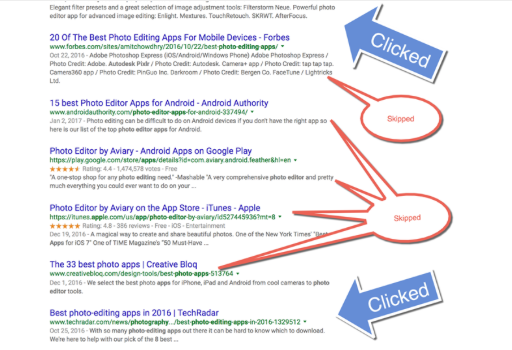
“If you look just at the keywords people search for, you’re missing out on many of their actual needs,” says Wil, who serves as director of digital strategy at his own company, Seer Interactive.

This article sums up some things Wil urges marketers to do to become more empathetic – “to understand the people behind the searches” – so that we can focus “not on being ranked but on being thanked.”


Marketers need to focus not on being ranked, but on being thanked, says @wilreynolds. #SEO
Click To Tweet


Talk with people

Wil’s first piece of advice is so obvious that it might seem to go without saying: Talk with people. Why start here? Because marketers “have ruined some parts of our jobs because we haven’t taken the time to understand how to sell things to people. We have all these cool tools and platforms that we can just throw stuff into, and they tell us what to do.”

Having worked as an SEO professional for almost two decades, Wil describes his “rebirth” this way:

One day I woke up and I looked at all the years and all the time that I spent trying to understand how Google ranks things. I was so out of whack. I had spent all this time chasing what Google wanted and where they wanted the words and never tried to understand how people make the decisions they make.

Wil cites the example of Michelin’s travel guides in the early 1900s when travel by car first became a possibility. Michelin tapped into a widespread craving for trustworthy travel-related information. The company somehow identified that need and filled it without the help of the internet.

Referring to Claude Hopkins’ book Scientific Advertising, published in 1923, Wil reminds us that we could learn a lot from yesterday’s door-to-door marketers who learned about their customer’s concerns through conversation.

We say, ‘Oh, I have to optimize for the word SEO blah, blah, blah so I can rank for SEO blah, blah, blah, blah, blah.’ We forget that there was a need that somebody had before typing in that word. How do you understand the need if you never talk to people? The answer is you don’t. You make assumptions, and that’s a mistake when you can just talk to somebody.

We lose something important when we act as though moving into the digital age means abandoning the human connections that have always made marketing work.

Listen to people as they search

To discover the things behind the words people search for, Wil recommends that you sit with people as they search online, encourage them to voice what’s going through their minds at each click, and listen.


Sit w/ people as they search, ask them to voice what’s going through their minds at each click. @wilreynolds
Click To Tweet


Wil points out, for example, that Chinese-American people who follow the principles of feng shui often base home-buying decisions on factors that keyword research can’t tell you. Certain aspects of a house – like location on a dead-end street, stairs facing the door, front and back doors that line up – are deal-breakers.

If you had a real-estate business, typical SEO keyword research might result in a decent Google ranking for your website, and yet, if you didn’t know about these feng shui criteria, a portion of the people clicking through to your web pages might not rent from you … and you might never know why. If you don’t sit with some members of the Chinese-American audience, listening to their thought process as they click through a search experience, you have no clue about the concerns that determine their decision-making. You can’t know how to adapt your content to address their needs.

You’d be getting ranked but not getting thanked.

Another example Wil gives comes from conversations he had with people as they searched online for moving advice. Two people he talked with clicked through to the same BuzzFeed article, which had seemed promising but disappointed them. He listened to why they were disappointed. One person found the advice “lowbrow.” Another said that the information would have been more helpful in a checklist format.

If you were in the moving business, that kind of insight could help you see what content people want and don’t find. That’s the kind of content all of us want to create.

How much better would your content strategy be if you asked potential buyers of your product or service to search, and you watched how they search and asked them what they like and don’t like about the existing content that’s already ranking? You could then build content that answers people’s questions better.

Wil observed, to my surprise, that people often skip over the top-ranked search results. Your page might rank in the top five, but that doesn’t mean people will click it. Someone looking for a recent report, for example, may skip to a title that cites a year. In the example illustrated below, the searcher who skipped to the bottom link was drawn to blue text that included “2016.”

That’s the kind of information you need when you create your content’s title tag – and you get it when you sit with people.

content-title-tag

Marketers can waste a lot of effort chasing a ranking that, in the end, fails to deliver clicks. Better to chase an understanding of the human beings doing the clicking by sitting next to them and opening your ears.

Let Google tell you what people want

Search engines are getting good at understanding what content people want and what content they find disappointing. The good news for digital marketers? Search engines lay out, for all to see, much of what they learn. Our task is to know what we’re looking at. “I’m showing you things that have been staring you in the face,” Wil says, “things that you were blind to.”


Search engines lay out much of what they learn for all to see, says @WilReynolds. #SEO
Click To Tweet


Here are some of the ways search engines reveal priceless information that enables you to discover what people want.

Discover the types of content people typically search for

Google, for example, often pulls a bunch of related information onto the results screen based on the things people predictably search for on a given topic. Here are the results that came up when Wil searched for surf information on North Carolina’s Outer Banks. The five red circles represent five types of information Google knows many people find valuable.

type-content-people-typically-search

If you were putting together your own content on the Outer Banks, you would want to know what content people have voted for with their clicks in the past. The search engine knows – and leaves its knowledge in plain sight.

These are the things that people want when they’re looking to do a surf trip in the Outer Banks. It’s staring you in the face, people. The data is right there. Google’s predictions are staring you in the face every day, and 99% of content marketers haven’t changed one thing based on this.

Are you among that 99%?

Discover the questions people are asking

Certain search phrases bring up Google results that include a section called “people also ask.” You won’t get any closer to mind-reading than this. Here’s an example:

search-phrases

When people click through to your website, you want them to find answers to lots of their questions. For one thing, if your visitors go back to Google quickly, the algorithm may decide they found your content unsatisfying. Google doesn’t jump to this conclusion, though, since lingering on a page may also indicate confusion. “Google is trying to get smarter at telling the difference,” Wil says.

Don’t place too much stock in the time people spend on your pages. Instead, focus on providing satisfying answers to people’s burning questions. To this end, when you discover a “people also ask” section in search results related to topics you want to own, consider that a blueprint from Google. Go down the list of questions, and create answers that people will value – maybe even enough to point others to your pages. Google will reward you for those backlinks. As Josepf Haslam said at last year’s Intelligent Content Conference, backlinks “serve as digital word of mouth”; search spiders “have their sticky feet all over backlinks.”


Focus on providing answers to burning questions. Use @Google’s “people also ask” section. @WilReynolds #SEO
Click To Tweet


Are you answering all the top questions your visitors are likely to have? To find out, use Google to search some key phrases your audiences are likely to use, and look in the search returns for “people also ask” questions. If you find some, incorporate them into your content strategy. Create answers that your visitors will want to share.

Discover the most popular relevant search strings

The autocomplete list that Google displays under your search box tells you, based on the characters you’ve typed so far, what search strings are most popular – another peek into people’s minds.

By default, your browser displays four predictive search strings. To make it 10 search strings, change the settings:

  1. Navigate to any Google search-results page.
  2. Click Settings > Search settings.
  3. Under “Google Instant predictions,” select “Never show Instant results.”

This is how it looks on my system:

popular-relevant-search-strings

Now when you enter search text, you’ll see 10 predictive strings, giving you more access to what’s in the minds of millions of people:

predictive-strings

Go ahead and search for some strings your target audience uses. Once again, the outcome of Google’s vast machine learning is right there at your fingertips, as if to say, “Here you go. This is the content your people want.”

Discover the words that perform well in your paid-search ads

Reading people’s minds, with Google’s help, pays. Here’s an example. One of Wil’s clients saw the click-through rate for a page on wedding dresses jump 307% –  triple the traffic, with no boost in search ranking – simply because of a word change in the page’s meta description.

How did Wil know to change that word? He noticed that his paid-search team had written ad copy to trigger emotion. The ad spoke to future brides using the term “gorgeous,” whereas the page’s meta description used the term “lace.” The meta description had not been written for brides as much as it had been (supposedly) optimized for Google. Since the paid-search ad copy was getting high clicks, Wil made the meta descriptions sound more like the high-performing ad copy.

What might you change in your page meta descriptions to mimic the wording of your high-performing paid-search ads?


How could you change meta descriptions to mimic high-performing paid-search ads? @MarciaRJohnston
Click To Tweet


Discover related search terms

At the bottom of the search-results screen, Google lists popular related search terms – terms that tell you a lot about the people who have searched on a given keyword.

Let’s say you work for a company that sells water coolers to businesses. You might assume that you would want to rank for the term “water cooler.” Search for this term, and, in seconds, you discover that people who search on “water cooler” are not typically your customers; they’re retail shoppers who want to buy a home water cooler from Lowes, Walmart, or Home Depot. Optimizing your content for the keyword “water cooler” might get you ranked; it won’t get you thanked.

related-search-terms

Google has millions of data points on the term “water cooler,” and it has some of the world’s smartest minds in machine learning. When Google tells you that B2B sites have no business trying to rank for this term, believe it.

When you search some phrases you want to rank for, check out the lists of related search terms at the bottom of the results pages. What mind-reading clues do you find?

Discover tough topics you need to address

If your company is up against controversy or crisis, the worst thing you can do is ignore it. Lumber Liquidators, for example, was in the news for a lawsuit related to formaldehyde in flooring products. People searched Google to find out what was going on.


If your company is up against a crisis, the worst thing to do is ignore it, says @WilReynolds.
Click To Tweet


The company could have known about the negative related topics that popped up when people searched for the brand by reviewing the autocomplete terms that showed in a search test. Lumber Liquidators could then have addressed the topic head on. Instead, the company chose to leave it to others to fill that information gap.

“They did nothing,” Wil says. “They helped no one.”

tough-topics-need-address

In contrast, look at Airbnb, which created content to address controversy and even advertised that content. When racism by Airbnb hosts made the news and inspired the hashtag #AirbnbWhileBlack, the company immediately created content that left no doubt about where it stood. Here’s one Airbnb ad that appeared at the top of a search-results page:

Airbnb-example

Like it or not, people will hear about your company dirt. You can let Google help you get in front of the content storm, or you can let others generate the content storm while you hide out and take your chances.

Explore other intelligent search sites

Wil points to a site called Answer the Public, which uses machine learning to create an on-the-fly visual of questions related to a given keyword phrase. Wil’s example below shows the questions that people type in to search boxes about North Face jackets.

answer-the-public

Here’s a close-up:

answer-the-public-close-up

Try it. Go to this website and type in any phrase. A dandelion of questions – real questions that people have typed into search boxes – instantly appears. 

You can also view the questions in list form. For example, here’s the list form of the questions that appear when I enter the phrase “content marketing”:

question-list-form

Click to enlarge

If you want to know what people want to know, an intelligent search site like this will help you find out. Keep your ears open for other websites that offer data-based insights. I have to believe that many such experiments lie ahead.


Use a tool like @answerthepublic to help you find out what people want to know, says @WilReynolds.
Click To Tweet


Conclusion

“I’m not trying to be a better SEO professional anymore,” Wil says. “I’m trying to just be a better marketer.” In his experience, the information you need is often sitting right there, waiting for you to open your ears and eyes.

What are your favorite ways to get into the heads of your customers?

Wil is a presenter at Content Marketing World 2017. Register today to hear in person more insights from the self-proclaimed search guy. Use code BLOG100 to save an additional $100.

Sign up for our weekly Content Strategy for Marketers e-newsletter, which features exclusive stories and insights from CMI Chief Content Adviser Robert Rose. If you’re like many other marketers we meet, you’ll come to look forward to reading his thoughts every Saturday.

Cover image by Joseph Kalinowski/Content Marketing Institute

Please note:  All tools included in our blog posts are suggested by authors, not the CMI editorial team. No one post can provide all relevant tools in the space. Feel free to include additional tools in the comments (from your company or ones that you have used).

The post What Are Your Customers Thinking? Search Secrets Hiding in Plain Sight appeared first on Content Marketing Institute.

01 Jun 16:24

How to Use Social Media the Right Way For More Brand Sales

by Personal Branding Blog

When it comes to sales for your personal brand from social media it takes a personal approach that build relationships. There are several ways to attract loyal buyers to your niche without a direct sales pitch.

Social media marketing is still one of the prime ways to generate leads for your brand to nurture. It’s important to seek out and engage with your fans and followers in order to build a trusted community through meaningful interactions and trusted content.

In order to gain the attention of your personal brand’s prospects you need to know their pain points and have the answers to their most pressing questions. It’s important to know how to effectively execute the right marketing strategy.

How to find and attract sales through social media

To stand out in your target market you need to understand the latest methods and trends. Here are some ways your brand can reach your community:

  • Create more awareness – Bring more eyes to your business by sharing an interesting story or an exciting event. Draw people in through personalized content that speaks directly to them. Take advantage of the latest trending topics in order to gain visibility on social media.
  • Make it valuable – Once you have established a good connection with your audience on social media, the next step for your personal brand is to offer incentives and information that provide high value. People are always on the look out for new and credible information that can help improve their lives.
  • Turn prospects into sales – After generating an interest in your brand it’s now time to focus on your ROI. This can be done through strategies like contests, advertising, email messaging, webinars, and live video. Be patient with the process as it takes time to establish trust in your community before they are ready to make a purchase decision.

When your brand is active and interested with its audience what you have to offer will soon get noticed. Leave the sales pitch for your website or a dedicated sales page, and provide something of value such as helpful tips, a free report, how-to videos, ect. As you put people first in your social media strategy the sales will follow.

01 Jun 16:22

How to Build Your Product for Viral Growth: Lessons from Datadog & Ziprecruiter

by Kyle Poyar

Editor’s Note: This article is an excerpt from OpenView’s upcoming PLG Playbook. Sign up to receive the full book when it launches here.

The team behind Slack didn’t start out planning to build a messaging and team collaboration app. Rather, they spent years developing a (now defunct) multiplayer online game called Glitch, but found it painful to work together productively as a geographically distributed team. Their pain was so great they allocated valuable engineering time to develop an internal collaboration tool – what we know as Slack today.

Kelly Watkins, Slack’s Head of Global Marketing, describes this inauspicious founding as the secret sauce behind Slack’s success. Since Slack started as an internal tool, “It really was built without an agenda or vanity. It was built to solve some very basic needs…[We thought] ‘what’s the minimum thing that we can produce to solve our needs as a distributed team working on a game?’”

Slack’s experience exemplifies the foundation of a successful product. Start by solving for real user pain. Without that foundation, no amount of optimization will be sufficient to breathe life into your product.

This lesson is echoed by the experience of Expensify, a travel and expense application. Expensify recognized that people hate expense reports – a lot. So much so that the bar Expensify needed to clear with their product wasn’t ‘expense reports you’ll love’ or even ‘good expense reports’, but rather ‘expense reports that don’t suck!’ Jason Mills, Expensify’s Director of Sales and Success, explains,

“It’s very common for the Expensify team to go to conferences, maybe if we’re wearing t-shirts just in random places people are like, ‘Oh, I hate expense reports so much. I looked on Google.’ A lot of people find us organically, because we’re really serving a need, and a pain point that they already have.”

If your product doesn’t solve a clear and urgent pain, stop reading and go fix that first. Otherwise, here’s how to optimize your product to accelerate product-led growth.

Strip out anything that isn’t critical

You’re in the business of designing a product that you want your users to love. That means cutting out any excess complexity that doesn’t directly deliver on solving pain for your users. This entails obsessing over the features that people actually use and being opinionated about how the product should be used. It requires saying ‘no’ to the laundry list of one-off requests that buyers ask for, but that will be over-kill for the bulk of users.

For ZipRecruiter, the rapidly growing job posting app for small businesses, this has meant going against the grain of what competitors were doing and holding firm to product principles. CEO Ian Siegel emphasizes that, “If a feature is not frequently used, we will remove it” and shares an example of how he slimmed down analytics, contrary to their competitors.

“At a time when everyone else in the industry was providing more and more analytics data on how job ads were performing, we found analytics were increasing the number of calls we got to our support. In what was at the time a controversial move, we turned off a large portion of the analytic information we provided. The result? There was a massive immediate drop in inbound support questions with no impact to business performance.”

Monitoring and analytics provider Datadog takes a similar approach, despite being in an industry that isn’t traditionally known for keeping things simple. “Datadog is taking a lot of things that have been done previously in monitoring companies and making the experience so easy, so straightforward, so intuitive that it’s no biggie,” VP of Marketing Alex Rosemblat underscores. They do that in two ways, first by focusing on the key problems they want to solve and secondly, by making it seamless for the user to solve those problems. This sets Datadog apart from their competitors that, according to Rosemblat, “Were so difficult to use that even though they did solve a problem, it was a problem to actually make it solve a problem.”

Deliver value immediately

Great product-led businesses take this radically simple approach to designing products and apply it to how they onboard new users. Their goal is to make it extremely fast for users to get started and see results, which will make the user want to come back over and over again.

At a company like SurveyMonkey, for example, that could mean getting a user to easily design their first survey and then receiving at least five survey responses. Once that hurdle has been cleared, the user is probably going to come back to the application again and again and need more sophisticated functionality (for instance, advanced survey building tools, team collaboration, analytical tools, etc.).

For Join.me, it means making joining a meeting as seamless as possible. That sounds easy, but is harder than it looks. Join.me’s former VP of eCommerce, Eric Bisceglia, says that, “The idea was ‘How can we just make it super, super simple to get into a meeting?’ No downloads, no concerns or worries, just join the meeting.”

Datadog’s Rosemblat notes that they want to make it as easy to sign up for Datadog as starting a Facebook account. “People are up and running with Datadog within minutes, maybe something very complex might take you a couple of hours to do,” he commented This is again unique for the industry, and for most enterprise-grade software.

Users don’t want to have to sit through hours and hours of product onboarding or training videos to get started. Rather, product-led businesses guide their users to complete the key functions they need in the context of what they want to do. Slack, for example, stays away from traditional email onboarding and instead focuses on in-app notifications, which educate users at the exact moment they need guidance. Kelly Watkins explains,

“We believe that [product education] really makes sense in context. You’d look at where somebody is in their lifecycle as a user, what are they thinking about doing at that particular moment and then we’re trying to communicate value to them at that point.”

Make the product stick

All of this work doesn’t stop at onboarding. Top product-led businesses continually focus on driving more usage and integrating their products into users’ day to day lives. That’s because they recognize that product usage is the ‘canary in the coal mine’; it predicts when a user is likely to upgrade, expand their purchase and renew their subscription. Companies can then drive product changes, in-app communication and human intervention to incent behaviors that they know will increase customer lifetime value.

HubSpot makes a great case in point. They take product analytics extremely seriously, according to former VP of Engineering Yoav Shapira. HubSpot brings together disparate data sources like firmographics, feature usage and economic value delivered, and they’ve found that this accurately predicts retention even within the first few days of a customer’s onboarding. Armed with those insights, HubSpot’s account management team knows exactly which accounts to focus on and how they should be influencing customer behavior to drive the most impact. These initiatives have helped HubSpot reduce churn and bring net dollar retention above 100% – not easy for a company that sells to small and midsize businesses.

All of this may sound straightforward on paper. The real challenge comes in building the muscle internally to stay laser focused on the pain point for which you’re solving, strip out everything that isn’t essential and continuously improve as you learn from customers. Given the knockout success of ZipRecruiter, Slack, Datadog and others, being disciplined about your product and implementing a product-led approach can add up to serious returns.

This article is an excerpt from OpenView’s upcoming PLG Playbook. Sign up to receive the full book when it launches here.

The post How to Build Your Product for Viral Growth: Lessons from Datadog & Ziprecruiter appeared first on OpenView Labs.

01 Jun 16:19

4 Ways Sales Managers Can Diagnose and Improve Pipeline Health

by Alex Hisaka
  • Stethoscope and Medical Tools on Light Background

We’re all familiar with overly optimistic sales reps who are certain all their deals will close. Thank goodness they maintain such a positive outlook! On the other hand, it can blind them to the realities of the situation at hand. It’s similar to seeing the doctor for a checkup and telling her you feel fine. Then she conducts the exam and discovers a few issues that need addressing.

Your job as a sales manager is similar –looking beyond what your sales team is telling you to assess the true health of the sales pipeline. Here are four ways to make your diagnosis.

1. Narrow Your Focus

While general practitioners know a bit about the whole body, specialists are the ones we visit when we want to get to the bottom of a specific issue. Think of yourself as a specialist when diagnosing your sales team’s pipeline health. As a specialist, you are narrowly focused on the middle and late stages of the funnel. After all, leads in the early pipeline stages have too many unknowns to count as potential revenue yet.

2. Get a Clearer Picture

Work through all the factors and variables that prevent opportunities from closing to arrive at an accurate diagnosis. Specifically, assess factors in terms of those mid- and late-stage opportunities. Looking at probabilities, deal sizes, and expected close dates is how you forecast. But to understand pipeline health, it’s important to reconcile each deal with the historical close rate and sales velocity of the rep working the deal.

Only with clear guidance can your reps take better care of their pipeline health. Explain to your reps your expectations – how you are viewing the sales funnel and process, and what should be happening at each stage. Be sure to clarify criteria for expected quality, speed, and volume of opportunities. Also account for purging quiet leads from the official pipeline after a set time.

3. Pinpoint and Minimize the Risks

Even experienced and specialists can get thrown off track by paying too much attention to symptoms instead of trying to identify the root cause. In the case of pipeline health, you don’t want to get sidetracked by focusing solely on revenue numbers. What’s behind those numbers is what matters.

Say a rep is slated to drive $2,000,000 in revenues for the month, and is only working two deals. Obviously he is banking on both opportunities closing, but is putting himself at great risk by working only two opportunities. What happens if one of those deals falls through and the other one stalls?

This is risky behavior which can jeopardize long-term pipeline health. The temptation is to focus all the energy into a high-revenue deal in the mid-to-late stages, and you do want to give these deals more attention to a certain extent. But it’s also important not to put all your eggs in one basket, so-to-speak. There are too many uncontrollable variables, and if those one or two huge deals continue to push out month after month, or falls out of the pipeline entirely, now your rep is trying to refill their pipeline from scratch.

Educate your reps on how to put themselves in the best position to succeed. Show them what a healthy pipeline looks like. Show them what an at-risk pipeline looks like. Teach them how to become self-sufficient at prioritizing and managing risk.  

4. For Better Health, Plan

Physicians work with their patients to come up with the best plan of action. Let’s face it – each of us needs to be participants in making sure we are as healthy as possible. To that end, you need to understand how each sales rep plans to satisfy their quota. It’s one thing for reps to say they expect to bring in a certain amount in revenues. It’s another to show how they will reach that goal. Your job is to determine the viability of each strategy.

Research has found that companies spending at least three hours per month managing each rep’s sales pipeline drive 11% higher revenues than companies that spend fewer hours on pipeline management. By spending time to help your reps develop healthy pipelines and solid strategies for closing their deals, you can help them earn more revenue for themselves and your company.

For more ways to keep your team on the right track, download The Sales Manager’s Checklist.

01 Jun 16:18

Email Marketing Budgets: Spend This Much For 122% ROI (And How To Do It)

by Brian Marsh

There aren’t a lot of people saying this, but direct mail marketing is dead.

Actually…

Direct mail can still earn pretty remarkable returns, especially in certain industries.

But, the ROI that direct mail offers has slowly decreased over time while ROI for email marketing continues to grow.In fact, a recent eMarketer survey uncovered a median ROI of 122% for US marketers using email marketing. Compare that to 28% ROI for social media advertising, 27% for direct mail and 25% for paid search ads.

The 122% ROI listed isn’t the only email marketing ROI case study that’s been documented. Here are some more case studies that are available online:

ROI case studies for email marketing

As you can see, the ROI for these examples varies widely, from 73% to a whopping 3,800 percent. The point of showing these figures is to say that each company, each industry, each quarter…each application of email marketing is going to provide different results.

How much are companies spending to get these results?

Again, each case is going to be a little different. Let’s take a look at a few of the case studies from above:

For the marketers that eConsultancy surveyed – who reported returns of 73-80% – an average of 16% of the total marketing budget was spent on email marketing. Not only did the results achieve up to 80% ROI, they also accounted for an incredible 23% of the marketers’ total sales for 2016.

In the Hubspot case study, it only took a small investment in email to achieve results similar to the much more costly efforts of direct mail. This was an interesting study because it didn’t just examine the difference between email and direct mail. It also examined the efficacy of direct mail and email together.

For the direct mail campaign, they spent $21,000 and generated revenue of $576,408. When combining direct mail with email, ROI improved slightly: They spend $21,210 and made $627,463. For the email only campaign, they generated slightly less revenue at $545,951 but spent only a small fraction of the investment at $210 total.

That’s where the 2600% ROI comes from and it can be compared to 27% ROI for their direct mail only efforts and 30% ROI for their direct mail + email campaign.

What do these case studies mean – should you spend just a couple hundred dollars on your email marketing and expect over $500,000 in revenue?

No…these results are not typical, though they are possible.

The 16% of total marketing budget is closer to the amount you should consider investing specifically in your email marketing efforts. But that figure will vary depending on several factors, including the following factors:

  • Your annual revenue
  • Whether your company is B2B or B2C
  • Whether you’re selling a product or a service
  • How much of your overall revenue is generated online
  • Your marketing and digital marketing goals

Here’s a quick way to calculate your email marketing budget and more…


How to achieve great ROI from email marketing

There is clearly a lot of opportunity with email marketing efforts. The question now becomes how to go about achieving that ROI…

Of course, it’s important to note that every business is different and there is no secret combination of contacts and emails that will automatically take you to the top.

But, there are some best practices that you should consider when putting together your email marketing campaign.

Here are 3 of the most important ones:

1. Choose the best email marketing platform for your business

Just like every email marketing approach is different based on many factors, the right email marketing platform will be different for each company as well.

Your email marketing platform could be part of a larger marketing automation and CRM platform, such as Hubspot or Infusionsoft, or it might be a more simple email platform, such as MailChimp. No matter what you’re using now, you need to consider what your email marketing demands are now and what you want them to be in the future.

Also consider how quickly you plan to grow your email marketing efforts; if you expect to grow from 300 contacts to 10,000 contacts in the next few months then you should go ahead and get setup with a more robust email marketing platform.

Not only will that allow you to avoid a potentially tedious transition down the road, it will also provide the opportunity to get familiar with the email platform while you grow your database.

Here are some of the most common email marketing platforms for different budgets and stages of business growth:

Email marketing platforms for businesses that have a small database now and don’t plan on growing quickly or have a tight budget:

  • MailChimp (Free to $199/mo)
  • Constant Contact (starting at $20/mo)
  • GetResponse ($15/mo to $999/mo)

Email marketing platforms for businesses that want room to grow and have a decent email marketing budget:

  • Hubspot (now starting with a basic free option)
  • ActiveCampaign (starting at $9/mo)
  • Infusionsoft (starting at $199/mo)
  • Salesforce Pardot (starting at $1,000/mo)

Most businesses can find a fitting email marketing platform in the options listed above. But the two platforms that really stand out are Hubspot and ActiveCampaign.

There has been a lot of disruption in the email marketing platform market over the past couple years and these two have done a great job at carving out places in that market.

Hubspot is a well-known platform that is robust and allows for email scheduling, contact engagement tracking, email workflow automation and much more. Until 2017, Hubspot would be quickly dismissed by smaller companies because of the pricing. But in 2017, they introduced an introductory plan that Free, allowing businesses to start off with Hubspot and grow into the more robust plans.

ActiveCampaign is one of the market disrupters and was one of the first platforms to offer a larger range of services – from email workflow automation to easy-to-use email templates to forms and more – all offered at a starting price of $9/month.

Depending on your email marketing budget and goals, either of these two can be great options to get you started and build your email marketing efforts over time.

If you plan on getting serious about email then the platform you choose will likely be your largest email marketing expenditure, aside from perhaps employee pay.

2. You must make sure your sales team is ready to handle a higher volume of leads

This is a critical step in achieving the maximum ROI from your email marketing efforts. You could have a million dollar email marketing budget but if your sales team can’t support the traffic then you’ll never be able to take full advantage of the leads your email marketing efforts can provide.

Keep in mind: A busy sales team does not necessarily mean a productive one. If you boost your marketing efforts, you might notice an increase in leads and prospects – and maybe even paying customers – but don’t confuse a busier sales team that isn’t closing more deals with one that is efficiently working through the increased demand.

Your goal should be to create a scalable sales process that will allow you to take advantage of increased leads when they come but not put too much of a strain on your resources (eg employee compensation).

Each business will go about this is in a unique way. If your leads all come through via phone calls, even when prompted by emails, then you might consider a phone answering service or updating phone answering protocol for sales members.

If most of your leads are coming through forms online then you can consider workflow automation, form notifications to the sales team and so on.

You may need to invest more into your sales process, so consider that as you carve out your email marketing (and total marketing) budget. For some, no extra budget will be needed – it may just be a matter of thinking differently or shuffling resources. For others, you may only spend a little extra on additional features of an email marketing platform (such as email workflow automation) or you may spend a great deal restructuring your sales process.

3. Make sure you’re connecting with the (right) audience

The last thing you want to do with your email marketing is allocate part of your budget towards a new email marketing platform and restructure your sales process only to later realize that you’re really not connecting with the right audience in your email messages.

Connecting with the right audience has three different parts:

1. Knowing what your target market is and will be

If you currently have a business then you have some sort of an existing audience, even if it’s just 5 people in your hometown. But there may be a difference between who your existing buyers are and who the right buyers for your company are.

Here’s an example: You own a business that sells high-quality winter jackets. You’re based in Virginia and you’ve done well enough to take your business online. You start off selling your jackets across the state of Virginia because of the proximity.

The problem is that Virginia has many months of warm to hot weather. By only targeting people in Virginia, you’ll see whole months out of the year when nobody will be interested in your jackets (just like your physical location). The remedy would be to expand into territories that experience longer periods of colder weather.

By including markets like New York and New England, the amount of time that people need to buy jackets will likely increase. So, while your current audience may be a city in Virginia, it’s important to consider what your audience will look like as you grow your business.

2. Understanding the people in your target market

Knowing where your audience is and knowing who your audience is are completely different subjects. The more that you understand your customers, the more you will understand the reasons they shop, the reasons they buy and even the reasons they do not buy.

If you’ve been in business for a long time then you’re thinking you know your customers thoroughly. But, you’d be surprised how much documenting customers’ attributes can help provide an even deeper understanding. This is especially true for businesses who have multiple types of buyers, or personas.

The reason why this is so important is that it can dictate how you market and sell to your audiences.

For instance, let’s say you decide you’ll expand your winter jacket business to New England while maintaining your local business in Virginia. Your buyers in Virginia will be a lot different than your buyers in New England, right?

They’ll be buying for different reasons, they’ll have different expectations of product quality, they’ll use the products differently, they’ll shop around differently and they’ll even talk differently.

Understanding how each audience thinks, talks, buys, etc. will you give you an incredible upper-hand when it’s time to implement your email marketing campaign.

3. Investing in creative resources to communicate effectively

Now that you understand what your target markets are and also who they are, it’s important to invest in the best resources to connect with those people. Simply understanding those things and then trying to communicate the same way you always have will certainly decrease the chances of connecting with them in your email messaging.

Instead, you should designate one of your team members (ideally, someone creative) to craft new messaging that will resonate with your audience members. When you start this process, you may be surprised to notice that you’re not even talking to your existing audience in the most effective way.

The key goal here is to avoid speaking in your own language (industry lingo is one of the top offenders) and start speaking the way your audience does. Now, it’s important to maintain the “voice” of your brand if you’ve established one, but you want to at least find a middle ground.

Example: Let’s say your winter jacket company is booming and is now hands-off. You decided to go back to school and become a veterinarian–your dream job. Your clinic is up and running and you’re emailing existing customers about a new product that was released to prevent Lyme Disease. You should not refer to Lyme Disease by its medical name, Borreliosis. Sure, it may make you sound smarter and some people may understand it, but the majority will not.

Even if your Lyme Disease product is the best in the world, it won’t matter because you’re speaking a language that your audience does not speak.

It can be very easy to discover how your audience talks. Here are some ways that you or your creative team gain a better understanding of how your audience talks:

  • Send out surveys. Surveys are a great way to get more in touch with your customers. Not only can you ask questions about their satisfaction with your products, you can examine the language they use in their responses. Now you’ll see that customers are concerned about Lyme Disease even though you just sent your Borreliosis email out and you can make that change for the next email.
  • Record or make notes during phone calls. For businesses that get a lot of phone calls from customers, this is a great way to examine exactly what customers are calling for and the terminology they use when they call.
  • Check social media. If you have a decent following on social media and your audience is engaged with your pages, take a look through their comments and make notes on how they’re writing to you. Even better, try publishing posts around the topic you’ll be emailing them about and you’ll have more luck getting specific language around those topics.
  • Search for online blogs and forums. You may be surprised at how easy it is to find people like your customers online using blogs and forums to interact. These sites are perfect for understanding how your customers think and speak about their problems.

The effort that you put into communicate effectively may also become part of your email marketing budget, but this is one that you will likely find to be very valuable.

Putting it all together to achieve optimal ROI from email marketing

Unfortunately, there is no magic budget amount that will automatically earn you an incredible ROI from email marketing. Every business is different and that means that each company’s email marketing efforts should look a little different too.

With that said, there are some standards for getting the most out of your email marketing budget and efforts. Most importantly, you need to establish your marketing and business goals that you know what you are aiming for with your investment.

It’s also critical to choose the right email marketing platform to support those goals and ensuring that your sales process is set up to take advantage of the increased interest when it begins. Lastly, you need to make sure you know your target audience and how to communicate with them effectively.

Without those three components, you won’t be able to reach the full potential of your email marketing efforts and you may become discouraged by poor ROI.

Reminder: You can use the digital marketing budget calculator below for marketing budget recommendations that are customized for your business:


email marketing budget calculator

Calculate Your Custom Budget

01 Jun 16:18

Proof Email Marketing Converts Leads Into Customers

by Guest Post

Proof Email Marketing Converts Leads Into Customers written by Guest Post read more at Duct Tape Marketing

As a small business, lead conversion can mean a lot of things to different people.

Most likely you can think of a handful of things yourself. Someone signed up for your newsletter, clicked on a call-to-action, opened an email, visited your website, filled out a form or downloaded an ebook….

That’s all great stuff.

It’s really a true win.

But until someone actually purchases your services or your products, that lead isn’t going to help you pay the bills.

At the end of the day, the week, the month, that’s what it’s all about.

And there’s no better place to focus your efforts than on email marketing.

Plenty of statistics backs that up. Here are just a few to consider:

Proof Email Marketing Converts Leads Into Customers

Let these numbers wash over you, dry yourself off, and let’s get down to business.

The results are there.

The revenue generating potential is there.

The power of email marketing is real.

To help you harness the power and simplify an actionable playbook for your, we rounded up 12 strategies to help you nurture a prospect into making that down funnel move to customer status.

Go ahead. Take a look. And then get busy working on boosting your lead conversions through email marketing.

Develop strong call-to-actions

Strong CTAs are essential to your conversion rates.

And here’s why:

They’re effective in getting your prospects to the next step, and to the next step … right up to that purchase.

The purchase is essential, right?

Here are some things to try out. Remember to test these strategies to see what works with your email campaign.

1. Use anchor text CTAs. Based on a study by HubSpot, anchor text CTAs led to a 121% increase in conversion rates.

2. Design email CTAs as a button. After switching to this e switch led to a 45% increase in clicks, according to Copyblogger. Try different colors to see what works. Some companies are seeing better results with orange and red.

3. Use one strong CTA. It could increase conversions significantly. When skimming emails, one strong CTA may be more effective than several CTAs. That was the case with a company that tested this strategy. According to Toast, the single CTA led to a 371% boost in clicks and a 1,617 increase in sales.

Review your shopping cart abandonment plan

If you’re selling products online, more than likely you need a strong cart abandonment plan.

Focus your efforts here and you could see conversion rates climb significantly.

Here’s an example:

According to the Baymard Institute, nearly 70 percent of all products placed in a cart (at the critical point you could make a sale) are abandoned.

Your job is to set a strategy in place to recover your share of those abandoned carts.

Check out these ideas for boosting conversion rates through a cart abandonment plan.

4. Tweak or overhaul your checkout process. Research shows that about 33 percent of American shoppers abandoned their orders because of a “too long or complicated checkout process.” The Baymard study revealed that $260 billion in potential sales can be recovered nationally by optimizing the checkout process.

5. Use email automation. A drip campaign makes sense for new subscribers. That type of automation also is ideally suited to get the attention of users who abandoned their carts.

Set up a marketing campaign that schedules friendly reminders about the products they left behind. Something as simple as “Did you forget about me?” could be the key to getting the sale.

6. Don’t force someone to become a member. Keep the user’s preferences in mind. Requiring them to sign up for your email list or to become a member can be a turnoff — and a roadblock to them completing their purchases.

Maximize customer testimonials

People are a fickle bunch. They typically don’t want to test you out without knowing that someone like them has already checked you out — and were happy with the experience.

7. Add testimonials/reviews strategically. If your CTAs direct users to your services and products, strategically place reviews, testimonials and case studies on the landing page. Don’t overdo it, but, by all means, let others brag about you.

Several examples of how your services and products have worked for other clients should do the trick.

Get more personal

All email marketing campaigns begin by asking for the prospect’s name and email. Use this valuable piece of information frequently — it’s always more personal to call someone by their name.

And take it up a notch by further personalizing your ongoing communications — using marketing automation to gather data about each of your users.

According to the Direct Marketing Association, automated email campaigns generate 21 percent of email marketing revenue while triggered campaigns generate 75 percent of email revenue.

8. Use personalized CTAs. According to a study reported by HubSpot, personalized CTAs convert 42 more visitors into leads than CTAs that are untargeted.

9. Make use of personalized subject lines. Using the prospect’s name in the subject line can boost open rates by an average of 30 percent, according to a study by MarketingSherpa.

10. Segment your email list. If you’re still sending out one-size-fits-all type emails to save time, stop it. You’re boring your subscribers.

Besides, if you send them one too many emails they don’t find relevant, you’re increasing the likelihood they’ll stop opening your emails.

Proof Email Marketing Converts Leads Into Customers

Customize your subscribers’ experiences based on the data feedback you’re receiving about them through automation. Go beyond geography and gender. Step it up by delivering an experience based on the products and topics they’re more interested in.

11. Implement a nurturing campaign. Take the time to determine what will help you guide a prospect from one stage in the purchase cycle to the next stage, and eventually to a purchase. Develop content, including blogs, white papers, webinars and videos, to answer the questions that prospects may have along the way before they buy.

Make sure the content is relevant and appropriately targeted and delivered at just the right time.

According to Forrester, this strategy could lead to a 20% percent increase in sales opportunities.

And, don’t forget the last step of a nurturing campaign: The follow-up.

With marketing automation, certain actions by the consumer should trigger a personalized email or a phone call to follow up.

Statistics show that if you follow up within the first 5 minutes of the consumer expressing interest, your odds of qualifying them as a lead are 21 times greater than if you wait just 30 minutes.

12. Develop a multi-channel approach. With an effective marketing automation platform, you can extend your ability to nurture prospects through multiple channels — email marketing, social media, retargeting, and your website. These increased impressions, as well as the ability to reinforce a relevant message to your audience, can significantly increase your conversions.

Now, go for it!

Digital marketing is not necessarily a sprint, but you can get some acceleration with your conversions by implementing proven strategies.

What are you waiting for?

Go ahead. Test these 12 ideas to get on the road to more conversions that lead to increased sales.


About the Author

Corey TrojanowskiCorey Trojanowski is Digital Marketing Manager at Delivra, an email marketing, and marketing automation platform designed and built for small to medium-sized businesses with marketing teams that don’t have enough time, email expertise, or strategic guidance. When Corey isn’t waist deep in Google Analytics or working on conversion rates, he’s probably spending time with his family or on the ice playing hockey.

01 Jun 16:18

How To Use Social Media To Convert More B2B Leads With Daniel Kushner

by Nathan Isaacs

How To Use Social Media To Convert More B2B Leads With Daniel Kushner

One of the biggest challenges B2B marketers face is measuring the success of social media marketing.

Oktopost’s Daniel Kushner believes his company can help. On a recent Rethink Podcast, he discusses how to use social media to convert more B2B leads.

Today’s modern marketer needs to connect the dots between Tweets and MQLs. However, many B2B marketers are stuck in the rut of thinking about social media as just a top-of-the-funnel tactic, or they’re too caught up with surface-level metrics such as how many followers and friends they have.

There is too much money at play just to be content scheduling a bunch of tweets, posts, and updates. More than $5.4 billion was spent last year on social media marketing. But 34% of marketers claim tying social to business goals is a challenge, according to Simply Measured’s 2016 State of Social Marketing Report.

This graphic shows 34%25 of marketers have a tough time connecting social to ROI. Read the post to learn how to use social media to convert more B2B leads

In this episode of the Rethink Podcast, Act-On CMO Michelle Huff interviews Daniel Kushner, co-founder and CEO of Oktopost. They discuss how B2B marketers are using social media to convert more leads, what marketers are doing right and wrong on social media, the differences between B2C and B2B social media marketing, and how to encourage your organization’s team members to becoming your social advocates.

Enjoy the conversation, and we hope you can get one or two takeaways that you can bring to your business.

Michelle Huff: Daniel, thank you so much for joining us today. Can you introduce yourself, and tell us about Oktopost.

Daniel Kushner: I’m one of the co-founders and CEO of Oktopost. We like to call ourselves the only B2B social media management and advocacy platform. Basically, Oktopost is a platform that is used for managing, scheduling, and measuring social media content. And, as we’ll get in this discussion today, we very much focus on the B2B aspects of social media because we see this as a very unique and special market when it comes to marketing and especially social media marketing.

Michelle: I couldn’t agree more. And it’s interesting just even talking to people in the B2B space, because I think people approach social media differently depending on where they’re at in the adoption curve, and how they think about it and their own buyers. Since you talk to a ton of B2B marketers, from your point of view what are people getting right about marketing on social media today? And on the flip side, where do you think they’re falling short?

Daniel: Social Media is very different for every company. Because on social media we’re kind of opening up ourselves and being very honest with this non-corporate talk, if it’s about employees, work environments, products, releases, etc. And when we look at our customers, some of the things they might not be doing as well as they should is the amount of content they push onto social. Because as social has advanced over the years, it’s become a very noisy place. And it was once was enough for us to tweet a couple of times a day ‒ maybe five times a day. Today, with the number of tweets that are getting pushed out by consumers, by companies, we need to increase the amount of content that we’re posting onto social media.

If we look at what a company will normally do when they develop content, we’re all in this game in the B2B world of content marketing. We’re generating the white papers, webinars, podcasts, blog posts, etc. All this content needs to get distributed onto social media. If I have a new blog post, sending out one tweet wouldn’t be enough. I would maybe write 10 or 20 different messages on the same blog post and schedule those multiple times. So, in essence I have dozens of different tweets going out at different times of the day for a single piece of content. That’s one thing I believe that many B2B companies could improve on: generating much more content on social.

The second thing is all about automation. We live in a world where a large part of the MarTech is around marketing automation. And I think when B2B marketers look at the social side, they’re trying to take that automation aspect to social as well. But in essence social works much better when it’s not automated. There’s only so much you can automate. In the end, as I said, it’s a very open and honest channel. And automating content, automating messages ‒ it just doesn’t work as well as messages and content being personalized.

I’ll give you an example of what automation can be. There might be a blog or a WordPress plugin, that whenever you have a new blog post, it will automatically create a tweet about that blog post. And how is it going to do that? It’ll be the blog title, put in the link, and send that out to Twitter. But that’s not engaging. And as I said, on a single blog post we can write dozens of different tweets with different content that really explains what the blog is about and not just repeating the title. So automation, from our experience, doesn’t work on social media.

And I’ll say the third thing is social media, like every other marketing channel, really needs to be measured. It doesn’t make much sense in us investing time, money, effort into creating content on social if we’re not measuring how successful the social is for us. It’ll be just like doing a webinar and not measuring how many registrants we have, or doing a trade show and not measuring how many business cards we collect. And it’s very much the same for social media. It’s a marketing channel that needs to be measured.

Michelle: For people who think of social as Facebook or Twitter, and how they use those platforms socially, can social media be an effective marketing channel? And how should people be thinking about it? Should it be the same or different than B2C?

Daniel: We definitely believe it’s a super effective channel. Actually, before founding Oktopost, I was VP marketing at another technology startup called Nolio. We were developing dev ops technology, selling to banks and telcos ‒ the classical B2B long sales cycle enterprise sale. And when we looked at the numbers at the end, because we were measuring everything in the platform, social media actually generated 25 percent of the new business. And this is B2B enterprise sales. So, it can be effective.

Michelle: How do you see B2C and B2B being different in terms of how marketers should use social media? Do you see big differences? I know that you’ve mentioned that you guys are really focused on B2B. What do you think are the big things?

Daniel: I think there are two major differences. The first, in the B2B market or B2B companies, they’re posting much more data or much more content onto social media channels than B2C. And this is counterintuitive, because B2C is full of images and content. But when we drill down and we look at what the B2B marketing organization is doing, they’re generating lots of content. We’re doing the blogs, and the webinars, and the white papers, and the podcasts, testimonials, eBooks, and white papers.

And all these pieces of content needs to get distributed multiple times onto social media channels. If we’re a large organization and we have multiple products, we’re multiplying that number again. If we have multiple languages, that’s another multiplication. And what we end up seeing is that B2B companies, they’re posting hundreds, if not thousands of messages on a monthly basis.

When we look at B2C, and I like to use Nike as an example, if you go over to their Twitter account you’ll see that Nike will post a single tweet maybe every couple of days. So, they’re posting maybe 12, 20 tweets on a monthly basis, far less than B2B. But on the Nike side that single tweet is now distributed to their millions of followers and gets retweeted tens of thousands of times. On the B2B side, we have much more content, but much smaller audiences. That’s kind of a complete reverse of what’s happening in B2C.

The second difference that I see is what are we measuring. Now, almost every single marketing event can be measured. If I’m going to a trade show, I know how many business cards I collected. If we’re doing a webinar, we see registrations and attendees. Even if we’re spending money on paid advertising, we have the technology to understand how many dollars I spent, how many leads, qualified leads, and we can follow that down the pipeline so we can understand the ROI of our marketing efforts. But when it comes to social, all of a sudden the metrics are very different. We see things like likes, and retweets, and shares, and comments, and followers month over month.

Now, going back to the pre-Oktopost days when I was VP of marketing, the CEO used to ask me one question each month. This was all they cared about. And the question was: ‘How many leads?’ And I couldn’t come back to the CEO and say, listen, we got 10,000 new followers on Facebook or so many retweets or shares. It’s all about the number of leads. This is the question every CMO is asked.

Michelle: OK, I’ve got a bunch of likes. What does that mean?

Daniel: When we’re looking at social media from a B2B perspective, there’s no correlation between the likes and the shares and the retweets to the actual business values. Am I generating leads? Is social media helping push leads down the funnel? What we need to measure in B2B on the social media side are the real business values: leads, SQLs, MQLs, and how they helped opportunities and closed/won deals.

Michelle: Yes, so that brings up, from your viewpoint, how does a B2B social media management platform like Oktopost fit with marketing automation?

Daniel: I think these two platforms were made to work together. Because if we look at social media, we use it a lot for top of the funnel, so it’s awareness and bringing in traffic. And then we capture this traffic using marketing automation platforms. If we look at Act-On for example … so what are we doing with Act-On? We’re doing lead nurturing, we’re doing lead scoring, and we’re doing lead attribution. And the way we’re able to do this within Act-On is by using the data that we have on the lead. So if we spoke about nurturing, sending the right email to the right person at the right time, how do I know who’s the right person at the right time, which email to send, is based on the data I have on that lead? And the same with scoring and the same with attribution.

Now all the data that Act-On has is coming either from the website visits because of the beacon code that I have, it’s coming from email opens, email clicks, it’s from data that I’m synchronizing with CRM, whether it be Dynamics, Salesforce, etc. But much of the social data is missing – well, actually, it’s not because you have the Advanced Social Media module. But this data, this social click data, is a whole new dimension that we have in Act-On that’s coming from social media that tells us a lot about our leads, what they like, the content they’re interested in, what triggers them. And we can use this additional dimension of data to enhance the way that we’re nurturing and scoring and attributing our leads within marketing automation.

I’ll give you an example of how these two platforms work together. Let’s say we’re using Oktopost and we scheduled a LinkedIn message. And this LinkedIn message is pointing to an article in the Wall Street Journal that discusses maybe our company, or maybe just our general topic or general area that we play in. So now we have this prospect that might be known in the Act-On database that clicked on a LinkedIn post and went to the Wall Street Journal. But because of the integration between Act-On and Oktopost, that click is now available in Act-On. So Act-On has additional information and different data points about this specific lead.

They know that they’re on LinkedIn. They know what they clicked on, what the topic of the article was, or they went to the Wall Street Journal. And we can use this additional data to help the nurturing and scoring mechanisms, and basically improve the way that we perform those actions within the marketing automation platform.

Michelle: We couldn’t agree more that the two platforms work really well together, as you mentioned, with the advanced social media, and we’re a customer as well with Oktopost.

Daniel: And I think just to add one more thing, Michelle, there was a Forrester report recently. They were discussing that marketers who can’t measure what they’re doing, they’ve got a very hard time maintaining budgets, or even getting new budgets. Because, at the end of the day, when we have a close/won opportunity, we want to go back and say, ‘OK, I have a closed/won, how did I get the lead, what pushed that lead through the funnel, and what influenced this specific sale?’ And if we don’t have all those data points, which is normally recorded inside the marketing automation platform, as we know as marketers, sales are going to take all the credit. So we as marketers, we have to understand and know how to measure all the influence that our marketing activities ‒including social ‒ have on the opportunity pipeline.

Michelle: So, better understanding what you contribute, but then also understanding all the different touch points and influencing that you have with that customer … And bringing up sales and marketing ‒ the whole dynamic: Do you think that there’s a difference in how sales should approach your product or just social media?

Daniel: I think there are two approaches. The difference in social media between sales and marketing, I believe, is that sales is more of a one-to-one connection, if we’re talking about social sales, communicating to prospects, customers, via social media. And marketing is more of a broadcasting onto social media for awareness and to trigger this engagement.

One of the things we see ‒ and at Oktopost we have plugins for Salesforce ‒ we’re working on Dynamics, where the sales reps can see the social journey their prospects are taking. So when we look at the interaction between a prospect and a company, it doesn’t always happen on the website. It doesn’t always happen through emails. It might happen through social. I might be engaging with a company, or not even engaging, just following a company, because I’m interested in their technology, and clicking on their social content, on their tweets, LinkedIn, Facebook, etc.

With Oktopost and Act-On and the CRM now all tied together, we can see that social journey within, let’s say Salesforce, for example. So when that salesperson is going to send the next email, pick up the phone and have the next conversation, they can really now have that in the right context that their prospect is interested in because they’re able to see what they’re doing on social media, what links they’re clicking on, and what really triggers them; and it’s a great piece of information to start a new conversation.

Michelle: The richness of that very first conversation that sales can have when they can see what topics have engaged that person in the first place … you just have a much more relevant conversation right from the get go.

If there are customers or companies who are listening right now and they’re thinking, ‘OK, you’ve sold me, I want to start doing a lot more on social,’ any advice for trying to identify what channels work best for them? Facebook, Twitter, Snapchat, LinkedIn? Do they have to care? Do you just go try to do all of them at once? What’s the best approach to get started?

Daniel: This is very much individual on a company per company basis. I’ve seen companies where LinkedIn isn’t doing anything for them and they’re getting a lot of leads and lots of traction from Facebook. And then we see the exact opposite. So it’s very, very different. I think first you should try as much as you can, as much as you have the bandwidth for. As we discussed in the very beginning, everything has to be measured. So using a platform like Act-On, like Oktopost, with the Advanced Social Media module, you need to be able to measure which channels are working. Now it’s not only which channels, but what type of content is working.

When we compare this to marketing automation, today it’s basically a no-brainer that, when I’m sending out an email, I want to A/B test the subject line. And why do I A/B test the subject line? Because I know that this is what triggers the open rate of the email. This is like standard practice across the world today. But what about social media? When I’m writing this tweet, when I’m writing a Facebook update, or LinkedIn update, am I A/B testing my content? Am I writing different pieces of content to see what resonates with the audience and what’s getting the most clicks and conversions?

It’s not only between which channels are best for my company, but what type of content is best for my company and best for my audience. So it’s really drilling down and analyzing the data from the macro, which is the channels, all the way down to the actual pieces of content. Let’s say, for example: Twitter with the emoticons, without emoticons, upper case, lower case, exclamation points ‒ what is really getting the most attention out on social media? So you have to really measure everything to understand what works and what doesn’t work.

Michelle: Could you talk a little bit about how you leverage the power of enlisting your entire team to be what you call ‘social advocates’? Maybe you can tell everyone a little bit more about that.

Daniel: At Oktopost, we love social advocacy. And, in addition to the publishing, we have a social advocacy platform. And I can definitely say, Michelle, that our most successful customers understand this hidden secret of using their employees to share the message. So if we said that the number one KPI or the main objective of the CMO is normally lead generation, we can now tap into the advocates to help generate these leads.

So what is advocacy all about? It’s about the marketing team, the corporate marketing, creating social content, and getting this content into the hands of employees or partners ‒ these are normally customer-facing employees, like from the sales, customer success, support, etc. ‒ and having the employees share it on their own LinkedIn, Facebook, and Twitter networks. Now, what does this do? It benefits for everyone. So it’s really a win/win situation.

One, we have the benefit for the company because they’re getting what we call social amplification. If we take in the social reach of all the employees, this is normally much bigger than the reach of the B2B company itself. So we’re amplifying our social. For advocates, it very much positions them as thought leaders in the industry. If, for example we’re connected on LinkedIn, and you constantly see that I’m updating my LinkedIn with industry-relevant content, it might go through your head that, ‘You know, Daniel is really into this social media stuff; he’s updating his LinkedIn on a daily basis. But what am I doing? I’m just clicking on a button in the advocacy program that shares content that the marketing team wrote.’ So it really positions the advocates as thought leaders.

And, the third thing: Our data isn’t siloed. It’s flowing between social and Act-On and marketing automation, and we can really measure the results of advocacy. And, if I’m running an advocacy program and I’m getting the whole company involved, I want to make sure this is working. I’m not wasting, not only the marketers’ time, but I’m not wasting maybe 200 or 300 employees’ time when they’re sharing the social content on a daily basis. But now when everything is fit into Act-On, every social click, we know if it came from an advocate, if it came from corporate, who wrote the message, what the message was about. We can really see if the advocacy program is working from: Who’s sharing? How many clicks? Are we getting conversions? Is it helping pipeline? And that can definitely help us improve the way we run the advocacy program as well. So we’re big believers in advocacy.

And just one more thing. We see, when we’re looking at the successful advocacy programs, it’s normally compared to online ad spending on social. If we’re considering or maybe we even have existing budgets to spend on social media pay per click, we might be spending $5, $6, or $7 per click, let’s say on LinkedIn. And if we compare the data to the advocacy ‒ so let’s say I just have maybe 100 advocates, and they’re sharing content, and the 100 advocates are getting a conservative 10 clicks a month, super conservative, so it’s 1,000 clicks a month. So 1,000 clicks from LinkedIn and social media, compared with what I’m currently paying LinkedIn or Facebook or Twitter for these clicks, is worth between $5,000 and $10,000. And I’m getting this almost for free from my advocates themselves.

Michelle: Free ‒ that’s like music to my ears. I think, as a marketer, I love the idea of message and brand amplification. And I think people kind of missed it when you were mentioning your few different points. I think what I love about it is how easily you made it to ask people to be advocates and to share your message. They might do it once, they might do it twice. I love it.

Daniel: It’s definitely easy. And when we look at advocates as a wide spectrum of different levels of advocacy, we have the super social savvy advocates, like they’re on social all day, and then we have maybe a group that, if you give them content to share, they’ll share it. And the nice thing about the advocacy platform is that we can serve all the different types of advocates that we have in the organization. If somebody’s more savvy, they can take the marketing message that the corporate wrote and change it to their own words. Because they feel that if they’re posting on their personal Facebook page, they want it to come from them, and they speak with a different tone or different angle than the company would.

So we see that different advocates, they take it to different levels, what they’re more comfortable with. And the advocacy platform that we have really can be tailored to each one of those different types of advocates.

Michelle: The fact that it is more authentic, it is another person, it’s their personal channel, how you can actually take your message and put it in their words for their network, is the best of both worlds. Well, I thought this was awesome. I always learn so much more about social media when I talk to you, Daniel. Thank you so much for taking the time today