Shared posts

12 Nov 05:05

Cloud Platform Release Announcements for September 26, 2016

by maddie.freiberg

This is a blog post of a new ongoing series of consolidated updates from the Cloud Platform team.

In today’s mobile first, cloud first world, Microsoft provides the technologies and tools to enable enterprises to embrace a cloud culture. Our differentiated innovations, comprehensive mobile solutions and developer tools help all of our customers realize the true potential of the cloud first era.

You expect cloud-speed innovation from us, and we’re delivering across the breadth of our Cloud Platform product portfolio. Below is a consolidated list of our latest releases to help you stay current, with links to additional details if you’d like more information. In this update:

Aligned to Microsoft Ignite.

  • Enterprise Mobility + Security E5 | GA
  • Microsoft Azure Information Protection | GA pre-announcement
  • Windows Server 2016 | Launch announcement
  • System Center 2016 | LTSB
  • Operations Management Suite | OMS announcements at Ignite – Available to purchase
  • Azure Stack | TP2
  • Azure App Gateway WAF (Web Application Firewall) | Public Preview
  • Azure Disk Encryption | Disk Encryption for Linux VMs GA
  • Azure DNS | GA
  • Azure Key Vault | Key Vault Certificates GA
  • H Series | GA
  • IPv6 for Azure VMs (Iaas) | GA
  • Storage Service Encryption | GA
  • Accelerated NIC | Public
  • Azure Security Center | New features Public Preview
  • Diagnostics for Network Security Groups and Routes | GA
  • Multiple IPs Per NIC | Public
  • Multiple VIPs for internal Load Balancer | GA
  • UltraPerformance Gateway | GA
  • VNET Peering | GA
  • IT Pro Cloud Essentials and IT Pro Career Center | International launch
  • Azure Service Fabric | GA – Service Fabric for Windows Server
  • Azure Service Fabric | Linux Public Preview
  • SAP HANA on Azure | GA
  • Azure App Service – Logic Apps | Visual Studio Integration GA
  • Azure CDN | CDN from Akamai Standard: HTTP2 Availability GA

Not aligned to Ignite.

  • DE – Cloud Infrastructure | Germany – Azure
  • “PingAccess For Azure AD” | Public
  • Microsoft Identity Manager 2016 SP1 | GA
  • Microsoft Intune | September release
  • Power BI Desktop | GA
  • Power BI service | GA
  • Azure SQL Database – Index Advisor | GA – Automatic Tuning SQL DB Advisor
  • Cognitive Services | Face, computer vision and emotion API in China North
  • Azure Event Hubs | Event Hubs Archival Public Preview

Aligned to Microsoft Ignite.

Enterprise Mobility + Security E5 | GA

Securing productivity, collaboration and enterprise data is critically important as organizations digitally transform. Microsoft is committed to delivering a new approach to secure this transition as evidenced last year, again at RSA 2016, and now today with the announcement today of our new Secure Productive Enterprise offering.

As part of this broader investment the Microsoft Enterprise Mobility Suite (EMS) has been out in front in driving innovative solutions to help secure your users, devices, apps, and data. In just two years, EMS has grown to lead the market with over 33,000 enterprise customers and more than one-third of the Fortune 500 now onboard.

As the customer reception has grown, so has our offering, in just the past year we have launched several new products and capabilities aimed at securing users, devices, apps, and data including:

With this innovative and holistic security approach in mind we are renaming the Enterprise Mobility Suite (EMS) to Microsoft Enterprise Mobility + Security (EMS) to more accurately communicate its value. We are also announcing several updates to the purchasing offers for EMS, including a new expanded EMS E5 plan. They are available on October 1, 2016.

Here are the changes in more detail:

Enterprise Mobility Suite becomes Enterprise Mobility + Security

  • The existing Enterprise Mobility Suite becomes Enterprise Mobility + Security (E3), with no change for existing EMS customers.
  • A new expanded plan will be generally available on October 1, 2016 and known as Enterprise Mobility + Security (E5).

Azure Active Directory Premium

  • The existing Azure AD Premium becomes Azure AD Premium (P1), with no change for existing customers.
  • Azure AD Premium (P2), is generally available and, includes all the capabilities in Azure AD Premium (P1) as well as the new Identity Protection and Privileged Identity Management capabilities.

Azure Rights Management + Secure Islands becomes Azure Information Protection

  • The existing Azure Rights Management Premium becomes Azure Information Protection Premium (P1), generally available later in 2016, with no change for existing Azure RMS customers.
  • The (P2) offer adds automatic classification, on top of the manual classification, labeling and everything else included in (P1).

Learn more about the Enterprise Mobility + Security offers.

Microsoft Azure Information Protection | GA pre-announcement

Microsoft Azure Information Protection, a comprehensive solution for information protection will be generally available starting October 1, 2016. Azure Information Protection helps you classify, label and protect data. Classification labels and protection travel with the data so that it’s protected at all times, regardless of where its stored or with whom its shared, internal or external colleagues. The controls are simple and intuitive and do not interrupt your normal course of work. You also have deep visibility and control over shared data. To learn more:

Windows Server 2016 | Launch announcement

Windows Server 2016 launch and general availability.

We recently announced the launch of Windows Server 2016 at Ignite, our premiere event for IT professionals. Windows Server 2016 is available for evaluation beginning September 26, 2016 and will be on the October 2016 price list. Volume licensing customers will be able to download fully licensed software at General Availability in mid-October.

Windows Server 2016 is the cloud-ready operating system that delivers new layers of security and Azure-inspired innovation for the applications and infrastructure that power your business.

  • Built-in security: Windows Server 2016 gives you the power to prevent attacks and detect suspicious activity with new features to control privileged access, protect virtual machines and harden the platform against emerging threats.
  • Software-defined infrastructure: Windows Server 2016 delivers a more flexible and cost-efficient operating system for your datacenter, using software-defined compute, storage and network virtualization features inspired by Azure.
  • Cloud-ready application platform: Windows Server 2016 delivers new ways to deploy and run both existing and cloud-native applications, whether on-premises or in Microsoft Azure, using new capabilities such as Windows containers and the lightweight Nano Server deployment option.

To learn more, read the launch post. For more details on features and editions, visit the Windows Server 2016 site.

System Center 2016 | LTSB

System Center 2016 launch

At Microsoft Ignite we announced the release of System Center 2016, the enterprise-class datacenter management solution for hybrid cloud environments and first choice for Windows Server management.

  • Windows Server 2016 management: Streamline monitoring, provisioning, and automation for new innovations in Windows Server 2016, and realize the value of the software-defined data center, from network management to Nano servers.
  • Enhanced performance and usability: Expand the surface area of monitoring and reduce friction for IT Operations with enhanced performance and usability in this version. Advances include data-driven alert management that reduces noise and enables faster troubleshooting, scheduling of maintenance windows, simplified workflows, and increased scale in monitoring of UNIX and Linux servers.
  • Extend to the cloud: System Center 2016 can also extend capabilities with Microsoft Operations Management Suite to give you visibility and control of data and applications that live across multiple systems, from a single solution. So you can stay in control of your IT and reduce the growing complexity in your environment.

To learn more, check out the blog and visit the System Center site.

Operations Management Suite | OMS announcements at Ignite – Available to purchase

Four new services for Operations Management Suite

Operations Management Suite is now offering four unique integrated services, available for purchase separately or as part of a suite. Each integrated service addresses specific management needs for customers:

  • Insight and analytics: Gain visibility across your workloads, giving you all the information needed on what’s happening in your environment. Insight and Analytics includes log collection and search, application and server dependency mapping, as well as network health monitoring. Releases this week include new application and service monitoring capabilities for Azure SQL, MySQL, and VMware hosts, a new Azure activity log search, and new ingestion API’s.
  • Automation and control: Enable consistent control and compliance across your environment for both Azure, 3rd-party clouds and on-premises datacenters. Automation and Control includes services to assist with process automation, desired state configuration, change tracking and new update management capabilities. This week we are also announcing enhanced Update Management features including insights into time estimates as well as sequencing of updates needed to keep Windows Server and Linux systems up-to date. Finally, change tracking has been enhanced with granular file-based tracking to support Windows Server and Linux environments.
  • Security and compliance: Drive security across every area of the organization, delivering sophisticated threat intelligence capabilities, malware detection, and information on how systems may have been compromised. Security and Compliance provides advanced security and audit functionality, malware threat analysis, and now, integration with Azure Security Center for deep security management of Azure services.
  • Protection and recovery: Ensure availability of important applications and data. Protection and Recovery helps you keep critical data protected through integrated cloud backup, and applications available, while minimizing the impact of disruptions to the business. Including both Backup and Site Recovery, the service provides an integrated experience for customers with new investments including greater Linux and VMware support, monitoring with Log Analytics and Site Recovery capacity planning.

To learn more, check out the blog and visit the Operations Management site.

Azure Stack | TP2

On Monday, September 26, 2016, we announced the availability of the second technical preview of Microsoft Azure Stack (TP2). The preview will enable you to evaluate new and innovative Azure-consistent scenarios, such as enhanced protection of your cloud applications with Azure Key Vault, asynchronous messaging for applications with Queue Storage, and cross-site connectivity between different components of an application with VPN Gateway.

The preview will also deliver the beginnings of underlying cloud infrastructure management capabilities that will ultimately help cloud operators operationalize Azure Stack in their datacenter. Along with the TP2, for the first time, we will showcase Azure Stack integrated systems from Dell, HPE, and Lenovo at the Microsoft Ignite conference and share additional technical information about Azure Stack architecture.

  • To learn more, read the full blog post and visit the website.
  • Install the newly available Technical Preview 2 (TP2) on a single server to explore and learn about what can be done with the power of Azure services in your datacenter.
  • Follow Microsoft Ignite, watch Azure Stack sessions, and see it live in action.

Azure App Gateway WAF (Web Application Firewall) | Public Preview

Web Application Firewall capability protects web applications from common web based attacks like SQL Injection, cross site scripting attacks or session hijacks. Application Gateway is offering a public preview of WAF capability as part of its new WAF SKU. Application Gateway WAF comes preconfigured with Core Rule Set to provide protection from threats as identified by Open Web Application Security Project (OWASP) top ten common web vulnerabilities. Application Gateway WAF can be simply configured and provides continuous monitoring and logging for web applications against exploits. Customers can run Application Gateway WAF in both protection and detection only mode.

Azure Disk Encryption | Disk Encryption for Linux VMs GA

Azure disk encryption for Linux IaaS VMs and support for VMs with Premium storage is generally available effective today in all Azure public regions. With this announcement, Azure disk encryption for Windows and Linux Standard IaaS VMs is now generally available to enable customers to protect and safeguard the OS disk and Data disks at rest using industry standard encryption technology.

Get started with Azure disk encryption by reading this whitepaper.

Azure DNS | GA

Azure DNS lets you host your Domain Name System (DNS) domain in Azure so you can manage your DNS records using the same credentials, billing, and support contract as your other Azure services. Our global network of name servers uses Anycast routing to provide outstanding performance and availability. Azure DNS will be covered by the Azure service level agreement (SLA), which means that we guarantee that DNS queries will receive a valid response from at least one of our Azure DNS name server clusters at least 99.99 percent of the time.

Availability is calculated over a monthly billing cycle.

At general availability, Azure DNS will initially remain at fifty percent public preview billing. The associated meters will be switched to full-on general availability (100 percent) by July 2016.

Azure Key Vault | Key Vault Certificates GA

Key Vault Certificates, a new functionality with the Microsoft Azure Key Vault service that helps simplify tasks associated with SSL/TLS certificates will be generally available from today. This enhancement will help you enroll for certificates, automatically renew certificates from supported third party Certificate Authorities while providing auditing trails within the same Key Vault environment. Please visit Azure Key Vault for more information.

H Series | GA

New Azure H-series VM are now available.

Pricing

Azure H-series VMs are now available in South Central US region. The launch of the H-series VMs in Azure represents yet another milestone in our quest to bring the fastest technology to market. The H-series will at time of launch be among the fastest VM’s in public cloud. Depending on application and scenario, it will potentially offer as much as thirty to fifty percent performance increase compared to other VMs in existence.

The H-series ACU/VCPU numbers are published for Windows.

CoreMark and SPECint results are published here and here.

Azure H series virtual machines are next generation high performance computing VMs. Aimed at high end computational needs, like molecular modeling, computational fluid dynamics and similar. These VMs are built on Intel Haswell processor technology specifically E5-2667 V3 processors with 8 and 16 core VM sizes both featuring DDR4 memory and local SSD based storage.

The H-series line up offers, besides substantial CPU power, diverse options for RDMA and low latency capable networking using FDR InfiniBand along with several memory configurations to support memory intensive computational requirements.

The roll out of H-Series is gradual, and will initially require customers to open a support ticket to access the cluster.

We will be further advising around availability, as we deploy H-series to the remaining regions.

IPv6 for Azure VMs (Iaas) | GA

Native IPv6 support for Azure VMs (IaaS) deployed via Azure Resource Manager enables customers to meet regulatory requirements and address the growing mobile and IoT markets with their Azure-based services.

Azure VMs can connect with IPv6-capable clients on the Internet.

  • Provides load-balanced public IPv6 endpoints for Azure (IaaS) VMs

IPv6 for Azure VMs is available globally – all Azure commercial, government and go-local regions except China (IPv6 service not yet offered by Chinese Internet Service Providers). “Dual-stacked” (IPv4+IPv6) VMs provide maximum service deployment flexibility- a single service instance can connect with both IPv4 and IPv6-capable Internet clients. Native IPv6 to the VM supports broadest possible range of service architectures:

  • Protocols supported: TCP, UDP, HTTP(S)
  • Outbound connectivity enables VMs communicate with and use other IPv6 resources on the Internet

Pricing (same as IPv4 data transfers) |  Internet-Facing Load Balancer documentation

Storage Service Encryption | GA

Azure Storage is announcing the GA of Storage Service Encryption. This feature is available for Azure Blob Storage (Block and Page Blobs). It is available for any new storage account created through Azure Resource Manager. For accounts enabled with this feature, data will be encrypted using Microsoft managed keys. Data is encrypted using the industry leading Encryption algorithm, 256-bit Advanced Encryption Standard (AES-256). In addition, this is a fully managed encryption process as Microsoft performs key management, rotation and compliance with key standards. Customers with security and compliance requirement can take advantage of this feature.

Learn more:

Accelerated NIC | Public

Accelerated Networking has now entered its public preview and is ready for select VMs sizes to enable via for the best performance Azure has to offer:

  • Lower Latency/Higher packets per second (pps): Removing the vSwitch from the data path removes the time that packet would spend in the host for policy processing and increases the number of packets that can be processed inside the VM.
  • Reduced jitter: vSwitch processing would depend on the amount of policy that would need to be applied and the workload of the CPU that is doing the processing. SR-IOV removes that variability by delivering the packets directly to the VM.
  • Decreased CPU utilization: Bypassing the host means that CPU is used more efficiently freeing cycles for the VM to use.

While Accelerated Networking is available in a preview, more regions and VM sizes will be added in the weeks after its release.

Azure Security Center | New features Public Preview

We have been busy innovating on Azure Security Center since its general availability this year. Using Security Center, customers benefit from ongoing security research resulting in new analytics released today that are designed to detect insider threats, attempts to persist within a compromised system, and use of compromised systems to mount additional attacks, such as DDoS and Brute Force. Security Incidents, currently available in preview, have been enriched to correlate alerts from different sources, including alerts from connected partner solutions. Threat attribute reports are now built in to provide valuable information about attackers, which can be used to remediate threats more quickly. Security Center also released support for integrated vulnerability assessment from partners like Qualys, along with security assessment of Web Apps and Storage accounts. To learn more, please visit Azure Security Center.

Diagnostics for Network Security Groups and Routes | GA

To troubleshoot network connectivity to/from your Virtual Machine (VM), you can now view all the effective security group rules impacting traffic on a given Network Interface (NIC). You can also view the full list of effective routes, including system and BGP routes, impacting the NIC traffic. These capabilities simplify network troubleshooting for complex cloud workloads, by showing actual security policies/routes impacting the network traffic for a given VM/NIC.  For more information, please visit (link to Azure Blog)

Multiple IPs Per NIC | Public

Through Multiple IP Addresses on Network Interface Cards (NIC) more than one (up to 250) private and public IP addresses can be allocated to each NIC. All the private IP addresses support platform native features like Network Security Groups (NSGs) and User Defined Routes (UDRs). In addition, through this feature, load balancing across both, primary and secondary NICs, is possible. A VM can host multiple applications or services with unique public IP addresses. Network virtual appliances (NVAs) can decouple the application data traffic and management traffic by placing multiple public IP addresses on separate NICs. This separation allows NVAs to enforce different security policies based on the NICs and also provide bandwidth isolation among different traffic types. Micro-services on VMs, through this feature, are able to use distinct IP addresses and benefit from native functions like NSGs and UDRs, without depending on an overlay network.

Multiple VIPs for internal Load Balancer | GA

Azure Multiple VIP support for Azure internal Load Balancer is now generally available.

Multiple VIP support for Azure internal Load Balancer deployed via Azure Resource Manager allows customers to deploy more efficient, more scalable environments. – frontend port reuse across the multiple VIPs – option for DSR (“FloatingIP”) allows for backend port reuse SQL AlwaysOn Multiple Listener scenario documentation is available and released as Preview. The AzureCAT team is supporting SAP Multi-SID scenario. Multi-SID configuration enables consolidation of multiple SAP instances into two cluster nodes.

This cuts down the number of operating system images, server or VMs you have to manage.

UltraPerformance Gateway | GA

“UltraPerformance” is a new ExpressRoute gateway SKU for connecting a virtual network to an ExpressRoute circuit. The new gateway SKU provides a five times increase in network throughput over the “HighPerformance” gateway. Customers can now deploy more network intensive workloads into their virtual networks.

VNET Peering | GA

Pricing | Virtual Network

Virtual network peering for Azure Virtual Network lets customers directly link virtual machines in two virtual networks in the same region through private IP addresses, as if they were part of the same network. Virtual network peering routes packets through the internal Azure backbone network—without any gateway in the path. This allows for a low-latency, high-bandwidth connection between virtual machines in different virtual networks. Virtual network peering also allows transit through the peered virtual networks, so a network virtual appliance or a VPN gateway in one virtual network can be used by a virtual machine in another peered virtual network. Peering works across virtual networks in different subscriptions and between an Azure Resource Manager (V2) and Azure Classic (V1) virtual network. It does not work between two Azure Classic virtual networks.

IT Pro Cloud Essentials and IT Pro Career Center | International launch

Free resources to build your cloud career skills.

Microsoft is helping IT Professionals who want to build and advance their career in cloud technology with the Microsoft IT Pro Cloud Essentials and IT Pro Career Center programs. Now available in 25 languages, these free programs offer cloud services, support, career mapping, industry expert advice and more. Join here.

Azure Service Fabric | GA – Service Fabric for Windows Server

Azure Service Fabric simplifies building and operating microservice-based applications in Azure, at scale and with always-on 24×7 availability. Azure Service Fabric for Windows Server extends this capability to on-premises datacenters and other clouds, enabling application portability and flexibility by providing a runtime that can be installed on Windows Server instances wherever they run. With the general availability of Azure Service Fabric on Windows Server, customers can now run production workloads with the option to purchase premium support from Microsoft for ultimate confidence. Learn more.

Azure Service Fabric | Linux Public Preview

Service Fabric has long supported Windows servers and .NET applications, but many enterprises today run heterogeneous workloads, including Windows and Linux servers, .Net and Java applications, and SQL and NoSQL databases. Now, the preview of Service Fabric for Linux is publicly available. With this announcement, customers can now provision Service Fabric clusters in Azure using Linux as the host operating system and deploy Java applications to Service Fabric clusters. Service Fabric on Linux will initially be available for Ubuntu, with support for RHEL coming soon. Learn more.

SAP HANA on Azure | GA

Unparalleled performance for large enterprise workloads with GA of SAP HANA large instances.

Get the broadest choice and industry leading performance when running your SAP workloads on Azure. Spanning Azure Virtual Machines and purpose-built hardware, called SAP HANA large instances, scale your SAP HANA workloads up to 32 TB on multimode configurations. Azure lets you run the largest SAP HANA workloads, OLTP (up to 3 TB) and OLAP (up to 32 TB) of any global scale cloud provider.

Azure Event Hubs | Event Hubs Archival Public Preview

Announcing the public preview of Azure Event Hubs – Archive feature

Customers can now deliver the streaming data in their Event Hubs into a Blob Storage account by specifying a time or size interval of their choosing. Event Hubs Archive allows you to focus on data processing. It enables loading data into Azure Data Lake, Azure Data Factory, and Azure HDInsight where you can perform batch processing and other analytics.

Azure App Service – Logic Apps | Visual Studio Integration GA

Customers will now be able to deploy their Logic App from Visual Studio in their production environment. This feature enables them to leverage both designer and code views right from visual studio; customers can also manage source control and do not have to use production tools to build out Logic Apps. Logic Apps enterprise integration tools for Visual Studio 2015 also provides a schema editor, flatfile schema generator and XSLT mapper to easily create Integration Account artifacts from Visual Studio. Learn more about visual studio integration in Azure Logic Apps.

Azure CDN | CDN from Akamai Standard: HTTP2 Availability GA

HTTP/2 support for Azure CDN from Akamai Standard.

HTTP/2 improves user experience by improving the loading speed and performance of webpages. This feature is now available and enabled by default for all customers using Azure CDN from Akamai with no additional cost. The HTTP/2 edge server implementation is fully compliant with the HTTP/2 standard RFC 7540 (all HTTP/2 features are supported with the exception of server-push).

Main HTTP/2 features include:

  • Multiplexing: allowing multiple requests sent on the same TCP connection
  • Header compression: reducing header size in a request
  • Stream prioritization: prioritizing resources to transfer important data first

Learn more.

ArcGIS Maps for Power BI | Pubic Preview of ArcGIS Maps for Power BI

Microsoft Power BI is unlocking new capabilities that let our customers take geographic information to a whole new level in collaboration with Esri, a leader in the geographic information systems (GIS) industry.

We are announcing that soon Power BI users will be able to use ArcGIS Maps for Power BI (preview) created by Esri. This preview will bring new and exciting data visualization capabilities to all Power BI users.

Not aligned to Ignite.

DE – Cloud Infrastructure | Germany – Azure

Azure services from local datacenters in Germany now available.

Azure services are now available from local datacenters in Germany to customers and partners with Volume Licensing agreements in EU/EFTA. The Microsoft Cloud Germany offering is designed to specifically address customers with data access concerns through its unique model. Complementing the recent announcement in the UK, Microsoft Cloud Germany is delivered from two new data center regions in Germany which will run isolated instances of Azure, Office 365, and Dynamics CRM Online. Access to customers data is controlled by T-Systems, a subsidiary of Deutsche Telekom, operating under German law. The new, innovative data trustee model is a significant competitive advantage for Microsoft and a game changer for customers who have been unable to adopt public cloud technologies due to strict, local data privacy and compliance requirements.

Read more about this announcement, and sign up to be notified about free account availability on the Microsoft Azure Germany website.

“PingAccess For Azure AD” | Public

Azure AD and PingAccess: Partnering to bring you Secure Remote Access to even more on-premises Web Apps.

On September 14, 2016, Ping Identity and Microsoft announced a collaboration to provide secure access to a broad spectrum of on-premises web applications through an integration between Azure AD Application Proxy and PingAccess.

Azure Active Directory as a cloud Identity and Access Management as a Service (IDaaS) solution can provide secure single sign-on (SSO) to thousands of cloud SaaS applications. Additionally, through a feature called Application Proxy, Azure AD can provide SSO and secure remote access to on-premises web applications, such as on-premises SharePoint web sites, RDP websites etc. However, connecting the full set of legacy and custom on-premises apps can be challenging especially if these apps are not standards-based.

Ping Identity is an established identity vendor specializing in on-premises identity management. Ping Identity has developed PingAccess that provides SSO and remote access to many different types, even non-standard based, on-premises web applications

This integration between Application Proxy and PingAccess allows enterprises to expand SSO access to even more of their on-premises web applications. The result is seamless and secure single sign-on for all applications for all users on all devices and clouds, without the need for a VPN.

Ping and Microsoft will deliver the preview of “PingAccess for Azure Active Directory” in early 2017. Azure AD Premium customers can use this integration to connect up to 20 apps at no additional cost. For more than 20 applications, full PingAccess licenses may be purchased. During Microsoft Ignite we will also demonstrate the integration in our Azure Active Directory sessions and at our booth.

For more details, please read the announcement of the partnership.

Microsoft Identity Manager 2016 SP1 | GA

Microsoft Identity Manager (MIM) 2016 Service Pack 1, which addresses customer reported bug fixes, and several new highly-requested features since the initial release of MIM 2016 last year, is now available. These features include; MIM portal cross-browser compatibility, including all major browsers and mobile devices, a streamlined deployment option for Privileged Access Management (PAM), integration with Exchange Online for request and approval notifications, PAM single forest deployment and automatic authentication policy silo configuration, and updated platform support including SharePoint and SQL 2016. Upgrade your deployment to MIM 2016 SP1 today! Read more in our documentation site.

Microsoft Intune | September release

Microsoft Intune support for Android for Work

On September 13, 2016, we announced that Intune is now part of the Android for Work program and in the early stages of rolling out Android for Work features. Intune’s Android for Work support is currently in private preview, general availability is expected in early Q4 CY17.

Here’s a sample of what you can expect to see in our initial release of Android for Work support:

  • A broader set of management policies for Android devices including the ability to manage a work profile on the device, set policies to enforce complex lock screen PINs and define permission policies for Android apps you manage.
  • Application install improvements: today, the user experience for deploying apps is different depending on whether the app is an internally developed LOB app, or if it’s in the Play store. Android for Work unifies this experience, making it consistent regardless of what kind of app you are deploying.
  • Security improvements including mandatory encryption and the ability to disable app installation from unknown sources.
  • Email client app configuration: using managed configuration, any email app that supports enterprise configuration can be provisioned with Intune. Intune also provides IT Pro UI for configuring the Gmail and Nine Work applications.
  • App configuration capabilities: developers will be able to expose managed  configuration capabilities in their applications, opening up a pipeline for Intune to be able to configure these settings.

Check out Microsoft Intune and Android for Work at Ignite

If you’re planning on attending Microsoft Ignite, be sure to check out our Android content. A full session dedicated to everything you need to know about using Intune to manage Android devices – presented by the Intune engineering team designing the features and experiences. If you can’t make it to Atlanta for Ignite, session recordings will be available after the event.

Yammer App with Intune MAM – now available!

We recently announced an update to Yammer apps that allows you to protect team conversations and corporate data using Intune MAM controls. This update supports the Intune MAM app-level data protection with or without MDM device enrollment. The updated Yammer app is now available in the Google Play and iOS App stores.

Intune App SDK support for Xamarin

The Intune App SDK Xamarin component allows you to easily enable Intune mobile app management features in your mobile iOS and Android apps built with Xamarin.

With our new support for Xamarin, we’re making it easier for developers to use our Intune App SDK to prevent data loss in their mobile iOS and Android apps. The Xamarin component was designed specifically for use when building cross-platform mobile apps on the Xamarin platform, so developers can easily bake in mobile application management (MAM) controls as part of their standard app development process. Developers building a cross-platform apps can now quickly apply Intune MAM controls to their projects with very little modification to their mobile app. The Xamarin component supports Xamarin Cycle 7 and above.

Power BI Desktop | GA

New and most frequently requested Power BI Desktop features are now available to business analysts. ESRI map support (preview)—ESRI’s ArcGIS maps provide world-class mapping controls right in Power BI. Mobile report layout (preview)—provides the ability to design and layout reports optimized for mobile devices. Forecasting (preview)—first addition to the new Analytics pane (released last month) enabling predictive analytics on your data—using built-in forecasting models to automatically detect seasonality in your data and provide forecasting results.

Download the latest Power BI Desktop to experience the new features immediately. For more information on these new features and others, visit the Power BI blog.

Power BI service | GA

More new and most frequently requested Power BI features are now available to end users and business analysts in the month of September. Download reports from Power BI service: lets you download the reports uploaded from Power BI Desktop as PBIX files and reopen them in Desktop. This completes the workflow: create a report in Desktop > publish to service > modify in service > download to Desktop > modify in Desktop > re-publish to service. Sign in to powerbi.microsoft.com to experience the new features immediately. For more information on these new features and others, visit the Power BI blog.

Azure SQL Database – Index Advisor | GA – Automatic Tuning SQL DB Advisor

Today, we released a major update to Azure SQL Database Advisor that greatly reduces the time required to produce and implement index tuning recommendations, making the performance tuning process much faster. Now you can run your production workload in SQL DB for a day, and Database Advisor will come up with relevant tuning recommendations to improve your performance (and apply them for you in case you turned on automated tuning).

Cognitive Services | Face, computer vision and Emotion API in China North

On September 14, 2016, Microsoft Cognitive Services continued its global expansion beyond the United States with the availability of the Computer Vision API, Face API and Emotion API in the Azure data center located in China.

  • Microsoft’s Computer Vision API is able to extract rich information from images to categorize and process visual data and protect your users from unwanted content.
  • Microsoft’s FACE API can detect human faces and compare similar ones, organize people into groups according to visual similarity, and identify previously tagged people in images.
  • Microsoft’s Emotion API analyzes faces to detect a range of feelings and personalize your app’s responses.

No changes have been made to the APIs but they are now available on the Mooncake Sovereign Cloud in China and includes the ability to transact in Chinese currency.

Find more information about Microsoft Cognitive Services.

06 Oct 20:47

Running Scripts in a Docker Container from Windows- CR or CRLF

by Steve Lasker

For Ignite 2016, I'm building out a demo for building your .NET Core code in a container. This is part of our story behind building optimized images.

But, before I get to that post, what started out as something simple, something I've done on my Mac fairly easily turned into a frustrating experience from Windows. It turns out sending files through the Volume Mounted wormhole can be more difficult than you might think. Not because it's difficult in concept, but rather the errors you get are quite misleading.

Lets take a little journey:

You need to perform some tasks. Something you can easily write a script for. Lets say compiling your .NET Core code, your GoLang code, or just performing some image manipulation that requires some libraries you don't have on your dev machine. You need to pass a collection of files to this process, and you need access to the output. The compiled app, or the watermarked, thumbnailed images.

You've been working with docker and think, hmmm, I can place all my dependencies in the container, and run the script in the container. But, you need the output. No problem, we can use docker volumes.

  1. From a cmd prompt:
    cd c:\
    mkdir sample
    cd c:\sample
    code build.sh
  2. Paste the following and save the file
    #!/bin/bash
    echo hello from a cozy container
  3. Make sure you have shared drives enabled with Docker for Windows
  4. docker run -v c:/sample:/src debian src/build.sh
    docker: Error response from daemon: oci runtime error: exec: "src/build.sh": stat src/build.sh: no such file or directory.

So, now you're starting to question yourself.

  • Did I configure volume mounting correctly?
  • Did I get the slashes /\ leaning the right direction?
  • Did I get the case SenSitivItY wrong in the path?
  • Did I put the slash in the right place on -v docker side? src src\
  • Was I supposed to pass .src/built.sh?

Let try something:

docker run -v c:/sample:/src debian ls /src

Yup, it's there. Let see if we can execute the script in the container:

docker run -it -v c:/sample:/src debian bash
root@10313a424d92:/# src/build.sh
bash: ./build.sh: /bin/bash^M: bad interpreter: No such file or directory

Ahhh, our first clue Notice. the ^M: bad interpreter:
^M is aka for [CR] .

Lets try removing all those funky comments

  1. With the container still running, in VS Code, just remove #!/bin/bash and save the file.
  2. Hit the up arror and run that same src/build.sh command again
    hello from a cozy container

Voila, ok, I didn't need that funky Linux commented thing. I didn't like it anyway.

  1. Type exit to close the container session
  2. Lets try our original command again:
    docker run -v c:/sample:/src debian src/build.sh
    docker: Error response from daemon: oci runtime error: exec: "src/build.sh": stat src/build.sh: no such file or directory.

    Ughhhh

Windows likes Carriage Returns

This is where I just jump to the end, and save you some pain

As it turns out, Windows adds Carriage Returns and Linefeeds for each EOL. You may have remembered this. But the errors were so misleading. No such file or directory???

The simple fix - VS Code Rocks

  1. With the build.sh file open, in the bottom right of VS Code, you'll notice:
    VSCodeCRLF
  2. Click on CRLF and notice the command palette pops up with a choice of CRLF or LF.
  3. Set to LF and save the file
  4. Try it, one more time. Call me crazy, just one more time...
    docker run -v c:/sample:/src debian src/build.sh
    standard_init_linux.go:175: exec user process caused "exec format error"
  5. Dang it
  6. Add #!/bin/bash back
  7. One last time, I promise:
    docker run -v c:/sample:/src debian src/build.sh
    echo hello from a cozy container
  8. yeahhhhhh.

So, I hope this saves you some time

If you agree that bash should default to LF, give a thumbs up to this VS Code issue

Happy wormholing,

Steve


06 Oct 20:46

When heap data pages become linked…

by Paul Randal

The pages at each level of an index are linked together in a doubly-linked list (using the m_nextPage and m_prevPage fields in their page headers) to allow ascending-order and descending-order scans, based on the index key(s).

Data pages in a heap are NOT linked together, as there’s no ordering in a heap.

However, there is a special case when the data pages in a heap will become linked together in a doubly-linked list…

Here’s a script that sets up a heap and fills four data pages:

USE [master];
GO
DROP DATABASE [HeapTest];
GO
CREATE DATABASE [HeapTest];
GO
USE [HeapTest];
GO

CREATE TABLE [Test] ([c1] INT IDENTITY, [c2] VARCHAR (4000) DEFAULT REPLICATE ('Paul', 250));
GO

SET NOCOUNT ON;
GO

INSERT INTO [Test] DEFAULT VALUES;
GO 28

We can see the pages in the index using the undocumented DMV sys.dm_db_database_page_allocations that was added in SQL Server 2012:

SELECT
    [allocated_page_file_id] AS [FileID],
    [allocated_page_page_id] AS [PageID],
    [next_page_file_id] AS [NextFileID],
    [next_page_page_id] AS [NextPageID],
    [previous_page_file_id] AS [PrevFileID],
    [previous_page_page_id] AS [PrevPageID]
FROM
    sys.dm_db_database_page_allocations (
        DB_ID (N'HeapTest'),    -- database ID
        OBJECT_ID (N'Test'),    -- object ID
        0,                      -- index ID
        NULL,                   -- partition ID
        'DETAILED')             -- scanning mode, DETAILED required for my WHERE clause
WHERE [page_type] = 1; -- Just data pages
GO
FileID PageID      NextFileID NextPageID  PrevFileID PrevPageID
------ ----------- ---------- ----------- ---------- ----------
1      247         NULL       NULL        NULL       NULL
1      289         NULL       NULL        NULL       NULL
1      290         NULL       NULL        NULL       NULL
1      291         NULL       NULL        NULL       NULL

Now I’ll rebuild the heap, using functionality that was added in SQL Server 2008 to allow data compression to be enabled for a heap:

ALTER TABLE [Test] REBUILD;
GO

And now running the DMV query again, gives:

FileID PageID      NextFileID NextPageID  PrevFileID PrevPageID
------ ----------- ---------- ----------- ---------- -----------
1      296         1          297         NULL       NULL
1      297         1          298         1          296
1      298         1          299         1          297
1      299         NULL       NULL        1          298

Now the pages are linked together!

Note that this is an OFFLINE rebuild, which is the default. What happened is that the offline ALTER TABLE … REBUILD operation uses the part of the underlying functionality for an offline ALTER INDEX … REBUILD operation that builds the leaf level of the index. As that functionality builds a doubly-linked list of pages, the newly rebuilt heap initially has a doubly-linked list of pages! This doesn’t happen for an ONLINE rebuild of the heap, which uses a totally different mechanism.

Although the pages appear doubly-linked, that’s just an artifact of the mechanism used to build the new heap – the linkages aren’t used or maintained.

To prove it, I’ll update one of the rows to make it longer than there is space on its page, so it’ll be moved to a new page as a forwarded record:

UPDATE [Test] SET c2 = REPLICATE ('Long', 1000) WHERE c1 = 1;
GO

And running the DMV again gives:

FileID PageID      NextFileID NextPageID  PrevFileID PrevPageID
------ ----------- ---------- ----------- ---------- -----------
1      288         NULL       NULL        NULL       NULL
1      296         1          297         NULL       NULL
1      297         1          298         1          296
1      298         1          299         1          297
1      299         NULL       NULL        1          298

The new page, (1:288), was added to the heap but was not linked to any of the pages, and the existing pages were not updated to link to it.

Bottom line: there’s usually a special case exception to every ‘rule’ in SQL Server :-)

The post When heap data pages become linked… appeared first on Paul S. Randal.

06 Oct 20:46

The PASS Summit Has Been Very Very Good to Me

by AllenMWhite
In my blog post last March ( http://www.sqlpass.org/Community/PASSBlog/tabid/1476/entryid/789/Portfolio-Update-PASS-Programs.aspx ) I mentioned that my first PASS Summit was in 2003 in Seattle. I've been to every PASS Summit since then, and I can honestly...(read more)
06 Oct 20:45

PASS Summit - Free Thursday NIght

by RickHeiges
It was recently pointed out that there is no official event scheduled for Thursday night the week of the PASS Summit this year. I am fine with that. By the time Thursday rolls around, I might want to use that time to catch up on sleep. :-) Seriously, the Thursday night party was fun, but it wasn't a necessary thing IMHO. By the time Thursday rolls around, each attendee should already have met enough people to figure out something to do. There are some great spots to eat near the WSCC and some sights...(read more)
06 Oct 20:45

SQL Server 2016 now supports Windows Server 2016 Storage Spaces Direct

by SQL Server Team

With the upcoming general availability of Windows Server 2016, we are pleased to announce that Microsoft SQL Server 2016 will support deploying databases on the new Storage Spaces Direct feature of Windows Server 2016.

What’s new

Storage Spaces Direct

Storage Spaces Direct, new in Windows Server 2016, enables customers to create highly scalable and flexible storage solutions, using local storage. The ability to aggregate locally attached storage across the nodes in a failover cluster enables customers to create very large and highly available pools of storage from types of devices which could not be leveraged before, such as inexpensive SATA SSD, or cutting edge solutions like NVMe flash, which must plug directly into the PCIe bus inside the machine.

Storage Spaces Direct with SQL Server

Advantages for SQL Server

Speed

The fastest storage devices currently available do not use any of the traditional storage bus protocols. They plug directly into the PCI-E bus, so that the system can access the data directly with extremely low latency, or even faster than that are solutions based on nonvolatile RAM sitting in DIMM slots. At this point, the capacity of the devices is modest, making the ability to aggregate them across many nodes extremely attractive.

Capacity

By aggregating locally attached storage across the nodes in a cluster, the capacity available in a single machine is multiplied. This gives a very interesting amount of capacity without sacrificing performance significantly.

Resilience and availability

By striping the data not only across multiple devices in one machine, but across the machines themselves, we have a solution that is resilient to the failure of any single component, including one or more of the machines themselves.

Cost

By pulling the storage into the servers themselves, we can achieve significant cost savings, while the resiliency features of Storage Spaces Direct make this an extremely reliable platform.  The storage may also be arranged in performance tiers, with bulk data residing in less expensive SATA drives, and data with stringent performance needs residing on SSD or NVMe storage where the performance shines.

Next steps

Learn more with the following resources:

06 Oct 20:45

How I Computer

by Jeremiah Peschka

I figured it would be fun to document the hardware and software that I use to get everything done on a regular basis. Even if it’s for nobody but future me, this should be a fun post to review later.

Pictured: the computer I actually need.

Pictured: the computer I actually need.

The Desktop

I built the desktop computer myself, so it’s more of a parts list than a computer and it’s definitely overkill. Parts were chosen for the 1% of the time that I play video games rather than the normal use of the computer (browsing the internet).

Short list:

  • CoolerMaster HAF 932 case – this is a huge case, but it’s easy to work in.
  • EVGA X99 Classified motherboard
  • Intel i7-5930K (6 cores, 3.5GHz)
  • 64GB of Corsair Vengeance memory (it’s PC4-25600 running at 3200MHz, if you care) – memory speed matters for gaming.
  • EVGA 1080 Classified video card – when I do game, I want everything to fly.
  • A pile of SSDs in various RAID configurations.
  • Two 27″ Dell 4k monitors (P2715Q) – in hindsight, I would have gone with a single, but larger, display.

As I said before, this system is complete overkill. The upside is that I don’t need to worry about much of anything – space isn’t at a premium, CPU is readily available, and RAM is close to limitless. Well, for my purposes these statements hold true.

The Laptop

My laptop is easier to describe – it’s a Dell Precision 5510 with the top options available. It’s total overkill for my purposes, but it works. Through some careful decisions and power tweaks, the laptop will run for about 6 hours on battery. While not impressive across the whole field of laptops, that is an impressive power figure for such an overpowered laptop.

If I were buying the system again today, I would go for the recently revised XPS 13 with a brand new Kaby Lake processor. In the right configuration, it can allegedly run for about 11 hours off of the battery. Most things I do don’t require a lot of processing power, so I can get by.

The Operating System

Both of my systems are running Ubuntu 16.04 LTS. Technically, the desktop is dual boot, but that will likely change in the near future as I make some additional changes to my configuration. Dual booting is a colossal pain and it’s possible to get great game performance these days through wine and/or virtualization.

Why Linux? I like it. I feel at home on a Linux system.

I ran Windows 10 on both systems for the first 4 months of the year and it wasn’t a bad experience. Since I mainly use my computers for school work (software written to run on Linux systems), it’s just easier to be in the same environment all the time. When I need Windows, I spin up a VM.

The Software

I write nearly everything using emacs. After messing around with several other editors and not being happy, I spent a half a day and configured emacs to work the way I wanted. This mainly involved downloading spacemacs, adding and removing several layers, and changing a few additional settings.

Almost everything else is done in a browser. I use Google Docs for presentations, documents, and spreadsheets. draw.io handles my diagramming needs. Google Play Music takes care of buying and listening to music (there’s even a desktop app Google Play Music Desktop Player).

Outside of emacs and a browser, it’s pretty much a laundry list of command line tools and utilities:

  • zsh and oh-my-zsh to keep the shell happy.
  • GCC and clang for compiling software.
  • clang’s extra tools for software analysis. I specifically use clang-tidy to try to find problems in my code.
  • valgrind for memory analysis. Valgrind helps find memory leaks while you run a program.
  • cmake for generating makefiles and managing dependencies.
  • exercism for programming exercises/practice above and beyond schoolwork.

Hand-knitted laptop” by KateMonkey is licensed with CC BY 2.0

06 Oct 20:45

The Sort that Spills to Level 15,000

by Paul White

Generally speaking, the best kind of Sort is one that is avoided completely. With careful indexing and sometimes some creative query writing, we can often remove the need for a Sort operator from execution plans. Where the data to be sorted is large, avoiding this kind of Sort can produce very significant performance improvements.

The second best kind of Sort is the one we cannot avoid, but which reserves an appropriate amount of memory, and uses all or most of it to do something worthwhile. Being worthwhile can take many forms. Sometimes, a Sort can more than pay for itself by enabling a later operation that works much more efficiently on sorted input. Other times, the Sort is just plain necessary, and we just need to make it as efficient as possible.

Then come the Sorts that we usually want to avoid: those that reserve far more memory than they need, and those that reserve too little. The latter case is the one that most people focus on. With insufficient memory reserved (or available) to complete the required sorting operation in memory, a Sort operator will, with few exceptions, spill data rows to tempdb. In reality, this almost always means writing sort pages to physical storage (and reading them back later on of course).

In modern versions of SQL Server, a spilled Sort results in a warning icon in post-execution plans, which may include details concerning how much data was spilled, how many threads were involved, and the spill level.

Background: Spill Levels

Consider the task of sorting 4000MB of data, when we only have 500MB of memory available. Obviously, we cannot sort the whole set in memory at once, but we can break the task down:

We first read 500MB of data, sort that set in memory, then write the result to disk. Performing this a total of 8 times consumes the entire 4000MB input, resulting in 8 sets of sorted data 500MB in size. The second step is to perform an 8-way merge of the sorted data sets. Note that a merge is required, not a simple concatenation of the sets since the data is only guaranteed to be sorted as required within a particular 500MB set at the intermediate stage.

In principle, we could read and merge one row at a time from each of the eight sort runs, but this would not be very efficient. Instead, we read the first part of each sort run back into memory, say 60MB. This consumes 8 x 60MB = 480MB of the 500MB we have available. We can then efficiently perform the 8-way merge in memory for a while, buffering the final sorted output with the 20MB memory still available. As each of the sort run memory buffers empties, we read a new section of that sort run into memory. Once all sort runs have been consumed, the sort is complete.

There are some additional details and optimizations we can include, but that is the basic outline of a Level 1 spill, also known as a single-pass spill. A single extra pass over the data is required to produce the final sorted output.

Now, an n-way merge could theoretically accommodate a sort of any size, in any amount of memory, simply by increasing the number of intermediate locally-sorted sets. The problem is that as 'n' increases, we end up reading & writing smaller chunks of data. For example, sorting 400GB of data in 500MB of memory would mean something like an 800-way merge, with only about 0.6MB from each intermediate sorted set in memory at any one time (800 x 0.6MB = 480MB, leaving some space for an output buffer).

Multiple merge passes can be used to work around this. The general idea is to progressively merge small chunks into larger ones, until we can efficiently produce the final sorted output stream. In the example, this might mean merging 40 of the 800 first-pass sorted sets at a time, resulting in 20 larger chunks, which can then be merged again to form the output. With a total of two extra passes over the data, this would be a Level 2 spill, and so on. Luckily, a linear increase in spill level enables an exponential increase in sort size, so deep sort spill levels are rarely necessary.

The "Level 15,000" Spill

At this point, you might be wondering what combination of tiny memory grant and enormous data size could possibly result in a level 15,000 sort spill. Trying to sort the entire Internet in 1MB of memory? Possibly, but that is way too hard to demo. To be honest, I have no idea if such a genuinely high spill level is even possible in SQL Server. The goal here (a cheat, for sure) is to get SQL Server to report a level 15,000 spill.

The key ingredient is partitioning. Since SQL Server 2012, we have been allowed a (convenient) maximum of 15,000 partitions per object (support for 15,000 partitions is also available on 2008 SP2 and 2008 R2 SP1, but you have to enable it manually per database, and be aware of all the caveats).

The first thing we will need is a 15,000-element partition function and an associated partition scheme. To avoid a truly enormous inline code block, the following script uses dynamic SQL to generate the required statements:

DECLARE 
    @sql nvarchar(max) =
        N'
        CREATE PARTITION FUNCTION PF (integer)
        AS RANGE LEFT 
        FOR VALUES 
        (1';
 
DECLARE @i integer = 2;
 
WHILE @i < 15000
BEGIN
    SET @sql += N',' + CONVERT(nvarchar(5), @i);
 
    SET @i += 1;
END;
 
SET @sql = @sql + N');';
 
EXECUTE (@sql);
 
CREATE PARTITION SCHEME PS
AS PARTITION PF
ALL TO ([PRIMARY]);

The script is easy enough to modify to a lower number in case your setup struggles with 15,000 partitions (particularly from a memory point of view, as we will see shortly). The next steps are to create a normal (not partitioned) heap table with a single integer column, and then to populate it with the integers from 1 to 15,000 inclusive:

SET STATISTICS XML OFF;
SET NOCOUNT ON;
 
DECLARE @i integer = 1;
 
BEGIN TRANSACTION;
 
WHILE @i <= 15000
BEGIN
    INSERT dbo.Test1 (c1) VALUES (@i);
    SET @i += 1;
END;
 
COMMIT TRANSACTION;
 
SET NOCOUNT OFF;

That should complete in 100ms or so. If you have a numbers table available, feel free to use that instead for a more set-based experience. The way the base table is populated is not important. To get our 15,000 level spill, all we need do now is create a partitioned clustered index on the table:

CREATE UNIQUE CLUSTERED INDEX CUQ
ON dbo.Test1 (c1)
WITH (MAXDOP = 1)
ON PS (c1);

Execution time depends very much on the storage system in use. On my laptop, using a fairly typical consumer SSD from a couple of years ago, it takes around 20 seconds, which is pretty significant considering we are only dealing with 15,000 rows in total. On a fairly low-spec Azure VM with pretty terrible I/O performance, the same test took closer to 20 minutes.

Analysis

The execution plan for the index build is:

Partitioned Clustered Index Plan

The Table Scan reads the 15,000 rows from our heap table. The Compute Scalar computes the destination index partition number for each row using the internal function RangePartitionNew(). The Sort is the most interesting part of the plan, so we will look at it in more detail.

First, the Sort Warning, as displayed in Plan Explorer:

PE Sort Spill Warning

A similar warning from SSMS (taken from a different run of the script):

SSMS Sort Spill Warning

The first thing to note is the report of a 15,000 sort spill level, as promised. This is not entirely accurate, but the details are quite interesting. The Sort in this plan has a Partition ID property, which is not normally present:

Sort Properties

This property is set equal to the internal partitioning function definition in the Compute Scalar.

This is a non-aligned index build, because the source and destination have different partitioning arrangements. In this case, that difference arises because the source heap table is not partitioned, but the destination index is. As a consequence, 15,000 separate sorts are created at runtime: one per non-empty target partition. Each of these sorts spills to level 1, and SQL Server sums all these spills up to give the final sort spill level of 15,000.

The 15,000 separate sorts explains the large memory grant. Each sort instance has a minimum size of 40 pages, which is 40 x 8KB = 320KB. The 15,000 sorts therefore require 15,000 x 320KB = 4,800,000KB memory as a minimum. That is just shy of 4.6GB RAM reserved exclusively for a query that sorts 15,000 rows containing a single integer column. And each sort spills to disk, despite only receiving one row! If parallelism were used for the index build, the memory grant could be further inflated by the number of threads. Note also that the single row is written in a page, which explains the number of pages written to and read from tempdb. There appears to be a race condition that means the reported number of pages is often a few less than 15,000.

This example reflects an edge case, of course, but it is still hard to understand why each sort spills its single row instead of sorting in the memory it has been given. Perhaps this is by design for some reason, or maybe it is simply a bug. Whatever the case, it is still quite entertaining to see a sort of a few hundred KB of data taking so long with a 4.6GB of memory grant and a 15,000 level spill. Unless you encounter it in a production environment, maybe. Anyway, it is something to be aware of.

The misleading 15,000 level spill report pretty much comes down to representation limitations in show plan output. The fundamental issue is something that arises in many places where repeated actions occur, for example on the inner side of the nested loops join. It would certainly be useful to be able to see a more precise breakdown instead of an overall total in these cases. Over time, this area has improved a bit, so we now have more plan information per thread, or per partition for some operations. There is still a long way to go though.

It is still less than helpful that 15,000 separate level 1 spills are reported here as a single 15,000 level spill.

Test Variations

This article is more about highlighting plan information limitations and the potential for poor performance when extreme numbers of partitions are used, than it is about making the particular example operation more efficient, but there are a couple of interesting variations I want to look at as well.

Online, Sort in tempdb

Performing the same partitioned index creation operation with ONLINE = ON, SORT_IN_TEMPDB = ON does not suffer from the same enormous memory grant and spilling:

CREATE TABLE dbo.Test2
(
    c1 integer NOT NULL
);
 
-- Copy the sample data
INSERT dbo.Test2 WITH (TABLOCKX) 
	(c1)
SELECT
	T1.c1 
FROM dbo.Test1 AS T1
OPTION (MAXDOP 1);
 
-- Partitioned clustered index build
CREATE CLUSTERED INDEX CUQ
ON dbo.Test2 (c1)
WITH (MAXDOP = 1, ONLINE = ON, SORT_IN_TEMPDB = ON)
ON PS (c1);

Note that using ONLINE on its own is not sufficient. In fact, that results in the same plan as before with all the same issues, plus an additional overhead for building each index partition online. For me, that results in execution time of well over a minute. Goodness knows how long it would take on a low-spec Azure instance with dreadful I/O performance.

Anyway, the execution plan with ONLINE = ON, SORT_IN_TEMPDB = ON is:

Online, Sort in tempdb plan

The Sort is performed before the destination partition number is calculated. It does not have the Partition ID property, so it is just a normal sort. The whole operation runs for about ten seconds (there are still a lot of partitions to create). It reserves less than 3MB of memory, and uses a maximum of 816KB. Quite an improvement over 4.6GB and 15,000 spills.

Index first, then data

Similar results can be obtained by writing the data to a heap table first:

-- Heap source
CREATE TABLE dbo.SourceData
(
    c1 integer NOT NULL
);
 
-- Add data
SET STATISTICS XML OFF;
SET NOCOUNT ON;
 
DECLARE @i integer = 1;
 
BEGIN TRANSACTION;
 
WHILE @i <= 15000
BEGIN
	INSERT dbo.SourceData (c1) VALUES (@i);
	SET @i += 1;
END;
 
COMMIT TRANSACTION;
 
SET NOCOUNT OFF;

Next, create an empty partitioned clustered table and insert the data from the heap:

-- Destination table
CREATE TABLE dbo.Test3
(
    c1 integer NOT NULL
)
ON PS (c1); -- Optional
 
-- Partitioned Clustered Index
CREATE CLUSTERED INDEX CUQ
ON dbo.Test3 (c1)
ON PS (c1);
 
-- Add data
INSERT dbo.Test3 WITH (TABLOCKX)
	(c1)
SELECT 
	SD.c1
FROM dbo.SourceData AS SD
OPTION (MAXDOP 1);
 
-- Clean up
DROP TABLE dbo.SourceData;

This takes around ten seconds, with a 2MB memory grant and no spilling:

Build from heap

Of course, the sort could also be avoided completely by indexing the (un-partitioned) source table, and inserting the data in index order (the best sort is no sort at all, remember).

Partitioned heap, then data, then index

For this last variation, we first create a partitioned heap and load the 15,000 test rows:

CREATE TABLE dbo.Test4
(
    c1 integer NOT NULL
)
ON PS (c1);
 
SET STATISTICS XML OFF;
SET NOCOUNT ON;
 
DECLARE @i integer = 1;
 
BEGIN TRANSACTION;
 
WHILE @i <= 15000
BEGIN
	INSERT dbo.Test4 (c1) VALUES (@i);
	SET @i += 1;
END;
 
COMMIT TRANSACTION;
 
SET NOCOUNT OFF;

That script runs for a second or two, which is pretty good. The final step is to create the partitioned clustered index:

CREATE CLUSTERED INDEX CUQ
ON dbo.Test4 (c1)
WITH (MAXDOP = 1)
ON PS (c1);

That is a complete disaster, both from a performance point of view, and from a show plan information perspective. The operation itself runs for just under a minute, with the following execution plan:

Colocated index build plan 

This is a colocated insert plan. The Constant Scan contains a row for each partition id. The inner side of the loop seeks to the current partition of the heap (yes, a seek on a heap). The sort has a partition id property (despite this being constant per loop iteration) so there is a sort per partition and the undesirable spilling behaviour. The statistics warning on the heap table is spurious.

The root of the insert plan indicates that a memory grant of 1MB was reserved, with a maximum of 144KB used:

Root information

The sort operator does not report a level 15,000 spill, but otherwise makes a complete mess of the per-loop iteration maths involved:

PE Sort Warning

SSMS Sort Warning

Monitoring the memory grants DMV during execution shows that this query does actually reserve only 1MB, with a maximum of 144KB used on each iteration of the loop. (By contrast, the 4.6GB memory reservation in the first test is absolutely genuine.) This is confusing, of course.

The problem (as mentioned earlier) is that SQL Server gets confused about how best to report on what happened over many iterations. It is probably not practical to include plan performance information per partition per iteration, but there is no getting away from the fact that the current arrangement produces confusing results at times. We can only hope that a better way can be found one day to report this type of information, in a more consistent format.

The post The Sort that Spills to Level 15,000 appeared first on SQLPerformance.com.

06 Oct 20:44

Cortana Intelligence Solutions

by James Serra

Cortana Intelligence Solutions is a new tool just released in public preview that enables users to rapidly discover, easily provision, quickly experiment with, and jumpstart production grade analytical solutions using the Cortana Intelligence Suite (CIS).  It does so using preconfigured solutions, reference architectures and design patterns (I’ll just call all these solutions “patterns” for short).  At the heart of each Cortana Intelligence Solution pattern is one or more ARM Templates which describe the Azure resources to be provisioned in the user’s Azure subscription.  Cortana Intelligence Solution patterns can be complex with multiple ARM templates, interspersed with custom tasks (Web Jobs) and/or manual steps (such as Power BI authorization in Stream Analytics job outputs).

So instead of having to manually go to the Azure web portal and provision many sources, these patterns will do it for you automatically.  Think of a pattern as a way to accelerate the process of building an end-to-end demo on top of CIS.  A deployed solution will provision your subscription with necessary CIS components (i.e. Event Hub, Stream Analytics, HDInsight, Data Factory, Machine Learning, etc.) and build the relationships between them.

I’ll now go through the process of deploying a solution/pattern.

When you go to the main page of the Cortana Intelligence Solution, you can click on “Deployments” to see the deployments you already created, or you can click on “Solutions Gallery” or the “Get Started Now” button.  You will then be taken to the Cortana Intelligence Gallery (which is not new, but the “Solutions” link in the gallery is) and will be presented with four patterns to choose from (many more will be available soon).  I will now show you screen shots of what you will see when you choose a pattern:

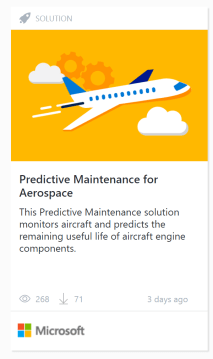
I’ll choose the “Predictive Maintenance for Aerospace” pattern:

pattern

When I click on it I’ll then see a summary of the solution, including the estimated provisioning time:

cis-1

It includes technical details and workflow:

pattern-3

Included is a nice solution diagram:

pattern-4

It also shows the services that will be used:

pattern-5

Then I hit the “Deploy” button and see a screen to fill out:

pattern-6

Once I hit the “Create” button I get to see the status of the deployment:

pattern-7

Clicking on the little “i” next to a running step gives me more details:

pattern-8

When this step finished I was sent an email with a link to the Azure ML experiment it created:

pattern-9

When the deployment finished it displayed some post-deployment instructions and info:

pattern-10

At the bottom of the instructions was a link to source code and a very detailed Technical Guide I could look at:

pattern-11

You can always view the post-deployment instructions later by clicking “Deployments” on the main page of the Cortana Intelligence Solution and clicking on the deployment name.

How to delete your solution?  Make sure to delete the solution if you are not using it to save costs.  Deleting your solution will delete all the components provisioned in your subscription when you deployed the solution.  To delete the solution click on your solution name in the left panel of the solution template and click on delete.

Cortana Intelligence Solutions offer an improvement over Azure Quickstart Templates: Each Azure Quickstart Template is a single ARM template.  A Cortana Intelligence Solution, on the other hand, is comprised of one or more ARM templates interspersed with custom “tasks”.  This enables complex flows that involve creating, configuring and hydrating Azure resources in ways that are not possible through an ARM template alone.

Another advantage is some Cortana Intelligence Solutions have a “Try with your data” experience.  This allows a user to play with the solution without having to deploy it.  An example of this is the IT Anomaly Insights solution that actually uses an Anomaly Detection machine learning API in the back end.

Cortana Intelligence Solutions are similar in concept to Azure IoT Suite preconfigured solutions but have a much broader focus that just IoT and use more products.

I see Cortana Intelligence Solutions as not only a great time saver, but a way to use the proper reference architecture for the solutions you are looking to build.  It will make sure you are using the proper technologies and tools for your project so it will be a success.

More info

Insanely Practical Patterns to Jump Start Your Analytics Solutions (video)

Drive transformative change with advanced analytics in Cortana Intelligence Suite and Microsoft R (video)

Dive into Predictive Maintenance using Cortana Intelligence Suite (video)

21 Sep 23:36

24 Hours of PASS – Locking and Blocking Q&A

by Kalen Delaney
Thanks to everyone who attended my 24HOP session on Wednesday, September 7. My favorite part is always the Q&A. I wish there was more time to do live Q&A, but because there’s not, I get to turn it into a blog post! My session was a snippet of...(read more)
21 Sep 23:36

The Tech Industry Is in the Middle of a Data Engineering Talent Shortage

by A.R. Guess
Mrdenny

now

by Angela Guess According to a new press release, “A new study, The State of Data Engineering released today by Stitch, an ETL service; and Galvanize, a learning community for technology, reveals a shortage in data engineering talent. There are only 6,500 self-reported data engineers on LinkedIn, but the San Francisco Bay area alone has […]

The post The Tech Industry Is in the Middle of a Data Engineering Talent Shortage appeared first on DATAVERSITY.

21 Sep 23:36

What is a SARGable predicate?

by Gail

‘SARGable’ is a weird term. It gets bandied around a lot when talking about indexes and whether queries can seek on indexes. The term’s an abbreviation, ‘SARG’ stands for Search ARGument, and it means that the predicate can be executed using an index seek.

Lovely. So a predicate must be SARGable to be able to use an index seek, and it must be able to use an index seek to be SARGable. A completely circular definition.

So what does it actually mean for a predicate to be SARGable? (and we’ll assume for this discussion that there are suitable indexes available)

The most general form for a predicate is <expression> <operator> <expression>. To be SARGable, a predicate must, on one side, have a column, not an expression on a column. So, <column> <operator> <expression>

SELECT * FROM Numbers
WHERE Number = 42;

Seek1

SELECT * FROM Numbers
WHERE Number + 0 = 42;

Scan1

SELECT * FROM Numbers
WHERE Number = 42 + 0;

Seek2

Any1 function on a column will prevent an index seek from happening, even if the function would not change the column’s value or the way the operator is applied, as seen in the above case. Zero added to an integer doesn’t change the value of the column, but is still sufficient to prevent an index seek operation from happening.

While I haven’t yet found any production code where the predicate is of the form ‘Column + 0’ = @Value’, I have seen many cases where there are less obvious cases of functions on columns that do nothing other than to prevent index seeks.

UPPER(Column) = UPPER(@Variable) in a case-insensitive database is one of them, RTRIM(COLUMN) = @Variable is another. SQL ignores trailing spaces when comparing strings.

The other requirement for a predicate to be SARGable, for SQL Server at least, is that the column and expression are of the same data type or, if the data types differ, such that the expression will be implicitly converted to the data type of the column.

SELECT 1 FROM SomeTable
WHERE StringColumn = 0;

Scan2

SELECT 1 FROM SomeTable
WHERE StringColumn = ‘0’;

Seek3

There are some exceptions here. Comparing a DATE column to a DATETIME value would normally implicitly convert the column to DATETIME (more precise data type), but that doesn’t cause index scans. Neither does comparing an ascii column to a unicode string, at least in some collations.

In generally though, conversions should be explicit and decided on by the developer, not left up to what SQL server decides.

What about operators?

The majority are fine. Equality, Inequality, IN (with a list of values), IS NULL all allow index usage. EXIST and IN with a subquery are treated like joins, which may or may not use indexes depending on the join type chosen.

LIKE is a slight special case. Predicates with LIKE are only SARGable if the wildcard is not at the start of the string.

SELECT 1 FROM SomeStrings
WHERE ASCIIString LIKE 'A%'

Seek4

SELECT 1 FROM SomeStrings
WHERE ASCIIString LIKE '%A'

Scan3

There are blog posts that claim that adding NOT makes a predicate non-SARGable. In the general case that’s not true.

SELECT * FROM Numbers
WHERE NOT Number > 100;

Seek5

SELECT * FROM Numbers
WHERE NOT Number <= 100;

Seek6

SELECT * FROM Numbers
WHERE NOT Number = 137;

Seek7

These index seeks are returning most of the table, but there’s nothing in the definition of ‘SARGable’ that requires small portions of the table to be returned.

That’s mostly that for SARGable in SQL Server. It’s mostly about having no functions on the column and no implicit conversions of the column.

(1) An explicit CAST of a DATE column to DATETIME still leaves the predicate SARGable. This is an exception that’s been specifically coded into the optimiser.

21 Sep 23:35

OTA Finds 100% of Recently Reported IoT Vulnerabilities Easily Avoidable

by A.R. Guess

by Angela Guess According to a recent press release, “The Online Trust Alliance (OTA), the non-profit with the mission to enhance online trust, today announced that every vulnerability or privacy issue reported for consumer connected home and wearable technology products since November 2015 could have been easily avoided. Specifically, OTA found had device manufacturers and […]

The post OTA Finds 100% of Recently Reported IoT Vulnerabilities Easily Avoidable appeared first on DATAVERSITY.

21 Sep 23:35

Lowering the Barrier to Big Data Analytics

by Stefan Groschupf

Click to learn more about video blogger Stefan Groschupf. Introducing the Big Data & Brews video blog series presented by Stefan Groschupf, CEO of Datameer. The series will touch on hot topics within the business of Machine Learning, Big Data, Analytics, Internet of Things, Cloud Computing, Modern BI, NoSQL and Next Generation Technologies. In today’s video […]

The post Lowering the Barrier to Big Data Analytics appeared first on DATAVERSITY.

21 Sep 23:35

Q&A from 24 hour of PASS #pass24hop #powerbi

by Marco Russo (SQLBI)

One week ago I delivered a session for 24 hour of PASS, the online free event delivered by PASS (recordings are now available), where I introduced my one-day preconference Create a Power BI Solution in one day that I will deliver at PASS Summit 2016 in Seattle on October 25, 2016.

As usual, there were too many questions and not enough time, so I include in this blog post the Q&A that I was not able to answer online. I hope it will be helpful.

  • Can you give us some information about the best way to govern security for accessing reports?
    • This is a long topic that you can understand better by reading the free eBook Introducing Microsoft Power BI.
    • In short, you can share a dashboard from your personal workspace (you can invite people from outside your organization in this case), or you can create a group workspace within your organization so that all the members access to all documents without requiring single authorization for each dashboard. You also have organizational content packs as a way to deliver shared content within an organization.When we can get a solution of BI like Power BI without to have publish my data on the cloud?
  • Do your company's network administrators have to open ports in order for the gateway to work?
    • The Data Gateway is like a client connecting to web services through ports 80/443, plus a few other outbound ports that have to be opened. You can find a detail here in section Ports.
  • Can PowerBI connect to an on-premise SQL Server OLTP database or only to an Analysis Services database?
    • You can do both. The connection with SQL Server could be in Import or DirectQuery mode, the one with Analysis Services could be in Import or Live mode. Fundamentally, Import creates a copy of data on Power BI service that you can refresh, and data are available even if your gateway is not accessible. Using DirectQuery / Live connections, data are not stored in Power BI service, but your on-premise server must we available at query time.
  • When using the Data Gateway with a windows user where does the AD that authenticates that user can reside?
    • The data gateway connects to Analysis Services using an administrator, and it can impersonate an user using the EffectiveUserName property in the connection string.
    • I suggest you reading the Power BI Security article written by Adam Saxton.
  • Any thoughts about the row-level security introduced in the July release of Power BI versus the use of row-level security in SSAS?
    • The row-level security is fundamentally the same feature you have in Analysis Services, just exposed through Power BI.
21 Sep 23:35

erwin Acquires SaaS Enterprise Architecture Provider, Corso

by A.R. Guess

by Angela Guess A recent press release out of the company reports, “erwin Inc., the data management experts, today announced that it has acquired UK-based Corso Ltd, a leading provider of enterprise architecture solutions. In addition, the company has announced general availability of erwin CloudCore, a powerful, integrated cloud bundle consisting of both erwin Data […]

The post erwin Acquires SaaS Enterprise Architecture Provider, Corso appeared first on DATAVERSITY.

21 Sep 23:32

SolarWinds IT Is Everywhere Surveys Shed Light on Expanding Borders of IT

by A.R. Guess

by Angela Guess According to a new press release, “SolarWinds, a leading provider of powerful and affordable IT management software, today announced the findings of its IT is Everywhere surveys. The results showcase how the realm of IT is expanding beyond the traditional borders of company-owned devices and on-premises technology, thereby placing greater demand on […]

The post SolarWinds IT Is Everywhere Surveys Shed Light on Expanding Borders of IT appeared first on DATAVERSITY.

21 Sep 23:32

Using SQL Always Encrypted with Azure Web App Service

by Arvind Shyamsundar

Reviewed by: Dimitri Furman, Jakub Szymaszek, Sanjay Mishra, Kun Cheng, Mike Ruthruff

Background

A common scenario today involves migrating a web application (based on IIS) and the on-premises SQL Server database to either Azure SQL DB or Azure SQL VM. One of the important thoughts in the mind of customers embarking on such projects is about data security and privacy. The good news is, for data stored in the relational database, the Always Encrypted feature in Azure SQL Database (and SQL Server) offers a unique end-to-end way to protect sensitive data from hostile or accidental disclosure.

For the purposes of this post, it is assumed that you have some familiarity with how Always Encrypted works. If you are new to this subject, please first read more about the feature at the Always Encrypted page. If you are interested in security as it applies to Azure SQL Database in general, this page is a great place to start as it has links to other key features such as Auditing, Threat Detection etc.

Scenario

Azure App Service is the cloud platform for web applications in Azure. This is a Platform as a Service (PaaS) service, so when using a feature like Always Encrypted in SQL Server some considerations arise from an encryption key management perspective. As a quick reminder, Always Encrypted uses 2 keys:

  • Column Encryption Key (CEK), which is resident in an encrypted format within the database itself
  • Column Master Key (CMK), which is only present on authorized computers

The CMK is used by the application to decrypt the encrypted CEK received from the SQL instance. The decrypted CEK is in turn used to decrypt and encrypt actual data. This is the unique value proposition of Always Encrypted: the SQL instance never has access to the plaintext data. While there are options like Azure Key Vault or Hardware Security Modules (HSMs), quite commonly, the CMK is actually a certificate containing a private key.

For on-premises or VM based deployments of an application, it is fairly easy to manage the deployment of such a certificate which contains the CMK. However, in Azure App Service, which is a PaaS service, some simple steps are required to get the web application to ‘find’ the certificate containing the CMK.

Detailed Steps

To get the Azure web application to correctly work with Always Encrypted, here are the steps you need to do. Note that these steps assume that you have correctly encrypted the data in the column(s), if any, using a tool like SQL Server Management Studio or other methods like PowerShell / BulkCopy. We also assume that you have the certificate containing the CMK installed on your local machine. Finally, we also assume that you are using ASP.NET and referencing.NET Framework 4.6 or higher.

Locate the certificate using MMC

To begin, locate and export the certificate corresponding to your CMK. To do this, you need to use the Certificates MMC add-in. An important assumption here is that the certificate is stored in the ‘Current User’ store. This is because Azure App Service does not expose the equivalent of the ‘Local Machine’ store for web applications, and the default target certificate container is recorded within the certificate when it is exported.

Export the certificate

Next, we can proceed to export the certificate as a PFX file. To do this, right click on the correct certificate (located as per above steps) and click on Export.

clip_image002

Make sure you select the option to export the private key:

clip_image004

Select the PFX format:

clip_image006

Protect it with a secure password, and save it as a .PFX file on your local computer.

Upload and use the certificate

We can now upload this certificate (in the form of a .PFX file) to Azure. A pre-requisite for doing this is that your Web App must be in the Basic or higher App Service plan / tier (Free and Shared tiers do not permit the upload of certificates.)

Azure Portal

The easiest way is to use the current Azure Portal and navigate to the Web App under your App Service. Once you locate it, in the Application Settings for the Web App, you will find an option to define ‘SSL Certificates’ for the application. Here is where you can use the Upload Certificate button as shown below to upload the PFX file that we generated previously. Do note that you will have to supply the password used to protect the certificate:

image

Once the certificate was uploaded, do note down the ‘Thumbprint’ of the certificate somewhere – you will need it soon!

clip_image008

Once this is done, you also need to add a ‘WEBSITE_LOAD_CERTIFICATES’ setting with the thumbprint of the certificate that you noted previously. This setting is discussed in detail here.

clip_image009

Classic Azure Portal

FYI, you can also do this in the ‘classic’ Azure portal as described here. Once in the Azure portal, select the web application and click on the Configure tab. There, you will find the Certificates section, where you can upload the PFX file which we just generated. Here too you have to supply the password which was used to protect the certificate:

image

The certificate will be uploaded when you click the ‘tick’ button.

image

Once the certificate has been uploaded, note the ‘Thumbprint’ for the same. This is the key identifier for the web application to later ‘load’ the certificate at runtime. To make the web application ‘load the certificate’ you must scroll down to the ‘app settings’ section and add a ‘WEBSITE_LOAD_CERTIFICATES’ setting with the thumbprint of the certificate. Make sure you click the SAVE button at the bottom of the screen after you do these changes – it’s easy to miss it otherwise!

clip_image012

Once this is done, the web application will be able to load the certificate when the Always Encrypted client driver code internally requests it. That’s it – your web application and data are a lot more secure now!

Handling CMK Rotation

If you already were using Always Encrypted, you probably know that rotating CMKs periodically is a common requirement. The process of CMK rotation is documented here. For example, if you do rotate your keys using SQL Management Studio (SSMS), you must ensure that the certificate corresponding to the new CMK is uploaded to the Azure portal as described above. The overall process would look like this:

  • From an administrative workstation where SSMS is installed, create a new CMK stored in the local user certificate store
  • Export the certificate corresponding to that CMK just as described in this article
  • Follow the steps as shown above to import the new certificate into the portal, and add the new certificate’s thumbprint ID as well to the WEBSITE_LOAD_CERTIFICATES setting
  • Note: use a comma character to separate the old and new thumbprint values. Do not leave any spaces in between
  • At this point you would have both certificates uploaded to the Azure Portal and Azure Web App Service
  • From the administrative workstation use SSMS to perform CMK key rotation; you can also use PowerShell cmdlets to do this
  • Eventually after the key rotation has completed, use SSMS to perform cleanup of the CEKs associated with the old CMK
  • Drop the old CMK from SQL DB – you can use T-SQL or the SSMS GUI to easily do this. You can also do this via the PowerShell cmdlet for Always Encrypted – specifically Remove-SqlColumnMasterKey
  • Using the current Azure portal, delete the certificate containing the old CMK from the Web App
  • Again in the Azure portal, navigate to App Settings and remove the old CMK’s thumbprint from the WEBSITE_LOAD_CERTIFICATES setting. Ensure that you remove the comma character as well!

In Closing

Always Encrypted is a unique feature which offers declarative encryption with little or no change to applications. Knowing how this feature operates in conjunction with other services, such as Azure Web Apps is very important to successful implementation. We hope you find the above steps useful. Do let us know if you have further questions and / or feedback. You can also reach us on Twitter if you prefer that!

21 Sep 23:31

Webinar: The Why, When, and How of NoSQL – A Practical Approach

by Shannon Kempe

To view just the slides from this presentation, click HERE>> This Webinar was Sponsored by: About the Webinar More and more Fortune 1000 companies like Marriott, Cars.com, Gannett, and PayPal are choosing NoSQL over relational databases like Oracle, SQL Server, and DB2 to power their web, mobile, and IoT applications. Why? Lower costs, higher performance and […]

The post Webinar: The Why, When, and How of NoSQL – A Practical Approach appeared first on DATAVERSITY.

21 Sep 23:31

Query Store - Forced Doesn’t Always Mean Forced

by Andrew Kelly
The new Query Store feature in SQL Server 2016 is a great new addition that we have been anticipating for many years now. There are already a bunch of articles out there that explain what it is even how to go about using it so I won’t repeat that here....(read more)
21 Sep 23:31

Azure SQL Database DTU Calculator

by Davide Mauri

One of the most common questions when you start to use SQL Azure is related to the choice of the level of service needed for your needs. On the cloud every wasted resource is a tangible additional cost, so it is good to chose the best service level the fits your needs, no more and no less. You can always scale it up later if needed.

The "problem" is that the level is measured in DTU - Database Transaction Units - which a value that represents a mix of CPU, memory and I / O. The problem is that it is very difficult, if not impossible, to calculate this value for an existing on-premises server, so that you can have a compare it with the performance of your well-known on-premises server.

Well, it *was* impossible. Now you can, thanks to this tool:

Azure SQL Database DTU Calculator

developed by Justin Henriksen, a Solution Architect specializing on Azure, that simplifies a lot the estimation effort. After running a PowerShell script to detect some metrics on the On-Premises Server, you have to upload the collected values n that site to get an idea of ​​what level of DTU is optimal in case you want to move that database or server to the cloud.

Of course the more your workload is representative of a real-world scenario, the better estimates you will have: keep this in mind before taking any decision. In addition to this website, there are also two links very useful to better understand what level of service is best suited to your situation:

Enjoy!

21 Sep 23:31

Open Source Greenplum Database is Now Available on the AWS Marketplace

by A.R. Guess

by Angela Guess According to a new press release, “The world’s first open source massively parallel data warehouse is now available on the AWS Marketplace powered by zData Inc. Greenplum Database® is designed to work effortlessly on AWS with easy management and installation from the AWS Marketplace. Greenplum Database® on AWS is geared towards big […]

The post Open Source Greenplum Database is Now Available on the AWS Marketplace appeared first on DATAVERSITY.

21 Sep 23:30

Tagging Servers in Is It SQL

by Bill Graziano

Tag-pageRelease 1.0.20 is out.  You can download it from my corporate site at http://www.scalesql.com/isitsql/. This release adds a beta feature to allow you tag servers and then filter the list by tag.

Instructions for enabling beta features are available when you sign up for the newsletter.  The newsletter is limited to Is It SQL features and releases.

The current release automatically tags servers based on their version.  This release also tags servers based on their domain too.  It allows you to enter user-defined tags for each server.  Common tags I’ve been using include development, test, production, disaster recovery, physical location, virtual vs. physical, application support, reporting, SSAS, SSRS, etc.

When I first starting writing this tool and using it I mostly focused on the key production servers.  While testing this feature I’ve gradually added more servers to it.  It’s been very helpful keeping an eye on servers I rarely look at but seem to have weird issues (cough, dev boxes, cough).  Tagging allows me to filter those out of my main list but still be able to find them when I need them.

21 Sep 23:30

SSMS release 16.4 is now available

by Andrew Kelly
The newest release of SQL Server Management Studio (SSMS) is now available. The details and download link can be found here . If you haven’t already downloaded or tried the new SSMS I highly recommend getting it and giving it a whirl. With the new release cycles we will see new features and bug fixes on a regular basis. Enjoy. Andy...(read more)
21 Sep 23:30

Memory/Storage Technology Hierarchy and SQL Server

by Glenn Berry

There is an old network saying which is: “Bandwidth problems can be cured with money. Latency problems are harder because the speed of light is fixed.”

Traditionally, there have been four primary layers in the overall memory and storage hierarchy of a database server. Starting at the top of the pyramid, you have static random-access memory (SRAM) caching, which is typically split between relatively small, fast L1 and L2 caches for each physical core of a processor and a larger, slower, on-die, shared L3 cache for the entire processor. For example, the 14nm Intel Xeon E7-8890 v4 processor (Broadwell-EX) has a 64KB per core L1 cache and a 256KB per core L2 cache, along with a much larger but slower 60MB L3 cache that is shared across the entire physical processor.

The second layer is dynamic random-access memory (DRAM) with license capacities up to 4TB with Windows Server 2012 R2, going up to 24TB with Windows Server 2016 and with latencies in the nanosecond range. Both SRAM and DRAM are volatile, which means they hold data only when electrical power is applied.

The third layer is SATA/SAS (NAND) SSDs, with individual capacities up to about 4TB and latencies in the microsecond range. One limiting factor with older SATA/SAS (NAND) SSDs is the fact that they are using the SATA/SAS interface which limits their total bandwidth, depending on the SATA/SAS version they are using. They are also limited by using the legacy AHCI protocol which has far more I/O overhead and higher latency than the newer NVMe protocol. The fourth layer is legacy magnetic spinning media hard disk drives, with individual capacities up to 10TB and latencies in the millisecond range.

Each of these traditional layers has higher latency, but lower cost per MB/GB and higher total capacity as you move down the memory/storage hierarchy. The relative latency of these four traditional layers is shown in Table 1.

Interface Type Relative Latency (reads)
On core/On Die CPU SRAM Cache 1x
Direct Attach DDR4 DRAM 10x
PCIe NVMe or SATA/SAS AHCI SSD 100,000x
SAS/SATA HDD 10,000,000x

Table 1: Traditional Memory/Storage Layers

New Memory/Storage Layers

Over the past couple of years, we have seen the introduction and increasing usage of NVM Express (NVMe) PCIe SSDs based on existing NAND flash technology. These typically have latencies in the 50-100 microsecond range. They also use the newer, much more efficient NVMe protocol and the PCIe interface, giving much better performance than older SAS/SATA SSDs using the old AHCI protocol.

Currently, Hewlett Packard Enterprise (HPE) is selling 8GB NVDIMM modules for their HPE Proliant DL360 Gen9 servers and HPE Proliant DL380 Gen9 servers. These modules have 8GB of DRAM which is backed by 8GB of flash for $899.00, which is pretty expensive per gigabyte. These two-socket servers have 24 memory slots that each support up to 128GB traditional DDR4 DIMMs. Any slots you use for NVDIMM modules won’t be available for regular memory usage. You can use a maximum of 16 memory slots for NVDIMM usage, which gives you a maximum capacity of 128GB. You must use Intel Xeon E5-2600 v4 series processors in order to get official NVDIMM support. Micron is scheduled to release larger capacity 16GB NVDIMMs in October of 2016.

Device IOPS Avg Latency (ns) MB/sec
NVM Express SSD 14,553 66,632 56.85
Block Mode NVDIMM 148,567 6,418 580.34
DAX Mode NVDIMM 1,112,007 828 4,343.78

Table 2: 4K Random Write Performance Comparison (1 thread, QD1)

The performance figures in Table 2 are from a Microsoft/Intel presentation (Persistent Memory in Windows) at IDF16 in San Francisco, using this performance testing methodology:

  • Workload: 4KB random writes, 1 thread, 1 outstanding I/O, synchronous I/O, 1GB file, NTFS, 3s warm-up, 7s measurement time
  • Hardware: HPE ProLiant DL380 Gen9, 2x Intel Xeon E5-2650L v3 @ 1.8GHz, 96GB RAM, 2x 8GB NVDIMM-N, 1x 1600GB NVMe SSD
  • Software: Pre-released WS 2016 build, Microsoft internal I/O tool

There is a good Channel 9 video called Accelerating SQL Server 2016 Performance with Persistent Memory in Windows Server 2016 featuring Lindsey Allen and Tobias Klima. A demo in the video shows how SQL Server 2016 running on Windows Server 2016 supports DAX mode (with an unspecified trace flag). Once Windows Server 2016 goes GA, the trace flag won’t be necessary with a future version of SQL Server.

These new memory storage layers will slot in between traditional DRAM memory and SATA/SAS SSDs.

A storage volume that has been formatted in DAX Mode could be used to host a SQL Server 2016 transaction log file in a scenario where you need the absolute best write performance possible, and you did not want to use Delayed Durability or In-Memory OLTP. Another possible scenario would be using a DAX Mode volume to host your tempdb data files if you had a workload that placed extreme stress on tempdb.

Future Memory/Storage Layers

In late 2016/early 2017, we should see the introduction of Intel Optane SSDs using the NVMe protocol. These will be flash storage devices that use Intel/Micron 3D XPoint Technology (pronounced as cross-point), that will work in existing servers. In Intel internal testing, these devices are showing about 10X lower latency, and about 10X higher IOPS than existing, very high performance Intel DC P3700 Series PCIe NVMe SSD devices.

In mid/late 2017, we should also see the rollout of a new form of persistent DIMM that can be used as very large capacity persistent memory, or as extremely high performance low capacity storage. These will be electrically and physically compatible with current DDR4 DIMMs, and will be supported in the next generation Intel Xeon processor based platform (the Skylake “Purley” platform). These products will also be based on Intel/Micron 3D XPoint Technology. These Intel DIMMs will offer up to twice the system memory capacity at a significantly lower cost than traditional DDR4 DRAM, assuming your processor/server platform supports it (and Microsoft raises the license memory limit after Windows Server 2016 is released). These DIMMs won’t have the same latency as traditional DRAM (they will be slower), but they will offer much lower latency than PCIe NVMe storage devices.

From a broader, industry-wide perspective, this new category of Persistent Memory (PM) devices will offer non-volatile storage with near DRAM-like performance. PM devices reside directly on the memory bus, giving them very low latency and high bandwidth. Microsoft supports PM devices in Windows 10 Anniversary Update and Windows Server 2016. There will be support for a new class of storage volume, which is called a Direct Access Storage (DAX) Volume. DAX Volumes use memory mapped files to provide applications with direct access to PM devices for the absolute best performance.

One reason why DAX mode is so much faster is because once you’ve memory-mapped the region of NVDIMM on a DAX volume, further interactions with that storage completely bypass the storage stack. It is literally just a memcopy to have the data be persistent. That is a whole lot of code you don’t have to execute on every interaction with the storage. That’s another very significant contributor to latency (along with the speed of light). DAX Volumes are supported on NTFS and you must choose DAX mode when you format the volume. Applications (such as SQL Server 2016) must have been modified (by Microsoft) in order to support and use DAX mode, and you will also need to enable a trace flag.

For backward compatibility on PM hardware, there will also be Block mode volumes, which maintain all existing storage semantics. All I/O operations will traverse the storage stack to the PM disk driver. This makes Block mode fully compatible with existing applications. If you have a PM hardware device, with a supported operating system, you will get significant storage performance without any application modification in Block mode. This means that down-level versions of SQL Server will be able to use Block mode storage volumes.

The bottom line on all of this is that we will have a lot more flexibility and new options for how to design and configure your memory and storage subsystem layers over the next 12-18 months, as long as you are using SQL Server 2016 on Windows Server 2016 and have new enough hardware that can support PM devices. Older versions of SQL Server will be able to use Block mode PM volumes if they are running on Windows Server 2016. Older hardware and older versions of Windows Server will be able to use Intel Optane SSDs. This will give us many additional choices for improving storage performance!

The post Memory/Storage Technology Hierarchy and SQL Server appeared first on SQLPerformance.com.

21 Sep 23:30

Making sense of Microsoft technology

by James Serra

In my role as a Data Platform Solution Architect (DPSA) at Microsoft, part of my responsibility is to keep up with all the Microsoft on-prem and cloud data-related technology and trends, as well as non-Microsoft technology and trends in areas such as Hadoop and NoSQL.  I work with Microsoft clients by first understanding their current data-related architectures and then educating them on which technologies and products they should consider in order to update their current architectures or to build new solutions.  There is a lot of knowledge transfer as most clients are so busy keeping what they have running that they are not aware of many of the products Microsoft has and how they all work together (I often say “they don’t know what they don’t know”).  I like to think of it as I help them put all the pieces of the puzzle together.  And as I mentioned in my previous blog, I try to show the clients The art of possible with the cloud.

It is a daunting task keeping up with all the technology as it changes so often.  Even though I spend half my days learning, I can barely keep my head above water, and that is with me just focusing on data-related products and not all the other Azure products such as networking, web and mobile app services, media services, etc. (we have “cloud solution architects” that cover those products).  To narrow down the technologies a client should consider, I will learn about their environment and ask a bunch of questions.  To help readers of my blog learn about the Microsoft technologies and which one’s might be a good fit, I wanted to list a few documents and blog posts:

Azure Quick Start Guide by me.  This is a short overview with helpful links to most of the Azure data platform and analytics products

Microsoft BI and IM Design Guidance by Rod Colledge (Data Platform Solution Architect at Microsoft).  This document contains a detailed description of the data platform and analytics products for Azure and on-prem and includes example architectures.  This is an excellent document that will give you a true understanding of many of the Microsoft products and when best to use each

Ivan Kosyakov (Data Platform Technical Architect at Microsoft) blog: Decision Tree for Big Data solutions and Decision Tree for Machine Learning.  Also check out his glossary.  These are great blogs to help you narrow down which products to use based on your use case

Azure Info Hub: An excellent list of all the Azure products that is updated frequently.  Includes a short description of each product and the latest news, along with training videos, e-books, whitepapers, tools, and even StackOverflow discussions

Interactive Azure Platform Big Picture – Lists most of the Azure products with a short description and links for more info

Hear are other useful blogs and presentations of mine:

Blogs:

Azure SQL Database vs SQL Data Warehouse

Relational databases vs Non-relational databases

Why use a data lake?

Presentations:

Relational databases vs Non-relational databases

Should I move my database to the cloud?

How does Microsoft solve Big Data?

21 Sep 23:30

How TCP Chimney Offloading Affects SQL Server

by Wayne Sheffield

TCP Chimney Offload transfers network traffic workload processing from the CPU to a network adapter that supports TCP Chimney Offload. This feature was introduced with Windows Server 2003 SP2, and it was called the Microsoft Scalable Networking Pack (SNP). Since Windows Server 2008, these features are a base part of these operating systems, so they no longer go by this name. To utilize this feature, the network adapter (and driver) must support this feature, and both the operating system and the network adapter must have this setting enabled.

This feature is not suitable for all applications. Microsoft says (at http://technet.microsoft.com/en-us/library/gg162709%28v=WS.10%29.aspx):

Because of the overhead associated with moving TCP/IP processing to the network adapter, TCP Chimney Offload offers the most benefit to applications that have long-lived connections and transfer large amounts of data. Servers that perform database replication, function as file servers, or perform backup functions are examples of computers that may benefit when you enable TCP Chimney Offload.

Default state by Windows Version

With the different operating systems versions, this feature is by default in different states:

Windows OS Default
Windows Server 2003 enabled
Windows Server 2008 disabled
Windows Server 2008 R2 automatic
Windows Server 2012 disabled

With all of these changes to the OS, which setting should we use for SQL Server? In general, for all of these operating systems, I recommend that TCP Chimney Offload be disabled – because you can see odd connectivity problems in any other state. Notice in the above quote that Microsoft says that this feature is best used for applications with long-lived connections that transfer large amounts of data – hopefully your OLTP database is performing lots of short-lived connections and they are not transferring large amounts of data (if they are, I can help you with that!). Some of the error messages that you can encounter are:

[Microsoft][ODBC SQL Server Driver][DBNETLIB] General Network error. Check your network documentation

ERROR [08S01] [Microsoft][SQL Native Client]Communication link failure

System.Data.SqlClient.SqlException: A transport-level error has occurred when sending the request to the server. (provider: TCP Provider, error: 0 – An existing connection was forcibly closed by the remote host.)

These errors are not exclusive to having problems with the TCP Chimney Offload. Additionally, they may only occur during times of high network load on the server.

To determine the Current TCP Chimney Offload Setting and to Disable it

In typical Microsoft format, this also varies between different operating system versions.

For Windows Server 2003, you need to check the registry. From a DOS command prompt, run:

reg query HKLM\SYSTEM\CurrentControlSet\Services\Tcpip\Parameters /v EnableTCPChimney

If disabled, this will have a value of 0x0; if enabled, it will have a value of 0x1.

To disable, from an elevated DOS command prompt, run:

netsh int ip set chimney DISABLED

From Windows Server 2008 on, you can check the setting with this DOS command:

netsh int tcp show global

To disable it run the following from an elevated DOS command prompt:

netsh int tcp set global chimney=disabled


References:

http://technet.microsoft.com/en-us/library/gg162709%28v=WS.10%29.aspx

http://support.microsoft.com/default.aspx?scid=kb;EN-US;942861

http://technet.microsoft.com/en-us/library/gg162709%28v=WS.10%29.aspx

http://blogs.msdn.com/b/cindygross/archive/2009/10/22/sql-server-and-tcp-chimney.aspx

http://blogs.msdn.microsoft.com/psssql/2008/10/01/tcp-chimney-offload-possible-performance-and-concurrency-impacts-to-sql-server-workloads/

This post is re-published from my original post on SQL Solutions Group.

The post How TCP Chimney Offloading Affects SQL Server appeared first on Wayne Sheffield.

21 Sep 23:30

Determining Database Size in Azure SQL Database V12

by Dimitri Furman

A question that is frequently asked by customers using Azure SQL Database is “How can I determine the size of my database programmatically?” Interestingly, different people may be talking about different things when asking this question. Is it the size of all database files on disk? Is it the size of just the data files? Is it the size of used space in the database? Is it the total size of allocated and empty space in the database? Depending on the context, all these things may be the right answer to the question.

Today, if you do a web search on this topic, the most frequent answer to this question will point you to querying the sys.dm_db_partition_stats DMV, and looking at the reserved_page_count column. Other solutions involve querying sys.allocation_units and sys.resource_stats DMVs, or using sp_spaceused stored procedure.

In the context of Azure SQL Database, the measurement that most customers would be interested in is the size used by the Azure SQL Database service to govern the size of the database, i.e. the 161.29 GB that is shown in Azure Portal in this example:

clip_image002

This value is the total size of allocated extents in data files.

However, none of the methods mentioned earlier will accurately provide that measurement for V12 databases. sys.dm_db_partition_stats and sys.allocation_units report at partition and allocation unit level, rather than data file level. sys.resource_stats averages database size over five minute intervals, and therefore does not consider the most recent changes in space usage. sp_spaceused returns several size values, however the total size of allocated extents in data files, which is used by the service, is not one of them.

For V12 databases, the measurement we are interested in is determined using the sys.database_files DMV and the FILEPROPERTY function with the ‘SpaceUsed’ argument. Only ROWS files are considered. Log and XTP files are excluded for the purposes of determining database size.

The following statement is an example of the correct way to determine the size of an Azure SQL Database V12 database programmatically:

SELECT SUM(CAST(FILEPROPERTY(name, 'SpaceUsed') AS bigint) * 8192.) AS DatabaseSizeInBytes,
       SUM(CAST(FILEPROPERTY(name, 'SpaceUsed') AS bigint) * 8192.) / 1024 / 1024 AS DatabaseSizeInMB,
       SUM(CAST(FILEPROPERTY(name, 'SpaceUsed') AS bigint) * 8192.) / 1024 / 1024 / 1024 AS DatabaseSizeInGB
FROM sys.database_files
WHERE type_desc = 'ROWS';
21 Sep 23:30

I Was Wrong (About the SSIS Catalog)

by andyleonard
I apologize for misleading people who read my writings and have heard me speak on the topic of the SSIS Catalog. Here’s what I recently realized: The execution_id is different from the operation_id in the SSISDB database. In the past, I complained about...(read more)
21 Sep 23:30

A New Version of SSDT is Available

by andyleonard
Microsoft released an update to SQL Server Data Tools (SSDT) 2016 on 20 Sep 2016 – the tool used to design databases, SSIS, SSRS, and SSAS solutions. I can hear you thinking, “How do I get the update, Andy?” You can get version 14.0.60918.0 here . If...(read more)