Shared posts

18 Apr 23:17

Facebook Integrates QR codes for Profiles in Apps

by aniruddh on Hackerspace, shared by Whitson Gordon to Lifehacker

Facebook Integrates QR codes for Profiles in Apps

Yesterday I was reading Whitson's post about Facebook update on "Nearby Friends" and able to find it interesting so, I was experimenting with facebook app & trying to figure it out, exactly how it works ( opt in & enable "Nearby Friends" notification in app setting, turn on location in phone & app, re-install Facebook app too) but me and my friend, nether able to get any notifications for "Nearby Friends". I guess not rolled out in our accounts yet.

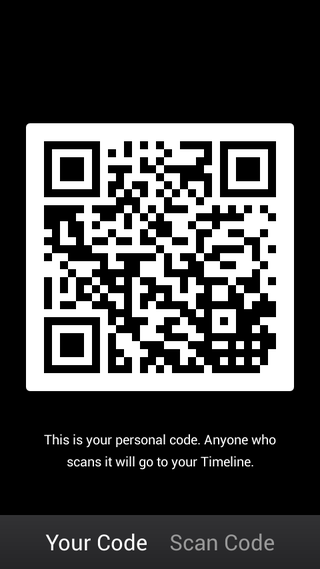
During that time, I was able to find out a very good thing for Facebook Fanatics (I'm one of them :) ). I'm able to find QR code in the app which enables you to redirect to the timeline and then easy to add friends into your facebook account. Facebook provide built-in QR code and a Reader to add friends quickly. You can flash your QR code to your friends, then your friends can scan the code & add you in their account and vise verse. QR code contains the link "http://facebook.com/qr?id=your facebook id number" which is very useful to track how many of your facebook contacts added via QR code. QR code already available for Facebook Pages but now also available to Facebook Profiles but limited to Mobile Apps. Not yet available to facebook website & mobile site.

Of course you can use any third party QR code reader to read this code or create a custom QR code for your facebook profile but in both case it will redirect you to your facebook url only. Using Facebook built-in code & reader provide you advantage to redirect you to the profile timeline & then able to "add as a friend" directly via App interface (i find it fast, smooth & easy). You can also copy the QR code image and use it in your visiting cards & websites if you want.

To find your code in Android and iOS: go to Facebook App > tap on drawer (three grey or blue horizontal lines) besides globe symbol > tap on "Friends" section> Your QR Code

18 Apr 19:19

MPAA and RIAA Members Uploaded Over 2,000 Gigabytes to Megaupload

by Ernesto

megauploadFollowing in the footsteps of the U.S. Government, this month the major record labels and Hollywood’s top movie studios filed lawsuits against Megaupload and Kim Dotcom.

While the legal action doesn’t come as a surprise, there is a double standard that has not been addressed thus far.

The entertainment industry groups have always been quick to brand Megaupload as a pirate haven, designed to profit from massive copyright infringement. The comment below from MPAA’s general counsel Steve Fabrizio is a good example.

“Megaupload was built on an incentive system that rewarded users for uploading the most popular content to the site, which was almost always stolen movies, TV shows and other commercial entertainment content,” Fabrizio commented when the MPAA filed its suit.

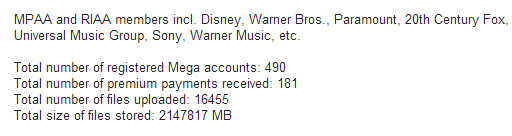
However, data from Megaupload’s database shared with TorrentFreak shows that employees of MPAA and RIAA member companies had hundreds of accounts at the file-storage site. This includes people working at Disney, Warner Bros., Paramount, 20th Century Fox, Universal Music Group, Sony, and Warner Music.

In total, there were 490 Megaupload accounts that were connected to MPAA and RIAA members, who sent 181 premium payments in total. Together, these users uploaded 16,455 files which are good for more than 2,097 gigabytes in storage.

Remember, those are only from addresses that could be easily identified as belonging to a major movie studio or record label, so the real numbers should be much higher.

MPAA / RIAA member accountsmega-mpaariaa
But there’s more. The same companies that are now asking for millions of dollars in damages due to massive copyright infringement were previously eager to work with Megaupload and Megavideo.

As we noted previously, Disney, Warner Brothers, Fox and others contacted Kim Dotcom’s companies to discuss advertising and distribution deals.

For example, Shelina Sayani, Digital Marketing Coordinator for Warner Bros, offered a deal to syndicate “exciting” Warner content to Megaupload’s Megavideo site.

Subject: Warner Bros. – Looking for Content Manager
Date: Wed, 14 Jan 2009 08:55:50 -0800
From: Sayani, Shelina
To: demand@megavideo.com

Dear Megavideo,

I’m writing from Warner Bros., offering opportunities to syndicate our exciting entertainment content (e.g. Dark Knight, Harry Potter, Sex and the City clips and trailer) for your users. Could you please pass on my information to the appropriate content manager or forward me to them? Thanks so much for your time.

Shelina Sayani
WB Advanced Digital Services
3300 W Olive Ave, Bldg 168 Room 4-023
Burbank, CA 91505
818.977.4668

Similarly, Disney attorney Gregg Pendola reached out to Megaupload, not to threaten or sue the company, but to set up a deal to have Disney content posted on the Megavideo site.

Subject: Posting on Megavideo.com
From: “Pendola, Gregg”
Date: 8/13/2008 10:06 AM
To: love@megavideo.com

My name is Gregg Pendola. I am Executive Counsel for The Walt Disney Company. Certain properties of The Walt Disney Company have content that they would like to post on your site.

However, we are uncomfortable with a couple of the provisions of your Terms of Use that we feel may jeopardize our rights in our content. We were hoping that you would be amenable to reviewing a 1-page agreement we have drafted that we would like to use in place of your Terms of Use.

Is there someone I can contact to discuss this? Or someone I can email the Agreement to for review?

Thanks. Gregg

Gregg Pendola
Executive Counsel
The Walt Disney Company

For Fox, the interest in Megaupload wasn’t necessarily aimed at spreading studio content, but to utilize Megaupload’s considerable reach by setting up an advertising deal. In this email former Senior Director Matt Barash touts FAN, the Fox Audience Network.

Subject: Fox Ad Partnership
Date: Mon, 23 Feb 2009 08:09:14 -0800
From: Matt Barash
To: sales@megaupload.com

I’m reaching out to see if you have a few minutes to discuss the recently launched Fox Audience Network.

FAN is now up and running and fully operational, utilizing best of breed optimization technology to bring cutting edge relevancy to the ad network landscape.
We are scaling rapidly and seeking the right 3rd party publishers to add as partners to our portfolio.

Please let me know if you have some time to chat this week about how we can work together to better monetize your inventory.

Best,
Matt

Matt Barash
Director, Publisher Development
Fox Audience Network

The above are just a few examples of major industry players who wanted to team up with Kim Dotcom. Now, several years later, the same companies accuse the site of being one of the largest piracy vehicles the Internet has ever seen.

If the MPAA and RIAA cases proceed, Megaupload’s defense will probably present some of these examples to highlight the apparent double standard. That will be an interesting narrative to follow, for sure.

Source: TorrentFreak, for the latest info on copyright, file-sharing and anonymous VPN services.

18 Apr 16:31

5 must-see theming apps to make your Android device yours

by Brooks Barnard

Screenshot_2014-04-12-19-22-25_eewmotox20140412_193932One of the things that makes Android a truly beautiful platform is customization. I’m not talking about custom ROMs or root mods; I’m talking about how no other major mobile platform out there lets you customize your device the way Android does. There may be some caveats, but you have the ability to make your Android device completely unique. My wife hates using my Nexus 5 because it’s so different from her Galaxy S4. Maybe that’s a bad thing; I’m not sure. But what I do know is that I have my Nexus 5 set up exactly the way I want it, and I love it. My home screen looks awesome, and not only is it super functional, it’s also fun to use. The beauty is that I can change it tomorrow if I get a new idea. My home screen isn’t going to look like everyone else’s iPhone (although I could make it look like iOS if I wanted) or Windows Phone; my device looks like no one else’s because it’s Android.

This is the sixth post of a recurring series about making your Android device yours. Today I want to share a few new apps/widgets/icons that I’ve been obsessed with lately. My goal here is to offer customization ideas that will work for all Android devices, whether you’re still running Gingerbread or you’re on the latest version of Android, Kit Kat. You don’t need to be rooted. You don’t need to be running a custom ROM. All you need is a little bit of time and an itch to change things. If that sounds like you, read on my friend. We’re going to have fun diving into the world of customization and making your device truly unique.

Within the last couple of months, some new Android theming apps have come around that, in my opinion, are insta-buys. They’re so good, I feel like I have to share them with the whole world. My biggest complaint is that I don’t have enough devices to use them all at once.

Screenshot_2014-04-17-21-45-38_hxknexus520140417_214633

Widgets

Zooper by Beard is a set of clock and weather widgets. I previously talked about Zooper Widget and how you can make your own awesome widgets. If you buy Zooper Widget Pro, you can apply other people’s awesome work. Themers known as La Barba and Richard Colón have put together a killer minimal collection of 12 clock and weather widgets to decorate your home screen. All the clock and weather widgets featured in this post are Zooper by Beard unless otherwise noted. Zooper by Beard is an $1 add-on to the Zooper Widget Pro purchase. Totally worth the buck in my opinion. Also, I know they’re already at work adding more widgets to the collection.

Icons

To take advantage of these fantastic icon packs, the easiest method is to run a custom launcher like one of the ones we talked about in this post. If you pick up these icon pack themes from the Google Play store, most of them help you out in applying them. Or, inside the custom launcher, you will be able to find the option to apply a theme. It should be pretty straight forward. Each launcher is a little different, so I won’t give specific instructions on how to apply the icon theme. Most apps will be automatically themed on your homescreen when applied. Then, if you want to further theme your apps you can generally long press an app on the homescreen and change the icon from there. Be sure to ask the community any questions you have regarding applying a theme.

Screenshot_2014-04-15-18-40-59_aHhnexus520140415_184141Paper icon pack by Samer Zayer is one of my favorite new packs to come out in a long time. It’s an original idea and done so well. Paper has 900 icons already, and more are added every week. It also has some fantastic crinkled paper walls to go along with the icons. This pack will make any home screen look amazing. It obviously goes great with Zooper by Beard. It’s on sale right now for $0.99 if you act fast.

White Line icon pack by Sonny Sekhon actually isn’t new, but since Android 4.4 KitKat, white icons just look so clean along with the white status bar icons and nav bar (if you have a device with soft keys). Also, I absolutely love the blurred wallpapers that come with this theme pack. White Line has 1000+ icons and is worth every penny of the $1.49 purchase price, all 149 of them.

Wallpapers

There are two rad wallpaper apps that have hit the Play Store within the last month and a half. The first I want to bring up is Behang by Ted Bates Jr. Behang is a beutiful collection of unique wallpapers from blurred photos to geometric color schemes. Most of the wallpapers in the post are Behang walls. You can also find his work online at knok.in or throw this awesome pixel pusher a bone by purchasing his app in the Play Store for two bucks. The app makes it super easy to scroll through, view and apply the wallpapers to your homescreen, and new wallpapers are being added all the time.

The second wallpaper app I want to feature is wlpapR by Jacek Malinowski. Again, these walpapers are a set which can be found online, this time at yackovsky.pl/wlpapr/. wlpapeR is a app that gives easy access to the walls prepared by Jacek and will only run you $1.10. Unfortunately, I don’t have any screen shots on this post featuring wlpapR, but go check out the website and check out Jacek’s G+ to see some awesome screen shots with his work. Just like Behang, wlpapR has new walls being added to the collection all the time.

Screenshot_2014-04-10-22-32-37_rECnexus520140410_223528So what themes/widgets/icons/wallpapers are floating your boat these days? There are obviously lots of other theming apps out there. If I’ve left out something that you feel is worth mentioning, please comment below and let us know what you’re using and why you think it’s awesome. You can also use the HTML <img> tag and show us your homescreen. Please! Share your homescreens! Additionally, be sure to follow your favorite themers/developers on G+ or twitter to see what new projects they have going on that you can support and potentially have an influence on. Thanks for reading, and don’t forget to let us know what topic you’d like to see covered in an upcoming edition of make your Android device yours.

Moto X setup: Action Launcher Pro, Behang wall, Cryten icons (on sale), Zooper by Beard

1st Nexus 5 setup: Action Launcher Pro, wlpapR wall, Banded icons (unreleased beta set by Alex Miller), Zooper by Beard

2nd Nexus 5 setup: Action Launcher Pro, Paper wall and icons, Zooper by Beard

3rd Nexus 5 setup: Action Launcher Pro, Behang wall,White Line icons, MNML Weather UCCW Skin, M Zooper by Beard

18 Apr 13:58

Google offering credit towards movie rentals with British Chromecast

by Richard Devine

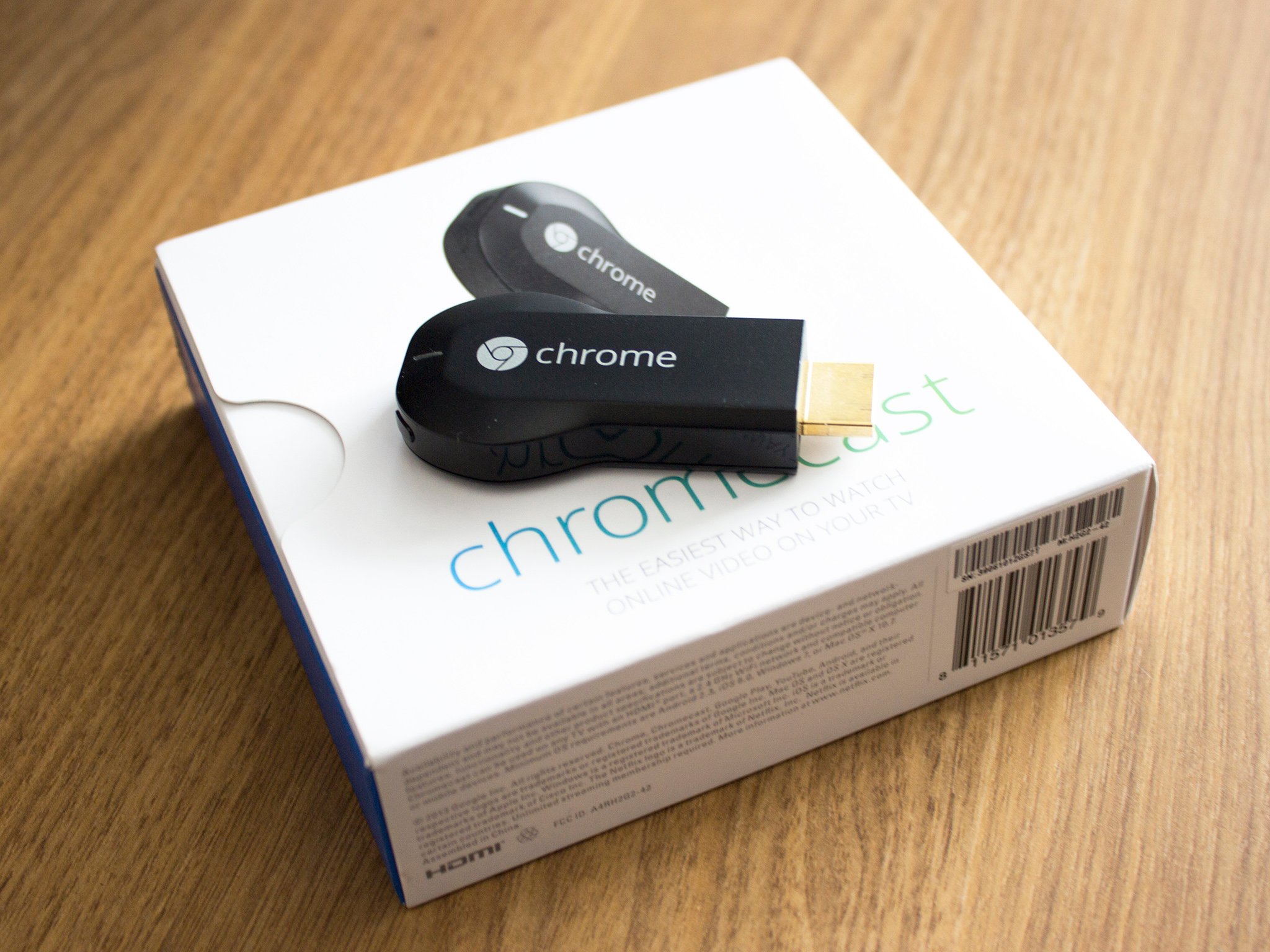
A quick heads up to any Brits looking at getting a Chromecast soon that Google is throwing in a little Play Store credit for good measure. Currently advertised in the UK Play Store, if you buy and set up a Chromecast by July 15 Google will give you £4.99 towards a movie rental from the store.

Given some of the current rental prices in the British store, £4.99 could get you one movie with enough change left over to give you something towards a second. Once you're set up head over to chromecast.com/offers to redeem.


18 Apr 13:58

Samsung Decides That Free Milk Music Users Will Get Ads After All, Premium Subscription To Cost $3.99 Monthly

by Bertel King, Jr.

Milk-ThumbThus far Milk Music has provided a fat-free experience. Since launching two months ago, the music streaming app has been straightforward, rather minimalist, and ad-free. But after taking time to reflect on the matter, Samsung's decided that perhaps a little bit of fat wound be healthier long-term. So the company's adding ads to the free version of the software, with a new ad-free premium subscription soon to launch for $3.99 a month.

Done With This Post? You Might Also Like These:

Samsung Decides That Free Milk Music Users Will Get Ads After All, Premium Subscription To Cost $3.99 Monthly was written by the awesome team at Android Police.


18 Apr 13:15

Top 10 new Android games this week: SideSwype, The Voyage

by Steve Raycraft

Welcome back to Android Gaming Weekly, our weekly recap of new game releases. We still plan to cover upcoming releases and games we’re playing, but this column is dedicated to new games that you can start playing right now. Check out our top picks and let us know in the comments section if you have any suggestions for next week’s post.

Polymer

Description: Polymer is a strategic shape-creating game that combines the logic of Rubik’s Cube, the sliding mechanism of Chuzzle and the creativity of Lego.


Disco Zoo

Description: Travel to regions around the world and collect everything from pigs to dinosaurs for your Disco Zoo. Discover hidden animals through casual puzzle play. Manage and expand your zoo to maximize earnings. Throw funky disco parties to get your animals and visitors groovin’!


Mikey Hooks

Description: RUN, JUMP, SLIDE and HOOK! Collect coins and find hidden Golden Shorts! Watch out for enemies and spikes!


Hopeless: Space Shooting

Description: A weird abandoned planet, monsters lurking in the dark and bright glowing lights…Could this planet be the end of the journey for the cute little Blobs? How long can you survive in this shooting game?


Dream Chamber

Description: In Dream Chamber, uncover the culprit in this simultaneously breathtaking and dream-like quest. A humorous adventure with a quirky cartoon graphic style.


The Voyage

Description: The Voyage is a swashbuckling pirate experience featuring 100 fiendish puzzles and a race to defeat a mischievous new adversary: Captain Bodnar Bucklebeard.


Moonball: Lite

Description: Tap and collect Moonball through our solar system and beyond in this epic and addictive space adventure! Moonball: Lite is completely free to play but some in-game items, such as power-ups, will require payment.


SideSwype

Description: A beautiful minimal block puzzle game from the creator of Slydris and CRUSH! SideSwype is an elegant and unique combination of 4-way block sliding and match-3 gameplay wrapped in a stunning audio-visual package.


The Amazing Spider-Man 2

Description: Become the Amazing Spider-Man in this open-world 3D adventure full of crime-fighting and non-stop action as you face the web-slinger’s greatest challenge yet! New York is under threat from a city-wide crime spree and only our hero Spider-Man can stop it!


FarmVille 2: Country Escape

Description: Farm at your own pace, whether you have 30 seconds or 30 minutes. Play with friends or on your own in our new Anonymous Mode: Facebook not required. You can also play when not connected to the Internet. Join a Farm Co-Op to trade and share, and go on Farm Adventures to collect rare goods. Now you can finally play FarmVille anytime… anywhere. Best of all, it’s free!


18 Apr 13:14

Scanbot Scans and Uploads Multipage PDFs Directly to the Cloud

by Eric Ravenscraft

Android: In the future, paper (much like running) will only exist for recreation, for fun. In the meantime, we still have to deal with annoying contracts, memos, and receipts. All of which can be scanned instantly and uploaded directly to Dropbox, Evernote, and more with Scanbot, previously available for iOS.

This app isn't the first of its kind, but its one of the simplest. Simply point your camera at a document and it will scan it, and do some automatic perspective correction. From there you can upload it to a number of cloud services, including Dropbox, Evernote, Box, Google Drive, and OneDrive.

Scanbot | Google Play Store via Beautiful Pixels

18 Apr 12:13

The Best Extensions to Make Google Maps Even More Awesome

by Eric Ravenscraft

The Best Extensions to Make Google Maps Even More Awesome

Google Maps is easily one of the most popular and powerful mapping tools on the internet. It doesn't have to do all the legwork alone, though. Here are some of the best extensions you can add to your browser to make Google Maps that much more awesome.

Tools for Google Maps (Chrome)

The Best Extensions to Make Google Maps Even More Awesome

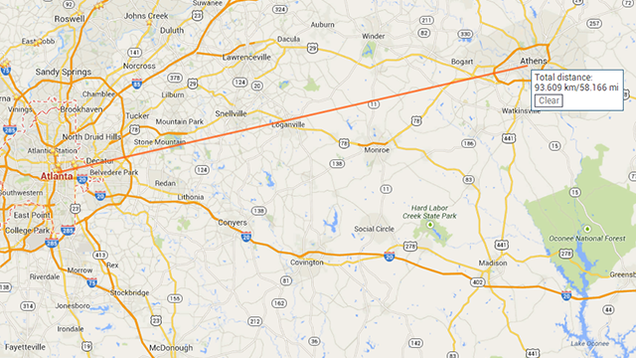
Google's new Maps may have removed some of the neat-yet-niche features of the old Maps like measuring the distance between two locations in a straight line. However, Tools for Google Maps brings them back in a jiffy. It also has a few extra nice things like a built-in screenshot tool and fullscreen mode (though you can enable the latter with F11 natively).

Mini Maps (Chrome)/Quick Maps (Firefox)

The Best Extensions to Make Google Maps Even More Awesome

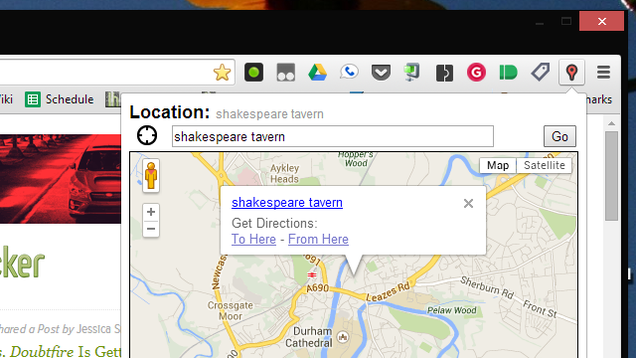
Sometimes you just want to look up an address real quick without leaving the tab you're on. Mini Maps allows you to do just that. Simply click the extension button and a small map with a search box will appear. It won't be as full-featured as Google Maps on the desktop (and it's not as good at only returning results near you), but for quickly checking out an address, it gets the job done in a non-disruptive way.

Quick Maps provides a similar. You can select an address on any page and pull up a small map preview right next to it in the page, or look up more information on Google.

Scroll Maps (Chrome)

The Best Extensions to Make Google Maps Even More Awesome

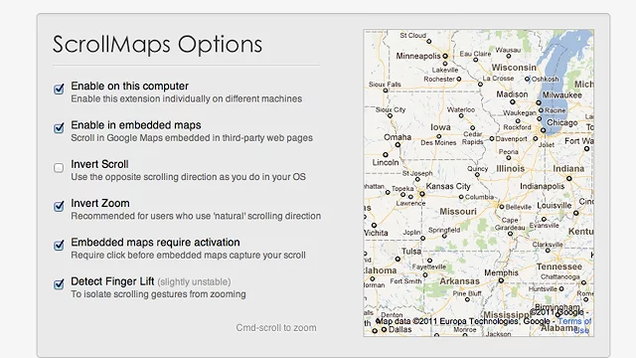
If you're on a Mac, you're probably used to the two-finger gesture to scroll around. On Google Maps, the gestures zooms instead of moving you around the map. Scroll Maps fixes this problem, allowing you move around with two fingers. You can then simply hold down the Command key to zoom in.

The developer states that this extension also works on Windows laptops equipped with track pads, as well as mice with two scroll wheels. However, it's not explicitly guaranteed to work so you may see some bugs.

TaxiMe (Chrome)

The Best Extensions to Make Google Maps Even More Awesome

If you're planning a night out and you think you might need a cab home, looking up directions on two different services can be a drag. TaxiMe lets you estimate how much a cab is likely to cost while you're already in Maps. It may not give you a perfect quote, especially if you use a service that's not plugged in to TaxiMe's system (like Uber), but it can help you get in the ballpark before you go out and have to make the decision in a less coherent capacity.

Yelp to Google Maps (Chrome)

The Best Extensions to Make Google Maps Even More Awesome

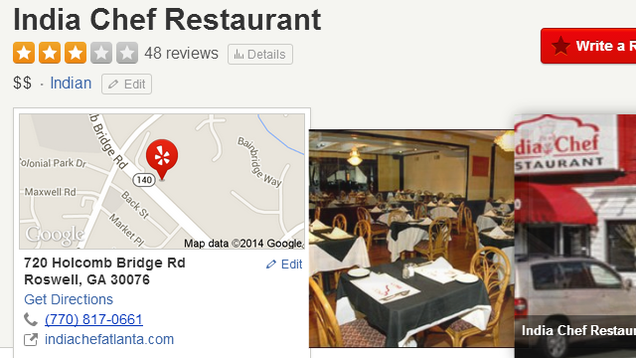
Yelp is a pretty great site for finding new places near you. Somewhat annoyingly, though, if you're on the site and you click the map for a location, it loads in Yelp's own mapping system. Yelp to Google Maps redirects this action so that the address will open directly in Google Maps proper.

Send to Google Maps (Chrome)/Search with Google Maps (Firefox)

The Best Extensions to Make Google Maps Even More Awesome

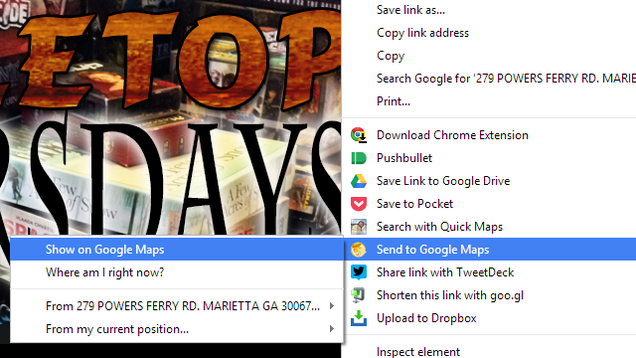
In both Firefox and Chrome, you can already select an address and right click to search for it on Google. However, that's still an extra step away from Maps. Send to Google Maps for Chrome and Search with Google Maps for Firefox do skip that step. The extensions adds a right-click menu option to allow you to search for an address directly in Google Maps, saving you a click or two.

18 Apr 12:12

AcDisplay Adds Moto X-Style Screen Notifications to Any Android Phone

by Alan Henry

Android (4.3+): When you get notifications on the Moto X, the center of the screen turns on to show you the time and an icon for the app that has the notification waiting for you, along with some other visual cues. If you'd like something similar for your Android phone, AcDisplay delivers.

We've talked about how to get some of the Moto X's features on any Android phone before, but AcDisplay hits one we couldn't replicate at the time—active screen notifications. It hit our radar a while ago, went dark and changed a good bit, and now it's back to life with a new version. The app itself is simple—when you get a notification, your screen will light up, and you'll see the time, along with a center icon for the app the notification came from. You'll also see other icons for apps that have waiting or unread notifications just below it. If you want to see the source of the notification, AcDisplay lets you go right to the app to view it—just press and hold to read more, and swipe up to go to the app, or down to unlock and see all the notifications.

One nice thing AcDisplay has that even the Moto X doesn't is a timer ring that gives you a visual cue to how long you have to act before the screen turns back off. The app also lets you dismiss individual notifications by swiping left or right, which is another nice touch. The video above, from YouTuber Chris Nacca walks you through the features pretty well. Hit the link below to grab the app—it's free. The stable version (up at Google Play) supports Android 4.4 devices, and if you want to beta test the latest features (and support for 4.3), you can grab it at the XDA link below. If you do choose to beta test, make sure to join the Google+ community to share your experiences and feedback.

AcDisplay (Free) | Google Play via XDA Developers Forum

18 Apr 12:10

Guides.co Aims To Be The Hub For Companies’ White Papers And How-To Content

by Anthony Ha
guideco-hero There are plenty of how-to sites on the Internet, but sometimes, in the words of Guides.co CEO Scott Annan, you need to look up something "more complicated than tying a tie or stuffing a turkey." When you do, Annan is hoping you'll visit the Guides.co website. He argued that most forms of content have been reinvented for the digital world, but not instructional, how-to books — which, unlike a… Read More
18 Apr 12:09

Legendary British newsreel collection is now free to watch

by Cassandra Khaw

British Pathé's entire collection of newsreels is now available for free on YouTube. The 85,000 videos showcase 80 years in global events, ranging from the historically significant to the downright weird. The repository includes newsreels from the First and Second World Wars, footage of the 1937 Hindenburg Disaster and even a clip of a morbidly obese three-year old being tempted with chocolate.

Continue reading…

17 Apr 23:41

Amazon to expand Fire TV's voice search with support for Hulu Plus, Crackle, and Showtime

by Dan Seifert

Amazon announced today that the voice search functionality in its Fire TV media streaming box would soon be expanded to include information from Hulu Plus, Crackle, and Showtime Anytime. Currently, Fire TV's voice search only supports Amazon's own content and music videos from Vevo. The company did not say exactly when the new sources would be added to the service, aside from indicating that it would arrive this summer.

The Fire TV's voice search functionality is very impressive — we found it to be faster and more accurate than any other voice recognition service we've used. But being limited to just Amazon and Vevo content really held it back from being all that it could be. The new sources will help make Fire TV's voice search more...

Continue reading…

17 Apr 23:34

Outlook.com Can Now Import Mail from Other IMAP Mail Services

by Whitson Gordon

Outlook.com Can Now Import Mail from Other IMAP Mail Services

If you're a fan of Outlook.com but still use a few other accounts for mail—like Gmail or Yahoo—you can import your mail and manage it from Outlook.com's awesome interface.

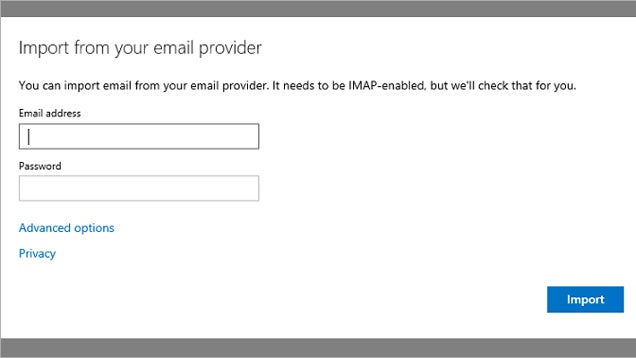
Gmail importing has actually been around for awhile, but now Outlook supports most other IMAP-enabled email providers. To do so, just head to the Import Email Accounts section of Outlook's options and enter your credentials. Not only will it keep your email in one place, but you get to use Outlook's great interface to manage it all.

Note that this is not to be confused with the IMAP support they added in September, which lets you access your Outlook inbox from desktop apps like Thunderbird. Essentially, this lets you use Outlook as a mail client for your other, non-Outlook accounts. Hit the link to read more.

Outlook.com Customers Can Now Import Their Email from Yahoo Mail | Office Blog

17 Apr 19:40

Gradually Declutter Your Home by One Item Every Day

by Whitson Gordon

Gradually Declutter Your Home by One Item Every Day

If you live in a seriously cluttered house, downsizing all at once can feel like an impossible challenge. Wise Bread shares a simple tip to do it gradually: get rid of one (or ten) things every day.

Max Wong, author of the post, had a lot of clutter to get rid of, so she settled on ten things a day:

On November 1, 2001 I made a resolution: I would get rid of 10 things a day until I had downsized enough that I could fit all my belongings into one, visible layer in my closets.

The 10 items rule was arbitrary. Ten things seemed challenging enough to turn downsizing into a game (always a bonus for me), yet achievable enough to allow me to complete my goal even on the busiest days.

One day, at the end of March 2002, I came home to a noticeably neater house. After almost five months of downsizing by 10 things a day, I had painlessly removed almost 1500 items from my home.

If you have a smaller home, you could easily change it to one item a day (or five, or whatever works for you). An item can be as big or small as you want: an old car you want to sell or a pen that no longer works. (here are eight ideas to start with). You could, of course, spend a few days decluttering by the truckload, but if that seems to stressful to you, this seems much more achievable. Hit the link to read more.

Do This One Thing a Day to Defeat Clutter Forever | Wise Bread

Photo by Walt Jabsco.

17 Apr 16:41

Pamela Chen: seeing the world through photographs at National Geographic

by Vox Creative

The daughter of a college mathematics professor, Pamela Chen was a math major until a single photograph changed her life forever. That simple image, of two college classmates skateboarding on the quad, made Pamela realize that “photography was a way that you could see the world differently than what you were seeing with your own eyes.” Now, as the Senior Photo Editor at National Geographic, Pamela sorts through as many as 60,000 photographs for each feature story, following the photographer’s every step and distilling their epic journeys for publication in the storied magazine.

Continue reading…

17 Apr 16:39

The darknet just got its first black market search engine

by Adrianne Jeffries

The network of sites known as the darknet, only accessible through the anonymizing Tor browser, resembles the early internet in many ways — including being difficult to navigate. Most users get around by clicking from link to link, accessing pages like "The Hidden Wiki" that list popular site addresses, or typing long, complex URLs directly into the browser. Sites often change addresses as a cautionary measure, making them even more difficult to locate.

That makes it tough for customers attempting to shop for drugs, fake IDs, or other items on the darknet's black markets like Black Bank, Silk Road, and Pandora. However, an anonymous developer has released Grams, a search engine that has indexed eight of the darknet's markets.

Like...

Continue reading…

17 Apr 13:27

Flickr goes head to head with Instagram in total redesign of apps for iOS and Android

by Casey Newton

Since Marissa Mayer took over at Yahoo, she has made a steady push to rebuild the photo-sharing community at Flickr by overhauling its products. Today Flickr is getting its most dramatic makeover to date, with a total redesign of the apps for iOS and Android that make it a more direct competitor to Instagram and other photo-sharing services. It takes the easy-capture and sharing features of Instagram and pairs them with the worry-free backup of Dropbox and Google+. The result is an app that is faster and more fun to use, even as its imitation of features that others made famous will likely draw charges of copying.

Continue reading…

17 Apr 12:39

Pirate Video Streaming Sites Exploit Google’s Servers

by Ernesto

google-logoGoogle has been in the crosshairs of the entertainment industries for a while now. These companies believe that Google is not doing enough to prevent pirate sites from showing up in search results.

However, there is another less visible problem that cropped up in recent months. Increasingly, streaming portals with a focus on the latest pirated copies and TV-shows are using Google as a source.

A German anti-piracy outfit has identified more than 18,000 pirated videos that are featured on more than a dozen large sites. All these streaming sites use the same movie sources without charge, and the bandwidth bill goes to Google.

The list of sites includes Movie4k.to, hdmoviezone.net, viooc.co, viooz.be, viooz.cc, vioozmovies.me, watch32.com, putlocker.bz, putocker.to, putlocker.tw, megashare.info, megashare.sh, megashare.ca, afdah.com, yify.tv, watch32.com.

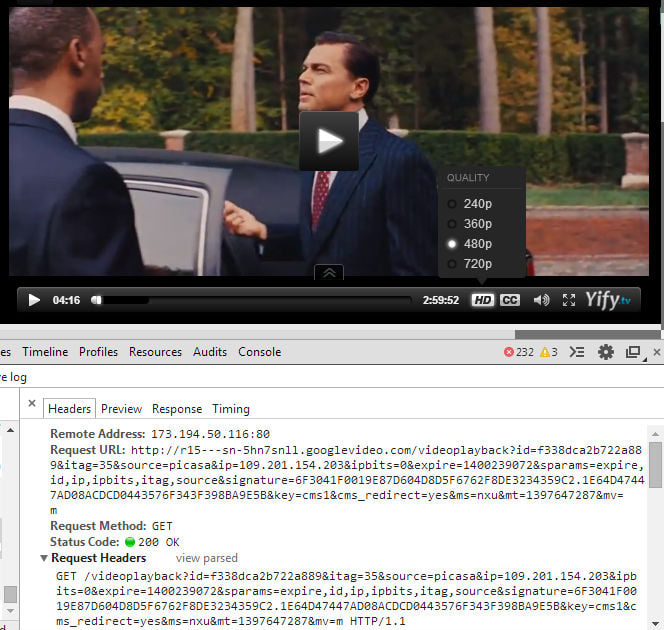
Together these streaming portals are good for several million daily visitors, which means that Google must be seeing a lot of traffic originating from these sites. The screenshot below shows a copy of The Wolf of Wall Street on YIFY.tv, available in several video qualities and with subtitles if needed.

YIFY.tv Using Google
yifytvgoogle

It’s unclear where the videos are hosted, but the URL above shows the googlevideo.com domain. In addition, it includes a “source=picasa” string, suggesting Google’s image hosting service has something to do with it.

While the site owners are benefiting from the free storage, copyright holders are less excited. A German media outfit, which remains unnamed, reportedly sent requests to Google last month hoping to take down the files, but without success.

Since the files remain online, the lawyers of the media company have now applied for an injunction against Google at a local court.

Two weeks ago Warner Bros. also asked Google to remove several of these URLs from its search engine. These requests were denied, most likely because the videos can’t be accessed directly through the link Warner provided.

In a comment to TorrentFreak, Google stresses that users are not permitted to distribute copyrighted content without permission. The company is actively trying to stop these kinds of abuses and also responds swiftly to takedown notices.

“Use of Google platforms to host infringing materials is a violation of our terms of use, and we design features into our systems to make them unattractive for this kind of abuse,” a Google spokesperson told TF.

“We also respond quickly to disable access to any materials on our platforms identified to us by copyright owners as infringing,” Google adds.

Why the thousands of Google-hosted videos on these streaming portals remain online is unclear. It could be that Google indeed removed the files in question, but that they were re-uploaded. Another possibility is that the copyright holder didn’t correctly identify the source file, as Warner Bros’ takedown notice suggests.

One of the additional problems copyright holders face is that the URLs of the videos are harder to identify. Automated takedown tools can’t easily spot where the files are coming from, which makes it more complicated to send takedown requests.

It will be interesting to see how this issue will be dealt with in the future. It’s clear that neither Google not the copyright holders are happy with the current situation. For now, the only ones benefiting are the streaming portals and their millions of users.

Source: TorrentFreak, for the latest info on copyright, file-sharing and anonymous VPN services.
17 Apr 12:31

UK Tory MP who helped kill Legal Aid is wiped out by defending himself against sexual assault claim

by Cory Doctorow

Alan sez, "At least he's got the sense to own up and say he's sorry. Nigel Evans used to be in Parliament. While there he helped cut legal aid. As a result, people who are charged by the government but found innocent can't recover costs. Mr Evans is now looking at a (UKP) 130,000 legal bill (plus VAT) after defending successfully against an allegation of sexual assault. Of course, were he in the US he'd be in the same or worse shape."

He's been wiped out, and has pledged to try to undo the damage he's done to Legal Aid if he gets reelected. Meanwhile, the real victims of this are poor crime victims, especially women in abusive relationships, who are grappling with a system where only rich people get lawyers.

He said he was stunned to learn he would have to pay his legal fees even if he was acquitted - plus value added tax. Mr Evans, whose life savings have been wiped out, has pledged to campaign on the issue after his return to the Commons.

Tough new rules on the amount of cash acquitted defendants could claim back were passed in 2011 as the Ministry of Justice sought to trim the legal aid budget.

Bill Waddington, the chairman of the Criminal Law Solicitors' Association, said: "It is interesting it takes something like this for MPs to realise that only two years ago they actually voted for this change against vociferous opposition from the legal community.

£130,000 poorer in fees, Nigel Evans admits regret for past support of legal aid cuts (Thanks, Alan!)


17 Apr 12:28

Samsung and Amazon partner up for new custom Kindle experience

by Rich Edmonds

Samsung and Amazon today announced a new custom Kindle experience for consumers who own Samsung Android hardware. This eBook service, Kindle for Samsung, is available to all Galaxy hardware running Android 4.0 or above. If you're using a smartphone from another vendor, fear not as the official Kindle app will remain available for download.


17 Apr 12:27

Apple reportedly integrating Shazam song detection into iOS

by Rich McCormick

Bloomberg reports that Apple is working on a music identification feature for iOS that will allow iPhone and iPad users to use their device's microphone to work out what song is playing. Sources familiar with the feature say that the company is partnering with Shazam Entertainment, which has its own song detection app, to build the software into iOS itself.

Shazam, which asks users to hold their device near a sound source while it matches the music against an extensive database, currently has more than 90 million monthly users across a range of devices and operating systems. But the app, which comes free with ad support, or for $5.99 without, necessitates a download from the relevant app store.

Continue reading…

17 Apr 12:26

Eye-Fi Cloud backs up every photo, no matter what you use to take it

by Dan Seifert

Seamlessly backing up your photos and making them easily shareable seems to be the dream for cloud storage services. Dropbox and Google have put a lot of effort into making photo backups an integral feature of their respective services. Flickr's iOS app lets you automatically upload photos from your phone to better take advantage of the 1TB of free storage the service offers. And Apple offers iCloud streams to back up and share your photos with other iOS users.

Now Eye-Fi is launching a service that backs up all of the photos you take with your smartphone and your camera. Best known for making SD cards with built-in Wi-Fi capabilities, the company's new Eye-Fi Cloud program lets you access your photos on any device you own through a web...

Continue reading…

16 Apr 23:34

Fresh Meat: 10 new Android apps worth checking out

by Nick Sarafolean

New apps need lovin’ too, right? Every day there are thousands of additions to the Google Play Store, but many go unnoticed and never receive the attention they deserve. We’ve shown in the past that this community can discover great apps and propel them to new heights. Our weekly Fresh Meat column highlights new apps with fewer than 100,000 installs. Browse our new Android app picks below and let us know which ones you enjoy.

Wind-up Knight 2

Wind up Knight 2

Description: High-end platforming gameplay in a beautiful 3D world! Your favorite clockwork automaton is back with a bigger world, crazy new mechanics, and even more insidious levels! Double jumping over a spike trap while diving sword-first into a crazed Hippogriff never looked so good! Checkpoints, Bouncy Pads, Ice Blocks, Warps, Rolling Boulders, and a whole slew of new mechanics! Think you’ve got a level beat? Think again! Side-quests in every level force you to think outside the helmet! School your leaderboard friends by playing a daily challenge on just one life! Use power-ups and items to play your way.


Retrica

Retrica

Description: Great app for selfies! Take vintage style photos in high resolution with Retrica’s 80 EXCLUSIVE filters! Retrica offers numerous professionally designed filters, many more than any other camera apps do. You can apply the filters even before you take a photo, or after, as you prefer. Take photo collages with Retrica, WITH filters applied! You can set time intervals to take consecutive photos and to fool around with your friends! Awesome photos! Retrica comes with chic and deep filters that just make your photos to pop! Your night out in the city, the great view from your trip and amazing meal you had with your friends will become more memorable with Retrica’s EIGHTY classy filters! Retrica comes with many trendy logos you can choose from too!


Note Crypt Safe with Password

Note Crypt Safe with Password

Description: Keep your notes safe and secure with Note Crypt for Android! Note Crypt is an application that allows you to save, on a file, personal encrypted notes with password.


Naxos Flat Round Icon Pack

Naxos Flat Round Icon Pack

Description: Naxos Flat Round is a flat icon pack that will add high definition icons for many popular Android Launchers.


Writeily: Markdown Text Editor

Writeily  Markdown Text Editor

Description: Writeily is a beautifully simple, Holo-inspired, text editor for Android devices. Create notes, documents, short stories, or even a whole book in a minimal editor. Enjoy a colourful, inspired, design. Switch between light and dark themes. Switch between different Roboto typefaces. Organize notes by starring the most important notes in your list. Preview your work in a rendered Markdown view. Share your work to other apps via the Share button. Share works from **other** apps into Writeily.


CF.Lumen

root  CF.lumen

Description: CF.lumen adapts the colors on your Android device based on the position of the sun, or your custom configuration. When using the default settings, your display will get a warmer tint (lower color temperature) when the sun is down, vastly reducing strain on the eyes. Blue light makes your brain want to stay awake, and a lower color temperatures reduces the amount of blue displayed; using this in the evening reduces your brain’s effort to keep you awake at night. (See f.lux for your PC) During sleeping hours by default a red filter is used. Red strains your eyes the least, and retains your night vision.


Mental Math

Mental Math

Description: You’ve got 60 seconds to answer as many questions as you can. Go! Mental arithmetic at its best, choose your arithmetic operation and your level. Get achievements as you go along. Warning, they are not easy to get! Show off by being in the top 5 players on the leaderboards.


Mealplanner Shoppinglist Trial

Mealplanner Shoppinglist Trial

Description: This is the only app for serious cooks – it has all the tools you need to cook week meals. Manage your recipes, create menus, shop with ease and cook like a pro.


Budget

Budget

Description: Budget is a simple, intuitive, beautifully designed app that allows you to keep track of all your finances. This is done by offering customisable categories to organise your incomes and expenses, shown in a variety of useful charts and lists.


Flixtor

Flixtor

Description: Flixtor let you download and stream any movie and series directly on your phone! Search movies, series and people through a huge database powered by Torrent Lookup. Use torrents to download/stream* movies and series. Choose your quality/torrent. Save on phone or SD card. Download in background. Pause/Resume/Delete. Multiple downloads at the same time.


16 Apr 19:52

Google’s New Street View Image Recognition Algorithm Can Beat Most CAPTCHAs

by Frederic Lardinois
2014-04-16_0915 Here is an interesting conundrum for Google: it has created an algorithm that's significantly better at reading street numbers in Street View images, which helps it give you more accurate directions. At the same time, though, it turns out that this algorithm is so good, it can decipher 99 percent of CAPTCHAs (those squiggly text puzzles you often have to solve to prove you are human). Read More
16 Apr 19:49

Google launches standalone ‘Google Camera’ app in Play Store

by Alex Wagner

Remember that rumor that claimed that Google was planning to release a new, standalone camera app into the Play Store? Looks like it was the real deal, because a new “Google Camera” app has just appeared on the Play Store’s virtual shelves.

Google Camera features an “updated UI that gets out of your way” as well as a large capture button that ought to make it pretty easy to snap photos. The app also includes a 100 percent viewfinder that allows users to get the maximum resolution from their photos.

The app includes a number of software features for capturing and editing shots, including Photo Sphere, Lens Blur for creating a shall depth of field and a high-res Panorama mode.

We’ve seen several companies release standalone versions of their Android apps in the Play Store recently, including HTCMotorola and Google. This is a great trend because it allows those firms to more quickly issue updated versions of their apps, and in this case, it also lets more users try out Google’s own apps.

Google Camera is compatible with phones and tablets running Android 4.4 or higher. You can download it by hitting up the Play Store link below. Once you do, be sure to leave your first impressions in the comments section!

16 Apr 19:45

Chrome Remote Desktop Arrives on Android

by Eric Ravenscraft

Chrome Remote Desktop Arrives on Android

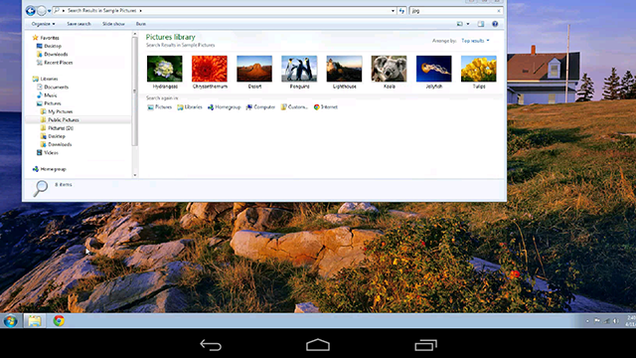
Android: Google's finally released an Android counterpart to its Chrome-based remote desktop application. Install the Chrome Remote Desktop extension for Chrome and now you can log in to your computer remotely from Android.

The app is free and requires surprisingly minimal setup. In our brief tests, the connection was incredibly smooth both over Wi-Fi and LTE (though your mileage may vary). The app is just now rolling out to the Play Store so it may take a bit for it to propagate to your device. If it hasn't shown up for you, Android Police has a handy APK download at the via link below.

Chrome Remote Desktop | Google Play Store via Android Police

16 Apr 19:44

You Might Be Standing All Wrong. Here's How to Fix Your Imbalance

by Melanie Pinola

You Might Be Standing All Wrong. Here's How to Fix Your Imbalance

Standing. It's just something you do, right (like breathing)? The truth is, there's a perfectly aligned and balanced way to stand...and the imbalanced way many of us do.

Good posture helps relieve and prevent pain, improves your attitude, and also positively affects your brain. Even if you don't think you're guilty of the worst posture mistakes (hunching your shoulders or rounding your back), you might be missing one key part of standing properly: complete balance.

AZ Central notes that starts with the feet, your base of support:

To stand upright, you must balance your body over your feet. Your spine should be aligned over your pelvis, with your weight evenly distributed between your feet. Many people stand with more weight over one foot or with their weight over only part of their feet. While standing, become aware of your feet. You should feel even pressure on the balls of your big toes, little toes and heels. This is the tripod of your foot. If you feel more pressure on one of these points, you are not in alignment. Relax your toes and knees and adjust your weight so the tripods of both feet feel equal pressure.

Putting too much weight on one foot, leaning too much forward, and even turning your feet outward or inward while standing (they should be pointing forward) could mess up other parts of your body. Do this for too long (for example, at a standing desk or if you stand a lot on your feet), and it's a hard habit to correct.

You can test the other parts of your posture against a wall, but don't neglect the balance over your feet too.

Read more standing posture tips at AZ Central's Healthy Living page.

The Influence of Foot Position on Standing and Balance | AZ Central

Photo by Kontramax.

16 Apr 17:07

Bing Home Page Gets Some Of Cortana’s Smarts

by Frederic Lardinois
2014-04-16_0918 Two weeks ago, Microsoft debuted its Cortana personal digital assistant for Windows Phone 8.1, which uses the Bing platform to learn about your preferences and interests. Starting today, the Bing home page will also get some of Cortana's smarts. You can now find a set of personalized cards that help you keep track of news, weather, flights and stocks. Read More

16 Apr 14:08

Monkeys may sometimes grieve for dead mates through necrophilia

by Xeni Jardin


A still from the video of a marmoset exhibiting behavior that resembles human grieving.

A sad story of two marmosets documented by animal behavior researcher Bruna Bezerra, who was observing the primates in their northeast Brazil home:
The pair had been the dominant male and female since observations began. When the female fell out of the tree, her partner engaged in a number of behaviors, including embracing her, sniffing at her, chasing other monkeys away, sitting by her, and trying to copulate with her. He also emitted alarm calls normally used when a predator is near. And several months after her death, the male disappeared from the marmoset group, never to be seen again.
More: Do Monkeys Grieve for Fallen Mates? | Science/AAAS. Here's the study, in the journal Primates. There's video, too. [via Ed Yong]


16 Apr 13:42

High Court: Kim Dotcom Can Have His Cars, Millions in Cash Returned

by Andy

When Kim Dotcom’s New Zealand mansion was raided in 2012, some of the most memorable images were of his luxury car collection being loaded onto trailers and taken away. The authorities hoped the pictures would help to symbolize Dotcom’s fall from ‘power’ but two years later he might be burning rubber in them once again.

Just two days before the raid on Dotcom’s home, foreign restraining orders were granted to enable the seizure of the entrepreneur’s assets. As they are set to run out on Friday, the Crown applied to the High Court yesterday to have them extended.

Unfortunately for United States and local authorities, the application was turned down, which means that Dotcom’s assets including his car collection, substantial quantities of cash, artwork and other equipment, could soon be returned.

Shortly after the news broke, Dotcom took to his beloved Twitter to celebrate.

CarsTwitter

Dotcom added that when his cars are returned he will be treating member of his newly formed Internet Party to a day out racing.

“I will rent the Taupo race track for a track day with #InternetParty members when my cars are returned!” he tweeted.

While Dotcom is understandably excited, the Crown has two weeks to file an appeal. That is almost certain to happen.

Source: TorrentFreak, for the latest info on copyright, file-sharing and anonymous VPN services.