I found this video oddly anxiety-proviking, and yet, stupid funny, too.
You spin the Pie Face wheel to see how many times you have to click the catapult. If you perform your clicks and the pie doesn't smash in your face, you move it to your partner.
Responding to your colleagues in a positive, helpful manner can get you better results. They may even mirror your attitude in their reaction, which makes for a more pleasant interaction overall. Gregory Ciotti has a great list of phrases you can use for common situations:
“Happy to help.” End conversations with this phrase to let the other person know you’re a resource for them going forward.
“Great question, I’ll find that out for you.” Buy yourself the time to find out the right answer for someone to be seen as a reliable worker. If you want, you can add specifically what you’ll do figure out the answer.
“May I ask why that is?” You can use this question to respectfully dig deeper into a complaint or negative feedback from a coworker.
“As much as I’d love to help…” When you have to turn down a request, soften the blow by starting with this phrase and ending with the reason(s) why.
Often how you say something makes as much impact as what you say, so use these friendly phrases to improve your communication at work.
A knotted necklace chain can seem impossible to undo, but with the right tools, you can slowly untangle it.
If your chain-style necklaces have somehow tied themselves into knots, this video from YouTuber CrazyRussianHacker demonstrates a super simple method of untangling them. You’ll need something with a fine point and a lot of patience, but it can be done. Of course, it doesn’t need to be a screwdriver as long as the point is small enough to wiggle it’s way into the necklace’s knots. Slowly but surely you’ll undo them all. If the knots are really bad, you can try dabbing them with Windex and setting them on a washer or dryer.
At the same time as the Hollywood studios complain endlessly about piracy, the counter argument that they simply haven’t done enough to make content available legally online persists.
Without a similarly complex system of release windowing and geo-restriction, the music industry has largely overcome those obstacles. Meanwhile, however, Hollywood appears largely hamstrung by its own business model, leaving itself open to criticism that it hasn’t done enough to provide legal alternatives to torrent and streaming sites.
In an attempt to dispel claims that content simply isn’t available, the MPAA came up with WhereToWatch, a searchable database listing where movies and TV-shows can be watched legally. Due to poor coding the site initially proved impossible for Google and Bing to index, a situation that has improved somewhat since last November.
Yesterday during a speech at CinemaCon, MPAA chief Chris Dodd again urged theater owners and customers alike to spread the word that in order in to protect the industry and its workers, consumers need to access content from legal resources.
“That’s why we at the MPAA created WhereToWatch.com – a one-stop shop, guiding your audiences to content quickly, simply, and – most importantly – legally. And if what they’re looking for is online, WhereToWatch.com will show which sites and at what prices that film is available,” Dodd said.
“On a broader level, this effort is also a crucial recognition of the changing technological landscape, and the need to continue evolving to meet the demands of our consumers,” he continued.
“That will mean finding new ways to enable audiences to see movies where and how they want, while maintaining the magic and unrivaled appeal of the theater-going experience that has been this industry’s driving force for well over a century.”
But while recognizing that consumers should be able to see content at a time and place of their choosing – a major complaint that has persisted for well over a decade – consumers wanting to find out where to watch that content legally are also faced with a dilemma.
Since its triumphant launch in November last year, the operators of WheretoWatch have now chosen to give it the same treatment that Hollywood bestows on its movies – by geo-restricting it.
For the hundreds of millions of citizens outside the United States who are also expected to consume film and TV content legally, the above message is nothing less than they’ve come to expect. Free and equal access to content is not something the major studios and their distributors are good at, and that is now reflected by the very resource that former senator Dodd spent so long championing yesterday.
But never fear. Thanks to the wonders of tunneling technology, last evening TF was able to find a VPN exit node in Seattle that enabled us to sneak past the MPAA guard dogs. Once on WhereToWatch.com we were able to search for a number of films and find out where we could obtain them legally. The irony was headache inducing.
Overall it’s a ridiculous situation. The music industry largely managed to solve these issues years ago but for as long as users are forced to jump through hoops to obtain or even learn about the availability of legal content (not to mention waiting for extended periods, Australian style), piracy will persist.
And when other MPAA strategies such as site-blocking and “three strikes” systems are already being exported to all corners of the globe at huge expense, one has to wonder why the obvious solution isn’t being taken first.
As disgusting as that may be, she's not the only one who should be ashamed: the enablers who promote this crap deserve condemnation, too. Read the rest
Sure, hairspray does a fine job of keeping hair in place, but did you know hairspray can also preserve fresh flowers and keep them from wilting?
That’s the tip from this flower infographic from UK online florist Serenata Flowers. In this method, you have to dry the flowers, but the look of your bouquet should last much longer than its typical expiration date. (You can see example results at Rue La La.)
Way back in 2013, Google quietly added the “Google Settings” app to Android (not to be confused with Android’s normal “Settings” app). At first it didn’t have much, but over the years, it’s added a ton of useful features, especially for the privacy-conscious. If you haven’t checked it in awhile, it’s worth a second look.
Disable a Ton of Activity Tracking in Account History
Under Account History, the first section in the app, you’ll find options to disable a whole host of Google tracking. Some of the sections only allow you to disable tracking, but others will actually allow you to see your history. What’s available through this app is a little surprising:
Web & App Activity: This allows you to see nearly everything you’ve visited or searched for with a Google device. This includes your web-browsing history (across any platforms that have tracking enabled) as well as searches via the Google app. This is similar to what you can find here.
Device Information: Here you can disable data sync between your device and your account. This includes things like contacts, calendars, and other device data. Note that, in the Google Settings app, this is an all-or-nothing switch. If you want to disable only certain data, head to the regular Settings app > Accounts > your Google account and disable sync for certain services.
Voice & Audio Activity: This controls Google’s collection of your voice data. At first glance, this seems like it’s just saved server-side for research purposes (that’s how Google’s speech recognition got as good as it is), but you can also tap the “Manage History” button to see all of your voice searches with audio. This includes voice commands, so if you (or someone who’s snooping) wants to hear what you sound like when you asked Google Now to navigate to home, you can do so here. This is also a handy place to delete searches/commands from your history.
YouTube Search History: Here, you can see (and delete) anything you’ve searched for on YouTube. Disabling search history here will turn it off across your entire account, so YouTube on the desktop also won’t remember your history. However, Google warns that the Android app has app- and device-level tracking that’s independent of the account-level history that you may also need to turn off if you don’t want YouTube to remember anything.
YouTube Watch History: Yes, this is a separate thing. What you search for and what you watch are tracked in two different categories, so if you don’t want Google (or anyone else) to find out that you’ve been watching a looping playlist of K-Pop girl bands for a week, you’ll want to turn this off as well.
Google Location History: Here you can see which devices have location history enabled and bulk delete your location data if you so choose. Unlike some of the other categories, you can’t actually view your location data here, but you can stop the tracking or remove your entire history if you want to.
If the Google Settings app had nothing else in it, all of this alone would make it worth taking a look at. Google tracks a lot of what you do on your phone. While not everyone has a problem with some of this data collection, it’s important to know how to stop it.
Get Less Creepy Ads by Turning Off Interest Tracking
It’s a well-known fact that Google tracks your data in order to send you more targeted ads. Some find this to be an acceptable trade-off. It can turn creepy, though, when you get an ad for something you want, but you don’t know how an advertiser knew that’s what you want. As we’ve discussed previously, you can disable interest-based ads in the Ads section of Google Settings. This should prevent targeted ads and give you the generic ones instead. You can also reset your advertising ID if you’re okay with targeted ads, but you’ve been getting some weird ones lately.
Revoke Access to Your Account From Connected Apps
Like Facebook and Twitter, Google allows you to use your login information to sign-in to other services. This means that third-parties like IFTTT, Pocket, or yes, even Kinja can have access to certain privileges to your Google account. We already recommend using services like MyPermissions to clean out old authorizations, but you can also see what sites have access to your Google account from the Connected Apps section of Google Settings.
See Which Apps Use Your Location
Not only is location tracking a privacy concern, but it can also drain your battery if it’s used too much. The Location section of Google Settings allows you to switch between highly accurate or battery-saving modes. More importantly, it gives you a list of apps that have requested your location, as well as how much battery they’re using to do it. This is especially handy for finding any rogue apps.
This is by no means a comprehensive list, but these are by far some of the most useful functions of Google Settings. You can also view or disable Google Fit connected devices, manage your Play Games settings, or disable certain Android Device Manager functions (though that’s not really recommended). Google Settings can be updated via Play Services, so even if you checked it when you first got your device, it’s worth taking a another look every now and then.
Soon Google Drive won't be the only option for cloud storage on your Chromebook.
Speaking at an enterprise-focused Chrome Live online event, Google announced that Box integration will soon be coming to Chrome OS. In a forthcoming release of Chrome OS users will be able to sign in and have access to their Box storage in the same way as Google Drive is currently available at a system level.
Photo-sharing site Photobucket has just acquired its second company in a matter of weeks, following its pickup of photo chat app Lasso in March, which was fueled by the recent injection of $3.6 million in new funding. Today, the company will announce it has bought social video platform Milyoni, best known for its development of an interactive card format for digital content called… Read More
When honey bees began dying en masse in late 2006, one of the early suspects was a class of insecticides called neonicotinoids. These chemicals are often applied to seeds before planting, so that the poison permeates the entire plant as it grows, including its pollen and nectar. The European Union placed a moratorium on the chemicals even as research results were mixed: at the doses honey bees might experience on a farm, neonicotinoids seemed to cause disorientation and a weakening of the immune system, but nothing to explain the die-offs.
Now, two studies published in Nature indicate the neonicotinoids are a problem for pollinators, though not in the way many first assumed. In the first study, researchers at Lund University looked at...
Google is now a mobile carrier. Today the company has made official its plan to offer wireless service to owners of its Nexus 6 smartphone. It's called Project Fi, and Google is launching an early invite program beginning today. "Similar to our Nexus hardware program, Project Fi enables us to work in close partnership with leading carriers, hardware makers, and all of you to push the boundaries of what's possible," the company wrote in a blog post.
The service is only available for the Nexus 6 and requires a special SIM card for Project FI — it will work with both existing Nexus 6 devices and new ones. Google is says that right now the service is only available as an "early access program," and during that program it won't work on other...
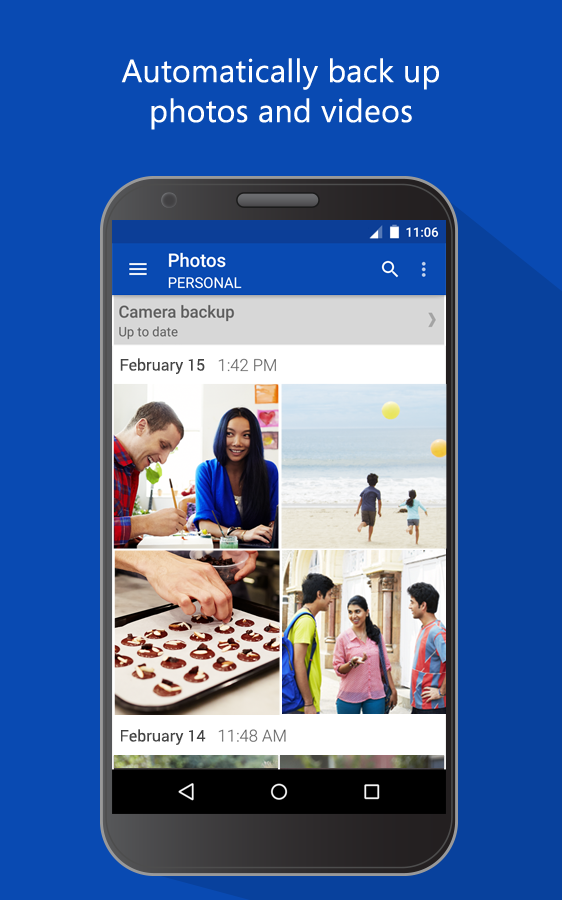
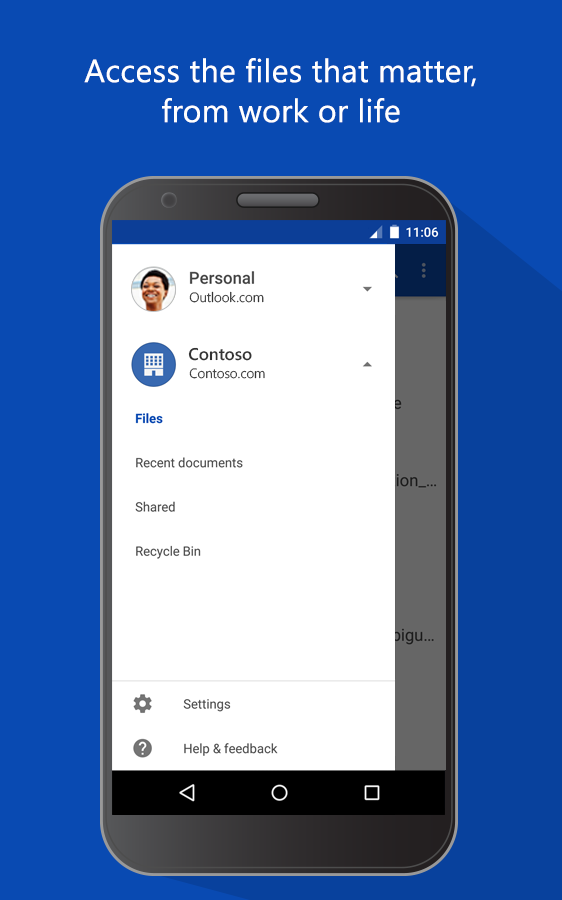
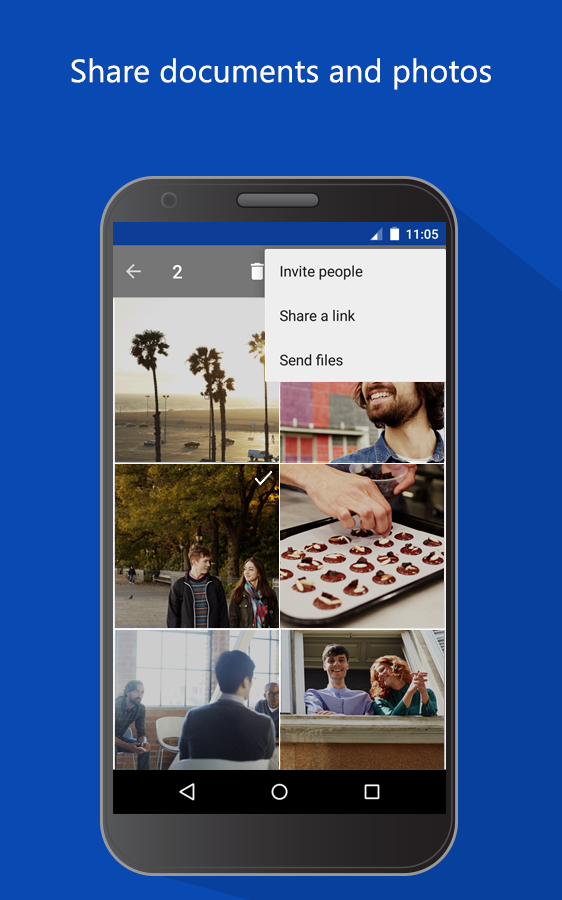
It doesn't get as much attention as the competition, but SkyDrive OneDrive is a capable alternative to Drive or Dropbox. The Android app has been lagging behind on features a little, but today's update improves things. The new features help you stay in the app more instead of jumping to the browser to get links or manage content.
Here's the v3.0 changelog.
Stream videos without leaving the app
Add photos to albums
Open share links in the app
The app probably should have had some of this before v3.0, but at least it's there now.
On the eve of the 2015 Rube Goldberg Machine Contest college nationals, six teams gather in Columbus, Ohio’s Center of Science and Industry children’s museum to set up their machines around the walls of the hangar-like space and eye up the competition. The teams have made the trip here by car, their carefully assembled machines, months in the making, broken down and borne by trucks and U-Haul carriers. Team members lean over each other to place a golf ball here and balance a domino there, assembling their delicate contraptions for the next day’s judging.
Matt Murdock — better known as crime-fighter Daredevil — is finding his way back to the small screen. Netflix has announced that the Marvel hero will return in a second season of Daredevil, due to hit the streaming service at an unspecified point in 2016. No plot details have been announced yet, but it looks likely that Murdock will widen his net, dealing with other villains from the comic company's vast stable.
The new season keeps stars Charlie Cox, Rosario Dawson, and Vincent D'Onofrio, but makes some changes behind the scenes. Showrunner Steven DeKnight, who took charge of Daredevil's well-received first season, is out, replaced by Doug Petrie and Marco Ramirez, who worked on Buffy and Sons of Anarchy respectively.
Google is not the best place to start looking up your symptoms. Instead, check out Isabel, a powerful symptom checker that’s based on a tool used by over 100 hospitals and doctors’ offices.
The site asks you for your symptoms, then shows possible diagnoses, which can be filtered by the most common conditions or the most concerning ones. Clicking on a condition takes you to resources like Wikipedia for learning more (Wikipedia is one of the few medical sites that don’t track you and, FYI, Isabel is also free of tracking cookies). Other sections of Isabel explain how to use this information and connect you to a doctor.
Isabel was created by a team of doctors, and its database is deeper and more robust than other symptom checkers:
The system has undergone a rigorous validation process and over 30 articles have appeared in prestigious medical journals. It was one of only 3 systems to receive scores of over 90% in an industry survey carried out by KLAS, a leading US rating agency for healthcare IT systems.
Although the site can’t replace going to an actual doctor, it can help you be more informed. (The site was started after the founder’s daughter suffered a near fatal misdiagnosis. For serious cases, like Rita Wilson’s nearly missed breast cancer diagnosis, it’s always a good idea to get a second or third opinion and learn as much as you can.)
According to a number of studies and overwhelming anecdotal evidence, we check our phones a lot. Like, hundreds of times a day a lot. All of that, which involves turning the screen on and using apps, takes a toll on our battery life. Most phones won't last through the day without needing to be charged, but if you didn't compulsively turn it on every few minutes, they probably would.
There have been a number of approaches to help solve this problem — Motorola's Active Display and Nokia's Glance screen both aim to keep you from turning your screen on as often — but if you use an iPhone, you're left turning your screen on an awful lot. Popslate, a new accessory for the iPhone 6 and soon the iPhone 6 Plus, could potentially change that. The...
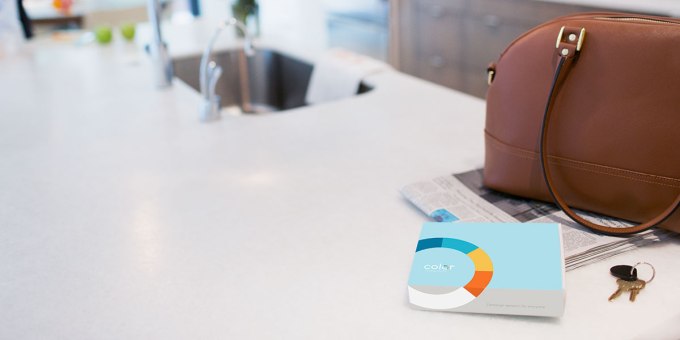
I’m always excited when an experienced team from the consumer mobile world crosses over into a complex and formidable area like healthcare or biotech. With Color Genomics, we’re getting just that. Elad Gil and Othman Laraki, who sold Mixer Labs to Twitter six years ago and went on to oversee search, geo and growth for the company, have joined forces again to do affordable… Read More
Some early stats on uptake for a U.K. government-funded initiative to teach digital business skills: more than 12,000 people have registered for a clutch of free online courses which launched last November. Read More
It's not what you'd call a complete thought, but Kwikset's Kevo smart lock introduces some unique ideas into the smart lock ecosystem.
The folks at Kwikset have been trying to make locks and deadbolts smarter for a while now, and as a result their products are usually considered some of the best for people looking to add some smarts to their home. Their latest smart lock, the Kevo deadbolt, is an attempt to take what they've learned so far and make the act of locking and unlocking the door more natural. You basically make your smartphone the key, and assuming you keep that key in your pocket you need only reach out and touch the lock when walking up to the door to unlock it. It's simple, reasonably user-friendly, and Kwikset's software for Kevo extends this functionality in a way that makes a lot of sense.
To accomplish this, Kwikset basically walked away from all of the things that made their existing smart locks functional and user-friendly.
This, as well as some painfully absent device support, is where things start to go wrong.
Thanks to a recent explosion of wearable devices and continuing improvements in smartphone sensors, we're collecting more data about ourselves than ever before: steps taken, sleep had, calories burned, distance run, and many other metrics.
There's still plenty of room for improvement in terms of health tracking and sensor technology, but the basics are comprehensively covered, and the data is pouring in. So what, actually, do we do with it?
The next challenge for developers is finding meaning in our wearable data, turning an endless table of figures into something that's useful and life-enhancing. Knowing your average step count for the year is one thing; knowing what to do about it is another.
Working Harder ... And Smarter
The Jawbone app makes suggestions.
The process of setting goals—exercise, steps, sleep—is now a familiar one that underpins just about any activity tracking app out there. Yet some users are struggling in making sense of this data or finding the motivation to keep recording it without any ultimate payoff.
There are several groups of people working on the problem. TicTrac, for example, pulls in data from trackers and apps to provide a deep look at your activities and health. The platform is based around core areas (like fitness or sleep), enabling users to both visualize their data and act on it.
One of the more promising platforms in this area—though still in the early stages of development—is the Web app Exist. It imports data from wearables, apps and services to build up an overall picture of users' health, attempting to find patterns and trends you can then act upon.
Exist aims to do more with your data
The number of plugins Exist already supports is impressive: Fitbit, Jawbone, Twitter, RescueTime, Last.fm and even weather forecast feeds. Many more integrations are expected further down the line as the platform grows, and there's an API in the pipeline to make this easier.
"We were inspired to create Exist after frustration using activity trackers on their own," explains co-founder Belle Cooper. "There's so much more you can do with your steps and sleep data in the context of your entire life. It can be pretty boring to just watch that 10k steps goal every day, not to mention the motivation it provides fades pretty quickly. We wanted to build on top of those raw numbers to provide something more useful."
That usefulness manifests itself in various different ways, such as charting an average sleep time or step count over many months. Some of the correlations the app can draw are pretty bizarre—like the relationship between how far you walk each week and how much you tweet—but as Exist adds more integrations it will become more helpful to its users.
In The Mood
One of Exist's manual features is also one of the most important. Users can opt in to rate their mood at 9pm each evening, which can then be charted against steps, sleep and other data. Is too little shut-eye putting you in a bad frame of mind? Is a lot of music good or bad for your mood? It's also handy at spotting something out-of-the-ordinary—a sudden shift in average bedtime perhaps, or an unexpected surge in productivity—and alerting users to something they otherwise wouldn't have noticed.
"We track the strength of correlations over time," Cooper says, "so users can see that, for example, last year they were more likely to have a good day on the weekend, but this is less true lately. We can't provide the reasons why this is—that's up to you to find out—but we uncover patterns that users may not have noticed on their own."
Exist gets smarter over time too, using data from the past 90 days to suggest new targets for the future. If you play tennis every Wednesday, for example, Exist suggests a higher step goal for that day, without interfering with the overall average.
"This is built-in and requires no effort from our users apart from checking Exist each day to see what their goal is," Cooper explains. "It actually becomes fun to see what goal you've been set—or set for yourself through your actions, essentially—for the day. This is one of our biggest aims for Exist: to make your data useful and actionable with as little input from you as possible."
Drowning In Data
The main Exist user dashboard.
Right now, the Exist team consists of two people working in their spare time, so progress is gradual. Alongside new integrations with third-party hardware and software, iOS and Android apps are imminent. The aim is to collect as much information as painlessly as possible.
"I think context is something we're still trying to achieve in terms of wearables and all personal data," Cooper says. "Seeing your step count for the day without the context of what else was happening in your life gives you a really skewed view of your progress and can make it disheartening to work on building healthy habits or achieving goals."
"Our lives are so connected and interwoven that it's impossible to get a picture of even one aspect, like your health, from just one or two data points. We need to find better ways to connect all of this data, and allow the user to provide context for outliers in their data."
For example: If you're suffering from a bad cold, it's probably better for you to stay in bed than try and hit that 5,000 step target for the day—your fitness app should be intelligent enough to recognize this and adapt accordingly.
More data is required, and (as the data load increases) more intelligent ways of sorting through it. As developers catch up with the wearable boom, apps like Exist are going to be invaluable in telling us not just how we're doing but what we should be doing next.
Lead image courtesy of FitBit; screenshots by Exist and Jawbone
Introduced at the Shanghai auto show this week, Chevy's FNR concept basically defies all description. The closest thing I can come up with is that it looks like you took a next-gen Volt, mixed it with a BMW i8, and sent the two spiraling 50 years into the future.
The car — designed by GM's Shanghai-based Pan Asia Technical Automotive Center team, is described as featuring a "futuristic capsule design." That's an understatement, needless to say. Once you get beyond the insane design, there's a set of "dragonfly"-style swinging doors, hubless motors inside the wheels, and a wireless charging system for the electric drivetrain.
Like the self-driving Mercedes-Benz F 015 — which looks just as wild, albeit with very different styling — the...
Twitter has enabled a new feature where you can receive direct messages from anyone, regardless of whether or not you follow them back.
The direct message feature is disabled by default, but you can head into Settings > Security & Privacy to enable it. Once you do, anyone can send you direct messages regardless of whether you follow them back or not. Likewise, you can send messages to others who don’t follow you if they enable the feature. You’ll know whether people can receive public DMs based on a new icon on their profile pages with a plus sign. The new feature was initially introduced back in 2013, but pulled about a month after that. It’s rolling out to all users as the day goes on.
UK mobile operator EE's offer to give its customers a free portable smartphone battery charger has proven to be a popular one, with over 1 million requests from customers in just the first four days.
EE launched the offer to give its customers a free 2,600mAh Power Bar battery charger on Thursday, April 16.
Architect and artist William Morris once said, “Have nothing in your house that you do not know to be useful, or believe to be beautiful.” Turns out that’s also good advice for deciding what to wear. So Android Wear offers a range of watches and apps that are fashionable as well as functional.
Over the past few months we’ve added lots of ways to express your style—from custom watch faces to a rainbow of bands. Today we’re making Android Wear more helpful as well—getting you what you need, right on your wrist.
Always-on screen, always-on apps
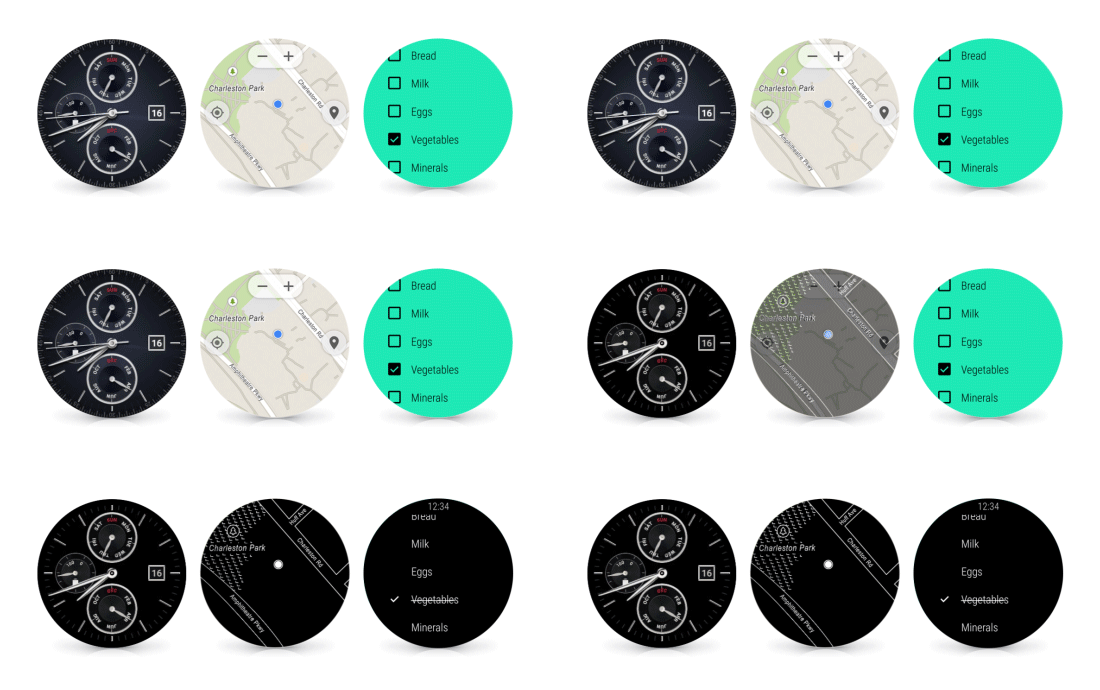
When you buy a watch you want it to, well, tell the time. So most Android Wear watches include an always-on screen—no tapping, twisting or shaking required to see what time it is. Now we’re expanding this option to apps, so they can stay visible as long as you need them, instead of disappearing when you drop your arm. In either case the screen is only full color when you're actively looking at it—so you get the info you need, and you save on battery life.
Wi-Fi support With GPS and offline music support, you can already leave your phone at home, then go jogging and jamming like normal. Now Android Wear supports watches with built-in Wi-Fi. As long as your watch is connected to a Wi-Fi network, and your phone has a data connection (wherever it is), you’ll be able to get notifications, send messages, and use all your favorite apps. And if you really do forget your phone, you can always ask your watch where it is.
Simpler, faster, and more smiley When it comes to your watch, using apps should be as simple as checking the time. So today we’re making a number of Android Wear improvements to help you access your info, and express yourself more easily:
Got your hands full? You no longer need them to check your news and notifications. Instead you can just flick your wrist to scroll through the stream.
Your apps and contacts are now just a tap away from the watch face. Just touch the screen, and you’ll be able to start apps and send messages immediately.
: Can’t talk? Now you can draw hundreds of different emojis, directly on the watch screen. We’ll recognize your work (no art degree required) and send it via message or text.
They did sterling work together on Gods And Monsters and now Mr Holmes – no full stops here – reunites Bill Condon and Ian McKellen for a gentle crime-busting yarn set in Sherlock Holmes’ autumnal years. This film has a new trailer, freshly in via the morning postal carriage, that can be perusified below.
Note it’s the crime-busting that’s become gentle, not the crime itself. This isn’t Holmes on the trail of a Victorian pic ’n’ mix racket or figuring out whose football has just sailed through his conservatory window. Instead, the seasoned sleuth is back on the case of the unsolved mystery that led directly to his retirement. The case, now three decades old, is colder than an Inuit’s icebox but, undeterred, Holmes dusts off his sleuthing instincts and sets to work.
Like Gods And Monsters, which charted a fictionalised version of horror maven James Whale’s last days, a once nimble-minded man’s sense of mortality is under the spotlight here. The setting is 1947 and McKellen’s Holmes is even more curmudgeonly than we’re used to. There’s only his housekeeper Mrs. Munro and her young offspring, Roger, to help him pass the time.
Would a demonic hound or two be too much to ask? Find out when Mr Holmes heads into our cinemas on June 19 with Laura Linney, Roger Allam and The Wolverine's Hiroyuki Sanada in tow.
Word around the outer rim is Ortobix, the company behind the Sphero robotic ball, helped create the rolltastic BB-8 Droid from the upcoming Star Wars movie. And ever since BB-8 rolled across the stage at last week’s Star Wars convention, I’ve wanted one. Well, someone with a bit more gumption than I hacked together a tiny BB-8 from a Sphero and it’s fantastic.
From the… Read More
Android Wear is getting a new update today that’s easily its biggest yet. Google’s introducing several new features that change how we use our watches, from Wi-Fi support to hand gestures and hand-drawn emoji. Individually, these changes are small, but collectively, they promise to make even year-old hardware seem new. They also ensure that Android Wear keeps up (and in some cases surpasses) the Apple Watch from a pure features perspective. That could become important down the line should Google’s plans to release Android Wear for the iPhone come to fruition.
Probably the most fun part of the update is the new support for drawing emoji characters. Instead of replying with a canned response or awkwardly speaking into your wrist, you can...
Solstice be damned: in the movie business, summer begins in May. Theaters become awash with equal parts over-the-top blockbuster action and family-friendly escapades — explosions and hugs, in other words, mapped to innumerable sequels and reboots. It's a place where all the trailers, teaser trailers, extended trailers, preview scenes, television spots, and pint-sized blips finally get to germinate into real, honest-to-goodness audience pleasers.
So what exactly is there to watch in this post-Furious 7 world — a movie that upped the ante both in explosions and hugs? We've got a couple dozen suggestions that will be hitting theaters between now and the end of August.


 At the same time as the Hollywood studios complain endlessly about piracy, the counter argument that they simply haven’t done enough to make content available legally online persists.
 As disgusting as that may be, she's not the only one who should be ashamed: the enablers who promote this crap deserve condemnation, too.


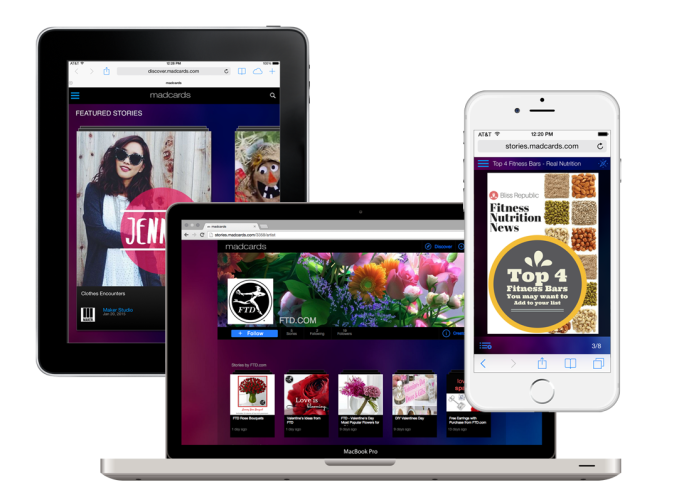 Photo-sharing site Photobucket has just acquired its second company in a matter of weeks, following its pickup of photo chat app Lasso in March, which was fueled by the recent injection of $3.6 million in new funding. Today, the company will announce it has bought social video platform Milyoni, best known for its development of an interactive card format for digital content called…



 I’m always excited when an experienced team from the consumer mobile world crosses over into a complex and formidable area like healthcare or biotech. With Color Genomics, we’re getting just that. Elad Gil and Othman Laraki, who sold Mixer Labs to Twitter six years ago and went on to oversee search, geo and growth for the company, have joined forces again to do affordable…
  Some early stats on uptake for a U.K. government-funded initiative to teach digital business skills: more than 12,000 people have registered for a clutch of free online courses which launched last November.


.gif)


 : Can’t talk? Now you can draw hundreds of different emojis, directly on the watch screen. We’ll recognize your work (no art degree required) and send it via message or text.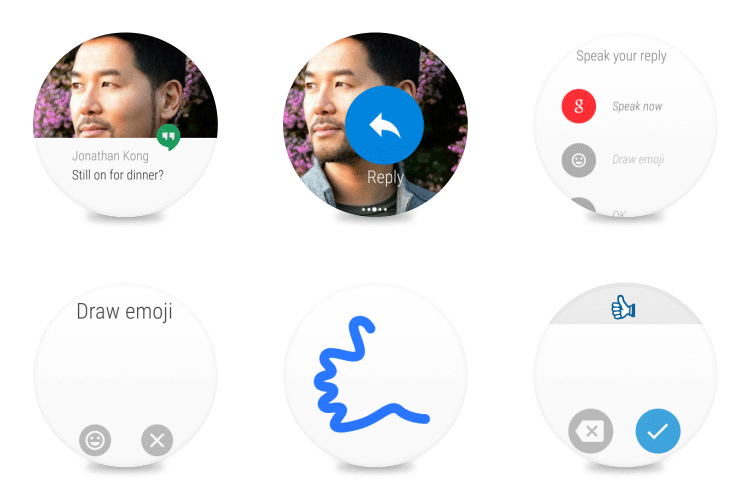


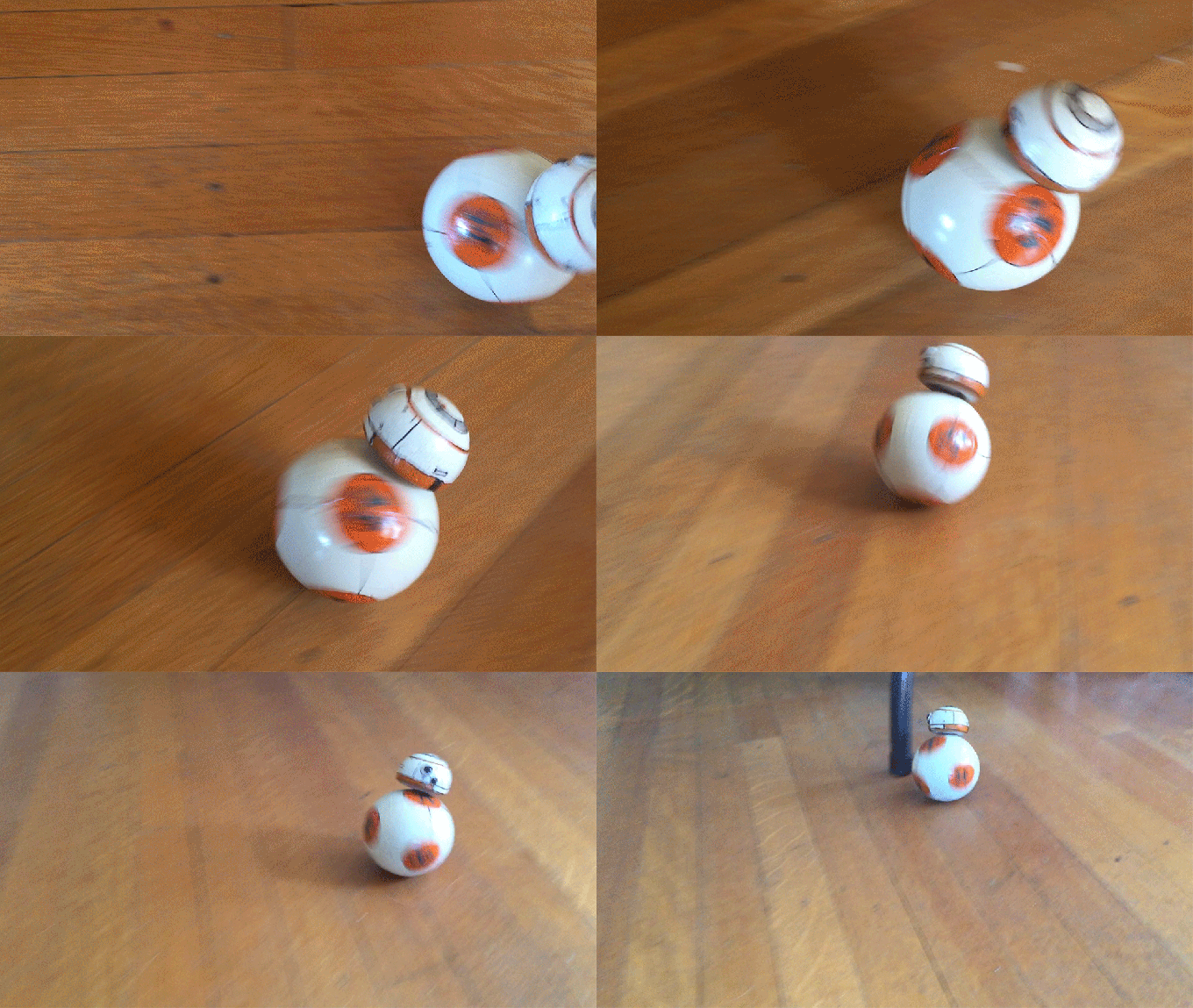 Word around the outer rim is Ortobix, the company behind the Sphero robotic ball, helped create the rolltastic BB-8 Droid from the upcoming Star Wars movie. And ever since BB-8 rolled across the stage at last week’s Star Wars convention, I’ve wanted one. Well, someone with a bit more gumption than I hacked together a tiny BB-8 from a Sphero and it’s fantastic.
From the…
Word around the outer rim is Ortobix, the company behind the Sphero robotic ball, helped create the rolltastic BB-8 Droid from the upcoming Star Wars movie. And ever since BB-8 rolled across the stage at last week’s Star Wars convention, I’ve wanted one. Well, someone with a bit more gumption than I hacked together a tiny BB-8 from a Sphero and it’s fantastic.
From the… 

