A clever cat owner took footage of their cat playing with a toy, slowed it down, ran it backwards, and added some dramatic music. (more…)
Bcstevieb
Shared posts
13 May 12:23


New Gear SDK Includes Details About Samsung's Upcoming Round Smartwatch
by Ryan Whitwam
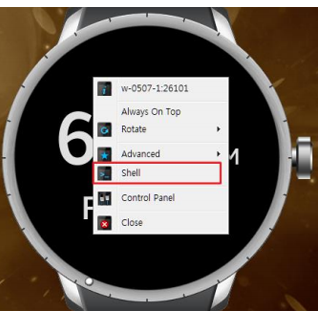 Samsung was early to the recent smartwatch craze, but its products haven't exactly sold like gangbusters. While Samsung has made an Android Wear watch, it seems more interested in moving forward with its Tizen-based Gear platform, and the new Gear SDK offers a lot of detail about that next device. It'll be round, but that's not the only thing we know.

The watch will have a 1.18-inch round display with a resolution of 360x360.
Read MoreNew Gear SDK Includes Details About Samsung's Upcoming Round Smartwatch was written by the awesome team at Android Police.
13 May 12:22
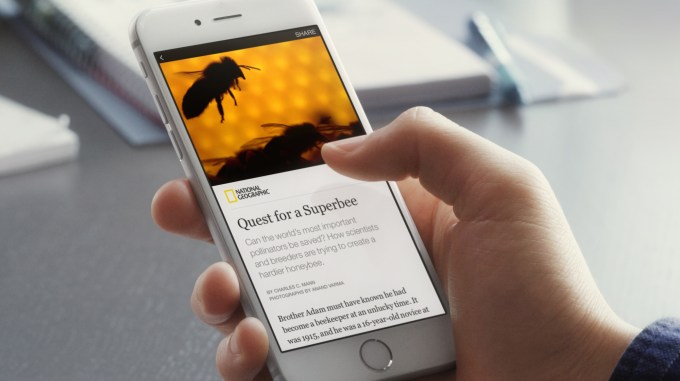 Assuaging publishers’ fears that Facebook would keep all the data, the social network will share analytics, and Instant Articles is compatible with audience measurement and attribution tools like comScore, Omniture, and Google Analytics. Ads can appear inside Instant Articles, with publishers keeping 100% of revenue if they sell them, and Facebook keeps its standard 30% if it sells the… Read More
Facebook Starts Hosting Publishers’ “Instant Articles”
by Josh Constine
Assuaging publishers’ fears that Facebook would keep all the data, the social network will share analytics, and Instant Articles is compatible with audience measurement and attribution tools like comScore, Omniture, and Google Analytics. Ads can appear inside Instant Articles, with publishers keeping 100% of revenue if they sell them, and Facebook keeps its standard 30% if it sells the… Read More
13 May 12:20

Ultra HD Blu-ray discs offer an alternative to 4K streaming
by James Vincent
Don't give up on physical media just yet. That's the message from the Blu-ray Disc Association (BDA), which this week announced that it's completed work on the new Ultra HD Blu-ray format. The format offers support for 4K resolutions of up to 3840 x 2160 pixels and "significantly expands" the color range for movies and TV shows. It also allows for the delivery of high dynamic range (HDR) and high frame rate content (likely up to a maximum of 60fps). Licensing for the new format is scheduled to begin this summer, while consumers can expect backward-compatible Ultra HD Blu-ray players to hit the market towards the end of the year.
The new logo for the Ultra HD Blu-ray format. (BDA)
The BDA is doing its best to convince people...
12 May 22:48
 FreedomPop, the mobile carrier that gives away mobile, data and text services and upsells users on other services, is today announcing its first international launch outside of the U.S. The company is opening up for business in the UK as a SIM-only service — meaning no phones, initially, just the cards that you put into a phone that you bring to the network. The free service will… Read More
As Acquisition Rumors Swirl, Free Mobile Service FreedomPop Goes Live In The UK
by Ingrid Lunden
FreedomPop, the mobile carrier that gives away mobile, data and text services and upsells users on other services, is today announcing its first international launch outside of the U.S. The company is opening up for business in the UK as a SIM-only service — meaning no phones, initially, just the cards that you put into a phone that you bring to the network. The free service will… Read More
12 May 19:57
Martian sunset [photo]
by Mark Frauenfelder

"NASA's Curiosity Mars rover recorded this view of the sun setting at the close of the mission's 956th Martian day, or sol (April 15, 2015), from the rover's location in Gale Crater.This was the first sunset observed in color by Curiosity. The image comes from the left-eye camera of the rover's Mast Camera (Mastcam)."
If you look closely, you can see Tars Tarkas leading a tribe of Tharks into battle.
12 May 15:39

How to Start Managing Your Money, For Those Who Never Learned Growing Up
by Eric Ravenscraft
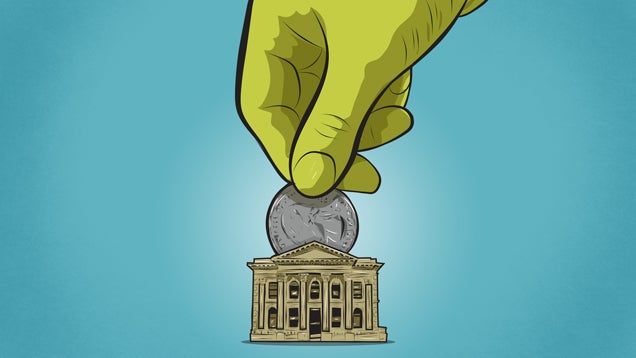
How you manage, spend, and invest your money can have a profound impact on your life, yet very few schools teach these important skills. Learning financial savvy can take a while, but the basics are fairly simple and never change. Here’s where to get started.
You were probably taught some basic math growing up, but too many people make it all the way to adulthood without ever learning basic money management. Skills like creating a budget, investing for the future, or even how credit cards work are startlingly rare skills. If you’re in need of a Money 101, we’ll cover the basics for beginners, while also giving you the resources you need to learn more.
The Golden Rules of Personal Finance
Managing your finances feels like nothing but a lot of paperwork and numbers. You make X amount of dollars, you spend Y amount, and you try to make sure Y is less than X. However, your finances are just as much about psychology, habits, and the values you choose to live by. Put another way, your mindset matters just as much as the math.
Beneath all the software and the budgets, there are a few rules that will always help improve your financial life:
- Spend less money than you earn: If you earn $30,000/year and you spend $31,000/year, you’ll end up in a spiral of debt that’s hard to walk away from. If you spend exactly as much as you earn every year, you’ll never be prepared for emergencies or major life changes. Spending less than you earn allows you the freedom to save, to prepare for the future, and deal with the inevitable crises that life throws at you. The bigger the gap between your income and your spending, the better.
- Always plan for the future: This doesn’t just mean retirement. When a store offers to let you pay off some gadget in 6 months with no interest, you need to know you can pay it off, or avoid that deal. Establishing an emergency fund will allow you to deal with unexpected car repairs or medical bills. Having a retirement plan will ensure you have income when you’re unable to work anymore. Your finances should always look forward beyond the current month.
- Make your money make more money: Want to know how the rich keep getting richer? It’s because money can grow while you sleep, provided you save some of it. Properly invested money earns more money over time. Don’t just sock all your cash away in a low-interest savings account. Invest in things that will earn you more money than you had before. Sometimes that’s an investment account, but sometimes it’s starting a business, or even getting an education to get a better paying job.
The most important personal finance rules don’t change. What your grandparents did may not work for you. There will always be newer, better tools to manage your money. However, spending less than you earn will always be beneficial. Investing your money will always be better than doing nothing with it. And planning for the future will always be better than blowing your paycheck as soon as you get it.
How to Find a Bank Account

It’s neither safe nor advisable to keep all your money under your mattress. You’ll need some kind of account to stash your spending money and short-term savings. A bank (or credit union) can hold your money and allow you to access it with an ATM/debit card. Setting up a bank account is easy. You can usually apply online, or go to a branch, ask a teller to open an account, and they’ll guide you through the process. Choosing a bank is tougher.
Picking a bank means finding an institution that has the services you need with the fewest fees. Common services include debit cards, ATM access (or at least refunding fees for using other bank’s ATMs), paper checks, and a web site where you can see your account balance. While some banks charge monthly fees or require you to have a minimum balance, there are plenty of banks that are worthwhile without either of these requirements. We’ve discussed more about what to look for in a bank here.
Chances are, most adults in your life have recommendations on which bank they prefer. However, if you can’t get a decent suggestion, the FDIC has a tool here that you can use to search for insured banks in your area. The site can find branch locations near you, and give you links to the company’s websites where available. NerdWallet also has a great online tool here that compares checking accounts from a variety of banks.
Of course, keep in mind that not every bank has physical branches. Some banks—like Simple, Ally, or Capital One 360—are online-only. These often come with certain trade-offs (like, you know, not having physical branches), but many offer fewer fees and better services. They also typically offer better interest rates—meaning the money you save earns a little extra money just for keeping it in your account—than traditional banks, because they don’t have as many operating costs associated with physical buildings.
Once you’ve decided on a bank, either go into a local branch or visit the company’s site and ask to open a new account. You’ll need to provide basic forms of identification, including your name, social security number, date of birth, and some form of photo ID like a driver’s license to prove you are who you say you are. You can check with the bank you want for specifics.
If you’re still not sure which bank to go with, don’t worry too much. Most banks generally offer similar services and if you decide you don’t like one, you can always change to another. Here are some more resources to help you figure out what to look for and make the best choice:
- How to Open a Bank Account and What You’ll Need
- How Can I Open a Bank Account When My Credit Sucks?
- The Most Important Things to Look for in a Bank Account
- How to Fix Credit Unions’ Biggest Annoyances
- The Best Banks That Refund ATM Fees
How to Set Up a Budget

Do you know where your money goes, or does it kind of just disappear from your account? A budget—even a basic, barebones one—is one of the best ways to make sure you’re spending less than you earn, and starting early is important. When you’re young and your career is new, you don’t have a lot of money. Getting into the habit of categorizing your bills and tracking your expenses will help prevent a lot of financial problems before they start. If you’re making a budget for the first time, it may be easier to start with paper, a pen, and a calculator, but we’ll get to more advanced tools you can use in a bit.
Start by calculating how much money you make in a month. If you get paid hourly, multiply your wage by the typical number of hours you work each month. Then, write down all of your regular expenses. This includes recurring costs like your rent or mortgage, utilities, car payments, and and so on. For more complex things like food, you may need to track what you spend over time. Gather up your receipts for the past few weeks, or use your bank’s transaction history if paperwork isn’t your thing. If you can’t get a precise number, estimate in the meantime. Then, keep track of all your expenses for the next month or two. At the end of each month, add everything up to see how much you’re spending in each category.
Ideally, the amount you spend in a month should be lower than the amount you earn. If it’s not, start going over your list and see which expenses you can cut down on until it is. If you have to, cut ruthlessly. For some, it may be as easy as cutting those lattes, but for others, you may have some big decisions to make—like whether you can afford to live in that expensive city.
Once you get the hang of tracking your expenses, you can try using a service like Mint to manage it for you. Connect your bank account and it will automatically tag your transactions, so you can easily see how much you’re spending on bills, groceries, restaurants, shopping, and other categories. You can also use it to set budgets for different things like groceries or entertainment and get notified when you’re going over. You can read more about how to use Mint with our beginner’s guide.
So you’ve gotten into the habit of tracking your spending, and now it’s time to create that budget. There are a few different philosophies here. Some people prefer to have a very detailed transaction history with strict allotments for expenses like food, clothing, and entertainment. Others, like financial expert Ramit Sethi, believe that being overly strict doesn’t work. Instead, Sethi suggests dividing your money into four categories:
- Fixed costs (50-60%): This should include every cost that you know is coming each month, that rarely change. That means rent, gas, power, groceries, your cellphone bill, and anything else that generally stays the same. Some of these may vary a bit from month to month, but are at least somewhat predictable, and are necessary for regular life.
- Investments (10%): As you build your savings (which we’ll discuss later on), you’ll eventually want to invest some of your money so it grows over time. If you have any investments like a company 401(k) that come out of your paycheck, you can count it here.
- Savings (5-10%): Short- and long-term savings should go in this category. This includes saving up for vacations, gifts, or large purchases like a new TV or computer. You should also include an emergency fund—which is just a block of money you keep in a savings account for unexpected emergencies like car repairs or sudden bills—in this category.
- Guilt-free spending (20-35%): This category is where you can put whatever you want. Dining out, drinking, or splurging on entertainment is often seen as a financial vice, but the truth is, we do these things because we enjoy them. As long as you have the other three categories covered you can spend this money without feeling guilty about your budget.
Those are Sethi’s recommendations for young people, but you can (and should) adjust the percentages based on your age, your financial goals, and what you find important. Remember: the more you save, the more money you’ll have later on to buy a house, retire early, or achieve other goals. (We’ll talk about this more in a bit.)
Ultimately, budgeting just means knowing where your money is going and planning ahead. If you don’t want to go to the trouble of writing down every single dime you spend at the gas station, this model will still cover most of what you need to budget for. The only thing you need to decide is how much you’ll place in each category. We’ve included Sethi’s recommended percentages as a guide, but you can adjust as needed. If you can’t afford to save or invest 10% of your income after expenses, save what you can. You can also add more to your savings rather than forcing yourself to spend 20% of your budget on guilty pleasures. The more you can save, the better!
There’s no shortage of personal finance tools to help you manage your budget. Here are some more resources to check out:
- How to Create (and Stick to) a Realistic Budget with Mint
- Five Best Personal Finance Tools
- How to Budget When You’re Broke
- Budgeting Basics - Setting Up A Budget
How to Use Credit Cards Without Going Into Debt

Despite how easy it is to get a credit card, it’s also easy to get overwhelmed and wind up owing way too much money. This kind of debt can put you in a hole that’s hard to climb out of. However, credit cards can also be really useful—when used correctly. Here’s the short version: don’t use a credit card to buy things you couldn’t otherwise afford. Instead, only buy something if you have the money in your account right now, and pay off your card’s balance every month.
If that’s all you take away from this section, you’re already ahead of most people. Here’s how the nitty gritty works, though: credit card companies will give you a certain amount of money—known as “credit”—that you can spend without paying it back immediately. If you do pay it back—by paying your credit card bill at the end of the month—you don’t have to pay anything extra. In fact, they may even give you rewards for doing so.
If you don’t pay it back, the credit card company will start charging you extra money known as interest. Interest is typically indicated as an Annual Percentage Rate (or APR), but that’s a bit misleading, as it’s calculated on a per-day basis, not per-year. Each month, the company will charge you the previous month’s interest on whatever balance you’re carrying. What that means is every month that you don’t pay off what you owe, you get charged more money.
Worse yet, you have to pay the interest first (or else your balance will just get higher). If you only pay the minimum amount due, most of your payment will go towards interest. This means your balance will remain high, and keep generating interest. We break down the math in more detail here, but the gist is, only paying the minimum amount due is the worst thing you can do. Even if you can’t afford to pay off the whole balance in one month, at least pay more than the minimum.
So if you’re only supposed to pay for what you can afford, then what’s the point of having a credit card instead of a debit card? Well, when used properly, there are a few key benefits:
- You can earn rewards: Most credit cards come with different kinds of rewards based on how much you spend. It could be cash back, it could be airline miles, hotel points, or even Amazon gift cards. This is meant to tempt you to spend more money, which can be problematic if you have trouble controlling your spending. However, with a disciplined budget, it’s basically like getting free money for going about your daily life.
- You’re protected against fraud: Sometimes, a bank will offer to refund debit card purchases, but for the most part, they’re treated the same as cash. Credit cards, on the other hand, are completely protected, so you’re never liable if someone steals your card and goes on a shopping spree. If you see charges on your bill you didn’t make (or if you lose your card), you can call the company and you can get those charges revoked.
- You can get protection for all kinds of purchases: Hidden in the fine print of many credit card contracts are some sweet features that protect your purchases. Many cards will offer extended warranties on bigger ticket items like TVs (which is yet another reason you shouldn’t pay for them through the store) damage protection on your cell phone if you pay your monthly bill with your credit card, or travel insurance if you lose your valuables on a flight you paid for with your card. Your credit card may have a ton of benefits that aren’t immediately obvious, so check your contract.
Credit cards can be incredibly useful tools for a properly planned budget, but they can also be destructive if you don’t use them carefully. Try not to think of them like extra cash. Having a $1,000 credit limit doesn’t mean you have $1,000 to spend. It means you can borrow $1,000 for a month. If you can learn to use credit cards responsibly, they can be immensely useful. If you can’t, however, avoid the temptation entirely by removing them from your wallet, or even destroying the physical card if necessary.
You can find out more about how to use your credit card effectively without ruining your budget here:
- When Should I Use Credit and When Should I Use Debit When Shopping?
- Only Use Credit Cards When You Get Useful Perks Back
- Misunderstood Money Math: Why Interest Matters More Than You Think
- Compare credit card extended product warranties
How Your Credit Score Works

Credit cards are also useful for improving your credit score. Banks typically don’t like doling out money without some kind of assurance they’ll be paid back. So, various financial companies created what’s called a “credit score.” This is essentially a report that details your history of borrowing money and estimates how likely you are to pay money back. Financial institutions use this score to determine how much you can borrow, how much you’ll be charged in interest, and how many lines of credit (like credit cards, car loans, or mortgages) you can have open. The better your credit score, the better credit cards you’ll be able to get, and the better loans you’ll be able to get for a house or car, and even to gauge what type of cell carrier plan you can get or whether you have to put down a deposit on your utilities. In some cases, your credit score may even be used by landlords to determine whether or not you can rent an apartment in certain complexes. In other words, your credit score can have a profound impact on your life.
You don’t just have one credit score, either. You have several. There are three major nationwide credit agencies that are typically used to gauge your credit. By law, you are allowed to pull your own credit report from one of the three agencies once every twelve months without it affecting your credit record. However, you shouldn’t ever need to pay anything to monitor your credit score.
When you first start out in life, you won’t have any credit score, which can make it difficult to get new credit (a classic catch-22). If you’ve been with a bank for a while, you may be able to get a low-limit credit card that you can use to start building credit. You can also get what’s called a secured credit card, which is similar to a regular card, except you pay in advance. It’s actually not very much like a credit card at all, but it does count positively towards your credit score. Paying your utilities on time will also help build your credit.
Credit reporting agencies will grade you a variety of factors. The exact math depends on the agency, but generally speaking, there are five main areas that affect your credit score:
- Payment history: Paying your bills on time is typically the largest chunk of your credit score. The longer you go without paying at least the minimum due, the worse it gets. No matter what type of credit it is, always try to pay at least the minimum (or more if you can.)
- Debt-to-credit ratio: Put simply, this is how much money you’re currently borrowing across all of your accounts, versus how much you’re allowed to borrow in total. This is the second biggest factor in determining your credit score. If you all of your credit cards combined have a limit of $5,000 and you owe $4,500, your ratio is 90%. This is bad. An ideal number is around 30% of your total available credit. You don’t want it to be zero, because then you’re not building credit at all. However, the farther past 30% you get, the more the agency sees you as a risk.
- Length of credit history: The longer you have lines of credit open, the better for your score. If you’ve paid a credit card off, don’t close it out. Use at least one recurring charge to keep it active, and pay it off every month.
- Types of credit: The mix of credit accounts you have can also benefit your score. If you have $25,000 in credit available in credit cards, that may be seen as more of a risk than if you have a $15,000 car loan, $8,000 in credit cards, and $2,000 in installment loans (like for furniture or cell phones). This is typically pretty easy to manage as long as you don’t do something reckless like buying a car with a credit card.
- Credit checks: Every time you try to open a new line of credit, that request is logged with the reporting agency. More credit checks usually means more of a risk (because they assume you’re either borrowing too much or have been turned down too many times). However, there is an exception. Multiple related credit checks like buying a car, applying for an apartment, and applying for student loans are often treated as one request if done within a 45-day period. Life changes often require multiple credit checks, so that’s taken into account. Just don’t try to open three credit cards in a year.
If you handle your finances well, you usually shouldn’t have to do much to manage your credit score. Much like indoor plumbing, it usually only becomes a headache when something goes wrong. If you end up with black marks on your record that keep your score down, there’s usually something you can do. Though in some cases, that may involve waiting until some negative marks fall off your record after several years. In most cases, the best thing you can do for your credit score is to start paying down debt and make payments on time.
Check out these resources to understand help understand your credit score, resolve disputes, and manage your credit over time.
- How To Boost and Maintain Your Credit Score, Explained with Apple Pie
- Disputing Errors on Credit Reports
- How to Effectively Manage Your Credit Reputation
- How to Monitor Your Own Credit, For Free, Forever
How to Save for the Future

So, you’ve started budgeting your money, you’re building credit, and you’re spending less than you earn. Maybe it took you a couple months, but you’re finally in control of your finances. Great! Now comes the next part: saving for the future. If you’re anything like I used to be, you probably haven’t thought much about the future. Maybe it seems too far away to matter, or maybe it feels impossible and overwhelming. However, the earlier you start saving, the more money you’ll have later on in life—and the less effort you’ll spend trying to get there later on.
To start with, you remember those sections in your budget that you made earlier called Savings and Investments? Start by saving saving those automatically. If your employer uses direct deposit (which means your money goes directly to your bank account, rather than giving you a check you can cash), you can ask to have a portion of your pay sent to multiple accounts. You can use this to send money to a separate savings account that you don’t have a debit card for, or that’s not easy to transfer to your regular checking account. The money you never have access to is the easiest to save. Even if you can’t set aside whole chunks of your paycheck, services like Acorns can round up your everyday purchases to the nearest dollar and automatically save the difference.
Having your money in a savings account will help you save for little things, like your emergency fund or a new computer. But your real, long-term savings are going toward something far more important: retirement. Yes, one day, you’ll want to stop working, and you’ll need a big chunk of savings to keep you going in your golden years, and a little savings account isn’t the best way to do that. That’s where investments come in. If you can put your savings into some fairly simple, low-risk investments, it’ll make money for you while you sleep—and over the course of years and decades, that can add up to an awful lot. This is how you save enough to retire one day.
Investing doesn’t have to be complicated, either—it doesn’t mean picking winning stocks or timing the market. If you’re just starting out, you can use a “robo-advisor” service like Betterment or Wealthfront to do it all automatically for you. It’ll guide you through the process of setting up an investment plan based on your age, goals, and risk preferences. It will then automatically pick which companies or industries to invest in. If you want to get more hands on, we detail more tools for managing your investments here.
Long-term investments can also come from your employer. Many companies offer 401(k)s that you can fund with money deducted from your paycheck before taxes. In many cases, employers will also match how much you contribute, which means you’re literally getting free money just for having an investment account with them. If your employer offers a 401(k) contribution, it’s advisable that you at least contribute as much as your employer will match.
Getting started with long-term investments will often be one of the hardest parts of your financial life because, when you’re just starting out, you don’t have much money. For that reason, it’s important that you re-examine your investments every time you get a raise or a new job that pays you more. When you make more money, it’s tempting to upgrade your life with a new car, apartment, or expensive toys to match your new budget. This is what’s called “lifestyle inflation.” While it’s okay to move up, you’ll also never have a better time to boost your long-term savings than when you’re already living on a smaller budget than you’re earning.
Investing is an overwhelming area of finance, so start small and learn what you can. Here are some resources you can use to learn more about how to properly invest your money:
- How to Build an Easy, Beginner “Set and Forget” Investment Portfolio
- How to Pick Investments for Your Retirement Account
- How to Get Over Your Fear of Investing
- Get Started Investing with Very Little Money
Illustration by Sam Woolley. Photos by Sam Howzit, frankieleon, and AAG.com.
12 May 15:36

Nestle and Google rebrand KitKat to YouTube Break in the UK because everything is terrible
by Dan Seifert
Remember when Google launched Android 4.4 KitKat back in the halcyon days of 2013 and partnered with Nestlé to release specially branded packages of KitKat candy bars? The two companies are at it again, with a new partnership to rebrand the standard KitKat bar to "YouTube Break" for a run of 600,000 candy bars in the UK.
According to the press release announcing this major, very important thing, the rebranding is to commemorate the 10th anniversary of YouTube and the 80th anniversary of the KitKat candy bar. This is apparently the first major package redesign for KitKat in eight decades. It's also the first of "72 different types of ‘breaks’ to feature on more than 400 limited edition designs across 2 and 4 finger and Chunky bars as...
12 May 14:33

Skype's real-time translator is now available for everyone to try
by Tom Warren
Microsoft has been previewing its powerful Skype Translator for nearly six months, and the company is now ready for anyone to test the software. While the previous releases, including support for Italian and Chinese, have been limited to a small group of testers, Microsoft is removing the sign-up requirement today to open the preview to the masses. That means anyone can now use Skype Translator to translate English, Spanish, Italian, and Mandarin in real time.
Skype Translator works by using a modified version of the Skype Windows 8 app to translate spoken words into text or audio. We first used the software back in December during an early preview, and while there were a few translation issues, it works well enough to hold a...
12 May 14:33

You can now use an iPad as a monitor for a Windows PC
by Tom Warren
Duet Display has been transforming old iPads into fast MacBook displays for months now, but it’s turning its attention to the Windows world today. For just $9.99 you can download Duet and use an iPad as a monitor on a Windows PC. There’s no complex setup, and it’s really just plug and play to turn the iPad into a monitor.

12 May 13:24
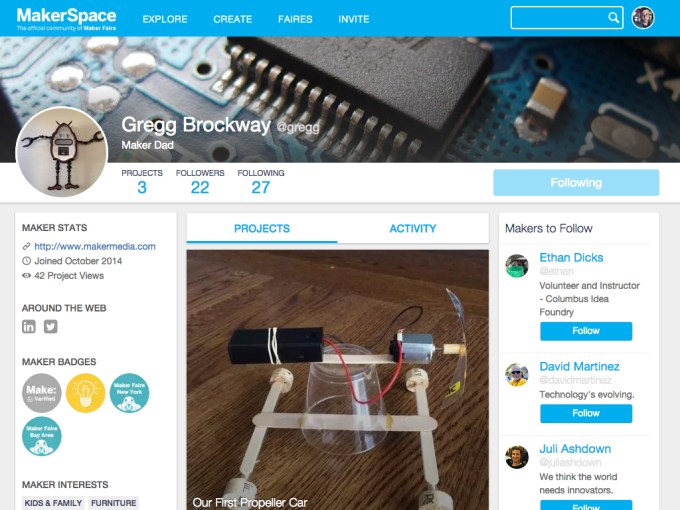 There’s Maker Media, MakerCon, MakerShed, Make: magazine and 131 Maker Faire events that take place throughout the world. Now the founders of all these Makers want a way to connect what they refer to as the “maker movement” online. So Maker Media created a social network called MakerSpace, a Facebook-like social network that connects participants of Maker Faire in one… Read More
Maker Faire Goes Online With A New Social Network For Makers Called MakerSpace
by Sarah Buhr
There’s Maker Media, MakerCon, MakerShed, Make: magazine and 131 Maker Faire events that take place throughout the world. Now the founders of all these Makers want a way to connect what they refer to as the “maker movement” online. So Maker Media created a social network called MakerSpace, a Facebook-like social network that connects participants of Maker Faire in one… Read More
12 May 13:24
 TunnelBear, the company responsible for one of the better looking and easiest to use VPNs, is making its service even more accessible after it introduced an extension for Google’s Chrome browser. Read More
TunnelBear Packages Its VPN Service Into A Handy Google Chrome Extension
by Jon Russell
TunnelBear, the company responsible for one of the better looking and easiest to use VPNs, is making its service even more accessible after it introduced an extension for Google’s Chrome browser. Read More
12 May 12:04
Morena Baccarin promoted to series regular on Gotham.
http://tvline.com/2015/05/11/gotham-season-2-morena-baccarin-series-regular-cast/
Everything's coming up Morena!
12 May 11:50

You can now stream on Periscope without a Twitter account
by Rich McCormick
A new update released today for Twitter's iOS-only livestreaming app, Periscope, means you no longer need a Twitter account to start broadcasting video through the service from your smartphone. While Twitter still recommends you sign up through a Twitter account so it can use your social graphs to find people to follow, new users can now sign up using their phone number instead. The update also makes it easier to reply to comments on live broadcasts, changes the app to show when a streamer blocks a viewer in the broadcast chatroom, and allows both viewers and streamers to change their profile pictures.
12 May 11:50

Watch what happens when Star Trek and Star Wars collide
by Rich McCormick
The Carbonite Maneuver is a 90-second trailer that jams eternal adversaries Star Wars and Star Trek together to make something both brilliant and blasphemous. The fictional crossover — named by combining Star Trek episode The Corbomite Maneuver and the stuff Han Solo gets encased in — imagines that the starship Enterprise has somehow traveled far far away and long long ago, getting caught up in the war between the Empire and the Rebellion. Luke and Han are replaced by Kirk and Spock, and it's the Enterprise, at the hands of William Shatner, that finally finishes off the first Death Star.
The scale is a bit off — the Enterprise has hundreds of crew members but fits neatly into the Death Star trench — but the crackly '80s sci-fi aesthetic...
12 May 11:50

Watch Neil Gaiman's Lucifer display his devilish charm in Fox's first trailer
by Rich McCormick
The devil is supposedly the ultimate embodiment of evil. He's the gatekeeper of Hell, the guy in charge of all those demons with red-hot pokers, the boss of eternal damnation. In Fox's Lucifer, he demonstrates his innate evilness by, hmm, flirting a lot with women and parking on the sidewalk. The show's based on the Vertigo comic of the same name, created by Sam Kieth, Mike Dringenberg, and Sandman writer Neil Gaiman, and follows Lucifer Morningstar after he's become bored of Hell and retired to Los Angeles to manage a nightclub. In something of a departure for badness personified, Lucifer makes nice with humans, and ends up helping a homicide detective try to find the killer of one of his new friends.
Lucifer's not the only classical...
12 May 11:49

Verizon will buy AOL for $4.4 billion
by Vlad Savov
Verizon, it has just been announced, has agreed a deal to buy AOL for $4.4 billion. That's a price of $50 per share and the transaction is expected to be completed this summer. The American mobile giant describes this as a "significant step in building digital and video platforms to drive future growth." Having AOL's digital content and advertising expertise is seen as a major asset in advancing Verizon's strategy to monetize LTE wireless video and other over-the-top video services. Even so, it's amusing that the first key AOL asset mentioned in the press release is the enduring (eternal?) subscription business that has kept it in business for so long. Beyond that, there are significant brands in online publishing such as The Huffington...
Piers Boericke Rippey likes this
11 May 23:13


50 New And Notable (And 1 WTF) Android Games From The Last 2 Weeks (4/28/15 - 5/11/15)
by Michael Crider
multi-page article Page 1 Page 2
 Welcome to the roundup of the best new Android applications, games, and live wallpapers that went live in the Play Store or were spotted by us in the previous 2 weeks or so.
Please wait for this page to load in full in order to see the widgets, which include ratings and pricing info.
Looking for the previous roundup editions? Find them here.
Featured App
Expense IQ - Expense Manager
This week's roundup is brought to you by Expense IQ - Expense Manager from Handy Apps.
Read More50 New And Notable (And 1 WTF) Android Games From The Last 2 Weeks (4/28/15 - 5/11/15) was written by the awesome team at Android Police.
11 May 16:41
The LG G4 supports Qualcomm Quick Charge 2.0 after all!
by Phil Nickinson

In a surprising but welcome turn of events, the LG G4 now officially supports Qualcomm Quick Charge 2.0, the technology that helps Snapdragon-powered smartphones juice up faster. The G4 is now officially showing on Qualcomm's Quick Charge 2.0 pages, and we've received confirmation from the smartphone's manufacturer as well.
The apparent lack of the Quick Charge feature — explicitly told to us at the launch in New York as not being on board the LG — was tempered slightly be the fact that you can swap out the G4's 3,000 mAh battery for a fresh one at your leisure. But it still was an odd omission. If we had to guess, it's probably just a matter of timing — the G4 is the first phone to use the Snapdragon 808 processor, and sometimes engineering readiness and launch dates don't always match up. It wouldn't be the first time. And we're still a number of weeks away from retail availability of the G4 here in the United States and elsewhere.
11 May 16:37

Google shuts down Maps editor after peeing Android debacle
by Kwame Opam
It looks like saying sorry wasn't enough. After Google was forced to apologize for an image of the Android mascot urinating on the Apple logo in Google Maps last month, the company is temporarily shutting down its maps editor, Map Maker, until it can appropriately respond to people abusing the tool.
Spam in Map Maker edits has apparently escalated in recent months, to the point that the Map Maker team is having trouble contending with both the abuse and legitimate edits. Until they can get a handle on the situation, edits will be frozen from May 12th on. In a product forums post, team member Pavithra Kanakarajan writes, "We believe that it is more fair to only say that if we do not have the capacity to review edits at roughly the rate...
11 May 16:37
 Although US print sales have been steady, the UK Publishers Association is reporting a very interesting trend. Generally, print revenues dropped 5 percent to £2.7 billion and ebook revenues rose by 11 percent to £563 million. While ebooks still make up just a fraction of the books sold, it’s clear that ebooks are creeping up on print in a very real way. Most important, however, is… Read More
UK Print Book Sales Fall As Ebooks Rise
by John Biggs
Although US print sales have been steady, the UK Publishers Association is reporting a very interesting trend. Generally, print revenues dropped 5 percent to £2.7 billion and ebook revenues rose by 11 percent to £563 million. While ebooks still make up just a fraction of the books sold, it’s clear that ebooks are creeping up on print in a very real way. Most important, however, is… Read More
11 May 14:43

World full of useless placebo buttons
by Rob Beschizza
Everyone suspects that buttons on pedestrian crossings, elevators, train doors, etc., do nothing. They are right. The BBC's Chris Baraniuk reports on the buttons that lie—and the power of the illusion of control.
Read the rest
11 May 11:50


Google, Microsoft, Mastercard & ISPs Sign Anti-Piracy Agreement
by Andy
 While action against online infringement takes place on many levels, parallel large-scale initiatives with broader aims are increasingly being employed by entertainment industry companies.
Outside of “three strikes” style programs, “follow the money” is perhaps the next best well-known. This type of initiative, carried out with the assistance of big brands, advertising companies and payment processors, aims to strangle the finances of ‘pirate’ sites.
As seen last week, there are also tandem efforts to portray unauthorized sites as “unsafe” places for netizens to frequent. The overall message is that pirate sites are run by criminals, consumers should not support them, and money is best spent with legitimate content providers.
Denmark has become the latest country to embrace these ideals via a Memorandum of Understanding titled ‘Code to Promote Lawful Behavior on the Internet’ signed by some of the world’s biggest online players.
Google and Microsoft are the most recognizable international technology signatories and all the big Hollywood studios make a proxy appearance via anti-piracy group Rights Alliance. Broadcasters and cinema companies are also represented.
The interests of more than 40,000 composers, songwriters and music publishers are served by rights group Koda and payment companies including MasterCard and Diners Club are also on board. Local ISPs have signed through the Tele Industrien group.
According to the Ministry of Culture the MoU represents the beginning of a collaborative mechanism designed to tackle digital challenges on five key issues.
1. To help make the Internet a safe and legal platform for consumers and businesses.
2. To stress that copyright is an important cornerstone for growth and innovation.
3. To work together to reduce financial crime, based on copyright violations.
4. To work together to promote the dissemination of legal products.
5. To contribute to efficient processes that can help to reduce copyright violations and associated crimes.
In keeping with voluntary anti-piracy initiatives currently underway in other countries, signatories will also participate in discussion aimed at identifying new areas of cooperation.
The shape of this Danish initiative looks familiar, with rightsholders applying the pressure and search engines, ISPs, payment processors and advertisers falling into step. While the emphasis is on consumer safety, it is clear that companies are being advised to do everything they can to disassociate themselves from “criminal enterprises” on the Internet.
As part of the MoU, signatories agree not to “finance criminal activities” by offering support of any kind including giving them “exposure”, providing advertising revenue or payment processing services.
“The companies and organizations that are part of this Code want to counter that their companies are associated with economic crime, based on copyright violations,” the code reads.
In a statement announcing the signing of the MoU, the Ministry of Culture stressed the aims and importance of the broad agreement.
“The code reflects a common desire to make a determined effort to ensure that the Internet is a safe and economically sustainable marketplace. It will help to create better conditions for growth and innovation for legitimate businesses and security and transparency for the users,” the Ministry said.
Time will tell how far each signatory will be prepared to go and on what basis, but the companies involved are the biggest players around and having them all at the same table will be a powerful tool.
Source: TorrentFreak, for the latest info on copyright, file-sharing, torrent sites and anonymous VPN services.
10 May 21:56
 What is it about e-commerce mattress startups of late? In the U.S., Casper made headlines last year after raising $13.1 million in Series A funding led by New Enterprise Associates. The company wants to “reinvent the way mattresses are made and sold” by selling its own high quality brand directly online, thereby cutting out the commission-based middle person inherent in the… Read More
U.K. Mattress Startup Eve Picks Up Backing From Octopus Investments
by Steve O'Hear
What is it about e-commerce mattress startups of late? In the U.S., Casper made headlines last year after raising $13.1 million in Series A funding led by New Enterprise Associates. The company wants to “reinvent the way mattresses are made and sold” by selling its own high quality brand directly online, thereby cutting out the commission-based middle person inherent in the… Read More
10 May 16:28

Five Best Streaming Music Services
by Alan Henry

If you’re looking for something good to listen to, you have tons of services, both free and paid (and both) to choose from. With Grooveshark now sadly departed, it’s time to take a fresh look at the world of streaming music, and see who comes out on top. This week, we’re looking at five of the best, based on your nominations.
Earlier in the week we asked you which streaming music services were the best, whether they were old or new, and which ones you thought were the best. With Grooveshark gone, we needed someone to replace our previous two-time poll winner, and you turned up tons of great nominations. Here they are, in no particular order:
Google Play Music

Google Play Music has been around for a while, but you might not know it by how often Google updates, improves, and adds more features to the service. It launched in beta back in 2011 as essentially a cloud-based music player so you could take your entire music collection with you wherever you went. Then it gave us scan-and-match in 2012 so you got high-quality versions of the crappy mp3s you downloaded years ago, introduced the subscription-based Google Play Music All Access in 2013, rolled YouTube into the mix with YouTube Music Key last year, and even just recently added curated playlists, instant mixes, and more. All in all, you can’t say that Google is neglecting the service, and its 30 million song catalog, all streaming in 320kbps MP3 format, keeps its listeners happy. As a combination music player and store, you can upload your own collection (up to 50,000 songs), have it matched so you get better versions of the songs you own, and then have the option to fill in the blanks in your collection with songs and albums from the Google Play Music store. Even if you don’t want to buy, you can just sit back and listen to automatically generated playlists (using technology from Songza, who we’ll get to later, and who Google acquired in 2014), internet radio, unlimited streaming of any song in the catalog (with a subscription to All Access) and more based on the music you already own and enjoy. Streaming is on-demand with offline access for your favorite tunes so you can keep listening on a plane or anywhere you’re without internet access. Now, with the inclusion of Music Key and YouTube-based music and playlists, Google Music is expanding its sphere to include those people who use YouTube as a primary music discovery and playback service too. The service is available in 58 countries, with a 30-day free trial for All Access, after which it’s $10/month. Even if you don’t sign up for All Access, Google Music is a great cloud-based music storage service and player.
Those of you who nominated Google Play Music praised both the free and paid versions of the service for helping you both store and expand your music collections and access them on all of your devices. Many of you also praised how well their browser player works, even in environments where other streaming music services are blocked, and the fact that Google Play Music makes it so easy to monitor a folder full of tunes that you can just drag and drop new music to and have it instantly uploaded so you can listen to it on your phone is a nice bonus. In fact, ease of use for the money and the breadth of the music selection were some of the features that won over so many of you, and the fact that many of you also use it as an archive and online storage for all of your songs makes it even better than many of the other options. Some of you prefer Google Play Music now especially since Google’s purchase of Songza means a lot of those old mood-based and curated playlists managed to make their way into Play Music, and others are excited for what YouTube Music Key offers, since subscribers to either get all of the features of both for the same price. You can read more love (and some criticism) in the (very lengthy) nomination thread here.
Spotify

When Spotify came to the US back in 2011, it ended an era of tons of us using VPNs and other tricks to get access abroad. Even so, Spotify is so well-established, not just in the US but in the other 60 countries where the service has over 60 million users. The service has come a long way in that time too—in addition to regular updates and redesigns, Spotify also now makes it easy to listen to all of your music offline, gives you a break on the cost of multiple household accounts (and student accounts!), and more. Spotify boasts a catalog of over 20 million songs that you can browse by artist, genre, album, or just search for a specific track, tons of complete albums to listen to in both its free and paid versions, the option to make and share playlists for every mood, event, or whim you may have, scrobbling to Last.fm, and internet radio based on artist, genre, or mood that lets you sit back and do other things while Spotify finds songs you’ll like. Spotify also has its own app ecosystem that other streaming services use to pull music from it (and give you access to your own music), and lets you roll in music on your phone or computer to listen to in the same interface. In fact, there are a ton of Spotify features under the hood you may not have tried, and they’re worth a look. Spotify’s free version gives you a ton of these features, but upgrading to premium strips out the ads, gives you access to the mobile apps, allows you to download music and listen offline, higher quality audio streams (320kbps Vorbis files versus the 160kbps Vorbis format that free users get, although the apps can play local mp3 and AAC files as well), and more. Premium is $10/month, and you can sign up for a 3-month trial for $1.
Those of you who nominated Spotify praised it for being one of the first, and almost ubiquitous, “search for a song and play it immediately” services that also let you keep that song and listen to it whenever you wanted. You loved making and sharing playlists that you could then update and tweak with the help of the people you shared it with, and the option to add friends to Spotify to share music and see what other people were listening to. Others of you say that Spotify is a bit of the gold standard—the streaming service that others are measured against—and that you happily pay for your premium account for the improved audio quality and, of course, the lack of ads. Many of you said you preferred Spotify’s approach to genre or artist-based radio, and some of you praised their promotions and discounts for students and families, which can lead to a much-needed price break on a monthly service. You can read more in this nomination thread, or this one, or this one here.
Pandora

While many people prefer streaming music services that include internet radio along with the option to search and play anything, or the ability to store their own music catalogs, Pandora keeps things simple (and, by contrast, affordable) by sticking to what it does best, and has done well since it launched in 2000: Streaming, interest and genre-based internet radio. Pandora’s model is simple—you create internet radio stations based on genres, artists, or songs, and sit back and thumb up or down the songs you hear to further refine the station. Pandora is the custodian of the Music Genome Project, a massive collection of artists and styles and how they relate to one another, and that technology is integrated into the Pandora service. Even though it’s never been your favorite overall music service, it has been our favorite internet radio service, and not too long ago we compiled a ton of great Pandora stations to listen to while you work. Pandora’s not sitting still, either. Their new Pandora Premieres station streams albums weeks before they’re available to purchase, and after some controversy about their pricing, showed they’re listening to their community even if they do want to make more money. The service comes in free and premium (in the form of Pandora One) flavors, with over 250 million users in the United States, Australia, and New Zealand. Free users get ad-supported radio stations that stream at 64k AAC+ on the web, and Pandora One users get a boost, with 192kbps streaming on the web. Pandora streams at 128 kpbs on in-home stereo devices, and mobile users all get streams that vary in quality depending on signal, but no more than 64K AAC+. Pandora One users get more skips per hour and ad-free listening. The premium service will set you back $5/month or $55/year, with your choice of monthly or annual billing.
Those of you who nominated Pandora said you often use it in conjunction with another streaming service, because you really appreciate the way Pandora handles the music for you, without you having to lift a finger. Many of you reported the usual issues that Pandora’s always had—repetition in songs and often boring stations, but others pointed out that once you’ve tuned a station you like, hearing some of the same things over again means you’re hearing songs you actually like, which can’t be a bad thing. Others pointed out that you use Pandora One in situations where you like streaming but don’t want to use a ton of data, like streaming on the go in the car (that’s my personal use case) or when you’re abroad, or sipping office Wi-Fi. Others pointed out that Pandora does multi-genre stations right, especially when other services don’t, and that it’s ideal when you want to push a button and have music to listen to, not spend time setting up playlists or searching for music. You can read more in its nomination thread here.
Amazon Prime Music

Amazon Prime Music may be one of the newest contenders in the roundup, having only launched last year, and only boasting about a million songs in its lineup. Even so, Prime Music is adding more music all the time, and is completely free if you have an Amazon Prime account (which you probably do anyway.) Prime Music puts all of that music on all of your devices, both iOS and Android, thanks to the Amazon MP3 app, and can play your local music files as well. As long as you’re online and logged in to Amazon, you can download and play any of the songs in the Prime Music catalog, keep them for offline listening, or stream them directly from the web. You can also leverage Amazon Cloud Player to store your own music in the cloud as well as shop for and buy new music all at the same time. While Amazon’s discrete services are all intertwined by discretely named, the whole collection combines to give you a service that’s a lot like Google Play Music, where you can upload your own tunes and listen to them on the go, buy new music to add to your collection or download for listening on your computer or offline, and free music that comes with having a premium (a la, Amazon Prime) account that you can listen to anywhere, anytime. Amazon Prime Music also recently introduced features like human-curated playlists based on specific artists, genres, or moods in the form of Prime Playlists, and Prime Stations that give you internet radio with unlimited skips and the option to tune them to suit your tastes. Listening is ad-free, and included with your Prime membership. It’s also worth noting that Prime Music streams and downloads are all variable bitrate (averaging 256kbps) MP3 format, without DRM (although all files have metadata that’s identifiable to your Amazon account).
Those of you who nominated it specifically praised it for being great largely because it works with your existing music collection, gives you tons of free music to listen to since you’re already Prime subscribers, and of course the fact that you also get free digital versions of any music you’ve already purchased at Amazon (in CD, vinyl, or mp3 format) automatically added to your account. Many of you love the custom stations and free internet radio offered with Prime Music, and while most of you aren’t in love with the UI, there are some things to love about it. You can read more in the nomination thread here.
plug.dj

Plug.dj is a curious additioin to the lineup, partially because it’s not technically a streaming service (as in, it doesn’t maintain its own catalog of music to listen to or mobile apps to let you take your music on the go), but rather a huge community of music fans and listeners who love to share and listen to music (including some of us here at Lifehacker.) The service has been around for a while, but really came into its own when Turntable.fm shut down, leaving it a popular copycat of the original service that was suddenly more popular, more feature-rich, and more well liked than the one that closed its doors. Plug.dj supports searching the site’s database of shared music from users, YouTube videos, and other web-based music sources to build playlists, and of course, to play for a crowd in a “room” where users take turns DJing for everyone listening to the stream. Users in the room then vote the songs up or down to show their approval (or lack thereof) and influence the flow of the room in general. Even if you start a room all by yourself just to listen to your favorite songs both from your own computer and from around the web, it’s a great way to pass the time, and if you’d prefer to sit back and listen to someone else DJ, or a collection of rotating songs in a fun and active community environment, you can do that too. The service encourages you to participate though, with virtual costumes and stickers for your avatar. The service has come a long long way from being a Turntable clone though—there are tons of communities and rooms to join, an on-site “currency” you can use to buy costumes and avatars, and a premium account that’s $3/month or $30/year that unlocks all avatars and badges, special status as a paying member (that others can see in chat), and more. This, in addition to real money purchases you can make (usually costumes and avatars), help keep the service afloat. Additionally, plug.dj has always been open to international users, and available to anyone who wants to sign up.
Of course, we have to point out that plug.dj encouraged its users to nominate (and support its nomination in droves) it for the top five here, but putting aside the fact that it’s not a music service in the same vein as the others here, even if they hadn’t, it probably would have gotten the support to make the top five. Even though it’s definitely different, it’s a great way to sit back and listen to music at the push of a button, change rooms or different types of music based on your mood or what you want to hear, or get involved and start searching for tunes and building playlists if you want to. Plus, it’s just fun to use. The community is massive, and it’s not uncommon that you can hop on the site in the middle of the night and find a room packed with people all rocking out to some great music. Popular DJs and other promoters often stop by and host DJ rooms on the site, and the social aspect doesn’t just draw people in, it keeps them connected to the site. Don’t take my word for it though, you can read the absolutely massive nomination thread here to learn more.
Now that you’ve seen the top five, it’s time to put them to a vote to determine the Lifehacker community favorite:
Honorable Mentions
This week’s honorable mentions go out to Rdio, which many of you pointed out has the best, most attractive and fun to use interface out of any service you’ve tried, including many of the ones above. Both the mobile apps and the desktop tools work well, get you right to your music, and gives you radio customized to your own tastes, musicians that you already like, and a massive music collection for free (or for $10/month, if you want added features like ad-free streaming, playlists, and full album listening.) Rdio also offers discounted membership for families, students, or even web-only listeners that can save you a few bucks on a generally underrated streaming service that deserves more attention. You can read more praise in its nomination thread here.
Another honorable mention this week goes out to Songza, which arguably was the web’s first “search for whatever you want to hear and play it” services, even if back in those days it didn’t let you hold on to the song you wanted to hear to listen to it again. The service since evolved into an amazing source for human-crafted playlists and radio stations, and was one of the first to offer mood-based stations and playlists that gave you something to listen to based on how you’re feeling. Again, another highly underrated service—but not so underrated that it escaped Google’s notice, who acquired it last year and integrated many of its most popular features into Google Play Music. You can read more in its nomination thread here.
Have something to say about one of the contenders? Want to make the case for your personal favorite, even if it wasn’t included in the list? Remember, the top five are based on your most popular nominations from the call for contenders thread from earlier in the week. Don’t just complain about the top five, let us know what your preferred alternative is—and make your case for it—in the discussions below.
The Hive Five is based on reader nominations. As with most Hive Five posts, if your favorite was left out, it didn’t get the nominations required in the call for contenders post to make the top five. We understand it’s a bit of a popularity contest. Have a suggestion for the Hive Five? Send us an email at tips+hivefive@lifehacker.com!
Title photo by Jonathan Grado.
10 May 13:17


Killing Spotify’s Free Version Will Boost Piracy
by Ernesto
 When Spotify launched its first beta in the fall of 2008, we branded it “an alternative to music piracy.”
With the option to stream millions of tracks supported by an occasional ad, or free of ads for a small subscription fee, Spotify appeared to be a serious competitor to music piracy.
In the years that followed Spotify conquered the hearts and minds of many music fans. Currently available in more than 60 countries, the service has amassed dozens of millions of users.
It’s a true success story, and one that led to a decline in music piracy rates in a few countries, exactly as planned.
However, in recent months there have been calls to end Spotify’s free ad-supported service. Some prominent musicians and labels believe that killing the free tier will increase revenues.
This week it was revealed that Apple is also pressuring record labels to end the licensing agreements that allow Spotify’s ad-supported deal, presumably to make its own Beats service more competitive.
While Spotify hasn’t signaled that anything will change, killing the free version will be a dangerous move. In fact, it’ll be a step backward that is likely to increase piracy in the long run.
Sure, when free users are forced to pay it will motivate some to sign up for a paid subscription. This will then lead to more revenue in the short term, something labels and artists will appreciate. However, in the long run the effects may not be so positive.
One of the main appeals Spotify has for the public, specifically ‘pirates,’ is that there’s a free version available. Pirates like to try before they buy and Spotify free removes the giant hurdle to make the switch to a legal streaming service.
Those who then like the service and want the ad-free experience will eventually convert to a paid subscription. After all, paying is not a problem for most ‘pirates’ who tend to spend more money on entertainment than the average consumer.
Ultimately, the goal of the free version is to start changing the habits of pirates, and it’s been pretty successful at doing so.
Besides killing the free version of Spotify there’s also a possibility that it may become more limited. Just before the weekend news broke that Apple’s Beats may also offer some content for free, and perhaps they would like Spotify and others to do the same.
Again, this isn’t a particularly good idea. The magic of Spotify is that users can access a virtually unlimited library of music. A library that’s greater than what people can find on most pirate sites, and more convenient too.
Limiting the library for free users will make it look less attractive compared to the pirate alternatives. As a result, people will be less likely to get hooked and less likely to make the switch to becoming a paid user.
This brings us to the exclusivity issue. In recent years the music industry has excelled in making its music available to as many people as possible, often without restrictions. But now that some big artists are removing (or threatening to remove) their music from Spotify, or offer some content exclusively to other services, the overall appeal is waning.
Music fans don’t want to pay for 3, 5 or 10 services to get all the music they love. They want it all in one place. While this may not bring in as much as everyone would like, it’s a crucial part of stamping out music piracy.
A few months ago a movie industry report found that consumers in the UK need to use dozens of movie services if they want access to the most popular films. If the same happens to music, piracy will surely soar.
All in all it’s safe to conclude that exclusivity breeds pirates. So if artists and labels are in it for the long run they should keep everything together, and make it easy for pirates to go legal.
Source: TorrentFreak, for the latest info on copyright, file-sharing, torrent sites and anonymous VPN services.
10 May 10:56


Mega Consults Legal Team Over New Piracy Report
by Andy
 In September 2014, NetNames published a report titled Behind The Cyberlocker Door: A Report How Shadowy Cyberlockers Use Credit Card Companies to Make Millions.
While the report was informative in many respects, NetNames made the questionable decision to include cloud-hosting service Mega.co.nz. Granted, Mega’s Kim Dotcom connections might paint the site in an unfavorable light in some eyes, but the fact remains that Mega.co.nz covers all the bases when it comes to copyright law.
And let’s face it – the site has had no other choice. As the most scrutinized file-hosting startup in history, any breach (even of the overseas DMCA) would prove absolutely catastrophic. Nevertheless and largely thanks to the NetNames report, payment processors including Visa, Mastercard and PayPal recently pulled the plug on the company.
Then this week, just eight months after the NetNames report, came another turn of the screw. Titled The Revenue Sources for Websites Making Available Copyright Content Without Consent in the EU, a new MPA-commissioned report published by Incopro examined the money-making techniques of more than 600 ‘unauthorized’ sites in the file-sharing space.
The study’s overarching tone is that the sites surveyed are criminal enterprises run by shady individuals aiming to get rich on the backs of the entertainment industries. In respect of many sites on the list it is difficult to argue with the assertion. But, yet again, Mega.co.nz finds itself on the list alongside the likes of The Pirate Bay and other similarly copyright-hostile domains.
Just as we did following the NetNames report, TorrentFreak contacted the report’s authors and asked why Mega, a company with robust copyright protection mechanisms, had been included in the report. We received no response to what shouldn’t have been a particularly difficult question.
It’s worth pointing out, however, that Incopro do list the factors that get hosting sites on the list. They say the factors “are drawn from case law” and are “typically used by courts” to “determine the status” of a site. They’re listed in bold below:
Users are not charged for storage of files, instead revenue is accrued from subscription fees permitting download; per-download charges; and/or advertising
While the above could indeed describe an infringing site if bad intent was present, it also describes the business model of YouTube. It seems unlikely that a court would find a site illegal on this basis alone.
Anonymity for Users: The use of the service can be enjoyed in complete anonymity
Allowing users to be anonymous is no indication of criminality, unless a service intentionally encourages its users to commit a crime. For the record, Mega users are not anonymous – the service logs user IP addresses to counter abuse.
Anonymity for the Operators: Quite often the operators of the site will also be anonymous or based in jurisdictions where enforcement of the rule of law is quite difficult. Such sites tend to move less frequently, but will do so in response to perceived threats of legal action.
While anonymity for operators can be an indication that facing the law isn’t a key priority, it is blatantly clear that Mega.co.nz is going nowhere. The company and its directors are registered in New Zealand, are public faces, and are currently pursuing a stock market listing. The Pirate Bay this most certainly isn’t.
Inducement/Reward Scheme: Rewards for uploaders of large and popular files (with a particular emphasis on file size, i.e. additional rewards for popular files of over 200 megabytes, which are consistent with long-form copyright-protected audiovisual content).
It is well known that some of the most shadowy file-hosting services use these kinds of affiliate schemes to attract uploaders of pirated content, but their presence alone is not an indicator of criminality. Again, YouTube is happy to share revenues with uploaders of popular files. In any event, Mega offers no such scheme.
Ability to share files in the following formats (all consistent with long-form copyright-protected AV content): .rar, .zip, .avi, .wmv, .mpg, .mhv, .mp4, .divx, .xvid, .flv, .mov and .mpeg.
That the hosting of these filetypes can result in a site being labeled as infringing is beyond ridiculous and doesn’t even warrant a detailed rebuttal.
Free access for stored files is limited (in an attempt to encourage the purchase of premium membership) by methods such as increased wait times, bandwidth throttling, caps on the number of downloads freely accessed and online advertising.
Again, many of these techniques are indeed employed by some of the most notorious file-hosters but on their own they are not indications of criminality. However, the important thing here is that none apply to Mega.
Enabling Sharing of Links: Provision of ‘forum codes’ and ‘URL codes’ to facilitate the incorporation of links on third party indexing and linking sites.
Providing a URL to stored content indicates that a site is pirate? Watch out Dropbox!
The most important factors, the ones that really matter
Although not listed directly for hosting sites, Incopro does note that other factors can determine whether a site is likely infringing or not for the purposes of its report. This is where the meat of their claims against Mega and any other site should really hold up.
The clear (and often stated) purpose of the sites is copyright infringement and facilitation of copyright infringement.
The sites are highly structured and the content is referenced, categorized, curated and moderated.
The operators are believed to exercise control over the content on the website.
The sites provide guidance and deploy a variety of means of encouragement to
users in accessing and making available content and advertise the availability of content on third party sites.
The sites either don’t operate a takedown policy at all or such policies are mere window-dressing or even a sham.
To even the most casual observer it must be clear Mega does not fit into any of these categories. Most importantly the company has a robust DMCA-style policy that has even seen it remove its own founder’s music following a bogus DMCA complaint.
Conclusion
When a site fails to meet any of the criteria for inclusion in a piracy report yet still finds itself included, one needs to ask why. Sadly (and like NetNames before them) the creators of this otherwise enlightening report refuse to answer that simple question.
So why then have two big reports, both of which are likely to shape policy in the coming months and years, branded a legitimate file-hosting site a piracy haven?
If it’s because Mega is breaking the law, the aggrieved parties should step up to the plate and say so. Better still, those funding the report (the MPA) should have their lawyers do something about it.
If, however, it’s because Kim Dotcom founded Mega and everything he touches must now be destroyed at all costs, people should have the nerve to admit it. As noted earlier, both reports have their merits, but when suspicions of hidden agendas become apparent, their value is only diminished.
Mega informs TorrentFreak it is analyzing the report with its lawyers.
Source: TorrentFreak, for the latest info on copyright, file-sharing, torrent sites and anonymous VPN services.
10 May 07:30

Cannes festival director reminds attendees that selfies are not glamorous
by Lizzie Plaugic
Ah, selfies. A time for self-reflection, a time for sacrifice, a time for wondering if it's just the lighting or if your face is really shaped like that. Teens take risky selfies, sloths take adorable selfies, and Kim Kardashian just published an entire coffee table book of selfies. But the Cannes Film Festival begins next week, and the organizers want to send a little reminder about selfies: you look really dumb taking them.